

Estimated reading time: 20–25 minutes
Last updated: July 2026
Before Learning
Before using ChatGPT to rewrite or simplify a document, it helps to understand how document uploads, analysis, extraction, summarization, translation, and verification work.
Review these beginner guides first:
· ChatGPT Basics for Beginners: Complete Guide (2026)
· How to Analyze Documents with ChatGPT: Beginner Guide (2026)
· How to Extract Information from Documents with ChatGPT: Beginner Guide (2026)
· How to Ask Questions About Documents with ChatGPT: Beginner Guide (2026)
· How to Summarize Documents with ChatGPT: Beginner Guide (2026)
· How to Translate Documents with ChatGPT: Beginner Guide (2026)
These guides explain how to inspect a document, identify important details, ask focused questions, create summaries, translate content, and compare ChatGPT’s output with the original source.
Those skills are important because rewriting and simplifying should improve clarity without changing the document’s facts, instructions, warnings, conditions, limitations, or uncertainty.
For example:
Original: The application may be approved after the required documents have been reviewed.
Incorrect rewrite: The application will be approved.
The incorrect version changes a possible outcome into a guarantee and removes the review condition.
What You’ll Learn
In this beginner guide, you will learn how to:
· Upload a document to ChatGPT for rewriting or simplification.
· Identify which sections need clearer wording.
· Choose the intended audience and reading level.
· Rewrite difficult text without changing its meaning.
· Simplify technical terms and long sentences.
· Change the tone to formal, friendly, neutral, professional, or instructional.
· Shorten wordy sections while preserving important details.
· Expand brief sections without adding unsupported facts.
· Preserve names, dates, numbers, warnings, conditions, limitations, and uncertainty.
· Keep headings, lists, tables, captions, and document structure organized.
· Rewrite one section at a time when working with long documents.
· Compare the rewritten version with the original source.
· Identify missing information, unsupported additions, and changes in meaning.
· Correct inaccurate or misleading rewrites.
· Protect private and confidential information before uploading.
· Check permission, copyright, licensing, and publication conditions.
· Make rewritten content clearer and more accessible.
· Understand when professional, legal, medical, financial, technical, or accessibility review may be necessary.
· Save the original document, prompts, drafts, corrections, and approved version.
By the end of this guide, you should be able to create clearer document text while keeping the original facts, requirements, warnings, conditions, and uncertainty accurate.
Introduction
A document may contain accurate information but still be difficult to understand.
It may use:
· Long sentences
· Technical terms
· Repeated ideas
· Unclear instructions
· Complicated tables
· Formal or outdated wording
· Paragraphs that are too long
· Language that does not suit the intended reader
Rewriting and simplifying can make this content clearer without changing its essential meaning.
What Does Rewriting Mean?
Rewriting means expressing existing information in a different way.
You may rewrite a document to:
· Improve clarity
· Change the tone
· Remove repetition
· Shorten wordy sentences
· Improve paragraph organization
· Match a particular audience
· Make instructions easier to follow
OpenAI describes rewriting, tightening, adjusting tone, and adapting writing for a specific audience as common ways ChatGPT can assist with writing. Clear constraints—such as the audience, reading level, tone, and required content—can help guide the result.
For example:
Original:
All employees are hereby advised that completion of the attached equipment inspection documentation is required prior to the commencement of each individual work shift.
Clear rewrite:
Employees must complete the attached equipment inspection form before each shift.
The rewritten sentence is shorter, but it preserves:
· Who must act
· What they must complete
· When they must complete it
· That the action is required
What Does Simplifying Mean?
Simplifying means making difficult content easier to understand.
This may involve:
· Using shorter sentences
· Replacing unnecessary jargon
· Explaining essential technical terms
· Dividing long paragraphs
· Organizing information into lists
· Using familiar words
· Making the reading level more suitable for beginners
For example:
Original:
Applicants who fail to provide the requisite supporting documentation within the prescribed period may be subject to administrative delay.
Simplified version:
Your application may be delayed if you do not provide the required documents by the deadline.
The simpler version preserves the condition and the uncertain word may.
Rewriting Is Not the Same as Summarizing
A rewrite normally keeps the complete message while changing how it is expressed.
A summary shortens the source by selecting its most important points.
For example:
Original:
Employees must inspect the equipment before every shift, record any visible damage, and submit the completed checklist to the supervisor.
Rewrite:
Before each shift, employees must check the equipment, record visible damage, and give the completed checklist to their supervisor.
Summary:
Employees must complete a pre-shift equipment check.
The summary is shorter, but it leaves out the requirements to record damage and submit the checklist.
Choose rewriting when those details must remain.
Rewriting Should Not Change the Facts
A clearer sentence is not an improvement when it changes the source meaning.
Important details may include:
· Names
· Dates
· Numbers
· Amounts
· Measurements
· Responsibilities
· Deadlines
· Conditions
· Exceptions
· Warnings
· Limitations
· Approval status
· Uncertainty
For example:
Original:
The revised schedule may be approved after the safety review is completed.
Incorrect rewrite:
The revised schedule will be approved.
The incorrect version:
· Changes may to will
· Removes the safety-review condition
· Turns a possible outcome into a guarantee
A reliable rewrite would say:
The revised schedule may be approved after completion of the safety review.
What ChatGPT Can Help You Do
You can ask ChatGPT to:
· Rewrite a complete document
· Improve one selected section
· Simplify technical wording
· Change the tone
· Adjust the reading level
· Shorten repetitive text
· Expand brief notes into clear paragraphs
· Turn paragraphs into lists
· Preserve headings and tables
· Compare the rewrite with the original
· Identify possible changes in meaning
ChatGPT supports common writing tasks such as drafting, rewriting, tightening, and adjusting text for a particular audience. It can also work with uploaded files, and OpenAI currently lists common supported formats such as PDF, DOCX, PPTX, TXT, CSV, TSV, XLS, and XLSX. Features and available file options may vary by account, plan, workspace, device, and future update.
A Careful Rewriting Process
A reliable document-rewriting process includes:
1st Review the document for private or restricted information.
2nd Upload the correct and readable file.
3rd Identify the intended audience.
4th Choose the required tone and reading level.
5th Explain what information must remain unchanged.
6th Rewrite one manageable section.
7th Compare the rewritten text with the original.
8th Correct missing, changed, or unsupported information.
9th Review the document’s structure and accessibility.
10th Save only the reviewed version as final.
The original document should remain available throughout this process.
ChatGPT can assist with the wording, but the user is responsible for confirming that the rewritten document remains accurate and suitable for its purpose.

Figure 1. A careful rewriting process improves clarity while preserving the original document’s facts, conditions, warnings, and uncertainty.
Rewriting should begin with clear instructions about the audience, tone, reading level, and information that must remain unchanged. The rewritten section should then be compared with the original and corrected before it is accepted as final.
Types of Rewriting and Simplification You Can Request
ChatGPT can rewrite the same document in different ways.
The best approach depends on:
· The document’s purpose
· The intended reader
· The required tone
· The reading level
· The amount of detail to preserve
· Whether the structure should remain unchanged
Before asking ChatGPT to rewrite a document, decide what kind of improvement you need.
Clearer Rewriting
A clearer rewrite improves confusing or wordy sentences without changing the original meaning.
It may:
· Shorten long sentences
· Remove unnecessary words
· Improve paragraph flow
· Make instructions more direct
· Replace unclear wording
· Reduce repetition
Example prompt:
Rewrite this section for clarity. Preserve every fact, name, date, number, condition, warning, limitation, and uncertain statement. Do not summarize or add new information.
For example:
Original:
All staff members are required to ensure that the completion of the inspection form has occurred prior to the start of their scheduled work period.
Clear rewrite:
All staff must complete the inspection form before their scheduled work period begins.
The second version is shorter, but the requirement and timing remain unchanged.
Plain-Language Simplification
Plain language makes difficult information easier to understand.
It may use:
· Familiar words
· Shorter sentences
· Clear headings
· Direct instructions
· Simple explanations of technical terms
· Lists instead of dense paragraphs
Example prompt:
Simplify this document into plain English for adult beginners. Preserve all instructions, facts, conditions, warnings, exceptions, and uncertainty.
Plain language should make the content easier to read without removing essential details.
Reading-Level Adjustment
You can ask ChatGPT to adjust the text for a particular reading level.
For example:
· Complete beginners
· Younger readers
· General adult readers
· Customers
· Employees without technical training
· Specialist readers
Example prompt:
Rewrite this guide for adult beginners with no technical background. Use short sentences and explain necessary technical terms. Do not remove important limitations or warnings.
Reading-level adjustment should not make the content less accurate.
Formal Rewriting
A formal rewrite uses professional, respectful, and structured language.
It may be suitable for:
· Business reports
· Policies
· Workplace notices
· Proposals
· Professional letters
· Official communications
Example prompt:
Rewrite this document in formal professional language. Preserve the original meaning, structure, facts, requirements, warnings, and approval conditions.
Formal wording should not make the document sound more official or legally binding than the source.
Friendly Rewriting
A friendly rewrite makes the wording more welcoming and approachable.
It may be useful for:
· Customer messages
· Community notices
· Website content
· Beginner guides
· Internal reminders
Example prompt:
Rewrite this notice in a friendly but professional tone. Keep all requirements, deadlines, warnings, and conditions unchanged.
Friendly wording should not weaken an instruction or warning.
Neutral Rewriting
A neutral rewrite removes emotional, promotional, exaggerated, or biased wording.
It may help with:
· Reports
· Research summaries
· Workplace documents
· Public information
· Factual explanations
Example prompt:
Rewrite this section in a neutral and factual tone. Remove promotional wording, but preserve every supported fact, condition, limitation, and source reference.
A neutral rewrite should not remove necessary context or turn an opinion into a fact.
Concise Rewriting
A concise rewrite removes unnecessary repetition and wordiness.
It may:
· Combine repeated ideas
· Shorten introductions
· Remove filler words
· Tighten long explanations
· Keep only necessary wording
Example prompt:
Make this section more concise without summarizing away any required action, deadline, warning, condition, exception, or limitation.
Concise rewriting should not remove information simply to make the section shorter.
Expanded Rewriting
An expanded rewrite develops brief or incomplete notes into clearer paragraphs.
It may add:
· Definitions
· Transitions
· Step explanations
· Examples
· Context already supported by the source
· Clearer organization
Example prompt:
Expand these notes into a clear beginner-friendly section. Use only the information provided. Do not invent facts, examples, dates, causes, or conclusions.
Expansion can improve readability, but it creates a higher risk of unsupported additions.
Ask ChatGPT to identify any point that needs more source information instead of guessing.
Instructional Rewriting
An instructional rewrite turns information into clear actions.
It may convert a paragraph into:
· Numbered steps
· A checklist
· A procedure
· A decision guide
· A preparation list
Example prompt:
Rewrite this procedure as numbered steps in the correct order. Preserve every requirement, condition, warning, and exception. Do not create additional steps.
Use numbered lists only when the order matters.
Structural Rewriting
Structural rewriting reorganizes the document while preserving the original content.
It may involve:
· Dividing long sections
· Adding descriptive headings
· Grouping related ideas
· Moving background information
· Separating warnings from instructions
· Turning repeated paragraphs into one organized section
Example prompt:
Reorganize this document using clear headings and shorter paragraphs. Preserve every original fact and requirement. List any proposed movement of content before rewriting.
Structural changes should be checked carefully because moving a sentence can separate it from an important condition or warning.
Audience-Specific Rewriting
The same information may need different wording for different readers.
Possible audiences include:
· Complete beginners
· Employees
· Managers
· Customers
· Students
· Parents
· Community members
· Technical specialists
· Website visitors
Example prompt:
Rewrite this policy explanation for new employees. Use clear everyday language, but preserve all responsibilities, restrictions, deadlines, approval requirements, and warnings.
Audience adaptation should improve understanding without changing the source message.
Rewriting with Preserved Formatting
You can ask ChatGPT to keep the original structure.
This may include:
· Titles
· H1, H2, and H3 headings
· Paragraph order
· Numbered steps
· Bullet points
· Tables
· Captions
· Notes
· Bold labels
· References
Example prompt:
Rewrite this document for clarity while preserving all headings, paragraph order, numbered steps, bullet points, tables, captions, and references.
The final layout may still need manual adjustment after the rewritten text is placed into the document.
Rewriting with Required Terminology
Some documents contain terms that must remain unchanged or use approved alternatives.
These may include:
· Technical terms
· Job titles
· Department names
· Product names
· Legal terms
· Defined terms
· Abbreviations
· Status labels
You can provide a terminology table.
| Original Term | Required Wording | Instruction |
| Required Action | Required Action | Keep unchanged |
| Final Approval | Final Approval | Do not shorten |
| Responsible Person | Assigned Person | Use this wording consistently |
Example prompt:
Use the terminology table for every repeated term. Do not replace approved wording with alternatives.
Rewriting with Change Tracking
You can ask ChatGPT to show what changed.
Useful formats include:
· Original and rewritten text side by side
· Sentence-by-sentence comparison
· A change table
· Added and removed wording
· Reasons for each change
Example prompt:
Show the original and rewritten versions side by side. Add a third column explaining each change. Mark any sentence where meaning may have changed.
Change tracking makes review easier and helps you identify unnecessary edits.
Choosing the Right Rewrite Type
Before rewriting, ask:
· Who will read the document?
· What makes the current wording difficult?
· Should the text be shorter, simpler, more formal, or more direct?
· Must the complete message remain?
· Should technical terms be explained or preserved?
· Can the structure change?
· Are there warnings, conditions, or uncertainty that must remain visible?
· Should every change be shown for review?
You may combine several approaches.
For example:
Rewrite this employee guide in plain, professional language for complete beginners. Shorten wordy sentences, preserve all headings and numbered steps, explain necessary technical terms, keep all warnings and conditions, and show the original and rewritten versions side by side.
Reality: Rewriting and simplifying are not single fixed tasks. The correct approach depends on the document, audience, purpose, and information that must remain unchanged.

Figure 2. Different rewriting methods can improve clarity, tone, structure, length, and reading level while preserving the original meaning.
The best rewriting method depends on what the reader needs and what information must remain unchanged. Clear instructions help ChatGPT improve the wording without removing facts, conditions, warnings, limitations, or uncertainty.
What You Need Before Rewriting or Simplifying a Document
Good preparation helps ChatGPT improve the wording without removing important information or changing the original meaning.
Before beginning, prepare the document, audience instructions, rewriting goals, and verification method.
A Clear and Readable Source Document
Use the clearest available version of the document.
ChatGPT currently supports many common file types, including PDF, DOCX, PPTX, TXT, CSV, TSV, XLS, and XLSX. Available upload features and limits may vary by plan, workspace, and future update.
The document should have:
· Readable text
· Correct page order
· Complete paragraphs
· Clear headings
· Properly organized tables
· Legible notes and footnotes
· No missing or cropped pages
Scanned pages, handwriting, blurred photographs, unusual layouts, and text inside images may be harder to process accurately.
How to Reduce This Limitation: Use a text-based PDF or DOCX file when possible. If part of the document is unreadable, tell ChatGPT to mark it as [Unclear in the source] rather than guessing.
The Correct Document Version
Confirm that you are uploading the intended version.
A folder may contain:
· An early draft
· A corrected draft
· A manager-reviewed copy
· An approved version
· Several files with similar names
Use a clear filename.
For example:
employee-procedure-original-july-2026.docx
is easier to identify than:
new-final-document-3.docx
Keep the original document unchanged and create a separate working copy for rewriting.
A Clear Rewriting Goal
Decide what needs improvement before writing the prompt.
You may want to:
· Make the wording clearer
· Simplify technical language
· Shorten repeated content
· Change the tone
· Adjust the reading level
· Organize instructions into steps
· Divide long paragraphs
· Improve headings
· Expand brief notes
· Preserve the wording while improving grammar
Avoid asking ChatGPT to perform several conflicting tasks without explaining which goal is most important.
For example:
Simplify the wording for complete beginners, but do not shorten the document or remove examples.
The Intended Audience
Tell ChatGPT who will read the rewritten document.
Possible audiences include:
· Complete beginners
· Employees
· Customers
· Students
· Parents
· Managers
· Community members
· Technical specialists
· Website visitors
Example prompt:
Rewrite this section for adult beginners who have no technical background. Use familiar words and explain necessary technical terms.
The reader’s needs affect vocabulary, sentence length, explanations, and tone.
The Required Reading Level
A reading level describes how difficult the wording is to understand.
Instead of requesting only “simple language,” explain what simple means for your audience.
For example:
Use short sentences, familiar words, clear headings, and one idea per paragraph. Explain technical terms when they first appear.
Do not request a lower reading level if simplifying the wording would remove essential technical or safety information.
The Required Tone
Choose the tone that suits the document.
Possible tones include:
· Formal
· Professional
· Neutral
· Friendly
· Instructional
· Cautious
· Technical
· Reassuring
· Direct
Example prompt:
Rewrite this customer notice in a friendly but professional tone. Keep every deadline, requirement, warning, and condition unchanged.
A tone change should not make a requirement optional or make an uncertain outcome sound guaranteed.
A List of Information That Must Remain Unchanged
Identify the details ChatGPT must preserve.
These may include:
· Names
· Dates
· Times
· Numbers
· Currency amounts
· Measurements
· Deadlines
· Responsibilities
· Conditions
· Exceptions
· Warnings
· Limitations
· Approval status
· Uncertainty
· Source references
· Technical definitions
Example prompt:
Preserve every name, date, number, deadline, warning, condition, limitation, and uncertain phrase. Do not add or remove requirements.
This instruction is especially important when the document affects decisions, safety, money, employment, or official procedures.
Approved Terminology
Prepare a terminology list when certain words must remain unchanged or use approved alternatives.
For example:
| Original Term | Required Wording | Instruction |
| Final Approval | Final Approval | Keep unchanged |
| Responsible Person | Assigned Person | Use consistently |
| Required Action | Required Action | Do not shorten |
A terminology list can reduce inconsistent wording across several sections.
Formatting Instructions
Decide which parts of the structure should remain.
You may need to preserve:
· H1, H2, and H3 headings
· Paragraph order
· Numbered steps
· Bullet points
· Tables
· Labels
· Captions
· Figure numbers
· Bold terms
· Notes
· References
Example prompt:
Rewrite the wording for clarity while preserving all headings, numbered steps, bullet points, tables, captions, and references.
The final document may still require manual formatting after the rewrite.
Instructions for Technical Terms
Not every technical term should be removed.
Some terms may be necessary because they:
· Have a precise meaning
· Appear in a policy or law
· Are used by professionals
· Match a product or system
· Are needed for further learning
You may ask ChatGPT to keep and explain them.
For example:
Keep the term “two-factor authentication,” but explain it in simple language the first time it appears.
This is often safer than replacing an exact term with a less accurate general word.
Instructions for Missing or Unclear Information
ChatGPT should not invent content to make a document appear complete.
Tell it how to handle:
· Missing dates
· Incomplete notes
· Unclear handwriting
· Undefined abbreviations
· Broken sentences
· Empty table fields
· Unsupported conclusions
Example prompt:
Mark missing information as “[Not stated]” and unreadable wording as “[Unclear in the source].” Do not estimate, assume, or invent details.
A Comparison Format
Choose how you will review the rewrite.
Useful formats include:
· Original paragraph followed by rewritten paragraph
· Side-by-side table
· Sentence-by-sentence comparison
· Change summary
· Verification checklist
Example prompt:
Show the original and rewritten versions side by side. Add a third column explaining each change and flag anything that may have changed the meaning.
A comparison format makes unnecessary edits easier to find.
Privacy and Permission
Review the complete document before uploading it.
Remove unnecessary:
· Personal information
· Customer records
· Employee details
· Medical information
· Financial information
· Account numbers
· Signatures
· Confidential business content
· Hidden comments or tracked changes
OpenAI states that users can manage whether new conversations help improve its models through Settings → Data Controls → Improve the model for everyone. Uploaded files are handled according to the account, chat, Library, Project, retention rules, and current Data Controls.
Confirm that you have permission to upload, rewrite, reproduce, and publish the document.
Having access to a file does not automatically give permission to change or distribute it.
The Original Document for Verification
Keep the original file available throughout the rewriting process.
You will need it to confirm:
· Complete sections
· Accurate facts
· Correct requirements
· Preserved warnings
· Unchanged conditions
· Consistent terminology
· Accurate tables
· Preserved uncertainty
· No unsupported additions
Do not overwrite the source file.
The rewritten document is a new version, not a replacement for the original evidence.

Figure 3. Preparing the source file, audience, tone, terminology, formatting, privacy, and verification method can improve document rewriting.
A reliable rewrite begins with clear instructions about what should change and what must remain unchanged. Keeping the original document available makes it easier to check that the revised wording remains complete and accurate.
How to Upload and Rewrite a Document with ChatGPT
After preparing the source document and rewriting instructions, you can upload the file and begin with one manageable section.
The exact buttons and menu wording may vary by device, account, workspace, and future ChatGPT updates.
Step 1: Start a New Chat
Open ChatGPT and begin a new conversation.
Using a separate chat can help keep the following materials together:
· The source document
· Rewriting instructions
· Approved terminology
· Original and rewritten sections
· Corrections
· Verification records
Use a clear chat name when the option is available.
For example:
Employee Guide Plain-Language Rewrite
Step 2: Add the Document
Look beside the message box for the attachment or add button.
Depending on the interface, you may be able to:
· Upload a file from your computer
· Select a recently used file
· Add a saved file from Library
· Drag a file into the conversation
· Choose a file from an available connected source
OpenAI currently explains that a file saved in Library can be added by opening the attachment or add menu, choosing Add from library, and selecting the file. Library availability and menu options can vary by account or workspace.
Step 3: Select the Correct File
Choose the document you prepared for rewriting.
ChatGPT currently supports common document, text, presentation, and spreadsheet formats, including PDF, DOCX, PPTX, TXT, CSV, TSV, XLS, and XLSX. The .gdoc format is not supported directly and should be exported to a supported format first.
Before continuing, confirm that:
· The filename is correct.
· The intended version was selected.
· All required pages are included.
· The text is readable.
· Pages appear in the correct order.
· Unnecessary private information was removed.
· Hidden comments or tracked changes were reviewed.
Do not upload the only copy of the original document. Keep an unchanged source version separately.
Step 4: Wait for the Upload to Finish
Wait until the file appears in the conversation before sending the rewriting request.
When an upload fails, check:
· The internet connection
· The file format
· The file size
· Whether the file is damaged
· Whether the account has reached an upload or storage limit
OpenAI currently applies file-size, document-token, and account-storage limits. These limits may change, so check the current File Uploads FAQ when a large file cannot be uploaded.
Step 5: Ask ChatGPT to Review the Document First
Do not begin rewriting immediately.
First, ask ChatGPT to describe what it can access.
Example prompt:
Review the uploaded document without rewriting it. Tell me:
· The document title
· The visible headings and sections
· The approximate number of readable pages or sections
· Whether it contains tables, lists, notes, footnotes, or images
· Whether any text appears missing, unclear, scanned, or unreadable
Do not summarize, rewrite, or add information yet.
Compare the response with the source document.
This preliminary review may reveal:
· Missing pages
· Unreadable scans
· Incorrect heading order
· Text inside images
· Incomplete tables
· Sections that require separate treatment
A successful upload does not prove that every part of the document was read correctly.
Step 6: Identify the Section to Rewrite
Begin with one complete section rather than the entire document.
Choose a section that:
· Has a clear beginning and ending
· Contains enough context
· Is short enough to compare carefully
· Represents the document’s normal writing style
· Includes any terminology that will appear repeatedly
For example:
Work only with the section titled “Equipment Inspection Procedure.” Do not rewrite any other section yet.
Avoid dividing:
· A sentence
· A warning
· A numbered procedure
· A table
· A definition
· A condition and its related instruction
Keeping connected information together reduces the risk of changing its meaning.
Step 7: Explain the Rewriting Goal
Tell ChatGPT exactly what should improve.
Possible goals include:
· Clearer wording
· Plain language
· Shorter sentences
· Less repetition
· A different tone
· A lower reading level
· Better paragraph organization
· Clearer numbered instructions
Example:
Rewrite this section in plain English for adult beginners. Use short sentences, familiar words, clear headings, and one main idea per paragraph.
Avoid vague instructions such as:
Make this better.
The word better does not explain whether you want simpler, shorter, more formal, friendlier, or more detailed wording.
Step 8: State What Must Remain Unchanged
List the information that ChatGPT must preserve.
Example prompt:
Preserve every:
· Name and job title
· Date and deadline
· Number and measurement
· Required action
· Responsible person
· Condition and exception
· Warning and restriction
· Limitation
· Approval status
· Uncertain phrase such as “may,” “could,” or “expected”
Do not add facts, examples, recommendations, or conclusions that are not supported by the source.
This step is especially important when the document affects safety, money, employment, legal rights, medical care, or official procedures.
Step 9: Explain the Required Structure
Tell ChatGPT what formatting to preserve or change.
For example:
Preserve the original heading order, numbered steps, bullet points, table structure, captions, and notes. You may divide long paragraphs, but do not move a condition or warning away from the instruction it affects.
When converting paragraphs into steps, specify that ChatGPT must not invent additional actions.
Example:
Convert the procedure into numbered steps using only the actions stated in the source. Do not create missing steps.
Step 10: Request a Side-by-Side Rewrite
For the first section, request a comparison format.
Example prompt:
Create a table with these columns:
· Original Text
· Rewritten Text
· Reason for Change
· Meaning Preserved?
Rewrite one paragraph at a time. Clearly flag any sentence where the meaning may have changed or the source is unclear.
A side-by-side format makes it easier to identify:
· Missing details
· Unsupported additions
· Changed requirements
· Weakened warnings
· Lost uncertainty
· Unnecessary edits
Step 11: Review the Test Rewrite
Compare the rewritten section with the source before continuing.
Check whether ChatGPT preserved:
· Every required action
· The correct responsible person
· Dates and deadlines
· Numbers and measurements
· Conditions and exceptions
· Warnings
· Limitations
· Uncertainty
· Technical terms
· Section order
Also check whether the rewrite:
· Uses the requested reading level
· Matches the required tone
· Removes unnecessary repetition
· Uses clear sentence structure
· Keeps important context
· Avoids unsupported information
Do not approve the rewrite only because it sounds smoother.
Step 12: Correct the Instructions When Needed
When the test result has a problem, correct the instruction before rewriting more sections.
For example:
The rewrite changed “may be approved” to “will be approved.” Restore the uncertainty and keep the approval condition. Do not change any other sentence.
or:
The rewrite is too short and removes two safety warnings. Restore both warnings and simplify their wording without reducing their importance.
Focused correction requests reduce unnecessary changes.
Step 13: Continue One Section at a Time
After approving the test section, continue with the next complete section.
Example prompt:
Continue with the section titled “Reporting Damaged Equipment.” Apply the approved tone, reading level, terminology, and formatting rules. Preserve every warning, condition, deadline, and uncertain statement. Stop after this section.
Review each section before moving forward.
For a long document, keep a progress table.
| Section | Rewrite Status | Review Status | Corrections Needed |
| Introduction | Rewritten | Approved | None |
| Equipment Inspection | Rewritten | Approved | Warning restored |
| Reporting Damage | Rewritten | Pending | Not reviewed |
| Appendix | Not started | Not started | — |
Step 14: Request a Final Comparison
After all sections are rewritten, compare the complete revised document with the source.
Example prompt:
Compare the complete rewritten document with the original. Identify:
· Missing or duplicated sections
· Changed facts
· Added information
· Removed requirements
· Weakened warnings
· Lost conditions or exceptions
· Changed uncertainty
· Inconsistent terminology
· Incorrect tables or references
Create a verification table and clearly mark anything requiring human review.
ChatGPT’s comparison can help identify possible problems, but it should not be the only review.
Reusable Document-Rewriting Prompt
Rewrite the uploaded document from [original style] into [required style] for [intended audience].
The goal is to [make it clearer, simplify it, shorten wordy sentences, change the tone, improve organization, or another specific goal].
Preserve:
· All facts
· Names and titles
· Dates and deadlines
· Numbers, amounts, and measurements
· Responsibilities and required actions
· Conditions and exceptions
· Warnings and restrictions
· Limitations
· Approval status
· Uncertainty words such as “may,” “could,” “expected,” and “preliminary”
· Headings, lists, tables, captions, notes, and references
Use the approved terminology list consistently.
Mark missing information as [Not stated] and unreadable wording as [Unclear in the source]. Do not guess, summarize, add unsupported information, or change a possible result into a guarantee.
Rewrite one complete section at a time. Show the original and rewritten text side by side and wait for my approval before continuing.
Reality: Uploading a document and requesting simpler wording does not guarantee an accurate rewrite. The revised text must be compared with the original before it is accepted, shared, or published.
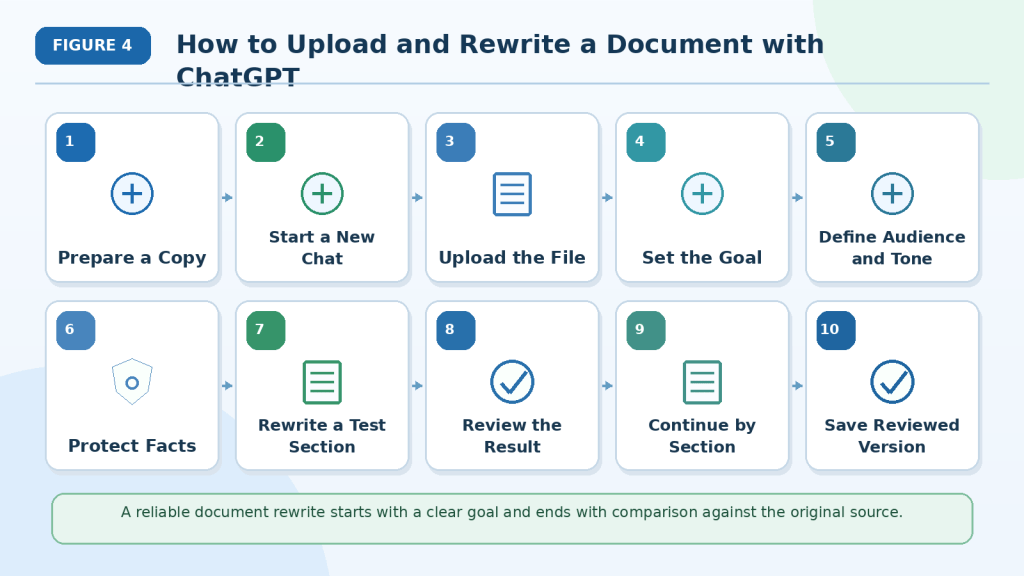
Figure 4. A reliable document rewrite starts with a clear goal and ends with comparison against the original source.
Rewriting one section at a time makes changes in meaning, missing details, and unsupported additions easier to identify. The rewritten text should be approved only after its facts, conditions, warnings, terminology, and uncertainty have been checked against the original.
How to Rewrite a Long Document in Sections
Long documents are usually easier to rewrite when they are divided into manageable sections.
Trying to rewrite an entire report, guide, policy, manual, or proposal in one request may lead to:
· Missing paragraphs
· Repeated content
· Inconsistent tone
· Changed terminology
· Shortened explanations
· Lost warnings or conditions
· Forgotten instructions
· Incomplete tables
· Different reading levels between sections
A section-by-section process makes the work easier to review and reduces the risk of important details being removed.
Step 1: Ask ChatGPT to List the Document Structure
Before rewriting, ask ChatGPT to identify the complete document organization.
Example prompt:
Review the uploaded document and list every heading, subsection, table, appendix, note, and warning in the original order. Do not rewrite or summarize anything yet.
Compare the list with the source document.
Check that it includes:
· Title page
· Introduction
· Main sections
· Subsections
· Numbered procedures
· Tables
· Captions
· Warnings
· Notes
· Appendices
· References
Add any missing section before rewriting begins.
Step 2: Divide the Document at Logical Boundaries
Each rewriting part should contain a complete idea.
A manageable part may be:
· One main section
· One or two short subsections
· A complete numbered procedure
· One table and its explanation
· A group of related paragraphs
· One appendix
Do not divide:
· A sentence
· A warning from its instruction
· A condition from the action it affects
· A table between two requests
· A definition from the term it explains
· A numbered procedure in the middle of a step
For example:
Rewrite the complete section titled “Equipment Safety,” including its introduction, warnings, numbered steps, and final note.
Keeping connected information together helps preserve context.
Step 3: Set the Rewriting Rules
Before rewriting the first section, provide the rules that should apply throughout the document.
Include:
· Intended audience
· Required tone
· Reading level
· Rewriting goal
· Terminology rules
· Formatting rules
· Facts that must remain unchanged
· Instructions for missing or unclear content
Example prompt:
Apply these rules to every section:
· Use plain professional language for adult beginners.
· Use short sentences and clear headings.
· Preserve every fact, name, date, number, warning, condition, limitation, and uncertain statement.
· Use the approved terminology consistently.
· Do not summarize, invent information, or remove necessary detail.
· Mark missing information as “[Not stated]” and unclear wording as “[Unclear in the source].”
Repeat the most important rules when working with high-risk sections.
Step 4: Rewrite a Representative Test Section
Choose a short section that reflects the document’s normal writing style.
Example prompt:
Rewrite only the introduction using the approved rules. Show the original and rewritten versions side by side. Stop after this section.
Review whether the test section has the correct:
· Tone
· Reading level
· Sentence length
· Level of detail
· Terminology
· Structure
· Treatment of warnings and uncertainty
Adjust the instructions before continuing.
Step 5: Approve Important Terminology
Record approved wording for repeated terms.
For example:
| Original Term | Approved Wording | Instruction |
| Final Approval | Final Approval | Keep unchanged |
| Responsible Person | Assigned Person | Use consistently |
| Required Action | Required Action | Do not shorten |
| Subject to Review | Subject to Review | Preserve condition |
Update the terminology list whenever a new important term appears.
This reduces inconsistency between sections.
Step 6: Continue in the Original Order
Rewrite sections in the same order as the source document unless there is a clear reason to reorganize them.
Example prompt:
Continue with the next section, “Employee Responsibilities.” Apply all approved rewriting and terminology rules. Preserve the heading, bullet points, deadlines, conditions, and warnings. Stop after this section.
Working in order helps you:
· Track progress
· Preserve context
· Identify missing sections
· Compare versions
· Assemble the final document correctly
Step 7: Keep a Progress Record
Use a simple tracking table.
| Section | Rewrite Status | Review Status | Corrections Needed |
| Introduction | Rewritten | Approved | None |
| Employee Responsibilities | Rewritten | Approved | One term corrected |
| Safety Procedure | Rewritten | Pending | Not reviewed |
| Appendix A | Not started | Not started | — |
A progress table helps prevent:
· Skipped sections
· Duplicate rewriting
· Unreviewed content
· Confusion between draft and approved versions
Step 8: Review Every Section Before Continuing
Compare each rewritten section with the source.
Check that it:
· Includes every important idea
· Preserves names and facts
· Keeps dates and numbers accurate
· Retains warnings and conditions
· Preserves uncertainty
· Uses approved terminology
· Matches the required tone
· Uses the requested reading level
· Avoids unsupported additions
· Keeps related information together
Do not approve a section only because it sounds clearer.
Step 9: Check Consistency Across Sections
After several sections have been rewritten, compare them with one another.
Confirm that:
· The same tone is used throughout.
· The reading level remains consistent.
· Repeated terms use the same wording.
· Headings follow the same style.
· Similar instructions use similar structure.
· Warnings remain equally visible.
· Defined terms keep the same meaning.
· Cross-references still point to the correct section.
A section may be accurate by itself but inconsistent with the rest of the document.
Step 10: Combine Only Approved Sections
After every section has been rewritten and reviewed, combine the approved versions.
Do not combine:
· Unreviewed drafts
· Duplicate versions
· Sections with unresolved questions
· Content from different source-document versions
· Text containing unapproved terminology
Keep the original section order unless an approved reorganization plan says otherwise.
Use a clear filename, such as:
employee-guide-plain-language-reviewed-july-2026.docx
Step 11: Review the Complete Rewritten Document
Read the combined version from beginning to end.
Check for:
· Missing sections
· Repeated paragraphs
· Sudden tone changes
· Inconsistent terminology
· Uneven reading levels
· Broken tables
· Incorrect headings
· Moved warnings
· Missing conditions
· Unresolved notes
· Formatting problems
Some problems become visible only after the complete document is assembled.
Reusable Prompt for Long Documents
Rewrite this document one complete section at a time for [intended audience] using [required tone and reading level].
First, list all headings and sections in the original order. Do not rewrite anything yet.
For each approved section:
· Preserve every fact, name, date, number, amount, measurement, deadline, responsibility, warning, condition, exception, limitation, and uncertain statement.
· Use the approved terminology consistently.
· Keep the heading and section order.
· Use clear sentences and organized paragraphs.
· Do not summarize, invent, or remove necessary information.
· Mark missing information as [Not stated].
· Mark unreadable wording as [Unclear in the source].
· Show the original and rewritten text side by side.
Stop after each section and wait for approval before continuing.
Reality: Rewriting a long document in sections does not automatically make the result accurate. It makes missing content, inconsistent terminology, tone changes, and meaning errors easier to identify and correct.
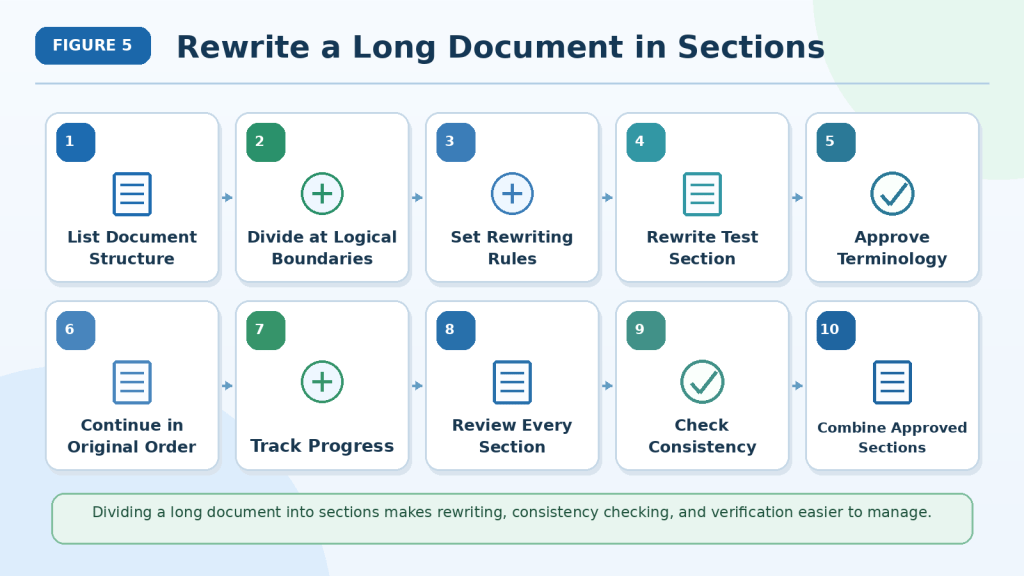
Figure 5. Dividing a long document into sections makes rewriting, consistency checking, and verification easier to manage.
Each section should be rewritten, compared with the source, corrected, and approved before the next section begins. A progress record and terminology list help prevent skipped content, duplicate sections, and inconsistent wording.
How to Improve and Correct a Rewritten Document
The first rewrite should usually be treated as a draft.
Clearer wording does not always mean the meaning was preserved. A rewritten section may contain:
· Missing facts
· Unsupported additions
· Changed requirements
· Weakened warnings
· Removed conditions
· Lost uncertainty
· Inconsistent terminology
· An unsuitable tone
· Oversimplified technical information
· Formatting changes
Compare the rewritten text directly with the original before approving it.
Step 1: Identify the Problem
Decide what needs correction before asking ChatGPT to revise the text again.
Common rewriting problems include:
· Meaning error: The rewritten sentence communicates a different idea.
· Omission: Important information was removed.
· Addition: New information was introduced without support.
· Fact error: A name, date, number, amount, or deadline changed.
· Condition error: A requirement or exception was removed.
· Warning error: A warning became weaker or disappeared.
· Uncertainty error: A possible result became definite.
· Terminology error: An approved term was replaced or used inconsistently.
· Tone error: The rewrite became too casual, emotional, promotional, or authoritative.
· Reading-level error: The wording remains too difficult or becomes overly simplified.
· Structure error: A heading, list, table, note, or reference changed incorrectly.
Naming the problem helps ChatGPT make a focused correction.
Step 2: Show the Original and Rewritten Text Together
Provide both versions when requesting a correction.
For example:
Original: The equipment may be used after written approval is received from the maintenance department.
Rewrite: The equipment can be used after inspection.
Compare these sentences and identify every change in meaning. Do not correct the rewrite yet.
The rewrite changed several important details:
· May be used became can be used.
· The requirement for written approval was removed.
· The maintenance department was removed.
· Inspection was added even though the source did not mention it.
Showing both versions makes these changes easier to identify.
Step 3: Ask for a Meaning-Comparison Table
A comparison table can organize the review.
Example prompt:
Compare the original and rewritten text sentence by sentence. Create a table with these columns:
· Original Meaning
· Rewritten Meaning
· Problem Found
· Correction Needed
Check for missing information, unsupported additions, changed facts, removed conditions, weakened warnings, and lost uncertainty.
For example:
| Original Meaning | Rewritten Meaning | Problem Found | Correction Needed |
| Written approval is required | Approval was removed | Condition missing | Restore approval requirement |
| Maintenance department gives approval | Department not identified | Responsible party missing | Restore department |
| Equipment may be used | Equipment can be used | Meaning changed | Preserve cautious wording |
Review the table before requesting corrections.
Step 4: Correct One Problem at a Time
Avoid asking ChatGPT to rewrite the entire section again when only one sentence is incorrect.
Instead of writing:
Rewrite this again.
Use a focused instruction:
Restore the written-approval condition and the maintenance department. Keep all other accurate wording unchanged.
Focused corrections reduce the chance of creating new problems.
Step 5: Restore Missing Information
Compare the source and rewrite paragraph by paragraph.
Check whether every important:
· Fact
· Instruction
· Responsibility
· Date
· Deadline
· Condition
· Exception
· Warning
· Limitation
· Example
· Note
· Reference
remains included.
Example prompt:
List every important detail from the original paragraph that is missing from the rewrite. Do not invent or restore anything that is not supported by the source.
Restore only information found in the original document.
Step 6: Remove Unsupported Additions
ChatGPT may add examples, explanations, recommendations, or conclusions to make the text appear clearer.
These additions should not silently become part of the rewritten document.
Example prompt:
Identify every sentence or phrase in the rewrite that is not supported by the original source. Remove those additions while preserving all accurate rewritten wording.
When additional explanation is useful, keep it separate.
For example:
Additional Explanation: This note was added for beginners and is not part of the original document.
Step 7: Preserve Facts and Responsibilities
Check every:
· Personal name
· Job title
· Organization name
· Date
· Time
· Number
· Currency amount
· Measurement
· Deadline
· Reference number
· Assigned responsibility
For example:
Original: Sarah must submit the report by July 22, 2026.
Incorrect rewrite: The team should submit the report in late July.
The rewrite changes:
· The responsible person
· The requirement
· The exact deadline
Example prompt:
Compare every name, role, date, number, amount, measurement, deadline, and responsibility with the source. List all differences before correcting them.
Step 8: Restore Conditions, Warnings, and Uncertainty
Pay special attention to phrases such as:
· If
· Unless
· Only after
· Subject to approval
· Must
· Must not
· May
· Might
· Could
· Expected
· Proposed
· Preliminary
· Not confirmed
· Under review
For example:
Original: The schedule may be revised after the safety review.
Incorrect rewrite: The schedule will be revised.
The rewrite removes the review condition and changes a possibility into a guarantee.
Example prompt:
Restore every condition, warning, restriction, exception, and uncertain statement from the source. Do not make the wording weaker, stronger, or more definite.
Step 9: Check the Reading Level
A simplified rewrite should be easier to understand, but it should not become incomplete or childish.
Check whether the text uses:
· Short, complete sentences
· Familiar words
· One main idea per paragraph
· Clear headings
· Direct instructions
· Necessary explanations of technical terms
Avoid removing an exact term when the reader needs to recognize it later.
For example:
Keep the term “two-factor authentication,” but explain it in simple language the first time it appears.
Example prompt:
Simplify the wording for adult beginners without removing necessary technical terms, facts, warnings, conditions, or limitations.
Step 10: Check the Tone
Confirm that the rewrite matches the intended tone.
A document may need to remain:
· Formal
· Professional
· Neutral
· Friendly
· Instructional
· Technical
· Cautious
· Direct
A friendly rewrite should not weaken a requirement.
For example:
Original: Employees must report damaged equipment immediately.
Weak rewrite: It would be helpful to mention damaged equipment when convenient.
Example prompt:
Make the wording friendly but preserve the original requirement and urgency. Do not make mandatory actions sound optional.
Step 11: Review Terminology
Compare the rewrite with the approved terminology list.
Check whether:
· Required terms remain unchanged.
· Approved alternatives are used consistently.
· Similar terms are not confused.
· Abbreviations are explained correctly.
· Technical definitions remain accurate.
Example prompt:
Review the rewritten section against the terminology table. List every inconsistent or incorrect term before making changes.
Step 12: Check the Structure and Formatting
Confirm that the rewrite preserves the required:
· Heading levels
· Section order
· Paragraph breaks
· Numbered steps
· Bullet points
· Tables
· Captions
· Notes
· Bold labels
· References
Example prompt:
Restore the original document structure without changing the approved rewritten wording. Preserve every heading, list, table, caption, note, and reference.
Do not convert an unordered list into numbered steps unless the items must be completed in order.
Step 13: Request a Final Comparison
After corrections are complete, compare the revised version with the original again.
Example prompt:
Perform a final comparison between the original section and the corrected rewrite.
Check:
· Complete meaning
· Facts and responsibilities
· Dates and numbers
· Conditions and exceptions
· Warnings and limitations
· Uncertainty
· Terminology
· Tone and reading level
· Structure and formatting
· Missing or unsupported information
Create a verification table and clearly identify anything that still requires human review.
Do not mark the rewrite as verified unless it was checked against the source.
Save the Corrected Version Separately
Do not overwrite the original document or first rewrite.
Use filenames such as:
· employee-guide-original.docx
· employee-guide-first-rewrite.docx
· employee-guide-corrected-rewrite.docx
· employee-guide-reviewed-final.docx
Keep:
· The original document
· The rewriting prompt
· The terminology list
· The first rewrite
· Correction prompts
· Comparison tables
· The corrected version
· Human-review notes
· Final approval records
Reusable Rewrite-Correction Prompt
Compare the rewritten section with the original source sentence by sentence.
Check for:
· Changed meaning
· Missing information
· Unsupported additions
· Incorrect facts
· Changed responsibilities
· Removed conditions or exceptions
· Weakened warnings
· Lost uncertainty
· Inconsistent terminology
· Unsuitable tone
· Incorrect reading level
· Structure or formatting changes
First, list every possible problem in a comparison table. Do not correct the text yet.
After I approve the findings, correct only the identified problems. Preserve all accurate rewritten wording and do not introduce new information.
Reality: A rewrite is successful only when it is clearer for the intended reader and remains faithful to the original document.

Figure 6. A rewritten document should be corrected by comparing it with the original and restoring any missing facts, conditions, warnings, or uncertainty.
Focused corrections are safer than repeatedly rewriting the entire section. Each change should improve clarity while preserving the original meaning, responsibilities, terminology, tone, and document structure.
How to Verify a Rewritten or Simplified Document
Verification means comparing the rewritten version with the original document before it is used, shared, submitted, or published.
A rewrite may be easier to read but still contain:
· Missing information
· Changed facts
· Weakened requirements
· Removed conditions
· Lost warnings
· Unsupported additions
· Inconsistent terminology
· An unsuitable tone
· Oversimplified technical content
The purpose of verification is to confirm that the wording became clearer without changing the original message.
Step 1: Check That Nothing Is Missing
Compare the complete structure of both documents.
Confirm that the rewrite includes every required:
· Title
· Heading
· Subheading
· Paragraph
· Numbered step
· Bullet point
· Table
· Note
· Warning
· Caption
· Appendix
· Reference
Look for sections that are missing, repeated, incomplete, or placed in the wrong location.
Example prompt:
Compare the original document with the rewritten version. List any missing, repeated, incomplete, or incorrectly placed content. Do not correct it yet.
Step 2: Compare One Section at a Time
Review each rewritten section beside the matching section in the original.
Check whether:
· Every important idea remains.
· The meaning is unchanged.
· Necessary details were not removed.
· New facts or examples were not added.
· Related instructions and conditions remain together.
· The requested tone and reading level were applied.
Keep the original document open during the review.
Step 3: Verify Facts and Responsibilities
Check every:
· Name
· Job title
· Organization
· Date
· Time
· Number
· Amount
· Measurement
· Deadline
· Reference code
· Responsible person
For example:
Original: Ahmed must submit the checklist by July 20, 2026.
Incorrect rewrite: The team should submit the checklist in late July.
The rewrite changes the responsible person, the requirement, and the exact deadline.
Example prompt:
Compare every name, role, date, number, amount, measurement, deadline, and responsibility with the original. List all differences before correcting them.
Step 4: Verify Required Actions
Confirm that the rewrite preserves:
· Who must act
· What action is required
· When it must happen
· Who receives the result
· Who provides approval
· What happens if the action is not completed
Pay attention to words such as:
· Must
· Must not
· Required
· Prohibited
· Submit
· Approve
· Responsible
For example:
Original: Employees must report damaged equipment immediately.
Incorrect rewrite: Employees can mention damaged equipment when convenient.
The rewrite changes a required action into an optional one.
Step 5: Verify Conditions and Exceptions
Conditions can completely change the meaning of a sentence.
Look for phrases such as:
· If
· Unless
· Only after
· Provided that
· Subject to approval
· Except when
· After confirmation
For example:
Original: The equipment may be used only after written approval is received.
Incorrect rewrite: The equipment may be used.
The approval condition was removed.
Example prompt:
Identify every condition, exception, restriction, and approval requirement in the original. Confirm that each one remains connected to the correct action in the rewrite.
Step 6: Verify Warnings, Limitations, and Uncertainty
Check that the rewrite preserves all:
· Safety warnings
· Risks
· Prohibited actions
· Required precautions
· Known limitations
· Negative findings
· Approval conditions
· Uncertain outcomes
Pay special attention to words such as:
· May
· Might
· Could
· Expected
· Estimated
· Proposed
· Preliminary
· Under review
· Not confirmed
For example:
Original: The project is expected to finish in August.
Incorrect rewrite: The project will finish in August.
The rewrite changes an expected result into a guarantee.
Example prompt:
Compare every warning, limitation, condition, and uncertain statement. Identify anything that became weaker, stronger, or more definite than the original.
Step 7: Check for Missing and Added Information
Ask two separate questions:
1st What important information from the original is missing?
2nd What information in the rewrite is not supported by the original?
Look for missing:
· Instructions
· Examples
· Definitions
· Conditions
· Warnings
· Limitations
· Notes
· References
Look for unsupported:
· Facts
· Causes
· Recommendations
· Conclusions
· Dates
· Examples
Example prompt:
Create two lists. First, list important source information missing from the rewrite. Second, list anything in the rewrite that is not supported by the source. Do not correct the text yet.
Step 8: Verify Terminology
Compare the rewrite with the approved terminology list.
Confirm that:
· Required terms remain unchanged.
· Approved alternatives are used consistently.
· Similar terms are not confused.
· Abbreviations are explained correctly.
· Technical definitions remain accurate.
For example, approval, permission, and confirmation may not have the same meaning.
Do not replace them with one general word unless the source supports that change.
Step 9: Review Tone and Reading Level
The rewrite should be easier for the intended reader without becoming inaccurate or childish.
Check for:
· Short, complete sentences
· Familiar words
· One main idea per paragraph
· Clear headings
· Direct instructions
· Necessary explanations of technical terms
Also confirm that the tone remains suitable.
For example:
· Policies may require formal and neutral wording.
· Beginner guides may need clear and welcoming language.
· Safety instructions may need direct and cautious wording.
· Customer notices may need friendly but professional language.
A tone change should not make a requirement optional or a warning less serious.
Step 10: Verify Lists, Tables, and References
For numbered steps, confirm that:
· The order remains correct.
· No action was removed.
· No action was added.
· Conditions remain attached to the correct step.
· Numbering is used only when sequence matters.
For tables, confirm that:
· Headings remain correct.
· Values stay in the correct rows and columns.
· Names remain connected to the correct records.
· Blank fields remain blank.
· Not stated is not replaced with invented information.
· Dates, numbers, conditions, and statuses remain accurate.
Also check every:
· Page reference
· Section reference
· Figure number
· Table number
· Footnote
· Citation
· Internal link
· External link
Reorganizing a document may make old references incorrect.
Step 11: Ask a Suitable Human Reviewer
When possible, ask someone familiar with the subject and intended audience to review the rewritten document.
A reviewer may identify:
· Missing context
· Unclear wording
· Unsuitable tone
· Oversimplified explanations
· Incorrect specialist terminology
· Accessibility problems
· Instructions that may be misunderstood
Legal, medical, financial, technical, safety, or accessibility documents may require professional review.
Step 12: Create a Verification Record
Record what was checked, corrected, and left unresolved.
For example:
| Item Checked | Result | Correction Required | Status |
| Headings and sections | Complete | None | Verified |
| Names and dates | One date changed | Original date restored | Verified |
| Warning language | One warning weakened | Requirement restored | Verified |
| Uncertainty | “May” changed to “will” | Uncertainty restored | Verified |
| Technical terms | Two terms unclear | Specialist review needed | Pending |
Do not mark an item as verified unless it was compared with the original document.
Reusable Rewrite-Verification Prompt
Compare the rewritten document with the original source.
Check:
· Titles, headings, and section order
· Missing, repeated, or incomplete content
· Names, roles, dates, numbers, and deadlines
· Responsibilities and required actions
· Conditions and exceptions
· Warnings and limitations
· Uncertainty and approval status
· Terminology and definitions
· Lists, tables, notes, and references
· Unsupported additions
· Tone and reading level
Create a verification table with these columns:
· Item Checked
· Original Source
· Rewritten Result
· Correction Needed
· Status
Do not mark anything as verified unless it is supported by the original document. Clearly identify anything that still requires human or professional review.
Reality: A rewritten document is reliable only when it is easier to understand and still preserves the original facts, requirements, warnings, conditions, limitations, and uncertainty.

Figure 7. A rewritten document should be checked against the original for structure, facts, actions, conditions, warnings, uncertainty, terminology, and missing information.
Verification confirms that the revised wording is clearer without changing the original message. Missing, unsupported, uncertain, or professionally important content should be corrected or clearly marked for further review.
Practical Example: Simplifying a Workplace Procedure
Imagine that a company has written an equipment-reporting procedure for employees.
The original document is accurate, but it uses long sentences and formal wording that may be difficult for new employees to understand.
The goal is to make the procedure clearer without changing:
· Who must act
· What employees must do
· When they must act
· Which equipment must not be used
· Who must receive the report
· What approval is required
· What remains uncertain
Original Procedure
All employees who identify visible damage, unusual operating sounds, or other indications of possible equipment malfunction are required to discontinue use of the affected equipment immediately and complete the equipment incident form before the conclusion of the current work shift.
The completed form must be submitted to the shift supervisor, who will forward the report to the maintenance department for review.
The equipment must not be returned to service unless written authorization has been provided by the maintenance manager.
Depending on the nature of the reported issue, additional inspection may be required before authorization is granted.
Step 1: Identify the Intended Reader
The rewritten procedure is intended for new employees who may not have experience with workplace equipment policies.
The document should use:
· Plain professional language
· Short sentences
· Direct instructions
· Familiar words
· Clear numbered steps
· Clearly visible warnings
Technical or required terms should remain when they have a precise meaning.
Step 2: Identify What Must Remain Unchanged
Before rewriting, list the essential information.
For this procedure:
· Employees must stop using damaged or possibly faulty equipment immediately.
· Employees must complete the equipment incident form.
· The form must be completed before the current shift ends.
· The completed form must be submitted to the shift supervisor.
· The supervisor sends the form to the maintenance department.
· The equipment must not return to service without written authorization.
· The maintenance manager provides the authorization.
· Additional inspection may be required.
· Additional inspection is possible, not guaranteed.
These details should not be removed or weakened.
Step 3: Use a Detailed Rewriting Prompt
Example prompt:
Rewrite this equipment-reporting procedure in plain professional language for new employees.
Use short sentences and numbered steps.
Preserve:
· The requirement to stop using the equipment immediately
· Visible damage, unusual sounds, and possible malfunction
· The equipment incident form
· The end-of-shift deadline
· The shift supervisor’s responsibility
· Review by the maintenance department
· Written authorization from the maintenance manager
· The rule that the equipment must not return to service before authorization
· The uncertainty in “additional inspection may be required”
Do not remove requirements, add new actions, or make an uncertain outcome definite.
Step 4: Review the First Rewrite
Suppose ChatGPT produces this version:
1st Stop using damaged equipment.
2nd Complete an incident form.
3rd Give the form to your supervisor.
4th Wait until maintenance says the equipment is safe.
This version is easier to read, but it removes several important details.
It does not clearly preserve:
· Unusual operating sounds
· Other signs of possible malfunction
· The end-of-shift deadline
· The supervisor’s responsibility to forward the report
· Written authorization
· The maintenance manager’s role
· The possibility of an additional inspection
The sentence “maintenance says the equipment is safe” also changes the original wording.
The source requires written authorization from the maintenance manager. It does not say that maintenance certifies the equipment as completely safe.
Step 5: Request Focused Corrections
Use a correction prompt such as:
Restore the missing signs of possible equipment problems, the end-of-shift deadline, the supervisor’s forwarding responsibility, the requirement for written authorization from the maintenance manager, and the possibility of additional inspection.
Keep the numbered-step format and plain language. Do not add a statement saying that the equipment is guaranteed to be safe.
Step 6: Prepare the Corrected Rewrite
A clearer version may say:
Reporting Damaged or Faulty Equipment
1st Stop using the equipment immediately if you notice visible damage, unusual operating sounds, or another sign of possible malfunction.
2nd Complete the equipment incident form before your current work shift ends.
3rd Give the completed form to your shift supervisor.
4th The shift supervisor will send the report to the maintenance department for review.
5th Do not return the equipment to service until the maintenance manager provides written authorization.
6th An additional inspection may be required, depending on the reported problem.
This rewrite uses shorter sentences and numbered steps while preserving the original instructions.
Step 7: Compare the Two Versions
Use a verification table.
| Information Checked | Original Requirement | Corrected Rewrite | Status |
| Stop using equipment | Immediately | Preserved | Verified |
| Reasons to stop | Damage, unusual sounds, or possible malfunction | Preserved | Verified |
| Required form | Equipment incident form | Preserved | Verified |
| Deadline | Before the current shift ends | Preserved | Verified |
| First recipient | Shift supervisor | Preserved | Verified |
| Supervisor’s action | Send report to maintenance | Preserved | Verified |
| Return to service | Only after written authorization | Preserved | Verified |
| Authorizing person | Maintenance manager | Preserved | Verified |
| Additional inspection | May be required | Preserved | Verified |
| Unsupported additions | None allowed | None found | Verified |
Only mark an item as verified after comparing it with the source.
Step 8: Review the Numbered Steps
Turning a paragraph into numbered steps can improve readability, but the order must remain accurate.
Confirm that:
· Employees stop using the equipment before completing the form.
· The form is completed before the shift ends.
· The employee submits it to the shift supervisor.
· The supervisor forwards it to maintenance.
· The equipment remains out of service until written authorization is received.
· The possible inspection remains connected to the reported issue.
Do not create extra steps that are not supported by the original procedure.
Step 9: Check the Warning Language
The source says the equipment must not return to service without written authorization.
The rewrite should not weaken this into wording such as:
· Try not to use the equipment.
· Avoid using it when possible.
· Wait until someone checks it.
· Use it carefully until maintenance responds.
These alternatives change a mandatory restriction into advice.
The corrected version keeps the direct instruction:
Do not return the equipment to service until the maintenance manager provides written authorization.
Step 10: Confirm the Uncertainty
The source says:
Additional inspection may be required.
This means an inspection is possible but not required in every case.
The rewrite should not say:
· An inspection will be required.
· Every report requires an inspection.
· No further inspection is necessary.
The corrected wording preserves the uncertainty:
An additional inspection may be required, depending on the reported problem.
What This Example Shows
Simplifying a workplace procedure involves more than shortening sentences.
The rewrite must preserve:
· The complete sequence of actions
· Mandatory wording
· Responsibilities
· Deadlines
· Approval requirements
· Warnings
· Conditions
· Uncertainty
A shorter version is not better when it removes information employees need to follow the procedure correctly.

Figure 8. A simplified workplace procedure should use clearer steps while preserving deadlines, responsibilities, warnings, approval requirements, and uncertainty.
Converting a dense paragraph into numbered steps can improve understanding, but every important instruction must remain. The simplified version should not weaken mandatory wording, remove responsible people, or turn a possible requirement into a guaranteed one.
Practical Example: Simplifying a Technical Explanation
Imagine that a software guide contains a technical explanation of two-factor authentication.
The information is accurate, but the wording may be difficult for complete beginners.
The goal is to simplify the explanation while preserving:
· The correct technical term
· The purpose of the security feature
· The two verification steps
· The warning that no security method removes every risk
· The difference between a password and a second verification method
Original Technical Explanation
Two-factor authentication is an account-security mechanism that requires users to provide two distinct forms of verification before access is granted. The first factor is generally a password, while the second factor may consist of a temporary verification code, authentication application, security key, or biometric identifier. Although this process can reduce the likelihood of unauthorized access, it does not eliminate all account-security risks.
Step 1: Identify the Rewriting Goal
The rewritten version should:
· Use beginner-friendly language
· Use shorter sentences
· Explain the technical term
· Preserve the examples
· Keep the limitation
· Avoid making a security guarantee
The term two-factor authentication should remain because readers may see it in account settings and security instructions.
Step 2: Use a Detailed Prompt
Example prompt:
Rewrite this explanation for complete beginners.
Keep the term “two-factor authentication” and explain it simply.
Preserve:
· The requirement for two forms of verification
· The password as the usual first step
· The possible second methods
· The benefit of reducing unauthorized access
· The limitation that it does not remove every security risk
Use short sentences and familiar words. Do not claim that two-factor authentication guarantees account security.
Step 3: Review an Oversimplified Rewrite
Suppose ChatGPT produces:
Two-factor authentication keeps your account safe by asking for a password and a code.
This sentence is easier to read, but it creates several problems.
It:
· Suggests that the account is completely safe.
· Mentions only a code as the second method.
· Removes authentication apps, security keys, and biometric methods.
· Removes the limitation that risks still remain.
· Does not explain that two different forms of verification are required.
The wording is simpler, but the meaning is incomplete.
Step 4: Request Focused Corrections
Use a correction prompt such as:
Keep the explanation simple, but restore the meaning that two different forms of verification are required. Include the possible second methods and the limitation that this feature reduces risk but does not remove every security threat. Do not say that it guarantees account safety.
Step 5: Prepare the Corrected Rewrite
A clearer version may say:
Two-factor authentication is an extra account-security step.
It asks you to prove your identity in two different ways before you can sign in.
The first step is usually your password.
The second step may use:
· A temporary verification code
· An authentication app
· A security key
· A fingerprint or another biometric method
Two-factor authentication can make unauthorized access more difficult, but it does not remove every account-security risk.
This version uses shorter sentences while preserving the original meaning.
Step 6: Verify the Important Details
Use a verification table.
| Information Checked | Original Meaning | Corrected Rewrite | Status |
| Technical term | Two-factor authentication | Preserved | Verified |
| Main purpose | Additional account security | Preserved | Verified |
| Number of factors | Two different forms | Preserved | Verified |
| First factor | Usually a password | Preserved | Verified |
| Second-factor options | Code, app, security key, or biometric method | Preserved | Verified |
| Security benefit | Can reduce unauthorized access | Preserved | Verified |
| Limitation | Does not remove every risk | Preserved | Verified |
| Security guarantee | None | None added | Verified |
Only mark an item as verified after comparing it with the source.
Step 7: Check the Technical Term
Removing every technical term may make a document less useful.
Readers may need to recognize two-factor authentication when they see it in:
· Account settings
· Security instructions
· Login screens
· Help articles
· Workplace policies
A useful beginner rewrite keeps the correct term and explains it in familiar language.
Step 8: Check the List
Turning the second-factor examples into bullets improves readability because the items are alternatives rather than ordered steps.
A numbered list would be inappropriate because users do not normally complete all four methods in sequence.
This shows why numbered lists should be used only when order matters.
Step 9: Check the Limitation
The original explanation says that two-factor authentication can reduce the chance of unauthorized access.
It does not say that the feature:
· Prevents every attack
· Makes an account completely safe
· Replaces a strong password
· Removes the need for careful account use
The rewritten version preserves this limitation:
Two-factor authentication can make unauthorized access more difficult, but it does not remove every account-security risk.
What This Example Shows
Simplifying technical content does not mean removing every technical term or important limitation.
A useful beginner rewrite should:
· Keep necessary terminology
· Explain the term simply
· Preserve accurate examples
· Organize information clearly
· Avoid unsupported guarantees
· Keep important limitations visible
The best simplified explanation is easier to understand while remaining technically accurate.

Figure 9. Simplifying a technical explanation should improve readability while preserving the correct term, examples, purpose, and limitations.
Technical terms should not always be removed. Keeping the correct term and explaining it clearly helps beginners understand the idea and recognize the wording when they encounter it in real account settings or instructions.
Benefits of Rewriting and Simplifying Documents with ChatGPT
ChatGPT can help turn difficult, wordy, or poorly organized text into content that is easier to understand and use.
Its main benefit is not simply making a document shorter. A careful rewrite can improve clarity while preserving the original facts, instructions, warnings, conditions, and limitations.
Makes Difficult Wording Easier to Understand
ChatGPT can replace unnecessary complexity with clearer language.
It may help by:
· Shortening long sentences
· Replacing uncommon words
· Removing repeated phrases
· Explaining necessary technical terms
· Dividing dense paragraphs
· Making instructions more direct
For example:
Original:
Applicants are required to provide the necessary documentation prior to the expiration of the stated submission period.
Clear rewrite:
Applicants must provide the required documents before the submission deadline.
The rewritten sentence is easier to read while preserving the requirement and deadline.
Helps Match the Intended Audience
The same information may need different wording for different readers.
ChatGPT can help rewrite content for:
· Complete beginners
· Employees
· Customers
· Students
· Parents
· Managers
· Community members
· Technical specialists
· Website visitors
For example, a technical policy may need precise professional language, while a beginner guide may need short sentences and simple explanations.
Audience adaptation can improve understanding without changing the original facts.
Supports Different Tones
You can ask ChatGPT to make a document:
· Formal
· Professional
· Neutral
· Friendly
· Instructional
· Direct
· Cautious
· Beginner-friendly
This can help the wording better suit the document’s purpose.
For example, a customer notice may need a friendly but professional tone, while a safety procedure should remain direct and serious.
A tone change should not weaken requirements or warnings.
Makes Long Documents Easier to Manage
A long report, guide, policy, or manual can be rewritten one section at a time.
This allows you to:
1st Rewrite a manageable section.
2nd Compare it with the original.
3rd Correct meaning changes.
4th Approve the section.
5th Continue with the next part.
This method makes missing details, inconsistent tone, and terminology problems easier to identify.
Helps Preserve Important Terminology
ChatGPT can follow a terminology list containing words that must remain unchanged or use approved alternatives.
This is useful for:
· Technical terms
· Job titles
· Department names
· Product names
· Defined terms
· Status labels
· Abbreviations
Consistent wording makes the rewritten document easier to understand and compare with the source.
Can Improve Document Organization
ChatGPT can help reorganize content into:
· Clear headings
· Shorter paragraphs
· Numbered procedures
· Bullet lists
· Checklists
· Tables
· Separate warning boxes
· Clearly labelled notes
This can make important information easier to find.
However, moving content must be done carefully so that a condition, warning, or explanation does not become separated from the instruction it affects.
Makes Changes Easier to Review
You can ask ChatGPT to display the original and rewritten text together.
Useful formats include:
· Original paragraph followed by the rewrite
· Side-by-side comparison
· Sentence-by-sentence review
· Change tables
· Verification checklists
These formats can help reveal:
· Missing information
· Unsupported additions
· Changed facts
· Weakened warnings
· Removed conditions
· Lost uncertainty
The original document should remain the main source for verification.
Helps Identify Unclear Source Text
Some documents contain:
· Incomplete sentences
· Undefined abbreviations
· Contradictory wording
· Blurred text
· Missing dates
· Empty table fields
· Unclear instructions
You can tell ChatGPT to mark these areas instead of guessing.
For example:
Mark missing information as “[Not stated]” and unclear wording as “[Unclear in the source].” Do not invent details.
This makes unresolved content easier to find and review.
Supports Accessibility Improvements
Clearer writing can help more readers understand a document.
ChatGPT can assist with:
· Descriptive headings
· Short paragraphs
· Direct instructions
· Familiar words
· Clearly explained technical terms
· Logical lists
· Accessible table wording
· Helpful image descriptions
Simplified wording alone does not make a document fully accessible.
The final version should still be reviewed for heading structure, colour contrast, readable fonts, meaningful alternative text, links, tables, and keyboard or screen-reader use when relevant.
Helps Keep Rewriting Records Organized
ChatGPT can help prepare:
· Rewriting instructions
· Terminology lists
· Section progress tables
· Original-and-rewrite comparisons
· Correction records
· Verification checklists
· Human-review notes
· Final approval records
These records make it easier to identify which sections were rewritten, corrected, reviewed, and approved.
Important Limitation
These benefits do not mean that every rewritten document is automatically:
· Accurate
· Complete
· Suitable for publication
· Legally reliable
· Technically correct
· Accessible
· Professionally approved
Important documents may still require review by:
· A subject specialist
· A legal professional
· A medical professional
· A financial professional
· A technical reviewer
· An accessibility specialist
· The organization responsible for the document
Reality: ChatGPT can make documents clearer, better organized, and easier to read, but the rewritten version must still be checked carefully against the original source.
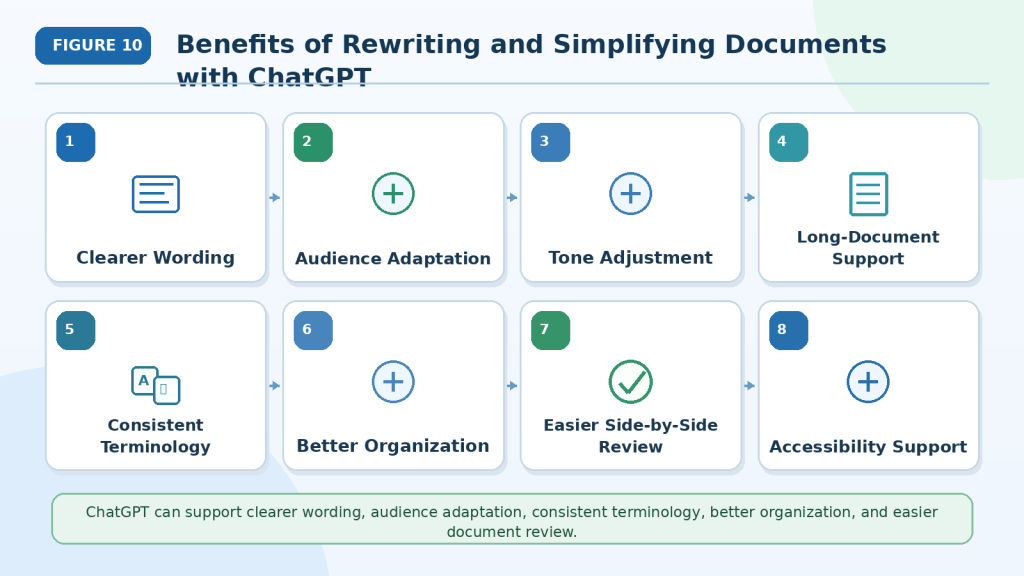
Figure 10. ChatGPT can support clearer wording, audience adaptation, consistent terminology, better organization, and easier document review.
These benefits can make rewriting more manageable for beginners and long documents. The revised version should still be compared carefully with the source to confirm that no facts, requirements, warnings, conditions, or limitations were changed.
Limitations of Rewriting and Simplifying Documents with ChatGPT
ChatGPT can make writing clearer, but it may also change, remove, or add information.
Understanding these limitations helps you decide what to verify and when human or professional review is necessary.
Meaning May Change
A rewritten sentence may sound clearer while communicating a different message.
This often happens when the source contains:
· Long sentences
· Several conditions
· Uncertainty
· Technical wording
· Exceptions
· Implied context
For example:
Original: The request may be approved after the required documents are reviewed.
Incorrect rewrite: The request will be approved.
The rewrite removes the review condition and changes a possible result into a guarantee.
How to Reduce This Limitation: Compare the original and rewritten text sentence by sentence. Check conditions, exceptions, warnings, and uncertainty carefully.
Important Information May Be Removed
When asked to simplify or shorten text, ChatGPT may remove details it considers less important.
Missing information may include:
· Deadlines
· Responsible people
· Examples
· Warnings
· Exceptions
· Limitations
· Footnotes
· Source references
A shorter document is not automatically clearer when readers lose information they need.
How to Reduce This Limitation: List the details that must remain and instruct ChatGPT not to summarize or remove them.
Unsupported Information May Be Added
ChatGPT may add explanations, examples, causes, recommendations, or conclusions to make a section appear complete.
For example, brief notes may be expanded with a date or reason that was not provided in the source.
How to Reduce This Limitation: Tell ChatGPT to use only information from the document. Mark missing information as [Not stated] and keep additional explanations clearly labelled.
Requirements May Become Weaker
Mandatory words may be changed during friendly or plain-language rewriting.
For example:
Original: Employees must report damaged equipment immediately.
Weak rewrite: Employees should mention damaged equipment when possible.
The rewrite changes a requirement into a suggestion.
How to Reduce This Limitation: Check every use of must, must not, required, prohibited, and similar wording against the original.
Warnings May Lose Their Importance
A warning may be shortened, moved, or rewritten in softer language.
This can happen when ChatGPT tries to make the tone more welcoming or concise.
How to Reduce This Limitation: Ask ChatGPT to preserve every warning and keep it close to the instruction or risk it affects.
Uncertainty May Become Certainty
Words such as these can be lost during rewriting:
· May
· Might
· Could
· Expected
· Estimated
· Proposed
· Preliminary
· Under review
· Subject to approval
For example:
Original: The project is expected to finish in August.
Incorrect rewrite: The project will finish in August.
How to Reduce This Limitation: Ask ChatGPT to identify every uncertain or conditional statement before rewriting and confirm that each one remains afterward.
Technical Meaning May Be Oversimplified
Some technical terms have precise meanings that cannot be replaced safely with a general word.
This is especially important in:
· Legal documents
· Medical information
· Financial reports
· Engineering instructions
· Scientific materials
· Safety procedures
· Software documentation
For example, authorization, approval, and confirmation may not mean the same thing.
How to Reduce This Limitation: Keep necessary technical terms and explain them simply instead of replacing them. Ask a subject specialist to review important documents.
Tone May Change Incorrectly
A rewrite may become:
· Too casual
· Too formal
· Too emotional
· Too promotional
· Too reassuring
· More authoritative than the source
A neutral report should not become persuasive, and a safety instruction should not sound optional.
How to Reduce This Limitation: State the required tone clearly and compare it with the original after rewriting.
Reading-Level Requests Are Not Exact
Terms such as beginner-friendly, simple, or grade-level writing can be interpreted differently.
ChatGPT may still use difficult words or simplify the material too much.
How to Reduce This Limitation: Describe the writing features you want, such as short sentences, familiar words, one idea per paragraph, and explanations of essential technical terms.
Long Documents May Become Inconsistent
When rewriting a long document, ChatGPT may:
· Change the tone between sections
· Use different terms for the same idea
· Forget earlier instructions
· Repeat information
· Remove later details
· Produce incomplete output
How to Reduce This Limitation: Rewrite one section at a time, maintain a terminology list, keep a progress record, and combine only reviewed sections.
Tables and Lists May Be Changed Incorrectly
ChatGPT may:
· Move a value into the wrong table cell
· Change the order of steps
· Combine separate items
· Create new actions
· Turn unordered information into numbered steps
These changes can affect responsibilities, deadlines, or instructions.
How to Reduce This Limitation: Compare every table row, column, label, and list item with the source. Use numbered lists only when sequence matters.
Document Structure May Not Be Preserved Perfectly
Rewritten text may affect:
· Page breaks
· Table widths
· Captions
· Text boxes
· Image placement
· Heading levels
· Footnotes
· Page references
A general structure may be preserved without reproducing the original layout exactly.
How to Reduce This Limitation: Review the final document in the program where it will be published or distributed and correct the layout manually.
Unclear Source Text Cannot Be Rewritten Reliably
Blurred scans, incomplete notes, handwriting, missing pages, or ambiguous sentences may not provide enough information for an accurate rewrite.
ChatGPT may still produce confident wording based on an incorrect interpretation.
How to Reduce This Limitation: Use a clear source file and instruct ChatGPT to mark unreadable content as [Unclear in the source] instead of guessing.
Privacy and Permission Risks Remain
Documents may contain:
· Personal information
· Customer records
· Employee details
· Medical information
· Financial information
· Confidential business material
· Copyrighted content
Access to a document does not automatically give permission to upload, rewrite, reproduce, or publish it.
How to Reduce This Limitation: Remove unnecessary private information, confirm permission, and review current privacy, workplace, contractual, copyright, and licence conditions.
Professional Requirements May Still Apply
Some documents require specialist review because rewriting errors could affect:
· Legal rights
· Medical care
· Financial decisions
· Employment conditions
· Public safety
· Contractual obligations
· Accessibility compliance
· Government submissions
How to Reduce This Limitation: Use an appropriate legal, medical, financial, technical, safety, accessibility, or other professional reviewer when required.
Verification Cannot Guarantee Perfection
Comparison and human review can reduce errors, but they may not find every problem.
Important documents may require several review stages, including:
· Source comparison
· Subject review
· Language review
· Accessibility review
· Final formatting review
· Organizational approval
Reality: ChatGPT can support clearer writing, but it cannot guarantee that a rewritten document is complete, accurate, accessible, professionally approved, or suitable for every use.

Figure 11. Rewriting with ChatGPT may introduce meaning changes, missing details, weaker requirements, inconsistent terminology, and unsupported information.
These limitations show why the original document must remain available throughout the rewriting process. Clear instructions, section-by-section work, careful comparison, and appropriate human review can reduce errors but cannot guarantee a perfect result.
Common Mistakes When Rewriting and Simplifying Documents with ChatGPT
Rewriting problems often happen when the instructions are too general or the revised text is accepted without comparison to the original.
Avoiding these common mistakes can help preserve the document’s meaning while improving its clarity.
Mistake 1: Asking ChatGPT to “Make It Better”
A request such as:
Make this document better.
does not explain what should improve.
ChatGPT may:
· Shorten the content
· Change the tone
· Remove examples
· Reorganize sections
· Add explanations
· Replace technical terms
· Simplify important warnings
How to Avoid This Mistake: State the specific goal, audience, tone, reading level, and details that must remain unchanged.
For example:
Rewrite this section in plain professional language for adult beginners. Use shorter sentences, but preserve all facts, names, dates, requirements, conditions, warnings, limitations, and uncertainty.
Mistake 2: Rewriting the Entire Document at Once
A long document may contain different topics, tables, warnings, definitions, and repeated terms.
Rewriting everything in one request can lead to:
· Missing sections
· Repeated paragraphs
· Inconsistent tone
· Changed terminology
· Shortened explanations
· Incomplete output
How to Avoid This Mistake: Rewrite one complete section at a time. Review and approve each section before continuing.
Mistake 3: Accepting the First Rewrite
Clear and polished wording may still contain meaning errors.
For example:
Original: The request may be approved after the safety review.
Incorrect rewrite: The request will be approved.
The rewrite removes the review condition and changes a possibility into a guarantee.
How to Avoid This Mistake: Treat the first rewrite as a draft and compare it directly with the original source.
Mistake 4: Simplifying Too Much
Simplification may remove information that readers still need.
Important details may include:
· Names
· Dates
· Deadlines
· Required actions
· Responsible people
· Conditions
· Warnings
· Exceptions
· Limitations
· Technical terms
How to Avoid This Mistake: Tell ChatGPT which details must remain. Simplify the wording rather than the meaning.
Mistake 5: Removing Necessary Technical Terms
Replacing every technical term with a general word may make the document less accurate.
Readers may also need to recognize the official term later.
For example, replacing two-factor authentication with extra security removes a useful and precise term.
How to Avoid This Mistake: Keep necessary technical terms and explain them simply when they first appear.
Mistake 6: Changing Requirements into Suggestions
Mandatory instructions can become weaker during friendly or plain-language rewriting.
For example:
Original: Employees must report damaged equipment immediately.
Incorrect rewrite: Employees should mention damaged equipment when possible.
The rewrite changes a requirement into a suggestion.
How to Avoid This Mistake: Check every use of words such as must, must not, required, prohibited, and only after.
Mistake 7: Losing Conditions or Exceptions
A shorter rewrite may remove wording that controls when an action is allowed.
For example:
Original: The equipment may be used only after written approval is received.
Incorrect rewrite: The equipment may be used.
The approval condition is missing.
How to Avoid This Mistake: Identify conditions and exceptions before rewriting and confirm that they remain connected to the correct instruction.
Mistake 8: Turning Uncertainty into Certainty
ChatGPT may remove cautious wording to make a sentence sound more direct.
Pay attention to:
· May
· Might
· Could
· Expected
· Estimated
· Proposed
· Preliminary
· Under review
· Subject to approval
Changing may into will can create an unsupported guarantee.
How to Avoid This Mistake: Ask ChatGPT to preserve every uncertain or conditional statement in meaning.
Mistake 9: Adding Unsupported Information
ChatGPT may add:
· Examples
· Causes
· Dates
· Recommendations
· Explanations
· Conclusions
· Missing steps
These additions may sound helpful but may not be supported by the source document.
How to Avoid This Mistake: Instruct ChatGPT to use only the information provided. Keep added explanations separate and clearly labelled.
Mistake 10: Changing the Tone Too Much
A tone adjustment can change how readers understand the document.
For example:
· A warning may become too friendly.
· A neutral report may become promotional.
· A cautious statement may become confident.
· A professional notice may become too casual.
How to Avoid This Mistake: Describe the required tone clearly and confirm that it does not change the strength or meaning of the original wording.
Mistake 11: Using Numbered Lists When Order Does Not Matter
ChatGPT may convert every group of items into numbered steps.
Numbering can incorrectly suggest that items must be completed in sequence.
How to Avoid This Mistake: Use numbered lists only for ordered actions. Use bullets for examples, options, features, or other unordered information.
Mistake 12: Reorganizing Without Checking Context
Moving paragraphs may separate:
· A warning from its related risk
· A condition from its instruction
· A definition from its technical term
· A note from its table
· An exception from the rule it modifies
How to Avoid This Mistake: Ask ChatGPT to propose structural changes before applying them. Review every moved section against the original context.
Mistake 13: Ignoring Tables and References
A rewrite may change:
· Table headings
· Row or column positions
· Figure numbers
· Section references
· Page references
· Footnotes
· Internal or external links
A value placed in the wrong table cell can change a responsibility, deadline, or status.
How to Avoid This Mistake: Compare every table, caption, reference, and link with the source after rewriting.
Mistake 14: Allowing ChatGPT to Guess Unclear Content
Scanned pages, incomplete notes, blurred text, or undefined abbreviations may not provide enough information for an accurate rewrite.
How to Avoid This Mistake: Ask ChatGPT to mark missing information as [Not stated] and unreadable wording as [Unclear in the source].
Do not allow it to complete missing details without evidence.
Mistake 15: Ignoring Privacy and Permission
Documents may contain personal, confidential, copyrighted, medical, financial, customer, employee, or business information.
Having access to a document does not automatically give permission to upload, rewrite, reproduce, or publish it.
How to Avoid This Mistake: Remove unnecessary private information, confirm permission, and review applicable privacy, workplace, contractual, copyright, and licence conditions.
Mistake 16: Overwriting the Original File
Replacing the source document removes the most important comparison record.
It also makes it harder to identify errors or return to an earlier version.
How to Avoid This Mistake: Save separate copies of:
· The original document
· The first rewrite
· The corrected rewrite
· The reviewed final version
· Terminology lists
· Comparison tables
· Human-review notes
Reality: Most rewriting mistakes can be reduced by giving precise instructions, working in manageable sections, preserving the source document, and verifying every important change before the revised version is used.

Figure 12. Common rewriting mistakes include vague instructions, oversimplification, weakened requirements, lost conditions, and unsupported additions.
These mistakes are easier to prevent when the rewriting goal is specific and every revised section is compared with the original. Clearer language should improve understanding without changing facts, responsibilities, warnings, limitations, or uncertainty.
Common Myths About Rewriting and Simplifying Documents with ChatGPT
Several common beliefs can cause users to trust a rewritten document too quickly or simplify it in a way that changes the original meaning.
Understanding these myths can help you use ChatGPT more carefully.
Myth 1: Clearer Wording Is Always More Accurate
A sentence can be easier to read while communicating a different message.
For example:
Original: The application may be approved after the required documents are reviewed.
Incorrect rewrite: The application will be approved.
The second sentence is simpler, but it removes the review condition and changes a possibility into a guarantee.
Reality: Clarity is useful only when the original meaning remains accurate.
Myth 2: Simplifying Means Making the Document as Short as Possible
A shorter document may remove information readers still need.
Important details can include:
· Deadlines
· Responsible people
· Conditions
· Exceptions
· Warnings
· Limitations
· Examples
· Technical definitions
Reality: Simplifying improves understanding. It does not automatically mean removing detail.
Myth 3: ChatGPT Automatically Knows What Must Remain Unchanged
ChatGPT may not know which details are essential unless you explain them.
It may shorten or change:
· Names
· Dates
· Numbers
· Requirements
· Warnings
· Approval conditions
· Uncertainty
· Technical terminology
Reality: Tell ChatGPT exactly what information must be preserved.
Myth 4: A Professional-Sounding Rewrite Must Be Correct
Formal or polished wording can still contain:
· Missing facts
· Changed responsibilities
· Unsupported conclusions
· Removed conditions
· Incorrect terminology
· Weakened warnings
Reality: Professional tone does not prove factual accuracy. Compare the rewrite with the source.
Myth 5: Plain Language Removes the Need for Technical Terms
Some technical terms are necessary because they have precise meanings or appear in real systems, policies, instructions, or professional documents.
For example, replacing two-factor authentication with extra security may make the wording less precise.
Reality: Keep necessary technical terms and explain them in simple language.
Myth 6: Friendly Wording Should Make Instructions Softer
A friendly tone should not make requirements optional.
For example:
Original: Employees must report damaged equipment immediately.
Incorrect friendly rewrite: Employees may wish to mention damaged equipment when convenient.
The rewrite changes a mandatory action into a suggestion.
Reality: Tone can become friendlier while the strength of requirements and warnings remains unchanged.
Myth 7: ChatGPT Will Always Preserve Conditions and Uncertainty
Words such as these may disappear during rewriting:
· May
· Might
· Could
· Expected
· Proposed
· Preliminary
· Subject to approval
· Only after
· Unless
Removing them can change the meaning significantly.
Reality: Conditions and uncertainty should be identified before rewriting and checked afterward.
Myth 8: Expanding Short Notes Is Safe Because ChatGPT Is Only Adding Detail
ChatGPT may add unsupported:
· Dates
· Causes
· Examples
· Recommendations
· Explanations
· Conclusions
· Missing steps
These additions may sound reasonable but may not be supported by the source.
Reality: Expanded text should use only the information provided. Missing details should remain marked as missing.
Myth 9: Reorganizing a Document Cannot Change Its Meaning
Moving content may separate:
· A warning from its related risk
· A condition from an instruction
· A definition from its technical term
· A note from its table
· An exception from the rule it modifies
Reality: Structural changes require careful review because location and context can affect meaning.
Myth 10: If the Rewrite Passes a Grammar Check, It Is Ready
Grammar tools can identify some language problems, but they do not confirm:
· Factual accuracy
· Complete meaning
· Correct responsibilities
· Preserved deadlines
· Accurate conditions
· Consistent terminology
· Suitable accessibility
Reality: Grammar checking is only one part of verification.
Myth 11: A Lower Reading Level Is Always Better
A document can become too simple for its purpose.
Excessive simplification may:
· Remove necessary detail
· Replace precise terms
· Weaken safety information
· Make professional content sound childish
· Create ambiguity
Reality: The reading level should match the intended audience while preserving accuracy and necessary detail.
Myth 12: Rewriting Automatically Makes a Document Accessible
Clearer language can improve accessibility, but it does not address every need.
A document may still require:
· Logical heading structure
· Readable font sizes
· Sufficient colour contrast
· Accessible tables
· Descriptive link text
· Alternative text for images
· Keyboard-friendly navigation
· Screen-reader testing
Reality: Plain language supports accessibility, but a complete accessibility review may still be necessary.
Myth 13: Anyone Can Approve Any Rewritten Document
A general reader may notice unclear wording but may not identify errors in specialized content.
Documents involving law, medicine, finance, engineering, safety, or accessibility may require subject expertise.
Reality: Important documents should be reviewed by someone who understands both the audience and the subject.
Myth 14: Rewriting Removes Copyright or Permission Requirements
Changing the wording does not automatically remove:
· Copyright
· Licence restrictions
· Confidentiality
· Contractual obligations
· Attribution requirements
· Publication restrictions
Reality: Confirm permission before uploading, rewriting, distributing, or publishing someone else’s material.
Myth 15: ChatGPT Can Replace Professional Editing and Review
ChatGPT can help with:
· Draft rewriting
· Plain-language suggestions
· Tone adjustment
· Structural ideas
· Comparisons
· Correction tables
However, professional editors and subject specialists may provide:
· Context-sensitive judgment
· Audience expertise
· Specialist knowledge
· Legal or technical review
· Accessibility review
· Accountability
· Final approval
Reality: ChatGPT is a rewriting assistant. It does not replace qualified professional review when accuracy, safety, compliance, or official use is important.
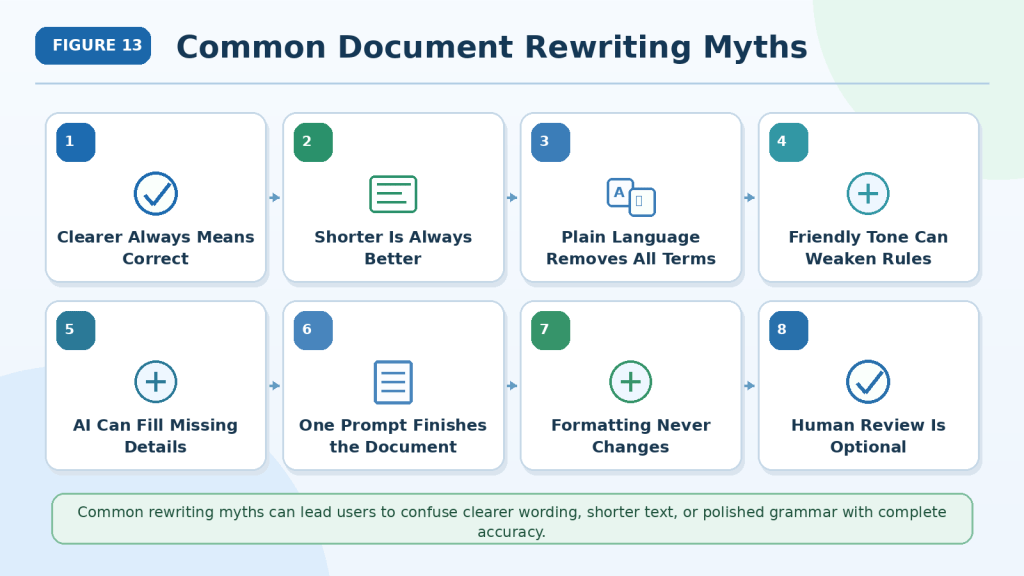
Figure 13. Common rewriting myths can lead users to confuse clearer wording, shorter text, or polished grammar with complete accuracy.
A successful rewrite must remain faithful to the source while improving clarity for the intended reader. Important documents may still require source comparison, accessibility checks, subject expertise, permission, and professional review.
Privacy, Permission, Accessibility, and Responsible Use
Rewriting a document can affect the people, information, rights, and decisions connected to it.
Before uploading, rewriting, sharing, or publishing a document, consider:
· Privacy
· Permission
· Copyright and licensing
· Accuracy
· Accessibility
· Transparency
· Professional requirements
· Record keeping
Protect Private Information
Review the complete document before uploading it.
Private or confidential information may appear in:
· Paragraphs
· Tables
· Headers and footers
· Comments
· Tracked changes
· File names
· Images
· Signatures
· Hidden document properties
Look for information such as:
· Full names
· Home addresses
· Telephone numbers
· Email addresses
· Identification numbers
· Account details
· Customer records
· Employee information
· Medical information
· Financial information
· Confidential business material
Remove information that ChatGPT does not need for the rewriting task.
For example, replace unnecessary details with labels such as:
· [Employee Name]
· [Customer Number]
· [Home Address]
· [Account Reference]
Removing a name may not be enough. A combination of a job title, location, date, event, or reference number may still identify someone.
Canadian privacy regulators recommend limiting personal information used with generative AI, using appropriate safeguards, and remaining accountable for how personal information is collected, used, and disclosed.
Review ChatGPT Data Controls
For personal ChatGPT accounts, users can manage whether new conversations may be used to improve OpenAI’s models through:
Profile icon → Settings → Data Controls → Improve the model for everyone
When this setting is turned off, new conversations are not used to train OpenAI’s models. The setting applies across the user’s account, although menu wording and placement may change.
Review this setting:
· Before uploading documents for the first time
· After changing plans or workspaces
· Before handling sensitive material
· After receiving a privacy-policy notice
· Periodically as part of normal account review
Turning off model training does not automatically make every document appropriate to upload. Permission, confidentiality, workplace rules, and secure-handling requirements still apply.
Understand Temporary Chat
Temporary Chat may be useful when you do not want a conversation to appear in your history or use memory.
OpenAI currently states that Temporary Chats:
· Do not appear in chat history
· Do not create or use memories
· Are not used to improve its models
· May be retained for up to 30 days for safety purposes
Temporary Chat does not remove the need to:
· Delete unnecessary private information
· Confirm permission to upload the document
· Follow workplace or organizational policies
· Use an approved secure system when required
· Avoid uploading highly sensitive information unnecessarily
Understand File Storage and Retention
Files uploaded to ChatGPT may be stored according to the conversation, Library, Project, workspace, and applicable retention rules.
OpenAI states that files attached to ordinary conversations generally follow the retention period of the related chat. Files saved in Library or stored in Projects may follow different retention rules.
Before uploading, consider:
· Where the document will be stored
· Whether it will be saved in Library
· Whether it is part of a Project
· Who can access the workspace
· Whether the file should be deleted afterward
· Whether your organization has required retention rules
Check current official information when handling important documents because features and retention policies may change.
Confirm Permission to Upload and Rewrite
Having access to a document does not automatically mean you are permitted to:
· Upload it to an AI service
· Rewrite it
· Adapt its content
· Remove or change sections
· Share the revised version
· Publish it
· Use it commercially
Permission may depend on:
· Copyright ownership
· A licence
· A workplace policy
· A confidentiality agreement
· A customer agreement
· A publishing contract
· The intended use
· The country where the document will be used
Canadian copyright guidance explains that copyright protects original works and that copying or using protected material without permission may infringe the owner’s rights unless an applicable exception or licence permits the use.
Before rewriting someone else’s document:
1st Identify the copyright owner or authorized publisher.
2nd Review the licence or terms of use.
3rd Confirm whether adaptation or rewriting is allowed.
4th Request written permission when necessary.
5th Follow attribution and distribution requirements.
6th Save the permission or licence record.
Copyright rules vary by country and situation. This article provides general education, not legal advice.
Protect People Mentioned in the Document
A rewrite should not expose, misrepresent, or unfairly describe people mentioned in the source.
Be especially careful with:
· Workplace complaints
· Medical histories
· Legal disputes
· Financial difficulties
· Student records
· Customer complaints
· Private correspondence
· Performance reviews
· Incident reports
Do not add:
· Accusations
· Motives
· Diagnoses
· Conclusions
· Personal characteristics
· Identifying details
unless they are clearly supported by the source and appropriate to include.
When rewriting sensitive material, preserve neutral wording and clearly mark missing or uncertain information.
Preserve Facts and Context
Responsible rewriting should preserve:
· Names
· Dates
· Numbers
· Responsibilities
· Deadlines
· Conditions
· Exceptions
· Warnings
· Limitations
· Negative findings
· Approval status
· Uncertainty
· Source references
Do not make the rewritten document sound more certain, official, positive, negative, persuasive, or authoritative than the original.
For example:
Original: The proposal remains under review and may require additional information.
Misleading rewrite: The proposal is expected to be approved.
The rewrite creates an expectation that the source does not support.
Separate Rewriting from Added Content
ChatGPT may suggest explanations, examples, headings, transitions, or recommendations.
These additions may improve understanding, but readers should be able to distinguish them from the original content.
Use labels such as:
Additional Explanation: This paragraph was added for beginner readers and was not included in the original document.
Editor’s Note: This term is not defined in the source.
Information Needed: The source does not provide a completion date.
Do not silently insert new facts, examples, or conclusions into the rewritten document.
Disclose AI Assistance When Appropriate
Consider disclosing AI assistance when:
· A workplace, school, publisher, customer, or platform requires it.
· Readers may reasonably assume the document was rewritten entirely by a person.
· The document affects important decisions.
· The rewritten version is published publicly.
· No qualified reviewer has checked the result.
· Transparency would help readers evaluate the document.
A simple disclosure may say:
This document was rewritten with AI assistance and reviewed against the original source.
Do not claim that the rewritten document received legal, medical, technical, accessibility, professional, or organizational approval unless that review actually occurred.
Improve Accessibility Carefully
Clear language can make a document easier for many people to understand, including some readers with cognitive or learning disabilities. W3C guidance recommends clear words, understandable content, and concise text where appropriate.
However, plain language alone does not make a document fully accessible.
The final version should also use:
· Logical heading levels
· Short, focused paragraphs
· Proper numbered and bulleted lists
· Descriptive link text
· Readable font sizes
· Sufficient colour contrast
· Simple table structures
· Properly identified table headings
· Alternative text for meaningful images
· Text explanations for complex diagrams
W3C explains that headings help communicate document structure, tables need correctly identified header and data cells, and meaningful or complex images require suitable text alternatives or longer explanations.
When possible, ask people with relevant accessibility needs to review the final document.
Avoid Oversimplifying Important Information
Some content should not be simplified without specialist review.
Examples include:
· Legal rights
· Medical instructions
· Financial obligations
· Safety procedures
· Technical requirements
· Employment conditions
· Accessibility requirements
· Contractual responsibilities
Removing precise terminology or detailed conditions may make the document easier to read but less accurate.
Keep necessary technical terms and explain them clearly instead of replacing them with vague wording.
Preserve Rewriting Records
Save records showing how the document was rewritten and reviewed.
Keep:
· The original document
· The version uploaded
· Rewriting instructions
· Approved terminology
· First drafts
· Correction prompts
· Comparison tables
· Added explanations
· Permission and licence records
· Privacy decisions
· Accessibility-review notes
· Human-review information
· AI-disclosure wording
· The final approved version
· Publication or distribution records
Use clear filenames, such as:
· employee-guide-original.docx
· employee-guide-ai-rewrite-draft.docx
· employee-guide-corrected.docx
· employee-guide-human-reviewed-final.docx
Do not use words such as approved, compliant, verified, or professionally reviewed unless that status is accurate.
Know When Professional Review Is Needed
Do not rely only on an AI rewrite when an error could affect:
· Legal rights
· Medical care
· Financial decisions
· Employment conditions
· Public safety
· Contractual obligations
· Government submissions
· Accessibility compliance
· Official policies
Use an appropriate legal, medical, financial, technical, safety, accessibility, editing, or other professional reviewer when necessary.
Responsible Use: ChatGPT can help make a document clearer, but the user remains responsible for protecting private information, confirming permission, preserving the original meaning, checking accessibility, disclosing AI assistance when appropriate, and obtaining qualified review when required.

Figure 14. Responsible document rewriting requires privacy protection, permission, accurate meaning, accessibility, transparency, and complete records.
Rewriting is not only a writing task. Before sharing the revised document, confirm that the source was handled properly, important information was preserved, new content was labelled, accessibility was considered, and appropriate human or professional review was completed.
Frequently Asked Questions
Can ChatGPT rewrite an entire document?
Yes. ChatGPT can rewrite supported documents, but long files are usually easier to manage one section at a time.
Section-by-section rewriting makes it easier to:
· Preserve important details
· Keep terminology consistent
· Check warnings and conditions
· Review tables and lists
· Correct meaning changes
· Track progress
Always compare the rewritten text with the original document.
Which document formats can ChatGPT work with?
ChatGPT can currently work with many common file types, including:
· DOCX
· PPTX
· TXT
· CSV
· TSV
· XLS
· XLSX
Supported formats, upload limits, and document features may vary by account, plan, workspace, device, and future update.
Google Docs files using the .gdoc format should be exported to a supported format, such as PDF or DOCX, before uploading.
What is the difference between rewriting and simplifying?
Rewriting changes how information is expressed.
It may improve:
· Clarity
· Tone
· Organization
· Sentence flow
· Conciseness
· Audience suitability
Simplifying makes difficult content easier to understand.
It may use:
· Shorter sentences
· Familiar words
· Clear headings
· Direct instructions
· Explanations of necessary technical terms
Both methods should preserve the source meaning.
Is rewriting the same as summarizing?
No.
A rewrite normally keeps the complete message while changing the wording or organization.
A summary shortens the source by selecting the main points.
For example:
Original:
Employees must inspect the equipment before each shift, record visible damage, and submit the completed form to their supervisor.
Rewrite:
Before each shift, employees must inspect the equipment, note any visible damage, and give the completed form to their supervisor.
Summary:
Employees must complete a pre-shift inspection.
The summary removes some details, while the rewrite preserves them.
Can ChatGPT make a document shorter without losing information?
It can help reduce repetition and wordiness, but shortening always creates some risk of removing important details.
Tell ChatGPT what must remain, including:
· Facts
· Names
· Dates
· Deadlines
· Instructions
· Conditions
· Warnings
· Limitations
· Uncertainty
Review the shorter version against the original before approving it.
Can ChatGPT change the tone of a document?
Yes. You can request tones such as:
· Formal
· Professional
· Neutral
· Friendly
· Direct
· Instructional
· Cautious
· Beginner-friendly
A tone change should not alter the strength of requirements, warnings, or uncertainty.
For example, must should not become should simply because you requested a friendlier tone.
Can ChatGPT adjust the reading level?
Yes. You can ask ChatGPT to make the text easier for a particular audience.
Instead of requesting only “simple language,” describe the features you need.
For example:
Rewrite this section for adult beginners. Use short sentences, familiar words, clear headings, and one main idea per paragraph. Explain necessary technical terms.
Reading-level adjustment is not exact, so the final version should still be reviewed by someone familiar with the intended audience.
Should technical terms be removed?
Not always.
Some technical terms are necessary because readers may see them in:
· Software settings
· Policies
· Workplace procedures
· Professional documents
· Product instructions
· Further learning materials
A better approach is often to keep the correct term and explain it simply.
For example:
Keep the term “two-factor authentication” and explain it in plain language the first time it appears.
Can ChatGPT turn paragraphs into numbered steps?
Yes, but numbered lists should be used only when the actions must happen in order.
Ask ChatGPT to preserve:
· The original sequence
· Every required action
· Conditions
· Warnings
· Exceptions
· Responsible people
Do not allow it to invent extra steps.
Use bullets when the items are examples, features, options, or other unordered information.
Can ChatGPT rewrite tables?
Yes, but tables require careful review.
Check that:
· Column headings remain correct.
· Values stay in the correct rows and columns.
· Names remain connected to the correct records.
· Dates and statuses remain accurate.
· Blank fields remain blank.
· Not stated is not replaced with invented information.
A table may look organized while still containing misplaced information.
What should I do when the source text is unclear?
Tell ChatGPT not to guess.
Use labels such as:
· [Unclear in the source]
· [Not stated]
· [Missing from source]
· [Requires human review]
Example prompt:
Mark unreadable or ambiguous wording as “[Unclear in the source].” Do not invent missing text or complete unfinished sentences.
Can ChatGPT expand short notes into paragraphs?
Yes, but expansion creates a higher risk of unsupported additions.
Tell ChatGPT to use only the information provided.
For example:
Expand these notes into a clear paragraph using only the stated facts. Do not invent dates, causes, examples, recommendations, or conclusions.
When information is missing, keep it marked as missing.
How can I tell whether the rewrite changed the meaning?
Compare the original and rewritten versions directly.
Check:
· Facts
· Names
· Dates
· Numbers
· Responsibilities
· Required actions
· Conditions
· Exceptions
· Warnings
· Limitations
· Uncertainty
· Terminology
A side-by-side table can make changes easier to identify.
Can ChatGPT verify its own rewrite?
ChatGPT can compare the rewrite with the source and identify possible problems.
However, its review may also contain mistakes.
Use its comparison as one part of the process, not as proof that the rewrite is correct.
Important documents may also require a human or professional reviewer.
Is a simpler document automatically more accessible?
No.
Plain language can improve accessibility, but a document may also need:
· Logical heading levels
· Readable font sizes
· Sufficient colour contrast
· Accessible tables
· Descriptive link text
· Alternative text for images
· Clear keyboard navigation
· Screen-reader testing
Accessibility should be reviewed separately when it is important.
Can I rewrite legal, medical, financial, or technical documents?
ChatGPT can help create a clearer draft, but high-stakes documents may require professional review.
Errors could affect:
· Legal rights
· Medical treatment
· Financial decisions
· Employment conditions
· Safety
· Contracts
· Government submissions
· Accessibility obligations
Do not rely only on an AI rewrite when precision or professional approval is required.
Can I publish a rewritten version of someone else’s document?
Possibly, but rewriting does not remove copyright, licence, confidentiality, or permission requirements.
Before publishing, confirm that you are permitted to:
· Upload the source
· Rewrite or adapt it
· Reproduce the content
· Share it
· Publish it publicly
· Use it commercially
Keep written permission or licence records when necessary.
Should I disclose that ChatGPT helped rewrite the document?
Disclosure may be appropriate when:
· A workplace, school, publisher, customer, or platform requires it.
· Readers may assume the document was rewritten entirely by a person.
· The document affects important decisions.
· No qualified reviewer checked the result.
· Transparency would help readers evaluate the content.
Example disclosure:
This document was rewritten with AI assistance and reviewed against the original source.
Do not claim professional, legal, technical, accessibility, or organizational approval unless that review actually occurred.
Is it safe to upload a private document?
No upload should be considered automatically safe.
Before uploading:
· Remove unnecessary private information.
· Confirm permission.
· Review ChatGPT Data Controls.
· Check file-storage and retention information.
· Follow workplace or organizational rules.
· Use an approved secure system when required.
· Avoid uploading highly sensitive information unnecessarily.
Do I need to check ChatGPT policies every time?
You do not need to reread every policy before every rewriting task.
Check current official information:
· When first using document uploads
· After changing your plan or workspace
· When handling sensitive material
· After receiving a policy-update notice
· Before an important or unusual use
· Periodically as part of normal account review
Features, limits, privacy settings, and retention rules may change.
Key Takeaways
· ChatGPT can help rewrite and simplify documents, but the revised version should still be treated as a draft until it is checked.
· Rewriting changes how information is expressed, while summarizing reduces the amount of information.
· Clear instructions should identify the audience, tone, reading level, rewriting goal, formatting, and terminology requirements.
· Important facts, names, dates, numbers, responsibilities, deadlines, warnings, conditions, exceptions, limitations, and uncertainty must remain accurate.
· Long documents are usually easier to rewrite one complete section at a time.
· A terminology list can help keep technical terms, job titles, labels, abbreviations, and repeated wording consistent.
· Necessary technical terms should usually be explained clearly rather than removed.
· Words such as must, must not, may, could, expected, and subject to approval should not be weakened or changed into guarantees.
· Missing information should remain labelled as [Not stated].
· Unreadable or ambiguous content should be marked as [Unclear in the source] instead of guessed.
· Added explanations, editor notes, or examples should be clearly separated from the original rewritten content.
· Numbered lists should be used only when the actions must happen in order.
· Tables require careful review to confirm that information remains in the correct row and column.
· The rewritten version should be compared directly with the original document before it is used, submitted, shared, or published.
· Clearer wording does not automatically prove factual accuracy, accessibility, legal reliability, or professional approval.
· Private and confidential information should be removed when it is unnecessary for the rewriting task.
· Permission, copyright, licence, workplace, and publication requirements should be checked before uploading or distributing someone else’s document.
· AI assistance should be disclosed when required or when readers could reasonably misunderstand how the document was prepared.
· Important legal, medical, financial, technical, safety, employment, or accessibility documents may require qualified professional review.
· Save the original source, prompts, terminology list, drafts, corrections, comparison tables, permission records, and final approved version.
Final Tip
When rewriting or simplifying a document, improve one thing at a time.
Begin with meaning and accuracy before changing tone, structure, or reading level.
Use this review order:
1st Confirm that every important fact and instruction is present.
2nd Check names, dates, numbers, responsibilities, and deadlines.
3rd Verify conditions, warnings, limitations, and uncertainty.
4th Confirm that necessary technical terms remain accurate.
5th Review the tone and reading level.
6th Check headings, lists, tables, notes, and references.
7th Compare the final rewrite with the original document.
8th Ask an appropriate human reviewer to check important content.
A rewrite should be easier to understand without becoming less complete, less precise, or more certain than the original.
Continue Learning
Continue building your document skills with these AI Mastery guides:
· How to Analyze Documents with ChatGPT: Beginner Guide (2026)
· How to Compare Documents with ChatGPT: Beginner Guide (2026)
· How to Extract Information from Documents with ChatGPT: Beginner Guide (2026)
· How to Ask Questions About Documents with ChatGPT: Beginner Guide (2026)
· How to Create Tables and Charts from Documents with ChatGPT: Beginner Guide (2026)
· How to Summarize Documents with ChatGPT: Beginner Guide (2026)
· How to Translate Documents with ChatGPT: Beginner Guide (2026)
These guides explain how to inspect documents, compare versions, extract structured information, ask focused questions, create tables and charts, prepare summaries, and translate content.
Together, they provide a practical beginner workflow for understanding, organizing, transforming, and reviewing documents with ChatGPT.
Sources and References
The following official sources support the writing, file-upload, privacy, copyright, and accessibility guidance in this article.
OpenAI Academy — Improve Your Papers Without Losing Your Voice
This official OpenAI guide explains how ChatGPT can help revise writing for clarity, structure, flow, and conciseness while preserving the writer’s ideas and voice. It recommends reviewing and refining the output rather than treating the first response as final.
OpenAI Help Center — What Types of Files Are Supported?
This page lists commonly supported document, spreadsheet, presentation, and text formats, including PDF, DOCX, PPTX, TXT, CSV, TSV, XLS, and XLSX. It explains that .gdoc files should be exported to a supported format before uploading.
OpenAI Help Center — File Uploads FAQ
This page explains ChatGPT file-upload capabilities, file-size restrictions, storage limits, usage caps, supported document tasks, and file-retention considerations. These limits can vary by plan or workspace and may change over time.
OpenAI Help Center — File Storage and Library in ChatGPT
This page explains how uploaded and generated files may be saved in Library, found later, downloaded, deleted, and added to another conversation through the attachment menu. It also explains current storage limits and how Library files are handled.
OpenAI Help Center — Data Controls FAQ
This page explains how signed-in users can manage whether new conversations help improve OpenAI’s models through Settings → Data Controls → Improve the model for everyone. It also summarizes other account data controls.
OpenAI Help Center — Temporary Chat FAQ
This page explains that Temporary Chats do not appear in normal chat history, do not create memories, and are not used to improve OpenAI’s models. Temporary Chats are automatically deleted from OpenAI’s systems within 30 days, subject to applicable safety, security, or legal requirements.
OpenAI Help Center — Chat and File Retention Policies in ChatGPT
This page explains how chats and uploaded files may be stored, retained, managed, and deleted. It also explains that conversations and files saved in Library are managed separately, so deleting a chat may not delete a file stored in Library.
OpenAI Help Center — Projects in ChatGPT
This page explains how chats, uploaded files, and project instructions can be used together inside a ChatGPT Project. It also provides information about Project sharing, workspace controls, file limits, and data handling.
Office of the Privacy Commissioner of Canada — Principles for Responsible, Trustworthy and Privacy-Protective Generative AI Technologies
This official Canadian guidance explains that organizations using generative AI remain responsible for protecting personal information and complying with applicable privacy laws. It discusses accountability, legal authority, consent, safeguards, transparency, accuracy, oversight, and limiting unnecessary personal information.
Canadian Intellectual Property Office — A Guide to Copyright
This official Canadian guide explains basic copyright protection and the rights associated with original works. Copyright ownership, licences, confidentiality, adaptation rights, and publication conditions should be reviewed before rewriting or distributing someone else’s material.
W3C Web Accessibility Initiative — Writing for Web Accessibility
This guidance recommends clear and concise writing, meaningful headings, descriptive link text, understandable instructions, and useful text alternatives for images.
W3C Web Accessibility Initiative — Headings
This tutorial explains that headings communicate the organization of content and help readers, browsers, and assistive technologies navigate a page.
W3C Web Accessibility Initiative — Tables Tutorial
This tutorial explains how to structure data tables so that headings and data cells have clear relationships. It also recommends using tables for data rather than visual page layout.
W3C Web Accessibility Initiative — Images Tutorial
This tutorial explains how to provide text alternatives based on an image’s purpose. Informative images need descriptions of their essential meaning, while purely decorative images normally use an empty alternative-text value.
W3C Web Accessibility Initiative — Complex Images
This tutorial explains that charts, workflows, diagrams, and other complex images may require a short text alternative together with a longer explanation of the important information.
Source Review Note
These sources were reviewed on July 29, 2026.
ChatGPT features, supported formats, file limits, privacy controls, retention rules, and accessibility guidance may change.
Readers should check current official information when first using document uploads, after changing plans or workspaces, after receiving a product or policy update, before an important use, and periodically.
This article provides general educational information. It is not legal, privacy, medical, financial, technical, accessibility-compliance, editing, or other professional advice.


Leave a Reply