
Estimated reading time: 100–130 minutes
Last updated: July 28, 2026
Before Learning
For the best results, read these beginner-friendly AI Mastery guides first:
· ChatGPT Basics for Beginners: Complete Guide (2026)
· Best ChatGPT Prompts for Beginners (2026)
· Prompt Engineering for Beginners: Complete Guide (2026)
· How to Summarize Documents with ChatGPT: Beginner Guide (2026)
These guides explain how to use ChatGPT, upload files, write clear instructions, review AI-generated answers, and summarize a document before examining it in greater detail.
Before beginning this tutorial, prepare one short document for practice. Suitable examples include:
· A report
· An article
· Meeting notes
· A public information guide
· A study document
· A product manual
· A document you created yourself
Use a document that you own, created, received legally, or have permission to review.
Before uploading it:
· Keep the original document unchanged.
· Create a separate working copy.
· Remove unnecessary private or confidential information.
· Check comments, tracked changes, headers, footers, and hidden content.
· Confirm that you are allowed to upload the document to an online service.
· Begin with a short, clearly structured document.
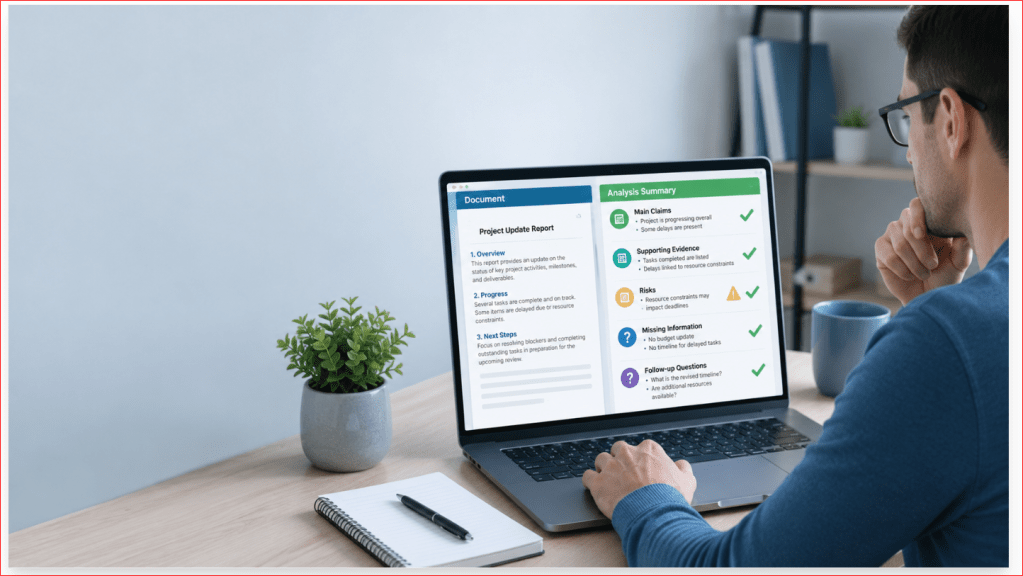
Document analysis goes beyond summarization. A summary explains the main information in a shorter form. Analysis examines the document more carefully to identify relationships, arguments, evidence, patterns, risks, weaknesses, contradictions, assumptions, and unanswered questions.
ChatGPT can help with this process, but it may misunderstand the document, miss important details, combine unrelated information, or present an uncertain interpretation too confidently.
Always compare important findings with the original document. For legal, medical, financial, safety, technical, employment, insurance, or contractual information, obtain qualified professional advice when necessary.
What You’ll Learn
By the end of this guide, you will know:
· What document analysis means
· How document analysis differs from summarization
· Which types of documents ChatGPT can help analyze
· How to prepare a document safely before uploading it
· How to define the purpose of the analysis
· How to write a clear document-analysis prompt
· How to ask ChatGPT to identify the document’s main argument
· How to examine supporting evidence
· How to separate facts, opinions, assumptions, and interpretations
· How to identify strengths and weaknesses in a document
· How to find contradictions and inconsistencies
· How to recognize missing information and unanswered questions
· How to identify risks, limitations, warnings, and uncertainties
· How to examine tone, language, and intended audience
· How to analyze reports, articles, meeting notes, policies, contracts, research papers, manuals, and spreadsheets
· How to compare two or more documents
· How to analyze tables, charts, and numerical information carefully
· How to request a section-by-section analysis
· How to ask focused follow-up questions
· How to verify ChatGPT’s findings against the original document
· How to correct unsupported or inaccurate conclusions
· How to avoid common document-analysis mistakes
· Which limitations and myths beginners should understand
· How to use AI-assisted document analysis responsibly
ChatGPT can help organize observations and identify areas that deserve closer attention. However, its analysis should not automatically be treated as proof, professional advice, or a final decision.
Important legal, medical, financial, technical, safety, employment, insurance, contractual, or policy-related conclusions must be checked against the original document and reviewed by a qualified professional when necessary.
Introduction
A document can contain more than facts that need to be shortened. It may also contain arguments, evidence, assumptions, risks, patterns, contradictions, unanswered questions, and recommendations that require closer examination.
Document analysis is the process of studying a document carefully to understand:
· What the document is trying to communicate
· How its ideas are organized
· Which claims are supported by evidence
· Which statements are facts, opinions, or assumptions
· Whether different sections agree with each other
· Which limitations or risks are present
· What information may be missing
· Which questions still need answers
ChatGPT can work with uploaded files and help users examine their contents, ask questions about information in the files, and organize findings into tables or other useful formats. Supported file types commonly include PDF, DOCX, PPTX, TXT, XLSX, XLS, CSV, and TSV, although available features may depend on the plan, model, workspace, device, and future updates.
For example, after uploading a report, you might ask ChatGPT to identify:
· The report’s main argument
· The evidence used to support it
· The strongest and weakest sections
· Important findings
· Limitations acknowledged by the writer
· Recommendations
· Risks or unanswered questions
· Statements that require verification
A basic request might say:
Analyze this document.
This instruction is too broad because it does not explain what kind of analysis you need.
A clearer request might say:
Analyze the attached report for a complete beginner. Identify its purpose, main argument, supporting evidence, important findings, assumptions, limitations, risks, recommendations, and unanswered questions. Separate information stated directly in the report from your interpretation. Do not add information that is not in the document.
The clearer prompt tells ChatGPT:
· Which document to examine
· Who will read the analysis
· Which areas to investigate
· How to organize the response
· How to handle interpretations
· What information it should avoid adding
Summary and Analysis Are Different
A summary gives a shorter version of the document.
An analysis examines how the document works and what its information may mean.
For example, a summary of a report might say:
The report examines falling customer satisfaction and recommends improving staff training.
An analysis might ask:
· What evidence shows that customer satisfaction is falling?
· How was the information collected?
· Is the evidence complete?
· Does the report consider other possible causes?
· Are the recommendations supported by the findings?
· Which limitations could affect the conclusion?
A useful workflow is to request a summary first and an analysis afterward.
The summary helps you understand the document’s basic content. The analysis then examines selected parts more carefully.
Analysis Is Not Automatic Proof
ChatGPT may identify a pattern, weakness, contradiction, or possible interpretation. That does not automatically prove that the finding is correct.
For example, ChatGPT may say that two sections contradict each other. However:
· The sections may apply to different groups.
· One section may describe a general rule and another an exception.
· The document may have been updated.
· A table or footnote may provide missing context.
· ChatGPT may have misunderstood the wording.
Every important analytical finding should therefore be checked against the original document.
ChatGPT Should Separate Facts from Interpretation
A document may contain information stated directly by the writer. ChatGPT may also make an interpretation based on that information.
These should not be presented as the same thing.
A useful instruction is:
Organize your response under “Directly Stated in the Document” and “Possible Interpretation.” Do not place an interpretation in the first section.
For example:
Directly Stated in the Document:
Customer complaints increased by 18% during the reporting period.
Possible Interpretation:
The increase may suggest that service quality declined, but the document does not prove the cause.
The first statement reports information from the document. The second explains one possible meaning but clearly identifies it as an interpretation.
Different Documents Require Different Analysis
The questions you ask should match the document.
For example:
· A report may require analysis of findings, evidence, recommendations, and limitations.
· Meeting notes may require analysis of decisions, responsibilities, unresolved issues, and deadlines.
· An article may require analysis of its argument, evidence, tone, and possible bias.
· A policy may require analysis of rules, conditions, exceptions, responsibilities, and risks.
· A contract may require analysis of obligations, dates, fees, restrictions, and cancellation terms.
· A research paper may require analysis of methods, data, results, limitations, and conclusions.
· A spreadsheet may require analysis of values, trends, missing entries, and unusual changes.
· A manual may require analysis of procedures, warnings, required tools, and missing steps.
The same general prompt should not be used for every document.
A Careful Beginner Workflow
A practical document-analysis workflow is:
1. Keep the original document unchanged.
2. Create and prepare a safe upload copy.
3. Request a basic summary.
4. Confirm the document’s purpose and structure.
5. Define the specific type of analysis needed.
6. Ask focused questions about one issue at a time.
7. Separate source information from interpretation.
8. Check every important finding against the original.
9. Correct unsupported or inaccurate conclusions.
Save the reviewed analysis with the original document.
This process takes longer than requesting one immediate answer, but it makes mistakes easier to identify and correct.
Figure 1. A careful document-analysis workflow begins with safe preparation and summarization before moving to focused questions, verification, correction, and saving.
Figure 1 shows that document analysis should be completed in stages. The user prepares a safe copy, learns what the document says, chooses a specific analysis goal, examines important issues, separates facts from interpretation, checks the findings against the original, and saves only the reviewed result.
What Is Document Analysis?
Document analysis is the careful examination of a document to understand its meaning, structure, evidence, assumptions, limitations, and possible implications.
A summary mainly answers:
What does this document say?
An analysis asks deeper questions, such as:
· What is the document trying to achieve?
· What is its main argument or message?
· Which evidence supports its claims?
· Are the conclusions supported by the information provided?
· Which assumptions does the writer make?
· Are important facts or explanations missing?
· Do different sections agree with each other?
· Which risks, weaknesses, or limitations are present?
· What questions remain unanswered?
Document analysis does not always mean criticizing the document. It means examining it carefully and explaining what can reasonably be learned from it.
The Main Parts of Document Analysis
A useful beginner analysis may examine several areas.
Purpose
The purpose explains why the document was created.
A document may be designed to:
· Inform
· Explain
· Persuade
· Recommend
· Instruct
· Record decisions
· Establish rules
· Request action
· Report research
· Present financial or numerical information
Example prompt:
What is the main purpose of this document? Identify the sentences or sections that support your answer.
The purpose should be based on the document rather than guessed from its title alone.
Main Argument or Message
The main argument is the central claim the writer wants the reader to accept.
Not every document contains an argument. A manual may provide instructions, while meeting notes may record decisions.
When an argument is present, ask:
· What is the main claim?
· Where is it stated?
· What reasons support it?
· Is the conclusion stronger than the evidence?
· Are other possible explanations considered?
Example prompt:
Identify the document’s main argument. Explain the supporting reasons and provide the relevant section headings or page locations when available.
Evidence
Evidence is the information used to support a claim or conclusion.
It may include:
· Statistics
· Research findings
· Examples
· Survey results
· Quotations
· Tables
· Charts
· Records
· Observations
· References to other sources
Ask whether the evidence is:
· Relevant to the claim
· Clearly explained
· Complete enough
· Current enough for the document’s purpose
· Presented with its limitations
· Consistent with other parts of the document
ChatGPT can identify evidence mentioned in a document, but it cannot automatically prove that the evidence is accurate or trustworthy.
Facts, Opinions, and Interpretations
A fact is presented as information that can potentially be checked.
An opinion expresses a belief, judgement, preference, or recommendation.
An interpretation explains one possible meaning of the information.
For example:
Fact stated in the document:
The survey included 250 participants.
Opinion stated by the writer:
The new process is the best available solution.
Possible interpretation:
The writer appears to prefer the new process, but the document may not compare every alternative.
A useful prompt is:
Separate the document’s factual statements, opinions, recommendations, and possible interpretations. Do not treat an opinion as a verified fact.
Assumptions
An assumption is something the writer appears to accept without fully proving or explaining it.
For example, a report may assume that:
· All respondents understood the survey questions
· Higher sales automatically mean higher customer satisfaction
· One group represents the complete population
· A recommendation will work in every location
· Missing data would not change the conclusion
Ask ChatGPT:
Identify assumptions that appear necessary for the document’s argument. Explain which statements support each possible assumption and clearly label uncertainty.
An assumption identified by ChatGPT is an interpretation and must be checked carefully.
Strengths
A document’s strengths may include:
· A clear purpose
· Logical organization
· Relevant evidence
· Transparent methods
· Balanced discussion
· Clear definitions
· Acknowledged limitations
· Specific recommendations
· Consistent conclusions
· Useful source references
Example prompt:
Identify the strongest parts of the document and explain why they are strong. Base the answer only on the document.
Weaknesses and Limitations
Possible weaknesses may include:
· Unsupported conclusions
· Missing evidence
· Unclear definitions
· Outdated information
· Small or unexplained samples
· Incomplete comparisons
· Missing risks
· Contradictory statements
· Unclear responsibilities
· Recommendations that do not follow from the findings
The document may also state its own limitations.
Ask ChatGPT to separate:
· Limitations acknowledged by the writer
· Additional possible limitations identified during analysis
This distinction prevents ChatGPT’s interpretation from being presented as though it came directly from the source.
Contradictions and Inconsistencies
A contradiction occurs when two statements cannot both be correct in the same situation.
An inconsistency occurs when information does not match clearly across sections.
Examples include:
· Two different deadlines for the same task
· Different totals in two tables
· A recommendation that conflicts with an earlier rule
· A conclusion that does not match the reported findings
· Different names assigned to the same responsibility
However, apparent contradictions may have valid explanations.
The statements may apply to:
· Different groups
· Different locations
· Different time periods
· General rules and exceptions
· Earlier and later versions
A safe prompt is:
Identify statements that may conflict or appear inconsistent. Quote only short essential wording, provide the source locations, and explain whether the statements may apply to different groups, dates, or conditions. Do not declare a contradiction unless the document clearly supports that conclusion.
Missing Information
A document may leave out information needed to understand or act on it.
Possible missing information includes:
· Dates
· Responsibilities
· Costs
· Definitions
· Supporting evidence
· Contact details
· Eligibility requirements
· Methods
· Risks
· Next steps
Ask ChatGPT:
List important information that the document does not provide. Do not fill the gaps with outside knowledge or guesses.
The answer should identify gaps without inventing solutions.
Tone and Intended Audience
Tone is the general style or attitude of the writing.
A document may sound:
· Formal
· Technical
· Persuasive
· Neutral
· Cautious
· Urgent
· Critical
· Promotional
· Instructional
The intended audience may include:
· Customers
· Employees
· Students
· Managers
· Specialists
· Government officials
· General readers
Tone and audience analysis can be interpretive. ChatGPT should explain which wording or structural features support its conclusion.
Example prompt:
Identify the likely intended audience and tone. Explain which words, examples, headings, or technical terms support your interpretation.
Recommendations and Next Steps
Some documents recommend actions or decisions.
An analysis should ask:
· What is being recommended?
· Who is expected to act?
· What evidence supports the recommendation?
· Are costs, risks, and alternatives discussed?
· Are deadlines provided?
· Does the recommendation follow logically from the findings?
Do not allow ChatGPT to add its own recommendation unless you request a separate opinion or evaluation.
Analysis Should Remain Connected to the Source
Every important analytical observation should be connected to evidence in the document.
A useful instruction is:
For every major finding, provide the page number, section heading, table name, or paragraph location when available. Clearly label any interpretation and do not add outside information.
Source locations may still be incorrect or unavailable, so they must be checked manually.
Figure 2. Document analysis examines purpose, arguments, evidence, facts, opinions, assumptions, strengths, weaknesses, inconsistencies, missing information, tone, and recommendations.
Figure 2 shows the main areas that beginners can examine during document analysis. The user does not need to investigate every area in every document. The analysis should focus on the questions that match the document’s type and the user’s purpose.
What Types of Documents Can ChatGPT Analyze?
ChatGPT can help examine many common document types, including text documents, reports, presentations, spreadsheets, and data files.
OpenAI currently lists common supported formats that include:
· Microsoft Word DOCX
· PowerPoint PPTX
· Plain-text TXT
· Excel XLS and XLSX
· CSV
· TSV
Native Google Docs .gdoc files are not directly supported. Export the document as PDF or DOCX before uploading it. Supported formats and available analysis features may change according to the plan, model, workspace, device, or future update.
The document type affects:
· What ChatGPT can read
· Which questions are useful
· How the analysis should be organized
· Which details require manual checking
· Whether tables, charts, or images need separate attention
PDF Documents
PDF files may contain:
· Reports
· Research papers
· Government publications
· Policies
· Manuals
· Articles
· Forms
· Contracts
· Scanned pages
A text-based PDF usually provides more reliable results than a scanned PDF because its words are stored as selectable text.
To check whether a PDF contains selectable text:
1st Open the PDF.
2nd Try selecting one sentence.
3rd Copy and paste it into a text editor.
4th Check whether the words appear correctly.
When the page behaves like one large photograph, it may be a scanned or image-based PDF.
ChatGPT may not reliably extract exact information from scanned files, image-based tables, or complicated visual layouts. When exact wording, dates, or numbers matter, compare the answer with the original page.
Useful PDF analysis questions include:
· What is the document’s main argument?
· Which evidence supports the conclusion?
· What limitations are acknowledged?
· Which recommendations are made?
· Are any important sections inconsistent?
· What information appears to be missing?
For long PDFs, analyze one logical section at a time instead of requesting one complete analysis immediately.
Microsoft Word Documents
DOCX files may contain:
· Reports
· Letters
· Policies
· Articles
· Meeting notes
· Business plans
· Instructions
· Drafts
· Study materials
Before uploading a Word document:
· Save a separate working copy.
· Remove unnecessary private information.
· Review comments and tracked changes.
· Check headers and footers.
· Inspect tables and text boxes.
· Remove hidden drafting notes.
· Confirm that you have permission to upload it.
Useful analysis questions include:
· Is the document clearly organized?
· Do the introduction and conclusion agree?
· Are the recommendations supported?
· Are responsibilities and deadlines clearly stated?
· Does the document use consistent terminology?
· Are any sections repeated or contradictory?
Presentation Files
PPTX presentations may contain:
· Slide titles
· Bullet points
· Speaker notes
· Charts
· Tables
· Photographs
· Diagrams
· Recommendations
Presentation analysis may examine:
· The main message
· The order of the slides
· Whether the evidence supports the conclusion
· Whether important assumptions are explained
· Whether the recommendations follow from the information shown
· Whether essential details appear only in charts or images
Ask ChatGPT to identify any visual material it could not interpret confidently.
For example:
Analyze the attached presentation. Identify its purpose, main message, supporting evidence, recommendations, assumptions, and unanswered questions. List any charts, diagrams, or images that require separate checking.
Important visual information may need to be uploaded separately or checked manually.
Plain-Text Files
TXT files contain basic text without complicated page formatting.
They may be suitable for:
· Transcripts
· Notes
· Drafts
· Interview records
· Meeting records
· Instructions
· Copied article text
Plain-text files are often easier to examine because they do not contain complicated layouts.
However, they may lose:
· Headings
· Tables
· Bold formatting
· Page numbers
· Footnotes
· Captions
· Visual relationships
Before analyzing a TXT file, check whether the missing formatting affects the meaning.
For example, a list of figures may be difficult to understand when its column structure has been removed.
Spreadsheets and Structured Data
ChatGPT can analyze common spreadsheet and data formats such as XLS, XLSX, CSV, and TSV. It can inspect uploaded data, answer questions, and create tables or charts when a structured presentation would help.
Spreadsheet analysis may examine:
· Totals
· Highest and lowest values
· Trends
· Missing entries
· Repeated records
· Differences between categories
· Changes over time
· Unusual values
· Relationships between columns
A useful prompt is:
Analyze the attached spreadsheet. Identify the worksheet, columns, date range, and rows used for every conclusion. Show the exact values that support each finding. Do not estimate missing information.
When exact numbers matter, verify:
· The correct worksheet was used.
· Headers were interpreted correctly.
· Empty cells were not treated as zeros.
· Dates were read in the correct format.
· Totals match the original file.
· Filtered or hidden rows were not overlooked.
· Percentages were calculated correctly.
ChatGPT may not reliably extract exact values from image-based tables or scanned spreadsheets. A structured spreadsheet file is usually more suitable than a photograph or screenshot of a table.
Meeting Notes and Transcripts
Meeting notes and transcripts may require analysis of:
· Discussion topics
· Decisions
· Proposed ideas
· Action items
· Responsible people
· Deadlines
· Disagreements
· Unresolved questions
· Follow-up requirements
A useful prompt is:
Analyze the attached meeting notes. Separate confirmed decisions from suggestions and opinions. Identify action items, responsible people, deadlines, unresolved questions, and possible contradictions. Write “Not stated in the document” when information is missing.
Check carefully that ChatGPT does not:
· Treat a suggestion as an approved decision
· Assign a task to the wrong person
· Invent a deadline
· Combine statements from different speakers
· Present an unclear discussion as a final conclusion
Reports and Research Papers
Reports and research papers may contain:
· A research question
· Background information
· Methods
· Data
· Findings
· Limitations
· Recommendations
· Conclusions
· References
Useful analysis questions include:
· Is the main question clearly defined?
· Does the method support the conclusion?
· Is the evidence relevant?
· Are important limitations acknowledged?
· Does the conclusion go beyond the reported findings?
· Are alternative explanations considered?
· Which claims require outside verification?
ChatGPT can explain what the paper states, but it cannot automatically confirm that the research is accurate, current, complete, or trustworthy.
Policies and Contracts
Policies and contracts may contain:
· Responsibilities
· Conditions
· Exceptions
· Deadlines
· Fees
· Restrictions
· Eligibility rules
· Cancellation terms
· Penalties
· Dispute procedures
These documents require special care because a short analytical statement may omit wording that changes the meaning.
A useful prompt is:
Analyze the attached document for initial review. Separate responsibilities, dates, fees, conditions, exceptions, restrictions, cancellation terms, and penalties. Include the source section for every major point. Do not provide legal advice or replace the original wording.
Do not make a legal, financial, employment, insurance, or contractual decision based only on an AI-generated analysis.
Manuals and Instructions
Manuals may contain:
· Ordered procedures
· Required tools
· Settings
· Measurements
· Warnings
· Maintenance instructions
· Troubleshooting information
· Technical specifications
Analysis may help identify:
· Missing steps
· Repeated instructions
· Unclear requirements
· Conflicting measurements
· Safety warnings
· Required preparation
· Conditions that apply to certain models or situations
A summary or analysis should not replace the official manual when operating equipment, handling chemicals, performing electrical work, or completing another potentially dangerous task.
Several Related Documents
ChatGPT can help compare information across several files, but each document should first be analyzed separately.
Use this workflow:
1st Identify each document.
2nd Summarize each document separately.
3rd Analyze each document separately.
4th Verify the individual findings.
5th Compare the reviewed analyses.
6th Keep agreements and disagreements clearly separated.
OpenAI describes uploaded files as useful for summarization, extraction, comparison, and data analysis. For complicated material, focused questions and smaller groups of files are easier to review than one broad request involving many large documents.
Choose the Cleanest Available Source
When several versions of a document are available, prefer:
1st A clearly structured spreadsheet for numerical data
2nd A text-based DOCX or PDF for written information
3rd A properly organized TXT file
4th Separate clear images for important visual material
5th A scanned or photographed document only when no better version exists
A professionally designed document is not always the easiest file to analyze. Complex columns, decorative layouts, embedded images, and scanned text may make important information harder to interpret.
Figure 3. ChatGPT can help analyze several document types, but each format requires different questions, checking methods, and attention to visual or numerical information.
Figure 3 compares the main document types that beginners may analyze with ChatGPT. Text-based and clearly structured files usually make verification easier, while scanned pages, complex tables, charts, and visual layouts require additional checking.
How ChatGPT Analyzes a Document
When you upload a document and request an analysis, ChatGPT examines the information it can access and produces a response based on your instructions.
OpenAI describes file uploads as supporting tasks such as summarizing documents, extracting information, comparing documents, and analyzing structured data. ChatGPT can also answer questions about uploaded data and create tables or charts when a structured format is useful.
The following stages describe a practical analysis workflow. They do not represent a complete technical explanation of how the AI system operates internally.
1. ChatGPT Accesses the Available Content
ChatGPT begins with the information it can read from the uploaded file.
Depending on the document, this may include:
· Headings
· Paragraphs
· Lists
· Tables
· Captions
· Page text
· Spreadsheet values
· Presentation text
· Uploaded images
· Charts or diagrams where supported
Some information may not be processed reliably when it appears in:
· Blurred scanned pages
· Handwritten notes
· Complicated tables
· Multi-column layouts
· Small text
· Decorative text boxes
· Cropped images
· Colour-coded charts
· Embedded visuals
OpenAI states that ChatGPT can analyze uploaded images, diagrams, screenshots, and charts. However, PDF visual-reading capabilities and the handling of visuals embedded in documents can depend on the file type, plan, and workspace.
ChatGPT cannot analyze information correctly when it cannot read or interpret the source accurately.
A useful first question is:
Identify any pages, sections, tables, charts, images, or words that you could not read confidently. Do not guess their contents.
2. ChatGPT Follows the Analysis Goal
Your prompt tells ChatGPT what type of examination you need.
For example:
Analyze this document.
This does not explain what the word analyze means for your task.
You might instead request:
· Argument analysis
· Evidence analysis
· Risk analysis
· Tone analysis
· Policy analysis
· Contract review
· Research-method analysis
· Numerical analysis
· Comparison between sections
· Identification of missing information
A more useful prompt is:
Analyze the attached report. Identify its purpose, main argument, supporting evidence, assumptions, strengths, weaknesses, limitations, risks, recommendations, and unanswered questions.
The clearer prompt defines the areas that ChatGPT should investigate.
3. ChatGPT Identifies the Document’s Structure
Before examining individual claims, ChatGPT may identify how the document is organized.
The structure may include:
· Title
· Introduction
· Background
· Main argument
· Methods
· Findings
· Recommendations
· Limitations
· Conclusion
· Appendices
· Tables
· References
A document map can help confirm that the important sections were recognized.
Example prompt:
Create a document map containing every main heading, subsection, appendix, table, and major topic. Do not analyze the content yet. Identify anything you could not read.
Compare the map with the original document’s headings or table of contents.
This helps you notice:
· Missing sections
· Incorrect section order
· Unreadable pages
· Tables requiring separate attention
· Appendices that may have been overlooked
4. ChatGPT Identifies Important Claims
A claim is a statement that the writer presents as true, reasonable, necessary, or recommended.
Claims may include:
· The main argument
· Research findings
· Explanations
· Predictions
· Recommendations
· Conclusions
· Statements about causes
· Statements about risks
· Statements about benefits
Ask ChatGPT:
List the document’s main claims. For each claim, provide the source section and explain whether it is presented as a fact, opinion, recommendation, or conclusion.
The answer should remain connected to the document.
ChatGPT should not turn a possible suggestion into a confirmed fact.
5. ChatGPT Connects Claims with Supporting Evidence
The next stage is to identify what the document uses to support each claim.
Evidence may include:
· Statistics
· Survey results
· Research findings
· Examples
· Quotations
· Records
· Tables
· Charts
· Observations
· References to other sources
A useful analysis table may contain:
· Claim
· Supporting evidence
· Source location
· Limitation
· Information requiring verification
Example prompt:
For every major claim, identify the evidence provided in the document. Write “No supporting evidence identified” when the document does not provide clear support.
This does not prove that the evidence is accurate. It only shows how the document supports its own claims.
Fact-checking should be completed as a separate task.
6. ChatGPT Looks for Relationships and Patterns
Document analysis may examine how different parts relate to one another.
ChatGPT may help identify:
· Repeated themes
· Causes and effects
· Problems and proposed solutions
· Similar findings
· Differences between groups
· Changes over time
· Connected responsibilities
· Relationships between evidence and conclusions
· Patterns in tables or spreadsheets
For example, a report may repeatedly connect delayed deliveries with customer complaints.
A possible analysis might say:
The document repeatedly discusses delivery delays and customer complaints in the same sections. This suggests a possible relationship, but the document does not necessarily prove that one caused the other.
The words suggests a possible relationship are safer than claiming a proven cause when the evidence does not support one.
7. ChatGPT Identifies Assumptions
An assumption is an idea that appears necessary for the writer’s reasoning but may not be fully explained or proven.
For example, a proposal may assume that:
· Customers will accept a new process.
· Employees already have the necessary skills.
· Costs will remain stable.
· Survey participants represent all customers.
· One successful example will work in every location.
Assumptions are often interpretive.
A safer prompt is:
Identify possible assumptions in the document. For each one, show the wording or reasoning that supports your interpretation. Clearly label uncertainty and do not present an assumption as a confirmed fact.
Review every identified assumption manually.
8. ChatGPT Examines Strengths and Weaknesses
ChatGPT may help identify areas where the document appears strong or weak.
Possible strengths include:
· Clear organization
· Relevant evidence
· Well-defined terms
· Transparent methods
· Consistent conclusions
· Acknowledged limitations
· Practical recommendations
Possible weaknesses include:
· Unsupported claims
· Missing evidence
· Unclear methods
· Inconsistent terminology
· Outdated information
· Unexplained calculations
· Recommendations not supported by findings
· Missing risks or alternatives
Ask ChatGPT to explain the reason for each judgement.
For example:
Identify three strengths and three possible weaknesses. Connect each point to a specific section or example from the document. Clearly label your evaluation as an interpretation.
Words such as possible weakness are appropriate when the conclusion is not directly stated by the writer.
9. ChatGPT Checks for Contradictions and Inconsistencies
ChatGPT can compare sections and identify statements that appear not to match.
Possible inconsistencies include:
· Different deadlines for the same task
· Conflicting totals
· Different definitions of the same term
· A conclusion that does not match the findings
· A recommendation that conflicts with a stated rule
· Responsibilities assigned to different people
However, an apparent contradiction may have a valid explanation.
The statements may apply to:
· Different groups
· Different dates
· Different locations
· Different products
· General rules and exceptions
· Earlier and revised procedures
Use a cautious prompt:
Identify statements that may be inconsistent. Provide the source location for each statement and check whether they apply to different groups, dates, locations, or conditions. Do not declare a contradiction unless the document clearly supports that conclusion.
10. ChatGPT Identifies Missing Information
A complete analysis should also consider what the document does not explain.
Missing information may include:
· Evidence
· Dates
· Costs
· Responsible people
· Definitions
· Risks
· Alternative options
· Eligibility rules
· Contact information
· Methods
· Next steps
Example prompt:
Identify information that a reader would need but that the document does not provide. Do not fill the gaps using outside knowledge.
ChatGPT may identify a possible gap that is not actually necessary for the document’s purpose.
Check whether the missing information is genuinely relevant.
11. ChatGPT Separates Source Information from Interpretation
One of the most important analysis steps is keeping direct source information separate from AI interpretation.
A useful structure is:
Directly Stated in the Document
· Information clearly found in the source
· Facts, figures, recommendations, or limitations stated by the writer
Possible Interpretation
· Meaning inferred from the source
· Possible assumptions
· Possible weaknesses
· Possible relationships or implications
Information Requiring Verification
· Claims requiring outside checking
· Unclear source locations
· Missing information
· Conflicting values
· Unreadable content
Ask ChatGPT:
Use separate headings for Directly Stated in the Document, Possible Interpretation, and Information Requiring Verification. Do not place an interpretation in the first section.
This structure makes the response easier to review.
12. ChatGPT Organizes the Analysis
ChatGPT can present the findings as:
· Paragraphs
· Bullet points
· A section-by-section analysis
· A comparison table
· A risk checklist
· A strengths-and-weaknesses table
· A claim-and-evidence table
· A timeline
· A question-and-answer format
Choose a format that helps you compare the response with the original.
For example:
Create a table with the columns Finding, Source Evidence, Source Location, Interpretation, Limitation, and Verification Needed.
A table can improve organization, but it may shorten complicated explanations too much.
Keep important conditions and context complete.
13. ChatGPT Produces a Draft Analysis
The first analysis should be treated as a draft.
It may contain:
· Missed evidence
· Incorrect source locations
· Oversimplified conclusions
· Unsupported interpretations
· Confused names
· Incorrect dates or numbers
· False contradictions
· Missing limitations
· Stronger wording than the document supports
A polished response is not proof of accuracy.
14. The User Verifies the Findings
Open the original document and the analysis side by side.
Check:
1st The document’s purpose
2nd Main claims
3rd Supporting evidence
4th Facts and opinions
5th Dates and numbers
6th Assumptions
7th Strengths and weaknesses
8th Contradictions
9th Missing information
10th Recommendations
11th Source locations
12th Interpretations
Correct one problem at a time.
For example:
The analysis says the recommendation was approved, but the document states that it was only discussed. Correct that finding and keep the distinction clear.
A Safer Document-Analysis Prompt
Use this prompt as a starting point:
Analyze the attached document using only the information it contains. Identify its purpose, structure, main claims, supporting evidence, facts, opinions, assumptions, strengths, possible weaknesses, limitations, inconsistencies, risks, recommendations, and unanswered questions. Separate information directly stated in the document from your interpretation. Provide page numbers, section headings, table names, or other source locations when available. Do not invent missing information. Clearly identify anything uncertain, unsupported, or difficult to read.
A clear prompt improves the analysis, but it does not remove the need for human verification.
Figure 4. ChatGPT analyzes a document by reading available content, following the analysis goal, identifying claims and evidence, examining relationships, and organizing findings for verification.
Figure 4 shows the main stages of AI-assisted document analysis. The process begins with readable source material and clear instructions, but the final findings must still be checked because claims, evidence, relationships, contradictions, and interpretations may be misunderstood.
How to Prepare a Document Before Analyzing It
Preparing a document before uploading it can improve the analysis and reduce privacy, formatting, and accuracy problems.
Do not begin by uploading the original file immediately. First, create a safe working copy and decide exactly what you want to examine.
1. Keep the Original Document Unchanged
Save the original document in a secure folder before editing or uploading anything.
A simple folder structure could be:
· Original Document
· Safe Analysis Copy
· First ChatGPT Analysis
· Correction Notes
· Reviewed Analysis
Use clear filenames, such as:
· business-report-original.docx
· business-report-safe-analysis-copy.docx
· business-report-first-analysis.docx
· business-report-reviewed-analysis.docx
Do not overwrite the original with a cleaned, shortened, or corrected version.
Keeping the original unchanged allows you to:
· Check exact wording
· Confirm dates and numbers
· Review tables and charts
· Compare ChatGPT’s findings
· Correct misunderstandings
· Preserve an official or approved version
2. Define the Analysis Goal
Decide what you want to learn before uploading the document.
Possible analysis goals include:
· Identify the main argument
· Examine supporting evidence
· Find strengths and weaknesses
· Separate facts from opinions
· Identify assumptions
· Find risks and limitations
· Check for contradictions
· Locate missing information
· Review tone and intended audience
· Compare recommendations with findings
· Examine numerical trends
· Compare two documents
A broad goal such as:
Analyze this report.
may produce an unfocused response.
A clearer goal is:
Analyze whether the report’s recommendations are supported by its findings and evidence. Identify limitations, assumptions, risks, and unanswered questions.
A specific goal helps ChatGPT focus on the information that matters to you.
3. Confirm That You Have Permission
Before uploading the document, confirm that you:
· Own it
· Created it
· Received it legally
· Have permission to process it
· Are allowed to upload it to an online service
Be especially careful with:
· Employer documents
· Customer records
· Employee files
· School records
· Medical documents
· Financial records
· Government documents
· Contracts
· Internal business reports
· Documents belonging to another person
Receiving a document does not always mean that you have permission to upload it.
When the file belongs to an employer, customer, school, government office, or another organization, check its privacy, confidentiality, and technology rules first.
4. Remove Unnecessary Private Information
Open the working copy and remove information that ChatGPT does not need for the analysis.
This may include:
· Full names
· Home addresses
· Personal telephone numbers
· Personal email addresses
· Birth dates
· Passport numbers
· Driver’s licence numbers
· Government identification numbers
· Bank-account information
· Credit-card information
· Passwords
· Login details
· Medical information
· Employee numbers
· Customer numbers
· Signatures
· Private photographs
Replace identifying information with neutral labels when the relationship remains important.
For example:
· Replace a person’s name with Employee A
· Replace a customer’s name with Customer 1
· Replace an organization with Company A
· Replace an account number with [account number removed]
· Replace an address with [address removed]
This allows ChatGPT to examine relationships and responsibilities without receiving unnecessary identifying information.
5. Check Hidden and Less-Visible Content
Sensitive information may appear outside the main paragraphs.
Check:
· Headers
· Footers
· Comments
· Tracked changes
· Document properties
· Author information
· Text boxes
· Speaker notes
· Hidden spreadsheet rows
· Hidden spreadsheet columns
· Hidden worksheets
· Embedded files
· Scanned signatures
· Image captions
· File attachments
Deleting visible text may not remove comments, metadata, revision history, or hidden spreadsheet information.
Inspect the complete working copy in TextMaker, Word, Excel, PowerPoint, or the appropriate program before uploading it.
6. Preserve Necessary Context
Removing too much information can make the analysis misleading.
Do not remove:
· Definitions needed to understand later sections
· Evidence supporting a conclusion
· Conditions connected to a rule
· Exceptions
· Relevant dates
· Method explanations
· Table headings
· Chart labels
· Footnotes that affect meaning
· Warnings
· Limitations
· Appendices that support the main document
For example, removing a paragraph that explains who a rule applies to may cause ChatGPT to treat the rule as universal.
Remove unnecessary information, but keep the context required for accurate interpretation.
7. Improve the Document’s Readability
A clean and clearly organized file is usually easier to analyze.
Before uploading:
· Confirm that pages are in the correct order.
· Remove duplicated pages.
· Correct upside-down scanned pages.
· Check that no pages are missing.
· Use clear headings.
· Keep paragraphs under the correct headings.
· Confirm that tables remain readable.
· Make sure chart labels are visible.
· Increase the quality of unclear scans.
· Check that captions remain connected to the correct figures.
· Confirm that dates and numbers display correctly.
· Review special characters and symbols.
· Check that the language is displayed properly.
When possible, use a text-based DOCX or PDF rather than photographs of document pages.
8. Prepare Important Tables, Charts, and Images
Some documents depend heavily on visual information.
This may include:
· Tables
· Charts
· Diagrams
· Maps
· Screenshots
· Photographs
· Colour coding
· Flowcharts
· Handwritten notes
For most plans and ordinary document files, ChatGPT’s document retrieval is primarily text-based, while visual retrieval inside PDFs has different availability depending on the plan and workspace. Important visual material may therefore require separate uploading and checking.
When a visual contains essential information:
1st Keep it with the original document.
2nd Save a clear separate image when appropriate.
3rd Give it a descriptive filename.
4th State which page or section it belongs to.
5th Ask one focused question about it.
6th Compare the answer with the original visual.
Example prompt:
Analyze the chart from page 12. Identify the title, labels, units, highest and lowest values, visible trend, and any limitation that prevents a reliable conclusion. Do not estimate unreadable values.
9. Check the File Size
OpenAI currently states that uploaded files have a maximum size of 512 MB per file. Text and document files are also limited to two million tokens per file. Spreadsheet and image files have different limits. These limits control whether a file can be uploaded, but they do not guarantee that one broad analysis will represent every part of a long document equally.
A token is a small unit of text used by an AI system. Beginners do not normally need to calculate tokens manually.
When a file is extremely long or complicated, divide it into logical parts.
For example:
· Part 1 — Introduction and Background
· Part 2 — Methods and Evidence
· Part 3 — Findings
· Part 4 — Recommendations and Limitations
· Part 5 — Appendices and Tables
Do not divide the document:
· In the middle of a paragraph
· In the middle of a table
· Between a claim and its evidence
· Between a rule and its exception
· Between a warning and its instructions
· Between a heading and its content
Keep related information together.
10. Review ChatGPT’s Data Controls
For personal ChatGPT accounts, users can open Settings → Data Controls and turn off Improve the model for everyone. When this setting is off, new conversations remain in chat history but are not used to train ChatGPT. The setting applies across the user’s account, although menu wording may change.
Turning off this setting does not automatically make a confidential upload appropriate.
You should still:
· Confirm permission
· Remove unnecessary private information
· Follow organizational rules
· Avoid uploading prohibited documents
· Upload only the information required for the task
11. Understand File Storage and Retention
Where Library is available, uploaded and created files may be saved there for later reuse. Chat and Library files are managed separately, so deleting a conversation does not necessarily delete a file saved in Library. Users should review and delete saved files directly from Library when appropriate.
OpenAI currently states that files uploaded through Temporary Chat are not saved to the user’s account or Library. Temporary Chats are not saved in chat history and are automatically deleted from OpenAI’s systems within 30 days, subject to stated exceptions.
Temporary Chat can reduce account-level storage, but it does not replace:
· Permission
· Confidentiality checks
· Safe document preparation
· Removal of unnecessary personal information
· Compliance with workplace or organizational rules
12. Create a Document Map
Before performing a detailed analysis, identify the document’s structure.
Record:
· Main title
· Purpose
· Major headings
· Subsections
· Tables
· Charts
· Appendices
· References
· Important page ranges
· Sections requiring special attention
You can ask ChatGPT:
Create a document map listing every main heading, subsection, appendix, table, chart, and major topic. Do not analyze the content yet. Identify anything you could not read reliably.
Compare the map with the original document.
A document map can reveal:
· Missing sections
· Incorrect ordering
· Unreadable pages
· Overlooked appendices
· Tables requiring separate analysis
· Sections that should be examined individually
13. Prepare an Analysis Question List
Write the questions you want answered before uploading the file.
For example:
· What is the document’s purpose?
· What is its main argument?
· Which evidence supports the argument?
· Which claims lack clear evidence?
· What assumptions are present?
· Which limitations are acknowledged?
· Are different sections consistent?
· What information is missing?
· Which risks require attention?
· Do the recommendations follow from the findings?
· Which conclusions require outside verification?
Ask the questions one at a time when the document is long or complicated.
Focused questions are easier to verify than one large request covering every possible type of analysis.
Final Preparation Check
Before uploading the document, confirm:
· I kept the original unchanged.
· I created a separate working copy.
· I defined the analysis goal.
· I have permission to use the document.
· I removed unnecessary private information.
· I checked comments, metadata, and hidden content.
· I preserved important context.
· I confirmed that pages are readable and correctly ordered.
· I prepared important tables and images for separate checking.
· I checked whether the file should be divided.
· I reviewed the relevant data and storage controls.
· I created a document map or analysis question list.
· I will compare every important finding with the original.
· The document is not too sensitive or restricted to upload.
When a document may be confidential, legally restricted, medically sensitive, financially sensitive, or prohibited by an organization, do not upload it until you receive appropriate permission or professional guidance.
Figure 5. Preparing a document for analysis includes protecting the original, defining the analysis goal, checking permission, removing private information, preserving context, and reviewing the complete file.
Figure 5 provides a preparation checklist for beginners. A document should be safe, readable, complete, clearly organized, and suitable for uploading before ChatGPT is asked to examine its arguments, evidence, risks, limitations, or other important information.
How to Upload a Document to ChatGPT for Analysis
After preparing a safe working copy, you can attach the document to a ChatGPT conversation and explain what type of analysis you need.
ChatGPT currently supports common document, presentation, spreadsheet, and text formats, including PDF, DOCX, PPTX, TXT, XLSX, XLS, CSV, and TSV. Native Google Docs .gdoc files must first be exported to a supported format such as PDF or DOCX.
Button names and positions may vary between:
· The ChatGPT website
· The desktop application
· The mobile application
· Different account plans
· Different devices
· Future interface updates
Look for the attachment or add button near the message box. It may appear as a plus sign, paperclip, or similar attachment symbol.
Uploading a Document on a Computer
Follow these steps on the ChatGPT website or desktop application:
1st Open ChatGPT and sign in.
2nd Start a new conversation.
3rd Locate the attachment or add button beside the message box.
4th Select the option for adding or uploading a file.
5th Find the safe working copy on your computer.
6th Select the document.
7th Choose Open.
8th Wait for the filename or attachment preview to appear.
9th Confirm that the correct file was selected.
10th Write your document-analysis prompt.
11th Select Send.
Do not send the request until the attachment appears correctly in the conversation.
Uploading a Document on a Phone or Tablet
On a mobile device:
1st Open the official ChatGPT application.
2nd Start a new conversation.
3rd Tap the plus sign or attachment button near the message box.
4th Choose the option for adding a photo or file.
5th Locate the safe document copy on your device.
6th Select the file.
7th Wait for the attachment to appear.
8th Confirm that it is the correct document.
9th Write your analysis instructions.
10th Tap Send.
The exact menu wording may vary according to the operating system, application version, and future updates.
Check the File Before Sending
Before sending your analysis request, confirm:
· The correct document is attached.
· The filename identifies the safe working copy.
· The file is not password-protected.
· Pages are in the correct order.
· Important sections are present.
· Unnecessary private information was removed.
· Comments and tracked changes were reviewed.
· Tables and charts remain readable.
· The file opens normally.
· You did not accidentally attach the confidential original.
A useful filename might be:
annual-report-safe-analysis-copy.docx
A vague filename such as:
document-final-new-2.docx
may make it harder to confirm that you selected the correct version.
When uncertain, cancel the upload and inspect the file before continuing.
Use a Separate Conversation
Use a separate ChatGPT conversation for each important document or closely related document group.
This can help you:
· Keep the analysis organized
· Avoid mixing information from unrelated documents
· Find the conversation later
· Ask follow-up questions about the same source
· Preserve the sequence of prompts and corrections
· Reduce confusion about which file ChatGPT should use
Give the conversation a clear title when that option is available.
For example:
Article 023 Practice Report Analysis
Tell ChatGPT Which File to Analyze
When only one file is attached, you may refer to it as:
The attached document
When several files are attached, identify the exact filename.
For example:
Analyze the file named customer-feedback-report.pdf. Do not use information from the other attached files.
This reduces the possibility of information being combined from unrelated documents.
When comparing files, label them clearly.
For example:
Treat policy-2025.pdf as Document A and policy-2026.pdf as Document B. Analyze each one separately before comparing them.
Start with a Document Map
Before requesting a detailed analysis, ask ChatGPT to identify the document’s structure.
Use this prompt:
Review the attached document and create a document map. List its title, main headings, subsections, tables, charts, appendices, and major topics in the order they appear. Do not analyze the arguments yet. Identify anything you could not read confidently.
Compare the document map with:
· The table of contents
· Visible headings
· Page numbers
· Tables
· Appendices
· The beginning and end of the document
This helps confirm that ChatGPT recognized the main parts of the file before you request deeper analysis.
Send a Clear First Analysis Prompt
Do not upload the file without explaining what you need.
A useful beginner prompt is:
Analyze the attached document for a complete beginner. Identify its purpose, structure, main claims, supporting evidence, facts, opinions, assumptions, strengths, possible weaknesses, limitations, risks, recommendations, inconsistencies, and unanswered questions. Separate information directly stated in the document from your interpretation. Include page numbers, section headings, table names, or other source locations when available. Do not add information that is not in the document. Clearly identify anything uncertain or difficult to read.
This prompt explains:
· Which document to use
· Who will read the analysis
· Which areas to examine
· How to separate facts from interpretation
· How to identify source locations
· How to handle uncertainty
· What ChatGPT should avoid adding
Begin with One Analysis Goal
A document may support many types of analysis, but asking for everything at once can produce an overly broad response.
Choose the most important goal first.
For example:
Argument analysis
Identify the main argument, supporting reasons, evidence, assumptions, and conclusion.
Evidence analysis
List every major claim and the evidence used to support it. Write “No clear supporting evidence identified” when necessary.
Risk analysis
Identify risks, warnings, restrictions, uncertainties, and possible consequences stated in the document.
Policy analysis
Identify who the policy applies to, its requirements, responsibilities, conditions, exceptions, deadlines, restrictions, and penalties.
Meeting analysis
Separate confirmed decisions, suggestions, action items, responsible people, deadlines, and unresolved questions.
Research analysis
Examine the research question, method, data, findings, limitations, and whether the conclusions match the reported results.
A focused request is easier to verify than one analysis covering every possible issue.
Wait Until the Upload Is Complete
A large file, slow internet connection, or temporary service problem may delay an upload.
When the attachment does not appear:
· Wait briefly.
· Check the internet connection.
· Confirm that the format is supported.
· Try attaching the file again.
· Try a smaller safe copy.
· Divide a long file into logical sections.
· Refresh the browser or restart the application.
· Begin a new conversation and try again.
Current file limits and upload allowances vary according to the file type, model, plan, workspace, and remaining allowance. OpenAI currently applies a 512 MB maximum per file and a two-million-token limit to text and document files.
Do not repeatedly upload a private document without checking whether an earlier copy was already attached or saved.
Understand ChatGPT Library
OpenAI’s current documentation explains that uploaded and created files may be saved to ChatGPT’s Library, where they can be found and reused later. The composer menu can also provide access to saved files when Library is available.
Before selecting a file from Library:
· Confirm that it is the correct version.
· Check the filename.
· Check whether it is the safe copy.
· Avoid using an outdated version.
· Confirm that it does not contain information removed from a later copy.
Deleting a conversation and deleting a file saved in Library may be separate actions. Review Library directly when you need to remove a saved file.
Review the First Response
After ChatGPT produces the first analysis, do not immediately copy or use it.
Ask:
· Did ChatGPT analyze the correct document?
· Did it identify the document’s real purpose?
· Were the main sections included?
· Are the claims represented accurately?
· Does the listed evidence appear in the source?
· Are facts separated from interpretations?
· Are dates, numbers, names, and source locations correct?
· Were tables or charts overlooked?
· Did ChatGPT identify unreadable content?
· Did it invent information?
· Did it describe an opinion as a fact?
· Did it present a possible interpretation too confidently?
Treat the first response as a draft.
Ask ChatGPT What It Could Not Read
Use this follow-up prompt:
Identify every page, paragraph, table, chart, image, footnote, or section that you could not read or interpret confidently. Do not guess missing information.
When ChatGPT identifies a problem:
· Upload a clearer page.
· Paste the relevant text.
· Provide a better scan.
· Upload the chart separately.
· Ask a focused question.
· Check the original manually.
Do not assume that a successful upload means every part of the document was interpreted correctly.
Avoid Mixing Unrelated Documents
When several documents are attached, ChatGPT may use information from more than one file unless your prompt is clear.
Use instructions such as:
Analyze Document A only. Do not use information from Document B.
Or:
Analyze each document separately. Do not combine the findings until I request a comparison.
Keep:
· Claims
· Evidence
· Dates
· Names
· Recommendations
· Risks
· Source locations
connected to the correct document.
Do Not Upload the Same Sensitive File Repeatedly
When an upload fails, first determine whether the file may already be present in:
· The conversation
· ChatGPT Library
· Another recent conversation
· A project
· A shared workspace
Repeated uploading does not improve privacy.
Use only the prepared safe copy and remove files that no longer need to remain saved, according to the account’s available controls and applicable retention rules.
Recommended First-Upload Workflow
Use this beginner workflow:
1st Prepare a safe document copy.
2nd Start a separate conversation.
3rd Attach the correct file.
4th Confirm the filename.
5th Request a document map.
6th Compare the map with the original.
7th Choose one analysis goal.
8th Send a clear analysis prompt.
9th Review the draft response.
10th Check important findings against the source.
11th Ask focused follow-up questions.
12th Save only the reviewed analysis.
Uploading the document is only the beginning. The analysis becomes useful after the source has been recognized, the goal has been defined, and the findings have been verified.
Figure 6. Uploading a document for analysis includes selecting a safe file, confirming the attachment, mapping the document, choosing an analysis goal, and reviewing the first findings.
Figure 6 shows the beginner upload process for document analysis. The user confirms the correct working copy, asks ChatGPT to recognize the document’s structure, provides a focused analysis request, and compares the first response with the original source.
How to Write a Clear Document-Analysis Prompt
A document-analysis prompt tells ChatGPT:
· Which document to examine
· Why you need the analysis
· Which questions to investigate
· How the findings should be organized
· How much detail to include
· How to separate facts from interpretation
· What ChatGPT should avoid doing
A vague prompt may produce a broad answer that is difficult to verify.
For example:
Analyze this document.
This request does not explain:
· Which file to use
· What type of analysis is required
· Which parts of the document matter most
· Who will read the result
· Whether outside information is allowed
· How uncertainty should be handled
· Which output format to use
A clearer prompt gives ChatGPT specific instructions.
For example:
Analyze the attached report for a complete beginner. Identify its purpose, main claims, supporting evidence, assumptions, strengths, possible weaknesses, limitations, risks, recommendations, contradictions, and unanswered questions. Separate information directly stated in the document from your interpretation. Include section headings or page locations when available. Do not add outside information or guess missing details.
This prompt is more useful because it explains:
· The source
· The intended reader
· The analysis areas
· The required structure
· The accuracy rules
· The boundaries of the task
A Simple Document-Analysis Prompt Formula
A beginner-friendly analysis prompt can include eight parts:
1st Name the document.
2nd Explain the purpose of the analysis.
3rd Identify the intended reader.
4th State the analysis questions.
5th Choose the output format.
6th Set the level of detail.
7th Request source locations.
8th Add accuracy and interpretation rules.
You do not need every part for every request, but including them can make the result easier to review.
1. Name the Document
Tell ChatGPT exactly which file it should examine.
When one document is attached, you may write:
Analyze the attached document.
When several files are attached, identify the exact filename:
Analyze the file named annual-customer-report.pdf. Do not use information from the other attached files.
For comparisons, label each file clearly:
Treat policy-2025.pdf as Document A and policy-2026.pdf as Document B.
Clear file identification reduces the risk of information being taken from the wrong source.
2. Explain the Purpose
Tell ChatGPT why you need the analysis.
For example:
I need to determine whether the report’s recommendations are supported by its findings.
Or:
I need to identify risks, responsibilities, deadlines, and missing information in this policy.
Or:
I need to understand the main argument and whether the evidence supports the conclusion.
The purpose helps ChatGPT focus on the information that matters most.
3. Identify the Intended Reader
The analysis should match the reader’s knowledge and needs.
You may request an analysis for:
· A complete beginner
· A student
· A customer
· A manager
· A business owner
· A technical worker
· A researcher
· A general website reader
For example:
Explain the analysis for a complete beginner and define technical terms when they first appear.
Or:
Create a professional analysis for a project manager.
Simpler language should not remove important qualifications, conditions, evidence, or limitations.
4. State the Analysis Questions
Tell ChatGPT exactly what to investigate.
You may ask it to identify:
· Purpose
· Main argument
· Main claims
· Supporting evidence
· Facts
· Opinions
· Recommendations
· Assumptions
· Strengths
· Possible weaknesses
· Limitations
· Risks
· Contradictions
· Missing information
· Unanswered questions
· Tone
· Intended audience
· Responsibilities
· Deadlines
· Numerical trends
· Source reliability concerns
For example:
Identify the document’s main claims, the evidence supporting each claim, possible assumptions, acknowledged limitations, and unanswered questions.
When the document is complicated, begin with the most important questions instead of requesting every type of analysis at once.
5. Choose the Output Format
Ask for a format that makes the findings easy to compare with the original document.
Possible formats include:
· Paragraphs
· Bullet points
· Section-by-section analysis
· Claim-and-evidence table
· Strengths-and-weaknesses table
· Risk checklist
· Timeline
· Comparison table
· Question-and-answer format
For example:
Create a table with the columns Claim, Supporting Evidence, Source Location, Limitation, and Verification Needed.
Or:
Organize the analysis under Purpose, Main Claims, Evidence, Assumptions, Strengths, Weaknesses, Risks, and Unanswered Questions.
A clear format makes missing or unsupported information easier to notice.
6. Set the Level of Detail
Tell ChatGPT how detailed the analysis should be.
For a quick review:
Provide a brief analysis of no more than 500 words.
For a detailed review:
Create a detailed section-by-section analysis that preserves important evidence, limitations, conditions, dates, and numbers.
A very short limit may force ChatGPT to omit context.
Use a detailed analysis when the document contains:
· Several arguments
· Important evidence
· Technical explanations
· Conditions
· Exceptions
· Warnings
· Risks
· Conflicting statements
· Numerical information
7. Request Source Locations
Ask ChatGPT to show where each important finding came from.
Useful source locations include:
· Page number
· Section heading
· Table name
· Chart title
· Appendix
· Paragraph location
· Worksheet name
· Row or column reference
For example:
Include the page number, section heading, table name, or worksheet location for every major finding when available.
Source locations make manual checking faster.
However, they may be unavailable or incorrect when:
· The document has no page numbers
· The file was scanned
· The text was copied and pasted
· The page numbering differs from the viewer
· The file structure is complicated
· Tables were extracted incorrectly
Check every important reference manually.
8. Add Accuracy and Interpretation Rules
Tell ChatGPT how to handle uncertainty, missing information, and interpretation.
Useful instructions include:
Use only information contained in the document.
Do not add outside information unless I request it separately.
Write “Not stated in the document” when important information is missing.
Clearly label possible interpretations.
Do not present an assumption as a confirmed fact.
Preserve uncertainty and cautious wording.
Do not guess unreadable names, dates, numbers, or conditions.
Keep different groups, rules, dates, and responsibilities clearly separated.
Identify anything you could not read confidently.
These instructions reduce the chance of an unsupported or overconfident response, but they do not guarantee perfect accuracy.
Basic Document-Analysis Prompt Template
Copy and adapt this template:
Analyze the attached document for [type of reader]. I need the analysis to help me [purpose]. Examine [analysis questions]. Organize the response as [format]. Keep it [length or detail level]. Include page numbers, section headings, table names, worksheet locations, or other source references when available. Separate information directly stated in the document from your interpretation. Use only the information in the document. Write “Not stated in the document” when important information is missing. Clearly identify anything uncertain, unsupported, or difficult to read.
Example: General Beginner Analysis
Analyze the attached document for a complete beginner. Identify its purpose, structure, main claims, supporting evidence, facts, opinions, assumptions, strengths, possible weaknesses, limitations, risks, recommendations, contradictions, and unanswered questions. Use clear headings and bullet points. Separate information directly stated in the document from your interpretation. Do not add outside information.
Example: Claim-and-Evidence Analysis
Identify every major claim in the attached document. For each claim, provide the supporting evidence, source location, limitation, and information requiring verification. Write “No clear supporting evidence identified” when appropriate. Do not decide whether the claim is true using outside information.
This prompt examines how the document supports its claims without automatically fact-checking them.
Example: Strengths-and-Weaknesses Analysis
Analyze the document’s strengths and possible weaknesses. Consider its purpose, organization, evidence, methods, clarity, consistency, limitations, and recommendations. Connect every judgement to a specific section or example. Clearly label the findings as interpretations.
This wording avoids presenting ChatGPT’s evaluation as a fact stated by the document.
Example: Risk Analysis
Identify every risk, warning, restriction, uncertainty, penalty, limitation, and possible consequence stated in the document. Include the source location and explain which person, group, product, or situation each point applies to. Do not add risks that are not supported by the document.
Example: Policy Analysis
Analyze the attached policy. Organize the response under Purpose, Who It Applies To, Requirements, Responsibilities, Conditions, Exceptions, Deadlines, Restrictions, Penalties, Appeal Process, and Missing Information. Preserve important wording and include source locations. This analysis is for initial review and does not replace the official policy.
Example: Contract Analysis
Create an initial plain-language analysis of the attached agreement. Separate the parties, responsibilities, payment terms, dates, renewal rules, cancellation terms, restrictions, penalties, dispute procedures, and important conditions. Identify possible risks and unclear wording as interpretations. Include the source section for every major point. Do not provide legal advice or replace the original wording.
Do not sign, reject, cancel, or change an agreement based only on an AI-generated analysis.
Example: Research-Paper Analysis
Analyze the attached research paper. Use the headings Research Question, Background, Method, Data or Participants, Main Findings, Supporting Evidence, Limitations, Conclusions, and Future Research. Identify whether the conclusions appear consistent with the reported findings, but clearly label this as an interpretation. Preserve sample sizes, measurements, qualifications, and cautious wording.
Example: Meeting-Notes Analysis
Analyze the attached meeting notes. Separate confirmed decisions, suggestions, opinions, action items, responsible people, deadlines, unresolved questions, and possible inconsistencies. Write “Not stated in the document” when a responsibility or deadline is missing. Do not treat a suggestion as an approved decision.
Example: Spreadsheet Analysis
Analyze the attached spreadsheet. Identify the worksheet, columns, rows, and date range used for every conclusion. Examine totals, highest and lowest values, missing entries, repeated records, unusual changes, and visible trends. Show the exact values supporting each finding. Do not estimate missing numbers.
Separate Analysis from Fact-Checking
A document-analysis prompt should normally examine what the document says and how its claims are supported.
Fact-checking asks whether the claims are accurate when compared with outside sources.
Use this order:
1st Analyze the document.
2nd Verify the analysis against the source.
3rd Identify claims requiring fact-checking.
4th Research those claims using reliable current sources.
5th Keep outside research separate from the document-based analysis.
A useful instruction is:
Analyze only the contents of the document. Do not use outside information. At the end, list claims that may require separate fact-checking.
This keeps the source analysis and external verification clearly separated.
Avoid Asking for Too Many Tasks at Once
A long prompt may ask ChatGPT to:
· Summarize the document
· Analyze its arguments
· Fact-check every claim
· Compare it with several files
· Translate the content
· Write a report
· Create a presentation
· Recommend a decision
Combining many tasks can make the result difficult to review.
Use a staged workflow:
1st Request a summary.
2nd Verify the summary.
3rd Request one type of analysis.
4th Check the findings.
5th Ask focused follow-up questions.
6th Request another analysis type when needed.
7th Complete outside fact-checking separately.
8th Create the final output after verification.
Separating the tasks makes it easier to identify where an error occurred.
Improve the Prompt After the First Response
The first analysis may be:
· Too general
· Too detailed
· Focused on the wrong issue
· Missing evidence
· Missing source locations
· Mixing facts with interpretation
· Using language that is too confident
You can improve it with a focused follow-up prompt.
For example:
Rewrite the analysis and separate every direct source statement from your interpretation.
Or:
Add the evidence and source location supporting each main claim.
Or:
The analysis is too general. Examine the assumptions, limitations, and unanswered questions in each section.
Or:
Review the document again and remove any conclusion that is not supported by the source.
Or:
Preserve the document’s cautious wording. Do not change “may” or “suggests” into a definite statement.
Correcting one problem at a time is usually easier to verify than requesting a complete rewrite.
Figure 7. A clear document-analysis prompt identifies the file, purpose, reader, analysis questions, output format, detail level, source locations, and accuracy rules.
Figure 7 shows the eight main parts of a useful document-analysis prompt. Beginners can use this formula to reduce broad, unsupported, or poorly organized responses and make important findings easier to compare with the original source.
How to Request Different Types of Document Analysis
ChatGPT can examine the same document in several different ways. The best type of analysis depends on what you need to understand, verify, compare, or decide.
A general instruction such as:
Analyze this document.
may produce a broad response that combines several types of analysis.
A more specific request helps ChatGPT focus on the correct questions.
Purpose and Structure Analysis
This analysis explains:
· Why the document was created
· Who it appears to be written for
· How the information is organized
· Whether the sections follow a clear order
· Whether the introduction, main content, and conclusion are connected
Example prompt:
Analyze the purpose and structure of the attached document. Identify its intended audience, main sections, organizational pattern, and whether the conclusion matches the purpose stated at the beginning.
This analysis is useful when reviewing:
· Reports
· Articles
· Business plans
· Policies
· Research papers
· Training documents
Main-Argument Analysis
Main-argument analysis identifies:
· The central claim
· Supporting reasons
· Evidence
· Assumptions
· Counterarguments
· The final conclusion
Example prompt:
Identify the document’s main argument. List the reasons and evidence used to support it. Explain whether the conclusion follows from the information provided, but clearly label this as an interpretation.
Not every document contains an argument. Manuals, forms, and meeting records may provide instructions or information instead.
Claim-and-Evidence Analysis
This analysis connects each important claim to the evidence supporting it.
A useful table may include:
· Main claim
· Supporting evidence
· Source location
· Limitation
· Verification needed
Example prompt:
Create a claim-and-evidence table for the attached document. For every major claim, identify the evidence and source location. Write “No clear supporting evidence identified” when appropriate. Do not use outside information.
This helps identify conclusions that may be stronger than the evidence provided.
Fact, Opinion, and Interpretation Analysis
Documents may combine factual statements, opinions, recommendations, and interpretations.
Example prompt:
Separate the document’s content into Facts Stated in the Document, Opinions, Recommendations, and Possible Interpretations. Do not treat an opinion or interpretation as a verified fact.
This analysis can be useful for:
· Opinion articles
· Reports
· Speeches
· Proposals
· Reviews
· Persuasive documents
The classification may still require human judgement. Check the original wording carefully.
Assumption Analysis
An assumption is something that appears necessary for the writer’s reasoning but is not fully proven or explained.
Example prompt:
Identify possible assumptions in the document. For each one, provide the wording or reasoning that supports your interpretation. Clearly label uncertainty and do not present an assumption as a confirmed fact.
Possible assumptions may involve:
· Customer behaviour
· Future costs
· Employee skills
· Market conditions
· Survey accuracy
· Available resources
· Expected results
ChatGPT may identify an assumption that the writer did not intend. Verify each finding manually.
Strengths-and-Weaknesses Analysis
This type of analysis examines what the document appears to do well and where it may be incomplete or unclear.
Possible strengths include:
· Clear purpose
· Logical structure
· Relevant evidence
· Defined terminology
· Transparent methods
· Balanced discussion
· Practical recommendations
· Acknowledged limitations
Possible weaknesses include:
· Unsupported claims
· Missing evidence
· Unclear methods
· Conflicting statements
· Outdated information
· Missing risks
· Unexplained calculations
· Conclusions stronger than the findings
Example prompt:
Identify the document’s main strengths and possible weaknesses. Connect every point to a specific section, statement, table, or example. Clearly label the evaluation as an interpretation.
Risk Analysis
Risk analysis focuses on information that may affect:
· Safety
· Privacy
· Money
· Eligibility
· Employment
· Legal rights
· Insurance
· Technical operation
· Project success
· Reputation
Example prompt:
Identify every risk, warning, restriction, uncertainty, penalty, and possible consequence stated in the document. Explain who or what each risk applies to and include the source location. Do not add risks that are not supported by the document.
Risk analysis can support initial review, but it does not replace professional legal, medical, financial, safety, or technical advice.
Limitation Analysis
A limitation explains why a document’s findings or conclusions may not apply in every situation.
Limitations may involve:
· Small samples
· Missing data
· Short study periods
· Limited locations
· Unclear methods
· Outdated information
· Unexamined alternatives
· Restricted access to evidence
· Uncertain measurements
Ask ChatGPT to separate:
· Limitations stated directly by the writer
· Additional possible limitations identified during analysis
Example prompt:
List the limitations stated directly in the document. Then provide a separate section titled “Possible Additional Limitations.” Clearly label the second section as interpretation.
Contradiction and Consistency Analysis
This analysis compares sections to identify information that may not match.
Possible problems include:
· Different deadlines
· Conflicting totals
· Inconsistent definitions
· Different responsibilities
· Recommendations that conflict with rules
· Conclusions that do not match findings
Example prompt:
Identify statements that may be inconsistent. Provide the source location for each statement and check whether they apply to different groups, dates, locations, products, or conditions. Do not declare a contradiction unless the document clearly supports that conclusion.
Apparent contradictions may be explained by:
· General rules and exceptions
· Earlier and later versions
· Different groups
· Different plans
· Different time periods
· Different locations
Missing-Information Analysis
This analysis identifies information that a reader may need but that the document does not provide.
Possible gaps include:
· Dates
· Responsibilities
· Costs
· Definitions
· Supporting evidence
· Contact information
· Eligibility requirements
· Risks
· Alternatives
· Next steps
Example prompt:
Identify important information that the document does not provide. Explain why each missing detail may matter. Do not fill the gaps using outside knowledge or guesses.
ChatGPT may identify information that is not necessary for the document’s purpose. Review whether each suggested gap is genuinely relevant.
Tone and Audience Analysis
Tone describes the document’s general writing style or attitude.
Possible tones include:
· Formal
· Neutral
· Technical
· Persuasive
· Cautious
· Urgent
· Critical
· Promotional
· Instructional
Example prompt:
Identify the document’s likely intended audience and tone. Explain which words, headings, examples, technical terms, or writing choices support your interpretation.
Tone and audience analysis are interpretive. The findings should not be presented as confirmed facts unless the document states them directly.
Recommendation Analysis
Recommendation analysis examines:
· What action is proposed
· Who is expected to act
· Which evidence supports the recommendation
· Whether risks and costs are discussed
· Whether alternatives were considered
· Whether deadlines are stated
· Whether the recommendation follows from the findings
Example prompt:
List every recommendation in the document. For each one, identify the supporting evidence, intended decision-maker, required action, deadline, limitation, and source location.
Do not allow ChatGPT to add new recommendations unless you request a separate advisory or brainstorming task.
Decision and Action-Item Analysis
This type is useful for meeting notes, project documents, and workplace records.
It may identify:
· Confirmed decisions
· Proposed ideas
· Action items
· Responsible people
· Deadlines
· Required resources
· Unresolved questions
· Follow-up meetings
Example prompt:
Analyze the attached meeting notes. Separate Confirmed Decisions, Suggestions, Action Items, Responsible People, Deadlines, and Unresolved Questions. Write “Not stated in the document” when information is missing. Do not guess.
Check that a suggestion was not incorrectly presented as an approved decision.
Numerical and Trend Analysis
Numerical analysis may examine:
· Totals
· Percentages
· Highest and lowest values
· Changes over time
· Missing values
· Repeated entries
· Differences between categories
· Unusual results
· Possible patterns
Example prompt:
Analyze the numerical information in the attached file. Identify the worksheet, columns, rows, and date range used for every conclusion. Show the exact values supporting each finding. Do not estimate missing information.
A visible pattern does not automatically prove cause and effect.
For example, two values may rise at the same time without one causing the other.
Use cautious wording such as:
The values appear to move in the same direction during this period, but the document does not prove that one caused the other.
Comparative Analysis
Comparative analysis examines similarities and differences between:
· Two documents
· Two versions
· Two policies
· Two plans
· Two groups
· Two time periods
· Two sections
· Two recommendations
Analyze each source separately before comparing them.
Example prompt:
Compare Document A and Document B. Show agreements, differences, conflicting information, missing details, changed dates, changed responsibilities, and unique points from each source. Keep every finding connected to the correct document.
A comparison table may include:
· Topic
· Document A
· Document B
· Important difference
· Source location
· Verification needed
Do not combine sources in a way that hides disagreement.
Section-by-Section Analysis
This format follows the document’s original structure.
Example prompt:
Analyze the document section by section. Use the original headings. Under each heading, identify the purpose, main claims, evidence, assumptions, limitations, risks, recommendations, and unanswered questions.
This format is useful for:
· Long reports
· Policies
· Manuals
· Research papers
· Business plans
· Training materials
It makes it easier to compare the analysis with the original document.
Question-Based Analysis
You can analyze a document by asking one focused question at a time.
For example:
· What is the main argument?
· Which evidence supports it?
· Which assumptions are present?
· What risks are identified?
· Which limitations affect the conclusion?
· Are any statements inconsistent?
· What important information is missing?
· Which claims require fact-checking?
Question-based analysis is useful when the document is long, complicated, or important.
Each answer can be checked before moving to the next question.
Request More Than One Analysis Type Carefully
You may need more than one kind of analysis.
For example:
First, create a claim-and-evidence analysis. After that, create a separate strengths-and-weaknesses analysis.
Complete and verify the first analysis before requesting the second.
Avoid requesting:
· Argument analysis
· Risk analysis
· Fact-checking
· Comparison
· Translation
· Recommendations
· Presentation creation
all in one prompt.
Separating the tasks makes errors easier to identify.
Choose the Analysis Type Before Uploading
Before writing the prompt, ask:
· Do I need to understand the argument?
· Do I need to examine evidence?
· Am I looking for risks?
· Do I need to identify missing information?
· Am I comparing documents?
· Do I need decisions and action items?
· Do I need numerical patterns?
· Do I need a section-by-section review?
· Do I need to separate facts from opinions?
· Which findings require professional review?
Choosing the analysis type before sending the prompt usually produces a more focused and reviewable response.
Figure 8. Different document-analysis methods examine arguments, evidence, assumptions, strengths, weaknesses, risks, inconsistencies, missing information, tone, recommendations, actions, and numerical patterns.
Figure 8 compares common types of document analysis and the purpose of each one. Beginners should select the method that matches their question instead of requesting every possible analysis in one broad prompt.
Step-by-Step: Analyze Your First Document with ChatGPT
This beginner exercise uses one short, clearly structured document.
Choose a safe file that does not contain confidential, private, medical, financial, legal, customer, employee, or identification information.
Suitable practice documents include:
· A short public report
· Personal meeting notes
· A simple article
· A study handout you are allowed to use
· A product guide
· A document you created yourself
Avoid beginning with a complicated contract, medical record, financial statement, large research paper, or poor-quality scanned document.
A short practice file makes it easier to compare ChatGPT’s findings with the original.
Step 1: Choose a Simple Practice Document
Select a document with:
· A clear title
· Several headings
· Ordinary paragraphs
· A main purpose
· At least one conclusion, recommendation, or important finding
· No unnecessary private information
A short report or article works well because it usually contains claims, examples, evidence, and conclusions that can be examined.
Step 2: Keep the Original and Create a Safe Copy
Do not edit or upload the only copy of the document.
Create a duplicate and give it a clear filename, such as:
community-report-safe-analysis-copy.docx
Keep the original in a separate folder.
Review the safe copy and remove:
· Private names
· Personal email addresses
· Telephone numbers
· Home addresses
· Account numbers
· Signatures
· Passwords
· Identification numbers
· Confidential comments
· Tracked changes
· Hidden metadata
Check headers, footers, tables, comments, document properties, and embedded content.
Step 3: Decide What You Want to Analyze
Do not begin with a broad goal such as:
Tell me everything about this document.
Choose one clear analysis purpose.
For this practice exercise, use:
Determine the document’s purpose, main claims, supporting evidence, assumptions, strengths, possible weaknesses, limitations, and unanswered questions.
A focused goal makes the first response easier to review.
Step 4: Open a Separate Chat
Open ChatGPT and start a new conversation.
Using a separate conversation helps you:
· Keep the document analysis organized
· Avoid mixing it with unrelated files
· Find the prompts later
· Ask follow-up questions about the same source
· Save a clear record of corrections
Give the conversation a descriptive name when that option is available.
For example:
Practice Document Analysis
Step 5: Upload the Safe Copy
Select the attachment or add button near the message box.
Choose the safe working copy.
Wait until the filename or attachment preview appears.
Confirm:
· The correct document is attached.
· The filename identifies the safe copy.
· The file is not password-protected.
· The upload appears complete.
· The pages are in the correct order.
· You did not select the confidential original.
Do not send the prompt until you are sure the correct file is attached.
Step 6: Request a Document Map
Before asking for a detailed analysis, ask ChatGPT to identify the document’s structure.
Use this prompt:
Review the attached document and create a document map. List its title, main headings, subsections, tables, charts, appendices, and major topics in the order they appear. Do not analyze the claims yet. Identify anything you could not read confidently.
Compare the document map with the original.
Check whether ChatGPT recognized:
· The title
· Introduction
· Main sections
· Conclusion
· Tables
· Charts
· Appendices
· Important page ranges
When a section is missing, ask ChatGPT to review that section before continuing.
Step 7: Request a Basic Summary
A summary helps confirm what the document says before you examine how well it supports its ideas.
Use this prompt:
Summarize the attached document for a complete beginner. Explain its purpose, main points, important findings, recommendations, limitations, and unanswered questions. Use only information contained in the document.
Compare the summary with the original.
Correct any missing or inaccurate information before beginning the analysis.
Step 8: Send the First Analysis Prompt
Use this beginner-friendly prompt:
Analyze the attached document for a complete beginner. Identify its purpose, main claims, supporting evidence, facts, opinions, assumptions, strengths, possible weaknesses, limitations, risks, recommendations, inconsistencies, and unanswered questions. Separate information directly stated in the document from your interpretation. Include section headings, page numbers, table names, or other source locations when available. Do not add outside information. Write “Not stated in the document” when important information is missing. Clearly identify anything uncertain or difficult to read.
Select Send and wait for the response.
Step 9: Read the Complete Draft Analysis
Read the complete response once before requesting changes.
Ask:
· Did ChatGPT analyze the correct document?
· Is the stated purpose accurate?
· Are the main claims represented correctly?
· Does the listed evidence appear in the document?
· Are facts separated from opinions and interpretations?
· Are assumptions clearly labelled?
· Are strengths and weaknesses connected to the source?
· Are limitations included?
· Are contradictions genuine or only apparent?
· Are source locations correct?
· Did ChatGPT add outside information?
Treat the first response as a draft.
Step 10: Compare the Analysis with the Original
Open the original document and the ChatGPT analysis side by side.
Check the findings in this order:
1st Document purpose
2nd Main claims
3rd Supporting evidence
4th Facts and opinions
5th Assumptions
6th Strengths
7th Possible weaknesses
8th Limitations
9th Risks
10th Inconsistencies
11th Recommendations
12th Unanswered questions
13th Source locations
Mark each finding as:
· Correct
· Partly correct
· Unsupported
· Missing context
· Too confident
· Incorrect
· Not stated in the document
Step 11: Check Claims and Evidence
Review every major claim identified by ChatGPT.
Ask:
· Does the claim appear in the source?
· Was it quoted or paraphrased accurately?
· Which evidence supports it?
· Does the evidence belong to the same section or group?
· Does the conclusion go beyond the evidence?
· Is the source location correct?
Use this follow-up prompt:
Create a table with the columns Claim, Supporting Evidence, Source Location, Limitation, and Verification Needed. Write “No clear supporting evidence identified” when the document does not provide support.
Check the table against the original.
Step 12: Check Facts and Interpretations Separately
ChatGPT may present an interpretation as though it were stated directly in the document.
Use this prompt:
Review your analysis and reorganize it under three headings: Directly Stated in the Document, Possible Interpretation, and Information Requiring Verification. Do not place an interpretation in the first section.
Check every item in the first section against the original wording.
Step 13: Correct Specific Problems
Describe one problem at a time.
For example:
The document describes this action as a proposal, not an approved decision. Correct that part of the analysis.
Or:
You identified a contradiction between pages 4 and 9, but the rules apply to different groups. Rewrite the finding and keep the two groups separate.
Or:
The document does not provide evidence for this conclusion. Replace the statement with “No clear supporting evidence identified.”
Or:
This possible weakness is your interpretation. Label it clearly and explain which section led to that interpretation.
Specific corrections are easier to verify than requesting a complete rewrite.
Step 14: Ask About Missing Information
Use this follow-up prompt:
Identify important questions that the document does not answer. Do not answer them using outside information. Explain why each missing detail may matter.
Possible gaps may include:
· Missing dates
· Unassigned responsibilities
· Unclear costs
· Undefined terms
· Missing supporting evidence
· Unexplained calculations
· Missing risks
· No clear next step
Review whether each suggested gap is relevant to the document’s actual purpose.
Step 15: Request the Final Reviewed Format
After correcting the findings, request a clean final analysis.
For example:
Create a final reviewed analysis using these headings: Purpose, Main Claims, Supporting Evidence, Facts and Opinions, Assumptions, Strengths, Possible Weaknesses, Limitations, Risks, Inconsistencies, Recommendations, Unanswered Questions, and Information Requiring Verification. Use only the findings we have checked. Clearly separate direct source information from interpretation.
Do not allow corrected or removed errors to reappear.
Step 16: Save the Review Records
Copy the reviewed analysis into TextMaker or another document program.
Use a clear filename, such as:
community-report-reviewed-analysis.docx
Save these items together when appropriate:
· Original document
· Safe analysis copy
· Document map
· Basic summary
· First analysis
· Correction notes
· Final reviewed analysis
· Original prompts
· Review date
· Source references
This creates a clear record of how the analysis was produced and checked.
Complete Beginner Analysis Prompt
Copy and adapt this prompt:
Analyze the attached document for a complete beginner.
Organize the response under:
· Purpose
· Document Structure
· Main Claims
· Supporting Evidence
· Facts and Opinions
· Assumptions
· Strengths
· Possible Weaknesses
· Limitations
· Risks
· Inconsistencies
· Recommendations
· Unanswered Questions
· Information Requiring Verification
Use only information contained in the document. Separate information directly stated in the source from your interpretation. Include page numbers, section headings, table names, or other source locations when available. Write “Not stated in the document” when important information is missing. Do not guess or add outside information. Clearly identify anything uncertain, unsupported, or difficult to read.
A careful first-document analysis includes summarizing, questioning, checking, correcting, and saving—not only asking ChatGPT for one immediate answer.
Figure 9. A reliable first-document analysis includes preparing a safe copy, mapping and summarizing the source, requesting focused analysis, verifying findings, correcting problems, and saving the reviewed result.
Figure 9 shows the complete beginner workflow for analyzing a document with ChatGPT. Verification is a required stage because the first analysis may misidentify claims, misunderstand evidence, create false contradictions, or present interpretations too confidently.
How to Ask Follow-Up Questions During Document Analysis
The first analysis may give a broad overview, but focused follow-up questions help you examine important parts of the document more carefully.
Follow-up questions are useful when you need to:
· Clarify one finding
· Examine supporting evidence
· Check a possible contradiction
· Understand a difficult section
· Identify missing information
· Review risks or limitations
· Confirm a date, number, or responsibility
· Separate facts from interpretation
· Compare two sections
· Find the source of a conclusion
Ask one clear question at a time. This makes each answer easier to compare with the original document.
Ask About the Main Purpose
Begin by confirming why the document was created.
Example prompt:
What is the main purpose of this document? Identify the introduction, heading, conclusion, or other wording that supports your answer.
Check whether ChatGPT:
· Focused on the complete document
· Confused a secondary topic with the main purpose
· Used the title without examining the content
· Added a purpose that the writer did not state
The title can provide a clue, but it may not explain the complete purpose.
Ask About the Main Claims
A claim is a statement that the document presents as true, important, or recommended.
Use this prompt:
List the document’s main claims. For each claim, provide the source section and explain whether it is presented as a fact, opinion, recommendation, or conclusion.
Check that ChatGPT did not:
· Combine several claims into one
· Turn a recommendation into a fact
· Treat an example as a general rule
· Present a possible result as a guaranteed result
Ask for Supporting Evidence
A claim should be connected to the evidence used to support it.
Example prompt:
For each main claim, identify the supporting evidence and source location. Write “No clear supporting evidence identified” when the document does not provide support.
Evidence may include:
· Statistics
· Examples
· Survey results
· Tables
· Charts
· Research findings
· Quotations
· Records
· Observations
· References
Check whether the evidence actually supports the same claim.
A statistic from one group should not automatically be used to support a conclusion about every group.
Ask Whether the Conclusion Matches the Evidence
A document may present a conclusion that is stronger than its evidence.
Use this prompt:
Compare the document’s main conclusion with the evidence provided. Explain whether the conclusion appears fully supported, partly supported, or unsupported. Clearly label this evaluation as an interpretation.
Possible problems include:
· A small example used to support a broad conclusion
· A short study used to predict long-term results
· A relationship described as proof of cause
· Missing information ignored in the conclusion
· A recommendation presented without supporting evidence
Do not treat ChatGPT’s judgement as final. Review the evidence yourself.
Ask About Assumptions
An assumption is something the writer appears to accept without fully proving it.
Example prompt:
Identify possible assumptions in the document. For each one, show the wording or reasoning that supports your interpretation. Clearly label uncertainty.
Possible assumptions may involve:
· Available resources
· Customer behaviour
· Employee skills
· Future costs
· Market conditions
· Survey accuracy
· Technology performance
ChatGPT may identify an assumption that the writer did not intend. Check each one carefully.
Ask About Strengths
Use a focused prompt such as:
Identify the strongest parts of the document. Explain why each one appears strong and connect the judgement to a specific section, example, method, or source.
Possible strengths include:
· Clear purpose
· Logical structure
· Relevant evidence
· Transparent methods
· Clear definitions
· Balanced discussion
· Specific recommendations
· Acknowledged limitations
A strength should be supported by an example rather than described using only general praise.
Ask About Possible Weaknesses
Use this prompt:
Identify possible weaknesses in the document. Connect each point to a specific section or example and clearly label the finding as an interpretation.
Possible weaknesses include:
· Missing evidence
· Unclear definitions
· Inconsistent terminology
· Weak methods
· Unexplained calculations
· Missing risks
· Recommendations not supported by findings
· Conclusions that sound too certain
Avoid asking:
What is wrong with this document?
That wording may encourage an unnecessarily negative response.
Ask About Limitations
A limitation explains why a document’s findings or conclusions may not apply in every situation.
Use this prompt:
Separate limitations stated directly by the writer from possible additional limitations identified during analysis.
This distinction is important.
The first group comes from the document.
The second group is ChatGPT’s interpretation and requires additional checking.
Ask About Contradictions
Use cautious wording when asking about conflicting information.
Example prompt:
Identify statements that may be inconsistent. Provide the source location for each one and check whether they apply to different groups, dates, locations, products, or conditions.
Apparent contradictions may be explained by:
· General rules and exceptions
· Different groups
· Different time periods
· Different locations
· Earlier and revised information
· Different products or plans
Do not accept a contradiction until you confirm that the two statements apply to the same situation.
Ask About Missing Information
A document may leave important questions unanswered.
Use this prompt:
Identify important information that the document does not provide. Explain why each missing detail may matter. Do not answer the questions using outside information.
Possible missing information includes:
· Deadlines
· Responsible people
· Costs
· Definitions
· Required documents
· Risks
· Contact information
· Methods
· Alternatives
· Next steps
ChatGPT may identify information that is not necessary for the document’s purpose. Review whether each gap is genuinely important.
Ask About Risks and Warnings
Use a separate prompt when risks are important.
Identify every risk, warning, restriction, uncertainty, penalty, and possible consequence stated in the document. Explain who or what each one applies to and provide the source location.
Check whether ChatGPT:
· Added a risk not stated in the document
· Combined risks from different sections
· Applied one warning to every user
· Omitted a condition or exception
· Changed cautious wording into a definite claim
Ask About Dates and Deadlines
Use a focused prompt:
List every date and deadline in the document. For each one, explain what it applies to, who is responsible, and where it appears. Write “Not stated” when the information is missing.
A useful table may include:
· Date
· What it applies to
· Responsible person
· Required action
· Source location
Verify every date against the original.
Ask About Names and Responsibilities
Use this prompt:
List every person, role, department, or organization mentioned in the document. Explain each responsibility and include the source location. Do not assign a responsibility unless the document states it clearly.
When a responsibility is missing, ChatGPT should write:
Not stated in the document
It should not guess based on who appears most often.
Ask About Facts, Opinions, and Interpretations
Use this prompt:
Separate the response into Facts Stated in the Document, Opinions or Recommendations, and Possible Interpretations.
This helps prevent:
· Opinions being presented as verified facts
· Recommendations being treated as approved decisions
· Interpretations being presented as source information
· Predictions being treated as guaranteed outcomes
Check the classification against the original wording.
Ask About Tone and Intended Audience
Tone and audience analysis are interpretive.
Use this prompt:
Identify the likely tone and intended audience. Explain which words, headings, examples, technical terms, or writing choices support your interpretation.
Possible tones include:
· Formal
· Neutral
· Technical
· Persuasive
· Promotional
· Cautious
· Urgent
· Critical
· Instructional
Do not present tone or audience as confirmed unless the document states them directly.
Ask for Source Locations
A useful follow-up request is:
For every major finding, include the page number, section heading, table name, worksheet name, or other source location when available.
Source references can make verification faster, but they may still be incorrect when:
· The document has no page numbers
· The file was scanned
· Text was copied and pasted
· The viewer page differs from the printed page
· The layout is complicated
· Tables were extracted incorrectly
Check every important source location manually.
Ask What ChatGPT Could Not Read
Use this prompt:
Identify every page, paragraph, table, chart, image, footnote, or section that you could not read or interpret confidently. Do not guess.
When ChatGPT reports a problem:
· Upload a clearer page
· Paste the relevant text
· Provide a higher-quality scan
· Upload the visual separately
· Ask one focused question
· Check the source manually
Ask ChatGPT to Review Its Own Analysis
You can ask ChatGPT to examine its earlier response.
Use this prompt:
Compare your analysis with the document and identify any finding that may be unsupported, too confident, missing context, or incorrectly classified as fact.
This may help find problems, but it does not replace human review.
ChatGPT may repeat the same error during self-review.
Ask for Unanswered Questions
Use this prompt:
List important questions that the document does not answer. Do not answer them using outside information.
Possible unanswered questions may involve:
· Missing costs
· Unclear responsibilities
· Undefined terms
· Unexplained methods
· Missing deadlines
· Incomplete evidence
· No stated next step
· Conflicting instructions
These questions may need to be directed to the document’s author, organization, teacher, employer, or qualified professional.
Ask One Question at a Time
Avoid combining many unrelated requests in one message.
For example, do not ask:
Find all weaknesses, check every fact, compare it with another document, rewrite it, and tell me what decision to make.
Use a clearer sequence:
1st Confirm the purpose.
2nd Identify the claims.
3rd Examine the evidence.
4th Check assumptions and limitations.
5th Review risks and contradictions.
6th Identify missing information.
7th Verify important findings.
8th Request the final format.
This makes each answer easier to review and correct.
Useful Follow-Up Prompt Set
You can use these prompts one at a time:
What is the document’s main purpose?
What are its main claims?
Which evidence supports each claim?
Which conclusions appear stronger than the evidence?
What assumptions may be present?
Which limitations are stated directly?
What possible additional limitations require review?
Which statements may be inconsistent?
What important information is missing?
Which risks, warnings, and restrictions are stated?
Which facts require outside verification?
Which parts of your analysis are interpretations?
What information could you not read confidently?
Which source sections support each major finding?
Review Every Follow-Up Answer
For each important answer:
1st Locate the source section.
2nd Compare the wording.
3rd Check dates, names, numbers, and conditions.
4th Confirm whether the finding is direct information or interpretation.
5th Check that different groups and rules remain separate.
6th Correct unsupported findings.
7th Save only the reviewed answer.
Focused follow-up questions can improve the analysis, but every important conclusion still requires comparison with the original document.
Figure 10. Focused follow-up questions help beginners examine claims, evidence, assumptions, limitations, risks, contradictions, missing information, and source locations.
Figure 10 shows how a broad document analysis can be divided into smaller questions. Each response should remain connected to the original source and clearly distinguish direct document information from interpretation.
How to Analyze Long Documents with ChatGPT
Long documents require a more careful analysis process than short files.
Examples include:
· Books
· Research reports
· Policy manuals
· Training guides
· Technical documents
· Government publications
· Business plans
· Contracts with many sections
· Long meeting records
· Collections of related reports
· Documents containing appendices, tables, and references
A long document may upload successfully without every section receiving equal attention in one response.
OpenAI currently applies a maximum size of 512 MB per uploaded file and a limit of two million tokens for text and document files. These limits determine whether a file can be uploaded, but they do not guarantee that every part of a long or complicated document will be examined equally in one analysis.
Do not begin with a broad request such as:
Analyze this entire 500-page document.
A staged process makes the findings easier to understand, verify, and correct.
Understand Upload Limits and Analysis Quality
Upload limits and analysis quality are not the same thing.
A document may be:
· Small enough to upload
· Too long for one detailed response
· Poorly organized
· Filled with repeated information
· Dependent on tables or appendices
· Divided into several unrelated topics
· Difficult to examine through one general prompt
A successful upload confirms that the file was accepted. It does not prove that:
· Every page was read correctly
· Every section was included
· Every table was interpreted
· Every claim was examined
· Every contradiction was identified
· Every source location is accurate
Treat the upload as the beginning of the analysis process.
Begin with a Document Map
Before requesting a detailed analysis, ask ChatGPT to identify the document’s structure.
Use this prompt:
Create a document map for the attached file. List every main heading, subsection, chapter, appendix, table, chart, and major topic in the order they appear. Do not analyze the claims yet. Identify any content that you could not read confidently.
Compare the map with:
· The table of contents
· Chapter titles
· Main headings
· Page numbers
· Tables
· Charts
· Appendices
· References
· The beginning and end of the document
The map helps you determine:
· Whether major sections were recognized
· Which parts require separate analysis
· Whether appendices were included
· Which visuals need manual checking
· How the document should be divided
· Whether any pages appear missing
Do not continue until the document map reasonably matches the original source.
Divide the Document into Logical Parts
Divide a long document according to its existing structure.
Useful divisions may include:
· Chapters
· Parts
· Main headings
· Topics
· Departments
· Date ranges
· Project stages
· Policy areas
· Appendices
For example:
· Part 1 — Introduction and Background
· Part 2 — Methods and Evidence
· Part 3 — Main Findings
· Part 4 — Risks and Limitations
· Part 5 — Recommendations
· Part 6 — Appendices and Supporting Tables
OpenAI’s official Enterprise guidance recommends working with fewer focused files, analyzing or summarizing documents one at a time, and dividing documents containing many hundreds of pages into smaller components.
Do not divide the document:
· In the middle of a paragraph
· In the middle of a table
· Between a claim and its evidence
· Between a general rule and its exception
· Between a warning and its instructions
· Between a heading and its content
· Between a chart and its explanation
· Between a conclusion and its stated limitation
Keep related information together.
Define One Analysis Goal for Each Part
Do not ask every possible question about every section immediately.
Choose one main goal for each stage.
For example:
Structure analysis
Identify the purpose and organization of Part 1.
Claim-and-evidence analysis
Identify the main claims and supporting evidence in Part 2.
Risk analysis
Identify risks, warnings, limitations, and uncertainties in Part 3.
Recommendation analysis
Examine whether the recommendations in Part 4 are supported by the reported findings.
A focused goal reduces overly broad answers and makes manual verification easier.
Analyze One Section at a Time
Begin with the first logical section.
Example prompt:
Analyze the section titled “Introduction and Background” only. Identify its purpose, main claims, evidence, assumptions, limitations, and unanswered questions. Do not use information from another section. Include source locations when available.
Review and correct that analysis before moving to the next section.
Repeat the process for every major section.
A simple tracking table may contain:
| Section | Analysis Completed | Checked Against Source | Corrections Saved |
| Introduction | Yes | Yes | Yes |
| Methods | Yes | Yes | Yes |
| Findings | No | No | No |
| Recommendations | No | No | No |
Do not mark a section as completed until you have compared its findings with the original document.
Use the Same Analysis Structure for Every Section
A consistent format makes the separate analyses easier to compare and combine.
For each section, you might request:
· Purpose
· Main claims
· Supporting evidence
· Facts and opinions
· Assumptions
· Strengths
· Possible weaknesses
· Limitations
· Risks
· Contradictions
· Recommendations
· Unanswered questions
· Information requiring verification
Using the same headings makes missing information easier to notice.
Request Source Locations
Ask ChatGPT to connect each finding to the original document.
Example prompt:
Include the page number, section heading, table name, chart title, appendix, or paragraph location for every major finding when available. Write “Source location unavailable” when you cannot identify it reliably.
Source locations can make verification faster, but they may still be incorrect.
Problems may occur when:
· The document has no page numbers
· Printed and viewer page numbers differ
· The file was scanned
· Several sections use similar headings
· Tables were extracted incorrectly
· Text was copied instead of uploaded
Check each important location manually.
Keep a Section Analysis Record
Save each reviewed section analysis separately.
Use clear filenames, such as:
· report-part-01-background-analysis.docx
· report-part-02-methods-analysis.docx
· report-part-03-findings-analysis.docx
· report-part-04-recommendations-analysis.docx
For each section, keep:
· The section name
· The analysis prompt
· The first response
· Correction notes
· The reviewed analysis
· Source locations
· Review date
This prevents reviewed and unreviewed findings from becoming mixed.
Search for Topics That Appear Across Sections
Important topics may appear in several places.
For example:
· A requirement may be introduced in one chapter.
· An exception may appear later.
· A risk may be explained in an appendix.
· A deadline may appear only in a table.
· A recommendation may depend on evidence from an earlier section.
After reviewing individual sections, use focused cross-section questions.
For example:
Identify every reference to eligibility requirements across the complete document. Keep different groups, conditions, and exceptions separate. Provide the source location for each reference.
Repeat this process for important topics such as:
· Deadlines
· Costs
· Responsibilities
· Risks
· Restrictions
· Definitions
· Evidence
· Recommendations
· Cancellation rules
· Required documents
· Technical specifications
Do not combine similar points unless the document clearly shows that they apply to the same situation.
Review Tables, Charts, and Appendices Separately
Long documents often place important information outside the main paragraphs.
Review separately:
· Tables
· Charts
· Diagrams
· Appendices
· Footnotes
· Endnotes
· Reference lists
· Supplementary files
· Forms
Ask:
List every table, chart, appendix, and supplementary section. Explain its purpose and identify any finding, limitation, warning, number, or condition that affects the main document.
When exact values matter, use the original table or structured spreadsheet rather than relying only on a text description.
OpenAI notes that exact values are better handled through spreadsheets or text-based files than through image-based tables or complicated visual layouts.
Check the Beginning, Middle, and End
A weak analysis may represent the beginning of a long document more fully than later sections.
Manually check:
· The introduction
· Several middle sections
· Final findings
· Recommendations
· Conclusion
· Appendices
· Tables
· Final warnings
· Footnotes
Ask ChatGPT:
Compare the document map with the completed section analyses. Identify every heading, subsection, appendix, table, chart, or major topic that has not yet been analyzed.
Confirm the answer against the original document.
Identify Relationships Between Sections
After verifying individual sections, examine how they connect.
Ask:
· Do the findings support the recommendations?
· Does the conclusion match the evidence?
· Are the same terms defined consistently?
· Do risks appear in more than one section?
· Are conditions and exceptions separated correctly?
· Does one section correct or update another?
· Are there unresolved contradictions?
· Do later sections rely on assumptions introduced earlier?
Example prompt:
Compare the Findings and Recommendations sections. For each recommendation, identify the finding or evidence that supports it. Write “No clear support identified” when necessary.
This analysis may reveal relationships that were not visible when the sections were reviewed separately.
Create a Master Claim-and-Evidence Table
For an important long document, create one combined table containing:
· Claim
· Supporting evidence
· Section
· Source location
· Limitation
· Contradictory information
· Verification status
This helps you identify:
· Repeated claims
· Claims without support
· Conflicting evidence
· Missing source locations
· Findings requiring outside verification
Do not treat the table as complete until every major section has been reviewed.
Create an Analysis of Analyses
After every section analysis has been checked, combine them into one overall analysis.
OpenAI’s Enterprise guidance suggests producing individual summaries and then creating a combined summary from those reviewed parts rather than requesting one immediate result from several very large documents. The same staged principle is useful for document analysis.
Use a prompt such as:
Using only the reviewed section analyses below, create a complete document analysis. Organize it under Purpose, Structure, Main Claims, Supporting Evidence, Assumptions, Strengths, Possible Weaknesses, Limitations, Risks, Inconsistencies, Recommendations, and Unanswered Questions. Preserve differences between sections and do not add outside information.
The combined analysis should preserve:
· Separate groups
· Separate rules
· Conflicting statements
· Conditions
· Exceptions
· Uncertainty
· Limitations
· Source locations
Do not allow the final analysis to merge different findings simply because they discuss similar topics.
Analyze Several Long Documents Separately
When working with several long files, do not begin with one combined analysis.
Use this order:
1st Create a document map for Document A.
2nd Analyze Document A section by section.
3rd Verify its findings.
4th Create a document map for Document B.
5th Analyze Document B section by section.
6th Verify its findings.
7th Prepare separate reviewed analyses.
8th Compare the reviewed analyses.
9th Create a combined report only after verification.
OpenAI’s guidance explains that large-file tasks can become more difficult when many documents are uploaded together and recommends using fewer, focused documents when possible.
Keep every finding connected to the correct source.
Long-Document Analysis Prompt
Begin with:
This is a long document. Do not create a complete analysis yet.
First, create a document map containing every main heading, subsection, chapter, appendix, table, chart, and major topic in the order they appear.
Identify anything you could not read confidently. Do not guess missing content.
After I review the map, I will ask you to analyze one section at a time.
After checking the map, use:
Analyze the section titled “[section name]” only. Identify its purpose, main claims, supporting evidence, facts, opinions, assumptions, strengths, possible weaknesses, limitations, risks, inconsistencies, recommendations, and unanswered questions. Include source locations when available. Do not use information from another section or from outside the document.
Final Long-Document Check
Before accepting the combined analysis, confirm:
· Every major section was analyzed.
· The document map matches the source.
· Tables, charts, footnotes, and appendices were reviewed.
· Main claims are connected to evidence.
· Source locations were checked.
· Conditions and exceptions remain complete.
· Different groups and rules remain separate.
· Assumptions are labelled as interpretations.
· Contradictions were confirmed rather than guessed.
· Missing information is clearly identified.
· Recommendations are connected to findings.
· Uncertainty and limitations are preserved.
· The final result was created from reviewed section analyses.
· The original document remains available.
A long-document analysis is more reliable when it is built gradually from smaller, verified sections rather than generated through one broad request.
Figure 11. Long documents are easier to analyze when they are mapped, divided into logical sections, examined separately, checked against the source, and combined after verification.
Figure 11 shows a staged workflow for long-document analysis. Instead of requesting one immediate answer, the user creates a document map, analyzes each section, records evidence and source locations, reviews topics that appear across sections, and then produces a combined analysis from verified findings.
How to Analyze Different Types of Documents
Different documents require different analysis questions. A prompt that works for a research paper may not be suitable for meeting notes, a policy, contract, spreadsheet, manual, or opinion article.
ChatGPT supports common document, presentation, spreadsheet, and text-file formats, including PDF, DOCX, PPTX, TXT, XLS, XLSX, CSV, and TSV. It can also help locate information, examine tone, compare documents, and inspect structured data. Available features may vary by file type, plan, model, workspace, and future update.
Before writing the prompt, identify:
· What type of document you have
· Why the document was created
· What you need to learn from it
· Which information requires close checking
· Whether the document includes tables, charts, or images
· Whether exact names, dates, numbers, conditions, or warnings must be preserved
· Which findings may require outside verification or professional review
Analyzing a Report
Reports often contain:
· Purpose
· Background information
· Methods
· Findings
· Evidence
· Recommendations
· Limitations
· Conclusions
A useful report analysis should examine whether the findings, recommendations, and conclusion are connected.
Example prompt:
Analyze the attached report. Identify its purpose, main claims, supporting evidence, findings, assumptions, strengths, possible weaknesses, limitations, recommendations, and unanswered questions. Explain whether the recommendations appear consistent with the reported findings, but clearly label this evaluation as an interpretation.
Check:
· Whether the purpose is stated clearly
· Whether the methods are explained
· Whether the findings match the evidence
· Whether recommendations are supported
· Whether limitations are acknowledged
· Whether the conclusion sounds more certain than the findings
· Whether important data or sources are missing
Separate recommendations made by the report from recommendations created by ChatGPT.
Analyzing Meeting Notes
Meeting notes usually require attention to:
· Discussion topics
· Confirmed decisions
· Suggestions
· Action items
· Responsible people
· Deadlines
· Disagreements
· Unresolved questions
· Follow-up meetings
Example prompt:
Analyze the attached meeting notes. Separate confirmed decisions, proposals, opinions, action items, responsible people, deadlines, unresolved questions, and follow-up requirements. Write “Not stated in the document” when information is missing. Do not treat a suggestion as an approved decision.
A useful action-item table may include:
· Task
· Responsible person
· Deadline
· Status
· Source section
· Information requiring confirmation
Check that ChatGPT did not:
· Assign a task to the wrong person
· Invent a deadline
· Combine comments from different speakers
· Treat a discussion as a decision
· Omit an unresolved disagreement
· Present an informal suggestion as an official requirement
Analyzing an Article
An article may contain:
· A central message
· Factual statements
· Opinions
· Arguments
· Supporting examples
· Quotations
· Conclusions
· Possible bias
· Calls to action
Example prompt:
Analyze the attached article for a complete beginner. Identify its main message, important claims, supporting evidence, opinions, assumptions, tone, intended audience, possible bias, limitations, and conclusion. Separate statements made by the writer from your interpretation.
Ask:
· What is the writer trying to persuade the reader to believe?
· Which statements are factual claims?
· Which statements express opinion?
· What evidence is provided?
· Are opposing views discussed?
· Does the title accurately represent the article?
· Does the conclusion follow from the earlier discussion?
· Are emotional or promotional words used?
A document-based analysis explains what the article says and how it presents its argument. It does not prove that every claim is correct.
Analyzing an Opinion or Persuasive Document
Opinion pieces, proposals, advertisements, speeches, and persuasive articles may use:
· Emotional language
· Selected examples
· Strong conclusions
· Personal experience
· Comparisons
· Urgent wording
· Calls to action
Example prompt:
Analyze the document’s persuasive techniques. Identify its main position, supporting reasons, evidence, emotional language, assumptions, opposing views, and call to action. Clearly separate direct source information from interpretation.
Look for:
· Claims presented without evidence
· One-sided examples
· Generalizations
· Emotional wording
· Missing alternatives
· Predictions presented too confidently
· Opinions presented as facts
Possible bias should be described cautiously and connected to specific wording or omissions.
Analyzing Study Materials
Study materials may include:
· Main concepts
· Definitions
· Examples
· Processes
· Formulas
· Arguments
· Diagrams
· Review questions
· Conclusions
Example prompt:
Analyze the attached study material. Identify the main concepts, definitions, supporting examples, relationships between topics, important processes, possible knowledge gaps, and areas requiring additional explanation. Use only information contained in the document.
You may also ask:
Which ideas depend on understanding an earlier section?
Or:
Which concepts are explained with examples, and which are stated without explanation?
Check:
· Whether definitions remain accurate
· Whether examples support the correct concept
· Whether steps remain in the correct order
· Whether formulas and values match the source
· Whether important diagrams require separate review
AI-generated analysis can support learning, but it should not replace the complete source when preparing for an examination, certification, professional training, or safety-related task.
Analyzing a Research Paper
A research paper commonly contains:
· Research question
· Background
· Literature review
· Method
· Participants or data
· Results
· Discussion
· Limitations
· Conclusion
· References
Example prompt:
Analyze the attached research paper. Organize the response under Research Question, Background, Method, Participants or Data, Main Results, Supporting Evidence, Limitations, Conclusions, and Future Research. Identify whether the conclusions appear consistent with the reported findings, but label this evaluation as an interpretation.
Check:
· Whether the research question is clear
· Whether the method matches the question
· Whether the sample is described
· Whether important measurements are explained
· Whether results and discussion are kept separate
· Whether limitations are acknowledged
· Whether the conclusion goes beyond the results
· Whether cautious wording is preserved
Be careful with words such as:
· Proves
· Causes
· Guarantees
· Always
· Never
A paper may report an association, limited finding, or possible relationship rather than proving universal cause and effect.
Analyzing a Policy
Policies may contain:
· Purpose
· Scope
· Eligibility rules
· Responsibilities
· Requirements
· Restrictions
· Conditions
· Exceptions
· Deadlines
· Penalties
· Complaint or appeal procedures
Example prompt:
Analyze the attached policy. Organize the response under Purpose, Who It Applies To, Requirements, Responsibilities, Conditions, Exceptions, Deadlines, Restrictions, Penalties, Appeal Process, and Missing Information. Preserve important wording and include source locations.
Check:
· Who the policy applies to
· Whether different rules apply to different groups
· What actions are required
· Which exceptions change the general rule
· Which deadlines apply
· Whether penalties are stated
· Whether contact or appeal information is provided
· Whether terms are defined consistently
Do not make an employment, education, insurance, benefits, privacy, or legal decision based only on an AI-generated policy analysis.
Analyzing a Contract or Agreement
Contracts and agreements require special care because one condition, exception, or definition may change the meaning of another section.
Important areas may include:
· Parties
· Services
· Responsibilities
· Payment terms
· Dates
· Renewal
· Cancellation
· Warranties
· Restrictions
· Confidentiality
· Penalties
· Dispute procedures
· Governing law
Example prompt:
Create an initial plain-language analysis of the attached agreement. Separate the parties, responsibilities, payment terms, dates, renewal conditions, cancellation terms, restrictions, penalties, dispute procedures, and important exceptions. Include the source section for every major point. Clearly label possible risks or unclear wording as interpretation. Do not provide legal advice.
Check:
· Names of the parties
· Defined terms
· Exact dates
· Amounts and payment schedules
· Conditions connected to cancellation
· Renewal rules
· Notice requirements
· Penalties
· Responsibilities
· Conflicting or unclear clauses
Do not sign, reject, cancel, renew, or change an agreement based only on ChatGPT’s analysis. Review the original wording and obtain qualified legal advice when necessary.
Analyzing a Letter or Official Notice
A letter or notice may require an action-focused analysis.
Ask ChatGPT to identify:
· Sender
· Recipient
· Purpose
· Main message
· Required action
· Deadline
· Required documents
· Contact information
· Consequences
· Unclear information
Example prompt:
Analyze the attached notice in simple language. Identify who sent it, why it was sent, what action is required, the deadline, required documents, stated consequences, contact details, and any information that needs clarification. Do not guess missing information.
Verify the deadline, required action, reference number, contact method, and consequences directly from the original letter.
Analyzing a Manual or Instruction Guide
Manuals and instruction guides may contain:
· Required tools
· Preparation steps
· Ordered procedures
· Settings
· Measurements
· Warnings
· Maintenance instructions
· Troubleshooting steps
· Technical specifications
Example prompt:
Analyze the attached manual. Identify the required preparation, tools, ordered steps, settings, measurements, warnings, conditions, troubleshooting instructions, and possible gaps. Preserve the original order and do not shorten warnings in a way that changes their meaning.
Check:
· Whether every step remains in order
· Whether warnings appear before the related action
· Whether measurements and settings are exact
· Whether different models have different instructions
· Whether required tools are listed
· Whether a step depends on an earlier condition
· Whether diagrams contain important information
Do not rely on an AI-generated analysis instead of the official manual when operating equipment, handling chemicals, completing electrical work, or performing another potentially dangerous task.
Analyzing a Transcript
Transcripts may come from:
· Meetings
· Interviews
· Lectures
· Videos
· Podcasts
· Speeches
· Customer calls
Example prompt:
Analyze the attached transcript. Organize the findings by topic and speaker when speakers are identified. Separate claims, opinions, decisions, disagreements, examples, action items, and unanswered questions. Do not assign a statement to a speaker unless the transcript identifies the speaker clearly.
Check for:
· Incorrect speaker labels
· Misheard names
· Missing punctuation
· Incomplete sentences
· Repeated words
· Informal statements treated as official decisions
· Quotations removed from their context
Important quotations and speaker identities should be checked against the original recording when available and when permission allows.
Analyzing a Presentation
A presentation may depend on:
· Slide headings
· Bullet points
· Speaker notes
· Charts
· Images
· Diagrams
· Comparisons
· Recommendations
· Final calls to action
Example prompt:
Analyze the attached presentation. Identify its purpose, intended audience, main message, supporting evidence, slide order, assumptions, recommendations, and unanswered questions. List any chart, diagram, photograph, or visual that you could not interpret confidently.
Check:
· Whether the slide order supports the main message
· Whether conclusions are supported by earlier slides
· Whether important context exists only in speaker notes
· Whether charts use clear labels and units
· Whether images support or distract from the message
· Whether important limitations are missing
Common document and presentation formats can be uploaded, but visuals embedded in files may not always be processed in the same way as ordinary text. OpenAI currently documents fuller interpretation of visuals embedded in PDFs for ChatGPT Enterprise, while other file and workspace situations may rely mainly on extracted text.
Analyzing a Spreadsheet
Spreadsheets and structured-data files require careful attention to:
· Worksheets
· Headers
· Rows
· Columns
· Date ranges
· Empty cells
· Filters
· Hidden data
· Formulas
· Totals
· Categories
· Units
ChatGPT can inspect uploaded spreadsheet data, answer questions, and create tables or charts. When exact values matter, OpenAI recommends using a spreadsheet or text-based source rather than an image of a table.
Example prompt:
Analyze the attached spreadsheet. Identify the worksheet, columns, rows, and date range used for each finding. Examine totals, highest and lowest values, missing entries, repeated records, unusual changes, and visible trends. Show the exact values supporting every conclusion. Do not estimate missing information.
Check:
· The correct worksheet was used.
· Headers were interpreted correctly.
· Empty cells were not treated as zeros.
· Dates were read in the correct format.
· Currency and measurement units were preserved.
· Totals match the original.
· Hidden or filtered rows were not overlooked.
· Formulas were interpreted correctly.
· Percentages were calculated from the correct values.
A pattern in a spreadsheet does not automatically prove why it happened.
Analyzing Several Related Documents
When several documents address the same subject, analyze each one separately before creating a comparison.
Use this workflow:
1st Identify Document A.
2nd Map and summarize Document A.
3rd Analyze Document A.
4th Verify its findings.
5th Repeat the process for Document B.
6th Prepare separate reviewed analyses.
7th Compare the reviewed findings.
8th Keep disagreements and source locations clearly separated.
Example prompt:
Compare the reviewed analyses of Document A and Document B. Identify agreements, differences, conflicting claims, changed dates, changed responsibilities, missing information, and unique points. Keep every finding connected to the correct source.
Do not combine information in a way that hides disagreement or makes one document appear to support a claim found only in another.
Match the Analysis to the Document
A useful analysis prompt changes according to the source:
· A report needs findings, evidence, recommendations, and limitations.
· Meeting notes need decisions, responsibilities, deadlines, and unresolved questions.
· An article needs claims, evidence, opinions, tone, and possible bias.
· Study material needs concepts, definitions, examples, and relationships.
· A research paper needs methods, data, results, limitations, and conclusions.
· A policy needs rules, conditions, exceptions, and responsibilities.
· A contract needs obligations, dates, payments, restrictions, and cancellation terms.
· A manual needs ordered steps, measurements, conditions, and warnings.
· A transcript needs speakers, topics, claims, disagreements, and action items.
· A presentation needs message, structure, evidence, visuals, and recommendations.
· A spreadsheet needs exact values, formulas, trends, and source rows.
Choosing questions that match the document produces findings that are more focused and easier to verify.
Figure 12. Reports, meeting notes, articles, research papers, policies, contracts, manuals, transcripts, presentations, and spreadsheets require different analysis priorities.
Figure 12 shows that one general analysis prompt is not suitable for every document. Beginners should identify the document type and focus on the claims, evidence, risks, responsibilities, procedures, numerical information, or other details that matter most for that source.
How to Check and Correct a ChatGPT Document Analysis
A ChatGPT document analysis should be treated as a draft until its important findings have been compared with the original source.
Even when the response appears clear and professional, it may contain:
· Incorrect claims
· Missing evidence
· Misclassified facts and opinions
· Unsupported assumptions
· False contradictions
· Incorrect dates or numbers
· Missing context
· Overconfident conclusions
· Incorrect source locations
· Interpretations presented as facts
A careful review helps prevent these problems from being copied into reports, presentations, emails, websites, study materials, or business records.
Start with the Analysis Goal
Return to the original prompt and confirm what ChatGPT was asked to examine.
Ask:
· Was the goal to identify the main argument?
· Was the goal to examine evidence?
· Was the goal to find risks?
· Was the goal to compare documents?
· Was the goal to identify missing information?
· Was the goal to analyze numerical trends?
Then check whether the response actually addressed that goal.
For example, when the task was to analyze evidence, the response should not focus mainly on tone or writing style.
A useful checking question is:
Does each major part of the response help answer the original analysis question?
Remove or revise information that is unrelated to the task.
Confirm That the Correct Document Was Analyzed
When several files were attached, confirm that ChatGPT used the intended source.
Check:
· Filename
· Document title
· Main headings
· Author or organization
· Date
· Version number
· Main topic
Ask ChatGPT:
State the filename, title, date, and main headings of the document you analyzed.
Compare the answer with the source file.
When ChatGPT used information from more than one document, ask it to separate the findings and identify which source supports each point.
Check the Document’s Purpose
Compare ChatGPT’s explanation of the document’s purpose with:
· The title
· Introduction
· Executive summary
· Purpose statement
· Conclusion
Ask:
· Is the main purpose correct?
· Did ChatGPT focus on a secondary issue?
· Did it assume a purpose that the writer did not state?
· Does the conclusion support the stated purpose?
For example, a document may explain a proposed change without recommending that the change be approved.
The analysis should not automatically present explanation as support.
Check Every Main Claim
Review each claim that ChatGPT identified.
For every claim, ask:
· Does it appear in the source?
· Is it paraphrased accurately?
· Is important context missing?
· Is it a fact, opinion, recommendation, or conclusion?
· Does it apply to the complete document or only one section?
· Does it apply to every group or only a specific group?
A checking table may include:
| Claim Identified by ChatGPT | Found in Source? | Correct Classification | Context Missing? | Correction Needed |
| Customer complaints increased | Yes | Finding | Date range missing | Add date range |
| The new process was approved | No | Not supported | Proposal only | Correct statement |
Do not keep a claim simply because it sounds reasonable.
Check the Supporting Evidence
For every major claim, locate the evidence ChatGPT says supports it.
Evidence may include:
· Statistics
· Examples
· Tables
· Survey results
· Research findings
· Records
· Quotations
· Observations
· References
Ask:
· Does the evidence appear in the document?
· Does it support the same claim?
· Was it taken from the correct section?
· Does it apply to the same group or period?
· Were limitations removed?
· Was one example presented as proof of a general rule?
Use this follow-up prompt:
For each major claim in your analysis, identify the exact supporting evidence and source location. Write “No clear supporting evidence identified” when necessary.
Then check the answer manually.
Separate Facts from Opinions and Interpretations
ChatGPT may combine different types of statements.
Review whether each point is:
· Directly stated in the document
· The writer’s opinion
· A recommendation
· ChatGPT’s interpretation
· A claim requiring verification
Use this prompt:
Reorganize the analysis under Directly Stated in the Document, Writer’s Opinions or Recommendations, Possible Interpretation, and Information Requiring Verification.
Check every statement in the first section against the source.
Reality: A confident explanation can still be an interpretation rather than a fact.
Check Assumptions Carefully
Assumptions are often interpretive.
For each assumption identified by ChatGPT, ask:
· Which wording supports it?
· Is the assumption necessary for the argument?
· Did the document state it directly?
· Could another interpretation be reasonable?
· Is the conclusion too confident?
A safer format is:
Possible assumption:
The proposal appears to assume that employees already have the required training.
Supporting wording:
The implementation section begins immediately with the new procedure and does not mention training.
Uncertainty:
The document may discuss training in another section or source.
Do not present a possible assumption as confirmed unless the document states it clearly.
Check Strengths and Weaknesses
Strengths and weaknesses are usually evaluations.
A useful analysis should explain why each judgement was made.
For every stated strength or weakness, ask:
· Is there a specific example?
· Is the judgement relevant to the document’s purpose?
· Is it based on the source?
· Is it described as an interpretation?
· Does it use overly general wording?
Weak example:
The report is strong and professional.
Better example:
The report clearly separates its methods, findings, limitations, and recommendations, making the reasoning easier to follow.
Weaknesses should also remain specific.
Weak example:
The report is biased.
Better example:
The report discusses the benefits of the proposal but does not examine alternative options. This may make the discussion appear one-sided.
Check Limitations
Separate limitations into two groups:
Limitations stated by the writer
These appear directly in the document.
Possible additional limitations
These are identified during analysis and require interpretation.
Check that ChatGPT did not present a possible additional limitation as though the writer admitted it.
Use a table such as:
| Limitation | Stated by Writer or Interpretation? | Source Location | Verified? |
| Small sample size | Stated by writer | Methods section | Yes |
| Limited regional representation | Interpretation | Participant table | Requires review |
Check Contradictions and Inconsistencies
ChatGPT may identify a contradiction when two statements actually apply to different situations.
Before accepting a contradiction, check whether the statements apply to:
· Different groups
· Different plans
· Different products
· Different locations
· Different dates
· Different document versions
· General rules and exceptions
For example:
· One deadline may apply to online applications.
· Another may apply to mailed applications.
These are not contradictory when the groups are different.
Use this prompt:
Review every possible contradiction. Identify the source statements and determine whether they apply to the same group, date, location, product, or condition. Clearly distinguish confirmed contradictions from apparent differences.
Check Dates, Numbers, and Amounts
A single incorrect digit can change the meaning of an analysis.
Verify:
· Dates
· Deadlines
· Percentages
· Prices
· Fees
· Totals
· Measurements
· Time periods
· Sample sizes
· Reference numbers
· Page numbers
For example:
· 15% must not become 50%.
· June 13 must not become June 30.
· 30 days must not become 3 days.
When a conclusion depends on a number, confirm:
· The exact value
· The unit
· The date range
· The group
· The worksheet or table
· The calculation used
Check Cause-and-Effect Claims
Two events occurring together do not automatically prove that one caused the other.
Unsafe conclusion:
Customer complaints increased because delivery times increased.
Safer conclusion:
The report shows that complaints and delivery delays increased during the same period, but it does not prove that one caused the other.
Check whether the document provides:
· Experimental evidence
· Clear timing
· Control groups
· Alternative explanations
· A stated method for establishing cause
When it does not, use cautious wording such as:
· May be related
· Appears associated
· Occurred during the same period
· The document suggests
· The document does not prove cause
Check Whether the Analysis Preserves Uncertainty
The original document may use cautious terms such as:
· May
· Might
· Could
· Suggests
· Appears
· Possibly
· In some cases
ChatGPT may unintentionally make these statements sound certain.
Original:
The findings suggest that the new process may improve efficiency.
Unsafe analysis:
The new process improves efficiency.
Corrected analysis:
The findings suggest that the new process may improve efficiency, but the document does not establish that the result will occur in every situation.
Preserve the original level of certainty.
Check Source Locations
Source locations can make verification easier, but they may be wrong.
Check:
· Page numbers
· Printed page numbers
· Viewer page numbers
· Section headings
· Table names
· Chart titles
· Appendix labels
· Worksheet names
· Row and column references
When a source location is incorrect, replace it with the correct reference or write:
Source location requires manual confirmation.
Do not keep a false page reference because it makes the analysis appear more professional.
Check for Missing Sections
Compare the analysis with the document map or table of contents.
Ask:
· Was every major section considered?
· Were the introduction and conclusion included?
· Were limitations reviewed?
· Were appendices ignored?
· Were tables and charts examined?
· Were footnotes important?
· Were final recommendations included?
Use this prompt:
Compare the completed analysis with the document map. List every heading, table, chart, appendix, or major topic that received little or no analysis.
Then confirm the answer manually.
Check for Unsupported Information
Look for information that does not appear in the document.
Unsupported additions may include:
· New recommendations
· Estimated values
· Outside facts
· Advice
· Assumptions
· Explanations not provided by the writer
· Stronger conclusions than the source supports
Use this prompt:
Highlight every statement in your analysis that is not directly supported by the document. Move interpretations into a separate section and remove unsupported factual claims.
ChatGPT may still miss unsupported information, so perform your own comparison.
Check Whether Important Visual Information Was Missed
Important information may appear in:
· Tables
· Charts
· Diagrams
· Maps
· Screenshots
· Captions
· Colour coding
· Scanned pages
Ask:
Identify any finding that depends on a table, chart, diagram, image, or scanned page. Explain whether you read it confidently and identify what requires manual checking.
When necessary:
· Upload the visual separately.
· Ask one focused question.
· Check exact values manually.
· Confirm labels, units, and legends.
Keep a Correction Log
A correction log records what was changed and why.
A simple correction table may include:
| Original Analysis Statement | Problem | Corrected Finding | Source Location |
| Proposal was approved | Unsupported | Proposal was discussed | Meeting notes, page 4 |
| Sales rose 50% | Incorrect number | Sales rose 15% | Table 2 |
| Deadline applies to all users | Too broad | Deadline applies to online applicants | Section 5 |
A correction log helps you:
· Track changes
· Prevent repeated errors
· Explain revisions
· Compare versions
· Prepare a reliable final analysis
Correct One Problem at a Time
A full rewrite may introduce new errors.
When possible, correct one section at a time.
For example:
Rewrite only the Main Claims section. Remove unsupported claims and preserve the source’s cautious wording.
Or:
Correct only the Dates and Numbers section using the verified values below.
Or:
Replace the contradiction finding with a comparison showing that the two rules apply to different groups.
Specific corrections are easier to review than a complete rewrite.
Request a Final Reviewed Analysis
After completing the corrections, ask ChatGPT to create a clean final version.
Example prompt:
Create a final reviewed analysis using only the findings we have verified. Organize it under Purpose, Main Claims, Supporting Evidence, Facts and Opinions, Assumptions, Strengths, Possible Weaknesses, Limitations, Risks, Inconsistencies, Recommendations, Unanswered Questions, and Information Requiring Verification. Do not reintroduce any statement that was removed or corrected.
Compare the final version with the correction log.
Add an Appropriate Disclosure
When the analysis will be shared or published, consider adding:
This analysis was created with AI assistance and reviewed against the original document. Interpretive findings are clearly labelled. Readers should consult the original source for complete wording and official requirements.
Disclosure may be especially useful when the analysis is:
· Published online
· Shared with colleagues
· Used in training
· Included in business records
· Used to support a decision
· Presented to other readers
Save the Review Records
Keep these files together when appropriate:
· Original document
· Safe upload copy
· Document map
· Basic summary
· First analysis
· Correction log
· Final reviewed analysis
· Original prompts
· Source references
· Review date
· Reviewer name
This record helps explain how the final analysis was created and checked.
Final Verification Checklist
Before using the analysis, confirm:
· The correct document was analyzed.
· The analysis goal was addressed.
· The document’s purpose is accurate.
· Main claims match the source.
· Evidence supports the correct claims.
· Facts and interpretations are separated.
· Assumptions are clearly labelled.
· Strengths and weaknesses are specific.
· Limitations are classified correctly.
· Contradictions were confirmed rather than guessed.
· Dates, numbers, and amounts are accurate.
· Cause-and-effect claims are supported.
· Uncertainty is preserved.
· Source locations were checked.
· Major sections were not omitted.
· Visual information was reviewed.
· Unsupported information was removed.
· Corrections are recorded.
· The original document remains available.
A document analysis is ready to use only after its important findings, interpretations, evidence, and source locations have been checked against the original document.
Figure 13. A reliable document-analysis review checks claims, evidence, facts, interpretations, assumptions, limitations, contradictions, dates, numbers, and source locations.
Figure 13 shows the main verification checks beginners should complete before accepting a ChatGPT document analysis. The final version should be corrected, compared with the original source, and saved with a clear record of important changes.
Benefits of Using ChatGPT to Analyze Documents
ChatGPT can make complicated documents easier to examine when it is used carefully.
The main benefits depend on:
· The quality of the source document
· The clarity of the analysis goal
· The accuracy of the prompt
· Whether the document is readable
· Whether the findings are checked against the original
· Whether interpretations are labelled clearly
ChatGPT should support human review rather than replace it.
Helps Readers Understand Complex Documents
Long reports, policies, manuals, research papers, and contracts may contain:
· Technical terms
· Long explanations
· Several arguments
· Complicated evidence
· Repeated information
· Conditions and exceptions
· Tables and charts
· Formal language
ChatGPT can help explain the document in simpler language.
For example:
Explain the document’s main argument for a complete beginner. Define technical terms, but preserve important conditions, limitations, dates, and numbers.
This can make the document easier to approach before a detailed review.
Simple language must not change the original meaning.
Identifies the Main Purpose and Claims
A long document may contain many sections without making its central message immediately clear.
ChatGPT can help identify:
· Why the document was created
· Its main topic
· Its central argument
· Important claims
· Main findings
· Recommendations
· Conclusions
For example:
Identify the document’s main purpose and three most important claims. Include the source section for each one.
This helps the reader focus on the parts that deserve closer attention.
Connects Claims with Evidence
ChatGPT can help organize the relationship between:
· Claims
· Supporting evidence
· Examples
· Statistics
· Tables
· Findings
· Conclusions
A claim-and-evidence table can make unsupported statements easier to notice.
For example:
| Claim | Supporting Evidence | Source Location | Verification Needed |
| Customer satisfaction declined | Survey results | Section 3 | Check survey period |
| Training caused improvement | No clear evidence identified | Not stated | Requires verification |
This does not prove that the evidence is accurate, but it helps show how the document supports its own conclusions.
Separates Facts from Opinions and Interpretations
Documents may combine:
· Facts
· Opinions
· Recommendations
· Predictions
· Assumptions
· Interpretations
ChatGPT can help organize these into separate categories.
For example:
Separate direct factual statements, the writer’s opinions, recommendations, and possible interpretations.
This can reduce the risk of treating an opinion or recommendation as a confirmed fact.
The classification still requires human review.
Helps Identify Assumptions
A document may depend on ideas that are not fully explained.
For example, a proposal may assume that:
· Staff already have the necessary skills
· Customers will accept a new process
· Costs will remain stable
· A small survey represents all users
· Technology will work as expected
ChatGPT can help identify possible assumptions and connect them to the document’s wording.
A useful prompt is:
Identify possible assumptions and show which statements support each interpretation. Clearly label uncertainty.
This can help the reader notice reasoning that requires further checking.
Highlights Strengths and Possible Weaknesses
ChatGPT can help examine whether a document has:
· A clear purpose
· Logical organization
· Relevant evidence
· Defined terms
· Consistent conclusions
· Acknowledged limitations
· Practical recommendations
It can also identify possible weaknesses, such as:
· Unsupported claims
· Missing evidence
· Unclear methods
· Inconsistent terminology
· Missing risks
· Conclusions stronger than the findings
· Recommendations not connected to evidence
For example:
Identify three strengths and three possible weaknesses. Support each point with a specific section or example.
This creates a more useful response than general comments such as “The document is good” or “The document is weak.”
Finds Possible Contradictions and Inconsistencies
Long documents may contain information that appears not to match.
ChatGPT can help compare:
· Dates
· Definitions
· Responsibilities
· Rules
· Recommendations
· Totals
· Findings
· Conclusions
For example:
Identify statements that may be inconsistent. Check whether they apply to different groups, dates, locations, products, or conditions.
This can save time during manual review.
However, an apparent contradiction may be explained by a general rule, exception, later update, or different group.
Every possible inconsistency must be checked against the source.
Identifies Missing Information
A document may fail to provide information needed for understanding or action.
ChatGPT can help identify missing:
· Dates
· Responsibilities
· Costs
· Definitions
· Evidence
· Contact details
· Risks
· Methods
· Required documents
· Next steps
Example prompt:
List important information that the document does not provide. Explain why each missing detail may matter. Do not fill the gaps using outside information.
This can help the reader prepare follow-up questions for the author, organization, employer, teacher, or professional adviser.
Organizes Risks and Warnings
Important risks may be spread across several sections.
ChatGPT can help collect:
· Warnings
· Restrictions
· Penalties
· Conditions
· Uncertainties
· Possible consequences
· Required actions
For example:
Create a risk table with the columns Risk, Who It Applies To, Possible Consequence, Required Action, and Source Location.
This can make risk-related information easier to review.
The original wording should still be checked when health, safety, money, legal rights, employment, insurance, contracts, or technical operation are involved.
Supports Comparison Between Documents
ChatGPT can help compare:
· Two versions of a policy
· Two reports
· Two contracts
· Two research papers
· Two product guides
· Two meeting records
· Two plans
· Two sets of numerical data
A comparison may identify:
· Agreements
· Differences
· Changed dates
· Changed responsibilities
· Missing sections
· Conflicting statements
· New requirements
· Removed conditions
Example prompt:
Compare Document A and Document B. Keep every finding connected to the correct source and identify the source location.
Each document should first be analyzed and checked separately.
Helps Examine Tables and Numerical Data
ChatGPT can help organize information from spreadsheets and structured tables.
It may help identify:
· Highest and lowest values
· Totals
· Trends
· Missing entries
· Repeated records
· Unusual changes
· Differences between groups
· Changes over time
For example:
Identify the worksheet, columns, rows, and exact values used for every conclusion.
This can make numerical review faster.
Exact values, formulas, filters, units, and date ranges must still be verified manually.
Supports Focused Follow-Up Questions
After the first analysis, the reader can ask questions such as:
· Which evidence supports this claim?
· What assumption is being made?
· Which section contains this deadline?
· What information is missing?
· Are these two statements actually inconsistent?
· Which conclusion requires outside fact-checking?
· What could not be read confidently?
Focused questions make complicated documents easier to examine one issue at a time.
Improves Organization
ChatGPT can organize analytical findings into:
· Headings
· Bullet points
· Tables
· Checklists
· Timelines
· Claim-and-evidence charts
· Risk registers
· Strengths-and-weaknesses tables
· Comparison tables
· Question-and-answer formats
A clear structure makes the analysis easier to check against the original.
For example, a report analysis may use:
· Purpose
· Main claims
· Evidence
· Assumptions
· Strengths
· Weaknesses
· Limitations
· Risks
· Recommendations
· Unanswered questions
Supports Learning and Study
Students and beginners may use document analysis to identify:
· Main concepts
· Definitions
· Relationships between topics
· Supporting examples
· Arguments
· Evidence
· Limitations
· Questions for review
For example:
Analyze how the main concepts in this chapter relate to one another. Use only the document and identify the source section for each relationship.
This can support study and revision.
It should not replace the complete source when preparing for an examination, certification, professional task, or safety-related activity.
Helps Prepare Questions for a Professional
ChatGPT can help identify areas that require qualified advice.
For example, it may help prepare questions about:
· Contract terms
· Policy conditions
· Medical information
· Financial requirements
· Tax documents
· Insurance rules
· Technical procedures
· Employment obligations
A useful prompt is:
List the questions a qualified professional may need to answer. Do not provide professional advice.
This can make a later consultation more organized.
Creates a Record of the Review Process
Saving the original document, prompts, first analysis, correction log, and final reviewed analysis creates a useful record.
This can help:
· Explain how findings were produced
· Track corrections
· Compare later document versions
· Share the review process
· Avoid losing the original source
· Separate reviewed and unreviewed findings
Use clear filenames and include the review date.
The Benefits Depend on Careful Use
ChatGPT is most useful when the user:
1st Keeps the original document unchanged.
2nd Creates a safe working copy.
3rd Defines one clear analysis goal.
4th Requests a document map or summary first.
5th Asks focused questions.
6th Separates facts from interpretation.
7th Checks findings against the source.
8th Corrects specific problems.
9th Saves only the reviewed analysis.
Without these steps, a fast analysis may create confusion or false confidence.
The main benefit is not that ChatGPT makes decisions for the reader. It helps the reader organize questions, examine evidence, identify possible problems, and review the document more efficiently.
Figure 14. ChatGPT can support clearer understanding, claim-and-evidence review, risk identification, document comparison, numerical examination, focused questions, and organized human verification.
Figure 14 summarizes the main benefits of AI-assisted document analysis. These benefits are most reliable when the user prepares the source carefully, gives clear instructions, separates direct information from interpretation, and checks every important finding against the original document.
Limitations of Using ChatGPT to Analyze Documents
ChatGPT can help examine a document, but it cannot guarantee that every finding, interpretation, source location, or conclusion is correct.
Understanding these limitations helps beginners avoid overconfidence and use document analysis more responsibly.
ChatGPT May Misunderstand the Document’s Purpose
ChatGPT may focus on a secondary topic instead of the document’s main purpose.
This can happen when:
· The title is unclear
· Several topics receive similar attention
· The introduction and conclusion do not match
· The document contains several audiences
· Important context appears in an appendix or footnote
For example, a report may describe a proposed change without recommending that it be approved. ChatGPT may incorrectly present the report as supporting the proposal.
How to Reduce This Limitation: Ask ChatGPT to identify the document’s purpose and provide the section or wording that supports its answer. Compare the result with the title, introduction, purpose statement, and conclusion.
ChatGPT May Identify the Wrong Main Claim
A document may contain several important statements.
ChatGPT may:
· Choose a supporting point as the main claim
· Combine several claims
· Treat a recommendation as a fact
· Treat an example as a general rule
· Present a possible result as a definite conclusion
How to Reduce This Limitation: Ask for a list of the main claims with source locations. Check whether each claim is presented as a fact, opinion, recommendation, prediction, or conclusion.
ChatGPT May Connect a Claim to the Wrong Evidence
Evidence may appear in a different section, table, chart, or appendix.
ChatGPT may:
· Connect evidence to the wrong claim
· Use information from a different group
· Ignore an important limitation
· Treat one example as proof
· Use a statistic without its date range
· Combine results from different periods
For example, evidence about one customer group should not automatically support a conclusion about every customer.
How to Reduce This Limitation: Request a claim-and-evidence table containing the claim, supporting evidence, source location, relevant group, time period, and limitation. Verify each connection manually.
ChatGPT May Present Interpretation as Fact
Document analysis often includes interpretation.
ChatGPT may identify:
· Assumptions
· Possible weaknesses
· Possible bias
· Relationships
· Implications
· Missing information
These findings may sound confident even when they are not stated directly in the document.
How to Reduce This Limitation: Require separate headings:
· Directly Stated in the Document
· Possible Interpretation
· Information Requiring Verification
Do not accept an interpretation as a source fact without checking it.
ChatGPT May Invent Unsupported Information
ChatGPT may add information that sounds reasonable but is not present in the document.
This may include:
· New recommendations
· Explanations
· Estimated values
· Missing deadlines
· Assigned responsibilities
· Possible causes
· Outside facts
· Stronger conclusions
This is sometimes called an AI hallucination. An AI hallucination is a response that sounds believable but contains invented or unsupported information.
How to Reduce This Limitation: Include this instruction:
Use only information contained in the document. Write “Not stated in the document” when important information is missing. Do not guess.
Then verify every major finding.
ChatGPT May Create False Contradictions
Two statements may appear inconsistent but apply to different:
· Groups
· Plans
· Products
· Locations
· Dates
· Versions
· Conditions
· General rules and exceptions
For example:
· One deadline may apply to online applications.
· Another deadline may apply to mailed applications.
These statements are not contradictory when the application methods differ.
How to Reduce This Limitation: Ask ChatGPT to confirm whether the statements apply to the same group, date, location, product, or condition before declaring a contradiction.
ChatGPT May Miss Real Contradictions
ChatGPT may also fail to identify a genuine conflict.
A contradiction may be hidden in:
· A table
· An appendix
· A footnote
· A later section
· A revised procedure
· A differently worded definition
How to Reduce This Limitation: Search important topics across the complete document. Compare dates, definitions, totals, responsibilities, rules, and recommendations section by section.
ChatGPT May Misread Dates, Numbers, and Amounts
ChatGPT may incorrectly reproduce:
· Dates
· Deadlines
· Percentages
· Prices
· Fees
· Totals
· Measurements
· Sample sizes
· Reference numbers
· Page numbers
A single incorrect digit can change the meaning.
For example:
· 15% may become 50%.
· June 13 may become June 30.
· 30 days may become 3 days.
How to Reduce This Limitation: Ask ChatGPT to show the exact source value, unit, date range, table, worksheet, row, or section used for every numerical conclusion. Check the original manually.
ChatGPT May Confuse Correlation with Causation
Two events may occur during the same period without one causing the other.
For example:
· Customer complaints increased.
· Delivery delays also increased.
This does not automatically prove that delivery delays caused the complaints.
How to Reduce This Limitation: Ask ChatGPT to use cautious wording such as:
· May be related
· Appears associated
· Occurred during the same period
· The document suggests
· The document does not prove cause
Do not accept a cause-and-effect conclusion unless the document provides appropriate evidence.
ChatGPT May Oversimplify Conditions and Exceptions
A plain-language analysis may remove wording that changes the meaning.
Original statement:
Applicants may qualify when all required documents are submitted and eligibility is confirmed.
Unsafe analysis:
Applicants qualify.
The shortened version removes two important conditions and changes may into a definite statement.
How to Reduce This Limitation: Ask ChatGPT to preserve every condition, exception, qualification, limitation, date, amount, warning, and uncertainty.
ChatGPT May Change the Level of Certainty
Documents may use cautious words such as:
· May
· Might
· Could
· Suggests
· Appears
· Possibly
· In some cases
ChatGPT may unintentionally make the statement sound certain.
Original:
The results suggest that the change may improve performance.
Unsafe analysis:
The change improves performance.
How to Reduce This Limitation: Ask ChatGPT to preserve the document’s exact level of certainty and avoid changing cautious wording into definite claims.
ChatGPT May Miss Important Sections
A broad analysis may give more attention to the beginning of a document and less attention to:
· Middle chapters
· Appendices
· Tables
· Charts
· Footnotes
· Final recommendations
· Limitations
· Supporting documents
How to Reduce This Limitation: Create a document map and compare it with the final analysis. Confirm that every major heading, table, chart, appendix, and conclusion received attention.
ChatGPT May Struggle with Long Documents
A file may upload successfully but still be too long or complicated for one complete analysis.
Possible problems include:
· Uneven attention
· Repeated findings
· Missing later sections
· Combined rules
· Lost context
· Incorrect source locations
· Overlooked appendices
How to Reduce This Limitation: Divide the document into logical sections, analyze one section at a time, verify each analysis, and create the final combined analysis from the reviewed parts.
ChatGPT May Misread Scanned Documents
A scanned document may contain photographs of pages rather than selectable text.
Problems may include:
· Blurred words
· Cropped edges
· Shadows
· Small text
· Skewed pages
· Incorrect characters
· Unreadable handwriting
· Confused columns
ChatGPT cannot analyze information reliably when it cannot read the source accurately.
How to Reduce This Limitation: Use a text-based DOCX or PDF when possible. Improve the scan quality, upload important pages separately, or paste the relevant text.
ChatGPT May Miss Information in Tables and Charts
Important information may appear only in:
· Tables
· Charts
· Diagrams
· Maps
· Screenshots
· Colour coding
· Captions
· Legends
· Footnotes
ChatGPT may:
· Read rows in the wrong order
· Combine columns
· Miss units
· Ignore a legend
· Misread chart labels
· Overlook information shown only by colour
How to Reduce This Limitation: Ask ChatGPT to identify any visual material it could not interpret confidently. Upload important visuals separately and verify labels, units, values, and relationships manually.
ChatGPT May Misclassify Facts and Opinions
A document may present an opinion confidently.
ChatGPT may incorrectly label it as a fact.
For example:
This is the most effective solution.
This is a judgement unless the document provides a defined comparison and supporting evidence.
How to Reduce This Limitation: Ask ChatGPT to separate facts, opinions, recommendations, predictions, and interpretations. Check whether each classification matches the original wording.
ChatGPT May Identify Assumptions Incorrectly
Assumptions are often not stated directly.
ChatGPT may identify a possible assumption that:
· The writer did not intend
· Is explained elsewhere
· Is unnecessary to the argument
· Has another reasonable interpretation
How to Reduce This Limitation: Require ChatGPT to provide the wording that supports each possible assumption and clearly label uncertainty.
Strengths and Weaknesses Are Subjective
Two reviewers may disagree about whether a section is strong or weak.
For example:
· One reader may value detail.
· Another may consider the same section too long.
· One reader may consider the evidence sufficient.
· Another may require additional sources.
How to Reduce This Limitation: Ask ChatGPT to connect every evaluation to a specific example and the document’s stated purpose. Treat strengths and weaknesses as reasoned interpretations rather than objective facts.
ChatGPT Cannot Confirm That the Source Is True
ChatGPT can analyze what a document says, but that does not prove that the document is accurate.
The source may contain:
· Outdated information
· Incorrect statistics
· Unsupported claims
· Biased arguments
· False conclusions
· Missing evidence
· Misleading charts
· Incorrect calculations
A clear analysis can accurately explain an incorrect document.
How to Reduce This Limitation: Separate document analysis from fact-checking. First examine the document. Then verify important claims using current, reliable, and preferably original sources.
ChatGPT Cannot Determine Professional or Legal Meaning Reliably
A contract, policy, medical report, financial record, safety manual, or technical document may contain wording with specialized meaning.
ChatGPT may explain the text, but it cannot reliably determine:
· Legal rights
· Medical treatment
· Tax obligations
· Insurance coverage
· Contract enforceability
· Safety compliance
· Professional responsibility
· Technical suitability
How to Reduce This Limitation: Use ChatGPT for initial understanding and question preparation. Review the original document and obtain qualified professional advice when the matter affects health, safety, money, employment, insurance, legal rights, or technical work.
Privacy and Permission Risks Remain
Removing personal details reduces risk, but it does not make every document suitable for uploading.
The document may still be:
· Confidential
· Restricted by an employer
· Covered by a customer agreement
· Protected by privacy rules
· Copyrighted
· Owned by another person or organization
· Prohibited from being processed by an external service
How to Reduce This Limitation: Confirm ownership or permission, check organizational rules, remove unnecessary information, and do not upload a document when confidentiality or policy restrictions prohibit it.
Different Prompts May Produce Different Analyses
The same document may produce different results depending on:
· Prompt wording
· Analysis goal
· Requested format
· Intended audience
· Length
· Conversation context
· Sections emphasized
One prompt may focus on risks, while another may focus on evidence.
Neither analysis is automatically complete.
How to Reduce This Limitation: Define the purpose before writing the prompt. Complete one analysis type at a time and compare important findings across reviewed responses.
ChatGPT’s Self-Review Is Not Independent Verification
You can ask ChatGPT to review its own analysis.
However, it may:
· Repeat the same error
· Defend an unsupported conclusion
· Introduce a new mistake
· Confirm an incorrect source location
· Fail to notice missing context
How to Reduce This Limitation: Use AI self-review as an additional check, not as final proof. Compare the findings manually with the original document.
The Analysis Still Requires Human Responsibility
ChatGPT may produce a polished response with clear headings, tables, and professional wording.
Professional appearance does not prove accuracy.
A responsible user must still:
1st Review the complete analysis.
2nd Check the claims and evidence.
3rd Separate facts from interpretation.
4th Verify dates, numbers, conditions, and source locations.
5th Correct unsupported findings.
6th Obtain professional advice when necessary.
7th Save only the reviewed version.
The most important limitation is that ChatGPT cannot take responsibility for deciding whether the analysis is accurate, complete, or safe enough for the user’s purpose.
Figure 15. ChatGPT document analysis may misunderstand claims, connect incorrect evidence, create false contradictions, misread numbers, overlook visual information, or present interpretations too confidently.
Figure 15 highlights the main limitations beginners should understand before relying on an AI-assisted document analysis. Clear prompts, readable source files, focused questions, manual verification, and professional review can reduce these risks but cannot eliminate them completely.
Common Mistakes When Analyzing Documents with ChatGPT
Beginners may focus on receiving a fast analysis and forget to check whether the document was prepared safely, whether the prompt was specific, and whether the findings match the original source.
The following mistakes can reduce accuracy, create privacy risks, or produce misleading conclusions.
Mistake 1: Uploading the Original Confidential Document
The original file may contain information ChatGPT does not need, including:
· Personal names
· Addresses
· Account numbers
· Signatures
· Customer information
· Employee records
· Private comments
· Tracked changes
· Hidden metadata
· Confidential business information
Deleting visible text may not remove information stored in comments, headers, footers, document properties, hidden spreadsheet rows, speaker notes, or embedded files.
How to Avoid This Mistake: Keep the original unchanged. Create a separate safe analysis copy, remove unnecessary private information, inspect hidden content, and confirm that you have permission to upload the document.
Mistake 2: Using Only “Analyze This Document”
The word analyze can mean many different things.
ChatGPT may examine:
· Arguments
· Evidence
· Risks
· Tone
· Structure
· Numerical trends
· Strengths and weaknesses
· Contradictions
A vague instruction does not explain which type of analysis you need.
How to Avoid This Mistake: State the analysis purpose, intended reader, questions, output format, level of detail, and accuracy rules.
For example:
Analyze whether the report’s recommendations are supported by its findings and evidence. Identify assumptions, limitations, risks, and unanswered questions. Separate direct source information from interpretation.
Mistake 3: Requesting Every Analysis Type at Once
A single prompt may ask ChatGPT to:
· Summarize the document
· Analyze every argument
· Check the evidence
· Find bias
· Identify risks
· Fact-check claims
· Compare other files
· Recommend a decision
Combining too many tasks can produce a broad response that is difficult to verify.
How to Avoid This Mistake: Use a staged workflow:
1st Request a summary.
2nd Verify the summary.
3rd Choose one analysis goal.
4th Check the findings.
5th Ask focused follow-up questions.
6th Complete outside fact-checking separately.
Mistake 4: Skipping the Document Map
A long document may contain important sections, appendices, tables, or charts that are overlooked.
Without a document map, you may not know whether ChatGPT recognized the complete source.
How to Avoid This Mistake: First ask ChatGPT to list the main headings, subsections, tables, charts, appendices, and major topics. Compare that map with the original document.
Mistake 5: Trusting the First Analysis Immediately
A polished response may appear complete even when it contains:
· Unsupported claims
· Incorrect evidence
· False contradictions
· Misread dates or numbers
· Missing context
· Interpretations presented as facts
How to Avoid This Mistake: Treat the first response as a draft. Compare every important finding with the original before copying, sharing, publishing, or acting on it.
Mistake 6: Allowing Facts and Interpretations to Be Mixed
ChatGPT may present its own interpretation as though the document stated it directly.
For example:
Document statement:
Sales declined during the reporting period.
Possible interpretation:
The decline may have resulted from reduced advertising.
The second statement is not a fact unless the document provides supporting evidence.
How to Avoid This Mistake: Request separate sections:
· Directly Stated in the Document
· Possible Interpretation
· Information Requiring Verification
Mistake 7: Accepting Assumptions Without Evidence
ChatGPT may identify possible assumptions that:
· The writer did not intend
· Are explained elsewhere
· Are unnecessary to the argument
· Have another reasonable interpretation
How to Avoid This Mistake: Require ChatGPT to identify the wording that supports each possible assumption and clearly label uncertainty.
Mistake 8: Treating Every Difference as a Contradiction
Two statements may differ because they apply to:
· Different groups
· Different products
· Different locations
· Different dates
· Different plans
· General rules and exceptions
How to Avoid This Mistake: Confirm that both statements apply to the same situation before calling them contradictory.
Use this prompt:
Check whether the statements apply to the same group, date, location, product, and condition. Do not declare a contradiction until this has been confirmed.
Mistake 9: Ignoring Dates, Numbers, and Units
An analysis may explain the main idea correctly while reproducing an important value incorrectly.
Possible errors include:
· 15% becoming 50%
· June 13 becoming June 30
· 30 days becoming 3 days
· Dollars being confused with percentages
· Monthly values being treated as annual totals
How to Avoid This Mistake: Verify every date, amount, percentage, measurement, unit, sample size, and calculation against the original.
Mistake 10: Confusing Correlation with Causation
Two events occurring together do not prove that one caused the other.
For example:
· Delivery delays increased.
· Customer complaints also increased.
This may suggest a relationship, but it does not automatically prove cause.
How to Avoid This Mistake: Use cautious wording and ask whether the document provides evidence that establishes cause rather than only association.
Mistake 11: Ignoring Tables, Charts, and Images
Important evidence may appear only in:
· Tables
· Charts
· Diagrams
· Maps
· Screenshots
· Captions
· Footnotes
· Colour coding
A text-based analysis may miss or misinterpret this information.
How to Avoid This Mistake: Ask ChatGPT to identify every visual it could not interpret confidently. Upload important visuals separately and verify labels, units, legends, and exact values manually.
Mistake 12: Analyzing a Long Document in One Step
One broad prompt may give uneven attention to the document.
The response may focus on:
· The introduction
· Early chapters
· Repeated topics
· Easily recognized headings
It may give less attention to:
· Middle sections
· Appendices
· Tables
· Footnotes
· Limitations
· Final recommendations
How to Avoid This Mistake: Create a document map, divide the document into logical sections, analyze one section at a time, verify each section, and then create a combined analysis.
Mistake 13: Treating AI Self-Review as Final Verification
You can ask ChatGPT to review its own analysis, but it may:
· Repeat the same mistake
· Confirm an incorrect source location
· Defend an unsupported conclusion
· Introduce a new error
How to Avoid This Mistake: Use AI self-review as an additional check only. Compare the findings manually with the original source.
Mistake 14: Using the Analysis as Fact-Checking
Document analysis explains:
· What the document claims
· How it organizes evidence
· Which assumptions or limitations may be present
It does not automatically prove that the source is accurate.
How to Avoid This Mistake: Keep analysis and fact-checking separate. First analyze the document. Then verify important claims using current, reliable, and preferably original sources.
Mistake 15: Asking ChatGPT to Make an Important Decision
An analysis may identify risks, options, responsibilities, or missing information. It should not automatically make a final decision about:
· Signing a contract
· Medical treatment
· Financial investments
· Tax obligations
· Insurance coverage
· Employment disputes
· Safety procedures
· Technical operations
How to Avoid This Mistake: Use ChatGPT to organize questions and identify issues for review. Consult the original document and obtain qualified professional advice when necessary.
Mistake 16: Removing Too Much Context
Removing unnecessary pages can reduce privacy exposure, but removing important context can change the analysis.
For example, deleting:
· Definitions
· Conditions
· Exceptions
· Method explanations
· Table headings
· Limitations
may cause ChatGPT to misunderstand later sections.
How to Avoid This Mistake: Remove unrelated or private information while preserving the context needed to interpret claims, evidence, rules, and conclusions correctly.
Mistake 17: Failing to Check Source Locations
ChatGPT may provide page numbers, headings, table names, or row references that appear precise but are incorrect.
How to Avoid This Mistake: Verify every important source location manually. Replace incorrect references with the correct location or mark them as requiring confirmation.
Mistake 18: Presenting the Analysis as Official or Objective
An AI-generated analysis is not automatically:
· Approved by the document’s author
· Accepted by an organization
· Professionally reviewed
· Legally authoritative
· Free from interpretation
· Complete
How to Avoid This Mistake: Label shared analyses clearly.
For example:
This analysis was created with AI assistance and reviewed against the original document. Interpretive findings are clearly labelled. Consult the original source for complete wording and official requirements.
Mistake 19: Failing to Save Prompts and Corrections
Saving only the final analysis removes the record of:
· What ChatGPT was asked
· Which errors were found
· Which conclusions were changed
· Which source locations were checked
· Which version is final
How to Avoid This Mistake: Save the original document, safe copy, document map, prompts, first analysis, correction log, final reviewed analysis, source references, and review date.
Mistake 20: Sharing the Analysis Before Final Review
An error may be copied into:
· An email
· A report
· A website
· A presentation
· Meeting records
· Study material
· Business documents
Once repeated, the error may be harder to identify and correct.
How to Avoid This Mistake: Complete a final comparison with the original before sharing, publishing, or using the analysis in another task.
Common-Mistake Checklist
Before accepting a document analysis, confirm that you did not:
· Upload an unsafe original file
· Use a vague analysis prompt
· Request too many tasks at once
· Skip the document map
· Trust the first response immediately
· Mix facts with interpretation
· Accept unsupported assumptions
· Treat every difference as a contradiction
· Ignore dates, numbers, or units
· Confuse association with cause
· Overlook tables and charts
· Analyze a long document in one step
· Treat AI self-review as independent verification
· Confuse analysis with fact-checking
· Ask ChatGPT to make a professional decision
· Remove essential context
· Trust unverified source locations
· Present the analysis as official
· Lose the prompts and correction record
· Share the findings before final verification
Avoiding these mistakes makes AI-assisted document analysis safer, clearer, and easier to verify.
Figure 16. Common document-analysis mistakes include unsafe uploads, vague prompts, mixed facts and interpretations, false contradictions, ignored numerical information, and missing verification.
Figure 16 shows the mistakes that most often reduce the reliability of ChatGPT document analysis. Beginners can avoid them by preparing a safe source, defining one clear goal, examining evidence carefully, preserving context, and checking every important finding against the original.
Common Myths About Analyzing Documents with ChatGPT
ChatGPT can make document review faster and more organized, but beginners may misunderstand what its analysis can prove.
The following myths can create overconfidence, inaccurate conclusions, or unsafe decisions.
Myth 1: ChatGPT Understands Every Document Completely
A successful upload may make it appear that ChatGPT understood every page, heading, table, image, footnote, and appendix.
Reality: Some content may be missed or misread, especially when the document contains:
· Scanned pages
· Small text
· Handwriting
· Complicated tables
· Charts and diagrams
· Multiple columns
· Unusual formatting
· Important information inside images
· Low-quality photographs
· Hidden or embedded content
Ask ChatGPT to identify anything it could not read confidently, and compare important findings with the original.
Myth 2: A Professional-Looking Analysis Must Be Accurate
ChatGPT can produce polished headings, tables, explanations, and confident conclusions.
Reality: Good presentation does not prove accuracy.
A professional-looking analysis may still contain:
· Incorrect claims
· Missing evidence
· Changed dates or numbers
· False contradictions
· Unsupported assumptions
· Incorrect source locations
· Interpretations presented as facts
Judge the analysis by its connection to the original source, not by its appearance.
Myth 3: ChatGPT Automatically Knows What Type of Analysis You Need
The word analyze can refer to many different tasks.
It may mean:
· Examine the main argument
· Review evidence
· Find risks
· Identify assumptions
· Compare documents
· Examine numerical trends
· Review tone
· Find contradictions
Reality: ChatGPT does not know your exact purpose unless you explain it.
State the analysis goal clearly before requesting the response.
Myth 4: Document Analysis and Summarization Are the Same
A summary shortens the document.
An analysis examines its claims, evidence, assumptions, relationships, risks, limitations, and possible weaknesses.
Reality: A summary can explain what the document says without examining whether its conclusions are supported.
A useful workflow is:
1st Summarize the document.
2nd Verify the summary.
3rd Request a focused analysis.
4th Check the analytical findings.
Myth 5: ChatGPT Can Prove That a Document Is True
ChatGPT may explain a document’s claims clearly.
Reality: Analyzing what a source says does not prove that the source is correct.
The original document may contain:
· Outdated information
· Incorrect statistics
· Unsupported claims
· Biased arguments
· Missing evidence
· Misleading conclusions
· Incorrect calculations
Document analysis and fact-checking are separate tasks.
Myth 6: Every Identified Assumption Is Real
ChatGPT may suggest that a writer assumes something.
Reality: The possible assumption may:
· Be explained elsewhere
· Be unnecessary to the argument
· Have another reasonable interpretation
· Not have been intended by the writer
Ask ChatGPT to show the wording that supports each possible assumption and label it as interpretation.
Myth 7: Every Difference Is a Contradiction
Two sections may contain different information.
Reality: The differences may apply to:
· Different groups
· Different products
· Different plans
· Different locations
· Different dates
· General rules and exceptions
· Older and newer procedures
Confirm that both statements apply to the same situation before calling them contradictory.
Myth 8: ChatGPT Always Connects Claims to the Correct Evidence
A document may include many claims, examples, tables, and findings.
Reality: ChatGPT may connect:
· Evidence to the wrong claim
· Results from one group to another group
· A statistic to the wrong period
· One example to a broad conclusion
· A table to the wrong recommendation
Request source locations and verify each claim-and-evidence connection manually.
Myth 9: ChatGPT Can Reliably Identify Cause and Effect
Two events may occur during the same period.
Reality: This does not automatically mean that one caused the other.
For example:
· Sales declined.
· Advertising also declined.
The document may suggest a relationship, but other explanations may exist.
Use cautious wording unless the source provides evidence that supports cause and effect.
Myth 10: Simple Language Cannot Change the Meaning
Plain language can help beginners understand complicated documents.
Reality: Excessive simplification may remove:
· Conditions
· Exceptions
· Limitations
· Uncertainty
· Technical distinctions
· Warnings
· Important definitions
For example:
Original:
The change may improve results when the required training has been completed.
Unsafe simplification:
The change improves results.
The simplified version removes uncertainty and an important condition.
Myth 11: ChatGPT Reads Every Table and Chart Correctly
A table or chart may look clear to a human reader.
Reality: ChatGPT may misunderstand:
· Row and column relationships
· Units
· Legends
· Footnotes
· Colour coding
· Chart scales
· Merged cells
· Filtered data
· Date formats
Ask ChatGPT to show the exact values and source locations used for each numerical conclusion.
Myth 12: A Long Document Can Be Fully Analyzed with One Prompt
A large file may upload successfully.
Reality: One broad analysis may overlook:
· Middle sections
· Appendices
· Tables
· Footnotes
· Final recommendations
· Less frequently mentioned topics
Create a document map, analyze logical sections separately, and combine only reviewed findings.
Myth 13: ChatGPT’s Self-Review Guarantees Accuracy
You can ask ChatGPT to check its own response.
Reality: It may repeat the same mistake, confirm an incorrect source location, or introduce a new error.
AI self-review may help, but it is not independent verification.
Myth 14: The Most Detailed Analysis Is Always the Best
A very long response may appear more complete.
Reality: More detail can also create:
· Repetition
· Unsupported interpretations
· Irrelevant findings
· More opportunities for error
· Difficulty locating important conclusions
Choose the amount of detail that matches the analysis goal.
Myth 15: ChatGPT Can Replace Professional Review
ChatGPT may help explain contracts, policies, medical documents, financial records, manuals, and official notices.
Reality: It cannot replace qualified legal, medical, financial, safety, tax, insurance, or technical advice.
Use the analysis to:
· Understand the basic issues
· Organize questions
· Locate important sections
· Prepare for professional review
Do not make a high-impact decision based only on an AI-generated analysis.
Myth 16: Removing Names Makes Every Upload Safe
Replacing names and account numbers can reduce privacy risks.
Reality: The document may still contain:
· Confidential business information
· Restricted methods
· Customer data
· Copyrighted material
· Sensitive project details
· Information prohibited by an employer or organization
Permission and confidentiality requirements still apply.
Myth 17: Deleting the Chat Corrects an Unsafe Upload
A user may believe that deleting the conversation removes the original mistake.
Reality: Deletion does not change the fact that an unsuitable file was uploaded.
Privacy, permission, and document-safety checks must happen before uploading.
Myth 18: AI Analysis Is Automatically Objective
ChatGPT may produce neutral-sounding language.
Reality: Its analysis may still reflect:
· The wording of the prompt
· The information emphasized
· Missing context
· Interpretive choices
· Unclear source material
· Patterns learned from training data
Different prompts may produce different evaluations of the same document.
Treat strengths, weaknesses, bias, tone, and assumptions as interpretations that require review.
Myth 19: Source Locations Provided by ChatGPT Must Be Correct
Page numbers and section names may look precise.
Reality: Source locations may be incorrect because:
· Viewer and printed page numbers differ
· The document was scanned
· Similar headings appear more than once
· Tables were extracted incorrectly
· Text was copied instead of uploaded
Verify important references manually.
Myth 20: An AI Analysis Is an Official Version of the Document
A reviewed analysis may be useful for learning or internal organization.
Reality: It is not automatically:
· Approved by the author
· Accepted by an organization
· Professionally reviewed
· Legally authoritative
· Complete
· Suitable as evidence
Clearly label shared analyses and direct readers to the original document.
A Safer Way to Think About Document Analysis
A ChatGPT document analysis is best treated as:
· A structured reading aid
· A way to organize questions
· A method for examining claims and evidence
· A tool for identifying possible risks or gaps
· A draft requiring verification
It should not automatically be treated as:
· Proof
· An official judgement
· Independent fact-checking
· Professional advice
· A guarantee of accuracy
· A replacement for the source
Understanding these myths helps beginners use document analysis with realistic expectations and greater care.
Figure 17. Common myths about document analysis can create overconfidence in AI findings, source locations, contradictions, numerical conclusions, and professional-looking responses.
Figure 17 compares common assumptions with the realities of AI-assisted document analysis. The visual reminds beginners that ChatGPT can support structured review, but its findings remain drafts that must be checked against the original source.
Frequently Asked Questions About Analyzing Documents with ChatGPT
Can ChatGPT Analyze an Entire Document?
ChatGPT can examine uploaded documents, but the quality of the analysis depends on:
· The document’s length
· File readability
· Document structure
· The amount of text and visual content
· The clarity of the prompt
· The type of analysis requested
For a long or complicated document, create a document map and analyze one section at a time.
A successful upload does not guarantee that every page, table, chart, appendix, or footnote was interpreted correctly.
Is Document Analysis the Same as Summarization?
No.
A summary explains the document’s main information in a shorter form.
Document analysis may examine:
· Purpose
· Arguments
· Claims
· Evidence
· Assumptions
· Strengths
· Possible weaknesses
· Limitations
· Risks
· Contradictions
· Missing information
· Tone
· Recommendations
It is often helpful to summarize the document first and analyze it afterward.
What Is the Best First Prompt for Document Analysis?
A useful beginner prompt is:
Analyze the attached document for a complete beginner. Identify its purpose, main claims, supporting evidence, assumptions, strengths, possible weaknesses, limitations, risks, inconsistencies, recommendations, and unanswered questions. Separate information stated directly in the document from your interpretation. Include source locations when available. Do not add outside information.
Modify the prompt to match the type of document and your analysis goal.
Should I Ask ChatGPT to Analyze Everything at Once?
Usually not.
Asking for many different tasks in one prompt can create a long response that is difficult to check.
A better process is:
1st Create a document map.
2nd Request a basic summary.
3rd Choose one analysis goal.
4th Verify the response.
5th Ask focused follow-up questions.
6th Request the final reviewed format.
Can ChatGPT Identify the Main Argument?
Yes, it can attempt to identify the document’s central argument and supporting claims.
However, it may:
· Select a secondary claim
· Combine several arguments
· Treat a recommendation as the main argument
· Misunderstand a descriptive document as persuasive
Ask ChatGPT to provide the source wording or section that supports its answer.
Can ChatGPT Check Whether Evidence Supports a Claim?
ChatGPT can help connect claims with the evidence presented in the document.
Use a prompt such as:
Create a table showing each major claim, its supporting evidence, source location, limitations, and verification required.
You must still check that:
· The evidence appears in the source.
· It applies to the correct claim.
· It relates to the correct group and time period.
· Important limitations were preserved.
· One example was not treated as universal proof.
Can ChatGPT Tell Me Whether a Document Is True?
Not through document analysis alone.
Document analysis examines what the source says and how it supports its claims.
It does not automatically prove that:
· The statistics are accurate.
· The sources are reliable.
· The research is current.
· The calculations are correct.
· The conclusion is true.
Important claims require separate fact-checking using reliable and preferably original sources.
Can ChatGPT Identify Bias?
ChatGPT can identify wording, examples, omissions, or persuasive techniques that may suggest a one-sided presentation.
However, bias analysis is interpretive.
Ask ChatGPT to:
· Identify the specific wording
· Explain the possible concern
· Consider alternative interpretations
· Label the conclusion as an interpretation
Avoid accepting a broad statement such as “This document is biased” without supporting examples.
Can ChatGPT Identify Assumptions?
Yes, but assumptions may not be stated directly.
ChatGPT should explain:
· The possible assumption
· Which wording supports it
· Why it appears necessary to the reasoning
· What uncertainty remains
Possible assumptions should not be presented as confirmed facts.
Can ChatGPT Find Contradictions?
ChatGPT can compare statements and identify possible inconsistencies.
However, two statements may differ because they apply to:
· Different groups
· Different dates
· Different locations
· Different products
· Different plans
· General rules and exceptions
Always confirm that both statements apply to the same situation before calling them contradictory.
Can ChatGPT Analyze Tables and Charts?
It may be able to examine tables, charts, and other visuals, but accuracy can vary.
Possible problems include:
· Incorrect row or column relationships
· Missed units
· Misread labels
· Ignored legends
· Incorrect chart scales
· Overlooked footnotes
· Confused colour coding
Ask ChatGPT to identify any visual information it could not interpret confidently.
Verify exact values using the original table, chart, or spreadsheet.
Can ChatGPT Analyze a Scanned PDF?
It may be able to work with some scanned documents, but scan quality matters.
Problems may occur when pages contain:
· Blurred text
· Shadows
· Cropped edges
· Small print
· Handwriting
· Skewed pages
· Multiple columns
· Faded characters
A clean, text-based document is usually easier to analyze than a low-quality scan.
Can ChatGPT Analyze More Than One Document?
Yes, but analyze each source separately before comparing them.
Use this process:
1st Map and analyze Document A.
2nd Verify Document A.
3rd Map and analyze Document B.
4th Verify Document B.
5th Compare the reviewed findings.
6th Keep source locations clearly separated.
This reduces the risk of assigning information to the wrong document.
Can ChatGPT Analyze a Contract?
ChatGPT can help explain a contract in plain language and identify:
· Parties
· Responsibilities
· Payment terms
· Dates
· Renewal rules
· Cancellation conditions
· Restrictions
· Penalties
· Dispute procedures
It cannot guarantee the correct legal interpretation or replace a qualified lawyer.
Do not sign, reject, renew, or cancel an agreement based only on an AI analysis.
Can ChatGPT Analyze Medical or Financial Documents?
It may help explain the document’s wording and organize questions.
However, it cannot replace:
· A doctor
· A pharmacist
· An accountant
· A financial adviser
· A tax professional
· Another qualified specialist
Remove unnecessary private information and obtain professional advice before making an important decision.
Is It Safe to Upload Any Document After Removing Names?
No.
A document may still contain:
· Confidential business information
· Customer records
· Employee information
· Restricted project details
· Copyrighted material
· Private methods
· Hidden metadata
· Information prohibited by an organization
Check privacy, permission, ownership, confidentiality, and workplace rules before uploading.
Should I Upload the Original Document?
Keep the original unchanged and create a separate safe copy whenever possible.
The safe copy can remove unnecessary:
· Personal details
· Signatures
· Account numbers
· Confidential comments
· Tracked changes
· Hidden information
Preserve the context needed to understand the document correctly.
Can I Trust Page Numbers Provided by ChatGPT?
Do not trust them automatically.
Page references may be incorrect when:
· Printed and digital page numbers differ
· The document has no numbered pages
· The file was scanned
· Similar headings appear more than once
· Text was copied and pasted
· Tables were extracted incorrectly
Verify every important source location manually.
Why Does ChatGPT Give Different Analyses for the Same Document?
Different prompts may focus attention on different features.
For example:
· A risk prompt emphasizes warnings and consequences.
· An evidence prompt emphasizes support for claims.
· A tone prompt emphasizes language and audience.
· A comparison prompt emphasizes differences.
Differences do not always mean one response is wrong, but important findings still require checking.
Can I Ask ChatGPT to Review Its Own Analysis?
Yes.
For example:
Review your earlier analysis and identify any finding that may be unsupported, too confident, missing context, or incorrectly classified as fact.
This may help identify problems, but it is not independent verification.
ChatGPT may repeat the same error.
How Can I Make an Analysis More Accurate?
Use these practices:
1st Upload a readable and safely prepared document.
2nd Explain the analysis goal.
3rd Ask one focused question at a time.
4th Request source locations.
5th Separate facts from interpretation.
6th Preserve conditions and uncertainty.
7th Check dates, numbers, and evidence.
8th Compare the findings with the original.
9th Correct one problem at a time.
10th Save only the reviewed version.
What Should I Do When ChatGPT Cannot Read Part of the Document?
Try one of these approaches:
· Upload a clearer version.
· Paste the relevant text.
· Upload the page separately.
· Provide the table as a spreadsheet.
· Explain the page layout.
· Ask one focused question.
· Review the content manually.
Do not ask ChatGPT to guess missing information.
Should I Share the Analysis with Other People?
You may share a reviewed analysis when you have permission and the information is appropriate to share.
Consider adding a disclosure such as:
This analysis was created with AI assistance and reviewed against the original document. Interpretive findings are clearly labelled. Consult the original source for complete wording and official requirements.
Remove private or restricted information before sharing.
Do I Still Need the Original Document?
Yes.
Keep the original because it contains:
· Complete wording
· Context
· Conditions
· Exceptions
· Tables and visuals
· Official formatting
· Source references
· Signatures or approval information
An analysis is a supporting document, not a replacement for the source.
When Should I Ask a Professional for Help?
Seek qualified advice when the document may affect:
· Legal rights
· Health
· Medication
· Taxes
· Investments
· Insurance
· Employment
· Benefits
· Safety
· Technical operations
· Major financial commitments
ChatGPT can help organize questions and identify sections for discussion, but the professional should review the original source.
Figure 18. Common questions about document analysis cover accuracy, privacy, evidence, scanned files, long documents, professional review, and verification against the original source.
Figure 18 summarizes the main questions beginners may have when using ChatGPT to analyze documents. The answers emphasize focused prompts, safe preparation, careful source checking, realistic expectations, and qualified professional review when important decisions are involved.
Key Takeaways
ChatGPT can help beginners examine documents more carefully, but the analysis should always be reviewed against the original source.
Remember these main points:
· Document analysis is different from summarization. A summary shortens the content, while analysis examines claims, evidence, assumptions, strengths, weaknesses, limitations, risks, contradictions, and missing information.
· Keep the original document unchanged and create a safe working copy before uploading.
· Remove unnecessary private, confidential, restricted, or identifying information.
· Confirm that you have permission to upload and analyze the document.
· Choose one clear analysis goal before writing the prompt.
· Ask ChatGPT to create a document map before analyzing a long or complicated file.
· Analyze long documents one logical section at a time.
· Match the analysis questions to the document type.
· Ask ChatGPT to separate direct source information from interpretation.
· Request source locations for important findings.
· Check claims and supporting evidence against the original.
· Verify dates, deadlines, names, numbers, percentages, amounts, measurements, and units manually.
· Do not assume that two statements are contradictory until you confirm that they apply to the same group, date, location, product, or condition.
· Do not treat association as proof of cause and effect.
· Review tables, charts, diagrams, appendices, footnotes, and scanned pages separately when necessary.
· Treat the first analysis as a draft.
· Correct one problem at a time and keep a correction record.
· Separate document analysis from outside fact-checking.
· Do not use an AI-generated analysis as a replacement for legal, medical, financial, tax, safety, insurance, employment, or technical advice.
· Keep the original source, prompts, corrections, reviewed analysis, source references, and review date when appropriate.
· Clearly disclose AI assistance when the analysis is shared and readers could misunderstand how it was created.
A reliable document-analysis process follows this general order:
1st Choose a safe and readable document.
2nd Create a protected working copy.
3rd Define one clear analysis goal.
4th Upload the correct file.
5th Request a document map.
6th Confirm the basic summary.
7th Request one focused type of analysis.
8th Ask follow-up questions.
9th Compare every important finding with the original.
10th Correct errors and unsupported interpretations.
11th Save the reviewed version and supporting records.
ChatGPT is most useful as a structured reading and review assistant. It can help organize information, raise useful questions, and identify possible issues, but the user remains responsible for checking the source and deciding how the analysis should be used.
Figure 19. Safe preparation, focused questions, source-based findings, careful verification, correction records, and responsible human review are the main parts of reliable document analysis.
Figure 19 summarizes the most important lessons from this guide. Beginners should use ChatGPT to support a structured review process while preserving the original document, checking important findings, protecting private information, and seeking professional help when necessary.
Do not begin document analysis by asking ChatGPT to judge the entire file immediately.
Start with this safer sequence:
1st Upload a readable and safely prepared copy.
2nd Ask for a document map.
3rd Confirm the basic summary.
4th Choose one analysis goal.
5th Request source locations.
6th Check important findings against the original.
7th Correct unsupported statements.
8th Save only the reviewed version.
A useful final prompt is:
Review the attached document using only information contained in the source. Clearly separate direct document information from interpretation. Include source locations for important findings, preserve conditions and uncertainty, and write “Not stated in the document” when information is missing. Identify anything you could not read confidently. Do not guess.
The most important habit is simple: never accept an important finding until you can locate and confirm it in the original document.
Sources and References
The following official OpenAI resources were reviewed for information about file support, document uploads, data analysis, privacy controls, file storage, retention, and PDF visual processing.
OpenAI: What Types of Files Are Supported?
This source confirms that ChatGPT supports common document, presentation, spreadsheet, and text formats, including PDF, DOCX, PPTX, XLS, XLSX, CSV, TSV, and TXT. It also explains that Google Docs files should be exported to a supported format before uploading.
OpenAI: File Uploads FAQ
This source explains common uses for uploaded files and documents. It also describes current file limits, including a maximum file size of 512 MB and a limit of two million tokens for text and document files. Limits, availability, and usage allowances may vary by account, plan, workspace, and future update.
OpenAI: Data Analysis with ChatGPT
This source explains how ChatGPT can examine spreadsheets, structured data, PDFs, and text-based files. It also notes that supported sources and available capabilities may vary by model, plan, workspace settings, and account capabilities.
OpenAI: Extracting Insights with ChatGPT Data Analysis
This resource explains how ChatGPT can display uploaded structured data in an interactive table and help users examine rows, columns, patterns, and other information. Numerical conclusions should still be checked against the original spreadsheet or data source.
OpenAI: Visual Retrieval with PDFs FAQ
This source explains that ChatGPT Enterprise can interpret text and embedded visual elements—such as images, graphs, and diagrams—in PDFs uploaded during supported conversations. Users of other plans or file-upload situations should not assume that every embedded visual will be processed in the same way.
OpenAI: Optimizing File Uploads in ChatGPT Enterprise
This resource provides guidance for working with large or multiple files. It supports using fewer focused documents, dividing very long documents into smaller parts, reviewing them individually, and combining verified results afterward.
OpenAI: Data Controls FAQ
This source explains the settings available for managing how conversations and interactions may be used. Signed-in users can open Settings, select Data Controls, and manage options such as Improve the model for everyone. Turning off that setting prevents new conversations from being used to improve OpenAI’s models while allowing them to remain in chat history.
OpenAI: File Storage and Library in ChatGPT
This source explains how files uploaded to or created in ChatGPT may be stored in Library when that feature is available. It also explains that uploaded content may be used to improve model performance for individual services when Improve the model for everyone is enabled.
OpenAI: Chat and File Retention Policies in ChatGPT
This source explains that chats and Library files may be managed separately. Deleting a conversation may not delete a file that remains saved in Library, so users should review and remove files from the appropriate location when necessary. It also explains current deletion and retention practices, subject to stated legal, security, account, and workspace exceptions.
OpenAI: How Do I Delete Files I Upload?
This resource provides instructions for locating and deleting uploaded files and refers users to the current chat-and-file retention policy for additional details.
Source Review Note
These official resources were reviewed on July 28, 2026.
ChatGPT features, supported formats, upload limits, plan conditions, privacy settings, storage behaviour, and retention practices may change. Readers do not need to reread every policy before every document analysis. They should check the current official information:
· When first using document uploads
· When changing plans, models, accounts, or workspaces
· When using a new upload, Library, privacy, or visual-analysis feature
· After receiving a policy or feature-update notice
· Before uploading sensitive, confidential, regulated, or important documents
· Periodically when document analysis is part of a regular workflow
This article provides general educational information. It does not replace current OpenAI documentation, an organization’s privacy and security rules, the original document, or qualified legal, medical, financial, tax, safety, insurance, employment, or technical advice.
Continue Learning
Continue building your document skills with these related AI Mastery guides:
· ChatGPT Basics for Beginners: Complete Guide (2026)
Learn how to use the ChatGPT interface, upload files, write prompts, and review responses.
· Best ChatGPT Prompts for Beginners (2026)
Learn how to write clearer prompts for explanations, summaries, comparisons, and document-based questions.
· Prompt Engineering for Beginners: Complete Guide (2026)
Learn how to add context, instructions, output formats, limitations, and accuracy rules to your prompts.
· How to Summarize Documents with ChatGPT: Beginner Guide (2026)
Learn how to create short, detailed, section-based, and audience-specific summaries before beginning a deeper analysis.
Conclusion
ChatGPT can help beginners analyze documents by identifying purpose, claims, evidence, assumptions, strengths, weaknesses, limitations, risks, contradictions, and missing information.
Reliable document analysis requires more than uploading a file and requesting an immediate answer. A safer process includes:
1. Keeping the original document unchanged.
2. Creating a safe working copy.
3. Removing unnecessary private or confidential information.
4. Choosing one clear analysis goal.
5. Mapping and summarizing the document first.
6. Asking focused analysis questions.
7. Separating direct source information from interpretation.
8. Checking claims, evidence, dates, numbers, and source locations.
9. Correcting unsupported or inaccurate findings.
10. Saving the reviewed analysis and supporting records.
ChatGPT can make complicated information easier to organize and examine, but it cannot guarantee that the document is accurate or that its own analysis is complete.
The original source remains the most important reference. Important findings should be verified manually, and qualified professional advice should be obtained when a document affects legal rights, health, safety, money, employment, insurance, taxes, or technical work.
Used carefully, ChatGPT can become a useful document-review assistant that helps readers ask better questions, locate important information, and understand complex material more clearly.


Leave a Reply