
Estimated reading time: 15–20 minutes
Last updated: August 16, 2026
Introduction
AI news moves quickly, and the same speed that makes the subject exciting also makes it easy for incomplete or misleading information to spread. A product screenshot can appear before documentation. A headline can make a limited rollout sound universal. A social post can repeat a rumor that later becomes a news article, even though both trace back to the same unverified claim.
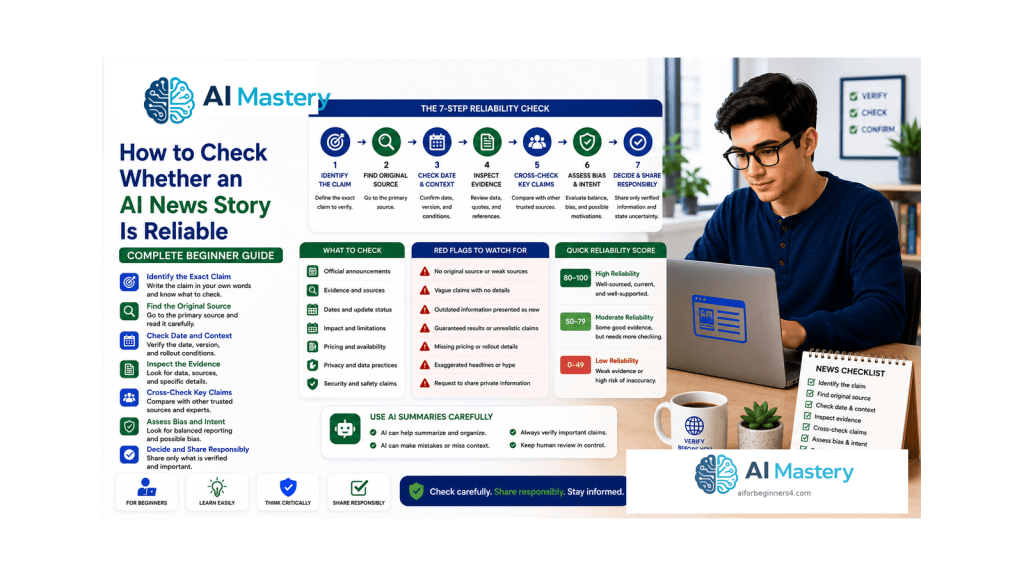
Beginners do not need professional fact-checking software to improve their reliability. They need a repeatable process: identify the exact claim, find the strongest available source, check the date and conditions, inspect the evidence, look for meaningful corroboration, evaluate media carefully, and state how confident they are.
This guide applies that process specifically to AI news. It focuses on product announcements, model releases, feature rollouts, screenshots, demonstrations, pricing or plan claims, and other stories that can affect the tools you use.
Official channels remain important starting points. OpenAI maintains ChatGPT and model release notes, Google publishes official AI announcements, Anthropic maintains a newsroom, and Microsoft publishes Copilot release notes. These first-party sources can confirm what a company itself says, although independent reporting may still be needed for broader context, criticism, business claims, or disputed issues.
The goal is not to prove every story with absolute certainty. It is to avoid repeating claims that are stronger than the available evidence.
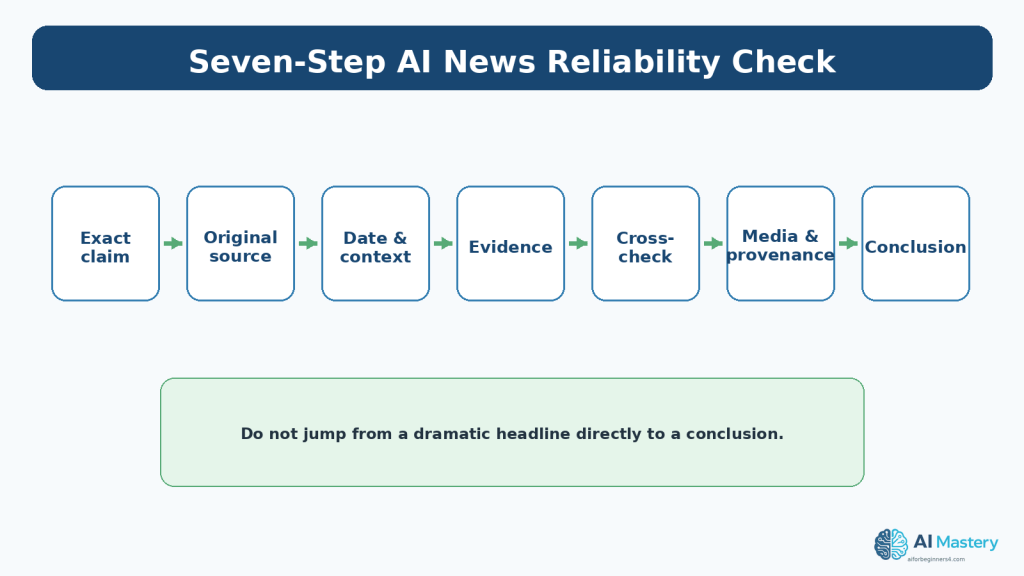
Figure 1. Use the same seven-step reliability check for any important AI news story.
Explanation: Writing the claim precisely first prevents you from verifying a vague impression instead of the actual statement.
What You’ll Learn
- how to turn a headline into a specific claim you can verify
- how to rank sources by how close they are to the original evidence
- how to trace reposted stories back to the original announcement
- how to check dates, updates, rollout wording, eligibility, and availability
- how to distinguish evidence from confident wording
- how to cross-check important claims without mistaking repetition for corroboration
- how to examine screenshots and short clips in context
- how Content Credentials can provide provenance without proving truth
- how to use AI to organize verification questions without treating AI output as proof
- how to assign a simple confidence rating
- how to recognize common red flags, mistakes, and myths
- how to protect private information during verification
Before You Start
Use the Article 097 news workflow to decide whether a story deserves your time. Article 098 begins after you have already decided that a claim matters enough to check.
Keep the original link. If you encounter a claim in a newsletter, social post, video, or screenshot, save the URL or record where you found it. Verification becomes harder when the original context is lost.
Do not begin by asking whether you personally like or dislike the claim. Begin by writing what the claim actually says.
- Save the original URL or source.
- Write the exact factual claim in one sentence.
- Note the date you encountered it.
- Avoid sharing it as fact until you finish the basic check.
What Does ‘Reliable’ Mean?
A reliable AI news story is not simply one that comes from a famous website or agrees with what you expected. Reliability means that the important factual claims are supported by evidence that can be traced, checked, and placed in the correct context.
A first-party announcement can be reliable evidence of what a company announced. It is not automatically independent evidence that the company’s marketing interpretation is correct. An independent article can add useful context, but it may still contain errors if it misreads the original announcement.
Think in layers: source, evidence, context, and corroboration. Strong reliability usually comes from several of these layers agreeing.
Step 1: Write the Exact Claim
Headlines often combine fact, interpretation, and excitement. Replace the headline with one sentence that could be shown to be accurate or inaccurate.
For example, ‘New AI model changes everything’ is too vague. A checkable claim might be: ‘Company X says Model Y became available on August 16 to all free users.’ That statement gives you something specific to inspect: company, model, date, audience, and availability.
If a story makes several claims, separate them. One part may be correct while another is exaggerated.
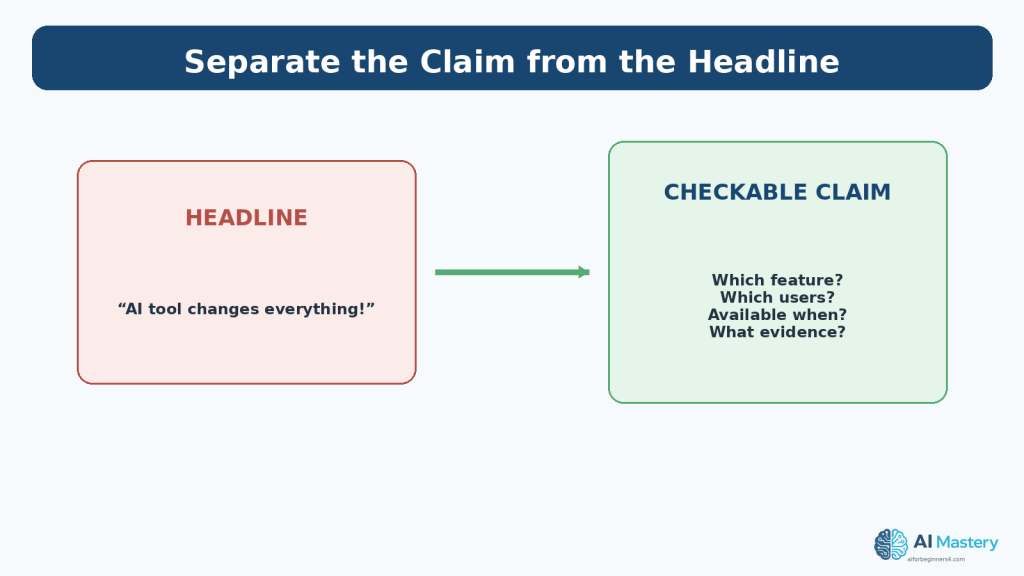
Figure 3. Turn a dramatic headline into a specific statement that can actually be checked.
Explanation: Headlines are written to attract attention; reliability checks work better when you replace them with a specific factual claim.
Step 2: Identify the Source Type
Ask who is making the claim and how close that source is to the underlying event.
For a product feature, release notes and official documentation are usually stronger evidence of product status than a reposted screenshot. A company newsroom can explain the announcement, while independent reporting can investigate context or claims the company does not address.
Source reputation matters, but the evidence inside the story matters too. A strong outlet citing an anonymous social post is not the same as the same outlet quoting documentation, named experts, and tested results.
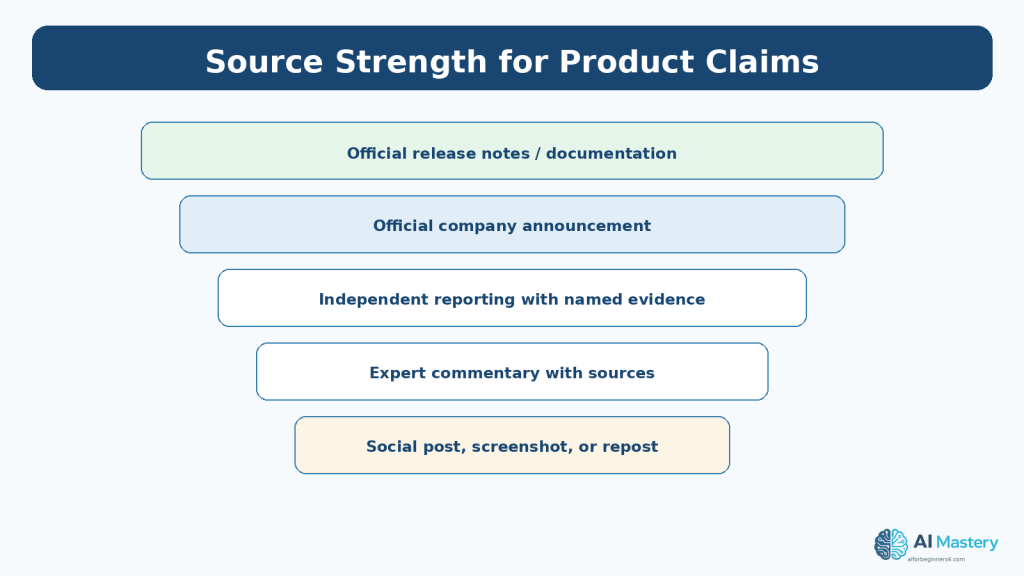
Figure 2. Different sources provide different levels of direct evidence for a product claim.
Explanation: Official release notes and documentation are usually closest to product facts, while commentary is more useful for interpretation.
Step 3: Trace the Story to the Original Source
Many AI stories circulate through layers. A social post links to an article, the article links to a company blog, and the company blog links to release notes. Follow the chain backward.
If several articles all point to the same company announcement, that is repeated coverage, not several independent confirmations.
Whenever possible, read enough of the original source to see whether the later headline matches its wording.
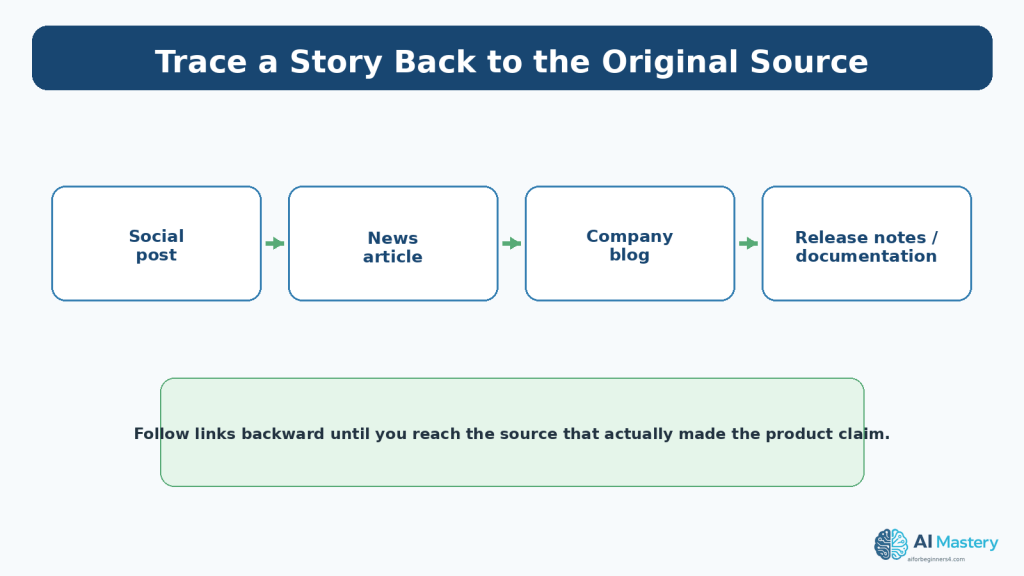
Figure 5. Trace repeated coverage back to the source that originally made the claim.
Explanation: Repeated coverage does not equal independent confirmation when all the stories trace back to the same announcement.
Step 4: Check the Date and Update History
AI information ages quickly. A story that was accurate on Monday can become incomplete by Friday because a rollout expanded, a model was renamed, or documentation was corrected.
Check the publication date, any ‘updated’ date, and the dates inside the announcement. Be careful with screenshots recirculated without a visible date.
If a news article is older than the current release notes, treat the current official documentation as the better source for present product status.
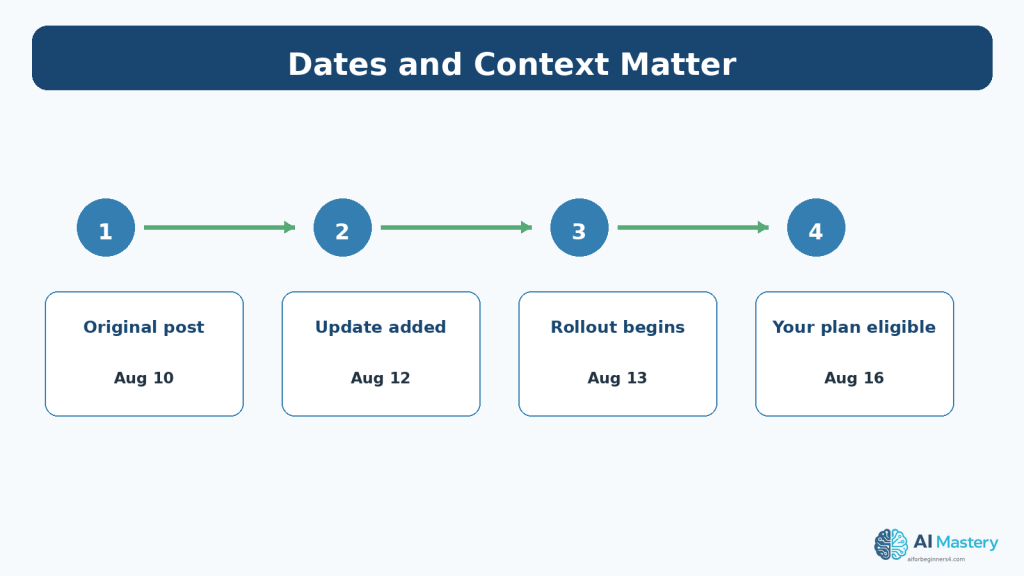
Figure 4. Dates, updates, and rollout timing can completely change the meaning of an AI news story.
Explanation: A real announcement can remain accurate while an old article becomes misleading because eligibility or rollout conditions later changed.
Step 5: Check Conditions and Availability
Words such as ‘rolling out,’ ‘starting today,’ ‘eligible users,’ ‘selected regions,’ ‘preview,’ and ‘coming soon’ are not minor details. They determine whether the feature is actually usable by a particular person.
OpenAI’s current release notes, for example, repeatedly distinguish between eligible plans and gradual rollout. Similar conditions can apply across AI products.
Before telling readers that a feature ‘is available,’ check plan, region, device, app version, workspace controls, and rollout language when those factors are relevant.
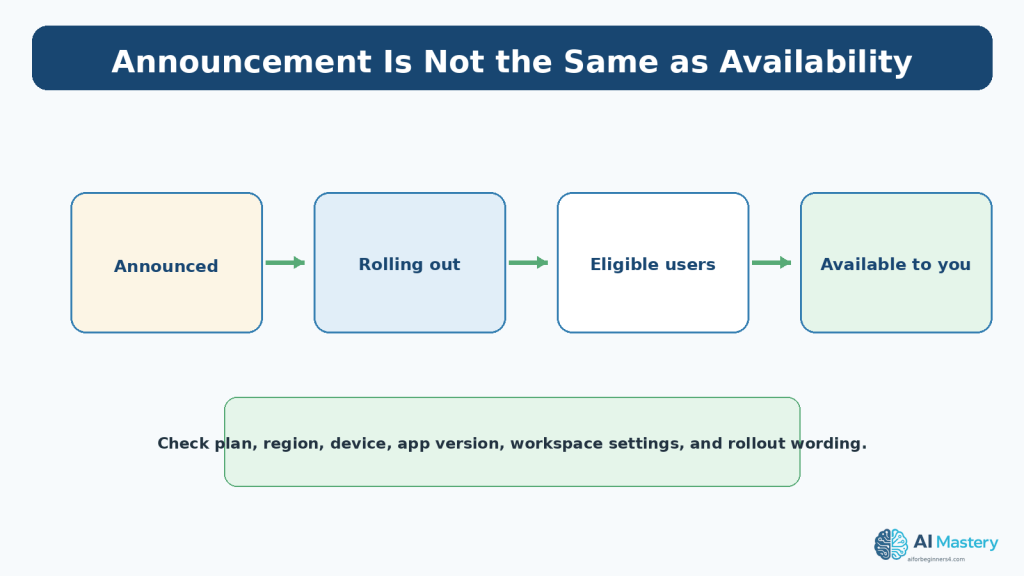
Figure 8. A feature can be announced before it is available on your own plan, region, device, or account.
Explanation: Availability language such as ‘rolling out’ or ‘eligible plans’ matters when deciding whether a feature can be used now.
Step 6: Look for Inspectable Evidence
Reliable reporting gives you something to inspect. That may be release-note text, documentation, a named source, a reproducible test, an official demonstration, a filing, a research paper, or direct quotes with clear context.
Be cautious when the evidence is only a cropped screenshot, an unattributed chart, ‘people are saying,’ or a claim that cannot be traced beyond another article.
Confidence of tone is not evidence. Both people and AI systems can state incorrect information confidently.
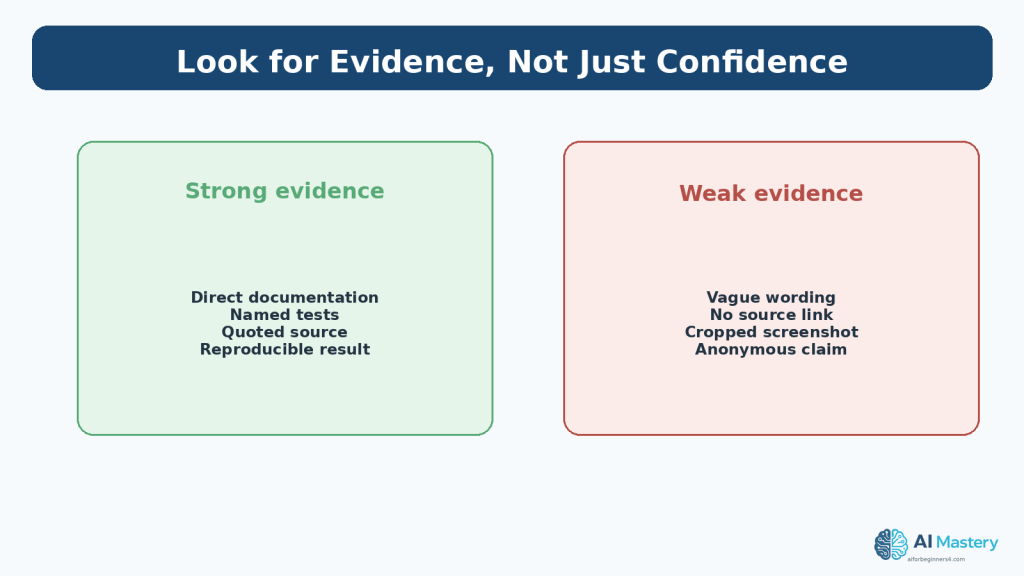
Figure 6. Reliable stories provide evidence that can be inspected rather than relying only on confident wording.
Explanation: Evidence should be something you can inspect, reproduce, or trace to a named source.
Step 7: Cross-Check Important Claims
Use a second source when the claim affects money, privacy, publishing, tool choice, account access, or an article you plan to publish.
The second source should contribute something independent: its own testing, reporting, documentation, or access to evidence. Two sites copying the same press release do not create two independent confirmations.
If reliable sources disagree, do not hide the disagreement. State what is confirmed, what is disputed, and what remains uncertain.
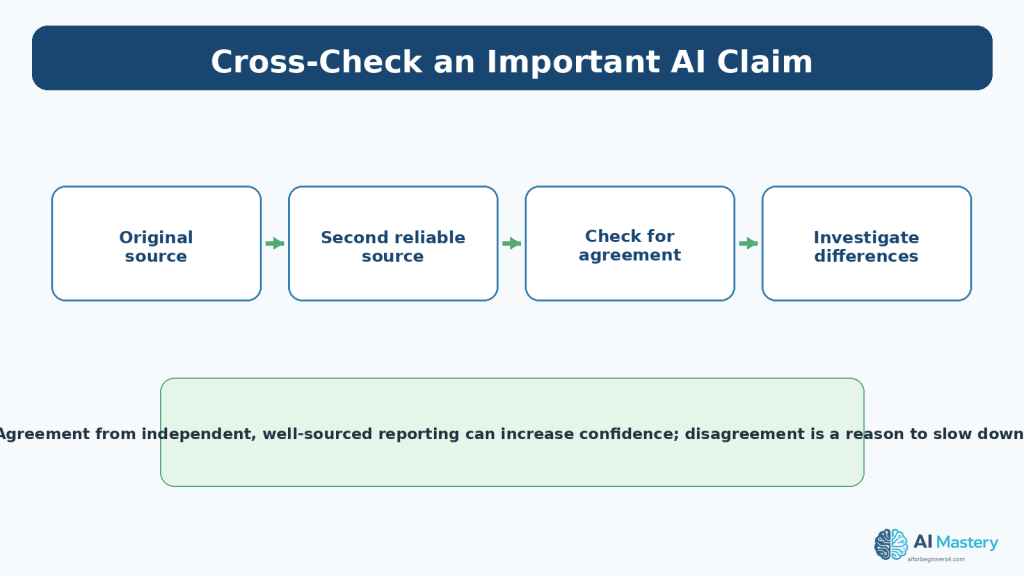
Figure 7. Important claims deserve a second reliable source, especially when the first source has an obvious stake in the announcement.
Explanation: A second source is most useful when it adds independent reporting or evidence rather than simply repeating the same press release.
Step 8: Verify Screenshots, Videos, and Demonstrations
Visual evidence feels persuasive because it looks concrete, but context can be missing. Screenshots may be cropped, interfaces can be mocked up, old images can be reposted as new, and short videos can omit setup steps or failures.
Find the original post or full recording when possible. Check the date, caption, account, and surrounding discussion. Look for a corresponding release note or documentation page.
A realistic image is not proof that an event occurred. AI-generated images and edited media make this principle increasingly important.
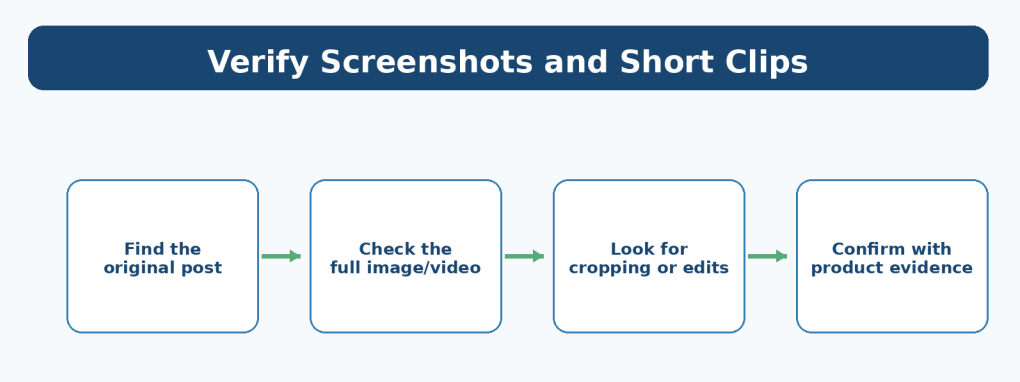
Figure 9. Screenshots and short clips should be traced to their original context before being treated as evidence.
Explanation: Media can lose context when it is cropped, edited, reposted, or separated from its original caption and date.
Step 9: Understand Content Credentials
Content Credentials are based on the C2PA standard and can record provenance information such as origin, edits, tools used, and AI-related history. C2PA describes the credential as cryptographically bound provenance information associated with an asset.
This is useful evidence about a file’s history. It is not a general truth detector. The current C2PA explainer explicitly says that Content Credentials do not provide a value judgment that the provenance data or represented claim is ‘true’; they help verify provenance information and tamper evidence.
Google has expanded Content Credentials verification across some products and has described using the system to help show whether media came from a camera or was modified with generative AI tools.
Use provenance as one part of verification alongside source, context, and factual evidence.
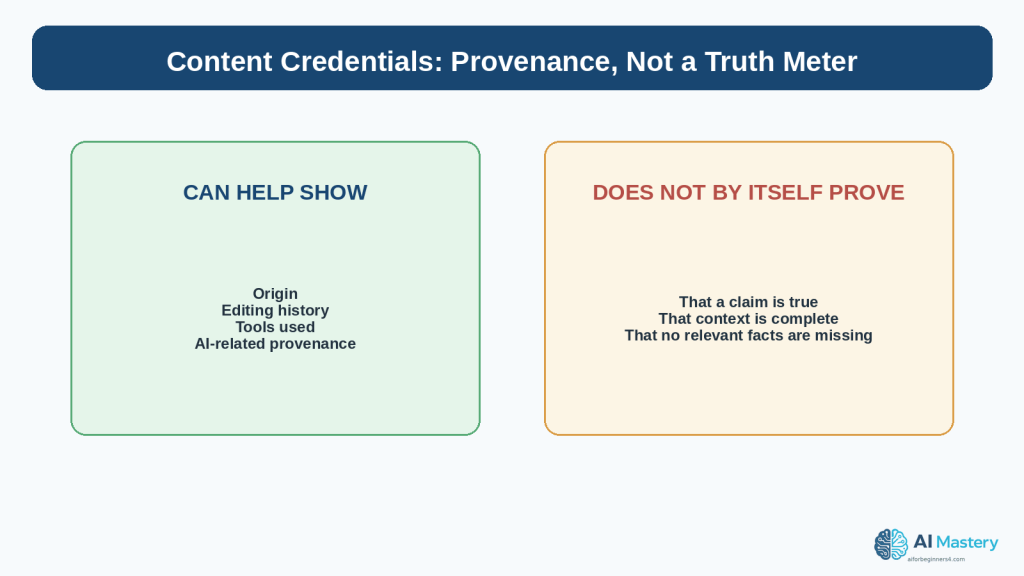
Figure 10. Content Credentials can help with provenance, but they are not a truth meter.
Explanation: C2PA explains that Content Credentials record provenance and can be tamper-evident, but they do not make a value judgment that the underlying claim is true.
Step 10: Use AI as a Verification Assistant
An AI assistant can help you turn a broad claim into verification questions, compare two source excerpts, identify missing conditions, or produce a checklist of what still needs to be confirmed.
Do not ask the AI model, ‘Is this story true?’ and treat the answer as proof. Instead, give it a bounded task and then open the sources yourself.
Example prompt
I am checking an AI news claim. The exact claim is: [claim]. Give me a checklist of facts I should verify. Separate source, date, availability, evidence, and corroboration. Do not tell me the claim is true or false unless the supplied evidence supports that conclusion.
Comparison prompt
Compare these two source excerpts. List where they agree, where they differ, and which details need the original documentation. Do not invent missing facts.
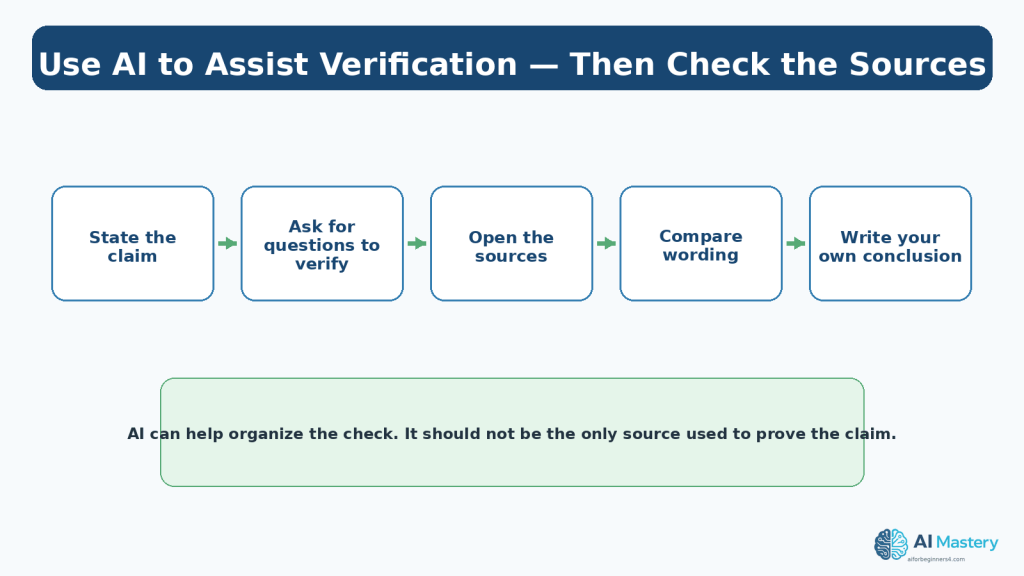
Figure 11. AI can help organize a verification process, but the sources still need to be opened and checked.
Explanation: AI is helpful for generating verification questions and comparing wording, but important conclusions should still be tied to the sources.
Step 11: Give the Story a Confidence Rating
Not every story needs a final ‘true’ or ‘false’ label immediately. A confidence rating keeps uncertainty visible.
Use low confidence when the source is weak, the original evidence is missing, or reliable sources conflict. Use medium confidence when the main source is good but details such as rollout or scope remain unclear. Use high confidence when the exact claim is supported by a strong original source and meaningful corroboration.
Your confidence can change as new information appears.
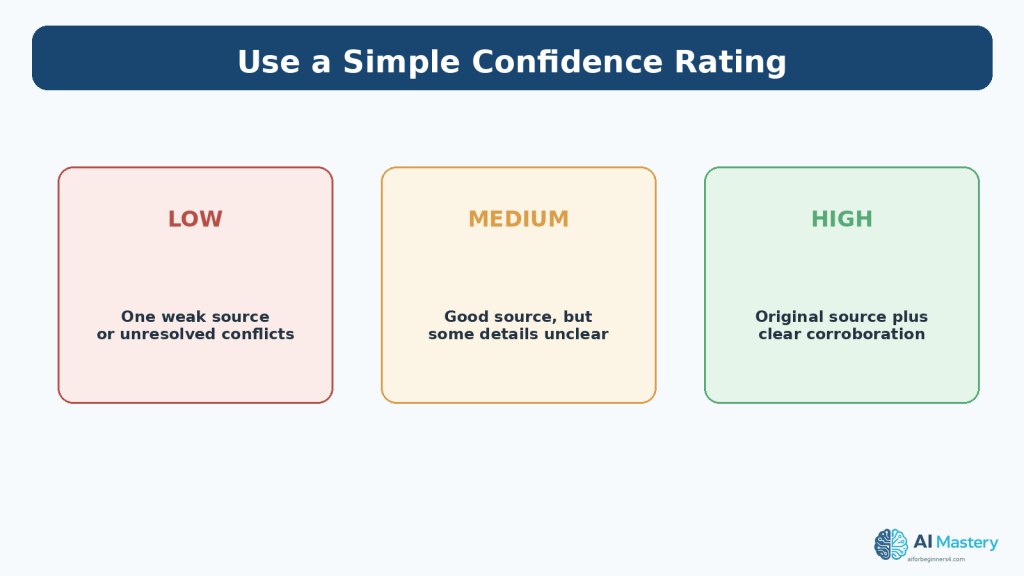
Figure 13. A confidence rating helps you distinguish established information from information that remains uncertain.
Explanation: A confidence rating keeps uncertainty visible instead of forcing every story into ‘true’ or ‘false’ before enough evidence exists.
A Five-Minute Beginner Reliability Check
When a claim matters but you do not want a full investigation, use a five-minute version of the process.
Spend one minute writing the exact claim, one minute finding the original source, one minute checking the date and conditions, one minute looking for a second reliable source, and one minute assigning a confidence level.
If important uncertainty remains, wait. Delaying a conclusion is better than repeating an unsupported claim.
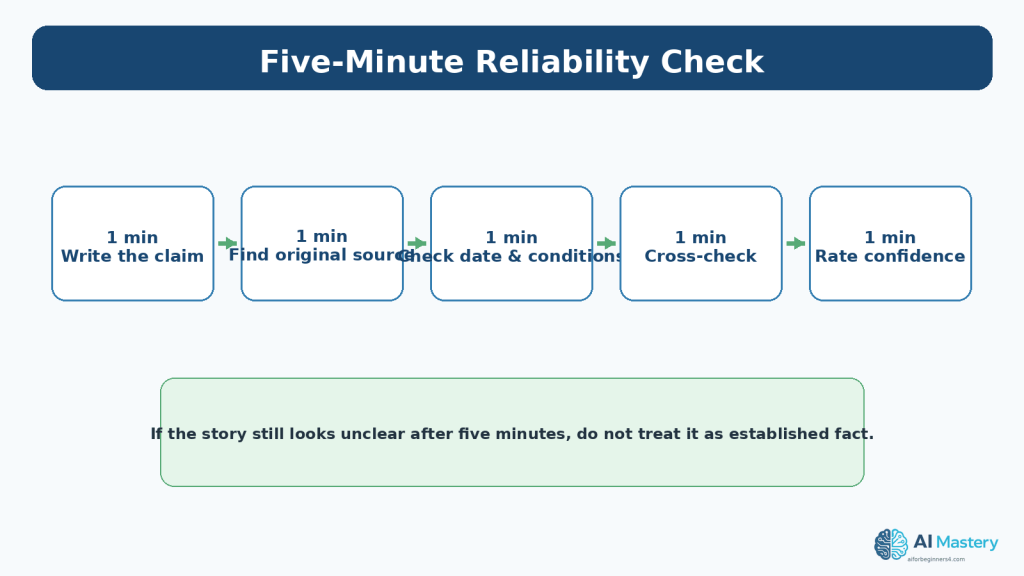
Figure 14. A five-minute check can prevent many unreliable AI news claims from being repeated.
Explanation: If you cannot establish the source and basic context quickly, the safest beginner action is to wait rather than repeat the claim.
Common Reliability Red Flags
Red flags are reasons to slow down, not automatic proof that a story is false.
- No link to the original source.
- The screenshot has no visible date or context.
- The headline is much stronger than the source wording.
- The story says ‘all users’ while the source says ‘rolling out’ or names selected plans.
- Several articles repeat the same claim but all trace back to one source.
- The media looks realistic but there is no information about origin or context.
- The article reports a benchmark or test without explaining what was measured.
- The claim changes when you read the full quote instead of the short excerpt.
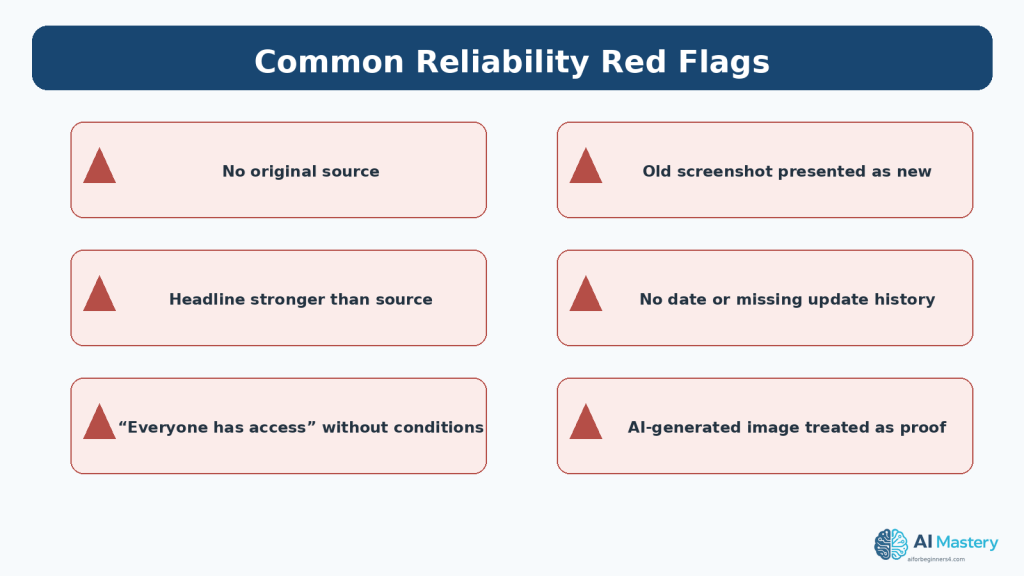
Figure 12. Several recurring warning signs should make you slow down before repeating an AI news claim.
Explanation: One red flag does not automatically prove a story is false, but several red flags are a strong reason to pause.
Protect Privacy During Verification
Verification does not require exposing private information. If you ask an AI assistant to compare sources or summarize evidence, use public material whenever possible.
Do not paste private emails, confidential workplace messages, customer records, account details, unpublished documents, or private screenshots unless you have permission and an appropriate system for that information.
OpenAI provides Data Controls for personal ChatGPT accounts, but privacy settings are not a substitute for minimizing unnecessary disclosure. Product settings and retention practices can change, so check current official information when privacy matters.
Common Beginner Mistakes
Mistake 1: Checking the headline instead of the claim
Headlines are summaries and can contain interpretation. **How to Avoid This Mistake:** Rewrite the claim in precise factual language first.
Mistake 2: Treating repetition as corroboration
Ten articles can all repeat one announcement. **How to Avoid This Mistake:** Trace each source and look for independent evidence.
Mistake 3: Ignoring rollout wording
A feature can exist without being available to you. **How to Avoid This Mistake:** Check plan, region, device, and rollout conditions.
Mistake 4: Trusting a screenshot because it looks professional
Visual realism is not proof of origin or truth. **How to Avoid This Mistake:** Find the original context and supporting documentation.
Mistake 5: Asking AI for a verdict instead of using sources
AI can hallucinate or omit important context. **How to Avoid This Mistake:** Use AI to organize questions and compare evidence, then verify with sources.
Common Myths
Myth 1: Official sources are always unbiased
Reality: Official sources are best for what an organization says or ships, but independent reporting can be necessary for context and criticism.
Myth 2: If two websites report it, it is confirmed
Reality: Both sites may depend on the same original source.
Myth 3: A verified-looking image proves the event happened
Reality: Provenance and authenticity signals can add context, but factual claims still need evidence.
Myth 4: If a story is wrong once, the source is useless forever
Reality: Reliability should be judged over time and claim by claim. Corrections and transparent sourcing are positive signals.
Myth 5: You must reach certainty before saying anything
Reality: It is acceptable to say that a claim is unconfirmed, partly confirmed, or still developing.
Frequently Asked Questions
What is the fastest way to check an AI product announcement?
Find the official release notes or documentation, check the date and eligibility, then use one reliable independent source if the claim matters.
Are company blogs reliable?
They are primary evidence of what the company is announcing. They are not independent evaluations of the company’s own claims.
Can I trust AI-generated summaries of news?
Use them for compression and organization, not as the only proof. Check important details in the original source.
What if reliable sources disagree?
State the disagreement and wait for stronger evidence. Do not force a false certainty.
Do Content Credentials prove an image is real?
They can provide verifiable provenance and editing history when present, but C2PA explicitly says they do not make a value judgment that the represented claim is true.
Should I publish a story if the feature is only rolling out?
You can, if you clearly describe the rollout and avoid implying universal availability.
How many sources do I need?
There is no fixed number. For a straightforward product fact, one strong original source may establish what was announced; important or disputed claims usually deserve independent corroboration.
Key Takeaways
- Write the exact claim before checking it.
- Prefer original documentation and release notes for product facts.
- Trace repeated stories back to their source.
- Check publication date, update date, rollout language, and eligibility.
- Look for inspectable evidence, not confident tone.
- Use meaningful independent corroboration for important claims.
- Verify screenshots and clips in their original context.
- Treat Content Credentials as provenance evidence, not a truth meter.
- Use AI to organize verification, not replace sources.
- Keep uncertainty visible with a confidence rating.
- Protect private information during verification.
- When evidence is weak, waiting is a valid conclusion.
Final Tip
The most useful beginner habit is to slow down at the exact moment a headline makes you want to react immediately. Write the claim, open the source, and check the conditions before you repeat it.
Reliability is less about having special tools and more about using the same careful process every time.
Continue Learning
Article 098 is the second article in the AI Mastery AI News series.
- Article 097 — How to Follow AI News Without Feeling Overwhelmed (2026).
- Article 099 — How to Compare AI Product Announcements and Updates (2026) — link after publication.
- Article 100 — How to Create a Weekly AI News Review Workflow (2026) — link after publication.
Sources and References
The following official and authoritative sources were reviewed for the product-release, misinformation, provenance, privacy, and media-verification guidance in this article. Information was checked on August 16, 2026. Product interfaces, release channels, rollout conditions, and policies can change.
- OpenAI — ChatGPT Release Notes — Official changelog used to verify current ChatGPT feature wording and gradual rollouts. Official source
- OpenAI — Model Release Notes — Official model-update record used to illustrate plan eligibility and rollout conditions. Official source
- OpenAI — Data Controls FAQ — Current guidance for ChatGPT data controls and Temporary Chat. Official source
- Google — Official AI News and Updates — Google’s first-party AI announcement hub. Official source
- Anthropic — Newsroom — Anthropic’s first-party newsroom for product, research, and company announcements. Official source
- Microsoft — Copilot Release Notes — Microsoft’s official Copilot release-note collection. Official source
- Canadian Centre for Cyber Security — How to Identify Misinformation, Disinformation and Malinformation — Government guidance on identifying misleading information and checking sources. Official source
- C2PA — Content Credentials Explainer — Primary explanation of provenance, authenticity, Content Credentials, and their limitations. Official source
- C2PA — Technical Specification 2.4 — Current technical specification for Content Credentials and provenance. Official source
- Google — Tools to Understand How Content Was Created and Edited — Current Google information about Content Credentials verification and AI-media provenance tools. Official source
Important Note
This article provides general educational media-literacy guidance. It does not guarantee that any individual news source will always be accurate, and it is not a substitute for legal, cybersecurity, investigative, or professional advice when a claim could cause serious harm. When information is consequential or disputed, consult the strongest available original evidence and appropriate professional or authoritative sources.


Leave a Reply