Category: AI productivity

  • Article 083 —How to Organize Files, Tasks, and Projects with AI (2026)

    Article 083 —How to Organize Files, Tasks, and Projects with AI (2026)

    Estimated reading time: 35–40 minutes
    Last updated: August 16, 2026

    Introduction

    Files, tasks, and projects can become difficult to manage when information is spread across many folders, notes, documents, emails, and apps.

    AI can help you bring that information into a clearer structure.

    For example, you might have a task list such as:

    · Finish article draft

    · Check source links

    · Prepare images

    · Rename files

    · Review the final document

    · Upload the article to WordPress

    · Save a backup copy

    You could ask AI:

    “Organize these tasks into a simple project plan. Group related tasks, put them in a logical order, and show which tasks should be completed before publishing.”

    AI can help you:

    · Group related files into clearer categories

    · Suggest folder structures

    · Create consistent file-naming systems

    · Turn long task lists into priorities

    · Break large projects into smaller steps

    · Create checklists

    · Organize deadlines

    · Identify tasks that depend on other tasks

    · Create simple project workflows

    · Track what is completed and what still needs attention

    · Summarize the current status of a project

    For example, files named:

    “final.docx”
    “final2.docx”
    “new-final.docx”
    “final-revised.docx”

    can quickly become confusing.

    AI can help you design a clearer naming system such as:

    “083-article-draft-v01.docx”
    “083-article-reviewed-v02.docx”
    “083-final-textmaker.docx”

    A consistent naming system can make files easier to find, sort, and update later.

    AI can also help divide a large project into stages.
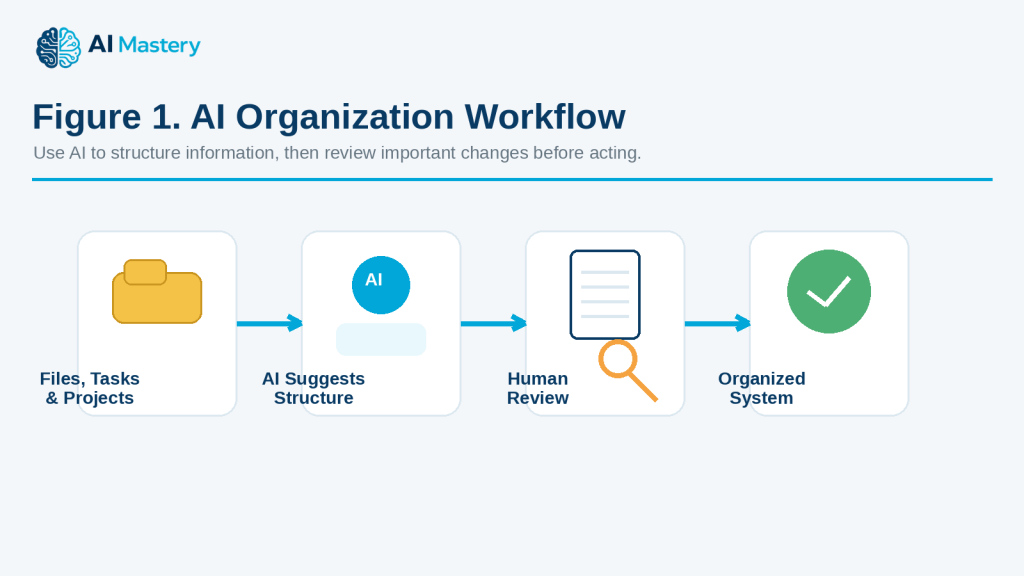
    Figure 1. AI Organization Workflow.

    Explanation: AI can help structure files, tasks, and projects, but important changes should be reviewed by a person before they are applied.

    For example, a website article project might include:

    · Research

    · Writing

    · Images

    · Review

    · Sources

    · WordPress preparation

    · Publishing

    · Backup and records

    However, AI should not automatically delete, rename, move, or overwrite important files without your review.

    It may misunderstand which file is the latest version, confuse similar filenames, or suggest removing something you still need.

    Always keep important originals and backups before making major changes to your file system or project structure.

    In this guide, you will learn how to use AI to organize files, manage task lists, break projects into manageable stages, create clearer workflows, track progress, avoid common organization mistakes, and protect private or important information.

    Before You Start

    You do not need an advanced project-management system to organize files, tasks, and projects with AI. You mainly need to know what you are working on, where your information is stored, and what result you want.

    Before asking AI to help, prepare:

    · The project or activity you want to organize

    · Your current file and folder structure

    · A list of tasks

    · Important deadlines

    · Files or notes that belong together

    · Any naming rules you already use

    · Which files are current, old, or archived

    · Which tasks are completed, in progress, or not started

    · A place to keep backups before making major changes

    Start with One Clear Goal

    A broad request such as:

    “Organize everything.”

    is too vague.

    A clearer request is:

    “Help me organize the files for one website article into folders for drafts, images, sources, WordPress files, and final delivery.”

    This gives AI a specific task.

    Do Not Start by Deleting Files

    If your folders are messy, it may be tempting to delete anything that looks old.

    Do not do that first.

    Before deleting, moving, or renaming files:

    · Identify which files are current

    · Check whether old versions may still be needed

    · Confirm that important files are backed up

    · Separate duplicates from different versions

    · Review files with unclear names

    AI can suggest what may be redundant, but you should make the final decision.

    Make a Backup First

    Before a large reorganization, create a backup of important files.

    For example, keep:

    · An original project folder

    · A backup copy on another drive or approved cloud location

    · Important final exports

    · Source documents

    · Licence or permission records when relevant

    This gives you a way to recover something if a file is moved, renamed, or deleted by mistake.

    Decide What You Want AI to Do

    AI can help in different ways.

    You might ask it to:

    · Suggest a folder structure

    · Create a file-naming system

    · Organize a task list

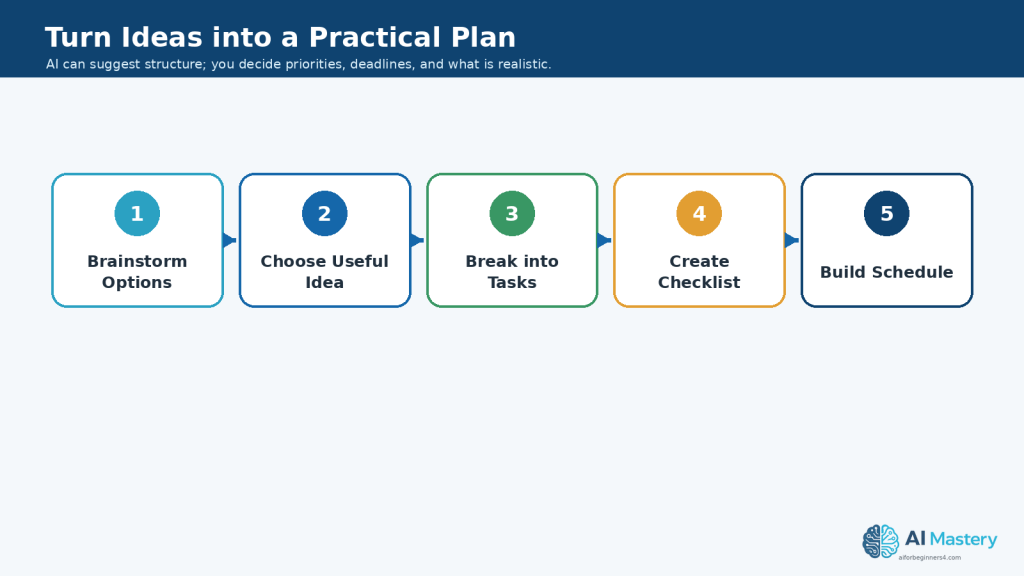
    · Turn tasks into project stages

    · Identify priorities

    · Create a checklist

    · Build a project-status summary

    · Suggest archive categories

    Choose the task before providing a large amount of information.

    Protect Private or Confidential Information

    File lists, project notes, and task descriptions may contain sensitive information.

    Before sharing them with an AI tool, remove unnecessary details such as:

    · Customer names

    · Employee information

    · Account numbers

    · Passwords

    · Private addresses

    · Confidential project names

    · Financial records

    · Contract details

    Use placeholders when possible, such as:

    · [CLIENT NAME]

    · [PROJECT NAME]

    · [PRIVATE FILE]

    · [ACCOUNT NUMBER]

    Keep Your Existing Rules When They Work

    If you already have a useful naming system, folder structure, or project method, tell AI to preserve it.

    For example:

    “Keep my current article-numbering system and suggest improvements without renaming completed files unnecessarily.”

    This reduces the chance of AI suggesting a completely different system that creates more work.

    Reality: AI can help you design a clearer organization system, but important file changes should be reviewed before anything is renamed, moved, overwritten, archived, or deleted.

    What You’ll Learn

    By the end of this guide, you will know how to:

    · Organize files into clearer folders and categories.

    · Create a consistent file-naming system.

    · Separate working files, final files, source files, and archived files.

    · Use AI to clean up long or confusing task lists.

    · Group related tasks into project stages.

    · Decide which tasks should come first.

    · Identify tasks that depend on other tasks.

    · Create practical checklists and workflows.

    · Track what is completed, in progress, or still waiting.

    · Update a project plan when priorities or deadlines change.

    · Create simple project-status summaries.

    · Use AI to suggest improvements without automatically changing your files.

    · Keep backups before making major organizational changes.

    · Protect private, confidential, or sensitive information.

    · Preserve important source files, versions, permissions, licences, and final records when relevant.

    You will also learn how to use AI as an organizing assistant without giving it uncontrolled authority over important files or projects.

    The goal is not to create the most complicated system. The goal is to build a simple structure that helps you find files, understand your priorities, track progress, and reduce unnecessary confusion.

    How AI Can Help Organize Files, Tasks, and Projects

    AI can support several parts of everyday organization. It can help you design clearer folder structures, create naming systems, sort task lists, and turn large projects into manageable stages.

    Suggest a Folder Structure

    If your files are stored together in one large folder, AI can suggest a simpler structure.

    For example:

    “Create a folder structure for a website article project. I need separate places for drafts, images, sources, WordPress files, and final delivery files.”

    AI might suggest:

    · Drafts

    · Images

    · Sources

    · WordPress

    · Final

    · Archive

    You can then adjust the structure to match the way you actually work.
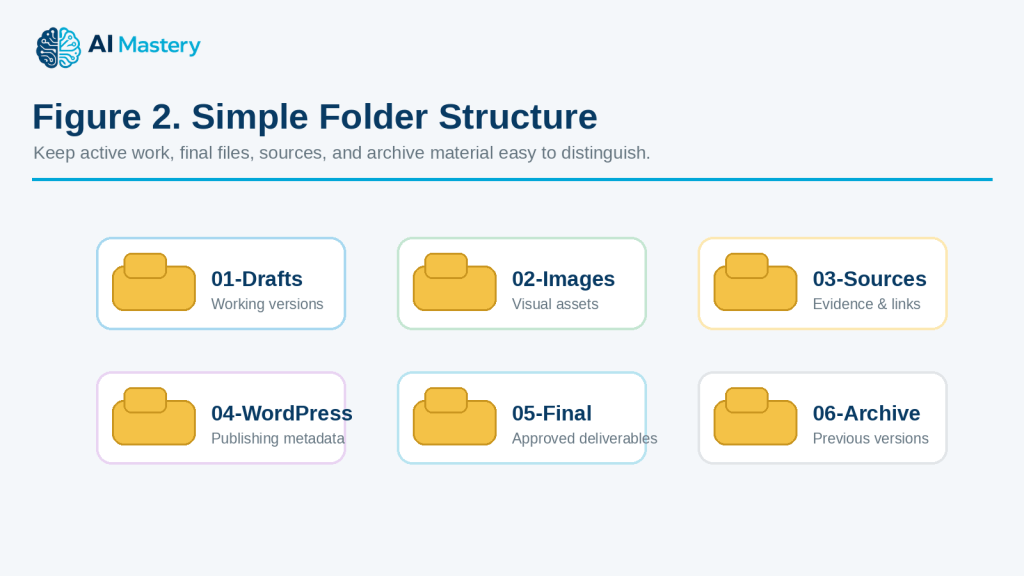
    Figure 2. Simple Folder Structure.

    Explanation: A small set of clearly named folders separates working files, images, sources, WordPress material, final deliverables, and archive items.

    Create Consistent File Names

    AI can help turn inconsistent filenames into a clear naming pattern.

    For example:

    “Create a file-naming system for article files that includes the article number, file type, short description, and version when needed.”

    A system might look like:

    · 083-article-draft-v01.docx

    · 083-article-reviewed-v02.docx

    · 083-featured-image.png

    · 083-figure-01-project-workflow.png

    · 083-sources-and-references.docx

    · 083-final-textmaker.docx

    Consistent filenames make files easier to sort and recognize.
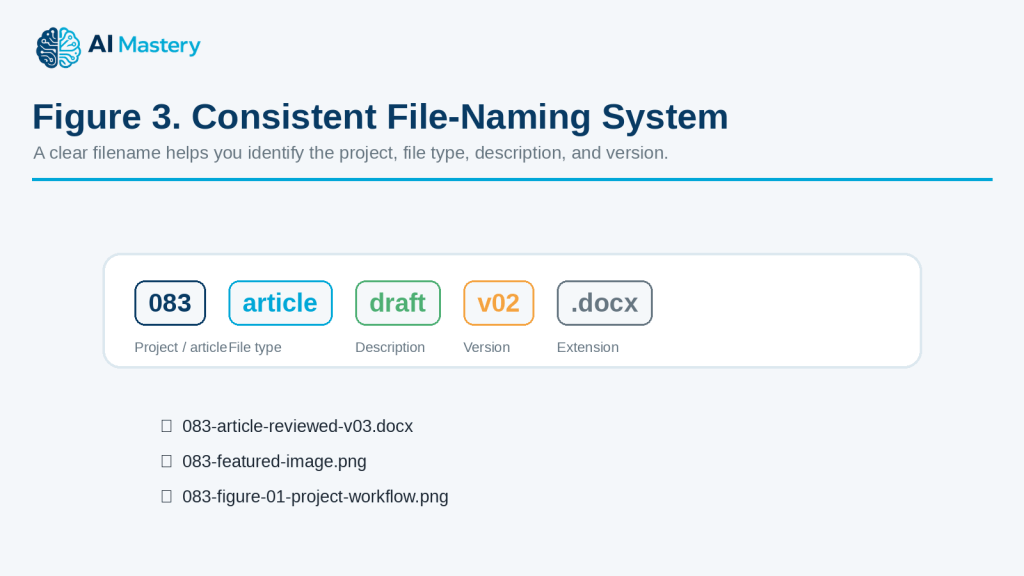
    Figure 3. Consistent File-Naming System.

    Explanation: A predictable filename can show the project number, file type, description, version, and extension at a glance.

    Group Tasks into Categories

    A long task list can become easier to understand when related tasks are grouped.

    For example:

    “Group these tasks into research, writing, images, review, publishing, and backup.”

    Instead of one long list, you get smaller groups that are easier to manage.

    Put Tasks in a Logical Order

    Some tasks need to happen before others.

    For example, you normally need to finish the article before completing the final review.

    You can ask:

    “Put these tasks in the order they should normally be completed and explain which tasks depend on earlier steps.”

    AI can help identify a basic sequence.

    Identify Priorities

    When many tasks are waiting, AI can help organize them by urgency or importance.

    For example:

    “Organize these tasks into high, medium, and lower priority based only on the deadlines and project information I provide.”

    You should review the result because AI may misunderstand which task matters most to you.
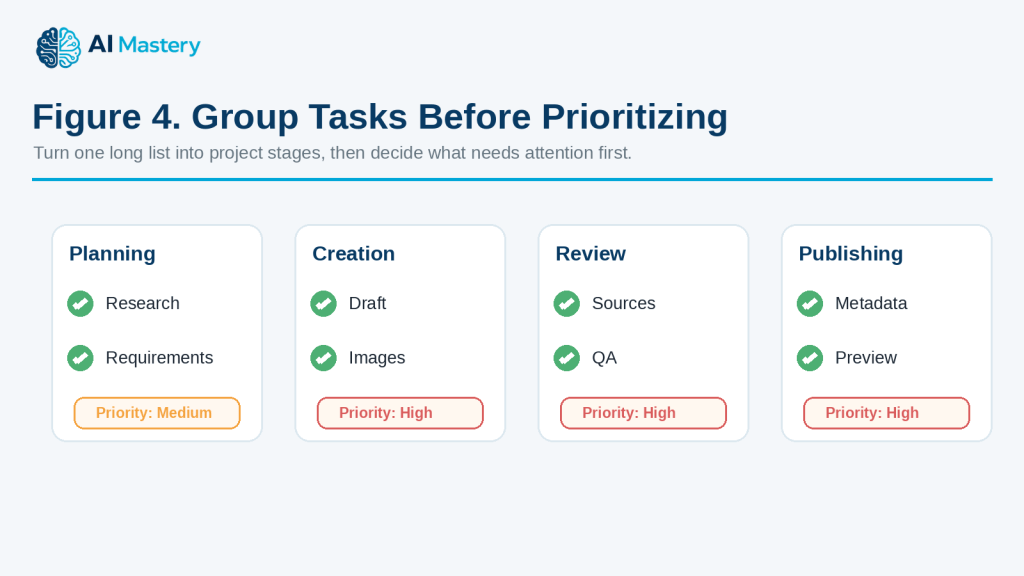
    Figure 4. Group Tasks Before Prioritizing.

    Explanation: Grouping tasks into stages makes it easier to decide what should happen first and which work is still waiting.

    Break Large Projects into Stages

    A large project can feel overwhelming when it is treated as one task.

    AI can divide it into stages such as:

    · Planning

    · Research

    · Creation

    · Review

    · Approval

    · Publishing

    · Archive

    You can then focus on one stage at a time.

    Create Checklists

    AI can convert a process into a checklist.

    For example:

    “Turn this project workflow into a final checklist. Include files, images, links, review, backup, and publication.”

    Checklists are useful when a process needs to be repeated consistently.

    Track Project Status

    If you provide your current progress, AI can organize tasks into statuses such as:

    · Not started

    · In progress

    · Waiting

    · Needs review

    · Completed

    · Archived

    For example:

    “Organize these project tasks by current status and show what still needs attention.”

    Summarize What Has Changed

    For larger projects, AI can help summarize updates.

    For example:

    “Compare this week’s task list with last week’s list. Show what was completed, what was added, and what is still unfinished.”

    This can make project reviews easier.

    Help Design an Archive System

    Completed projects can create clutter if everything stays in the active workspace.

    AI can suggest archive categories such as:

    · Completed projects

    · Previous versions

    · Old source material

    · Superseded files

    · Historical records

    Do not archive or delete files only because AI recommends it. Review important records first.

    Reality: AI can help design and improve an organization system, but it does not automatically know which file is authoritative, which version must be kept, or which task is most important. Important decisions still need human review.

    Step-by-Step: Organize Files, Tasks, and Projects with AI

    A simple process can help you organize your work without making unnecessary changes too quickly.

    Step 1: Define What You Are Organizing

    Start with one project, folder, or task list.

    For example:

    “Organize the files and tasks for Article 083.”

    This is clearer than trying to reorganize your entire computer at once.

    Step 2: Make a Backup

    Before changing important files, create a backup.

    Keep copies of:

    · Current working files

    · Important source files

    · Final versions

    · Permissions or licences

    · Important project records

    This gives you a recovery point if something goes wrong.

    Step 3: List Your Current Files and Tasks

    Write down what you already have.

    For example:

    · Draft article

    · Source document

    · Featured image

    · Figure files

    · WordPress notes

    · Final checklist

    · Unfinished tasks

    Do not rename or move anything yet.

    Step 4: Ask AI to Group Related Items

    You can ask:

    “Group these files and tasks into logical categories. Do not rename or delete anything.”

    AI might create groups such as:

    · Drafts

    · Images

    · Sources

    · WordPress

    · Final files

    · Archive

    · Tasks

    This gives you a suggested structure before any actual changes are made.

    Step 5: Create a Folder Structure

    Once the categories make sense, ask:

    “Turn these categories into a simple folder structure.”

    A project structure might look like:

    · 01-Drafts

    · 02-Images

    · 03-Sources

    · 04-WordPress

    · 05-Final

    · 06-Archive

    Numbering folders can help keep them in a predictable order.

    Step 6: Create a File-Naming Rule

    Decide how files should be named.

    A useful naming rule might include:

    · Project or article number

    · File type

    · Short description

    · Version number when needed

    For example:

    · 083-article-draft-v01.docx

    · 083-article-reviewed-v02.docx

    · 083-featured-image.png

    · 083-figure-01-project-workflow.png

    · 083-final-textmaker.docx

    Ask AI to suggest names, but review them before renaming important files.

    Step 7: Organize the Task List

    Give AI the unfinished tasks and ask it to group them.

    For example:

    “Organize these tasks into planning, creation, review, publishing, and backup.”

    This turns one long list into smaller stages.

    Step 8: Put Tasks in Order

    Some tasks depend on earlier work.

    You can ask:

    “Put these tasks in a logical order and mark any task that depends on another task.”

    For example:

    You normally need to finish the final review before publishing.

    Step 9: Add Status Labels

    Use simple labels such as:

    · Not started

    · In progress

    · Waiting

    · Needs review

    · Completed

    You can then ask AI:

    “Organize this project by status and show only the unfinished tasks at the end.”

    Step 10: Review Before Making Changes

    Before moving or renaming files, check:

    · Is the correct file marked as current?

    · Are important originals preserved?

    · Are duplicate-looking files actually duplicates?

    · Are final versions clearly identified?

    · Are source and licence records protected?

    · Is anything being suggested for deletion?

    Do not continue if you are unsure.

    Step 11: Make Changes Gradually

    Change one part of the system at a time.

    For example:

    1. Create the folders.

    2. Move obvious files.

    3. Rename only clearly identified files.

    4. Review the result.

    5. Continue with the next group.

    This makes mistakes easier to detect and correct.

    Step 12: Create a Final Project Summary

    When the project is organized, ask AI:

    “Create a short project summary showing what is completed, what is still in progress, where the final files are stored, and what should be archived.”

    This creates a useful record for future reference.
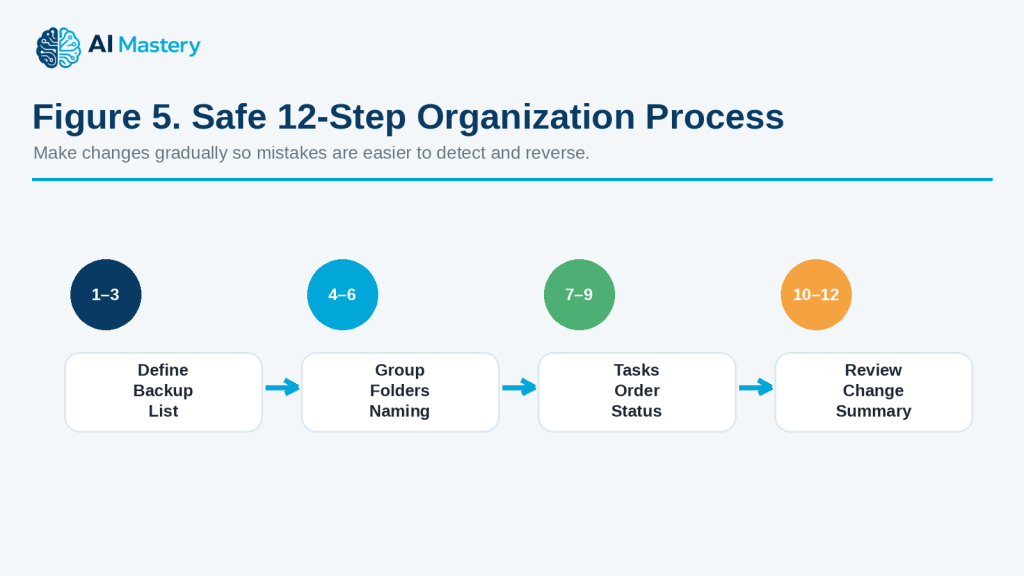
    Figure 5. Safe 12-Step Organization Process.

    Explanation: The full workflow moves from defining and backing up the project to structuring, reviewing, changing gradually, and recording the final result.

    How to Avoid This Mistake: Do not let AI reorganize a large number of important files based only on filenames. Similar names may represent different versions, and AI may not know which file must be preserved.

    Useful AI Prompts for File, Task, and Project Organization

    Reusable prompts can make organization faster and more consistent. Replace the bracketed information with your own files, tasks, project details, or deadlines.

    Prompt for Organizing a File List

    “Review this file list and group the files into logical categories. Do not delete, rename, or move anything. Show me the suggested structure first.”

    Prompt for Creating a Folder Structure

    “Create a simple folder structure for [project]. I need separate areas for working files, images, sources, final files, and archive material. Keep the structure easy for a beginner to understand.”

    Prompt for Creating File Names

    “Create consistent filenames for these files using this pattern: [project number]-[file type]-[short description]-[version if needed]. Do not change file extensions.”

    Prompt for Identifying Unclear Filenames

    “Review these filenames and identify which ones are unclear or inconsistent. Suggest clearer names, but do not assume that similar files are duplicates.”

    Prompt for Reviewing Possible Duplicates

    “These files have similar names. Help me create a checklist for comparing them before I decide whether any are duplicates. Do not recommend deletion based only on the filenames.”

    Prompt for Organizing a Task List

    “Group these tasks into logical categories and keep every original task. Do not remove or combine tasks unless they clearly describe the same action.”

    Prompt for Prioritizing Tasks

    “Organize these tasks into high, medium, and lower priority using only the deadlines, dependencies, and importance information I provide. Explain any priority that is uncertain.”

    Prompt for Putting Tasks in Order

    “Put these project tasks into a logical sequence. Mark tasks that must be completed before another task can begin.”

    Prompt for Creating a Project Checklist

    “Turn this project plan into a checklist. Keep the tasks in order and include a status field for Not Started, In Progress, Needs Review, Waiting, and Completed.”

    Prompt for Breaking Down a Large Project

    “Break this project into smaller beginner-friendly stages. For each stage, list the main tasks and the expected result. Do not invent deadlines.”

    Prompt for Creating a Weekly Project Plan

    “These are my unfinished tasks and deadlines: [tasks and dates]. Create a realistic one-week project plan. Do not schedule more work per day than the limits I provide.”

    Prompt for Updating a Project After Something Changes

    “This project plan has changed. These tasks are completed: [completed tasks]. These are still unfinished: [unfinished tasks]. These new tasks were added: [new tasks]. Reorganize the remaining plan without changing completed work.”

    Prompt for Tracking Project Status

    “Organize these tasks into Completed, In Progress, Waiting, Needs Review, and Not Started. Then create a short summary of what still needs attention.”

    Prompt for Identifying Dependencies

    “Review these tasks and identify any dependencies. For each dependency, explain which task should normally happen first. Mark anything uncertain instead of guessing.”

    Prompt for Creating an Archive Plan

    “Suggest which categories of completed project files might belong in an archive. Do not recommend deleting anything. Separate final records, previous versions, source material, and temporary files.”

    Prompt for Reviewing a Folder Structure

    “Review this folder structure for clarity and consistency. Identify folders that may overlap, have unclear names, or could be simplified. Preserve my existing numbering and naming rules unless there is a clear problem.”

    Prompt for Creating a Final Project Summary

    “Create a short project summary from these notes. Include completed work, unfinished work, final file locations, important source records, and items that still need review.”

    Prompt for Checking Before a Major Reorganization

    “Review this proposed file reorganization and create a safety checklist. Check for backups, unclear versions, duplicate-looking files, final files, source records, permissions, licences, and anything that should be reviewed before files are moved or renamed.”

    Final Check Before Using Any Prompt: Ask AI to suggest changes first rather than immediately acting on important files. Review the proposed structure, filenames, priorities, and archive decisions before making permanent changes.
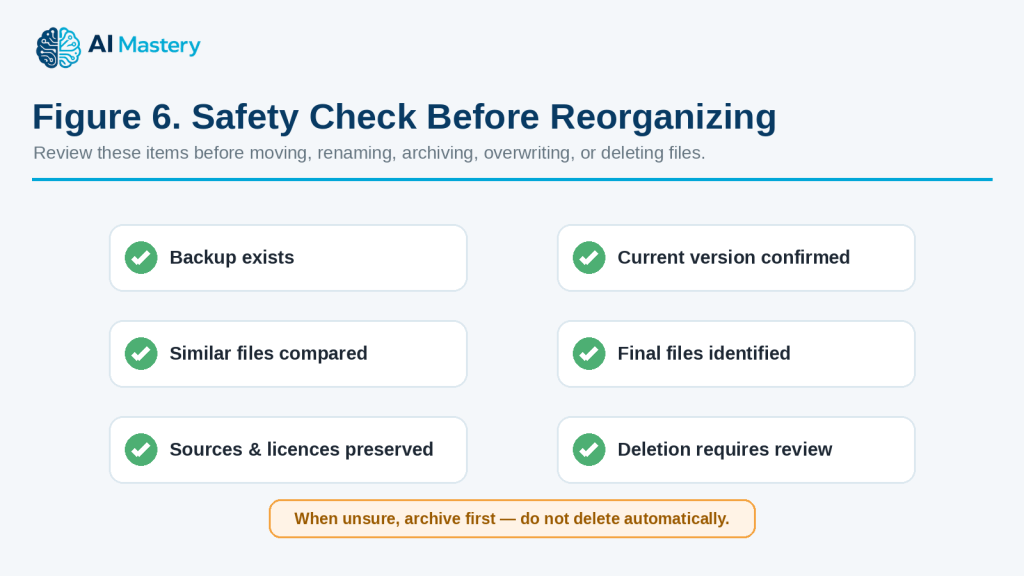
    Figure 6. Safety Check Before Reorganizing.

    Explanation: Before major changes, confirm backups, current versions, possible duplicates, final files, source records, and anything proposed for deletion.

    Practical Example: Organize a Website Article Project with AI

    Suppose you are working on a website article and your project folder contains files such as:

    · Article draft

    · Revised article

    · Featured image

    · Several figure images

    · Source notes

    · WordPress notes

    · Final checklist

    · Old versions

    · A ZIP file

    · A few files with unclear names

    You also have unfinished tasks such as:

    · Finish reviewing the article

    · Check source links

    · Rename the figures

    · Prepare the WordPress metadata

    · Create the final ZIP

    · Save a backup

    · Publish the article

    Instead of trying to organize everything at once, you can ask AI to help in stages.

    Stage 1: Organize the Project Files

    You could start with:

    “Here is a list of files for one website article. Group them into Drafts, Images, Sources, WordPress, Final Delivery, and Archive. Do not delete, move, or rename anything yet.”

    AI might suggest:

    Drafts

    · Article draft

    · Revised article

    Images

    · Featured image

    · Figure images

    Sources

    · Source notes

    · Reference document

    WordPress

    · WordPress metadata

    · Publishing notes

    Final Delivery

    · Final article

    · Final checklist

    · ZIP package

    Archive

    · Old drafts

    · Superseded versions

    This gives you a suggested structure before making any actual changes.

    Stage 2: Create Clear Folder Names

    You could then ask:

    “Create numbered folder names so the project stays in a logical order.”

    For example:

    · 01-Drafts

    · 02-Images

    · 03-Sources

    · 04-WordPress

    · 05-Final-Delivery

    · 06-Archive

    Numbering can make the folders easier to scan.

    Stage 3: Create Consistent Filenames

    Suppose some image files are named:

    · image1.png

    · finalimage.png

    · newpic.png

    · screenshot2.png

    You could ask:

    “Suggest clearer filenames for these images using article number 083, figure numbers, and short descriptions. Do not change the file extensions.”

    A clearer system might look like:

    · 083-featured-organize-files-tasks-projects.png

    · 083-figure-01-organization-workflow.png

    · 083-figure-02-folder-structure.png

    · 083-figure-03-task-priority-example.png

    You should confirm which image is which before renaming anything.

    Stage 4: Organize the Remaining Tasks

    Next, give AI your unfinished task list.

    For example:

    “Group these unfinished tasks into Review, WordPress Preparation, Final Delivery, and Publishing.”

    The result might be:

    Review

    · Check article content

    · Verify source links

    · Review images

    WordPress Preparation

    · Prepare featured-image metadata

    · Add category and tags

    · Prepare excerpt

    · Check internal links

    Final Delivery

    · Create final article file

    · Create image ZIP

    · Create final checklist

    · Save backup copy

    Publishing

    · Upload article

    · Add images

    · Preview the post

    · Check mobile appearance

    · Publish

    Stage 5: Identify Dependencies

    Some tasks cannot be completed properly until another task is finished.

    You could ask:

    “Show which tasks depend on earlier tasks.”

    For example:

    · Final article review should happen before creating the final delivery file.

    · Image review should happen before creating the image ZIP.

    · WordPress metadata should be ready before final publishing.

    · The final preview should happen before publication.

    This helps prevent work from being completed in the wrong order.
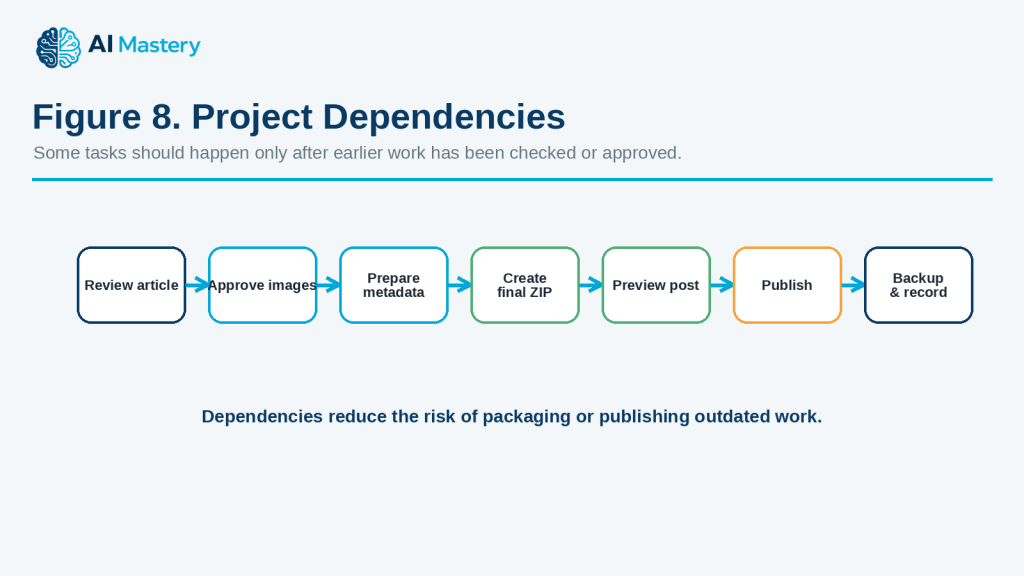
    Figure 8. Project Dependencies.

    Explanation: Dependencies show why some tasks, such as final packaging or publishing, should wait until earlier review and approval steps are complete.

    Stage 6: Add Status Labels

    Suppose your project now looks like this:

    · Article review — Completed

    · Source check — Completed

    · Images — In progress

    · WordPress package — Not started

    · Final ZIP — Waiting

    · Publishing — Not started

    You could ask:

    “Organize these tasks by status and show what I should work on next.”

    AI can create a clearer status summary without changing your files.

    Stage 7: Create the Final Project Record

    When everything is finished, ask:

    “Create a final project summary showing the final files, backup location, publication status, and anything that should be archived.”

    A simple record could contain:

    · Final article filename

    · Featured-image filename

    · Figure ZIP filename

    · Sources file

    · WordPress package

    · Final checklist

    · Publication date

    · Published URL

    · Backup location

    · Archive notes

    This can make the project easier to find and update later.
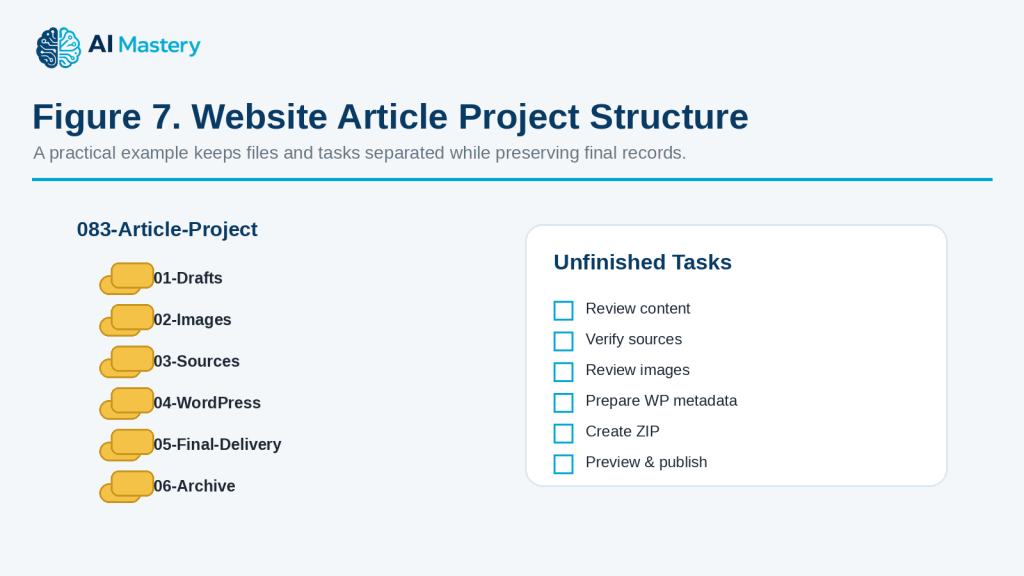
    Figure 7. Website Article Project Structure.

    Explanation: Separating project folders from unfinished tasks keeps active work, final delivery files, and archive material easier to understand.

    Why This Approach Helps

    The project becomes easier to manage because files, tasks, and final records are handled separately instead of being mixed together.

    The important point is that AI suggests the structure first.

    You still decide:

    · Which file is the real final version

    · Which files should be renamed

    · Which old versions should be archived

    · Whether anything can safely be deleted

    · Which tasks are truly complete

    Reality: AI can turn a messy project into a much clearer plan, but it should not make irreversible file decisions without your review. Keep backups and verify important files before renaming, moving, overwriting, archiving, or deleting them.

    Benefits of Using AI for File, Task, and Project Organization

    AI can make everyday organization easier when you already have files, notes, tasks, and deadlines but need help turning them into a clearer system.

    Helps Reduce Clutter

    A large number of files or tasks can feel difficult to manage.

    AI can help group related items so you can see:

    · What belongs together

    · What is still active

    · What may belong in an archive

    · What needs review

    · What is already completed

    This can make a busy project easier to understand.

    Helps Create Consistent File Names

    Inconsistent filenames can make files difficult to find later.

    AI can help create a naming pattern that uses:

    · Project or article numbers

    · Short descriptions

    · File types

    · Version numbers

    · Dates when useful

    A consistent system can make sorting and searching easier.

    Helps Break Large Projects into Smaller Stages

    A project can feel overwhelming when it is treated as one large task.

    AI can divide it into stages such as:

    · Planning

    · Research

    · Creation

    · Review

    · Approval

    · Publishing

    · Backup

    · Archive

    This makes it easier to focus on one part at a time.

    Helps Organize Priorities

    When many tasks are waiting, AI can help sort them using information you provide, such as:

    · Deadlines

    · Dependencies

    · Importance

    · Project stage

    · Waiting items

    For example:

    “Organize these tasks by priority using the deadlines and dependencies I provide.”

    You should still review the result because AI may not fully understand your personal priorities.

    Helps Identify Task Dependencies

    Some tasks cannot begin until another task is finished.

    AI can help identify relationships such as:

    · Review before publishing

    · Approval before final export

    · Image completion before ZIP creation

    · Source verification before final article review

    This can reduce the chance of completing work in the wrong order.

    Helps Create Repeatable Checklists

    If you perform the same type of project regularly, AI can turn the process into a reusable checklist.

    For example, a publishing checklist could include:

    · Review article

    · Check links

    · Review images

    · Prepare metadata

    · Preview

    · Back up

    · Publish

    A repeatable checklist can reduce forgotten steps.

    Helps Track Progress

    AI can help organize work using simple status labels such as:

    · Not started

    · In progress

    · Waiting

    · Needs review

    · Completed

    This can make it easier to see what still needs attention.

    Helps Update Plans Quickly

    Projects often change.

    You may:

    · Receive a new deadline

    · Add a new task

    · Finish something early

    · Discover missing work

    · Need to delay another task

    Instead of rebuilding the whole plan, you can ask AI to reorganize only the unfinished work.

    Helps Create Clear Project Summaries

    AI can turn a long task list into a short summary showing:

    · What is finished

    · What is still in progress

    · What is waiting

    · What needs review

    · What should happen next

    This can be useful when returning to a project after several days or weeks.

    Helps Preserve a Clearer Project History

    When filenames, versions, status notes, and archive records are organized consistently, it becomes easier to understand how a project developed.

    This can help when you later need to:

    · Find an older version

    · Verify a source

    · Update a published file

    · Check a permission or licence

    · Review what changed

    Benefit: AI can reduce the time spent sorting and planning, but its main value comes from helping you create a system that remains understandable, consistent, and easy to review.
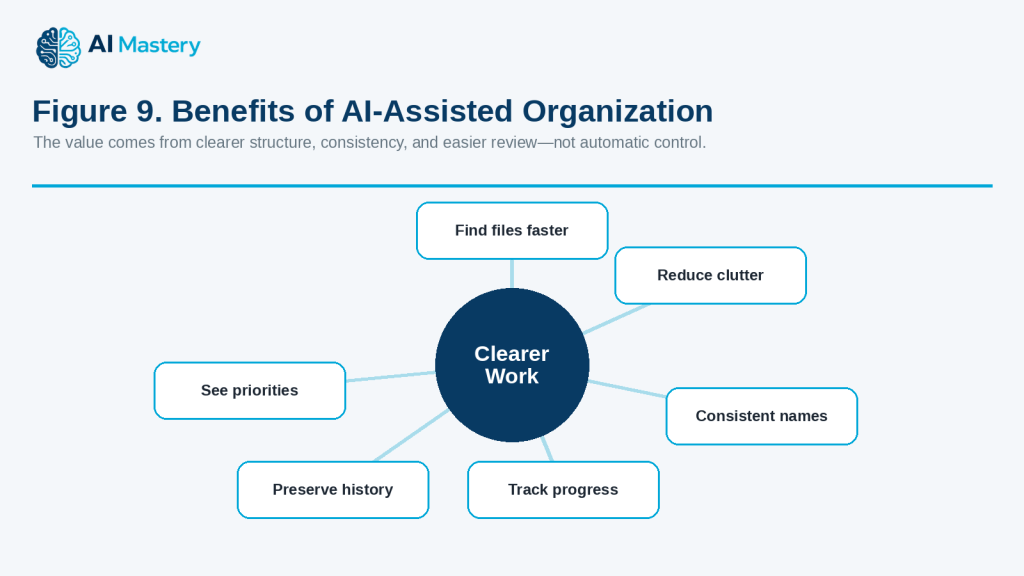
    Figure 9. Benefits of AI-Assisted Organization.

    Explanation: A clearer system can reduce clutter, improve consistency, show priorities, track progress, and preserve project history.

    Limitations and Common Mistakes

    AI can make organization easier, but it can also create problems if its suggestions are followed without checking important files, tasks, or project details.

    Limitation: AI May Misunderstand Which File Is Current

    Files with similar names can be difficult to interpret.

    For example:

    · final.docx

    · final2.docx

    · final-revised.docx

    · final-new.docx

    AI cannot reliably know which one is the authoritative version unless you provide that information.

    How to Reduce This Limitation: Confirm the current version yourself before renaming, moving, archiving, or deleting files.

    Limitation: AI May Treat Different Files as Duplicates

    Two files may have similar names but contain different information.

    One may be:

    · An earlier draft

    · A reviewed version

    · A source copy

    · A signed version

    · A final export

    How to Reduce This Limitation: Compare the contents, dates, file sizes, and purpose before deciding that files are duplicates.

    Limitation: AI May Suggest a System That Is Too Complicated

    AI can create detailed folder structures with many levels.

    A complex system may be harder to use than the original one.

    How to Reduce This Limitation: Ask for a simple structure with only the folders and categories you actually need.

    Limitation: AI Does Not Know Your Real Priorities

    AI may place a task at the top of the list because of a deadline while missing another important reason a different task should come first.

    How to Reduce This Limitation: Give AI information about:

    · Deadlines

    · Dependencies

    · Importance

    · Waiting approvals

    · Your own priorities

    Then review the suggested order.

    Common Mistake: Reorganizing Too Much at Once

    Trying to reorganize an entire computer, cloud drive, or large project at once can create confusion.

    How to Avoid This Mistake: Start with one project or folder.

    Finish reviewing it before moving to the next.

    Common Mistake: Renaming Files Without a Backup

    If filenames are changed incorrectly, it may become difficult to identify older versions.

    How to Avoid This Mistake: Make a backup before a major renaming project.

    Common Mistake: Deleting Files Based Only on Their Names

    A filename such as “old” or “copy” does not prove that the file is unnecessary.

    How to Avoid This Mistake: Open and compare important files before deleting them.

    If you are unsure, archive the file rather than deleting it immediately.

    Common Mistake: Using Too Many Folder Levels

    A structure such as:

    Project → Files → Documents → Drafts → Current → Reviewed → Final

    may be unnecessarily complicated.

    How to Avoid This Mistake: Use the fewest folder levels needed to find your files easily.

    Common Mistake: Creating Inconsistent File Names

    Using several naming styles in the same project makes searching harder.

    For example:

    · article83draft.docx

    · 083-final.docx

    · Article_083_NEW.docx

    · finalarticle83.docx

    How to Avoid This Mistake: Choose one naming pattern and use it consistently.

    Common Mistake: Putting Everything in the Final Folder

    A final folder should normally contain approved final deliverables, not every draft and temporary file.

    How to Avoid This Mistake: Keep working files and final deliverables separate.

    Common Mistake: Archiving Too Early

    A project may appear finished but still need:

    · Corrections

    · Publication

    · Client approval

    · Source verification

    · Final backup

    How to Avoid This Mistake: Archive only after confirming that the active work is complete.

    Common Mistake: Forgetting Project Dependencies

    A task may look ready even though another required step is unfinished.

    For example, creating a final ZIP before the images are approved can result in an outdated package.

    How to Avoid This Mistake: Ask AI to identify dependencies and review them before marking a stage complete.

    Common Mistake: Treating AI Status Labels as Proof

    If AI labels a task “Completed,” that does not prove the work has actually been finished.

    How to Avoid This Mistake: Use status labels only from information you have confirmed.

    Common Mistake: Sharing Sensitive File Lists

    Even filenames can reveal private information.

    A filename may contain:

    · A customer name

    · Medical information

    · Financial details

    · Contract information

    · Confidential project names

    How to Avoid This Mistake: Remove or replace unnecessary sensitive details before sharing file lists with an AI tool.

    Common Mistake: Losing Source and Licence Records

    Project cleanup can accidentally separate a final asset from the permission, licence, or source record that explains where it came from.

    How to Avoid This Mistake: Keep source, permission, licence, and attribution records with the project when they may be needed later.

    Common Mistake: Depending on Only One Copy

    A perfectly organized folder can still be lost because of hardware failure, accidental deletion, or another problem.

    How to Avoid This Mistake: Keep appropriate backups of important files in a separate location.

    Reality: AI can help you create a cleaner organization system, but good organization still depends on confirming file versions, protecting important records, keeping backups, and reviewing major changes before making them permanent.
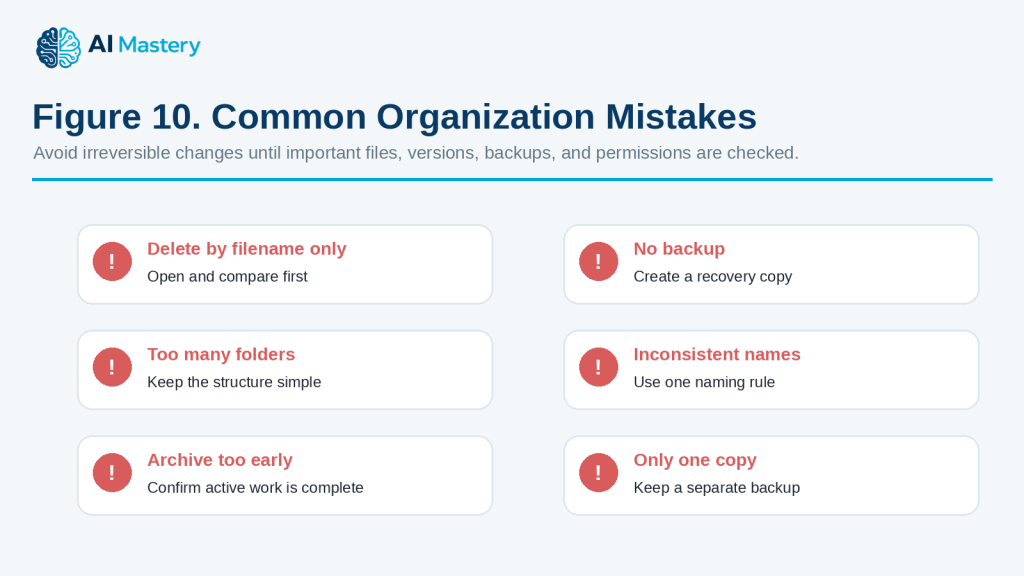
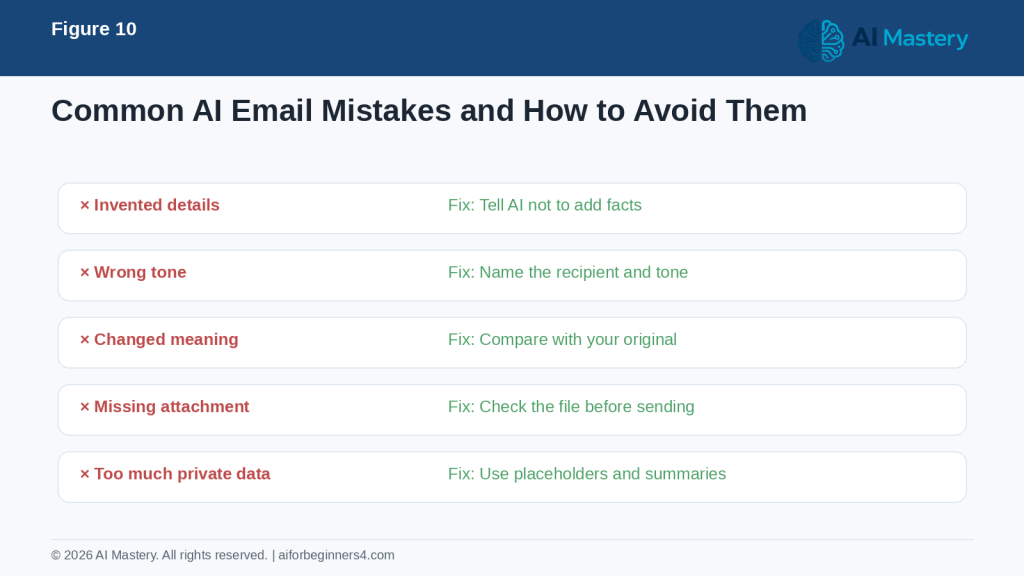
    Figure 10. Common Organization Mistakes.

    Explanation: The safest approach avoids deletion based only on filenames, missing backups, overly complex folders, inconsistent names, premature archiving, and reliance on a single copy.

    Common Myths About Using AI for Organization

    AI can help organize files, tasks, and projects, but it is important to understand its limits.

    Myth 1: AI Automatically Knows Which File Is the Final Version

    AI may see several similar filenames and assume that the newest-sounding one is correct.

    Reality: You should confirm the authoritative version yourself before renaming, moving, archiving, or deleting files.

    Myth 2: Similar Filenames Mean the Files Are Duplicates

    Files with similar names may contain different versions, approvals, edits, or records.

    Reality: Compare important files before deciding that one can be removed.

    Myth 3: More Folders Always Mean Better Organization

    A large folder structure can look organized but still be difficult to use.

    Reality: A simple structure is usually easier to maintain.

    Myth 4: AI Can Decide What Should Be Deleted

    AI can suggest files that may be old or redundant, but it may not understand their real purpose.

    Reality: Permanent deletion should remain a human decision.

    Myth 5: The Most Detailed Project Plan Is the Best One

    A project plan with too many categories, statuses, and steps can become harder to follow.

    Reality: Use enough detail to understand the work without creating unnecessary complexity.

    Myth 6: AI Always Knows Which Task Is Most Important

    AI can organize priorities based on the information you provide, but it may miss factors that matter to you.

    Reality: Review priorities yourself, especially when deadlines, approvals, money, clients, safety, or important commitments are involved.

    Myth 7: Once a Project Is Organized, It Will Stay Organized

    Projects change over time.

    New files, revisions, tasks, and deadlines can make the original structure less useful.

    Reality: Review and update the organization system when the project changes.

    Myth 8: Completed Means Finished Forever

    A task marked “Completed” may still require approval, publishing, backup, or later updating.

    Reality: Define what “Completed” means for your project.

    Myth 9: AI Can Safely Rename Hundreds of Files at Once

    Large batch changes can create serious confusion if the naming rules are wrong.

    Reality: Test the naming system on a small group first and keep a backup.

    Myth 10: Archived Files Are No Longer Important

    Archived files may still contain:

    · Previous versions

    · Source material

    · Permissions

    · Licences

    · Historical records

    · Evidence of earlier decisions

    Reality: Archive does not mean disposable.

    Myth 11: A Cloud Folder Is Automatically a Complete Backup

    Cloud storage can help protect files, but synchronization, accidental deletion, account problems, or version changes can still affect stored material.

    Reality: Important projects may need an additional backup in a separate approved location.

    Myth 12: AI Organization Removes the Need for Human Review

    AI can make a project look very clear and professional.

    That appearance does not prove that:

    · The correct files were selected

    · The priorities are right

    · The final version is correct

    · Nothing important is missing

    · Archive decisions are safe

    Reality: Human review remains necessary for important file and project decisions.

    The best use of AI is to help you design and maintain a clearer system while keeping control of permanent changes, important records, and final decisions.

    When AI Can Help and When Human Review Matters Most

    AI can be useful for routine organization, but important file changes, deadlines, permissions, and project decisions still need human review.

    Good Uses for AI Organization Assistance

    AI can help with:

    · Suggesting folder structures

    · Creating consistent filenames

    · Grouping related tasks

    · Breaking projects into stages

    · Creating checklists

    · Organizing priorities from information you provide

    · Identifying possible task dependencies

    · Creating project-status summaries

    · Suggesting archive categories

    · Reorganizing unfinished work when plans change

    These tasks mainly involve structure and planning.

    Review Important File Decisions Yourself

    Do not rely only on AI when deciding whether to:

    · Delete a file

    · Overwrite a file

    · Replace a final version

    · Archive an important record

    · Rename a large number of files

    · Move files that other people depend on

    · Remove source or licence records

    AI may not understand why a particular file must be kept.

    Use Extra Care with Shared Projects

    If several people work on the same project, a change that looks harmless may affect someone else.

    Before reorganizing shared files, consider:

    · Who uses the files

    · Whether links will stop working

    · Whether another person is editing the same document

    · Whether existing folder names are part of a team process

    · Whether permissions or access settings could be affected

    For shared work, agree on the organization system before making major changes.

    Human Review Matters for Deadlines and Priorities

    AI can suggest which tasks should come first, but it may not know about:

    · A client commitment

    · An approval that is still waiting

    · A legal or contractual deadline

    · A publication schedule

    · A dependency outside the task list

    · An urgent problem that was not included in the prompt

    Use AI suggestions as a starting point, then confirm the real priorities yourself.

    Be Careful with Legal, Financial, or Regulated Records

    Some projects contain records that may need to be preserved for legal, tax, financial, regulatory, employment, contractual, or compliance reasons.

    AI should not decide how long these records must be kept.

    Use the appropriate:

    · Official requirements

    · Organizational policies

    · Contract terms

    · Records-retention rules

    · Qualified professional advice when necessary

    before deleting or archiving important records.

    Review Automated Actions Before They Run

    Some AI tools or connected apps may be able to perform actions rather than only suggest them.

    Before allowing an automated action, check:

    · Exactly what will change

    · Which files or tasks are affected

    · Whether the action can be reversed

    · Whether a backup exists

    · Whether permissions will change

    · Whether other people will be affected

    For important projects, it is safer to review a proposed change before approving it.

    Keep Final Control of the Project

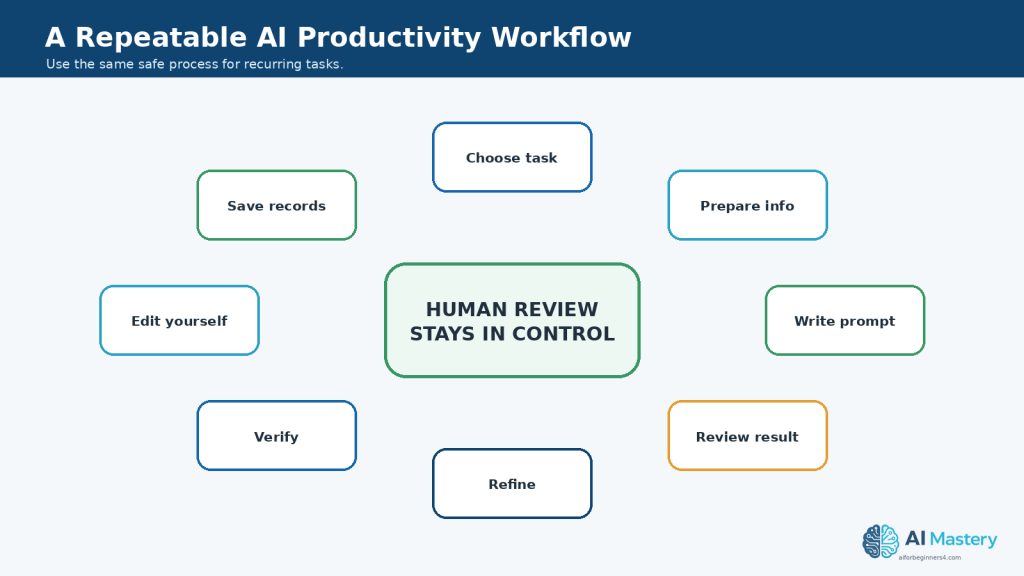
    A practical workflow is:

    1. Give AI the information it needs.

    2. Ask for a suggested structure or plan.

    3. Review the suggestion.

    4. Correct anything AI misunderstood.

    5. Back up important files.

    6. Make changes gradually.

    7. Check the result.

    8. Record the final structure or status.

    Reality: AI is most useful as an organization assistant. People should remain responsible for permanent file changes, important priorities, shared-project decisions, record retention, permissions, and final project approval.
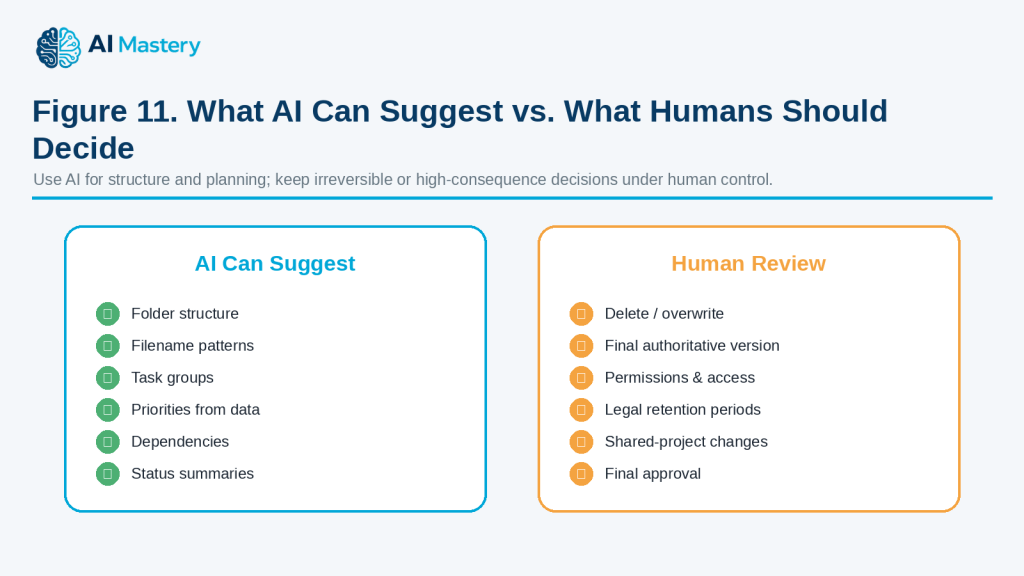
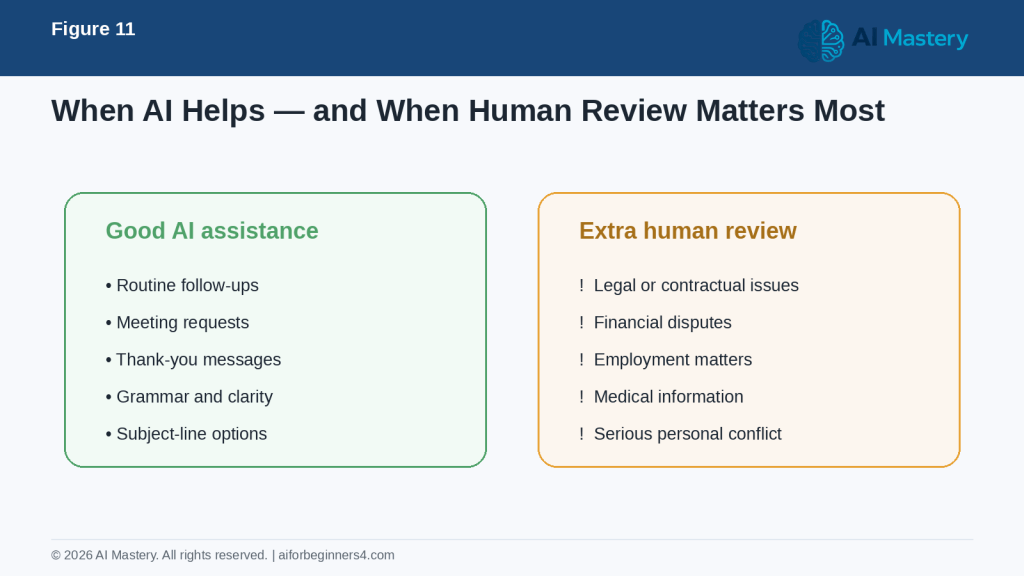
    Figure 11. What AI Can Suggest vs. What Humans Should Decide.

    Explanation: AI is well suited to suggesting structure and summaries, while people should retain control of deletion, authoritative versions, permissions, retention decisions, and final approval.

    Privacy, Permissions, and Responsible Organization

    Files, task lists, and project notes can contain information that should not be shared carelessly. AI can help organize this material, but privacy, access rights, permissions, and record-keeping still matter.

    Protect Personal and Confidential Information

    Before giving file lists, project notes, or document contents to an AI tool, remove information that is not necessary.

    Examples include:

    · Customer names

    · Employee records

    · Account numbers

    · Passwords

    · Personal addresses

    · Financial information

    · Medical information

    · Confidential business details

    · Private project names

    Use placeholders when possible, such as:

    · [CLIENT NAME]

    · [EMPLOYEE NAME]

    · [ACCOUNT NUMBER]

    · [PRIVATE PROJECT]

    · [CONFIDENTIAL DETAIL]

    Remember That Filenames Can Reveal Information

    Even if you do not upload the actual file, its filename may contain sensitive information.

    For example:

    “john-smith-medical-report-2026.pdf”

    reveals much more than:

    “client-document-01.pdf”

    Review filenames before sharing a list with an AI tool.

    Check Permission Before Uploading Files

    Having access to a file does not automatically mean you should upload it to an AI service.

    Before uploading a document, consider:

    · Who owns the file?

    · Does it contain another person’s information?

    · Is it confidential?

    · Does your workplace allow AI use with this type of document?

    · Are there contractual restrictions?

    · Does the AI provider’s privacy policy meet your needs?

    If you are unsure, do not upload the file until you have checked.

    Respect Shared-File Permissions

    A project folder may include files shared by:

    · Coworkers

    · Clients

    · Teachers

    · Contractors

    · Family members

    · Other project participants

    Do not assume you have permission to rename, move, delete, redistribute, or upload those files simply because you can access them.

    Protect Copyrighted and Licensed Material

    Projects may contain:

    · Photographs

    · Illustrations

    · Music

    · Videos

    · Templates

    · Fonts

    · Stock assets

    · Reports

    · Articles

    · Source documents

    Keep licence and permission records when they apply.

    Do not assume that reorganizing, summarizing, or processing content with AI gives you new rights to use or distribute it.

    Preserve Source and Permission Records

    When a project may later be published or used commercially, keep important records together.

    These may include:

    · Original source files

    · Source links

    · Permissions

    · Licences

    · Attribution requirements

    · Purchase records when relevant

    · Important project versions

    · Final exports

    · Publication records

    This can make future verification much easier.

    Be Careful with AI-Connected Apps

    Some AI tools can connect to storage, productivity, or project-management services.

    A connected tool may be able to access more information than you intended if broad permissions are granted.

    Before connecting an AI tool, review:

    · What information it can access

    · Whether it can only read information or also change it

    · Which folders or services are included

    · Whether access can be removed later

    · Whether the connection is appropriate for confidential work

    Features and permission options can change, so check the provider’s current settings and documentation.

    Do Not Give AI Permanent Authority Without Review

    If an AI system can move, rename, archive, or delete items automatically, use extra care.

    For important work, a safer process is:

    1. Ask AI to propose the changes.

    2. Review the proposed changes.

    3. Back up important files.

    4. Approve only the changes you understand.

    5. Check the results afterward.

    Keep Backups Separate from the Working Folder

    A backup stored only inside the folder you are reorganizing may not provide enough protection.

    For important projects, keep an appropriate backup in a separate location.

    The best backup method depends on the importance of the files, your devices, workplace policies, and the services you use.

    Avoid Keeping Sensitive Information Longer Than Necessary

    Good organization does not mean keeping every file forever.

    Some information may need to be deleted after it is no longer required, while other records may need to be retained for a specific period.

    Follow applicable:

    · Laws

    · Organizational policies

    · Contracts

    · Records-retention requirements

    · Professional guidance

    when these apply.

    Do not ask AI to decide legal retention periods without checking an authoritative source.

    Reality: AI can help organize information, but it does not remove your responsibility to protect private data, respect permissions and licences, control access, preserve important records, and review permanent changes before they are made.
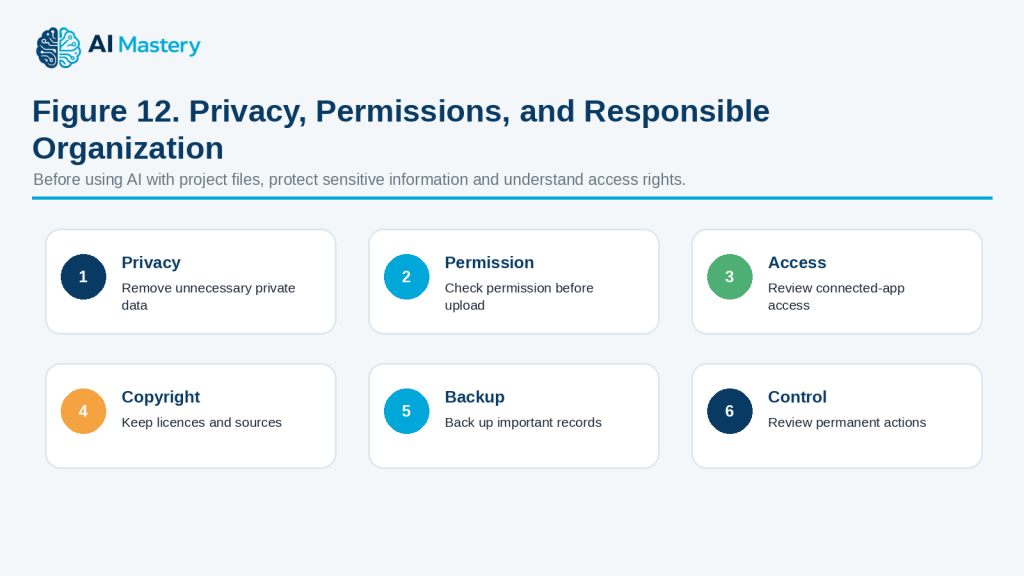
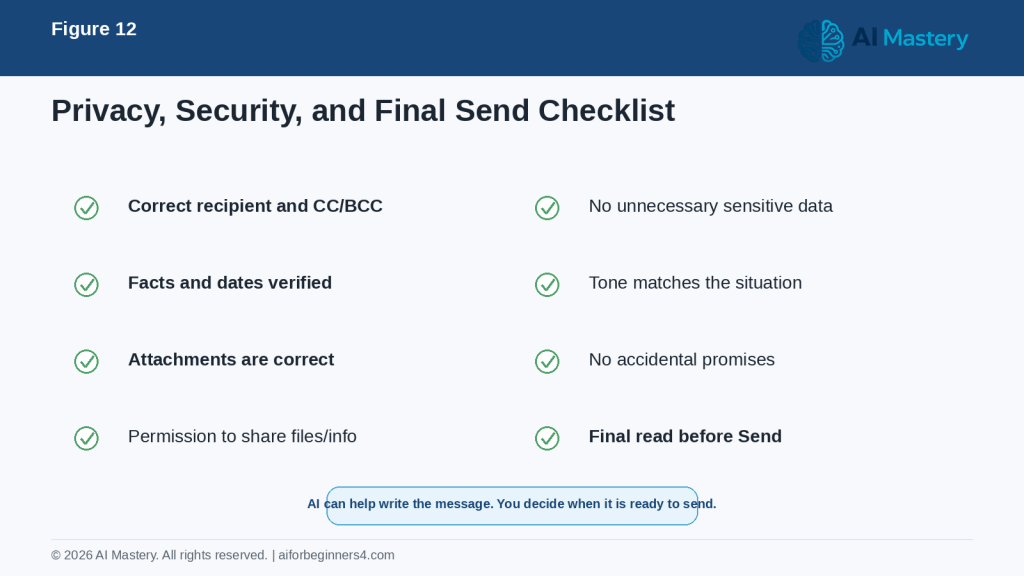
    Figure 12. Privacy, Permissions, and Responsible Organization.

    Explanation: Responsible organization includes limiting private data, checking permission, reviewing connected-app access, preserving licences and sources, backing up records, and reviewing permanent actions.

    Frequently Asked Questions

    Can AI organize my files automatically?

    Some AI-connected tools may be able to rename, move, or organize files, but you should review important changes before allowing them to happen.

    For valuable files, it is safer to:

    · Back up the files first

    · Ask AI to propose the changes

    · Review the proposed names and folders

    · Apply changes gradually

    Can AI tell me which files are duplicates?

    AI can help identify files that may be duplicates based on filenames, dates, or other information you provide.

    However, similar filenames do not prove that the contents are identical.

    Compare important files before deleting anything.

    What is a good file-naming system?

    A useful filename usually includes enough information to identify the file quickly.

    For example:

    “083-article-draft-v02.docx”

    This shows:

    · Project or article number

    · Type of file

    · Version

    Keep the naming system simple and use it consistently.

    Should I include dates in filenames?

    Dates can be useful when the date matters to the project.

    For example:

    “project-status-2026-08-16.docx”

    Use one consistent date format, such as YYYY-MM-DD, because it sorts clearly.

    You do not need dates in every filename if version numbers or other identifiers already make the file clear.

    Should I use version numbers?

    Version numbers can help when a document goes through several revisions.

    For example:

    · v01 — first working version

    · v02 — revised version

    · v03 — later revision

    Avoid keeping many files all named “final.”

    Can AI help organize my task list?

    Yes.

    You can ask AI to group tasks by:

    · Project stage

    · Priority

    · Deadline

    · Status

    · Dependency

    Then review the result to make sure the priorities reflect your actual needs.

    Can AI help me decide what to work on first?

    Yes, if you provide enough information about deadlines, importance, and dependencies.

    For example:

    “Organize these tasks by priority using the deadlines and dependencies I provide.”

    You should still make the final decision.

    What does a task dependency mean?

    A dependency means one task needs another task to happen first.

    For example:

    You may need to approve the final images before creating the final image ZIP.

    Identifying dependencies can help prevent work from being completed in the wrong order.

    Can AI manage a large project?

    AI can help break a large project into smaller stages, create checklists, organize tasks, and summarize progress.

    However, important deadlines, approvals, permissions, and final decisions should still be reviewed by the people responsible for the project.

    How many folders should a project have?

    There is no correct number.

    Use enough folders to make files easy to find without creating unnecessary complexity.

    For a simple project, a few folders such as Drafts, Images, Sources, Final, and Archive may be enough.

    Should I delete old versions?

    Not automatically.

    Old versions may still be useful for:

    · Recovering previous work

    · Checking what changed

    · Confirming an earlier decision

    · Preserving approvals

    · Keeping project history

    If storage space is not a problem, archiving may be safer than immediate deletion.

    What should go in an archive folder?

    An archive may contain:

    · Previous versions

    · Completed project material

    · Superseded files

    · Historical records

    · Old source material that still needs to be preserved

    Final deliverables and important records should remain clearly identifiable.

    Is cloud storage the same as a backup?

    Not always.

    Cloud storage may synchronize changes, including accidental deletions.

    Important files may need an additional backup in a separate approved location.

    Can AI organize files from several projects together?

    It can help design a structure, but start carefully.

    Organizing one project at a time makes it easier to identify mistakes before they affect many files.

    Can I give AI a list of filenames instead of uploading the files?

    Yes.

    A filename list may be enough if you only want help designing:

    · Folder categories

    · Naming rules

    · Archive structures

    · Project organization

    Remember that filenames themselves may contain private information.

    Should I let AI delete files automatically?

    For important files, no automatic deletion should happen without careful review.

    A safer approach is to have AI identify files for review and then decide yourself what should be kept, archived, or deleted.

    Can AI replace project-management software?

    AI can help with planning, summaries, checklists, and organization, but it may not replace features such as shared calendars, permissions, notifications, version history, and team workflows.

    Use the tools that fit the project.

    Reality: AI can make files, tasks, and projects easier to organize, but reliable organization still depends on clear naming rules, backups, accurate status information, sensible priorities, and careful review of permanent changes.

    Key Takeaways

    AI can make files, tasks, and projects easier to organize, but important changes should still remain under your control.

    Remember these main points:

    · Start with one project, folder, or task list instead of reorganizing everything at once.

    · Make a backup before major file changes.

    · Use simple folder structures that are easy to understand.

    · Create one consistent file-naming system and use it regularly.

    · Keep drafts, source files, final files, and archived material clearly separated.

    · Do not assume similar filenames mean files are duplicates.

    · Confirm the authoritative version before renaming, moving, archiving, overwriting, or deleting anything.

    · Ask AI to suggest changes before allowing permanent actions.

    · Break large projects into smaller stages.

    · Organize tasks by status, priority, deadline, and dependency when useful.

    · Review AI-generated priorities against your real commitments and deadlines.

    · Keep important source, permission, licence, approval, and publication records.

    · Protect unnecessary personal, confidential, financial, medical, or business information.

    · Review access permissions before connecting AI tools to storage or project-management services.

    · Use extra care with shared files and team projects.

    · Follow applicable legal, contractual, organizational, and records-retention requirements.

    · Keep appropriate backups in a separate location.

    · Review the final project structure so you know where important files and records are stored.

    The most useful role for AI is to help you create a clearer and more consistent organization system while you keep control of important files, permanent changes, priorities, permissions, and final project decisions.

    Final Tip

    Keep your organization system simple enough that you will continue using it.

    A complicated system with too many folders, labels, versions, and status categories can become another source of confusion.

    A practical workflow is:

    1. Choose one project or folder.

    2. Back up important files.

    3. List the files and tasks you already have.

    4. Ask AI to suggest a clearer structure.

    5. Review the suggested folders, filenames, priorities, and dependencies.

    6. Make changes gradually.

    7. Check that important files, sources, permissions, and licences are still preserved.

    8. Create a short final project summary so you know what is complete and where everything is stored.

    A useful prompt is:

    “Help me simplify this project organization. Preserve important files and existing numbering, suggest only necessary folders and naming improvements, and clearly identify anything that needs human review before it is moved, renamed, archived, or deleted.”

    The goal is not to build the most detailed organization system. The goal is to create a structure that helps you quickly find what you need, understand what comes next, and protect important records.

    Continue Learning

    After you learn how to organize files, tasks, and projects with AI, continue with these related AI Mastery guides:

    · Article 077 — AI Productivity for Beginners: Complete Guide (2026) — Review the broader ways AI can help with planning, writing, research, organization, and everyday work.

    · Article 078 — How to Create a Daily Plan with ChatGPT (2026) — Learn how to organize daily tasks, appointments, priorities, and available time.

    · Article 079 — How to Write and Improve Emails with AI (2026) — Learn how AI can help draft, rewrite, shorten, and improve everyday emails.

    · Article 080 — How to Prepare Meeting Agendas and Notes with AI (2026) — Learn how to organize meetings, notes, decisions, action items, and follow-up work.

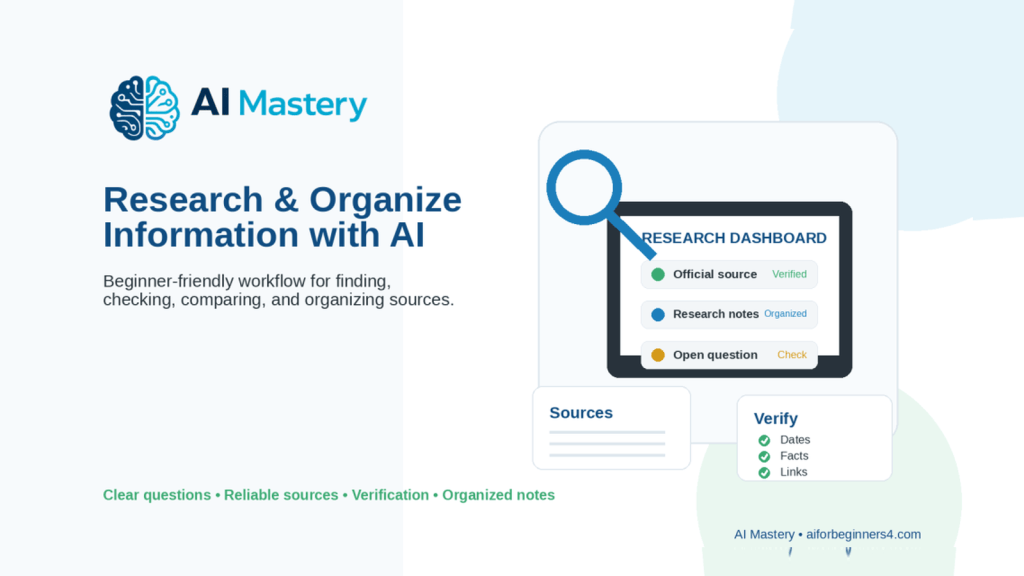
    · Article 081 — How to Research and Organize Information with AI (2026) — Learn how to collect, compare, verify, and organize information from different sources.

    · Article 082 — How to Create a Personal Study Plan with AI (2026) — Learn how to organize subjects, deadlines, study sessions, review activities, and learning progress.

    Together, Articles 077–083 provide a beginner-friendly foundation for using AI to improve everyday productivity while keeping important information, decisions, privacy, permissions, and final control in human hands.

    Sources and References

    The following official sources were reviewed for this guide. AI-connected apps, file-recovery features, permissions, privacy practices, copyright rules, and storage services can change, so readers should check current provider information when first using a feature, after changing accounts or plans, after receiving a policy update, and periodically.

    · OpenAI Help Center — Apps in ChatGPT. Explains that connected apps can allow ChatGPT to read information and, depending on the app and configuration, take actions in connected services. OpenAI also provides permission controls that determine when confirmation is required before an action is performed. This supports the recommendation to review connected-app permissions before allowing important changes.

    · OpenAI Help Center — Google App for ChatGPT: Data Controls FAQ. Explains that ChatGPT accesses a connected Google account only after the user grants permission and that organizational settings may further limit available permissions. This supports the article’s guidance to check what information an AI-connected service can access.

    · Office of the Privacy Commissioner of Canada — Privacy and Artificial Intelligence. Provides Canadian information about AI and privacy and emphasizes responsible handling of personal information. This supports the recommendation to avoid unnecessarily sharing personal or confidential information with AI tools.

    · Office of the Privacy Commissioner of Canada — Principles for Responsible, Trustworthy and Privacy-Protective Generative AI. Provides privacy principles for organizations developing, providing, or using generative AI, including responsible treatment of personal information.

    · Microsoft Support — Backup and Restore with File History. Explains how Windows File History can help recover files and folders that have been accidentally changed or deleted. This supports the recommendation to maintain appropriate backups before major file reorganizations.

    · Microsoft Support — Restore a Previous Version of a File Stored in OneDrive. Explains OneDrive and SharePoint version history and how previous versions of files can be viewed and restored. This supports the article’s guidance about preserving versions and checking recovery options before overwriting files.

    · Google Drive Help — Check Activity and File Versions. Explains how users can review file activity and manage or restore recent file versions in Google Drive. This supports the recommendation to check file history and existing versions before replacing or deleting important material.

    · Canadian Intellectual Property Office — A Guide to Copyright. Explains the basic copyright protection provided to original literary, artistic, dramatic, and musical works in Canada. This supports the recommendation to preserve licence, permission, and attribution records when projects contain third-party material.

    · Canadian Intellectual Property Office — Copyright: Learn the Basics. Provides beginner-friendly information about copyright protection, ownership, and legally using the works of others. This supports the article’s guidance that organizing or processing material with AI does not automatically give permission to reuse or distribute it.

    These sources support the article’s guidance on connected-app permissions, privacy, file recovery, version history, backups, copyright, permissions, and responsible handling of important project files.

    File-management and AI features differ between services and may change over time. Some connected AI apps can perform actions as well as read information, so users should review the current permission settings and understand what an action will do before allowing important files or project records to be changed.

    For legal, contractual, financial, regulatory, records-retention, privacy, or copyright decisions, this article provides general educational information only. Check the applicable official requirements, organizational policies, contracts, or qualified professional guidance when the consequences are important.

  • How to Create a Personal Study Plan with AI (2026)

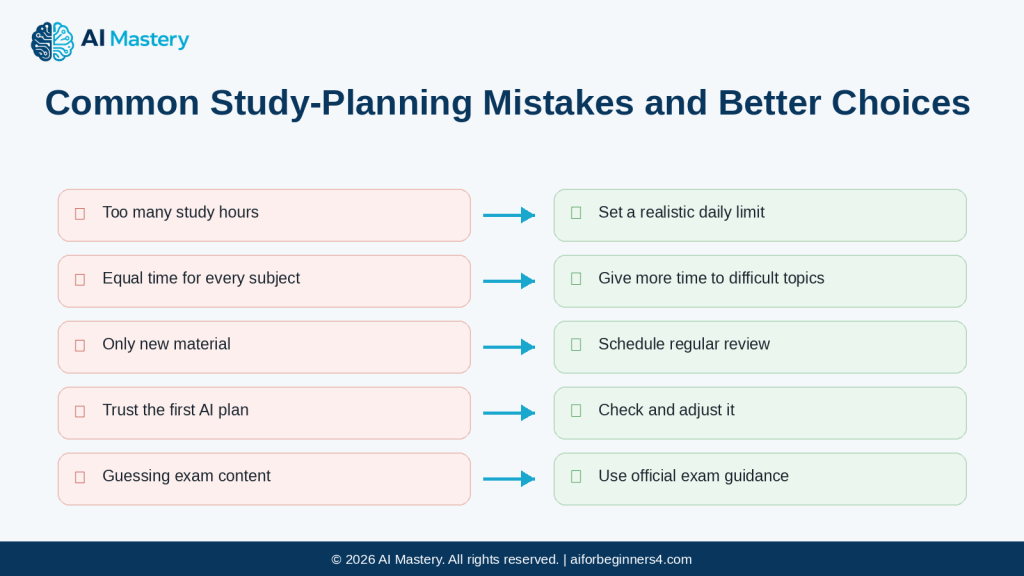
    How to Create a Personal Study Plan with AI (2026)

    Estimated reading time: 30–35 minutes
    Last updated:
    August 16, 2026

    Introduction

    Studying can become difficult when you have several subjects, limited time, upcoming exams, or too much material to review.

    AI can help you turn those study goals into a clearer plan.

    For example, instead of writing:

    “Study math, English, science, and computer skills this week.”

    You could ask:

    “Create a seven-day study plan for math, English, science, and basic computer skills. I have two hours each evening. Give more time to math because it is my weakest subject. Include short breaks and review sessions.”

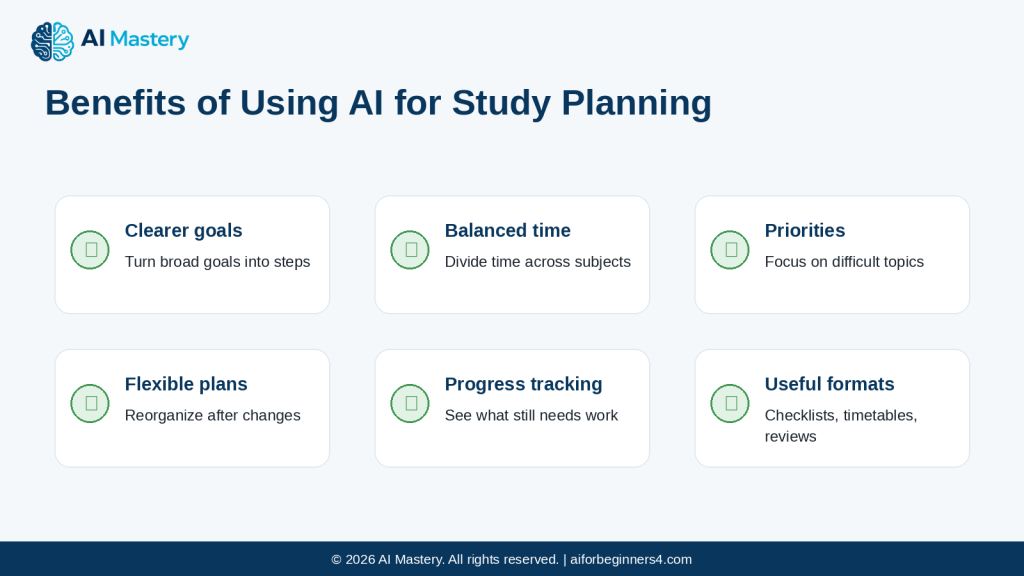
    AI can help you:

    · Break large subjects into smaller study topics

    · Decide what to study first

    · Create daily or weekly study schedules

    · Add review sessions

    · Include practice questions

    · Divide study time between several subjects

    · Adjust the plan when you fall behind

    · Create checklists for lessons or chapters

    · Suggest simple revision routines

    · Turn broad learning goals into smaller steps

    For example, a goal such as:

    “Improve my English”

    is too broad for a useful schedule.

    AI can help break it into smaller activities such as:

    · Vocabulary practice

    · Reading

    · Grammar review

    · Listening practice

    · Writing

    · Speaking practice

    A study plan can then give each activity a place in the week.

    However, an AI-generated study plan is only a suggestion. AI does not automatically know your school requirements, learning difficulties, deadlines, energy level, available materials, or how quickly you learn.

    You should review the plan and adjust it to your real schedule and learning needs.

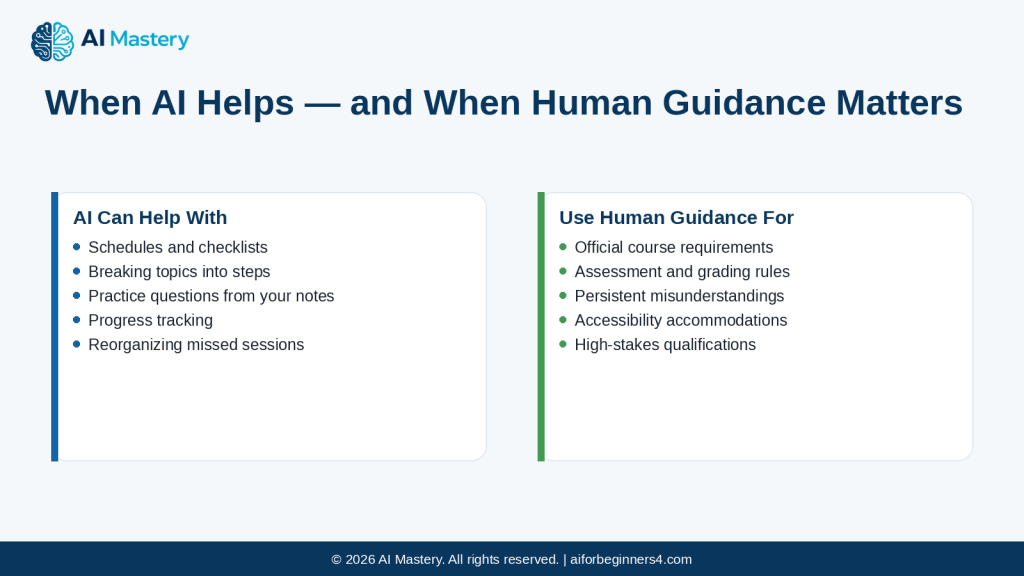
    AI should also not replace teachers, tutors, course instructions, textbooks, or official learning materials when those are required.

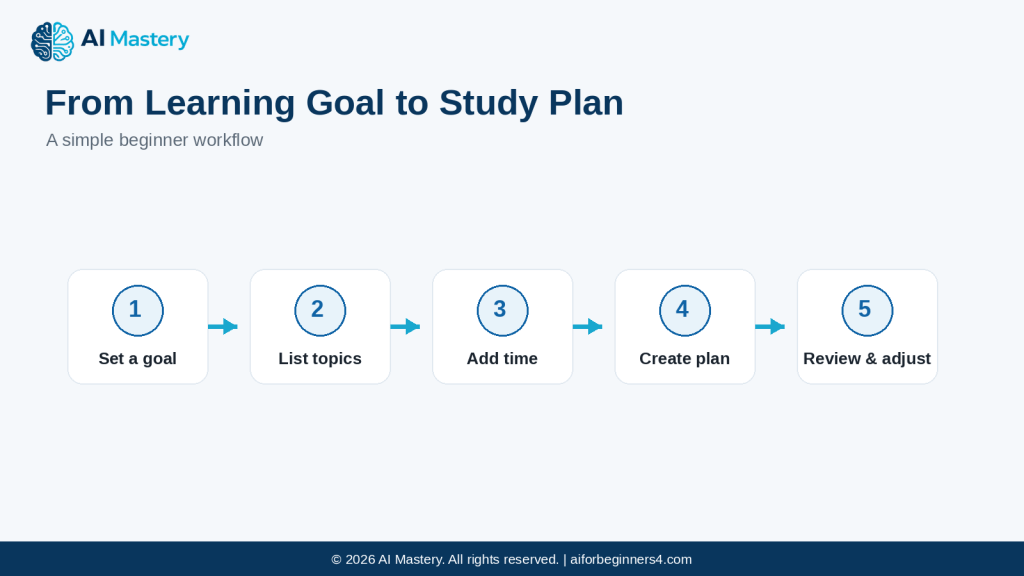
    In this guide, you will learn how to use AI to create a realistic personal study plan, divide subjects into manageable steps, schedule review sessions, track progress, avoid common mistakes, and protect private information while studying.

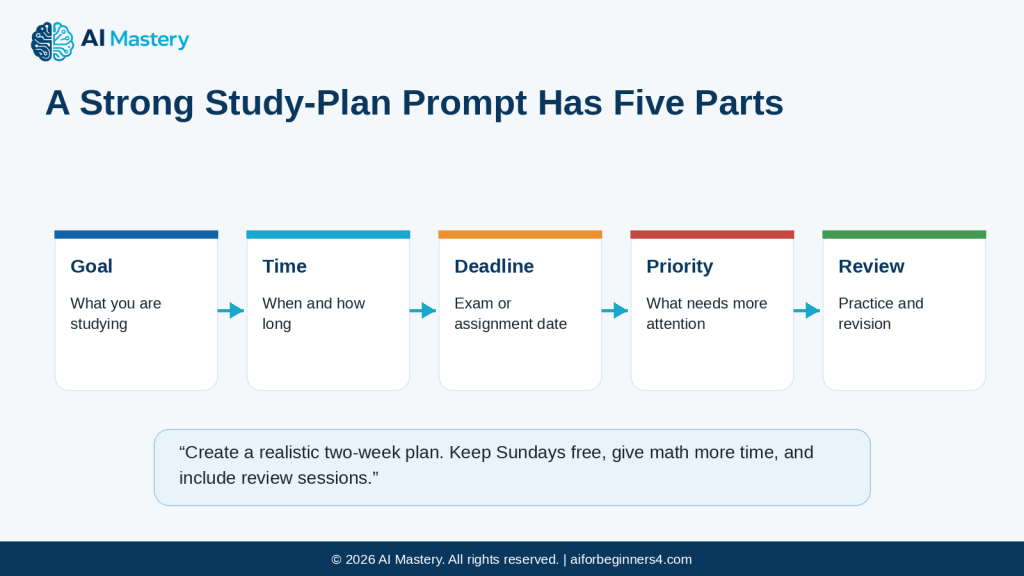
    Figure 1. A five-step workflow for turning a learning goal into a personal study plan with AI.

    Explanation: Start with a clear goal, list the topics, add the time you have available, create the plan, and then review and adjust it as your progress changes.

    Before You Start

    You do not need advanced study skills to create a useful study plan with AI. You mainly need a clear idea of what you are learning, how much time you have, and what you want to improve.

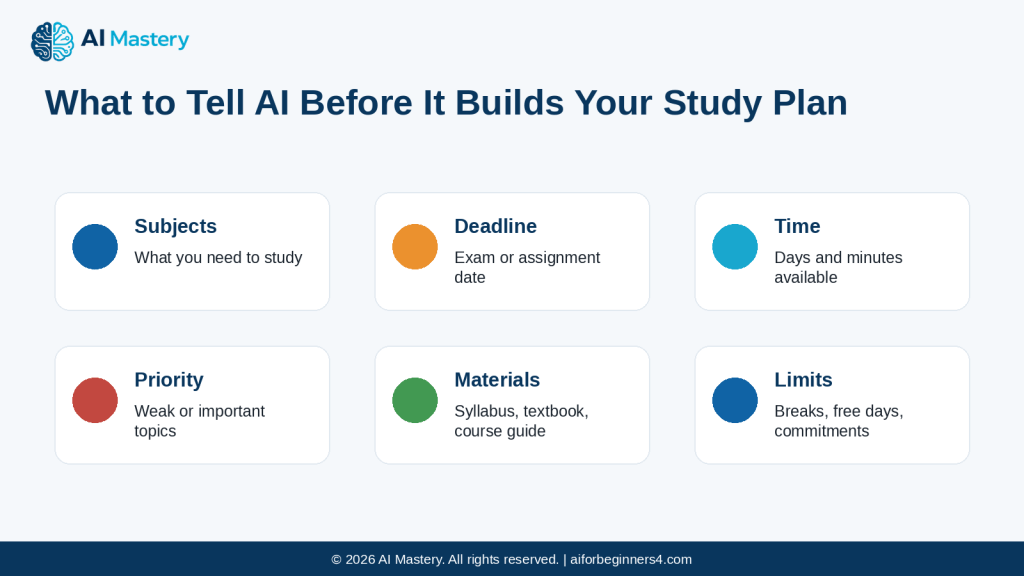
    Before asking AI to create a plan, prepare:

    · The subjects or topics you need to study

    · Your available study days and times

    · Any exam, assignment, or course deadlines

    · The topics you find most difficult

    · The materials you are expected to use

    · How long you can comfortably study before taking a break

    · Any fixed commitments that affect your schedule

    Start with a Clear Learning Goal

    A broad goal such as:

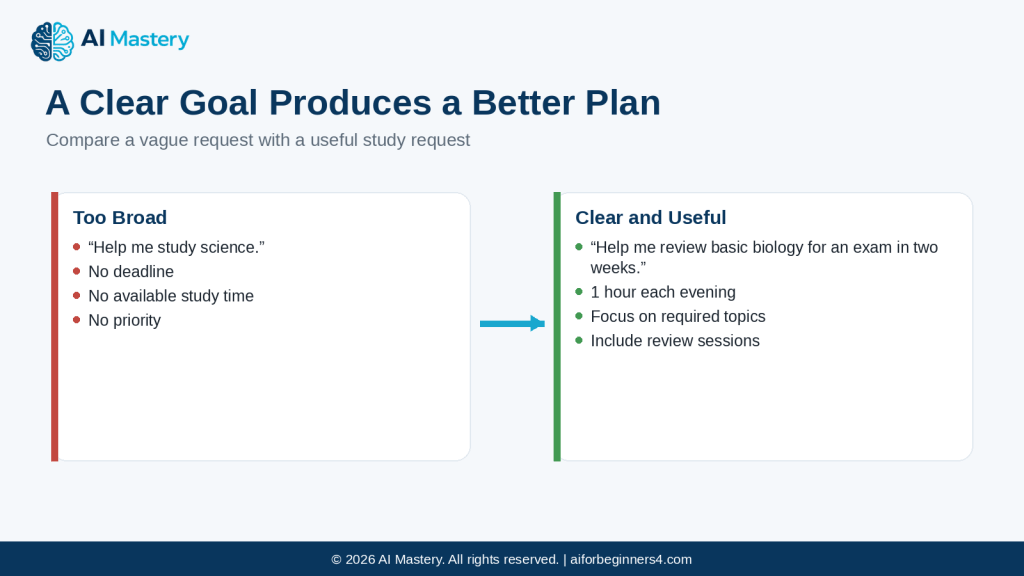
    “Help me study science.”

    is less useful than:

    “Help me review basic biology for an exam in two weeks. I can study for one hour each evening.”

    The second prompt gives AI enough context to create a more realistic plan.

    Figure 2. A vague study request compared with a clear study request.

    Explanation: A clear request gives AI useful details such as the subject, deadline, available time, priorities, and review needs.

    Include Important Deadlines

    If you have an exam or assignment due on a specific date, tell AI.

    For example:

    “My exam is on September 5. Create a study plan from August 20 to September 4 and leave the final two days mainly for review.”

    This helps AI work backward from the deadline.

    Tell AI Which Subjects Need More Attention

    Not every subject needs equal study time.

    For example:

    “I am comfortable with English but need more help with math. Give math twice as much study time.”

    This can make the plan more useful than dividing time equally.

    Use Your Official Course Materials

    If you are studying for a class, certification, school course, or exam, use the official syllabus, textbook, teacher instructions, or required materials as the main reference.

    AI can help organize those materials, but it should not silently replace them with unrelated information.

    Protect Personal Information

    You usually do not need to provide private information to create a study plan.

    Avoid unnecessary details such as:

    · Student identification numbers

    · Private school records

    · Medical information

    · Personal addresses

    · Account details

    · Information about other students

    Use general descriptions when possible.

    Be Realistic About Your Available Time

    A study plan that looks impressive but is too demanding will be difficult to follow.

    If you have only one hour per day, tell AI that clearly.

    For example:

    “Create a study plan that fits into one hour each weekday and two hours on Saturday. Keep Sunday free.”

    Reality: AI can help organize your study time, but the plan should fit your real schedule, course requirements, and learning needs.

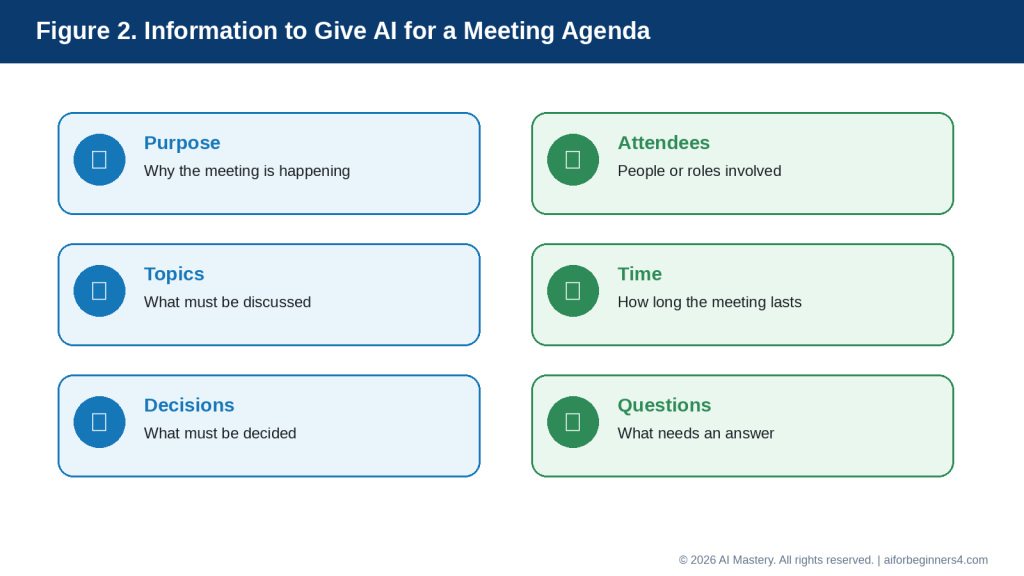
    Figure 3. The key information to give AI before asking for a study plan.

    Explanation: Providing subjects, deadlines, available time, priorities, course materials, and personal scheduling limits helps AI create a more realistic plan.

    What You’ll Learn

    By the end of this guide, you will know how to:

    · Turn a broad learning goal into a practical study plan.

    · Tell AI how much time you have available.

    · Give more study time to difficult subjects.

    · Work backward from an exam or assignment deadline.

    · Break large subjects into smaller study topics.

    · Create daily and weekly study schedules.

    · Include review sessions instead of only studying new material.

    · Add breaks so the plan is easier to follow.

    · Adjust the schedule when you fall behind.

    · Track what you have completed and what still needs attention.

    · Use your official course materials as the main reference.

    · Ask AI to create practice questions or revision checklists from material you provide.

    · Review AI-generated explanations for mistakes or unsupported information.

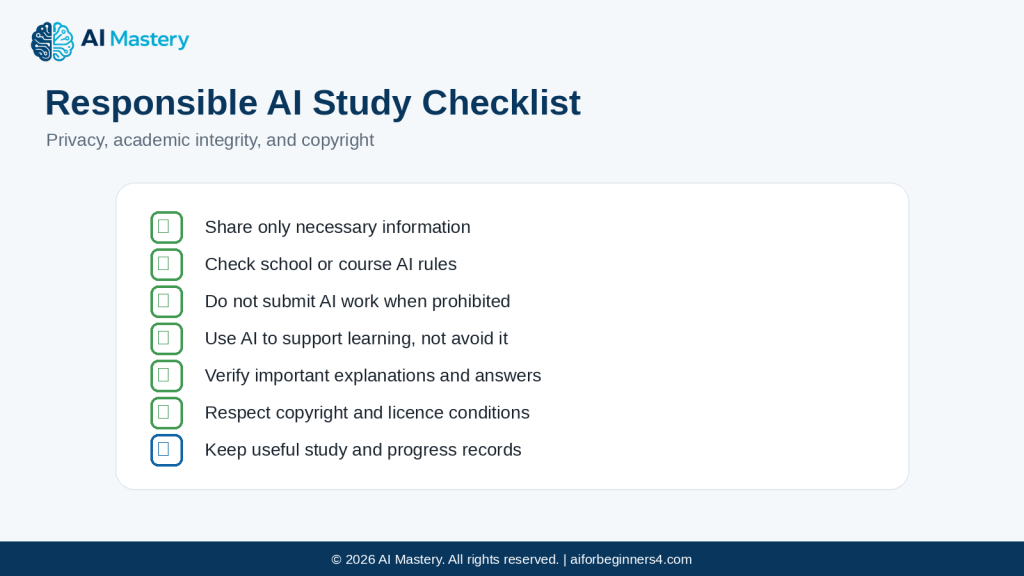
    · Protect unnecessary personal or educational information when using AI.

    You will also learn how to make a study plan flexible enough to change as your progress, deadlines, and available time change.

    The goal is not to let AI decide how you must study. The goal is to use AI as an organizing assistant while keeping your teacher’s instructions, official course materials, learning needs, and final decisions under your control.

    How AI Can Help You Build a Better Study Plan

    AI can support several parts of the study process. It can help you organize subjects, divide your time, create review sessions, and adjust the plan when your schedule changes.

    Break Large Subjects into Smaller Topics

    A broad subject such as “math” or “biology” can feel difficult to organize.

    You can ask AI:

    “Break basic algebra into smaller study topics for a beginner.”

    AI might suggest areas such as:

    · Basic equations

    · Fractions

    · Percentages

    · Ratios

    · Graphs

    · Word problems

    You should compare the list with your actual course or syllabus and keep only the topics you need.

    Create a Weekly Study Schedule

    AI can take your subjects and available time and suggest a weekly schedule.

    For example:

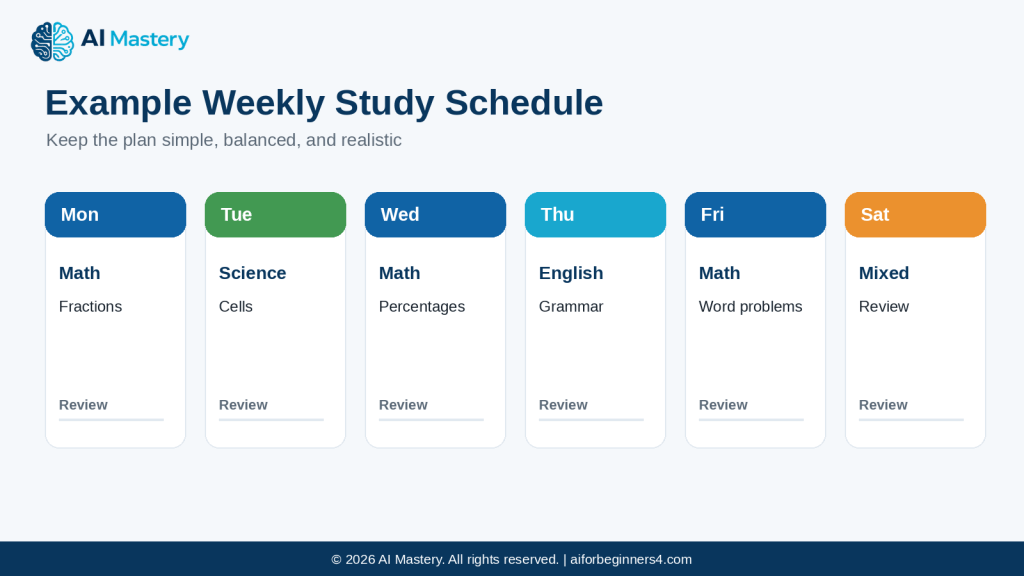
    “Create a study schedule for Monday to Saturday. I have 90 minutes each evening. I need to study math, science, and English. Give math the most time and include short review sessions.”

    This can help you see how your study time is distributed.

    Figure 4. Example weekly study schedule with different subjects and review sessions.

    Explanation: A simple weekly layout can show which subject to study each day while leaving room for review instead of filling every session with new material.

    Prioritize Difficult Subjects

    If one subject needs more attention, tell AI clearly.

    For example:

    “I understand English well, but I struggle with math. Give math twice as much study time as English.”

    AI can then adjust the schedule around that priority.

    Add Review Sessions

    Studying new material without reviewing older material can make it harder to remember what you learned.

    You can ask:

    “Add short review sessions for material I studied earlier in the week.”

    This creates a plan that includes both new learning and revision.

    Create Practice Activities

    AI can help create simple practice activities from information you provide.

    For example:

    “Create five beginner practice questions from these notes. Do not include anything that is not covered in the notes.”

    This can help you check your understanding.

    Always compare the questions and answers with your official learning materials when accuracy matters.

    Create Checklists

    A checklist can make a large study goal feel easier to manage.

    For example:

    “Turn these biology topics into a study checklist with boxes for Learn, Practice, and Review.”

    You can then mark your progress as you study.

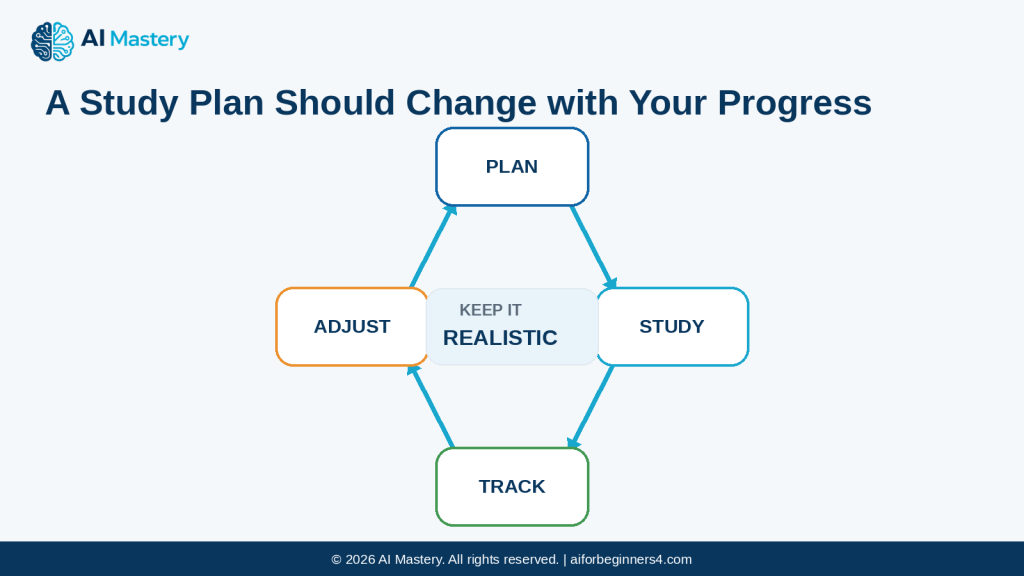
    Adjust the Plan When You Fall Behind

    Study plans often need to change.

    For example:

    “I missed Tuesday and Wednesday. Reorganize the rest of my week without increasing my daily study time above 90 minutes.”

    AI can suggest a revised plan rather than forcing all missed work into one day.

    Help You Decide What to Review First

    If an exam is approaching, AI can help prioritize topics.

    For example:

    “My exam is in five days. These are the topics I still need to review: [topics]. Help me organize them by importance and difficulty.”

    You should adjust the result based on what your teacher, syllabus, or exam guide says is most important.
    Turn Notes into a Revision Plan

    If you already have class notes, you can ask AI to organize them.

    For example:

    “Group these notes into main topics, key facts, difficult areas, and questions I should review again.”

    This can help you see where more study is needed.

    Reality: AI can help organize your study process, but it does not know your actual course requirements unless you provide them. Use your syllabus, teacher instructions, textbooks, and official materials as the main guide.

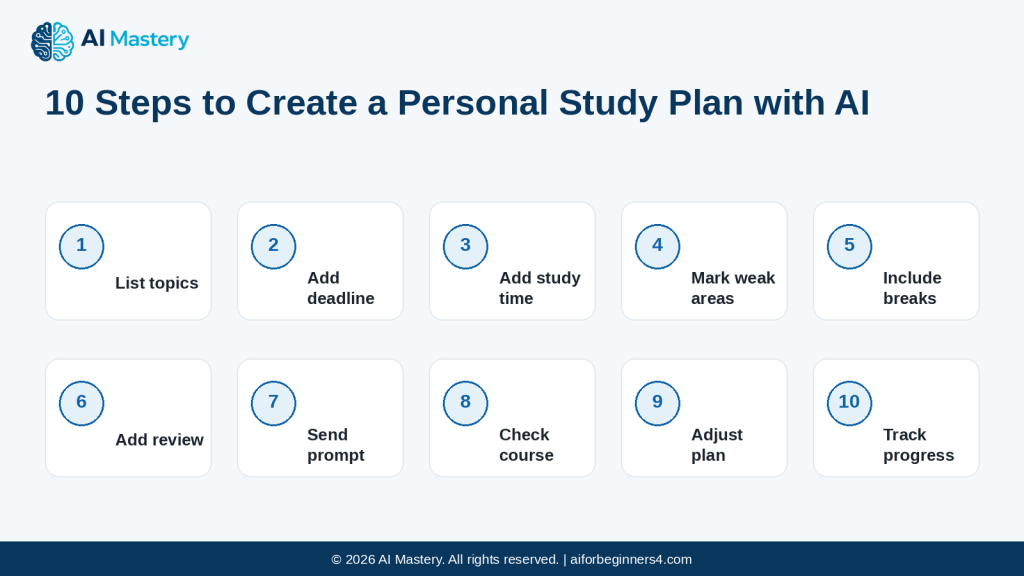
    Step-by-Step: Create a Personal Study Plan with AI

    You can create a practical study plan by giving AI clear information about your subjects, deadlines, available time, and learning priorities.

    Step 1: List What You Need to Study

    Start by writing down the subjects, chapters, lessons, or skills you need to cover.

    For example:

    · Math — fractions and percentages

    · Science — cells and body systems

    · English — grammar and reading

    · Computer skills — file management

    Do not worry about putting them in the correct order yet.

    Step 2: Add Your Deadline

    If you are preparing for an exam, assignment, or course milestone, include the date.

    For example:

    “My exam is on September 10.”

    This gives AI a clear endpoint for the plan.

    Step 3: Add Your Available Study Time

    Tell AI when and how long you can study.

    For example:

    “I can study for one hour Monday to Friday and two hours on Saturday. I want Sunday free.”

    Be realistic. A shorter plan you can follow is usually more useful than an ambitious plan you cannot maintain.

    Step 4: Identify Your Weakest Areas

    Tell AI which topics need more attention.

    For example:

    “I struggle most with math and science. English needs less review.”

    This helps AI avoid dividing your study time equally when your needs are different.

    Step 5: Include Breaks

    If you study for longer periods, ask AI to include breaks.

    For example:

    “For study sessions longer than one hour, include a short break.”

    You can adjust the break length to match your needs.

    Step 6: Ask for Review Sessions

    Do not fill the entire schedule with new material.

    Ask:

    “Include regular review sessions for topics I studied earlier.”

    This can help you revisit important information before the exam.

    Step 7: Send a Complete Prompt

    A beginner-friendly prompt could be:

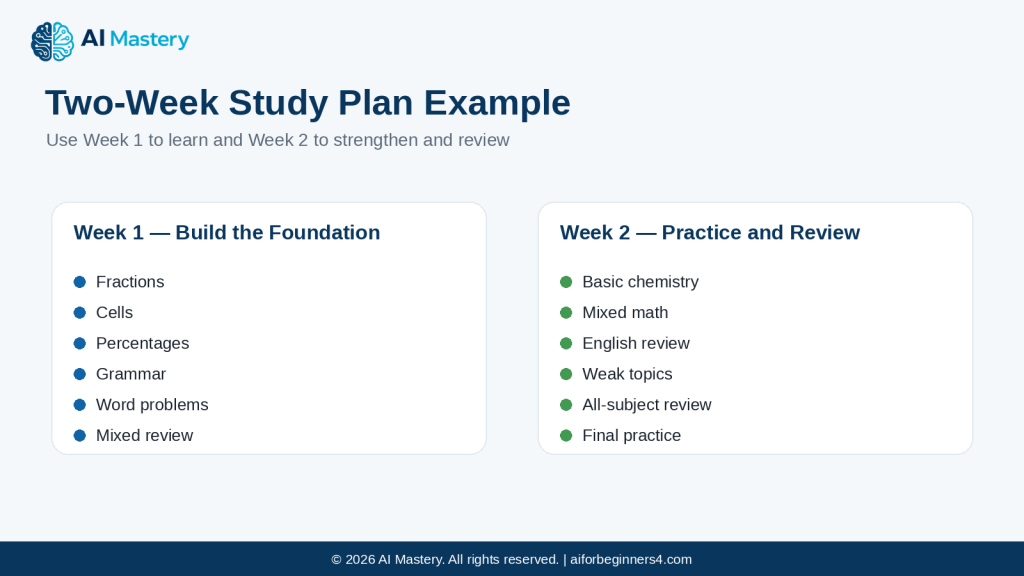
    “Create a two-week study plan for math, science, and English. My exam is on September 10. I can study for one hour Monday to Friday and two hours on Saturday. Keep Sunday free. Math is my weakest subject, so give it the most time. Include short review sessions and do not schedule more study time than I have available.”

    Step 8: Compare the Plan with Your Course Requirements

    Check the AI-generated schedule against:

    · Your syllabus

    · Teacher instructions

    · Exam guide

    · Textbook chapters

    · Assignment requirements

    If an important topic is missing, add it.

    Step 9: Adjust the Schedule

    You do not need to accept the first version.

    For example:

    “Move science to Wednesday, give me more math practice on Saturday, and keep Friday lighter.”

    AI can then reorganize the plan.

    Step 10: Track Your Progress

    As you study, record what you completed.

    You could use simple labels such as:

    · Not started

    · In progress

    · Completed

    · Needs review

    You can then ask AI:

    “Reorganize my remaining study plan based on these completed and unfinished topics.”

    How to Avoid This Mistake: Do not ask AI to create a schedule without giving it your real deadlines and available time. A plan can look organized while still being impossible to follow.

    Figure 5. Ten-step process for creating and maintaining a personal study plan with AI.

    Explanation: The process begins with the required topics and deadline, then adds available time, priorities, breaks, review, course checks, adjustments, and progress tracking.

    Useful AI Prompts for Study Planning

    Reusable prompts can make study planning faster and easier. Replace the bracketed information with your own subjects, deadlines, and available time.

    Prompt for Creating a Weekly Study Plan

    “Create a seven-day study plan for [subjects]. I can study for [time] each day. Give more time to [difficult subject]. Include review sessions and short breaks.”

    Prompt for Studying Before an Exam

    “My exam is on [date]. These are the topics I need to study: [topics]. Create a realistic study plan from today until the exam. Give more time to the topics I find difficult and leave time for final review.”

    Prompt for Breaking Down a Large Subject

    “Break [subject or chapter] into smaller beginner-friendly study topics. Put them in a logical learning order.”

    Compare the result with your syllabus or course materials before using it.

    Prompt for Prioritizing Topics

    “These are the topics I need to study: [topics]. Help me organize them into high, medium, and lower priority based on the information I provide. Do not assume which topics are on my exam unless I tell you.”

    Prompt for a Short Daily Study Session

    “I have only 45 minutes today. Help me create a focused study session for [subject]. Include review, practice, and a short final check.”

    Prompt for Catching Up After Missing Study Time

    “I missed [number] study sessions. These are the topics I still need to complete: [topics]. Reorganize my remaining plan without increasing my daily study time above [time].”

    Prompt for Creating Review Sessions

    “Add review sessions to this study plan. Revisit important topics from earlier days without making the schedule too crowded.”

    Prompt for Creating a Study Checklist

    “Turn these topics into a checklist with three stages: Learn, Practice, and Review.”

    Prompt for Practice Questions

    “Create [number] beginner practice questions using only the study material I provide. Do not introduce information that is not in the material.”

    After answering, compare the results with your official course materials.

    Prompt for Explaining a Difficult Topic

    “Explain [topic] in simple beginner-friendly language. Use a practical example. If you are unsure about any fact, say so instead of guessing.”

    Prompt for Reviewing Your Progress

    “These are the topics I have completed: [completed topics]. These still need work: [unfinished topics]. Update my study plan for the remaining days.”

    Prompt for Finding Weak Areas

    “Based only on these practice results, identify the topics I appear to need more practice with. Do not assume weaknesses that are not shown by the results.”

    Prompt for Final Exam Review

    “Create a final review checklist from these verified course topics. Include key concepts, practice areas, and anything I marked as difficult. Do not add new topics.”

    Prompt for Making the Plan More Realistic

    “Review this study schedule and identify days that may be too crowded. Keep my total study time within [time] per day and suggest a more balanced version.”

    Final Check Before Using Any Prompt: Make sure the AI is working from the correct course topics, dates, and materials. Review the plan before following it and adjust anything that does not fit your real learning needs.

    Figure 6. Five parts of a strong study-plan prompt.

    Explanation: A useful prompt tells AI the learning goal, available time, deadline, priority areas, and the need for practice or review.

    Practical Example: Create a Two-Week Study Plan with AI

    Suppose you are preparing for an exam in two weeks.

    You need to study:

    · Math — fractions, percentages, and word problems

    · Science — cells, body systems, and basic chemistry

    · English — grammar and reading comprehension

    Your available time is:

    · Monday to Friday — 1 hour each evening

    · Saturday — 2 hours

    · Sunday — no study

    You also know that math is your weakest subject.

    You could ask AI:

    “Create a two-week study plan for math, science, and English. I can study for one hour Monday to Friday and two hours on Saturday. Keep Sunday free. Math is my weakest subject, so give it the most study time. Include regular review sessions and leave the final two days mainly for review. Do not schedule more study time than I have available.”

    Figure 7. Example two-week study plan showing a learning week followed by practice and review.

    Explanation: The first week can build the foundation, while the second week can focus more on practice, weak areas, and final review.

    AI might organize the plan like this:

    Week 1

    Monday

    · Math — fractions

    · Short review of important rules

    Tuesday

    · Science — cells

    · Five-minute review of Monday’s math

    Wednesday

    · Math — percentages

    · Short practice session

    Thursday

    · English — grammar

    · Brief science review

    Friday

    · Math — word problems

    · Review difficult questions

    Saturday

    · Science — body systems

    · English — reading comprehension

    · Math review

    Sunday

    · Rest

    Week 2

    The second week could focus more on:

    · Remaining topics

    · Practice questions

    · Difficult areas

    · Mixed review

    · Final exam preparation

    For example:

    Monday

    · Science — basic chemistry

    Tuesday

    · Math — mixed practice

    Wednesday

    · English — grammar and reading review

    Thursday

    · Math — difficult topics

    Friday

    · Review all three subjects

    Saturday

    · Final practice and weak-area review

    Sunday

    · Rest or follow the actual exam schedule

    Check the Plan Against Your Real Course

    Before using the schedule, compare it with:

    · Your teacher’s instructions

    · Your syllabus

    · Exam topics

    · Required chapters

    · Homework or assignments

    · Any practice material provided by your school or course

    Suppose your teacher says that percentages will be a major part of the exam.

    You could then tell AI:

    “Percentages are especially important for this exam. Give me an additional percentage review session without increasing my total daily study time.”

    AI can reorganize the schedule instead of simply adding more hours.

    Update the Plan After the First Week

    Imagine that after Week 1:

    · Fractions are now easy

    · Percentages still need practice

    · Science is going well

    · English grammar needs more review

    You could ask:

    “Update Week 2. I no longer need much practice with fractions. Give more time to percentages and English grammar. Keep the same daily study-time limits.”

    This makes the plan responsive to your actual progress.

    Why This Approach Helps

    The study plan is not fixed forever.

    It can change when:

    · You understand a topic faster than expected

    · A topic takes longer than expected

    · Your teacher changes the exam coverage

    · You miss a study session

    · Your available time changes

    · Practice results show a weak area

    Reality: A useful study plan should change as your progress changes. AI can help reorganize the schedule, but your actual course requirements, deadlines, and learning progress should guide the final plan.

    Figure 8. Study-plan adjustment cycle: plan, study, track, and adjust.

    Explanation: A study plan is not fixed. After studying, track what happened and adjust the next sessions while keeping the schedule realistic.

    Benefits of Using AI for Study Planning

    AI can make study planning easier when you already know what you need to learn but need help organizing your time and priorities.

    Helps Turn Goals into a Clear Plan

    A goal such as:

    “Improve my math”

    is too broad to guide daily study.

    AI can help turn it into smaller actions such as:

    · Review fractions

    · Practice percentages

    · Solve word problems

    · Check mistakes

    · Repeat difficult topics

    This makes it easier to know what to do next.

    Helps Divide Study Time

    When you have several subjects, AI can help distribute your available time.

    For example:

    “I have six hours available this week. Divide the time between math, science, and English, but give math the most attention.”

    You can then review the schedule and adjust it.

    Helps Prioritize Difficult Topics

    AI can help give more time to subjects or topics that need extra attention.

    This can be useful when:

    · One subject is harder than the others

    · An exam gives more weight to certain topics

    · Practice results show weak areas

    · A deadline is approaching

    Helps Break Large Projects into Smaller Steps

    Preparing for an exam or completing a course can feel overwhelming.

    AI can help divide a large goal into smaller stages such as:

    · Learn

    · Practice

    · Review

    · Test yourself

    · Revisit weak areas

    Smaller steps can make progress easier to see.

    Helps Create More Consistent Study Routines

    AI can help you build a regular schedule.

    For example:

    · Monday — new topic

    · Tuesday — practice

    · Wednesday — new topic

    · Thursday — review

    · Friday — practice

    · Saturday — mixed revision

    A consistent routine can make it easier to remember what you planned to study.

    Helps Adjust the Plan Quickly

    Your schedule may change.

    You might:

    · Miss a study day

    · Finish a topic early

    · Need more time on one subject

    · Receive a new assignment

    · Have an exam date changed

    Instead of rebuilding the whole plan yourself, you can ask AI to reorganize the remaining schedule.

    Helps Create Different Study Formats

    AI can turn the same material into:

    · Checklists

    · Timetables

    · Topic lists

    · Review schedules

    · Practice-question sets

    · Progress trackers

    · Weekly plans

    Different formats can help depending on what you are trying to do.

    Helps Identify What Still Needs Attention

    If you record your progress, AI can help separate:

    · Completed topics

    · Topics in progress

    · Difficult topics

    · Topics needing review

    · Topics not yet started

    This can make your next study session easier to plan.

    Helps Keep Study Plans Realistic

    You can tell AI about your limits.

    For example:

    “Do not schedule more than one hour per weekday.”

    or:

    “Keep Sunday free.”

    This can help prevent the plan from becoming too demanding.

    Benefit: AI can reduce the time spent organizing study tasks and help make large learning goals feel more manageable. The plan is most useful when you combine AI organization with your real course requirements, available time, and personal progress.

    Figure 9. Main benefits of using AI to organize study planning.

    Explanation: AI can help clarify goals, balance study time, highlight priorities, update plans, track progress, and turn the same information into useful formats.

    Limitations and Common Mistakes

    AI can help organize a study plan, but the result may still be unrealistic, incomplete, or unsuitable for your actual course.

    Limitation: AI May Create an Unrealistic Schedule

    AI may divide your study time into too many activities or expect you to complete difficult topics too quickly.

    How to Reduce This Limitation: Give AI clear time limits and review the schedule yourself.

    For example:

    “Do not schedule more than 60 minutes of study per weekday.”

    Limitation: AI Does Not Automatically Know Your Course Requirements

    AI may suggest useful topics that are not part of your actual course, or it may miss topics that your teacher considers important.
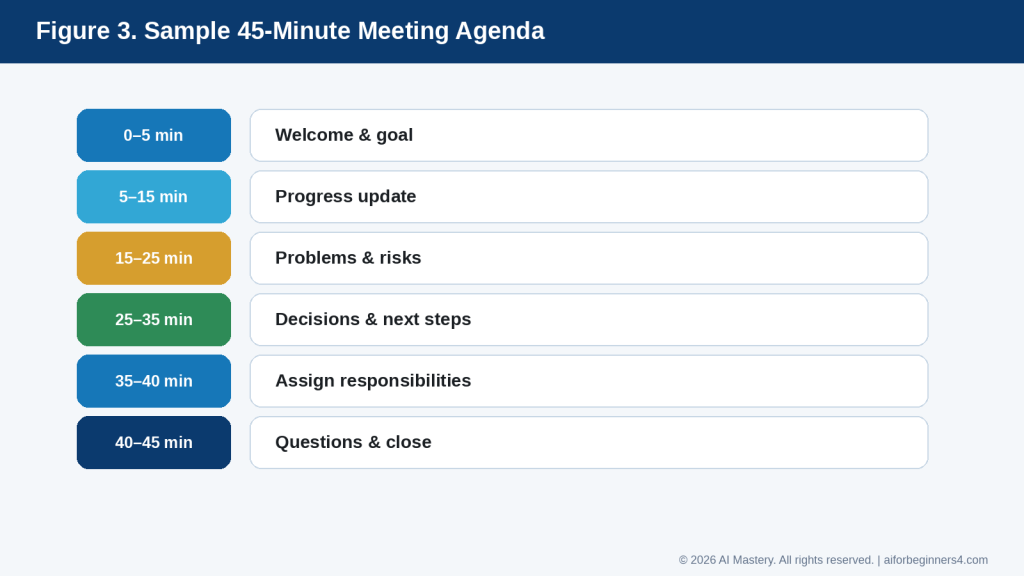
    How to Reduce This Limitation: Compare the plan with:

    · Your syllabus

    · Teacher instructions

    · Exam guide

    · Textbook

    · Assignment requirements

    Use those materials as the main reference.

    Limitation: AI May Explain a Topic Incorrectly

    An AI explanation can sound clear even when it contains a mistake.

    How to Reduce This Limitation: Check important explanations, formulas, dates, definitions, and answers against reliable course materials.

    Limitation: AI Cannot Measure Your Understanding Perfectly

    AI may assume you understand a topic because you completed it in the schedule.

    Completing a study session does not necessarily mean you have mastered the subject.

    How to Reduce This Limitation: Use practice questions, quizzes, exercises, teacher feedback, and your own results to decide whether a topic needs more review.

    Common Mistake: Creating a Plan That Is Too Ambitious

    A schedule with several hours of study every day may look productive but can be difficult to maintain.

    How to Avoid This Mistake: Start with the amount of time you can realistically manage.

    You can always increase it later if necessary.

    Common Mistake: Giving Every Subject Equal Time

    Some subjects need more attention than others.

    How to Avoid This Mistake: Tell AI which areas are:

    · Easy

    · Moderate

    · Difficult

    · High priority

    · Close to a deadline

    Then adjust the time accordingly.

    Common Mistake: Studying Only New Material

    A schedule that contains only new topics may leave too little time for revision.

    How to Avoid This Mistake: Include regular review sessions throughout the plan.

    Common Mistake: Following the First AI Plan Without Reviewing It

    AI may produce a polished timetable that still does not fit your real situation.

    How to Avoid This Mistake: Check every plan for:

    · Correct subjects

    · Correct dates

    · Realistic study times

    · Required topics

    · Breaks

    · Review sessions

    · Important deadlines

    Common Mistake: Using AI Instead of Required Learning Materials

    AI should not replace the official textbook, syllabus, lesson material, teacher instructions, or course platform when those are required.

    How to Avoid This Mistake: Use AI mainly to organize and explain material while keeping the official learning materials as the main reference.

    Common Mistake: Asking AI to Guess Exam Content

    AI usually cannot know exactly what will appear on your exam unless you provide reliable information.

    How to Avoid This Mistake: Use your official exam guide, syllabus, teacher instructions, or provided study list.

    A safer prompt is:

    “Create a study plan using only these exam topics. Do not add topics that are not listed.”

    Common Mistake: Ignoring Your Actual Progress

    A study plan created two weeks ago may no longer match what you need.

    How to Avoid This Mistake: Update the plan regularly.

    For example:

    “These topics are completed. These still need work. Reorganize the remaining schedule.”

    Common Mistake: Adding Missed Work Without Reducing Other Tasks

    If you miss a day, simply adding all the missed work to the next day can make the schedule unrealistic.

    How to Avoid This Mistake: Ask AI to redistribute the unfinished work across the remaining days while keeping your normal time limits.

    Common Mistake: Sharing Unnecessary Personal Information

    A study plan usually does not require detailed personal records.

    How to Avoid This Mistake: Share only the information necessary to create the schedule and remove unnecessary private details.

    Reality: A well-formatted AI study plan is not automatically a good study plan. It still needs to match your real deadlines, available time, learning progress, and official course requirements.

    Figure 10. Common study-planning mistakes and better choices.

    Explanation: The most useful corrections are to set realistic time limits, prioritize difficult topics, include review, check the AI plan, and use official exam guidance.

    Common Myths About Using AI for Study Planning

    AI can help organize study time and learning activities, but it is important to understand what it can and cannot do.

    Myth 1: AI Can Create the Perfect Study Plan Automatically

    A study plan may look well organized but still be too difficult, too easy, or unsuitable for your schedule.

    Reality: A useful study plan needs your input about deadlines, available time, difficult subjects, and course requirements.

    Myth 2: AI Knows Exactly What Will Be on My Exam

    AI cannot reliably know the exact exam content unless you provide official information.

    Reality: Use your syllabus, teacher instructions, exam guide, textbook, or official course materials to decide what should be studied.

    Myth 3: More Study Hours Always Mean Better Results

    A very long schedule may lead to tiredness and may be difficult to maintain.

    Reality: A realistic plan with regular study, practice, review, and breaks is usually more useful than an overloaded timetable.

    Myth 4: Every Subject Should Receive the Same Amount of Time

    Different subjects may require different levels of effort.

    Reality: Give more time to difficult or high-priority topics and less time to areas you already understand well.

    Myth 5: Once AI Creates the Plan, I Should Follow It Exactly

    Your progress and schedule can change.

    Reality: Treat the plan as adjustable. Update it when you miss a session, finish something early, or discover that a topic needs more practice.

    Myth 6: Completing a Topic Means I Have Learned It

    Marking a topic as completed does not prove that you understand or remember it.

    Reality: Use exercises, practice questions, quizzes, recall activities, or teacher feedback to check your understanding.

    Myth 7: AI Explanations Are Always Correct

    AI may provide an incorrect formula, definition, example, date, or explanation.

    Reality: Check important learning content against reliable course materials, especially when preparing for an exam or assessment.

    Myth 8: AI Can Replace a Teacher or Tutor

    AI can explain topics, create examples, and help organize learning, but it does not fully understand your progress or course expectations.

    Reality: Teachers, tutors, instructors, and official course materials remain important sources of guidance.

    Myth 9: A Complicated Study Plan Is Better

    A plan with many categories, timers, tools, and daily activities may look professional but can be difficult to follow.

    Reality: A simple plan that clearly shows what to study, when to study it, and when to review it may be more practical.

    Myth 10: AI Can Decide the Best Learning Method for Everyone

    People learn differently, and one study method may not work equally well for every learner or subject.

    Reality: Try different approaches and keep the ones that actually help you understand and remember the material.

    Myth 11: If I Fall Behind, the Study Plan Has Failed

    Unexpected events can interrupt even a good schedule.

    Reality: A study plan should be flexible. Reorganize the remaining work rather than giving up on the entire plan.

    Myth 12: AI Makes Official Learning Materials Unnecessary

    AI may simplify or reorganize information, but it may omit important details or introduce mistakes.

    Reality: Keep your official course materials as the main reference and use AI as additional study assistance.

    The most useful approach is to treat AI as a planning and organization tool while keeping your real progress, official course requirements, and human judgment at the centre of the study process.

    When AI Can Help and When Human Guidance Matters Most

    AI can be useful for many routine study-planning tasks, but some situations need more careful human guidance.

    Good Uses for AI Study Assistance

    AI can help with:

    · Creating a weekly study schedule

    · Breaking large subjects into smaller topics

    · Prioritizing difficult areas

    · Creating revision checklists

    · Reorganizing missed study sessions

    · Turning notes into review questions

    · Building simple progress trackers

    · Creating practice activities from material you provide

    · Summarizing your own notes

    · Suggesting ways to spread study time across several subjects

    These tasks mainly involve organization and planning.

    Use Human Guidance for Course Requirements

    AI should not decide what is officially required for your course.

    Check with:

    · Your teacher

    · Tutor

    · Instructor

    · School

    · Training provider

    · Official course platform

    · Syllabus

    · Exam guide

    These sources should determine required topics, assessment rules, deadlines, and grading expectations.

    Use Extra Care with Important Assessments

    For major exams, professional certifications, entrance tests, or graded assignments, verify the study plan against official materials.

    AI may accidentally:

    · Leave out required topics

    · Add unnecessary material

    · Misunderstand the exam structure

    · Give an incorrect explanation

    · Suggest an unsuitable priority

    Do not rely only on an AI-generated plan when the result could affect an important qualification or academic decision.

    Ask for Help When You Do Not Understand a Topic

    If you repeatedly struggle with the same subject, AI can explain it in a different way, but it may not recognize the real reason you are having difficulty.

    A teacher or tutor may be better able to:

    · Identify a misunderstanding

    · Check your work

    · Correct repeated mistakes

    · Recommend suitable exercises

    · Explain what the course expects

    · Give feedback based on your actual performance

    Be Careful with Learning or Accessibility Needs

    Some students may need adapted study materials, extra time, assistive technology, or other accommodations.

    AI can help organize a plan around requirements you provide, but it should not decide what educational accommodation someone needs.

    Use guidance from the appropriate teacher, school, accessibility service, qualified professional, or official support program when necessary.

    Review AI-Generated Practice Questions

    AI can create practice questions, but the questions or answers may contain mistakes.

    When possible:

    1. Ask AI to use only your provided learning material.

    2. Compare the questions with your course content.

    3. Check the answers.

    4. Remove questions that are unclear or outside the required topic.

    Keep Final Decisions Under Your Control

    A practical study workflow is:

    1. Check the official course requirements.

    2. List what you need to study.

    3. Decide how much time you have.

    4. Use AI to organize the schedule.

    5. Review the AI-generated plan.

    6. Follow the plan and track your progress.

    7. Adjust it based on your actual results.

    8. Ask a teacher, tutor, or other appropriate person when you need help beyond planning.

    Reality: AI is most useful as a study organizer and assistant. Teachers, official learning materials, your actual results, and appropriate human guidance should still determine what you need to learn and whether you understand it.

    Figure 11. Tasks AI can assist with and situations where human guidance matters.

    Explanation: AI is well suited to organization and practice support, while official requirements, grading rules, persistent misunderstandings, accommodations, and high-stakes qualifications need appropriate human guidance.

    Privacy, Academic Integrity, and Responsible Study

    AI can help organize a study plan, explain topics, and create practice activities, but it should be used in a way that protects your information and follows the rules of your school, course, or training program.

    Protect Personal Information

    A study plan usually does not require detailed personal information.

    Avoid sharing unnecessary information such as:

    · Student identification numbers

    · Home addresses

    · Account passwords

    · Private school records

    · Financial information

    · Medical information

    · Private information about other students

    If a document contains sensitive information, remove details that are not necessary before sharing it with an AI tool.

    You can use placeholders such as:

    · [STUDENT NAME]

    · [COURSE NAME]

    · [SCHOOL NAME]

    · [PRIVATE DETAIL]

    Check Before Uploading School or Course Materials

    Having access to a document does not automatically mean you should upload it to an AI service.

    Before uploading:

    · Course handouts

    · Assignment instructions

    · Teacher-created materials

    · Paid textbooks

    · Practice exams

    · Student records

    · Group-project documents

    Consider whether you have permission to share the material and whether it contains private or copyrighted content.

    When possible, provide only the portion that is necessary for the study task.

    Follow Your School or Course AI Rules

    Different schools, teachers, courses, and examinations may have different rules about AI use.

    AI may be allowed for activities such as:

    · Planning study time

    · Creating personal checklists

    · Explaining a concept

    · Generating practice questions

    · Organizing your own notes

    But AI use may be restricted for:

    · Graded assignments

    · Exams

    · Take-home tests

    · Coursework that must be completed independently

    · Work requiring disclosure of outside assistance

    Check the instructions for the specific course or assignment before using AI.

    Do Not Submit AI Work as Your Own When It Is Not Allowed

    There is an important difference between using AI to help you study and asking AI to complete assessed work for you.

    For example, using AI to explain a difficult concept may help you learn.

    Asking AI to write an assignment that you are expected to complete yourself may violate your course rules.

    A safer study prompt is:

    “Explain this concept to me in simple language and then give me three practice questions. Do not write my assignment for me.”

    Use AI to Support Learning, Not Avoid It

    If AI gives you every answer immediately, you may finish a task without understanding the subject.

    Try using AI to:

    · Give hints

    · Explain mistakes

    · Create similar practice problems

    · Ask you questions

    · Compare your answer with a model answer

    · Suggest what to review next

    For example:

    “Do not give me the answer immediately. Give me one hint at a time so I can try to solve the problem myself.”

    This keeps the focus on learning.

    Check AI-Generated Information

    AI may produce incorrect explanations, calculations, references, or answers.

    For important study material:

    1. Compare the explanation with your textbook or official course material.

    2. Check calculations and formulas.

    3. Confirm important dates and definitions.

    4. Ask your teacher or tutor when something remains unclear.

    Respect Copyright and Licences

    Textbooks, diagrams, articles, videos, photographs, course materials, and other learning resources may be protected by copyright or licence conditions.

    Do not assume that because AI can summarize or discuss material, you automatically have permission to copy, republish, distribute, or use it commercially.

    Keep appropriate source information when you use outside material in research or assignments.

    Keep Useful Study Records

    For longer courses, it can help to save:

    · Your study plan

    · Progress records

    · Important course links

    · Your own notes

    · Practice results

    · Teacher feedback

    · Updated versions of your schedule

    These records can help you see how your learning changes over time.

    Reality: Responsible AI study use means protecting private information, following course rules, respecting copyright and permissions, checking important information, and using AI to support your learning rather than replace it.

    Figure 12. Responsible AI study checklist for privacy, academic integrity, verification, and copyright.

    Explanation: Before relying on AI for study, share only necessary information, follow course rules, verify important answers, respect copyright, and keep useful records.

    Frequently Asked Questions

    Can AI create a complete study plan for me?

    Yes. AI can organize your subjects, deadlines, available time, review sessions, and priorities into a study plan.

    You should still review the result to make sure it matches your real schedule and official course requirements.

    How much information should I give AI?

    Give enough information to create a realistic plan, such as:

    · Subjects or topics

    · Exam or assignment dates

    · Available study time

    · Difficult subjects

    · Required course materials

    · Days you want free

    Avoid unnecessary private information.

    Can AI help me study more than one subject?

    Yes.

    For example:

    “Create a weekly study plan for math, science, and English. I can study for 90 minutes each evening. Give math the most time.”

    AI can divide your available time among the subjects.

    Can AI help if I fall behind?

    Yes.

    You can ask:

    “I missed two study sessions. Reorganize the remaining plan without increasing my daily study time.”

    This can help redistribute unfinished work more realistically.

    Can AI create practice questions?

    Yes.

    For better accuracy, give AI the material you want it to use.

    For example:

    “Create ten practice questions using only these notes. Do not add information that is not in the notes.”

    Check the questions and answers against your course materials.

    Can AI explain difficult topics?

    Yes. You can ask for a simpler explanation, example, analogy, or step-by-step explanation.

    For example:

    “Explain percentages to a complete beginner using three everyday examples.”

    However, important explanations should still be checked against reliable learning materials.

    Should I use AI instead of my textbook?

    No.

    Your textbook, syllabus, teacher instructions, and official course materials should remain the main reference when they are required for your course.

    AI can help explain and organize that material.

    Can AI tell me what will be on my exam?

    Not reliably unless you provide official exam information.

    Use your teacher’s instructions, syllabus, exam guide, or official study list to determine what you need to study.

    How often should I update my study plan?

    Update it whenever something important changes, such as:

    · You miss a study session

    · You finish a topic early

    · A deadline changes

    · A new assignment appears

    · Practice results show a weak area

    · Your available study time changes

    You can also review the plan once a week during longer courses.

    Should I schedule every minute of my study time?

    Not necessarily.

    A plan can become difficult to follow if it is too detailed.

    For many beginners, a simple schedule showing the subject, topic, approximate study time, and review session is enough.

    Should I include breaks?

    Usually, yes, especially during longer study sessions.

    The exact timing depends on your concentration, learning needs, and schedule.

    The important point is to avoid creating a plan that expects continuous study for long periods without rest.

    Can AI help me identify weak areas?

    It can help based on information you provide, such as practice results or topics you mark as difficult.

    For example:

    “Based only on these quiz results, identify the topics that appear to need more practice.”

    AI should not be treated as a complete assessment of your learning ability.

    Can I use AI for graded assignments?

    That depends on the rules of your school, teacher, course, or assessment.

    Some courses allow certain types of AI assistance, while others restrict or prohibit it.

    Check the specific instructions before using AI for assessed work.

    Do I need to disclose that I used AI?

    This depends on your school, course, assignment, or publication rules.

    If disclosure is required, follow the instructions provided by the institution or instructor.

    When unsure, ask the appropriate teacher or course provider.

    Is AI-generated study information always correct?

    No.

    AI can make mistakes, leave out important information, or provide outdated explanations.

    Important facts, formulas, definitions, and answers should be checked against reliable learning materials.

    Can AI replace a teacher or tutor?

    No.

    AI can assist with planning, explanations, and practice, but teachers and tutors can provide feedback based on your actual work, course requirements, and learning progress.

    Reality: AI can make study planning more organized and flexible, but successful learning still depends on accurate materials, regular practice, realistic scheduling, and your own effort and understanding.

    Key Takeaways

    AI can make study planning easier, but the plan should still match your real course requirements, available time, deadlines, and learning progress.

    Remember these main points:

    · Start with a clear learning goal.

    · List the subjects or topics you need to study.

    · Include important exam and assignment dates.

    · Tell AI how much study time you realistically have.

    · Give more time to difficult or high-priority subjects.

    · Break large topics into smaller study steps.

    · Include review sessions, not only new material.

    · Add breaks to longer study periods.

    · Use your syllabus, teacher instructions, textbooks, and official course materials as the main reference.

    · Check AI-generated explanations, practice questions, formulas, and answers.

    · Update the study plan when your schedule or progress changes.

    · Do not assume AI knows exactly what will appear on an exam.

    · Use AI to support learning rather than complete assessed work for you.

    · Follow your school, teacher, course, or examination rules about AI use.

    · Protect unnecessary personal, educational, or confidential information.

    · Respect copyright, permissions, and licence conditions for study materials.

    · Ask a teacher, tutor, or other appropriate person when you need guidance beyond planning and organization.

    The most useful role for AI in study planning is to help you organize your time, priorities, and review activities while keeping your actual learning needs, official course requirements, and final decisions under your control.

    Final Tip

    Keep your study plan simple enough to follow.

    A complicated schedule with too many tasks, apps, reminders, and categories can become harder to manage than the studying itself.

    A practical study workflow is:

    1. Check what you actually need to learn.

    2. List your subjects and deadlines.

    3. Decide how much time you realistically have.

    4. Use AI to organize the schedule.

    5. Review the plan before following it.

    6. Study and record your progress.

    7. Update the plan when something changes.

    8. Keep time for review before important exams or assessments.

    A useful prompt is:

    “Create a realistic study plan using only the subjects, deadlines, and available time I provide. Give more time to difficult topics, include review sessions, and do not add extra study hours beyond my limits.”

    If the schedule becomes difficult to follow, simplify it rather than abandoning it completely.

    The goal is not to create the most detailed study plan. The goal is to create a plan you can understand, adjust, and actually use.

    Continue Learning

    After you learn how to create a personal study plan with AI, continue with these related AI Mastery guides:

    · Article 077 — AI Productivity for Beginners: Complete Guide (2026) — Review the broader ways AI can help with planning, writing, research, organization, and everyday work.

    · Article 078 — How to Create a Daily Plan with ChatGPT (2026) — Learn how to turn tasks, appointments, and priorities into a realistic daily schedule.

    · Article 079 — How to Write and Improve Emails with AI (2026) — Learn how to draft, rewrite, shorten, and improve everyday emails with AI.

    · Article 080 — How to Prepare Meeting Agendas and Notes with AI (2026) — Learn how AI can help prepare meetings, organize notes, identify action items, and create follow-up summaries.

    · Article 081 — How to Research and Organize Information with AI (2026) — Learn how to collect, compare, verify, and organize information from different sources.

    · Article 083 — How to Organize Files, Tasks, and Projects with AI (2026) — Learn how AI can help structure files, tasks, checklists, priorities, and larger projects. Link after Article 083 is published.

    These guides use the same beginner-friendly approach: give AI clear instructions, keep your goals realistic, protect unnecessary private information, verify important information, and keep final decisions under human control.

    Sources and References

    The following official sources were reviewed for this guide. AI features, education policies, privacy practices, academic-integrity rules, and copyright guidance can change, so readers should check current information when first using a tool, when course or school rules change, after receiving a policy update, and periodically.

    · OpenAI Help Center — Using Study Mode in ChatGPT. Explains how Study Mode can guide learners through topics using questions, step-by-step explanations, and interactive learning support rather than simply providing a final answer.

    · OpenAI Help Center — Does ChatGPT Tell the Truth? Explains that ChatGPT can produce incorrect or misleading information, including incorrect definitions, dates, or facts. This supports the recommendation to verify important study information against reliable course materials.

    · UNESCO — Guidance for Generative AI in Education and Research. Provides international guidance for responsible and human-centred use of generative AI in education, including attention to privacy, appropriate educational use, human agency, and institutional policy. The UNESCO page was last updated in January 2026.

    · UNESCO — AI Competency Framework for Students. Provides a framework designed to help students use AI responsibly and meaningfully, with emphasis on a human-centred mindset, ethics, AI knowledge, and responsible application.

    · UNESCO — AI Competency Framework for Teachers. Provides guidance for educators on responsible AI use and highlights human agency, ethics, appropriate educational use, and professional judgment.

    · Office of the Privacy Commissioner of Canada — Privacy and Artificial Intelligence. Provides Canadian guidance about privacy risks connected with AI and the importance of protecting personal information.

    · Office of the Privacy Commissioner of Canada — Privacy Awareness Week 2026. Advises people using AI tools to limit the personal information they share, review privacy settings, and avoid unnecessarily sharing other people’s personal information or photographs.

    · Canadian Intellectual Property Office — A Guide to Copyright. Provides introductory Canadian guidance about copyright protection and the rights associated with protected works.

    · Canadian Intellectual Property Office — Copyright: Learn the Basics. Provides beginner-oriented information about what copyright protects and why permission, ownership, and proper use of copyrighted material matter.

    These sources support the article’s guidance on using AI as a study assistant rather than an unquestioned authority, protecting personal information, respecting course and institutional rules, checking AI-generated learning material, maintaining human involvement in learning, and respecting copyright.

    Schools, teachers, universities, training providers, certification bodies, and examination organizations may have their own rules about permitted AI use. Readers should therefore follow the specific instructions that apply to their course or assessment rather than assuming that one general AI rule applies everywhere. UNESCO’s current guidance emphasizes responsible, human-centred AI use in education and the continuing importance of human agency.

    AI tools and educational policies continue to change. Verify current tool features and institutional requirements before relying on them for important coursework, examinations, professional certification, or other assessed learning.

  • How to Research and Organize Information with AI (2026)

    How to Research and Organize Information with AI (2026)

    Estimated reading time: 30–35 minutes
    Last updated:
    August 16, 2026

    Introduction

    Research can become confusing when information comes from many websites, documents, notes, videos, and other sources.

    AI can help you collect, summarize, compare, and organize information so it is easier to understand and use.

    For example, instead of keeping separate notes about a topic, you could ask an AI tool:

    “Organize these notes into main topics, important facts, questions I still need to answer, and sources I should check.”

    AI can also help you:

    · Turn rough research notes into a clearer structure

    · Summarize long information

    · Compare different sources

    · Create topic lists

    · Group related ideas

    · Identify missing information

    · Create research questions

    · Build simple tables or checklists

    · Turn research into an outline

    · Prepare a short summary for later use

    However, AI should not be treated as the final source of truth.

    AI can misunderstand information, combine unrelated details, miss important context, or present incorrect information confidently. It may also generate information that was not supported by your original sources.

    For important research, you should check the original source, confirm dates and facts, and prefer reliable first-party or authoritative sources when possible.

    In this guide, you will learn how to use AI to research a topic, organize information, compare sources, keep track of evidence, avoid common mistakes, protect private information, and decide when additional verification is necessary.

    Before You Start

    You do not need advanced research skills to use AI for organizing information. You mainly need a clear question, reliable source material, and a way to keep track of what you find.

    Before asking AI to help, prepare:

    · The topic you want to research

    · The main question you want to answer

    · Any reliable websites, documents, or notes you already have

    · Important dates or facts you need to verify

    · The type of result you want, such as a summary, outline, comparison, or checklist

    · A place to save your source links and notes

    Start with a Clear Research Question

    A broad topic can produce broad and confusing results.

    For example:

    “Tell me about electric cars.”

    is much less focused than:

    “Compare the main benefits and limitations of electric cars for a beginner who drives mostly in a city.”

    A clear research question helps AI organize information around a specific goal.

    Figure 1. Broad question versus focused research question

    Explanation: A focused question gives AI a clearer scope, audience, and purpose than a broad topic.

    Use Reliable Sources

    When possible, start with official or primary sources.

    Examples include:

    · Government websites

    · Official product or company documentation

    · Standards organizations

    · Universities

    · Research institutions

    · Original reports

    · Original publishers

    AI can help summarize or compare these sources, but it should not replace them.

    Figure 2. Source priority for beginner research

    Explanation: Start with official or primary sources when they are appropriate, then use reputable secondary sources and verify informal sources carefully.

    Keep Track of Where Information Came From

    When you collect facts, save the source.

    A simple research note might include:

    · Topic

    · Fact or claim

    · Source

    · Date checked

    · Notes

    This makes it easier to verify information later.

    Figure 3. Simple research note template

    Explanation: Recording the claim, source, date checked, verification status, and notes makes later checking and updating easier.

    Check Dates Carefully

    Some information changes quickly.

    Examples include:

    · Software features

    · Prices

    · Laws

    · Policies

    · Product specifications

    · AI-tool limits

    · Privacy settings

    · Platform rules

    A source may be accurate but outdated.

    Always check when the information was published or last updated.

    Figure 4. Time-sensitive information needs rechecking

    Explanation: Software features, prices, policies, platform rules, privacy settings, and regulations can change, so record and recheck dates.

    Protect Private Information

    If you are researching using personal files, business documents, customer information, or private notes, remove unnecessary sensitive details before sharing them with an AI tool.

    Use placeholders when possible, such as:

    · [CLIENT NAME]

    · [ACCOUNT NUMBER]

    · [PROJECT NAME]

    · [PRIVATE DETAIL]

    Separate Research from AI Suggestions

    AI may suggest ideas that are not directly supported by your sources.

    Ask it to distinguish clearly between:

    · Information supported by the source

    · Its own suggestions

    · Information that still needs verification

    For example:

    “Use only the information in these sources. If something is not supported, mark it as ‘Needs verification.’”

    Reality: AI can help you work with research faster, but reliable research still depends on checking the original sources and understanding what the evidence actually supports.

    What You’ll Learn

    By the end of this guide, you will know how to:

    · Turn a broad topic into a clearer research question.

    · Use AI to organize information from notes, documents, and websites.

    · Ask AI to summarize information without changing the main meaning.

    · Compare information from different sources.

    · Separate confirmed facts from suggestions or uncertain claims.

    · Identify information that still needs verification.

    · Group related ideas into categories or themes.

    · Turn research into an outline, checklist, table, or summary.

    · Keep track of source links and dates.

    · Recognize when a source may be outdated.

    · Protect private or confidential information while using AI.

    · Review AI-generated research for missing context, factual errors, and unsupported claims.

    You will also learn how to use AI as a research assistant without treating it as the final authority.

    The goal is not to let AI decide what is true. The goal is to use AI to help you organize and understand information while keeping the original sources, evidence, and final judgment under your control.

    How AI Can Help with Research and Organization

    AI can support several parts of the research process. It can help you narrow a topic, organize source material, compare information, and turn rough notes into a clearer structure.

    Figure 5. Research workflow with AI

    Explanation: A six-step workflow: define the question, find reliable sources, organize notes, compare sources, verify key claims, and create the final summary.

    Turn a Broad Topic into Research Questions

    If your topic is too broad, AI can help you break it into smaller questions.

    For example:

    “Help me turn the topic ‘AI tools for beginners’ into five focused research questions.”

    AI might suggest questions about:

    · Ease of use

    · Cost

    · Privacy

    · Main features

    · Limitations

    You should review the questions and keep only those that match your real purpose.

    Summarize Source Material

    AI can help shorten long notes, documents, or passages.

    For example:

    “Summarize this information in five bullet points. Keep the important facts, dates, and limitations. Do not add anything that is not in the source.”

    This can make large amounts of information easier to review.

    Compare Multiple Sources

    AI can help you compare what different sources say.

    For example:

    “Compare these three sources. Show where they agree, where they differ, and which claims need more checking.”

    A comparison can help you spot conflicting information.

    Figure 6. Compare sources before reaching a conclusion

    Explanation: Comparing sources can reveal agreements, differences, and claims that still need verification.

    Group Related Information

    Research notes often become messy because related ideas are scattered across several sources.

    You can ask:

    “Group these notes into themes and give each theme a clear heading.”

    Possible themes might include:

    · Benefits

    · Limitations

    · Costs

    · Privacy

    · Accessibility

    · Common uses

    Identify Missing Information

    AI can help point out gaps in your research.

    For example:

    “Review these notes and tell me what important questions are still unanswered. Do not fill in the answers.”

    This is useful because it separates missing information from confirmed information.

    Turn Research into an Outline

    Once you have collected enough information, AI can help organize it into a structure.

    For example:

    “Turn these research notes into a beginner-friendly article outline. Use only the information in the notes.”

    The outline might include:

    · Introduction

    · Main concepts

    · Benefits

    · Limitations

    · Practical examples

    · Safety or privacy considerations

    · Conclusion

    Create Tables and Checklists

    Some research is easier to understand in a table or checklist.

    For example:

    “Create a comparison table from these notes with columns for tool, main use, limitation, and source.”

    or:

    “Turn these findings into a checklist of things I should verify before choosing a tool.”

    Separate Facts from Opinions

    Source material can contain both factual claims and opinions.

    You can ask:

    “Separate factual statements from opinions or recommendations in these notes.”

    You should still review the result because AI may sometimes classify a statement incorrectly.

    Figure 7. Separate evidence from interpretation

    Explanation: Keep source-supported facts separate from opinions, AI suggestions, and information that still needs verification.

    Prepare a Short Research Summary

    After reviewing and verifying your sources, AI can help create a concise summary.

    For example:

    “Create a 200-word summary of these verified findings. Include the main conclusion and the most important limitations.”

    Reality: AI is especially useful for organizing information, but it does not automatically make the research reliable. The quality of the result still depends on the quality of the original sources and your verification.

    Step-by-Step: Research a Topic with AI

    A simple research process can help you avoid collecting too much information without knowing what is useful.

    Step 1: Define the Topic

    Start with a clear topic.

    For example:

    “AI tools for small business”

    is better than:

    “AI”

    because it gives the research a narrower focus.

    Step 2: Turn the Topic into a Research Question

    Ask AI to help make the topic more specific.

    For example:

    “Turn ‘AI tools for small business’ into three focused research questions for a beginner.”

    Possible questions might include:

    · What types of AI tools can help small businesses?

    · What are the main benefits and limitations?

    · What privacy or cost issues should a beginner check?

    Choose the questions that match your real goal.

    Step 3: Decide What Sources You Need

    Think about which sources are most suitable for the topic.

    For example, you may need:

    · Official provider websites

    · Government guidance

    · Research reports

    · Product documentation

    · Standards organizations

    · Original studies

    · Your own notes or documents

    For changing information such as prices, features, policies, or legal requirements, current official sources are especially important.
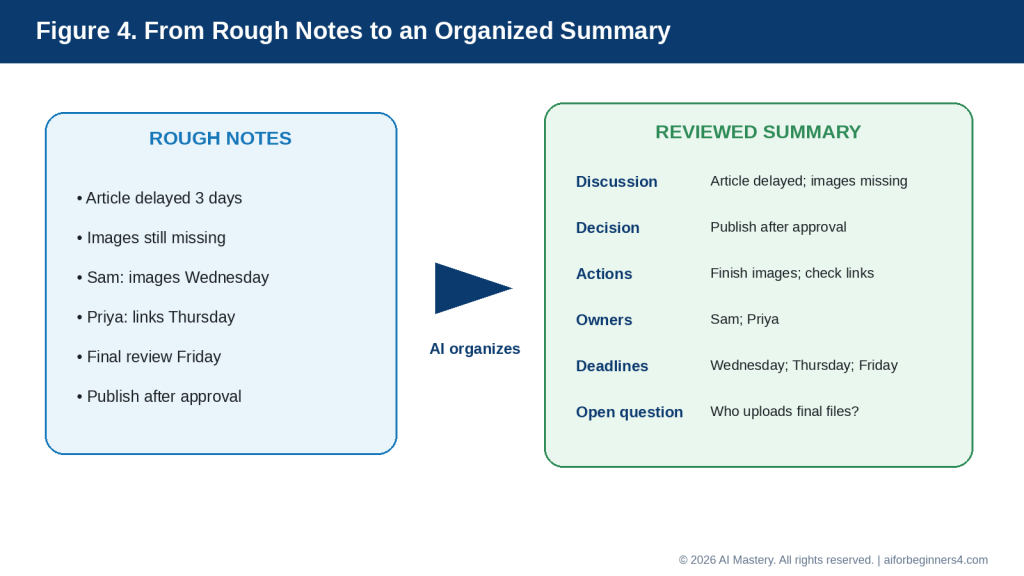
    Step 4: Collect the Source Material

    Save the useful information together with its source.

    For each item, record:

    · The main fact or claim

    · Source title

    · Source link

    · Publication or update date when available

    · Date you checked it

    · Any notes about reliability or limitations

    This can prevent you from forgetting where a fact came from.

    Step 5: Ask AI to Organize the Information

    Once you have several notes or source extracts, ask AI to group them.

    For example:

    “Organize these research notes into main findings, benefits, limitations, unanswered questions, and sources. Do not add information that is not in the notes.”

    Step 6: Compare Conflicting Information

    Different sources may not always agree.

    You can ask:

    “Compare these sources and show where they agree, where they differ, and what needs further verification.”

    Do not assume that the most confident-sounding source is automatically correct.

    Step 7: Identify Missing Information

    Ask AI to show the gaps instead of filling them.

    For example:

    “Review these notes and list the important questions that are still unanswered. Do not guess the answers.”

    This helps you decide what to research next.

    Step 8: Verify Important Claims

    Return to the original sources and confirm important facts.

    Pay special attention to:

    Figure 8. Verification checklist for important claims

    Explanation: Before relying on important research, check dates, numbers, prices, policies, features, legal or safety details, licences, and original source support.

    · Dates

    · Numbers

    · Prices

    · Policies

    · Features

    · Limits

    · Legal requirements

    · Health or safety information

    · Licensing conditions

    Step 9: Create a Final Research Structure

    After verification, ask AI to organize the checked information into the format you need.

    For example:

    “Turn these verified notes into a beginner-friendly outline with headings, key facts, benefits, limitations, and a short conclusion.”

    Step 10: Keep the Sources with the Final Notes

    Do not separate your final summary from the evidence behind it.

    Keep:

    · Source links

    · Original notes

    · Verified facts

    · Important dates

    · Any unresolved questions

    This makes future updates much easier.

    How to Avoid This Mistake: Do not ask AI to research a broad topic and then treat the first response as finished research. Use AI to support the process, but verify important information using reliable sources.

    Useful AI Prompts for Research and Information Organization

    Reusable prompts can make research faster and more consistent. Replace the bracketed information with your own topic, notes, or sources.

    Prompt for Narrowing a Topic

    “Help me turn this broad topic into five focused research questions for a beginner: [topic].”

    Prompt for Summarizing a Source

    “Summarize this source in five bullet points. Keep the important facts, dates, limitations, and warnings. Do not add information that is not in the source.”

    Prompt for Comparing Sources

    “Compare these sources. Show where they agree, where they differ, and which points still need verification. Do not decide which source is correct unless the evidence clearly supports it.”

    Prompt for Organizing Research Notes

    “Organize these research notes into clear sections with headings. Group related ideas together and keep the original meaning.”

    Prompt for Identifying Missing Information

    “Review these research notes and list the important questions that are still unanswered. Do not guess the answers.”

    Prompt for Separating Facts from Opinions

    “Separate the factual claims, opinions, recommendations, and uncertain statements in these notes. Mark anything unclear as ‘Needs review.’”

    Prompt for Creating a Research Table

    “Create a table from these notes with columns for topic, main finding, source, date, limitation, and verification status.”

    Prompt for Creating an Outline

    “Turn these verified research notes into a beginner-friendly outline. Include main points, benefits, limitations, practical examples, and questions that still need checking.”

    Prompt for Checking Source Support

    “Review this summary against the source material. Identify any statement that is not clearly supported by the sources. Do not correct it automatically—show me what needs review.”

    Prompt for Updating Old Research

    “Review these notes and identify any information that may have changed since [date]. List what should be checked again using current official sources.”

    Prompt for Creating a Short Summary

    “Create a short summary of these verified findings. Include the main conclusion, important limitations, and any unresolved questions.”

    Prompt for Final Research Review

    “Review these research notes for unsupported claims, conflicting information, missing sources, outdated dates, and facts that still need verification.”

    Final Check Before Using Any Prompt: Keep the original source material, save the source links, and do not treat an AI-generated summary as verified research until you have checked the important claims yourself.

    Practical Example: Organize Research from Several Sources

    Suppose you are researching a topic such as:

    “Which AI tool is easiest for a complete beginner?”

    You collect notes from several official sources and write down:

    · Tool A has a free plan

    · Tool A can help with writing and summarizing

    · Tool B can work with documents

    · Tool B has different privacy settings

    · Tool C includes web research features

    · Some features depend on the plan

    · Some information may have changed recently

    Your notes are useful, but they are not yet organized.

    You could ask AI:

    “Organize these research notes into main findings, benefits, limitations, plan-dependent features, privacy considerations, and points that need verification. Do not add information that is not in the notes.”

    A clearer result might look like this:

    Main Findings

    · Several AI tools offer beginner-friendly features.

    · Different tools focus on different tasks.

    · Some features depend on the user’s plan.

    · Privacy settings differ between providers.

    Benefits

    · Tool A supports writing and summarizing.

    · Tool B can work with documents.

    · Tool C includes web research features.

    Limitations

    · The notes do not show which tool is easiest overall.

    · Plan availability may affect the comparison.

    · Some information may be outdated.

    Privacy Considerations

    · Tool B has privacy settings that should be reviewed.

    · The notes do not provide enough information to compare all providers’ privacy practices.

    Needs Verification

    · Current plan availability

    · Current feature limits

    · Current privacy settings

    · Whether the free plans still include the listed features

    Why This Format Helps

    The AI has organized the information without pretending that the notes answer every question.

    It also keeps uncertainty visible.

    For example, the notes do not prove:

    “Tool A is the easiest AI tool for beginners.”

    A responsible summary should therefore avoid making that conclusion unless the evidence supports it.

    Ask AI to Create a Research Table

    You could then ask:

    “Create a comparison table using only these notes. Include columns for tool, main use, benefit, limitation, privacy note, and verification status.”

    A simple structure might be:

    ToolMain UseBenefitLimitationPrivacy NoteVerification Status
    Tool AWriting and summarizingFree plan mentionedEase of use not confirmedNot specifiedNeeds current check
    Tool BDocumentsWorks with documentsPlan details not confirmedPrivacy settings mentionedNeeds current check
    Tool CWeb researchResearch features mentionedPlan limits unknownNot specifiedNeeds current check

    Verify Before Reaching a Conclusion

    The next step is not to ask AI to choose a winner immediately.

    Instead, check the current official sources for:

    · Free-plan availability

    · Feature limits

    · Privacy controls

    · Supported file types

    · Current access conditions

    · Any major recent changes

    Only after verifying those details should you make a recommendation.

    Figure 9. Organize a comparison without overclaiming

    Explanation: A comparison table can clearly show what is known, what is missing, and what still needs a current check.

    Reality: AI can turn scattered research into a useful structure, but organization is not the same as verification. A clear table can still contain outdated or incomplete information if the original research has not been checked.

    Benefits of Using AI for Research and Organization

    AI can make research easier to manage when you already have source material but need help sorting, comparing, or summarizing it.

    Helps You Start with a Clearer Plan

    A broad topic can quickly become overwhelming.

    AI can help break it into smaller questions so you know what to look for.

    For example:

    “Turn this topic into five beginner-friendly research questions: choosing an AI tool for writing.”

    This can give your research a clearer direction.

    Helps Organize Large Amounts of Information

    When notes come from several sources, AI can group related ideas into categories.

    For example, it can separate information into:

    · Features

    · Benefits

    · Limitations

    · Privacy

    · Cost

    · Accessibility

    · Questions that still need answers

    This makes the research easier to review.

    Helps Compare Sources

    AI can help show where sources agree and where they differ.

    For example:

    “Compare these three sources and show the main agreements, differences, and unresolved points.”

    This can save time when several sources discuss the same topic in different ways.

    Helps Identify Research Gaps

    AI can point out missing information.

    For example:

    “Review these notes and list the questions I still need to answer.”

    This is useful because it helps you continue the research instead of assuming the work is finished.

    Helps Create Consistent Notes

    You can ask AI to use the same structure for every source.

    For example:

    “Summarize each source using these headings: main point, important facts, limitations, source date, and questions to verify.”

    This can make different sources easier to compare.

    Helps Turn Notes into Useful Formats

    AI can convert research into:

    · Outlines

    · Tables

    · Checklists

    · Summaries

    · Topic groups

    · Question lists

    · Comparison charts

    The best format depends on what you plan to do with the information.

    Figure 10. Choose the best format for your research

    Explanation: Outlines, tables, checklists, and theme groups each organize research in a different useful way.

    Helps Reduce Repetition

    Research notes often contain the same point several times.

    AI can help remove repeated wording while keeping the important information.

    For example:

    “Remove duplicate points from these notes but keep every unique fact and source.”

    Helps Prepare for Writing

    Once the research is verified, AI can help organize it into an article, report, presentation, or study outline.

    For example:

    “Turn these verified notes into an article outline for complete beginners. Do not add information beyond the notes.”

    Makes Future Updates Easier

    If your notes clearly show sources, dates, and verification status, it becomes easier to update the research later.

    You can quickly see:

    · Which facts are old

    · Which claims need rechecking

    · Which sources are still current

    · Which questions remain unresolved

    Benefit: AI can reduce the time spent organizing research, but the real value comes from combining that organization with reliable sources and careful verification.

    Limitations and Common Mistakes

    AI can make research faster and easier to organize, but it can also create misleading results if the information is not checked carefully.

    Limitation: AI Can Produce Incorrect Information

    AI may provide information that sounds confident even when it is incomplete, outdated, or wrong.

    How to Reduce This Limitation: Verify important claims using reliable original or official sources.

    Pay extra attention to:

    · Dates

    · Prices

    · Policies

    · Technical specifications

    · Legal requirements

    · Health information

    · Financial information

    · Licensing terms

    Limitation: AI May Combine Different Sources Incorrectly

    When several sources are summarized together, AI may accidentally merge details that do not belong together.

    How to Reduce This Limitation: Ask AI to keep each source separate before creating a combined summary.

    For example:

    “Summarize each source separately first. Then compare them in a second section.”

    Limitation: AI May Miss Important Context

    A short summary may leave out conditions, exceptions, warnings, or limitations.

    How to Reduce This Limitation: Ask AI to include important qualifications.

    For example:

    “Summarize this source, but keep all important limitations, exceptions, and conditions.”

    Common Mistake: Treating the AI Response as the Source

    AI can explain information, but the AI response itself may not be the original evidence.

    How to Avoid This Mistake: Save and cite the original source whenever possible.

    Common Mistake: Using Outdated Information

    Research about technology, policies, prices, and software can become outdated quickly.

    How to Avoid This Mistake: Check the source date and confirm important information using current official sources.

    Common Mistake: Asking a Question That Is Too Broad

    A prompt such as:

    “Research artificial intelligence.”

    can produce a very large and unfocused response.

    How to Avoid This Mistake: Narrow the topic.

    For example:

    “Research the main privacy considerations beginners should check before using an AI writing tool.”

    Common Mistake: Collecting Information Without Saving Sources

    It is easy to forget where a useful fact came from.

    How to Avoid This Mistake: Record the source link or reference at the same time you save the fact.

    Common Mistake: Assuming All Sources Are Equally Reliable

    A personal blog, company marketing page, government document, and original research study do not necessarily have the same level of authority.

    How to Avoid This Mistake: Consider who published the information, why it was published, whether evidence is provided, and whether more authoritative sources are available.

    Common Mistake: Asking AI to Fill Research Gaps

    If information is missing, AI may try to create a plausible answer.

    How to Avoid This Mistake: Use instructions such as:

    “If the source does not answer the question, write ‘Not found in the source.’ Do not guess.”

    Common Mistake: Ignoring Conflicting Sources

    Different sources may disagree because:

    · One is outdated

    · They use different definitions

    · They describe different plans or products

    · The rules differ by location

    · New information has replaced old guidance

    How to Avoid This Mistake: Investigate the disagreement rather than choosing whichever answer sounds better.

    Common Mistake: Sharing Private Documents Without Review

    Research files may contain personal, customer, employee, financial, or confidential business information.

    How to Avoid This Mistake: Remove unnecessary sensitive details before uploading or pasting information into an AI tool.

    Common Mistake: Losing the Original Research

    If you keep only an AI-generated summary, you may later have difficulty checking what the original source actually said.

    How to Avoid This Mistake: Preserve the original source files, links, notes, and important versions until the work is complete.

    Reality: AI can make research look organized very quickly, but good organization does not prove that the information is current, complete, or correct.

    Common Myths About Using AI for Research

    AI can help organize and summarize research, but it is important to understand what it can and cannot do.

    Myth 1: AI Always Gives Correct Answers

    AI can produce information that sounds confident even when it is wrong, outdated, or incomplete.

    Reality: Important claims should be checked against reliable original or official sources.

    Myth 2: If AI Provides a Source, the Information Must Be Reliable

    A source may exist but still be outdated, misunderstood, or unsuitable for the question.

    Reality: Open the source yourself and check whether it actually supports the claim.

    Myth 3: AI Can Replace Original Sources

    AI can summarize a report, webpage, or document, but the summary is not the same as the original evidence.

    Reality: Keep and consult the original source when accuracy matters.

    Myth 4: A Longer AI Answer Means Better Research

    A long response may contain repetition, assumptions, or unsupported details.

    Reality: Good research depends more on source quality, verification, and relevance than on response length.

    Myth 5: AI Can Automatically Tell Which Source Is Best

    AI can compare sources, but it may not fully understand authority, bias, context, or why sources disagree.

    Reality: Consider who published the source, when it was published, what evidence it provides, and whether a more authoritative source exists.

    Myth 6: AI Can Safely Fill in Missing Information

    If your notes contain a gap, AI may produce a plausible answer.

    Reality: Missing information should remain clearly marked until it is verified.

    A useful instruction is:

    “If the answer is not supported by the source, write ‘Not confirmed.’ Do not guess.”

    Myth 7: AI Can Decide Which Conflicting Claim Is True

    Two sources may disagree for legitimate reasons.

    For example:

    · They may refer to different dates.

    · They may describe different countries.

    · They may refer to different product plans.

    · One may be outdated.

    · They may use different definitions.

    Reality: Investigate the reason for the disagreement before reaching a conclusion.

    Myth 8: AI Research Does Not Need Updating

    Information can change after your research is completed.

    This is especially common with:

    · AI tools

    · Software

    · Prices

    · Plans

    · Policies

    · Regulations

    · Platform rules

    Reality: Record when you checked important information and review time-sensitive claims periodically.

    Myth 9: An Organized Summary Is the Same as Verified Research

    AI can turn messy notes into an impressive-looking table or report.

    Reality: Good formatting does not prove the underlying facts are correct.

    Myth 10: AI Can Replace Human Judgment

    AI can help you organize information, identify patterns, and suggest questions, but it cannot take responsibility for the conclusion.

    Reality: You remain responsible for deciding whether the evidence is reliable, complete, current, and suitable for your purpose.

    The best use of AI in research is to help manage information while keeping the evidence, verification, and final conclusions under human control.

    When to Use AI and When Human Review Matters Most

    AI can help with routine research and information organization, but some topics require much more careful human review.

    Good Uses for AI Research Assistance

    AI can be helpful for:

    · Turning a broad topic into focused questions

    · Summarizing source material

    · Grouping related notes

    · Comparing several sources

    · Creating tables or outlines

    · Identifying missing information

    · Separating confirmed facts from uncertain claims

    · Organizing source links and dates

    · Preparing a first draft from verified notes

    · Highlighting information that may need updating

    For these tasks, AI can save time and make information easier to manage.

    Use Extra Care with High-Stakes Topics

    Some research can affect important decisions.

    Examples include:

    · Legal matters

    · Medical or health information

    · Financial decisions

    · Employment issues

    · Contracts

    · Safety guidance

    · Regulations

    · Privacy requirements

    AI may help organize the information, but important conclusions should be checked using current authoritative sources and, when appropriate, qualified professional advice.

    Keep the Original Evidence

    Do not rely only on the AI-generated summary.

    Keep:

    · Original documents

    · Source links

    · Publication dates

    · Notes

    · Screenshots when useful

    · Important versions

    · Verification records

    This makes it easier to correct errors or update the research later.

    Use AI as an Organizer, Not as the Final Authority

    A practical workflow is:

    Figure 11. Human review keeps AI-assisted research reliable

    Explanation: AI can speed up organization, but people remain responsible for checking evidence, correcting errors, and approving conclusions.

    1. Define the research question.

    2. Find reliable sources.

    3. Save the source information.

    4. Use AI to summarize or organize it.

    5. Compare the AI output with the originals.

    6. Verify important claims.

    7. Correct anything unsupported or outdated.

    8. Create the final summary or conclusion.

    Be Careful with Recommendations

    A research summary may lead to a recommendation, but AI should not make the final decision without enough evidence.

    For example, if you are comparing software tools, check:

    · Current features

    · Current prices

    · Current plan limits

    · Privacy controls

    · Licensing conditions

    · Accessibility

    · Your own needs

    Distinguish Evidence from Interpretation

    A useful final research document should make it clear which statements are:

    · Directly supported by sources

    · Your interpretation

    · AI-generated suggestions

    · Unverified

    · Still uncertain

    Reality: AI is most valuable when it helps organize and understand evidence. The final responsibility for accuracy, verification, and conclusions remains with the person doing the research.

    Privacy, Copyright, and Responsible Research

    Research often involves information created by other people or information that may be private. AI can help organize that material, but you should still consider privacy, permission, copyright, and source attribution.

    Figure 12. Privacy and copyright checks

    Explanation: Protect personal information, confirm permission to upload documents, credit sources when appropriate, and check licences before reusing assets.

    Protect Personal Information

    Before uploading notes, documents, screenshots, or other research material to an AI tool, remove personal information that is not needed.

    The Office of the Privacy Commissioner of Canada recommends limiting the personal information shared with AI tools, reviewing privacy settings, and avoiding unnecessary sharing of other people’s personal data.

    You can use placeholders such as:

    · [PERSON NAME]

    · [CUSTOMER NAME]

    · [ADDRESS]

    · [ACCOUNT NUMBER]

    · [PRIVATE DETAIL]

    Do Not Assume You Can Upload Any Document

    Having access to a document does not automatically mean you should upload it to an AI service.

    Before uploading material, consider:

    · Is it confidential?

    · Does it contain another person’s private information?

    · Does your workplace or organization allow it?

    · Do you have permission to share it with the AI service?

    · Does the provider’s privacy policy meet your needs?

    This is especially important for customer records, employee information, contracts, medical information, financial records, and private business documents.

    Respect Copyright

    Research sources such as articles, books, photographs, reports, diagrams, videos, and other creative works may be protected by copyright.

    The Canadian Intellectual Property Office explains that copyright protects original literary, artistic, dramatic, and musical works and gives copyright owners legal rights over uses such as reproduction and publication.

    Do not assume that information found online is automatically free to copy, republish, or use commercially.

    Facts and Creative Expression Are Different

    You can research facts and ideas, but copying a source’s original wording, images, diagrams, or other protected expression may raise different copyright considerations.

    For beginner research, a safer approach is to:

    · Read and understand the source

    · Record the important facts

    · Write the explanation in your own words

    · Cite or link to the source when appropriate

    · Use only images or other materials you have permission or a suitable licence to use

    Copyright rules vary by country and situation, so seek appropriate legal advice when a specific use has important consequences. The Canadian Intellectual Property Office also notes that its copyright guidance is introductory rather than a complete statement of the law.

    Keep Source Attribution

    When AI summarizes a source, do not remove the record of where the information came from.

    Keep:

    · Source title

    · Author or organization when available

    · Source link

    · Publication or update date

    · Date checked

    · Notes about what information came from that source

    This makes your research easier to verify and update.

    Avoid Plagiarism

    Do not use AI simply to rewrite someone else’s work so that it appears to be your own original research.

    Instead, use AI to help you:

    · Understand the information

    · Organize your notes

    · Compare sources

    · Identify themes

    · Create an outline from your own verified research

    Then write the final work in a way that accurately represents the sources and gives appropriate credit.

    Check Licences for Reusable Material

    If you want to reuse:

    · Photographs

    · Charts

    · Illustrations

    · Videos

    · Music

    · Templates

    · Stock assets

    · Data sets

    check the licence and any commercial-use, attribution, modification, or redistribution conditions.

    Do not assume that an AI tool’s ability to access or describe an asset means you have permission to republish it.

    Preserve Important Research Records

    For research that may later be published, keep:

    · Original source files

    · Source links

    · Research notes

    · Permissions

    · Licences

    · AI prompts when useful

    · Important draft versions

    · Final publication records

    These records can help if you later need to verify a fact, update the research, or confirm that you had permission to use an asset.

    Reality: AI can help organize research, but it does not automatically give you permission to use someone else’s content or remove your responsibility to protect personal information, verify sources, and respect copyright.

    Frequently Asked Questions

    Can AI do all of my research for me?

    AI can help you find questions to investigate, organize notes, summarize source material, and compare information.

    However, it should not replace checking the original evidence.

    For important research, verify key facts using reliable sources before reaching a conclusion.

    Can AI summarize a long article or report?

    Yes.

    You can ask:

    “Summarize this source in five bullet points. Keep the important facts, dates, limitations, and warnings. Do not add information that is not in the source.”

    Then compare the summary with the original source.

    Can AI compare two or more sources?

    Yes.

    You can ask:

    “Compare these sources and show where they agree, where they differ, and what still needs verification.”

    This can help organize conflicting information.

    Can AI tell me which source is more reliable?

    It can help identify differences such as:

    · Publisher

    · Date

    · Type of source

    · Evidence provided

    · Whether the source is official or secondary

    But you should still make the final judgment about reliability.

    Should I always use official sources?

    For information about software features, prices, policies, privacy, licences, regulations, and other changing details, official or primary sources are usually the best starting point.

    For broader research, you may also need academic studies, reputable journalism, books, standards organizations, or other appropriate sources.

    What should I do if two reliable sources disagree?

    Do not force an immediate answer.

    Check:

    · Publication dates

    · Definitions

    · Geographic scope

    · Product or plan differences

    · Whether one source has been updated

    · Whether the sources are answering slightly different questions

    If the disagreement remains unresolved, state that clearly.

    Can AI help me organize research into a table?

    Yes.

    For example:

    “Create a table with columns for source, main claim, date, limitation, and verification status.”

    Tables can make comparisons easier to review.

    Can AI tell me what information is missing?

    Yes.

    You can ask:

    “Review these notes and list the important questions that are still unanswered. Do not guess the answers.”

    This is often more useful than asking AI to fill the gaps.

    Can AI help me write an article from my research?

    Yes.

    After you have verified the research, AI can help create:

    · An outline

    · Headings

    · A first draft

    · A summary

    · A comparison table

    · FAQs

    Tell AI to use only the verified notes and sources you provide.

    Should I save the original sources after creating the final summary?

    Yes.

    Keep the original source files, links, notes, and important dates so you can verify or update the research later.

    Can I upload confidential research documents to an AI tool?

    You should not assume that you can.

    Review the document first and consider privacy, permission, workplace rules, contractual obligations, and the provider’s data policies.

    Remove unnecessary sensitive information when possible.

    Is information generated by AI automatically copyright-free?

    No.

    AI-generated or AI-assisted output should not automatically be assumed to be free of copyright, licensing, or other legal restrictions.

    If your work includes third-party text, images, charts, music, stock assets, or other material, check the applicable permissions and licence conditions.

    Do I need to cite sources when AI helped me organize the research?

    AI assistance does not remove the need to credit the original sources when attribution is appropriate.

    The important point is to preserve where the facts and evidence came from.

    How often should I update research?

    It depends on the subject.

    Stable historical information may change very little, while software features, prices, policies, regulations, and platform rules can change quickly.

    Record when you checked important information and review time-sensitive claims periodically.

    Is an AI-organized research summary automatically reliable?

    No.

    AI can make information look clear and well structured even when the source material is incomplete, outdated, or wrong.

    Reality: AI can help you manage research more efficiently, but good research still depends on reliable sources, careful verification, and clear records of where the information came from.

    Key Takeaways

    AI can make research easier to organize, compare, and review, but it does not replace reliable sources or careful verification.

    Remember these main points:

    · Start with a clear research question.

    · Break broad topics into smaller questions.

    · Prefer reliable original, official, or authoritative sources when possible.

    · Save source links, dates, and notes as you research.

    · Ask AI to summarize, compare, group, or structure information rather than simply asking for a final answer.

    · Keep different sources separate before combining them.

    · Tell AI not to guess missing information.

    · Mark unsupported claims as “Needs verification.”

    · Check important facts, dates, prices, policies, limits, and legal or safety information against the original source.

    · Pay attention to whether information may be outdated.

    · Preserve your original research notes and source material.

    · Remove unnecessary personal or confidential information before using an AI tool.

    · Respect copyright, licences, permissions, and attribution requirements.

    · Keep a clear distinction between source-supported facts, your interpretation, AI suggestions, and unresolved questions.

    · Use extra care with legal, medical, financial, employment, regulatory, privacy, or other high-consequence topics.

    · Review the final research yourself before publishing or relying on it.

    The most useful role for AI in research is to help you manage information more efficiently while keeping the evidence, verification, permissions, and final conclusions under human control.

    Final Tip

    Use AI to organize research, not to replace the research process.

    A simple workflow is:

    1. Start with a clear question.

    2. Find reliable sources.

    3. Save the source links and dates.

    4. Use AI to summarize or organize the information.

    5. Compare the AI output with the original sources.

    6. Verify important claims.

    7. Mark anything uncertain as “Needs verification.”

    8. Keep the final notes together with the source record.

    A useful prompt is:

    “Organize these research notes into confirmed findings, source-supported facts, limitations, unresolved questions, and items that still need verification. Do not invent missing information.”

    This approach helps you get the organizational benefits of AI without losing control of the evidence.

    For research that may later be published, also keep the original files, source links, important screenshots, permissions, licences, prompts when useful, and final versions.

    The goal is to make research easier to manage while keeping accuracy, evidence, privacy, copyright, and final judgment under your control.

    Continue Learning

    After you learn how to research and organize information with AI, continue with these related AI Mastery guides:

    · Article 077 — AI Productivity for Beginners: Complete Guide (2026) — Review the broader ways AI can help with planning, writing, research, organization, and everyday work.

    · Article 078 — How to Create a Daily Plan with ChatGPT (2026) — Learn how to turn tasks, appointments, and priorities into a realistic daily schedule.

    · Article 079 — How to Write and Improve Emails with AI (2026) — Learn how to draft, rewrite, shorten, and improve everyday emails with AI.

    · Article 080 — How to Prepare Meeting Agendas and Notes with AI (2026) — Learn how AI can help prepare meetings, organize notes, identify action items, and create follow-up summaries.

    · Article 082 — How to Create a Personal Study Plan with AI (2026) — Learn how AI can help organize study goals, subjects, review sessions, and progress. Link after Article 082 is published.

    · Article 083 — How to Organize Files, Tasks, and Projects with AI (2026) — Learn how AI can help structure ongoing work, files, tasks, and larger projects. Link after Article 083 is published.

    These guides build on the same basic approach used in this article: give AI clear instructions, use reliable sources, protect unnecessary private information, verify important claims, and keep final decisions under human control.

    Sources and References

    The following official sources were reviewed for this guide. AI research features, search tools, privacy practices, copyright guidance, plan availability, and usage limits can change, so readers should check current provider information when first using a feature, after changing plans or accounts, after receiving a policy update, and periodically.

    · OpenAI Help Center — Deep Research in ChatGPT. Explains how ChatGPT Deep Research can work across multiple sources and produce reports with citations or source links that readers can open and verify. (OpenAI Help Center)

    · OpenAI Help Center — Does ChatGPT Tell the Truth? Explains that ChatGPT can make mistakes and that search and deep research can use current web sources with citations, reinforcing the need to check important information rather than relying only on an AI response. (OpenAI Help Center)

    · OpenAI Help Center — Apps in ChatGPT. Explains that apps can support multi-source Deep Research and can provide citations back to original material, subject to plan and workspace configuration.

    · Google Gemini Apps Help — Use Deep Research in Gemini Apps. Explains that Gemini Deep Research can use Google Search and, depending on setup and permissions, other sources such as uploaded files and connected Google content.

    · Microsoft Support — Get Started with Researcher in Microsoft 365 Copilot. Describes Researcher as a tool for gathering, analyzing, and summarizing information from the web and accessible work content, with structured reports and source citations. (Microsoft Support)

    · Office of the Privacy Commissioner of Canada — Privacy and Artificial Intelligence. Provides Canadian privacy information and guidance related to AI technologies and the handling of personal information. (Office of the Privacy Commissioner of Canada)

    · Office of the Privacy Commissioner of Canada — Principles for Responsible, Trustworthy and Privacy-Protective Generative AI. Explains privacy principles that organizations developing, providing, or using generative AI should consider, including appropriate handling of personal information. (Office of the Privacy Commissioner of Canada)

    · Canadian Intellectual Property Office — A Guide to Copyright. Explains the basic protection provided by Canadian copyright law for original literary, artistic, dramatic, and musical works and discusses rights associated with protected works. (Canadian Intellectual Property Office)

    · Canadian Intellectual Property Office — Copyright: Learn the Basics. Provides beginner-oriented information about what copyright protects and considerations for legally using the works of other people. (Canadian Intellectual Property Office)

    These sources support the research, source-verification, citation, privacy, copyright, and responsible-use guidance in this article.

    AI-generated research reports and summaries should be treated as research assistance rather than proof that every statement is correct. Readers should open important cited sources, verify that they actually support the claim being made, check publication and update dates, and confirm time-sensitive information before relying on it. OpenAI, Google, and Microsoft all currently provide AI-assisted research features that work with multiple sources, but the available features and access conditions differ and may change.

    For legal, medical, financial, employment, regulatory, privacy, copyright, or other high-consequence research, this article provides general educational information only and is not a substitute for appropriate professional advice.

  • How to Prepare Meeting Agendas and Notes with AI (2026)

    How to Prepare Meeting Agendas and Notes with AI (2026)

    Estimated reading time: 30–35 minutes
    Last updated: August 16, 2026

    Introduction

    Meetings are easier to manage when everyone knows what will be discussed, what decisions need to be made, and what should happen afterward.

    AI can help you prepare a clear meeting agenda before the meeting and organize your notes after it.

    For example, instead of starting with a blank page, you could give an AI tool a few details such as:

    · The purpose of the meeting

    · The people attending

    · The main topics

    · The available meeting time

    · Questions that need answers

    You could then ask:

    “Create a 30-minute meeting agenda for a small project team. We need to review progress, discuss two problems, decide the next steps, and assign responsibilities.”

    AI can turn those notes into a structured agenda with suggested sections and time blocks.

    After the meeting, AI can also help organize rough notes into:

    · Main discussion points

    · Decisions made

    · Action items

    · Responsibilities

    · Deadlines

    · Questions that still need answers

    For example, you could ask:

    “Organize these meeting notes into a short summary. Separate decisions, action items, owners, and deadlines. Do not invent anything that is not in my notes.”

    AI can save time and make meeting information easier to review, but it should not be trusted to decide what actually happened in a meeting. It can misunderstand notes, omit details, or create information that was never discussed.

    Always review AI-generated agendas, summaries, action items, names, dates, deadlines, and responsibilities before sharing them with other people.

    In this guide, you will learn how to use AI to prepare meeting agendas, organize meeting notes, identify action items, improve clarity, protect confidential information, and avoid common mistakes.

    Figure 1. AI meeting workflow: prepare before the meeting, capture clear information during it, and verify the AI-organized output afterward.

    Explanation: This workflow shows where AI can help without replacing the people who make decisions and confirm what actually happened.

    Before You Start

    You do not need special technical skills to use AI for meeting agendas or notes. You mainly need to provide clear information about the meeting.

    Before asking AI to help, prepare:

    · The purpose of the meeting

    · The expected attendees or roles

    · The main topics to discuss

    · The total meeting time

    · Any decisions that need to be made

    · Questions that need answers

    · Important deadlines or follow-up items

    · Any existing notes or documents you want to use

    Figure 2. Give AI the meeting purpose, attendees, topics, available time, decisions needed, and important questions.

    Explanation: Providing these details gives the AI enough context to create a more focused agenda instead of a generic list of meeting topics.

    Decide What the Meeting Needs to Achieve

    A useful agenda should have a clear purpose.

    For example:

    · Review project progress

    · Solve a problem

    · Make a decision

    · Assign responsibilities

    · Share updates

    · Plan next steps

    · Prepare for a deadline

    If the purpose is unclear, the agenda may become too broad or include unnecessary topics.

    A better prompt would be:

    “Create a 45-minute meeting agenda for a project team. The goal is to review progress, solve one scheduling problem, and assign next steps.”

    This gives AI a clearer task than simply asking:

    “Create a meeting agenda.”

    Protect Confidential Information

    Meeting notes can contain sensitive information about:

    · Employees

    · Customers

    · Finances

    · Contracts

    · Health information

    · Business plans

    · Internal problems

    · Personal information

    Do not share more information with an AI tool than is necessary.

    If possible, replace sensitive details with placeholders such as:

    · [EMPLOYEE NAME]

    · [CUSTOMER NAME]

    · [PROJECT NAME]

    · [AMOUNT]

    · [CONFIDENTIAL ISSUE]

    You can add the correct details yourself later if needed.

    Confirm Permission Before Using Recordings or Transcripts

    Some AI tools can help summarize meeting recordings or transcripts.

    Before recording, uploading, or processing a meeting, make sure you have the appropriate permission and follow any workplace, organizational, contractual, or legal requirements that apply.

    Do not assume that recording a meeting is automatically allowed.

    Keep the Original Notes

    When AI helps organize meeting notes, keep the original notes, transcript, or source material until you have checked the AI-generated summary.

    This makes it easier to confirm:

    · What was actually said

    · Who agreed to each action

    · Which deadlines were mentioned

    · Whether any important detail was omitted

    Reality: AI can organize meeting information, but it should not be treated as the official record until a person has reviewed the result.

    What You’ll Learn

    By the end of this guide, you will know how to:

    · Create a clear meeting agenda with AI.

    · Turn a few meeting goals into organized discussion points.

    · Add suggested time blocks to an agenda.

    · Prepare questions before the meeting.

    · Organize rough notes after the meeting.

    · Separate discussion points from decisions.

    · Identify action items, owners, and deadlines.

    · Ask AI to summarize notes without inventing information.

    · Review AI-generated meeting summaries for mistakes.

    · Protect confidential or sensitive meeting information.

    · Use placeholders when real names or private details are not necessary.

    · Decide when AI is useful and when human review is especially important.
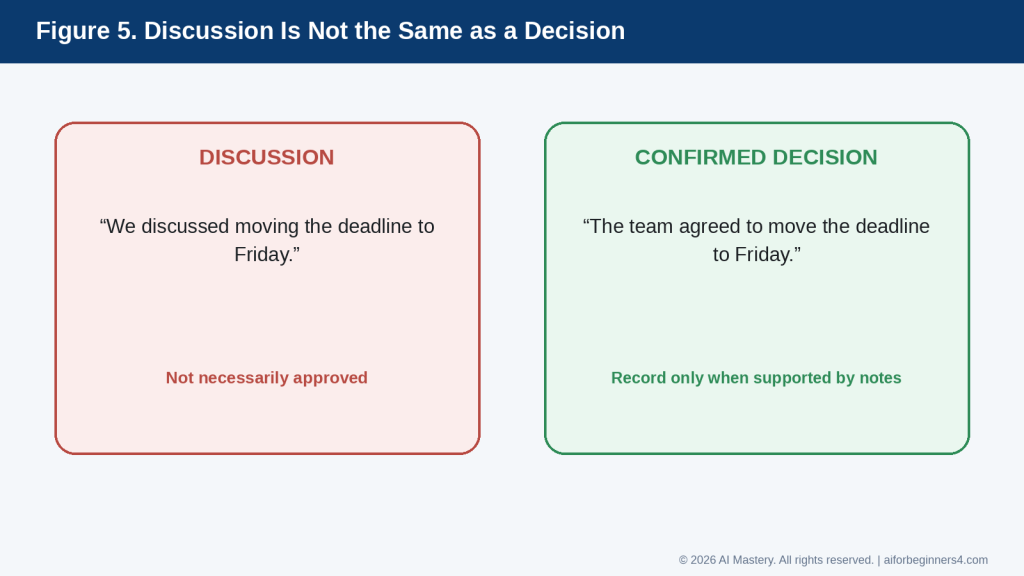
    You will also learn how to keep the agenda focused, make meeting notes easier to scan, and create a useful follow-up summary after the meeting.

    The goal is not to let AI decide what happened in a meeting. The goal is to use AI to help organize information that people have already provided, discussed, or agreed on.

    How AI Can Help Before, During, and After a Meeting

    AI can support several parts of the meeting process. It can help you prepare before the meeting, organize information during or after the meeting, and create a clearer follow-up record.

    Before the Meeting: Create the Agenda

    Before the meeting starts, AI can help turn a simple list of goals into a structured agenda.

    For example:

    “Create a 45-minute agenda for a project meeting. We need to review progress, discuss two delays, decide who will handle the next tasks, and confirm the deadline.”

    AI can suggest an order such as:

    · Welcome and meeting goal

    · Progress update

    · Problems or delays

    · Decisions needed

    · Action items

    · Next steps

    You should review the suggested order and adjust it to fit the real priorities of the meeting.

    Before the Meeting: Prepare Questions

    AI can also help you think about useful questions.

    For example:

    “Give me five questions to ask during a project-status meeting about delays, responsibilities, risks, and next steps.”

    This can help you prepare before the meeting instead of thinking of every question at the last minute.

    During the Meeting: Organize Notes

    You can take rough notes during the meeting and organize them later with AI.

    For example, your notes might look like:

    · Website article delayed

    · Images still needed

    · Alex checking links

    · Final review Thursday

    · Publish Friday if approved

    You could ask:

    “Organize these notes into discussion points, decisions, action items, owners, and deadlines. Do not add any information that is not in the notes.”

    After the Meeting: Create a Summary

    AI can help turn rough notes into a short summary.

    A useful summary may include:

    · Meeting purpose

    · Main topics discussed

    · Decisions made

    · Action items

    · Assigned responsibilities

    · Deadlines

    · Open questions

    This makes it easier for attendees to see what happened and what needs to happen next.

    After the Meeting: Create Action Items

    AI can help separate general discussion from specific tasks.

    For example:

    “Extract only the action items from these meeting notes. Show the task, responsible person, and deadline. If any information is missing, mark it as ‘Not specified’ instead of guessing.”

    This is an important instruction because AI should not invent an owner or deadline when one was not recorded.

    After the Meeting: Draft a Follow-Up Email

    Once the notes are checked, AI can help create a short follow-up message.

    For example:

    “Write a concise follow-up email summarizing the decisions and action items from this meeting. Use only the information I provide.”

    You should review the email before sending it to make sure it accurately reflects what was agreed.

    Reality: AI can help structure and summarize meeting information, but it does not know which comments were official decisions unless the notes make that clear. Human review remains necessary.

    Step-by-Step: Create a Meeting Agenda with AI

    A useful meeting agenda should make the purpose, topics, timing, and expected decisions clear before the meeting begins.

    Step 1: State the Meeting Purpose

    Start by telling AI why the meeting is happening.

    For example:

    “The purpose of this meeting is to review project progress, discuss delays, and decide the next steps.”

    A clear purpose helps AI keep the agenda focused.

    Step 2: Add the Meeting Length

    Tell AI how much time is available.

    For example:

    “Create a 30-minute agenda.”

    or:

    “Create a 60-minute agenda with time for questions at the end.”

    This helps prevent an agenda from becoming too long for the time available.

    Step 3: List the Main Topics

    Give AI the topics that must be discussed.

    For example:

    · Project progress

    · Current problems

    · Upcoming deadline

    · Responsibilities

    · Next steps

    You can ask AI to organize them in a logical order.

    Step 4: Identify Decisions That Need to Be Made

    Some meetings are mainly for sharing information. Others require decisions.

    Tell AI which decisions matter.

    For example:

    “We need to decide who will complete the final review and whether the deadline should move.”

    This helps AI give decision items enough attention.

    Step 5: Add Time Blocks

    Ask AI to suggest a reasonable amount of time for each section.

    For example:

    “Divide the 45-minute meeting into time blocks and leave five minutes at the end for questions and action items.”

    The time estimates are suggestions. Adjust them if a topic needs more or less discussion.

    Step 6: Ask for a Clear Agenda Format

    A complete prompt could be:

    “Create a 45-minute agenda for a project meeting. The purpose is to review progress, discuss two delays, decide who will handle the remaining tasks, and confirm the deadline. Include suggested time blocks, decisions needed, and five minutes at the end for action items. Keep the agenda simple and professional.”

    Figure 3. A sample 45-minute meeting agenda with realistic time blocks for updates, problems, decisions, responsibilities, and questions.

    Explanation: Time blocks help keep a meeting focused, but the suggested times should be adjusted to match the importance and complexity of each topic.

    Step 7: Review the Draft

    Before sharing the agenda, check:

    · Is the meeting purpose clear?

    · Are the most important topics included?

    · Is the order logical?

    · Are the time blocks realistic?

    · Are decisions clearly identified?

    · Is there time for questions?

    · Is there time to confirm action items?

    Step 8: Remove Unnecessary Topics

    If the agenda is too long, ask AI to simplify it.

    For example:

    “Shorten this agenda so it fits into 30 minutes. Keep only the essential discussion points and decisions.”

    Step 9: Share the Final Agenda

    After reviewing and correcting the draft, share the agenda with attendees using the communication method your organization normally uses.

    If the meeting involves confidential or sensitive matters, make sure the agenda does not reveal information to people who should not receive it.

    How to Avoid This Mistake: Do not let AI fill the agenda with generic topics just to make it look complete. Every agenda item should have a clear reason for being included.

    Step-by-Step: Organize Meeting Notes with AI

    After the meeting, AI can help turn rough notes into a clearer record. The important part is to make sure the AI organizes what was actually recorded rather than filling in missing information.

    Step 1: Keep the Original Notes

    Before editing anything, save the original notes.

    This gives you a source to compare against if the AI summary seems incorrect or incomplete.

    Your original notes might look like:

    · Project behind by three days

    · Images still missing

    · Sam to finish images Wednesday

    · Priya to review links Thursday

    · Final approval Friday

    · Publish after approval

    Step 2: Remove Unnecessary Sensitive Information

    Before pasting notes into an AI tool, remove private or confidential details that are not needed for the task.

    For example, replace:

    “Michael Thompson from ABC Company”

    with:

    “[CLIENT CONTACT]”

    if the real name is not necessary for organizing the notes.

    Step 3: Tell AI Exactly How to Organize the Notes

    A useful prompt might be:

    “Organize these meeting notes into five sections: main discussion points, decisions, action items, responsible person, and deadline. Do not add any information that is not written in the notes. If something is missing, write ‘Not specified.’”

    This instruction helps reduce the chance that AI will guess missing information.

    Step 4: Paste the Notes

    Add the original meeting notes below the prompt.

    For example:

    “Project behind by three days. Images still missing. Sam to finish images Wednesday. Priya to review links Thursday. Final approval Friday. Publish after approval.”

    AI can then organize the information into a clearer format.

    Figure 4. AI can organize rough notes into a structured summary, but the result still needs comparison with the original notes.

    Explanation: The organized version is easier to review because it separates what was discussed from decisions, action items, owners, deadlines, and unresolved questions.

    Step 5: Check the Decisions

    Read the AI-generated “Decisions” section carefully.

    A discussion is not always a decision.

    For example:

    “We talked about moving the deadline.”

    does not necessarily mean:

    “The deadline was moved.”

    Figure 5. A discussion is not automatically a confirmed decision.

    Explanation: This distinction helps prevent AI from turning a suggestion or possibility into an official decision that the meeting participants never approved.

    If the notes do not clearly show that a decision was made, correct the summary.

    Step 6: Check Action Items

    Make sure each action item matches the original notes.

    Check:

    · What needs to be done

    · Who is responsible

    · When it is due

    If any detail was not recorded, it should remain marked as missing rather than being guessed.

    Figure 6. Track each action item with a clear task, confirmed owner, deadline, and status.

    Explanation: Missing information should remain visible instead of being guessed. This makes it easier for the team to confirm what still needs clarification.

    Step 7: Check Names and Deadlines

    Pay special attention to:

    · Names

    · Dates

    · Times

    · Deadlines

    · Responsibilities

    · Numbers

    · Project names

    These details can create confusion if they are wrong.

    Step 8: Ask AI to Simplify the Notes

    If the summary is too long, you can ask:

    “Shorten this meeting summary. Keep all decisions, action items, owners, deadlines, and unresolved questions.”

    Step 9: Approve the Final Version Yourself

    Before sending the summary to other people, compare it with the original notes.

    Only after checking it should you treat the AI-organized version as the final meeting record.

    Figure 7. When meeting information is missing, mark it clearly instead of letting AI guess.

    Explanation: Using labels such as “Not specified” and “Needs confirmation” protects the accuracy of the meeting record and shows exactly what still needs human follow-up.

    How to Avoid This Mistake: Do not assume that a polished summary is automatically accurate. AI can make rough notes look complete even when important information is missing.

    Useful AI Prompts for Meeting Agendas and Notes

    Reusable prompts can save time when you regularly prepare meetings or organize notes. Replace the bracketed information with the details for your meeting.

    Prompt for Creating a Meeting Agenda

    Figure 8. A strong agenda prompt tells AI the meeting length, purpose, important topics or decisions, and the format you want.

    Explanation: Clear prompt components help produce a practical agenda that matches the available meeting time and actual goals.

    “Create a [30/45/60]-minute meeting agenda for [meeting purpose]. The main topics are [topics]. Include suggested time blocks, decisions that need to be made, and time at the end for questions and action items.”

    Prompt for a Short Team Meeting

    “Create a simple 30-minute team meeting agenda. Include progress updates, current problems, priorities, and next steps. Keep the agenda focused and easy to follow.”

    Prompt for a Project-Status Meeting

    “Create a project-status meeting agenda. Cover progress since the last meeting, delays or risks, decisions needed, responsibilities, and upcoming deadlines. Include suggested time blocks.”

    Prompt for Preparing Questions

    “Give me five useful questions to ask during a meeting about [topic]. Focus on progress, problems, risks, responsibilities, and next steps.”

    Prompt for Organizing Rough Notes

    Figure 9. A strong meeting-notes prompt specifies the structure, tells AI not to invent information, and explains how to handle missing details.

    Explanation: These instructions reduce the risk that a polished summary will contain unsupported owners, deadlines, or decisions.

    “Organize these meeting notes into: main discussion points, decisions, action items, responsible person, deadlines, and unresolved questions. Do not invent any information. If a detail is missing, write ‘Not specified.’”

    Then paste your meeting notes below the instruction.

    Prompt for Extracting Action Items

    “Extract only the action items from these notes. For each one, show the task, responsible person, and deadline. If the owner or deadline is not stated, write ‘Not specified.’”

    Prompt for Creating a Short Meeting Summary

    “Create a concise meeting summary from these notes. Include the meeting purpose, main topics, decisions, action items, owners, and deadlines. Do not add information that is not in the notes.”

    Prompt for Checking Whether Something Was a Decision

    “Review these meeting notes and separate confirmed decisions from topics that were only discussed. Do not treat a suggestion or discussion as a decision unless the notes clearly show agreement.”

    Prompt for Finding Missing Information

    “Review these meeting notes and identify any action items that are missing an owner, deadline, or clear task description. Do not guess the missing details.”

    Prompt for Improving Meeting Notes

    “Rewrite these meeting notes so they are clearer and easier to scan. Keep all facts, names, dates, decisions, and responsibilities unchanged.”

    Prompt for a Follow-Up Email

    “Write a short professional follow-up email based only on these reviewed meeting notes. Summarize the confirmed decisions and action items. Keep the tone clear and professional. Do not invent any information.”

    Prompt for Simplifying a Long Summary

    “Shorten this meeting summary while keeping all confirmed decisions, action items, owners, deadlines, and unresolved questions.”

    Prompt for a Final Accuracy Check

    “Compare this meeting summary with the original notes. Identify any statement in the summary that is not clearly supported by the notes. Do not correct it automatically—show me what needs review.”

    Final Check Before Using Any Prompt: Remove unnecessary sensitive information, keep the original notes, and review the AI-generated result before sharing it with other people.

    Practical Example: From Rough Notes to a Clear Meeting Summary

    Suppose a small project team finishes a meeting with these rough notes:

    · Website article delayed by three days

    · Images still missing

    · Sam will finish images Wednesday

    · Priya will check links Thursday

    · Final review Friday

    · Publish after approval

    · Need to confirm who will upload the final files

    These notes contain useful information, but they are not yet organized.

    You could ask AI:

    “Organize these meeting notes into main discussion points, confirmed decisions, action items, responsible person, deadlines, and unresolved questions. Do not invent any information. If something is missing, write ‘Not specified.’”

    A useful result might look like this:

    Main Discussion Points

    · The website article is three days behind schedule.

    · Required images are still missing.

    · Link checking and final review still need to be completed.

    Confirmed Decisions

    · Publication will happen after final approval.

    Action Items

    · Finish the missing images.

    · Check the links.

    · Complete the final review.

    · Upload the final files after approval.

    Responsible People

    · Images — Sam

    · Link checking — Priya

    · Final review — Not specified

    · Final upload — Not specified

    Deadlines

    · Images — Wednesday

    · Link checking — Thursday

    · Final review — Friday

    · Final upload — Not specified

    Unresolved Questions

    · Who will complete the final review?

    · Who will upload the final files?

    · What is the exact publication date after approval?

    Why This Format Is Useful

    The AI has separated different types of information instead of leaving everything in one list.

    It also keeps missing information visible instead of guessing.

    For example, the original notes do not say who will complete the final review. A responsible summary should therefore show:

    “Final review — Not specified”

    rather than assigning the task to someone without evidence.

    Turn the Reviewed Notes into a Follow-Up Email

    After checking the organized summary against the original notes, you could ask:

    “Write a short professional follow-up email using only these reviewed meeting notes. Include confirmed action items and deadlines. Clearly identify anything that still needs confirmation.”

    A possible email could be:

    Subject: Project Meeting — Next Steps

    Hello everyone,

    Thank you for today’s meeting.

    The next steps are:

    · Sam will finish the missing images by Wednesday.

    · Priya will check the links by Thursday.

    · The final review is planned for Friday.

    · Publication will take place after final approval.

    We still need to confirm who will complete the final review and who will upload the final files.

    Please let me know if I have missed or misunderstood anything.

    Best regards,
    [Your Name]

    Check Before Sharing

    Before sending the summary or follow-up email, confirm:

    · The names are correct.

    · The deadlines match the original notes.

    · Each action item was actually agreed.

    · No discussion point has been turned into a decision.

    · No missing owner or deadline has been invented.

    · No confidential information has been added unnecessarily.

    Reality: AI can make rough notes look organized and professional, but the polished appearance does not prove the summary is accurate. Always compare it with the original meeting record.

    Benefits of Using AI for Meeting Agendas and Notes

    AI can make meeting preparation and follow-up more organized, especially when you already have the main information but need help turning it into a clear structure.

    Helps You Prepare Faster

    Starting with a blank agenda can take time.

    Instead, you can give AI a few meeting goals and ask it to create a first draft.

    For example:

    “Create a 30-minute agenda for a team meeting about project progress, current problems, and next steps.”

    You can then review and adjust the result rather than building the entire agenda from scratch.

    Helps Keep Meetings Focused

    A clear agenda can make it easier to stay on topic.

    AI can help organize discussion points into a logical order and suggest which topics may need more time.

    For example:

    · Progress update

    · Problems or risks

    · Decisions needed

    · Action items

    · Next steps

    You should still decide which topics are most important.
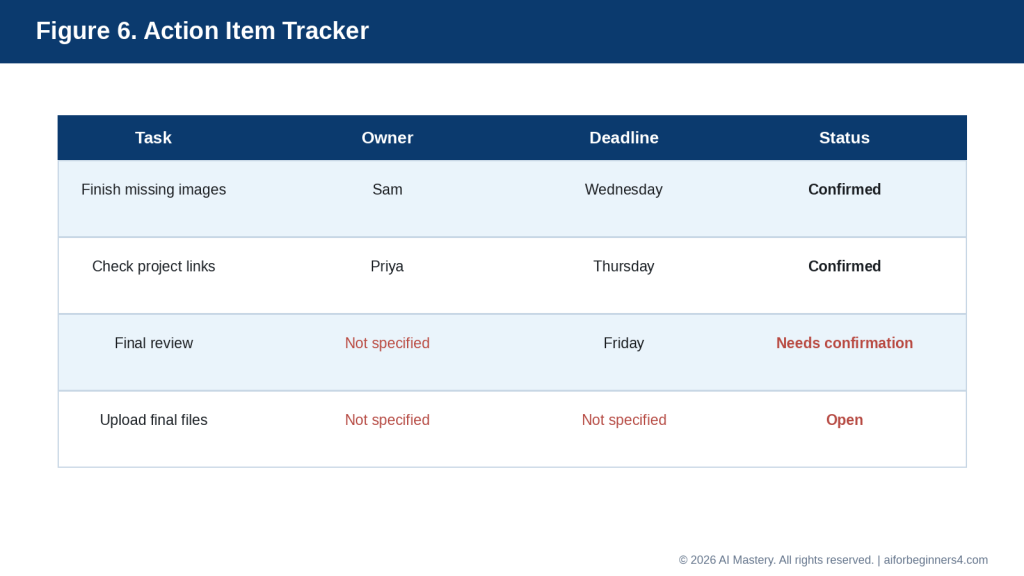
    Helps Turn Rough Notes into a Clear Record

    Meeting notes are often incomplete, abbreviated, or written quickly.

    AI can help reorganize them into sections such as:

    · Discussion points

    · Decisions

    · Action items

    · Owners

    · Deadlines

    · Open questions

    This can make the information easier to review and share.

    Helps Identify Missing Information

    AI can help point out when an action item does not have enough detail.

    For example, it may identify that a task has:

    · No assigned person

    · No deadline

    · No clear description

    · No confirmed decision

    You can ask:

    “Show me which action items are missing an owner or deadline. Do not guess the missing information.”

    Helps Create Follow-Up Messages

    After the notes have been reviewed, AI can help turn them into a short follow-up email or summary.

    This can save time when several people need the same information.

    Helps Create Consistent Meeting Records

    If you use the same format after each meeting, your records can become easier to scan and compare.

    For example, you might always use:

    · Meeting purpose

    · Main discussion

    · Decisions

    · Action items

    · Owners

    · Deadlines

    · Open questions

    AI can help apply that structure consistently.

    Helps Reduce Repetition

    Long meeting notes can repeat the same point several times.

    AI can help shorten the notes while preserving the important information.

    For example:

    “Remove repetition from these meeting notes but keep all confirmed decisions, responsibilities, and deadlines.”

    Helps You Prepare Better Questions

    AI can help generate questions before a meeting.

    For example:

    “Give me five questions to ask about project delays, risks, responsibilities, and next steps.”

    This can help you arrive better prepared.

    Benefit: AI is most useful when it helps organize information that people have already provided. It can make agendas and notes clearer, but people still need to confirm what was actually discussed, decided, and assigned.

    Limitations and Common Mistakes

    AI can make meeting preparation and follow-up easier, but it can also create problems if the output is accepted without careful review.

    Limitation: AI Can Invent Missing Details

    If meeting notes are incomplete, AI may try to fill in gaps.

    It might invent:

    · A deadline

    · A task owner

    · A decision

    · A reason for a delay

    · A meeting date

    · A next step

    How to Reduce This Limitation: Tell the AI:

    “Do not guess missing information. If a detail is not stated, write ‘Not specified.’”

    Then compare the result with the original notes.

    Limitation: AI May Confuse Discussion with Decision

    A topic can be discussed without being approved.

    For example:

    “We discussed moving the deadline to Friday.”

    does not necessarily mean:

    “The deadline was moved to Friday.”

    How to Reduce This Limitation: Ask AI to separate confirmed decisions from ideas, suggestions, and unresolved topics.

    Limitation: AI May Misidentify Responsibilities

    If several names appear in the notes, AI may assign the wrong person to a task.

    How to Reduce This Limitation: Check every task owner against the original notes before sharing the summary.

    Common Mistake: Treating AI Notes as the Official Record

    A polished AI summary can look complete even when it contains mistakes.

    How to Avoid This Mistake: Keep the original notes or transcript and compare the summary before treating it as final.

    Common Mistake: Uploading Sensitive Information Without Review

    Meeting notes can contain confidential business, employee, customer, financial, medical, or personal information.

    How to Avoid This Mistake: Remove unnecessary sensitive information and use placeholders where possible.

    Common Mistake: Recording a Meeting Without Permission

    Some AI tools can work with recordings or transcripts, but recording rules can depend on the workplace, organization, contract, and local law.

    How to Avoid This Mistake: Confirm permission and applicable requirements before recording, transcribing, or uploading meeting audio.

    Common Mistake: Creating an Agenda That Is Too Long

    AI may create a detailed agenda that cannot realistically fit into the available time.

    How to Avoid This Mistake: Tell AI the exact meeting length and ask it to keep only essential topics.

    For example:

    “Reduce this agenda so it fits into 30 minutes. Keep the most important decisions and action items.”

    Common Mistake: Giving Every Topic Equal Time

    Not every agenda item has the same importance.

    A five-minute update may be enough for one topic, while a major decision may require much more discussion.

    How to Avoid This Mistake: Tell AI which items are most important and adjust the suggested time blocks yourself.

    Common Mistake: Failing to Confirm Action Items

    A summary may list tasks that sound clear but were never formally assigned.

    How to Avoid This Mistake: Check that each action item has:

    · A clear task

    · A confirmed owner

    · A realistic deadline

    · Evidence in the original notes

    Common Mistake: Forgetting Unresolved Questions

    A meeting may end without answering every question.

    How to Avoid This Mistake: Ask AI to create a separate “Open Questions” or “Needs Confirmation” section rather than forcing every issue into a decision.

    Common Mistake: Sharing the Summary Too Quickly

    An AI-generated summary can accidentally misrepresent what someone said or agreed to.

    How to Avoid This Mistake: Review sensitive or important meeting notes before distributing them. For high-stakes meetings, consider having another appropriate participant confirm the summary.

    Reality: AI can improve structure and readability, but it cannot determine the official meaning of a meeting without reliable source information and human review.

    Common Myths About Using AI for Meetings

    AI can be useful for meeting preparation and follow-up, but it is important to understand what it can and cannot do.

    Myth 1: AI Can Run the Meeting for Me

    AI can help prepare an agenda, suggest questions, organize notes, and draft a summary.

    Reality: People still need to lead the meeting, make decisions, clarify misunderstandings, and confirm responsibilities.

    AI can support the process, but it should not replace human judgment or accountability.

    Myth 2: An AI Summary Is Automatically Accurate

    A summary can look polished even when it includes mistakes or leaves out important information.

    Reality: Always compare the summary with the original notes, transcript, or recording when available.

    Check especially:

    · Decisions

    · Names

    · Deadlines

    · Responsibilities

    · Numbers

    · Open questions

    Myth 3: If AI Lists It as a Decision, Everyone Agreed

    AI may confuse a suggestion, discussion, or possibility with a confirmed decision.

    Reality: A decision should only be recorded as confirmed when the source notes clearly support it.

    If the notes are unclear, mark the item as:

    “Needs confirmation.”

    Myth 4: AI Can Guess Missing Owners and Deadlines

    AI may be able to suggest what seems logical, but a logical guess is not the same as an agreed assignment.

    Reality: If the owner or deadline was not recorded, leave it as “Not specified” until someone confirms it.

    Myth 5: I Can Paste Any Meeting Information into an AI Tool

    Meeting notes may contain confidential or personal information.

    Reality: Review the information first. Remove unnecessary sensitive details and use placeholders where possible.

    Myth 6: Recording a Meeting Is Always Fine if AI Is Helping

    The fact that an AI tool can process recordings does not automatically mean you have permission to record a meeting.

    Reality: Recording, transcription, privacy, and consent requirements can depend on the organization, participants, contract, and applicable law.

    Check the relevant rules before recording or uploading meeting audio.

    Myth 7: A Longer Agenda Is Better

    A detailed agenda may look thorough, but it can make a meeting difficult to finish on time.

    Reality: A good agenda includes the topics that actually need discussion, decisions, or action.

    Shorter and more focused is often more useful than longer and more detailed.

    Myth 8: AI Can Replace Meeting Follow-Up

    AI can draft a follow-up message, but it cannot ensure that people actually complete their tasks.

    Reality: Action items still need to be communicated, tracked, and confirmed by the people responsible.

    Myth 9: AI Knows Which Information Is Most Important

    AI can suggest priorities, but it may not understand the real consequences of a deadline, decision, or risk.

    Reality: Tell the AI what matters most and review the result yourself.

    The best use of AI is to help organize meeting information while keeping people responsible for the decisions, commitments, and final record.

    When to Use AI and When Human Review Matters Most

    AI can help with routine meeting preparation and note organization, but some meetings require much more careful human review.

    Good Uses for AI Meeting Assistance

    AI can be helpful for:

    · Drafting a simple agenda

    · Organizing discussion topics

    · Suggesting meeting questions

    · Cleaning up rough notes

    · Extracting action items

    · Creating a short summary

    · Identifying missing owners or deadlines

    · Drafting a follow-up email

    · Simplifying long notes

    · Applying a consistent meeting-note format

    For these tasks, AI can save time and improve organization.

    Use Extra Care with Sensitive Meetings

    Some meetings may involve information with legal, financial, employment, medical, contractual, disciplinary, or personal consequences.

    Examples include:

    · Employee performance meetings

    · Contract discussions

    · Financial reviews

    · Legal matters

    · Medical or health-related meetings

    · Disciplinary discussions

    · Complaints

    · Confidential business decisions

    · Personal disputes

    AI may help organize notes, but important conclusions should be reviewed carefully.

    Keep People Responsible for Decisions

    AI should not decide:

    · Who is responsible for a task

    · Whether a decision was final

    · Whether a deadline was agreed

    · Whether a statement was accurate

    · Whether sensitive information should be shared

    Those decisions belong to the people involved in the meeting.

    Use AI as an Organizer, Not as the Final Authority

    A useful approach is:

    1. People hold the meeting and make the decisions.

    2. Notes are taken during or after the meeting.

    3. AI helps organize those notes.

    4. A person compares the AI output with the source notes.

    5. Corrections are made.

    6. The final summary is shared only after review.

    Keep Important Source Material

    For significant meetings, preserve the original notes, approved transcript, or other authorized source record until the final summary has been checked.

    This makes it easier to correct misunderstandings later.

    Reality: AI is most useful when it improves structure and clarity. The people involved in the meeting remain responsible for the decisions, assignments, approvals, and final record.

    Privacy, Recording, Consent, and Responsible Use

    Meeting information can be more sensitive than ordinary notes because it may include personal opinions, employee information, customer details, financial information, internal decisions, or confidential business discussions.

    Share Only What the AI Tool Needs

    Before pasting meeting notes into an AI tool, remove information that is not necessary for the task.

    You can replace sensitive details with placeholders such as:

    · [EMPLOYEE NAME]

    · [CLIENT NAME]

    · [PROJECT NAME]

    · [FINANCIAL AMOUNT]

    · [CONFIDENTIAL ISSUE]

    This can reduce unnecessary exposure of private information.

    Be Careful with Recordings and Transcripts

    Some meeting tools can record, transcribe, or create AI-generated notes.

    Current Google Meet documentation says administrators can require participants to provide explicit consent before features such as recording, transcription, or “Take notes for me” are used. Microsoft Teams also notifies participants when recording or transcription begins, and some administrator settings can require participant agreement.

    At the time of this update, OpenAI says ChatGPT Record can transcribe and summarize meetings or voice notes for eligible Plus, Pro, Business, Enterprise, and Edu workspaces, and it is available in the macOS desktop app. OpenAI also tells users to check applicable laws and obtain the right consent before recording other people. Audio files are deleted after transcription, while transcripts and generated summaries follow the retention settings for the related ChatGPT conversation or workspace.

    Figure 10. Examples of current AI meeting features from OpenAI, Google, and Microsoft.

    Explanation: These tools can help with transcription, notes, summaries, or follow-up, but availability depends on the platform, plan, device, administrator settings, and current provider policies.

    Do Not Assume One Consent Rule Applies Everywhere

    Privacy and recording requirements can differ by country, province or state, organization, contract, and type of meeting.

    For example, Canadian privacy guidance emphasizes meaningful consent for the collection, use, and disclosure of personal information and notes that organizations remain responsible for understanding the specific legal requirements that apply to them.

    This article provides general education only and is not legal advice.

    Check Where Recordings and Notes Are Stored

    Before using an AI meeting feature, check:

    · Where the recording or transcript is stored

    · Who can access it

    · How long it is kept

    · Whether it can be shared

    · Whether it may be used to improve an AI model

    · Whether your organization has separate retention rules

    Provider settings and policies can change, so check the current official documentation when first using the feature, when changing plans or workplace accounts, after receiving a policy update, and periodically.

    Figure 11. Review privacy, consent, storage, access, and retention before using AI with meeting recordings or transcripts.

    Explanation: Meeting data can contain sensitive information about other people, so permission and data-handling rules should be checked before recording, uploading, or sharing it.

    Protect Other People’s Information

    Do not assume that because you attended a meeting, you have permission to upload every note, transcript, or recording to another service.

    Consider whether the material includes:

    · Personal information

    · Confidential business information

    · Customer data

    · Employee information

    · Financial details

    · Health information

    · Contract terms

    · Information belonging to another organization

    Keep the Source Record When Accuracy Matters

    If AI creates a summary from a transcript or notes, keep the authorized source material until the summary has been checked.

    This is especially important when the meeting includes:

    · Important deadlines

    · Formal decisions

    · Financial commitments

    · Contract terms

    · Employment matters

    · Legal or regulatory issues

    Review Before Sharing

    Before distributing AI-generated meeting notes, confirm:

    · The attendees are identified correctly.

    · Decisions are actually confirmed.

    · Action items have the correct owners.

    · Deadlines are accurate.

    · No sensitive information has been added unnecessarily.

    · No confidential information is being sent to people who should not receive it.

    Figure 12. Complete a final human review before sharing AI-organized meeting notes.

    Explanation: A final check helps catch errors that may look convincing in a polished AI summary, including incorrect decisions, responsibilities, dates, or sensitive information.

    Reality: AI meeting tools can save time, but recording, transcription, privacy, consent, storage, and sharing responsibilities still need human attention.

    Frequently Asked Questions

    Can AI create a complete meeting agenda for me?

    Yes. You can give AI the meeting purpose, available time, main topics, decisions needed, and preferred format, and it can create a first draft.

    You should still review the agenda before sharing it because AI may give too much time to minor topics or leave out something important.
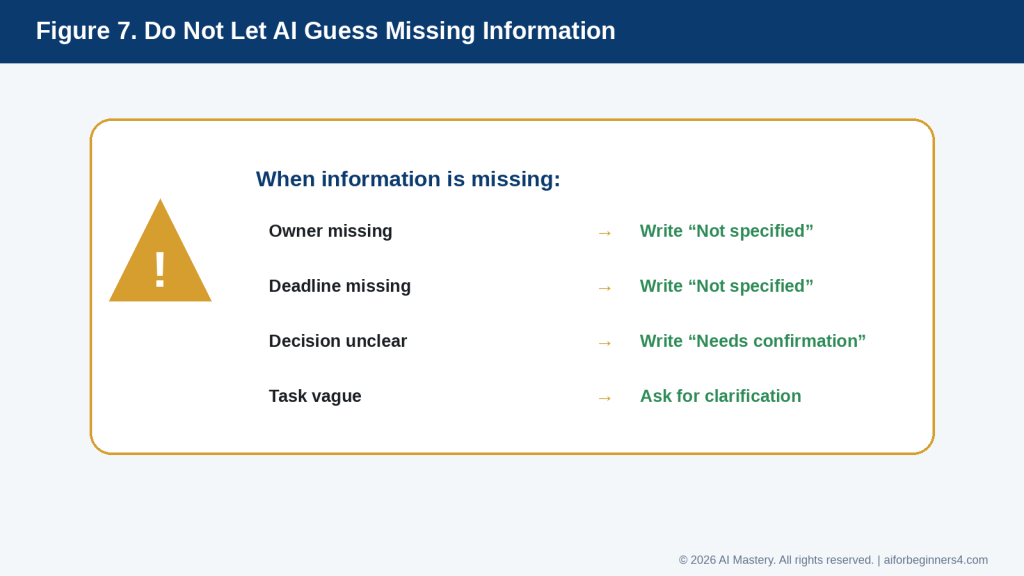
    Can AI summarize my meeting notes?

    Yes. AI can organize rough notes into sections such as:

    · Main discussion points

    · Decisions

    · Action items

    · Responsible people

    · Deadlines

    · Open questions

    Tell AI not to invent missing information.

    For example:

    “Organize these notes into decisions, action items, owners, deadlines, and open questions. If a detail is missing, write ‘Not specified.’”

    Can AI tell me what decisions were made?

    It can identify statements that appear to be decisions, but it may misunderstand discussion as agreement.

    Always compare the result with the original notes or transcript before treating a decision as confirmed.

    Can AI identify action items?

    Yes. AI can help extract tasks from meeting notes.

    You can ask:

    “List each action item with the task, responsible person, and deadline. Do not guess missing information.”

    This can make follow-up easier.

    Can AI create a follow-up email after the meeting?

    Yes.

    After you have reviewed the meeting notes, you can ask AI to draft a short follow-up email containing the confirmed decisions and action items.

    Review the email before sending it.

    Can I upload a meeting transcript to an AI tool?

    Many AI tools can work with transcripts, but you should first consider privacy, permission, confidentiality, and the rules that apply to your organization or location.

    Do not assume that having access to a transcript automatically gives you permission to upload it to another service.

    Do I need permission before recording a meeting?

    Requirements can vary depending on the location, organization, type of meeting, and applicable rules.

    Check the requirements before recording, transcribing, or using an AI meeting-recording feature.

    Should I keep my original meeting notes?

    Yes, especially when the meeting includes important decisions, deadlines, responsibilities, or sensitive matters.

    Keep the original notes or other authorized source material until the AI-generated summary has been checked.

    Can AI replace a person who takes meeting minutes?

    AI can help organize and summarize information, but it should not automatically be treated as the official record.

    Formal or high-stakes meetings may require an approved process, designated note-taker, or specific organizational requirements.

    Can AI help prepare questions before a meeting?

    Yes.

    For example:

    “Give me five questions to ask about project progress, risks, deadlines, and responsibilities.”

    Review the questions and keep only those that are relevant.

    Can AI shorten long meeting notes?

    Yes.

    You can ask:

    “Shorten these notes while keeping all confirmed decisions, action items, owners, deadlines, and unresolved questions.”

    Check that important details were not removed.

    Is an AI-generated meeting summary automatically accurate?

    No.

    AI can omit details, misunderstand abbreviations, confuse speakers, or create information that was not recorded.

    Always review important summaries before sharing them.

    Should I disclose that AI helped prepare the meeting notes?

    Requirements can vary by organization, workplace, profession, meeting type, and AI tool.

    Follow any applicable policies or disclosure requirements. If AI-generated notes could be mistaken for an official or human-verified record, make sure the status of the notes is clear.

    Reality: AI can make meeting preparation and follow-up easier, but the final responsibility for accuracy, privacy, consent, decisions, and distribution remains with the people using the information.

    Key Takeaways

    AI can help make meeting preparation and follow-up more organized, but the results still need human review.

    Remember these main points:

    · Start with a clear meeting purpose.

    · Tell AI how much time is available for the meeting.

    · Include the main topics, decisions needed, and questions that should be answered.

    · Ask AI to create realistic time blocks rather than an overly long agenda.

    · Keep the original meeting notes, transcript, or other approved source material until the summary has been checked.

    · Tell AI not to invent owners, deadlines, decisions, or missing information.

    · Separate confirmed decisions from ideas that were only discussed.

    · Clearly identify action items, responsible people, deadlines, and unresolved questions.

    · Remove unnecessary private or confidential information before using an AI tool.

    · Confirm permission and applicable rules before recording or transcribing a meeting.

    · Check where recordings, transcripts, and AI-generated notes are stored and who can access them.

    · Review names, dates, responsibilities, deadlines, and important facts before sharing the final notes.

    · Use extra care with legal, financial, employment, medical, contractual, or other high-consequence meetings.

    · Treat AI-generated notes as a draft until an appropriate person has reviewed them.

    The most useful AI-generated meeting record is not the one that looks the most polished. It is the one that accurately reflects what was discussed, what was actually decided, who is responsible for each task, and what still needs confirmation.

    Final Tip

    Keep your meeting workflow simple.

    Before the meeting, use AI to help organize the agenda. During the meeting, focus on taking clear notes. After the meeting, use AI to structure those notes into decisions, action items, owners, deadlines, and open questions.

    A useful prompt is:

    “Organize these meeting notes into confirmed decisions, action items, responsible people, deadlines, and unresolved questions. Do not invent missing information. Mark anything unclear as ‘Needs confirmation.’”

    Then compare the AI-generated result with your original notes before sharing it.

    For important meetings, do not rely on the polished appearance of an AI summary. Check the facts, responsibilities, deadlines, privacy, consent, and any sensitive information carefully.

    The goal is to use AI to reduce the time spent organizing meeting information while keeping people responsible for what was actually discussed, decided, and agreed.

    Continue Learning

    After you learn how to prepare meeting agendas and organize meeting notes with AI, continue with these related AI Mastery guides:

    · Article 077 — AI Productivity for Beginners: Complete Guide (2026) — Review the broader ways AI can help with planning, writing, research, organization, and everyday work.

    · Article 078 — How to Create a Daily Plan with ChatGPT (2026) — Learn how to turn tasks, appointments, and priorities into a realistic daily schedule.

    · Article 079 — How to Write and Improve Emails with AI (2026) — Learn how to draft, rewrite, shorten, and improve everyday emails with AI.

    · Article 081 — How to Research and Organize Information with AI (2026) — Learn how AI can help collect, compare, summarize, and organize information more efficiently. Link after Article 081 is published.

    · Article 082 — How to Create a Personal Study Plan with AI (2026) — Learn how AI can help organize study goals, subjects, review sessions, and progress. Link after Article 082 is published.

    · Article 083 — How to Organize Files, Tasks, and Projects with AI (2026) — Learn how AI can help structure ongoing work, tasks, and larger projects. Link after Article 083 is published.

    These guides build on the same basic approach used in this article: give AI clear instructions, protect unnecessary private information, review the output carefully, and keep people responsible for final decisions and actions.

    Sources and References

    The following current official sources were reviewed for this guide. AI meeting features, recording options, privacy controls, plan requirements, and administrator settings can change, so readers should check current provider information when first using a feature, after changing plans or workplace accounts, after receiving a policy update, and periodically.

    OpenAI Help Center — ChatGPT Record. Current availability, transcription and summary behavior, consent guidance, audio deletion, model-improvement settings, and transcript retention.

    OpenAI Help Center — ChatGPT Release Notes. Current ChatGPT feature and availability changes.

    Google Meet Help — Take notes for me. AI-generated meeting notes, summaries, sharing, plan requirements, and consent controls.

    Google Meet Help — Use Transcripts with Google Meet. Meeting transcription controls, participant visibility, and consent settings.

    Microsoft Support — Start, stop, and download live transcripts in Microsoft Teams meetings. Teams transcription permissions, storage, access, and download controls.

    Microsoft Support — Start, stop, and find meeting recordings in Microsoft Teams. Teams meeting recording and transcription management.

    Microsoft Support — Use Copilot without transcribing or recording a Teams meeting or call. Explains that some Copilot assistance can work without recording or transcription, depending on plan and settings.

    Microsoft Support — Generate meeting notes. AI-generated meeting notes and Microsoft’s reminder to verify AI-generated results.

    Office of the Privacy Commissioner of Canada — Guidelines for obtaining meaningful consent. Canadian privacy guidance on meaningful consent and organizations’ responsibility to understand applicable legal obligations.

    Office of the Privacy Commissioner of Canada — Privacy in the Workplace. Guidance about workplace privacy and meaningful consent.

    These sources support the recording, transcription, AI note-taking, consent, privacy, and meeting-management guidance used in this article. The meeting agendas, example notes, prompts, summaries, and follow-up emails in this guide are educational examples and should be reviewed and adapted before being used for a real meeting.

    For meetings involving legal, financial, employment, medical, contractual, regulatory, disciplinary, or other high-consequence matters, this article provides general educational information only and is not a substitute for appropriate professional or legal advice.

  • How to Write and Improve Emails with AI (2026)

    How to Write and Improve Emails with AI (2026)

    Estimated reading time: 28–32 minutes
    Last updated:
    August 16, 2026

    Introduction

    Writing a clear email can take more time than expected. You may know what you want to say but still struggle with the opening, tone, wording, length, or ending.

    AI can help you turn a rough idea into a more organized email. It can also help you rewrite a message so it sounds clearer, shorter, more professional, friendlier, or easier to understand.

    For example, instead of spending several minutes trying to rewrite:

    “Hi, I just want to ask if you had time to look at the document I sent because I need to know what you think before I continue.”

    you could ask an AI tool:

    “Rewrite this email so it is polite, clear, and professional. Keep it short.”

    The AI might suggest:

    “Hi, I’m following up to see whether you’ve had a chance to review the document I sent. I’d appreciate your feedback before I move forward. Thank you.”

    AI can also help you:

    · Draft an email from a few notes

    · Improve grammar and spelling

    · Make a message shorter

    · Change the tone

    · Create a clearer subject line

    · Rewrite a difficult or sensitive message

    · Organize a long email

    · Translate or simplify wording

    · Create different versions for different situations

    However, an AI-generated email should not be sent automatically without review. AI can misunderstand your intention, invent details, choose an inappropriate tone, or include wording that does not match your situation.

    You should always check names, dates, facts, attachments, promises, deadlines, and any sensitive information before sending an AI-assisted email.

    In this guide, you will learn how to use AI to draft and improve emails step by step, write better prompts, avoid common mistakes, protect private information, and decide when AI assistance is useful.

    Figure 1. A simple AI-assisted email workflow from rough notes to final review.

    Explanation: Start with your own facts, use AI to draft or improve the wording, review the result, and send only after checking the details.

    Before You Start

    You do not need advanced writing skills to use AI for email. You mainly need to know:

    · Who the email is for

    · What you want to say

    · What action, if any, you want the reader to take

    · The tone you want to use

    · Any important facts that must remain accurate

    Before using AI, gather the information you need so the tool does not have to guess.

    For example, you might prepare:

    · Recipient’s role or relationship to you

    · Main purpose of the email

    · Important dates or deadlines

    · Documents or attachments you plan to mention

    · Questions you want answered

    · Preferred length

    · Preferred tone

    Figure 2. The main information to give AI before asking it to write an email.

    Explanation: Purpose, recipient, facts, tone, and length give the AI useful context while helping you stay in control of the message.

    Decide What You Want the Email to Achieve

    A good email usually has one main purpose.

    Examples include:

    · Asking for information

    · Following up

    · Requesting a meeting

    · Confirming an appointment

    · Sending a document

    · Thanking someone

    · Apologizing

    · Asking for help

    · Giving an update

    · Responding to a complaint

    If you tell the AI the purpose clearly, it is more likely to produce a useful draft.

    For example:

    “Write a short professional email asking a supplier to confirm the delivery date.”

    This is more useful than:

    “Write an email.”

    Protect Private and Sensitive Information

    Avoid entering information that is not necessary for the writing task.

    This may include:

    · Passwords

    · Account numbers

    · Credit card details

    · Government identification numbers

    · Private medical information

    · Confidential business information

    · Personal information about other people

    · Information you do not have permission to share

    If the exact details are not needed, use placeholders.

    For example:

    “Write an email asking a customer to confirm their account information. Use [ACCOUNT NUMBER] as a placeholder.”

    You can replace the placeholder yourself before sending the email.

    Figure 3. Use placeholders when private details are not necessary for the writing task.

    Explanation: Removing unnecessary sensitive information reduces privacy risk while still giving the AI enough context to help with wording.

    Keep the Original Facts

    AI can improve wording, but it should not be allowed to change important facts.

    If your original notes say:

    “The meeting is Tuesday at 2:00 p.m.”

    check that the final draft still says Tuesday at 2:00 p.m.

    Do the same for:

    · Names

    · Dates

    · Prices

    · Deadlines

    · Addresses

    · Phone numbers

    · File names

    · Commitments

    · Instructions

    Reality: AI can make an email sound polished while still including a factual mistake. Always review the final message before sending it.

    What You’ll Learn

    By the end of this guide, you will know how to:

    · Write a new email with AI from a few simple notes.

    · Improve an email you have already written.

    · Make an email clearer, shorter, or easier to understand.

    · Change the tone without changing the main message.

    · Create better subject lines.

    · Write professional follow-up emails.

    · Ask AI to make an email friendlier or more formal.

    · Use placeholders instead of unnecessary private information.

    · Check AI-generated emails for factual mistakes.

    · Review names, dates, deadlines, attachments, and promises before sending.

    · Avoid common mistakes when using AI for email.

    · Decide when AI is useful and when you should write or review the message yourself.

    You will also learn how to give AI enough context to produce a useful email without sharing more information than necessary.

    The goal is not to let AI speak for you without review. The goal is to use AI as a writing assistant while keeping the final message accurate, appropriate, and consistent with what you actually want to say.

    How AI Can Help You Write Better Emails

    AI can help at different stages of email writing. You can use it before you start writing, while you are editing, or after you have finished a draft.

    Figure 4. Common ways AI can assist with email writing and editing.

    Explanation: AI can help draft, rewrite, shorten, adjust tone, suggest subject lines, and proofread, but every result should still be reviewed.

    Turn Notes into a Complete Email

    You can give AI a few short notes and ask it to turn them into a complete message.

    For example:

    “Write a polite email to my manager. Tell them I finished the report, attached the final file, and would like feedback before Friday.”

    AI can organize those points into a clearer email with an opening, main message, and closing.

    Improve an Email You Already Wrote

    If you already have a draft, AI can help improve the wording without changing the main meaning.

    For example:

    “Improve this email. Keep the same facts, make it clearer, and do not make it longer.”

    This can be useful when the message feels awkward, repetitive, or difficult to follow.

    Make an Email Shorter

    Long emails can be difficult to read.

    You can ask:

    “Shorten this email while keeping all important information and the request at the end.”

    AI can remove repeated wording and make the message more direct.

    Change the Tone

    Tone is the way a message sounds to the reader.

    You can ask AI to make an email:

    · More professional

    · More friendly

    · More formal

    · More polite

    · More direct

    · More reassuring

    · More concise

    For example:

    “Rewrite this email so it sounds professional and friendly, not demanding.”

    Be careful with sensitive situations. A tone that sounds appropriate to AI may not match the relationship you have with the recipient.

    Figure 5. The same request can sound different depending on the tone you choose.

    Explanation: Tell the AI whether you want friendly, professional, or direct wording, then check that the result fits the relationship and situation.

    Create Better Subject Lines

    A clear subject line helps the recipient understand the purpose of the email before opening it.

    For example, instead of:

    “Question”

    you could ask AI for something more specific, such as:

    “Question About Friday’s Project Deadline”

    You can ask:

    “Give me five short subject-line options for this email. Make them clear and professional.”

    Improve Grammar and Spelling

    AI can help identify awkward sentences, grammar problems, or spelling mistakes.

    For example:

    “Proofread this email for grammar, spelling, and clarity. Do not change the meaning.”

    You should still review the result because AI may occasionally change a sentence in a way you did not intend.

    Help with Difficult Messages

    Some emails are harder to write because the situation is sensitive.

    Examples include:

    · Following up when someone has not replied

    · Asking for payment

    · Declining a request

    · Correcting a misunderstanding

    · Apologizing

    · Responding to a complaint

    · Asking for a deadline extension

    AI can help you create a calmer first draft.

    For example:

    “Help me write a polite follow-up because I have not received a response. Keep the message respectful and brief.”

    Reality: AI can improve wording and structure, but it cannot fully understand the relationship between you and the recipient. You should decide whether the final message is appropriate before sending it.

    Step-by-Step: Write an Email with AI

    You can create a useful email with AI by giving it a few clear details about the situation.

    Step 1: Identify the Purpose

    Start by deciding what the email needs to accomplish.

    For example:

    · Ask for information

    · Send an update

    · Request a meeting

    · Follow up

    · Confirm an appointment

    · Ask for payment

    · Thank someone

    A clear purpose helps the AI stay focused.

    Step 2: Identify the Recipient

    Tell the AI who the email is for.

    You do not always need to provide the person’s full name. Often, a role or relationship is enough.

    For example:

    · My manager

    · A customer

    · A supplier

    · A teacher

    · A colleague

    · A landlord

    · A service provider

    Example:

    “Write a professional email to a supplier asking for an update on a delayed delivery.”

    Step 3: Provide the Important Facts

    Give the AI the information that must appear in the message.

    For example:

    · What happened

    · What you need

    · Important dates

    · Deadlines

    · Relevant reference information

    · Whether a document is attached

    You could write:

    “The order was expected on August 12. It has not arrived. Ask the supplier to confirm the new delivery date.”

    This gives the AI enough context without unnecessary details.

    Step 4: Choose the Tone

    Tell the AI how you want the email to sound.

    For example:

    “Make the email polite, professional, and concise.”

    Other useful instructions include:

    · Friendly but professional

    · Formal

    · Warm and appreciative

    · Direct but respectful

    · Calm and neutral

    Step 5: Ask for an Appropriate Length

    You can tell the AI how long the message should be.

    For example:

    “Keep it under 150 words.”

    or:

    “Make it short enough to read quickly.”

    This can help prevent the draft from becoming unnecessarily long.

    Step 6: Ask AI to Draft the Email

    A complete prompt might look like this:

    “Write a short professional email to a supplier. The order was expected on August 12 but has not arrived. Ask them to confirm the new delivery date. Keep the tone polite and professional. Do not invent any information.”

    Step 7: Review the Draft

    Before sending the email, check:

    · Is the purpose clear?

    · Are the names correct?

    · Are the dates correct?

    · Is the tone appropriate?

    · Is anything important missing?

    · Did the AI add information you did not provide?

    · Does the email make any promise you did not intend to make?

    Step 8: Ask for Improvements if Needed

    You can continue refining the draft.

    For example:

    “Make this slightly friendlier.”

    “Shorten the second paragraph.”

    “Make the request clearer.”

    “Remove any wording that sounds too demanding.”

    Step 9: Add Final Details Yourself

    Before sending, add or confirm:

    · Recipient name

    · Your name

    · Correct dates

    · Attachments

    · Contact information

    · Any reference or account details that are genuinely necessary

    How to Avoid This Mistake: Do not copy and send the first AI-generated draft without reading it. Even a well-written email can contain inaccurate details, an unsuitable tone, or wording that does not reflect what you actually mean.

    Figure 6. A nine-step beginner workflow for writing an email with AI.

    Explanation: The process begins with purpose and recipient, then adds facts, tone, and length before drafting, reviewing, improving, and adding final details.

    Useful AI Prompts for Writing and Improving Emails

    Once you understand the basic process, you can save time by reusing simple prompts and changing only the details that matter for each email.

    Prompt for Writing a New Email

    “Write a professional email to [recipient or role]. The purpose is [purpose]. Include these important points: [points]. Keep the tone [tone] and the length [short/medium]. Do not invent any facts.”

    Prompt for Improving an Existing Email

    “Improve this email for clarity, grammar, and professionalism. Keep the same meaning and facts. Do not add new information.”

    Then paste your draft below the instruction.

    Prompt for Making an Email Shorter

    “Shorten this email while keeping the important information, dates, and request. Remove repetition and unnecessary wording.”

    Prompt for Making an Email Friendlier

    “Rewrite this email so it sounds friendly and professional. Keep the message clear and do not make it too casual.”

    Prompt for Making an Email More Formal

    “Rewrite this email in a more formal and professional tone. Keep the same facts and request.”

    Prompt for a Follow-Up Email

    “Write a polite follow-up email because I have not received a response. Mention that I am following up on [subject]. Keep it brief and respectful.”

    Prompt for Asking for a Meeting

    “Write a short professional email asking for a meeting about [topic]. Suggest [date or time options] if appropriate. Keep the wording polite and flexible.”

    Prompt for Sending an Attachment

    “Write a short email explaining that I have attached [document]. Briefly state what the recipient should review and what response I need.”

    Before sending, confirm that the attachment is actually included.

    Prompt for Correcting a Mistake

    “Write a professional email explaining that I need to correct information in my previous message. The correct information is [correct information]. Keep the tone calm and clear.”

    Prompt for Declining a Request

    “Write a polite email declining [request]. Keep it respectful, brief, and clear. Do not make promises I have not provided.”

    Prompt for Asking for More Time

    “Write a professional email requesting an extension until [date]. Explain briefly that I need additional time for [general reason]. Keep the message respectful and concise.”

    Prompt for Checking Tone

    “Review this email and tell me whether any wording could sound rude, demanding, confusing, or overly formal. Suggest small improvements without changing the main message.”

    Prompt for Creating Subject Lines

    “Give me five short, clear subject-line options for this email. Make them professional and specific.”

    Prompt for Final Review

    “Review this email before I send it. Check for unclear wording, grammar problems, missing information, accidental promises, and an inappropriate tone. Do not change any facts unless you point out the change first.”

    Final Check Before Using Any Prompt: Replace placeholders with only the information needed for the email. Review every AI-generated draft yourself before sending it.

    Figure 7. A reusable prompt formula for creating clearer AI-assisted emails.

    Explanation: A strong prompt combines recipient, purpose, important facts, tone, length, and an instruction not to invent information.

    Practical Example: Turn Rough Notes into a Professional Email

    Suppose you need to ask a supplier about a delayed order.

    Your rough notes might be:

    · Order expected August 12

    · Still not received

    · Need new delivery date

    · Keep message polite

    · Need answer soon

    You could give AI this prompt:

    “Write a short professional email to a supplier. The order was expected on August 12 but has not arrived. Ask them to confirm the new delivery date. Keep the tone polite and professional. Do not invent any information.”

    A possible draft could be:

    Subject: Request for Updated Delivery Date

    Hello,

    I’m following up regarding the order that was expected on August 12 but has not yet arrived.

    Could you please confirm the updated delivery date when convenient?

    Thank you for your assistance.

    Best regards,
    [Your Name]

    Why This Draft Works

    The email is useful because it:

    · States the purpose quickly.

    · Includes the important date.

    · Clearly asks for the information needed.

    · Uses a polite and professional tone.

    · Avoids unnecessary details.

    · Does not accuse the supplier or make assumptions.

    Improve It Further

    You can ask AI to make small changes.

    For example:

    “Make the email slightly warmer.”

    or:

    “Make the request more direct but still polite.”

    or:

    “Give me three alternative subject lines.”

    Check the Facts Before Sending

    Before you send the email, confirm:

    · The expected delivery date is correct.

    · The correct supplier is receiving the message.

    · The order or reference number is included if necessary.

    · You have not accidentally added information that was not in your original notes.

    · The tone matches your relationship with the recipient.

    Another Example: Improving a Rough Email

    Your original draft might say:

    “Hi, I sent you the document before and I don’t know if you saw it. I need your answer because I have to continue.”

    You could ask:

    “Rewrite this email so it is polite, professional, and concise. Keep the same meaning.”

    A clearer version could be:

    “Hi,

    I’m following up on the document I sent earlier. When you have a chance, please let me know whether you have reviewed it, as I need your feedback before moving forward.

    Thank you.”

    The main information stays the same, but the message is easier to read and sounds more professional.

    Reality: A polished email is only useful when it still reflects the facts and your actual intention. Always compare the AI-generated version with your original notes before sending it.

    Figure 8. AI can turn rough notes into a clearer draft while keeping the original facts.

    Explanation: The AI can organize the wording, but the sender must verify dates, requests, and other details before using the draft.

    Benefits of Using AI for Email Writing

    AI can make email writing faster and easier, especially when you know what you want to say but are unsure how to phrase it.

    Helps You Start More Quickly

    A blank email can sometimes be the hardest part.

    Instead of trying to write the perfect opening, you can give AI a few notes and ask it to create a first draft.

    For example:

    “Write a short email asking a customer to confirm whether they received the invoice.”

    You can then review and edit the draft rather than starting from nothing.

    Helps Improve Clarity

    AI can help reorganize sentences that are confusing, repetitive, or too long.

    You might ask:

    “Rewrite this email so the main request is easier to understand.”

    This can be useful when the original message contains too many details or the main point is hidden.

    Helps Adjust Tone

    The same information can sound very different depending on how it is written.

    AI can help you make a message:

    · More professional

    · More friendly

    · More formal

    · More concise

    · More neutral

    · More polite

    This can be especially helpful when writing to someone you do not know well.

    Helps Reduce Repetition

    Long emails often repeat the same point in several different ways.

    AI can help remove unnecessary wording while keeping the important information.

    For example:

    “Shorten this email by removing repetition. Keep all dates, facts, and action items.”

    Helps with Grammar and Spelling

    AI can help identify grammar problems, spelling mistakes, and awkward wording.

    This can be useful when English is not your first language or when you want a second review before sending an important message.

    Helps Create Different Versions

    You can ask AI to produce more than one version of the same email.

    For example:

    “Give me three versions of this email:

    · one very short,

    · one friendly and professional,

    · one more formal.”

    Comparing versions can help you decide which tone fits the situation best.

    Helps with Repetitive Email Tasks

    If you often send similar types of emails, AI can help you create reusable templates.

    Examples include:

    · Appointment confirmations

    · Follow-up messages

    · Requests for information

    · Thank-you emails

    · Project updates

    · Delivery inquiries

    · Meeting requests

    You should still customize each message before sending it.

    Can Help Build Writing Confidence

    Reviewing AI suggestions can help you notice clearer ways to structure an email, write a subject line, make a request, or close a message.

    Over time, you may need less help for common types of emails.

    Benefit: AI is most useful when it helps you express your own message more clearly and efficiently. The final email should still sound appropriate for you and accurately represent what you mean.

    Figure 9. Common benefits of using AI as an email-writing assistant.
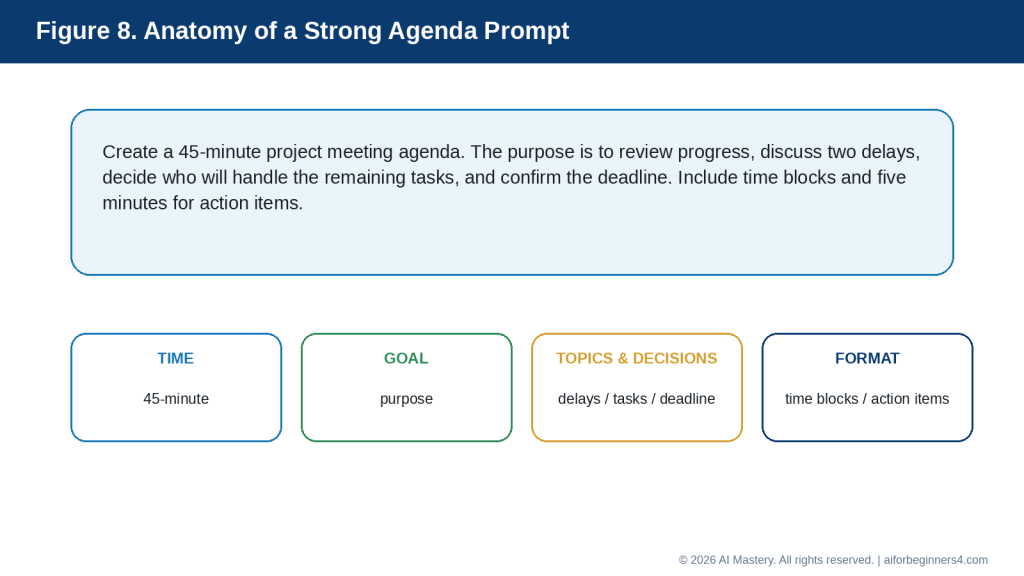
    Explanation: AI can help you start faster, improve clarity and tone, shorten messages, proofread, and create reusable templates.

    Limitations and Common Mistakes

    AI can improve email writing, but it can also create problems if you trust the draft without checking it carefully.

    Limitation: AI Can Invent Details

    AI may add information that sounds reasonable even when you did not provide it.

    For example, it might add:

    · A deadline

    · A date

    · A promise

    · A reason for a delay

    · A meeting time

    · A delivery estimate

    How to Reduce This Limitation: Tell the AI:

    “Do not invent any facts, dates, promises, or explanations.”

    Then compare the draft with your original information before sending it.

    Limitation: The Tone May Be Wrong

    An email can be grammatically correct but still sound too formal, too casual, too cold, or too demanding.

    How to Reduce This Limitation: Tell the AI who the recipient is and what tone you want.
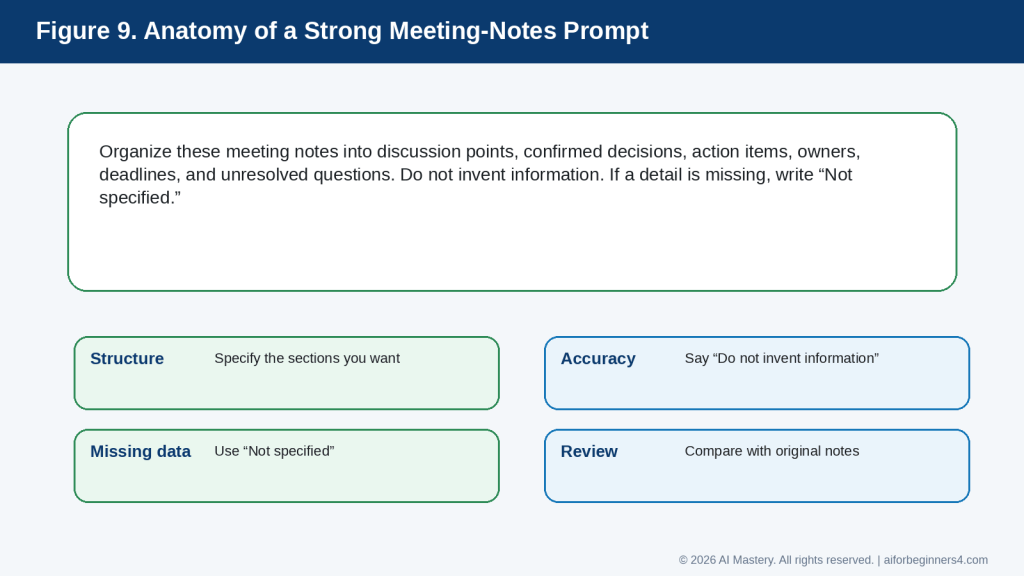
    For example:

    “Rewrite this for a customer. Make it professional, warm, and respectful.”

    Limitation: AI Does Not Fully Understand Your Relationship

    AI does not know the full history between you and the recipient unless you explain it.

    A message to a close colleague may need a different tone from a message to a new customer or senior manager.

    How to Reduce This Limitation: Give only the relevant relationship context without sharing unnecessary private information.

    Common Mistake: Sending the First Draft Without Reviewing It

    A polished draft can make it easy to assume everything is correct.

    How to Avoid This Mistake: Always read the entire email before sending it.

    Check:

    · Names

    · Dates

    · Facts

    · Deadlines

    · Attachments

    · Tone

    · Requests

    · Promises

    · Contact details

    Common Mistake: Sharing Too Much Private Information

    Some users paste entire email threads or confidential information into an AI tool when only a small amount of context is needed.

    How to Avoid This Mistake: Remove unnecessary personal, confidential, financial, medical, or business information.

    Use placeholders where possible.

    For example:

    “Please rewrite this message and keep [CUSTOMER NAME] and [ACCOUNT NUMBER] as placeholders.”

    Common Mistake: Letting AI Change the Meaning

    A rewrite can sometimes make a message sound stronger or weaker than you intended.

    For example, AI might change:

    “I hope to finish this by Friday.”

    into:

    “I will finish this by Friday.”

    The second sentence is a stronger commitment.
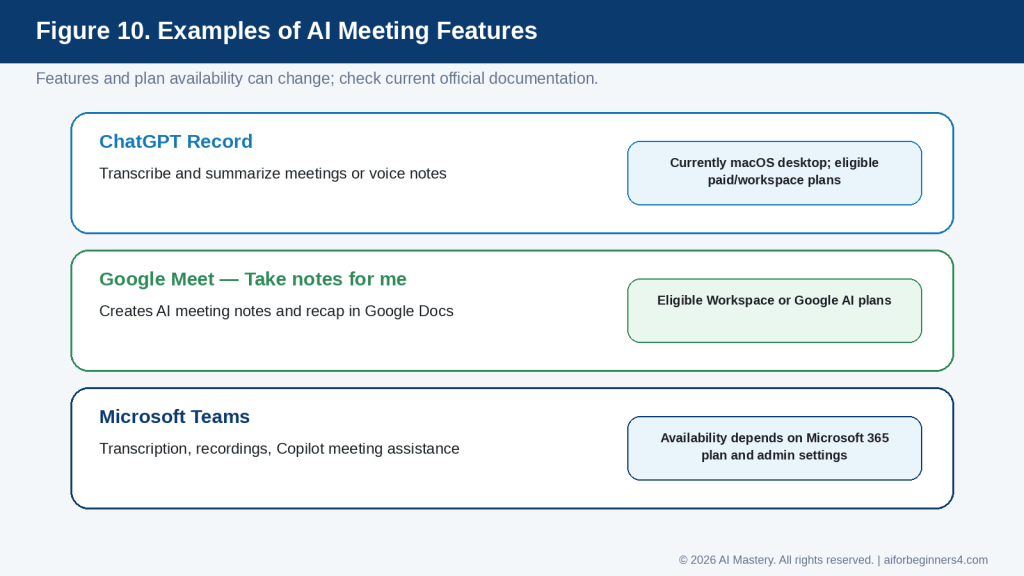
    How to Avoid This Mistake: Ask:

    “Improve the wording without changing the meaning, level of certainty, or commitments.”

    Common Mistake: Forgetting the Attachment

    An AI-generated email may say:

    “I have attached the document.”

    but the file may not actually be attached.

    How to Avoid This Mistake: Before sending, confirm that every attachment mentioned in the email is included.

    Common Mistake: Making the Email Too Long

    AI can sometimes produce a long explanation when a short message would be better.

    How to Avoid This Mistake: Give a clear length instruction.

    For example:

    “Keep this email under 120 words.”

    Common Mistake: Using an AI Draft That Does Not Sound Like You

    A message may be technically correct but feel unnatural or overly formal.

    How to Avoid This Mistake: Ask AI to simplify the language or make the message sound more natural.

    For example:

    “Make this professional but simple. Avoid complicated words and overly formal phrases.”

    Common Mistake: Using AI for Sensitive Messages Without Extra Review

    Messages involving complaints, legal issues, employment matters, health information, financial disputes, or serious personal situations can have important consequences.

    How to Avoid This Mistake: Review these messages especially carefully and obtain appropriate professional advice when necessary.

    Reality: AI is a writing assistant, not a substitute for your judgment. The final responsibility for the message remains with the person sending it.
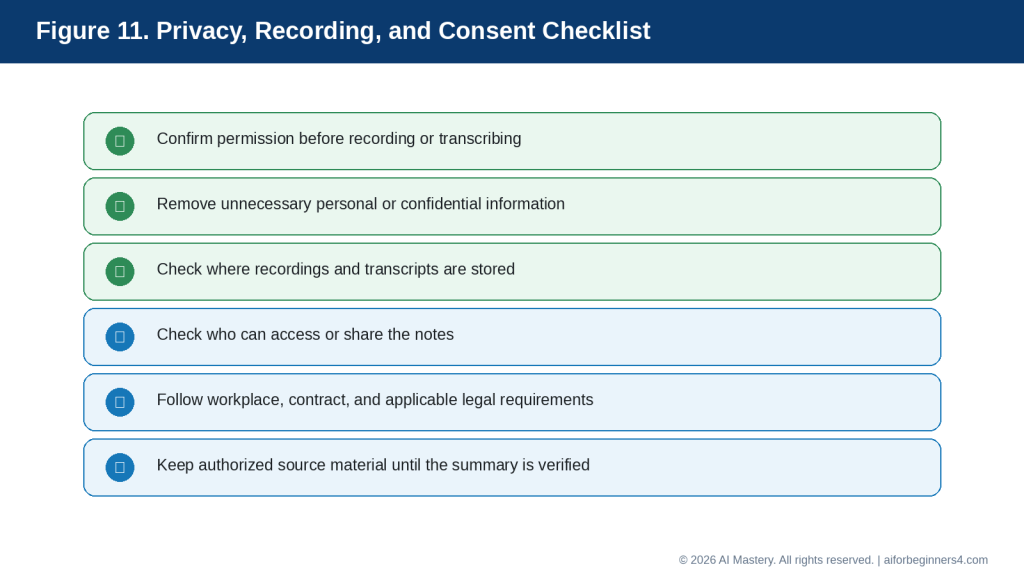
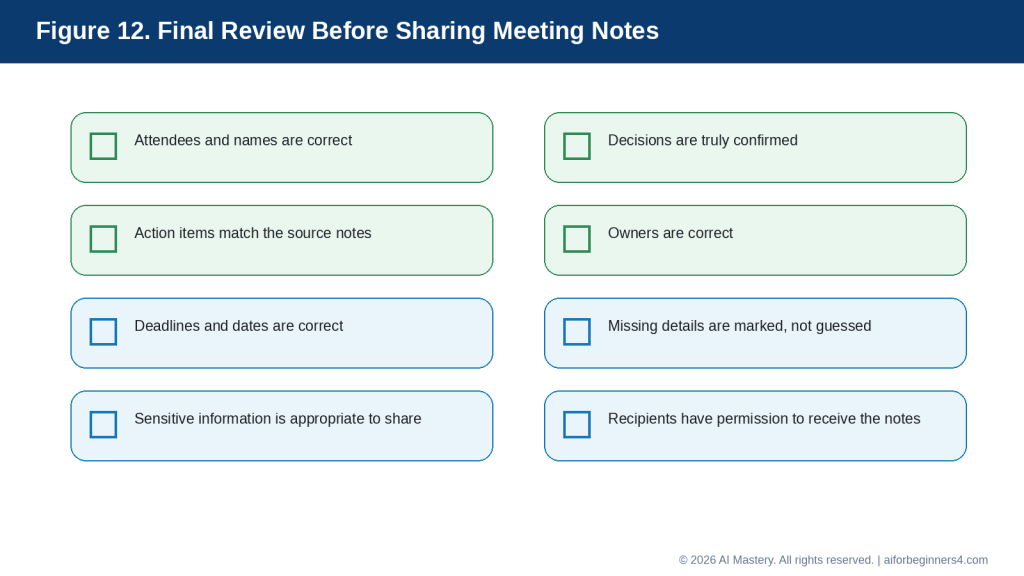
    Figure 10. Common AI email mistakes and simple ways to reduce them.

    Explanation: The most important safeguards are preventing invented details, checking tone and meaning, confirming attachments, and protecting private information.

    Common Myths About Using AI for Email

    AI can be very helpful for email writing, but it is important to understand what it can and cannot do.

    Myth 1: AI Will Always Write the Perfect Email

    AI can produce polished wording, but the first draft may still be too long, too formal, too vague, or factually incorrect.

    Reality: Treat the first draft as a starting point. Review it and ask for changes when needed.

    For example:

    “Make this shorter and more direct.”

    Myth 2: If the Grammar Is Correct, the Email Is Ready to Send

    Good grammar does not guarantee that the message is appropriate.

    An email can still contain:

    · Incorrect facts

    · The wrong tone

    · An unclear request

    · An accidental promise

    · Missing information

    Reality: Check both the writing and the meaning before sending.

    Myth 3: AI Knows the Best Tone for Every Situation

    AI can suggest a tone, but it does not fully understand your relationship with the recipient.

    Reality: Tell the AI whether the email should be formal, friendly, direct, neutral, or reassuring, and decide whether the result fits the situation.

    Myth 4: AI Can Safely Handle Any Information I Paste Into It

    Some email content may contain private, confidential, financial, medical, or business information.

    Reality: Share only the information needed for the writing task and use placeholders when possible.

    Myth 5: AI Will Never Change My Meaning

    Even when you ask for a simple rewrite, AI may accidentally change certainty, tone, or commitment.

    For example:

    “I may be available on Friday.”

    could become:

    “I am available on Friday.”

    These statements do not mean the same thing.

    Reality: Compare important statements with your original wording.

    Myth 6: AI-Written Emails Always Sound Artificial

    AI-generated emails can sound natural when the prompt is clear and the draft is edited.

    You can ask:

    “Make this professional but simple and natural. Avoid overly formal phrases.”

    Reality: The final message should be reviewed and adjusted so it sounds appropriate for you.

    Myth 7: AI Can Replace My Judgment

    AI can help with wording, structure, grammar, and tone, but it cannot take responsibility for the message.

    Reality: You remain responsible for deciding what to say, what information to include, and whether the email should be sent.

    The best use of AI is to support your writing, not to make every communication decision for you.

    When to Use AI and When to Write the Email Yourself

    AI is useful for many everyday emails, but it is not equally suitable for every situation. The more sensitive or important the message is, the more carefully you should review it.

    Good Uses for AI Email Assistance

    AI can be helpful for:

    · Routine follow-up emails

    · Meeting requests

    · Appointment confirmations

    · Thank-you messages

    · Project updates

    · Delivery inquiries

    · Requests for information

    · Simple customer-service messages

    · Rewriting a draft for clarity

    · Shortening a long email

    · Improving grammar and spelling

    · Creating subject-line options

    For these situations, AI can save time by creating a first draft that you review and customize.

    Use Extra Care with Sensitive Emails

    Some messages may have legal, financial, employment, medical, or personal consequences.

    Examples include:

    · Employment disputes

    · Formal complaints

    · Contract disagreements

    · Financial disputes

    · Legal notices

    · Medical information

    · Disciplinary matters

    · Serious personal conflicts

    AI may help you organize your thoughts, but these messages require careful human review.

    If the consequences are significant, consider appropriate professional advice before sending the email.

    Write More Personally When the Relationship Matters

    Some messages are better when they sound clearly personal.

    Examples include:

    · Condolences

    · Personal apologies

    · Important congratulations

    · Emotional family messages

    · Sensitive relationship discussions

    · Messages of appreciation to someone close to you

    AI can help you organize wording, but the final message should reflect your own feelings and relationship with the recipient.

    Use AI as an Editor Instead of the Author

    You do not always need AI to write the entire email.

    You can write the message yourself and ask:

    “Check this email for clarity and grammar. Keep my wording and tone as much as possible.”

    This approach can be useful when you want the message to remain strongly in your own voice.

    Decide How Much Help You Need

    You can use AI at different levels:

    1. Idea level — Ask for suggestions about what the email should include.

    2. Draft level — Ask AI to create a first version from your notes.

    3. Editing level — Write the email yourself and ask AI to improve it.

    4. Proofreading level — Ask AI only to check grammar, spelling, and clarity.

    You do not need to use the same approach for every email.

    Reality: The best role for AI depends on the message. Routine emails may need only a quick review, while important or sensitive emails deserve much more careful human attention.

    Figure 11. Routine emails are suitable for AI assistance, while sensitive messages need extra human review.

    Explanation: The higher the possible consequence of a mistake, the more important careful human review and appropriate professional advice become.

    Privacy, Security, and Responsible Use

    Emails can contain personal, confidential, or sensitive information. When using AI to help write or improve an email, think carefully about what you paste into the tool.

    Remove Unnecessary Sensitive Information

    Before sharing an email draft with AI, remove details that are not needed for the writing task.

    Examples include:

    · Passwords

    · Banking information

    · Credit card numbers

    · Government identification numbers

    · Private medical details

    · Confidential company information

    · Customer information

    · Personal addresses

    · Private information about another person

    Instead of using real details, you can use placeholders such as:

    · [CUSTOMER NAME]

    · [ACCOUNT NUMBER]

    · [ADDRESS]

    · [ORDER NUMBER]

    · [DATE]

    Then add the correct information yourself after the wording is finished.

    Be Careful with Entire Email Threads

    A long email conversation may contain far more information than AI needs.

    Instead of pasting the entire thread, you can summarize the situation.

    For example:

    “Help me write a polite response to a customer who is asking for an update on a delayed order. I need to explain that I am checking the status and will respond when I have confirmed information.”

    This gives the AI enough context without sharing the full conversation.

    Check Who Should Receive the Email

    Before sending an AI-assisted email, confirm:

    · The correct recipient is selected.

    · People copied with CC really need the message.

    · BCC is used appropriately when needed.

    · Sensitive information is not being sent to unintended recipients.

    · Attachments contain only the information you intend to share.

    AI can help write the message, but it cannot prevent every sending mistake.

    Be Careful with Attachments

    If an email mentions an attachment, check the file before sending.

    Confirm:

    · The correct file is attached.

    · The filename is appropriate.

    · The document does not contain hidden or unnecessary information.

    · You have permission to share it.

    · The attachment does not include confidential information that the recipient should not receive.

    Do Not Use AI to Impersonate Someone

    AI should not be used to create emails that falsely pretend to come from another person or organization.

    This is especially important when the message could affect:

    · Money

    · Employment

    · Account access

    · Identity

    · Business decisions

    · Personal reputation

    If AI helped you draft the email, make sure the final message still accurately represents you and your intentions.

    Check Important Claims

    If an email includes factual statements, confirm them before sending.

    This may include:

    · Prices

    · Policies

    · Deadlines

    · Product details

    · Delivery dates

    · Legal requirements

    · Financial information

    · Medical information

    AI may produce confident wording even when the underlying information is incomplete or incorrect.

    Reality: Using AI to improve an email does not remove your responsibility for privacy, accuracy, permission, and appropriate communication. Review the final message and attachments before you send them.

    Figure 12. A final privacy, security, and sending checklist for AI-assisted emails.

    Explanation: Before sending, confirm the recipient, privacy, facts, tone, attachments, permissions, and any commitments in the message.

    How to Make AI-Written Emails Sound More Natural

    AI-generated emails can sometimes sound too formal, too polished, or unlike the way you normally communicate. You can improve the result by giving the AI clearer style instructions and making a few final edits yourself.

    Ask for Simple Language

    If the email sounds too complicated, ask:

    “Rewrite this in simple, natural language. Keep it professional and easy to understand.”

    This can help remove unnecessary formal phrases and overly complex wording.

    Ask the AI to Match Your Preferred Tone

    You can describe the tone you normally use.

    For example:

    “Make this sound friendly, respectful, and professional, but not too formal.”

    or:

    “Keep this direct and concise. Avoid long introductions.”

    The more specific your instruction is, the easier it is for AI to produce a suitable draft.

    Keep Some of Your Own Wording

    If you want the email to sound more like you, write the first version yourself and ask AI to improve it lightly.

    For example:

    “Improve the grammar and clarity of this email, but keep my wording and tone as much as possible.”

    This often preserves more of your own voice than asking AI to write the entire message from scratch.

    Remove Overly Formal Phrases

    AI may sometimes use expressions such as:

    · “I hope this message finds you well.”

    · “I am writing to kindly inquire…”

    · “Please do not hesitate to reach out…”

    · “At your earliest convenience…”

    These phrases are not necessarily wrong, but they may sound too formal or repetitive depending on the situation.

    You can ask:

    “Make this email more natural and remove unnecessary formal phrases.”

    Avoid Unnecessary Enthusiasm

    AI can sometimes add too much enthusiasm, especially in business messages.

    For example:

    “I’m absolutely thrilled to connect with you!”

    may not fit a routine professional email.

    You can ask:

    “Keep the tone warm but neutral. Avoid exaggerated enthusiasm.”

    Read the Email Out Loud

    Reading the message aloud can help you notice wording that feels unnatural.

    Ask yourself:

    · Would I normally say this?

    · Is the message too formal?

    · Is any sentence too long?

    · Does the request sound clear?

    · Does the email sound respectful?

    If something feels unnatural, simplify it.

    Keep Your Signature Consistent

    AI may create a closing that does not match how you normally end emails.

    Choose a closing that fits the situation, such as:

    · Best regards,

    · Kind regards,

    · Thank you,

    · Thanks,

    · Sincerely,

    Then use your own name and normal signature details.

    Final Tip for Natural Email Writing: Use AI to improve your message, but make the final version sound like something you would actually send.

    Frequently Asked Questions

    Can AI write an entire email for me?

    Yes. You can give AI the purpose, recipient, important facts, preferred tone, and desired length, and it can create a complete draft.

    You should still review the message before sending it because AI may misunderstand your intention, add incorrect details, or choose wording that does not fit the situation.

    Can AI improve an email I already wrote?

    Yes. This is often one of the safest and most useful ways to use AI.

    For example, you can ask:

    “Improve this email for clarity, grammar, and professionalism. Keep the same meaning and facts.”

    This allows you to keep control of the main message while using AI as an editor.

    Can AI make my email shorter?

    Yes.

    You can ask:

    “Shorten this email while keeping all important facts, dates, and requests.”

    Always compare the shorter version with the original to make sure nothing important was removed.

    Can AI change the tone of an email?

    Yes. You can ask for a tone that is:

    · Professional

    · Friendly

    · Formal

    · Polite

    · Direct

    · Neutral

    · Warm

    · Concise

    For example:

    “Rewrite this so it sounds professional and friendly, but not too formal.”

    Can AI help with subject lines?

    Yes.

    You can ask:

    “Give me five short, clear subject-line options for this email.”

    Choose the subject line that most accurately describes the message.

    Can AI help me write a follow-up email?

    Yes.

    For example:

    “Write a polite follow-up email because I have not received a response. Keep it short and respectful.”

    Avoid asking AI to make the message more aggressive unless that is genuinely appropriate.

    Should I paste an entire email conversation into AI?

    Not necessarily.

    A complete email thread may contain private or unnecessary information.

    In many cases, it is better to summarize the situation and include only the details needed to write the response.

    Can AI check grammar and spelling?

    Yes. AI can help identify grammar, spelling, and clarity problems.

    You can ask:

    “Proofread this email for grammar, spelling, and clarity. Do not change the meaning.”

    You should still read the final version yourself.

    Can AI translate an email?

    Many AI tools can help translate text between languages.

    However, important business, legal, medical, financial, or sensitive messages should receive extra review because translation can change meaning or tone.

    Can AI help with difficult or sensitive emails?

    It can help you organize your thoughts and create a calmer first draft.

    However, messages involving legal, employment, financial, medical, contractual, or serious personal matters may require professional advice or careful human review.

    Should I tell the recipient that AI helped me write the email?

    Whether AI disclosure is required depends on the rules that apply to your workplace, school, profession, industry, or service. If no specific rule applies, decide whether disclosure is appropriate for the context. Never use AI to misrepresent who wrote, approved, or authorized an important message when authorship matters.

    However, you should never use AI to misrepresent who wrote or approved an important message when authorship matters.

    Check the rules that apply to your workplace, school, profession, or service because AI-use policies can change.

    Is an AI-generated email automatically correct?

    No.

    AI can produce confident and professional-looking text while still making mistakes.

    Always verify:

    · Names

    · Dates

    · Facts

    · Deadlines

    · Prices

    · Attachments

    · Requests

    · Commitments

    · Contact information

    Reality: AI can make email writing easier, but the final responsibility for accuracy, privacy, tone, and sending the message remains with you.

    Key Takeaways

    AI can make email writing faster and easier, but the best results come from combining AI assistance with your own judgment.

    Remember these main points:

    · Start with a clear purpose for the email.

    · Tell the AI who the recipient is and what tone you want.

    · Provide only the facts that are necessary.

    · Ask AI not to invent dates, promises, explanations, or other details.

    · Use AI to draft, rewrite, shorten, proofread, or improve subject lines.

    · Review every AI-generated email before sending it.

    · Check names, dates, deadlines, prices, attachments, contact details, and commitments carefully.

    · Use placeholders instead of unnecessary private or confidential information.

    · Be especially careful with legal, financial, medical, employment, contractual, or other sensitive messages.

    · Make sure the final email still sounds appropriate for you.

    · Confirm that any attachment mentioned in the email is actually attached.

    · Use AI as a writing assistant, not as a replacement for your judgment.

    The most useful AI-written email is not necessarily the most polished one. It is the one that is clear, accurate, appropriate for the recipient, and faithful to what you actually want to communicate.

    Final Tip

    Start by using AI on ordinary, low-risk emails before relying on it for important messages.

    For example, you could begin with:

    “Rewrite this email so it is clear, polite, and professional. Keep the same facts and do not add any new information.”

    Then compare the AI version with what you originally wrote.

    If the result sounds better, ask yourself why. You may notice that the AI:

    · Removed repeated wording

    · Made the request clearer

    · Shortened long sentences

    · Improved the tone

    · Organized the information more logically

    Over time, this can help you improve your own email-writing skills.

    For important messages, take an extra minute before sending. Recheck the recipient, subject line, facts, tone, attachments, dates, and any promise or commitment in the email.

    The goal is not to let AI send messages for you without thought. The goal is to use AI to help you communicate more clearly while keeping control of what you say.

    Continue Learning

    After you learn how to write and improve emails with AI, the next step is to use AI for other everyday productivity tasks.

    Continue with these AI Mastery guides:

    · Article 077 — AI Productivity for Beginners: Complete Guide (2026) — Review the broader ways AI can help with planning, writing, research, organization, and everyday work.

    · Article 078 — How to Create a Daily Plan with ChatGPT (2026) — Learn how to turn tasks, appointments, and priorities into a realistic daily schedule.

    · Article 080 — How to Prepare Meeting Agendas and Notes with AI (2026) — Learn how AI can help you prepare for meetings, organize notes, and identify action items. Link after Article 080 is published.

    · Article 081 — How to Research and Organize Information with AI (2026) — Learn how to collect, compare, summarize, and organize information more efficiently. Link after Article 081 is published.

    · Article 082 — How to Create a Personal Study Plan with AI (2026) — Learn how AI can help organize study goals, subjects, review sessions, and progress. Link after Article 082 is published.

    · Article 083 — How to Organize Files, Tasks, and Projects with AI (2026) — Learn how AI can help you structure ongoing work and larger projects. Link after Article 083 is published.

    These guides continue the same basic approach: give the AI clear instructions, protect unnecessary private information, review the result carefully, and keep the final decisions under your control.

    Sources and References

    The following official sources were reviewed for this guide. AI features, privacy settings, plan availability, and data-handling practices can change. Check current provider information when first using a tool, after changing plans or settings, after receiving a policy-update notice, and periodically.

    OpenAI Help Center — Prompt Engineering Best Practices for ChatGPT. Explains that clear, specific prompts with relevant context and iterative refinement can improve ChatGPT responses.

    OpenAI Help Center — Data Controls FAQ. Explains ChatGPT Data Controls and how users can manage whether conversations help improve OpenAI models.

    Google Gmail Help — Draft emails with Gemini in Gmail. Explains that Gemini in Gmail can generate new email drafts and refine existing draft text for tone and clarity, subject to availability.

    Google — Gemini Apps Privacy Hub. Explains how Gemini Apps handle information and the privacy controls available to users.

    Microsoft Support — Draft an email message with Copilot in Outlook. Explains how Copilot in Outlook can help draft email messages, subject to product and account availability.

    Microsoft Support — Microsoft Copilot Privacy Controls. Explains privacy and training controls for Microsoft Copilot when signed in with a personal Microsoft account.

    These sources support the prompting, email-writing assistance, and privacy guidance used in this article. The example emails and prompts are educational examples and should be reviewed and adapted before use. For legal, medical, financial, employment, contractual, or other high-consequence matters, this article provides general education only and is not a substitute for appropriate professional advice.

  • How to Create a Daily Plan with ChatGPT (2026)

    How to Create a Daily Plan with ChatGPT (2026)

    Estimated reading time: 12–15 minutes
    Last updated: August 15, 2026

    Introduction

    A daily plan helps you decide what needs to be done, what should be done first, and how much time you may need for each task. For beginners, the difficult part is often not making a list—it is turning a long or confusing list into a realistic plan.

    ChatGPT can help you organize your day by taking the tasks you provide and arranging them into a clearer schedule. You can tell ChatGPT what you need to do, when you are available, which tasks are most important, and whether you want breaks included.

    For example, instead of simply writing:

    “Pay bills, make two phone calls, work on my website, buy groceries, and exercise.”

    you could ask ChatGPT:

    “Help me create a realistic daily plan from 9:00 a.m. to 5:00 p.m. I need to pay bills, make two phone calls, work on my website for two hours, buy groceries, and exercise for 30 minutes. Include breaks and put the most important tasks first.”

    Clear and specific instructions generally help ChatGPT produce more useful responses. OpenAI recommends clearly describing the task, providing relevant context, and refining the prompt when necessary.

    ChatGPT can suggest a plan, but it does not know everything about your day unless you tell it. You should review the result and adjust times, priorities, travel time, appointments, health needs, family responsibilities, and other personal circumstances before following the schedule.

    In this guide, you will learn how to give ChatGPT the information it needs, create a practical daily plan, adjust that plan when circumstances change, and avoid common planning mistakes.

    Before You Start

    You do not need special technical skills to create a daily plan with ChatGPT. You mainly need a clear idea of what you want to accomplish and enough information about your available time.

    Before asking ChatGPT to organize your day, prepare:

    · The tasks you need to complete

    · Any fixed appointments or deadlines

    · The approximate time you have available

    · Your most important tasks

    · Tasks that can wait until another day

    · Breaks, meals, travel time, or other commitments you want included

    Figure 1. A useful daily plan starts with tasks, fixed times, available time, priorities, breaks, meals, travel, and buffer time.

    Explanation: Providing the information that affects the schedule gives ChatGPT a better basis for organizing the day while keeping unnecessary personal details out of the prompt.

    The more useful context you provide, the easier it is for ChatGPT to produce a plan that fits your situation. OpenAI recommends using clear, specific prompts and providing enough context for ChatGPT to understand the request.

    Protect Your Personal Information

    You may need to provide some personal context when planning your day, but avoid entering unnecessary sensitive information.

    For example, instead of writing:

    “Dr. Smith at 123 Main Street is treating me for [medical condition] at 2:00 p.m.”

    you could simply write:

    “Medical appointment from 2:00 p.m. to 3:00 p.m.”

    ChatGPT only needs the information required to organize the schedule.

    Figure 2. Share only the personal information that is necessary for planning, and use general descriptions when specific details are not needed.

    Explanation: A time and general appointment label are often enough for scheduling. Names, addresses, passwords, account numbers, or sensitive details usually add risk without improving the plan.

    ChatGPT also provides Data Controls that let users manage how their conversations may be used to improve OpenAI’s models. These settings can change over time, so readers should check the current options in ChatGPT’s Settings > Data Controls when privacy settings are important to them.

    Do Not Expect ChatGPT to Know Your Entire Schedule

    ChatGPT should not be treated as automatically knowing every appointment, responsibility, deadline, or change in your day.

    Tell it the information that matters for the plan.

    For example:

    “Create my plan from 8:00 a.m. to 6:00 p.m. I have an appointment from 11:00 a.m. to noon and need 30 minutes of travel time before and after it.”

    This is much more useful than simply asking:

    “Plan my day.”

    ChatGPT may also use saved memories or information from previous conversations when relevant settings are enabled, but you should still provide important current-day information rather than assuming it will be remembered correctly. OpenAI allows users to review, change, or turn off memory features in ChatGPT settings.

    Reality: ChatGPT can help organize your information, but you remain responsible for checking the schedule and deciding whether the suggested plan is practical and appropriate for your day.

    What You’ll Learn

    By the end of this guide, you will know how to:

    · Give ChatGPT the information it needs to help organize your day.

    · Turn an unordered task list into a clearer daily schedule.

    · Tell ChatGPT which tasks are most important.

    · Add appointments, breaks, meals, travel time, and other fixed commitments.

    · Estimate how much time to allow for different tasks.

    · Ask ChatGPT to make a busy schedule more realistic.

    · Adjust your plan when something unexpected happens.

    · Create reusable prompts for morning planning.

    · Use ChatGPT Scheduled Tasks for suitable reminders and recurring tasks when the feature is available.

    · Review AI-generated schedules for mistakes or unrealistic assumptions.

    · Protect unnecessary personal or sensitive information when using AI for planning.

    You will also learn when ChatGPT is useful for daily planning and when you should rely on a calendar, reminder app, task manager, or your own judgment instead.

    The goal is not to let AI control your day. The goal is to use ChatGPT as an organizing assistant that helps you turn your priorities into a plan you can review and change.

    How ChatGPT Can Help You Plan Your Day

    ChatGPT can take a simple list of tasks and help turn it into a more organized plan. This is useful when you know what you need to do but are unsure what to do first or how to fit everything into the time available.

    For example, you might start with this unordered list:

    · Reply to emails

    · Buy groceries

    · Work on an important project

    · Call the bank

    · Exercise

    · Prepare dinner

    ChatGPT can help group these tasks, suggest an order, and assign approximate time blocks.

    Prioritize Important Tasks

    You can tell ChatGPT which tasks are urgent or important.

    For example:

    “Help me organize these tasks for today. Working on my project is the highest priority. Calling the bank must be done before 4:00 p.m. The other tasks are flexible.”

    This gives ChatGPT more useful information than simply providing a task list.

    Create Time Blocks

    A time block is a period reserved for a particular activity.

    For example:

    · 9:00–10:30 a.m. — Important project

    · 10:30–10:45 a.m. — Break

    · 10:45–11:15 a.m. — Emails

    · 11:15–11:30 a.m. — Call the bank

    Time blocks can make a long list feel easier to manage because each task has a suggested place in the day.

    Figure 3. ChatGPT can help turn an unordered task list into priorities and suggested time blocks.

    Explanation: The schedule becomes easier to scan when important work is identified first and each activity receives a realistic place in the day.

    Include Breaks and Buffer Time

    A plan that fills every minute of the day is usually difficult to follow.

    You can ask ChatGPT to include:

    · Short breaks

    · Lunch or meal periods

    · Travel time

    · Extra time between appointments

    · Buffer time for unexpected delays

    For example:

    “Create a schedule from 9:00 a.m. to 5:00 p.m. Include a 15-minute break in the morning, a one-hour lunch, and at least 15 minutes of free time between major tasks.”

    Break Large Tasks into Smaller Steps

    A task such as “work on my website” may be too broad to schedule effectively.

    ChatGPT can help divide it into smaller actions, such as:

    · Review the article draft

    · Prepare images

    · Add the article to WordPress

    · Check links

    · Preview the page

    · Publish or save the draft

    Smaller tasks make it easier to estimate the time required and see what progress you have made.

    Adjust the Plan When Your Day Changes

    Daily plans often change.

    If an appointment runs late or an unexpected task appears, you can give ChatGPT the updated information.

    For example:

    “My appointment took one hour longer than expected. It is now 2:00 p.m. I still need to finish my project, buy groceries, and exercise. Reorganize the rest of my day without making the schedule too busy.”

    ChatGPT can then suggest a revised plan.

    Reality: A ChatGPT schedule is a suggestion, not a fixed timetable. Task durations may be inaccurate, unexpected events can occur, and some priorities require your own judgment. Review the plan and change anything that does not fit your real circumstances.

    Step-by-Step: Create a Daily Plan with ChatGPT

    You can create a useful daily plan with ChatGPT by giving it your tasks, available time, priorities, and fixed commitments.

    Step 1: Write Down Everything You Need to Do

    Start by listing the tasks you want to complete.

    For example:

    · Answer important emails

    · Work on a website article

    · Call the bank

    · Buy groceries

    · Exercise

    · Prepare dinner

    Do not worry about putting them in the correct order yet.

    Step 2: Add Your Available Time

    Tell ChatGPT when your day begins and when you want your planned activities to end.

    For example:

    “Plan my tasks between 9:00 a.m. and 6:00 p.m.”

    This gives ChatGPT a clear time window to work with.

    Step 3: Add Fixed Appointments

    Next, include anything that already has a set time.

    For example:

    “I have an appointment from 1:00 p.m. to 2:00 p.m. and need 30 minutes of travel time before and after it.”

    Fixed commitments should normally be added before flexible tasks because they cannot easily be moved.

    Step 4: Identify Your Priorities

    Tell ChatGPT which tasks are most important.

    For example:

    “My website article is my highest-priority task today. I also need to call the bank before 4:00 p.m.”

    This helps ChatGPT avoid giving equal importance to every item.

    Step 5: Ask for Breaks and Realistic Time Blocks

    You can ask ChatGPT not to overload the schedule.

    For example:

    “Include lunch, two short breaks, and some buffer time between major tasks. Do not schedule every minute.”

    This can make the plan easier to follow.

    Step 6: Send the Complete Prompt

    A complete beginner-friendly prompt could look like this:

    “Help me create a realistic daily plan from 9:00 a.m. to 6:00 p.m. I need to answer important emails, work on my website article for about two hours, call the bank before 4:00 p.m., buy groceries, exercise for 30 minutes, and prepare dinner. I have an appointment from 1:00 p.m. to 2:00 p.m. and need 30 minutes of travel time before and after it. My website article is the highest priority. Include lunch, short breaks, and some buffer time. Do not make the schedule too busy.”

    Step 7: Review the Suggested Schedule

    Read the plan carefully before using it.

    Check:

    · Are the most important tasks scheduled early enough?

    · Are appointments placed at the correct times?

    · Is enough travel time included?

    · Are task durations realistic?

    · Are there enough breaks?

    · Is the day too crowded?

    · Is anything important missing?

    If something looks wrong, tell ChatGPT what needs to change.

    Step 8: Ask ChatGPT to Revise It

    You do not need to accept the first version.

    For example:

    “Move grocery shopping to later in the afternoon, give me another 30 minutes for the website article, and add a longer break after my appointment.”

    ChatGPT can then create a revised version.

    How to Avoid This Mistake: Do not ask ChatGPT to plan your day using only a short instruction such as “Organize my day” when you have important deadlines or fixed appointments. Include enough detail for the plan to reflect your actual situation.

    Figure 4. An eight-step workflow moves from listing tasks through creating, reviewing, and revising the daily plan.

    Explanation: Using the same sequence each day makes it easier to remember fixed commitments, priorities, breaks, and the final review before following the schedule.

    Useful ChatGPT Prompts for Daily Planning

    Once you understand the basic process, you can save time by reusing simple prompts and changing only the details that matter for that day.

    Basic Daily Planning Prompt

    “Help me create a realistic plan for today from 9:00 a.m. to 5:00 p.m. My tasks are: [insert tasks]. My most important task is [insert priority]. Include lunch, short breaks, and some buffer time.”

    Figure 5. A strong daily-planning prompt combines the time window, tasks, priorities, fixed commitments, and breaks or buffer time.

    Explanation: These five pieces of context reduce ambiguity and make the first suggested schedule easier to review and revise.

    Prompt for a Busy Day

    “I have too many tasks today. Help me decide what should be done today, what can wait, and what should be removed from the schedule. My available time is [insert hours]. These are my tasks: [insert tasks].”

    This type of prompt can be useful when your list is longer than the time available.

    Prompt for Prioritizing Tasks

    “Organize these tasks into high, medium, and low priority. Explain briefly why each task belongs in that group. Then create a realistic schedule for the high-priority tasks first.”

    You should still review the suggested priorities because ChatGPT may not understand the real consequences of delaying a task unless you explain them.

    Prompt for Planning Around Appointments

    “Create my daily schedule around these fixed appointments: [insert appointments and times]. I also need to complete these flexible tasks: [insert tasks]. Include travel time and breaks.”

    Prompt for a Short Work Session

    “I have only two hours available. Help me choose the most useful tasks from this list and create a focused two-hour plan: [insert tasks]. Include one short break.”

    This can be helpful when you have limited time and cannot complete everything.

    Prompt for Breaking Down a Large Task

    “I need to complete this task: [describe task]. Break it into small, manageable steps and estimate a reasonable amount of time for each step. Then place the steps into my daily schedule.”

    Time estimates from ChatGPT are only suggestions. Adjust them if you know a task normally takes you longer or shorter.

    Prompt for Replanning After an Interruption

    “My original plan has changed. It is now [time]. I still need to complete these tasks: [insert remaining tasks]. My new available time ends at [time]. Reorganize the rest of my day and remove lower-priority tasks if necessary.”

    Prompt for an End-of-Day Review

    “At the end of the day, help me review what I completed, what I did not finish, and what should move to tomorrow. Here is what happened today: [insert summary].”

    This can help you learn whether you regularly schedule too much or underestimate how long certain activities take.

    Final Check Before Using Any Prompt: Replace the example information with your actual tasks, times, and priorities. Avoid including unnecessary sensitive personal information.

    Practical Example: Turn a Busy Task List into a Realistic Day

    Suppose you have the following tasks:

    · Work on an important project for two hours

    · Reply to emails

    · Call the insurance company before 4:00 p.m.

    · Buy groceries

    · Exercise for 30 minutes

    · Prepare dinner

    · Attend an appointment from 1:00 p.m. to 2:00 p.m.

    · Allow 30 minutes of travel time before and after the appointment

    You could give ChatGPT this prompt:

    “Create a realistic daily plan from 9:00 a.m. to 6:00 p.m. My highest-priority task is working on my project for two hours. I also need to reply to emails, call the insurance company before 4:00 p.m., buy groceries, exercise for 30 minutes, and prepare dinner. I have an appointment from 1:00 p.m. to 2:00 p.m. and need 30 minutes of travel time before and after it. Include lunch, short breaks, and some buffer time. Do not make the schedule too crowded.”

    A reasonable plan might look like this:

    · 9:00–11:00 a.m. — Work on the important project

    · 11:00–11:15 a.m. — Short break

    · 11:15–11:45 a.m. — Reply to important emails

    · 11:45 a.m.–12:00 p.m. — Call the insurance company

    · 12:00–12:30 p.m. — Lunch

    · 12:30–1:00 p.m. — Travel to appointment

    · 1:00–2:00 p.m. — Appointment

    · 2:00–2:30 p.m. — Travel home

    · 2:30–3:00 p.m. — Buffer time or rest

    · 3:00–4:00 p.m. — Grocery shopping

    · 4:00–4:30 p.m. — Exercise

    · 4:30–5:00 p.m. — Free time or unfinished tasks

    · 5:00–6:00 p.m. — Prepare dinner

    Why This Plan Works

    The most important task is scheduled early, when there is less risk that later interruptions will push it aside.

    The phone call is scheduled before its deadline.

    The fixed appointment and travel time are protected.

    Breaks and buffer time are included instead of filling every minute.

    Flexible tasks such as grocery shopping and exercise are placed around the fixed commitments.

    How to Improve the Plan

    If the suggested schedule does not fit your real situation, tell ChatGPT exactly what needs to change.

    For example:

    “I need one hour for grocery shopping plus 20 minutes of driving. Move exercise to the evening and give me another 30 minutes for emails.”

    ChatGPT can then revise the plan using the new information.

    Reality: Even a well-organized AI-generated schedule can become unrealistic if tasks take longer than expected. Treat the plan as a flexible guide and update it when your day changes.

    Figure 6. A realistic daily plan protects priority work, fixed appointments, travel time, meals, breaks, and buffer time.

    Explanation: The example leaves some flexibility instead of filling every minute, which makes it easier to adjust when real activities take longer than expected.

    Benefits of Using ChatGPT for Daily Planning

    ChatGPT can be useful when you already know what you need to do but want help turning your ideas into a clearer plan.

    Helps You Organize a Long Task List

    A long list can feel difficult to manage. ChatGPT can help group tasks, identify priorities, and place them into a suggested order.

    Instead of looking at ten unrelated tasks, you can see them arranged into a more structured day.

    Helps You Decide What to Do First

    When several tasks seem important, ChatGPT can help compare them using information you provide about:

    · Deadlines

    · Importance

    · Time required

    · Fixed appointments

    · Dependencies between tasks

    · Tasks that can be postponed

    You still make the final decision about what matters most.

    Saves Planning Time

    Creating a schedule manually can take time, especially when several appointments and tasks need to fit together.

    ChatGPT can quickly suggest a first version that you can then review and adjust.

    Makes It Easier to Reorganize Your Day

    If something changes, you do not have to rebuild the entire plan yourself.

    You can tell ChatGPT what happened and ask it to reorganize the remaining tasks.

    For example:

    “My appointment finished one hour late. It is now 3:00 p.m. Please reorganize my remaining tasks between 3:00 p.m. and 7:00 p.m.”

    Helps Break Large Tasks into Smaller Steps

    Large tasks can be easier to start when they are divided into smaller actions.

    For example, instead of:

    “Work on website”

    ChatGPT could help turn it into:

    · Review the article

    · Prepare images

    · Upload the article

    · Add links

    · Preview the page

    · Make corrections

    This can make progress easier to see and manage.

    Can Help You Build a Consistent Routine

    You can reuse the same basic planning prompt each morning and change only the tasks, appointments, and priorities.

    Over time, you may also notice which activities regularly take longer than expected. You can then adjust future plans to make them more realistic.

    Benefit: ChatGPT is most useful as a flexible planning assistant. It can help organize information and suggest a schedule while leaving you in control of the final decisions.

    Figure 7. ChatGPT can help organize, prioritize, break down, replan, and reuse daily-planning routines.

    Explanation: These benefits are most useful when the suggested plan remains subject to your own judgment about priorities, time, and real-world constraints.

    Limitations and Common Mistakes

    ChatGPT can help organize a day, but it does not automatically know whether a schedule is realistic for your personal situation. Understanding its limitations can help you use it more effectively.

    Limitation: Time Estimates May Be Inaccurate

    ChatGPT may suggest that a task will take 30 minutes when it normally takes you an hour.

    This can happen because the AI does not know your working speed, experience, travel conditions, or how complicated the task really is.

    How to Reduce This Limitation: Tell ChatGPT how long similar tasks usually take you.

    For example:

    “Email usually takes me about 45 minutes, grocery shopping takes 90 minutes including travel, and I need at least two hours for my project.”

    Limitation: ChatGPT Does Not Know Every Important Detail

    A schedule may look good but still be unsuitable because ChatGPT was not told about:

    · Travel time

    · Family responsibilities

    · Business hours

    · Deadlines

    · Energy levels

    · Meal times

    · Accessibility needs

    · Other personal commitments

    How to Reduce This Limitation: Include the details that genuinely affect your schedule without sharing unnecessary private information.

    Limitation: Plans Can Become Outdated Quickly

    An unexpected phone call, traffic delay, urgent task, or appointment change can make the original plan impractical.

    How to Reduce This Limitation: Treat the schedule as flexible. Give ChatGPT the new situation and ask it to reorganize the remaining time.

    Common Mistake: Scheduling Too Many Tasks

    A long task list does not mean everything needs to be completed in one day.

    Trying to fit too much into the schedule can leave little room for delays and make the plan difficult to follow.

    How to Avoid This Mistake: Ask ChatGPT to separate tasks into:

    · Must do today

    · Should do today if time allows

    · Can wait until another day

    Common Mistake: Giving Every Task the Same Priority

    Answering an unimportant email may appear beside an urgent deadline even though the two tasks are not equally important.

    How to Avoid This Mistake: Tell ChatGPT which tasks have deadlines, which are essential, and which can be postponed.

    Common Mistake: Forgetting Travel and Transition Time

    Moving from one activity to another often takes time.

    For example, a one-hour appointment may require:

    · Time to prepare

    · Travel to the appointment

    · Waiting time

    · Travel home

    How to Avoid This Mistake: Include realistic transition and travel time when describing your day.

    Common Mistake: Following the AI Schedule Without Reviewing It

    ChatGPT may misunderstand a task, place something at an inconvenient time, or produce a schedule that looks organized but is not practical.

    How to Avoid This Mistake: Read the entire schedule before using it. Check times, priorities, appointments, breaks, and deadlines.

    Common Mistake: Sharing More Personal Information Than Necessary

    A daily schedule can contain sensitive information about appointments, locations, family members, work, or finances.

    How to Avoid This Mistake: Use general descriptions whenever detailed personal information is not necessary.

    For example, “appointment at 2:00 p.m.” is often enough. You usually do not need to include the person’s name, address, account information, or reason for the appointment.

    Reality: The best daily plan is not necessarily the most detailed one. A useful plan should be realistic, flexible, easy to understand, and simple enough to follow.

    Figure 8. Common planning mistakes include scheduling too much, ignoring priorities or travel time, skipping review, and sharing unnecessary private information.

    Explanation: A quick mistake check can prevent a neat-looking schedule from becoming unrealistic, inconvenient, or unnecessarily revealing.

    Common Myths About Using ChatGPT for Daily Planning

    Daily planning with AI is useful, but beginners can easily expect more from ChatGPT than it is designed to provide.

    Myth 1: ChatGPT Will Automatically Know Everything I Need to Do

    ChatGPT does not automatically know every appointment, deadline, errand, family responsibility, or priority in your day.

    Reality: You need to provide the important information that affects the schedule.

    A better prompt is:

    “Plan my day from 9:00 a.m. to 5:00 p.m. I have an appointment at 1:00 p.m., need one hour of travel time, and must complete my report before 4:00 p.m.”

    Myth 2: The First Schedule ChatGPT Creates Will Be Perfect

    The first response may be helpful, but it may also contain unrealistic task durations, too many activities, or inconvenient timing.

    Reality: Daily planning usually works better as a conversation. Review the first plan, explain what does not work, and ask ChatGPT to revise it.

    For example:

    “Give me more time for the project and remove the least important afternoon task.”

    Myth 3: ChatGPT Can Decide What Is Most Important for Me

    ChatGPT can help compare priorities, but it does not fully understand the personal consequences of every decision.

    Reality: You should decide which responsibilities, deadlines, appointments, and personal needs are most important.

    Tell ChatGPT your priorities instead of expecting it to determine them without enough context.

    Myth 4: A Detailed Schedule Is Always Better

    A schedule divided into very small time blocks can look organized but become difficult to follow.

    Reality: Some people work better with broader blocks such as:

    · Morning — Important project

    · Early afternoon — Appointments and errands

    · Late afternoon — Emails and smaller tasks

    · Evening — Personal time

    The best level of detail depends on how you prefer to work.

    Myth 5: If I Miss One Task, the Whole Plan Has Failed

    Daily schedules often change because real life is unpredictable.

    Reality: A missed or delayed task does not mean the plan was useless. Update the remaining tasks and create a revised schedule.

    For example:

    “It is now 3:30 p.m. I did not finish my morning project. Help me reorganize the rest of the day and move anything nonessential to tomorrow.”

    Myth 6: ChatGPT Cannot Remind Me About Tasks

    ChatGPT is mainly useful for helping you plan and organize your day, but some users can also use Scheduled Tasks to receive reminders and have ChatGPT perform certain tasks later.

    For example, you may be able to ask: “Remind me tomorrow morning to call the insurance company.” Or: “Every weekday morning, remind me to review my daily priorities.”

    Reality: ChatGPT Scheduled Tasks can support one-time and recurring tasks, reminders, daily briefings, and monitoring. Availability and active-task limits depend on the current ChatGPT plan and may change over time. For important commitments, use the planning system that is most reliable for you and confirm that the task and notifications were created correctly.

    Figure 9. Daily-planning myths can create unrealistic expectations about what ChatGPT knows, decides, remembers, or schedules automatically.

    Explanation: The reality is more practical: provide current details, make your own priority decisions, review the result, replan when needed, and use Scheduled Tasks when available for suitable reminders.

    When to Use ChatGPT, a Calendar, or a Task Manager

    ChatGPT can help you think through your day, but it is not always the best tool for every planning job. Different tools are useful for different purposes.

    Use ChatGPT for Planning and Organizing

    ChatGPT is especially useful when you need help:

    · Turning a long task list into a manageable plan

    · Deciding what to do first

    · Breaking a large task into smaller steps

    · Creating time blocks

    · Reorganizing your day after plans change

    · Comparing different ways to use your available time

    For example, you might ask:

    “I have six tasks but only four hours. Help me decide what to complete today and what should move to tomorrow.”

    Use a Calendar for Fixed Appointments

    A calendar is usually better for events that happen at a specific date and time, such as:

    · Medical appointments

    · Meetings

    · Classes

    · Travel

    · School events

    · Important deadlines

    Calendars can also provide notifications or reminders, depending on the app and settings you use.

    Use ChatGPT Scheduled Tasks or Reminder Tools for Things You Must Not Forget

    When Scheduled Tasks are available for your account, ChatGPT can create one-time or recurring reminders and can also check for changes and notify you when there is a meaningful update. A calendar or dedicated reminder app may still be preferable for important appointments or obligations you want to manage in one place.

    · Make a phone call

    · Take something with you

    · Pay a bill

    · Submit a form

    · Leave for an appointment

    Important: Always confirm that a scheduled task or reminder was created successfully and that the notification settings you need are enabled. Do not rely on memory alone for important commitments.

    Use a Task Manager for Ongoing Projects

    A task-management app can be useful when work extends over several days or weeks.

    For example, a project such as “Publish a new website article” may contain several separate tasks:

    · Finish the draft

    · Review facts

    · Prepare images

    · Add the article to WordPress

    · Check links

    · Preview the page

    · Publish

    A task manager can help you keep track of what is finished and what still needs attention.

    Use the Tools Together

    You do not have to choose only one system.

    A practical workflow could be:

    1. Keep fixed appointments in your calendar.

    2. Keep longer projects and unfinished work in a task list.

    3. Give ChatGPT the tasks and appointments that matter for today.

    4. Ask ChatGPT to suggest a realistic daily plan.

    5. Add important time-sensitive items to ChatGPT Scheduled Tasks, your calendar, or another reliable reminder system when appropriate.

    6. Review the plan during the day and adjust it when circumstances change.

    Reality: ChatGPT can help with planning and, when Scheduled Tasks are available, some reminders and recurring work. Calendars and task managers can still be better for fixed appointments and longer projects. Use the tools together when that makes your system easier to manage.

    Figure 10. ChatGPT planning, Scheduled Tasks, calendars, and task managers each serve different planning needs.

    Explanation: Using each tool for the work it handles best can make a planning system clearer and more reliable than trying to force every responsibility into one tool.

    How to Make Your Daily Plan More Realistic

    A schedule can look neat on the screen and still be difficult to follow in real life. A realistic plan should leave enough time for delays, interruptions, breaks, and tasks that take longer than expected.

    Start with Fewer Priorities

    Instead of treating every task as equally important, identify the few things that matter most.

    For example:

    “My three most important tasks today are finishing my report, calling the bank, and attending my appointment. Everything else is optional.”

    This helps ChatGPT build the schedule around the tasks that should not be missed.

    Be Realistic About Task Duration

    If you already know how long something normally takes, tell ChatGPT.

    For example:

    “I usually need about 90 minutes to review an article, not 30 minutes.”

    Your own experience is often more reliable than an AI-generated estimate.

    Add Buffer Time

    Buffer time is extra unscheduled time placed between activities.

    It can help when:

    · A phone call takes longer than expected

    · Traffic delays your trip

    · A website or computer problem slows you down

    · An appointment starts late

    · You need a short rest before beginning the next task

    For example:

    “Leave at least 15 minutes of buffer time between major activities.”

    Avoid Filling Every Minute

    A schedule from 9:00 a.m. to 5:00 p.m. does not need eight hours of scheduled activity.

    Leaving some open time can make the plan easier to follow and reduce the need to reorganize everything after one delay.

    You could ask:

    “Use only about 75% of my available time and leave the rest open for delays or unexpected tasks.”

    The exact percentage is not important. The goal is simply to avoid creating an overly crowded plan.

    Consider Your Energy, Not Just Your Available Time

    Some tasks require more concentration than others.

    If you work better on difficult tasks in the morning, tell ChatGPT:

    “Schedule my most demanding work before lunch and leave easier administrative tasks for the afternoon.”

    If you prefer a different routine, describe that instead.

    ChatGPT should adapt to your preferences rather than assuming everyone works best at the same time.

    Separate Must-Do Tasks from Optional Tasks

    A useful daily plan can include two levels:

    · Must do today: Tasks with important deadlines or consequences

    · If time allows: Useful tasks that can move to another day

    For example:

    “Create my plan with a main schedule and a separate ‘if time allows’ list.”

    This prevents lower-priority work from crowding out essential tasks.

    Replan Instead of Trying to Catch Up

    If the day falls behind, trying to complete every delayed task can make the remaining schedule unrealistic.

    Instead, you can tell ChatGPT:

    “It is now 4:00 p.m. I am 90 minutes behind. Keep only the essential tasks for today and move the rest to tomorrow.”

    This can be more practical than compressing every remaining activity into a smaller amount of time.

    Final Tip for Realistic Planning: Build your schedule around your real available time, priorities, and working habits—not around the largest number of tasks you can fit onto a page.

    Figure 11. Realistic planning uses fewer priorities, honest time estimates, buffer time, open space, energy awareness, and replanning.

    Explanation: These adjustments help the schedule match the way the day actually works instead of creating an overfilled timetable that quickly becomes outdated.

    Frequently Asked Questions

    Can ChatGPT create my entire daily schedule for me?

    Yes. You can give ChatGPT your tasks, appointments, available hours, priorities, and preferred break times, and it can suggest a complete schedule.

    You should still review the result before following it. ChatGPT may estimate task duration incorrectly or misunderstand which activities matter most.

    Do I need to give ChatGPT exact times for every task?

    No. Exact times are most useful for fixed commitments such as appointments, meetings, or deadlines.

    For flexible tasks, you can simply tell ChatGPT approximately how long they take or let it suggest a time block.

    For example:

    “I need about two hours for my project sometime before 3:00 p.m.”

    Can ChatGPT help if I have too many tasks?

    Yes. You can ask it to separate your tasks into:

    · Must do today

    · Should do today

    · Can wait until later

    You can also ask it to remove lower-priority activities when your available time is limited.

    Can I change the schedule after ChatGPT creates it?

    Yes. You can continue the same conversation and explain what changed.

    For example:

    “My morning appointment was cancelled. Use the extra hour for my project and move grocery shopping earlier.”

    ChatGPT can then suggest an updated schedule.

    Can ChatGPT plan more than one day?

    Yes. You can ask it to organize several days or an entire week.

    However, longer plans usually contain more assumptions and are more likely to change. Review each day as it approaches rather than assuming the original weekly schedule will remain suitable.

    Can ChatGPT remind me when it is time to do a task?

    Yes, when Scheduled Tasks are available for your account. ChatGPT can create one-time and recurring tasks and send notifications. For important appointments or deadlines, confirm that the task was created correctly, make sure the notification settings you need are enabled, and consider keeping the commitment in a calendar or another reliable reminder system as well.

    Figure 12. A practical workflow can combine daily planning, Scheduled Tasks, notification checks, and replanning when circumstances change.

    Explanation: Scheduled reminders can support the plan, but important commitments still need confirmation and a reliable backup system when appropriate.

    Should I enter private information when creating my plan?

    Only provide information that is necessary for the planning task.

    For example, “appointment from 2:00 p.m. to 3:00 p.m.” may be enough. You normally do not need to provide account numbers, detailed medical information, private addresses, passwords, or other unnecessary sensitive information.

    Is an AI-generated daily plan always accurate?

    No. ChatGPT can misunderstand instructions, underestimate how long activities take, or create a schedule that does not match your real circumstances.

    Always check the plan before relying on it.

    Can I reuse the same daily-planning prompt?

    Yes. A reusable prompt can make daily planning faster.

    You can save a simple template such as:

    “Create a realistic plan for today from [start time] to [end time]. My fixed commitments are [appointments]. My tasks are [tasks]. My three highest priorities are [priorities]. Include meals, breaks, and buffer time. Put unfinished optional tasks in a separate list.”

    Then replace the bracketed information each day.

    Key Takeaways

    ChatGPT can make daily planning easier by helping you turn an unorganized list of tasks into a clearer and more realistic schedule.

    Remember these main points:

    · Start by listing the tasks you actually need to complete.

    · Tell ChatGPT your available start and end times.

    · Add fixed appointments, deadlines, travel time, meals, and other commitments.

    · Identify your highest-priority tasks instead of treating everything as equally important.

    · Give realistic estimates when you already know how long tasks usually take.

    · Ask ChatGPT to include breaks and buffer time rather than filling every minute.

    · Break large projects into smaller, manageable steps.

    · Review every AI-generated schedule before using it.

    · Reorganize the plan when unexpected events change your day.

    · Move lower-priority tasks to another day when there is not enough time.

    · Avoid sharing unnecessary sensitive or private information.

    · Use ChatGPT Scheduled Tasks, calendars, reminders, and task managers together when each tool is better suited to a particular job.

    The purpose of daily planning with ChatGPT is not to create a perfect timetable. It is to help you make clearer decisions about what deserves your time and create a plan that you can adjust as the day changes.

    Final Tip

    Start with a simple daily-planning prompt rather than trying to create a complicated system immediately.

    For example:

    “Help me plan today from 9:00 a.m. to 5:00 p.m. My most important tasks are [tasks]. My fixed appointments are [appointments]. Include breaks and leave some extra time for delays.”

    Use the plan for a few days and notice what works and what does not. If you regularly need more time for certain tasks, tell ChatGPT. If you prefer difficult work in the morning or need longer breaks, include that information too.

    A useful daily plan should gradually become more realistic because it reflects how you actually spend your time.

    The best use of ChatGPT is not to let it control your schedule. Use it to help organize your choices, then make the final decisions yourself.

    Continue Learning

    After you learn how to create a daily plan with ChatGPT, the next step is to use AI for other everyday productivity tasks.

    Continue with these AI Mastery guides:

    · AI Productivity for Beginners: Complete Guide (2026) — Review the broader ways AI can help with planning, organizing, writing, research, and everyday work.

    · How to Write and Improve Emails with AI (2026) — Learn how to draft, rewrite, shorten, and improve emails with AI.

    · How to Prepare Meeting Agendas and Notes with AI (2026) — Learn how AI can help organize meetings and turn notes into useful summaries and action items. Link after Article 080 is published.

    · How to Research and Organize Information with AI (2026) — Learn how to collect, organize, compare, and review information more efficiently. Link after Article 081 is published.

    · How to Create a Personal Study Plan with AI (2026) — Learn how to use AI to organize subjects, study sessions, goals, and review periods. Link after Article 082 is published.

    · How to Organize Files, Tasks, and Projects with AI (2026) — Learn how AI can help you structure larger projects and ongoing responsibilities. Link after Article 083 is published.

    These articles build on the same basic principle used in daily planning: give the AI clear information, review its suggestions carefully, and keep the final decisions under your control.

    Sources and References

    The following official OpenAI resources were reviewed for this guide. ChatGPT features, menus, Scheduled Tasks, privacy controls, memory, limits, and availability can change, so readers should check current official information when first using a feature, after changing plans or settings, when receiving an important update notice, and periodically.

    · OpenAI Help Center — Prompt Engineering Best Practices for ChatGPT: Explains that useful prompts should be clear and specific, include enough context, and can be improved through iterative refinement.

    · OpenAI Help Center — Data Controls FAQ: Explains ChatGPT Data Controls, including model-improvement choices, Temporary Chat, data export, and related privacy settings.

    · OpenAI Help Center — Memory FAQ: Explains how ChatGPT memory can use helpful context when enabled and how users can review, change, or turn memory off.

    · OpenAI Help Center — Scheduled Tasks in ChatGPT: Explains one-time and recurring tasks, reminders, monitoring, notification settings, and current usage limits.

    · OpenAI Help Center — How Your Data Is Used to Improve Model Performance: Explains how consumer-service content may be used to improve models and how users can opt out through Data Controls.

    · OpenAI Help Center — What Is ChatGPT: FAQ: Describes ChatGPT as an AI assistant for everyday tasks including planning, writing, studying, coding, and working with files and images.

    These sources support the ChatGPT-specific prompting, privacy, memory, Scheduled Tasks, and capability information used in this article. The scheduling examples and productivity suggestions are educational examples rather than guarantees that a particular schedule will work for every reader.

  • AI Productivity for Beginners: Complete Guide (2026)

    AI Productivity for Beginners: Complete Guide (2026)

    Estimated Reading Time: 20 minutes
    Last Updated: August 15, 2026

    Before Learning

    AI productivity means using artificial intelligence to help you complete everyday tasks more efficiently. It can assist with writing, summarizing, organizing information, planning projects, brainstorming ideas, researching topics, managing documents, and preparing routine work.

    You do not need programming skills or advanced technical knowledge to begin. Most beginner AI productivity tasks can be completed by describing what you need in ordinary language and then reviewing the AI-generated result carefully.

    Before using AI for productivity, remember several important points:

    · AI can make mistakes or provide outdated information.

    · Important facts should be checked before you rely on them.

    · Avoid uploading confidential, private, or sensitive information unless you understand how the AI service handles that information.

    · Review AI-generated writing before sending, publishing, or sharing it.

    · Check licences and usage conditions when AI generates or helps modify images, music, documents, templates, or other creative material.

    · Do not assume that AI-generated content is automatically copyright-free or approved for commercial use.

    · Keep important source files and original documents when AI is used to summarize, rewrite, translate, or analyze them.

    · Use AI as an assistant rather than allowing it to make important decisions without your review.

    In this guide, you will learn a simple beginner workflow for using AI to save time while maintaining accuracy, privacy, organization, and human oversight.

    The goal is not to automate everything. The goal is to identify suitable tasks where AI can reduce repetitive work, help you organize information, or give you a useful starting point while you remain responsible for the final result.

    What You’ll Learn

    By the end of this guide, you will know how to:

    · Identify everyday tasks where AI can genuinely save time.

    · Use AI to help write, rewrite, summarize, and organize information.

    · Brainstorm ideas and create simple plans with AI assistance.

    · Use AI to help with emails, documents, notes, checklists, and routine work.

    · Create clearer prompts that give AI enough context to help effectively.

    · Review AI-generated results for mistakes, missing information, or unsupported claims.

    · Protect private, confidential, and sensitive information when using AI tools.

    · Decide which tasks are suitable for AI assistance and which still require direct human judgment.

    · Organize AI-generated work so you can find prompts, source files, and final versions later.

    · Check licences and usage conditions when AI assists with creative or commercial work.

    · Avoid common productivity mistakes such as over-automating tasks or trusting AI output without review.

    · Build a simple, repeatable AI productivity workflow that you can use for everyday tasks.

    Introduction

    AI productivity tools can help beginners complete many everyday tasks more efficiently, but they are most useful when you give them a clear purpose and review the results carefully.

    You can use AI to help with tasks such as:

    · Writing and rewriting text.

    · Summarizing long documents.

    · Organizing notes and information.

    · Creating checklists and simple plans.

    · Brainstorming ideas.

    · Preparing first drafts of emails or documents.

    · Comparing options.

    · Extracting key information from text.

    · Creating tables or structured outlines.

    · Simplifying difficult explanations.

    · Preparing study notes or practice questions.

    The important point is that AI should support your work rather than replace your judgment.

    For example, if you ask AI to summarize a long document, it may save you time by creating a shorter version. However, you should still compare important information with the original document before relying on the summary.

    The same principle applies to other productivity tasks. AI can help create a first draft, organize information, suggest ideas, or reduce repetitive work, but you remain responsible for checking accuracy, privacy, permissions, and the final result.

    A practical beginner workflow is:

    1. Decide what task you want help with.

    2. Give the AI clear instructions and enough context.

    3. Review the result carefully.

    4. Correct or refine the output when necessary.

    5. Save the useful result together with important source files or prompts.

    This simple process can help you use AI more efficiently without treating its output as automatically correct or complete.

    Figure 1. A simple AI productivity workflow moves from choosing one task through prompting, reviewing, verifying, and saving the final work.

    Explanation: Reusing the same basic sequence makes AI-assisted work easier to review and helps keep human judgment in the process.

    What Is AI Productivity?

    AI productivity means using artificial intelligence to help you complete useful tasks more efficiently.

    The goal is not simply to do more work. It is to reduce unnecessary effort, organize information more clearly, and spend less time on repetitive tasks while keeping human review and judgment in the process.

    AI can support productivity in several ways:

    · Drafting text.

    · Rewriting difficult or unclear writing.

    · Summarizing long information.

    · Organizing notes.

    · Creating checklists.

    · Brainstorming ideas.

    · Preparing outlines.

    · Comparing information.

    · Extracting important details.

    · Turning unstructured information into tables or lists.

    · Explaining unfamiliar topics in simpler language.

    · Suggesting next steps for a project.

    Figure 2. AI can support everyday productivity through writing, summarizing, organizing, planning, brainstorming, and learning.

    Explanation: These are practical information tasks where AI can provide a useful starting point while the user remains responsible for the final result.

    AI Works Best as an Assistant

    AI is most useful when you treat it as a helper rather than an automatic replacement for your own thinking.

    For example, you might ask AI to:

    “Create a simple checklist for preparing a weekly household budget.”

    The AI can give you a useful starting point. You can then remove unnecessary items, add information that applies to your situation, and check that the final checklist is accurate.

    Productivity Does Not Mean Automating Everything

    Not every task should be given to AI.

    Tasks involving important personal, legal, medical, financial, safety, employment, or business decisions may require additional professional knowledge or careful human judgment.

    AI can still help organize questions, summarize information, or prepare a draft, but important decisions should not be made solely because an AI system suggested them.

    Practical Example

    Suppose you have several pages of meeting notes and need to prepare a short action list.

    Instead of reading the notes repeatedly, you could ask:

    Prompt:

    “Review these meeting notes and create a short action list. Separate each action into task, responsible person, and deadline. Do not invent information that is not included in the notes.”

    You would then compare the AI-generated list with the original notes before using or sharing it.

    This is a practical example of AI productivity: using AI to reduce repetitive work while keeping the original information and human review at the centre of the process.

    Step 1: Identify Tasks Where AI Can Save Time

    Before using AI, decide which parts of your work are repetitive, time-consuming, or difficult to organize.

    AI is often most useful for tasks that involve working with information rather than making important decisions for you.

    Suitable beginner tasks can include:

    · Drafting a first version of an email.

    · Summarizing a long document.

    · Rewriting difficult text in simpler language.

    · Turning notes into a checklist.

    · Organizing information into categories.

    · Brainstorming ideas for a project.

    · Creating an outline before writing.

    · Extracting names, dates, or action items from text.

    · Comparing information you provide.

    · Creating practice questions from study notes.

    · Suggesting different ways to organize a task.

    Look for Repetitive Work

    A useful question to ask is:

    “What task do I repeat that takes time but still needs my final review?”

    For example, you may regularly:

    · Turn meeting notes into action items.

    · Rewrite similar messages.

    · Summarize reports.

    · Organize lists.

    · Prepare weekly plans.

    · Convert unstructured notes into a clearer format.

    These are often good places to test AI assistance.

    Do Not Start with High-Risk Decisions

    For your first AI productivity tasks, avoid giving AI complete control over decisions that could have serious consequences.

    Examples include:

    · Medical decisions.

    · Legal decisions.

    · Financial decisions.

    · Employment decisions affecting another person.

    · Safety-critical instructions.

    · Decisions involving confidential or highly sensitive information.

    AI may help you organize questions or understand general information, but important decisions should be checked with appropriate qualified sources or professionals when necessary.

    Start Small

    Choose one simple task that you already understand well.

    This makes it easier to judge whether the AI result is useful and accurate.

    For example, instead of asking:

    “Organize my entire business for me.”

    you could begin with:

    “Turn these project notes into a checklist of tasks. Keep the original meaning and do not add information that is not in my notes.”

    Practical Example

    Suppose you have a long list of household tasks written in no particular order.

    You could ask:

    Prompt:

    “Organize these household tasks into four groups: urgent, this week, this month, and optional. Do not remove any tasks or add new ones.”

    The AI can help structure the information, but you should still review the categories and move any task that does not fit your priorities.

    Starting with small, clearly defined tasks makes it easier to learn what AI can do well and where your own judgment is still needed.

    Figure 3. Start with low-risk tasks you understand well, and use extra caution for high-stakes decisions or sensitive information.

    Explanation: Beginning with simple, reviewable work makes it easier to judge whether the AI result is genuinely useful.

    Step 2: Give AI Clear Instructions

    AI usually gives better results when you clearly explain what you want it to do.

    A short prompt such as:

    “Help me with this.”

    does not provide enough information.

    A more useful prompt explains the task, the type of result you want, and any important limits.

    Include the Main Task

    Start by telling the AI exactly what you want.

    For example:

    “Summarize this document.”

    or:

    “Rewrite this paragraph in simpler language.”

    or:

    “Turn these notes into a checklist.”

    Add Useful Context

    Give enough background for the AI to understand the situation.

    For example:

    “Rewrite this explanation for a complete beginner who has never used AI before.”

    The extra context helps the AI choose more appropriate language.

    Explain the Format You Want

    You can also tell the AI how to organize the answer.

    For example:

    Prompt:

    “Turn these meeting notes into a checklist. Use bullets for the tasks and include the responsible person and deadline when they are mentioned.”

    You could also request:

    · A short summary.

    · A table.

    · A numbered procedure.

    · A checklist.

    · An outline.

    · A list of key points.

    · A beginner-friendly explanation.

    Add Important Limits

    Tell the AI what it should not do.

    For example:

    Prompt:

    “Summarize this document in five bullet points. Use only information from the document. Do not invent missing details.”

    Clear limits can reduce unwanted additions, although you should still review the result.

    Improve the Prompt When Necessary

    Your first prompt does not need to be perfect.

    If the result is too long, you can say:

    “Make this shorter and keep only the most important points.”

    If it is too technical:

    “Rewrite this using simpler language for a beginner.”

    If information is missing:

    “Review the original text again and include any important deadlines that were omitted.”

    This back-and-forth process is often called refining the prompt.

    Practical Example

    Suppose you have several pages of notes from a project.

    Instead of asking:

    “Organize this.”

    you could ask:

    Prompt:

    “Organize these project notes into four sections: completed tasks, tasks still to do, deadlines, and questions that need answers. Use only information from the notes and do not invent missing details.”

    After receiving the result, compare it with the original notes.

    Clear instructions help AI produce a more useful starting point, but the final result still needs your review.

    Figure 4. A useful beginner prompt usually explains the task, relevant context, desired format, and important limits.

    Explanation: Clear instructions reduce ambiguity and make it easier to review whether the AI followed the request correctly.

    Step 3: Use AI to Write and Rewrite Everyday Text

    Writing is one of the most common productivity tasks where AI can provide useful assistance.

    AI can help you create a first draft, improve existing writing, simplify difficult wording, change the tone, or reorganize text.

    You can use AI to help with:

    · Emails.

    · Letters.

    · Reports.

    · Notes.

    · Instructions.

    · Checklists.

    · Short descriptions.

    · Project updates.

    · Social media drafts.

    · Personal reminders.

    · Simple business documents.

    Create a First Draft

    If you know what you want to say but are not sure how to begin, AI can create a starting draft.

    For example:

    Prompt:

    “Write a polite email asking a company for an update on an order that has not arrived. Keep the message short and professional.”

    Review the result and add any missing information such as the order number, date, or contact details.

    Rewrite Existing Text

    You can also give AI text that you have already written and ask it to improve the wording.

    For example:

    Prompt:

    “Rewrite this message so it is clearer and more professional. Keep the original meaning and do not add new information.”

    This can be useful when a message feels repetitive, unclear, or difficult to read.

    Simplify Difficult Writing

    AI can help turn technical or complicated wording into simpler language.

    For example:

    Prompt:

    “Rewrite this explanation for a complete beginner. Use short sentences and explain any technical terms.”

    Afterward, compare the rewritten version with the original to make sure important meaning was not lost.

    Change the Tone Carefully

    You can ask AI to adjust the tone of a message.

    For example:

    Prompt:

    “Rewrite this email so it sounds polite, calm, and professional without changing the facts.”

    Possible tone requests include:

    · Professional.

    · Friendly.

    · Formal.

    · Simple.

    · Concise.

    · Neutral.

    · Beginner-friendly.

    Be careful when changing tone in sensitive messages. Make sure the final wording still reflects what you actually intend to say.

    Review Before Sending or Publishing

    Do not send AI-generated writing automatically.

    Check:

    · Names.

    · Dates.

    · Numbers.

    · Addresses.

    · Links.

    · Factual claims.

    · Tone.

    · Missing information.

    · Statements the AI may have invented.

    · Private or confidential information.

    Protect Private Information

    Before pasting text into an AI tool, consider whether it contains information that should remain private.

    Depending on the task, you may be able to remove or replace:

    · Full names.

    · Account numbers.

    · Addresses.

    · Phone numbers.

    · Customer information.

    · Employee information.

    · Confidential business details.

    · Medical or financial information.

    For example, instead of including a real customer name, you could replace it with:

    [Customer Name]

    and add the correct information yourself after reviewing the draft.

    Practical Example

    Suppose you wrote this message:

    “My order still not here and I need know what happened please tell me.”

    You could ask:

    Prompt:

    “Rewrite this as a polite and professional customer-service email. Keep it short and do not invent an order number or delivery date.”

    AI might help create a clearer draft, but you should still add the correct order details and review the final message before sending it.

    Using AI for writing can save time, especially when you already know the message you want to communicate and use AI to help organize or improve the wording.

    Figure 5. Use AI writing as a draft-and-review process rather than sending the first generated version automatically.

    Explanation: Checking facts, tone, personal details, and meaning before sending helps turn a fast draft into dependable communication.

    Step 4: Use AI to Summarize and Organize Information

    AI can help reduce long information into a shorter form and organize scattered notes into a clearer structure.

    This can be useful when you have:

    · Long documents.

    · Meeting notes.

    · Research notes.

    · Articles.

    · Instructions.

    · Project updates.

    · Study material.

    · Lists of ideas.

    · Customer feedback.

    · Personal notes.

    Summarize Long Information

    You can ask AI to create a shorter version of a document or passage.

    For example:

    Prompt:

    “Summarize this text in five bullet points. Keep the most important facts and do not add information that is not in the original.”

    A summary can help you understand the main points more quickly, but it should not automatically replace the original source.

    Ask for Different Types of Summaries

    You can change the summary depending on what you need.

    For example:

    Short summary:

    “Summarize this document in one paragraph.”

    Key points:

    “List the five most important points from this document.”

    Beginner explanation:

    “Explain the main ideas from this document in simple language for a beginner.”

    Action summary:

    “Summarize this meeting and list only the decisions, tasks, deadlines, and unanswered questions.”

    Organize Unstructured Notes

    AI can also help turn messy notes into categories.

    For example:

    Prompt:

    “Organize these notes into the following sections: ideas, tasks, deadlines, questions, and completed items. Do not remove or invent information.”

    This can save time when information has been collected from several conversations, meetings, or brainstorming sessions.

    Extract Specific Information

    Instead of summarizing everything, you can ask AI to find particular details.

    For example:

    Prompt:

    “Review this text and list every date, deadline, person responsible, and action item mentioned.”

    This can be useful for project notes, reports, instructions, or meeting records.

    Ask for a Table When It Improves Clarity

    Structured information may be easier to review in a table.

    For example:

    Prompt:

    “Turn these project notes into a table with the columns Task, Person Responsible, Deadline, and Status. Leave a field blank if the information is not provided.”

    Asking the AI to leave missing information blank helps reduce the risk that it will fill gaps with invented details.

    Compare the Result with the Original

    AI summaries can:

    · Leave out important information.

    · Misunderstand a sentence.

    · Combine separate ideas incorrectly.

    · Change the meaning of a detail.

    · Miss dates, numbers, or conditions.

    · Present an interpretation as if it were stated directly.

    For important information, compare the AI-generated result with the original source.

    Keep the Original Document

    Do not delete the source simply because AI created a shorter version.

    Keep the original document together with:

    · The AI summary.

    · Important prompts.

    · Your corrected version.

    · The final document you actually use.

    This makes it easier to verify information later.

    Practical Example

    Suppose you have three pages of meeting notes.

    You could ask:

    Prompt:

    “Review these meeting notes and create four sections: Decisions Made, Action Items, Deadlines, and Questions Still Open. Use only information in the notes. If a responsible person or deadline is not stated, write ‘Not specified’ rather than guessing.”

    After receiving the result, compare each important task and deadline with the original notes.

    AI can make long or disorganized information easier to review, but the original source remains important whenever accuracy matters.

    Figure 6. Keep the original source beside an AI summary and compare important details before relying on the shorter version.

    Explanation: Dates, numbers, conditions, deadlines, and other important facts can be omitted or changed during summarization, so the source remains essential.

    Step 5: Use AI to Brainstorm Ideas and Create Simple Plans

    AI can be useful when you know the general goal but are not sure how to begin.

    It can help you generate ideas, compare possible approaches, organize a project into smaller tasks, and create a simple starting plan.

    Brainstorm Several Ideas

    Instead of asking AI for one answer immediately, ask for several options.

    For example:

    Prompt:

    “Give me 10 beginner-friendly ideas for using AI to save time with everyday office tasks. Keep each idea practical and explain it in one sentence.”

    You can then review the suggestions and choose the ones that are realistic for your situation.

    Give AI Clear Limits

    Broad brainstorming prompts can produce ideas that are too complicated or irrelevant.

    Add useful limits such as:

    · Beginner-friendly.

    · Low cost.

    · No coding required.

    · Suitable for a small project.

    · Can be completed this week.

    · Uses tools you already have.

    · Avoids confidential information.

    For example:

    Prompt:

    “Give me five simple ideas for organizing a weekly work schedule with AI. The ideas should be suitable for a beginner and should not require programming or paid automation software.”

    Turn an Idea into a Plan

    After choosing an idea, ask AI to break it into smaller tasks.

    For example:

    Prompt:

    “Create a simple step-by-step plan for organizing my digital files. Start with the easiest tasks and keep the plan suitable for a beginner.”

    AI might suggest stages such as reviewing files, creating folders, renaming important documents, removing duplicates, and creating a regular backup routine.

    Review the plan and change anything that does not fit your situation.

    Ask for a Checklist

    A checklist can make a plan easier to follow.

    For example:

    Prompt:

    “Turn this project plan into a checklist. Keep the tasks in a practical order and do not add any tasks that are not supported by the plan.”

    You can mark each item as you complete it.

    Break Large Projects into Smaller Parts

    Large projects can feel difficult because several tasks are mixed together.

    AI can help divide them into manageable parts.

    For example, instead of asking:

    “Help me create a website.”

    you could ask:

    Prompt:

    “Break a beginner website project into smaller stages such as planning, writing content, preparing images, building pages, reviewing, and publishing. Keep the explanation simple.”

    You can then work through one stage at a time.

    Review Priorities Yourself

    AI can suggest priorities, but it may not understand your actual deadlines, responsibilities, available time, budget, or personal circumstances.

    If you ask AI to prioritize tasks, treat the result as a suggestion.

    For example:

    Prompt:

    “Suggest a possible priority order for these tasks based on the deadlines I provide. Explain why you placed each task in that position. Do not invent deadlines.”

    Review the order before following it.

    Practical Example

    Suppose you want to prepare a short beginner tutorial but do not know how to organize the work.

    You could ask:

    Prompt:

    “Create a simple project plan for producing a beginner tutorial. Include planning the topic, researching information, writing the draft, checking facts, preparing visuals, proofreading, and publishing. Put the tasks in a logical order.”

    AI can provide an organized starting plan.

    You can then adjust the steps according to your actual tools, deadlines, sources, and publishing requirements.

    Using AI for brainstorming and planning can reduce the time spent staring at a blank page, but you should still decide which ideas are useful and which tasks deserve the highest priority.

    Step 6: Use AI to Create Checklists, Schedules, and Task Lists

    AI can help turn a goal, project, or group of notes into a clearer list of tasks.

    This can be useful when you need to organize work but are not sure what order to follow.

    Create a Simple Checklist

    A checklist can help you avoid forgetting important steps.

    For example:

    Prompt:

    “Create a beginner-friendly checklist for preparing a short presentation. Include planning, research, writing, visuals, proofreading, practice, and final review.”

    Review the checklist and remove anything that does not apply to your project.

    Turn Notes into Tasks

    If you already have notes, AI can convert them into a clearer task list.

    For example:

    Prompt:

    “Turn these project notes into a task list. Keep every task that is mentioned, combine obvious duplicates, and do not add tasks that are not supported by the notes.”

    Afterward, compare the task list with the original notes.

    Organize Tasks by Priority

    You can ask AI to suggest a possible priority order when you provide enough information.

    For example:

    Prompt:

    “Organize these tasks into High, Medium, and Low priority using the deadlines and importance information I provide. Do not invent deadlines or assume priorities that are not stated.”

    Review the result yourself because AI may not understand all of your real-world responsibilities.

    Create a Simple Schedule

    AI can also help arrange tasks across several days or weeks.

    For example:

    Prompt:

    “Create a five-day work plan for these tasks. I have two hours available each day. Put urgent tasks first and leave some time for final review.”

    A schedule like this can provide a useful starting point, but you should adjust it if tasks take longer than expected.

    Break Large Tasks into Smaller Actions

    A task such as:

    “Prepare the monthly report.”

    may be easier to manage when divided into smaller actions.

    You could ask:

    Prompt:

    “Break ‘Prepare the monthly report’ into small, practical steps for a beginner. Include gathering information, checking the data, writing the report, proofreading, and final review.”

    This can make a large task feel more manageable.

    Add Deadlines Only When You Know Them

    Be careful when asking AI to create schedules from incomplete information.

    If a real deadline is not provided, ask the AI not to invent one.

    For example:

    Prompt:

    “Create a task table with Task, Deadline, Priority, and Status. If no deadline is provided, write ‘Not specified.’”

    This helps keep known information separate from assumptions.

    Review the Workload

    AI may create a schedule that looks organized but is unrealistic.

    Check whether:

    · Too many tasks are assigned to one day.

    · Important tasks have enough time.

    · Breaks or review time are included.

    · Deadlines are correct.

    · Tasks are placed in a logical order.

    · Dependencies are respected.

    · You have enough time for unexpected problems.

    Practical Example

    Suppose you need to finish a small project by Friday.

    You could provide your task list and ask:

    Prompt:

    “Organize these tasks from Monday to Friday. I have about three hours available each day. Put tasks with real deadlines first, keep dependent tasks in the correct order, and leave time on Friday for final review. Do not invent missing deadlines.”

    AI can prepare a draft schedule.

    You can then adjust it based on how long each task actually takes and any responsibilities the AI does not know about.

    Using AI to create checklists and task plans can improve organization, but the final schedule should reflect your real priorities, deadlines, available time, and responsibilities.

    Figure 7. AI can help turn a broad idea into smaller tasks, a checklist, and a draft schedule.

    Explanation: The structure can save planning time, but priorities, deadlines, available time, and workload still need human review.

    Step 7: Use AI to Compare Information and Options

    AI can help organize differences between several options so they are easier to review.

    This can be useful when comparing:

    · Software tools.

    · Products or services.

    · Project ideas.

    · Documents.

    · Plans.

    · Courses.

    · Features.

    · Work methods.

    · Different versions of written material.

    The goal is to organize information more clearly, not to let AI make an important decision for you.

    Provide the Information You Want Compared

    For reliable comparisons, give the AI the information you want it to use.

    For example:

    Prompt:

    “Compare these three software options using only the information I provide. Create a table with Features, Advantages, Limitations, and Cost Information. Write ‘Not provided’ when information is missing.”

    This helps separate known information from assumptions.

    Choose Your Comparison Criteria

    Tell the AI which factors matter to you.

    For example, you could compare tools based on:

    · Ease of use.

    · Features.

    · Price.

    · Free-plan limitations.

    · Export options.

    · Commercial-use conditions.

    · Privacy features.

    · Accessibility.

    · Customer support.

    · Device compatibility.

    The criteria should match the decision you are actually trying to make.

    Ask for a Comparison Table

    Tables can make several options easier to scan.

    For example:

    Prompt:

    “Compare these four AI tools in a table. Use the columns Tool, Main Purpose, Beginner Friendliness, Free Option, Main Limitation, and Best Use. Use only the information I provide.”

    You can then review the table and correct anything that does not match your source information.

    Separate Facts from Suggestions

    AI sometimes presents recommendations as though they are facts.

    You can reduce this problem by asking it to separate them.

    For example:

    Prompt:

    “First list the factual differences between these options. Then provide a separate section called Possible Considerations. Do not choose a winner for me.”

    This makes it easier to distinguish documented information from AI-generated suggestions.

    Be Careful with Current Information

    Information about software plans, prices, features, limits, privacy policies, and commercial-use conditions can change.

    If your decision depends on current information, verify important details with the official provider before acting on the comparison.

    Do not rely on an old AI-generated comparison for information that may have changed.

    Do Not Let AI Make High-Stakes Decisions for You

    AI can help organize information related to important decisions, but it should not be the only basis for decisions involving areas such as:

    · Medical treatment.

    · Legal matters.

    · Investments or major financial decisions.

    · Employment decisions affecting another person.

    · Safety-critical choices.

    For these situations, use appropriate qualified sources or professional advice when needed.

    Practical Example

    Suppose you are choosing between three AI writing tools.

    You could collect information from each provider and ask:

    Prompt:

    “Using only the information below, compare these three AI writing tools in a table. Include Ease of Use, Main Features, Free-Plan Limits, Export Options, Privacy Information Provided, and Commercial-Use Information. Write ‘Not stated’ when the source does not provide an answer. Do not recommend a winner.”

    The resulting table can save time by organizing the information.

    You can then verify the important details with the official providers and decide which option best fits your own needs.

    AI can make comparisons easier to read, but the final decision should remain based on accurate information, your priorities, and your own judgment.

    Step 8: Use AI to Help with Research and Learning

    AI can help beginners understand unfamiliar topics, organize research questions, explain difficult concepts, and create study materials.

    However, AI should not be treated as the original source of important facts.

    Use AI to Explain Difficult Topics

    You can ask AI to explain a subject in simpler language.

    For example:

    Prompt:

    “Explain cloud storage for a complete beginner. Use simple language and give one practical example.”

    You can also ask follow-up questions when something is unclear.

    For example:

    “Explain the difference between cloud storage and a local hard drive using a simple comparison.”

    Ask AI to Create Research Questions

    Before researching a topic, AI can help you identify what you need to investigate.

    For example:

    Prompt:

    “I am researching AI tools for small businesses. Give me 10 questions I should investigate before comparing the tools.”

    The questions might cover areas such as:

    · Main features.

    · Ease of use.

    · Pricing.

    · Privacy.

    · Commercial-use conditions.

    · Accessibility.

    · Export options.

    · Support.

    · Limitations.

    · Suitable use cases.

    You can then research the answers using appropriate reliable sources.

    Use AI to Organize Research Notes

    If you collect information from several sources, AI can help organize your notes.

    For example:

    Prompt:

    “Organize these research notes into Features, Benefits, Limitations, Privacy, Pricing, and Questions Still Unanswered. Do not add facts that are not in my notes.”

    This can make large amounts of information easier to review.

    Ask AI to Create Study Materials

    AI can help turn your own study material into:

    · Flashcards.

    · Practice questions.

    · Short quizzes.

    · Key-point summaries.

    · Vocabulary lists.

    · Study checklists.

    · Beginner explanations.

    For example:

    Prompt:

    “Using only these study notes, create 10 beginner practice questions. Put the answers at the end.”

    Verify Important Facts

    AI-generated explanations can contain mistakes, outdated information, or unsupported claims.

    For important information, check reliable original sources such as:

    · Official product documentation.

    · Government websites.

    · Standards organizations.

    · Universities or educational institutions.

    · Original research publications.

    · Official company policies.

    · Reputable professional organizations.

    When information can change frequently, such as prices, software features, laws, policies, or platform rules, check the current source rather than relying only on an AI answer.

    Ask for Sources, but Verify Them

    You can ask AI to suggest sources or references, but do not assume every citation it provides is real or accurate.

    Check:

    · Whether the source actually exists.

    · Whether the link leads to the correct page.

    · Whether the source supports the claim.

    · Whether the information is current.

    · Whether the source is authoritative for the subject.

    Practical Example

    Suppose you want to learn about password managers.

    You could begin with:

    Prompt:

    “Explain what a password manager is for a complete beginner. Then give me five questions I should research before choosing one.”

    AI can help you understand the basic idea and organize your research.

    You should then verify important matters such as security features, supported devices, pricing, privacy policies, and account-recovery options using the current official information from the providers you are considering.

    AI can make learning and research more organized, but reliable sources remain essential whenever accuracy matters.

    Figure 8. Use AI to organize comparisons and research notes, then verify important current facts with reliable original or official sources.

    Explanation: This is especially important for changing information such as software features, prices, privacy policies, laws, and platform rules.

    Step 9: Protect Privacy and Sensitive Information When Using AI

    AI productivity can save time, but you should think carefully before uploading private, confidential, or sensitive information to an AI tool.

    A useful rule is:

    If the information would cause a problem if it were exposed, shared, or stored unexpectedly, review the tool’s privacy options before uploading it.

    Check the Information Before You Upload It

    Before pasting text or uploading a file, look for information such as:

    · Full names.

    · Home addresses.

    · Phone numbers.

    · Email addresses.

    · Account numbers.

    · Passwords.

    · Login information.

    · Banking or payment details.

    · Medical information.

    · Employee records.

    · Customer information.

    · Confidential business information.

    · Private contracts or internal documents.

    · Photographs or recordings of other people.

    Not every AI task requires the original personal information.

    Remove Unnecessary Personal Details

    When possible, replace sensitive details with neutral placeholders.

    For example, instead of:

    “Write a reply to John Smith at 125 Example Street about account number 123456.”

    you could use:

    “Write a polite reply to [Customer Name] about an account issue. Do not invent any personal details.”

    You can add the real information yourself after reviewing the draft.

    Use Only the Information the Task Requires

    Avoid giving an AI tool more information than it needs.

    If you want AI to improve the wording of a letter, it may not need:

    · The recipient’s full address.

    · Your bank details.

    · Identification numbers.

    · Private attachments.

    · Information about unrelated people.

    Providing less information can reduce unnecessary privacy exposure.

    Review the AI Tool’s Privacy Settings

    AI services can have different policies for:

    · Storing conversations.

    · Using uploaded content.

    · Training or improving models.

    · Retaining files.

    · Deleting chats.

    · Business or organizational accounts.

    · Sharing information with connected services.

    These policies can change.

    Check the current official privacy information when you first begin using an AI tool, when you change plans or features, when the provider announces an important policy update, and periodically as part of your normal review.

    Be Careful with Workplace Information

    If you are using AI for work, your employer may have rules about what information can be entered into external AI services.

    Before uploading company information, check whether your organization permits it.

    This is especially important for:

    · Customer records.

    · Internal reports.

    · Contracts.

    · Financial information.

    · Employee information.

    · Proprietary documents.

    · Unreleased products.

    · Security information.

    Get Permission When Other People Are Involved

    If a task includes another person’s:

    · Photograph.

    · Voice.

    · Video.

    · Private correspondence.

    · Personal records.

    · Confidential information.

    make sure you have appropriate permission before uploading or using that material.

    Do not use AI to imitate or clone another person’s voice, image, or identity without appropriate consent.

    Review the Final Output for Private Information

    AI may repeat information that you provided earlier in the conversation.

    Before sending, publishing, or sharing the result, check that it does not contain:

    · Private names.

    · Account details.

    · Confidential notes.

    · Internal instructions.

    · Hidden personal information.

    · Information that was intended only for the drafting process.

    Practical Example

    Suppose you want AI to rewrite a customer-service email that contains a customer’s name, address, telephone number, and account number.

    Instead of uploading all of that information, you could first replace it with:

    · [Customer Name]

    · [Address]

    · [Phone Number]

    · [Account Number]

    Then use this prompt:

    Prompt:

    “Rewrite this customer-service email so it is clear, polite, and professional. Keep all placeholders exactly as written and do not invent any missing information.”

    After reviewing the draft, you can restore the correct information in the final document if appropriate.

    Protecting privacy does not mean you cannot use AI for productivity. It means giving the tool only the information it actually needs and keeping control over sensitive details.

    Figure 9. Apply a privacy filter before uploading information to an AI tool.

    Explanation: Removing unnecessary personal details and checking the service or workplace rules can reduce avoidable privacy exposure.

    Step 10: Organize and Save Your AI-Assisted Work

    AI can save time during a task, but good organization is what makes the work useful later.

    If you do not save your prompts, source files, corrected drafts, and final versions clearly, you may have difficulty finding the right information when you need to update, verify, or reuse the work.

    Keep the Original Source

    When AI helps with a document, summary, rewrite, comparison, or plan, keep the original source whenever possible.

    For example, you might save:

    · The original document.

    · The prompt you used.

    · The first AI-generated result.

    · Your corrected version.

    · The final approved version.

    This makes it easier to compare changes and check important information later.

    Use Clear Filenames

    Avoid filenames such as:

    document1.docx

    or:

    final-final-new.docx

    Use names that explain what the file contains.

    For example:

    project-notes-original.docx

    project-notes-ai-summary.docx

    project-notes-reviewed-summary.docx

    project-notes-final.docx

    Clear filenames reduce confusion when several versions exist.

    Save Useful Prompts

    If a prompt works well, keep a copy of it.

    For example:

    Prompt:

    “Summarize these meeting notes into Decisions, Tasks, Deadlines, and Questions. Use only information from the notes and write ‘Not specified’ when information is missing.”

    You can reuse or adapt the prompt for similar work later.

    A simple prompt library could include categories such as:

    · Writing.

    · Summarizing.

    · Planning.

    · Research.

    · Checklists.

    · Comparing information.

    · Editing.

    · Learning.

    Keep Versions When the Work Is Important

    For important projects, avoid overwriting every earlier version.

    You might keep:

    · Version 1 — Original draft

    · Version 2 — AI-assisted revision

    · Version 3 — Human-reviewed version

    · Final — Approved version

    This creates a simple record of how the work changed.

    Record Important Sources and Permissions

    If your project includes external material, keep records of:

    · Source links.

    · Research references.

    · Image licences.

    · Music licences.

    · Stock-media licences.

    · Permission from other people.

    · Commercial-use conditions.

    · Publication dates.

    · Final exported files.

    This is especially useful when content may be published, shared publicly, or used commercially.

    Separate Drafts from Final Files

    Create a clear distinction between unfinished AI-generated material and content that has been reviewed.

    For example, you could use folders such as:

    · Sources

    · AI Drafts

    · Reviewed

    · Final

    · Licences and Permissions

    This reduces the chance of accidentally sharing an unfinished or unverified AI draft.

    Keep a Clean Final Copy

    After completing the work, save a clean version that does not contain:

    · Drafting notes.

    · AI instructions.

    · Unresolved placeholders.

    · Private information that should have been removed.

    · Old comments.

    · Unapproved changes.

    The clean copy should be the version you actually send, publish, or archive.

    Practical Example

    Suppose you use AI to help prepare a report.

    A simple folder might contain:

    · report-source-data.xlsx

    · report-original-draft.docx

    · report-ai-rewrite.docx

    · report-reviewed.docx

    · report-final.docx

    · report-prompts.txt

    · sources-and-permissions.docx

    This organization makes it easier to confirm what information was used, what AI changed, and which version is ready to share.

    Good file organization turns AI from a one-time convenience into a repeatable productivity system.

    Figure 10. Separate source files, AI drafts, reviewed versions, final files, and licence or permission records.

    Explanation: Clear folders and filenames make it easier to verify earlier work, update a project, and avoid sharing an unfinished draft.

    Step 11: Review and Verify AI-Generated Work Before Using It

    AI can produce useful drafts quickly, but speed does not guarantee accuracy.

    Before sending, publishing, sharing, or relying on AI-assisted work, review the result carefully.

    Check Important Facts

    Look for information that could be wrong, outdated, incomplete, or unsupported.

    Check items such as:

    · Names.

    · Dates.

    · Prices.

    · Statistics.

    · Addresses.

    · Product features.

    · Software instructions.

    · Laws or policies.

    · Technical specifications.

    · Quotations.

    · Sources and references.

    If an important fact matters to your decision or publication, verify it using an appropriate reliable source.

    Compare with the Original Source

    When AI summarizes, rewrites, translates, or analyzes information you provided, compare important parts with the original.

    Check whether the AI:

    · Removed an important condition.

    · Changed the meaning.

    · Combined unrelated points.

    · Missed a deadline.

    · Changed a number.

    · Added information that was not present.

    · Presented an assumption as a fact.

    For example, if an original document says:

    “The application should be submitted by Friday when possible.”

    an AI summary should not change this to:

    “The application must be submitted by Friday.”

    Those statements do not mean exactly the same thing.

    Check for Invented Information

    AI can sometimes produce information that sounds confident even when it is incorrect or unsupported.

    This is sometimes called an AI hallucination.

    For example, AI may invent:

    · A source.

    · A quotation.

    · A feature.

    · A date.

    · A policy.

    · A person.

    · A statistic.

    · A product specification.

    Do not assume that detailed wording means the information is correct.

    Review Links and References

    If AI provides links, citations, or references, check them before using them.

    Confirm that:

    · The source exists.

    · The link works.

    · The page is relevant.

    · The source actually supports the claim.

    · The information is current enough for your purpose.

    For important research, prefer original or authoritative sources when available.

    Check the Tone and Meaning

    Accuracy is not only about facts.

    Review whether the final writing:

    · Says what you intended.

    · Uses an appropriate tone.

    · Avoids misleading wording.

    · Does not exaggerate results.

    · Clearly separates facts from opinions or suggestions.

    · Does not make promises you cannot support.

    Check Numbers and Calculations Separately

    If AI provides calculations, totals, percentages, or conversions, verify them independently when accuracy matters.

    Even a well-written explanation can contain a numerical error.

    Check for Missing Information

    Sometimes AI produces a polished answer that leaves out an important detail.

    Ask yourself:

    · Is anything essential missing?

    · Were all requested items included?

    · Were important exceptions preserved?

    · Were all deadlines included?

    · Were warnings or limitations removed?

    · Does the final result still answer the original task?

    Use a Final Review Prompt

    AI can help with part of the review process, although your own review is still necessary.

    For example:

    Prompt:

    “Review this draft for possible inconsistencies, missing information, unclear wording, and unsupported claims. Do not rewrite it yet. List the issues you find.”

    You can then decide which changes should actually be made.

    Practical Example

    Suppose AI creates a summary of a project report.

    Before sending the summary to someone else, compare the important points with the original report.

    Check:

    · Project dates.

    · Costs.

    · Tasks.

    · Responsibilities.

    · Problems.

    · Decisions.

    · Deadlines.

    If the AI summary says that a task is complete but the original report says it is still in progress, correct the summary before sharing it.

    AI can reduce the time required to create a first draft, but careful human review is what turns that draft into dependable work.

    Figure 11. Review facts, numbers, sources, missing details, tone, privacy, links, and final approval before using AI-generated work.

    Explanation: A polished response can still contain errors or omissions, so a structured final check helps catch problems before sharing or publishing.

    Step 12: Build a Simple, Repeatable AI Productivity Workflow

    Once you have tried several AI productivity tasks, the next step is to create a simple workflow you can reuse.

    A repeatable workflow reduces confusion and helps you remember the important checks for accuracy, privacy, and final review.

    Use the Same Basic Process

    A practical beginner workflow is:

    1. Choose the task. Decide exactly what you want AI to help with.

    2. Prepare the information. Remove unnecessary private or confidential details.

    3. Write a clear prompt. Explain the task, context, format, and important limits.

    4. Review the first result. Check whether the AI understood your request.

    5. Refine the result. Ask for corrections, simpler wording, a different format, or missing information when necessary.

    6. Verify important information. Compare facts with reliable sources or original documents.

    7. Edit the final version yourself. Make sure the wording and decisions reflect what you actually intend.

    8. Save the important files. Keep useful prompts, sources, licences, permissions, reviewed drafts, and the final version.

    Create Reusable Prompt Templates

    If you perform the same type of task regularly, save a prompt template.

    For example:

    Meeting Notes Template:

    “Review these meeting notes and organize them into Decisions, Action Items, Responsible Person, Deadline, and Questions Still Open. Use only information in the notes. Write ‘Not specified’ when information is missing.”

    You can reuse the structure with different notes.

    Keep Templates Simple

    You do not need a complicated prompt library.

    A small collection of useful prompts might include:

    · Summarize a document.

    · Rewrite text clearly.

    · Create a checklist.

    · Organize meeting notes.

    · Compare several options.

    · Create a project plan.

    · Simplify technical information.

    · Review a draft for errors.

    · Extract dates and action items.

    Update a template when you discover wording that produces better results.

    Decide Where Human Review Is Required

    Some parts of your workflow should always remain under human control.

    For example:

    AI can help with:

    · Drafting.

    · Organizing.

    · Summarizing.

    · Brainstorming.

    · Formatting ideas.

    · Identifying possible issues.

    You should remain responsible for:

    · Final factual verification.

    · Important decisions.

    · Privacy.

    · Permissions.

    · Licensing.

    · Professional judgment.

    · Final approval.

    · Publishing or sending the work.

    Do Not Automate a Bad Process

    AI can make an existing process faster, but that does not necessarily make the process better.

    Before automating or repeating a task, ask:

    · Is this task actually necessary?

    · Is the information accurate?

    · Are there unnecessary steps?

    · Does a person need to review the result?

    · Could automation create additional privacy or accuracy risks?

    Improving the process first can be more useful than simply making a poor process run faster.

    Practical Example

    Suppose you prepare a weekly project update.

    Your repeatable workflow might be:

    1. Collect the week’s project notes.

    2. Remove unnecessary confidential information.

    3. Ask AI to organize the notes into Completed Work, Work in Progress, Problems, and Next Steps.

    4. Compare the result with the original notes.

    5. Correct missing or inaccurate information.

    6. Rewrite any unclear sections.

    7. Add information that only you know.

    1st Save the reviewed final update.

    The following week, you can reuse the same prompt and workflow.

    A simple repeatable system can make AI productivity more useful over time while still keeping human review at the centre of the process.

    Figure 12. A repeatable AI productivity workflow keeps human review at the centre from the first task through verification and record keeping.

    Explanation: Saving reusable prompts and repeating the same safe process can improve consistency without handing important judgment to the AI.

    Common Mistakes to Avoid When Using AI for Productivity

    AI can improve productivity, but beginners can lose time or create new problems when it is used without a clear process.

    Common mistakes include:

    · Asking AI to complete a task without giving enough context.

    · Giving AI a very broad instruction instead of one specific task.

    · Trusting the first answer without reviewing it.

    · Using AI-generated facts without checking reliable sources.

    · Allowing AI to invent missing information.

    · Uploading private, confidential, or sensitive information unnecessarily.

    · Forgetting to check licences, permissions, or commercial-use conditions.

    · Sending or publishing AI-generated writing without proofreading it.

    · Using outdated AI-generated information about software, prices, policies, or regulations.

    · Asking AI to make important decisions that require human judgment.

    · Automating a task before deciding whether the task is actually necessary.

    · Saving only the final AI output and losing the original source or prompt.

    · Keeping so many drafts that it becomes unclear which version is approved.

    · Using AI for every small task even when completing the task directly would be faster.

    · Assuming that more complicated prompts always produce better results.

    How to Avoid These Mistakes

    Start with one clearly defined task and give the AI only the information it needs.

    Before using the result:

    · Compare important details with the original source.

    · Verify facts that matter.

    · Remove incorrect or unnecessary information.

    · Check privacy and confidentiality.

    · Review licences and permissions when external assets are involved.

    · Make sure the wording reflects what you actually intend.

    · Save the original source and reviewed final version.

    · Keep useful prompts when you expect to repeat the task.

    Do Not Spend More Time Managing AI Than Doing the Task

    AI should reduce unnecessary effort.

    If you spend 20 minutes repeatedly rewriting prompts for a task that you could complete correctly in five minutes yourself, AI is probably not improving productivity for that task.

    Use AI where it provides a practical benefit.

    Practical Example

    Suppose you need to turn six short meeting notes into a simple task list.

    A common mistake would be to spend a long time creating a complicated prompt with many unnecessary instructions.

    A simpler prompt might be:

    Prompt:

    “Turn these meeting notes into a task list. Include the responsible person and deadline when stated. Write ‘Not specified’ when information is missing. Do not invent details.”

    Review the result against the original notes and make any necessary corrections.

    Effective AI productivity is not about using AI as much as possible. It is about using it carefully where it genuinely makes the work easier.

    Benefits of Using AI for Productivity

    AI can provide practical benefits when it is used for suitable tasks and the results are reviewed carefully.

    Faster First Drafts

    AI can help you get started when you are facing a blank page.

    It can create a first draft of:

    · Emails.

    · Reports.

    · Checklists.

    · Plans.

    · Summaries.

    · Instructions.

    · Outlines.

    · Notes.

    You can then review and improve the draft instead of starting completely from scratch.

    Less Time Spent on Repetitive Work

    AI can help reduce repetitive information-handling tasks such as:

    · Reorganizing notes.

    · Rewriting similar messages.

    · Extracting action items.

    · Summarizing long text.

    · Changing information into a different format.

    · Creating routine checklists.

    This can leave more time for tasks that require your judgment or attention.

    Easier Organization

    AI can help turn unstructured information into clearer formats.

    For example, it can change a page of notes into:

    · Categories.

    · Tasks.

    · Deadlines.

    · Questions.

    · Tables.

    · Checklists.

    You still need to review the organization, but the initial sorting can be faster.

    Help with Difficult Writing

    AI can assist when you know what you want to say but are unsure how to express it clearly.

    It can help:

    · Simplify difficult wording.

    · Shorten long paragraphs.

    · Improve organization.

    · Adjust tone.

    · Remove repetition.

    · Create a clearer structure.

    The final wording should still be reviewed to make sure it represents your intended meaning.

    Support for Brainstorming

    AI can suggest several possible ideas quickly.

    This can be useful for:

    · Project topics.

    · Article ideas.

    · Presentation ideas.

    · Questions to research.

    · Ways to organize a task.

    · Possible approaches to a problem.

    You decide which suggestions are useful.

    Help Breaking Down Large Tasks

    A large project can feel difficult when it is viewed as one task.

    AI can help divide it into smaller actions.

    For example:

    Prompt:

    “Break this project into small beginner-friendly tasks. Put the tasks in a logical order and explain what should be completed first.”

    This can make the project easier to understand and manage.

    Faster Learning Support

    AI can help explain unfamiliar terms or processes in simpler language.

    You can ask for:

    · Beginner explanations.

    · Examples.

    · Comparisons.

    · Practice questions.

    · Short summaries.

    · Step-by-step explanations.

    Important information should still be verified with reliable sources when accuracy matters.

    Reusable Workflows

    Once you find a prompt and process that works well, you can reuse it.

    For example, the same meeting-notes prompt can be used every week with different notes.

    This can make repeated tasks more consistent.

    Better Starting Structure

    AI is particularly useful when information exists but lacks organization.

    It can provide an initial structure that you can review and improve rather than requiring you to organize everything manually.

    Practical Example

    Suppose you receive several pages of project notes every Friday and need to prepare a weekly update.

    Without AI, you might manually read the notes several times and copy information into different sections.

    With AI assistance, you could use:

    Prompt:

    “Organize these project notes into Completed Work, Work in Progress, Problems, Deadlines, and Next Steps. Use only information from the notes and write ‘Not specified’ when necessary.”

    You would then compare the result with the original notes, correct any mistakes, and prepare the final update.

    The benefit is not that AI completes the entire responsibility for you. The benefit is that it can reduce some of the repetitive organizing work so you can spend more time reviewing and improving the final result.

    Limitations of Using AI for Productivity

    AI can save time, but it also has limitations that beginners should understand.

    AI Can Be Wrong

    AI may produce incorrect, incomplete, outdated, or misleading information.

    This can happen even when the answer sounds confident.

    For important work, verify:

    · Facts.

    · Dates.

    · Names.

    · Numbers.

    · Policies.

    · Prices.

    · Technical instructions.

    · Sources.

    · Quotations.

    AI Can Miss Important Context

    AI only knows the information you provide and any context available to the tool.

    It may not understand:

    · Your real priorities.

    · Workplace rules.

    · Personal circumstances.

    · Unspoken expectations.

    · Important background information.

    · Recent changes that are not available to it.

    This means a well-written answer may still be unsuitable for your situation.

    AI Output Can Be Generic

    AI-generated writing can sometimes sound repetitive, vague, or similar to other AI-generated material.

    A first draft may need editing to make it:

    · More specific.

    · More useful.

    · More natural.

    · More appropriate for your audience.

    · More consistent with your own style.

    AI May Invent Missing Details

    When information is incomplete, AI may sometimes fill gaps instead of clearly saying that the information is missing.

    For example, if meeting notes do not include a deadline, AI might incorrectly suggest one.

    You can reduce this risk by writing:

    “If information is missing, write ‘Not specified’ instead of guessing.”

    You should still review the result.

    Privacy Can Be a Concern

    Some productivity tasks contain private or confidential information.

    Uploading that information to an AI service without reviewing its privacy settings or your organization’s rules may create unnecessary risk.

    Remove information that the AI does not need.

    AI Does Not Remove Licensing Responsibilities

    Using AI to create, rewrite, edit, or organize content does not automatically give you permission to use every included asset.

    You may still need to check rights for:

    · Images.

    · Music.

    · Video clips.

    · Fonts.

    · Templates.

    · Stock media.

    · AI-generated voices.

    · Reference material.

    Licensing conditions can vary between tools and can change over time.

    AI Can Create More Work

    AI is not productive when you spend more time correcting its output than completing the task yourself.

    This may happen when:

    · The task is extremely simple.

    · The prompt is unclear.

    · The source information is poor.

    · The AI repeatedly misunderstands the goal.

    · Extensive factual checking is required.

    · The result needs major rewriting.

    In these cases, completing the task manually may be faster.

    Too Much Dependence Can Reduce Judgment

    If you automatically ask AI what to do for every task, you may become less likely to evaluate the problem yourself.

    AI should help you think and work more efficiently, not replace your ability to:

    · Make decisions.

    · Check information.

    · Understand your work.

    · Recognize mistakes.

    · Apply experience.

    · Take responsibility for the final result.

    AI Tools and Features Can Change

    AI tools can change their:

    · Features.

    · Limits.

    · Plans.

    · Privacy settings.

    · File-upload options.

    · Model availability.

    · Commercial-use conditions.

    · Connected-app features.

    Instructions that work today may not work exactly the same way later.

    For an important workflow, check the current official information when a relevant feature or policy changes.

    How to Reduce These Limitations

    Use AI as an assistant rather than an automatic authority.

    To reduce problems:

    · Give clear instructions.

    · Provide only necessary information.

    · Ask AI not to invent missing details.

    · Verify important facts.

    · Compare summaries and rewrites with the original source.

    · Review privacy before uploading sensitive material.

    · Check licences and permissions.

    · Keep human approval before sending or publishing.

    · Stop using AI for a task when it creates more work than it saves.

    AI productivity works best when the tool handles suitable repetitive or organizational work while you remain responsible for accuracy, judgment, privacy, and the final decision.

    Common Myths About Using AI for Productivity

    Several common myths can make beginners expect too much from AI or use it in ways that create unnecessary problems.

    Myth 1: AI Will Always Save Time

    Reality: AI can save time on suitable tasks, but not every task becomes faster with AI.

    If you spend a long time correcting the output, rewriting prompts, or checking mistakes, completing the task yourself may be more efficient.

    Use AI where it provides a practical benefit.

    Myth 2: AI Answers Are Automatically Correct

    Reality: AI can produce incorrect, incomplete, outdated, or unsupported information.

    Even a detailed and confident answer should be reviewed when accuracy matters.

    Verify important facts using reliable sources.

    Myth 3: A Longer Prompt Is Always Better

    Reality: A prompt needs enough information to explain the task clearly, but unnecessary instructions can make it harder to understand.

    A useful prompt usually explains:

    · What you want done.

    · Important context.

    · The format you want.

    · Any important limits.

    Clear prompts are more important than complicated prompts.

    Myth 4: AI Can Make Important Decisions for Me

    Reality: AI can organize information, compare options, and suggest possible considerations, but important decisions still require human judgment.

    This is especially important for decisions involving:

    · Health.

    · Legal matters.

    · Finances.

    · Employment.

    · Safety.

    · Confidential business information.

    Use qualified professional advice when appropriate.

    Myth 5: Anything I Upload to AI Is Automatically Private

    Reality: AI services can have different policies for storing, processing, retaining, or using information.

    Do not assume that every AI tool handles information in the same way.

    Check the current privacy information for the service you use and avoid uploading unnecessary confidential or sensitive information.

    Myth 6: AI-Generated Content Is Automatically Copyright-Free

    Reality: Copyright, licensing, and commercial-use conditions can depend on the AI tool, source material, asset type, and intended use.

    Check the applicable terms when AI work includes:

    · Images.

    · Music.

    · Video.

    · Voices.

    · Fonts.

    · Templates.

    · Stock media.

    · Other third-party material.

    Myth 7: AI Can Replace All Repetitive Work Automatically

    Reality: Some repetitive tasks can be assisted or automated, but they may still require review.

    For example, automatically creating weekly summaries may save time, but someone should still check that important information was not omitted or misunderstood.

    Automation should include appropriate human review.

    Myth 8: I Need Advanced Technical Skills to Use AI Productively

    Reality: Many useful AI productivity tasks can be completed with ordinary language.

    Beginners can start with simple activities such as:

    · Rewriting an email.

    · Summarizing notes.

    · Creating a checklist.

    · Organizing tasks.

    · Brainstorming ideas.

    · Simplifying difficult text.

    Advanced features can be learned later if they become useful.

    Myth 9: More AI Tools Mean Better Productivity

    Reality: Using many different AI tools can create more complexity.

    You may need to manage:

    · Several accounts.

    · Different privacy policies.

    · Different file limits.

    · Separate subscriptions.

    · Multiple interfaces.

    · Different licences.

    It is often better to learn a small number of useful tools well before adding more.

    Myth 10: AI Productivity Means Doing Everything Faster

    Reality: Productivity is not only about speed.

    A productive workflow should also help you maintain:

    · Accuracy.

    · Quality.

    · Privacy.

    · Organization.

    · Appropriate permissions.

    · Clear responsibility.

    · Reliable final results.

    The best AI productivity workflow is one that saves useful time without reducing the quality or reliability of your work.

    Frequently Asked Questions

    What Is the Easiest Way to Start Using AI for Productivity?

    Start with one simple task that you already understand well.

    Good beginner examples include:

    · Rewriting an email.

    · Summarizing notes.

    · Creating a checklist.

    · Organizing a task list.

    · Brainstorming ideas.

    · Simplifying difficult text.

    Starting small makes it easier to judge whether the AI result is actually useful.

    Do I Need to Learn Complicated Prompts?

    No.

    A useful beginner prompt usually needs four things:

    · The task.

    · Relevant context.

    · The format you want.

    · Any important limits.

    For example:

    Prompt:

    “Summarize these meeting notes into Decisions, Tasks, Deadlines, and Questions. Use only information in the notes and do not invent missing details.”

    You can refine the prompt if the first result needs improvement.

    Can AI Write My Emails for Me?

    AI can help create a first draft or improve wording.

    However, review the message before sending it.

    Check:

    · Names.

    · Dates.

    · Facts.

    · Tone.

    · Attachments.

    · Private information.

    · Any promises or commitments.

    The final message should reflect what you actually intend to communicate.

    Can AI Summarize Important Documents?

    Yes, AI can help summarize documents, but important information should be checked against the original.

    A summary may omit details, misunderstand conditions, or change the meaning of a statement.

    Keep the original document whenever accuracy matters.

    Can AI Organize My Daily Tasks?

    Yes.

    You can provide a task list and ask AI to:

    · Group similar tasks.

    · Suggest a possible priority order.

    · Create a checklist.

    · Break large tasks into smaller steps.

    · Arrange tasks into a draft schedule.

    You should still review the result because AI may not understand all of your deadlines, responsibilities, or priorities.

    Is It Safe to Upload Private Documents to an AI Tool?

    That depends on the tool, account type, privacy settings, organizational rules, and the information inside the document.

    Before uploading sensitive material:

    · Remove unnecessary personal information.

    · Check the provider’s current privacy information.

    · Review workplace rules if the document belongs to an employer.

    · Avoid uploading confidential material when the task can be completed without it.

    Use only the information the AI actually needs.

    Should I Trust Information Provided by AI?

    Not automatically.

    AI can make mistakes or provide outdated information.

    Verify important facts using reliable sources, especially when the information involves:

    · Software features.

    · Prices.

    · Policies.

    · Laws.

    · Technical instructions.

    · Health.

    · Finance.

    · Safety.

    Can AI Make Decisions for Me?

    AI can help organize information and suggest possible options, but important decisions should remain under human control.

    For high-stakes matters, use appropriate qualified sources or professional advice when necessary.

    Can AI Help Me Learn New Skills?

    Yes.

    You can ask AI to:

    · Explain difficult terms.

    · Give beginner examples.

    · Create practice questions.

    · Summarize study notes.

    · Break a process into smaller steps.

    · Suggest questions for further research.

    Important factual information should still be checked with reliable sources.

    Should I Save My Prompts?

    Save prompts that work well for tasks you expect to repeat.

    A small prompt library can save time for recurring activities such as:

    · Meeting summaries.

    · Email drafting.

    · Project planning.

    · Checklists.

    · Research organization.

    · Document rewriting.

    You can improve the templates as you gain experience.

    Do I Need Many Different AI Tools?

    No.

    Beginners often benefit more from learning a small number of useful tools well.

    Adding many tools can create extra accounts, subscriptions, privacy policies, file limits, and workflows to manage.

    Choose tools based on the tasks you actually need to complete.

    Will AI Automatically Make Me More Productive?

    No.

    AI improves productivity only when it reduces useful work without creating larger problems.

    If a task takes longer because you must repeatedly correct AI errors, rewrite prompts, or verify unreliable information, doing the task manually may be faster.

    The best approach is to use AI selectively for tasks where it provides a clear practical benefit.

    Key Takeaways

    AI productivity is most useful when it helps you complete suitable tasks more efficiently without removing human review and responsibility.

    Remember these main points:

    · Start with one simple task that you already understand.

    · Use AI for practical activities such as writing, summarizing, organizing, planning, brainstorming, and creating checklists.

    · Give clear instructions that explain the task, context, format, and important limits.

    · Ask AI not to invent missing information when accuracy matters.

    · Review every important AI-generated result before using, sending, or publishing it.

    · Compare summaries, rewrites, and extracted information with the original source.

    · Verify important facts using reliable and current sources.

    · Remove unnecessary private, confidential, or sensitive information before uploading material to an AI tool.

    · Review the AI service’s current privacy settings and your organization’s rules when workplace information is involved.

    · Check licences, permissions, and commercial-use conditions for images, music, video, voices, fonts, templates, and other external assets.

    · Use AI to suggest plans or priorities, but keep important decisions under human control.

    · Save useful prompts so you can reuse them for recurring tasks.

    · Keep original source files, reviewed drafts, permissions, licences, and final versions organized.

    · Separate unfinished AI drafts from approved final documents.

    · Do not assume that using more AI tools automatically improves productivity.

    · Stop using AI for a task when correcting or managing the AI takes more time than completing the task directly.

    · Check current official information when AI tools, software features, prices, privacy policies, or usage conditions change.

    A good AI productivity workflow is not about automating everything. It is about using AI selectively to reduce repetitive work while maintaining accuracy, privacy, organization, appropriate permissions, and human judgment.

    Final Tip

    Do not try to use AI for every task.

    Start with one or two repetitive activities where AI clearly saves time, such as summarizing notes, drafting routine messages, organizing information, or creating checklists.

    As you become more comfortable, save the prompts and workflows that work well so you can reuse them.

    The most productive approach is usually simple:

    · Give clear instructions.

    · Review the result.

    · Verify important information.

    · Protect private information.

    · Save the final approved version.

    AI is most useful when it reduces unnecessary work while you remain in control of the final result.

    Continue Learning

    If you want to continue improving your AI productivity skills, these AI Mastery guides are useful next steps:

    · How to Summarize Documents with ChatGPT: Beginner Guide (2026) — Learn how to reduce long documents into shorter summaries while checking important information against the original.

    · How to Create Tables and Charts with ChatGPT: Beginner Guide (2026) — Learn how AI can help organize information into clearer tables and visual formats.

    · How to Translate Documents with ChatGPT: Beginner Guide (2026) — Learn how to translate documents while reviewing meaning, formatting, privacy, and accuracy.

    · How to Rewrite and Simplify Documents with ChatGPT: Beginner Guide (2026) — Learn how to make difficult or complicated writing clearer and easier to understand.

    · How to Proofread and Edit Documents with ChatGPT: Beginner Guide (2026) — Learn how AI can help find writing problems while keeping human review in the editing process.

    · How to Format Documents with ChatGPT: Beginner Guide (2026) — Learn how to organize headings, lists, spacing, and other document elements more clearly.

    · How to Use Gemini Deep Research: Beginner Guide (2026) — Learn how to use Gemini for more structured research tasks and review the information it gathers.

    · How to Summarize, Analyze, and Compare Documents with Claude: Beginner Guide (2026) — Learn how Claude can assist with several common document-productivity tasks.

    Sources and References

    The following official sources were reviewed for the AI accuracy, risk-management, privacy, data-control, and responsible-use guidance discussed in this article. AI tools, account settings, privacy practices, and service terms can change, so readers should check the current official information when first using a tool, when changing plans or features, after an important policy update, and periodically.

    · National Institute of Standards and Technology (NIST) — Artificial Intelligence Risk Management Framework: Generative Artificial Intelligence Profile: Generative Artificial Intelligence Profile: NIST provides a cross-sector framework for identifying and managing risks associated with generative AI and for incorporating trustworthiness considerations into AI use and evaluation.

    · Office of the Privacy Commissioner of Canada — Principles for Responsible, Trustworthy and Privacy-Protective Generative AI Technologies: Canadian privacy regulators emphasize privacy protection, transparency, accuracy, appropriate oversight, and careful handling of personal information when organizations develop or use generative AI. The guidance also recommends reasonable steps to check the accuracy of AI outputs when they may affect people or be used publicly.

    · OpenAI — ChatGPT Data Controls and Privacy Settings: OpenAI provides privacy and data controls for ChatGPT, including options related to temporary chats, memory, connected apps, and managing or deleting data. These controls illustrate why users should review the settings of the particular AI service they use rather than assuming every service handles information in the same way.

    · Google — Gemini Apps Privacy Hub: Google explains how Gemini Apps can process information from chats, saved information, activity, permissions, and other Google services, and provides controls for managing some of that information.

    · Anthropic — Privacy Center: Anthropic provides separate privacy information for consumer Claude accounts and commercial customers, together with links to its privacy policy, terms, usage policy, and related controls.

    Important: This guide provides general educational information about using AI for productivity, privacy, accuracy, licensing, and responsible use. It is not legal, medical, financial, employment, or other professional advice. When a task involves important personal information, professional decisions, copyrighted material, confidential business information, or other high-impact matters, verify the applicable requirements and use qualified professional advice when appropriate.