
Estimated reading time: 34 minutes
Last updated: August 5, 2026
Featured image. A beginner compares Google Gemini and Claude for everyday AI work.
Introduction
Google Gemini and Claude are two leading general-purpose AI assistants. Both can explain ideas, write and edit text, search the web, analyze files, help with code, support research, and organize continuing work. Their basic abilities overlap, but the surrounding products are different.
Gemini is closely connected to Google Search, Gmail, Google Drive, Google Docs, Google Sheets, Google Slides, Android, Canvas, Gems, image generation, video tools, Gemini Live, and other Google services. Claude is centred more strongly on careful writing, document analysis, direct office-file creation, Projects, retrieval, Research, Claude Code, Artifacts, voice, connectors, and structured professional workflows.
There is no permanent winner. The better assistant is the one that supports your real tasks, works with the services you already use, provides enough capacity, protects your information appropriately, and requires the least correction after human review.
What You Will Learn
- How Google Gemini and Claude compare for writing, documents, research, coding, images, voice, and connected applications.
- How their Free, standard paid, and higher-capacity plans differ.
- Which assistant may suit different types of beginners.
- How to test both services fairly before paying.
- What accuracy, privacy, usage-limit, and safety problems to expect.
Google Gemini vs Claude at a Glance
The quickest way to understand the difference is to look at each assistant’s surrounding ecosystem. Gemini is usually the more natural choice for people whose email, files, documents, calendars, photos, search, and mobile devices already depend on Google. Claude is usually the more natural choice for people whose main work involves long documents, careful writing, software projects, direct file creation, and organized knowledge work.
| Area | Google Gemini | Claude |
| General emphasis | Google-connected, multimodal personal assistant | Writing-, document-, coding-, and project-centred assistant |
| Free access | Yes, with feature and usage limits | Yes, with feature and usage limits |
| Standard paid tier | Google AI Pro | Claude Pro |
| Higher-capacity tier | Google AI Ultra 5x or 20x | Claude Max 5x or 20x |
| Web research | Google Search and Deep Research | Web Search and Research |
| Documents | Strong with Drive and Workspace files | Strong long-document analysis and direct office-file creation |
| Images and video | Native generation, editing, and creative tools | Analysis, custom visuals, diagrams, and design tools; not the same general image generator |
| Coding | Canvas, code help, GitHub import, Google developer tools | Claude Code, Artifacts, repository work, detailed debugging |
| Reusable workflows | Gems, Canvas, personalization, notebooks | Projects, retrieval, Artifacts, Skills, connectors |
| Best first test | Google Workspace and multimedia tasks | Long writing, documents, coding, and project tasks |
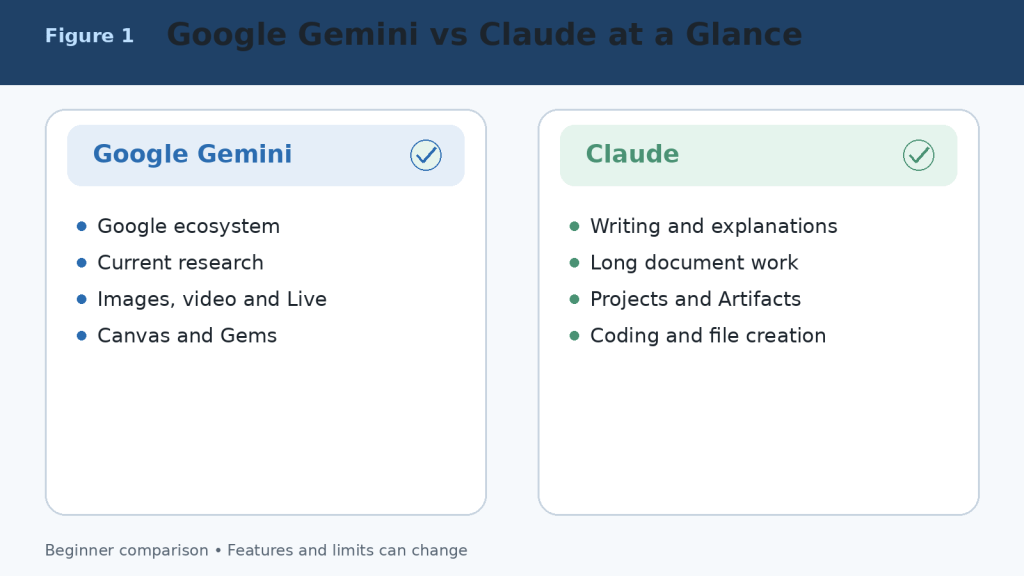
Figure 1. A high-level comparison of Google Gemini and Claude.
Explanation: Gemini is strongest inside Google’s connected ecosystem and multimodal tools, while Claude emphasizes writing, documents, coding, files, and reusable project workflows.
What Is Google Gemini?
Google Gemini is Google’s conversational AI assistant. It can answer questions, explain topics, write and rewrite text, search current web information, conduct Deep Research, analyze uploaded files, create and edit images, generate supported video content, hold voice conversations, and work with connected Google services.
Main Google Gemini Tools
- Google Search and Deep Research for current information and multi-source reports.
- Connected Apps for Gmail, Google Drive, Google Calendar, Google Docs, Google Tasks, Google Keep, and other supported services.
- Canvas for creating and editing documents, slides, applications, and code in a dedicated workspace.
- Gems for reusable, task-specific assistants with customized instructions.
- Gemini Live for spoken conversations and supported camera or screen-based help.
- Native image generation and editing, plus access to broader Google creative tools depending on the plan and region.
- Notebook and study features for research, learning, quizzes, audio overviews, and organized source work.
Gemini is particularly convenient when the information or final output already lives in Google services. A beginner can find details in Gmail, summarize a Drive document, create a draft, move it into Google Docs, and schedule a related Calendar event without building a separate workflow across unrelated products.
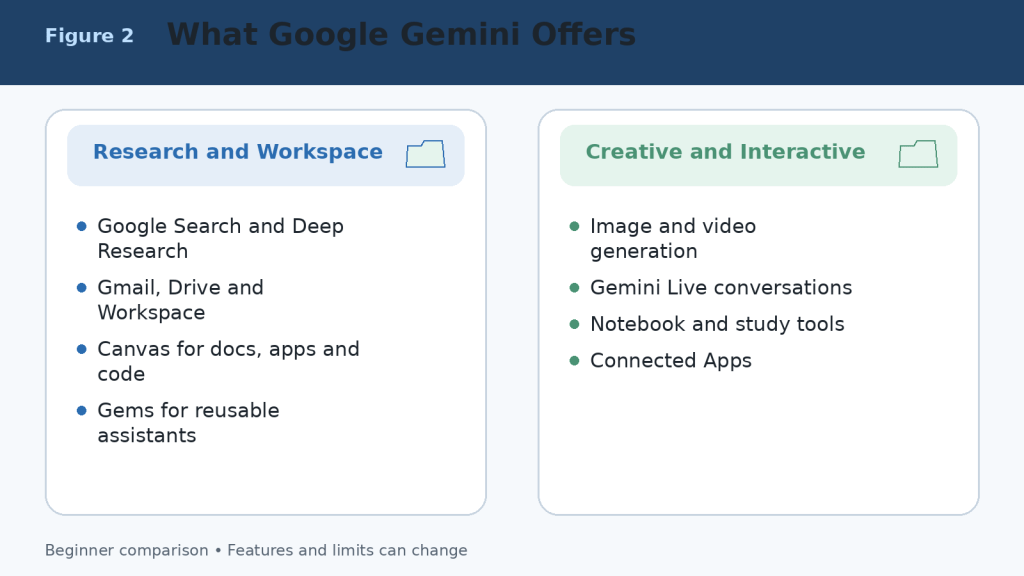
Figure 2. The main capabilities available through Google Gemini and connected Google services.
Explanation: Gemini combines conversation with Search, Deep Research, Workspace connections, Canvas, Gems, Live, and multimedia creation. Availability depends on the account, device, region, and plan.
What Is Claude?
Claude is Anthropic’s conversational AI assistant. It can answer questions, write and edit, analyze documents and images, search the web, conduct Research, create downloadable office files, work inside Projects, use retrieval for larger knowledge collections, help with software development, build interactive Artifacts, and hold voice conversations.
Main Claude Tools
- Projects for self-contained workspaces with chat histories, instructions, and knowledge files.
- Retrieval-Augmented Generation for finding relevant material in larger project collections.
- Direct creation of Word documents, Excel spreadsheets, PowerPoint presentations, PDF files, charts, and code files.
- Claude Code for terminal, integrated development environment, and repository workflows.
- Research for multi-stage investigations across the web and connected context.
- Artifacts for documents, code, diagrams, data visualizations, interactive tools, and shareable applications.
- Voice mode for spoken conversations on supported web and mobile experiences.
- Connectors, plugins, and Microsoft 365 support for professional workflows.
Claude is particularly useful when the centre of the workflow is a long document, collection of reference files, software repository, report, spreadsheet, presentation, or repeatable professional process.
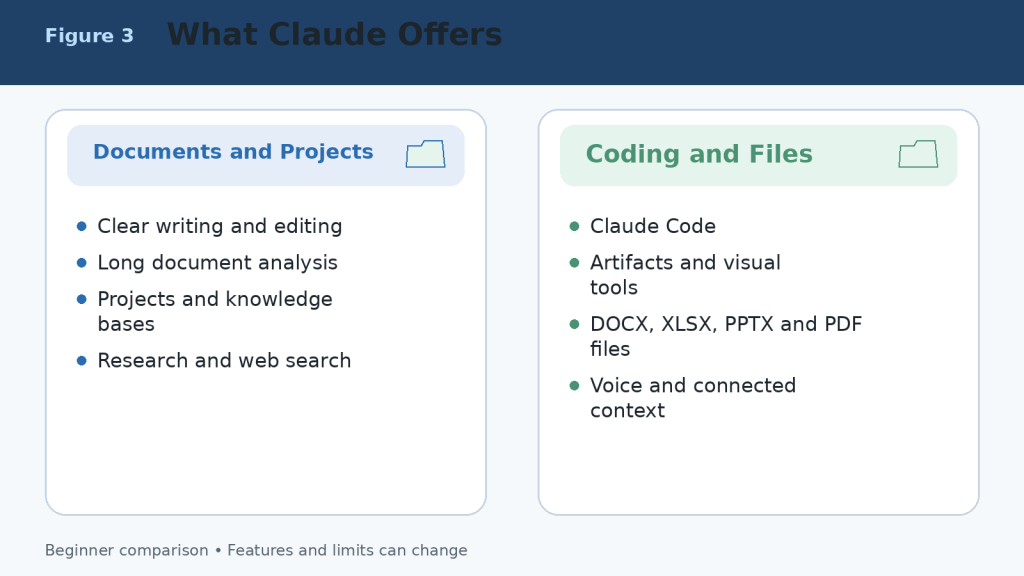
Figure 3. The main capabilities available through Claude.
Explanation: Claude combines strong writing and document analysis with Projects, retrieval, direct office-file creation, Research, Claude Code, Artifacts, voice, and connected professional context.
Google Gemini Free vs Claude Free
Both Free plans are useful for learning and occasional work. They are the correct starting point for most beginners. Free access is limited, and the available models, messages, files, research requests, images, voice features, and other tools can change according to demand, region, device, and product updates.
| Area | Google Gemini Free | Claude Free |
| Best use | Testing everyday Google-connected and multimedia tasks | Testing writing, documents, Projects, files, and Artifacts |
| Current web information | Google Search and limited Deep Research | Web Search and limited Research access where available |
| Projects or reusable spaces | Gems, Canvas, notebooks, and personalization features | Up to five Projects plus project knowledge |
| Images | Native image generation and editing | Image analysis and custom visuals; not an equivalent general image generator |
| Voice | Gemini Live and supported voice features | Voice mode is available on all plans as a beta feature |
| Files | Supported uploads with prompt and file limits | Supported uploads with chat, file, page, and context limits |
| Best decision | Test Google Workspace and multimedia workflows | Test long writing, document, coding, and file workflows |
A fair Free-plan comparison uses the same prompts, source material, files, and output requirements. Test several tasks that represent your normal work rather than judging from one impressive answer.

Figure 4. A practical comparison of the Google Gemini and Claude Free plans.
Explanation: Both Free plans can complete useful work. Gemini provides a broader multimedia and Google-connected starting point, while Claude provides a strong introduction to documents, Projects, web search, Artifacts, and voice.
Google AI Pro vs Claude Pro
Google AI Pro and Claude Pro are the main standard paid individual plans. Google displays Google AI Pro at CA$26.99 per month in Canada at the time of this review. Claude lists Pro at US$20 per month or US$200 per year before applicable tax, with local pricing where supported. Prices can differ by country, currency, tax, promotion, storage bundle, and mobile-store billing.
| Area | Google AI Pro | Claude Pro |
| Main purpose | Higher Gemini access across Google AI and Google services | Regular, higher-capacity Claude use for productivity |
| Usage | Higher Gemini limits than Free | More usage than Free; rolling and weekly limits still apply |
| Research | Higher Deep Research access | Research access |
| Documents | Gemini in Gmail, Docs, and other eligible Google apps | Unlimited Projects and direct office-file creation |
| Coding | Higher model access, Canvas, and developer tools | Claude Code included |
| Creative tools | More image, video, Flow, and creative credits | Artifacts, Design, custom visuals, and file creation |
| Storage or ecosystem benefits | Google storage and other Google-plan benefits | No bundled Google storage |
| Best fit | Heavy Google ecosystem and multimedia use | Writing, documents, coding, Projects, and structured work |
The best value is determined by the tools you actually use, the time they save, and whether the plan remains available during your normal workload. A longer feature list does not automatically make a plan better.
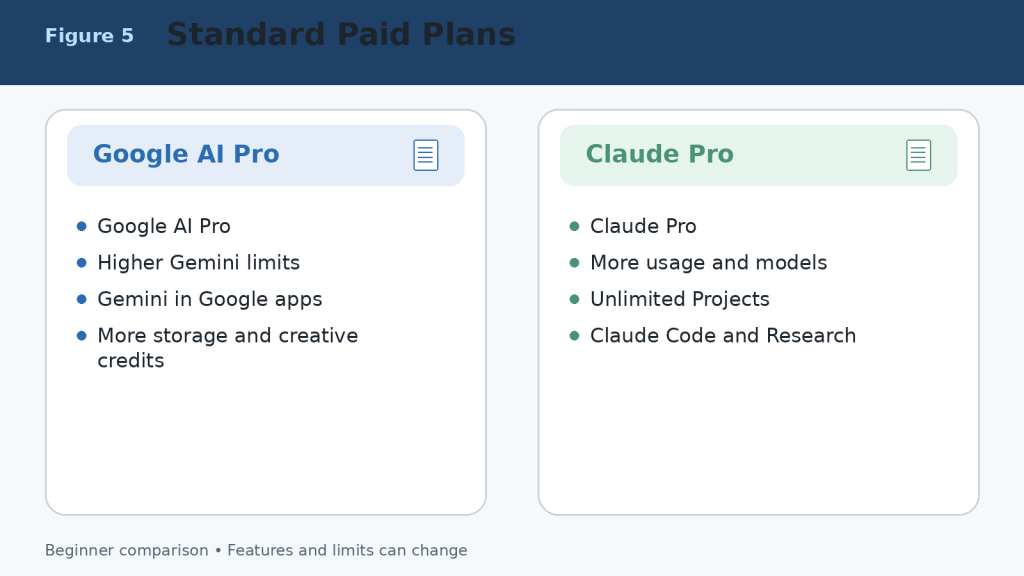
Figure 5. Google AI Pro and Claude Pro compared at the standard paid level.
Explanation: Google AI Pro is strongest for higher Gemini access across the Google ecosystem. Claude Pro is strongest for regular document, coding, Project, Research, and file-creation work.
Google AI Ultra vs Claude Max
Higher-capacity plans are designed for frequent users who repeatedly reach the standard plan’s limits. In Canada, Google lists AI Ultra 5x at CA$139.99 per month and AI Ultra 20x at CA$279.99 per month at the time of review. Claude lists Max 5x from US$100 per month and Max 20x at US$200 per month before applicable tax. Local pricing and included benefits can differ.
The 5x and 20x labels compare each company’s higher tier with its own standard paid tier. They do not provide a direct measurement between Google and Anthropic, and they do not mean the answers are five or twenty times more accurate. Model-specific, session, weekly, feature, safety, and fair-use limits can still apply.
1. Start with a Free or standard paid plan.
2. Record which feature or usage limit interrupts valuable work.
3. Measure several normal weeks rather than one unusually large day.
4. Upgrade only when the interruption costs more than the additional subscription.
5. Downgrade when the extra capacity is no longer useful.
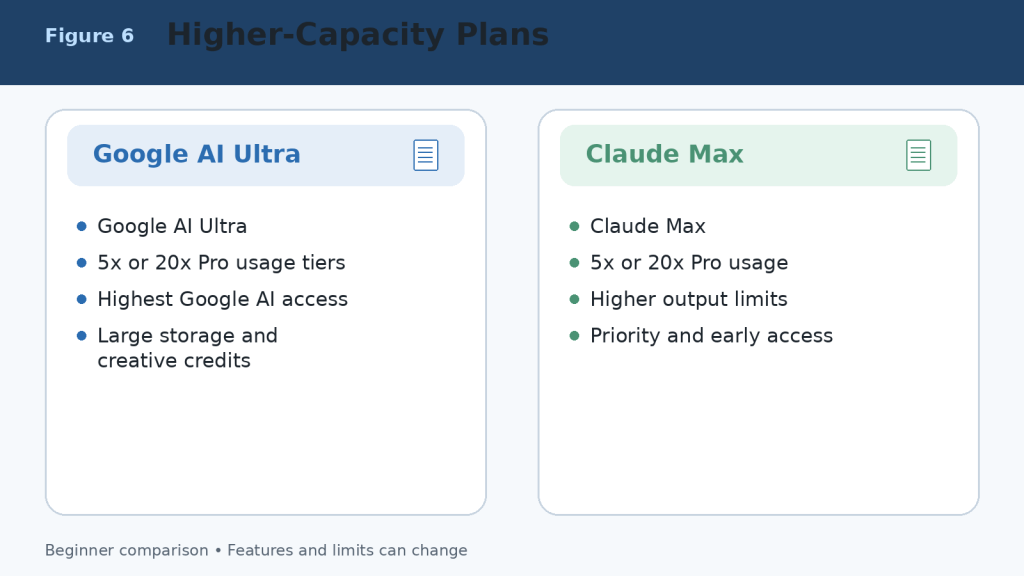
Figure 6. Higher-capacity Google AI Ultra and Claude Max plans.
Explanation: Higher plans provide more access, larger limits, and additional benefits; they do not guarantee perfect answers or unrestricted use.
Google Gemini vs Claude for Writing and Editing
Both assistants can brainstorm, outline, draft, rewrite, shorten, expand, proofread, summarize, translate, and adapt text for different audiences. Writing quality depends heavily on the prompt, source material, selected model, required length, and human editing.
When Google Gemini May Be Better
- The source material is stored in Gmail, Google Drive, or Google Docs.
- The writing project also requires current Search information, images, video, audio, or Google Workspace tools.
- The final draft must move directly into Google Docs or another Google application.
- You want a reusable Gem for a named writing or publishing workflow.
When Claude May Be Better
- The task is long-form, text-heavy, and dependent on careful organization.
- You need detailed revision explanations or consistent tone across a long document.
- You want a Project containing source files, instructions, and continuing chats.
- You need a downloadable DOCX, PPTX, XLSX, or PDF result.
A Fair Writing Test
Give both assistants the same source material and request. Specify the audience, tone, length, headings, required facts, examples, and prohibited claims. Compare factual accuracy, organization, repetition, style, revision reliability, and the amount of human editing required before approval.
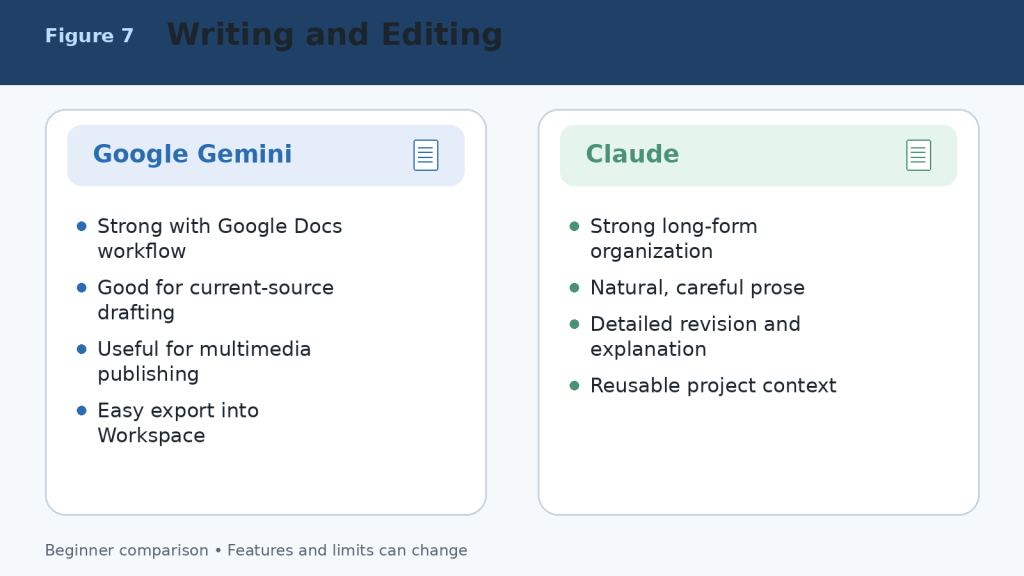
Figure 7. Writing and editing strengths of Google Gemini and Claude.
Explanation: Gemini is convenient for Google Workspace and multimedia publishing. Claude is well suited to long-form organization, careful revision, and project-based writing.
Google Gemini vs Claude for Documents and File Analysis
Both assistants can summarize documents, answer questions about files, compare information, extract key details, identify patterns, and organize findings. Their workflows differ most clearly in Google integration, upload limits, PDF handling, and direct file creation.
Using Google Gemini with Documents
Gemini is especially convenient when files are stored in Google Drive or created with Google Docs, Google Sheets, or Google Slides. It can analyze supported documents, spreadsheets, presentations, images, audio, video, code folders, ZIP files, and other file types. Google’s current support information generally allows up to 10 files in one prompt, with most non-video files up to 100 MB each, subject to account and feature limits.
- Summarize a Google Docs report or Drive file.
- Compare several PDFs or proposals.
- Extract figures and trends from a spreadsheet.
- Create charts from supported uploaded data.
- Review slides, images, audio, and video in the same workflow.
Using Claude with Documents
Claude can analyze PDFs, Word documents, plain-text files, spreadsheets, images, code files, and other supported formats. Current chat-upload limits allow files up to 500 MB each, up to 20 files per chat, and PDFs up to 1,000 pages. Project files have different limits. Claude can also create downloadable Word, Excel, PowerPoint, PDF, chart, and code files through its file-creation environment.
- Summarize lengthy reports and explain them in simple language.
- Compare policies, contracts, proposals, or document versions.
- Extract requirements, dates, names, risks, and action items.
- Use Projects and retrieval to work with continuing knowledge collections.
- Create a structured office-file deliverable from the analysis.
| Area | Google Gemini | Claude |
| Regular prompt or chat files | Up to 10 supported files per prompt in current guidance | Up to 20 files per chat |
| Common file size | Most non-video files up to 100 MB | Chat files up to 500 MB each |
| PDF limit | Depends on account, model, and content | Up to 1,000 pages; visual handling depends on length and format |
| Google Drive workflow | Excellent | Available through supported connections or saving outputs to Drive |
| Spreadsheets | Analyze supported data and create charts | Analyze data and create XLSX, charts, and other files |
| Direct office-file creation | Content can move into Google apps and Canvas | Creates DOCX, XLSX, PPTX, and PDF files directly |
| Best suited to | Google Workspace and mixed-media files | Detailed analysis, many files, long documents, and deliverables |
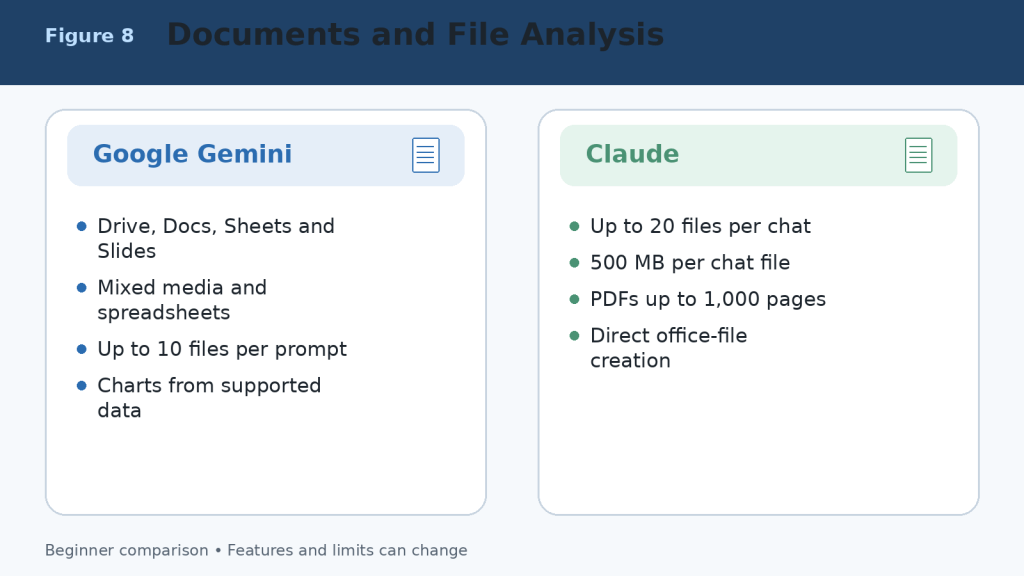
Figure 8. Document and file-analysis strengths of Google Gemini and Claude.
Explanation: Gemini is most convenient for Google Drive, Workspace, spreadsheets, and mixed media. Claude supports more files per chat, larger chat-file limits, long PDFs, Projects, and direct office-file creation.
Google Gemini vs Claude for Research and Web Search
Both assistants can search the current web, gather sources, summarize findings, and produce research reports. Neither should be treated as a substitute for opening the original sources and checking important claims.
Google Gemini Research Strengths
Google Search is the default public source for Deep Research.
Deep Research can include uploaded files, Notebook sources, Gmail, or Drive when supported and connected.
Google AI Pro and Ultra provide higher research limits and access to stronger models for eligible reports.
Gemini is convenient when research must continue into Google Docs, Sheets, Slides, or Workspace.
Claude Research Strengths
Web Search adds current public information to ordinary conversations.
Research can investigate across the web and connected internal context such as supported Google or Microsoft sources.
Claude is strong at organizing lengthy findings into a clear written explanation or report.
Research can continue inside a Project containing files, instructions, and related chats.
Research Safety
1. Ask for source links and publication dates.
2. Open every source supporting an important claim.
3. Separate facts, estimates, opinions, and AI inference.
4. Use original government, academic, company, or professional sources when available.
5. Recheck time-sensitive information immediately before publishing.
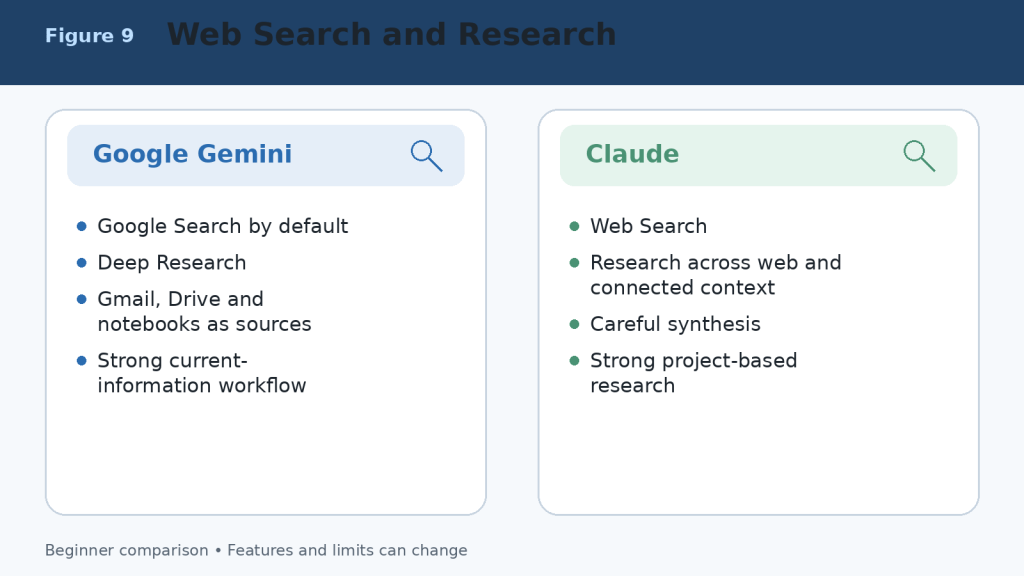
Figure 9. Web-search and research workflows in Google Gemini and Claude.
Explanation: Gemini provides a Google-centred research workflow with Deep Research and connected Google sources. Claude combines web research with careful synthesis, Projects, and connected professional context.
Google Gemini vs Claude for Coding and App Creation
Both assistants can explain code, generate examples, identify errors, propose improvements, write tests, and help plan software. The stronger choice depends on the repository, development environment, required integrations, and how much autonomous work you expect.
When Google Gemini May Be Better for Coding
- The project uses Google Cloud, Android, Firebase, Google Workspace APIs, or other Google technologies.
- You want to prototype a small application directly in Canvas and preview errors or logs.
- You need help with a GitHub repository imported into the Gemini web experience.
- The coding task is part of a broader multimedia or Google-connected workflow.
When Claude May Be Better for Coding
- You need repository-scale assistance through Claude Code.
- You value detailed debugging explanations and careful code review.
- You want to create an interactive application or tool as an Artifact.
- The project requires continuing context across documents, code, and structured Project knowledge.
| Area | Google Gemini | Claude |
| General coding help | Yes | Yes |
| Dedicated workspace | Canvas and Google developer tools | Claude Code and Artifacts |
| Repository work | GitHub import and supported coding tools | Terminal, IDE, web, and repository workflows |
| App prototype | Canvas apps and code previews | Artifacts and Claude Design |
| Best ecosystem | Google Cloud, Android, Firebase, Workspace | Cross-platform repositories and document-plus-code projects |
| Required safety | Test code, dependencies, permissions, and security | Test code, dependencies, permissions, and security |
Coding Safety Checklist
1. Use version control and a separate branch.
2. Never paste production passwords, private keys, or customer data.
3. Review every file before accepting a large change.
4. Run tests, security checks, and dependency scans.
5. Confirm licensing before reusing generated or suggested code.
6. Require human approval before deployment or destructive commands.
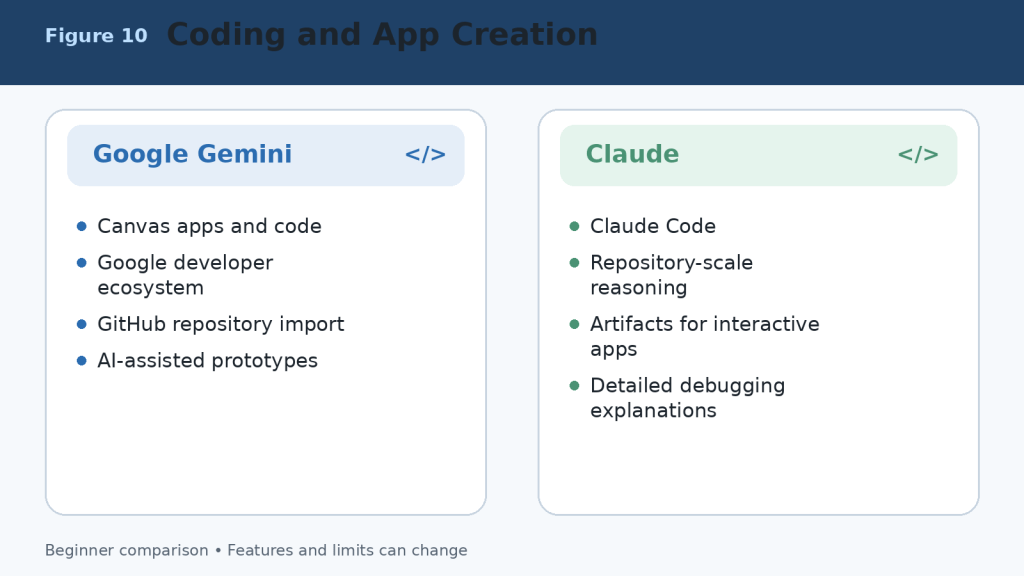
Figure 10. Coding and application-development strengths of Google Gemini and Claude.
Explanation: Gemini is strong for Canvas prototypes and Google technologies. Claude is strong for repository work, detailed debugging, Claude Code, and interactive Artifacts.
Google Gemini vs Claude for Images, Voice, and Multimodal Work
Multimodal work includes text, images, audio, video, camera input, screen sharing, diagrams, and interactive visual content. Gemini has the broader native multimedia-creation environment. Claude can analyze visual material and create useful custom visuals, but it is not the same kind of general image and video generator.
Google Gemini Advantages
- Native image generation and image editing.
- Video generation and broader Google creative tools depending on plan and region.
- Gemini Live for spoken conversation with supported camera and screen sharing.
- Analysis of documents, images, audio, video, and spreadsheet data.
- Natural connection with Google Photos, YouTube, Android, and other supported services.
Claude Advantages
- Image analysis and visual understanding.
- Visual analysis of eligible PDFs and charts.
- Voice mode on all plans as a beta feature.
- Interactive diagrams, dashboards, charts, HTML, SVG, and custom visuals.
- Design and Artifact workflows for functional visual outputs.
Privacy Warning
Camera, microphone, screen, photo, and video features can expose private people, messages, documents, locations, or account information. Review the screen before sharing, close unrelated windows, remove private details, obtain permission from people shown or heard, and stop sharing when the task is complete.
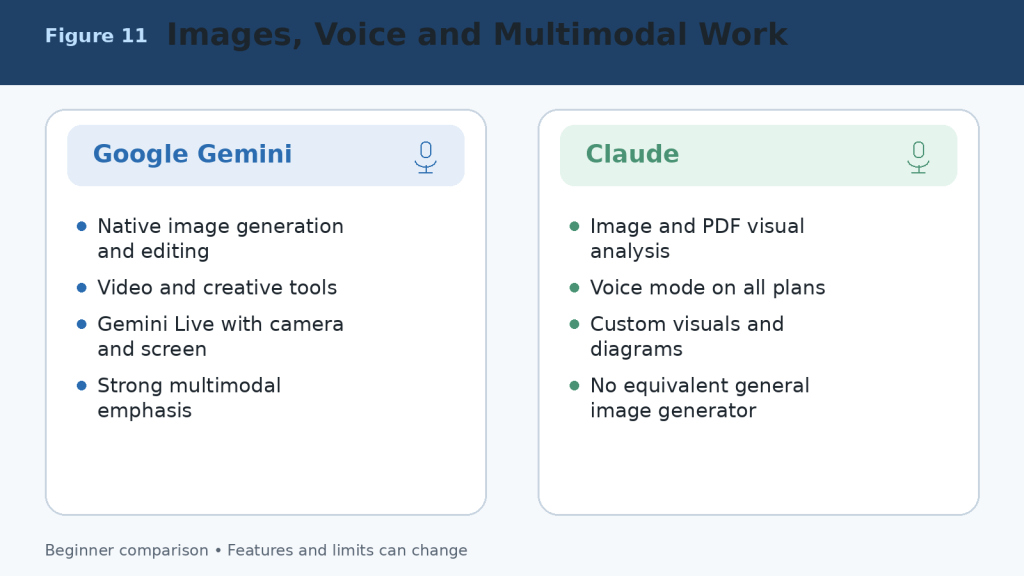
Figure 11. Image, voice, and multimodal capabilities of Google Gemini and Claude.
Explanation: Gemini provides broader native image, video, Live, and Google-media capabilities. Claude provides image analysis, voice, diagrams, custom visuals, and interactive design outputs.
Google Gemini vs Claude for Connected Apps and Integrations
Connected applications are one of the largest practical differences. Gemini is built around Google services and Android. Claude supports connected professional context, Microsoft 365, Google sources, connectors, plugins, and Model Context Protocol integrations, but its ecosystem is organized differently.
Google Gemini Connected-App Strengths
- Find and summarize information from Gmail, Drive, Docs, and other supported Workspace services.
- Create or manage supported Calendar events, Tasks, Keep notes, calls, messages, media, and device actions.
- Use Gemini directly inside eligible Google Workspace applications.
- Connect selected third-party or custom applications where supported.
Claude Integration Strengths
- Use connected Google and Microsoft context during Research and professional workflows.
- Work with Microsoft 365 through eligible Claude plans and products.
- Use connectors, plugins, and MCP servers for specialized tasks.
- Connect project knowledge, code repositories, and business tools in focused workflows.
Least-Access Principle
Connect only the services needed for the current task. Review requested permissions, disconnect unused applications, avoid shared or sensitive accounts, and confirm every email, calendar, file, publishing, or account action in the destination service.

Figure 12. Connected applications and integrations in Google Gemini and Claude.
Explanation: Gemini has the clearest advantage for Gmail, Drive, Calendar, Docs, Android, and Google services. Claude provides focused connectors, Microsoft 365 support, plugins, and MCP-based professional workflows.
Google Gemini vs Claude for Projects, Memory, and Custom Workflows
Both products can preserve instructions and context, but they organize reusable work differently. Gemini uses Gems, personalization, connected applications, notebooks, Canvas, and Google Workspace context. Claude uses Projects, project knowledge, retrieval, Artifacts, Skills, connectors, and related product tools.
| Area | Google Gemini | Claude |
| Reusable assistant | Gem with custom instructions | Project plus instructions, Skills, or plugins |
| Project workspace | Canvas, notebooks, connected apps, and Workspace files | Projects with chat history and knowledge base |
| Free project limit | Feature-dependent; Gems and other tools available | Maximum of five Projects |
| Paid project access | Higher limits and Google-plan features | Unlimited Projects on paid plans |
| Large knowledge collections | Drive, Notebook sources, and connected Google context | RAG retrieves relevant passages from larger project knowledge |
| Memory or personalization | Past chats, custom instructions, and connected data where enabled | Chat search, memory, Projects, and instructions where available |
| Best fit | Google-account-centred personal or business workflow | Document-, coding-, and knowledge-centred continuing workflow |
Do not treat memory or project storage as a guaranteed record. Keep important source files in your normal storage system, use clear filenames and versions, and verify what the assistant actually remembers before relying on it.
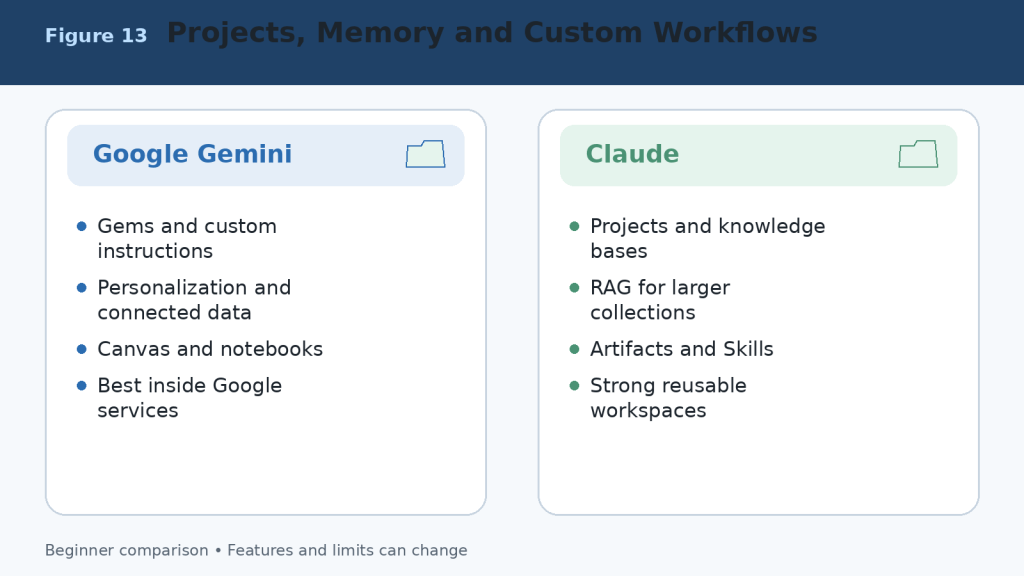
Figure 13. Projects, memory, personalization, and custom workflows in Google Gemini and Claude.
Explanation: Gemini builds reusable work around Gems, connected Google data, Canvas, and notebooks. Claude builds reusable work around Projects, knowledge bases, retrieval, Artifacts, and related tools.
Google Gemini vs Claude for Different Types of Users
| User | Suggested Starting Point | Reason |
| Complete beginner | Test both Free plans | Real tasks provide better evidence than rankings. |
| Google Workspace user | Google Gemini | Gmail, Drive, Docs, Sheets, Slides, Calendar, and connected services are central. |
| Writer or editor | Claude first; compare Gemini | Claude often suits long-form revision; Gemini is convenient for Google Docs and research. |
| Student | Both | Compare explanations, files, study features, research, and source quality. |
| Document analyst | Claude first | Large files, many chat uploads, Projects, retrieval, and direct file creation are useful. |
| Multimedia creator | Google Gemini | Native images, video tools, Live, and Google media connections are stronger. |
| Software developer | Test both on the same repository | The winner depends on Google technologies, Claude Code, tools, and workflow. |
| Small business owner | Choose by existing applications | Google users may prefer Gemini; document and Microsoft workflows may favour Claude. |
| Researcher | Use both for verification | Compare Search and Deep Research with Claude Research and connected context. |
| Heavy daily user | Upgrade only after measuring limits | Higher tiers are expensive and do not guarantee better accuracy. |
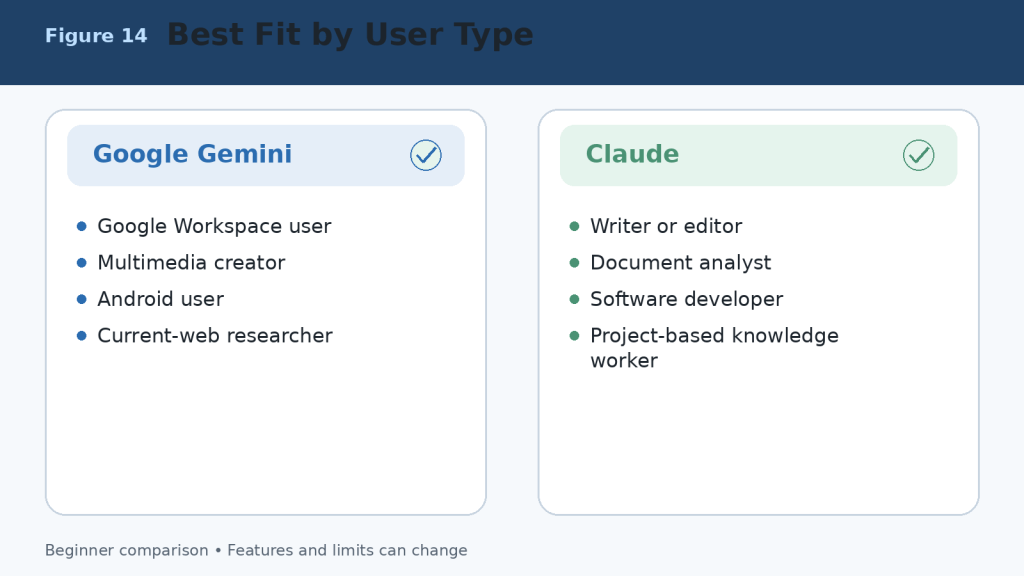
Figure 14. Suggested starting choices for different types of users.
Explanation: The best assistant depends on the user’s existing applications and most frequent tasks. Beginners should test both Free plans before paying.
How to Choose Between Google Gemini and Claude
A useful decision does not begin with a feature list. It begins with your work. Choose three tasks you complete repeatedly and test both assistants under the same conditions.
1. Select three real tasks, such as drafting an article, analyzing a report, and researching a current topic.
2. Use the same prompt, files, sources, audience, length, and required format.
3. Record factual errors, missing details, formatting problems, and unusable citations.
4. Measure the time needed to reach an approved final result.
5. Check whether the assistant works naturally with your email, storage, documents, calendar, browser, and development tools.
6. Review local subscription prices, taxes, usage limits, and cancellation terms.
7. Choose the assistant that creates the most reliable value with the least correction.
Simple Decision Rule
- Choose Google Gemini when Google Workspace, current Search, images, video, Android, and connected Google services are central to your work.
- Choose Claude when long writing, detailed document analysis, direct office-file creation, coding, Projects, or structured knowledge workflows are central.
- Use both Free plans when the tasks are mixed or you need a second opinion.
- Pay for only one primary assistant unless both paid-only feature sets produce measurable value.

Figure 15. A practical process for choosing Google Gemini or Claude.
Explanation: Use identical real tasks, measure corrections and time, check integrations and privacy, and pay only when the value is proven.
Common Google Gemini vs Claude Comparison Mistakes
- Comparing a paid plan with a Free plan without saying so.
- Using different prompts, files, sources, or output lengths.
- Testing only one easy task or one lucky response.
- Assuming the newest or largest model is best for every task.
- Judging writing style while ignoring factual accuracy.
- Ignoring Google Workspace, Microsoft 365, Android, coding, or storage integration.
- Comparing advertised limits as though they measure answer quality.
- Assuming a paid subscription is unlimited.
- Treating generated citations as correct without opening them.
- Ignoring privacy, data retention, connected-app permissions, and workplace rules.
- Choosing by social-media hype instead of measured work.
- Failing to test the exported DOCX, XLSX, PPTX, PDF, code, chart, or application.
A fair comparison uses comparable plans, equivalent models, identical prompts, the same source material, equal output requirements, and a consistent verification checklist. Measure the time required to reach an approved final result, not merely the time required to receive the first answer.
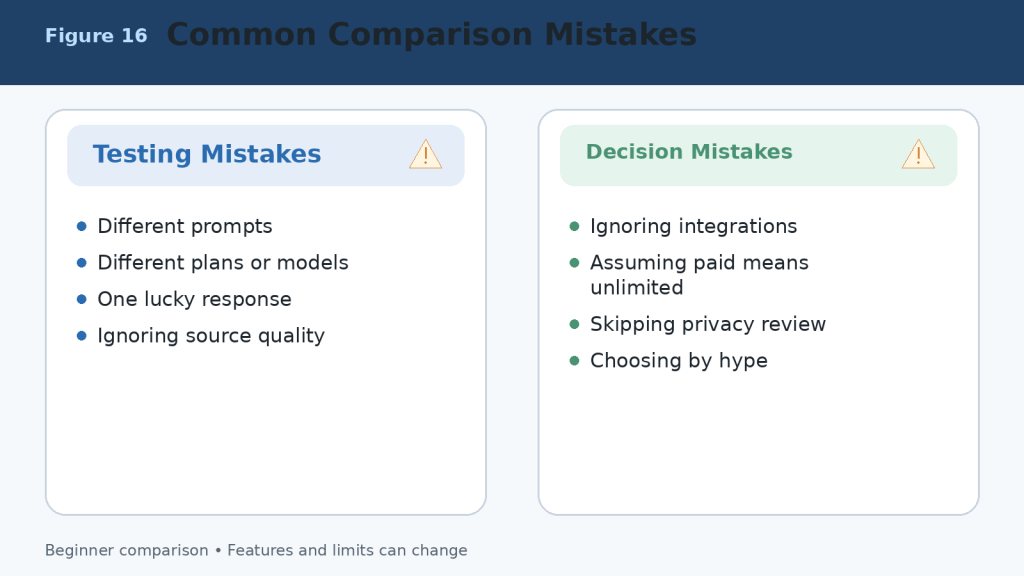
Figure 16. Common mistakes that produce an unfair Gemini-versus-Claude comparison.
Explanation: A reliable comparison uses equal conditions, checks sources and outputs, includes integrations and privacy, and evaluates several real tasks rather than one response.
Limitations of Google Gemini and Claude
Neither assistant is completely accurate, unlimited, private for every purpose, or able to complete important work safely without supervision.
Shared Limitations
- Incorrect information, invented citations, and outdated claims.
- Misinterpretation of web sources, images, and uploaded files.
- Context, session, daily, weekly, model, and feature limits.
- Visual, optical-character-recognition, calculation, and formatting errors.
- Insecure, incomplete, or outdated code.
- Prompt injection and unintended actions through connected tools.
- Incomplete or outdated memory and personalization.
- Privacy, retention, sharing, and permission risks.
- Regional, language, account, plan, and device differences.
- Service interruptions and capacity errors.
How to Reduce Risk
1. Use authoritative sources and open important citations.
2. Upload only the information necessary for the task.
3. Remove private details and review activity, retention, and training controls.
4. Use backups, version control, and separate branches for code.
5. Open generated files and test formulas, links, charts, formatting, and accessibility.
6. Grant the minimum connected-app permissions.
7. Confirm every email, calendar, publishing, payment, or account action in the destination system.
8. Consult a qualified professional for medical, legal, financial, or other high-stakes decisions.
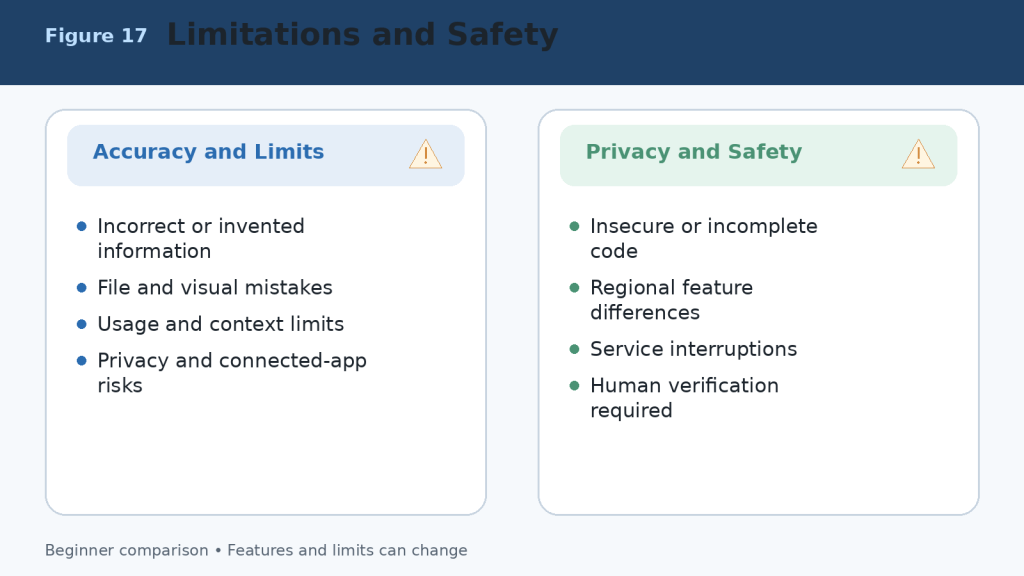
Figure 17. Shared limitations and safety risks in Google Gemini and Claude.
Explanation: Both assistants can make factual, file, visual, coding, privacy, and connected-action errors. The user remains responsible for verification and final decisions.
Frequently Asked Questions About Google Gemini vs Claude
Is Google Gemini Better Than Claude?
Google Gemini is not automatically better than Claude. Gemini is generally more convenient for people who regularly use Google Search, Gmail, Google Drive, Google Docs, Google Sheets, and other Google services. Claude is often preferred for careful writing, long-document analysis, detailed explanations, coding, and structured project work.
Is Claude Better Than Google Gemini?
Claude may be better for tasks that require thoughtful writing, detailed document analysis, clear explanations, or sustained work within a project. Gemini may be stronger when you need current web information, Google Workspace integration, multimedia tools, or access to files already stored in Google services.
Which AI Assistant Is Easier for Beginners?
Both tools are beginner-friendly and accept ordinary language. Gemini may feel more familiar to people who already have a Google account and use Google services. Claude has a clean interface and often produces carefully organized answers. Test the Free version of each with the same simple tasks.
Can I Use Google Gemini and Claude for Free?
Yes. Both offer Free access, but usage limits and available features differ. Paid plans provide higher limits and additional capabilities. Plan names, prices, limits, models, and features can change, so check the official pricing and support pages before subscribing.
Which Is Better for Writing?
Claude is often an excellent choice for long-form writing, rewriting, editing, tone adjustment, explanations, reports, and carefully structured documents. Gemini is also capable and may be more convenient when the final work must move into Google Docs, Gmail, or another Google Workspace application.
Which Is Better for Research?
Gemini is generally the more convenient choice for research that depends on Google Search and connected Google services. Claude can also research topics, organize findings, analyze uploaded sources, and create detailed explanations. Always open and verify important sources.
Which Is Better for Analyzing Documents?
Claude is often well suited to detailed analysis of long, text-heavy documents and collections of related files. Gemini is especially convenient when documents are stored in Google Drive or created with Google Docs, Sheets, or Slides. The better tool depends on file type, length, required analysis, and storage location.
Which Is Better for Coding?
Both can explain code, identify errors, suggest improvements, generate examples, and assist with software projects. Claude is often valued for detailed coding explanations and repository work. Gemini can be especially useful for Google technologies and Canvas prototypes. Generated code must always be tested.
Can Gemini and Claude Create Downloadable Files?
Both can help create structured content. Claude can directly create Word, Excel, PowerPoint, PDF, chart, and code files through its file-creation capability. Gemini can create and organize content in Canvas and Google applications and can analyze spreadsheet information and generate supported charts. Availability depends on the account, model, device, region, and plan.
Are Google Gemini and Claude Always Accurate?
No. Both can produce incorrect, outdated, incomplete, or invented information. Check important information against reliable original sources, especially for health, legal, financial, government, academic, product, and current-event topics.
Can I Use Both Gemini and Claude?
Yes. For example, you could use Gemini to gather current information or work with Google Drive files and use Claude to reorganize the material into a detailed explanation or polished report. Do not upload confidential information to multiple services merely to compare answers.
Which One Should a Beginner Choose?
Choose Google Gemini when you primarily use Google services, need current web research, work with mixed media, or want close Google Workspace integration. Choose Claude when you prioritize careful writing, detailed explanations, long-document analysis, coding assistance, or organized project work. Test both Free plans with your real tasks before paying.
Final Verdict: Should You Choose Google Gemini or Claude?
Google Gemini and Claude are both powerful AI assistants, but they are designed around different strengths. There is no single winner for every beginner.
Choose Google Gemini If You:
- Regularly use Gmail, Google Drive, Google Docs, Google Sheets, or Google Slides.
- Need current web research and Google Search.
- Work with images, audio, video, documents, and spreadsheets.
- Want close integration with Google services and Android.
- Prefer an assistant that fits naturally into the Google ecosystem.
Choose Claude If You:
- Need clear, natural, and carefully structured writing.
- Frequently summarize or analyze long documents.
- Want detailed explanations of complicated topics.
- Work on coding, reports, research, or extended projects.
- Need direct office-file creation or organized Project knowledge.
Choose Both If You:
Many users will get the best results by using both Free plans or by keeping one paid primary assistant and one Free secondary assistant. Use Gemini for current information or Google-connected tasks, use Claude for detailed analysis or document production, and compare answers when accuracy is especially important.
Quick Recommendation by Task
| Task | Better Starting Choice |
| Google Workspace tasks | Google Gemini |
| Current Google-connected web research | Google Gemini |
| Gmail, Drive, Calendar, and Android integration | Google Gemini |
| Native image and video creation | Google Gemini |
| Long-form writing | Claude |
| Detailed document analysis | Claude |
| Direct DOCX, XLSX, PPTX, and PDF creation | Claude |
| Repository coding and software projects | Claude |
| Comparing answers for accuracy | Both |
Best Choice for Most Beginners
For beginners who already use Google services every day, Google Gemini is usually the easiest place to start. For beginners who mainly want help with writing, learning, document analysis, coding, or downloadable office files, Claude is often the better starting choice. The practical method is to test both Free versions using the same three real tasks.
Final Recommendation
Do not choose an AI assistant only because it has more features or receives more publicity. Google Gemini is strongest as a connected, multimedia assistant within the Google ecosystem. Claude is strongest as a focused writing, document-analysis, file-creation, project, and coding assistant. Both require human verification.
Key Takeaways
- Google Gemini is best connected to the Google ecosystem, including Search, Gmail, Drive, Workspace, Android, and multimedia services.
- Claude is particularly strong for writing, detailed document analysis, coding, direct office-file creation, and organized project work.
- Both can summarize, explain, rewrite, brainstorm, analyze files, research, and answer questions.
- Gemini is generally stronger for native image and video creation and Google-connected mixed-media work.
- Claude is generally stronger for focused, text-heavy work, Projects, repository coding, and downloadable deliverables.
- Free plans are suitable for testing both tools; paid plans provide more access but are not unlimited.
- Privacy must be taken seriously, particularly with files, camera, microphone, screen sharing, and connected applications.
- Neither assistant is always accurate. Important answers, citations, calculations, code, and files must be verified.
- You do not have to choose only one assistant. Their different strengths can complement each other.
- The best decision is based on real tasks, measured corrections, existing applications, and total value.
Continue Learning
- Article 055 — ChatGPT vs Claude: Beginner Comparison (2026)
- Article 043 — ChatGPT vs Google Gemini: Beginner Comparison (2026)
- Article 033 — How to Use Google Gemini: Complete Beginner Guide (2026)
- Article 044 — Claude AI for Beginners: Complete Guide (2026)
- Article 041 — How to Use Gems in Google Gemini (2026)
- Article 048 — How to Use Projects and Knowledge Bases in Claude (2026)
- Article 042 — How to Use Canvas in Google Gemini for Writing and Projects (2026)
- Article 047 — How to Summarize, Analyze, and Compare Documents with Claude: Beginner Guide (2026)
Sources and References
Product facts were reviewed against official Google and Anthropic documentation on August 5, 2026. Prices, limits, models, features, storage, and regional availability can change. Recheck important information before publishing or purchasing.
1. Google Gemini Plans and Features (Canada)
3. Gemini Apps Limits and Upgrades
4. Upload and Analyze Files in Gemini Apps
5. Use Deep Research in Gemini Apps
6. Create Documents, Apps, Slides, and Code with Canvas
8. Use and Manage Connected Apps in Gemini
9. Connect Google Workspace to Gemini Apps
11. Manage and Delete Gemini Apps Activity
14. How Claude Usage and Length Limits Work
17. Retrieval-Augmented Generation for Claude Projects
18. Create and Edit Files with Claude
19. What Are Claude Artifacts?
20. Enable and Use Web Search in Claude
23. Use Claude Code with Pro or Max
24. Claude Context Window on Paid Plans


Leave a comment