
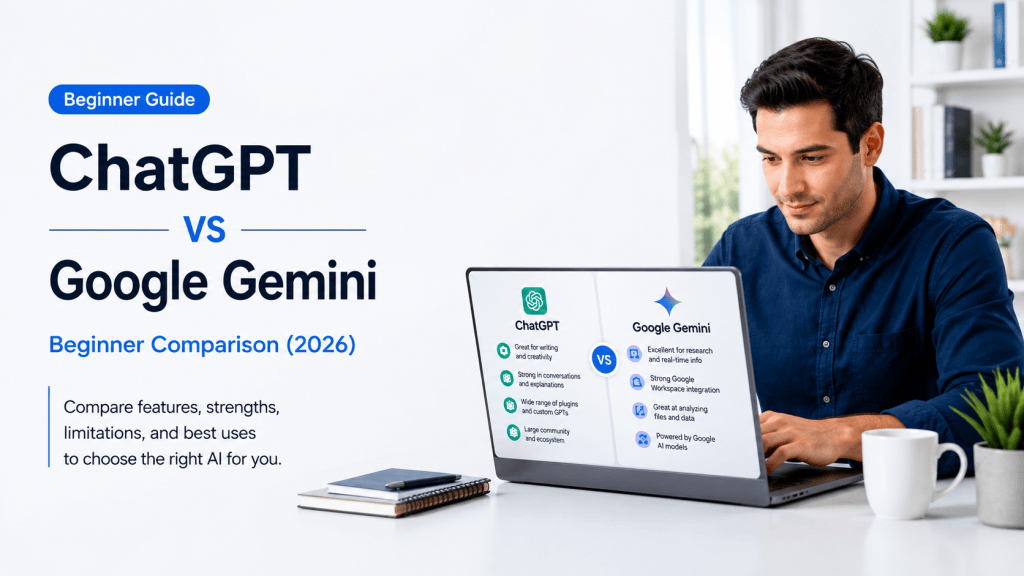
Estimated Reading Time: 19 minutes
Last Updated: August 4, 2026
Before Learning
ChatGPT and Google Gemini are both generative AI assistants. They can respond to written or spoken instructions, explain subjects, draft and revise content, summarize information, analyse supported files, create images, and help with everyday planning. They are developed by different companies and organize their tools in different ways.
A prompt is the question, instruction, or request you give to an AI assistant. For example: “Explain cloud storage to a complete beginner using one everyday comparison.” You do not need programming experience to use either service.
Important: Features, model names, limits, privacy controls, and plan benefits can change. This comparison was reviewed against official OpenAI and Google information on August 4, 2026. Recheck official information before paying for a plan or depending on a specific feature.
What You Need
• An internet connection and supported browser or mobile device
• An OpenAI account for saved ChatGPT work and account features
• A Google Account for saved Gemini work and connected Google features
• Several low-risk tasks that you can test in both assistants
• Permission to use any document, image, email, or other information you provide
• A simple scoring method for accuracy, clarity, instruction following, workflow fit, and correction time
What You’ll Learn
• The main similarities and differences between ChatGPT and Google Gemini
• Which assistant may fit writing, research, files, images, voice, and continuing projects
• How custom GPTs compare with Gemini Gems
• How ChatGPT apps compare with Gemini Connected Apps
• What free and paid access means for beginners
• How privacy, temporary chats, activity, memory, and connected services differ
• How to test both assistants fairly before choosing one
Introduction
ChatGPT and Google Gemini overlap in many everyday tasks. Either assistant may help you write an email, explain a difficult idea, summarize a report, create a checklist, analyse a spreadsheet, generate an image, search for current information, or conduct a voice conversation.
The useful question is not “Which assistant wins?” A better question is “Which assistant fits this task, this account, and this workflow?” A person who works mainly in Gmail, Google Drive, Google Docs, Google Calendar, and Android may value Gemini’s close Google integration. A person who wants a broad workspace for Projects, files, data analysis, images, research, custom GPTs, and apps from several providers may prefer ChatGPT.
Reality: Both assistants can produce polished answers that are incomplete or wrong. Neither should be treated as an unquestioned source of truth.
ChatGPT vs Google Gemini: Quick Comparison
| Area | ChatGPT | Google Gemini |
| Developer | OpenAI | |
| Basic use | Questions, writing, learning, planning, files, images, research, voice, coding | Questions, writing, learning, planning, files, images, research, voice, coding |
| Long-running work | Projects group chats, instructions, files, and context | Gems, Canvas, Drive, conversations, and Workspace tools work together |
| Custom assistants | Custom GPTs with instructions, knowledge, and selected tools | Gems with reusable instructions and supported knowledge |
| Connected work | Apps from multiple supported providers | Strong Google Workspace and Android connections |
| Research | Search and Deep Research with selectable sources | Google Search and Deep Research with Google-connected sources |
| Best fit | Broad or mixed-service workflow | Google-centred workflow |
| Accuracy | Requires human verification | Requires human verification |
The table shows tendencies, not permanent rules. Account type, device, country, settings, model access, and ongoing product updates can change the experience.
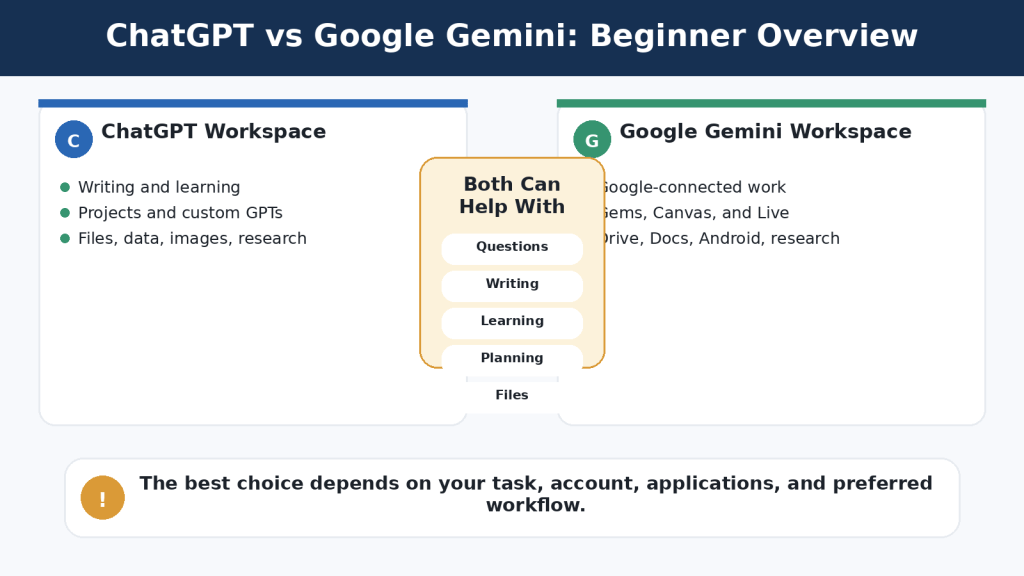
Figure 1. ChatGPT and Google Gemini share many core capabilities but organize tools, connections, and continuing work differently.
Explanation: The best assistant depends on the user’s tasks, account, applications, and preferred way of organizing work.
Which Is Easier for Beginners?
Both assistants use a familiar conversation format. You enter a prompt, review the response, and continue with a follow-up question or correction. Most beginners can start without understanding AI models or technical settings.
Basic ChatGPT Workflow
1. Open ChatGPT and sign in when you want saved work.
2. Start a new conversation or open the relevant Project.
3. Enter a clear prompt.
4. Attach a supported file or image when necessary.
5. Review the answer for facts, omissions, and instruction following.
6. Ask a focused follow-up, such as “Correct only the second paragraph.”
Basic Gemini Workflow
1. Open Gemini and sign in to the correct Google Account.
2. Start a new conversation.
3. Enter a clear prompt.
4. Add a supported file, Drive item, or image when needed and available.
5. Review the answer and any listed sources.
6. Continue with a correction or a request for a different format.
ChatGPT may feel simpler when you want a standalone AI workspace. Gemini may feel simpler when you already use a Google Account, Google Drive, Google Docs, or Android. Ease of use is personal and depends heavily on familiarity.
Beginner Tip: Ignore most advanced controls during your first few sessions. Practise ordinary prompts, review the responses, and learn how to request one correction at a time.
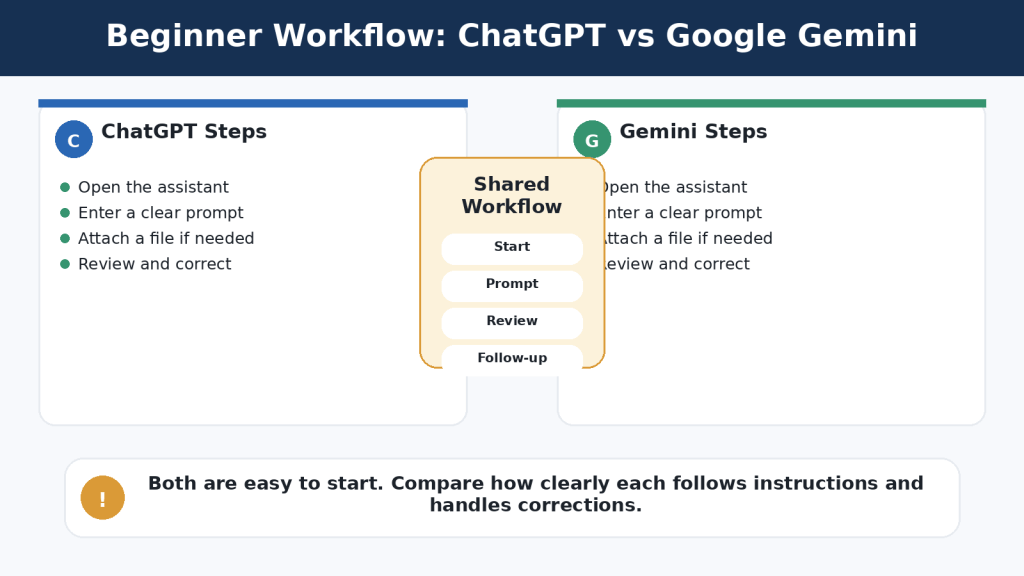
Figure 2. Both assistants use a similar beginner workflow: open the service, enter a prompt, add material when needed, review the response, and continue with corrections.
Explanation: The easier assistant is usually the one that requires fewer extra steps for the applications and tasks the user already performs.
Which Is Better for Writing and Rewriting?
Both assistants can brainstorm, outline, draft, rewrite, simplify, summarize, proofread, and change tone. A fair writing comparison uses the same source text, audience, length, structure, and factual requirements.
Where ChatGPT May Fit
• Writing and revision inside a general ChatGPT workspace
• Long-term content work organized in Projects
• Combining writing with files, research, data, images, and other apps
• Using custom GPTs for repeated article or communication rules
• Working outside a Google Docs-centred process
Where Gemini May Fit
• Drafts and source files already stored in Google Drive
• Continued editing in Google Docs
• Longer work developed in Gemini Canvas
• Reusable writing rules saved in a Gem
• Google Workspace assistance provided through an eligible account
Use this test prompt in both tools: “Rewrite this paragraph for complete beginners. Preserve every fact, name, date, number, and warning. Explain technical terms. Do not add information that is not in the original.”
Common Mistake: Choosing the longer or more confident draft. A shorter draft may follow the instructions more accurately.
How to Avoid This Mistake: Compare the result sentence by sentence with the original. Check whether the assistant changed a fact, removed a condition, or added an unsupported example.
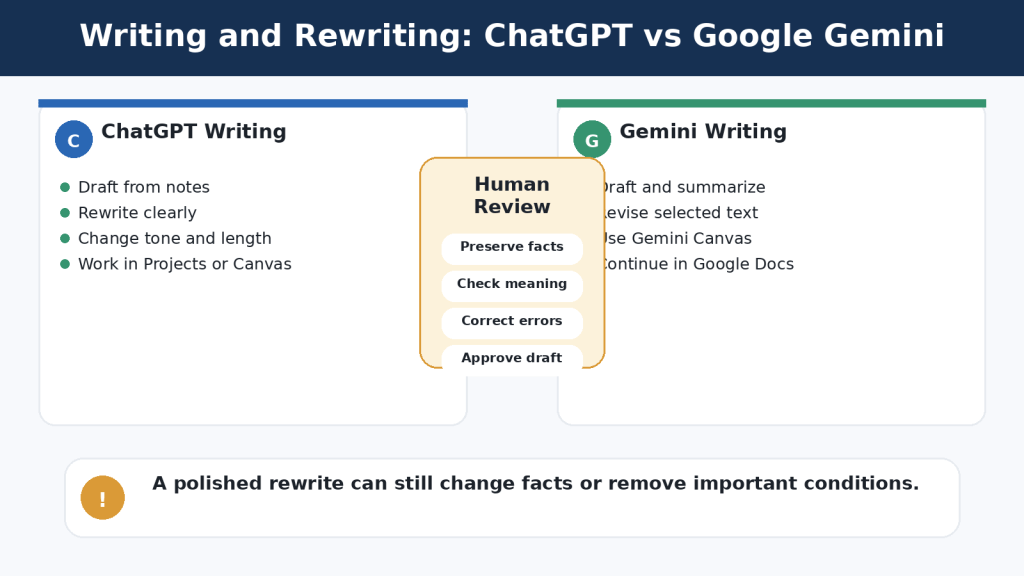
Figure 3. ChatGPT and Google Gemini can both draft and revise writing, but every rewritten version must be checked against the original.
Explanation: A polished revision can still change meaning, remove conditions, or add unsupported information.
Which Is Better for Research and Current Information?
Both assistants can retrieve current web information and prepare deeper, multi-source reports. ChatGPT Search is intended for quick current questions with links. ChatGPT Deep Research supports a proposed research plan, uploaded files, selected websites, and enabled apps. Gemini can provide sources connected with Google Search, and Gemini Deep Research can use Google Search plus selected uploaded or connected sources such as Gmail, Drive, and NotebookLM when available.
Quick Search vs Deep Research
| Use Quick Search When | Use Deep Research When |
| You need a recent fact or short answer | The task requires several stages and many sources |
| You want a few useful links | You need a structured report with citations |
| Time is limited | You must compare competing claims or documents |
| The question is narrow | You need a research plan and source controls |
Citations are not proof. Open important links, confirm the publisher and date, and check that the source supports the complete claim. Compare important conclusions with other authoritative sources.
Reality: Neither assistant replaces careful research. Both can accelerate discovery and organization, but the user remains responsible for evaluating evidence.
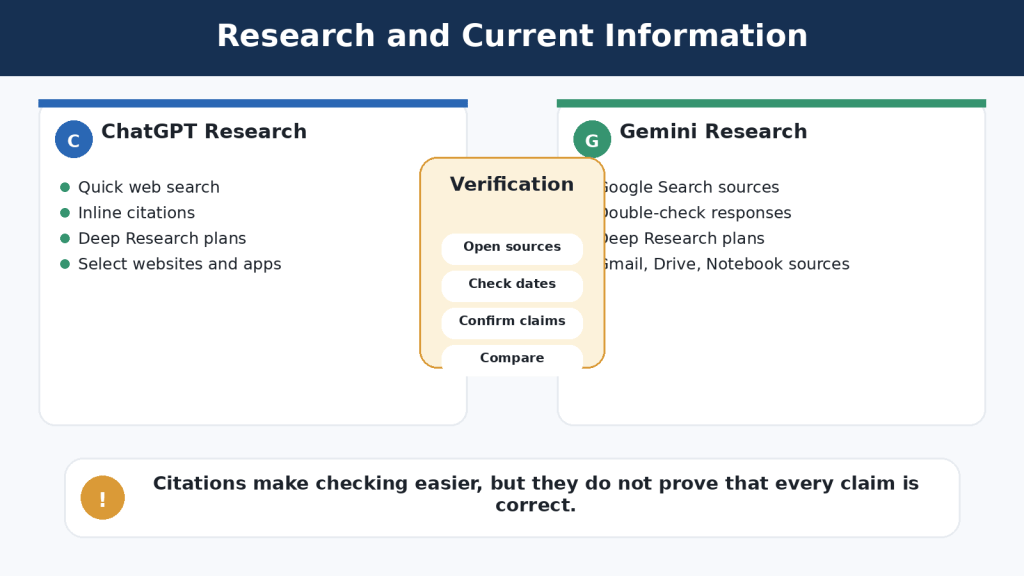
Figure 4. Both assistants support quick web searches and deeper multi-source research, but their source connections and workflow controls differ.
Explanation: Citations help verification, but users must still open sources, check dates, and confirm that the evidence supports each important claim.
Which Is Better for Documents, Files, Spreadsheets, and Data?
ChatGPT supports common document, spreadsheet, presentation, text, and image formats. OpenAI describes file uploads as useful for synthesis, extracting information, comparing documents, analysing spreadsheets, and creating visualizations. ChatGPT can also use data-analysis tools for calculations, tables, and charts.
Gemini can accept documents, spreadsheets, NotebookLM notebooks, photographs, videos, code folders, and other supported files. Google describes file uploads as useful for answers, summaries, insights, and charts. Google Drive and Google Sheets connections may reduce downloading and re-uploading when the source already belongs in Google Workspace.
Fair File Test
1. Use the same short, non-sensitive document in both assistants.
2. Ask for a summary containing purpose, requirements, dates, exceptions, warnings, and unanswered questions.
3. Ask five factual questions whose answers you can verify.
4. Extract selected information into a table.
5. Use the same small spreadsheet and request one calculation and one chart.
6. Check every result against the original files.
Common Mistake: Assuming that a successful upload means every page, table, image, or worksheet was interpreted correctly.
How to Reduce This Limitation: Ask questions with known answers, use clear filenames, upload only the approved version, and verify dates, numbers, formulas, filters, and chart scales.
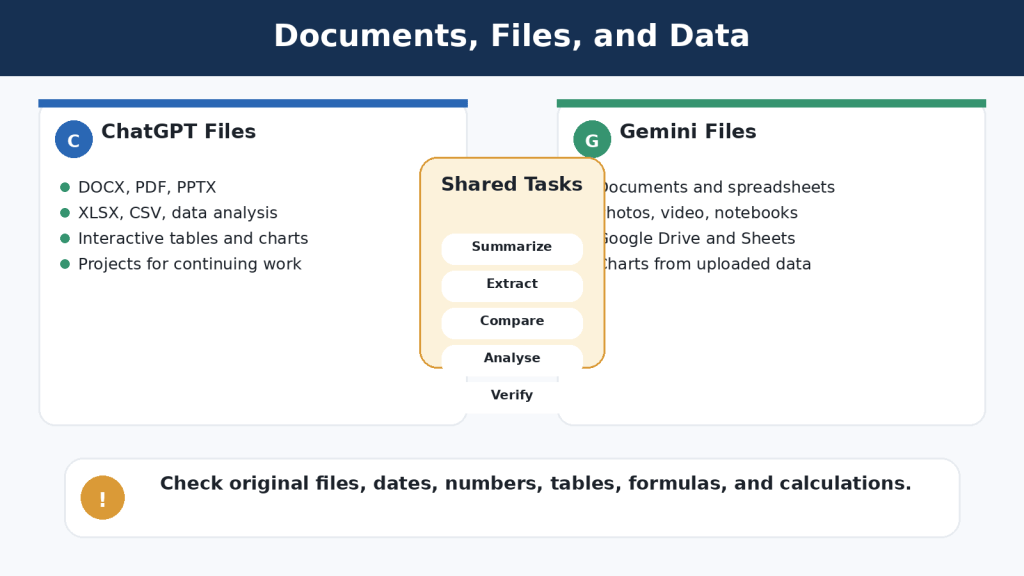
Figure 5. ChatGPT and Google Gemini can both analyse documents and data, while their workflow differences involve data tools and connected file ecosystems.
Explanation: Uploaded-file answers must be checked against the original files because either assistant can omit, misread, or incorrectly summarize information.
Which Is Better for Images and Visual Work?
Both assistants can create images from written prompts, edit uploaded images, and analyse photographs or screenshots. Results vary by prompt, model, account, image complexity, and current product rollout.
What to Compare
• Composition and aspect ratio
• Subject placement and usable open space
• Spelling and readable text
• Correct object counts and natural anatomy
• Consistency across revisions
• Whether requested elements remain unchanged
• Permissions, licensing, disclosure, and accessibility
ChatGPT may feel convenient when image work belongs to the same Project or conversation as the article, sources, captions, and revisions. Gemini may feel convenient when visual work belongs in a Google-centred workflow or uses several uploaded references.
Reality: An attractive AI image is not evidence that an event happened, and it is not automatically suitable for publication.
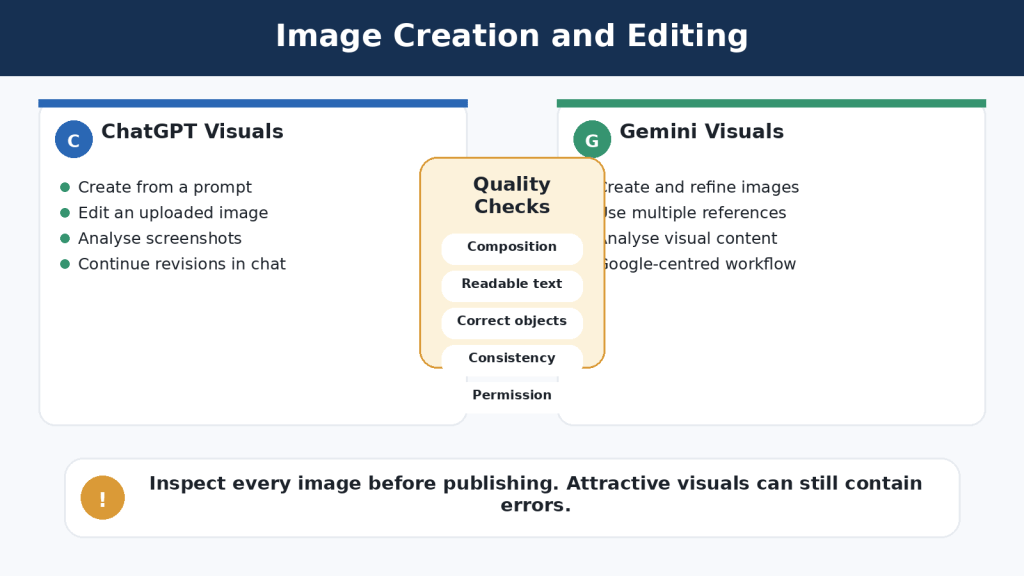
Figure 6. ChatGPT and Google Gemini can both create, edit, and analyse images, but every result needs visual, permission, and accessibility checks.
Explanation: The better image assistant is the one that follows the prompt accurately and requires the least corrective work for the user’s normal visual tasks.
Which Is Better for Voice Conversations and Mobile Use?
ChatGPT Voice and Gemini Live both support natural spoken conversations and interruptions. ChatGPT Voice works as part of ChatGPT conversations across supported mobile and desktop experiences. Gemini Live is closely connected with supported mobile devices and has particular value for eligible Android users.
• Use voice for learning, brainstorming, presentation practice, or hands-free questions
• Review transcripts because speech recognition can be wrong
• Stop camera or screen sharing before opening private information
• Obtain permission when other people may be recorded
• Do not rely on voice output for emergency, medical, legal, or safety-critical instructions
ChatGPT may fit users who want spoken and written work in the same ChatGPT conversation or Project. Gemini may fit users who want an Android-centred assistant connected with supported Google services and device functions.
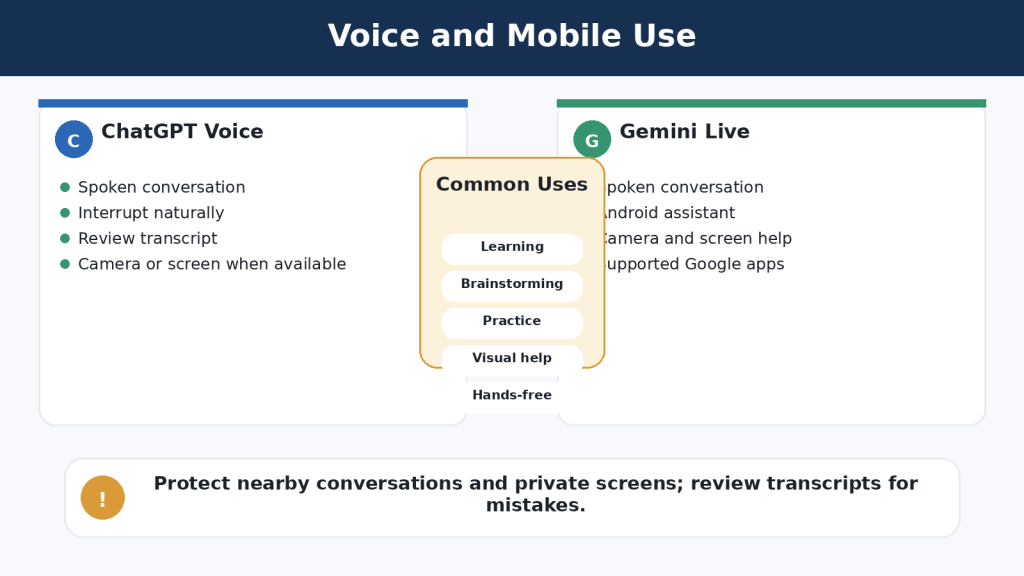
Figure 7. ChatGPT Voice and Gemini Live support natural spoken conversations, while Gemini places particular emphasis on Android and Google-device integration.
Explanation: The better voice assistant depends on speech recognition, interruption handling, transcript usefulness, privacy controls, and the user’s normal devices.
Which Is Better for Custom Assistants and Ongoing Projects?
ChatGPT custom GPTs and Gemini Gems save reusable instructions and supported reference material. They are useful when the same tone, audience, process, or checklist is needed repeatedly. They are not separately trained experts and can still overlook instructions or use files incorrectly.
Custom GPTs
• Reusable instructions and conversation starters
• Knowledge files
• Selected capabilities such as search, images, data analysis, Canvas, apps, or actions when available
• Testing and updating through the GPT editor
• Use inside the broader ChatGPT ecosystem
Gemini Gems
• Reusable instructions
• Knowledge from uploaded files, Google Drive, or supported Notebook sources
• Use in Gemini web and mobile experiences
• Possible appearance in supported Google Workspace side panels
• Convenience when reference files remain in Google Drive
Ongoing Work
ChatGPT Projects provide a clear workspace that groups related chats, files, and project instructions. Gemini distributes continuing work across Gems, Canvas, conversations, Drive, Docs, and other Workspace tools. The better arrangement depends on where the source files and final work already live.
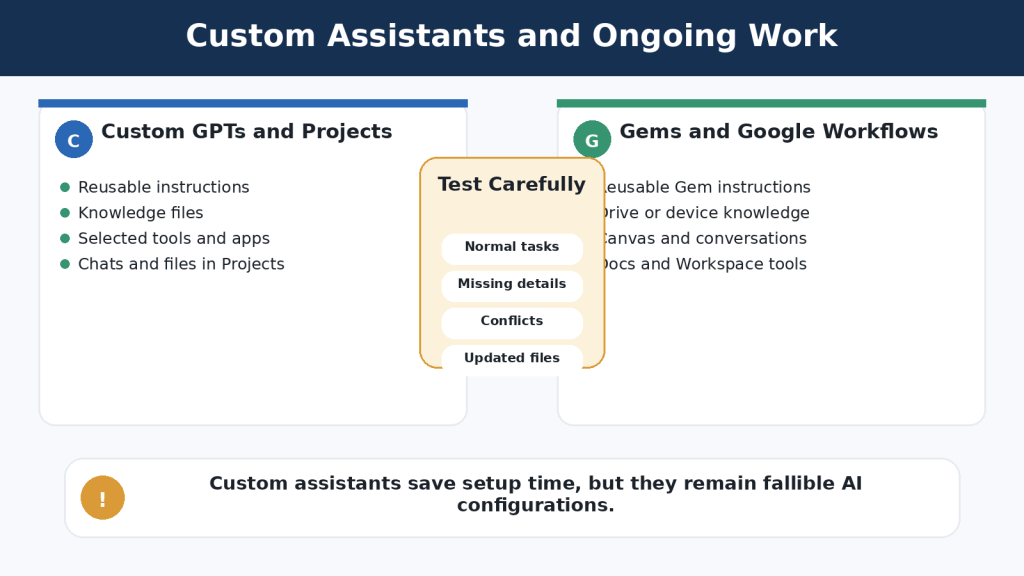
Figure 8. Custom GPTs and Gemini Gems save reusable instructions and knowledge, while ongoing project work is organized differently in each ecosystem.
Explanation: ChatGPT Projects keep related chats, files, and instructions together; Gemini users may combine Gems, Canvas, Drive, and Workspace applications.
Which Is Better for Connected Apps and Productivity?
ChatGPT apps can connect the assistant with supported external services for search, reference, Deep Research, synchronization, interactive experiences, and approved write actions. Availability and permissions vary by app, plan, region, and workspace.
Gemini Connected Apps are closely designed around Google services. Depending on eligibility and settings, Gemini may work with Gmail, Drive, Docs, Calendar, Keep, Tasks, Android functions, and other supported services.
| Comparison Area | ChatGPT Apps | Gemini Connected Apps |
| Main approach | Several supported providers and app types | Google-centred services and devices |
| Email and files | May connect with Gmail, Outlook, Drive, OneDrive, Dropbox, and others | Close connection with Gmail, Drive, Docs, and related Google services |
| Actions | Some apps can create or update information with permission controls | Selected Calendar, Tasks, Keep, and device actions may be available |
| Best fit | Mixed-application workflow | Google Workspace and Android workflow |
Connected access does not guarantee that the assistant retrieves the newest or correct item. Open the original email, file, or event before acting.
Beginner Tip: Connect one low-risk service first. Keep confirmation enabled for important external actions and disconnect services you no longer need.
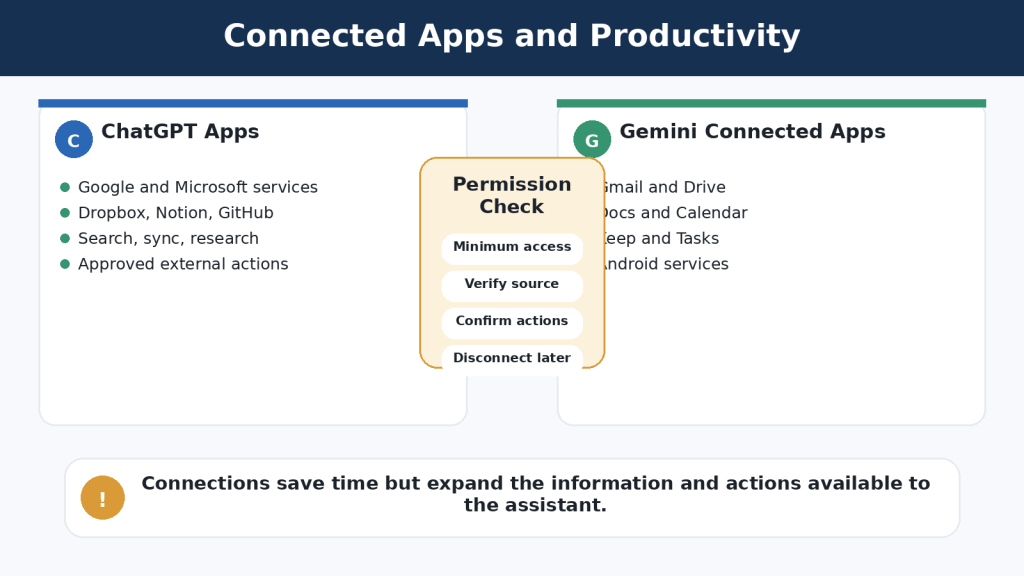
Figure 9. ChatGPT can connect with a wider range of supported services, while Google Gemini provides particularly close integration with Google Workspace and Android.
Explanation: Connections can save time, but users should grant minimum access, verify retrieved information, and confirm important actions.
Free vs Paid Plans: Do Beginners Need a Subscription?
Both services provide free access. For many beginners, free access is sufficient for learning prompts, asking ordinary questions, drafting short text, testing files, creating occasional images, and trying available research or voice features.
Paid plans mainly provide higher limits, more model access, additional tools, or bundled benefits. They do not guarantee accurate answers or unlimited use.
| Decision | ChatGPT | Google Gemini |
| Start here | Free | No Google AI plan / free access |
| Lower paid option | Go where available | Google AI Plus where available |
| Typical individual upgrade | Plus | Google AI Pro |
| Highest individual tier | Pro | Google AI Ultra |
| Organization options | Business, Enterprise, education-related plans | Google Workspace and organizational offerings |
Upgrade Only When You Can Name the Problem
• Free limits repeatedly interrupt useful work
• A required feature is unavailable in the free account
• You regularly upload or analyse files
• You conduct frequent Deep Research
• You create many images or use voice heavily
• The added access saves measurable time and fits the budget
Check the official local pricing page before subscribing. Plan names, storage, limits, taxes, promotions, app-store billing, and cancellation methods can change.
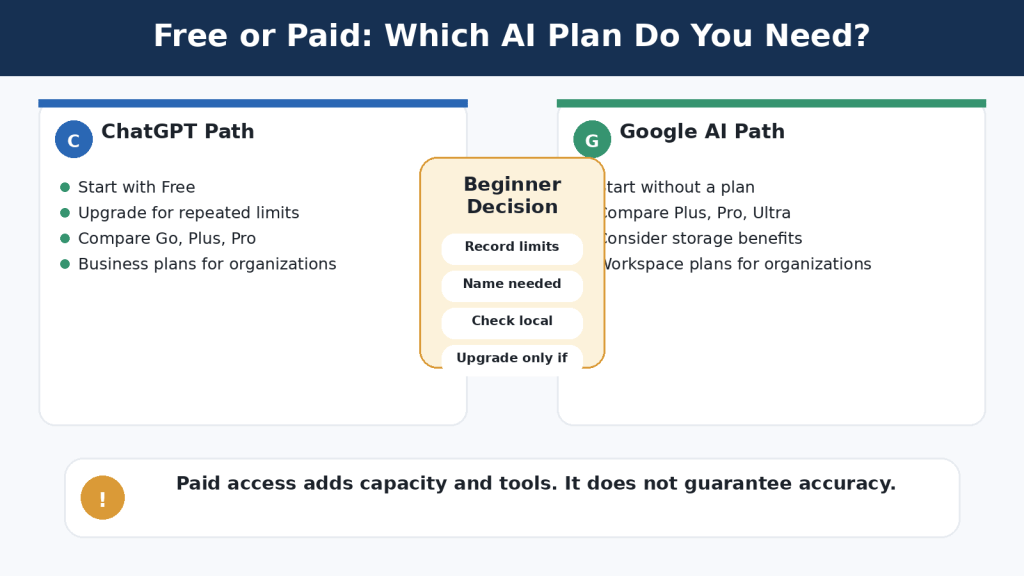
Figure 10. Both assistants offer free and paid access, but beginners should upgrade only after identifying a repeated limit or required feature.
Explanation: Paid access provides more capacity or tools; the choice should be based on actual use, local terms, and total value.
Which Is Better for Privacy and Data Controls?
Neither assistant is a private vault. Both process prompts, files, images, voice, and connected-app information to provide requested features. Privacy depends on account type, data controls, memory, activity, files, connected services, device permissions, and deletion practices.
ChatGPT Personal Controls
• Improve the model for everyone can be turned off while ordinary chats remain in history
• Temporary Chats do not appear in normal history, do not create ordinary memories, and are not used to improve models; they may be retained for up to 30 days for safety
• Memory and personalization can be reviewed or turned off
• Library files, Projects, GPT knowledge, apps, shared links, and chats may require separate deletion checks
Gemini Personal Controls
• Keep Activity controls whether new chats appear in Gemini Apps Activity and whether they may be used to improve models
• Temporary Chats are retained with the account for 72 hours to provide the service and support safety and are not used to train Google AI models
• Turning off Keep Activity can make many Google Connected Apps unavailable
• Memory, saved information, Live settings, connected apps, public links, and other Google-service data require separate review
Temporary Chat reduces certain forms of history, training, memory, or retention. It does not make passwords, banking information, medical records, private emails, confidential contracts, or children’s personal information suitable for casual submission.
How to Reduce This Limitation: Use the minimum-data rule. Provide only what the assistant genuinely needs, remove names and identifying details, and use an approved organizational account for workplace information.
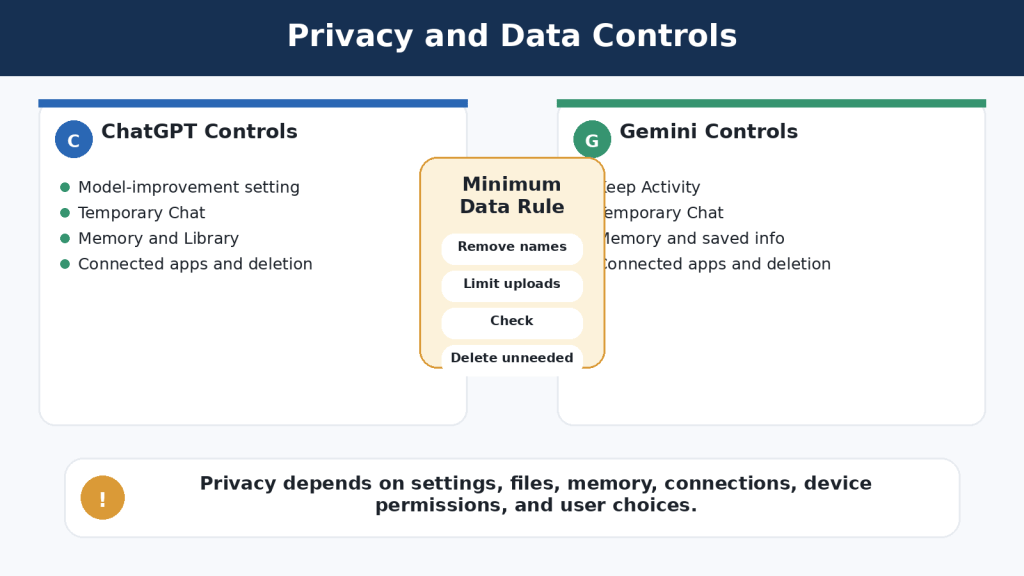
Figure 11. ChatGPT and Google Gemini provide privacy controls, but model-improvement, activity, temporary-chat, memory, and connected-service settings work differently.
Explanation: The safest practice is to remove unnecessary personal or confidential information before it reaches either assistant.
Main Benefits and Limitations
| Area | ChatGPT | Google Gemini |
| Main strength | Broad standalone workspace | Close Google and Android integration |
| Writing | Conversation, Canvas, Projects, custom GPTs | Canvas, Docs, Gems, Workspace |
| Files and data | Broad file and code-supported data tools | Convenient use with Drive, Docs, and Sheets |
| Research | Search, Deep Research, files, apps, selected sites | Google Search, Deep Research, Google-connected sources |
| Voice | Integrated with ChatGPT conversations | Gemini Live and Android integration |
| Main limitation | Features vary; long work needs organization; connections may need setup | Features depend on settings; biggest advantages require Google services |
| Shared limitation | Can be confidently wrong | Can be confidently wrong |
ChatGPT’s independence from one productivity ecosystem can be a benefit for mixed workflows and a limitation for users who already do everything in Google. Gemini’s Google-centred design can be a benefit for Workspace and Android users and less valuable for Microsoft, Apple, local-file, or mixed-system workflows.
Reality: Neither assistant consistently has fewer limitations. The important limitation is the one that interferes with your real task.
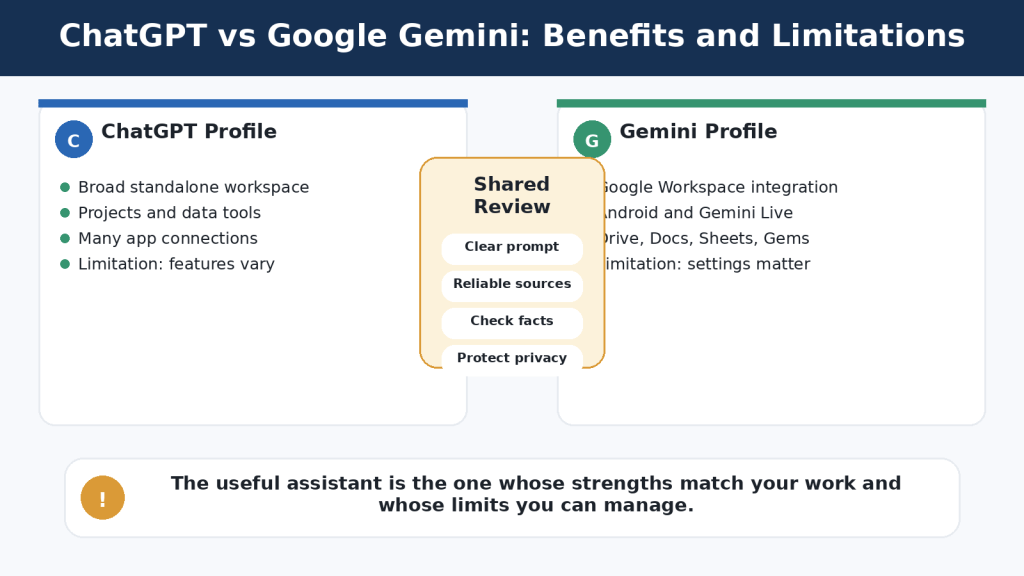
Figure 12. ChatGPT provides a broad standalone workspace, while Google Gemini offers particularly close Google and Android integration; both share accuracy and privacy limitations.
Explanation: Choose according to real tasks, verifiable results, privacy requirements, and the amount of correction needed.
Which Assistant Should You Choose?
Choose ChatGPT When
• You want one broad AI workspace for writing, files, data, research, images, and voice
• You need Projects containing several chats, files, and instructions
• You work across Google, Microsoft, Dropbox, Notion, GitHub, or other systems
• You need custom GPT capabilities or specific ChatGPT apps
• ChatGPT consistently requires fewer corrections for your tasks
Choose Google Gemini When
• Your email and files are mainly in Gmail and Google Drive
• You finish work in Google Docs or Google Sheets
• You want close Android and Gemini Live integration
• You value Google-connected research or productivity features
• Gemini consistently requires fewer corrections for your tasks
Use Both When
• One assistant handles long-term organization and the other handles a connected task
• You want to compare research sources or possible omissions
• One tool produces better visuals for a particular subject
• One assistant reviews a draft produced by the other
Agreement between two AI assistants is not independent verification. Both may repeat the same error or use similar weak sources.
Seven Questions to Decide
1. Where are my files stored?
2. Which applications do I use every day?
3. What are my five most common AI tasks?
4. Do I need a long-term project workspace?
5. Which mobile device and operating system do I use?
6. Which assistant requires fewer corrections?
7. What privacy, workplace, or school rules apply?
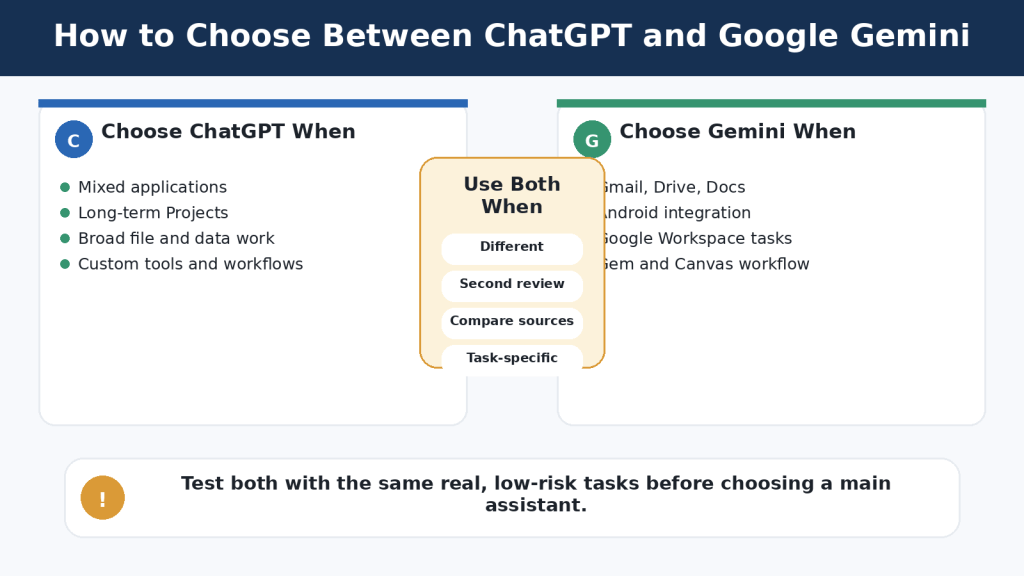
Figure 13. The best assistant depends on files, applications, devices, common tasks, privacy requirements, and correction effort.
Explanation: A fair comparison uses identical prompts and source material and measures practical workflow results.
Common Mistakes When Comparing ChatGPT and Google Gemini
Using different prompts
Copy and paste the same complete prompt into both assistants.
Comparing unequal plans
Compare free with free or similar paid levels and record the selected model.
Using different files
Use identical approved files, images, and background information.
Judging one response
Test several realistic examples and include follow-up corrections.
Assuming longer is better
Score accuracy, relevance, clarity, and instruction following separately from length.
Choosing the fastest answer
Measure total time to a verified final result, including human review.
Trusting polished language
Check factual accuracy separately from grammar and formatting.
Counting citations without opening them
Confirm publisher, date, context, and exact support.
Uploading private information
Use fictional, public, or carefully cleaned material.
Comparing unused features
Give greater weight to the five tasks you actually perform.
| Evaluation Area | ChatGPT Score | Gemini Score |
| Accuracy | 1-5 | 1-5 |
| Clarity | 1-5 | 1-5 |
| Instruction following | 1-5 | 1-5 |
| Source quality | 1-5 | 1-5 |
| File handling | 1-5 | 1-5 |
| Ease of correction | 1-5 | 1-5 |
| Privacy controls | 1-5 | 1-5 |
| Workflow fit | 1-5 | 1-5 |
| Human-review time | 1-5 | 1-5 |
| Overall usefulness | 1-5 | 1-5 |
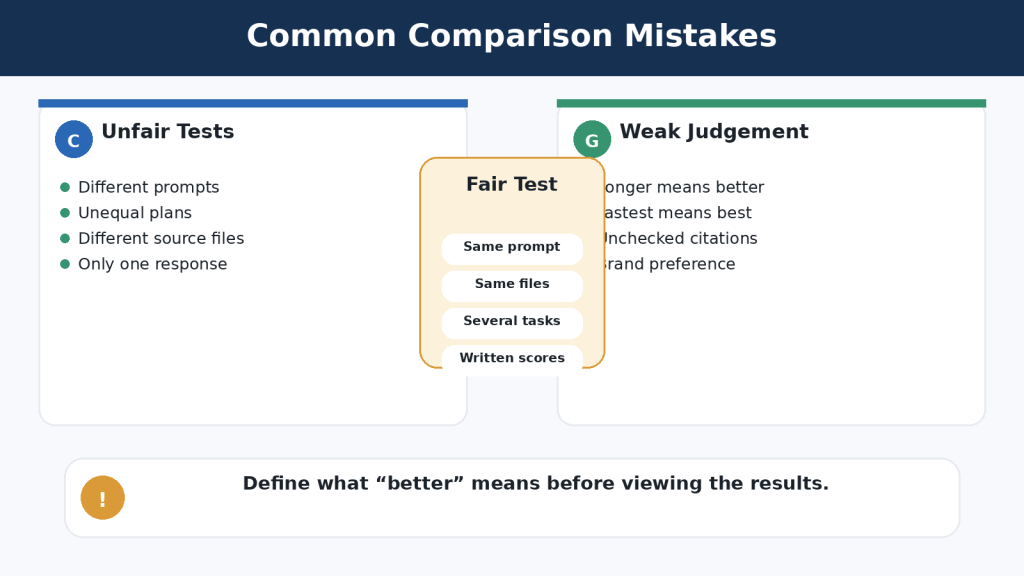
Figure 14. A fair comparison uses the same prompts, files, account conditions, tasks, follow-up corrections, and scoring standards.
Explanation: Unequal conditions can make one assistant appear better even when the test itself is unbalanced.
Common Myths and Realities
| Myth | Reality |
| One assistant is best at everything | Performance depends on the task, prompt, tools, account, and user. |
| ChatGPT is only for writing | It also supports research, files, data, images, voice, Projects, GPTs, and apps. |
| Gemini is only Google Search | It also supports files, images, voice, Deep Research, Canvas, Gems, and connected work. |
| Paid plans guarantee accuracy | Paid plans mainly expand access, limits, and bundled benefits. |
| Citations prove the answer | Sources must be opened and checked. |
| Agreement proves accuracy | Both assistants can repeat the same mistake. |
| AI remembers everything | Context depends on chats, memory, files, Projects, Gems, and settings. |
| Temporary Chat makes confidential information safe | It reduces certain data uses but is not a secure vault. |
| Connected apps provide unlimited access | Access depends on permissions and supported actions. |
| Custom assistants are experts | They remain fallible AI configurations. |
| Free plans are useless | Free access is normally the best place to begin testing. |
| You must choose only one | Different tools can suit different tasks. |
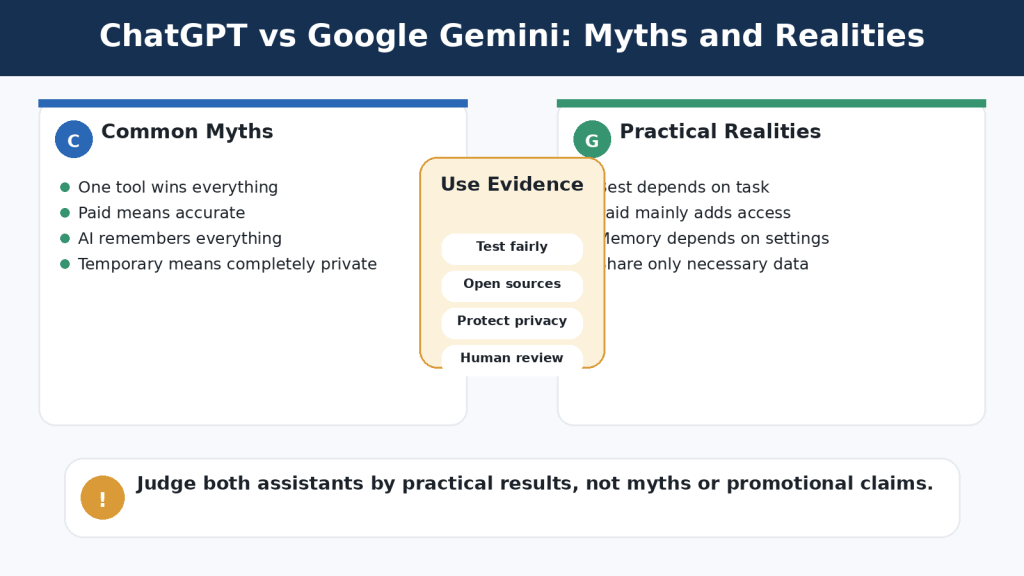
Figure 15. Common assumptions can lead to unfair comparisons, privacy mistakes, unnecessary subscriptions, and overconfidence.
Explanation: Judge both assistants through balanced testing, reliable sources, privacy-aware use, and careful human review.
Frequently Asked Questions
1. Is ChatGPT or Google Gemini better overall?
Neither is better for every user. ChatGPT often suits broad or mixed-service work; Gemini often suits Google-centred work.
2. Which is easier for complete beginners?
Both are easy to start. Familiar accounts, applications, and devices usually matter more than small interface differences.
3. Can I use both for free?
Yes. Limits and available features vary and can change.
4. Do beginners need a paid plan?
Usually not. Upgrade only when a repeated limit or missing feature prevents useful work.
5. Which is better for Gmail, Drive, and Docs?
Gemini is normally the more natural first test because these services belong to the Google ecosystem. ChatGPT can also connect to supported Google services through apps.
6. Which is better for long-term projects?
ChatGPT Projects provide a clear single workspace. Gemini users may combine Gems, Canvas, Drive, Docs, and conversations.
7. Can both analyse uploaded files?
Yes, subject to supported formats and limits. Verify important answers against the original file.
8. Can both find current information?
Yes, using available search or research features. Open and verify sources.
9. Which gives more accurate answers?
Neither is consistently more accurate across every subject and task.
10. Can I use one to check the other?
Yes, but two matching AI answers are not proof. Use authoritative sources as the final check.
11. Which is better for privacy?
Neither automatically. Use the approved account, minimum necessary data, suitable settings, and careful deletion practices.
12. Does Temporary Chat make confidential information safe?
No. It changes specific history, memory, training, or retention behaviour but does not create a secure vault.
13. Can both use voice and images?
Yes, with account, device, and usage conditions. Test both in your normal environment.
14. Can I switch later?
Yes. Preserve prompts, source files, approved drafts, project rules, permissions, and publishing records outside the assistant.
Key Takeaways
• Neither assistant is best at everything. Results depend on task, prompt, source material, model, account, and review process.
• ChatGPT is well suited to broad, organized AI work with Projects, files, data tools, custom GPTs, research, images, voice, and apps from several providers.
• Google Gemini is especially useful in Google-centred workflows involving Gmail, Drive, Docs, Calendar, Android, Gems, Canvas, and Gemini Live.
• Both can write, research, analyse files, create images, and converse by voice; all important output requires human review.
• Paid plans provide more access or bundled benefits, not guaranteed accuracy.
• Privacy requires more than one setting. Activity, memory, files, connected apps, device permissions, and deletion all matter.
• A fair comparison uses the same prompts, files, access level, corrections, scoring method, and test date.
• Preserve original files, approved versions, prompts, permissions, licences, and publishing records outside the AI conversation.
Final Thoughts
ChatGPT may be the better fit when you want a broad standalone workspace for continuing projects and work across several services. Google Gemini may be the better fit when your daily work is centred on Google Workspace and Android. Many users will benefit from selecting one main assistant and keeping the other available for tasks where it performs better.
Final Tip: Begin with both free versions and complete a seven-day comparison using ordinary, low-risk tasks. Measure accuracy, clarity, instruction following, source quality, ease of correction, workflow fit, privacy controls, and total time to an approved result.
Continue Learning
• Article 002 — ChatGPT Basics for Beginners: Complete Guide (2026)
• Article 033 — Google Gemini for Beginners: Complete Guide (2026)
• Article 035 — How to Use Google Gemini: Beginner Step-by-Step Guide (2026)
• Article 037 — How to Upload and Analyze Documents with Google Gemini: Beginner Guide (2026)
• Article 041 — How to Use Gems in Google Gemini: Beginner Guide (2026)
• Article 042 — How to Use Canvas in Google Gemini for Writing and Projects (2026)
• Article 022 — How to Summarize Documents with ChatGPT: Beginner Guide (2026)
Sources and References
Sources reviewed: August 4, 2026. Features and policies may change. Recheck the relevant official page when enabling an important feature, changing plans, connecting an application, or submitting sensitive material.
OpenAI Sources
• OpenAI — ChatGPT Capabilities Overview — Overview of questions, writing, search, files, images, voice, data analysis, and other ChatGPT tools.
• OpenAI — Projects in ChatGPT — How Projects keep related chats, files, instructions, and context together.
• OpenAI — File Uploads FAQ — Supported document and spreadsheet work, upload limits, storage, and retention considerations.
• OpenAI — Deep Research in ChatGPT — Research plans, source selection, uploaded files, apps, citations, and usage limits.
• OpenAI — Images in ChatGPT — Creating and editing images in ChatGPT.
• OpenAI — Voice Mode FAQ — Spoken conversations, interruptions, video, screen sharing, transcripts, limits, and privacy.
• OpenAI — Apps in ChatGPT — Search, Deep Research, sync, interactive apps, write actions, and permission controls.
• OpenAI — Data Controls FAQ — Model-improvement controls, history, export, and temporary-chat information.
• OpenAI — Temporary Chat FAQ — History, memory, model improvement, 30-day safety retention, and third-party actions.
• OpenAI — Chat and File Retention Policies — Chat deletion, Library files, Projects, GPT knowledge, and separate retention considerations.
• OpenAI — ChatGPT Pricing — Current individual and organizational ChatGPT plan information.
Google Sources
• Google — Use Gemini Apps — General Gemini uses, sign-in, activity, and feature availability.
• Google — Upload and Analyze Files in Gemini Apps — Supported documents, spreadsheets, photos, video, notebooks, charts, and current upload limits.
• Google — Use Deep Research in Gemini Apps — Research plans, Google Search, uploaded files, Gmail, Drive, NotebookLM, and limits.
• Google — Use Gems in Gemini Apps — Creating, using, editing, and adding knowledge to Gems.
• Google — Talk Naturally with Gemini Live — Natural voice conversation, interruptions, supported devices, camera, screen, and connected apps.
• Google — Use and Manage Connected Apps in Gemini — Supported connections, permissions, account and device differences, and Google Workspace access.
• Google — Manage and Delete Your Activity in Gemini Apps — Keep Activity, deletion, 72-hour retention when off, and connected-app effects.
• Google — Gemini Apps Privacy Hub — Personal-account data handling, human review, memory, temporary chats, Connected Apps, and retention.
• Google — Gemini Apps Limits and Upgrades — How model, feature, context, and usage limits differ and may change.
• Google One — Google AI Plans for Canada — Current Canadian Google AI Plus, Pro, and Ultra plan benefits and storage bundles.
This article provides general educational guidance. It does not replace legal, medical, financial, cybersecurity, engineering, privacy, or other professional advice.


Leave a comment