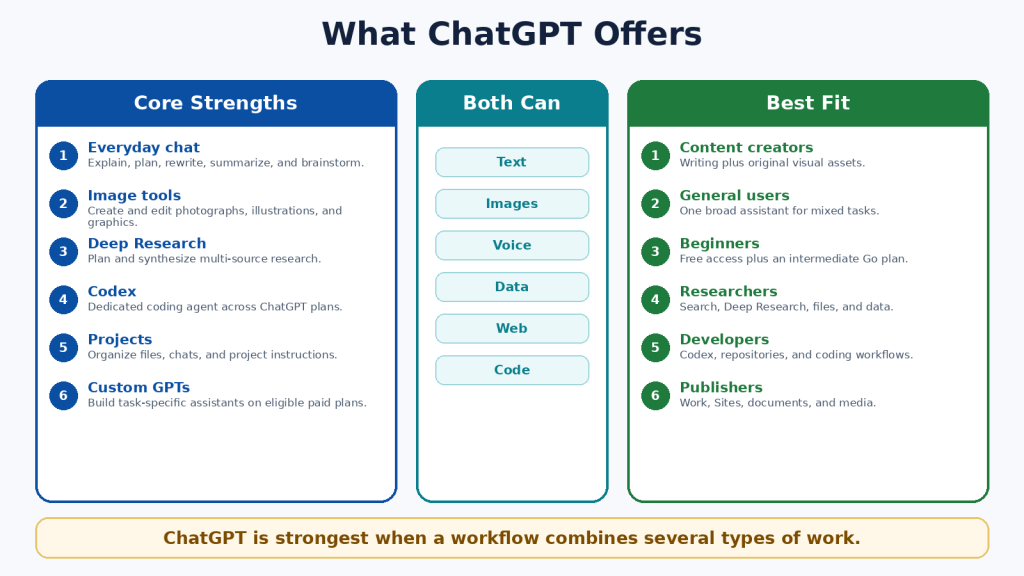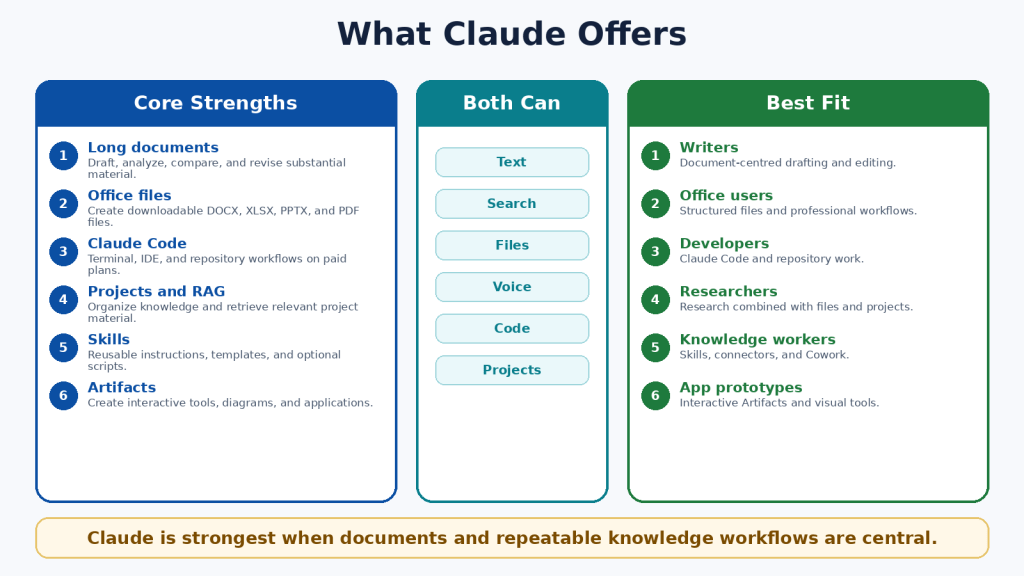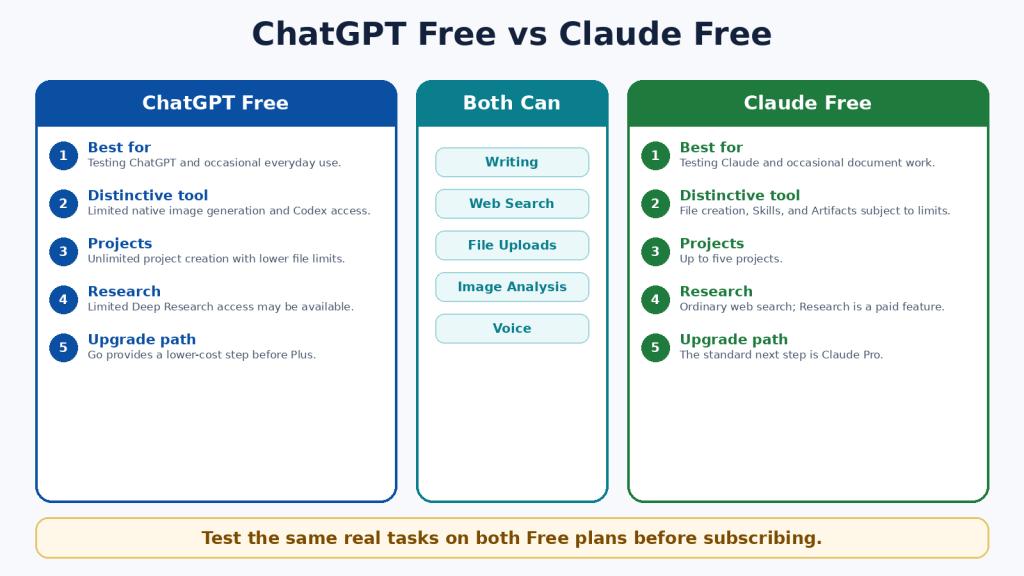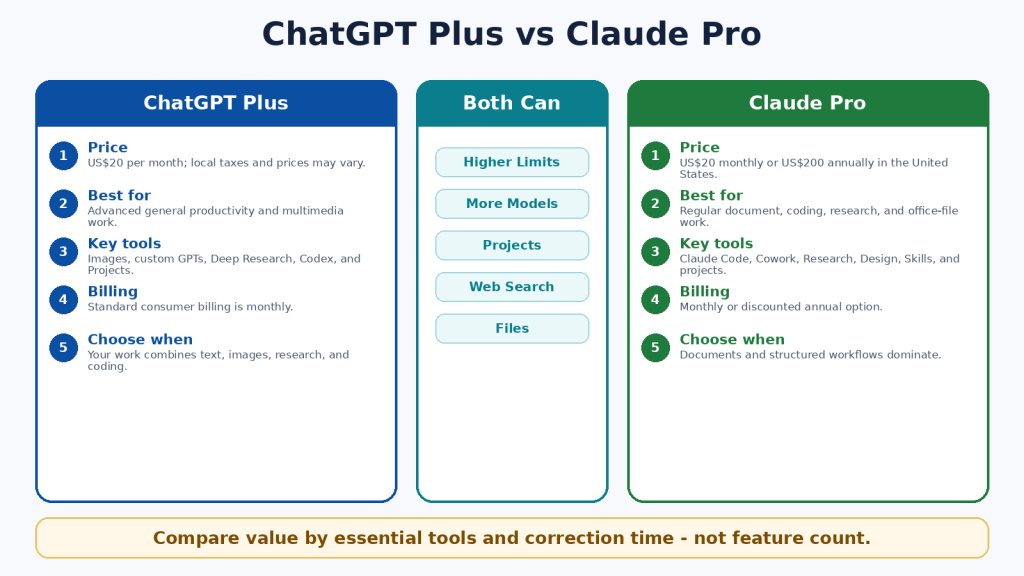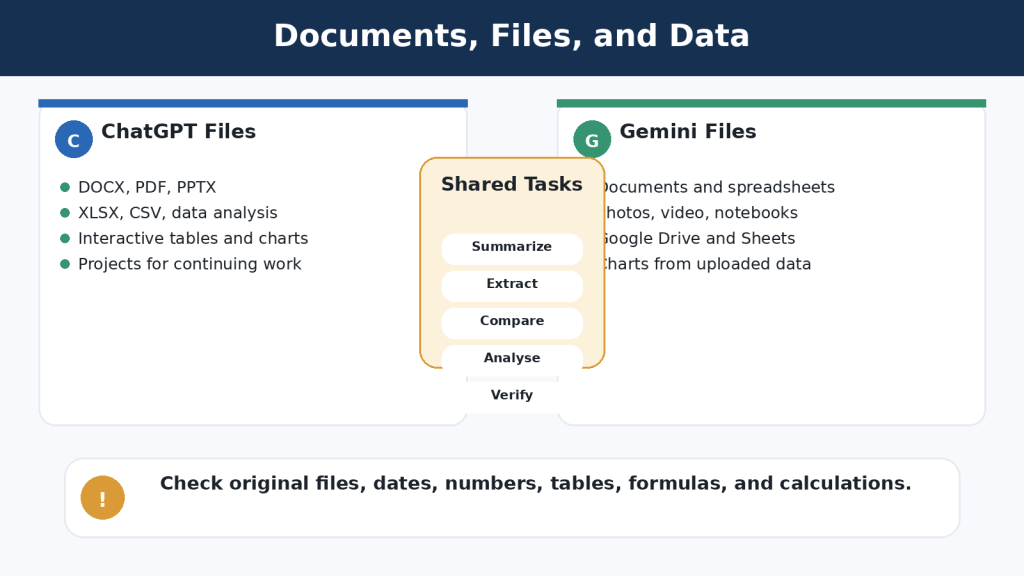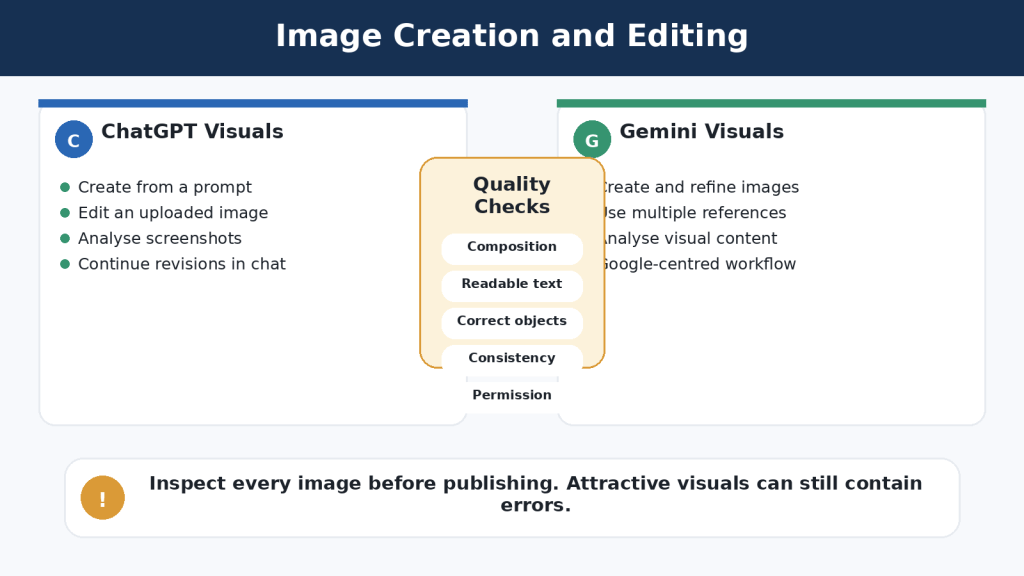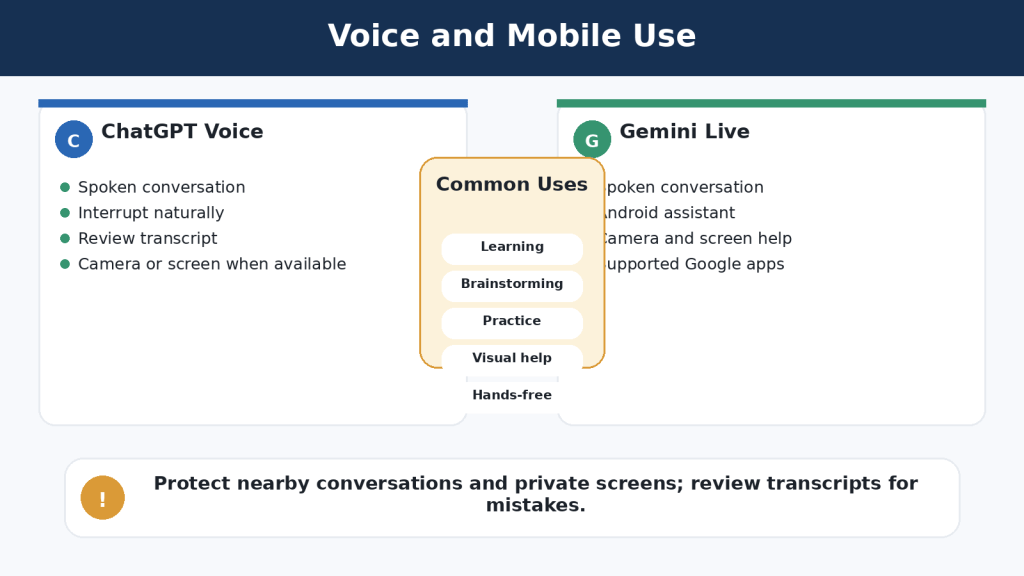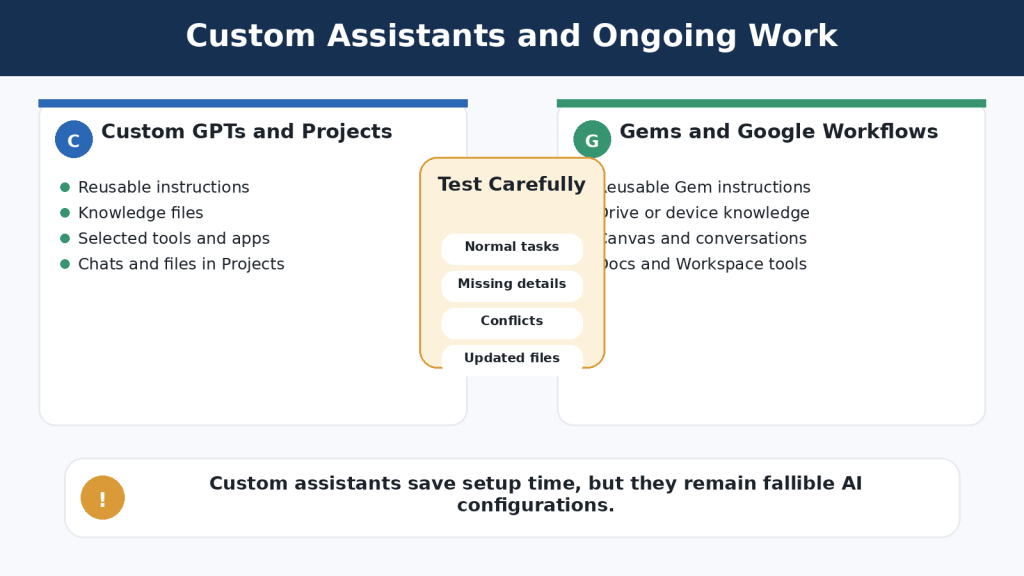
Tag: AI Comparison

  • Google Gemini vs Claude: Beginner Comparison (2026)

    Google Gemini vs Claude: Beginner Comparison (2026)

    Estimated reading time: 34 minutes

    Last updated: August 5, 2026

    Featured image. A beginner compares Google Gemini and Claude for everyday AI work.

    Introduction

    Google Gemini and Claude are two leading general-purpose AI assistants. Both can explain ideas, write and edit text, search the web, analyze files, help with code, support research, and organize continuing work. Their basic abilities overlap, but the surrounding products are different.

    Gemini is closely connected to Google Search, Gmail, Google Drive, Google Docs, Google Sheets, Google Slides, Android, Canvas, Gems, image generation, video tools, Gemini Live, and other Google services. Claude is centred more strongly on careful writing, document analysis, direct office-file creation, Projects, retrieval, Research, Claude Code, Artifacts, voice, connectors, and structured professional workflows.

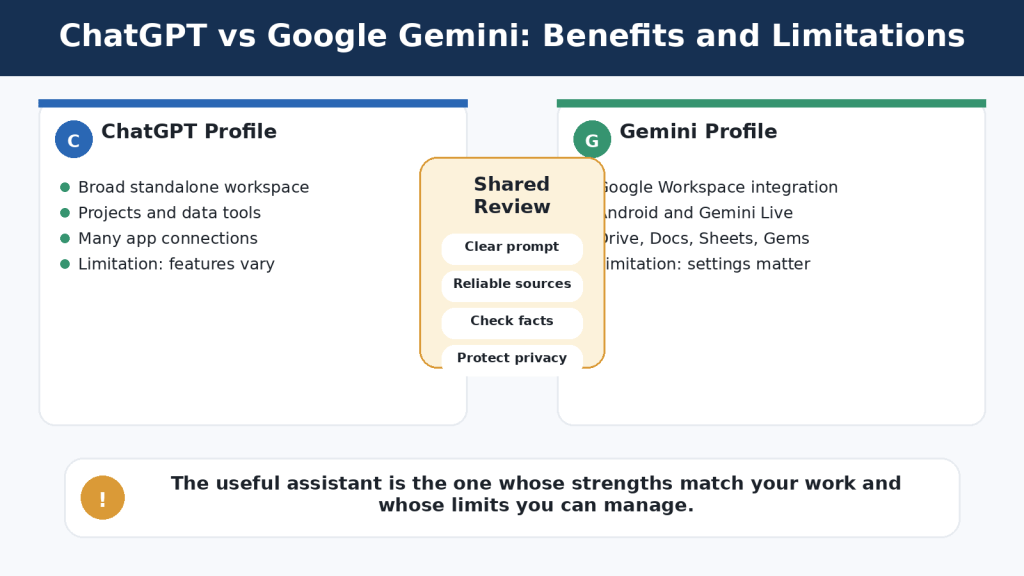
    There is no permanent winner. The better assistant is the one that supports your real tasks, works with the services you already use, provides enough capacity, protects your information appropriately, and requires the least correction after human review.

    What You Will Learn

    • How Google Gemini and Claude compare for writing, documents, research, coding, images, voice, and connected applications.
    • How their Free, standard paid, and higher-capacity plans differ.
    • Which assistant may suit different types of beginners.
    • How to test both services fairly before paying.
    • What accuracy, privacy, usage-limit, and safety problems to expect.

    Google Gemini vs Claude at a Glance

    The quickest way to understand the difference is to look at each assistant’s surrounding ecosystem. Gemini is usually the more natural choice for people whose email, files, documents, calendars, photos, search, and mobile devices already depend on Google. Claude is usually the more natural choice for people whose main work involves long documents, careful writing, software projects, direct file creation, and organized knowledge work.

    AreaGoogle GeminiClaude
    General emphasisGoogle-connected, multimodal personal assistantWriting-, document-, coding-, and project-centred assistant
    Free accessYes, with feature and usage limitsYes, with feature and usage limits
    Standard paid tierGoogle AI ProClaude Pro
    Higher-capacity tierGoogle AI Ultra 5x or 20xClaude Max 5x or 20x
    Web researchGoogle Search and Deep ResearchWeb Search and Research
    DocumentsStrong with Drive and Workspace filesStrong long-document analysis and direct office-file creation
    Images and videoNative generation, editing, and creative toolsAnalysis, custom visuals, diagrams, and design tools; not the same general image generator
    CodingCanvas, code help, GitHub import, Google developer toolsClaude Code, Artifacts, repository work, detailed debugging
    Reusable workflowsGems, Canvas, personalization, notebooksProjects, retrieval, Artifacts, Skills, connectors
    Best first testGoogle Workspace and multimedia tasksLong writing, documents, coding, and project tasks

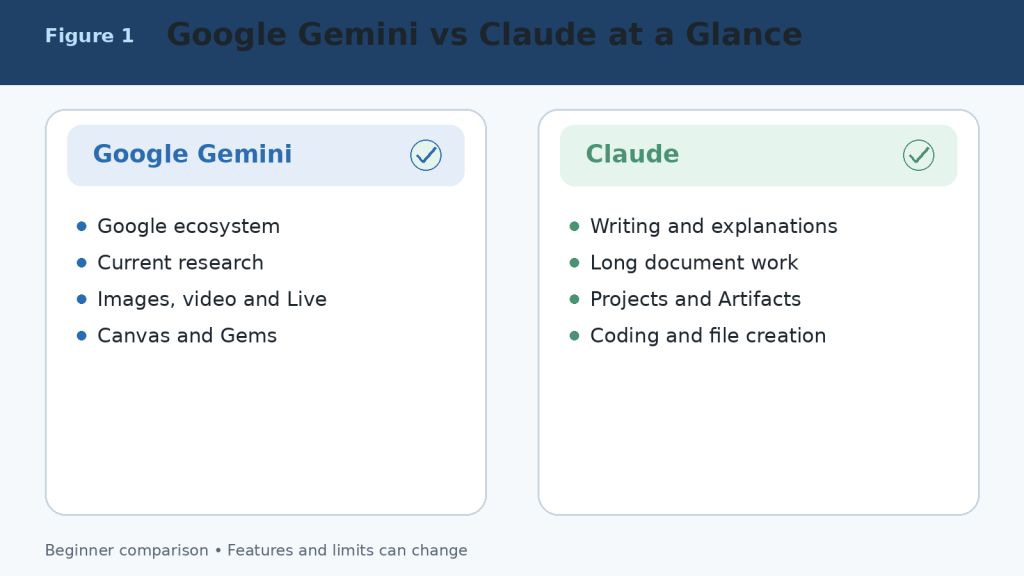
    Figure 1. A high-level comparison of Google Gemini and Claude.

    Explanation: Gemini is strongest inside Google’s connected ecosystem and multimodal tools, while Claude emphasizes writing, documents, coding, files, and reusable project workflows.

    What Is Google Gemini?

    Google Gemini is Google’s conversational AI assistant. It can answer questions, explain topics, write and rewrite text, search current web information, conduct Deep Research, analyze uploaded files, create and edit images, generate supported video content, hold voice conversations, and work with connected Google services.

    Main Google Gemini Tools

    • Google Search and Deep Research for current information and multi-source reports.
    • Connected Apps for Gmail, Google Drive, Google Calendar, Google Docs, Google Tasks, Google Keep, and other supported services.
    • Canvas for creating and editing documents, slides, applications, and code in a dedicated workspace.
    • Gems for reusable, task-specific assistants with customized instructions.
    • Gemini Live for spoken conversations and supported camera or screen-based help.
    • Native image generation and editing, plus access to broader Google creative tools depending on the plan and region.
    • Notebook and study features for research, learning, quizzes, audio overviews, and organized source work.

    Gemini is particularly convenient when the information or final output already lives in Google services. A beginner can find details in Gmail, summarize a Drive document, create a draft, move it into Google Docs, and schedule a related Calendar event without building a separate workflow across unrelated products.
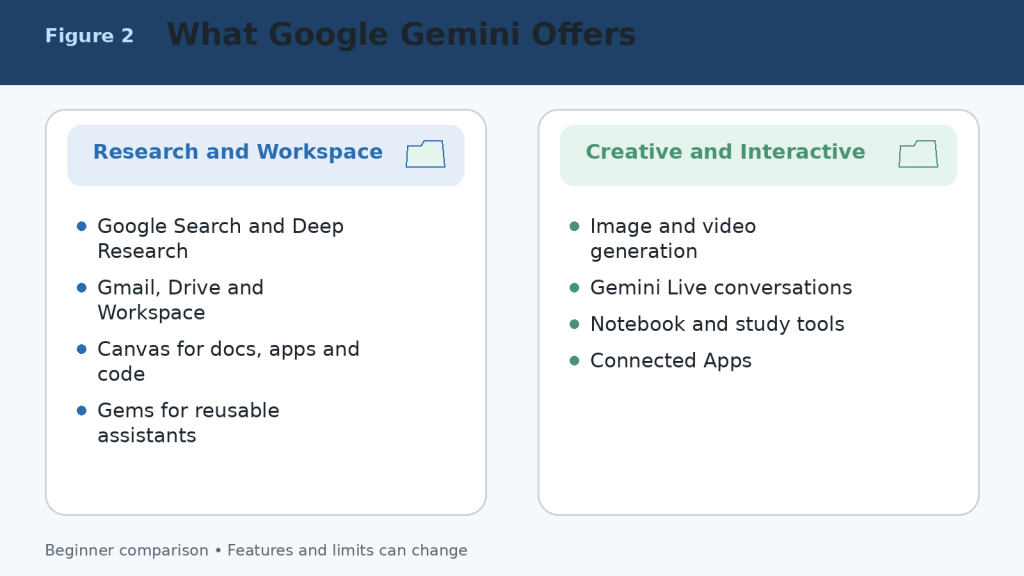
    Figure 2. The main capabilities available through Google Gemini and connected Google services.

    Explanation: Gemini combines conversation with Search, Deep Research, Workspace connections, Canvas, Gems, Live, and multimedia creation. Availability depends on the account, device, region, and plan.

    What Is Claude?

    Claude is Anthropic’s conversational AI assistant. It can answer questions, write and edit, analyze documents and images, search the web, conduct Research, create downloadable office files, work inside Projects, use retrieval for larger knowledge collections, help with software development, build interactive Artifacts, and hold voice conversations.

    Main Claude Tools

    • Projects for self-contained workspaces with chat histories, instructions, and knowledge files.
    • Retrieval-Augmented Generation for finding relevant material in larger project collections.
    • Direct creation of Word documents, Excel spreadsheets, PowerPoint presentations, PDF files, charts, and code files.
    • Claude Code for terminal, integrated development environment, and repository workflows.
    • Research for multi-stage investigations across the web and connected context.
    • Artifacts for documents, code, diagrams, data visualizations, interactive tools, and shareable applications.
    • Voice mode for spoken conversations on supported web and mobile experiences.
    • Connectors, plugins, and Microsoft 365 support for professional workflows.

    Claude is particularly useful when the centre of the workflow is a long document, collection of reference files, software repository, report, spreadsheet, presentation, or repeatable professional process.
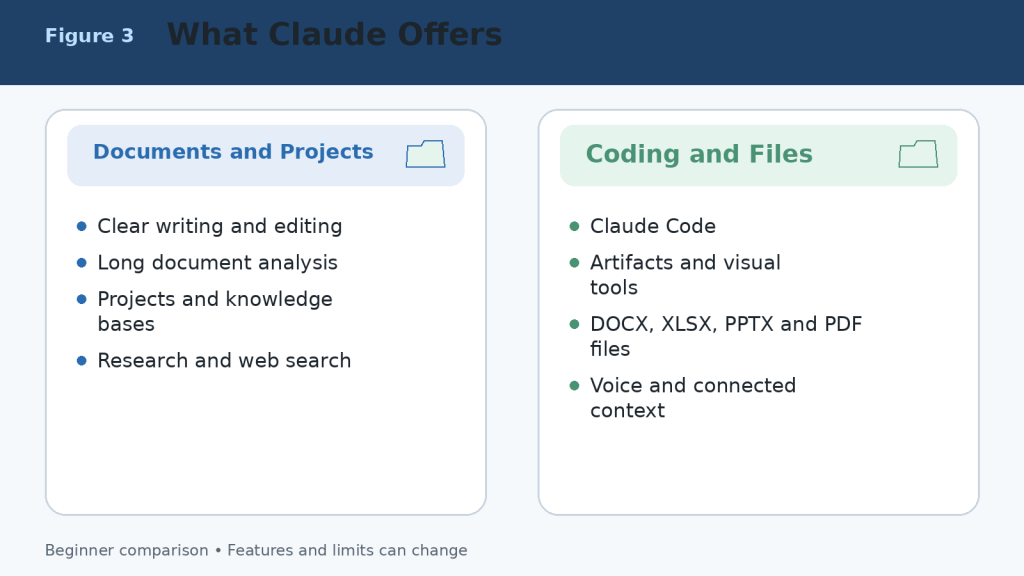
    Figure 3. The main capabilities available through Claude.

    Explanation: Claude combines strong writing and document analysis with Projects, retrieval, direct office-file creation, Research, Claude Code, Artifacts, voice, and connected professional context.

    Google Gemini Free vs Claude Free

    Both Free plans are useful for learning and occasional work. They are the correct starting point for most beginners. Free access is limited, and the available models, messages, files, research requests, images, voice features, and other tools can change according to demand, region, device, and product updates.

    AreaGoogle Gemini FreeClaude Free
    Best useTesting everyday Google-connected and multimedia tasksTesting writing, documents, Projects, files, and Artifacts
    Current web informationGoogle Search and limited Deep ResearchWeb Search and limited Research access where available
    Projects or reusable spacesGems, Canvas, notebooks, and personalization featuresUp to five Projects plus project knowledge
    ImagesNative image generation and editingImage analysis and custom visuals; not an equivalent general image generator
    VoiceGemini Live and supported voice featuresVoice mode is available on all plans as a beta feature
    FilesSupported uploads with prompt and file limitsSupported uploads with chat, file, page, and context limits
    Best decisionTest Google Workspace and multimedia workflowsTest long writing, document, coding, and file workflows

    A fair Free-plan comparison uses the same prompts, source material, files, and output requirements. Test several tasks that represent your normal work rather than judging from one impressive answer.

    Figure 4. A practical comparison of the Google Gemini and Claude Free plans.

    Explanation: Both Free plans can complete useful work. Gemini provides a broader multimedia and Google-connected starting point, while Claude provides a strong introduction to documents, Projects, web search, Artifacts, and voice.

    Google AI Pro vs Claude Pro

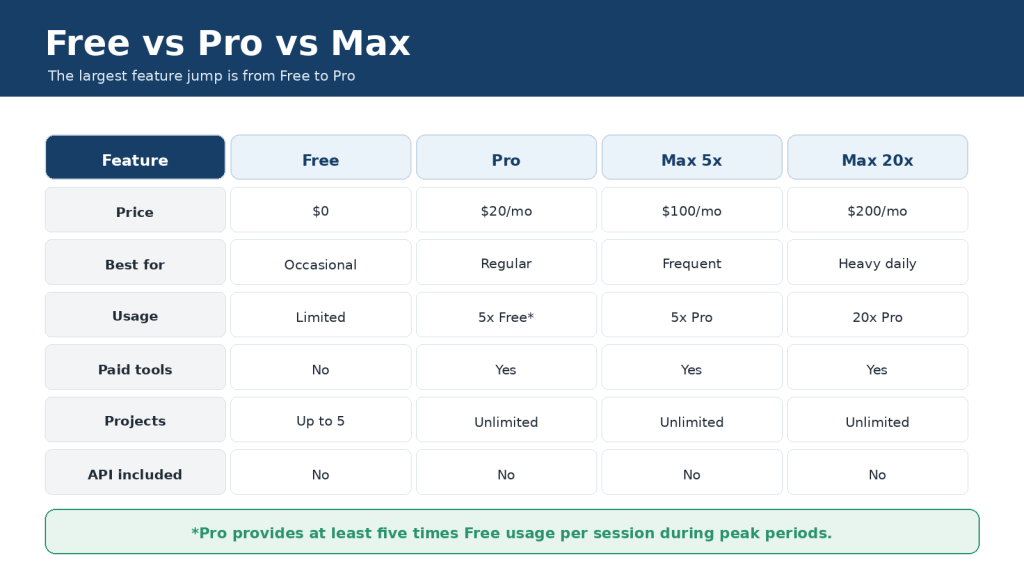
    Google AI Pro and Claude Pro are the main standard paid individual plans. Google displays Google AI Pro at CA$26.99 per month in Canada at the time of this review. Claude lists Pro at US$20 per month or US$200 per year before applicable tax, with local pricing where supported. Prices can differ by country, currency, tax, promotion, storage bundle, and mobile-store billing.

    AreaGoogle AI ProClaude Pro
    Main purposeHigher Gemini access across Google AI and Google servicesRegular, higher-capacity Claude use for productivity
    UsageHigher Gemini limits than FreeMore usage than Free; rolling and weekly limits still apply
    ResearchHigher Deep Research accessResearch access
    DocumentsGemini in Gmail, Docs, and other eligible Google appsUnlimited Projects and direct office-file creation
    CodingHigher model access, Canvas, and developer toolsClaude Code included
    Creative toolsMore image, video, Flow, and creative creditsArtifacts, Design, custom visuals, and file creation
    Storage or ecosystem benefitsGoogle storage and other Google-plan benefitsNo bundled Google storage
    Best fitHeavy Google ecosystem and multimedia useWriting, documents, coding, Projects, and structured work

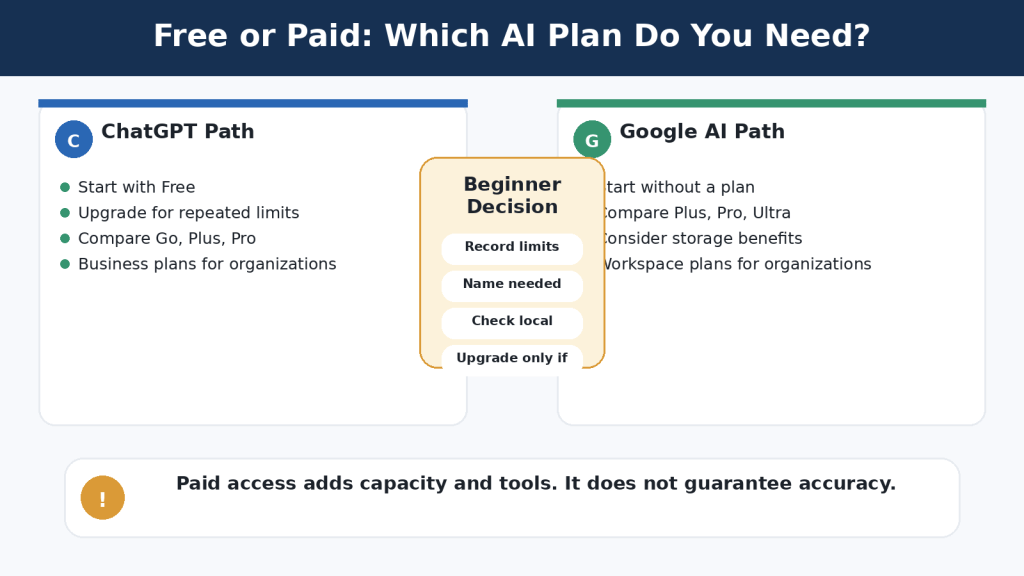
    The best value is determined by the tools you actually use, the time they save, and whether the plan remains available during your normal workload. A longer feature list does not automatically make a plan better.
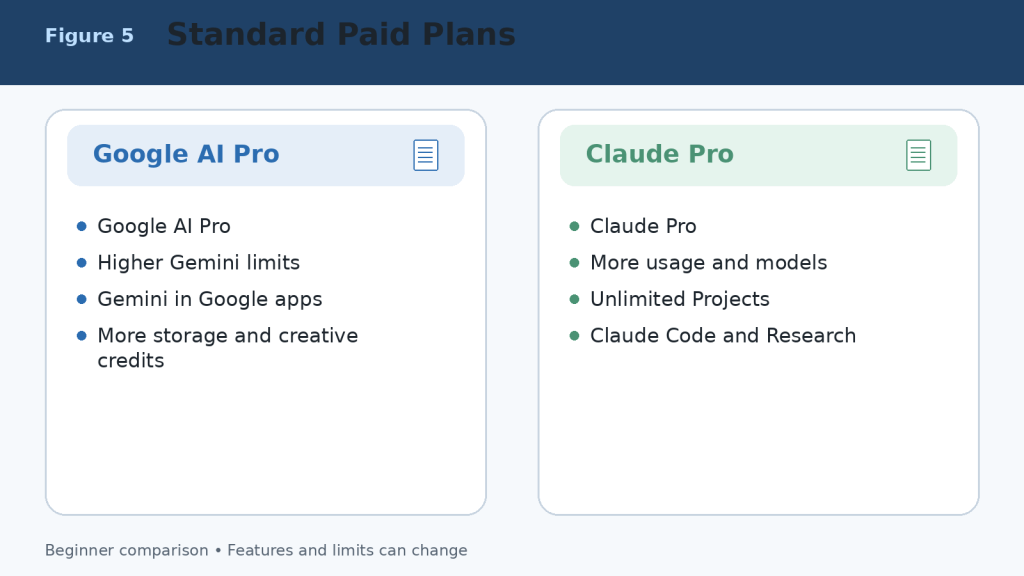
    Figure 5. Google AI Pro and Claude Pro compared at the standard paid level.

    Explanation: Google AI Pro is strongest for higher Gemini access across the Google ecosystem. Claude Pro is strongest for regular document, coding, Project, Research, and file-creation work.

    Google AI Ultra vs Claude Max

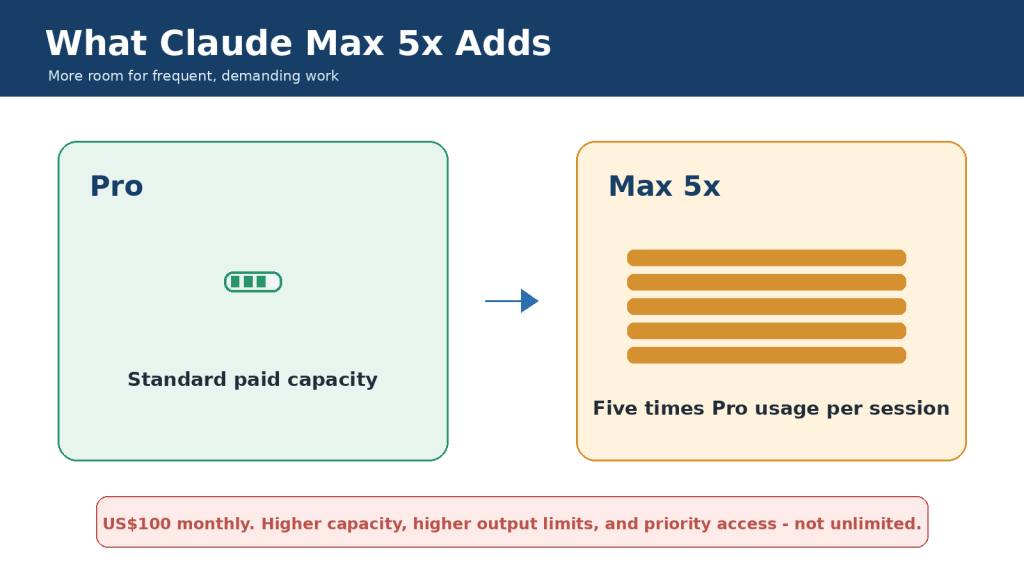
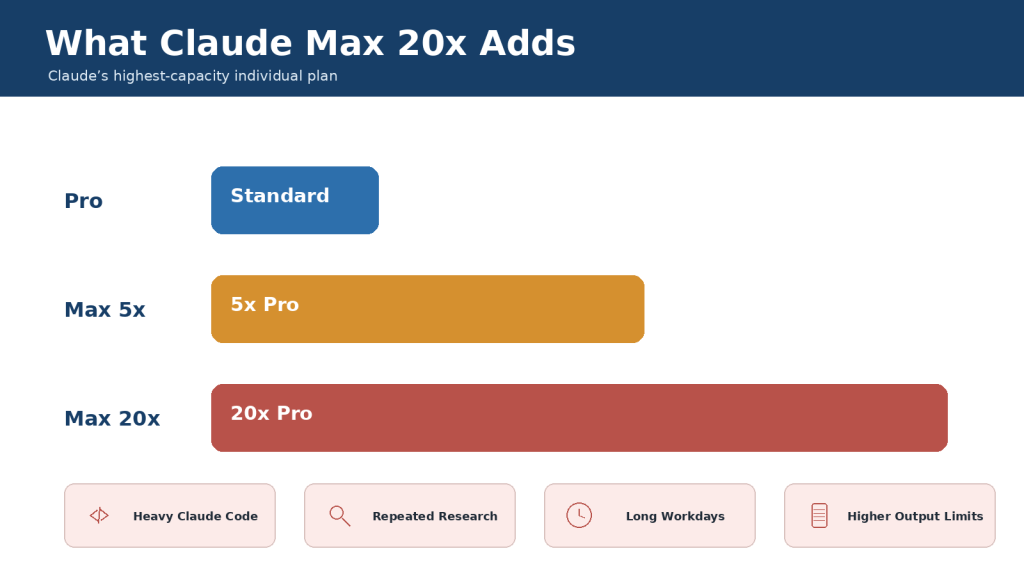
    Higher-capacity plans are designed for frequent users who repeatedly reach the standard plan’s limits. In Canada, Google lists AI Ultra 5x at CA$139.99 per month and AI Ultra 20x at CA$279.99 per month at the time of review. Claude lists Max 5x from US$100 per month and Max 20x at US$200 per month before applicable tax. Local pricing and included benefits can differ.

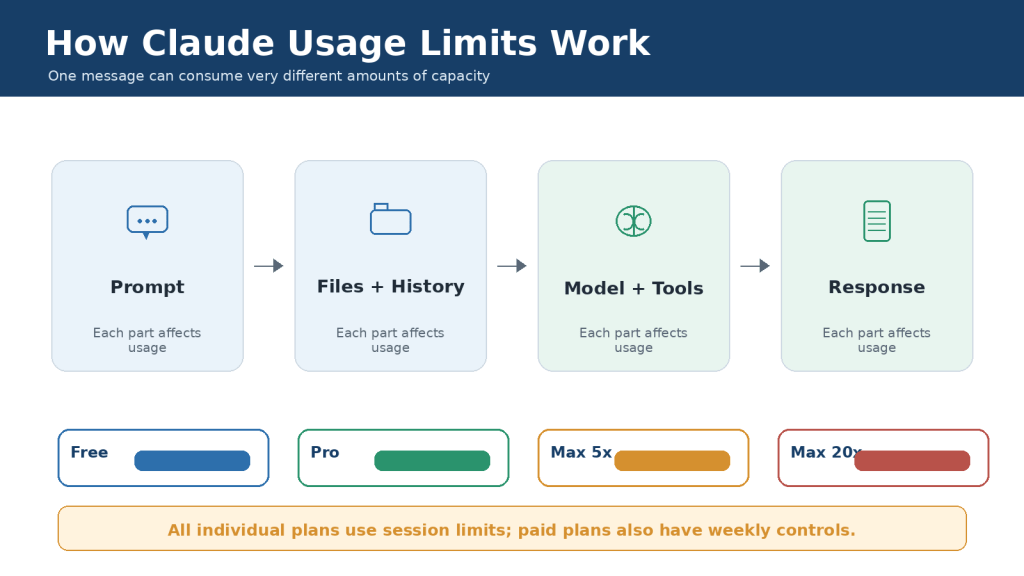
    The 5x and 20x labels compare each company’s higher tier with its own standard paid tier. They do not provide a direct measurement between Google and Anthropic, and they do not mean the answers are five or twenty times more accurate. Model-specific, session, weekly, feature, safety, and fair-use limits can still apply.

    1. Start with a Free or standard paid plan.

    2. Record which feature or usage limit interrupts valuable work.

    3. Measure several normal weeks rather than one unusually large day.

    4. Upgrade only when the interruption costs more than the additional subscription.

    5. Downgrade when the extra capacity is no longer useful.
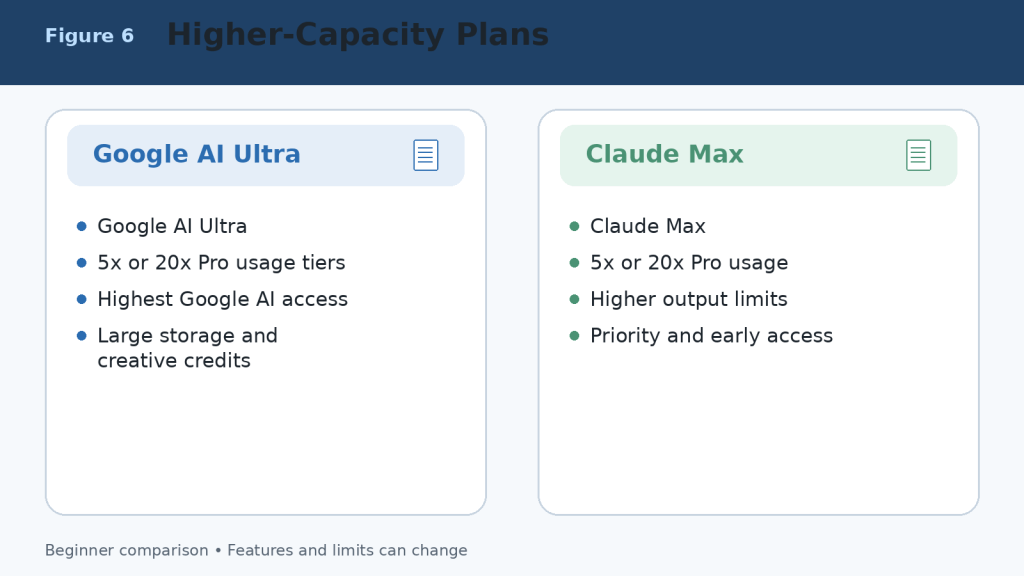
    Figure 6. Higher-capacity Google AI Ultra and Claude Max plans.

    Explanation: Higher plans provide more access, larger limits, and additional benefits; they do not guarantee perfect answers or unrestricted use.

    Google Gemini vs Claude for Writing and Editing

    Both assistants can brainstorm, outline, draft, rewrite, shorten, expand, proofread, summarize, translate, and adapt text for different audiences. Writing quality depends heavily on the prompt, source material, selected model, required length, and human editing.

    When Google Gemini May Be Better

    • The source material is stored in Gmail, Google Drive, or Google Docs.
    • The writing project also requires current Search information, images, video, audio, or Google Workspace tools.
    • The final draft must move directly into Google Docs or another Google application.
    • You want a reusable Gem for a named writing or publishing workflow.

    When Claude May Be Better

    • The task is long-form, text-heavy, and dependent on careful organization.
    • You need detailed revision explanations or consistent tone across a long document.
    • You want a Project containing source files, instructions, and continuing chats.
    • You need a downloadable DOCX, PPTX, XLSX, or PDF result.

    A Fair Writing Test

    Give both assistants the same source material and request. Specify the audience, tone, length, headings, required facts, examples, and prohibited claims. Compare factual accuracy, organization, repetition, style, revision reliability, and the amount of human editing required before approval.
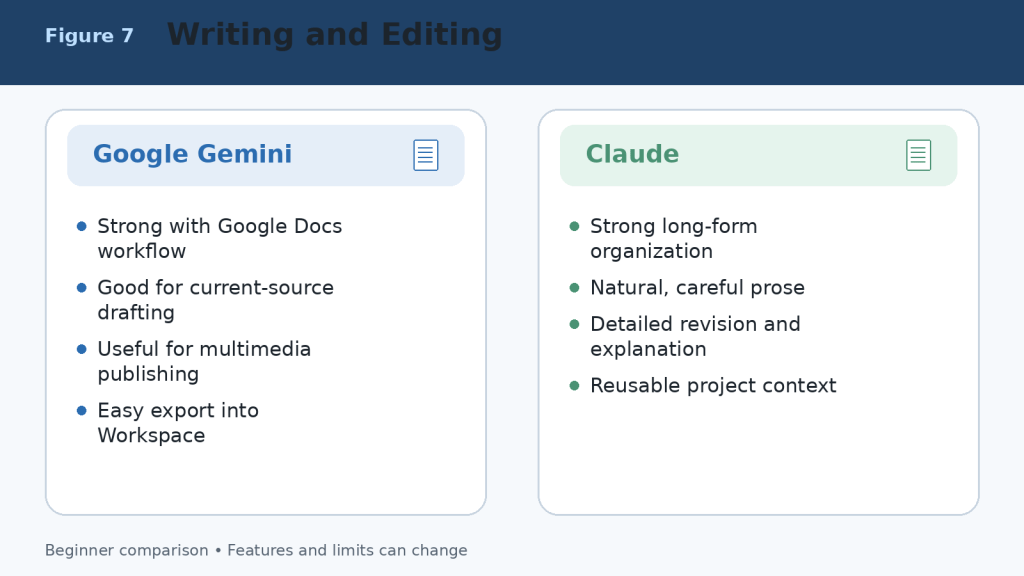
    Figure 7. Writing and editing strengths of Google Gemini and Claude.

    Explanation: Gemini is convenient for Google Workspace and multimedia publishing. Claude is well suited to long-form organization, careful revision, and project-based writing.

    Google Gemini vs Claude for Documents and File Analysis

    Both assistants can summarize documents, answer questions about files, compare information, extract key details, identify patterns, and organize findings. Their workflows differ most clearly in Google integration, upload limits, PDF handling, and direct file creation.

    Using Google Gemini with Documents

    Gemini is especially convenient when files are stored in Google Drive or created with Google Docs, Google Sheets, or Google Slides. It can analyze supported documents, spreadsheets, presentations, images, audio, video, code folders, ZIP files, and other file types. Google’s current support information generally allows up to 10 files in one prompt, with most non-video files up to 100 MB each, subject to account and feature limits.

    • Summarize a Google Docs report or Drive file.
    • Compare several PDFs or proposals.
    • Extract figures and trends from a spreadsheet.
    • Create charts from supported uploaded data.
    • Review slides, images, audio, and video in the same workflow.

    Using Claude with Documents

    Claude can analyze PDFs, Word documents, plain-text files, spreadsheets, images, code files, and other supported formats. Current chat-upload limits allow files up to 500 MB each, up to 20 files per chat, and PDFs up to 1,000 pages. Project files have different limits. Claude can also create downloadable Word, Excel, PowerPoint, PDF, chart, and code files through its file-creation environment.

    • Summarize lengthy reports and explain them in simple language.
    • Compare policies, contracts, proposals, or document versions.
    • Extract requirements, dates, names, risks, and action items.
    • Use Projects and retrieval to work with continuing knowledge collections.
    • Create a structured office-file deliverable from the analysis.
    AreaGoogle GeminiClaude
    Regular prompt or chat filesUp to 10 supported files per prompt in current guidanceUp to 20 files per chat
    Common file sizeMost non-video files up to 100 MBChat files up to 500 MB each
    PDF limitDepends on account, model, and contentUp to 1,000 pages; visual handling depends on length and format
    Google Drive workflowExcellentAvailable through supported connections or saving outputs to Drive
    SpreadsheetsAnalyze supported data and create chartsAnalyze data and create XLSX, charts, and other files
    Direct office-file creationContent can move into Google apps and CanvasCreates DOCX, XLSX, PPTX, and PDF files directly
    Best suited toGoogle Workspace and mixed-media filesDetailed analysis, many files, long documents, and deliverables

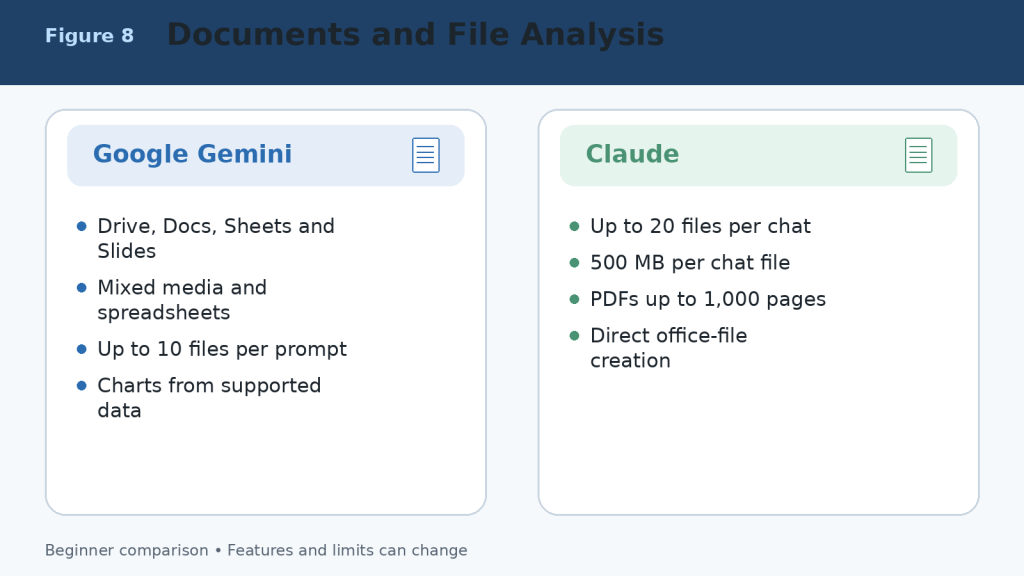
    Figure 8. Document and file-analysis strengths of Google Gemini and Claude.

    Explanation: Gemini is most convenient for Google Drive, Workspace, spreadsheets, and mixed media. Claude supports more files per chat, larger chat-file limits, long PDFs, Projects, and direct office-file creation.

    Google Gemini vs Claude for Research and Web Search

    Both assistants can search the current web, gather sources, summarize findings, and produce research reports. Neither should be treated as a substitute for opening the original sources and checking important claims.

    Google Gemini Research Strengths

    Google Search is the default public source for Deep Research.

    Deep Research can include uploaded files, Notebook sources, Gmail, or Drive when supported and connected.

    Google AI Pro and Ultra provide higher research limits and access to stronger models for eligible reports.

    Gemini is convenient when research must continue into Google Docs, Sheets, Slides, or Workspace.

    Claude Research Strengths

    Web Search adds current public information to ordinary conversations.

    Research can investigate across the web and connected internal context such as supported Google or Microsoft sources.

    Claude is strong at organizing lengthy findings into a clear written explanation or report.

    Research can continue inside a Project containing files, instructions, and related chats.

    Research Safety

    1. Ask for source links and publication dates.

    2. Open every source supporting an important claim.

    3. Separate facts, estimates, opinions, and AI inference.

    4. Use original government, academic, company, or professional sources when available.

    5. Recheck time-sensitive information immediately before publishing.
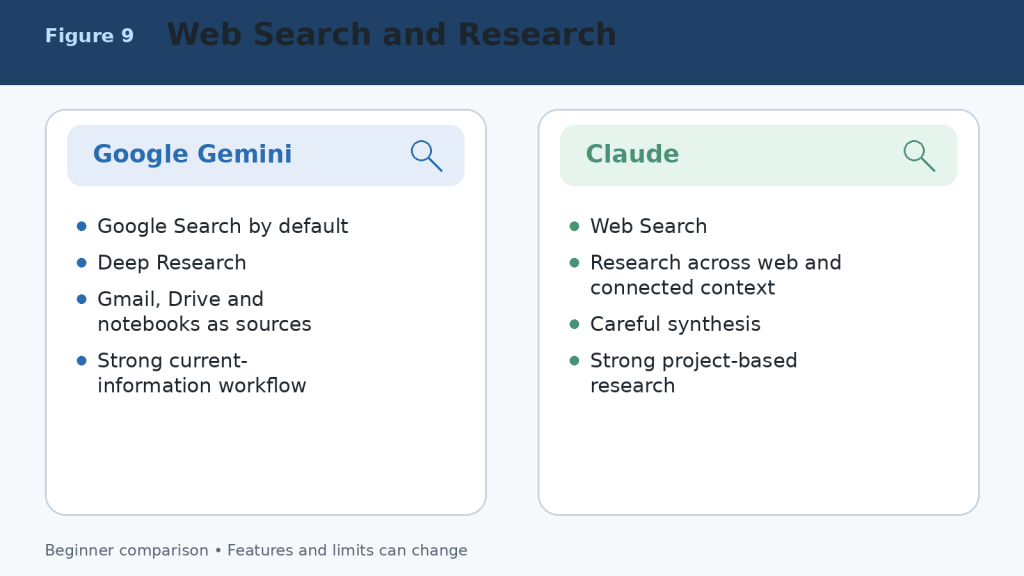
    Figure 9. Web-search and research workflows in Google Gemini and Claude.

    Explanation: Gemini provides a Google-centred research workflow with Deep Research and connected Google sources. Claude combines web research with careful synthesis, Projects, and connected professional context.

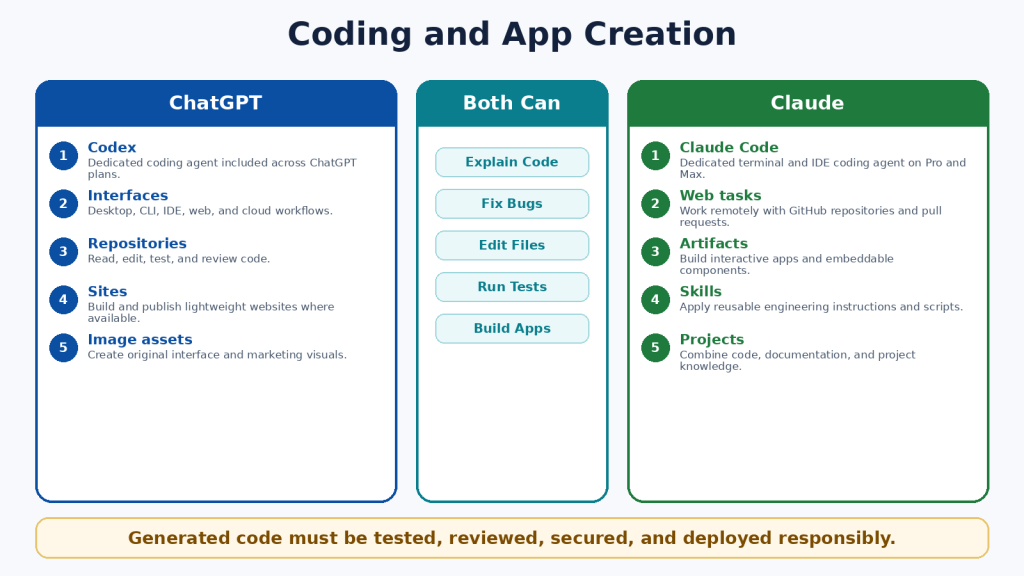
    Google Gemini vs Claude for Coding and App Creation

    Both assistants can explain code, generate examples, identify errors, propose improvements, write tests, and help plan software. The stronger choice depends on the repository, development environment, required integrations, and how much autonomous work you expect.

    When Google Gemini May Be Better for Coding

    • The project uses Google Cloud, Android, Firebase, Google Workspace APIs, or other Google technologies.
    • You want to prototype a small application directly in Canvas and preview errors or logs.
    • You need help with a GitHub repository imported into the Gemini web experience.
    • The coding task is part of a broader multimedia or Google-connected workflow.

    When Claude May Be Better for Coding

    • You need repository-scale assistance through Claude Code.
    • You value detailed debugging explanations and careful code review.
    • You want to create an interactive application or tool as an Artifact.
    • The project requires continuing context across documents, code, and structured Project knowledge.
    AreaGoogle GeminiClaude
    General coding helpYesYes
    Dedicated workspaceCanvas and Google developer toolsClaude Code and Artifacts
    Repository workGitHub import and supported coding toolsTerminal, IDE, web, and repository workflows
    App prototypeCanvas apps and code previewsArtifacts and Claude Design
    Best ecosystemGoogle Cloud, Android, Firebase, WorkspaceCross-platform repositories and document-plus-code projects
    Required safetyTest code, dependencies, permissions, and securityTest code, dependencies, permissions, and security

    Coding Safety Checklist

    1. Use version control and a separate branch.

    2. Never paste production passwords, private keys, or customer data.

    3. Review every file before accepting a large change.

    4. Run tests, security checks, and dependency scans.

    5. Confirm licensing before reusing generated or suggested code.

    6. Require human approval before deployment or destructive commands.
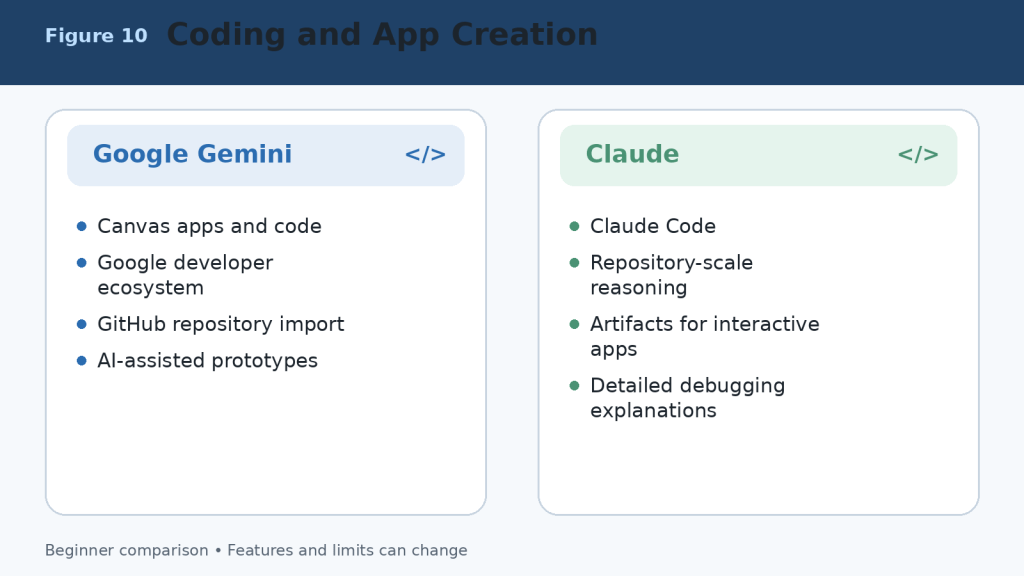
    Figure 10. Coding and application-development strengths of Google Gemini and Claude.

    Explanation: Gemini is strong for Canvas prototypes and Google technologies. Claude is strong for repository work, detailed debugging, Claude Code, and interactive Artifacts.

    Google Gemini vs Claude for Images, Voice, and Multimodal Work

    Multimodal work includes text, images, audio, video, camera input, screen sharing, diagrams, and interactive visual content. Gemini has the broader native multimedia-creation environment. Claude can analyze visual material and create useful custom visuals, but it is not the same kind of general image and video generator.

    Google Gemini Advantages

    • Native image generation and image editing.
    • Video generation and broader Google creative tools depending on plan and region.
    • Gemini Live for spoken conversation with supported camera and screen sharing.
    • Analysis of documents, images, audio, video, and spreadsheet data.
    • Natural connection with Google Photos, YouTube, Android, and other supported services.

    Claude Advantages

    • Image analysis and visual understanding.
    • Visual analysis of eligible PDFs and charts.
    • Voice mode on all plans as a beta feature.
    • Interactive diagrams, dashboards, charts, HTML, SVG, and custom visuals.
    • Design and Artifact workflows for functional visual outputs.

    Privacy Warning

    Camera, microphone, screen, photo, and video features can expose private people, messages, documents, locations, or account information. Review the screen before sharing, close unrelated windows, remove private details, obtain permission from people shown or heard, and stop sharing when the task is complete.
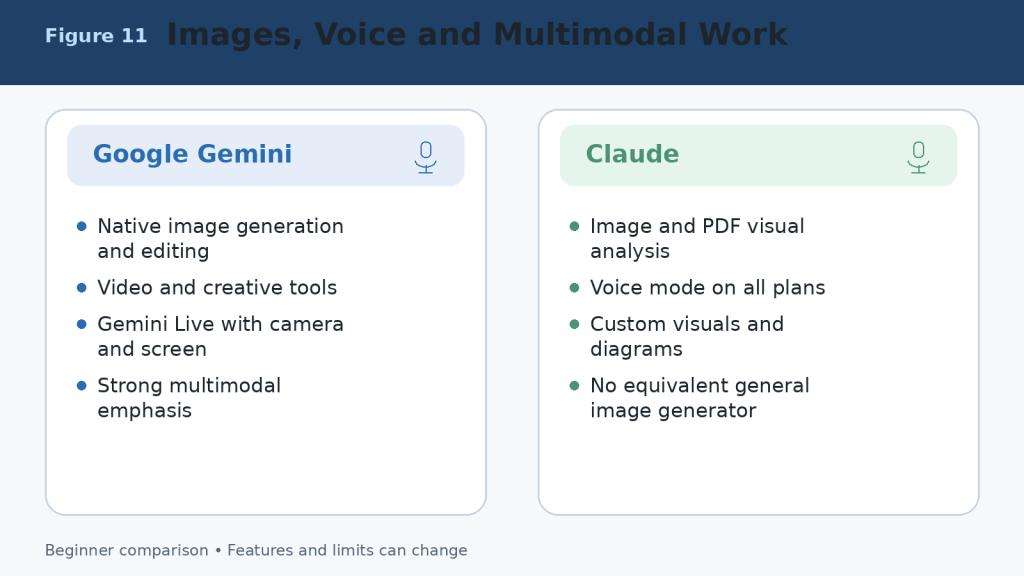
    Figure 11. Image, voice, and multimodal capabilities of Google Gemini and Claude.

    Explanation: Gemini provides broader native image, video, Live, and Google-media capabilities. Claude provides image analysis, voice, diagrams, custom visuals, and interactive design outputs.

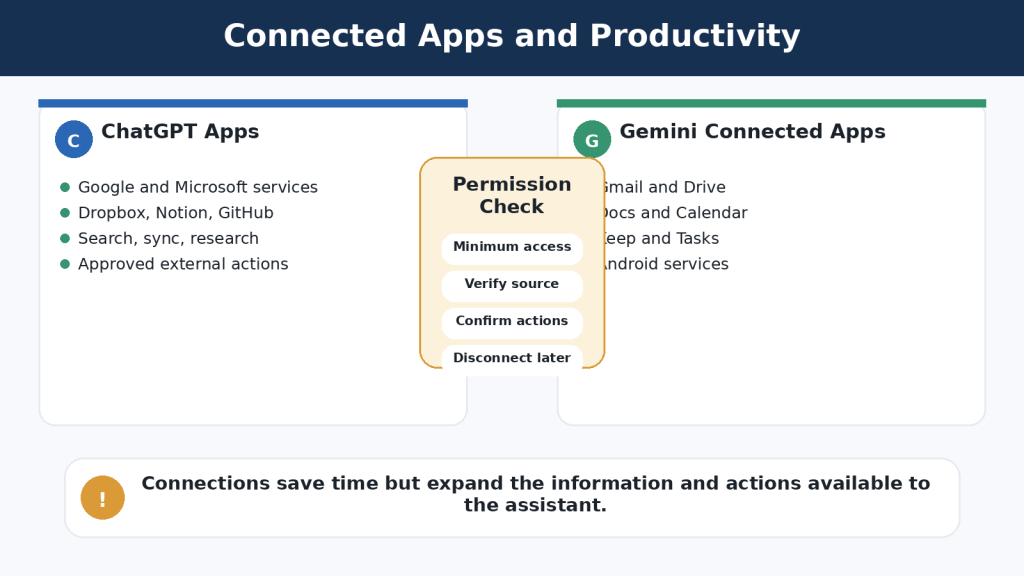
    Google Gemini vs Claude for Connected Apps and Integrations

    Connected applications are one of the largest practical differences. Gemini is built around Google services and Android. Claude supports connected professional context, Microsoft 365, Google sources, connectors, plugins, and Model Context Protocol integrations, but its ecosystem is organized differently.

    Google Gemini Connected-App Strengths

    • Find and summarize information from Gmail, Drive, Docs, and other supported Workspace services.
    • Create or manage supported Calendar events, Tasks, Keep notes, calls, messages, media, and device actions.
    • Use Gemini directly inside eligible Google Workspace applications.
    • Connect selected third-party or custom applications where supported.

    Claude Integration Strengths

    • Use connected Google and Microsoft context during Research and professional workflows.
    • Work with Microsoft 365 through eligible Claude plans and products.
    • Use connectors, plugins, and MCP servers for specialized tasks.
    • Connect project knowledge, code repositories, and business tools in focused workflows.

    Least-Access Principle

    Connect only the services needed for the current task. Review requested permissions, disconnect unused applications, avoid shared or sensitive accounts, and confirm every email, calendar, file, publishing, or account action in the destination service.

    Figure 12. Connected applications and integrations in Google Gemini and Claude.

    Explanation: Gemini has the clearest advantage for Gmail, Drive, Calendar, Docs, Android, and Google services. Claude provides focused connectors, Microsoft 365 support, plugins, and MCP-based professional workflows.

    Google Gemini vs Claude for Projects, Memory, and Custom Workflows

    Both products can preserve instructions and context, but they organize reusable work differently. Gemini uses Gems, personalization, connected applications, notebooks, Canvas, and Google Workspace context. Claude uses Projects, project knowledge, retrieval, Artifacts, Skills, connectors, and related product tools.

    AreaGoogle GeminiClaude
    Reusable assistantGem with custom instructionsProject plus instructions, Skills, or plugins
    Project workspaceCanvas, notebooks, connected apps, and Workspace filesProjects with chat history and knowledge base
    Free project limitFeature-dependent; Gems and other tools availableMaximum of five Projects
    Paid project accessHigher limits and Google-plan featuresUnlimited Projects on paid plans
    Large knowledge collectionsDrive, Notebook sources, and connected Google contextRAG retrieves relevant passages from larger project knowledge
    Memory or personalizationPast chats, custom instructions, and connected data where enabledChat search, memory, Projects, and instructions where available
    Best fitGoogle-account-centred personal or business workflowDocument-, coding-, and knowledge-centred continuing workflow

    Do not treat memory or project storage as a guaranteed record. Keep important source files in your normal storage system, use clear filenames and versions, and verify what the assistant actually remembers before relying on it.
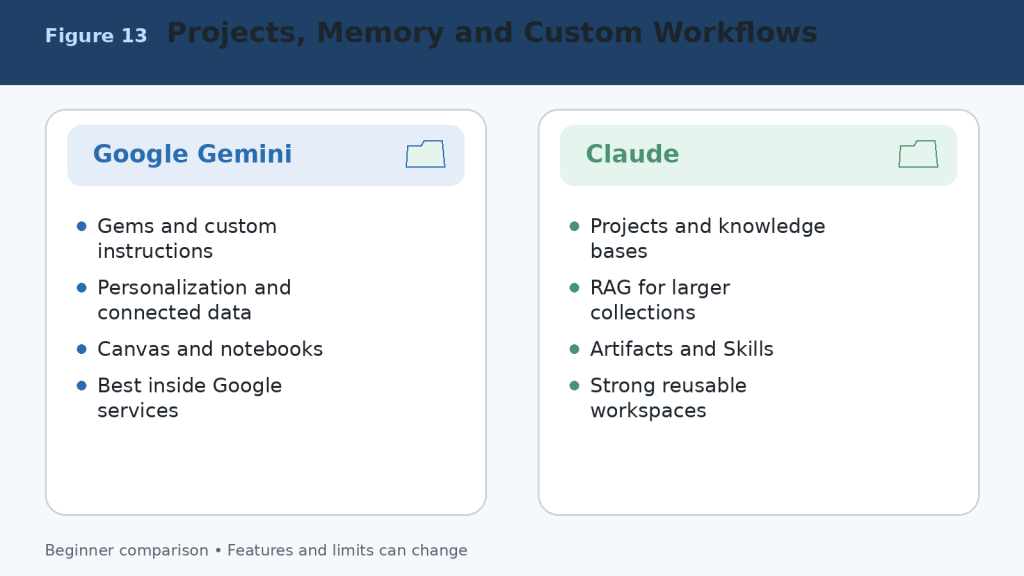
    Figure 13. Projects, memory, personalization, and custom workflows in Google Gemini and Claude.

    Explanation: Gemini builds reusable work around Gems, connected Google data, Canvas, and notebooks. Claude builds reusable work around Projects, knowledge bases, retrieval, Artifacts, and related tools.

    Google Gemini vs Claude for Different Types of Users

    UserSuggested Starting PointReason
    Complete beginnerTest both Free plansReal tasks provide better evidence than rankings.
    Google Workspace userGoogle GeminiGmail, Drive, Docs, Sheets, Slides, Calendar, and connected services are central.
    Writer or editorClaude first; compare GeminiClaude often suits long-form revision; Gemini is convenient for Google Docs and research.
    StudentBothCompare explanations, files, study features, research, and source quality.
    Document analystClaude firstLarge files, many chat uploads, Projects, retrieval, and direct file creation are useful.
    Multimedia creatorGoogle GeminiNative images, video tools, Live, and Google media connections are stronger.
    Software developerTest both on the same repositoryThe winner depends on Google technologies, Claude Code, tools, and workflow.
    Small business ownerChoose by existing applicationsGoogle users may prefer Gemini; document and Microsoft workflows may favour Claude.
    ResearcherUse both for verificationCompare Search and Deep Research with Claude Research and connected context.
    Heavy daily userUpgrade only after measuring limitsHigher tiers are expensive and do not guarantee better accuracy.

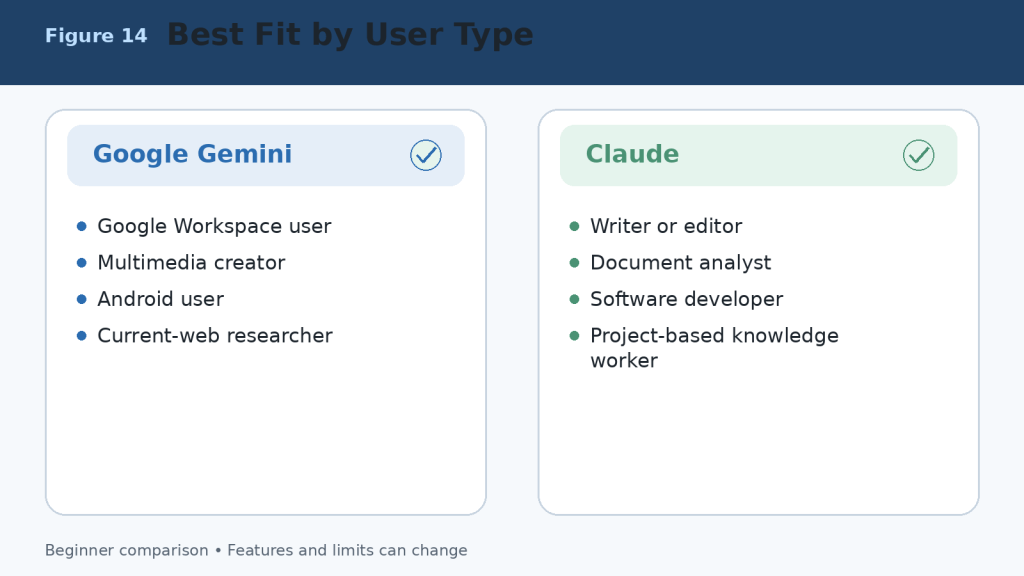
    Figure 14. Suggested starting choices for different types of users.

    Explanation: The best assistant depends on the user’s existing applications and most frequent tasks. Beginners should test both Free plans before paying.

    How to Choose Between Google Gemini and Claude

    A useful decision does not begin with a feature list. It begins with your work. Choose three tasks you complete repeatedly and test both assistants under the same conditions.

    1. Select three real tasks, such as drafting an article, analyzing a report, and researching a current topic.

    2. Use the same prompt, files, sources, audience, length, and required format.

    3. Record factual errors, missing details, formatting problems, and unusable citations.

    4. Measure the time needed to reach an approved final result.

    5. Check whether the assistant works naturally with your email, storage, documents, calendar, browser, and development tools.

    6. Review local subscription prices, taxes, usage limits, and cancellation terms.

    7. Choose the assistant that creates the most reliable value with the least correction.

    Simple Decision Rule

    • Choose Google Gemini when Google Workspace, current Search, images, video, Android, and connected Google services are central to your work.
    • Choose Claude when long writing, detailed document analysis, direct office-file creation, coding, Projects, or structured knowledge workflows are central.
    • Use both Free plans when the tasks are mixed or you need a second opinion.
    • Pay for only one primary assistant unless both paid-only feature sets produce measurable value.

    Figure 15. A practical process for choosing Google Gemini or Claude.

    Explanation: Use identical real tasks, measure corrections and time, check integrations and privacy, and pay only when the value is proven.

    Common Google Gemini vs Claude Comparison Mistakes

    • Comparing a paid plan with a Free plan without saying so.
    • Using different prompts, files, sources, or output lengths.
    • Testing only one easy task or one lucky response.
    • Assuming the newest or largest model is best for every task.
    • Judging writing style while ignoring factual accuracy.
    • Ignoring Google Workspace, Microsoft 365, Android, coding, or storage integration.
    • Comparing advertised limits as though they measure answer quality.
    • Assuming a paid subscription is unlimited.
    • Treating generated citations as correct without opening them.
    • Ignoring privacy, data retention, connected-app permissions, and workplace rules.
    • Choosing by social-media hype instead of measured work.
    • Failing to test the exported DOCX, XLSX, PPTX, PDF, code, chart, or application.

    A fair comparison uses comparable plans, equivalent models, identical prompts, the same source material, equal output requirements, and a consistent verification checklist. Measure the time required to reach an approved final result, not merely the time required to receive the first answer.
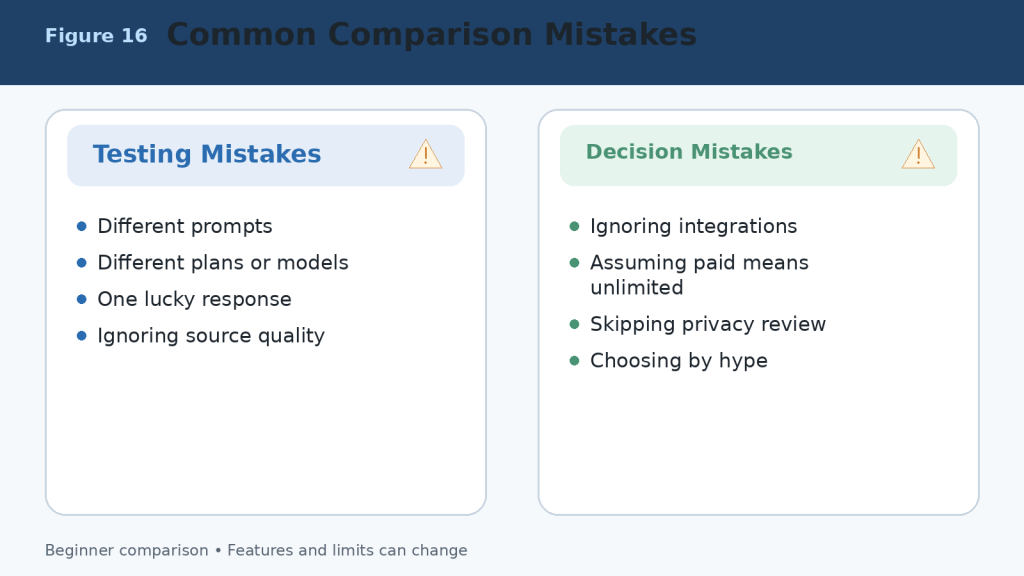
    Figure 16. Common mistakes that produce an unfair Gemini-versus-Claude comparison.

    Explanation: A reliable comparison uses equal conditions, checks sources and outputs, includes integrations and privacy, and evaluates several real tasks rather than one response.

    Limitations of Google Gemini and Claude

    Neither assistant is completely accurate, unlimited, private for every purpose, or able to complete important work safely without supervision.

    Shared Limitations

    • Incorrect information, invented citations, and outdated claims.
    • Misinterpretation of web sources, images, and uploaded files.
    • Context, session, daily, weekly, model, and feature limits.
    • Visual, optical-character-recognition, calculation, and formatting errors.
    • Insecure, incomplete, or outdated code.
    • Prompt injection and unintended actions through connected tools.
    • Incomplete or outdated memory and personalization.
    • Privacy, retention, sharing, and permission risks.
    • Regional, language, account, plan, and device differences.
    • Service interruptions and capacity errors.

    How to Reduce Risk

    1. Use authoritative sources and open important citations.

    2. Upload only the information necessary for the task.

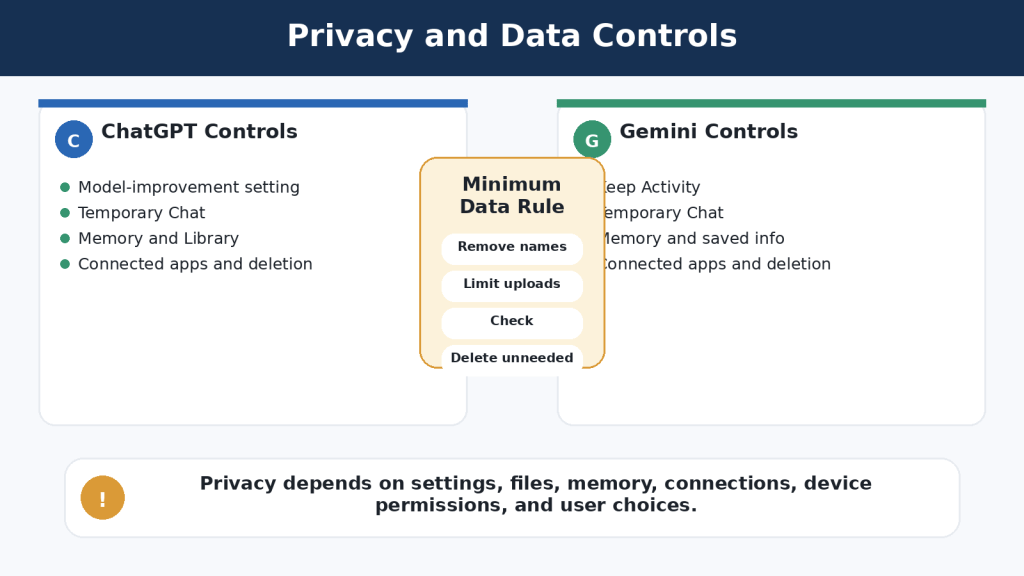
    3. Remove private details and review activity, retention, and training controls.

    4. Use backups, version control, and separate branches for code.

    5. Open generated files and test formulas, links, charts, formatting, and accessibility.

    6. Grant the minimum connected-app permissions.

    7. Confirm every email, calendar, publishing, payment, or account action in the destination system.

    8. Consult a qualified professional for medical, legal, financial, or other high-stakes decisions.
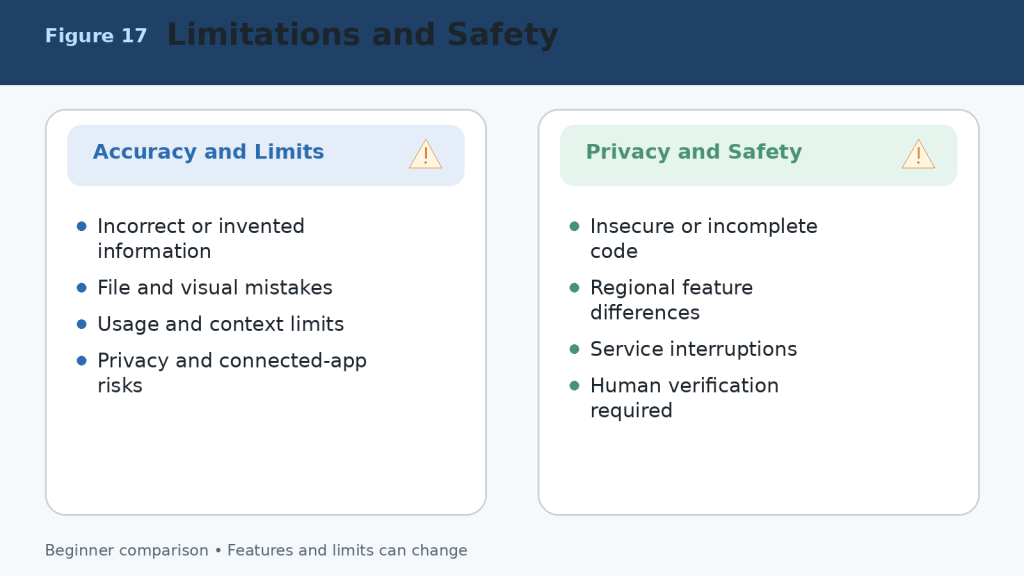
    Figure 17. Shared limitations and safety risks in Google Gemini and Claude.

    Explanation: Both assistants can make factual, file, visual, coding, privacy, and connected-action errors. The user remains responsible for verification and final decisions.

    Frequently Asked Questions About Google Gemini vs Claude

    Is Google Gemini Better Than Claude?

    Google Gemini is not automatically better than Claude. Gemini is generally more convenient for people who regularly use Google Search, Gmail, Google Drive, Google Docs, Google Sheets, and other Google services. Claude is often preferred for careful writing, long-document analysis, detailed explanations, coding, and structured project work.

    Is Claude Better Than Google Gemini?

    Claude may be better for tasks that require thoughtful writing, detailed document analysis, clear explanations, or sustained work within a project. Gemini may be stronger when you need current web information, Google Workspace integration, multimedia tools, or access to files already stored in Google services.

    Which AI Assistant Is Easier for Beginners?

    Both tools are beginner-friendly and accept ordinary language. Gemini may feel more familiar to people who already have a Google account and use Google services. Claude has a clean interface and often produces carefully organized answers. Test the Free version of each with the same simple tasks.

    Can I Use Google Gemini and Claude for Free?

    Yes. Both offer Free access, but usage limits and available features differ. Paid plans provide higher limits and additional capabilities. Plan names, prices, limits, models, and features can change, so check the official pricing and support pages before subscribing.

    Which Is Better for Writing?

    Claude is often an excellent choice for long-form writing, rewriting, editing, tone adjustment, explanations, reports, and carefully structured documents. Gemini is also capable and may be more convenient when the final work must move into Google Docs, Gmail, or another Google Workspace application.

    Which Is Better for Research?

    Gemini is generally the more convenient choice for research that depends on Google Search and connected Google services. Claude can also research topics, organize findings, analyze uploaded sources, and create detailed explanations. Always open and verify important sources.

    Which Is Better for Analyzing Documents?

    Claude is often well suited to detailed analysis of long, text-heavy documents and collections of related files. Gemini is especially convenient when documents are stored in Google Drive or created with Google Docs, Sheets, or Slides. The better tool depends on file type, length, required analysis, and storage location.

    Which Is Better for Coding?

    Both can explain code, identify errors, suggest improvements, generate examples, and assist with software projects. Claude is often valued for detailed coding explanations and repository work. Gemini can be especially useful for Google technologies and Canvas prototypes. Generated code must always be tested.

    Can Gemini and Claude Create Downloadable Files?

    Both can help create structured content. Claude can directly create Word, Excel, PowerPoint, PDF, chart, and code files through its file-creation capability. Gemini can create and organize content in Canvas and Google applications and can analyze spreadsheet information and generate supported charts. Availability depends on the account, model, device, region, and plan.

    Are Google Gemini and Claude Always Accurate?

    No. Both can produce incorrect, outdated, incomplete, or invented information. Check important information against reliable original sources, especially for health, legal, financial, government, academic, product, and current-event topics.

    Can I Use Both Gemini and Claude?

    Yes. For example, you could use Gemini to gather current information or work with Google Drive files and use Claude to reorganize the material into a detailed explanation or polished report. Do not upload confidential information to multiple services merely to compare answers.

    Which One Should a Beginner Choose?

    Choose Google Gemini when you primarily use Google services, need current web research, work with mixed media, or want close Google Workspace integration. Choose Claude when you prioritize careful writing, detailed explanations, long-document analysis, coding assistance, or organized project work. Test both Free plans with your real tasks before paying.

    Final Verdict: Should You Choose Google Gemini or Claude?

    Google Gemini and Claude are both powerful AI assistants, but they are designed around different strengths. There is no single winner for every beginner.

    Choose Google Gemini If You:

    • Regularly use Gmail, Google Drive, Google Docs, Google Sheets, or Google Slides.
    • Need current web research and Google Search.
    • Work with images, audio, video, documents, and spreadsheets.
    • Want close integration with Google services and Android.
    • Prefer an assistant that fits naturally into the Google ecosystem.

    Choose Claude If You:

    • Need clear, natural, and carefully structured writing.
    • Frequently summarize or analyze long documents.
    • Want detailed explanations of complicated topics.
    • Work on coding, reports, research, or extended projects.
    • Need direct office-file creation or organized Project knowledge.

    Choose Both If You:

    Many users will get the best results by using both Free plans or by keeping one paid primary assistant and one Free secondary assistant. Use Gemini for current information or Google-connected tasks, use Claude for detailed analysis or document production, and compare answers when accuracy is especially important.

    Quick Recommendation by Task

    TaskBetter Starting Choice
    Google Workspace tasksGoogle Gemini
    Current Google-connected web researchGoogle Gemini
    Gmail, Drive, Calendar, and Android integrationGoogle Gemini
    Native image and video creationGoogle Gemini
    Long-form writingClaude
    Detailed document analysisClaude
    Direct DOCX, XLSX, PPTX, and PDF creationClaude
    Repository coding and software projectsClaude
    Comparing answers for accuracyBoth

    Best Choice for Most Beginners

    For beginners who already use Google services every day, Google Gemini is usually the easiest place to start. For beginners who mainly want help with writing, learning, document analysis, coding, or downloadable office files, Claude is often the better starting choice. The practical method is to test both Free versions using the same three real tasks.

    Final Recommendation

    Do not choose an AI assistant only because it has more features or receives more publicity. Google Gemini is strongest as a connected, multimedia assistant within the Google ecosystem. Claude is strongest as a focused writing, document-analysis, file-creation, project, and coding assistant. Both require human verification.

    Key Takeaways

    1. Google Gemini is best connected to the Google ecosystem, including Search, Gmail, Drive, Workspace, Android, and multimedia services.
    2. Claude is particularly strong for writing, detailed document analysis, coding, direct office-file creation, and organized project work.
    3. Both can summarize, explain, rewrite, brainstorm, analyze files, research, and answer questions.
    4. Gemini is generally stronger for native image and video creation and Google-connected mixed-media work.
    5. Claude is generally stronger for focused, text-heavy work, Projects, repository coding, and downloadable deliverables.
    6. Free plans are suitable for testing both tools; paid plans provide more access but are not unlimited.
    7. Privacy must be taken seriously, particularly with files, camera, microphone, screen sharing, and connected applications.
    8. Neither assistant is always accurate. Important answers, citations, calculations, code, and files must be verified.
    9. You do not have to choose only one assistant. Their different strengths can complement each other.
    10. The best decision is based on real tasks, measured corrections, existing applications, and total value.

    Continue Learning

    Sources and References

    Product facts were reviewed against official Google and Anthropic documentation on August 5, 2026. Prices, limits, models, features, storage, and regional availability can change. Recheck important information before publishing or purchasing.

    1. Google Gemini Plans and Features (Canada)

    2. Gemini Apps Help

    3. Gemini Apps Limits and Upgrades

    4. Upload and Analyze Files in Gemini Apps

    5. Use Deep Research in Gemini Apps

    6. Create Documents, Apps, Slides, and Code with Canvas

    7. Use Gems in Gemini Apps

    8. Use and Manage Connected Apps in Gemini

    9. Connect Google Workspace to Gemini Apps

    10. Gemini Apps Privacy Hub

    11. Manage and Delete Gemini Apps Activity

    12. Claude Plans and Pricing

    13. Choose a Claude Plan

    14. How Claude Usage and Length Limits Work

    15. Upload Files to Claude

    16. What Are Claude Projects?

    17. Retrieval-Augmented Generation for Claude Projects

    18. Create and Edit Files with Claude

    19. What Are Claude Artifacts?

    20. Enable and Use Web Search in Claude

    21. Use Research on Claude

    22. Use Voice Mode in Claude

    23. Use Claude Code with Pro or Max

    24. Claude Context Window on Paid Plans
    25. Sensitive Data and Claude Conversations

    26. Incorrect or Misleading Claude Responses

  • ChatGPT vs Claude: Beginner Comparison (2026)

    ChatGPT vs Claude: Beginner Comparison (2026)

    Estimated reading time: 25 minutes

    Last updated: August 5, 2026

    Featured image. A beginner compares ChatGPT and Claude for common AI tasks.

    Introduction

    ChatGPT and Claude are two widely used general-purpose AI assistants. Both can explain ideas, write and edit text, search the web, analyze files, work with data, help with code, and support continuing projects. Their core abilities overlap, but the surrounding tools, plan structures, file workflows, visual features, coding products, and customization systems differ.

    ChatGPT is generally the broader multimedia workspace. It combines conversation with native image generation and editing, voice, web research, data analysis, custom GPTs, Codex, Projects, scheduled tasks, Work, and Sites. Claude is generally more document- and workflow-centred. It combines conversation with direct office-file creation, Projects and retrieval, Skills, Claude Code, Artifacts, Research, Design, Microsoft 365 integrations, and Cowork.

    There is no permanent winner. The better assistant is the one that supports your real tasks, fits your existing applications, provides enough capacity, and requires the least correction after human review.

    What You Will Learn

    • How ChatGPT and Claude compare for writing, documents, research, coding, images, voice, projects, and custom workflows.

    • How their Free, standard paid, and higher-capacity plans differ.

    • Which assistant may suit different types of users.

    • How to test both services fairly before paying.

    • What limitations, privacy risks, and accuracy problems to expect.

    ChatGPT vs Claude at a Glance

    AreaChatGPTClaude
    General emphasisBroad multimodal and creative workspaceDocument-, coding-, and knowledge-work-centred workspace
    Free accessYes; includes a broad set of limited toolsYes; includes core chat, files, search, projects, Skills, and Artifacts subject to limits
    Standard paid planPlus: US$20 monthlyPro: US$20 monthly or US$200 annually in the United States
    Lower-cost paid tierGo: US$8 monthly in the United States, with localized prices in some marketsNo directly equivalent tier between Free and Pro
    Higher-capacity plansPro: US$200 monthlyMax 5x: US$100; Max 20x: US$200 monthly
    Native image generationYesNo comparable photo or illustration generator
    Office-file creationAvailable through ChatGPT Work and supported toolsDirect DOCX, XLSX, PPTX, PDF, and PNG creation
    Dedicated coding agentCodex, included across ChatGPT plans with plan-dependent accessClaude Code, included with Pro and Max
    ResearchSearch and Deep ResearchWeb Search and Research
    Custom workflowsProjects, custom GPTs, plugins, apps, TasksProjects, Skills, plugins, connectors, Cowork

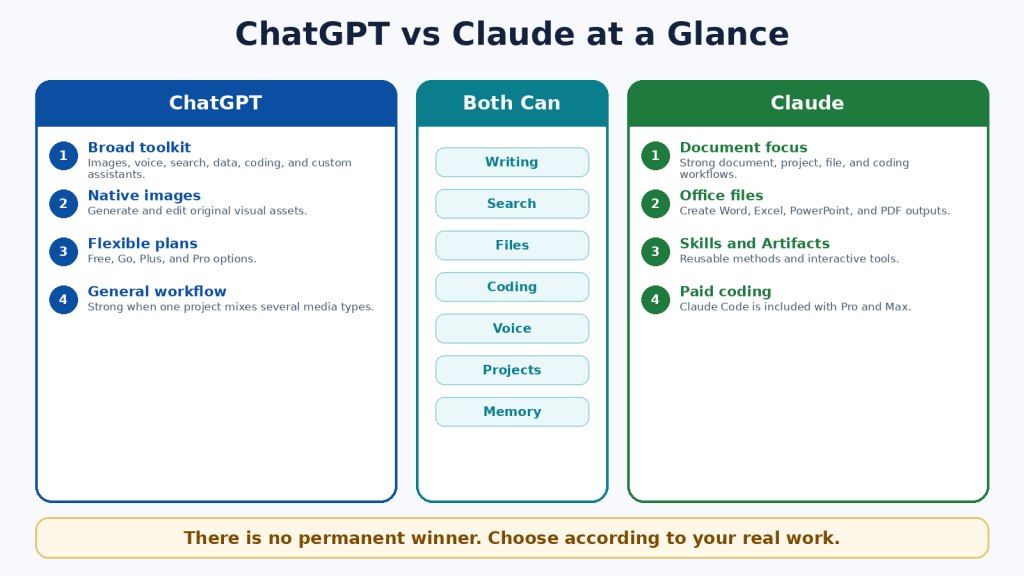
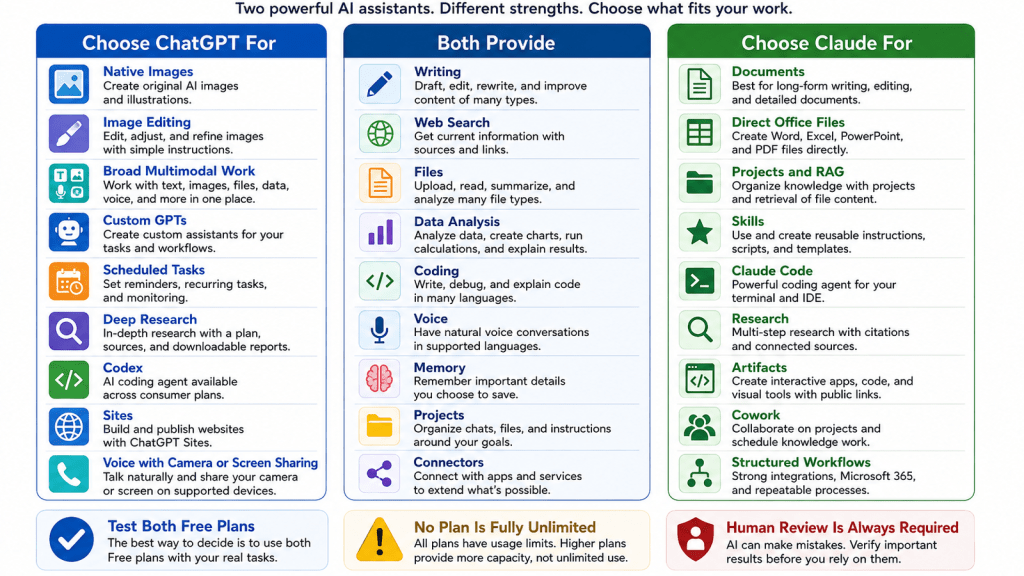
    Figure 1. A high-level comparison of the two assistants.

    Explanation: ChatGPT provides a broad set of creative and multimodal tools, while Claude emphasizes documents, file creation, coding, and repeatable knowledge workflows.

    What Is ChatGPT?

    ChatGPT is OpenAI’s conversational AI product. It can answer questions, explain concepts, draft and revise text, analyze files and data, search the web, create and edit images, conduct voice conversations, help with code, and organize continuing work inside Projects.

    Main ChatGPT Tools

    • ChatGPT Search for current web information with citations.

    • Deep Research for multi-source investigations and documented reports.

    • ChatGPT Images for native image generation and editing.

    • Data analysis for spreadsheets, calculations, tables, charts, and code-backed work.

    • Projects for related chats, files, and instructions.

    • Custom GPTs for named task-specific assistants on eligible paid plans.

    • Codex for software development across desktop, command-line, IDE, web, and cloud workflows.

    • ChatGPT Work for longer research and finished documents, spreadsheets, presentations, reports, and Sites.

    ChatGPT is particularly useful when one workflow combines several media types. A publisher, for example, can research an article, draft it, analyze a spreadsheet, generate a featured image, create an infographic, and prepare a website deliverable in the same product environment.

    Figure 2. Major ChatGPT capabilities and suitable user groups.

    Explanation: ChatGPT is a broad general-purpose assistant whose distinctive advantages include native images, custom GPTs, Codex, Deep Research, Work, and Sites.

    What Is Claude?

    Claude is Anthropic’s conversational AI product. It can write and edit, analyze files, search the web, conduct Research, create office files, use Projects and retrieval, run code, support voice conversations, and work through specialized products such as Claude Code, Artifacts, Design, Skills, connectors, and Cowork.

    Main Claude Tools

    • Claude Projects for continuing work with instructions and reference knowledge.

    • Retrieval-Augmented Generation for larger project knowledge collections.

    • Direct creation of Word, Excel, PowerPoint, PDF, chart, and code files.

    • Claude Skills for reusable instructions, templates, examples, and optional scripts.

    • Claude Code for terminal, IDE, and repository workflows on Pro and Max.

    • Claude Research for multi-stage investigations across the web and connected context.

    • Claude Artifacts for interactive tools, code, diagrams, visualizations, and shareable applications.

    • Claude Cowork for agentic knowledge work and scheduled workflows.

    Claude is particularly useful when the centre of the workflow is a document collection, structured office files, a software repository, or a repeatable professional process.

    Figure 3. Major Claude capabilities and suitable user groups.

    Explanation: Claude combines long-form document work with direct file creation, project retrieval, Skills, Claude Code, Artifacts, Research, and Cowork.

    ChatGPT Free vs Claude Free

    Both Free plans are useful for learning and occasional work. They should be the starting point for most beginners. Free access is limited, and the available model, message, file, image, coding, and research allowances can change according to demand and product updates.

    AreaChatGPT FreeClaude Free
    Best useTesting ChatGPT and broad everyday tasksTesting Claude and document-centred tasks
    ProjectsUnlimited number; five files per projectUp to five projects
    Native imagesLimited image generation and editingNo comparable native image generation
    Coding agentCodex access is included across plans, with smaller Free limitsDedicated Claude Code is not included in the individual Free plan
    ResearchSearch and limited Deep Research availabilityWeb Search; Research is a paid feature
    Upgrade pathGo or PlusPro

    A Free-plan comparison should use the same prompts, files, source requirements, and output length. One good response is not enough; test several tasks that represent your normal work.

    Figure 4. A practical comparison of the two Free plans.

    Explanation: Both Free plans support useful everyday work. ChatGPT has a broader multimedia and coding entry point, while Claude provides a strong introduction to documents, file creation, Skills, Projects, and Artifacts.

    ChatGPT Plus vs Claude Pro

    ChatGPT Plus and Claude Pro are the closest standard paid individual plans. Each costs US$20 monthly in the United States. Claude Pro also offers a US$200 annual option. Actual prices can differ because of currency, tax, region, promotions, or mobile-store billing.

    AreaChatGPT PlusClaude Pro
    Standard US priceUS$20 monthlyUS$20 monthly or US$200 annually
    Main emphasisAdvanced general productivity and multimodal creationDocuments, coding, projects, files, and structured workflows
    Distinctive toolsNative images, custom GPTs, Deep Research, Codex, Tasks, WorkClaude Code, Cowork, Research, Design, Skills, direct office-file creation
    Best forUsers combining text, images, voice, research, data, and codingUsers centred on documents, repositories, office files, and repeatable processes
    Unlimited?No; model and tool limits applyNo; session, weekly, model, and feature limits can apply

    The best value is not determined by the number of listed features. It is determined by whether the plan contains the few tools you actually need, saves meaningful time, and remains available during your normal workload.

    Figure 5. ChatGPT Plus and Claude Pro compared at the standard paid level.

    Explanation: Both standard plans provide more access than Free. ChatGPT Plus is stronger for broad multimodal creation; Claude Pro is stronger for document, coding, file, and structured-workflow use.

    ChatGPT Pro vs Claude Max

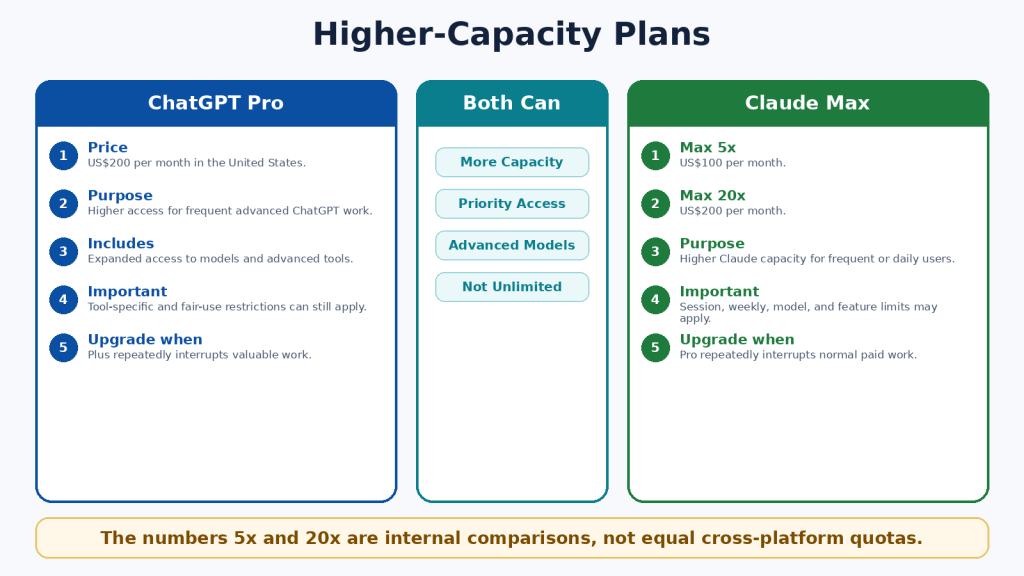
    Higher-capacity plans are designed for frequent users who repeatedly reach the standard plan’s limits. ChatGPT Pro is US$200 monthly in the United States. Claude Max is available as Max 5x for US$100 monthly and Max 20x for US$200 monthly.

    The 5x and 20x labels compare Claude Max with Claude Pro capacity per session. They do not create a direct measurement against ChatGPT, and they do not promise five or twenty times better answers. Both companies can apply model-specific, feature-specific, safety, and fair-use restrictions.

    • Start with the standard paid plan.

    • Record which feature or limit interrupts you.

    • Measure several normal weeks rather than one unusually large day.

    • Upgrade only when interruptions affect valuable work.

    • Downgrade when the extra capacity is no longer needed.

    Figure 6. Higher-capacity individual plans and their intended purpose.

    Explanation: Higher plans provide more access, not guaranteed accuracy or unrestricted use. The correct tier depends on measured workload.

    ChatGPT vs Claude for Writing and Editing

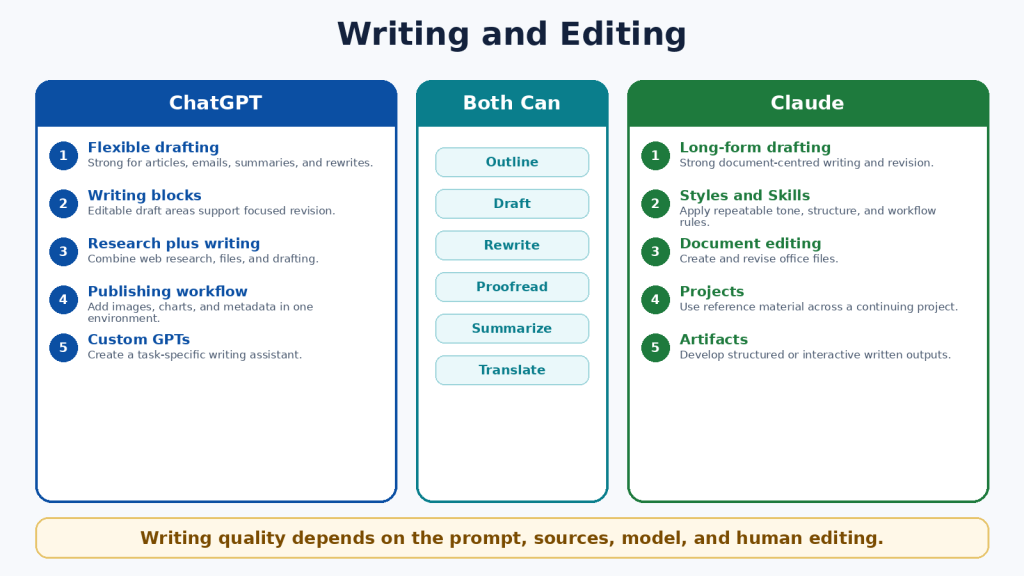
    Both assistants can brainstorm, outline, draft, rewrite, shorten, expand, proofread, summarize, translate, and adapt text for different audiences. Writing quality depends heavily on the instructions, source material, selected model, desired length, and human editing.

    When ChatGPT May Be Better

    • The writing project also requires original images, data, charts, voice, or web research.

    • You want to create a custom GPT for a named writing workflow.

    • You need scheduled reminders or monitoring connected to publishing work.

    • The final deliverable will be created through ChatGPT Work or a Site.

    When Claude May Be Better

    • The work is long-form and document-centred.

    • You want to use project knowledge, Styles, or Skills for a repeatable writing method.

    • You need a downloadable Word, PowerPoint, Excel, or PDF deliverable.

    • The writing must remain closely connected to a large reference collection.

    A Fair Writing Test

    Give both assistants the same source material and the same request. Specify the audience, tone, length, headings, examples, required facts, and prohibited claims. Compare factual accuracy, organization, repetition, tone, revision reliability, and the amount of human editing required.

    Figure 7. Writing and editing strengths of ChatGPT and Claude.

    Explanation: Both can produce strong writing. ChatGPT is well suited to multimedia publishing, while Claude is well suited to long-form document workflows and repeatable writing methods.

    ChatGPT vs Claude for Documents and File Analysis

    Both assistants can summarize, compare, extract, rewrite, classify, answer questions about files, and analyze structured data. File size, file type, context, page count, visual content, and plan limits all affect the result.

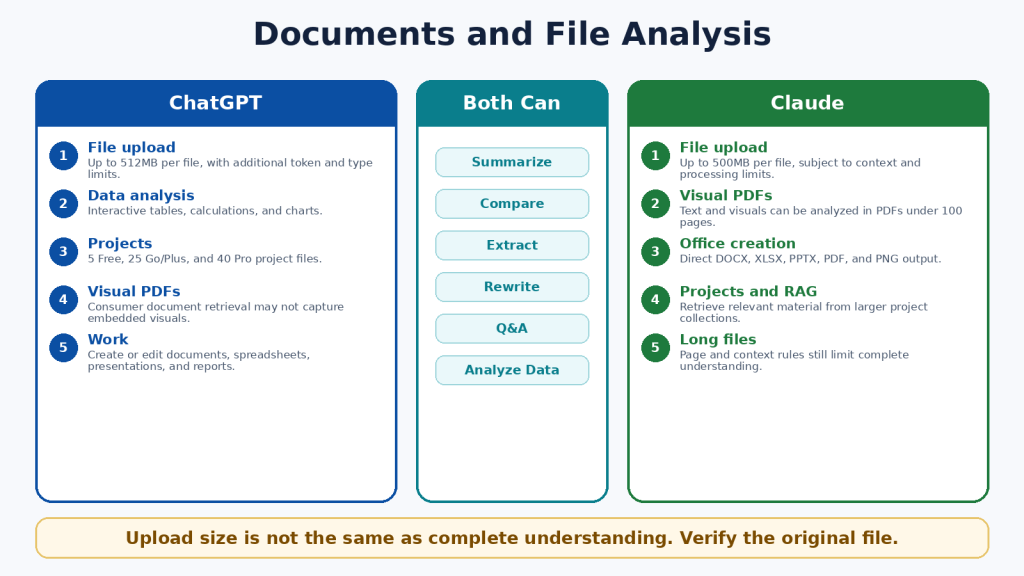
    AreaChatGPTClaude
    Common formatsDOCX, PDF, PPTX, XLSX, XLS, CSV, TSV, TXT, and other supported typesPDF, DOCX, CSV, TXT, HTML, ODT, RTF, EPUB, JSON, XLSX, images, and other supported types
    Maximum ordinary file size512MB per file; text and document files also have a two-million-token cap500MB per file, subject to context and processing limits
    Project file limitsFree 5; Go/Plus 25; Pro 40No simple fixed paid-project count; file, context, and retrieval limits apply
    Visual PDFsConsumer document retrieval may not interpret every embedded visualText and visuals can be analyzed in PDFs under 100 pages
    Office-file creationAvailable through ChatGPT Work and supported toolsDirect creation of DOCX, XLSX, PPTX, PDF, and PNG files
    Spreadsheet workInteractive tables, code-backed analysis, calculations, and chartsCode execution, calculations, visualizations, and downloadable office files

    Important File Limitations

    • A large upload limit does not guarantee that every page is active in the model context.

    • Scanned pages can contain OCR errors.

    • Complex tables, tracked changes, comments, macros, and embedded media may be missed.

    • A supported extension does not guarantee perfect compatibility.

    • Generated files must be opened and tested in the software you will actually use.

    Safer Document Prompt

    Use a prompt such as: “Answer only from the uploaded files. Cite the filename, page, and section for every important statement. State ‘Not found’ when the answer is absent. Separate exact quotations from interpretation.”

    Figure 8. Document and file-analysis differences.

    Explanation: ChatGPT provides strong data analysis and broad file workflows. Claude provides visual analysis for eligible shorter PDFs and direct creation of standard office files. Both require verification against the original.

    ChatGPT vs Claude for Web Search and Research

    Ordinary web search is appropriate for quick current questions. Deeper research tools are appropriate when a question requires several searches, source comparison, uploaded files, connected data, and a structured report.

    ChatGPT Search and Deep Research

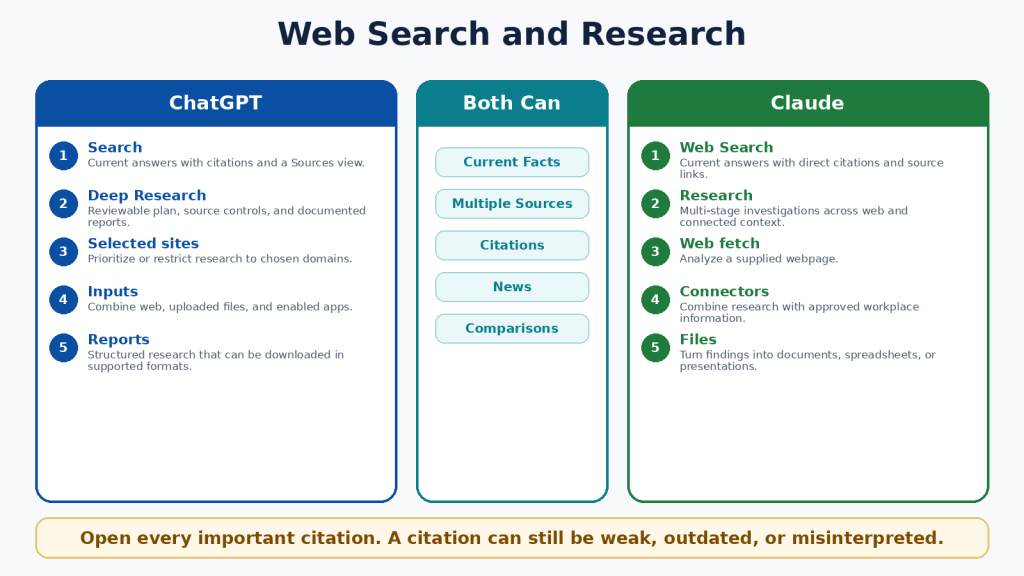
    • Search can provide current answers with citations and a Sources view.

    • Deep Research can propose a plan, search several sources, use selected sites, and combine web information with uploaded files and enabled applications.

    • Research reports can include headings, tables, citations, source links, and supported downloads.

    Claude Web Search and Research

    • Web Search provides current answers with citations and source links.

    • Research performs multi-stage investigation across the web and eligible connected context.

    • Claude can use the findings to create documents, spreadsheets, presentations, PDFs, or Artifacts.

    Research Safety

    • Prioritize official and primary sources.

    • Open every important citation.

    • Distinguish the date an event happened from the date an article was published.

    • Identify disagreements instead of forcing one conclusion.

    • Use qualified professional advice for legal, medical, financial, immigration, and safety decisions.

    Figure 9. Web search and deeper research compared.

    Explanation: ChatGPT emphasizes a visible research plan and source controls. Claude emphasizes conversational multi-stage research connected to documents and workplace context.

    ChatGPT vs Claude for Coding and App Creation

    Both assistants can explain code, create files, debug errors, write tests, refactor repositories, run commands, and help build applications. Their dedicated coding agents are Codex and Claude Code.

    AreaChatGPTClaude
    Dedicated agentCodexClaude Code
    Individual availabilityIncluded across ChatGPT plans with plan-dependent limitsIncluded with Claude Pro and Max
    InterfacesDesktop, CLI, IDE, web, and remote workflowsTerminal, supported IDEs, and web-based repository workflows
    Repository workRead, edit, test, review, and delegate tasksRead, edit, test, create branches, and prepare pull requests
    Lightweight appsChatGPT Sites where availableClaude Artifacts and interactive tools
    API billingSeparate from ChatGPT subscriptionsSeparate from Claude subscriptions

    Coding Safety Checklist

    1. Use version control and create a backup.

    2. Work on a separate branch.

    3. Ask for a plan before major changes.

    4. Review every changed file.

    5. Run tests and test invalid inputs.

    6. Protect secrets and production credentials.

    7. Scan dependencies and obtain security review for important systems.

    Code that runs once can still be insecure, inaccessible, slow, or incorrect at the edges. A coding agent is a development tool, not a substitute for engineering responsibility.

    Figure 10. Coding agents and app-creation workflows.

    Explanation: Codex has a beginner access advantage because it is included across ChatGPT plans. Claude Code provides a strong paid terminal, IDE, and repository workflow.

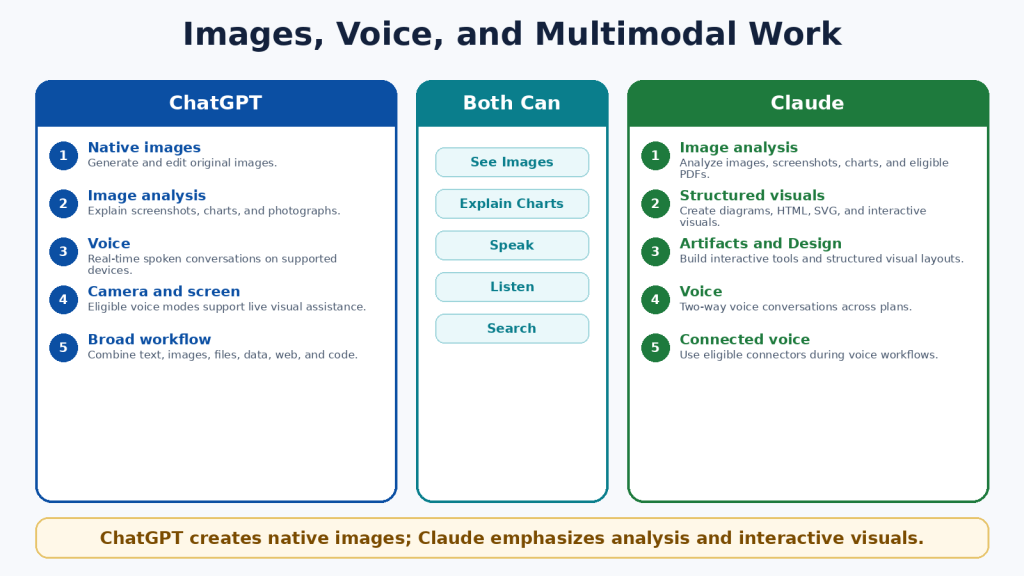
    ChatGPT vs Claude for Images, Voice, and Multimodal Work

    Multimodal AI works with more than typed text. Both assistants can analyze images, screenshots, charts, documents, web sources, and spoken prompts. The clearest difference is that ChatGPT can natively generate and edit photographs, illustrations, and graphics, while Claude focuses on image analysis, diagrams, HTML, SVG, structured visuals, Design, and Artifacts.

    ChatGPT Advantages

    • Native image generation and editing.

    • Different aspect ratios for featured images, social posts, and presentations.

    • Image analysis for screenshots, charts, and photographs.

    • Real-time voice on supported devices.

    • Eligible camera and screen-sharing assistance.

    Claude Advantages

    • Image and chart analysis.

    • Interactive diagrams, HTML, SVG, and custom visual explanations.

    • Artifacts and Design for structured or interactive outputs.

    • Two-way voice across plans.

    • Voice workflows that can use eligible connected tools.

    Privacy Warning

    Images, audio, video, and shared screens can reveal faces, notifications, addresses, financial details, family information, account names, and background conversations. Crop images, hide notifications, stop sharing before entering passwords, and review current retention and model-improvement settings.

    Figure 11. Image, voice, and multimodal differences.

    Explanation: ChatGPT is the clear choice for native image creation and editing. Claude is distinctive for structured and interactive visuals, document-based images, and connected voice workflows.

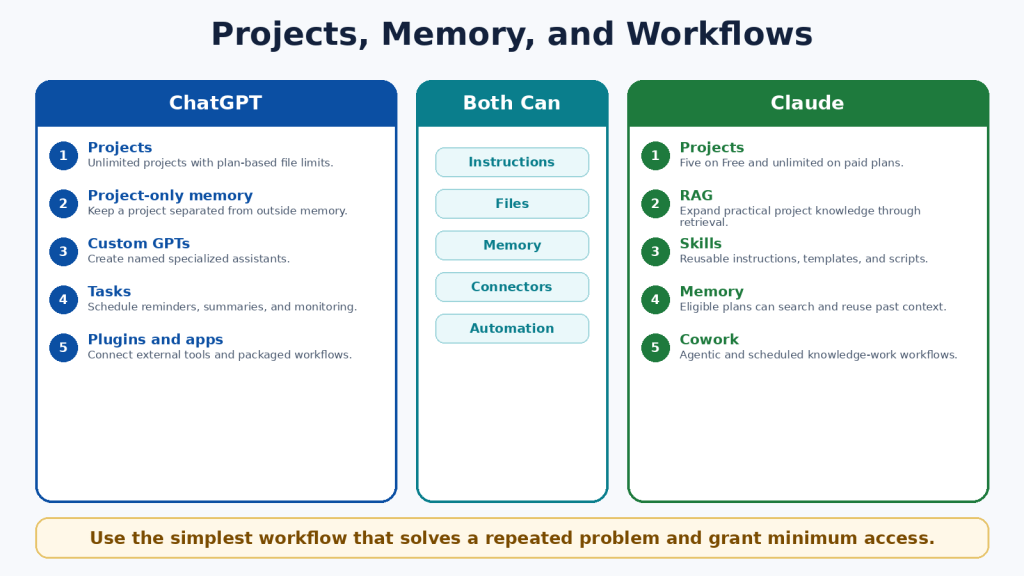
    ChatGPT vs Claude for Projects, Memory, and Custom Workflows

    Projects, memory, instructions, custom assistants, Skills, plugins, connectors, and scheduled tools help users repeat work without restating every requirement. These terms are not interchangeable.

    AreaChatGPTClaude
    ProjectsUnlimited; file limits depend on the planFive on Free and unlimited on paid plans
    Project isolationProject-only memory is available when selected at creationProject knowledge and eligible memory remain organized by project context
    Custom assistantCustom GPTNo exact equivalent; combine Projects, Skills, Styles, and plugins
    Reusable methodChatGPT Skills are mainly available in supported workspace, Codex, and API contextsClaude Skills are available as reusable instructions, templates, and optional scripts
    SchedulingScheduled Tasks for reminders, summaries, and monitoringScheduled Cowork tasks for recurring knowledge work
    External toolsPlugins and appsPlugins, connectors, and desktop extensions

    Least-Access Principle

    • Connect only the account required for the task.

    • Use read-only access when possible.

    • Review every requested permission.

    • Remove unused plugins and connectors.

    • Pause outdated scheduled tasks.

    • Keep authoritative records outside AI memory.

    Memory is convenient but not a permanent archive. It can omit details, preserve outdated information, or apply context incorrectly. Store approved facts, final documents, dates, and decisions in your own records.

    Figure 12. Projects, memory, and workflow tools.

    Explanation: ChatGPT emphasizes unlimited projects, project-only memory, custom GPTs, plugins, and scheduled tasks. Claude emphasizes project retrieval, Skills, plugins, Claude Code, and Cowork.

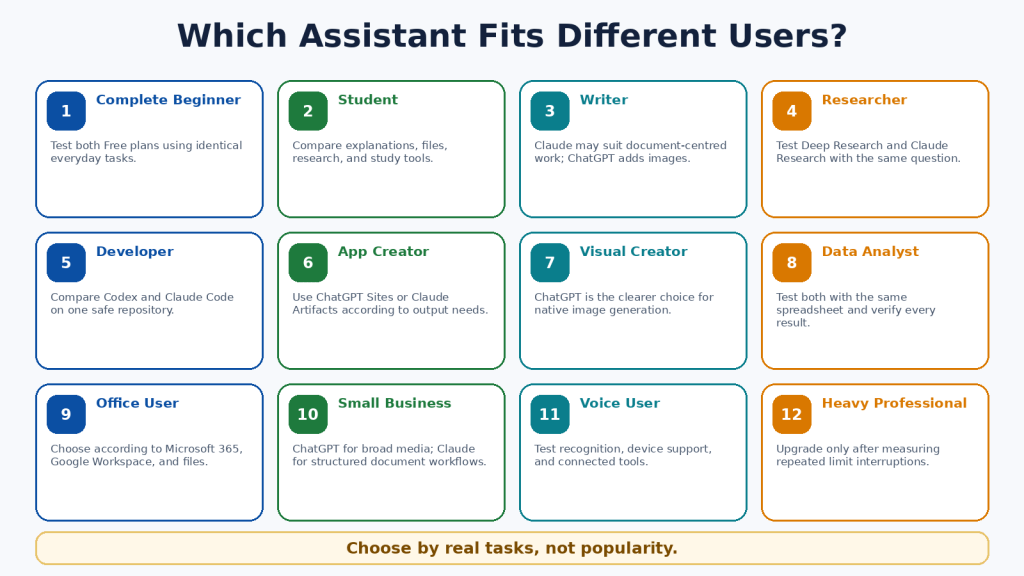
    ChatGPT vs Claude for Different Types of Users

    UserSuggested StartReason
    Complete beginnerTest both Free plansReal tasks provide better evidence than rankings.
    StudentBothCompare explanations, files, study tools, and research.
    Writer or bloggerClaude for documents; ChatGPT for text plus imagesThe publishing workflow determines the better fit.
    ResearcherBothCompare source control, citation accuracy, and connected data.
    DeveloperCodex or Claude CodeTest on the same safe repository.
    Visual creatorChatGPTNative image generation and editing are decisive.
    Office-file userClaude may be preferableDirect office-file creation and Microsoft 365 workflows.
    Small businessDepends on daily workChatGPT for broad media; Claude for structured knowledge work.
    Heavy professionalMeasure before upgradingHigh-capacity plans are justified by repeated interruptions.

    Accessibility needs should be tested with the actual device, browser, microphone, screen reader, keyboard, and file format. A feature list cannot show whether the complete workflow is accessible for one person.

    Figure 13. Suggested starting points for different user groups.

    Explanation: Different users value different capabilities. The better assistant depends on the actual work, device, integrations, budget, and editing burden.

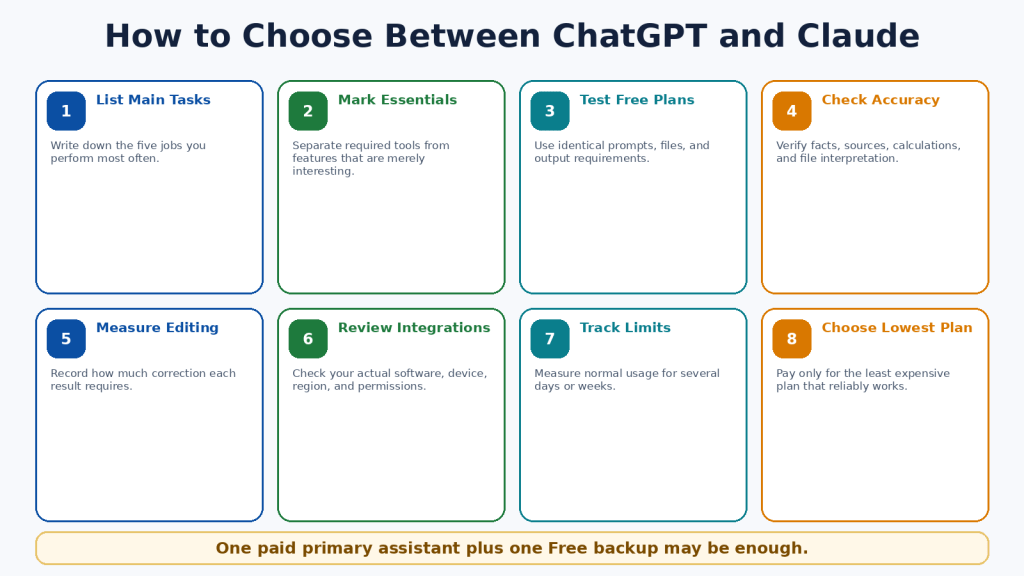
    How to Choose Between ChatGPT and Claude

    1. List the five tasks you perform most often.

    2. Mark the features that are essential rather than merely interesting.

    3. Test both Free plans using identical prompts and files.

    4. Check facts, citations, calculations, code, and file interpretation.

    5. Record how much editing each result requires.

    6. Check compatibility with your actual applications, device, region, and account permissions.

    7. Measure usage limits during several normal days or weeks.

    8. Choose the lowest-cost plan that reliably supports the work.

    Simple Decision Rule

    • Choose ChatGPT when native images, broad multimodal work, custom GPTs, scheduled tasks, Codex, Deep Research, Work, or Sites are essential.

    • Choose Claude when documents, direct office files, project retrieval, Skills, Claude Code, Research, Artifacts, Microsoft 365, or Cowork are essential.

    • Use both Free plans when the answer remains unclear.

    • For many users, one paid primary assistant and one Free secondary assistant are sufficient.

    Figure 14. An eight-step decision process.

    Explanation: A fair choice begins with real tasks and ends with the lowest-cost plan that works consistently.

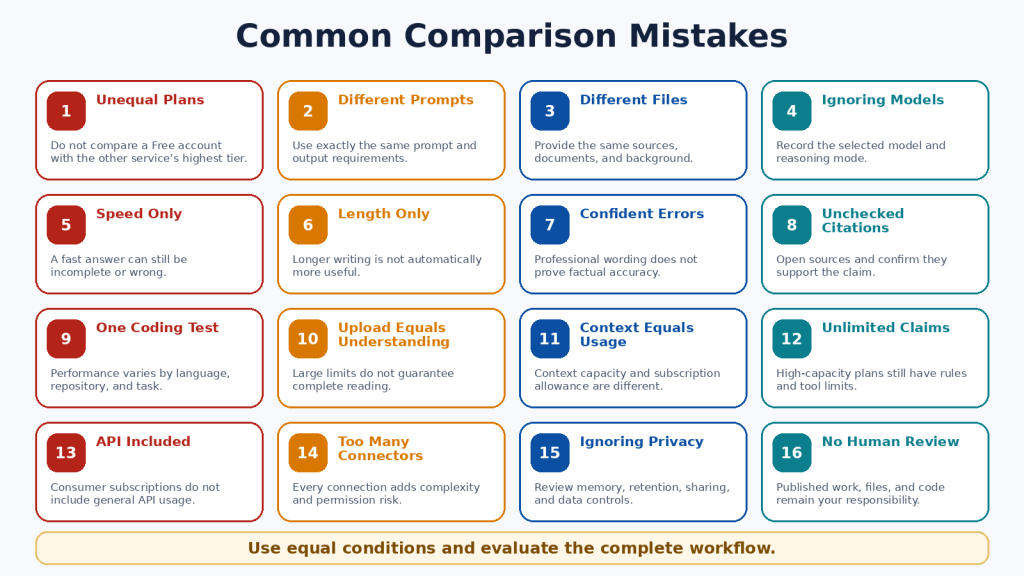
    Common ChatGPT vs Claude Comparison Mistakes

    • Declaring one permanent winner from one response.

    • Comparing different plans, models, prompts, files, or source requirements.

    • Treating speed, length, confidence, or citations as proof of quality.

    • Comparing a native image with a diagram as though they were the same output.

    • Assuming a large upload limit means complete understanding.

    • Confusing context size with subscription usage.

    • Assuming “5x,” “20x,” or “unlimited” mean equal or unrestricted use.

    • Upgrading after one unusually large task.

    • Assuming a consumer subscription includes API usage.

    • Installing too many plugins or connectors.

    • Ignoring regional, device, privacy, and retention differences.

    • Publishing text, files, images, or code without human review.

    The fairest comparison uses equivalent plans, comparable models, identical prompts, the same source material, the same output requirements, and a consistent verification checklist. Measure the time required to reach an approved final result, not merely the time to receive the first answer.

    Figure 15. Sixteen common comparison errors.

    Explanation: Unfair tests often measure different plans, prompts, files, models, or tools. Equal conditions and verified outcomes provide more useful evidence.

    Limitations of ChatGPT and Claude

    Neither assistant is completely accurate, unlimited, private for every purpose, or able to complete important work safely without supervision.

    Shared Limitations

    • Incorrect information, invented citations, and outdated claims.

    • Misinterpretation of web sources and uploaded files.

    • Context and usage limits.

    • Visual, OCR, calculation, and formatting errors.

    • Insecure or incomplete code.

    • Prompt injection and unintended actions through connected tools.

    • Incomplete or outdated memory.

    • Privacy, retention, and sharing risks.

    • Regional and device differences.

    • Service interruptions and capacity errors.

    How to Reduce Risk

    1. Use authoritative sources and open important citations.

    2. Upload only necessary information.

    3. Remove private details and review data controls.

    4. Use version control, backups, and separate branches for code.

    5. Open generated files and test formulas, links, and formatting.

    6. Grant the minimum external permissions.

    7. Confirm every email, calendar, publishing, or account action in the destination system.

    8. Consult a qualified professional for high-stakes decisions.

    Figure 16. Shared limitations and safety risks.

    Explanation: Both services can make factual, file, visual, coding, privacy, and action errors. The user remains responsible for verification and final decisions.

    Frequently Asked Questions

    1. Are ChatGPT and Claude free?

    Yes. Both provide Free individual plans with usage and tool limits.

    2. Which is better for beginners?

    Test both Free plans with the same everyday tasks. Choose the service that is clearer, more accurate, and easier to correct.

    3. Which is better for writing?

    Neither is guaranteed to win. Claude may suit long document workflows; ChatGPT may suit writing combined with images and broader publishing tools.

    4. Which is better for images?

    ChatGPT, because it can natively generate and edit photographs, illustrations, and graphics.

    5. Can Claude analyze images?

    Yes. Claude can analyze uploaded images and eligible PDF visuals and can create diagrams, HTML, SVG, and interactive visuals.

    6. Which is better for PDFs?

    Claude may have an advantage for eligible PDFs under 100 pages containing important embedded visuals. Both can analyze text-based PDFs.

    7. Which is better for office files?

    Claude provides direct creation of DOCX, XLSX, PPTX, and PDF files. ChatGPT Work can also create and edit documents, spreadsheets, and presentations.

    8. Which is better for coding?

    Test Codex and Claude Code on the same repository. Codex is included across ChatGPT plans; Claude Code is included with Claude Pro and Max.

    9. Which is better for research?

    ChatGPT offers strong research planning and source controls; Claude integrates Research closely with projects, files, and connectors.

    10. Can I use both?

    Yes. One paid primary assistant and one Free backup is often practical.

    11. Do I need both paid?

    Usually not. Pay for the service containing the essential paid-only capability you use regularly.

    12. Are paid plans unlimited?

    No. Model, feature, session, weekly, safety, and fair-use restrictions may apply.

    13. Is API usage included?

    No. OpenAI API and Claude Platform billing are separate from consumer subscriptions.

    14. Are they private?

    Both provide controls, but no consumer service should automatically receive every confidential file. Review retention, memory, training, connectors, and workplace rules.

    15. Can they replace a professional?

    No. Use them for general information and preparation, then consult a qualified professional for high-stakes decisions.

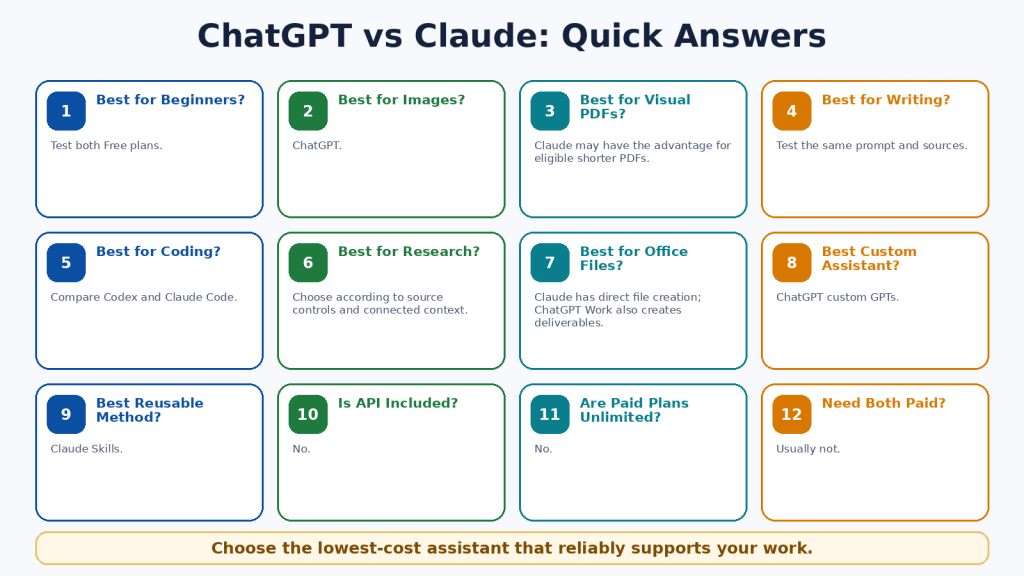
    Figure 17. Quick answers to common comparison questions.

    Explanation: The answer depends on the user’s required tools, files, research, coding, media, integrations, limits, and budget.

    Key Takeaways

    • ChatGPT is the broader native multimedia and creative workspace.

    • Claude is the stronger document-, project-, file-, coding-, and structured-workflow environment.

    • ChatGPT is the clear choice for native image generation and editing.

    • Claude has distinctive strengths in direct office-file creation, Skills, Claude Code, project retrieval, Artifacts, and Cowork.

    • Both provide capable writing, search, research, files, coding, voice, projects, and memory.

    • Both can make serious mistakes and reach limits.

    • The standard US paid comparison is ChatGPT Plus versus Claude Pro at US$20 monthly.

    • Higher-capacity plans should follow measured need, not curiosity.

    • General API billing is separate from consumer subscriptions.

    • Most beginners should test both Free plans and use one paid primary assistant only when necessary.

    Figure 18. The most important differences and shared capabilities.

    Explanation: ChatGPT is strongest for broad multimodal creation. Claude is strongest for document-centred and repeatable knowledge work. Both require human review.

    Conclusion

    ChatGPT and Claude can both help beginners write, learn, research, analyze files, work with data, code, speak with an AI assistant, and organize continuing projects. The main difference is not whether one can write a paragraph or answer a question. It is the surrounding workflow.

    Choose ChatGPT when native images, broad multimodal tools, custom GPTs, scheduled tasks, Codex, Deep Research, Work, or Sites directly support your most frequent work. Choose Claude when documents, direct office-file creation, project retrieval, Skills, Claude Code, Research, Artifacts, Microsoft 365, or Cowork directly support your most frequent work.

    Choose both Free plans when you remain uncertain. The most economical arrangement for many people is one paid primary assistant and one Free secondary assistant for comparison and independent checking.

    ChatGPT and Claude are tools rather than replacements for human knowledge, judgment, professional responsibility, or creativity. The best assistant is the one that reliably completes your real work, requires fewer corrections, fits your applications, protects information appropriately, and creates more value than it costs.

    Continue Learning

    • Article 002 — ChatGPT Basics for Beginners: Complete Guide (2026) — Learn ChatGPT’s main features, prompts, files, and everyday workflow.

    • Article 003 — Best ChatGPT Prompts for Beginners (2026) — Use practical prompt examples for writing, learning, planning, and productivity.

    • Article 022 — How to Summarize Documents with ChatGPT: Beginner Guide (2026) — Learn how to upload, summarize, and verify documents.

    • Article 041 — How to Use Gems in Google Gemini (2026) — Compare another approach to reusable task-specific assistants.

    • Article 047 — How to Summarize, Analyze, and Compare Documents with Claude: Beginner Guide (2026) — Explore Claude’s document-analysis workflow in detail.

    • Article 052 — How to Use Claude for Coding and App Creation: Beginner Guide (2026) — Learn about Claude Code, Artifacts, coding, and app creation.

    In WordPress, link each title only after confirming that the related article is published and that its permanent URL is correct.

    Sources and References

    Product facts in this article were reviewed against official OpenAI and Anthropic documentation on August 5, 2026. Prices, limits, models, tools, and regional availability can change. Recheck important information before publishing or purchasing.

    1. ChatGPT Plans and Pricing
    2. Introducing ChatGPT Go

    3. ChatGPT Plus

    4. Projects in ChatGPT

    5. File Uploads FAQ

    6. Supported File Types

    7. Deep Research in ChatGPT

    8. ChatGPT Capabilities Overview

    9. Using Codex with Your ChatGPT Plan

    10. ChatGPT Work and Codex

    11. Creating and Editing Documents, Spreadsheets, and Presentations with ChatGPT Work

    12. Images in ChatGPT

    13. ChatGPT Voice

    14. GPTs in ChatGPT

    15. Memory FAQ

    16. Claude Plans and Pricing
    17. Choose a Claude Plan

    18. What Is the Max Plan?

    19. Upload Files to Claude

    20. Create and Edit Files with Claude

    21. Claude Projects

    22. RAG for Claude Projects

    23. What Are Skills?

    24. Use Claude Code with Pro or Max

    25. Claude Web Search

    26. Use Research on Claude

    27. Claude Voice Mode

    28. Can Claude Produce Images?

    29. Publish and Share Artifacts

  • Claude Free vs Pro vs Max: Beginner Comparison (2026)

    Claude Free vs Pro vs Max: Beginner Comparison (2026)

    Estimated reading time: 30 minutes

    Last updated: August 5, 2026

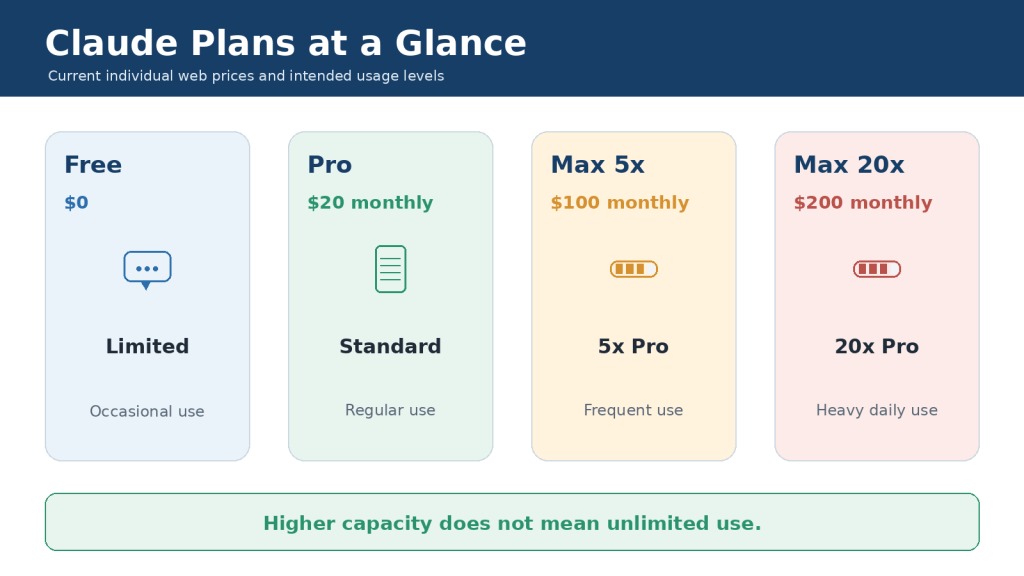
    Featured image. Claude’s individual plans provide increasing usage capacity for occasional, regular, frequent, and heavy daily use.
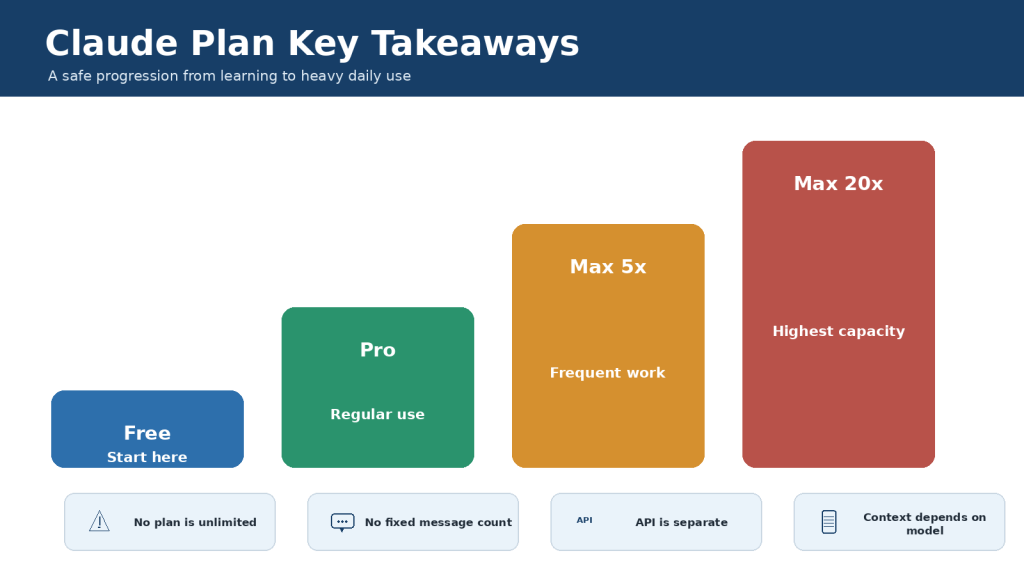
    Explanation: The right plan depends on how often Claude is used, which paid tools are needed, and whether usage limits interrupt valuable work.

    Introduction

    Claude is available through four individual access levels: Free, Pro, Max 5x, and Max 20x. The names describe increasing usage capacity, but they do not immediately tell a beginner which features are included, how the limits work, or whether the additional price is justified.

    The Free plan costs nothing and is suitable for learning Claude and completing occasional writing, research, file, document, and coding tasks. Pro is the main paid upgrade for regular individual use. Max 5x and Max 20x keep the paid feature set while providing much larger session allowances for frequent and heavy daily users.

    This guide uses official Anthropic information available on August 5, 2026. Prices, features, models, context windows, and billing rules can change, so always check the current pricing page and the checkout screen before subscribing.

    What You Will Learn

    • The current web prices for Claude Free, Pro, Max 5x, and Max 20x

    • Which core and advanced capabilities are available on each plan

    • How five-hour session limits and weekly controls work

    • Why Claude does not guarantee a fixed number of messages

    • The difference between usage limits and context windows

    • Who should choose Free, Pro, Max 5x, or Max 20x

    • How usage credits, API billing, upgrades, downgrades, and cancellation work

    • How to reduce usage before paying for a more expensive plan

    Claude Plan Comparison at a Glance

    Anthropic’s plan guide positions Free for occasional use, Pro for regular use, Max 5x for frequent users, and Max 20x for people who collaborate with Claude throughout much of the day.

    PlanCurrent web priceRelative capacityBest for
    FreeUS$0LimitedOccasional questions and light work
    ProUS$20 monthly or US$200 yearlyAt least 5x Free per session during peak periodsRegular individual productivity
    Max 5xUS$100 monthly5x Pro per sessionFrequent demanding work
    Max 20xUS$200 monthly20x Pro per sessionHeavy daily use

    Figure 1. Claude Free, Pro, Max 5x, and Max 20x provide increasing capacity for different levels of individual use.

    Explanation: The 5x and 20x labels describe usage relative to Pro. They do not describe answer quality, speed, or a guaranteed message count.

    The Simplest Difference

    • Free provides many core Claude capabilities with the smallest allowance.

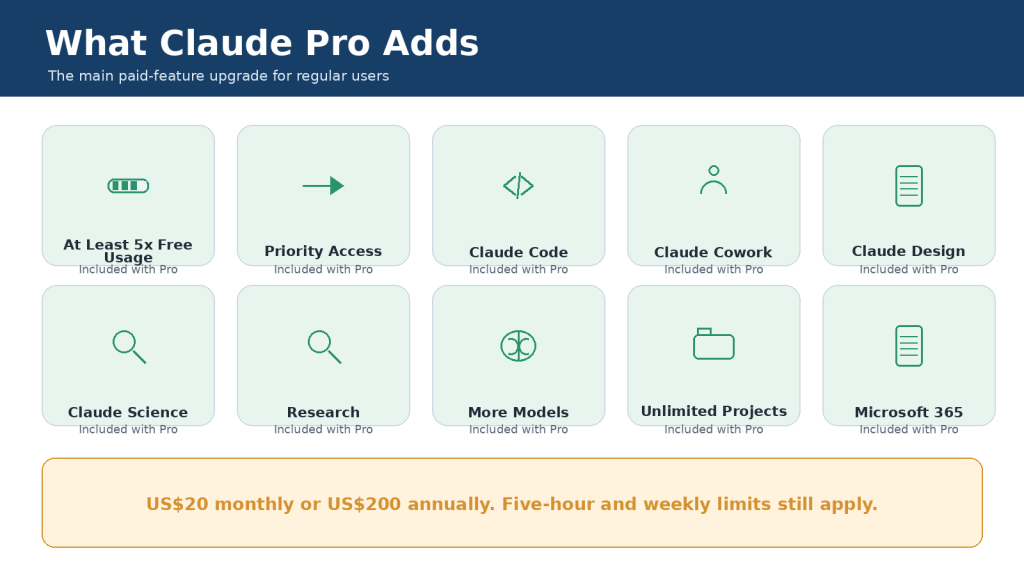
    • Pro unlocks Claude’s main paid productivity and coding package and provides more usage.

    • Max 5x provides the Pro feature set with five times Pro’s session capacity.

    • Max 20x provides the Pro feature set with twenty times Pro’s session capacity.

    • No individual plan provides unlimited use or general API usage.

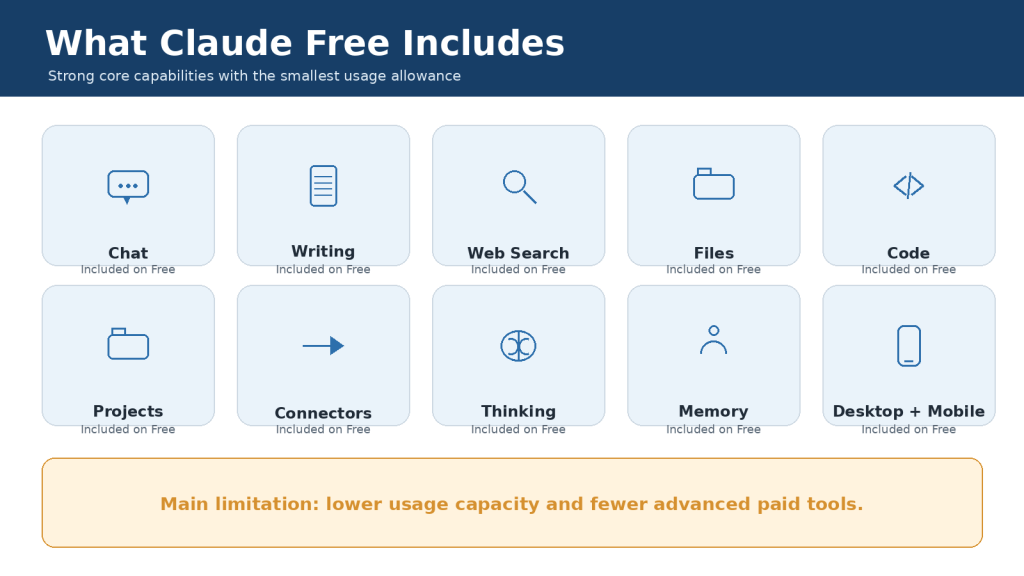
    What Is Included in Claude Free?

    Claude Free is the correct starting point for most beginners. It lets you learn the interface, test real tasks, and decide whether Claude is valuable before entering payment information.

    Useful Free Capabilities

    • Chat through supported web, desktop, iOS, and Android experiences

    • Writing, rewriting, summarizing, brainstorming, and explanation

    • Web search and source-supported answers when available

    • Code generation, explanation, and basic data visualization

    • File creation and code execution on supported experiences

    • Artifacts, connectors, desktop extensions, and extended thinking where available

    • Projects, with Free accounts currently limited to five projects

    Figure 2. Claude Free includes many core capabilities but provides the lowest usage allowance and fewer advanced paid tools.

    Explanation: Free is suitable for learning and occasional work. The main practical limitation is interruption when the smaller session allowance is exhausted.

    Free Usage Limits

    Free uses a session-based allowance that resets every five hours. Anthropic does not promise one fixed number of messages because a short question consumes much less capacity than a long conversation containing files, web searches, code execution, or extended thinking.

    When the limit is reached, a Free user normally waits for the displayed reset time or upgrades. Opening Claude on another device does not create a separate account allowance.

    Who Should Stay on Free?

    • New users who are still learning how Claude works

    • People who ask occasional questions or complete short tasks

    • Users who rarely reach the limit

    • Anyone who does not need Claude Code, Cowork, Research, or other paid capabilities

    • Budget-conscious users who can wait for a reset without disrupting important work

    What Is Included in Claude Pro?

    Claude Pro is the standard paid individual plan. It costs US$20 per month on the web. An annual subscription costs US$200 paid upfront, an effective average of about US$17 per month and a US$40 saving compared with twelve monthly payments.

    Anthropic states that Pro provides at least five times the Free plan’s usage per session during peak periods. Pro also receives priority access during high-traffic periods and earlier access to selected features.

    Major Pro Additions

    • Claude Code for terminal-based coding workflows

    • Claude Cowork for complex multi-step work

    • Claude Design and Claude Science as listed on the current pricing page

    • Research for broader, multi-source investigations

    • Access to more Claude models

    • Unlimited projects and enhanced project knowledge on paid plans
    • Claude for Microsoft 365, subject to eligibility and account requirements

    Figure 3. Claude Pro adds more usage, Claude Code, Cowork, Research, additional models, and other paid productivity tools.

    Explanation: The largest feature upgrade occurs between Free and Pro. For many regular users, Pro provides the best balance between price, capabilities, and capacity.

    Monthly or Annual Pro?

    Choose monthly billing when you are testing Pro, need it for one temporary project, or are uncertain about long-term value. Choose annual billing only after Pro has proved useful and you can afford the complete US$200 charge upfront.

    Pro Is Still Limited

    Pro retains five-hour session limits and weekly controls. Usage is shared across supported Claude products. A long Claude Code session can reduce the capacity available later for Research, document analysis, or ordinary conversations.
    What Is Included in Claude Max 5x?

    Max 5x costs US$100 per month through the web subscription and is designed for frequent users who repeatedly find Pro insufficient. It includes the Pro feature set and provides five times Pro’s usage capacity per session.

    Figure 4. Claude Max 5x includes the Pro feature set and provides five times Pro’s session capacity.

    Explanation: Max 5x is a capacity upgrade for established frequent users. It is not a five-times improvement in intelligence or answer quality.

    When Max 5x Makes Sense

    • Pro limits interrupt work several times during normal weeks

    • Claude Code is used for substantial repositories and long sessions

    • Research, Cowork, or document analysis consumes most of the Pro allowance

    • Waiting for resets affects deadlines, paid work, or measurable productivity

    • The additional US$80 per month over monthly Pro produces greater value than it costs

    When Max 5x Is Unnecessary

    Max 5x is usually unnecessary when Pro limits occur only occasionally, most of Pro remains unused, or the problem can be solved by starting focused conversations, selecting a more efficient model, or reducing unnecessary files and tools.

    What Is Included in Claude Max 20x?

    Max 20x costs US$200 per month through the web subscription. It provides twenty times Pro’s usage capacity per session and is intended for heavy daily users who collaborate with Claude for much of their workday.

    Figure 5. Claude Max 20x provides the largest individual session allowance, equal to twenty times Pro’s capacity.

    Explanation: Max 20x is intended for people who repeatedly exceed Max 5x while using Claude Code, Research, Cowork, or large document workflows.

    Who May Need Max 20x?

    • Heavy daily developers using Claude Code for several hours

    • Researchers conducting repeated comprehensive investigations

    • Professionals analyzing many documents and producing several deliverables each day

    • Users who have already demonstrated that Max 5x is consistently insufficient

    • People who can justify the US$200 monthly cost through measurable productive value

    A beginner should not normally start with Max 20x. The sensible progression is Free, then Pro, then Max 5x, and only then Max 20x when actual usage data supports the change.

    Free vs Pro vs Max: Detailed Feature Comparison

    FeatureFreeProMax 5xMax 20x
    Web priceUS$0US$20/mo or US$200/yrUS$100/moUS$200/mo
    Best forOccasionalRegularFrequentHeavy daily
    Relative session usageLimitedAt least 5x Free*5x Pro20x Pro
    Claude CodeNoYesYesYes
    CoworkNoYesYesYes
    ResearchNoYesYesYes
    ProjectsUp to 5UnlimitedUnlimitedUnlimited
    More modelsLimitedYesYesYes
    Usage creditsNoOptionalOptionalOptional
    General API includedNoNoNoNo

    Figure 6. The main feature jump is from Free to Pro, while Max mainly adds much greater capacity.

    Explanation: Pro is usually the first paid plan to consider. Max becomes relevant when the Pro feature set is already sufficient but the included allowance repeatedly runs out.

    Important Comparison Rules

    • Max 5x and Max 20x do not provide five or twenty separate accounts.

    • Max does not guarantee faster or more accurate answers than Pro when the same model and prompt are used.

    • Paid plans do not include general Claude API usage through the Claude Console.

    • The pricing page and detailed Max help article currently conflict on annual Max billing; the Max help article states monthly only. Verify the checkout screen.

    How Claude Usage Limits Work

    Claude uses capacity-based limits rather than one fixed message number. The amount consumed depends on the work required for the prompt, conversation history, files, tools, model, effort setting, and response.

    Usually uses less capacityUsually uses more capacity
    A short new conversationA long conversation with extensive history
    One focused text requestSeveral large attached files
    A routine model and normal effortA resource-intensive model with extended thinking
    One narrow web searchResearch with many searches and sources
    A concise responseA long report, spreadsheet, or code workflow

    Figure 7. Claude usage depends on the prompt, conversation history, selected model, tools, and generated response.

    Explanation: All individual plans use session limits. Paid plans also have weekly controls, and the practical number of messages varies with task complexity.

    Five-Hour Sessions and Weekly Controls

    The included session allowance resets every five hours. Paid plans also have weekly controls and may have model- or feature-specific limits. A new five-hour window does not necessarily restore access when a weekly limit has already been exhausted.

    Paid users can check Settings > Usage to view current session and weekly consumption. When the limit is reached, Claude normally shows the expected reset time.

    Usage Limits vs Context Windows

    A usage limit controls how much Claude you can use over time. A context window controls how much information the selected model can consider in one request. These are separate limits.

    LimitWhat it controls
    Usage limitHow much Claude activity is available before a reset or additional charge
    Context windowHow much conversation, file, tool, and instruction content the model can consider at once
    Output limitHow much content Claude can produce in one result
    File limitHow many files or how much file data can be accepted

    Figure 8. Usage limits control work over time, while context windows control information available to one model request.

    Explanation: Max multiplies Pro’s usage capacity; it does not automatically multiply the context window. The selected model and product experience determine the context maximum.

    Current Context Guidance

    Anthropic’s detailed help documentation states that context size on paid plans depends on the model: newer models can support up to one million tokens, while other models support 500,000 or 200,000 tokens. A portion is reserved for Claude’s response. The main public pricing comparison currently displays 200,000 tokens across individual plans, so users should treat the selected model’s documentation and in-product limits as the more specific guide.

    A larger context window does not mean permanent memory, unlimited project storage, or unlimited conversation length. Long conversations also consume more usage because Claude must process more history.

    Claude Free vs Pro vs Max for Different Users

    User typeRecommended starting planReason
    Complete beginnerFreeLearn and test without paying
    Occasional personal userFreeCore capabilities may be sufficient
    Regular writer or researcherProMore usage, Research, and projects
    Beginner developerFree, then ProLearn on Free; use Claude Code on Pro
    Regular developerProClaude Code and more capacity
    Developer repeatedly reaching Pro limitsMax 5xMore room for coding sessions
    Heavy daily professionalMax 20x only after testing Max 5xLargest individual allowance
    Application builderSeparate API billingSubscriptions do not include general API usage

    Figure 9. The best plan depends on frequency, required tools, and how costly interruptions are.

    Explanation: Beginners should start with Free. Pro is the usual choice for regular work. Max is justified only after lower plans repeatedly prove insufficient.

    Examples

    • A casual user rewriting two emails and summarizing one short document each week should normally stay on Free.

    • A blogger researching and drafting several articles each month will usually benefit from Pro.

    • A developer who reaches Pro limits during normal repository work may benefit from Max 5x.

    • A professional who uses Claude throughout most working days and repeatedly reaches Max 5x may consider Max 20x.

    How to Choose the Right Claude Plan

    1. List the real tasks you want Claude to complete.

    2. Start with Free when you are uncertain.

    3. Identify whether the problem is a missing feature or insufficient capacity.

    4. Track session and weekly interruptions for two to four normal weeks.

    5. Improve prompt, file, model, project, and conversation management.

    6. Try Pro monthly before paying for annual Pro.

    7. Test Max 5x for one billing period only after Pro repeatedly fails.

    8. Consider Max 20x only after Max 5x is consistently insufficient.

    9. Review value before every renewal and downgrade when appropriate.

    Figure 10. Beginners should move from Free to Pro and then to Max only when repeated evidence supports the additional cost.

    Explanation: The safest plan decision uses actual usage data rather than assumptions about message counts, answer quality, or prestige.

    Feature Problem or Capacity Problem?

    A feature problem occurs when your plan does not include a required tool, such as Claude Code. Moving from Free to Pro can solve it. A capacity problem occurs when you already have the correct tools but repeatedly run out of included usage. Better workflow management or Max may solve that problem.

    How to Upgrade, Downgrade, or Cancel

    Manage the subscription through the platform that processed the payment. Direct web and Claude Desktop subscriptions are managed under Settings > Billing. Apple and Google Play subscriptions are managed through the corresponding app-store account.

    Figure 11. Claude subscriptions must be managed through the platform that originally processed the payment.

    Explanation: Deleting an application does not cancel the subscription. Anthropic recommends cancelling at least 24 hours before renewal to avoid another charge.

    Before Confirming a Plan Change

    • Confirm that you are signed in to the correct account.

    • Review the immediate charge, tax, currency, and renewal date.

    • Check whether the change is prorated or takes effect at the next renewal.

    • Confirm whether optional usage credits remain enabled.

    • Save important files and complete work that depends on paid-only features.

    • Keep the cancellation or plan-change confirmation.

    Cancellation normally takes effect at the end of the current billing period. It is separate from account deletion and does not automatically guarantee a refund.

    How to Save Claude Usage and Avoid Unnecessary Upgrades

    • Start a new conversation for a new subject.

    • Provide complete requirements in the first prompt.

    • Batch closely related revisions instead of sending many small messages.

    • Use projects for documents you reference repeatedly.

    • Remove obsolete files and duplicated project instructions.

    • Choose the most efficient model that can complete the task reliably.

    • Use higher effort or extended thinking only for genuinely difficult work.

    • Narrow Research, web, and connector searches.

    • Request concise outputs when a long answer is unnecessary.

    • Monitor Settings > Usage before large tasks.

    • Save completed results externally before approaching a limit.

    • Set a conservative spending cap before enabling usage credits.

    Figure 12. Focused conversations, efficient models, organized projects, and controlled tools can extend the practical value of a Claude plan.

    Explanation: Improve the workflow before paying for a larger allowance. Upgrade only when an efficient workflow still reaches limits during valuable work.

    Common Claude Plan Mistakes

    Mistake 1: Assuming a paid plan is unlimited.

    Reality: Pro and Max have session, weekly, context, file, output, and other limits.

    Mistake 2: Expecting a fixed message count.

    Reality: usage changes with prompt length, files, history, model, tools, and effort.

    Mistake 3: Expecting Max to improve every answer.

    Reality: Max mainly increases capacity and priority access.

    Mistake 4: Starting with Max before testing Free or Pro.

    Reality: most beginners should learn their actual needs first.

    Mistake 5: Buying annual Pro before testing monthly Pro.

    Reality: the US$200 annual charge is paid upfront.

    Mistake 6: Believing API usage is included.

    Reality: Claude Console and API billing are separate.

    Mistake 7: Enabling usage credits without a cap.

    Reality: credits create additional charges at consumption-based rates.

    Mistake 8: Confusing usage with context.

    Reality: more session capacity does not automatically enlarge one conversation.

    Mistake 9: Assuming switching devices resets the allowance.

    Reality: supported Claude surfaces use the same account limits.

    Mistake 10: Deleting the application instead of cancelling.

    Reality: recurring billing continues until cancelled through the billing platform.

    Figure 13. Common misunderstandings can cause unnecessary spending or unexpected charges.

    Explanation: The most important errors are treating paid plans as unlimited, expecting fixed message counts, confusing Max with automatic quality, and forgetting separate API or usage-credit billing.

    Limitations of Claude Free, Pro, and Max

    PlanMain limitations
    FreeLowest usage allowance, more interruptions, fewer paid tools and models
    ProSubscription cost, session and weekly limits, shared usage, no general API included
    Max 5xHigh monthly cost, still limited, possible underuse
    Max 20xVery high monthly cost, still limited, no guarantee of better answers
    Every planClaude can make mistakes; files, features, and service availability have limits

    Figure 14. Every Claude plan has capacity, accuracy, context, file, feature, and availability limitations.

    Explanation: A higher plan can reduce interruptions, but it cannot guarantee perfect answers, complete document understanding, error-free code, or uninterrupted service.

    Human Review Is Always Required

    • Verify important facts, quotations, citations, names, dates, and calculations.

    • Test generated code before using it in a real system.

    • Open and review every generated document, spreadsheet, presentation, or PDF.

    • Check the original files when Claude analyzes tables, images, comments, or complex layouts.

    • Use qualified professionals for legal, medical, financial, scientific, or other high-stakes decisions.

    • Save important work externally and maintain backups.

    Frequently Asked Questions

    Is Claude Free really free?

    Yes. It has no subscription charge, but it has the smallest usage allowance.

    Which plan is best for most beginners?

    Free. Upgrade only when limits or missing paid tools repeatedly block useful work.

    Which paid plan is best for most individuals?

    Pro is normally the best first paid plan because it adds the main advanced feature package at a much lower price than Max.

    Is Claude Max unlimited?

    No. Max has much larger allowances but remains subject to session, weekly, model, feature, context, file, and output limits.

    How many messages do I get?

    There is no guaranteed fixed number. The practical count varies with the workload.

    Does Max produce better answers than Pro?

    Not automatically. When the same model, prompt, and information are used, answers may be similar.

    Does Pro include Claude Code?

    Yes. Claude Code is included with Pro and Max, and interactive usage shares the subscription allowance.

    Does a subscription include API access?

    No. General Claude API activity is billed separately through the Claude Console.

    Can I continue after reaching a paid limit?

    Eligible Pro and Max users can enable separately billed usage credits.

    Is annual Pro available?

    Yes. The current web price is US$200 paid upfront for one year.

    Is annual Max available?

    The detailed Max help article currently states monthly only. Verify the live checkout because the pricing comparison contains conflicting wording.

    Can I cancel at any time?

    Yes. Cancellation takes effect at the end of the current billing period. Cancel at least 24 hours before renewal.

    Can several people share one Max plan?

    The 5x and 20x labels refer to usage capacity, not numbers of users. Individual plans are intended for individual users.

    Should I upgrade after reaching a limit once?

    Usually not. Track several normal weeks and improve the workflow before making a permanent change.

    Which plan should I choose?

    Choose the least expensive plan that reliably supports your real tasks without unacceptable interruptions.

    Figure 15. Common plan questions are answered by separating price, capacity, tools, billing, and API access.

    Explanation: The best plan is determined by real usage and value. Free is the default starting point, Pro is the usual paid upgrade, and Max is for demonstrated heavy use.

    Key Takeaways

    • Free is the best starting plan for most beginners and occasional users.

    • Pro costs US$20 monthly or US$200 annually and is the main paid upgrade for regular use.

    • Max 5x costs US$100 monthly and provides five times Pro’s session capacity.

    • Max 20x costs US$200 monthly and provides twenty times Pro’s session capacity.

    • No individual plan is unlimited, and Claude does not guarantee a fixed message count.

    • The largest feature jump occurs between Free and Pro; Max mainly adds capacity.

    • Usage limits and context windows are different.

    • Claude Code shares the subscription allowance with other interactive Claude use.

    • General Claude API usage is billed separately.

    • Usage credits are optional paid overflow and should be protected with a spending cap.

    • Plan changes should be based on several weeks of normal usage, not one unusually busy day.

    • Every output still requires human verification.

    1. Start with Free.

    2. Try Pro monthly when Free repeatedly becomes restrictive.

    3. Improve usage efficiency and monitor Settings > Usage.

    4. Test Max 5x only when Pro is consistently insufficient.

    5. Choose Max 20x only when Max 5x is also consistently insufficient.

    6. Downgrade when the extra capacity is no longer needed.

    Figure 16. The safest progression is Free, then Pro, then Max only after lower-cost plans repeatedly prove insufficient.

    Explanation: The correct plan is the lowest-cost option that provides the required tools and enough capacity for real work.

    Conclusion

    Claude Free, Pro, Max 5x, and Max 20x serve different levels of individual use. Free is suitable for learning and occasional work. Pro is the strongest first upgrade for regular productivity. Max 5x is for frequent users who repeatedly exceed Pro, and Max 20x is for heavy daily users who have already shown that Max 5x is insufficient.

    Paying more does not automatically improve every answer. The main benefit of Max is more capacity, higher output limits, priority access, and fewer interruptions. Accuracy, source quality, model choice, prompt quality, and human review remain essential on every plan.

    The best Claude plan is not the largest option. It is the least expensive plan that reliably provides the features and capacity required for your genuine work.

    Sources and References

    The following official Anthropic resources were used to verify this article. Prices, features, and limits can change, so check current documentation before subscribing.

    1. Plans and Pricing
    Current plan prices, listed features, models, and public comparison table.

    2. Choose a Claude Plan
    Official summary of Free, Pro, Max 5x, and Max 20x pricing, billing, capacity, and intended users.

    3. What Is the Pro Plan?
    Pro benefits, price, five-hour resets, priority access, Claude Code, Cowork, and separate API billing.

    4. How Do I Sign Up for the Pro Plan?
    Official upgrade instructions for monthly and annual Pro.

    5. What Is the Max Plan?
    Max prices, 5x and 20x capacity, monthly billing, proration, priority access, and limits.

    6. How Do I Sign Up for the Max Plan?
    Official Max signup and upgrade process.

    7. How Do Usage and Length Limits Work?
    Difference between usage and context limits, automatic context management, and model-dependent context.

    8. Usage Limit Best Practices
    Prompt, project, model, and conversation practices that conserve usage.

    9. How Large Is the Context Window on Paid Claude Plans?
    Current model-dependent context-window guidance.

    10. How Can I Create and Manage Projects?
    Free five-project limit and paid project-knowledge behavior.

    11. Retrieval-Augmented Generation for Projects
    Paid project retrieval and expanded project-knowledge capacity.

    12. Use Claude Code with Your Pro or Max Plan
    Claude Code access, shared limits, and API-credit billing choices.

    13. Models, Usage, and Limits in Claude Code
    Model selection and context-management practices for Claude Code.

    14. Manage Usage Credits for Paid Claude Plans
    Pay-as-you-go overflow, prepaid funds, spending caps, and shared usage.

    15. Buy Usage Bundles
    Optional prepaid usage bundles for eligible paid users.

    16. Why Are Claude API and Console Billed Separately?
    Separation between interactive Claude subscriptions and API billing.

    17. Cancel Your Pro or Max Subscription
    Web, Desktop, iOS, and Android cancellation instructions and renewal timing.

    18. Paid Plan Billing FAQs
    Invoices, payment methods, billing dates, and app-store billing differences.

    19. Claude Service Status
    Current and historical service incidents.

    Verification note: The main pricing comparison currently displays monthly and annual billing for Max, while the detailed Max Help Center article states that Max is monthly only. The article follows the more specific Max documentation and advises readers to check the live checkout screen.

  • ChatGPT vs Google Gemini: Beginner Comparison (2026)

    ChatGPT vs Google Gemini: Beginner Comparison (2026)

    Estimated Reading Time: 19 minutes

    Last Updated: August 4, 2026

    Before Learning

    ChatGPT and Google Gemini are both generative AI assistants. They can respond to written or spoken instructions, explain subjects, draft and revise content, summarize information, analyse supported files, create images, and help with everyday planning. They are developed by different companies and organize their tools in different ways.

    A prompt is the question, instruction, or request you give to an AI assistant. For example: “Explain cloud storage to a complete beginner using one everyday comparison.” You do not need programming experience to use either service.

    Important: Features, model names, limits, privacy controls, and plan benefits can change. This comparison was reviewed against official OpenAI and Google information on August 4, 2026. Recheck official information before paying for a plan or depending on a specific feature.

    What You Need

    • An internet connection and supported browser or mobile device

    • An OpenAI account for saved ChatGPT work and account features

    • A Google Account for saved Gemini work and connected Google features

    • Several low-risk tasks that you can test in both assistants

    • Permission to use any document, image, email, or other information you provide

    • A simple scoring method for accuracy, clarity, instruction following, workflow fit, and correction time

    What You’ll Learn

    • The main similarities and differences between ChatGPT and Google Gemini

    • Which assistant may fit writing, research, files, images, voice, and continuing projects

    • How custom GPTs compare with Gemini Gems

    • How ChatGPT apps compare with Gemini Connected Apps

    • What free and paid access means for beginners

    • How privacy, temporary chats, activity, memory, and connected services differ

    • How to test both assistants fairly before choosing one

    Introduction

    ChatGPT and Google Gemini overlap in many everyday tasks. Either assistant may help you write an email, explain a difficult idea, summarize a report, create a checklist, analyse a spreadsheet, generate an image, search for current information, or conduct a voice conversation.

    The useful question is not “Which assistant wins?” A better question is “Which assistant fits this task, this account, and this workflow?” A person who works mainly in Gmail, Google Drive, Google Docs, Google Calendar, and Android may value Gemini’s close Google integration. A person who wants a broad workspace for Projects, files, data analysis, images, research, custom GPTs, and apps from several providers may prefer ChatGPT.

    Reality: Both assistants can produce polished answers that are incomplete or wrong. Neither should be treated as an unquestioned source of truth.

    ChatGPT vs Google Gemini: Quick Comparison

    AreaChatGPTGoogle Gemini
    DeveloperOpenAIGoogle
    Basic useQuestions, writing, learning, planning, files, images, research, voice, codingQuestions, writing, learning, planning, files, images, research, voice, coding
    Long-running workProjects group chats, instructions, files, and contextGems, Canvas, Drive, conversations, and Workspace tools work together
    Custom assistantsCustom GPTs with instructions, knowledge, and selected toolsGems with reusable instructions and supported knowledge
    Connected workApps from multiple supported providersStrong Google Workspace and Android connections
    ResearchSearch and Deep Research with selectable sourcesGoogle Search and Deep Research with Google-connected sources
    Best fitBroad or mixed-service workflowGoogle-centred workflow
    AccuracyRequires human verificationRequires human verification

    The table shows tendencies, not permanent rules. Account type, device, country, settings, model access, and ongoing product updates can change the experience.

    Figure 1. ChatGPT and Google Gemini share many core capabilities but organize tools, connections, and continuing work differently.

    Explanation: The best assistant depends on the user’s tasks, account, applications, and preferred way of organizing work.

    Which Is Easier for Beginners?

    Both assistants use a familiar conversation format. You enter a prompt, review the response, and continue with a follow-up question or correction. Most beginners can start without understanding AI models or technical settings.

    Basic ChatGPT Workflow

    1. Open ChatGPT and sign in when you want saved work.

    2. Start a new conversation or open the relevant Project.

    3. Enter a clear prompt.

    4. Attach a supported file or image when necessary.

    5. Review the answer for facts, omissions, and instruction following.

    6. Ask a focused follow-up, such as “Correct only the second paragraph.”

    Basic Gemini Workflow

    1. Open Gemini and sign in to the correct Google Account.

    2. Start a new conversation.

    3. Enter a clear prompt.

    4. Add a supported file, Drive item, or image when needed and available.

    5. Review the answer and any listed sources.

    6. Continue with a correction or a request for a different format.

    ChatGPT may feel simpler when you want a standalone AI workspace. Gemini may feel simpler when you already use a Google Account, Google Drive, Google Docs, or Android. Ease of use is personal and depends heavily on familiarity.

    Beginner Tip: Ignore most advanced controls during your first few sessions. Practise ordinary prompts, review the responses, and learn how to request one correction at a time.

    Figure 2. Both assistants use a similar beginner workflow: open the service, enter a prompt, add material when needed, review the response, and continue with corrections.

    Explanation: The easier assistant is usually the one that requires fewer extra steps for the applications and tasks the user already performs.

    Which Is Better for Writing and Rewriting?

    Both assistants can brainstorm, outline, draft, rewrite, simplify, summarize, proofread, and change tone. A fair writing comparison uses the same source text, audience, length, structure, and factual requirements.

    Where ChatGPT May Fit

    • Writing and revision inside a general ChatGPT workspace

    • Long-term content work organized in Projects

    • Combining writing with files, research, data, images, and other apps

    • Using custom GPTs for repeated article or communication rules

    • Working outside a Google Docs-centred process

    Where Gemini May Fit

    • Drafts and source files already stored in Google Drive

    • Continued editing in Google Docs

    • Longer work developed in Gemini Canvas

    • Reusable writing rules saved in a Gem

    • Google Workspace assistance provided through an eligible account

    Use this test prompt in both tools: “Rewrite this paragraph for complete beginners. Preserve every fact, name, date, number, and warning. Explain technical terms. Do not add information that is not in the original.”

    Common Mistake: Choosing the longer or more confident draft. A shorter draft may follow the instructions more accurately.

    How to Avoid This Mistake: Compare the result sentence by sentence with the original. Check whether the assistant changed a fact, removed a condition, or added an unsupported example.

    Figure 3. ChatGPT and Google Gemini can both draft and revise writing, but every rewritten version must be checked against the original.

    Explanation: A polished revision can still change meaning, remove conditions, or add unsupported information.

    Which Is Better for Research and Current Information?

    Both assistants can retrieve current web information and prepare deeper, multi-source reports. ChatGPT Search is intended for quick current questions with links. ChatGPT Deep Research supports a proposed research plan, uploaded files, selected websites, and enabled apps. Gemini can provide sources connected with Google Search, and Gemini Deep Research can use Google Search plus selected uploaded or connected sources such as Gmail, Drive, and NotebookLM when available.

    Quick Search vs Deep Research

    Use Quick Search WhenUse Deep Research When
    You need a recent fact or short answerThe task requires several stages and many sources
    You want a few useful linksYou need a structured report with citations
    Time is limitedYou must compare competing claims or documents
    The question is narrowYou need a research plan and source controls

    Citations are not proof. Open important links, confirm the publisher and date, and check that the source supports the complete claim. Compare important conclusions with other authoritative sources.

    Reality: Neither assistant replaces careful research. Both can accelerate discovery and organization, but the user remains responsible for evaluating evidence.

    Figure 4. Both assistants support quick web searches and deeper multi-source research, but their source connections and workflow controls differ.

    Explanation: Citations help verification, but users must still open sources, check dates, and confirm that the evidence supports each important claim.

    Which Is Better for Documents, Files, Spreadsheets, and Data?

    ChatGPT supports common document, spreadsheet, presentation, text, and image formats. OpenAI describes file uploads as useful for synthesis, extracting information, comparing documents, analysing spreadsheets, and creating visualizations. ChatGPT can also use data-analysis tools for calculations, tables, and charts.

    Gemini can accept documents, spreadsheets, NotebookLM notebooks, photographs, videos, code folders, and other supported files. Google describes file uploads as useful for answers, summaries, insights, and charts. Google Drive and Google Sheets connections may reduce downloading and re-uploading when the source already belongs in Google Workspace.

    Fair File Test

    1. Use the same short, non-sensitive document in both assistants.

    2. Ask for a summary containing purpose, requirements, dates, exceptions, warnings, and unanswered questions.

    3. Ask five factual questions whose answers you can verify.

    4. Extract selected information into a table.

    5. Use the same small spreadsheet and request one calculation and one chart.

    6. Check every result against the original files.

    Common Mistake: Assuming that a successful upload means every page, table, image, or worksheet was interpreted correctly.

    How to Reduce This Limitation: Ask questions with known answers, use clear filenames, upload only the approved version, and verify dates, numbers, formulas, filters, and chart scales.

    Figure 5. ChatGPT and Google Gemini can both analyse documents and data, while their workflow differences involve data tools and connected file ecosystems.

    Explanation: Uploaded-file answers must be checked against the original files because either assistant can omit, misread, or incorrectly summarize information.

    Which Is Better for Images and Visual Work?

    Both assistants can create images from written prompts, edit uploaded images, and analyse photographs or screenshots. Results vary by prompt, model, account, image complexity, and current product rollout.

    What to Compare

    • Composition and aspect ratio

    • Subject placement and usable open space

    • Spelling and readable text

    • Correct object counts and natural anatomy

    • Consistency across revisions

    • Whether requested elements remain unchanged

    • Permissions, licensing, disclosure, and accessibility

    ChatGPT may feel convenient when image work belongs to the same Project or conversation as the article, sources, captions, and revisions. Gemini may feel convenient when visual work belongs in a Google-centred workflow or uses several uploaded references.

    Reality: An attractive AI image is not evidence that an event happened, and it is not automatically suitable for publication.

    Figure 6. ChatGPT and Google Gemini can both create, edit, and analyse images, but every result needs visual, permission, and accessibility checks.

    Explanation: The better image assistant is the one that follows the prompt accurately and requires the least corrective work for the user’s normal visual tasks.

    Which Is Better for Voice Conversations and Mobile Use?

    ChatGPT Voice and Gemini Live both support natural spoken conversations and interruptions. ChatGPT Voice works as part of ChatGPT conversations across supported mobile and desktop experiences. Gemini Live is closely connected with supported mobile devices and has particular value for eligible Android users.

    • Use voice for learning, brainstorming, presentation practice, or hands-free questions

    • Review transcripts because speech recognition can be wrong

    • Stop camera or screen sharing before opening private information

    • Obtain permission when other people may be recorded

    • Do not rely on voice output for emergency, medical, legal, or safety-critical instructions

    ChatGPT may fit users who want spoken and written work in the same ChatGPT conversation or Project. Gemini may fit users who want an Android-centred assistant connected with supported Google services and device functions.

    Figure 7. ChatGPT Voice and Gemini Live support natural spoken conversations, while Gemini places particular emphasis on Android and Google-device integration.

    Explanation: The better voice assistant depends on speech recognition, interruption handling, transcript usefulness, privacy controls, and the user’s normal devices.

    Which Is Better for Custom Assistants and Ongoing Projects?

    ChatGPT custom GPTs and Gemini Gems save reusable instructions and supported reference material. They are useful when the same tone, audience, process, or checklist is needed repeatedly. They are not separately trained experts and can still overlook instructions or use files incorrectly.

    Custom GPTs

    • Reusable instructions and conversation starters

    • Knowledge files

    • Selected capabilities such as search, images, data analysis, Canvas, apps, or actions when available

    • Testing and updating through the GPT editor

    • Use inside the broader ChatGPT ecosystem

    Gemini Gems

    • Reusable instructions

    • Knowledge from uploaded files, Google Drive, or supported Notebook sources

    • Use in Gemini web and mobile experiences

    • Possible appearance in supported Google Workspace side panels

    • Convenience when reference files remain in Google Drive

    Ongoing Work

    ChatGPT Projects provide a clear workspace that groups related chats, files, and project instructions. Gemini distributes continuing work across Gems, Canvas, conversations, Drive, Docs, and other Workspace tools. The better arrangement depends on where the source files and final work already live.

    Figure 8. Custom GPTs and Gemini Gems save reusable instructions and knowledge, while ongoing project work is organized differently in each ecosystem.

    Explanation: ChatGPT Projects keep related chats, files, and instructions together; Gemini users may combine Gems, Canvas, Drive, and Workspace applications.

    Which Is Better for Connected Apps and Productivity?

    ChatGPT apps can connect the assistant with supported external services for search, reference, Deep Research, synchronization, interactive experiences, and approved write actions. Availability and permissions vary by app, plan, region, and workspace.

    Gemini Connected Apps are closely designed around Google services. Depending on eligibility and settings, Gemini may work with Gmail, Drive, Docs, Calendar, Keep, Tasks, Android functions, and other supported services.

    Comparison AreaChatGPT AppsGemini Connected Apps
    Main approachSeveral supported providers and app typesGoogle-centred services and devices
    Email and filesMay connect with Gmail, Outlook, Drive, OneDrive, Dropbox, and othersClose connection with Gmail, Drive, Docs, and related Google services
    ActionsSome apps can create or update information with permission controlsSelected Calendar, Tasks, Keep, and device actions may be available
    Best fitMixed-application workflowGoogle Workspace and Android workflow

    Connected access does not guarantee that the assistant retrieves the newest or correct item. Open the original email, file, or event before acting.

    Beginner Tip: Connect one low-risk service first. Keep confirmation enabled for important external actions and disconnect services you no longer need.

    Figure 9. ChatGPT can connect with a wider range of supported services, while Google Gemini provides particularly close integration with Google Workspace and Android.

    Explanation: Connections can save time, but users should grant minimum access, verify retrieved information, and confirm important actions.

    Free vs Paid Plans: Do Beginners Need a Subscription?

    Both services provide free access. For many beginners, free access is sufficient for learning prompts, asking ordinary questions, drafting short text, testing files, creating occasional images, and trying available research or voice features.

    Paid plans mainly provide higher limits, more model access, additional tools, or bundled benefits. They do not guarantee accurate answers or unlimited use.

    DecisionChatGPTGoogle Gemini
    Start hereFreeNo Google AI plan / free access
    Lower paid optionGo where availableGoogle AI Plus where available
    Typical individual upgradePlusGoogle AI Pro
    Highest individual tierProGoogle AI Ultra
    Organization optionsBusiness, Enterprise, education-related plansGoogle Workspace and organizational offerings

    Upgrade Only When You Can Name the Problem

    • Free limits repeatedly interrupt useful work

    • A required feature is unavailable in the free account

    • You regularly upload or analyse files

    • You conduct frequent Deep Research

    • You create many images or use voice heavily

    • The added access saves measurable time and fits the budget

    Check the official local pricing page before subscribing. Plan names, storage, limits, taxes, promotions, app-store billing, and cancellation methods can change.

    Figure 10. Both assistants offer free and paid access, but beginners should upgrade only after identifying a repeated limit or required feature.

    Explanation: Paid access provides more capacity or tools; the choice should be based on actual use, local terms, and total value.

    Which Is Better for Privacy and Data Controls?

    Neither assistant is a private vault. Both process prompts, files, images, voice, and connected-app information to provide requested features. Privacy depends on account type, data controls, memory, activity, files, connected services, device permissions, and deletion practices.

    ChatGPT Personal Controls

    • Improve the model for everyone can be turned off while ordinary chats remain in history

    • Temporary Chats do not appear in normal history, do not create ordinary memories, and are not used to improve models; they may be retained for up to 30 days for safety

    • Memory and personalization can be reviewed or turned off

    • Library files, Projects, GPT knowledge, apps, shared links, and chats may require separate deletion checks

    Gemini Personal Controls

    • Keep Activity controls whether new chats appear in Gemini Apps Activity and whether they may be used to improve models

    • Temporary Chats are retained with the account for 72 hours to provide the service and support safety and are not used to train Google AI models

    • Turning off Keep Activity can make many Google Connected Apps unavailable

    • Memory, saved information, Live settings, connected apps, public links, and other Google-service data require separate review

    Temporary Chat reduces certain forms of history, training, memory, or retention. It does not make passwords, banking information, medical records, private emails, confidential contracts, or children’s personal information suitable for casual submission.

    How to Reduce This Limitation: Use the minimum-data rule. Provide only what the assistant genuinely needs, remove names and identifying details, and use an approved organizational account for workplace information.

    Figure 11. ChatGPT and Google Gemini provide privacy controls, but model-improvement, activity, temporary-chat, memory, and connected-service settings work differently.

    Explanation: The safest practice is to remove unnecessary personal or confidential information before it reaches either assistant.

    Main Benefits and Limitations

    AreaChatGPTGoogle Gemini
    Main strengthBroad standalone workspaceClose Google and Android integration
    WritingConversation, Canvas, Projects, custom GPTsCanvas, Docs, Gems, Workspace
    Files and dataBroad file and code-supported data toolsConvenient use with Drive, Docs, and Sheets
    ResearchSearch, Deep Research, files, apps, selected sitesGoogle Search, Deep Research, Google-connected sources
    VoiceIntegrated with ChatGPT conversationsGemini Live and Android integration
    Main limitationFeatures vary; long work needs organization; connections may need setupFeatures depend on settings; biggest advantages require Google services
    Shared limitationCan be confidently wrongCan be confidently wrong

    ChatGPT’s independence from one productivity ecosystem can be a benefit for mixed workflows and a limitation for users who already do everything in Google. Gemini’s Google-centred design can be a benefit for Workspace and Android users and less valuable for Microsoft, Apple, local-file, or mixed-system workflows.

    Reality: Neither assistant consistently has fewer limitations. The important limitation is the one that interferes with your real task.

    Figure 12. ChatGPT provides a broad standalone workspace, while Google Gemini offers particularly close Google and Android integration; both share accuracy and privacy limitations.

    Explanation: Choose according to real tasks, verifiable results, privacy requirements, and the amount of correction needed.

    Which Assistant Should You Choose?

    Choose ChatGPT When

    • You want one broad AI workspace for writing, files, data, research, images, and voice

    • You need Projects containing several chats, files, and instructions

    • You work across Google, Microsoft, Dropbox, Notion, GitHub, or other systems

    • You need custom GPT capabilities or specific ChatGPT apps

    • ChatGPT consistently requires fewer corrections for your tasks

    Choose Google Gemini When

    • Your email and files are mainly in Gmail and Google Drive

    • You finish work in Google Docs or Google Sheets

    • You want close Android and Gemini Live integration

    • You value Google-connected research or productivity features

    • Gemini consistently requires fewer corrections for your tasks

    Use Both When

    • One assistant handles long-term organization and the other handles a connected task

    • You want to compare research sources or possible omissions

    • One tool produces better visuals for a particular subject

    • One assistant reviews a draft produced by the other

    Agreement between two AI assistants is not independent verification. Both may repeat the same error or use similar weak sources.

    Seven Questions to Decide

    1. Where are my files stored?

    2. Which applications do I use every day?

    3. What are my five most common AI tasks?

    4. Do I need a long-term project workspace?

    5. Which mobile device and operating system do I use?

    6. Which assistant requires fewer corrections?

    7. What privacy, workplace, or school rules apply?

    Figure 13. The best assistant depends on files, applications, devices, common tasks, privacy requirements, and correction effort.

    Explanation: A fair comparison uses identical prompts and source material and measures practical workflow results.

    Common Mistakes When Comparing ChatGPT and Google Gemini

    Using different prompts

    Copy and paste the same complete prompt into both assistants.

    Comparing unequal plans

    Compare free with free or similar paid levels and record the selected model.

    Using different files

    Use identical approved files, images, and background information.

    Judging one response

    Test several realistic examples and include follow-up corrections.

    Assuming longer is better

    Score accuracy, relevance, clarity, and instruction following separately from length.

    Choosing the fastest answer

    Measure total time to a verified final result, including human review.

    Trusting polished language

    Check factual accuracy separately from grammar and formatting.

    Counting citations without opening them

    Confirm publisher, date, context, and exact support.

    Uploading private information

    Use fictional, public, or carefully cleaned material.

    Comparing unused features

    Give greater weight to the five tasks you actually perform.

    Evaluation AreaChatGPT ScoreGemini Score
    Accuracy1-51-5
    Clarity1-51-5
    Instruction following1-51-5
    Source quality1-51-5
    File handling1-51-5
    Ease of correction1-51-5
    Privacy controls1-51-5
    Workflow fit1-51-5
    Human-review time1-51-5
    Overall usefulness1-51-5

    Figure 14. A fair comparison uses the same prompts, files, account conditions, tasks, follow-up corrections, and scoring standards.

    Explanation: Unequal conditions can make one assistant appear better even when the test itself is unbalanced.

    Common Myths and Realities

    MythReality
    One assistant is best at everythingPerformance depends on the task, prompt, tools, account, and user.
    ChatGPT is only for writingIt also supports research, files, data, images, voice, Projects, GPTs, and apps.
    Gemini is only Google SearchIt also supports files, images, voice, Deep Research, Canvas, Gems, and connected work.
    Paid plans guarantee accuracyPaid plans mainly expand access, limits, and bundled benefits.
    Citations prove the answerSources must be opened and checked.
    Agreement proves accuracyBoth assistants can repeat the same mistake.
    AI remembers everythingContext depends on chats, memory, files, Projects, Gems, and settings.
    Temporary Chat makes confidential information safeIt reduces certain data uses but is not a secure vault.
    Connected apps provide unlimited accessAccess depends on permissions and supported actions.
    Custom assistants are expertsThey remain fallible AI configurations.
    Free plans are uselessFree access is normally the best place to begin testing.
    You must choose only oneDifferent tools can suit different tasks.

    Figure 15. Common assumptions can lead to unfair comparisons, privacy mistakes, unnecessary subscriptions, and overconfidence.

    Explanation: Judge both assistants through balanced testing, reliable sources, privacy-aware use, and careful human review.

    Frequently Asked Questions

    1. Is ChatGPT or Google Gemini better overall?

    Neither is better for every user. ChatGPT often suits broad or mixed-service work; Gemini often suits Google-centred work.

    2. Which is easier for complete beginners?

    Both are easy to start. Familiar accounts, applications, and devices usually matter more than small interface differences.

    3. Can I use both for free?

    Yes. Limits and available features vary and can change.

    4. Do beginners need a paid plan?

    Usually not. Upgrade only when a repeated limit or missing feature prevents useful work.

    5. Which is better for Gmail, Drive, and Docs?

    Gemini is normally the more natural first test because these services belong to the Google ecosystem. ChatGPT can also connect to supported Google services through apps.

    6. Which is better for long-term projects?

    ChatGPT Projects provide a clear single workspace. Gemini users may combine Gems, Canvas, Drive, Docs, and conversations.

    7. Can both analyse uploaded files?

    Yes, subject to supported formats and limits. Verify important answers against the original file.

    8. Can both find current information?

    Yes, using available search or research features. Open and verify sources.

    9. Which gives more accurate answers?

    Neither is consistently more accurate across every subject and task.

    10. Can I use one to check the other?

    Yes, but two matching AI answers are not proof. Use authoritative sources as the final check.

    11. Which is better for privacy?

    Neither automatically. Use the approved account, minimum necessary data, suitable settings, and careful deletion practices.

    12. Does Temporary Chat make confidential information safe?

    No. It changes specific history, memory, training, or retention behaviour but does not create a secure vault.

    13. Can both use voice and images?

    Yes, with account, device, and usage conditions. Test both in your normal environment.

    14. Can I switch later?

    Yes. Preserve prompts, source files, approved drafts, project rules, permissions, and publishing records outside the assistant.

    Key Takeaways

    • Neither assistant is best at everything. Results depend on task, prompt, source material, model, account, and review process.

    • ChatGPT is well suited to broad, organized AI work with Projects, files, data tools, custom GPTs, research, images, voice, and apps from several providers.

    • Google Gemini is especially useful in Google-centred workflows involving Gmail, Drive, Docs, Calendar, Android, Gems, Canvas, and Gemini Live.

    • Both can write, research, analyse files, create images, and converse by voice; all important output requires human review.

    • Paid plans provide more access or bundled benefits, not guaranteed accuracy.

    • Privacy requires more than one setting. Activity, memory, files, connected apps, device permissions, and deletion all matter.

    • A fair comparison uses the same prompts, files, access level, corrections, scoring method, and test date.

    • Preserve original files, approved versions, prompts, permissions, licences, and publishing records outside the AI conversation.

    Final Thoughts

    ChatGPT may be the better fit when you want a broad standalone workspace for continuing projects and work across several services. Google Gemini may be the better fit when your daily work is centred on Google Workspace and Android. Many users will benefit from selecting one main assistant and keeping the other available for tasks where it performs better.

    Final Tip: Begin with both free versions and complete a seven-day comparison using ordinary, low-risk tasks. Measure accuracy, clarity, instruction following, source quality, ease of correction, workflow fit, privacy controls, and total time to an approved result.

    Continue Learning

    • Article 002 — ChatGPT Basics for Beginners: Complete Guide (2026)

    • Article 033 — Google Gemini for Beginners: Complete Guide (2026)

    • Article 035 — How to Use Google Gemini: Beginner Step-by-Step Guide (2026)

    • Article 037 — How to Upload and Analyze Documents with Google Gemini: Beginner Guide (2026)

    • Article 041 — How to Use Gems in Google Gemini: Beginner Guide (2026)

    • Article 042 — How to Use Canvas in Google Gemini for Writing and Projects (2026)

    • Article 022 — How to Summarize Documents with ChatGPT: Beginner Guide (2026)

    Sources and References

    Sources reviewed: August 4, 2026. Features and policies may change. Recheck the relevant official page when enabling an important feature, changing plans, connecting an application, or submitting sensitive material.

    OpenAI Sources

    • OpenAI — ChatGPT Capabilities Overview — Overview of questions, writing, search, files, images, voice, data analysis, and other ChatGPT tools.

    • OpenAI — Projects in ChatGPT — How Projects keep related chats, files, instructions, and context together.

    • OpenAI — File Uploads FAQ — Supported document and spreadsheet work, upload limits, storage, and retention considerations.

    • OpenAI — Deep Research in ChatGPT — Research plans, source selection, uploaded files, apps, citations, and usage limits.

    • OpenAI — Images in ChatGPT — Creating and editing images in ChatGPT.

    • OpenAI — Voice Mode FAQ — Spoken conversations, interruptions, video, screen sharing, transcripts, limits, and privacy.

    • OpenAI — Apps in ChatGPT — Search, Deep Research, sync, interactive apps, write actions, and permission controls.

    • OpenAI — Data Controls FAQ — Model-improvement controls, history, export, and temporary-chat information.

    • OpenAI — Temporary Chat FAQ — History, memory, model improvement, 30-day safety retention, and third-party actions.

    • OpenAI — Chat and File Retention Policies — Chat deletion, Library files, Projects, GPT knowledge, and separate retention considerations.

    • OpenAI — ChatGPT Pricing — Current individual and organizational ChatGPT plan information.

    Google Sources

    • Google — Use Gemini Apps — General Gemini uses, sign-in, activity, and feature availability.

    • Google — Upload and Analyze Files in Gemini Apps — Supported documents, spreadsheets, photos, video, notebooks, charts, and current upload limits.

    • Google — Use Deep Research in Gemini Apps — Research plans, Google Search, uploaded files, Gmail, Drive, NotebookLM, and limits.

    • Google — Use Gems in Gemini Apps — Creating, using, editing, and adding knowledge to Gems.

    • Google — Talk Naturally with Gemini Live — Natural voice conversation, interruptions, supported devices, camera, screen, and connected apps.

    • Google — Use and Manage Connected Apps in Gemini — Supported connections, permissions, account and device differences, and Google Workspace access.

    • Google — Manage and Delete Your Activity in Gemini Apps — Keep Activity, deletion, 72-hour retention when off, and connected-app effects.

    • Google — Gemini Apps Privacy Hub — Personal-account data handling, human review, memory, temporary chats, Connected Apps, and retention.

    • Google — Gemini Apps Limits and Upgrades — How model, feature, context, and usage limits differ and may change.

    • Google One — Google AI Plans for Canada — Current Canadian Google AI Plus, Pro, and Ultra plan benefits and storage bundles.

    This article provides general educational guidance. It does not replace legal, medical, financial, cybersecurity, engineering, privacy, or other professional advice.