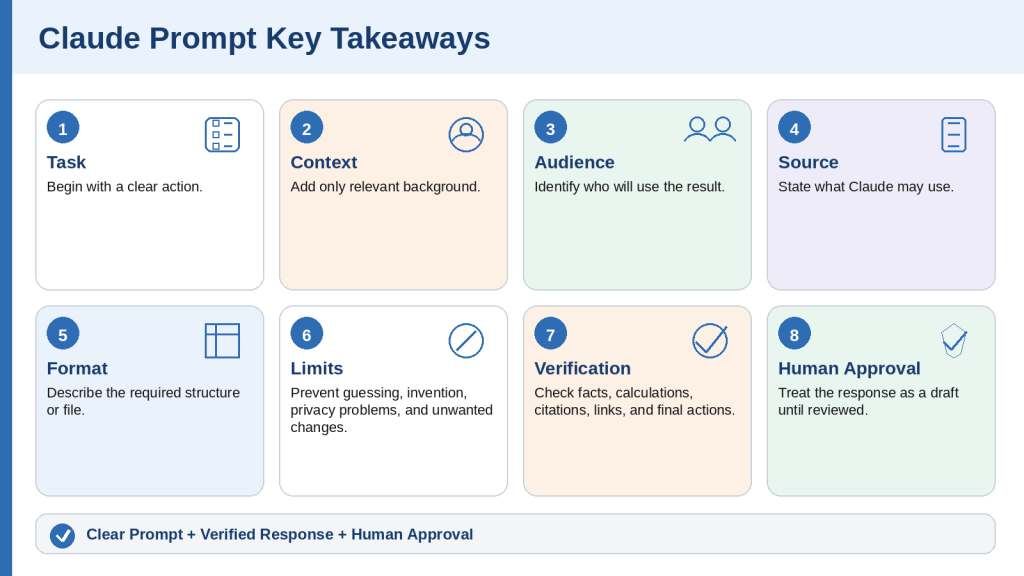
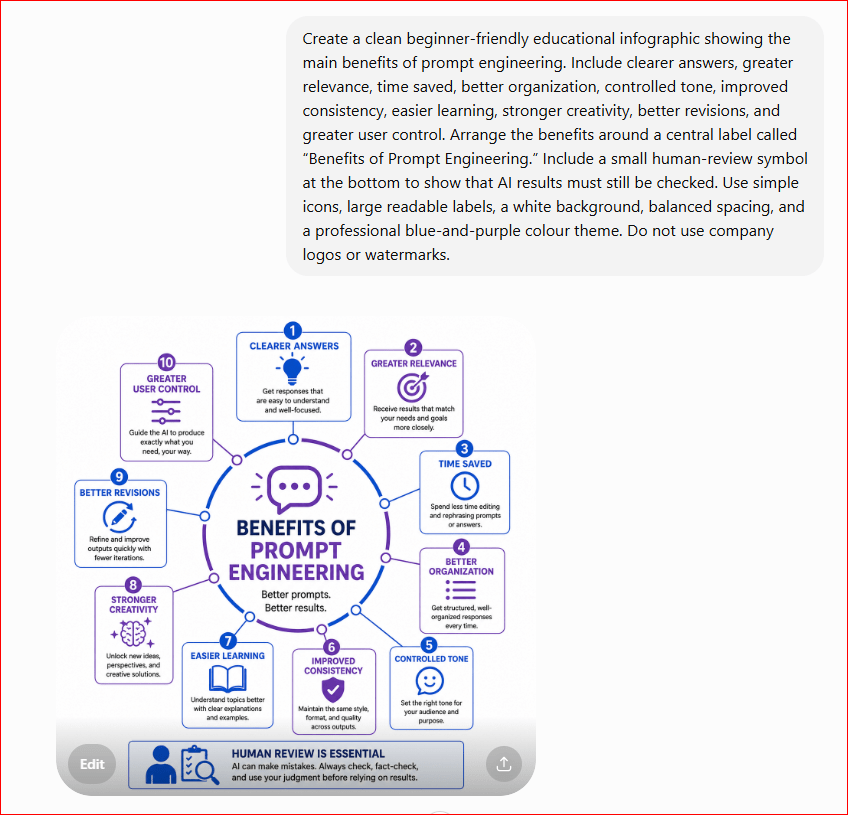
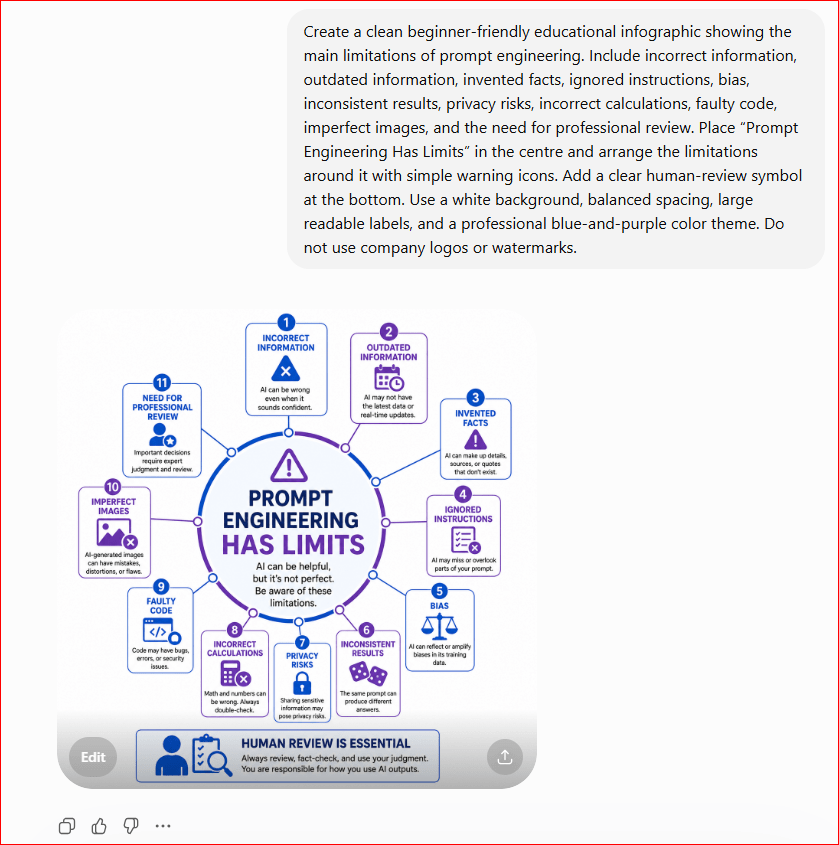
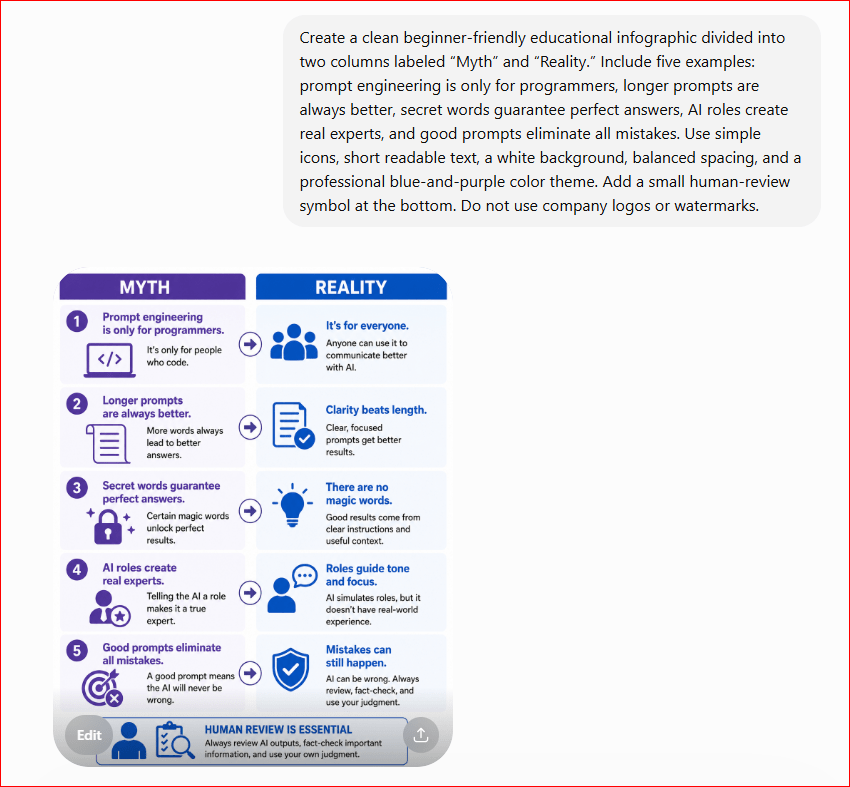
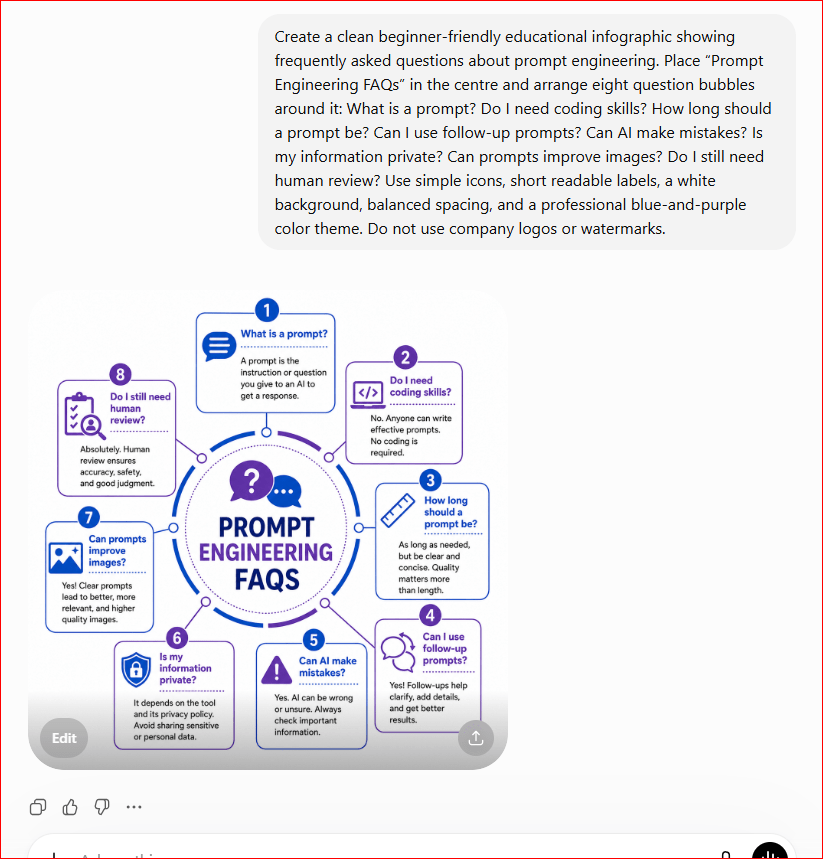
Claude can help beginners create new writing and improve text that already exists. You can use it to turn an idea into a first draft, organize rough notes, simplify difficult explanations, adjust tone, shorten or expand content, and proofread an approved version.
Writing and rewriting are related but different tasks. Writing begins with a goal, audience, outline, and source material. Rewriting begins with existing text and a clear decision about what should change and what must remain unchanged.
The safest approach is to treat every Claude response as a draft. Clear instructions reduce errors, but they do not replace human judgment. Important facts, dates, names, quotations, conditions, warnings, links, and responsibilities should be checked before the result is sent, submitted, shared, or published.
This guide explains a controlled beginner workflow for writing and rewriting with Claude. It includes reusable prompts, practical examples, common mistakes, privacy checks, and a final review process.
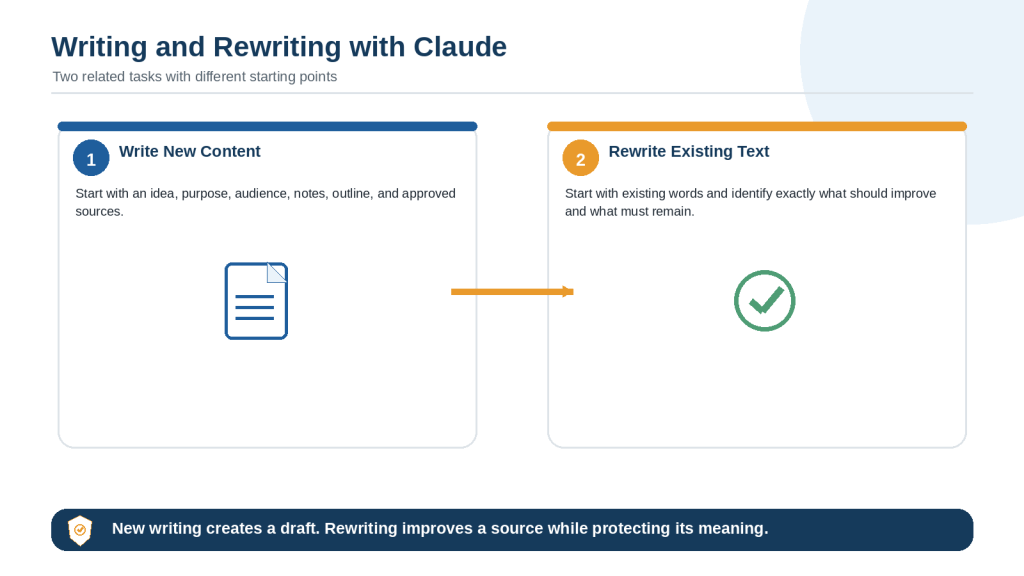
Figure 1. The main difference between writing new content and rewriting existing text with Claude.
Explanation: Writing creates a new draft from instructions and source material. Rewriting improves existing text while protecting its purpose, meaning, facts, conditions, and approved wording.
Prepare the Writing Task Before You Begin
A good result starts before the first prompt. Gather the information Claude needs and remove anything that is irrelevant, private, or unconfirmed.
Define the Purpose
Explain what the finished text should accomplish. A purpose may be to teach a beginner, request information, summarize a decision, introduce a service, document a process, or prepare a neutral report.
Purpose: Create a beginner-friendly explanation that helps readers understand the topic and follow the recommended steps safely.
Identify the Audience
State who will read the content and what they already know. The same subject should be explained differently to a complete beginner, a customer, a manager, a student, or a technical specialist.
Separate Facts, Ideas, and Missing Information
• Confirmed facts may appear as factual statements.
• Ideas to consider are optional and should not be presented as approved decisions.
• Missing information should be labelled rather than guessed.
Use only the confirmed information below. Treat items under Ideas as suggestions, not facts. Write [Information Needed] where an essential detail is missing.
Set Source and Privacy Rules
Tell Claude whether it may use only the supplied material or whether current research is permitted. Remove unnecessary personal information, passwords, confidential records, customer details, and private business data before sharing the source.
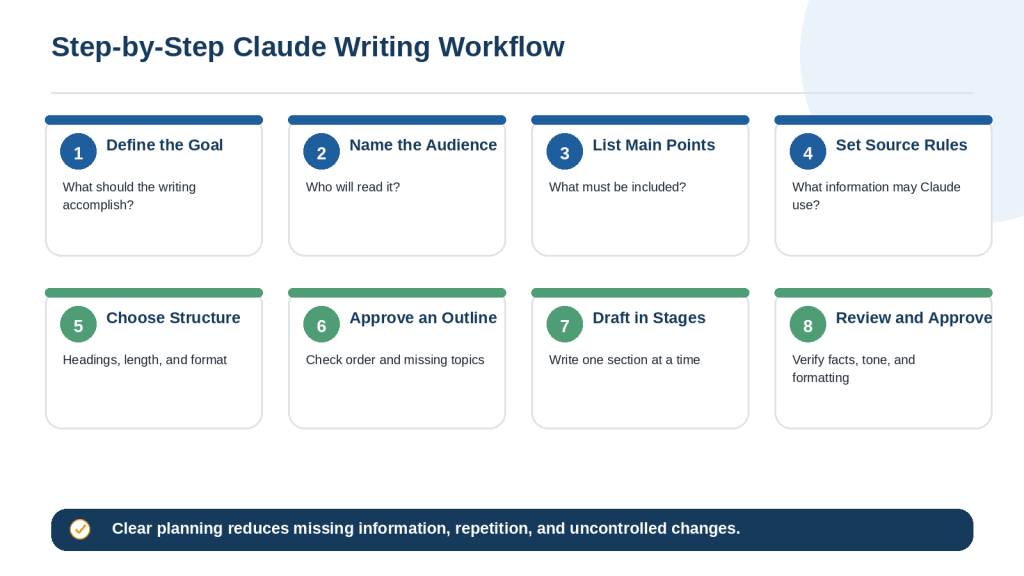
How to Write New Content with Claude: Step-by-Step
Step 1: Define the exact task.
Name the content type, such as an article section, email, report, checklist, proposal, or social post.
Step 2: State the purpose and audience.
Explain what the text must accomplish and who will read it.
Step 3: Provide the main points.
List the facts, arguments, examples, actions, and warnings that must appear.
Step 4: Identify the permitted source.
Tell Claude whether to use your notes only or approved current sources.
Step 5: Choose the structure.
Specify headings, paragraph length, lists, tables, word range, and required sections.
Step 6: Approve an outline.
For long content, review the order and identify missing information before drafting.
Step 7: Draft in stages.
Write one section at a time so each part can be reviewed before the next begins.
Step 8: Complete a final review.
Check facts, sources, privacy, tone, formatting, and completeness.
Complete Writing Prompt Example
Task: Write a 700-word beginner-friendly guide section. Purpose: Explain the process clearly and help the reader avoid common mistakes. Audience: Adults with no previous experience. Source: Use only the approved notes below. Structure: Short introduction, four H3 subsections, one numbered workflow, and a final checklist. Tone: Clear, calm, practical, and professional. Limits: Do not invent facts, statistics, prices, quotations, or guarantees. Mark missing details as [Information Needed]. Review: List statements that require human verification after the draft.
Figure 2. A step-by-step workflow for creating new written content with Claude.
Explanation: Planning the goal, audience, source, structure, and review process before drafting makes long writing easier to control and verify.
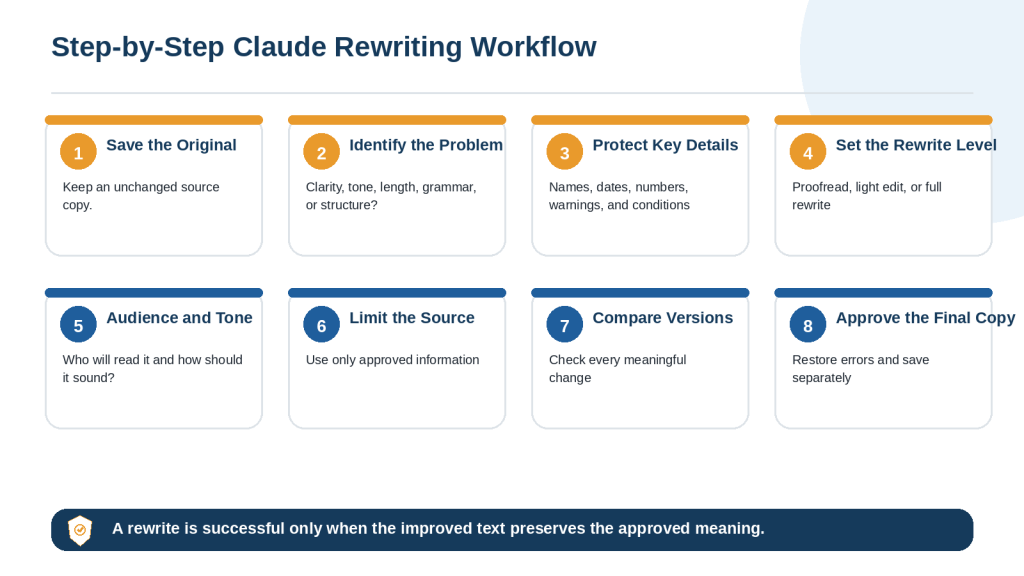
How to Rewrite Existing Text with Claude: Step-by-Step
Step 1: Save the original.
Keep an unchanged copy so removed or altered information can be restored.
Step 2: Identify the exact problem.
Name the issue: grammar, clarity, tone, length, structure, repetition, or formatting.
Decide whether you need proofreading, light editing, structural editing, simplification, or a full rewrite.
Step 5: Define the audience and tone.
Explain how the revised text should sound and who will read it.
Step 6: Limit the permitted source.
Prevent Claude from silently adding outside information unless research is approved.
Step 7: Compare the two versions.
Review added, removed, and changed information paragraph by paragraph.
Step 8: Approve and save separately.
Restore incorrect changes and save the approved version under a new filename.
Complete Rewriting Prompt Example
Rewrite the text below for clarity and simplicity. Preserve every confirmed fact, name, date, amount, warning, condition, quotation, heading, and required action. Use shorter sentences and one main idea per paragraph. Keep the same level of certainty. Use only the supplied text. Do not add outside information or promises. After the revision, list any meaningful changes that require review.
Figure 3. A step-by-step workflow for rewriting existing text with Claude while preserving important information.
Explanation: A controlled rewriting process protects the source, limits the requested change, and requires a side-by-side comparison before approval.
How to Turn Notes and Outlines into a First Draft with Claude
Rough notes often mix confirmed facts, possible ideas, unanswered questions, and repeated fragments. Organize them before asking Claude to create a polished draft.
1. Remove private or irrelevant details.
2. Group notes under temporary headings.
3. Label confirmed facts, ideas, and missing information.
4. Ask Claude to create an outline first.
5. Review the outline for order and gaps.
6. Draft one approved section at a time.
7. Compare the draft with the notes.
Prompt Example
Organize the notes below into three groups: Confirmed Facts, Ideas to Consider, and Information Needed. Then create a proposed outline. Do not write the full draft until the outline has been approved. Do not convert an idea into a confirmed fact or invent missing details.
When the outline is approved, use a second prompt that defines the audience, tone, length, and required formatting. Keep the original notes available during review.
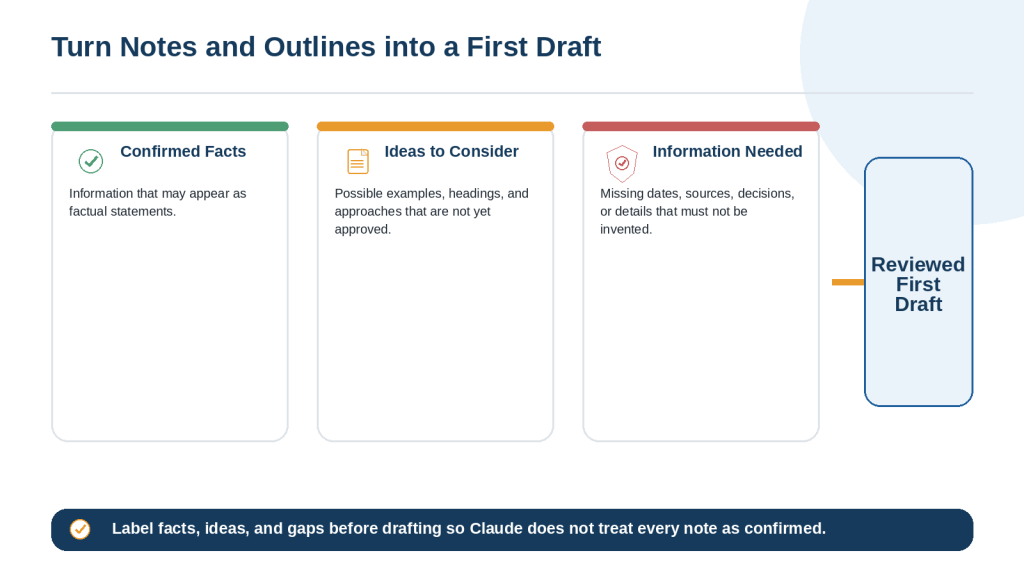
Figure 4. A controlled process for turning rough notes and an outline into a first draft with Claude.
Explanation: Separating facts, ideas, and missing information reduces the risk that Claude will present an unapproved suggestion or invented detail as confirmed information.
How to Rewrite Text for Clarity and Simplicity
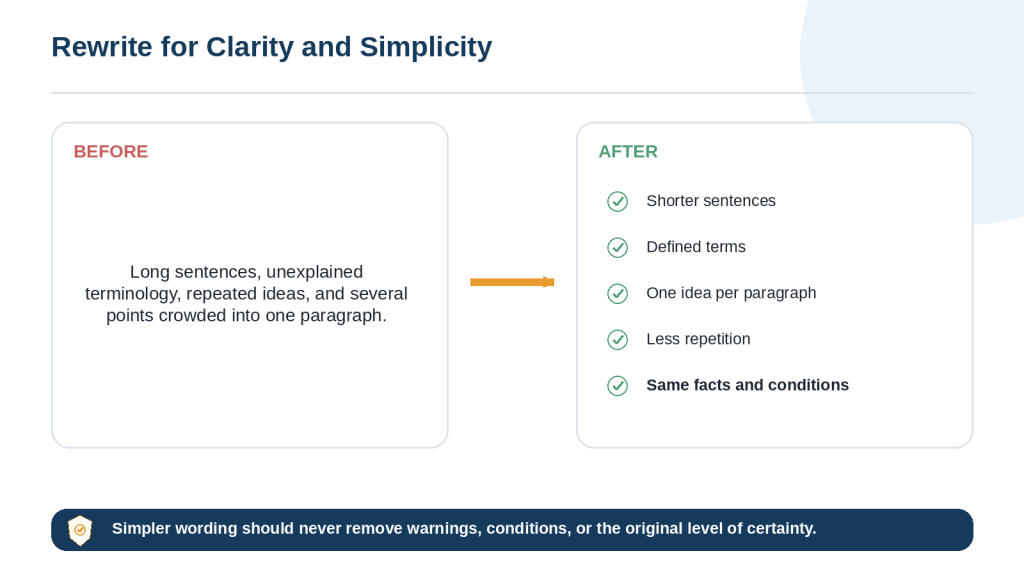
Clear writing uses familiar words, manageable sentence length, logical paragraph order, and enough explanation for the intended reader. Simplification should improve understanding without weakening the facts or removing important conditions.
• Shorten sentences that contain several separate ideas.
• Define technical terms when they first appear.
• Use one main idea per paragraph.
• Replace vague references with clear nouns.
• Remove repetition while preserving distinct facts.
• Keep warnings, exceptions, and source qualifications.
Prompt Example
Rewrite this section for a complete beginner. Use short sentences, define technical terms, and keep one main idea per paragraph. Preserve every fact, warning, condition, example, and word that affects certainty. Do not make the claim stronger or more definite.
Before and After Example
Before: Applicants who satisfy the eligibility criteria may, depending on available funding and final approval, receive an award of up to $1,500.
After: Eligible applicants may receive up to $1,500. Funding must be available, and the application requires final approval.
The revised version is easier to read because the long sentence is divided, but it keeps may, up to, available funding, and final approval.
Figure 5. The main changes Claude can make when rewriting difficult text for clarity and simplicity.
Explanation: Clearer writing uses shorter sentences and defined terms while preserving the source facts, warnings, conditions, and level of certainty.
How to Change the Tone of Writing with Claude
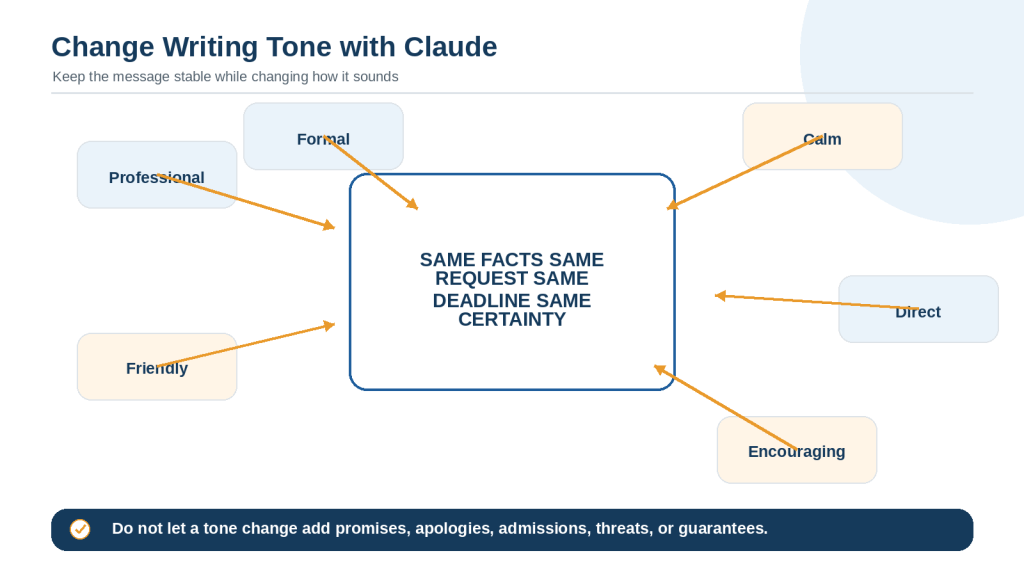
Tone describes how writing sounds to the reader. Claude can make a message more professional, friendly, formal, calm, direct, neutral, or encouraging. The facts and requested action should remain stable.
Protect the Message
• Purpose and main request
• Confirmed facts and deadlines
• Level of urgency
• Responsibilities and next actions
• Level of certainty
• Warnings and conditions
Prompt Example
Rewrite the message using a calm, polite, and professional tone. Preserve the facts, request, deadline, urgency, responsibility, and level of certainty. Do not add an apology, admission, promise, threat, or guarantee.
Review New Language Carefully
A friendly rewrite may add an apology. A confident rewrite may turn a possibility into a promise. A direct rewrite may sound demanding. Compare the revised message with the original and remove any new commitment or change in meaning.
Figure 6. Claude can change the tone of writing while preserving its facts, purpose, request, urgency, and level of certainty.
Explanation: Tone options change how the message sounds, not what it means. Important requests, conditions, deadlines, and responsibilities should remain unchanged.
How to Shorten or Expand Writing with Claude
Shorten Writing Safely
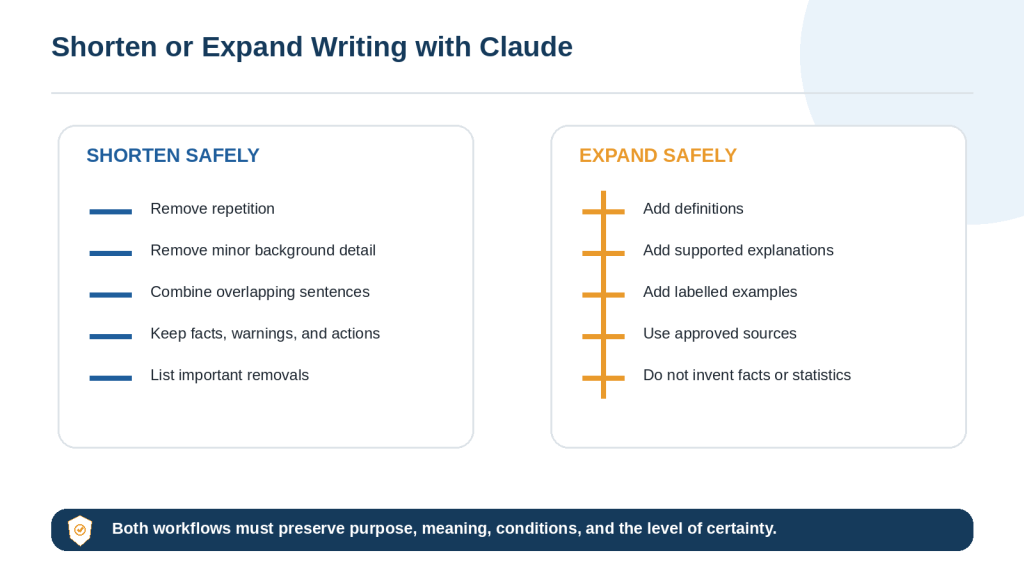
Tell Claude what may be removed and what must remain. Remove repeated explanations, minor background detail, and unnecessary examples before removing evidence, warnings, conditions, deadlines, or required actions.
Reduce this section by approximately 25 percent. Remove repetition and minor background information first. Preserve every confirmed fact, date, warning, condition, source, and required action. List any important information removed.
Expand Writing Safely
Expansion should add useful explanation, definitions, examples, transitions, or approved evidence. It should not create fake statistics, quotations, prices, customer experiences, or research findings.
Expand this section to approximately 500 words using the approved notes. Add definitions, explanation, and one clearly labelled hypothetical example. Do not invent facts, statistics, quotations, prices, research findings, or personal experiences.
Figure 7. Claude can shorten or expand writing while preserving its purpose, facts, conditions, and level of certainty.
Explanation: Safe shortening removes repetition before essential content. Safe expansion adds supported explanation rather than invented factual detail.
How to Proofread and Edit Writing with Claude
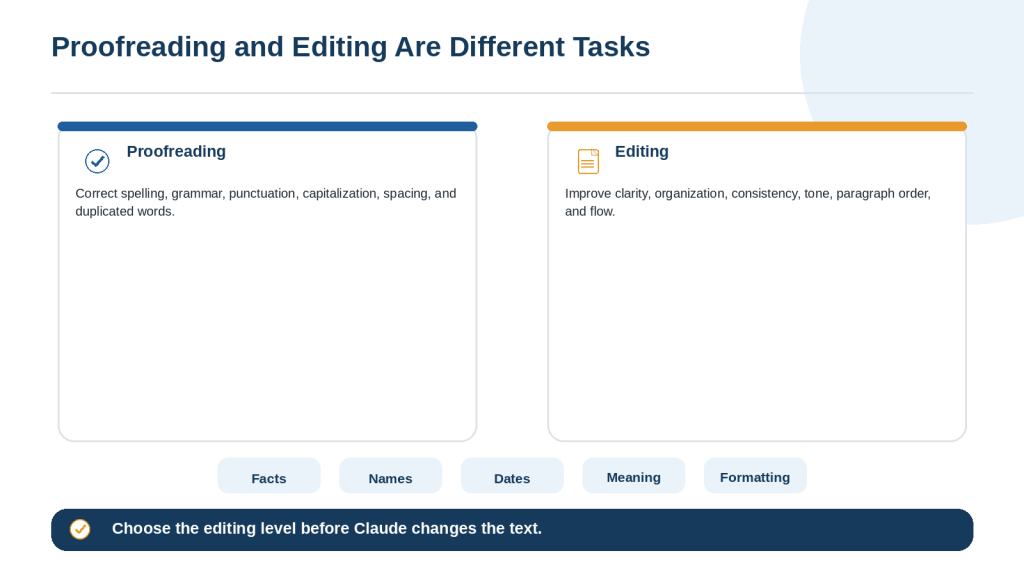
Proofreading and editing are different levels of revision. Define the level before Claude begins.
Proofreading
Proofreading corrects spelling, grammar, punctuation, capitalization, spacing, and duplicated words. It should not reorganize paragraphs or replace clear wording unnecessarily.
Correct only spelling, grammar, punctuation, capitalization, spacing, and duplicated words. Do not change facts, meaning, tone, headings, paragraph order, lists, quotations, links, or wording that is already clear.
Editing
Editing may improve clarity, paragraph structure, transitions, tone, consistency, and flow. Because it involves broader changes, compare the result with the original carefully.
Edit the text for clarity, organization, consistency, and flow. Preserve the facts, examples, conditions, warnings, headings, and intended voice. Explain any change that could affect meaning.
Final Human Check
• Names, dates, amounts, and units
• Quotations and source references
• Words that affect certainty
• Headings, numbered steps, and bullets
• Links, filenames, and document formatting
Figure 8. Proofreading corrects surface errors, while editing improves clarity, structure, consistency, and flow.
Explanation: Choosing the correct editing level prevents a simple proofreading request from becoming an unnecessary full rewrite.
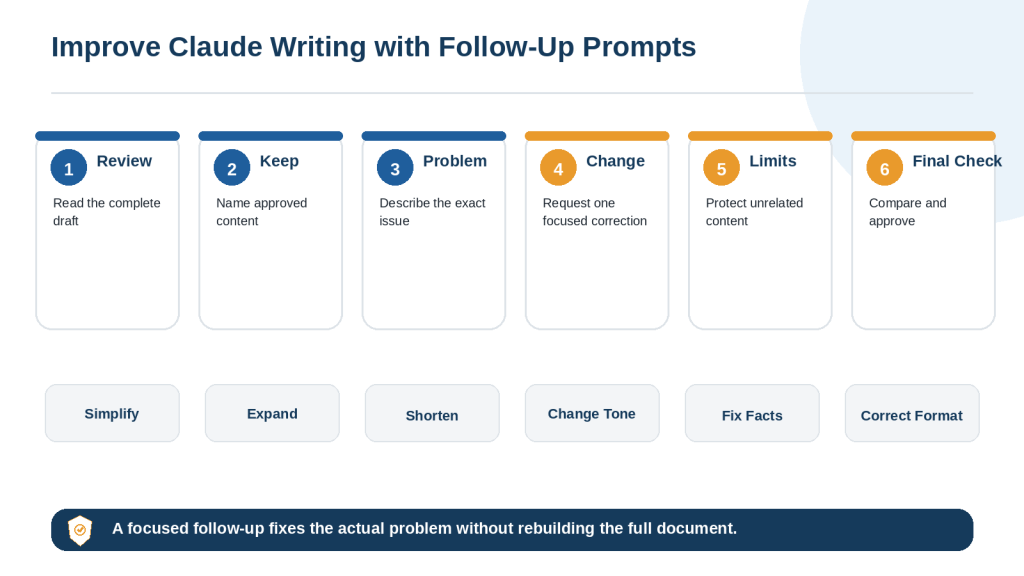
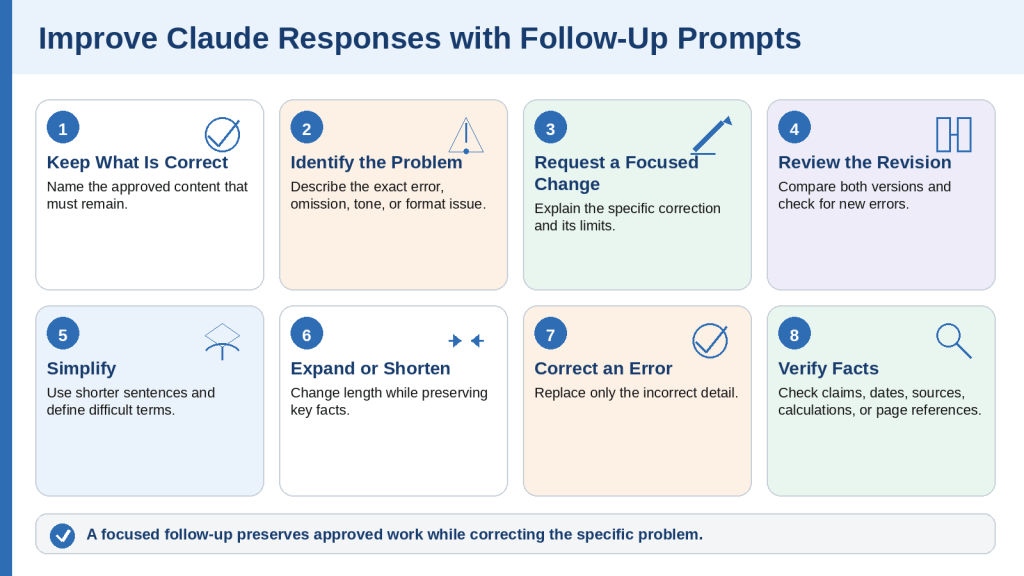
How to Improve a Claude Draft with Follow-Up Prompts
The first draft may be useful without being ready to use. A focused follow-up prompt tells Claude what is already correct, identifies the exact problem, requests one change, and limits the revision to the affected content.
Use the Keep-Problem-Change Formula
Keep: Identify approved content. Problem: Explain exactly what is wrong and where it appears. Change: Describe the required correction. Limits: State what must not change. Final check: Explain what Claude should verify after revising.
Example
Keep the approved title, introduction, headings, examples, and conclusion. The section titled Protect Your Information is too technical for beginners. Rewrite only that section using shorter sentences, define every technical term, and add one simple example. Preserve the warning and confirmed facts. Do not change any other section. Confirm the revised section is under 250 words.
Correct one type of problem at a time. Fix factual errors before tone, style, or formatting. When only one paragraph needs improvement, name the paragraph or heading instead of regenerating the complete document.
Figure 9. A focused follow-up prompt identifies approved content, the exact problem, the required change, and the limits of the revision.
Explanation: Follow-up prompts allow one part of a draft to be improved while protecting sections, facts, and wording that have already been approved.
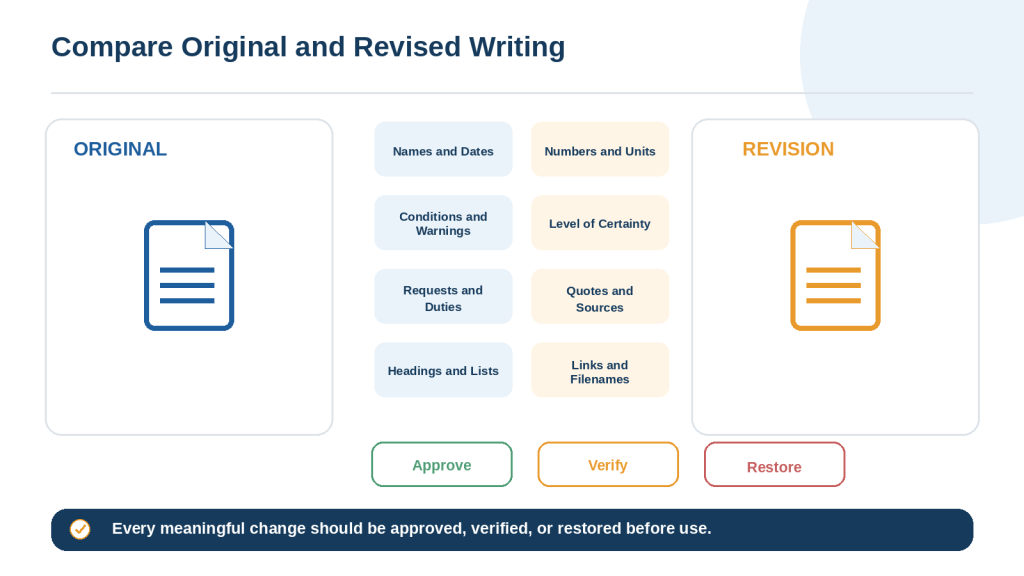
How to Compare Claude’s Revised Text with the Original
Never review an important revision by reading only the new version. Place the original and revised text side by side and compare one paragraph or section at a time.
Check High-Risk Details
• Names and organization titles
• Dates, deadlines, times, and time zones
• Numbers, amounts, percentages, units, and currencies
• Conditions, exceptions, warnings, and limitations
• Requests, responsibilities, promises, and commitments
• Direct quotations, citations, links, and filenames
• Headings, list order, tables, and formatting
Watch the Level of Certainty
Words such as may, might, could, usually, approximately, up to, at least, if eligible, and subject to approval carry important meaning. A rewrite should not change possibility into certainty or advice into a requirement.
Comparison Prompt
Compare the original and revised versions. Create a table with Location, Original Wording, Revised Wording, Type of Change, Possible Effect on Meaning, and Review Required. Focus on facts, names, dates, amounts, certainty, conditions, warnings, requests, promises, quotations, citations, headings, lists, links, and filenames. Do not make additional revisions.
Figure 10. Comparing the original and revised versions helps identify changes to facts, certainty, conditions, structure, and approved wording.
Explanation: Each meaningful change should be approved, independently verified, or restored before the revised text is used.
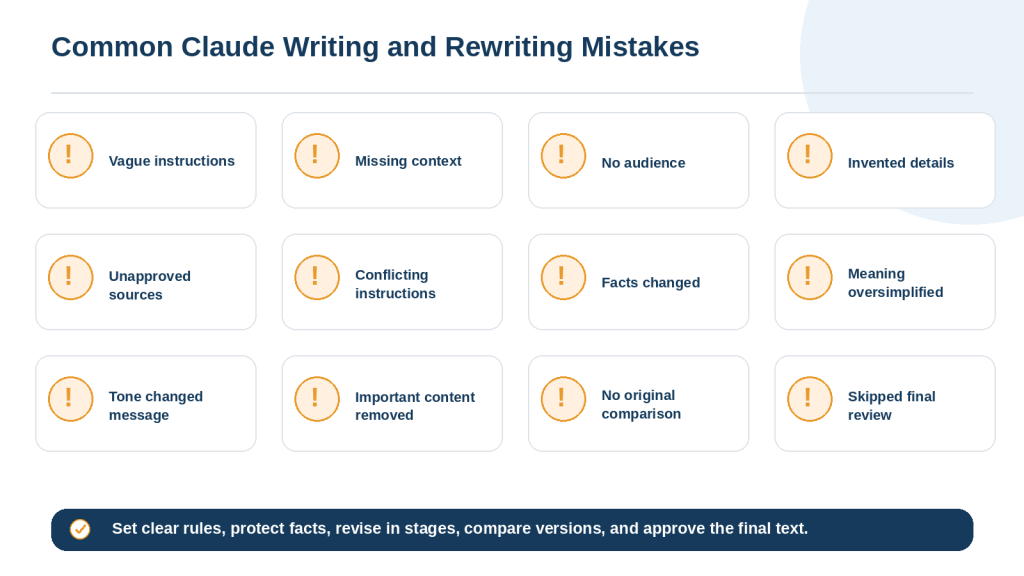
Common Writing and Rewriting Mistakes with Claude
Mistake 1: Asking Claude to make it better
State the exact problem: clarity, grammar, tone, length, structure, or repetition.
Mistake 2: Providing too little context
Explain the purpose, audience, source, format, and important limits.
Mistake 3: Failing to identify the audience
State what the reader already knows and which terms require explanation.
Mistake 4: Writing from missing information
Use [Information Needed] instead of allowing Claude to guess.
Mistake 5: Mixing facts and ideas
Label confirmed facts, suggestions, and unanswered questions separately.
Mistake 6: Using unapproved sources
Tell Claude to use supplied material only unless research is approved.
Mistake 7: Drafting a long article before approving the outline
Review the structure first and draft one section at a time.
Mistake 8: Combining too many tasks
Separate research, drafting, revision, proofreading, and formatting.
Mistake 9: Giving conflicting instructions
Resolve priorities before sending the prompt.
Mistake 10: Failing to protect key details
Preserve names, dates, amounts, warnings, conditions, and required actions.
Mistake 11: Treating rewriting as proofreading
Specify the editing level and limit unnecessary changes.
Mistake 12: Allowing simplification to remove meaning
Protect words that affect certainty and eligibility.
Mistake 13: Changing tone without protecting the message
Prevent new apologies, promises, admissions, threats, or guarantees.
Mistake 14: Expanding without source limits
Permit explanations and labelled examples, not invented facts.
Mistake 15: Shortening without priorities
Remove repetition before essential facts and warnings.
Mistake 16: Rebuilding the full draft for a small problem
Rewrite only the affected paragraph or section.
Mistake 17: Accepting every suggested edit
Treat edits as proposals and reject changes that reduce accuracy or natural voice.
Mistake 18: Reviewing only the revised version
Compare both versions side by side.
Mistake 19: Failing to verify current claims
Check changing prices, features, rules, and instructions using current official sources.
Mistake 20: Uploading unnecessary private information
Redact personal, confidential, and credential information first.
Mistake 21: Asking for exact imitation of a living writer
Describe general qualities such as concise, warm, or analytical instead.
Mistake 22: Failing to check citations and quotations
Open the source and confirm the claim, date, page, and exact quotation.
Mistake 23: Ignoring formatting
Protect headings, lists, captions, links, filenames, and tables.
Mistake 24: Using the first draft without review
Complete a factual, editorial, privacy, and formatting review.
Mistake 25: Failing to save approved versions
Keep the original, important revisions, and final approved copy.
Figure 11. Common Claude writing mistakes usually result from vague instructions, missing source limits, unprotected facts, or insufficient review.
Explanation: Clear source rules, protected facts, staged drafting, focused corrections, and side-by-side comparison reduce common writing errors.
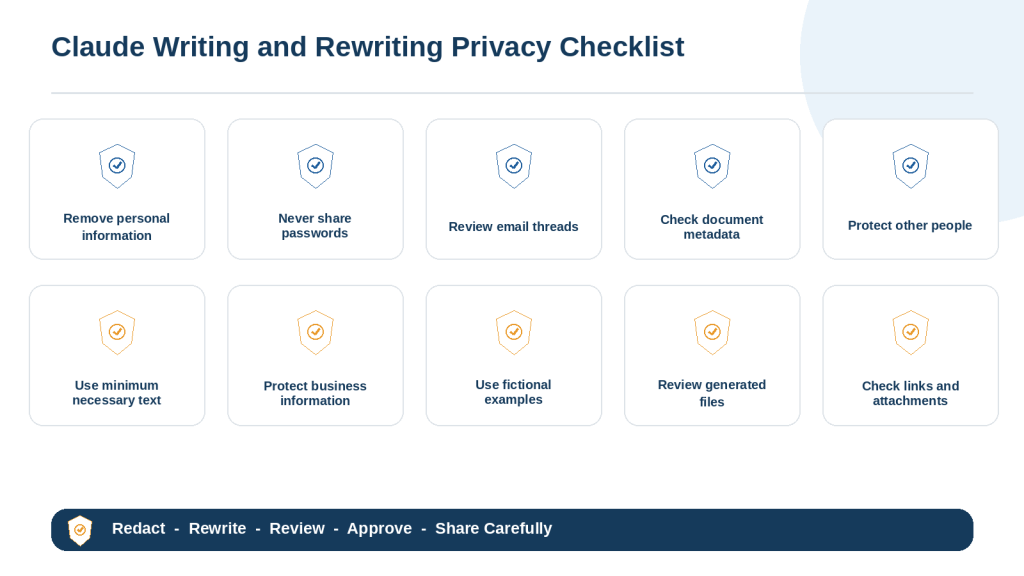
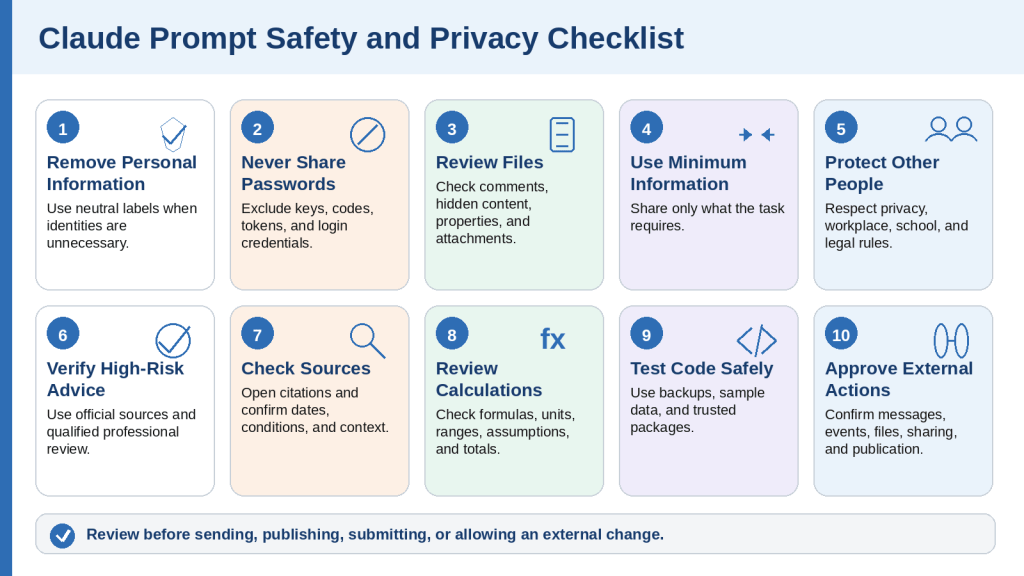
How to Protect Privacy When Writing and Rewriting with Claude
Writing tasks may involve emails, applications, reports, customer records, workplace documents, or personal notes. Share only the minimum information necessary for the task.
Remove Unnecessary Personal Information
• Full names and home addresses
• Personal email addresses and telephone numbers
• Dates of birth and identification numbers
• Bank, credit-card, and account information
• Medical, school, employment, or customer records
• Signatures and confidential business details
Replace identifying details with neutral labels such as Customer A, [Address Removed], or [Reference Number].
Never Include Credentials
• Passwords
• One-time verification codes
• API keys and access tokens
• Security answers and recovery codes
• Private server or database credentials
Review Emails and Documents
Copy only the relevant text from an email thread. Before uploading a document, review comments, tracked changes, hidden text, document properties, embedded files, signatures, and revision history.
Privacy Instruction
Use only the information necessary for this task. Do not repeat, infer, or expose personal or confidential information unnecessarily. Replace names, addresses, contact details, account numbers, and identifiers with neutral labels when they are not required. Do not include passwords, access keys, or authentication information. Treat the result as a draft until it has been reviewed.
Figure 12. Essential privacy checks before using Claude to write, rewrite, edit, or create files.
Explanation: Privacy-safe writing starts with data minimization and redaction, followed by a review of generated files, links, attachments, and recipients.
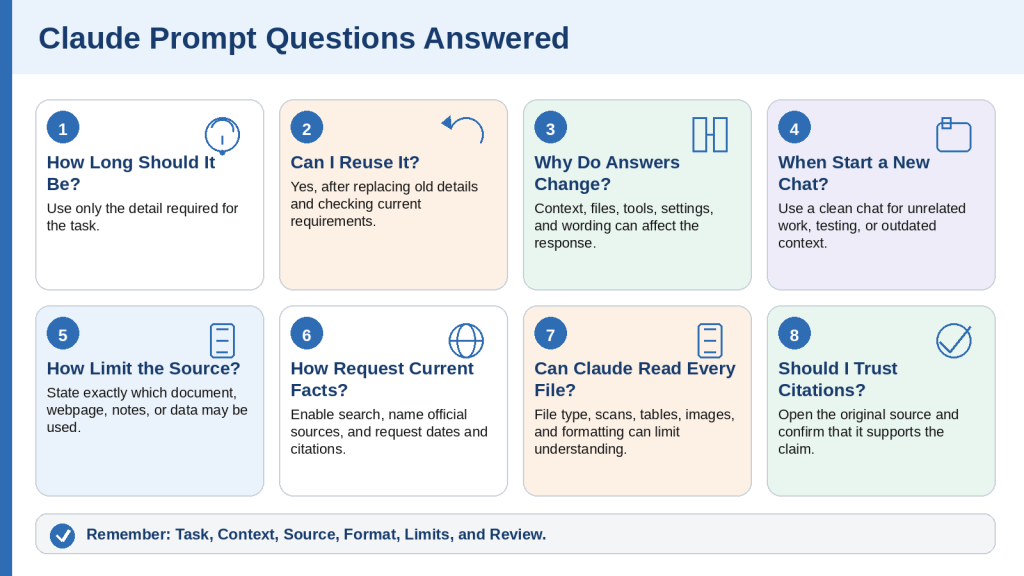
Frequently Asked Questions About Writing and Rewriting with Claude
Can Claude write complete articles?
Yes. For a long article, define the audience and purpose, approve an outline, draft one section at a time, verify facts, and inspect the final document.
Can Claude rewrite text without changing its meaning?
It can be instructed to preserve meaning, but the revised version must still be compared with the source.
Can Claude correct only grammar and spelling?
Yes. Request light proofreading and prohibit changes to tone, structure, facts, headings, and paragraph order.
Can Claude make writing sound more professional?
Yes. Protect the facts, request, deadline, urgency, and certainty while changing the tone.
Can Claude simplify technical writing?
Yes. Identify the beginner audience, preserve correct terms, define them, and verify the technical meaning afterward.
Can Claude shorten to a word count?
Yes. Use a realistic range and explain what should be removed first and what must remain.
Can Claude expand an outline?
Yes, when the source supports the requested length. Prohibit invented facts, statistics, quotations, and experiences.
Can Claude preserve my voice?
Ask for minimal changes and preserve vocabulary, sentence style, and level of formality where the original is clear.
Should I paste the complete document?
Not always. Use the smallest necessary section or a redacted copy.
Can Claude add current information while rewriting?
Treat rewriting and research as separate stages so current facts are verified and added deliberately.
How do I stop invented details?
Tell Claude not to guess and to use [Information Needed] for missing information.
How do I see what changed?
Request a change table and compare the source and revision side by side.
What should I do when Claude rewrites too much?
Restore the original where it is clear and limit the correction to the named paragraph or section.
Should I ask for several versions?
Alternatives can help with tone, but choose one version and review it rather than mixing them without checking consistency.
Can Claude help with school or professional documents?
It can support planning, explanation, editing, and feedback, subject to the rules of the school, employer, client, or organization.
Should I trust a polished draft?
No. Professional wording can still contain incorrect facts, missing conditions, privacy problems, or unsupported claims.
How many revisions are needed?
Continue until the purpose, facts, structure, tone, privacy, formatting, and required approvals are complete.
Should I save every version?
Keep at least the original, important revisions, and approved final copy.
Can Claude create downloadable documents?
Claude can create supported files when that capability is available, but each generated file should be opened and inspected before use.
What is the best writing prompt?
A useful prompt defines the task, purpose, audience, source, format, tone, limits, and review requirements.
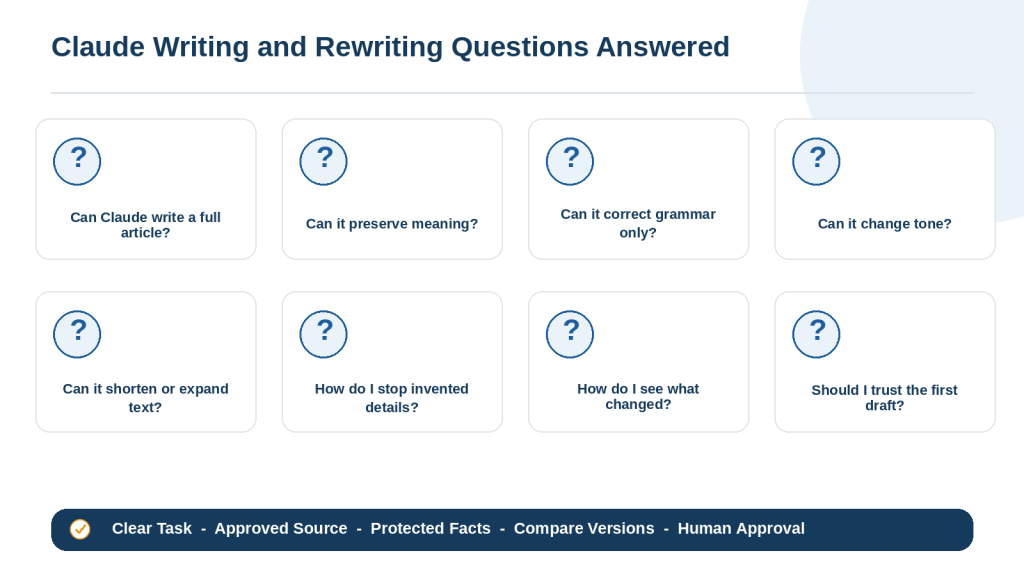
Figure 13. Common beginner questions about using Claude to create, rewrite, shorten, expand, and proofread written content.
Explanation: Claude can assist at many writing stages, but every task still needs clear limits, approved sources, comparison, and final human approval.
Key Takeaways
1. Define the exact writing or rewriting task.
2. Identify the intended audience and purpose.
3. Provide approved source material and label missing information.
4. Separate confirmed facts from ideas and possible examples.
5. Specify the required structure, length, tone, and format.
6. Protect names, dates, numbers, warnings, conditions, and required actions.
7. Distinguish proofreading from broader editing.
8. Use outlines and staged drafting for long work.
9. Use focused follow-up prompts instead of rebuilding approved content.
10. Compare the revised version with the original.
11. Protect privacy and exclude passwords or credentials.
12. Verify changing information with current reliable sources.
13. Inspect generated files, links, captions, and formatting.
14. Save the original and approved versions separately.
15. Treat every Claude response as a draft until a human approves it.
Reusable Writing Prompt Formula
Task: What Claude should write. Purpose: What the content should accomplish. Audience: Who will read it. Source: Which notes, files, or sources Claude may use. Main points: What must be included. Format: Headings, paragraphs, lists, length, and file type. Tone: How the writing should sound. Limits: What Claude must preserve, avoid, or mark as missing. Review: What should be checked after drafting.
Reusable Rewriting Prompt Formula
Task: How the text should be rewritten. Problem: What is unclear, unsuitable, incorrect, or incomplete. Audience: Who will read it. Source: Use only the supplied text unless research is approved. Preserve: Facts, names, dates, warnings, conditions, headings, and approved wording. Change: The exact improvements required. Format and length: The required structure and target range. Limits: What Claude must not add, remove, promise, or assume. Review: Compare the revision with the original and identify meaningful changes.
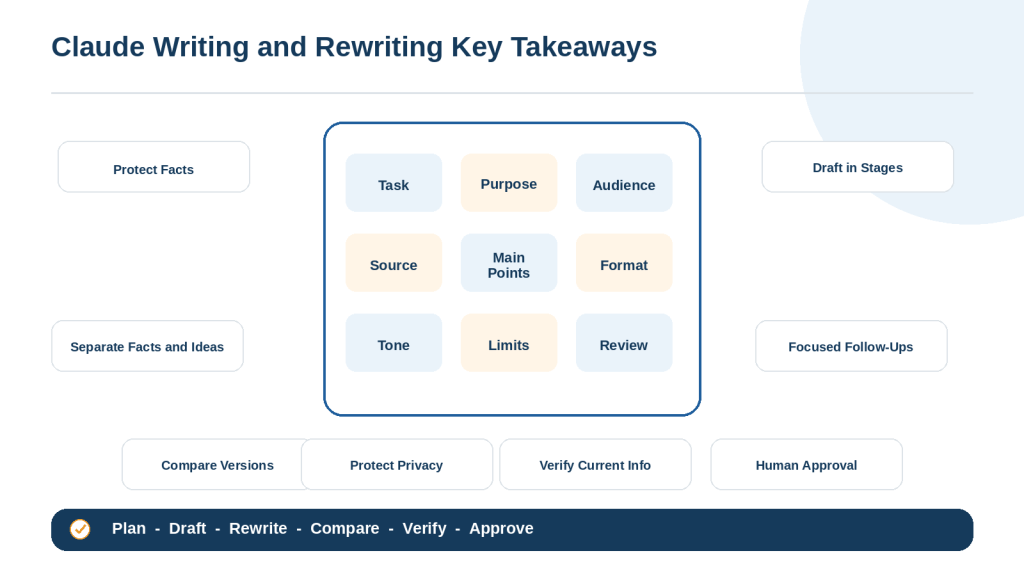
Figure 14. The essential steps for writing and rewriting safely and effectively with Claude.
Explanation: Strong prompts define the task, purpose, audience, source, format, tone, and limits. Safe use also requires privacy protection, verification, version comparison, and human approval.
Conclusion
Claude can help beginners create new writing, organize notes, improve existing text, simplify difficult explanations, adjust tone, shorten or expand content, and proofread approved drafts.
The strongest results begin with a clear task, audience, source, structure, tone, and set of limits. Large projects are easier to control when the outline is approved first and each section is drafted and reviewed separately.
When rewriting, protect names, dates, amounts, warnings, conditions, quotations, responsibilities, and words that affect certainty. A sentence is not improved when clearer wording changes the original meaning.
Treat the first response as a draft. Compare important revisions with the original, verify current facts using reliable sources, protect private information, inspect the final formatting, and save the approved version separately.
Claude can make writing faster and easier to manage, but the user remains the final writer and reviewer.
Compare another structured workflow for simplifying documents while preserving facts, warnings, conditions, and the original purpose.
Sources and References
Source Review Date: August 4, 2026
The following official Claude and Anthropic resources were reviewed for this article. Product features, interfaces, supported files, account plans, and privacy controls may change. Check the latest official guidance before publishing current instructions.
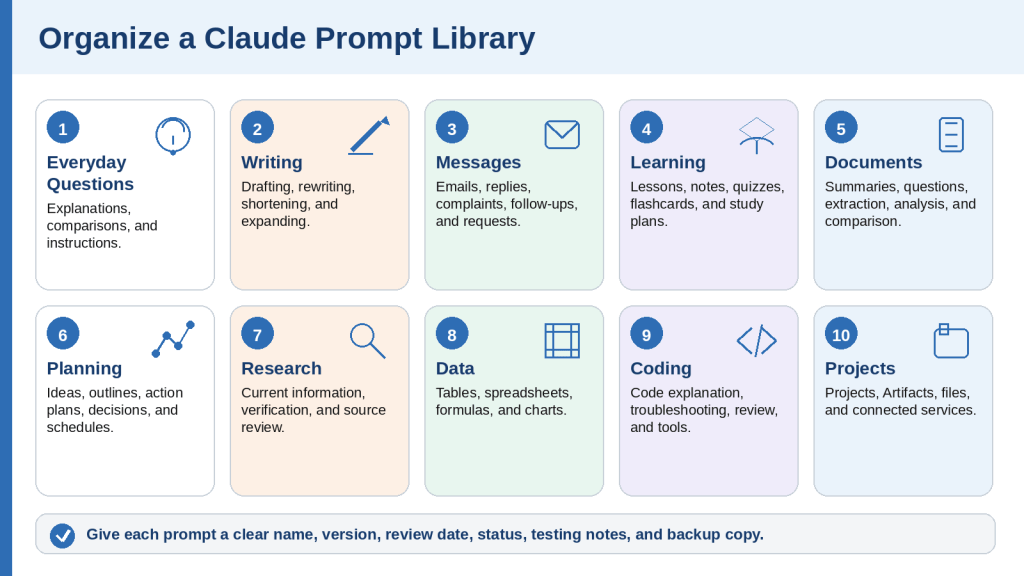
Before You Start: How to Use the 50 Claude Prompts
A prompt is the instruction or question you give to Claude. It may be a short request, a detailed set of requirements, source text to analyze, a file to review, or a follow-up correction.
The 50 examples in this guide are designed for complete beginners. Copy the prompt that matches your task, replace every item inside square brackets, remove instructions that do not apply, and review the final prompt before sending it.
Claude can help with writing, learning, document analysis, planning, research, spreadsheets, coding, Projects, Artifacts, file creation, and connected services. Available features, plan limits, and interfaces may change, so current feature information should be checked on official Anthropic or Claude pages.
Square brackets identify information you should replace. For example, change [topic] to “online privacy” and [audience] to “a complete beginner.”
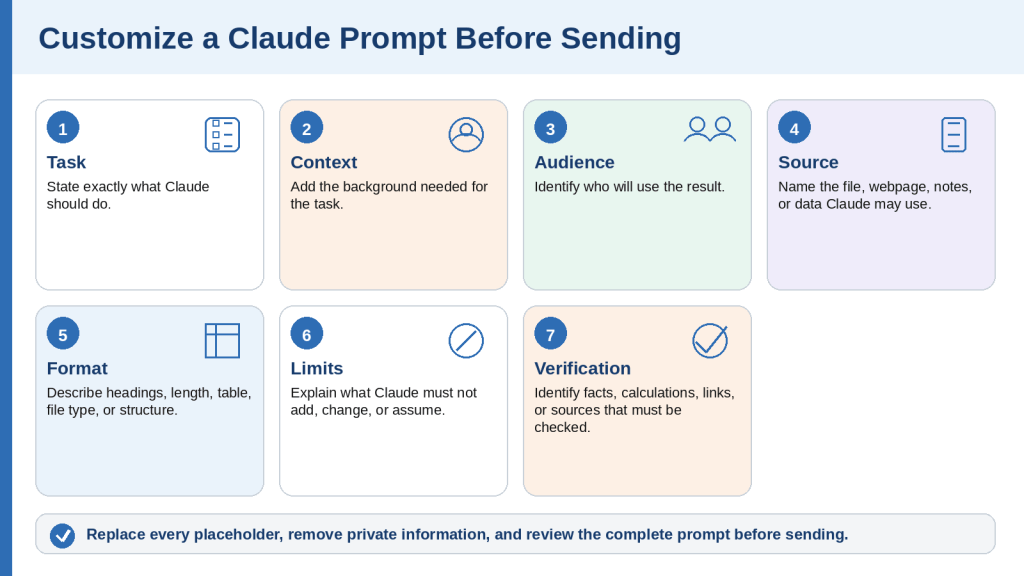
Use this reusable prompt formula:
• Task: What Claude should do.
• Context: Relevant background.
• Audience: Who will use the result.
• Source: The information Claude may use.
• Format: How the result should be organized.
• Limits: What Claude must not add, change, reveal, or assume.
• Verification: What must be checked.
Review every response before sending, publishing, submitting, or using it for an important decision. Remove unnecessary private information and choose the correct Claude tool for the task.
How to Customize a Claude Prompt Before Sending It
1. Identify the exact result you need.
2. Replace every placeholder inside square brackets.
3. Add only the context that affects the task.
4. Identify the audience.
5. Name the source Claude may use.
6. Specify the output format.
7. Set a realistic length.
8. Choose a consistent tone.
9. State important limits.
10. Define what a successful result includes.
11. Remove unnecessary instructions.
12. Separate instructions from source material.
13. Resolve conflicting requirements.
14. Remove unnecessary private information.
15. Select the correct Claude tool.
16. Read the complete prompt once before sending it.
Before customization: Explain [topic] to [audience].
After customization: Explain cloud storage to an adult beginner. Use simple language, compare it with a filing cabinet, include three benefits and three limitations, and finish with a five-point summary.
Figure 1. The main steps for customizing a Claude prompt before sending it.
Explanation: A reusable prompt becomes more effective after placeholders are replaced and the task, context, audience, source, format, limits, and verification requirements are made clear.
Prompts 1-5: Everyday Questions and Explanations
These prompts help with common questions, explanations, comparisons, and practical instructions. Add web search when the answer depends on recent or location-specific information.
Prompt 1: Explain a Topic to a Complete Beginner
Copy and customize this prompt: Explain [topic] to a complete beginner. Use simple language, define every important term, avoid unexplained abbreviations, and include three everyday examples. Finish with a five-point summary and three questions I can ask next.
Example: Explain artificial intelligence to an adult beginner using a helpful everyday example. Define “algorithm,” “model,” and “training data,” and finish with a five-point summary.
When to Use
• Learning a new subject
• Understanding an unfamiliar term
• Preparing beginner educational content
How to Customize
• Replace the topic and audience
• Choose the number and type of examples
• State the desired length and reading level
Useful Follow-Up Prompts
Explain the second point using a different example.
Which part should I learn before continuing?
What to Check
• Definitions are accurate
• Examples support the explanation
• Important limitations are not hidden
Prompt 2: Compare Two Things
Copy and customize this prompt: Compare [option A] and [option B] for [purpose and audience]. Use a table covering [criteria]. Then explain the most important similarities, differences, benefits, limitations, and missing information. Do not recommend an option until the important facts are verified.
Example: Compare cloud storage and external hard drives for a complete beginner. Use criteria for internet access, cost, privacy, backup, portability, and ease of use.
When to Use
• Choosing between services or methods
• Understanding similar concepts
• Preparing decision questions
How to Customize
• Name the two options and decision purpose
• List only criteria that matter
• Require current sources when facts can change
Useful Follow-Up Prompts
Add a column for information that still needs verification.
Explain which criteria matter most for a beginner.
What to Check
• Equivalent information is compared
• Missing information is labelled
• The conclusion follows the stated criteria
Prompt 3: Simplify a Complicated Explanation
Copy and customize this prompt: Rewrite the text below for [audience]. Preserve its meaning and every factual detail. Use shorter sentences, define difficult terms, remove repetition, and do not add new claims, dates, numbers, or advice.
Text: [paste text]
Example: Rewrite a technical explanation of two-factor authentication for an adult beginner. Preserve every warning and condition.
When to Use
• Policies
• Technical explanations
• Official notices
• Educational material
How to Customize
• Set the audience and reading level
• Name wording that must remain unchanged
• Set a maximum paragraph length
Useful Follow-Up Prompts
Show the original and rewritten versions side by side.
List any meaning that may have changed.
What to Check
• Meaning remains unchanged
• Warnings and exceptions remain
• No unsupported facts were added
Prompt 4: Create Step-by-Step Instructions
Copy and customize this prompt: Create step-by-step instructions for [task] using [device, software, or environment]. Write for [audience]. Begin with what is needed, then provide numbered steps in the correct order, expected results, common problems, and a final completion check. Do not assume access to tools I did not mention.
Example: Create step-by-step instructions for saving a DOCX file from TextMaker on Windows 10 and attaching it to an email. Write for a complete beginner.
When to Use
• Software tasks
• Applications
• Website publishing
• Home or workplace procedures
How to Customize
• State the device and software version
• Identify the starting point
• Explain what a successful result looks like
Useful Follow-Up Prompts
Explain step four using simpler language.
Add a troubleshooting section for a missing button.
What to Check
• Steps are in correct order
• Menus and buttons match the environment
• No destructive action is hidden
Prompt 5: Answer an Everyday Question Carefully
Copy and customize this prompt: Answer this question for [audience]: . Begin with the direct answer, then explain the reasoning, important assumptions, limitations, and what should be verified. Use current reliable sources when the answer may have changed or when the consequences are significant.
Example: Can I use a public Wi-Fi network for online banking? Answer for a complete beginner and explain the safer options and limitations.
When to Use
• General questions
• Safety decisions
• Product or service questions
• Questions requiring uncertainty
How to Customize
• Add the location and date when relevant
• State whether web search is required
• Ask for a professional-review warning when appropriate
Useful Follow-Up Prompts
Which part of the answer is most uncertain?
What should I verify before acting?
What to Check
• The direct answer is qualified appropriately
• Assumptions are visible
• High-risk advice is not presented as certainty
Quick Review of Prompts 1-5
• Explain a Topic to a Complete Beginner
• Compare Two Things
• Simplify a Complicated Explanation
• Create Step-by-Step Instructions
• Answer an Everyday Question Carefully
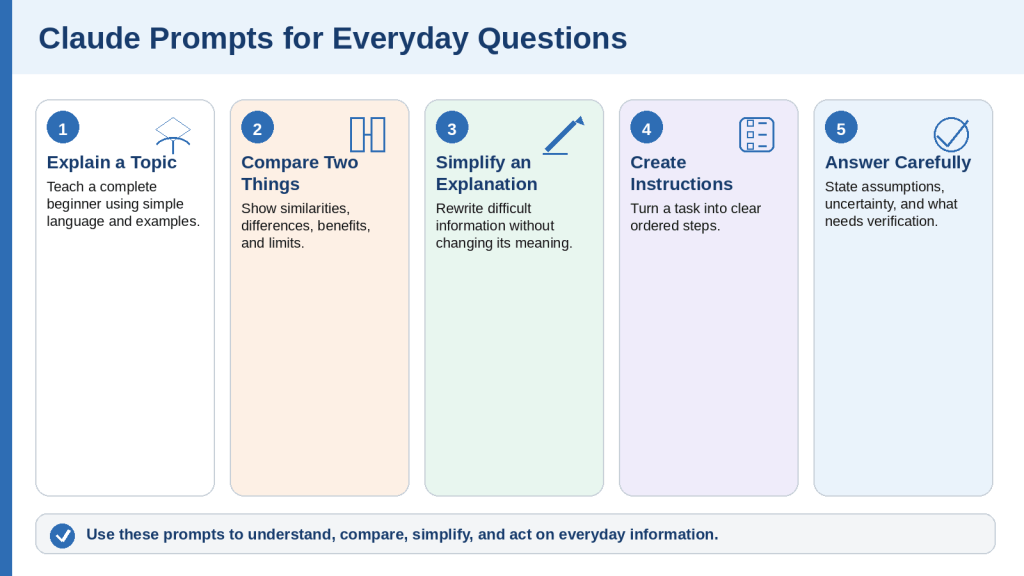
Figure 2. Five Claude prompt types for everyday questions and beginner explanations.
Explanation: These prompts help beginners understand a topic, compare choices, simplify difficult information, create instructions, and receive qualified answers. Current or high-risk information still needs reliable verification.
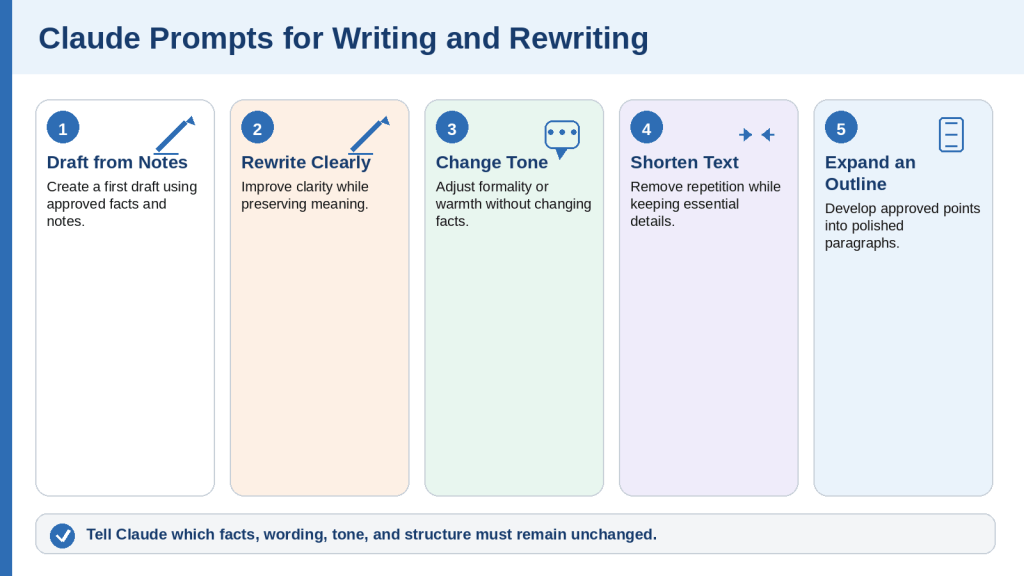
Prompts 6-10: Writing and Rewriting
Claude can create new content or improve text you already wrote. State which facts, tone, structure, and wording must remain unchanged, and treat the result as a draft.
Prompt 6: Create a First Draft from Notes
Copy and customize this prompt: Create a first draft of [type of content] using the notes below. Write for [audience] using a [tone] tone. Organize it with [required structure]. Preserve every confirmed fact, clearly identify missing information, and do not invent names, dates, statistics, quotations, or results.
Notes: [paste notes]
Example: Create a beginner-friendly article introduction from notes about Claude prompts. Use three short paragraphs followed by five key points.
When to Use
• Articles
• Reports
• Proposals
• Instructions
• Announcements
How to Customize
• Name the content type, audience, tone, and structure
• Provide only approved notes
• Set a word range and missing-information label
Useful Follow-Up Prompts
Expand the second section using only my notes.
List the information needed before the draft is complete.
What to Check
• No unsupported facts were added
• The draft matches the audience
• The structure follows the request
Prompt 7: Rewrite Text for Clarity
Copy and customize this prompt: Rewrite the text below to make it clearer and easier to understand. Preserve its meaning and every factual detail. Use shorter sentences, remove repetition, define difficult terms, and improve paragraph order when necessary. Write for [audience]. Do not add new claims or remove warnings, conditions, names, dates, or numbers.
Text: [paste text]
Example: Rewrite a complicated service notice for a complete beginner. Keep each paragraph under four sentences.
When to Use
• Complicated paragraphs
• Formal notices
• Website content
• Business documents
How to Customize
• Set reading level and paragraph length
• List terms that must remain unchanged
• State whether headings may be added
Useful Follow-Up Prompts
Explain the main changes you made.
Simplify the third paragraph further.
What to Check
• The meaning remains unchanged
• Conditions and dates remain
• No new advice was introduced
Prompt 8: Change the Tone While Preserving Facts
Copy and customize this prompt: Rewrite the text below using a [desired tone] tone. Preserve all confirmed facts, requests, deadlines, and commitments. Do not make the message more aggressive, apologetic, emotional, or legally certain than the original. Keep it under [word limit] words.
Text: [paste text]
Example: Rewrite a service complaint using a calm, polite, and professional tone. Keep the request and deadline unchanged.
When to Use
• Customer messages
• Workplace communication
• Requests
• Public announcements
How to Customize
• Identify the recipient and relationship
• Choose one consistent tone
• State commitments that must not change
Useful Follow-Up Prompts
Make the request more direct but keep it polite.
Remove wording that sounds accusatory.
What to Check
• The main request remains
• No promise or admission was added
• The tone suits the recipient
Prompt 9: Shorten Text Without Losing Key Points
Copy and customize this prompt: Shorten the text below to approximately [length]. Preserve the purpose, main conclusion, important facts, warnings, deadlines, conditions, and required actions. Remove repetition and minor background information first. Do not add new information.
Text: [paste text]
Example: Shorten an article introduction to 150 words while preserving the purpose, audience, main benefit, and safety warning.
When to Use
• Excerpts
• Emails
• Introductions
• Presentation text
• Website sections
How to Customize
• Set the target length
• List information that must remain
• State whether headings may be removed
Useful Follow-Up Prompts
List the information you removed.
Reduce the result by another 30 words without changing the meaning.
What to Check
• Exceptions and warnings remain
• No essential action was removed
• The shortened version is accurate
Prompt 10: Expand an Outline into Polished Text
Copy and customize this prompt: Expand the outline below into [type of content] of approximately [length]. Use a [tone] tone for [audience]. Preserve the outline order and approved facts. Add explanations, transitions, and examples only when supported by the supplied information. Mark missing details instead of inventing them.
Outline: [paste outline]
Example: Expand a five-point article outline into an 800-word beginner section. Use only the supplied notes and mark unsupported statistics as [Source Needed].
When to Use
• Article sections
• Reports
• Lessons
• Proposals
• Speeches
How to Customize
• State the required length and headings
• Identify approved examples
• Explain whether research is permitted
Useful Follow-Up Prompts
Expand only the example, not the explanation.
Show which sentences require source verification.
What to Check
• The outline order is preserved
• Added detail is supported
• No facts or quotations were invented
Quick Review of Prompts 6-10
• Create a First Draft from Notes
• Rewrite Text for Clarity
• Change the Tone While Preserving Facts
• Shorten Text Without Losing Key Points
• Expand an Outline into Polished Text
Figure 3. Five Claude prompts for drafting, rewriting, shortening, and expanding text.
Explanation: Claude can create and improve written material, but the user should identify which facts, tone, formatting, and structure must remain unchanged and compare the result with the original.
Prompts 11-15: Emails and Professional Messages
Claude can draft emails and professional messages, but it should not invent recipients, dates, attachments, promises, agreements, or previous communication.
Prompt 11: Write a Professional Email
Copy and customize this prompt: Write a professional email to [recipient or role] about [subject]. The purpose is to [purpose]. Include [important details]. Use a polite, clear, and professional tone. Keep it under [word limit] words and end with a courteous request for [action]. Do not invent names, dates, promises, or previous communication.
Example: Write to an internet provider about repeated connection problems and request a service appointment. Do not invent an account number or repair date.
When to Use
• Customer service
• Workplace communication
• Appointments
• Business enquiries
How to Customize
• Name the recipient role and purpose
• List confirmed facts and desired action
• State whether an attachment is included
Useful Follow-Up Prompts
Make the requested action clearer.
Shorten the email to 120 words.
What to Check
• Recipient and subject are correct
• No false reference number or promise was added
• Private information is necessary and accurate
Prompt 12: Reply to an Email
Copy and customize this prompt: Draft a reply to the email below. Acknowledge the main point, answer using only the confirmed information I provide, and state the next action. Use a [tone] tone and keep the reply under [word limit] words. Do not invent facts, commitments, dates, attachments, or approvals.
Example: Reply to a customer who reports a duplicate charge. Ask for the invoice and do not promise a refund or completion date.
When to Use
• Questions
• Complaints
• Meeting requests
• Document requests
How to Customize
• Paste the relevant message
• List confirmed facts and available actions
• Remove unnecessary personal information
Useful Follow-Up Prompts
Add a clear request for the missing document.
Remove wording that suggests the outcome is guaranteed.
What to Check
• The main question is answered
• No unapproved promise was added
• The next action is clear
Prompt 13: Write a Polite Complaint
Copy and customize this prompt: Write a polite but firm complaint to [company or role] about [problem]. Include confirmed facts, relevant dates, steps already taken, and the resolution requested. Use a calm professional tone. Do not exaggerate, threaten, admit fault, or make legal claims. Keep it under [word limit] words.
Example: Write to a delivery company about a damaged package that arrived on August 2, 2026. Mention that photographs are available and request replacement or refund-review instructions.
When to Use
• Damaged products
• Billing errors
• Delayed services
• Subscription problems
How to Customize
• List what happened and when
• Name available evidence
• State the requested resolution
Useful Follow-Up Prompts
Add a short timeline of events.
Remove any sentence that sounds accusatory.
What to Check
• Evidence and dates are accurate
• No legal threat was invented
• The requested resolution is specific
Prompt 14: Write a Follow-Up Message
Copy and customize this prompt: Write a polite follow-up about [earlier request]. Mention that I contacted [person or organization] on [date or period], briefly restate the request, and ask for an update or next step. Use a respectful concise tone. Do not sound impatient, accusatory, or demanding. Keep it under [word limit] words.
Example: Follow up on a training-program application submitted last week and ask whether anything else is needed. Do not imply approval.
When to Use
• Applications
• Service problems
• Interviews
• Approval requests
How to Customize
• State the original request and date
• Include a reference number only when confirmed
• Avoid invented deadlines
Useful Follow-Up Prompts
Make the update request clearer.
Create a two-sentence version for a messaging app.
What to Check
• Previous communication is described accurately
• The tone remains respectful
• No agreement or deadline was invented
Prompt 15: Write a Professional Request
Copy and customize this prompt: Write a professional request to [recipient or role] asking for [information, document, meeting, approval, or action]. Explain why it is needed, include any relevant deadline, and list the required information or documents. Use a polite direct tone. Do not imply that approval is guaranteed.
Example: Ask a training provider for programme length, online schedule, tuition, admission requirements, funding information, deadlines, and the official webpage.
When to Use
• Information requests
• Document requests
• Meetings
• Approvals
• Technical help
How to Customize
• Identify the required response format
• List all requested items
• State whether urgency is real or optional
Useful Follow-Up Prompts
Turn the requested information into bullets.
Remove wording that suggests urgency.
What to Check
• The request is complete
• No attachment or approval was invented
• The recipient can understand the next step
Quick Review of Prompts 11-15
• Write a Professional Email
• Reply to an Email
• Write a Polite Complaint
• Write a Follow-Up Message
• Write a Professional Request
Figure 4. Five Claude prompt types for emails, replies, complaints, follow-ups, and professional requests.
Explanation: Claude can organize and improve professional messages, but every fact, date, attachment, request, and commitment should be confirmed before the message is sent.
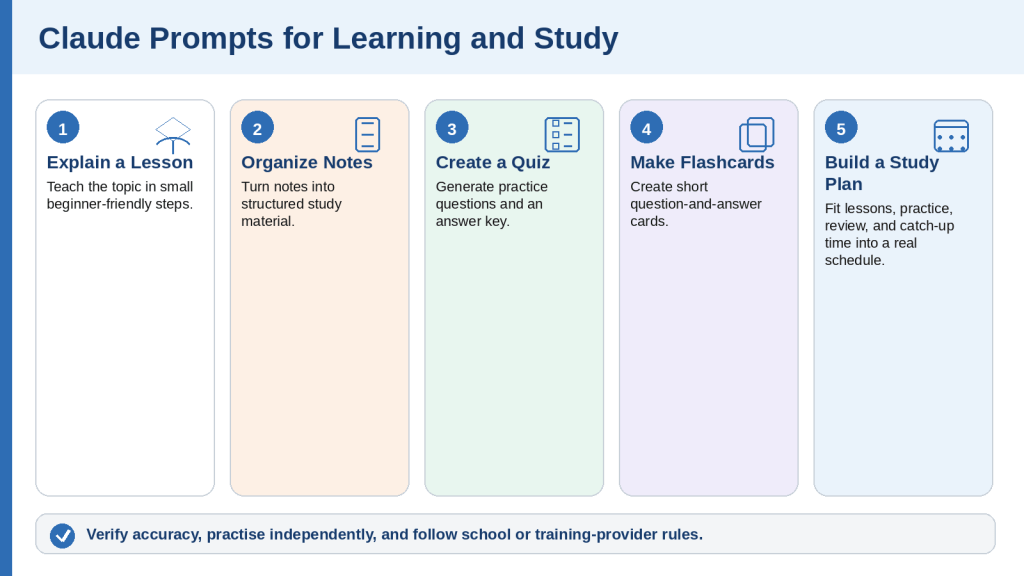
Prompts 16-20: Learning and Study
Claude can explain lessons and prepare study material. Students should follow their institution’s artificial-intelligence rules and complete required independent work honestly.
Prompt 16: Explain a Lesson Step by Step
Copy and customize this prompt: Teach me [topic] as a complete beginner. Begin with the basic idea, define every important term, explain it in small steps, and use one everyday example after each main point. Finish with a summary and three questions to check my understanding.
Example: Teach the difference between income, expenses, profit, and cash flow using a small grocery shop example.
When to Use
• Mathematics
• Science
• Business
• Computer skills
• Languages
How to Customize
• State what you already understand
• Choose suitable examples
• Request formulas or diagrams only when useful
Useful Follow-Up Prompts
Explain the second step using a different example.
Give me one easy practice problem.
What to Check
• Definitions are correct
• No important step was skipped
• The examples match the lesson
Prompt 17: Turn Notes into Study Material
Copy and customize this prompt: Turn the notes below into organized study material for [subject]. Use only my notes. Create clear headings, short explanations, key terms with definitions, important facts, and a final summary. Clearly label incomplete or unclear information instead of guessing.
Notes: [paste]
Example: Turn beginner bookkeeping notes about assets, liabilities, and equity into a study guide.
When to Use
• Class notes
• Lecture transcripts
• Course handouts
• Research notes
How to Customize
• State the learning level
• Preserve page references
• Decide whether outside examples are allowed
Useful Follow-Up Prompts
Create a one-page revision sheet.
List where my notes appear incomplete.
What to Check
• No outside facts were added
• Definitions remain accurate
• Uncertainty is labelled
Prompt 18: Create a Practice Quiz
Copy and customize this prompt: Create a practice quiz about [topic] for [level]. Include [number] multiple-choice, [number] true-or-false, and [number] short-answer questions. Place the answer key and short explanations after all questions. Use only [specified source].
Example: Create a beginner online-privacy quiz from the attached lesson with ten multiple-choice, five true-or-false, and three short-answer questions.
When to Use
• Lessons
• Chapters
• Training modules
• Policies
• Vocabulary
How to Customize
• Set number and difficulty
• Name the source
• Choose whether answers appear immediately or later
Useful Follow-Up Prompts
Give me the questions one at a time.
Focus the next quiz on topics I answered incorrectly.
What to Check
• Questions have clear answers
• The answer key matches
• The quiz tests only taught material
Prompt 19: Create Flashcards
Copy and customize this prompt: Create [number] study flashcards about [topic] using the material below. Put one question, term, or concept on the front and a short answer or definition on the back. Keep each answer concise and do not add unsupported facts.
Study material: [paste or attach]
Example: Create twenty flashcards about beginner artificial intelligence terms using the attached lesson.
When to Use
• Definitions
• Vocabulary
• Dates
• Formulas
• Processes
How to Customize
• Choose the number of cards
• Set an answer-length limit
• Request categories or reversed cards
Useful Follow-Up Prompts
Remove duplicate cards.
Add one simple example to each answer.
What to Check
• Definitions are accurate
• Cards are not repetitive
• Important qualifications were not removed
Prompt 20: Create a Realistic Study Plan
Copy and customize this prompt: Create a realistic study plan for learning [subject] over [time period]. I can study for [time] on [days]. My current level is [level] and my goal is [goal]. Divide the subject into manageable stages, include review and practice, and leave time for missed sessions. Do not assume I can study every day.
Example: Create an eight-week beginner-bookkeeping plan with ninety-minute sessions on Monday, Wednesday, and Saturday.
When to Use
• Courses
• Certifications
• Software learning
• Language learning
How to Customize
• Add your starting level, goal, schedule, and deadline
• Mention preferred resources and difficult topics
• Include catch-up time
Useful Follow-Up Prompts
Turn the first week into a checklist.
Suggest how to recover after missing one week.
What to Check
• The plan fits available time
• Review and flexibility are included
• No guaranteed outcome is promised
Quick Review of Prompts 16-20
• Explain a Lesson Step by Step
• Turn Notes into Study Material
• Create a Practice Quiz
• Create Flashcards
• Create a Realistic Study Plan
Figure 5. Five Claude prompt types for explanations, study notes, quizzes, flashcards, and study planning.
Explanation: Claude can help learners understand difficult subjects and prepare study material. Students should verify the content, practise independently, and follow their institution’s rules for artificial intelligence.
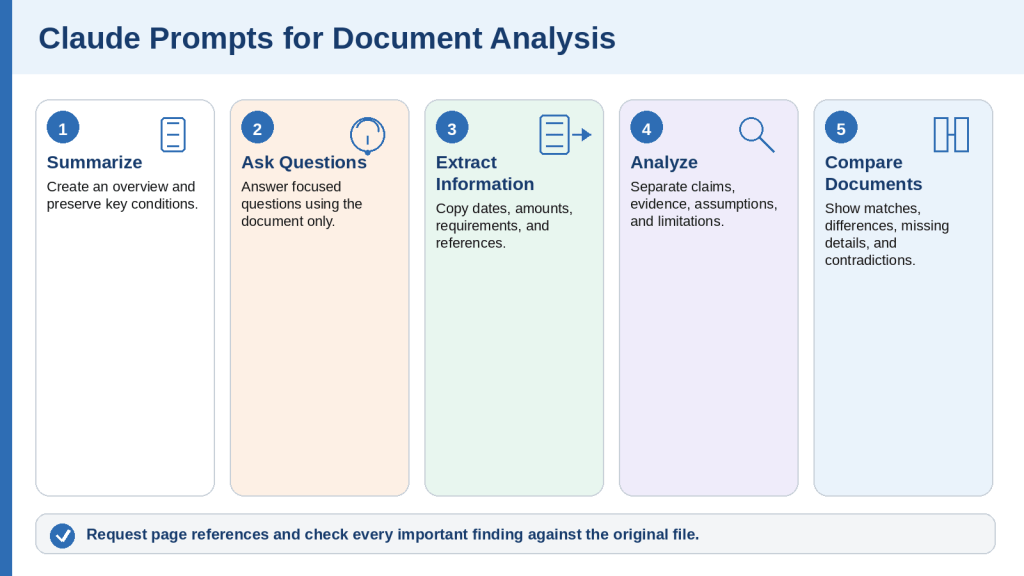
Prompts 21-25: Summarizing and Analyzing Documents
Claude can summarize, question, extract, analyze, and compare supported files. Keep original documents and verify important dates, amounts, quotations, conditions, and page references.
Prompt 21: Summarize a Document
Copy and customize this prompt: Summarize the attached document titled “[document name]” for [audience]. Use only the document. Begin with an overview, followed by [number] key points, important dates, required actions, and unresolved questions. Define difficult terms, include page references when available, and do not guess.
Example: Summarize “Community Programme Information” for a complete beginner and preserve eligibility requirements, dates, and required actions.
When to Use
• Reports
• Policies
• Course materials
• Government letters
• Manuals
How to Customize
• Name the file and audience
• Set length and required sections
• Require page references and source limits
Useful Follow-Up Prompts
Create a one-page checklist based only on the document.
List the sections I should read in full.
What to Check
• Conditions and exceptions remain
• Dates and amounts are accurate
• No outside conclusion was added
Prompt 22: Ask Questions About a Document
Copy and customize this prompt: Answer the numbered questions using only the attached document titled “[document name].” For each answer, include the supporting section and PDF page when available. Write “The document does not provide this information” when missing. Do not guess or use outside information.
Questions: [list]
Example: Ask whether a programme is online, its length, tuition, admission requirements, funding references, and deadline.
When to Use
• Deadlines
• Fees
• Eligibility
• Responsibilities
• Procedures
How to Customize
• Ask one clear question per item
• Use viewer page numbers
• State whether quotations are needed
Useful Follow-Up Prompts
Quote the sentence supporting answer three.
Turn the answers into an action checklist.
What to Check
• Each answer matches the question
• Page references support the answer
• Missing information was not guessed
Prompt 23: Extract Specific Information
Copy and customize this prompt: Extract [required items] from the attached document. Present a table with Item, Extracted Information, Source Section, PDF Page, and Verification Notes. Copy names, dates, amounts, reference numbers, and quotations exactly. Write “Not found” when missing and do not interpret unless requested.
Example: Extract every deadline, amount, eligibility requirement, required document, contact method, and action from a programme guide.
When to Use
• Names
• Dates
• Amounts
• Requirements
• Terms and conditions
How to Customize
• List exact fields
• Request source pages
• Explain privacy redaction rules
Useful Follow-Up Prompts
Sort the dates chronologically.
Show which requested items were not found.
What to Check
• Names, dates, amounts, and units match
• No rows were combined
• Tables and scanned text were checked manually
Prompt 24: Analyze a Document
Copy and customize this prompt: Analyze the attached document for [purpose]. Use only the document unless outside research is explicitly allowed. Organize the response under Purpose, Main Claims, Evidence, Assumptions, Strengths, Limitations, Missing Information, Contradictions, and Questions Requiring Verification. Include page references and separate source facts from interpretation.
Example: Analyze a business proposal before a review meeting, including financial claims that require verification.
When to Use
• Proposals
• Reports
• Research papers
• Policies
• Plans
How to Customize
• Explain the purpose and perspective
• Add relevant review categories
• Require page references and fact/interpretation separation
Useful Follow-Up Prompts
Identify the five most important assumptions.
Which claims have weak support?
What to Check
• Facts and interpretation are separated
• Limitations are not hidden
• No professional conclusion exceeds the document
Prompt 25: Compare Two or More Documents
Copy and customize this prompt: Compare the attached documents titled “[A]” and “[B].” Use only the files. Create a table comparing [criteria], then list matching information, important differences, information found in only one file, possible contradictions, and items requiring manual verification. Include file names and page references.
Example: Compare two supplier proposals using price, tax, delivery, payment terms, warranty, support, cancellation, and exclusions.
When to Use
• Proposals
• Contracts
• Policies
• Course descriptions
• Document versions
How to Customize
• List exact comparison criteria
• Identify original and revised files
• Do not assume missing information means “no”
Useful Follow-Up Prompts
Quote the wording supporting each cancellation term.
Create questions for both suppliers.
What to Check
• Statements are attributed correctly
• Equivalent information is compared
• No unsupported recommendation was made
Quick Review of Prompts 21-25
• Summarize a Document
• Ask Questions About a Document
• Extract Specific Information
• Analyze a Document
• Compare Two or More Documents
Figure 6. Five Claude prompt types for summarizing, questioning, extracting, analyzing, and comparing documents.
Explanation: Claude can organize information from supported files, but important findings must be checked against the original documents. Focused questions, source limits, and page references make verification easier.
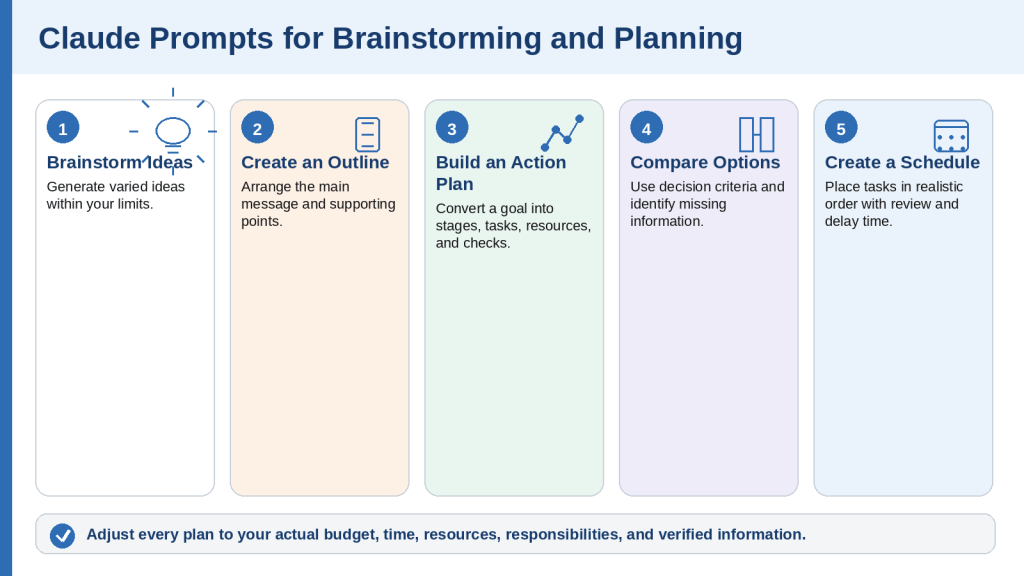
Prompts 26-30: Brainstorming and Planning
Claude can help turn broad goals into ideas, outlines, action plans, comparisons, and schedules. Adjust every suggestion to your real circumstances.
Prompt 26: Brainstorm Ideas
Copy and customize this prompt: Brainstorm [number] ideas for [goal]. The ideas are intended for [audience]. Organize them from easiest to most advanced. For each, include a short description, main benefit, required resources, and one limitation. Avoid duplicate, unsafe, unrealistic, or overly expensive suggestions.
Example: Brainstorm fifteen beginner article ideas about online privacy for adults with limited technical knowledge.
When to Use
• Articles
• Lessons
• Events
• Projects
• Marketing
How to Customize
• Set number, audience, budget, and exclusions
• Request categories
• Require current verification for availability or prices
Useful Follow-Up Prompts
Remove ideas that are too similar.
Identify which ideas require research.
What to Check
• Ideas are meaningfully different
• Budget and audience are respected
• Current claims are not invented
Prompt 27: Create an Outline
Copy and customize this prompt: Create a detailed outline for [article, report, presentation, lesson, or project] about [topic]. It is intended for [audience]. Begin with the purpose and key message. Use [required structure] and include main points, supporting information, examples, and a conclusion. Identify research needs instead of inventing facts.
Example: Create an H1-H2-H3 outline for a beginner article about Claude Projects, including setup, uses, privacy, limits, mistakes, FAQs, and checklist.
When to Use
• Articles
• Reports
• Presentations
• Lessons
• Proposals
How to Customize
• Set audience, length, structure, required topics, and exclusions
• Identify source policy
• State final format
Useful Follow-Up Prompts
Move the safety section earlier.
Identify which sections need current sources.
What to Check
• The order is logical
• Every required topic appears
• The outline fits the intended length
Prompt 28: Create an Action Plan
Copy and customize this prompt: Create a practical action plan for [goal]. My starting situation is [current state]. I have [time, budget, tools, or help]. The deadline is [date or period]. Divide the work into stages and include tasks, priorities, resources, obstacles, dependencies, and a completion check. Do not assume resources or approvals I did not mention.
Example: Create an action plan for publishing a WordPress article that still needs figures, final review, DOCX preparation, metadata, publication, and live-page review.
When to Use
• Publishing
• Courses
• Applications
• Websites
• Events
How to Customize
• State starting point and completed work
• Add constraints, dependencies, and approvals
• Define completion evidence
Useful Follow-Up Prompts
Turn the first stage into a detailed checklist.
Add a recovery plan for a one-week delay.
What to Check
• The plan starts from reality
• Dependencies are ordered
• Funding or approval is not assumed
Prompt 29: Create a Decision-Making Comparison
Copy and customize this prompt: Help me compare [options] for [purpose]. Use these criteria: [list]. Create a table showing benefits, limitations, cost considerations, required effort, risks, best use, and missing information. Do not recommend an option until important facts are verified.
Example: Compare online bookkeeping programmes in Ontario using length, delivery, tuition, admission, schedule, credential, funding, and deadline.
When to Use
• Courses
• Software
• Services
• Project approaches
• Suppliers
How to Customize
• List only criteria that affect the decision
• Request current official sources when necessary
• Ask for missing-information questions
Useful Follow-Up Prompts
Add a column for facts still needing verification.
Rank criteria by importance without choosing an option.
What to Check
• Equivalent information is compared
• Missing information is labelled
• The recommendation, if any, follows the criteria
Prompt 30: Create a Schedule or Timeline
Copy and customize this prompt: Create a realistic schedule for completing [project] between [start] and [deadline]. I can work for [time] on [days]. Include stages, tasks, reviews, dependencies, and extra time for delays. Do not schedule unavailable days or assume every task can start immediately.
Example: Create a four-week schedule for preparing and publishing five beginner website articles with drafting, fact-checking, figures, DOCX files, metadata, publication, and live review.
When to Use
• Content production
• Study
• Applications
• Events
• Research
How to Customize
• Provide dates and availability
• Add review requirements and rest days
• State task dependencies
Useful Follow-Up Prompts
Turn the schedule into a weekly checklist.
Show which tasks depend on earlier work.
What to Check
• Dates and days are correct
• Review time is included
• The workload is realistic
Quick Review of Prompts 26-30
• Brainstorm Ideas
• Create an Outline
• Create an Action Plan
• Create a Decision-Making Comparison
• Create a Schedule or Timeline
Figure 7. Five Claude prompt types for brainstorming ideas, creating outlines, planning actions, comparing choices, and building schedules.
Explanation: Claude can organize ideas and plans quickly, but suggestions must be adjusted to match the user’s actual time, budget, resources, responsibilities, and verified information.
Prompts 31-35: Web Search and Research
Use web search for focused current questions and Research for broader multi-source investigations. Open cited sources and confirm the information yourself.
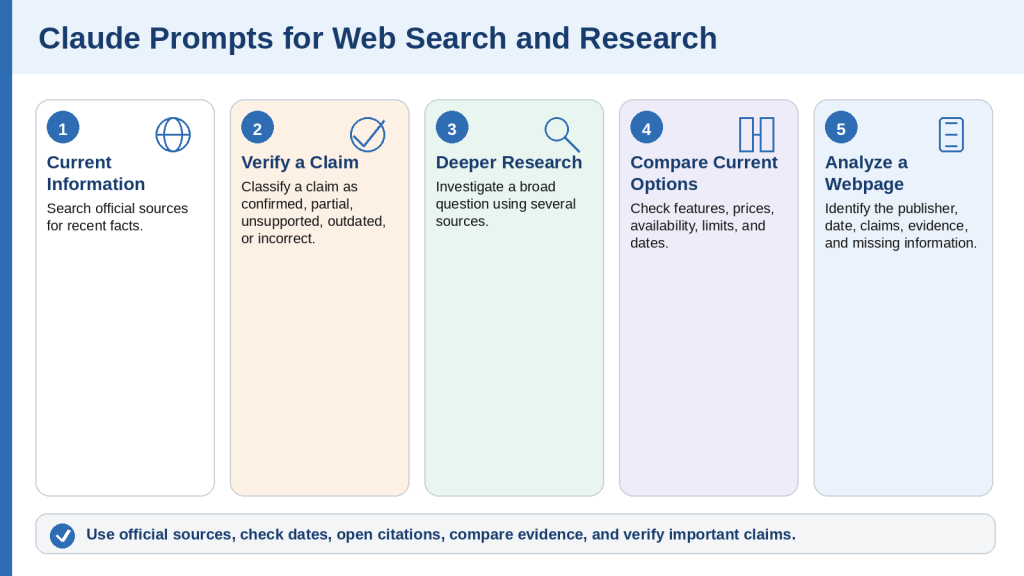
Prompt 31: Find Current Information Using Official Sources
Copy and customize this prompt: Search the web for current information about [topic]. Prioritize official sources from [authority]. Include a citation for every important factual claim, state the date checked, and identify details that vary by location, account, plan, or circumstances. Avoid blogs, advertisements, forums, and social media unless no authoritative source exists.
Example: Find the current Canadian passport-renewal requirements using only official Government of Canada sources.
When to Use
• Government services
• Software features
• Prices
• Travel rules
• Course information
How to Customize
• Name the topic, location, date, and authoritative source
• Set the required sections
• Exclude sponsored or reseller pages
Useful Follow-Up Prompts
Which source is most authoritative?
List what I should verify immediately before applying.
What to Check
• Sources are official and current
• Effective dates and exceptions are included
• Claims match the citations
Prompt 32: Verify a Claim or Statement
Copy and customize this prompt: Search the web and verify this claim: “[claim].” Use reliable primary sources whenever possible. Classify it as Confirmed, Partly Confirmed, Unsupported, Outdated, or Incorrect. Include evidence, source dates, qualifications, and citations. Do not count repeated copies of the same original information as independent confirmation.
Example: Verify whether a named Claude plan includes a specific feature as of August 4, 2026, using official Anthropic sources.
When to Use
• Social-media claims
• Product features
• News headlines
• Statistics
• Quotations
How to Customize
• Copy the exact claim and its date
• Add country and plan context
• Request the original source for quotations
Useful Follow-Up Prompts
Show the exact supporting passage.
Create a corrected version of the claim.
What to Check
• The original source was sought
• The claim date and current date are separated
• Unresolved information is not labelled false
Prompt 33: Conduct Deeper Research
Copy and customize this prompt: Use Research to investigate . Focus on [location, audience, industry, or date range]. Use reliable primary sources and independent sources when appropriate. Organize the report under Executive Summary, Confirmed Findings, Evidence, Disagreements, Missing Information, Risks, and Next Steps. Cite every important factual claim and separate source facts from interpretation.
Example: Research current fully online bookkeeping programmes available to Ontario residents and compare length, admission, tuition, funding, and deadlines.
When to Use
• Provider comparisons
• Industry trends
• Policy research
• Technology comparisons
• Literature reviews
How to Customize
• Define the exact question, location, dates, sources, and comparison criteria
• Exclude unsupported promotional claims
• State whether a recommendation is allowed
Useful Follow-Up Prompts
Which findings rely on only one source?
Identify disagreements between sources.
What to Check
• Requested date range was followed
• Primary sources were used
• Missing and conflicting evidence is visible
Prompt 34: Compare Current Products, Services, or Plans
Copy and customize this prompt: Search the web and compare [options] for [purpose and audience]. Use current official sources and check all information as of [date]. Compare [criteria] in a table, including confirmed features, limitations, pricing or cost considerations, compatibility, availability, privacy, and missing information. Do not recommend until important facts are verified.
Example: Compare selected AI assistant plans for an adult beginner in Canada using official provider sources and the same review date.
When to Use
• AI services
• Software plans
• Training programmes
• Website platforms
• Subscriptions
How to Customize
• List the options and decision criteria
• State currency, billing period, device, and location
• Separate free and paid features
Useful Follow-Up Prompts
Add an official-source column.
Create questions I should answer before choosing.
What to Check
• Information was checked on the same date
• Prices and availability apply to the location
• Missing information is clearly labelled
Prompt 35: Analyze and Summarize a Webpage
Copy and customize this prompt: Open and analyze this webpage: [address]. Identify the title, publisher, publication or update date, purpose, key claims, supporting evidence, important conditions, and links to original sources. Summarize for [audience] and identify promotional language, unsupported claims, outdated information, and details requiring verification.
Example: Analyze an official training-program page and extract delivery method, length, tuition, admission, deadline, credential, and contact method.
When to Use
• Official programme pages
• Documentation
• Government notices
• News reports
• Terms
How to Customize
• State exactly what information to locate
• Separate publication date from event date
• Ask Claude to follow official links when necessary
Useful Follow-Up Prompts
Open the source behind the main claim.
Which details are missing from the page?
What to Check
• The correct webpage and publisher were identified
• Dates are not confused
• Promotional wording is not treated as evidence
Quick Review of Prompts 31-35
• Find Current Information Using Official Sources
• Verify a Claim or Statement
• Conduct Deeper Research
• Compare Current Products, Services, or Plans
• Analyze and Summarize a Webpage
Figure 8. Five Claude prompt types for current information, fact verification, deeper research, comparisons, and webpage analysis.
Explanation: Claude can search current webpages and conduct broader research, but users should specify reliable sources, locations, and date ranges and check every important citation and conclusion.
Prompts 36-40: Data, Tables, and Spreadsheets
Claude can organize data, inspect spreadsheets, suggest formulas, and produce charts. Keep original files unchanged and verify every calculation, range, and conclusion.
Prompt 36: Organize Information into a Table
Copy and customize this prompt: Organize the information below into a table with these columns: [columns]. Preserve every name, date, amount, unit, and description exactly. Write “Not provided” when missing. Do not guess, calculate, combine records, or add outside information.
Information: [paste]
Example: Organize expense notes into Date, Supplier, Description, Category, Amount, Payment Status, and Notes.
When to Use
• Expenses
• Requirements
• Meeting actions
• Inventory
• Research findings
How to Customize
• List exact columns
• Define missing-value wording
• Request source pages or privacy redaction
Useful Follow-Up Prompts
Sort the table by date without changing values.
Identify duplicate records but do not remove them.
What to Check
• Values are in the correct columns
• No records were merged
• Units and currencies remain unchanged
Prompt 37: Analyze a Spreadsheet
Copy and customize this prompt: Analyze the attached spreadsheet titled “[filename].” Explain the purpose of each worksheet and column, then identify totals, trends, missing values, duplicate records, unusual values, and possible data-quality problems. Separate observations from interpretations, do not change the original, and include worksheet names and cell ranges for important findings.
Example: Analyze “website-expenses-2026.xlsx” and calculate monthly and category totals while flagging missing and unusual values.
When to Use
• Budgets
• Sales
• Inventory
• Surveys
• Project tracking
How to Customize
• Name the worksheet and date range
• Identify columns and excluded rows
• State whether charts or edits are allowed
Useful Follow-Up Prompts
Show the formula used for each total.
List every row containing missing values.
What to Check
• The correct sheet and range were used
• Blanks and negatives are handled correctly
• Conclusions match the data
Prompt 38: Clean and Check Spreadsheet Data
Copy and customize this prompt: Review the attached spreadsheet for data-quality problems. Identify blank required cells, duplicates, inconsistent dates, capitalization, spelling variations, invalid values, mismatched categories, and possible formula errors. Do not correct anything yet. Create a table with worksheet, cell or row, problem, suggested correction, and reason.
Example: Review a customer-enquiry spreadsheet without repeating customer contact details in the report.
When to Use
• Pre-report checks
• Data imports
• Dashboard preparation
• Workbook sharing
How to Customize
• Define valid formats and category lists
• State which fields are sensitive
• Require approval before corrections
Useful Follow-Up Prompts
Group problems by severity.
Create a cleaned copy after approved corrections only.
What to Check
• Legitimate duplicates were not deleted
• Blanks were not guessed
• Codes and leading zeros remain intact
Prompt 39: Create or Check Spreadsheet Formulas
Copy and customize this prompt: Help create or verify formulas for the attached spreadsheet. Required calculations: [list]. For each formula, show worksheet, destination cell, exact formula, included cells, and plain-language explanation. Do not change the workbook until I approve the formulas. Identify missing or unsuitable data.
Example: Create monthly totals, category totals, tax, annual expenses, average monthly expenses, and budget variance formulas.
When to Use
• Totals
• Averages
• Percentages
• Balances
• Conditional calculations
How to Customize
• State headers and data rows
• Explain blanks, tax, negatives, exclusions, and rounding
• Request sample tests
Useful Follow-Up Prompts
Test each formula using three sample rows.
Check whether any formula excludes the final row.
What to Check
• Cell ranges and references are correct
• Percentages and rounding are checked
• Formulas continue correctly when rows are added
Prompt 40: Create a Chart and Data Summary
Copy and customize this prompt: Analyze the attached data and create a [chart type] showing [comparison or trend]. Use [field] for the horizontal axis and [value] for the vertical axis. Include a clear title, labels, units, and readable values. Explain why the chart type is suitable and summarize patterns without claiming that correlation proves causation. Save it as [format].
Example: Create a bar chart of total website expenses by category and a short cautious summary.
When to Use
• Category comparisons
• Monthly trends
• Progress reporting
• Data presentations
How to Customize
• Specify data range, units, dates, missing-data treatment, and output format
• Request a table of chart values
• Ask for a chart recommendation when unsure
Useful Follow-Up Prompts
Confirm the exact cells used.
Remove conclusions not directly supported by the data.
What to Check
• Axes and units are correct
• Values match the spreadsheet
• The scale and summary are not misleading
Quick Review of Prompts 36-40
• Organize Information into a Table
• Analyze a Spreadsheet
• Clean and Check Spreadsheet Data
• Create or Check Spreadsheet Formulas
• Create a Chart and Data Summary
Figure 9. Five Claude prompt types for organizing tables, analyzing spreadsheets, checking data, creating formulas, and producing charts.
Explanation: Claude can help organize and analyze spreadsheet information, but users must verify the source data, formulas, totals, cell ranges, charts, and written conclusions.
Prompts 41-45: Coding and Technical Help
Claude can explain code and help create or review small programs. Remove secrets, keep backups, inspect commands, and test changes safely.
Prompt 41: Explain Computer Code to a Beginner
Copy and customize this prompt: Explain the code below to a complete beginner. First describe its overall purpose, then explain it section by section. Define technical terms, identify the language, describe expected input and output, and point out anything that may fail or create a security risk. Do not change the code unless asked.
Code: [paste]
Example: Explain a short Python script that totals a list of prices and prints the result.
When to Use
• Programs
• Web code
• Scripts
• Configuration files
• AI-generated code
How to Customize
• Name the language and environment
• State which section is relevant
• Request line-by-line detail or a diagram
Useful Follow-Up Prompts
Explain the function using an everyday example.
List the assumptions the code makes.
What to Check
• The language and purpose are correct
• Missing files or functions were not invented
• Security-sensitive values are not repeated
Prompt 42: Understand and Troubleshoot an Error
Copy and customize this prompt: Help me understand and troubleshoot the error below. I use [operating system, software, language, version]. Explain it simply, list likely causes in order, and provide safe diagnostic steps that do not delete or overwrite files. Do not recommend reinstalling, disabling security, or administrator commands without explaining risks and safer alternatives.
Task: [describe] Exact error: [paste] Relevant code or command: [paste]
Example: Troubleshoot a Python FileNotFoundError on Windows 10 when opening expenses.csv.
When to Use
• Programming errors
• Installation problems
• Website errors
• Missing-file problems
• App crashes
How to Customize
• Provide the exact error and environment
• Describe expected and actual results
• Remove passwords, keys, and private paths
Useful Follow-Up Prompts
Which diagnostic step should I try first?
Explain how to reverse the proposed change.
What to Check
• Instructions do not delete data
• Commands and administrator access are explained
• Package sources are trusted
Prompt 43: Create a Small Program or Script
Copy and customize this prompt: Create a small [language] program that [task] on [environment]. Before coding, restate requirements and identify assumptions. Provide complete code with comments, input validation, error handling, and safe testing instructions. Prefer standard features and do not include secrets, hidden connections, destructive commands, or unnecessary packages.
Example: Create a Windows 10 Python program that reads a CSV file and totals amounts by category without modifying the source.
When to Use
• Calculators
• Converters
• File tools
• Quizzes
• Reporting scripts
How to Customize
• Specify language, input, output, file rules, packages, and filename
• Require a preview and test cases
• Ask for a confirmation before file changes
Useful Follow-Up Prompts
Create five test cases.
Remove the external package and use built-in features.
What to Check
• File deletion and overwrite commands are absent or explained
• Network connections and packages are clear
• Sample data is used before real data
Prompt 44: Review and Improve Existing Code
Copy and customize this prompt: Review the code below for correctness, clarity, security, reliability, accessibility, and maintainability. Explain what it does, then create a prioritized table with issue, severity, location, reason, and recommended correction. Do not rewrite yet. Separate confirmed problems from optional improvements and uncertain concerns.
Environment: [details] Code: [paste]
Example: Review a simple HTML, CSS, and JavaScript page for correctness, accessibility, and security.
When to Use
• Programs
• Websites
• Macros
• Configuration files
• AI-generated code
How to Customize
• List review priorities and environment
• Limit the scope when necessary
• Preserve interfaces and file structure
Useful Follow-Up Prompts
Correct only high-severity issues.
Create tests that demonstrate each confirmed problem.
What to Check
• Problems are distinguished from preferences
• Required behaviour is preserved
• New packages or security weaknesses were not introduced
Prompt 45: Create a Simple Webpage or Interactive Tool
Copy and customize this prompt: Create a simple [webpage, calculator, quiz, checklist, planner, or tool] for [purpose and audience]. Include [functions]. Use a responsive layout, large readable text, clear labels, keyboard-accessible controls, helpful errors, and sufficient contrast. Keep the code simple and explain testing. Do not collect personal information, use tracking, connect to external services, or load untrusted code.
Example: Create a self-contained suspicious-email quiz with ten questions, explanations, final score, restart button, and safety checklist.
When to Use
• Quizzes
• Calculators
• Checklists
• Planners
• Demonstrations
How to Customize
• State required functions, inputs, accessibility, storage, and connections
• Request one self-contained HTML file
• Define test cases
Useful Follow-Up Prompts
Test with normal, empty, and invalid inputs.
Improve keyboard focus indicators.
What to Check
• Buttons, calculations, and errors work
• Mobile and keyboard use are tested
• No unexpected storage or network request exists
Quick Review of Prompts 41-45
• Explain Computer Code to a Beginner
• Understand and Troubleshoot an Error
• Create a Small Program or Script
• Review and Improve Existing Code
• Create a Simple Webpage or Interactive Tool
Figure 10. Five Claude prompt types for understanding code, troubleshooting errors, creating programs, reviewing code, and building interactive tools.
Explanation: Claude can explain and generate code, while Claude Code can work more directly with larger software projects. In both cases, users should protect secrets, keep backups, inspect commands, and test every change.
Prompts 46-50: Projects, Artifacts, Files, and Connected Tools
Projects, Artifacts, downloadable files, and connectors support larger workflows. Restrict permissions and require approval before any important external change.
Prompt 46: Create and Organize a Claude Project
Copy and customize this prompt: Help me plan a Claude Project for [purpose]. Recommend a clear name, knowledge-base content, Project instructions, conversation categories, filename system, and review process. Do not include confidential information or assume every Project chat automatically knows the content of other chats.
Example: Plan an “AI Mastery Website” Project with research, drafting, figures, document preparation, and WordPress-publishing conversations.
When to Use
• Websites
• Courses
• Research
• Business plans
• Software projects
How to Customize
• Explain the purpose, audience, repeated work, files, outputs, and review process
• Separate permanent and temporary instructions
• Identify information that should remain outside Claude
Useful Follow-Up Prompts
Turn the Project instructions into ready-to-paste text.
Create a monthly maintenance checklist.
What to Check
• Permanent rules and temporary requests are separated
• Duplicate and sensitive files are excluded
• The plan includes external backups
Prompt 47: Create Project Instructions and a Knowledge-Base Plan
Copy and customize this prompt: Create Project instructions for [purpose]. Claude should write for [audience], use [tone and language], follow [formatting], prioritize [sources], protect [privacy], and complete [workflow]. Also create a table listing knowledge-base documents, why needed, review frequency, and excluded information.
Example: Create instructions for a beginner AI-education website using simple language, Canadian spelling, official current sources, approved heading rules, image rules, and publishing workflow.
When to Use
• Brand style
• Research policy
• Publishing workflows
• Coding standards
• Teaching approaches
How to Customize
• List audience, tone, headings, source, privacy, naming, and deliverables
• Remove contradictory rules
• Add version and review date
Useful Follow-Up Prompts
Shorten the instructions without removing important rules.
Identify conflicts between instructions.
What to Check
• Instructions are clear and consistent
• Only approved current documents are included
• Claude is not expected to remember unsaved information
Prompt 48: Create and Revise an Artifact
Copy and customize this prompt: Create an Artifact containing [document, webpage, diagram, calculator, quiz, checklist, planner, or tool]. It is for [audience and purpose]. Include [content and features]. Use clear layout, readable text, accessible controls, and sufficient contrast. Keep it self-contained and do not collect personal information, connect services, publish, or share until approved.
Example: Create an interactive article-review checklist covering facts, sources, headings, images, alt text, privacy, links, mobile layout, and final approval.
When to Use
• Documents
• Checklists
• Diagrams
• Calculators
• Interactive learning
How to Customize
• State Artifact type, functions, visual layout, accessibility, storage, connections, and publication rules
• Require testing before sharing
• Explain what becomes public
Useful Follow-Up Prompts
Test every control and list problems.
Add a print-friendly version.
What to Check
• Content and calculations are accurate
• Mobile and keyboard use work
• Private information and sharing settings are reviewed
Prompt 49: Create a Downloadable Document, Spreadsheet, Presentation, or PDF
Copy and customize this prompt: Create a downloadable [DOCX, XLSX, PPTX, PDF, or supported file] for [purpose and audience]. Use only . Include [content, sections, worksheets, slides, formulas, charts, or images]. Follow [formatting]. Do not invent missing facts or alter approved information. Save as “[filename]” and review the complete file for missing content, errors, broken links, layout, and compatibility.
Example: Create a TextMaker-compatible DOCX with the approved article, featured image, figures, captions, explanations, linked sources, Arial 12-point body text, and no footer.
When to Use
• Documents
• Spreadsheets
• Presentations
• PDF reports
• Handouts
How to Customize
• State file type, source, formatting, filename, compatibility, and review requirements
• Request formula audits or link tests
• Keep original sources unchanged
Useful Follow-Up Prompts
Correct only the listed formatting problems.
Create a separate ZIP containing embedded images.
What to Check
• The file opens in the intended application
• Fonts, links, images, and page breaks are correct
• The content matches the approved source
Prompt 50: Use a Connector or Connected Service Carefully
Copy and customize this prompt: Use the available connection to [service] for [task]. Access only necessary information. Before action, explain what information is needed, which tool will be used, and whether the task is read-only or changes external data. Do not send, delete, move, publish, share, or modify anything without explicit approval. Afterward, list what was accessed and how to verify it in the original service.
Example: Search an authorized cloud drive for documents related to a website-publishing checklist without editing, moving, sharing, or deleting files.
When to Use
• Cloud storage
• Email
• Calendars
• Work messaging
• Code repositories
How to Customize
• Name the service, task, date range, and permitted items
• Make read-only limits explicit
• Require verification in the original service
Useful Follow-Up Prompts
Show the items found before opening them.
Draft the proposed change without applying it.
What to Check
• The correct account and permissions were used
• No external change occurred without approval
• The result is visible in the original service
Quick Review of Prompts 46-50
• Create and Organize a Claude Project
• Create Project Instructions and a Knowledge-Base Plan
• Create and Revise an Artifact
• Create a Downloadable Document, Spreadsheet, Presentation, or PDF
• Use a Connector or Connected Service Carefully
Figure 11. Five Claude prompt types for Projects, Project instructions, Artifacts, downloadable files, and connected services.
Explanation: Projects, Artifacts, file creation, and connectors can support complex work, but users should restrict access, approve external changes, test outputs, and verify completed actions in the original service.
Common Claude Prompt Mistakes and How to Correct Them
Even a detailed template can produce a weak result when it is customized incorrectly. The following mistakes are common among beginners.
Mistake 1: Sending a Prompt Without Replacing Placeholders
Replace every [topic], [audience], [filename], and other placeholder before sending.
Mistake 2: Describing the Subject but Not the Task
Begin with a clear action such as explain, summarize, compare, rewrite, analyze, verify, organize, or create.
Mistake 3: Assuming Claude Knows Your Situation
Add relevant audience, purpose, location, device, software, or document context.
Mistake 4: Combining Several Unrelated Tasks
Use separate prompts or conversations for unrelated work and stages for complex related work.
Mistake 5: Providing Too Little Source Information
Attach or paste the correct source and state whether outside information is allowed.
Mistake 6: Providing Too Much Unorganized Information
Use labelled sections for Task, Context, Audience, Source, Format, Limits, and Verification.
Mistake 7: Using Conflicting Instructions
Resolve requirements that cannot both be followed and state which one has priority.
Mistake 8: Requesting a Format Without Describing Its Contents
Define headings, rows, columns, slides, sections, or file requirements.
Mistake 9: Requesting Current Information Without Search
Enable web search and request current official sources, dates, and citations.
Mistake 10: Searching When Only Supplied Text Should Be Used
State “Use only the text below. Do not search or add outside information.”
Mistake 11: Asking Claude to Guess Missing Information
Require “Not provided,” “Not found,” or a clear uncertainty label.
Mistake 12: Treating a Detailed Answer as an Accurate Answer
Check original sources, calculations, quotations, dates, amounts, and conditions.
Mistake 13: Requesting a Recommendation Without Criteria
Provide the decision purpose and the criteria that matter to you.
Mistake 14: Restarting Everything When One Part Is Wrong
Preserve approved content and request a focused correction.
Mistake 15: Writing Only “Make It Better”
Describe the exact change in clarity, tone, length, structure, facts, or format.
Mistake 16: Failing to Explain What Finished Means
Provide acceptance criteria and the complete list of expected deliverables.
Mistake 17: Requesting a Very Long Answer in One Step
Divide long work into sections and continue from the last completed heading.
Mistake 18: Using Advanced Reasoning for Every Simple Task
Use ordinary chat for routine work and advanced tools only when the task benefits from them.
Mistake 19: Uploading Unnecessary Private Information
Redact identities, account details, keys, private addresses, and confidential records.
Mistake 20: Sending or Publishing the First Response
Review, correct, verify, and save only the approved version.
Final Prompt-Quality Checklist
• The task begins with a clear action.
• Every placeholder has been replaced.
• The necessary context and audience are included.
• The permitted source and current-search requirements are clear.
• The output format and realistic length are specified.
• Important limits and missing-information rules are included.
• Conflicting instructions and unnecessary private information have been removed.
• The correct Claude tool is selected.
• Claude knows what a successful result includes.
• The finished response will be reviewed before use.
Figure 12. Common Claude prompt mistakes and the main ways to correct them.
Explanation: Weak responses often result from missing context, unclear tasks, conflicting instructions, unsuitable tools, or insufficient review. Correct the specific problem instead of restarting approved work.
How to Improve Claude’s First Response with Follow-Up Prompts
A follow-up prompt tells Claude how to correct, expand, shorten, reorganize, or verify its previous response. It should identify what is already correct, the exact problem, the required change, what must remain unchanged, and how the revision will be checked.
1. Simplify the Answer
Keep the confirmed facts but use shorter sentences, define terms, and add an everyday example.
2. Add More Detail
Expand only the named section and add specified explanations, examples, limits, or checklist items.
3. Shorten the Response
Preserve the conclusion, facts, warnings, dates, conditions, and actions while removing repetition.
4. Correct a Specific Error
Name the exact error and replacement and instruct Claude not to change anything else.
5. Preserve More Original Writing
Correct only grammar, punctuation, repeated words, and genuinely unclear sentences.
6. Change the Tone
State the desired tone and what must not become more aggressive, emotional, apologetic, or certain.
7. Change the Structure
Keep approved content but reorganize it into the requested headings, table, checklist, or numbered steps.
8. Use Only the Approved Source
Remove unsupported statements, add page references, and label missing information.
9. Verify Important Claims
Check current official sources or compare dates, amounts, quotations, and conditions against the source.
10. Separate Facts from Interpretation
Create distinct sections for source facts, Claude’s interpretation, and information requiring verification.
11. Show What Changed
Provide the revised version and a concise table of major changes and reasons.
12. Check the Previous Response
Audit the response against the original requirements before rewriting it.
13. Provide Alternatives
Create clearly different options only when tone or wording is a matter of preference.
14. Continue Without Repetition
Continue from the named heading or final complete sentence.
15. Convert to Another Format
Preserve approved wording while converting it to a table, checklist, slides, or file.
A Simple Three-Step Revision Method
1. Identify the approved content that must remain unchanged.
2. Describe the exact error, omission, tone, length, structure, or source problem.
3. Define the focused correction and the final check.
Reusable follow-up formula: Keep: [approved content] Problem: [exact problem] Change: [required correction] Limits: [what must not change] Final check: [what Claude should verify]
Figure 13. A focused follow-up prompt preserves approved content while correcting a specific problem.
Explanation: Claude’s first response does not need to be discarded when only one part is unsuitable. A good follow-up identifies approved content, the exact problem, the required change, and what must remain unchanged.
How to Save, Organize, and Reuse Your Best Claude Prompts
A prompt library is an organized collection of reviewed prompts that can be copied, updated, and reused. Store it in a trusted document, spreadsheet, notes application, Project knowledge file, or organized folder.
Save only prompts that produce the intended result, contain no private information, identify the audience and source, define the output, explain how missing information should be handled, and work in a new conversation.
Give every prompt a descriptive name and organize prompts by category. Use a consistent filename such as [category]-[task]-v[version]-[date].
Keep the reusable template separate from its example, preserve square-bracket placeholders in the master copy, record testing notes, and create a new version when the prompt changes significantly.
Review prompts when Claude tools, product features, publishing requirements, policies, or your workflow changes. Mark unsuitable prompts as Retired and keep a backup outside Claude.
Reusable Prompt-Library Entry
Template: Prompt Name: [descriptive name] Category: [category] Purpose: [what it accomplishes] Best Used For: [suitable tasks] Required Input: [text, file, data, webpage, or details] Claude Tool Required: [chat, web search, Research, Project, Artifact, Code, or connector] Expected Output: [format and contents] Important Limits: Version: [number] Last Reviewed: [date] Status: [Draft, Testing, Approved, Review Needed, or Retired] Reusable Prompt: [paste] Testing Notes: [record results]
Prompt-Library Review Checklist
• The name describes the task.
• The purpose, category, and required input are clear.
• Placeholders, source rules, output format, and privacy limits are included.
• The correct Claude tool is identified.
• Version, review date, status, and testing notes are recorded.
• The prompt works in a new conversation.
• Outdated prompts are marked for review or retirement.
• A backup copy exists.
Figure 14. A prompt library organizes reviewed Claude prompts by purpose, version, and review status.
Explanation: A saved prompt is more useful when it has a descriptive name, clear placeholders, testing notes, version information, a review date, and an external backup.
Claude Prompt Safety and Privacy Checklist
Protect Personal Information
Remove unnecessary names, addresses, contact details, dates of birth, identification numbers, financial data, account numbers, and other personal information. Use neutral labels when possible.
Remove Passwords, Keys, and Login Information
Never paste passwords, verification codes, API keys, access tokens, database credentials, or recovery codes.
Review Documents Before Uploading
Check comments, tracked changes, hidden worksheets, properties, embedded files, signatures, identification numbers, and confidential notes. Use a redacted copy when possible.
Use Only the Minimum Information Required
Upload only the pages, fields, or sections required for the task.
Protect Information About Other People
Follow privacy, workplace, school, contractual, and legal requirements before uploading another person’s records or messages.
Be Careful with High-Risk Subjects
Use current official sources and qualified professional review for legal, medical, tax, financial, security, immigration, benefits, employment, and other high-impact matters.
Do Not Ask Claude to Invent Evidence
Do not request fabricated quotations, citations, research, reviews, work history, statistics, records, or supporting documents.
Check Copyright and Permission
Use material you created or have permission to use, summarize rather than reproduce large protected passages, and describe broad style traits instead of imitating a living author exactly.
Review Web Research Carefully
Prefer official sources, check dates, open citations, confirm conditions, and compare reliable sources when appropriate.
Keep backups, inspect commands, verify packages, use sample information, and avoid destructive or unexplained administrator actions.
Control Connected-Service Actions
Require explicit approval before sending messages, changing events, deleting or moving files, changing permissions, publishing, or modifying external systems.
Reusable Safety Instruction
Safety and verification requirements: Use only the information necessary for this task. Do not reveal, repeat, or infer private information unnecessarily. Do not invent missing facts, quotations, references, dates, amounts, or approvals. Clearly identify uncertainty. Preserve the original source unchanged. Flag high-risk matters for qualified human review. Treat the result as a draft until checked.
Figure 15. Essential privacy, safety, verification, and approval checks for Claude prompts.
Explanation: Safe prompting requires more than removing passwords. Users should minimize personal information, review uploaded files, verify important claims, test calculations and code, and approve external actions carefully.
Frequently Asked Questions About Claude Prompts
What is a Claude prompt?
A prompt is any question, instruction, source material, file, or follow-up message sent to Claude.
Do prompts need to be long?
No. Use as much detail as the task requires and remove information that does not help.
What information should a prompt include?
Many prompts benefit from Task, Context, Audience, Source, Format, Limits, and Verification.
Can I copy the 50 prompts exactly?
Yes, but replace placeholders and remove instructions that do not apply.
Can I reuse a prompt?
Yes. Update the topic, source, audience, date, requirements, and examples first.
Why can the same prompt produce different answers?
Context, files, tools, models, settings, and ambiguity can change the result.
Should I start a new conversation?
Continue related work in the same chat; use a new chat for unrelated work, clean testing, or outdated context.
How do I stop Claude from adding information?
State the permitted source and require a missing-information label instead of guessing.
How do I request current information?
Enable web search, name official sources, state the location and date, and request citations.
How do I make the writing beginner-friendly?
Request short sentences, defined terms, no unexplained abbreviations, and practical examples.
How do I preserve my meaning?
Tell Claude to preserve facts, names, dates, numbers, requests, warnings, and conditions.
How do I stop excessive rewriting?
Limit the edit to grammar, punctuation, duplicated words, and unclear sentences.
What should I do when Claude misunderstands?
Explain what is correct, what was misunderstood, the exact correction, and what must remain unchanged.
Can Claude create files?
Claude can create supported downloadable files when the required capabilities are available; every file still needs review.
Can Claude read every part of every file?
No. Scans, small text, tables, embedded visuals, hidden content, protection, and unusual formatting can reduce accuracy.
Can I upload confidential documents?
Only when permitted and necessary, after redacting unnecessary information and checking hidden content.
Can Claude replace professional advice?
No. High-risk legal, medical, financial, tax, security, or other matters require reliable sources and qualified review.
Should I trust citations?
Open the original source and confirm that it supports the claim, applies to your location, and is current.
How many tasks belong in one prompt?
Several related tasks can form one workflow; unrelated tasks should be separated.
Does polite wording or perfect grammar matter?
Politeness is fine and perfect grammar is not required; clarity and complete instructions matter more.
Figure 16. Common beginner questions about writing, reusing, correcting, and checking Claude prompts.
Explanation: Claude prompts do not need to be complicated, but they should identify the task and important limits. Reusable prompts still require customization, and every response, file, calculation, and citation should be reviewed.
Key Takeaways
1. Begin with a clear task.
2. Add only relevant context.
3. Replace every placeholder.
4. Identify the permitted source.
5. Request current sources when information may have changed.
6. Describe the required output.
7. Set important limits.
8. Protect private information.
9. Break complicated work into stages.
10. Use focused follow-up prompts.
11. Select the correct Claude tool.
12. Check uploaded documents carefully.
13. Verify calculations, formulas, and code.
14. Review citations and original sources.
15. Keep human control over external actions.
16. Treat the first response as a draft.
17. Save prompts that work well.
18. Update saved prompts when tools change.
19. Use Claude to support decisions rather than replace judgment.
20. Seek qualified help for high-risk matters.
A Reusable Beginner Prompt Formula
Formula: Task: [Explain exactly what Claude should do.] Context: [Add relevant background.] Audience: [Identify who will use the result.] Source: [State which information Claude may use.] Format: [Describe how the response should be organized.] Limits: [Explain what Claude must not add, change, reveal, or assume.] Verification: [Identify what must be checked.]
Figure 17. The essential elements of a clear, safe, and reusable Claude prompt.
Explanation: Effective Claude prompts identify the task, context, audience, source, format, limits, and verification requirements. The user should customize the template, protect private information, review the response, and approve the result.
Conclusion
Claude can help beginners write, learn, research, analyze documents, organize information, work with spreadsheets, understand code, create files, and manage larger projects. The quality of the result depends heavily on the instructions and source material provided.
The 50 prompts in this guide are starting points. Replace placeholders, explain the purpose and audience, identify the permitted source, request a suitable format, and tell Claude how to handle missing or uncertain information.
When the first response is unsuitable, use a focused follow-up that preserves approved content and clearly identifies the required change.
Before sending, publishing, submitting, or relying on Claude’s work, check facts, names, dates, amounts, quotations, calculations, formulas, code, citations, links, privacy, formatting, and completeness.
Clear instructions, reliable sources, careful verification, and human approval are the foundation of safe and effective prompting.
Compare two widely used assistants and learn why the suitable tool depends on the task and available features.
Sources and References
Source Review Date: August 4, 2026
The following official Anthropic and Claude resources were used to review the article. Product features, account limits, interfaces, and plan availability may change, so verify current details before relying on them.
You do not need technical knowledge, coding experience, or a paid subscription to begin learning how to use Claude. Claude is an artificial intelligence assistant created by Anthropic. You communicate with it through an ordinary conversation by typing a question, instruction, or request called a prompt.
Claude can help with writing, learning, summarizing information, working with documents, analyzing images, brainstorming, planning, translating text, researching current information, creating files, and explaining or producing computer code. It is available through a web browser, desktop applications, and mobile applications.
Claude can make mistakes, misunderstand a source, or present uncertain information confidently. Important facts should be checked against reliable original sources. Private, confidential, financial, medical, legal, or security information should not be uploaded unless it is genuinely necessary and appropriate.
This guide focuses on the regular Claude service used through the website, desktop application, and mobile applications. Advanced tools such as Projects, Artifacts, Research, connected applications, and Claude Code are introduced here and covered more fully in later AI Mastery articles.
Begin with the Free plan and simple, low-risk tasks.
Use clear prompts and ask follow-up questions.
Remove unnecessary private information before uploading files.
Check current features, prices, and limits on official Claude pages.
Treat every important response or generated file as a draft until it has been reviewed.
What Is Claude AI?
Claude is an artificial intelligence assistant developed by Anthropic. It uses large language models to understand prompts and generate responses containing text, explanations, analysis, plans, code, and structured information.
You can ask Claude a simple question, give it a detailed multi-step instruction, or attach supported files and ask focused questions about them. Claude can continue a conversation using earlier messages in the current chat as context.
Claude is not a person and does not have human experiences, emotions, beliefs, or judgment. Its conversational style can sound natural, but the response is produced by an AI system. Claude should be used as an assistant rather than an unquestionable authority.
The name Claude can refer to both the chat service and the underlying Claude models. Beginners normally do not need to understand every model difference. The default model is usually a suitable starting point for ordinary writing, learning, and document tasks.
A Simple Everyday Example
Suppose you receive a long report or government letter that is difficult to understand. You could upload a non-confidential copy and ask: “Summarize this document using simple language. List the most important points, required actions, and dates. Use only the document and do not guess.” Claude may produce a useful explanation, but you should compare the answer with the original before making an important decision.
What Can You Use Claude For?
Claude supports many everyday, educational, creative, and professional tasks. The quality of the result depends on the clarity of your instructions and the reliability of the information supplied.
Common uses include drafting and rewriting text, explaining difficult ideas, summarizing documents, comparing files, extracting information, brainstorming, translation, image analysis, web research, data analysis, coding, and creating downloadable files.
Writing and rewriting
Draft emails, letters, articles, reports, instructions, product descriptions, stories, and scripts. Ask Claude to simplify, shorten, expand, proofread, reorganize, or change the tone.
Learning and explanations
Request beginner-friendly explanations, definitions, examples, study notes, flashcards, practice questions, and step-by-step guidance.
Documents and files
Upload supported documents and ask for summaries, comparisons, dates, actions, quotations, tables, or questions about a specific section.
Brainstorming and planning
Generate ideas, outlines, project plans, checklists, lesson plans, website topics, or questions to investigate.
Translation and language help
Translate text, explain expressions, compare translations, and improve grammar. Important official translations still require qualified review.
Image analysis
Upload a screenshot, chart, diagram, photograph, or scanned page and ask Claude to describe or explain visible content.
Web research
Use web search for current information and Research for broader investigations involving several connected searches and citations.
Data and coding
Ask Claude to examine spreadsheet data, suggest formulas, create charts, explain code, debug errors, or build simple tools.
Artifacts and Projects
Organize ongoing work in Projects and create substantial standalone documents, code, diagrams, webpages, and interactive tools as Artifacts.
Important: Claude should not independently make medical, legal, financial, emergency, identity-verification, or safety-critical decisions. Use qualified professionals and authoritative sources when an error could cause serious harm.
Figure 1. Common ways beginners can use Claude AI.
Explanation: Claude can support many tasks, but every result should be reviewed. Beginners should start with low-risk activities such as drafting, summarizing, learning, and brainstorming before using Claude for complex or high-stakes work.
How to Access Claude and Create an Account
Claude can be accessed through the official website, Claude Desktop for supported Windows and macOS computers, and the Claude mobile applications for iOS and Android. Users must be at least 18 years old and located in a supported region.
Beginners should normally start through the official website because it does not require an application installation. Protect the email or account used to sign in, and never share one-time verification links or codes.
What You Need
A computer, tablet, or smartphone
A reliable internet connection
A supported email or sign-in method
Access to your email or verification method
A supported location and an account belonging to an adult user
Basic Account Steps
1. Open the official Claude website in a trusted browser.
2. Choose an available sign-in method.
3. Complete the email or account-verification steps shown on the screen.
4. Provide a supported mobile number only when the service requests one.
5. Enter the one-time verification code and do not share it.
6. Review the Terms, Privacy settings, and account controls.
7. Start with a simple prompt such as: “Explain what Claude can do for a complete beginner using five short bullet points.”
Website, Desktop, or Mobile?
Use the website for the simplest starting method and when you do not want to install software.
Use Claude Desktop when you work regularly on a supported computer and prefer a separate application.
Use the mobile application when you need Claude away from the computer, want voice input, or need to upload a mobile photograph or screenshot.
Safety: Use only official Claude pages and official application-store listings. Review the price, taxes, billing interval, renewal terms, and cancellation method before subscribing.
Figure 2. Basic steps for creating and opening a Claude account.
Explanation: Account creation uses a supported sign-in method and may require verification. Beginners should protect all verification information, review account settings, and begin with the Free plan before considering a paid subscription.
Understanding the Claude Interface
After signing in, Claude opens to a conversation screen. The exact layout can change with software updates, device size, account plan, and enabled features. Focus on the main workflow rather than expecting every tutorial screenshot to match your screen exactly.
The most important areas are the sidebar, New Chat control, conversation history, message box, attachment control, model selector, Send or Stop control, conversation area, Projects, Artifacts, and account settings.
Sidebar
Find recent chats, Projects, Artifacts, and account areas.
New Chat
Begin a separate conversation when the subject changes or the existing chat becomes confusing.
Message Box
Type the prompt and include the task, context, source, format, and limits when needed.
Attachment Control
Upload supported files or images and verify that the correct item is attached before sending.
Model and Thinking Controls
The available model, effort, and thinking options depend on the account and current product configuration. Beginners can normally use the default.
Conversation Area
Review the response, ask follow-up questions, and correct misunderstandings.
Account Settings
Review appearance, privacy, memory, capabilities, billing, and connected applications.
A Simple Interface Workflow
1. Start or open a conversation.
2. Type a clear prompt.
3. Attach information only when required.
4. Read and review the response.
5. Ask a focused follow-up question.
6. Save important approved work separately.
Figure 3. The main areas beginners use in the Claude interface.
Explanation: Beginners mainly need the sidebar, conversation area, message box, attachment control, model selector, Send button, and account settings. The live interface may change, but the basic workflow remains similar.
How to Write Effective Prompts in Claude
A prompt is the question, instruction, or information you send to Claude. A short prompt may be enough for a simple task, while a detailed prompt is better when the result must follow specific requirements.
Claude works best when you clearly state the task and provide only the context necessary to complete it. You can improve an answer with follow-up prompts rather than trying to create a perfect instruction on the first attempt.
A Six-Part Prompt Formula
Task: State what Claude should do.
Context: Provide relevant background.
Audience: Identify who will read or use the response.
Source: Specify the attached file, pasted text, project knowledge, web sources, or other information Claude should use.
Format: Request paragraphs, headings, bullets, numbered steps, a table, checklist, document, spreadsheet, or presentation.
Limits: State length, language, privacy, accuracy, source, or content restrictions.
Basic and Improved Prompt
Basic: Summarize this document.
Improved: Summarize the attached document for a complete beginner. Use only information in the document. Begin with a two-sentence overview, then provide five bullet points, important dates, and required actions. Define difficult terms and clearly identify missing or uncertain information.
Prompting Practices
Begin with an action word such as explain, summarize, compare, rewrite, translate, analyze, organize, create, list, correct, or extract.
Separate instructions from pasted source text with clear labels.
Give an example when a particular structure or tone must be followed.
Break large tasks into stages: outline, review, section drafting, fact checking, final revision, and file creation.
Correct Claude specifically. Explain what is wrong and what should remain unchanged.
Ask Claude to separate confirmed information from assumptions and to identify facts requiring verification.
Save prompts that work well in a separate prompt library.
Figure 4. A simple six-part formula for writing effective Claude prompts.
Explanation: A useful prompt can state the task, context, audience, source, format, and limits. Not every prompt needs all six parts, but including the relevant details improves the chance of receiving a useful response.
How to Upload and Work with Files in Claude
Claude supports common document formats such as PDF, DOCX, CSV, TXT, HTML, ODT, RTF, EPUB, JSON, and XLSX when the required file capability is enabled. It also supports common image formats including JPEG, PNG, GIF, and WebP.
Current official guidance allows ordinary chat files up to 500 MB each and up to 20 files in one chat. Project files have a smaller per-file limit. Additional limits apply to extracted content, context length, PDFs, and image dimensions, so unusually large files may need to be divided.
For non-PDF documents, Claude generally extracts the text and may not interpret embedded images. PDFs can support visual analysis within applicable page and processing limits. Upload important charts, diagrams, or screenshots separately when they must be examined carefully.
Safe File Workflow
1. Confirm that the file is correct and opens normally.
2. Create a copy and remove unnecessary names, addresses, financial details, medical information, passwords, identifiers, or confidential records.
3. Attach the file and verify its filename before submitting.
4. Explain the task, source rule, audience, and required output.
5. Ask focused questions about dates, actions, amounts, differences, or specific pages.
6. Check the answer against the original document.
7. Save the reviewed result under a descriptive filename.
Useful File Prompts
“Summarize this report using simple language. List its purpose, five main findings, important dates, and required actions. Use only the report.”
“Extract every date, payment amount, organization name, and required action. Put the results in a table and include the PDF page number.”
“Compare Proposal A and Proposal B. Show similarities, differences, and information present in only one file. Focus on price, payment terms, delivery, warranty, and cancellation.”
“Explain the chart on PDF page 12. Describe the trend and identify values that should be checked manually.”
Verification: Check dates, numbers, names, quotations, calculations, exceptions, page references, and conclusions. Claude can assist with review, but the final verification must be completed by a person.
Figure 5. A safe beginner workflow for uploading and analyzing files with Claude.
Explanation: The safest workflow is to review and redact the file, upload the correct version, give focused instructions, check the answer, compare it with the original, and save only the reviewed result.
How to Use Web Search and Research in Claude
Claude’s built-in knowledge may not contain recent information. Use web search when a fact may have changed, including prices, product features, government rules, travel requirements, software instructions, public events, schedules, or current research.
When web search is enabled, Claude can retrieve current web information and include citations. A citation does not guarantee that Claude interpreted the source correctly. Open the cited page, check its date, confirm that it supports the statement, and look for omitted conditions.
Research is intended for broader questions that require several connected searches, source comparison, and a more detailed report. It is more suitable than ordinary web search when the task includes several subquestions, competing sources, or a complex recommendation.
Web Search or Research?
Use web search for one focused current question.
Use Research for a broader investigation involving several searches and a longer cited report.
Use extended thinking when the main difficulty is reasoning rather than finding current information.
Use both Research and deeper reasoning when the task requires current evidence and careful comparison.
A Safe Research Workflow
1. Define the question and purpose.
2. State the country, region, industry, or audience.
3. Set a relevant date range.
4. Request official or primary sources whenever possible.
5. Ask for citations and source dates.
6. Request identification of disagreements and missing information.
7. Open and review the original sources.
8. Verify important claims manually.
9. Save a reviewed version separately.
Example: Search the web for current online bookkeeping programmes available to residents of Ontario, Canada. Prioritize official colleges, government programmes, and funding sources. Include programme length, online availability, admission requirements, tuition, grants, and deadlines. Separate confirmed facts from uncertain information and provide citations.
Figure 6. The difference between focused web search and deeper Claude Research.
Explanation: Web search is suitable for focused current questions. Research is designed for broader investigations involving multiple connected searches and a detailed cited report. Both require source and date verification.
How to Create and Edit Downloadable Files with Claude
Claude can create downloadable Word documents, Excel spreadsheets, PowerPoint presentations, PDF files, PNG charts, and scripts when code execution and file creation are available. Official guidance states that this capability is available across Claude’s individual and organizational plans, although account or administrator settings can affect access.
File creation uses more capacity than a simple text response because Claude may need to run code, process data, and assemble the file. Current official guidance lists a 30 MB maximum for files processed through the file-creation environment.
File-Creation Workflow
1. Choose the required file type.
2. Explain the file’s purpose and audience.
3. Provide the approved source material.
4. List every required section, worksheet, slide, calculation, chart, image, and link.
5. Specify fonts, heading levels, colours, margins, page or slide size, and filename.
6. Ask Claude to generate the file.
7. Download and open it in the software your audience will use.
8. Review and correct every page, worksheet, slide, formula, chart, image, and hyperlink.
9. Save an approved final version under a new filename.
Examples
DOCX: Request Arial 12-point body text, correct H1/H2/H3 styles, black text, embedded images, captions, and no horizontal lines or footer.
XLSX: Request columns, working formulas, totals, filters, conditional formatting, and a chart. Manually test several formulas.
PPTX: Request a 16:9 layout, large text, one main idea per slide, sources, and a final takeaway slide.
PDF: Request printable spacing, readable text, correct orientation, working links, and sufficient colour contrast.
PNG chart: Specify the source data, date range, units, axes, labels, and categories. Verify that the chart represents the correct cells and calculations.
Important: A file can open successfully and still contain factual, calculation, accessibility, formatting, or compatibility errors. Treat it as a draft until it passes a complete review.
Figure 7. A beginner workflow for creating and reviewing downloadable files with Claude.
Explanation: Claude can create several file formats from ordinary-language instructions, but each file must be opened, tested, verified, and saved as a reviewed version before use or sharing.
How to Organize Work with Claude Projects and Artifacts
Projects and Artifacts support longer, more organized work. A Project is a workspace containing related conversations, reference files, reusable knowledge, and Project instructions. An Artifact is a substantial standalone creation such as a document, code file, webpage, diagram, chart, or interactive tool.
Projects are available to all users. Current official guidance allows Free users to create up to five Projects. Information is not automatically shared between every Project chat unless the necessary material is placed in Project knowledge or instructions.
Artifacts are available across Claude’s main plans when the required capabilities are enabled. They appear in a separate workspace so you can review and revise substantial content while continuing the conversation.
Using a Project
1. Create a clearly named Project.
2. Add concise Project instructions describing the audience, style, sources, formatting, accuracy, privacy, and workflow.
3. Upload only current, necessary, and permitted reference material.
4. Create separate chats for distinct tasks while keeping permanent information in Project knowledge.
5. Archive completed Projects only after saving final deliverables separately.
6. Review permissions before sharing and save copies before deleting anything.
Using an Artifact
Ask Claude to create a document, webpage, diagram, calculator, quiz, visualization, or code tool as an Artifact.
Describe the required content, audience, design, functionality, privacy rules, and accessibility requirements.
Use follow-up prompts to revise a specific section instead of regenerating everything.
Test buttons, calculations, links, mobile layout, keyboard access, and source accuracy.
Export or create a downloadable final file when the work must open outside Claude.
Inspect all attachments and conversation content before publishing or sharing.
Difference: Use a Project to organize the overall work. Use an Artifact for one substantial creation produced during that work. Use a downloadable file for final delivery, offline storage, emailing, printing, or WordPress upload.
Figure 8. The different roles of Claude Projects and Artifacts.
Explanation: Projects organize related conversations, instructions, and reference information. Artifacts provide a separate workspace for substantial creations. A reviewed Artifact can later be exported or converted into a final file.
Claude Free, Pro, and Max Plans
Claude offers Free, Pro, Max 5x, and Max 20x plans for individuals. Beginners should normally start with the Free plan and upgrade only when a specific paid feature or capacity limit regularly interrupts useful work.
As of August 4, 2026, Anthropic’s official individual-plan guide lists Free at $0, Pro at US$20 per month or US$200 per year, Max 5x at US$100 per month, and Max 20x at US$200 per month. Taxes, Canadian-dollar conversion, regional pricing, and application-store billing may affect the final charge.
Usage is not a fixed number of messages. It depends on prompt length, response length, selected model, uploaded files, web search, Research, extended thinking, code execution, file creation, and account demand. Free usage is session-based and currently resets on a rolling five-hour basis; paid plans can have additional limits.
Which Plan Fits Which User?
Free: beginners, learning, occasional questions, short writing tasks, and light file work.
Pro: regular users who need more capacity, unlimited Projects, Research, additional models, and selected advanced features.
Max 5x: frequent professional users who regularly exceed Pro capacity.
Max 20x: intensive daily users who depend on Claude for demanding workflows.
Before Subscribing
Confirm the displayed currency and taxes.
Check whether billing is monthly or annual and whether the annual amount is charged in advance.
Review renewal and cancellation timing.
Confirm that the feature you need is available in Canada and on your device.
Start with monthly Pro before committing to annual billing when you are uncertain.
Remember that a paid plan increases capacity and features but does not guarantee perfect accuracy.
Figure 9. A beginner comparison of Claude’s individual plans.
Explanation: The Free plan is normally the best starting point. Pro offers more capacity and advanced tools, while Max plans are intended for users whose frequent or intensive work regularly exceeds Pro limits.
Claude Privacy, Data Controls, and Safe Use
Information entered into Claude is transmitted to Anthropic’s systems for processing. Privacy settings affect how some consumer conversations may be used, but no setting makes it appropriate to upload every type of information.
The safest rule is to share the minimum information necessary. Remove passwords, verification codes, bank details, government identification numbers, private medical records, confidential customer information, employee records, unpublished business secrets, and security information unless an approved and necessary workflow specifically requires them.
Consumer users can review the Help Improve Claude setting. Current official privacy guidance states that consumer chats and coding sessions may be used for model improvement when the user allows it, when a conversation is flagged for safety review, or when the user explicitly joins another approved programme.
Incognito chats are available across Claude plans. They are excluded from normal chat history and memory and are not used for general model training, but current official guidance states that they are retained for 30 days by default. They cannot be reopened after closing.
Privacy Controls to Review
Help Improve Claude or model-improvement preference
Incognito chat for temporary work outside normal history and memory
Conversation deletion and retention information
Memory and past-chat reference settings
Project files and sharing permissions
Connected-application permissions
Chat and Artifact sharing links
Feedback buttons, which may share the related conversation for review
Safe Privacy Workflow
1. Decide whether Claude genuinely needs the information.
2. Create an anonymized copy and remove identifying details.
3. Review privacy, memory, and connected-app settings.
4. Use Incognito only when its limitations are understood.
5. Inspect the entire conversation, attachments, and Artifact before sharing.
6. Delete material no longer required after saving approved results.
7. Use qualified professionals and authoritative sources for high-risk subjects.
Key principle: Privacy requires both platform controls and careful user behaviour. Protect the email or account used to sign in, use official applications, install updates, and verify unexpected activity.
Figure 10. Important privacy and data-safety practices for Claude users.
Explanation: Claude provides controls for model improvement, Incognito chats, deletion, memory, connections, and sharing. These controls reduce certain risks, but users should still minimize sensitive information and review every permission and shared item.
Claude’s Main Benefits and Limitations
Claude’s main benefit is that it allows users to complete complex information tasks through ordinary conversation. It can save time, improve organization, explain difficult material, and help produce drafts, files, code, plans, and research.
Its main limitation is that a natural, detailed, and confident answer can still be inaccurate. Human review is not optional when the result affects money, health, legal rights, safety, public information, or published work.
Main Benefits
Natural conversations and useful follow-up questions
Strong writing, rewriting, and organization assistance
Document summaries, comparisons, extraction, and questions
Clear explanations with examples and adjustable detail
Brainstorming, planning, research, coding, and technical support
Downloadable file creation, charts, and interactive content
Projects and Artifacts for structured, ongoing work
Web search for current information when enabled
Main Limitations
Incorrect information: Claude may invent facts, quotations, citations, calculations, or conclusions.
Outdated knowledge: Recent facts require web search or current supplied sources.
Source misinterpretation: Claude may omit context, exceptions, dates, or table details.
Usage and length limits: Long prompts, files, Research, thinking, and file creation use capacity.
Image-generation limits: Claude can analyze images and create structured visuals but is not a conventional photo or illustration generator.
External action limits: Claude can use another service only when the relevant tool is connected and authorized.
File errors: Generated documents, spreadsheets, slides, PDFs, charts, and code may contain errors.
Privacy risk: Information must still be transmitted and processed.
Professional judgment: Claude should not replace qualified medical, legal, financial, tax, engineering, or safety advice.
Balanced Beginner Approach
1. Give a clear task.
2. Provide only necessary information.
3. Request reliable sources when facts matter.
4. Review the response and compare it with original material.
5. Correct errors and test generated files or code.
6. Use a qualified professional when consequences are serious.
7. Save only the reviewed final version.
Figure 11. The main benefits and limitations beginners should understand before relying on Claude.
Explanation: Claude can save time and make information easier to understand, but it may produce inaccurate, outdated, incomplete, or unsafe results. Human review and source verification remain essential.
Common Claude Mistakes and How to Avoid Them
Most beginner problems result from unclear instructions, unsafe information sharing, unsuitable tool choices, unverified facts, or insufficient review. A careful workflow reduces these risks.
Mistake 1: Giving an unclear prompt
How to Avoid This Mistake: State the exact task, source, audience, format, and important limits.
Mistake 2: Combining unrelated tasks
How to Avoid This Mistake: Use separate chats or divide the work into planned stages.
Mistake 3: Trusting confidence instead of evidence
How to Avoid This Mistake: Verify facts, quotations, calculations, names, dates, and citations.
Mistake 4: Using outdated information
How to Avoid This Mistake: Use web search for facts that may have changed and check source dates.
Mistake 5: Assuming a citation proves the claim
How to Avoid This Mistake: Open the source and confirm that it supports the exact statement.
Mistake 6: Uploading files without instructions
How to Avoid This Mistake: Explain which file to use, what to extract, and how to organize the answer.
Mistake 7: Uploading unnecessary private data
How to Avoid This Mistake: Redact information Claude does not need.
Mistake 8: Assuming every file element was read
How to Avoid This Mistake: Upload important visuals separately and identify the exact page or chart.
Mistake 9: Continuing one chat too long
How to Avoid This Mistake: Start a new conversation and carry forward a reviewed summary.
Mistake 10: Using advanced tools for simple work
How to Avoid This Mistake: Choose the simplest tool that reliably completes the task.
Mistake 11: Assuming an external action happened
How to Avoid This Mistake: Check the real email, calendar, folder, or connected service.
Mistake 12: Skipping generated-file review
How to Avoid This Mistake: Open and test every page, slide, worksheet, formula, chart, and link.
Mistake 13: Publishing an Artifact carelessly
How to Avoid This Mistake: Review the complete conversation and attachments before sharing.
Mistake 14: Regenerating everything for one small error
How to Avoid This Mistake: Request a focused correction while preserving approved content.
Mistake 15: Failing to save approved work
How to Avoid This Mistake: Keep original, draft, reviewed final, sources, and backup copies.
Mistake 16: Paying before testing Free
How to Avoid This Mistake: Identify the exact capacity or feature that justifies an upgrade.
Mistake 17: Using Claude instead of a professional
How to Avoid This Mistake: Use Claude to prepare questions and understand general information, not to make a final high-risk decision.
Figure 12. Common mistakes beginners should avoid when using Claude.
Explanation: Most mistakes come from vague prompts, outdated or unverified information, unsafe uploads, incorrect assumptions about tools, and skipped review. Clear instructions and verification provide the best protection.
Common Claude Myths and Realities
Claude’s conversational style and expanding tools can create unrealistic expectations. The following myths explain why Claude should be treated as a capable assistant rather than an infallible authority.
Myth 1: Claude always provides correct answers
Reality: Claude can make mistakes, invent information, and misread sources.
Myth 2: Claude understands exactly like a human
Reality: Claude generates responses from patterns and does not have human awareness or judgment.
Myth 3: Claude automatically knows the latest information
Reality: Recent facts require web search, Research, connected information, or user-supplied sources.
Myth 4: A citation proves the statement
Reality: The citation must be opened and checked for support, date, authority, location, and exceptions.
Myth 5: Claude can complete every external action
Reality: External actions require an available, connected, and authorized tool and must be confirmed in the real service.
Myth 6: Claude can create every type of image
Reality: Claude can analyze images and create structured visuals, but regular chat is not a conventional photo generator.
Myth 7: Incognito means immediate deletion
Reality: Incognito is temporary in the interface but currently has a default 30-day retention period.
Myth 8: Deleting a chat removes every copy immediately
Reality: Deletion can take time and does not remove files or copies saved or shared elsewhere.
Myth 9: Free use is unlimited
Reality: The Free plan has usage and conversation-length limits.
Myth 10: Paid plans make Claude perfectly accurate
Reality: Paid plans increase capacity and features, not certainty.
Myth 11: Claude remembers everything
Reality: Context and memory are controlled by settings, limits, and Project knowledge.
Myth 12: Uploading a file means every element is read
Reality: Format, quality, page count, embedded visuals, and extraction affect what Claude can interpret.
Myth 13: Claude replaces search engines
Reality: Claude can organize web information, but users still need original webpages.
Myth 15: Generated code is ready for immediate production
Reality: Code requires testing, security review, and suitable error handling.
Myth 16: A professional-looking file is correct
Reality: Polished files can still contain broken formulas, missing content, bad charts, or accessibility problems.
Myth 17: Claude guarantees uniqueness or legal suitability
Reality: Users must check accuracy, copyright, permissions, and publishing suitability.
Myth 18: Claude is suitable for every age
Reality: Claude’s consumer service currently requires users to be at least 18.
Figure 13. Common myths and realities beginners should understand about Claude.
Explanation: Claude’s natural responses can create unrealistic expectations. Understanding its real capabilities, privacy limits, memory limits, and verification requirements supports safer use.
Frequently Asked Questions About Claude
What is Claude?
Claude is an AI assistant created by Anthropic for conversational writing, learning, document work, research, coding, planning, and file creation.
Is Claude free?
Yes. A Free plan is available, with paid Pro and Max plans offering additional capacity and features.
How old must a user be?
Claude’s consumer service currently requires users to be at least 18 years old.
Can Claude be used on Windows?
Yes. It can be used through a supported web browser or Claude Desktop for supported Windows computers.
Can the same account be used on different devices?
The account can be accessed through supported web, desktop, and mobile applications.
Is Claude the same as ChatGPT?
No. Claude is made by Anthropic, while ChatGPT is made by OpenAI. Their models, tools, interfaces, plans, and integrations differ.
Can Claude read PDF and Word documents?
Yes. Claude supports PDF, DOCX, and several other document, spreadsheet, text, and image formats, subject to processing limits.
How many files can be uploaded?
Current official guidance allows files up to 500 MB and up to 20 files per ordinary chat, with smaller limits for Project files and additional context restrictions.
Can Claude create Word documents and other files?
Yes. It can create DOCX, XLSX, PPTX, PDF, PNG visualizations, and scripts when file creation is available.
Can Claude generate photographs or illustrations?
Regular Claude chat is not a conventional photograph or illustration generator, although it can analyze images and create diagrams, SVG graphics, charts, webpages, and interactive visuals.
Can Claude search the internet?
Yes, when web search is available and enabled. Important citations and dates must still be checked.
What is the difference between Web Search and Research?
Web search is best for a focused current question. Research is intended for broader investigations involving several connected searches and a detailed report.
Does Claude remember previous conversations?
Memory and past-chat reference features depend on settings. Important instructions should also be saved in Project instructions or an approved reference document.
What is an Incognito chat?
It is a temporary conversation outside normal chat history and memory. It is not used for general training, but temporary retention still applies.
Are Projects available on Free?
Yes. Current official guidance allows Free users to create up to five Projects.
Are Artifacts available on Free?
Yes. Artifacts are supported across Claude’s main plans when the required capabilities are enabled.
Can other people see conversations?
Chats are not automatically public, but share links, published Artifacts, organizational access, and downloaded files can expose content.
Can Claude send email or create calendar events?
Only when the required connector or tool is available and authorized. Confirm the result in the actual service.
Can Claude replace a doctor, lawyer, accountant, or adviser?
No. It can explain general information and help prepare questions, but qualified professionals must review high-risk decisions.
Should a beginner purchase Pro?
Start with Free. Consider Pro only when limits or a specific paid feature regularly prevent useful work.
Figure 14. Quick answers to common beginner questions about Claude.
Explanation: Claude offers document tools, web search, Projects, Artifacts, file creation, and privacy controls. Beginners should check current availability and verify important results before relying on them.
Key Takeaways
Claude is an Anthropic AI assistant available through web, desktop, and mobile applications.
Clear prompts normally produce more useful answers.
A strong prompt can include the task, context, audience, source, format, and limits.
Claude can summarize, analyze, compare, and answer questions about supported files.
Uploaded files should be checked and redacted before submission.
Web Search supports focused current questions; Research supports broader investigations.
Citations, source dates, and original documents must be checked manually.
Claude can create downloadable documents, spreadsheets, presentations, PDFs, charts, and code when the capability is available.
Projects organize ongoing work; Artifacts provide a separate workspace for substantial creations.
The Free plan is normally the best starting point for beginners.
Paid plans increase capacity and features but do not guarantee accuracy.
Incognito chats are temporary in the interface but are not an appropriate place for highly sensitive information.
External actions require connected tools and confirmation in the real service.
Generated files, formulas, code, citations, and high-risk advice require human review.
Important approved work should be saved separately.
Safe Beginner Workflow
1. Define the task clearly.
2. Provide only necessary information.
3. Remove private details.
4. Choose the simplest suitable tool.
5. Request a specific format.
6. Review Claude’s answer.
7. Verify important facts using original sources.
8. Correct errors.
9. Test generated files and interactive features.
10. Save the reviewed final result separately.
Final Thoughts
Claude gives beginners a practical way to work with AI through ordinary conversation. It can assist with writing, learning, document analysis, research, planning, data, coding, downloadable files, Projects, and Artifacts.
You do not need technical knowledge to begin. Start with a simple, low-risk task and give clear instructions. Explore advanced tools gradually after understanding the basic chat and review workflow.
Claude’s natural style can make its answers appear more reliable than they are. Treat every important result as a draft, inspect original sources, check calculations and files, and ask qualified professionals to review high-risk decisions.
The Free plan allows beginners to learn the service before deciding whether paid capacity is justified. The most expensive plan is not automatically the best plan.
Claude is most valuable when it supports human knowledge, judgment, creativity, and responsibility rather than replacing them.
Continue Learning
ChatGPT Basics for Beginners: Complete Guide (2026): Learn the ChatGPT interface, prompts, and common beginner tasks.
Best ChatGPT Prompts for Beginners (2026): Explore practical prompts for writing, learning, planning, documents, and research.
How ChatGPT Works: Explained Simply: Understand how ChatGPT processes prompts and generates responses.
Google Gemini for Beginners: Complete Guide (2026): Learn Gemini’s main tools for writing, research, files, images, and productivity.
How to Use Canvas in Google Gemini for Writing and Projects (2026): Create and revise longer work inside Gemini Canvas.
ChatGPT vs Google Gemini: Beginner Comparison (2026): Compare writing, research, documents, images, connected applications, privacy, and plans.
The following official Claude and Anthropic resources were reviewed for this article. Features, prices, limits, and interface instructions may change. Check the current official pages before making an important decision.
Estimated Reading Time: 150 minutes Last Updated: July 2026
What You’ll Learn
By the end of this guide, you’ll be able to:
Understand what prompt engineering means.
Learn what an AI prompt is.
Understand why clear prompts produce better results.
Write effective prompts for ChatGPT and other AI tools.
Use a simple prompt formula for everyday tasks.
Add context, examples, tone, format, and limits to a prompt.
Improve weak prompts step by step.
Use follow-up prompts to refine an answer.
Recognize common prompt-writing mistakes.
Understand the benefits and limitations of prompt engineering.
Use AI prompts safely and responsibly.
Introduction
Artificial Intelligence tools such as ChatGPT, Google Gemini, Claude, Microsoft Copilot, and AI image generators respond to written instructions from users.
These instructions are called prompts.
A prompt may be a simple question, such as:
What is Artificial Intelligence?
It may also be a detailed instruction, such as:
Explain Artificial Intelligence to a complete beginner using simple language, one everyday comparison, and three practical examples. Keep the explanation under 500 words.
Both prompts ask about the same subject, but the second prompt gives the AI clearer guidance about:
Who the answer is for.
What language level to use.
What examples to include.
How the response should be organized.
How long the answer should be.
The process of writing, testing, and improving instructions for an AI system is called prompt engineering.
The word engineering may sound technical, but beginners do not need programming or advanced computer skills. Prompt engineering simply means learning how to communicate clearly with an AI tool so that it can produce a more useful result.
People use prompts to ask AI tools to:
Answer questions.
Explain difficult subjects.
Write and improve emails.
Summarize documents.
Generate ideas.
Create study notes.
Plan projects.
Translate languages.
Assist with computer code.
Create images.
Organize information.
The quality of an AI response depends partly on the quality of the prompt. A vague instruction may produce a general or unsuitable answer, while a clear prompt can provide the AI with useful direction.
However, even a well-written prompt does not guarantee a perfect result. AI tools can misunderstand instructions, overlook details, or provide incorrect information.
Users must still review the response, verify important facts, and decide whether the result is appropriate.
In this beginner-friendly guide, you will learn what prompt engineering is, how prompts work, how to write clearer instructions, and how to improve AI responses step by step.
Before reading this guide, you may find it helpful to read
These guides explain the technologies and practical skills that support effective prompting.
What Is Prompt Engineering?
Prompt engineering is the process of writing, testing, and improving instructions given to an Artificial Intelligence system.
The instruction you give to the AI is called a prompt.
A prompt may be:
A question.
A command.
A request for an explanation.
A description of a task.
A set of step-by-step instructions.
A request to create text, images, code, plans, or ideas.
For example, this is a basic prompt:
Write an email.
The AI understands that you want an email, but it does not know:
Who the email is for.
Why you are writing.
What tone to use.
How long the email should be.
What information to include.
A clearer prompt would be:
Write a polite email to my dentist asking to reschedule my appointment from Monday morning to another day next week. Keep the email under 120 words.
The second prompt gives the AI more useful direction.
It explains:
Task: Write an email.
Recipient: The dentist.
Purpose: Reschedule an appointment.
Current time: Monday morning.
Preferred time: Another day next week.
Tone: Polite.
Length: Under 120 words.
Prompt engineering means identifying these useful details and presenting them clearly.
Prompt Engineering Is Not Only for Experts
The word engineering may make prompt engineering sound complicated, but beginners can use it without programming knowledge.
You are already practising prompt engineering whenever you:
Add more details to a question.
Ask the AI to simplify an answer.
Request examples.
Change the tone.
Set a word limit.
Ask for a list or table.
Correct a misunderstanding.
Request another version.
Tell the AI who the answer is for.
For example, suppose you ask:
Explain climate change.
The response may be too broad or technical.
You could improve the prompt:
Explain climate change to a 12-year-old using simple language and three everyday examples.
If the answer is still too difficult, you could follow up:
Make the explanation shorter and avoid scientific terminology.
Each change improves the instructions and helps guide the AI toward the result you need.
Prompt Engineering Is a Process
A good prompt does not always produce the perfect result immediately. Prompt engineering usually follows a simple cycle:
Write a prompt.
Review the AI’s response.
Identify what is missing or incorrect.
Improve the instructions.
Generate another response.
Repeat until the result is useful.
For example:
First prompt:
Give me business ideas.
This may produce ideas that are too general.
Improved prompt:
Suggest five low-cost online business ideas for a complete beginner in Canada. Explain the startup cost, skills needed, and one advantage of each idea.
The improved prompt gives the AI clearer instructions about the audience, location, budget, number of ideas, and required format.
An Everyday Comparison
Prompt engineering is similar to giving directions to another person.
Imagine telling a taxi driver: Take me somewhere downtown.
The driver may not know your exact destination.
A clearer instruction would be:
Take me to the main entrance of the public library on Dundas Street.
The clearer instruction reduces uncertainty.
AI tools work in a similar way. They do not automatically know your exact goal, audience, preferred tone, or format. The more clearly you explain these details, the easier it is for the AI to produce a suitable response.
Prompt Engineering Works with Many AI Tools
Prompt engineering is not limited to ChatGPT.
The same basic skill can be used with:
Google Gemini.
Claude.
Microsoft Copilot.
Perplexity.
AI image generators.
AI video tools.
AI writing assistants.
AI coding tools.
Customer-service chatbots.
However, different tools may respond differently to the same prompt.
For example, a text-based AI assistant may write an article, while an AI image generator may create a picture from the same subject.
A prompt for a text assistant might be:
Explain how solar panels work to a complete beginner.
A prompt for an image generator might be:
Create a simple educational illustration showing sunlight reaching rooftop solar panels and being converted into electricity for a home.
The goal is similar, but the instructions are adjusted for the type of AI tool being used.
What Prompt Engineering Does Not Mean
Prompt engineering does not mean using secret words that force the AI to give perfect answers.
It does not guarantee:
Complete accuracy.
Current information.
Unbiased results.
Correct calculations.
Reliable legal, medical, or financial advice.
Perfect images.
Error-free computer code.
A well-written prompt can improve the response, but the result still requires human review.
Prompt engineering works best when the user combines clear instructions with fact-checking, good judgment, and follow-up questions.
Figure 1. A comparison between a vague prompt and a clear, detailed prompt.
This comparison shows how additional information can improve an AI response. The vague prompt gives the AI very little direction, while the detailed prompt explains the recipient, purpose, tone, timing, and length. Clear instructions help reduce misunderstanding and make the result more useful.
What Is an AI Prompt?
An AI prompt is the instruction, question, or description you give to an Artificial Intelligence tool.
The prompt tells the AI what you want it to do.
You may use a prompt to ask the AI to:
Answer a question.
Explain a difficult subject.
Write an email.
Summarize information.
Generate ideas.
Create a plan.
Translate text.
Improve writing.
Write computer code.
Create an image.
Organize information into a list or table.
For example:
Explain machine learning.
This is an AI prompt because it gives the AI a task.
However, it provides very little information about the audience, level of detail, examples, or desired format.
A more useful prompt would be:
Explain machine learning to a complete beginner using simple language, one everyday comparison, and three practical examples.
The second prompt gives the AI clearer instructions about how the response should be written.
A Prompt Can Be a Question
Many prompts are written as questions.
For example:
What is Artificial Intelligence?
How does a solar panel work?
What are the main benefits of online learning?
Questions are useful when you want information or an explanation.
A more detailed question may produce a more focused response:
What is Artificial Intelligence? Explain it to a complete beginner using simple language and three examples from everyday life.
A Prompt Can Be a Command
A prompt may also tell the AI to complete a task.
For example:
Write a thank-you email.
Summarize this article.
Create a weekly study plan.
Translate this paragraph into Arabic.
Commands work better when they include useful details.
Compare these prompts:
Basic command:
Write a social media post.
Clearer command:
Write a friendly Facebook post promoting a beginner’s guide to Artificial Intelligence. Keep it under 100 words and include a simple call to action.
The clearer prompt explains the platform, topic, tone, length, and purpose.
A Prompt Can Include Information
Sometimes the AI needs background information before it can complete the task properly.
For example:
I am a complete beginner learning Artificial Intelligence. I have 30 minutes available each day. Create a seven-day study plan that begins with basic concepts and includes one practical activity per day.
The first two sentences give the AI important context:
The user is a beginner.
The subject is Artificial Intelligence.
The available study time is 30 minutes each day.
The plan should cover seven days.
Each day should include a practical activity.
Without this information, the AI may create a plan that is too advanced, too long, or unsuitable.
A Prompt Can Include Content to Work With
You may provide text, notes, data, or other content and ask the AI to work with it.
For example:
Summarize the following paragraph in three bullet points:
You would then paste the paragraph below the instruction.
Other examples include:
Rewrite this email in a more professional tone.
Turn these notes into an organized outline.
Check this paragraph for grammar mistakes.
Compare these two product descriptions.
Create five questions based on this lesson.
Extract the main dates from this text.
The AI uses both the instruction and the provided material to create the response.
A Prompt Can Describe the Audience
Telling the AI who the answer is for can greatly improve the result.
Possible audiences include:
A complete beginner.
A 12-year-old student.
A business owner.
A teacher.
A customer.
A job applicant.
An older adult.
A technical expert.
A general website reader.
Compare these prompts:
Explain cloud computing.
Explain cloud computing to a retired beginner who has basic computer knowledge. Use simple language and one everyday comparison.
The second prompt helps the AI choose an appropriate level of vocabulary and detail.
A Prompt Can Specify the Tone
Tone describes how the response should sound.
You may ask for a tone that is:
Friendly.
Professional.
Formal.
Polite.
Encouraging.
Persuasive.
Neutral.
Conversational.
Serious.
Enthusiastic.
For example:
Write a polite and professional email asking a company for a refund.
The tone instruction helps the AI avoid language that sounds rude, overly casual, or aggressive.
A Prompt Can Specify the Format
You can tell the AI how the answer should be organized.
Possible formats include:
A bulleted list.
A numbered list.
A table.
A short paragraph.
A step-by-step guide.
A checklist.
A comparison.
A question-and-answer format.
An outline.
A template.
For example:
Compare ChatGPT and Google Gemini in a simple table with four columns: tool, main use, beginner advantage, and possible limitation.
The requested format makes the result easier to read and compare.
A Prompt Can Set a Length
You may ask the AI to keep the response within a certain length.
Examples include:
Under 100 words.
In three paragraphs.
In five bullet points.
In one sentence.
In a 10-step guide.
In a short summary.
In a detailed explanation.
For example:
Summarize the benefits of Artificial Intelligence in five bullet points. Keep each point under 20 words.
A length instruction helps prevent the answer from becoming too long or too brief.
A Prompt Can Include Examples
Examples can show the AI what kind of result you want.
For example:
Suggest five article titles for a beginner-friendly Artificial Intelligence website.
Use a style similar to “What Is Machine Learning? A Beginner’s Guide (2026).”
The example gives the AI a pattern to follow.
Examples are especially useful when you want:
A particular writing style.
A specific layout.
Consistent article titles.
Similar product descriptions.
Matching social media posts.
Repeated lesson formats.
A Prompt Can Set Limits
A prompt may explain what the AI should avoid.
For example:
Explain blockchain to a complete beginner. Avoid technical terminology, mathematical formulas, and programming examples.
Other limits may include:
Do not use jargon.
Do not mention brand names.
Do not exceed 300 words.
Do not include medical advice.
Do not use tables.
Do not repeat the same idea.
Do not invent sources.
Do not include private information.
Limits help guide the AI away from unsuitable content.
A Prompt Can Ask the AI to Take a Role
You can ask the AI to respond from a particular professional or practical perspective.
For example:
Act as a patient computer teacher. Explain how to create a folder in Windows to a complete beginner.
Other possible roles include:
A tutor.
An editor.
A career adviser.
A marketing assistant.
A customer-service representative.
A travel planner.
A study coach.
A technical trainer.
A role can influence the tone, focus, and type of information provided.
However, assigning a role does not turn the AI into a licensed professional. Important medical, legal, financial, engineering, or safety advice still requires qualified human review.
Short Prompts and Detailed Prompts
A short prompt may work well for a simple task.
For example:
Translate “Good morning” into French.
The task is clear and does not require much additional information.
A detailed prompt is more useful when the task is complex.
For example:
Create a beginner-friendly outline for a 2,000-word article about online privacy. Include an introduction, six main sections, common mistakes, frequently asked questions, key takeaways, and a final safety tip.
The level of detail should match the task.
A prompt should not be long simply for the sake of being long. It should include the information necessary to produce a useful response.
The Main Parts of an Effective Prompt
A useful prompt may include:
Task: What should the AI do?
Context: What background information does it need?
Audience: Who is the answer for?
Tone: How should the response sound?
Format: How should the answer be organized?
Length: How detailed should it be?
Examples: Is there a pattern to follow?
Limits: What should the AI avoid?
For example:
Write a friendly email to a new website subscriber thanking them for joining AI Mastery. The reader is a complete beginner interested in Artificial Intelligence.
Keep the email under 150 words, use short paragraphs, and include one link encouraging them to explore the beginner tutorials.
This prompt includes the task, recipient, audience, tone, length, format, and purpose.
A Simple Prompt Formula
Beginners can use this basic structure:
Task + context + audience + format + tone + limits
For example:
Explain prompt engineering to a complete beginner. Use simple language, one everyday comparison, and three practical examples. Organize the answer with short headings and keep it under 600 words.
You do not need to include every part in every prompt.
Use only the details that help the AI understand your goal.
Why Prompts Matter
AI tools do not automatically know:
What result you want.
Why you need it.
Who will read it.
How detailed it should be.
What tone you prefer.
Which format would be most useful.
What information should be avoided.
The prompt provides this direction.
A clearer prompt reduces guesswork and increases the chance of receiving a useful response.
However, the AI may still make mistakes. A good prompt improves the instructions, but it does not remove the need for human review.
Figure 2. The main parts that can be included in an effective AI prompt.
This infographic shows that a useful prompt may contain more than a basic question or command. Adding information about the task, context, audience, tone, format, length, examples, and limits gives the AI clearer direction and can improve the final response.
Why Are Good Prompts Important?
Good prompts are important because they help the AI understand exactly what you need.
An AI tool cannot read your mind. It only works with the information you provide.
When a prompt is vague, the AI must guess:
What you are trying to achieve.
Who the answer is for.
How detailed the response should be.
What tone to use.
Which format would be most helpful.
What information to include or avoid.
A clear prompt reduces this uncertainty.
Good Prompts Produce More Relevant Answers
A relevant answer focuses on the user’s actual goal.
Consider this prompt:
Tell me about exercise.
The AI may discuss many types of exercise, including running, weight training, swimming, stretching, and sports.
But suppose the user needs gentle exercise ideas for an older beginner.
A better prompt would be:
Suggest five gentle indoor exercises for an older beginner. Avoid high-impact movements and explain each exercise in simple language.
The improved prompt is more likely to produce information that matches the user’s needs.
Good Prompts Save Time
A vague prompt often leads to an answer that must be rewritten several times.
For example:
Write an advertisement.
The AI may produce an advertisement for the wrong audience, platform, product, or tone.
A clearer prompt may be:
Write a short Facebook advertisement for a beginner-friendly online course about Artificial Intelligence. Target adults with no technical experience. Use a friendly and encouraging tone and keep it under 100 words.
This prompt gives the AI enough information to create a more suitable first draft.
A better first draft means fewer corrections and less time spent explaining the task again.
Good Prompts Improve Clarity
Clear prompts encourage the AI to organize information in a more understandable way.
Compare these prompts:
Explain cybersecurity.
Explain cybersecurity to a complete beginner. Use short paragraphs, simple language, and three examples of common online threats.
The second prompt gives specific instructions about vocabulary, structure, and examples.
This can make the answer easier to understand.
Good Prompts Help Control the Level of Detail
AI responses may be too short, too long, too simple, or too technical.
You can guide the level of detail through the prompt.
For example:
Explain neural networks in one paragraph for a complete beginner.
This requests a brief explanation.
A more detailed version might be:
Explain neural networks to a complete beginner in approximately 1,000 words. Include an everyday comparison, a simple step-by-step explanation, three real-world uses, and two limitations.
The best level of detail depends on the task.
Good Prompts Improve the Format
The same information can be presented in many ways.
For example, you might ask the AI to present information as:
A paragraph.
A table.
A checklist.
A numbered guide.
A comparison.
A timeline.
A question-and-answer section.
A lesson plan.
Suppose you ask:
Explain the differences between ChatGPT, Google Gemini, and Claude.
The AI may write several long paragraphs.
A more useful prompt could be:
Compare ChatGPT, Google Gemini, and Claude in a beginner-friendly table. Include columns for main use, beginner advantage, possible limitation, and best use case.
The table format makes the information easier to scan and compare.
Good Prompts Help Maintain a Consistent Tone
Tone is important in emails, articles, advertisements, customer messages, and educational content.
For example, this prompt:
Write a message asking for payment.
could produce language that sounds too formal, too direct, or unfriendly.
A better prompt would be:
Write a polite and professional payment reminder for a customer whose invoice is seven days overdue. Keep the tone respectful and avoid threatening language.
The tone instructions help the AI create a more appropriate message.
Good Prompts Support Consistent Content
Prompt engineering is useful when creating multiple pieces of content that need to follow the same structure.
For example, a website owner may want every beginner article to include:
Estimated reading time.
What you’ll learn.
An introduction.
Main sections.
Practical examples.
Benefits.
Limitations.
Common myths.
Frequently asked questions.
Key takeaways.
A final tip.
A reusable prompt can help maintain this structure across many articles.
For example:
Create a beginner-friendly article outline about AI video generation. Follow this structure: estimated reading time, what you’ll learn, introduction, main explanation, practical uses, benefits, limitations, common myths, FAQs, key takeaways, and final tip.
This helps the AI produce a consistent format.
Good Prompts Reduce Misunderstandings
AI tools can misunderstand vague instructions.
For example:
Make this better.
The AI may not know whether “better” means:
Shorter.
More professional.
Easier to understand.
More persuasive.
More detailed.
More formal.
More accurate.
Better organized.
A clearer prompt would be:
Rewrite this paragraph in simpler language for a complete beginner. Keep the meaning the same and reduce it to approximately 100 words.
The improved instruction explains exactly what kind of change is required.
Good Prompts Help the AI Use Provided Information
When working with documents, notes, data, or pasted text, a clear prompt tells the AI what to do with the material.
For example:
Review the following article and identify repeated ideas, grammar errors, unclear sentences, and missing headings. Present your findings as a checklist.
This prompt is more useful than simply writing:
Check this article.
The clearer version explains what type of review is needed and how the findings should be presented.
Good Prompts Can Improve Creativity
AI can help generate creative ideas, but broad prompts often produce predictable results.
For example:
Give me blog ideas.
A more focused prompt would be:
Suggest ten beginner-friendly blog article ideas about Artificial Intelligence for adults over 50. Avoid highly technical topics and include one sentence explaining why each idea would be useful.
The clearer prompt gives the AI a defined audience, subject, difficulty level, number of ideas, and explanation requirement.
This can lead to more suitable and original suggestions.
Good Prompts Improve Image Generation
AI image generators also depend heavily on prompts.
A basic image prompt might be:
Create a picture of a robot.
This may produce many different results.
A more detailed image prompt could be:
Create a clean horizontal educational illustration of a friendly home-assistant robot helping an older adult use a laptop. Use a bright modern room, natural lighting, a realistic but approachable style, and a blue-and-purple colour theme. Do not include text, logos, or watermarks.
The detailed prompt gives the image generator clearer instructions about:
Subject.
Action.
Setting.
Style.
Lighting.
Colour.
Image orientation.
Elements to avoid.
This increases the chance of receiving an image that matches the intended use.
Good Prompts Are Useful for Follow-Up Questions
Prompt engineering does not end after the first response.
You can use follow-up prompts to improve the result.
For example:
Make the answer shorter.
Add three examples.
Explain the second point in simpler language.
Turn this into a table.
Use a more professional tone.
Remove repeated ideas.
Rewrite it for a 12-year-old.
Add a step-by-step checklist.
Correct any factual uncertainty.
Follow-up prompts allow you to refine the answer without starting the entire task again.
Good Prompts Do Not Guarantee Perfect Results
A good prompt improves communication, but it does not guarantee that the AI will always be correct.
The AI may still:
Provide outdated information.
Misinterpret the request.
Invent facts.
Omit important details.
Make calculation errors.
Produce biased or unsuitable content.
Use incorrect sources.
Generate poor-quality images.
Write code that does not work properly.
For this reason, users should review important responses carefully.
Good prompt engineering improves the result, but human judgment remains essential.
Figure 3. Good prompts can improve relevance, clarity, organization, tone, and efficiency.
This comparison shows why prompt quality matters. A vague prompt leaves many details unclear, while a strong prompt gives the AI useful direction about the task, audience, tone, format, and limits. Better prompts usually reduce misunderstanding and produce more useful first drafts.
How Does Prompt Engineering Work?
Prompt engineering works by giving an AI system clear instructions, reviewing the response, and improving the instructions when necessary.
The process is usually not completed with one perfect prompt. It often involves several steps:
Decide what result you need.
Write the first prompt.
Review the AI’s response.
Identify problems or missing information.
Add clearer instructions.
Ask the AI to revise the response.
Check the final result carefully.
This repeated process is sometimes called iteration.
Iteration means improving something through several attempts.
Step 1: Decide What You Need
Before writing a prompt, identify your goal.
Ask yourself:
What task do I want the AI to complete?
Who will use or read the result?
What information should be included?
How should the answer be organized?
How long should it be?
What tone should it use?
What should the AI avoid?
For example, suppose you need an email asking a company about a delayed delivery.
Your goal is not simply “write an email.”
Your actual goal may be:
Contact customer service.
Explain that the order is late.
Ask for an updated delivery date.
Remain polite and professional.
Keep the email short.
Include the order number.
Understanding the goal makes it easier to write an effective prompt.
Step 2: Write the First Prompt
After identifying your goal, write a clear initial prompt.
For example:
Write a polite email to customer service asking about a delayed delivery. My order number is 45821, and the expected delivery date was July 10. Ask for an updated delivery date and keep the email under 150 words.
This prompt gives the AI several useful details:
The task.
The recipient.
The problem.
The order number.
The expected delivery date.
The requested action.
The tone.
The length.
The AI uses these instructions to generate a response.
Step 3: The AI Interprets the Prompt
When you submit a prompt, the AI analyzes the words and patterns in your instruction.
It attempts to determine:
What task you are requesting.
What information is important.
What type of response is expected.
What writing style or format to use.
How the different parts of the prompt relate to one another.
The AI does not understand the request exactly as a human does. It uses patterns learned from large amounts of training material to predict a suitable response.
For example, when it reads:
Write a polite email to customer service…
it recognizes that the response should probably include:
A greeting.
A short explanation of the problem.
A polite request.
A closing.
Professional language.
When the prompt includes an order number and delivery date, the AI can place those details in the email.
Step 4: The AI Generates a Response
The AI creates its answer step by step.
For a writing task, it predicts words and sentences that are likely to satisfy the instructions.
For an image-generation task, the system interprets the description and creates visual elements that are likely to match the prompt.
For a coding task, it generates code based on the requested programming language, goal, and conditions.
The quality of the response depends on several factors, including:
The clarity of the prompt.
The amount of useful context.
The complexity of the task.
The capabilities of the AI tool.
The information available to the system.
Whether the instructions conflict with one another.
Even a detailed prompt may produce an imperfect response.
Step 5: Review the Response
After receiving the answer, do not accept it automatically.
Check whether the AI followed your instructions.
Ask:
Did it complete the correct task?
Did it include all important information?
Is the answer suitable for the intended audience?
Is the tone appropriate?
Is the format correct?
Is the answer too long or too short?
Are any statements unclear?
Are there repeated ideas?
Are important facts accurate?
Is anything missing?
For the customer-service email, you might notice that the AI:
Forgot to include the order number.
Used language that sounds too demanding.
Made the email too long.
Asked for a refund instead of an updated delivery date.
These problems can be corrected with a follow-up prompt.
Step 6: Improve the Prompt
After reviewing the response, explain what needs to change.
For example:
Rewrite the email. Include order number 45821 in the first paragraph. Make the tone more polite, remove the request for a refund, and ask only for the updated delivery date.
This follow-up instruction is more specific because it responds to problems in the first draft.
You do not always need to rewrite the entire original prompt. You can tell the AI exactly what to change.
Other follow-up prompts may include:
Make the explanation simpler.
Add two practical examples.
Remove repeated information.
Turn the answer into a numbered list.
Keep each paragraph under three sentences.
Use a more professional tone.
Explain the third point in greater detail.
Correct the grammar without changing the meaning.
Shorten the response to 200 words.
Add a warning about possible limitations.
Step 7: Generate Another Version
The AI uses the new instructions to revise the answer.
You then review the new version.
Sometimes the second result is satisfactory. At other times, another revision may be required.
For example:
First prompt:
Write a product description for a travel bag.
First response problem:
The description is too general and does not mention the important product features.
Follow-up prompt:
Rewrite the description for a foldable travel bag. Mention that it is lightweight, water-resistant, easy to store, and suitable for short trips. Use a friendly sales tone and keep it under 120 words.
Second response problem:
The description makes an unsupported claim that the bag is completely waterproof.
Second follow-up prompt:
Replace “completely waterproof” with “water-resistant.” Do not add features that were not provided.
The prompt improves as the user identifies and corrects problems.
The Prompt Engineering Cycle
Prompt engineering can be understood as a repeating cycle:
The cycle continues until the result is accurate, useful, and suitable for the intended purpose.
This does not mean you should keep revising forever.
Stop when the response:
Meets the main goal.
Includes the necessary information.
Uses the correct tone and format.
Does not contain obvious errors.
Is suitable for the intended audience.
Example: Improving an Explanation
Suppose a beginner asks:
Explain blockchain.
The AI may provide a technical explanation containing terms such as distributed ledger, cryptography, consensus mechanism, and decentralization.
The user could improve the request:
Explain blockchain to a complete beginner using simple language and one everyday comparison. Avoid technical terminology.
The response may now be easier to understand, but it may still be too long.
The user could follow up:
Shorten the explanation to four paragraphs and add one example of how blockchain is used.
This process shows how prompt engineering gradually guides the AI toward the desired result.
Example: Improving an Article Outline
First prompt:
Create an article outline about AI images.
Possible problem: The outline may be too short or poorly organized.
Improved prompt:
Create a detailed outline for a beginner-friendly article titled “AI Image Generation for Beginners: Complete Guide (2026).” Include what readers will learn, an introduction, how AI image generation works, popular tools, prompt-writing tips, practical uses, benefits, limitations, myths, FAQs, key takeaways, and a final tip.
This version provides the title, audience, year, subject, and required sections.
If the outline still needs improvement, the user could add:
Place the sections in a logical learning order. Include suggested H2 and H3 headings and avoid repeating the same topic.
Example: Improving an Image Prompt
First prompt:
Create an image of someone using AI.
Possible problem: The image generator may create an unsuitable person, setting, style, or image orientation.
Improved prompt:
Create a clean horizontal 16:9 educational illustration of an older beginner using an AI assistant on a laptop at home. Show a simple prompt box on the screen and visual ideas appearing beside it. Use natural lighting, a modern blue-and-purple colour theme, and a friendly realistic style. Do not include logos, watermarks, or unreadable text.
This prompt gives the AI clearer visual instructions.
The user may still need to refine the result:
Keep the same scene, but make the laptop screen larger and remove the extra person in the background.
One Prompt Can Contain Several Instructions
A detailed prompt may include several instructions at once.
For example:
Write a beginner-friendly explanation of online privacy. Use simple language, organize the answer under five short headings, include three everyday examples, add one safety checklist, and keep the response under 800 words.
The AI must identify and follow each requirement:
Topic: Online privacy.
Audience: Beginners.
Language: Simple.
Structure: Five headings.
Examples: Three.
Additional content: Safety checklist.
Length: Under 800 words.
When a response fails to follow one requirement, remind the AI about that specific instruction.
For example:
The explanation is useful, but it does not include the safety checklist. Add a five-point checklist at the end without rewriting the other sections.
Clear Instructions Should Not Conflict
A prompt becomes difficult to follow when its instructions contradict each other.
For example:
Write a complete and highly detailed guide about machine learning, but keep it under 100 words.
A complete and highly detailed guide is unlikely to fit within 100 words.
Another conflicting prompt might be:
Use technical terminology, but make sure the article contains no technical words.
To avoid confusion, make sure the instructions work together.
A clearer version could be:
Write a 150-word beginner summary of machine learning. Cover only the basic definition, one example, and one limitation.
Breaking Complex Tasks into Smaller Prompts
Large tasks may produce better results when divided into smaller steps.
Instead of asking:
Write a complete 10,000-word guide about Artificial Intelligence.
You could work section by section:
Create the article outline.
Review and improve the outline.
Write the introduction.
Write the first main section.
Continue with each section.
Review the full article for repetition.
Check headings and formatting.
Add internal links and metadata.
This approach gives you more control and makes errors easier to identify.
It is especially useful for:
Long articles.
Business plans.
Courses.
Reports.
Website content.
Research summaries.
Marketing campaigns.
Large coding projects.
Context Can Be Added During the Conversation
You do not need to include every detail in the first prompt.
You may add information as the conversation continues.
For example:
User:
Create a weekly meal plan.
AI response: Produces a general plan.
User:
Revise it for a family of six.
User:
Avoid seafood and include low-cost ingredients.
User:
Present the final version as a seven-day table with breakfast, lunch, and dinner.
Each follow-up adds context and improves the result.
However, for important tasks, including the main requirements in the first prompt can save time.
AI Tools May Respond Differently
The same prompt may produce different results in different AI tools.
One tool may provide:
A longer explanation.
A shorter answer.
A different writing style.
More examples.
A different image composition.
Different formatting.
Different factual details.
Results may also vary when the same prompt is submitted more than once.
Prompt engineering therefore involves testing and reviewing, not simply memorizing one perfect sentence.
Better Prompts Reduce Guesswork
The main purpose of prompt engineering is to reduce unnecessary guesswork.
A prompt such as:
Help me with my website.
leaves many questions unanswered.
The AI does not know whether you need help with:
Website design.
Article writing.
Search engine optimization.
Navigation.
Images.
Speed.
Security.
Domain settings.
Categories.
Internal links.
A clearer prompt would be:
Review the navigation structure for a beginner-friendly Artificial Intelligence education website. The current menu is Home, Tutorials, AI Tools, AI News, About, and Contact. Suggest any improvements, but keep the menu simple.
The clearer request gives the AI a defined task and useful background information.
Human Review Is Part of Prompt Engineering
Prompt engineering is not only about writing instructions.
It also includes evaluating the result.
The user must decide:
Whether the answer is accurate.
Whether the information is complete.
Whether the tone is appropriate.
Whether private information has been protected.
Whether claims require verification.
Whether the content is suitable for publication.
Whether the result should be revised or rejected.
AI can assist with the work, but the user remains responsible for the final decision.
Figure 4. Prompt engineering is a repeating process of writing, reviewing, and improving instructions.
This process shows that effective prompting usually involves more than submitting one question. The user defines the goal, writes the prompt, reviews the AI’s response, identifies problems, and adds clearer instructions. The cycle continues until the result is suitable for the intended purpose.
The Main Elements of an Effective Prompt
An effective prompt gives the AI enough information to understand the task and produce a useful response.
A prompt does not need to include every possible detail. It should include the details that are important for the specific task.
The main elements of an effective prompt are:
The task.
The context.
The audience.
The role.
The tone.
The format.
The length.
Examples.
Limits and restrictions.
Quality requirements.
1. The Task
The task explains what you want the AI to do.
It is usually the most important part of the prompt.
Common task words include:
Explain.
Write.
Summarize.
Compare.
Rewrite.
Translate.
Organize.
Suggest.
Review.
Correct.
Create.
Calculate.
Extract.
Classify.
Plan.
For example:
Explain Artificial Intelligence.
The task is to explain a subject.
Another example:
Create a seven-day study plan.
The task is to create a plan.
A clear task should use a specific action word.
Compare these prompts:
Unclear task:
Artificial Intelligence for beginners.
This describes a subject, but it does not clearly tell the AI what to do.
Clear task:
Explain Artificial Intelligence to a complete beginner.
The second prompt gives the AI a direct instruction.
Be Specific About the Task
Some task words are too broad unless they include more details.
For example:
Help me with this article.
The AI does not know whether it should:
Correct the grammar.
Rewrite the introduction.
Check the facts.
Improve the headings.
Remove repetition.
Shorten the article.
Add examples.
Create a conclusion.
A clearer prompt would be:
Review this article and identify repeated ideas, unclear sentences, grammar errors, and missing headings.
The clearer version explains exactly what type of help is required.
2. The Context
Context is the background information the AI needs to understand the situation.
Context may include:
Why you need the result.
What has already happened.
What information is available.
What problem you are trying to solve.
What type of project you are working on.
What limitations you face.
What the AI should know before completing the task.
For example:
I am creating a beginner-friendly website about Artificial Intelligence. My readers have little or no technical experience. Suggest ten article ideas for the website.
The first two sentences provide context.
They explain:
The user is building a website.
The website teaches Artificial Intelligence.
The readers are beginners.
The task is to suggest article ideas.
Without this context, the AI might suggest advanced technical topics that are unsuitable for the audience.
Useful Context Versus Unnecessary Context
Include information that affects the result.
For example, when asking for travel recommendations, useful context may include:
Destination.
Dates.
Budget.
Number of travellers.
Ages of children.
Transportation preferences.
Accessibility needs.
Unnecessary context may make the prompt longer without improving the answer.
For example, the colour of your suitcase probably does not matter when asking the AI to create a travel schedule.
A good prompt includes relevant background information, not every personal detail.
3. The Audience
The audience is the person or group who will read, use, or receive the result.
Audience information helps the AI choose:
Vocabulary.
Level of detail.
Examples.
Tone.
Structure.
Explanations.
Possible audiences include:
Complete beginners.
Children.
Teenagers.
Older adults.
Students.
Teachers.
Business owners.
Customers.
Job applicants.
Technical professionals.
General website readers.
Compare these prompts:
Without an audience:
Explain machine learning.
With an audience:
Explain machine learning to an adult beginner with no programming experience.
The second prompt helps the AI avoid unnecessary technical language.
The Same Topic for Different Audiences
The same subject may need different explanations depending on the audience.
For a child:
Explain cloud computing to a 10-year-old using a school-locker comparison.
For a business owner:
Explain cloud computing to a small-business owner. Focus on cost, file access, security, and teamwork.
For a technical reader:
Explain cloud computing architecture, including virtualization, service models, and deployment models.
The topic is the same, but the explanation changes because the audiences are different.
4. The Role
A role tells the AI what perspective or type of assistance to provide.
For example:
Act as a patient computer tutor.
Act as an editor reviewing a beginner article.
Act as a customer-service assistant.
Act as a study coach.
A role can influence:
Tone.
Vocabulary.
Priorities.
Structure.
Type of advice.
For example:
Act as a patient computer tutor. Explain how to attach a document to an email using simple step-by-step instructions.
The role encourages the AI to respond in a teaching style.
Roles Should Be Used Carefully
A role is useful when it adds meaningful direction.
However, a role is not always necessary.
Compare:
Act as an expert professional world-class email specialist and write an email.
This role is exaggerated and does not explain the actual purpose of the email.
A more useful prompt would be:
Write a polite email to a customer confirming that their refund has been processed. Use a professional tone and keep it under 120 words.
Specific instructions are usually more useful than impressive-sounding roles.
A role also does not make the AI a qualified professional.
For example:
Act as a doctor.
This does not give the AI the qualifications, examination results, or professional responsibility of a real doctor.
Medical, legal, financial, engineering, and safety-related information should still be checked with an appropriately qualified person.
5. The Tone
Tone describes how the response should sound.
Common tone instructions include:
Friendly.
Professional.
Formal.
Informal.
Polite.
Encouraging.
Neutral.
Persuasive.
Respectful.
Serious.
Enthusiastic.
Calm.
Confident.
Beginner-friendly.
For example:
Write a polite and professional email requesting an update on my application.
The tone instruction helps the AI avoid language that sounds rude or impatient.
Match the Tone to the Situation
Different situations require different tones.
A customer complaint may require a firm but respectful tone:
Write a firm but polite complaint about a damaged product. Clearly request a replacement without using threatening language.
A beginner lesson may require an encouraging tone:
Explain the topic in a friendly and encouraging tone. Reassure the reader that no programming experience is required.
A business report may require a neutral tone:
Summarize the results in a neutral and factual tone. Avoid promotional language.
Avoid Conflicting Tone Instructions
Do not combine tones that work against each other.
For example:
Write a very formal, highly casual message.
The AI may not know which style to follow.
A clearer instruction would be:
Write a professional but friendly message.
6. The Format
Format tells the AI how to organize the response.
Possible formats include:
Paragraphs.
Bullet points.
Numbered steps.
A table.
A checklist.
A template.
An outline.
A timeline.
A comparison chart.
Questions and answers.
Headings and subheadings.
A script.
An email.
A social media post.
For example:
Create a seven-step checklist for publishing a WordPress article.
The requested checklist format makes the answer easier to follow.
Another example:
Compare three AI writing tools in a table with columns for tool name, main use, beginner advantage, and limitation.
The table format helps readers compare information quickly.
Specify the Structure
For longer content, explain how the response should be organized.
For example:
Write a beginner-friendly article with the following sections: introduction, definition, how it works, practical uses, benefits, limitations, FAQs, key takeaways, and final tip.
This reduces the chance that the AI will omit an important section
You may also request heading levels:
Use one H1 title, H2 headings for main sections, and H3 headings for subsections.
Choose a Format That Matches the Task
Different tasks benefit from different formats.
Use:
A numbered list for steps that should be followed in order.
Bullet points for information that does not require a specific order.
A table for comparisons.
A checklist for tasks that need to be completed.
Short paragraphs for explanations.
A template for content that will be reused.
A timeline for events arranged by date.
The clearest format is usually better than the most decorative format.
7. The Length
Length instructions tell the AI how much information to provide.
Examples include:
One sentence.
One paragraph.
Three paragraphs.
Five bullet points.
Under 100 words.
Approximately 500 words.
A detailed 2,000-word guide.
A ten-step process.
For example:
Summarize this article in five bullet points.
Another example:
Explain neural networks in approximately 600 words.
Length instructions are especially useful when creating:
Emails.
Social media posts.
Summaries.
Advertisements.
Product descriptions.
Articles.
Presentations.
Video scripts.
Use Realistic Length Requirements
The requested length should match the task.
For example:
Write a complete guide to Artificial Intelligence in 50 words.
This is unlikely to provide enough detail.
A more realistic request would be:
Write a 50-word introduction to Artificial Intelligence.
Similarly, asking for a short email does not require a 1,000-word response.
Exact Length Versus Approximate Length
AI tools may not always follow an exact word count perfectly.
Instead of saying:
Write exactly 137 words.
it may be more practical to say:
Keep the response between 120 and 150 words.
You should still check the final word count when the limit is important.
8. Examples
Examples show the AI what type of result you want.
They are especially useful when you need:
A specific style.
A repeated format.
Consistent article titles.
Similar product descriptions.
Matching email templates.
A particular tone.
A certain type of explanation.
For example:
Suggest five article titles using a style similar to “What Is Artificial Intelligence? A Beginner’s Guide (2026).”
The example gives the AI a pattern.
It may produce titles such as:
What Is Machine Learning? A Beginner’s Guide (2026)
What Is Deep Learning? A Beginner’s Guide (2026)
What Is Generative AI? A Beginner’s Guide (2026)
Give More Than One Example When Necessary
One example may not always show the full pattern.
For example:
Create product titles similar to these:
Foldable Travel Bag for Weekend Trips
Portable Garment Steamer for Travel
Lightweight Packing Cubes for Organized Luggage
Several examples help the AI identify the common style.
Do Not Ask the AI to Copy Exactly
Examples should guide the response, not encourage copying protected or private material.
A safer instruction is:
Use a similar level of simplicity and organization, but write original content.
9. Limits and Restrictions
Limits explain what the AI should not do.
Useful limits may include:
Avoid technical jargon.
Do not exceed 300 words.
Do not invent statistics.
Do not add information that was not provided.
Do not mention competitors.
Do not include personal information.
Do not use tables.
Do not repeat ideas.
Do not use aggressive language.
Do not provide professional medical advice.
Do not include logos or watermarks.
Do not change the original meaning.
For example:
Rewrite this paragraph in simpler language. Keep the original meaning, do not add new facts, and avoid technical terminology.
The restrictions help protect the accuracy and purpose of the original text.
Negative Instructions Should Be Clear
A negative instruction explains what to avoid.
For example:
Create an educational image of a person using an AI assistant. Do not include company logos, watermarks, distorted hands, or unreadable text.
These instructions are common in AI image generation.
For writing tasks:
Explain the topic without using mathematical formulas or programming code.
Clear negative instructions can reduce unwanted content.
However, too many restrictions may make the prompt difficult to follow. Include only the limits that matter.
10. Quality Requirements
Quality requirements describe what a successful response should achieve.
They may include:
Accuracy.
Clarity.
Originality.
Completeness.
Logical organization.
Correct grammar.
Suitable examples.
Consistent terminology.
Fact verification.
Beginner-friendly language.
For example:
Review the article for clarity, grammar, repetition, and logical organization. Preserve the beginner-friendly tone.
Another example:
Create a comparison table using only the information I provide. Mark any missing information as “Not provided” instead of guessing.
This quality requirement reduces the risk of invented details.
Ask the AI to Identify Uncertainty
For research-related tasks, you may tell the AI how to handle uncertain information.
For example:
Do not guess. Clearly identify any statement that requires verification.
Or:
Separate confirmed information from assumptions.
This does not guarantee accuracy, but it encourages a more careful response.
Ask for a Final Check
You can include a final review instruction in the prompt.
For example:
Before providing the final answer, check that all seven steps are included, the language is suitable for beginners, and the response stays under 800 words.
This can help the AI notice missing requirements.
However, you should still complete your own review.
Putting the Elements Together
A complete prompt may combine several elements.
For example:
Act as a patient computer tutor. Explain how to create a strong password to an older beginner with basic computer knowledge. Use simple language and a friendly tone. Organize the answer as a six-step numbered guide, include two examples of strong passwords using fictional information, and keep the response under 500 words. Do not include real personal information or recommend reusing the same password.
This prompt contains:
Role: Patient computer tutor.
Task: Explain how to create a strong password.
Audience: Older beginner.
Context: Basic computer knowledge.
Tone: Friendly.
Format: Six-step numbered guide.
Examples: Two fictional examples.
Length: Under 500 words.
Limits: No real personal information and no password reuse.
Another Complete Prompt Example
Write a beginner-friendly article introduction about AI image generation. The article is for adults with no technical experience. Use a clear and encouraging tone, explain the topic in simple language, include one everyday example, and keep the introduction between 300 and 400 words. Do not include technical explanations that belong in later sections.
This prompt contains:
Task: Write an introduction.
Topic: AI image generation.
Audience: Adults with no technical experience.
Tone: Clear and encouraging.
Format: Introductory section.
Example: One everyday example.
Length: 300 to 400 words.
Limit: Avoid advanced technical explanation.
Not Every Prompt Needs Every Element
A simple task may require only a short instruction.
For example:
Translate “Thank you for your help” into French.
The task is clear.
A detailed prompt is more useful when:
The task is complex.
The output will be published.
Several requirements must be followed.
The intended audience is important.
The tone must be controlled.
The format must be consistent.
Accuracy is especially important.
The goal is not to make every prompt long.
The goal is to make every prompt clear enough for the task.
A Practical Prompt Checklist
Before submitting an important prompt, check:
Did I clearly state the task?
Did I provide necessary context?
Did I identify the audience?
Did I specify the tone?
Did I request a useful format?
Did I set a realistic length?
Did I provide examples when needed?
Did I explain what to avoid?
Did I describe the required quality?
Are any instructions conflicting?
You do not need to answer every question for every prompt. Use the checklist to identify missing information that could affect the result.
Figure 5. The main elements that can be combined to create an effective AI prompt.
An effective prompt usually begins with a clear task and then adds the details needed for that situation. Context, audience, tone, format, examples, limits, and quality requirements help reduce uncertainty and guide the AI toward a more suitable response.
A Simple Prompt Formula for Beginners
Beginners do not need to memorize complicated prompt-writing methods.
A simple formula can make most prompts clearer and more useful:
Task + Context + Audience + Format + Tone + Limits
This formula helps you decide what information the AI needs before it begins the task.
You do not need to include every part in every prompt. Use only the elements that are relevant.
1. Task
The task explains what you want the AI to do.
Begin with a clear action word, such as:
Explain.
Write.
Summarize.
Compare.
Create.
Rewrite.
Review.
Translate.
Organize.
Suggest.
Plan.
For example:
Explain machine learning.
The task is clear: explain a subject.
Another example:
Write a customer-service email.
The task is to write an email.
A prompt should clearly tell the AI what action to take.
2. Context
Context gives the AI background information about the situation.
For example:
I am creating a beginner-friendly website about Artificial Intelligence.
This helps the AI understand the purpose of the task.
Other useful context may include:
What project you are working on.
What has already been completed.
Why you need the result.
What problem you are trying to solve.
What information the AI should use.
What restrictions or circumstances affect the task.
For example:
I am preparing a weekly study plan for someone who can study for only 30 minutes each day.
This context helps the AI create a realistic plan.
3. Audience
The audience explains who will read or use the result.
For example:
The explanation is for a complete beginner with no technical experience.
Audience information helps the AI choose suitable words, examples, and detail.
Possible audiences include:
Children.
Teenagers.
Adults.
Older beginners.
Students.
Teachers.
Customers.
Business owners.
Job applicants.
Technical professionals.
General website readers.
For example:
Explain online privacy to an older adult who uses email and social media but has limited technical knowledge.
This is more useful than simply asking:
Explain online privacy.
4. Format
Format explains how the response should be organized.
You may request:
A short paragraph.
Bullet points.
Numbered steps.
A table.
A checklist.
An outline.
A template.
A comparison.
Questions and answers.
Headings and subheadings.
For example:
Present the answer as a seven-step numbered guide.
Another example:
Compare the tools in a table with four columns.
A clear format makes the response easier to read and use.
5. Tone
Tone explains how the response should sound.
You may ask for a tone that is:
Friendly.
Professional.
Polite.
Formal.
Encouraging.
Neutral.
Persuasive.
Calm.
Respectful.
Beginner-friendly.
For example:
Use a friendly and encouraging tone.
Tone is especially important when creating:
Emails.
Customer messages.
Articles.
Advertisements.
Social media posts.
Instructions.
Complaints.
Apologies.
6. Limits
Limits explain what the AI should avoid or control.
Possible limits include:
Keep the answer under 300 words.
Avoid technical terminology.
Do not add facts that were not provided.
Do not use tables.
Do not repeat information.
Do not include brand names.
Do not use private information.
Do not make medical claims.
Do not include logos or watermarks.
For example:
Keep the answer under 500 words and avoid technical jargon.
Limits help prevent the response from becoming unsuitable for the task.
The Complete Formula
The formula can be written as:
Task + Context + Audience + Format + Tone + Limits
Here is a complete example:
Explain prompt engineering. I am creating a beginner-friendly Artificial Intelligence website. The explanation is for adults with no technical experience. Organize the answer under five short headings, use a friendly and encouraging tone, and keep it under 700 words. Avoid programming terminology.
This prompt contains:
Task: Explain prompt engineering.
Context: The content is for an Artificial Intelligence website.
Audience: Adults with no technical experience.
Format: Five short headings.
Tone: Friendly and encouraging.
Limits: Under 700 words and no programming terminology.
The Formula Does Not Need to Follow One Exact Order
The elements may appear in a different order.
For example:
For a complete beginner, create a five-step guide explaining how to write a strong AI prompt. Use simple language, include one example in each step, and keep the guide under 800 words.
This prompt contains the same important elements even though they appear in a different sequence.
The order is less important than clarity.
Example 1: Writing an Email
Basic prompt:
Write an email.
This prompt does not explain the purpose, recipient, tone, or length.
Using the formula:
Write an email to my internet provider asking about a recent increase in my monthly bill. Explain that the price increased without a clear notice. Use a polite and professional tone, keep the email under 150 words, and ask for a written explanation of the new charges.
The improved prompt includes:
Task: Write an email.
Context: The monthly bill increased.
Recipient: Internet provider.
Purpose: Request an explanation.
Tone: Polite and professional.
Length: Under 150 words.
Limit: Ask for an explanation rather than making accusations.
Example 2: Learning a New Subject
Basic prompt:
Teach me about cloud computing.
Using the formula:
Explain cloud computing to a complete beginner who uses email and online file storage but has no technical training. Use simple language, one everyday comparison, and three real-world examples. Organize the explanation under short headings and keep it under 800 words.
The improved prompt gives the AI clear guidance about:
The learner’s experience.
The required language level.
The examples.
The structure.
The length.
Example 3: Creating a Study Plan
Basic prompt:
Create a study plan.
Using the formula:
Create a seven-day study plan for a beginner learning Artificial Intelligence. The learner has 30 minutes available each day. Present the plan as a table with columns for day, topic, learning activity, and practice task. Begin with basic concepts and avoid programming activities.
This prompt includes:
Task: Create a study plan.
Context: The subject is Artificial Intelligence.
Audience: Beginner.
Available time: 30 minutes per day.
Format: Table.
Length: Seven days.
Limit: No programming activities.
Example 4: Summarizing an Article
Basic prompt:
Summarize this.
Using the formula:
Summarize the following article for a complete beginner. Present the five most important ideas as bullet points. Keep each point under 25 words, use simple language, and do not add information that is not included in the article.
The AI now knows:
What to do.
Who the summary is for.
How many points to include.
How long each point should be.
What language level to use.
What information to avoid.
Example 5: Improving a Paragraph
Basic prompt:
Make this better.
The word “better” is unclear.
Using the formula:
Rewrite the following paragraph so it is easier for a complete beginner to understand. Keep the original meaning, shorten long sentences, remove repeated ideas, and use a friendly educational tone. Do not add new facts.
The improved prompt explains exactly what kind of improvement is required.
Example 6: Creating a Social Media Post
Basic prompt:
Write a Facebook post.
Using the formula:
Write a Facebook post promoting a new beginner’s guide to prompt engineering. The audience is adults who are curious about Artificial Intelligence but have little technical experience. Use a friendly and encouraging tone, keep the post under 120 words, and end with a clear invitation to read the guide.
This gives the AI direction about:
Platform.
Subject.
Audience.
Tone.
Length.
Call to action.
Example 7: Creating an AI Image
The same formula can be adapted for image generation.
Basic prompt:
Create an image about prompt engineering.
Using the formula:
Create a clean horizontal 16:9 educational illustration showing an older beginner typing a detailed prompt into an AI assistant on a laptop. Show a clear flow from written instructions to useful results such as an email, a checklist, and an educational image. Use a modern blue-and-purple colour theme, natural lighting, and a professional beginner-friendly style. Do not include company logos, watermarks, distorted hands, or unreadable text.
For an image prompt, the main elements may include:
Subject.
Action.
Setting.
Style.
Colour
Lighting.
Orientation.
Objects to include.
Elements to avoid.
Example 8: Comparing Products or Services
Basic prompt:
Compare these tools.
Using the formula:
Compare ChatGPT, Google Gemini, and Claude for a complete beginner. Present the comparison in a table with columns for main purpose, beginner advantage, possible limitation, and common use. Use neutral language and avoid declaring one tool the best.
This prompt controls:
The tools being compared.
The audience.
The format.
The comparison criteria.
The tone.
The restriction against an unsupported overall winner.
Example 9: Planning a Trip
Basic prompt:
Plan a trip to Toronto.
Using the formula:
Create a one-day family itinerary for Toronto for two adults and two children. The family will travel by car and wants low-cost indoor and outdoor activities. Organize the plan by morning, afternoon, and evening. Include estimated travel time between locations and avoid activities that require advance reservations.
The improved prompt provides practical information that affects the result.
Example 10: Reviewing an Article
Basic prompt:
Check my article.
Using the formula:
Review the following beginner-friendly article about Artificial Intelligence. Identify grammar errors, repeated ideas, unclear sentences, inconsistent headings, and missing internal links. Present the findings as a checklist and do not rewrite the entire article.
This prompt tells the AI:
What type of review to complete.
Which problems to look for.
How to present the findings.
What not to do.
A Shorter Four-Part Formula
For simple everyday tasks, beginners can use a shorter formula:
Task + Details + Format + Limits
For example:
Write a polite appointment-cancellation email. Explain that I am unavailable because of a family commitment. Keep it under 100 words and ask to reschedule for next week.
This includes:
Task: Write an email.
Details: Cancellation because of a family commitment.
Format: Email.
Limits: Under 100 words.
Required action: Ask to reschedule.
The shorter formula is useful when the task does not require detailed context or audience information.
A One-Sentence Prompt Template
You can use this reusable template:
Create [task or result] for [audience or purpose]. Include [important information]. Use [format and tone]. Keep it [length] and avoid [unwanted content].
Example:
Create a beginner-friendly explanation of cybersecurity for older adults. Include three common online threats and one safety tip for each. Use short headings and a calm, encouraging tone. Keep it under 900 words and avoid technical jargon.
A Detailed Prompt Template
For larger tasks, use this template:
Task: What should the AI do?
Context: What background information does it need?
Audience: Who will read or use the result?
Required content: What information must be included?
Format: How should the response be organized?
Tone: How should it sound?
Length: How detailed should it be?
Limits: What should the AI avoid?
Quality check: What should the AI confirm before providing the final answer?
For example:
Task: Create an article outline. Context: The article is for an Artificial Intelligence education website. Audience: Complete beginners. Required content: Definition, how it works, examples, benefits, limitations, myths, FAQs, and key takeaways. Format: H1 title, H2 main sections, and H3 subsections. Tone: Friendly and educational. Length: Detailed enough for a 5,000-word article. Limits: Avoid advanced programming topics and repeated sections. Quality check: Confirm that all required sections are included and placed in a logical order.
This structured format is useful when the task contains many requirements.
Start Simple and Add Details
You do not always need to write a long prompt immediately.
You can begin with a simple prompt:
Create an outline for an article about prompt engineering.
Then add details:
Make it suitable for complete beginners.
Then refine the structure:
Include practical examples, benefits, limitations, myths, FAQs, and key takeaways.
Then control the format:
Use H2 headings for main sections and H3 headings for subsections.
This step-by-step method is useful when you are still deciding what you need.
However, when your requirements are already clear, including them in the first prompt can save time.
Do Not Add Details That Do Not Affect the Result
A prompt should be clear, not unnecessarily long.
For example:
I woke up at 7:00 this morning, drank coffee, checked my email, and then decided that I need a Facebook post about my new AI article.
Most of this information does not affect the task.
A clearer prompt would be:
Write a Facebook post promoting my new beginner-friendly article about Artificial Intelligence.
Add only the details that help the AI produce the correct result.
Avoid Overloading the Prompt
Too many instructions can make a prompt difficult to follow.
For example:
Write a short, complete, highly detailed, very simple, advanced, professional, casual, formal, humorous, serious article under 100 words.
Several instructions conflict with one another.
A clearer prompt would be:
Write a 100-word beginner introduction to Artificial Intelligence in a professional but friendly tone.
When the task is large, divide it into smaller prompts rather than placing dozens of requirements into one instruction.
Check the Response Against the Formula
After receiving the AI’s answer, review it using the same elements:
Did it complete the correct task?
Did it use the context properly?
Is it suitable for the audience?
Did it follow the requested format?
Is the tone appropriate?
Did it follow the length requirement?
Did it respect the limits?
For example, suppose the prompt requested:
Five bullet points, each under 20 words.
Check that:
There are exactly five points.
The points are formatted as bullets.
Each point stays under the requested length.
The content matches the subject.
Prompt engineering includes checking whether the instructions were followed.
Save Useful Prompt Templates
When a prompt works well, save it for future use.
You may create reusable templates for:
Article introductions.
Email replies.
Product descriptions.
Social media posts.
Study plans.
Image-generation prompts.
Article reviews.
Comparison tables.
Frequently asked questions.
WordPress publishing checklists.
For example:
Write a beginner-friendly introduction about [TOPIC]. Explain why the topic matters, include one everyday example, use short paragraphs and simple language, and keep the introduction between 300 and 400 words.
Later, replace [TOPIC] with:
Machine learning.
Deep learning.
Generative AI.
Prompt engineering.
AI image generation.
AI video generation.
Templates improve consistency and save time.
A Practical Beginner Method
Use this five-step method:
State the task clearly.
Add the most important context.
Identify the audience.
Request the desired format and tone.
Add necessary limits.
Example:
Create a beginner-friendly checklist explaining how to write a strong AI prompt. The checklist is for adults with no technical experience. Include eight steps, use simple and encouraging language, and keep each step under 30 words.
This method is simple enough for everyday use but detailed enough to improve many AI responses.
Figure 6. A simple prompt formula beginners can use for everyday AI tasks.
This formula helps beginners organize their instructions before submitting a prompt. The task tells the AI what to do, while context, audience, format, tone, and limits provide the additional direction needed to produce a more suitable response.
How to Write Better AI Prompts Step by Step
Writing a better AI prompt does not require technical knowledge.
The main goal is to explain your request clearly enough that the AI can understand:
What you want it to do.
Why you need the result.
Who the result is for.
What information must be included.
How the response should be organized.
What the AI should avoid.
The following step-by-step method can be used for writing, learning, planning, research, image generation, business tasks, and many other activities.
Step 1: Identify Your Main Goal
Before writing the prompt, decide what you actually need.
A vague goal may produce a vague prompt.
For example:
Help me with Artificial Intelligence.
This does not explain the specific task.
You may actually need the AI to:
Explain an AI concept.
Recommend learning topics.
Create an article outline.
Review an article.
Generate an image prompt.
Create a study plan.
Compare AI tools.
Write a social media post.
A clearer goal would be:
I need a beginner-friendly explanation of how Artificial Intelligence is used in everyday life.
Once the goal is clear, the prompt becomes easier to write.
Ask Yourself Three Questions
Before submitting the prompt,
ask:
What result do I need?
Who will use the result?
What will I do with it?
For example:
Result needed: An article outline.
Audience: Complete beginners.
Purpose: Publish it on an AI education website.
The prompt could then begin:
Create a detailed outline for a beginner-friendly article about prompt engineering for an Artificial Intelligence education website.
This is much clearer than:
Write something about prompts.
Step 2: Begin with a Clear Action
Start the prompt with a direct instruction.
Useful action words include:
Explain.
Write.
Create.
Compare.
Summarize.
Rewrite.
Review.
Suggest.
Organize.
Translate.
Extract.
Plan.
Correct.
Simplify.
Classify.
For example:
Explain how machine learning works.
Write a polite customer-service email.
Create a seven-day study plan.
Compare three AI tools.
A clear action tells the AI what type of response to generate.
Avoid Unclear Openings
Prompts such as these may be too vague:
Tell me more.
Help me.
Make this better.
Do something with this.
What do you think?
Fix it.
Replace them with more specific instructions.
Instead of:
Make this better.
Write:
Rewrite this paragraph in simpler language, remove repeated ideas, and keep the original meaning.
Instead of:
Help me with my website.
Write:
Review the navigation menu for my beginner-friendly AI website and suggest improvements that keep it simple.
Step 3: Add Important Context
Context explains the situation surrounding the task.
The AI may need to know:
What project you are working on.
What has already been completed.
Why you need the result.
What information should be used.
What problem you are trying to solve.
What restrictions affect the task.
For example:
I am creating an educational website that teaches Artificial Intelligence to complete beginners.
This context helps the AI understand that the response should not be highly technical.
Another example:
I have already written the introduction and first three sections of the article. Review only the remaining sections for repetition.
This prevents the AI from reviewing or rewriting the wrong part.
Include Relevant Context Only
Useful context affects the answer.
For a travel plan, useful context may include:
Destination.
Dates.
Budget.
Number of travellers.
Transportation.
Children’s ages.
Accessibility requirements.
For an article, useful context may include:
Topic.
Audience.
Website purpose.
Existing structure.
Word count.
Tone.
Publication platform.
Avoid details that do not affect the task.
Too much unnecessary information can make the prompt harder to understand.
Step 4: Identify the Audience
Tell the AI who will read or use the response.
The same topic may need very different explanations for different audiences.
Compare:
Explain prompt engineering.
Explain prompt engineering to a complete beginner with no technical experience.
The second prompt guides the AI toward simpler language.
Possible audience descriptions include:
A complete beginner.
A 10-year-old student.
An older adult.
A small-business owner.
A university student.
A job applicant.
A website visitor.
A customer.
A technical professional.
Be Specific When the Audience Matters
Instead of:
Write this for beginners.
You could write:
Write this for adults over 50 who use email and social media but have little experience with Artificial Intelligence.
This gives the AI a clearer understanding of the reader’s background.
However, avoid making assumptions about an audience that are not relevant or supported.
Step 5: Explain What Must Be Included
List the important information the AI must include.
For example:
Explain prompt engineering and include a definition, one everyday comparison, three examples, two benefits, and two limitations.
This reduces the chance that the AI will omit an important part.
For an article outline, you might request:
Introduction.
Definition.
How it works.
Practical examples.
Benefits.
Limitations.
Common myths.
FAQs.
Key takeaways.
Final tip.
For an email, you might request:
Recipient.
Purpose.
Important date.
Order number.
Requested action.
Closing.
Separate Required Information from Optional Information
Required information must appear in the result.
Optional information may be included only when helpful.
For example:
Include the appointment date and reference number. You may also add a short polite closing.
This distinction helps the AI prioritize the most important details.
Tell the AI how the answer should be organized.
Step 6: Choose the Best Format
The format should match the task.
Use:
Numbered steps for a process.
Bullet points for separate ideas.
A table for comparison.
A checklist for completed tasks.
Paragraphs for explanations.
A template for reusable content.
Headings for long articles.
A timeline for events arranged by date.
For example:
Present the instructions as a numbered seven-step guide.
Another example:
Compare the three tools in a table with columns for main use, advantage, limitation, and beginner suitability.
Specify the Heading Structure for Long Content
For articles and guides, you may say:
Use one H1 title, H2 headings for main sections, and H3 headings for subsections.
You may also provide the exact section order.
For example:
Organize the article as follows: introduction, definition, how it works, practical uses, benefits, limitations, FAQs, key takeaways, and final tip.
This helps maintain consistency across multiple articles.
Step 7: Choose the Tone
Tell the AI how the response should sound.
Possible tones include:
Friendly.
Professional.
Polite.
Formal.
Encouraging.
Neutral.
Persuasive.
Calm.
Respectful.
Confident.
Beginner-friendly.
For example:
Use a friendly and encouraging tone.
For a complaint:
Use a firm but respectful tone.
For a report:
Use a neutral and factual tone.
For a lesson:
Use a patient, beginner-friendly teaching tone.
Avoid Too Many Tone Instructions
A prompt may become confusing when it requests several conflicting styles.
For example:
Make it highly formal, casual, humorous, serious, and emotional.
A clearer instruction would be:
Use a professional but friendly tone.
Step 8: Set a Realistic Length
Tell the AI how long or detailed the response should be.
Examples include:
One sentence.
Three paragraphs.
Five bullet points.
Under 150 words.
Between 500 and 700 words.
A detailed 2,000-word guide.
A ten-step checklist.
For example:
Keep the email under 120 words.
Another example:
Write a detailed explanation between 800 and 1,000 words.
Match the Length to the Task
A complete guide may require more space than a short introduction.
Avoid conflicting requests such as:
Write a complete and detailed guide in 100 words.
A better instruction would be:
Write a 100-word overview that introduces the subject without covering advanced details.
Check the Final Length Yourself
AI tools may not always follow exact word limits perfectly.
When the length matters, verify it before using or publishing the content.
Step 9: Add Limits and Restrictions
Explain what the AI should avoid.
Useful restrictions may include:
Avoid technical jargon.
Do not invent facts.
Do not add information that was not provided.
Do not repeat ideas.
Do not use aggressive language.
Do not include personal information.
Do not exceed the word limit.
Do not include logos or watermarks.
Do not change the original meaning.
Do not present assumptions as confirmed facts.
For example:
Use only the information I provide. Mark missing details as “Not provided” instead of guessing.
Another example:
Rewrite this paragraph without changing the meaning or adding new claims.
Limits can improve control and reduce unwanted content.
Do Not Add Too Many Restrictions
A long list of unnecessary restrictions may confuse the AI.
Include only the limits that affect the result.
Step 10: Provide an Example When Helpful
Examples show the AI the style, format, or pattern you expect.
For example:
Suggest five article titles using a style similar to “What Is Machine Learning? A Beginner’s Guide (2026).”
Or:
Write three product descriptions using the same structure as this example: product name, main benefit, three features, and short call to action.
Examples are helpful for:
Article titles.
Repeated content.
Email templates.
Product descriptions.
Social media posts.
Lesson formats.
Image styles.
Tables.
Ask for Original Content
When providing examples, make it clear that the AI should follow the pattern rather than copy the wording.
For example:
Use the same level of simplicity and organization, but create original text.
Step 11: Ask the AI to Handle Uncertainty Carefully
AI tools may sometimes guess when information is missing.
You can reduce this by adding instructions such as:
Do not guess.
Identify missing information.
Mark uncertain claims clearly.
Separate facts from assumptions.
State when verification is required.
Use only the provided source material.
For example:
Use only the information in the document. Do not invent dates, prices, names, or statistics.
For research tasks:
Clearly identify any information that may have changed and requires current verification.
These instructions do not guarantee perfect accuracy, but they help guide the AI toward a more careful response.
Step 12: Submit the Prompt and Review the Response
After submitting the prompt, check whether the AI followed your instructions.
Review:
The task.
Context.
Audience.
Required information.
Format.
Tone.
Length.
Restrictions.
Accuracy.
Completeness.
Ask yourself:
Did the AI answer the correct question?
Did it include all required points?
Is the language suitable for the audience?
Is the format correct?
Is anything repeated?
Is anything unclear?
Are important facts verified?
Did it invent unsupported details?
A strong prompt may still produce an imperfect response.
Human review remains necessary.
Step 13: Use Follow-Up Prompts
A follow-up prompt tells the AI how to improve its first response.
For example:
Make the explanation shorter.
A better follow-up would be:
Shorten the explanation to approximately 300 words. Keep the definition and examples, but remove repeated background information.
Other useful follow-up prompts include:
Add three practical examples.
Explain the second point more simply.
Change the answer into a table.
Use a more professional tone.
Remove repeated ideas.
Correct the grammar without changing the meaning.
Add a five-point checklist.
Replace technical terms with plain language.
Keep each paragraph under four sentences.
Add a conclusion without rewriting the rest.
Refer to the Exact Problem
Instead of:
Try again.
Write:
The response is too technical. Rewrite it for a complete beginner and replace technical terms with everyday language.
Specific feedback produces better revisions.
Step 14: Revise One Problem at a Time
When several changes are needed, you may improve the answer in stages.
For example:
Correct the structure.
Simplify the language.
Remove repetition.
Add examples.
Check the length.
Review facts.
This can be easier than giving the AI many corrections in one instruction.
For a long article, you may review section by section.
For example:
Review only the introduction for clarity and repetition. Do not change the other sections.
Then:
Review the “How It Works” section and identify any technical terms that need simpler explanations.
This gives you greater control.
Step 15: Save the Final Prompt as a Template
When a prompt works well, save it.
A reusable prompt template can save time and improve consistency.
For example:
Write a beginner-friendly introduction about [TOPIC]. Explain what the topic is, why it matters, and how it appears in everyday life. Use simple language, short paragraphs, one practical example, and a friendly educational tone. Keep it between 300 and 400 words.
Replace [TOPIC] with a new subject each time.
You can create templates for:
Article introductions.
Full article outlines.
Email replies.
Product descriptions.
Social media posts.
Study plans.
Image-generation prompts.
Article reviews.
Comparison tables.
FAQs.
WordPress publishing details.
A Complete Step-by-Step Example
Suppose you need a beginner-friendly explanation of cybersecurity.
First Attempt
Explain cybersecurity.
Possible result:
The AI may provide a broad and technical answer.
Improved Prompt
Explain cybersecurity to a complete beginner who uses email, online banking, and social media. Use simple language, three everyday examples, and a friendly tone. Organize the answer under short headings and keep it under 800 words. Avoid technical jargon.
This version includes:
Task.
Audience.
Context.
Examples.
Tone.
Format.
Length.
Restriction.
Follow-Up Prompt
The explanation is useful, but add a five-point safety checklist at the end. Do not rewrite the other sections.
This follow-up adds one missing requirement without restarting the task.
Final Review
Check that:
The explanation is suitable for beginners.
The examples are relevant.
The checklist contains five points.
The language is simple.
The answer stays close to the requested length.
Any security claims are accurate.
Example: Writing a Better Email Prompt
Weak Prompt
Write a complaint.
This leaves several questions unanswered.
Better Prompt
Write a polite but firm complaint email to an appliance retailer. The refrigerator was delivered with a damaged door on July 15. Include order number 78214, request a replacement, and ask for a response within five business days. Keep the email under 180 words and avoid threatening language.
This prompt explains:
The type of message.
Recipient.
Problem.
Date.
Order number.
Requested solution.
Response deadline.
Tone.
Length.
Restriction.
Example: Writing a Better Article Prompt
Weak Prompt
Write an article about AI.
Better Prompt
Create a detailed beginner-friendly article about how Artificial Intelligence is used in everyday life. The readers are adults with no technical experience. Include an introduction, six practical uses, three benefits, three limitations, common myths, five FAQs, key takeaways, and a final tip. Use H2 and H3 headings, simple language, and an encouraging educational tone. Avoid programming details and unsupported statistics.
The improved prompt provides a clear article structure and audience.
Example: Writing a Better Image Prompt
Weak Prompt
Create a technology image.
Better Prompt
Create a clean horizontal 16:9 educational illustration of an older beginner using an AI assistant on a laptop at home. Show a prompt box leading to useful results such as an email, a checklist, and an educational image. Use natural lighting, a modern blue-and-purple colour theme, and a realistic but approachable style. Do not include logos, watermarks, distorted hands, or unreadable text.
The improved prompt describes:
Subject.
Action.
Setting.
Orientation.
Visual results.
Lighting.
Colour.
Style.
Elements to avoid.
Example: Reviewing a Long Article
Weak Prompt
Check this article.
Better Prompt
Review this beginner-friendly article for grammar, repeated ideas, unclear sentences, inconsistent headings, broken figure captions, and missing internal links. Present the findings as a checklist organized by section. Do not rewrite the full article.
This tells the AI exactly what to inspect and how to present the findings.
Common Mistakes When Writing Prompts Step by Step
Even when following a method, beginners may make several common mistakes.
Giving Too Little Information
Example:
Create a plan.
The AI does not know the subject, length, audience, or purpose.
Better:
Create a seven-day beginner study plan for learning basic Artificial Intelligence concepts. Allow 30 minutes per day and include one practical activity each day.
Giving Too Much Unrelated Information
A long personal story may distract from the main task.
Keep relevant details and remove information that does not affect the answer.
Combining Conflicting Instructions
Example:
Write a highly detailed article that is under 100 words.
Better:
Write a 100-word introductory overview.
Asking for Several Different Tasks at Once
A prompt may become difficult to follow when it asks the AI to:
Write an article.
Design a website.
Create a business plan.
Generate images.
Write advertisements.
Break large projects into separate prompts.
Failing to Review the Response
A well-written answer may still contain:
Incorrect information.
Repetition.
Missing sections.
Poor examples.
Unsuitable tone.
Formatting problems.
Always review before publishing or using important content.
A Beginner Prompt-Writing Checklist
Before submitting your prompt, check:
Is the main goal clear?
Did I begin with a specific action?
Did I add relevant context?
Did I identify the audience?
Did I explain what must be included?
Did I choose a useful format?
Did I specify the tone?
Did I set a realistic length?
Did I explain what to avoid?
Did I provide an example when needed?
Are any instructions conflicting?
Will I review the final response?
A prompt does not need to answer every question.
Use the checklist to identify the details that matter for the task.
Figure 7. A step-by-step process for writing, reviewing, and improving an AI prompt.
This process begins with a clear goal and continues through writing, testing, and refining the prompt. Each step gives the AI more useful direction, while the review stage helps the user identify errors, missing information, and areas that require improvement.
Common Prompting Techniques for Beginners
Prompting techniques are simple methods that help users give clearer instructions to an AI tool.
You do not need to use every technique in every prompt. Choose the method that best matches the task.
Common beginner-friendly techniques include:
Direct prompting.
Context prompting.
Role prompting.
Audience prompting.
Format prompting.
Constraint prompting.
Example prompting.
Step-by-step prompting.
Follow-up prompting.
Prompt chaining.
Comparison prompting.
Review and revision prompting.
Source-based prompting.
Clarification prompting.
Negative prompting.
1. Direct Prompting
Direct prompting means clearly telling the AI what you want it to do.
For example:
Explain the difference between Artificial Intelligence and machine learning.
The prompt contains a clear task without unnecessary background information.
Direct prompting works well for simple tasks such as:
Asking a factual question.
Requesting a definition.
Translating a short sentence.
Correcting grammar.
Creating a short list.
Summarizing a paragraph.
Rewriting a sentence.
Direct Prompt Example
Basic prompt:
What is cloud computing?
Improved direct prompt:
Explain cloud computing to a complete beginner in one short paragraph and include one everyday example.
The second prompt remains direct but adds the audience, length, and example requirement.
When to Use Direct Prompting
Use direct prompting when:
The task is simple.
The goal is already clear.
Little background information is required.
The response does not need a complicated structure.
A short prompt can be effective when the task itself is straightforward.
2. Context Prompting
Context prompting means giving the AI background information before asking it to complete the task.
For example:
I am creating a beginner-friendly website about Artificial Intelligence. My readers have no technical experience. Suggest ten article topics that should come after an introduction to AI.
The context explains:
The type of website.
The subject.
The audience.
The position of the articles in the learning sequence.
This helps the AI suggest more suitable topics.
Context Prompt Example
Without context:
Create a study plan.
With context:
I am a complete beginner learning Artificial Intelligence. I can study for 30 minutes each evening and do not want programming lessons yet. Create a seven-day study plan.
The additional information makes the study plan more realistic.
Useful Types of Context
You may provide context about:
Your goal.
Your project.
Your audience.
Your available time.
Your budget.
Your level of experience.
Work already completed.
Problems encountered.
Information the AI should use.
Restrictions that affect the task.
Context is especially useful for planning, writing, reviewing, learning, and business tasks.
3. Role Prompting
Role prompting means asking the AI to respond from a particular practical perspective.
For example:
Act as a patient computer tutor. Explain how to save a document as a PDF to a complete beginner.
The role helps guide the tone and focus of the answer.
Common roles include:
Tutor.
Editor.
Study coach.
Customer-service assistant.
Marketing assistant.
Career adviser.
Travel planner.
Technical trainer.
Proofreader.
Interviewer.
Role Prompt Example
Act as an editor for a beginner-friendly educational website. Review the following introduction for clarity, repetition, grammar, and suitability for readers with no technical experience.
This role helps the AI focus on editing rather than rewriting the entire article.
Use Roles Only When Helpful
A role should provide useful direction.
An exaggerated role such as:
Act as the greatest world-famous expert ever.
does not explain the task clearly.
Specific instructions are more important than impressive-sounding roles.
A better prompt would be:
Act as a beginner-friendly editor. Identify unclear sentences and technical terms that need simpler explanations.
4. Audience Prompting
Audience prompting means telling the AI who will read or use the response.
For example:
Explain online banking security to an older adult with basic computer knowledge.
The audience instruction helps control:
Vocabulary.
Level of detail.
Examples.
Tone.
Structure.
Audience Prompt Examples
For a child:
Explain Artificial Intelligence to a 10-year-old using a school-related example.
For a beginner:
Explain neural networks to an adult with no programming experience.
For a business owner:
Explain the benefits and risks of using AI for customer service to a small-business owner.
For a technical reader:
Explain the main components of a neural network using technical terminology and mathematical notation.
The subject may stay the same, but the explanation changes depending on the audience.
5. Format Prompting
Format prompting means telling the AI how to organize the response.
You may request:
Bullet points.
Numbered steps.
A table.
A checklist.
Short paragraphs.
Headings and subheadings.
Questions and answers.
A template.
A timeline.
A script.
An outline.
Format Prompt Example
Compare ChatGPT, Google Gemini, and Claude in a table with columns for main use, beginner advantage, possible limitation, and common task.
The table format makes comparison easier.
Another example:
Explain how to create a strong password as a seven-step numbered guide.
Numbered steps are suitable because the task involves a process.
Choosing the Right Format
Use:
A table for comparisons.
A numbered list for ordered instructions.
Bullet points for separate ideas.
A checklist for tasks that need verification.
Headings for long explanations.
A template for repeated content.
A timeline for events arranged by date.
The format should make the information easier to understand and use.
6. Constraint Prompting
Constraint prompting means setting limits or rules for the response.
For example:
Explain blockchain in under 300 words. Avoid technical jargon and do not include programming examples.
The constraints control:
Length.
Language.
Content.
Tone.
Format.
Information to avoid.
Common Constraints
You may tell the AI:
Keep the answer under 200 words.
Use no more than five bullet points.
Avoid technical terminology.
Do not add information that was not provided.
Do not repeat ideas.
Use only the supplied source.
Do not include brand names.
Do not use tables.
Keep each paragraph under four sentences.
Do not change the original meaning.
Constraint Prompt Example
Rewrite the following paragraph in simple language. Keep the original meaning, remove repeated ideas, and do not add new facts.
The limits help protect the meaning of the original text.
Avoid Too Many Constraints
Too many rules can make a prompt difficult to follow.
For example:
Write a highly detailed, very short, formal, casual, technical, non-technical article in exactly 75 words.
Several instructions conflict.
A clearer version would be:
Write a 75-word beginner-friendly introduction using a professional but friendly tone.
7. Example Prompting
Example prompting means showing the AI a sample of the style, structure, or result you want.
For example:
Suggest five article titles using a style similar to “What Is Machine Learning? A Beginner’s Guide (2026).”
The example gives the AI a pattern to follow.
One-Shot Prompting
One-shot prompting means providing one example.
For example:
Create a title similar in structure to this example: “What Is Deep Learning? A Beginner’s Guide (2026).” The new topic is AI video generation.
The AI may produce:
What Is AI Video Generation? A Beginner’s Guide (2026).
Few-Shot Prompting
Few-shot prompting means providing several examples.
For example:
Create five new beginner article titles using the same general style as these examples:
What Is Artificial Intelligence? A Beginner’s Guide (2026)
What Is Machine Learning? A Beginner’s Guide (2026)
What Is Generative AI? A Beginner’s Guide (2026)
Several examples help the AI recognize the common pattern.
Ask for Original Content
Examples should guide the AI rather than encourage direct copying.
You may add:
Follow the same structure and level of simplicity, but create original wording.
8. Step-by-Step Prompting
Step-by-step prompting means asking the AI to divide a task or explanation into clear visible stages.
For example:
Explain how to create a WordPress post in ten numbered steps.
This technique is useful for:
Instructions.
Tutorials.
Study plans.
Calculations.
Troubleshooting.
Business processes.
Website publishing.
Software tasks.
Step-by-Step Prompt Example
Create a beginner-friendly step-by-step guide for publishing an article on WordPress. Begin with opening the dashboard and end with checking the live page.
The AI can organize the process in a logical order.
Breaking Down Difficult Topics
You may also ask:
Explain neural networks in four stages: input, processing, learning, and output.
This makes a complex topic easier to follow.
For calculations or factual work, you may ask the AI to show the main method, assumptions, and final result clearly. You should still verify important calculations independently.
9. Follow-Up Prompting
Follow-up prompting means improving the AI’s response through additional instructions.
For example:
First prompt:
Explain cybersecurity.
Follow-up prompt:
Rewrite the explanation for a complete beginner and add three everyday examples.
Another follow-up might be:
Shorten it to 500 words and add a five-point safety checklist.
Follow-up prompting allows you to improve the existing answer without starting over.
Useful Follow-Up Prompts
Make this easier to understand.
Add two examples.
Remove repeated information.
Use a more professional tone.
Turn the answer into a table.
Shorten it to 200 words.
Expand the third point.
Replace technical terms with plain language.
Add a checklist at the end.
Correct grammar without changing the meaning.
Keep the same content but improve the organization.
Be Specific About the Problem
Instead of:
Try again.
Write:
The answer is too technical. Rewrite it for a complete beginner and explain each technical term in simple language.
Specific feedback helps the AI make a more useful revision.
10. Prompt Chaining
Prompt chaining means dividing a large task into several connected prompts.
Each prompt completes one part of the project.
For example, when creating a long article:
Ask for the article outline.
Review and improve the outline.
Write the introduction.
Write each main section separately.
Create figures and captions.
Review the full article for repetition.
Add internal links.
Prepare the WordPress metadata.
Each step builds on the previous one.
Why Prompt Chaining Helps
Prompt chaining can:
Make large tasks easier to manage.
Reduce missing sections.
Give the user more control.
Make corrections easier.
Improve consistency.
Prevent the AI from producing an overly long response at once.
Prompt Chaining Example
Prompt 1:
Create a detailed outline for a beginner article about AI image generation.
Prompt 2:
Review the outline and remove repeated sections.
Prompt 3:
Write the introduction using simple language and one everyday example.
Prompt 4:
Continue with the section explaining how AI image generation works.
This method is especially helpful for articles, reports, courses, business plans, and other long projects.
11. Comparison Prompting
Comparison prompting means asking the AI to examine two or more options using specific criteria.
For example:
Compare online learning and classroom learning for an adult beginner.
A stronger comparison prompt would be:
Compare online learning and classroom learning in a table. Include cost, flexibility, interaction, technology requirements, and suitability for working adults.
The criteria make the comparison more focused.
Comparison Prompting Examples
Compare two AI tools.
Compare two training programs.
Compare several products.
Compare article titles.
Compare business ideas.
Compare travel options.
Compare different writing styles.
Ask for a Neutral Comparison
You may say:
Use neutral language and do not declare one option the best without explaining the criteria.
This reduces unsupported conclusions.
12. Review and Revision Prompting
Review prompting asks the AI to evaluate existing content.
For example:
Review this article for grammar, repetition, unclear sentences, inconsistent headings, and missing links.
Revision prompting asks the AI to improve the content.
For example:
Rewrite the unclear sentences while preserving the original meaning.
Review Prompt Example
Review the following beginner article. Present the findings as a checklist under grammar, clarity, repetition, formatting, and missing information. Do not rewrite the full article.
This prompt separates the review from the rewriting stage.
Revision Prompt Example
Revise only the introduction. Shorten long sentences, remove repeated ideas, and keep the beginner-friendly tone.
Limiting the revision to one section gives the user more control.
13. Source-Based Prompting
Source-based prompting means giving the AI specific material and asking it to work only with that information.
The material may include:
An article.
A report.
Notes.
A table.
A transcript.
A policy.
A product description.
A contract.
A lesson.
For example:
Summarize the following article in five bullet points. Use only the information in the article and do not add outside facts.
This technique is useful when accuracy to the supplied text is important.
Source-Based Prompt Example
Using only the document below, identify all dates, names, amounts, and required actions. Present them in a table. Mark missing details as “Not provided.”
This instruction discourages guessing.
Check the Source
The AI can summarize or organize incorrect information if the source itself is wrong.
Always consider:
Who created the source.
When it was published.
Whether it may be outdated.
Whether important information is missing.
Whether the source is reliable.
14. Clarification Prompting
Clarification prompting means asking the AI to identify missing information before completing the task.
For example:
Before creating the travel plan, ask me up to five questions about dates, budget, travellers, transportation, and preferred activities.
This technique is useful when the task depends on details that have not yet been provided.
Clarification Prompt Example
I need help writing a complaint email. Ask me the necessary questions before drafting it.
The AI may ask about:
The company.
The product or service.
What happened.
Important dates.
The requested solution.
Reference numbers.
Preferred tone.
After receiving the answers, the AI can create a more suitable draft.
Use Clarification Prompting for Complex Tasks
It is helpful for:
Travel planning.
Business plans.
Job applications.
Customer complaints.
Website projects.
Study plans.
Product recommendations.
Long writing tasks.
15. Negative Prompting
Negative prompting means explaining what the AI should not include.
For writing tasks, examples include:
Do not use technical jargon.
Do not invent facts.
Do not repeat information.
Do not include aggressive language.
Do not change the original meaning.
Do not use personal information.
Do not include unsupported statistics.
For example:
Explain Artificial Intelligence to a complete beginner. Do not use programming terminology, mathematical formulas, or unexplained abbreviations.
Negative Prompting for Images
Negative instructions are also common in AI image generation.
For example:
Create a clean educational illustration of an older beginner using an AI assistant. Do not include logos, watermarks, distorted hands, extra fingers, or unreadable text.
These instructions help the AI understand which visual problems to avoid.
Use Negative Instructions Carefully
A long list of negative instructions may distract from the main goal.
Begin by clearly describing what you want, then add only the most important exclusions.
Combining Prompting Techniques
Many effective prompts combine several techniques.
For example:
Act as a patient computer tutor. Explain how to protect an email account to an older beginner with basic computer knowledge. Present the answer as a seven-step checklist, use a calm and encouraging tone, include one practical example in each step, and keep the answer under 800 words. Avoid technical jargon and do not request real passwords or private information.
This prompt combines:
Role prompting.
Audience prompting.
Format prompting.
Example prompting.
Tone prompting.
Constraint prompting.
Negative prompting.
You do not need to identify the technique names when writing a prompt. Simply include the instructions that help the AI understand the task.
Example: Combining Techniques for an Article
Create a detailed outline for a beginner-friendly article titled “AI Video Generation for Beginners: Complete Guide (2026).” The article is for adults with no technical experience. Include an introduction, how it works, popular uses, benefits, limitations, myths, FAQs, key takeaways, and a final tip. Use H2 headings for main sections and H3 headings for subsections. Avoid advanced programming topics and repeated sections.
This prompt combines:
Direct prompting.
Context prompting.
Audience prompting.
Format prompting.
Constraint prompting.
Negative prompting.
Example: Combining Techniques for an Email
Write a polite but firm email to an internet provider about an unexpected increase in my monthly bill. Ask for a written explanation and a review of the charges. Keep the email under 180 words, include a subject line, and avoid threatening language.
This prompt combines:
Direct prompting.
Context prompting.
Tone prompting.
Format prompting.
Constraint prompting.
Negative prompting.
Example: Combining Techniques for an Image
Create a clean horizontal 16:9 educational illustration showing an older beginner writing a detailed AI prompt on a laptop. Show the prompt leading to three useful results: an email, a checklist, and an educational image. Use natural lighting, a modern blue-and-purple colour theme, and a realistic but approachable style.
Do not include company logos, watermarks, distorted hands, or unreadable text.
This prompt combines:
Direct prompting.
Context prompting.
Format and orientation instructions.
Style instructions.
Negative prompting.
Choosing the Right Technique
Choose a technique based on the problem.
Use:
Direct prompting for simple tasks.
Context prompting when background information affects the answer.
Role prompting when a particular perspective is useful.
Audience prompting when the reader’s experience matters.
Format prompting when organization is important.
Constraint prompting when limits must be followed.
Example prompting when you need consistent style.
Step-by-step prompting for processes and instructions.
Follow-up prompting to improve an existing answer.
Prompt chaining for large projects.
Comparison prompting when evaluating options.
Review prompting for checking existing work.
Source-based prompting when the AI should use supplied information.
Clarification prompting when important details are missing.
Negative prompting when unwanted content must be avoided.
A Practical Beginner Example
Suppose you want the AI to write an article introduction.
A basic prompt might be:
Write an introduction about prompt engineering.
A stronger version could be:
Write a beginner-friendly introduction about prompt engineering for adults with no technical experience. Explain what a prompt is, why clear instructions matter, and how prompt engineering can help with everyday tasks. Use simple language, short paragraphs, and a friendly educational tone. Keep the introduction between 300 and 400 words and avoid advanced programming terminology.
This stronger prompt uses:
Direct prompting.
Audience prompting.
Context prompting.
Format prompting.
Tone prompting.
Constraint prompting.
Negative prompting.
Do Not Make Prompting More Complicated Than Necessary
Prompting techniques are tools, not strict rules.
A simple task may need only one sentence.
For example:
Translate “Thank you for your help” into French.
A complex task may require context, examples, formatting, limits, and several follow-up prompts.
The best prompt is not always the longest prompt.
The best prompt is the one that gives the AI enough useful direction for the task.
Figure 8. Common prompting techniques beginners can use for different AI tasks.
Different prompting techniques provide different types of guidance. A simple question may need only direct prompting, while a complex project may benefit from context, examples, formatting, limits, follow-up instructions, and several connected prompts.
Common Prompting Mistakes and How to Avoid Them
Beginners often expect an AI tool to understand exactly what they want from a very short instruction.
When the result is unclear, incomplete, or unsuitable, the problem may not be the AI tool alone. The prompt may be missing important information.
Learning to recognize common prompting mistakes can help you produce better results with fewer revisions.
Mistake 1: Using a Prompt That Is Too Vague
A vague prompt gives the AI very little direction.
For example:
Write something about Artificial Intelligence.
The AI does not know:
What type of content to create.
Who the reader is.
How long the response should be.
What information to include.
What tone or format to use.
A clearer prompt would be:
Write a 500-word beginner-friendly introduction to Artificial Intelligence for adults with no technical experience. Use simple language, short paragraphs, and three everyday examples.
How to Avoid This Mistake
Include the most important details:
Task.
Topic.
Audience.
Format.
Tone.
Length.
Required information.
You do not need to make every prompt long. You only need to provide enough direction for the task.
Mistake 2: Using Unclear Words
Words such as better, good, professional, interesting, and improve may mean different things to different people.
For example:
Make this article better.
The AI does not know whether you want it to:
Correct grammar.
Shorten the article.
Add examples.
Change the tone.
Improve the headings.
Remove repeated ideas.
Simplify the language.
A clearer prompt would be:
Review this article for grammar, repetition, unclear sentences, and inconsistent headings. Present the problems as a checklist without rewriting the full article.
How to Avoid This Mistake
Explain exactly what kind of improvement you need.
Instead of:
Make this more professional.
Write:
Rewrite this email using polite and professional language. Remove casual expressions, keep the message under 150 words, and preserve the original meaning.
Mistake 3: Leaving Out the Audience
The AI may use language that is too advanced or too basic when it does not know who the response is for.
For example:
Explain neural networks.
The AI may produce a technical explanation containing programming and mathematical terminology.
A better prompt would be:
Explain neural networks to a complete beginner with no programming experience. Use simple language and one everyday comparison.
How to Avoid This Mistake
Identify the audience when it affects:
Vocabulary.
Examples.
Detail.
Tone.
Structure.
Possible audience descriptions include:
Complete beginner.
Child.
Older adult.
Student.
Business owner.
Customer.
Technical professional.
Mistake 4: Providing Too Little Context
The AI may not understand the purpose of the task when important background information is missing.
For example:
Create ten article ideas.
The AI does not know the website topic, audience, or articles already published.
A clearer prompt would be:
I am creating a beginner-friendly website about Artificial Intelligence. I have already published articles about AI, machine learning, deep learning, generative AI, ChatGPT, large language models, and AI image generation. Suggest ten logical next article topics for complete beginners.
How to Avoid This Mistake
Provide context that changes the result.
Useful context may include:
The project.
Work already completed.
Your goal.
Available resources.
Restrictions.
The intended use of the answer.
Mistake 5: Providing Too Much Unnecessary Information
Too much unrelated information can make the main task harder to identify.
For example:
I woke up early, had breakfast, checked my email, and then thought about my website. I have been interested in technology for a long time. Please write a Facebook post about my new AI article.
Most of the background information does not affect the task.
A clearer prompt would be:
Write a Facebook post promoting my new beginner-friendly article about prompt engineering. Keep it under 120 words and end with an invitation to read the guide.
How to Avoid This Mistake
Ask whether each detail changes the answer.
Remove information that does not affect:
The task.
Audience.
Format.
Tone.
Content.
Limitations.
Mistake 6: Combining Too Many Tasks in One Prompt
A prompt may become difficult to follow when it contains several unrelated tasks.
For example:
Write an article, create a business plan, design a logo, prepare a social media campaign, and recommend a website theme.
The AI may:
Skip tasks.
Provide shallow answers.
Confuse the requirements.
Mix unrelated information.
How to Avoid This Mistake
Break the project into separate prompts.
For example:
Create the article outline.
Write the article section by section.
Prepare the featured-image prompt.
Create the WordPress metadata.
Write the social media promotion.
This method is called prompt chaining.
Mistake 7: Giving Conflicting Instructions
Conflicting instructions make it difficult for the AI to know which requirement to follow.
For example:
Write a complete, highly detailed guide in under 100 words.
A detailed guide will usually require more than 100 words.
Another example:
Use a formal, casual, humorous, and serious tone.
These tone requirements may conflict.
How to Avoid This Mistake
Check whether all instructions can be followed together.
Replace:
Write a complete guide under 100 words.
With:
Write a 100-word introductory overview of the topic.
Replace:
Use a formal and casual tone.
With:
Use a professional but friendly tone.
Mistake 8: Requesting an Unrealistic Length
A very short word limit may not allow the AI to cover all required information.
For example:
Explain machine learning, deep learning, neural networks, training data, benefits, limitations, and real-world examples in 100 words.
The response may become rushed or incomplete.
How to Avoid This Mistake
Match the length to the task.
Use:
50 to 100 words for a brief introduction.
150 to 300 words for a short explanation.
500 to 1,000 words for a detailed section.
Several thousand words for a complete guide.
These are general examples, not strict rules.
The required length depends on the subject and audience.
Mistake 9: Failing to Specify the Format
The AI may organize the response in a way that is difficult to use.
For example:
Compare ChatGPT, Gemini, and Claude.
The AI may write several long paragraphs.
A better prompt would be:
Compare ChatGPT, Google Gemini, and Claude in a table with columns for main use, beginner advantage, possible limitation, and common task.
How to Avoid This Mistake
Choose a format that matches the task:
Numbered steps for instructions.
Bullet points for separate ideas.
A table for comparisons.
A checklist for review tasks.
Headings for long explanations.
A template for repeated content.
Mistake 10: Asking the AI to Guess Missing Information
The AI may invent details when important information is missing.
For example:
Write a complaint email about my damaged appliance.
The AI may guess:
The purchase date.
Product model.
Store name.
Order number.
Type of damage.
Requested solution.
How to Avoid This Mistake
Provide the necessary information or ask the AI to request clarification.
For example:
Before writing the complaint email, ask me for the store name, product, purchase date, damage, order number, and requested solution.
You may also write:
Do not invent missing details. Use placeholders such as [ORDER NUMBER] when information is not provided.
Mistake 11: Assuming a Role Guarantees Expertise
A user may write:
Act as a doctor and diagnose my symptoms.
Assigning a role does not make the AI a licensed medical professional.
The same applies to:
Lawyers.
Financial advisers.
Engineers.
Accountants.
Therapists.
Safety inspectors.
How to Avoid This Mistake
Use roles for style and organization, not as a replacement for professional qualifications.
For example:
Explain these general questions I may discuss with my doctor. Do not diagnose a condition or recommend changing medication.
Important decisions should be reviewed by a qualified professional.
Mistake 12: Using Exaggerated Role Instructions
Prompts sometimes include phrases such as:
Act as the world’s greatest expert.
Use your maximum intelligence.
Become the best writer in history.
These phrases may sound impressive, but they do not clearly explain the task.
How to Avoid This Mistake
Use a practical role and specific instructions.
Instead of:
Act as the greatest editor ever.
Write:
Act as a beginner-friendly editor. Review the article for grammar, repetition, unclear sentences, and inconsistent headings.
Specific requirements are more useful than exaggerated descriptions.
Mistake 13: Providing Too Many Negative Instructions
Negative instructions explain what the AI should avoid.
They can be useful, but a very long list may distract from the main goal.
For example:
Do not use long sentences, do not use short sentences, do not use technical words, do not oversimplify, do not use examples, do not avoid examples, and do not make the article too long or too short.
These instructions are confusing and contradictory.
How to Avoid This Mistake
First explain what you want.
Then add only the most important restrictions.
For example:
Write a 500-word beginner explanation using simple language and three practical examples. Avoid unexplained technical terminology and repeated ideas.
Mistake 14: Expecting the First Response to Be Perfect
Even a strong prompt may not produce a perfect result immediately.
The AI may:
Miss a requirement.
Use the wrong tone.
Repeat information.
Misunderstand a detail.
Produce an unsuitable example.
Make a factual mistake.
How to Avoid This Mistake
Treat prompting as a process.
Use follow-up instructions such as:
Add the missing example.
Simplify the third paragraph.
Remove repeated information.
Change the response into a table.
Correct the tone without changing the meaning.
Revise only the conclusion.
Prompt engineering includes reviewing and improving the response.
Mistake 15: Using “Try Again” Without Explaining the Problem
The instruction:
Try again.
does not explain why the first response was unsuitable.
The AI may produce a similar answer.
How to Avoid This Mistake
Identify the exact problem.
For example:
The response is too technical. Rewrite it for a complete beginner, explain all abbreviations, and include one everyday comparison.
Or:
The email sounds too aggressive. Rewrite it in a firm but respectful tone and remove threatening language.
Specific feedback produces better revisions.
Mistake 16: Asking for Too Many Revisions at Once
A long correction prompt may include dozens of changes.
The AI may follow some instructions but overlook others.
For example:
Shorten the article, add examples, change the tone, fix grammar, reorganize all headings, add internal links, create image prompts, update the title, and prepare metadata.
How to Avoid This Mistake
Revise in stages:
Correct the structure.
Remove repetition.
Simplify the language.
Check grammar.
Add examples.
Add links and metadata.
For long content, review one section at a time.
Mistake 17: Failing to Provide the Source Material
A user may ask:
Summarize the report.
But the report has not been pasted, uploaded, or linked.
The AI cannot accurately summarize material it has not received.
How to Avoid This Mistake
Provide the source and state how it should be used.
For example:
Summarize the attached report in ten bullet points. Use only information from the report and identify any recommendations separately.
When working with a long source, explain which pages or sections matter most.
Mistake 18: Not Telling the AI to Stay Within the Source
When the task is based on a document, the AI may add outside information unless instructed otherwise.
For example:
Summarize this policy.
The response may include general background that is not in the policy.
How to Avoid This Mistake
Write:
Summarize the policy using only the information in the document. Do not add outside facts, and mark unclear points as “Requires clarification.”
This is especially important for:
Contracts.
Policies.
Financial records.
Research reports.
Government documents.
Product specifications.
Mistake 19: Asking for Current Information Without Requesting Verification
Information about prices, laws, software, public officials, product features, and schedules may change.
An AI response based on older information may be inaccurate.
How to Avoid This Mistake
Ask for current verification.
For example:
Check the current WordPress.com plan features and use official WordPress sources.
Or:
Verify the current price and availability before comparing the products.
You should still inspect the source and publication date.
Mistake 20: Trusting Confident Language as Proof
AI responses may sound confident even when the information is uncertain or incorrect.
Clear writing is not proof of accuracy.
How to Avoid This Mistake
Ask for:
Sources.
Dates.
Assumptions.
Uncertain points.
Information requiring verification.
For example:
Separate confirmed facts from assumptions and identify which claims require current verification.
For important decisions, check reliable original sources.
Mistake 21: Sharing Sensitive Personal Information
Users sometimes include unnecessary private information in prompts.
Examples include:
Passwords.
Banking information.
Credit-card numbers.
Identification numbers.
Medical records.
Private addresses.
Confidential business information.
Children’s personal details.
How to Avoid This Mistake
Remove or replace sensitive information.
Use placeholders such as:
[FULL NAME]
[ACCOUNT NUMBER]
[ADDRESS]
[ORDER NUMBER]
[PHONE NUMBER]
For example:
Write a letter using the following placeholders: [NAME], [ACCOUNT NUMBER], and [DATE].
Share only the information necessary for the task.
Mistake 22: Asking for Facts Without Checking Them
An AI may provide incorrect:
Dates.
Prices.
Names.
Statistics.
Quotes.
Legal rules.
Product specifications.
Medical information.
How to Avoid This Mistake
Verify important facts before publishing or acting on them.
For example:
Identify every factual claim in this article that should be checked before publication.
You may also request:
Do not invent statistics, quotations, or sources.
Mistake 23: Asking the AI to Create Sources
A prompt such as:
Add five research sources even if you cannot find them.
encourages unreliable information.
The AI may generate references that look real but do not exist.
How to Avoid This Mistake
Write:
Use only verifiable sources. Do not create titles, authors, quotations, or links.
Check each source independently before publication.
Mistake 24: Failing to Check Calculations
AI tools can make arithmetic and reasoning errors.
A well-organized answer may still contain an incorrect total.
How to Avoid This Mistake
Ask the AI to state:
The values used.
The formula or method.
The units.
The final result.
Then verify important calculations with a calculator, spreadsheet, or qualified person.
A useful prompt might be:
Show the calculation clearly, state all assumptions, and check that the units are consistent.
Mistake 25: Using the Wrong Prompt for the AI Tool
Different AI tools are designed for different tasks.
A text assistant may be suitable for writing, while an image generator requires visual descriptions.
For example, a text prompt might be:
Explain the parts of an effective prompt.
An image prompt might be:
Create an educational infographic showing task, context, audience, tone, format, and limits arranged around a central prompt box.
How to Avoid This Mistake
Match the prompt to the tool.
For image generation, include:
Subject.
Action.
Setting.
Style.
Orientation.
Lighting.
Colour.
Elements to avoid.
For writing, include:
Task.
Audience.
Tone.
Format.
Length.
Required content.
Mistake 26: Making the Prompt Longer Than Necessary
A long prompt is not automatically a good prompt.
Repeating the same instruction several times may make the request harder to follow.
For example:
Make it simple, very simple, extremely simple, easy, very easy, and not difficult.
A clearer instruction would be:
Use simple language suitable for a complete beginner.
How to Avoid This Mistake
Remove repeated instructions.
Keep the prompt focused on details that affect the result.
Mistake 27: Using Too Many Technical Prompting Terms
Beginners may feel they need to use technical phrases such as:
Zero-shot prompting.
Few-shot prompting.
Chain prompting.
Persona prompting.
Context windows.
Token optimization.
These terms can be useful, but they are not required for everyday prompting.
How to Avoid This Mistake
Use plain instructions.
For example:
Show me three examples before creating the final version.
Or:
Break the task into five steps and complete one step at a time.
Clear communication matters more than technical terminology.
Mistake 28: Not Saving Successful Prompts
A useful prompt may be forgotten after the task is completed.
The user then has to recreate it later.
How to Avoid This Mistake
Save successful prompts as templates.
Create folders for:
Article writing.
Email drafting.
Image generation.
Social media posts.
Article reviews.
Study plans.
WordPress publishing.
Product descriptions.
Replace changing details with placeholders.
For example:
Write a beginner-friendly introduction about [TOPIC]. Use simple language, one everyday example, short paragraphs, and a friendly educational tone. Keep it between [WORD COUNT] words.
Mistake 29: Failing to Compare the Result with the Original Goal
A response may be well written but still fail to solve the actual problem.
For example, the goal may be to create a short customer email, but the AI produces a long article explaining customer service.
How to Avoid This Mistake
After receiving the response, return to the original goal.
Ask:
Did it complete the correct task?
Is it suitable for the audience?
Can I use it in the intended situation?
Did it follow the requested format?
Is anything important missing?
The goal is not simply to receive a polished answer. The goal is to receive a useful answer.
Mistake 30: Publishing Without a Final Review
AI-generated content should not be copied directly into a website without checking it.
Possible problems include:
Incorrect facts.
Repeated paragraphs.
Broken headings.
Missing links.
Unclear captions.
Unnatural wording.
Private information.
Unsupported claims.
Formatting mistakes.
Instructions accidentally left inside the article.
How to Avoid This Mistake
Before publishing, check:
Title.
Headings.
Grammar.
Repetition.
Facts.
Links.
Images.
Captions.
Category.
Tags.
Excerpt.
Reading time.
Mobile appearance.
Remove any internal working instructions such as:
“Say continue.”
“Insert image here.”
“Rewrite later.”
“Add link.”
“Check this fact.”
A Weak Prompt and a Better Prompt
Weak Prompt
Write about AI prompts.
Problems:
The task is broad.
The audience is missing.
The format is missing.
The length is missing.
The required topics are missing.
The tone is missing.
Better Prompt
Write a beginner-friendly explanation of AI prompts for adults with no technical experience. Define what a prompt is, explain why clear instructions matter, include three practical examples, and add a five-point checklist. Use simple language, short headings, and a friendly educational tone. Keep the response between 800 and 1,000 words and avoid programming terminology.
The improved prompt gives the AI clear direction without being unnecessarily complicated.
A Prompt-Correction Checklist
When an AI response is unsatisfactory, ask:
Was my task clear?
Did I provide enough context?
Did I identify the audience?
Did I request the correct format?
Did I specify the tone?
Was the length realistic?
Did I explain what must be included?
Did I include conflicting instructions?
Did I ask the AI not to guess?
Did I provide the necessary source material?
Did I review the answer carefully?
Can I correct one specific problem with a follow-up prompt?
Figure 9. Common prompting mistakes and the simple corrections that can improve AI responses.
Most prompting problems can be corrected by making the task clearer, adding relevant context, identifying the audience, choosing a useful format, removing conflicting instructions, and reviewing the final response carefully.
Practical Uses of Prompt Engineering
Prompt engineering can be used for many everyday, educational, creative, and professional tasks.
The purpose is not to make every request complicated. It is to give the AI enough direction to produce a response that is more relevant, organized, and useful.
People commonly use prompt engineering for:
Learning new subjects.
Writing and improving content.
Drafting emails and letters.
Summarizing documents.
Generating ideas.
Planning projects.
Creating study materials.
Organizing information.
Comparing options.
Preparing job applications.
Creating marketing content.
Planning travel.
Generating images.
Assisting with computer code.
Reviewing work before publication.
The following examples show how prompt engineering can be applied to practical situations.
1. Learning New Subjects
AI tools can explain difficult topics at different levels.
A basic prompt might be:
Explain machine learning.
A stronger prompt would be:
Explain machine learning to a complete beginner with no programming experience. Use simple language, one everyday comparison, and three examples from daily life. Keep the explanation under 700 words.
The improved prompt helps control:
Difficulty level.
Vocabulary.
Examples.
Length.
Audience suitability.
Asking for a Learning Sequence
Prompt engineering can also help organize a subject into a logical learning order.
For example:
Create a four-week beginner learning plan for Artificial Intelligence. Allow 30 minutes per day, begin with basic concepts, and avoid programming during the first two weeks. Present the plan in a table with columns for day, topic, activity, and practice task.
This prompt provides:
Subject.
Duration.
Available time.
Experience level.
Topic restrictions.
Required format.
Asking for Simpler Explanations
When an explanation is too technical, use a follow-up prompt:
Rewrite the explanation using simpler words. Define every technical term and include one everyday example for each main idea.
You may also ask:
Explain this as if I am 12 years old.
Use an everyday comparison.
Avoid mathematical formulas.
Explain one idea at a time.
Add a short summary after each section.
Create five review questions.
Prompt engineering allows the learner to adjust the explanation to match their needs.
2. Creating Study Materials
AI can assist with study notes, questions, flashcards, quizzes, and summaries.
For example:
Using the lesson below, create ten beginner-friendly review questions. Include seven multiple-choice questions and three short-answer questions. Provide the answers in a separate section.
This prompt explains:
The source material.
Number of questions.
Question types.
Difficulty level.
Answer format.
Creating Flashcards
Example:
Create 15 flashcards from the following lesson about Artificial Intelligence. Put the term on the front and a simple definition on the back. Keep each definition under 30 words.
Creating a Quiz
Example:
Create a ten-question beginner quiz about machine learning. Use four answer options for each question, identify the correct answer, and provide a one-sentence explanation.
Creating Study Notes
Example:
Turn the following article into organized study notes. Use H2 headings, short bullet points, definitions of important terms, and a five-point summary at the end. Use only information from the article.
These prompts help convert long material into formats that are easier to review.
3. Writing Emails
Email writing is one of the most practical uses of prompt engineering.
A basic prompt might be:
Write an email.
A stronger prompt would be:
Write a polite email to my doctor’s office asking to reschedule my appointment from Monday morning to another day next week. Include a clear subject line, keep the message under 120 words, and avoid giving unnecessary medical details.
The improved prompt controls:
Recipient.
Purpose.
Date.
Requested action.
Tone.
Length.
Privacy.
Common Email Uses
Prompt engineering can help write:
Appointment requests.
Customer complaints.
Refund requests.
Payment reminders.
Thank-you messages.
Follow-up emails.
Job application emails.
Meeting confirmations.
Delivery inquiries.
Subscription cancellations.
Example: Customer Complaint
Write a polite but firm complaint email to an appliance retailer. The refrigerator was delivered with a damaged door on July 15. Include order number [ORDER NUMBER], request a replacement, and ask for a reply within five business days. Keep the email under 180 words and avoid threatening language.
Example: Follow-Up Email
Write a professional follow-up email asking for an update on a job application submitted one week ago. Keep the message brief, respectful, and under 120 words.
The prompt can be adjusted until the email sounds appropriate for the situation.
4. Improving Existing Writing
AI can help improve grammar, clarity, tone, structure, and readability.
A vague prompt might be:
Make this better.
A clearer prompt would be:
Rewrite the following paragraph in simpler language for a complete beginner. Shorten long sentences, remove repeated ideas, preserve the original meaning, and do not add new facts.
This tells the AI exactly what kind of improvement is needed.
Common Writing Improvements
You may ask the AI to:
Correct grammar.
Simplify vocabulary.
Shorten sentences.
Improve organization.
Remove repetition.
Change the tone.
Add headings.
Improve transitions.
Correct spelling.
Preserve the original meaning.
Example: Professional Tone
Rewrite this email in a polite and professional tone. Remove emotional wording, keep the main request, and limit the message to 150 words.
Example: Beginner-Friendly Language
Rewrite this technical explanation for adults with no computer training. Replace technical terms with plain language and add one everyday example.
Example: Shortening Text
Reduce the following article introduction from 500 words to approximately 300 words. Keep the definition, main example, and purpose of the article. Remove repeated background information.
Specific revision instructions give the user more control over the final result.
5. Summarizing Documents
AI can summarize articles, reports, notes, transcripts, policies, and other documents.
A basic prompt might be:
Summarize this.
A stronger prompt would be:
Summarize the following report in ten bullet points. Focus on the main findings, important dates, financial amounts, required actions, and deadlines. Use only information from the report and do not add outside facts.
This prompt explains what information matters most.
Different Summary Formats
You may request:
A one-paragraph summary.
Five key points.
A table.
A timeline.
An executive summary.
A beginner explanation.
A list of actions.
Questions and answers.
Example: Meeting Notes
Summarize the meeting notes below. Organize the result under decisions, assigned tasks, responsible people, and deadlines. Mark any missing deadline as “Not provided.”
Example: Long Article
Summarize this article for a complete beginner. Include the definition, main argument, three examples, two limitations, and a five-point takeaway list. Do not include information that is not in the article.
Review the Summary
The AI may leave out important details or misunderstand the source.
Always compare the summary with the original document before using it for important decisions.
6. Generating Ideas
AI can help generate ideas for articles, products, lessons, businesses, videos, social media posts, and projects.
A basic prompt might be:
Give me ideas.
A stronger prompt would be:
Suggest ten beginner-friendly article ideas for an Artificial Intelligence education website. The audience is adults with no technical experience. Avoid advanced programming topics and include one sentence explaining the purpose of each article.
The improved prompt controls:
Number of ideas.
Subject.
Audience.
Difficulty level.
Topics to avoid.
Explanation requirement.
Article Ideas
Example:
Suggest 15 article ideas that should logically follow a beginner guide to prompt engineering. Organize them under AI prompting, ChatGPT, AI image generation, and productivity.
Business Ideas
Example:
Suggest five low-cost online business ideas for a beginner. For each idea, include estimated startup requirements, skills needed, possible customers, and one major limitation. Avoid businesses that require inventory.
Video Ideas
Example:
Suggest ten short educational video ideas about Artificial Intelligence for beginners. Each idea should be suitable for a video under three minutes and include a suggested title and learning objective.
AI-generated ideas should be reviewed for practicality, originality, and suitability.
7. Creating Article Outlines
Prompt engineering is useful for organizing long articles before writing them.
For example:
Create a detailed outline for a beginner-friendly article titled “AI Video Generation for Beginners: Complete Guide (2026).” Include an introduction, definition, how it works, popular tools, practical uses, benefits, limitations, myths, FAQs, key takeaways, and final tip. Use H2 headings for main sections and H3 headings for subsections.
This prompt gives the AI:
Article title.
Audience.
Required sections.
Heading structure.
Learning order.
Improving the Outline
A follow-up prompt might be:
Review the outline and remove repeated sections. Place the topics in a logical learning order and identify any important beginner topic that is missing.
Another follow-up might be:
Add suggested figure placements and one image concept for each major section.
Creating the outline first reduces the chance of missing important sections later.
8. Writing Articles Section by Section
Long articles often work better when divided into smaller prompts.
For example:
Create the outline.
Write the introduction.
Write the definition section.
Explain how the technology works.
Add practical uses.
Write the benefits and limitations.
Add myths and FAQs.
Write the key takeaways.
Review the complete article.
Prepare the publishing information.
A section prompt might be:
Write the “What Is Prompt Engineering?” section for a complete beginner. Include a clear definition, one everyday comparison, two examples, and one warning about AI accuracy. Use H3 subheadings and keep the section between 800 and 1,000 words.
This approach gives the user more control over:
Length.
Structure.
Examples.
Repetition.
Heading levels.
Writing style.
It also makes corrections easier because only one section needs to be revised at a time.
9. Reviewing Articles Before Publication
AI can help identify problems before content is published.
For example:
Review the following article for grammar errors, repeated ideas, unclear sentences, inconsistent headings, missing figure captions, broken internal links, and accidental writing instructions. Present the findings as a checklist organized by section. Do not rewrite the full article.
This prompt tells the AI what to inspect.
Publishing Review Checklist
You may ask the AI to check:
Title.
Reading time.
Last updated date.
H1, H2, and H3 headings.
Grammar.
Spelling.
Repetition.
Factual claims.
Internal links.
Figure captions.
Alt text.
Category.
Tags.
Excerpt.
Meta description.
Mobile readability.
Removing Working Instructions
A useful prompt might be:
Identify any internal drafting instructions that should be removed before publication, including phrases such as “Say continue,” “Insert image here,” “Check this fact,” or “Add link later.”
The final human review remains essential.
10. Creating Website Content
Prompt engineering can assist with website pages such as:
Home.
About.
Contact.
Tutorials.
Services.
Frequently Asked Questions.
Privacy explanations.
Newsletter introductions.
Calls to action.
Example: About Page
Write a beginner-friendly About page for an educational website called AI Mastery. Explain that the website helps adults learn Artificial Intelligence in simple language. Use a welcoming but professional tone, include the website’s purpose and topics covered, and keep the page under 700 words. Do not make unsupported claims about qualifications.
Example: Homepage Introduction
Write a 150-word homepage introduction for an Artificial Intelligence education website. The audience is complete beginners. Explain what visitors can learn, use short paragraphs, and end with an invitation to explore the tutorials.
Example: Contact Page
Write a short Contact page explaining how readers can send questions, corrections, or topic suggestions. Use a friendly and professional tone and do not promise immediate replies.
Clear prompts help website pages follow the same voice and purpose.
11. Creating Social Media Content
AI can help create posts for Facebook, LinkedIn, Instagram, and other platforms.
A basic prompt might be:
Write a social media post.
A stronger prompt would be:
Write a Facebook post promoting a new beginner’s guide to prompt engineering. The audience is adults interested in learning Artificial Intelligence. Use a friendly and encouraging tone, keep it under 120 words, mention one benefit of the guide, and end with a clear invitation to read the article.
Creating Several Versions
You may ask:
Create three versions of the post: one informative, one encouraging, and one question-based. Keep each version under 100 words.
Platform-Specific Prompts
For Linked In:
Write a professional Linked In post announcing a new beginner guide to AI image generation. Keep it under 180 words, include three key learning points, and avoid exaggerated claims.
For Instagram:
Write a short Instagram caption promoting a beginner AI tutorial. Use simple language, include a clear call to action, and suggest five relevant hashtags.
Review platform rules and audience expectations before publishing.
12. Creating Marketing Content
Prompt engineering can assist with:
Product descriptions.
Advertisements.
Landing-page copy.
Email campaigns.
Promotional headlines.
Calls to action.
Customer personas.
Content calendars.
Product Description Example
Write a 120-word product description for a lightweight foldable travel bag. Mention that it is easy to store, suitable for short trips, and water-resistant. Use a friendly sales tone, include three bullet-point features, and do not describe it as fully waterproof.
This prompt protects against an unsupported product claim.
Advertisement Example
Write a short Facebook advertisement for a beginner-friendly online course about Artificial Intelligence. Target adults with no technical experience. Use a positive but realistic tone, keep it under 100 words, and avoid guarantees about employment or income.
Landing-Page Example
Write a landing-page headline, subheading, three benefit statements, and one call-to-action button for a beginner prompt-writing course. Use simple language and avoid exaggerated promises.
Marketing content must still be checked for accuracy, advertising rules, and truthful claims.
13. Assisting with Customer Service
AI can help prepare customer-service replies.
For example:
Write a polite reply to a customer whose delivery is three days late. Apologize for the delay, explain that the order is being checked, and promise only that an update will be provided within two business days. Keep the reply under 140 words.
This prompt controls what the message may promise.
Common Customer-Service Tasks
Answering basic questions.
Acknowledging complaints.
Explaining delays.
Requesting additional information.
Confirming refunds.
Providing return instructions.
Following up after service.
Avoid Inventing Information
A useful restriction is:
Do not invent a refund date, delivery date, tracking number, or company policy. Use placeholders where information is missing.
Customer messages should be reviewed before sending, especially when they involve money, policies, or legal obligations.
14. Preparing Job Applications
Prompt engineering can help with:
Resumes.
Cover letters.
Interview questions.
Professional summaries.
Follow-up emails.
Skills descriptions.
Job comparison.
Cover Letter Example
Write a one-page cover letter for a beginner bookkeeping position. Use the experience and skills provided below. Match the job posting without inventing qualifications. Use a professional tone and include three reasons the applicant is suitable.
Résumé Review Example
Review the résumé below for unclear wording, repeated information, weak action verbs, and formatting inconsistencies. Do not add experience or qualifications that are not provided.
Interview Preparation Example
Create ten interview questions for an entry-level bookkeeping position. Provide a short explanation of what each question is testing and one sample answer based only on the experience I provide.
Never allow the AI to invent jobs, education, certifications, achievements, or dates.
15. Planning Projects
AI can help divide a large goal into smaller tasks.
For example:
Create an eight-week plan for launching a beginner-friendly Artificial Intelligence website. Include weekly goals for website structure, article writing, images, publishing, internal links, quality review, and basic promotion. Present the plan as a table and assume ten hours of work per week.
This prompt provides:
Goal.
Duration.
Main activities.
Available time.
Required format.
Breaking a Project into Tasks
You may ask:
Divide the project into tasks that can each be completed in under two hours. Arrange them in the correct order and identify dependencies.
Creating a Checklist
Example:
Create a per-publication checklist for WordPress articles. Include content, formatting, images, links, SEO details, categories, tags, and mobile review.
AI can help organize a project, but the user must confirm that the schedule is realistic.
16. Planning Daily and Weekly Tasks
Prompt engineering can help organize personal or work activities.
For example:
Create a weekly schedule for writing one beginner AI article. Allow two hours each morning from Monday to Friday. Include research, outline, drafting, images, editing, WordPress upload, and final review.
Prioritizing Tasks
Example:
Organize the following tasks by urgency and importance. Explain the reason for each priority and create a realistic two-day schedule.
Creating a Routine
Example:
Create a simple daily learning routine for someone studying Artificial Intelligence for 30 minutes. Include 15 minutes of reading, 10 minutes of practice, and 5 minutes of review.
A schedule created by AI should be adjusted to match real commitments and energy levels.
17. Comparing Products, Services, or Options
AI can organize comparisons when the user provides clear criteria.
For example:
Compare three online bookkeeping programs in a table. Include program length, delivery format, tuition, admission requirements, certification, and possible limitations. Use current official information and mark unavailable details as “Not confirmed.”
The quality of the comparison depends on:
Accurate source information.
Current data.
Clear criteria.
Neutral language.
Avoid Asking for the “Best” Without Criteria
Instead of:
Which program is best?
Ask:
Compare the programs for an adult learner who requires online study, a duration under one year, and low tuition. Explain which option best matches each criterion.
A recommendation should be connected to the user’s actual needs.
18. Travel Planning
Prompt engineering can help create itineraries, packing lists, travel questions, and budget categories.
For example:
Create a three-day family itinerary for Toronto for two adults and two children. Include low-cost indoor and outdoor activities, arrange each day by morning, afternoon, and evening, and avoid activities requiring advance reservations.
Packing List Example
Create a seven-day summer travel packing list for a family with two adults and two children. Organize it under clothing, documents, electronics, toiletries, medicine, and children’s items.
Travel Comparison Example
Compare travelling by car and train between two cities. Include estimated time, comfort, luggage, parking, transfers, and suitability for a family.
Travel information such as schedules, prices, entry requirements, and closures must be checked using current official sources.
19. Organizing Information
AI can turn unstructured notes into an organized format.
For example:
Organize the notes below into a table with columns for date, person, issue, action required, deadline, and status. Do not guess missing information.
This can be useful for:
Meeting notes.
Expenses.
Project tasks.
Contact records.
Article plans.
Research notes.
Application requirements.
Maintenance records.
Extracting Specific Details
Example:
Extract all names, dates, amounts, reference numbers, and required actions from the text below. Present them in separate sections and quote only short identifying phrases.
The user should compare the extracted information with the original source.
20. Translation and Language Assistance
AI can assist with translation, rewriting, and language practice.
For example:
Translate the following English email into Arabic. Preserve the polite professional tone, keep names and reference numbers unchanged, and do not shorten the message.
Simplifying English
Example:
Rewrite the following paragraph in clear everyday English for a reader whose first language is not English. Keep the original meaning and avoid idioms.
Language Practice
Example:
Create a beginner English conversation between a customer and a bank employee. Include ten short exchanges and explain five important vocabulary words.
Important legal, medical, immigration, and financial translations may require a qualified translator.
21. Generating AI Images
Prompt engineering is especially important in image generation.
A basic prompt might be:
Create an image of AI.
A stronger prompt would be:
Create a clean horizontal 16:9 educational illustration showing an older beginner typing a prompt into an AI assistant on a laptop. Show useful results appearing beside the screen, including an email, a checklist, and an educational image. Use natural lighting, a modern blue-and-purple colour theme, and a realistic but approachable style. Do not include logos, watermarks, distorted hands, or unreadable text.
This prompt describes:
Subject.
Action.
Setting.
Orientation.
Visual elements.
Lighting.
Colour.
Style.
Elements to avoid.
Refining an Image
Follow-up prompts might include:
Make the laptop screen larger.
Remove the extra person.
Use a simpler background.
Change the image to a horizontal format.
Make the colours softer.
Leave empty space for a title.
Remove unreadable text.
Keep the subject but change the setting.
AI images should be reviewed for accuracy, quality, suitability, and usage rights.
22. Assisting with Computer Code
AI can help explain, write, review, or troubleshoot code.
For example:
Explain what the following HTML code does to a complete beginner. Describe each section in simple language and do not assume programming experience.
Another example:
Review the following Python code for syntax errors and explain each correction. Do not change the intended output.
Code-Generation Prompt
Create a simple HTML contact form with fields for name, email, subject, and message. Include basic labels and comments explaining each section.
AI-generated code may contain errors, security problems, or outdated methods.
Always test code in a safe environment before using it on a live website or system.
23. Creating Checklists and Templates
Prompt engineering can turn repeated tasks into reusable checklists.
For example:
Create a WordPress article publishing checklist for a beginner. Include title, headings, featured image, alt text, captions, internal links, category, tags, excerpt, preview, mobile check, and final update.
Email Template
Create a reusable template for requesting an appointment change. Include placeholders for name, original date, preferred dates, and contact information.
Article Template
Create a reusable structure for beginner AI articles. Include title, reading time, what readers will learn, introduction, main explanation, examples, benefits, limitations, myths, FAQs, key takeaways, final tip, and continuing-learning links.
Templates help maintain consistency and reduce repeated work.
24. Brainstorming and Decision Support
AI can help list options, questions, advantages, risks, and decision criteria.
For example:
Help me evaluate whether to add a new category to my website. List the potential benefits, disadvantages, number of articles needed, navigation impact, and questions I should answer before deciding.
Decision Matrix Prompt
Create a simple decision table comparing three website themes. Use the criteria readability, mobile design, customization, speed, beginner suitability, and cost. Do not choose a winner until the criteria are compared.
AI can organize a decision, but it should not replace the user’s judgment.
25. Accessibility and Readability
Prompt engineering can help make content easier to understand.
For example:
Review this article for readability. Identify long paragraphs, long sentences, unexplained terms, unclear headings, and sections that may be difficult for a complete beginner.
Alt Text Example
Write concise alt text for an educational image showing an older adult using a laptop while an AI assistant turns a written prompt into an email and checklist. Keep the alt text under 125 characters.
Plain-Language Rewrite
Rewrite this policy explanation in plain language. Use short sentences, common words, headings, and bullet points. Preserve all important requirements.
Accessibility work should also be checked against current standards and real user needs.
26. Preparing Frequently Asked Questions
AI can help create an FAQ section based on a subject or source.
For example:
Create eight beginner-friendly FAQs about prompt engineering. Include questions about what prompts are, whether programming is required, prompt length, follow-up prompts, accuracy, privacy, image prompts, and common mistakes. Keep each answer between 80 and 120 words.
Source-Based FAQs
Using only the article below, create six FAQs that answer the most likely beginner questions. Do not introduce topics that are not covered in the article.
FAQs should add value rather than repeat the same paragraphs from the main article.
27. Creating Presentation or Video Content
AI can help prepare:
Slide outlines.
Speaking notes.
Video scripts.
Lesson plans.
Demonstration steps.
Short educational explanations.
Video Script Example
Write a three-minute beginner video script explaining what an AI prompt is. Include a short introduction, one weak prompt, one improved prompt, three practical tips, and a closing summary. Use simple spoken language.
Presentation Outline Example
Create a ten-slide presentation outline about prompt engineering for beginners. Include a title slide, definition, prompt elements, weak-versus-strong example, practical uses, mistakes, safety, checklist, and final takeaway.
The final content should be adjusted for the actual speaking time and audience.
28. Research Assistance
AI can help develop research questions, organize sources, summarize provided material, and identify areas requiring verification.
For example:
Create a research checklist for an article about AI image generation. Include current tools, pricing, copyright questions, privacy, commercial use, accuracy, and accessibility. Separate stable background information from details that require current verification.
Source Comparison Example
Compare the claims in the two provided sources. Identify where they agree, where they differ, and which statements require additional evidence.
AI should not be asked to invent sources or quotations.
For current or important research, verify the information using reliable primary sources.
29. Personal Administration
AI can help draft and organize everyday administrative tasks.
Examples include:
Appointment requests.
Subscription-cancellation letters.
Service complaints.
Document checklists.
Moving checklists.
Home-maintenance schedules.
Questions for service providers.
Budget categories.
Service Inquiry Example
Write a polite email asking a heating company to confirm the service date, work included, total price, warranty, and payment terms. Use placeholders for personal information and keep the message under 180 words.
Document Checklist Example
Create a checklist of documents I should gather before meeting an accountant about self-employment income and expenses. Organize the checklist by income, expenses, banking, taxes, and business registration.
Important financial, legal, tax, and medical matters still require qualified advice.
30. Building Reusable Workflows
One of the most valuable uses of prompt engineering is creating a repeatable process.
For example, an article workflow may include:
Choose the topic.
Create the outline.
Write each section.
Create figure prompts.
Review the article.
Remove repetition.
Verify facts.
Add internal links.
Prepare metadata.
Upload to WordPress.
Preview on desktop and mobile.
Publish and check the live page.
A reusable prompt might be:
Continue my beginner AI article workflow. Follow the established structure, write one section at a time, use H2 and H3 headings, include practical examples and figure prompts, and wait for my instruction before continuing.
Saving workflows helps keep future projects organized and consistent.
Prompt Engineering Supports Human Work
Prompt engineering can help people begin tasks, organize ideas, create drafts, and improve existing work.
However, AI should be treated as an assistant rather than an automatic final decision-maker.
Human review is especially important when the content involves:
Health.
Law.
Finance.
Taxes.
Safety.
Employment.
Contracts.
Current prices.
Government rules.
Personal information.
Public publication.
The user remains responsible for checking the result and deciding whether it is suitable.
A Practical Use Checklist
Before using AI for a task, ask:
What result do I need?
What information should I provide?
Who is the result for?
What format would be most useful?
What must be included?
What should the AI avoid?
Does the information require current verification?
Does the result contain private information?
Will a qualified professional need to review it?
Have I checked the final response carefully?
Prompt engineering becomes more useful when the task, context, audience, and review process are clear.
Figure 10. Prompt engineering can support learning, writing, planning, creativity, organization, and everyday tasks.
Prompt engineering is a practical communication skill that can be applied across many AI tools and situations. Clear instructions help the AI understand the user’s goal, while human review ensures that the final result is accurate, appropriate, and useful.
Benefits of Prompt Engineering
Prompt engineering helps users communicate more clearly with Artificial Intelligence tools.
A well-written prompt can improve the usefulness of an AI response by explaining the task, audience, context, format, tone, and limits.
Prompt engineering does not guarantee a perfect answer, but it can reduce confusion and make the AI more helpful for learning, writing, planning, creativity, and everyday work.
1. Produces More Relevant Responses
A clear prompt helps the AI focus on the user’s actual goal.
For example:
Explain exercise.
This may produce a broad answer covering many types of exercise.
A more relevant prompt would be:
Suggest five gentle indoor exercises for an older beginner. Avoid high-impact movements and explain each exercise in simple language.
The second prompt gives the AI information about:
The user.
The environment.
The type of exercise.
The difficulty level.
Movements to avoid.
The required explanation style.
The response is more likely to match the user’s needs.
2. Reduces Misunderstandings
AI tools cannot automatically know what the user is thinking.
A vague instruction may be interpreted in several ways.
For example:
Make this shorter.
The AI may not know:
Which section to shorten.
What information must remain.
What word count is required.
Whether the tone should change.
Whether examples should be removed.
A clearer prompt would be:
Reduce the introduction from approximately 500 words to 300 words. Keep the definition and main example, but remove repeated background information.
This instruction reduces uncertainty and gives the AI a specific editing goal.
3. Saves Time
A weak prompt may produce an unsuitable first draft that requires many corrections.
A stronger prompt can reduce the number of revisions.
For example:
Write a customer email.
This may produce the wrong type of message.
A better prompt would be:
Write a polite email to a customer confirming that their refund has been processed. Include the refund amount, explain that bank processing may take five to ten business days, and keep the message under 150 words.
The AI now has enough information to create a more useful draft.
Saving time does not mean accepting the response without checking it. The user should still review the final result.
4. Improves Clarity
Prompt engineering can encourage the AI to explain difficult information more clearly.
For example:
Explain neural networks.
This may result in a technical answer.
A clearer prompt would be:
Explain neural networks to a complete beginner using simple language, one everyday comparison, and three practical examples. Define every technical term.
The instructions help control:
Vocabulary.
Difficulty.
Examples.
Explanation style.
This can make complex subjects easier to understand.
5. Helps Control the Level of Detail
Different users need different levels of information.
A student preparing for an exam may need a detailed explanation, while a website visitor may need only a short overview.
Prompt engineering allows the user to request the appropriate level.
For a short response:
Explain cloud computing in one paragraph for a complete beginner.
For a detailed response:
Explain cloud computing in approximately 1,000 words. Include an everyday comparison, service types, practical uses, benefits, limitations, and three examples.
The user can decide whether the answer should be brief, moderate, or detailed.
6. Improves Organization
A prompt can tell the AI how to structure the response.
For example:
Explain online privacy.
The answer may be written as several long paragraphs.
A more organized prompt would be:
Explain online privacy using five short headings: what it means, why it matters, common risks, practical safety steps, and key takeaways.
The requested structure makes the information easier to scan and understand.
Prompt engineering can also request:
Tables.
Checklists.
Numbered steps.
Bullet points.
Timelines.
Templates.
Questions and answers.
Headings and subheadings.
The best format depends on the task.
7. Supports Different Audiences
The same information may need to be presented differently for different readers.
For example, Artificial Intelligence may be explained to:
A child.
A complete beginner.
An older adult.
A business owner.
A student.
A technical professional.
A prompt can identify the audience.
For example:
Explain Artificial Intelligence to a 12-year-old using a school-related example.
Another version might be:
Explain Artificial Intelligence to a small-business owner. Focus on customer service, marketing, productivity, and possible risks.
Prompt engineering helps the AI adjust the vocabulary, examples, and detail to suit the reader.
8. Helps Maintain the Right Tone
Tone affects how a message sounds.
A poorly chosen tone can make an email appear rude, overly casual, aggressive, or unprofessional.
For example:
Write a payment reminder.
A better prompt would be:
Write a polite and professional payment reminder for a customer whose invoice is seven days overdue. Keep the tone respectful and avoid threatening language.
The tone instructions help produce a message that is more appropriate for the situation.
Prompt engineering can request tones such as:
Friendly.
Professional.
Formal.
Polite.
Encouraging.
Neutral.
Persuasive.
Calm.
Respectful.
Firm but courteous.
9. Improves Consistency
Prompt engineering is useful when creating repeated content.
For example, a website may use the same article structure for every beginner guide.
A reusable prompt may request:
Estimated reading time.
What readers will learn.
Introduction.
Main explanation.
Practical uses.
Benefits.
Limitations.
Common myths.
FAQs.
Key takeaways.
Final tip.
Continue Learning links.
Using the same prompt template helps maintain a consistent structure across many articles.
Consistency is especially useful for:
Website articles.
Product descriptions.
Email templates.
Social media posts.
Lesson plans.
Customer-service replies.
Reports.
Business documents.
10. Supports Better Learning
Prompt engineering allows learners to control how a subject is explained.
A learner can ask the AI to:
Use simple language.
Explain one idea at a time.
Provide examples.
Create quizzes.
Generate flashcards.
Build study plans.
Ask review questions.
Compare related concepts.
Repeat difficult explanations in a different way.
For example:
Teach me the basics of machine learning over seven days. Allow 30 minutes each day, include one lesson and one practice activity, and avoid programming.
This prompt turns a broad subject into a manageable learning plan.
11. Encourages Active Learning
Instead of only asking the AI for answers, users can ask it to create activities.
For example:
Ask me five beginner questions about Artificial Intelligence one at a time. After each answer, explain what I understood correctly and what I should improve.
This makes the learner participate rather than simply read.
Other active-learning prompts may include:
Test me with multiple-choice questions.
Give me a practical exercise.
Ask me to explain the concept in my own words.
Create a short case study.
Give me a problem to solve.
Review my answer and provide feedback.
Prompt engineering can therefore support practice, reflection, and understanding.
12. Improves Writing Assistance
AI tools can assist with:
Grammar.
Clarity.
Tone.
Organization.
Shortening.
Expanding.
Simplifying.
Rewriting.
Summarizing.
Proofreading.
The prompt should explain what kind of improvement is required.
For example:
Review this paragraph for grammar and clarity. Shorten long sentences, remove repetition, and preserve the original meaning. Do not add new facts.
This gives the user more control than simply asking:
Make this better.
13. Supports Creativity
Prompt engineering can help generate ideas for:
Articles.
Videos.
Lessons.
Businesses.
Products.
Social media posts.
Images.
Stories.
Marketing campaigns.
Website sections.
For example:
Suggest ten beginner-friendly article ideas about Artificial Intelligence for adults over 50. Avoid advanced programming topics and explain the purpose of each idea.
The audience and restrictions help produce more suitable suggestions.
AI-generated ideas should still be checked for originality, usefulness, and practicality.
14. Improves AI Image Generation
AI image tools depend heavily on written descriptions.
A vague image prompt may produce unpredictable results.
For example:
Create an AI image.
A more useful prompt would be:
Create a clean horizontal 16:9 educational illustration showing an older beginner typing a detailed prompt into an AI assistant on a laptop. Show useful results appearing beside the screen, including an email, a checklist, and an educational image. Use natural lighting, a blue-and-purple colour theme, and a realistic but approachable style. Do not include logos, watermarks, distorted hands, or unreadable text.
The detailed prompt controls:
Subject.
Action.
Setting.
Orientation.
Style.
Colour.
Lighting.
Objects.
Elements to avoid.
This increases the chance of receiving an image that matches the intended purpose.
15. Helps Break Large Tasks into Smaller Steps
Large tasks may be difficult for both the user and the AI.
Prompt engineering can divide the work into manageable stages.
For example, a long article may be created through:
Topic selection.
Outline creation.
Introduction.
Main sections.
Examples.
Figures.
Benefits and limitations.
FAQs.
Final review.
Publishing details.
This method gives the user more control and makes errors easier to identify.
It also reduces the risk that the AI will skip important sections.
16. Supports Prompt Chaining
Prompt chaining allows one task to build on another.
For example:
Prompt 1:
Create an outline for an article about prompt engineering.
Prompt 2:
Review the outline and remove repeated topics.
Prompt 3:
Write the introduction for complete beginners.
Prompt 4:
Continue with the definition section.
Prompt 5:
Review the full article for repetition and missing headings.
Each prompt completes one stage of the project.
Prompt chaining is especially useful for:
Articles.
Reports.
Courses.
Business plans.
Research projects.
Website development.
Marketing campaigns.
Coding projects.
17. Makes Revisions Easier
A user can ask the AI to change one part of a response without rewriting everything.
For example:
Keep the article unchanged, but rewrite the second paragraph in simpler language.
Or:
Add a five-point checklist after the conclusion without changing the earlier sections.
This targeted approach can save time and reduce accidental changes.
It is especially helpful when the user is satisfied with most of the content.
18. Helps Users Compare Options
Prompt engineering can organize comparisons using clear criteria.
For example:
Compare online learning and classroom learning in a table. Include cost, flexibility, interaction, technology requirements, and suitability for working adults.
The criteria make the comparison more focused.
Other comparisons may include:
AI tools.
Training programs.
Products.
Services.
Travel options.
Business ideas.
Website themes.
The user should provide meaningful criteria rather than asking only:
Which one is best?
19. Supports Better Decision-Making
AI can help organize information needed for a decision.
For example:
Create a decision table comparing three website themes. Use readability, mobile design, customization, speed, cost, and beginner suitability as the criteria.
The AI can help identify:
Advantages.
Disadvantages.
Risks.
Costs.
Missing information.
Questions to ask.
Criteria to compare.
However, the AI should support the decision rather than make the final choice automatically.
20. Helps Identify Missing Information
A prompt can ask the AI to point out what is missing.
For example:
Review this business idea and identify the information still needed about customers, costs, competition, pricing, and marketing.
Another example:
Before writing the complaint email, ask me for the product, purchase date, order number, problem, and requested solution.
This can prevent the AI from guessing important details.
21. Reduces Unsupported Guessing
Users can instruct the AI not to invent missing information.
For example:
Use only the information I provide. Mark any missing amount, date, or name as “Not provided.”
This is useful when working with:
Contracts.
Reports.
Policies.
Financial records.
Applications.
Product specifications.
Meeting notes.
The instruction does not guarantee that the AI will never make a mistake, but it encourages more careful handling of the source.
22. Improves Document Summaries
Prompt engineering helps the user specify what should be included in a summary.
For example:
Summarize this report in ten bullet points. Focus on dates, financial amounts, decisions, deadlines, and required actions. Use only information from the report.
This is more useful than:
Summarize this.
The user can also request:
A timeline.
A table.
A one-paragraph overview.
Key findings.
Action items.
Risks.
Questions requiring clarification.
23. Supports Safer Use of Personal Information
Prompts can include privacy instructions.
For example:
Write the letter using placeholders for the name, address, account number, and phone number. Do not include real personal information.
Users can replace private details with:
[NAME]
[ADDRESS]
[ACCOUNT NUMBER]
[PHONE NUMBER]
[ORDER NUMBER]
[DATE]
This helps reduce unnecessary sharing of sensitive information.
Users should still avoid entering confidential information unless it is necessary and appropriate.
24. Helps Control What the AI Should Avoid
Prompt engineering allows users to add restrictions.
For example:
Explain online banking safety to a complete beginner. Avoid technical jargon, do not request account information, and do not suggest sharing passwords.
For images:
Do not include logos, watermarks, distorted hands, extra fingers, or unreadable text.
For writing:
Do not add facts that were not provided.
For marketing:
Do not make guarantees about income or results.
Limits help guide the AI away from unsuitable output.
25. Improves Accessibility and Readability
Prompt engineering can help make content easier to understand.
For example:
Rewrite this article in plain language. Use short sentences, common words, descriptive headings, and bullet points. Explain all abbreviations.
It can also assist with:
Alt text.
Short paragraphs.
Clear headings.
Simplified explanations.
Reading-level adjustments.
Descriptions of charts and images.
Accessibility should still be checked by people and against current standards.
26. Supports Reusable Templates
A successful prompt can be saved and reused.
For example:
Write a beginner-friendly introduction about [TOPIC]. Explain what it is, why it matters, and one everyday example. Use simple language and short paragraphs. Keep the introduction between 300 and 400 words.
The user can replace [TOPIC] with:
Artificial Intelligence.
Machine learning.
Deep learning.
Generative AI.
Prompt engineering.
AI image generation.
Reusable prompts help maintain consistency and reduce repeated work.
27. Builds Better AI Communication Skills
Prompt engineering teaches users to think clearly about:
Their goal.
The information required.
The intended audience.
The preferred format.
The desired tone.
The limitations.
The quality of the final result.
These communication skills can be useful beyond Artificial Intelligence.
They can also improve:
Emails.
Instructions.
Project planning.
Customer communication.
Teaching.
Teamwork.
Problem-solving.
Clear thinking often leads to clearer prompts.
28. Gives the User More Control
Without detailed instructions, the AI makes more decisions about the response.
It may choose:
The length.
Format.
Tone.
Examples.
Level of detail.
Organization.
Prompt engineering allows the user to control more of these choices.
For example:
Write a 600-word beginner explanation using five H3 headings, one everyday comparison, three examples, and a final checklist. Use a friendly educational tone and avoid technical jargon.
The prompt gives the user greater influence over the final result.
However, the AI may still fail to follow some requirements, so review remains necessary.
29. Encourages Human Review
Good prompt engineering includes checking the AI’s response.
The user should review:
Accuracy.
Completeness.
Relevance.
Tone.
Structure.
Grammar.
Sources.
Privacy.
Suitability.
Possible bias.
Prompt engineering is not only about asking better questions.
It also includes judging whether the answer is good enough to use.
30. Makes AI More Practical for Everyday Users
Prompt engineering allows people without programming knowledge to use AI for practical tasks.
A beginner can use clear prompts to:
Learn a subject.
Write an email.
Create a checklist.
Plan a project.
Summarize a document.
Generate ideas.
Organize notes.
Create an image.
Prepare a study plan.
Review an article.
This makes AI tools more accessible to people with different backgrounds and skill levels.
The Main Benefits at a Glance
Prompt engineering can help users:
Receive more relevant answers.
Reduce misunderstandings.
Save time.
Improve clarity.
Control length and detail.
Choose the right format.
Match the response to an audience.
Maintain the correct tone.
Create consistent content.
Break large tasks into smaller steps.
Improve revisions.
Reduce unsupported guessing.
Protect private information.
Build reusable workflows.
Review AI output more carefully.
Prompt Engineering Still Requires Human Judgment
The benefits of prompt engineering are important, but they do not remove the limitations of AI.
Even a strong prompt may produce:
Incorrect facts.
Outdated information.
Missing details.
Repeated ideas.
Biased content.
Poor recommendations.
Incorrect calculations.
Unusable code.
Unsuitable images.
Invented sources.
Prompt engineering can improve the instructions, but it cannot guarantee a perfect result.
The user must still:
Review the response.
Verify important facts.
Protect personal information.
Check current sources.
Test code.
Confirm calculations.
Consult qualified professionals when necessary.
Figure 11. Prompt engineering can improve clarity, relevance, organization, consistency, efficiency, and user control.
Prompt engineering helps users give AI tools clearer direction and receive more useful first drafts. Its greatest benefit is not automatic perfection, but greater control over the task, audience, format, tone, and review process.
Limitations of Prompt Engineering
Prompt engineering can improve the quality of an AI response, but it cannot remove every weakness of Artificial Intelligence.
A detailed prompt may help the AI understand the task, audience, tone, format, and limits. However, the final response may still contain mistakes, omissions, outdated information, or unsuitable content.
Understanding these limitations helps users apply prompt engineering realistically and responsibly.
1. Good Prompts Do Not Guarantee Correct Answers
A well-written prompt can improve clarity, but it cannot guarantee factual accuracy.
An AI tool may still provide:
Incorrect dates.
Wrong names.
False statistics.
Inaccurate explanations.
Incorrect calculations.
Invented quotations.
Unsupported recommendations.
Sources that do not exist.
For example:
Explain the current tax rules for a self-employed person in Canada and include all applicable deductions.
Even when the prompt is clear, tax rules may be complex or recently changed. The AI may overlook an exception or use outdated information.
How to Reduce This Limitation
For important topics:
Ask for current verification.
Use official sources.
Check publication dates.
Confirm calculations independently.
Consult a qualified professional when necessary.
Do not rely on the AI response as the only source.
A better prompt might be:
Explain the general tax categories that may apply to a self-employed person in Canada. Clearly identify which details require confirmation from the Canada Revenue Agency or a qualified tax professional.
The revised prompt encourages caution, but verification is still required.
2. AI Can Invent Information
AI tools sometimes produce information that sounds believable but is not supported by evidence.
This may include invented:
Sources.
Authors.
Book titles.
Research studies.
Quotations.
Statistics.
Court cases.
Product features.
Policies.
Links.
This problem is sometimes called an AI hallucination.
The word does not mean that the AI sees or hears something. It means the system generates information that appears reasonable but may be false.
For example, a user might ask:
Provide five academic studies supporting this claim.
The AI may create study titles or author names that look realistic.
How to Reduce This Limitation
Use instructions such as:
Do not invent sources.
Include only sources that can be verified.
Clearly identify uncertainty.
State when a reliable source cannot be found.
Use only the documents I provide.
Do not create quotations.
Example:
Use only the sources included below. Do not add studies, quotations, authors, or links that are not present in the provided material.
This can reduce the risk, but the user should still verify every source.
3. AI Information May Be Outdated
Some AI tools may not automatically know the latest:
Laws.
Prices.
Software features.
Government programs.
Product specifications.
Company policies.
Travel requirements.
Public officials.
Schedules.
Subscription plans.
A clear prompt does not automatically make the information current.
For example:
Compare the current WordPress.com plans and recommend the best one for a beginner website.
The AI must use up-to-date official information. Otherwise, it may describe features or prices that have changed.
How to Reduce This Limitation
Ask the AI to:
Check current information.
Use official sources.
Include the date checked.
Identify details that may change.
Separate stable information from current information.
Example:
Check the current WordPress.com plan features using official WordPress sources. Include the date verified and identify any features or prices that may change.
Even after this, the user should inspect the official page before purchasing.
4. AI May Misunderstand a Clear Prompt
A prompt may appear clear to the user, but the AI may interpret one part differently.
For example:
Create a short article about AI safety for beginners.
The word short may mean:
300 words.
500 words.
1,000 words.
A brief overview.
The word beginners may also refer to different experience levels.
How to Reduce This Limitation
Replace general words with measurable instructions.
Instead of:
Write a short article.
Use:
Write an article between 600 and 800 words.
Instead of:
Make it beginner-friendly.
Use:
Write for adults with no technical or programming experience. Define all technical terms and include one everyday example.
Specific instructions reduce misunderstanding but do not eliminate it completely.
5. AI May Ignore Part of a Long Prompt
A prompt containing many requirements may be difficult for the AI to follow completely.
For example, a user may request:
Ten sections.
Five examples.
Three tables.
A specific tone.
A word limit.
Several restrictions.
Exact formatting.
Internal links.
Image prompts.
Metadata.
The AI may complete most requirements but overlook one or two.
It may:
Forget a section.
Use the wrong heading level.
Exceed the word limit.
Leave out an example.
Ignore a restriction.
Repeat information.
How to Reduce This Limitation
Break large tasks into smaller stages.
For example:
Create the outline.
Review the outline.
Write one section.
Add examples.
Create figures.
Review the complete article.
Prepare metadata.
Before providing the final response, check that all eight requirements have been followed.
However, human review remains necessary.
6. Longer Prompts Are Not Always Better
Adding more information can improve a prompt, but unnecessary detail may make the task harder to understand.
A very long prompt may contain:
Repeated instructions.
Irrelevant background.
Conflicting requirements.
Too many examples.
Too many restrictions.
Several unrelated tasks.
For example:
Write a simple, detailed, short, complete, technical, non-technical article that is formal, casual, serious, and humorous.
This prompt contains several conflicts.
How to Reduce This Limitation
Include only the details that affect the result.
A clearer version would be:
Write a 700-word beginner article using a professional but friendly tone. Use simple language and avoid programming terminology.
The goal is not to make the prompt as long as possible.
The goal is to make it clear enough for the task.
7. Different AI Tools May Respond Differently
The same prompt may produce different results in:
ChatGPT.
Google Gemini.
Claude.
Microsoft Copilot.
Perplexity.
AI image generators.
AI coding assistants.
One tool may provide a detailed answer, while another may produce a shorter response.
The tools may also differ in:
Writing style.
Available information.
Source access.
Image quality.
Formatting.
Safety rules.
File handling.
Current-data access.
How to Reduce This Limitation
Adjust the prompt for the specific tool.
For example, a text AI prompt might say:
Explain the parts of an effective prompt using short headings and examples.
An image-generation prompt might say:
Create an infographic showing task, context, audience, tone, format, and limits arranged around a central prompt box.
The subject is similar, but the instructions match the tool.
8. The Same Prompt Can Produce Different Results
Submitting the same prompt more than once may produce different wording, examples, organization, or images.
This can happen because AI generation is not always completely predictable.
For example, the same image prompt may produce:
Different people.
Different backgrounds.
Different colours.
Different object placement.
Different facial expressions.
Different image quality.
The same writing prompt may produce:
Different examples.
Different headings.
Different sentence structures.
Different levels of detail.
How to Reduce This Limitation
When consistency matters:
Save the successful output.
Save the successful prompt.
Provide a sample to follow.
Specify the required structure.
Ask the AI to preserve approved sections.
Request changes only to one specific area.
Example:
Keep the approved title, headings, examples, and tone. Rewrite only the final paragraph.
This reduces unnecessary changes.
9. AI May Lose Important Context
During a long conversation, the AI may misunderstand, overlook, or forget earlier instructions.
For example, the user may have previously explained:
The article audience.
The website structure.
The preferred spelling.
The heading format.
The file-naming system.
The tone.
The publication workflow.
Later responses may not follow every earlier detail.
How to Reduce This Limitation
Restate important instructions when beginning a new task.
For example:
Continue the beginner AI article. Use Canadian spelling, H2 headings for main sections, H3 headings for subsections, short paragraphs, practical examples, and one figure prompt at the end.
For long projects, save a reusable project instruction containing:
Audience.
Tone.
Article structure.
Formatting rules.
Categories.
Internal-link rules.
Publishing workflow.
This helps maintain consistency across different sessions.
10. Prompt Engineering Requires Time and Practice
Writing, testing, reviewing, and improving prompts can take time.
A user may need several attempts before receiving a suitable result.
The process may involve:
Rewriting the task.
Adding context.
Removing conflicts.
Adjusting the tone.
Correcting the format.
Asking for missing information.
Reviewing facts.
Comparing versions.
For a simple task, this may take only a few minutes.
For a long article, business plan, research project, or coding task, it may take much longer.
How to Reduce This Limitation
Save successful prompt templates.
Examples include templates for:
Article sections.
Email replies.
Image prompts.
Study plans.
Product descriptions.
Article reviews.
WordPress metadata.
Social media posts.
Templates reduce repeated work, but they still need to be adjusted for each new task.
A person may write a clear prompt without understanding the topic.
The AI may produce an answer that appears professional, but the user may not recognize:
Incorrect facts.
Missing information.
Weak reasoning.
Unsafe advice.
Poor examples.
Unsupported claims.
For example, a beginner may request computer code and receive a polished-looking result.
Without testing or programming knowledge, the user may not know whether the code is secure or functional.
How to Reduce This Limitation
Use AI to assist learning rather than replace understanding.
Ask the AI to:
Explain important terms.
State assumptions.
Identify uncertainties.
Show the method.
Provide a checklist for verification.
Suggest questions for a professional.
For important work, ask someone with appropriate knowledge to review the result.
12. AI Cannot Replace Qualified Professionals
Prompt engineering does not turn an AI system into a licensed:
Doctor.
Lawyer.
Accountant.
Financial adviser.
Engineer.
Therapist.
Pharmacist.
Building inspector.
Immigration consultant.
For example:
Act as a doctor and diagnose my symptoms.
The role instruction does not give the AI access to a physical examination, medical history, laboratory results, or professional responsibility.
How to Reduce This Limitation
Use prompts for general educational support.
For example:
Explain general questions I may discuss with my doctor. Do not diagnose a condition or recommend changing medication.
For legal or financial matters:
Explain the general concepts and identify which questions should be confirmed with a qualified professional.
AI may help the user prepare, but it should not replace professional judgment.
13. AI Can Reflect Bias
AI systems learn patterns from large collections of human-created information.
That information may contain:
Cultural bias.
Social stereotypes.
Historical inequality.
Incomplete representation.
One-sided viewpoints.
Outdated assumptions.
As a result, AI responses may favour certain perspectives or overlook others.
A strong prompt may reduce some bias, but it cannot guarantee complete neutrality.
How to Reduce This Limitation
Ask the AI to:
Present several viewpoints.
Avoid stereotypes.
Use neutral language.
Identify assumptions.
Explain limitations in the available information.
Separate facts from opinions.
Example:
Present the main arguments from different perspectives. Use neutral language and clearly identify areas where reliable sources disagree.
The user should still review the result carefully.
14. AI May Produce Repetitive Content
Long AI-generated articles may repeat:
Definitions.
Examples.
Benefits.
Warnings.
Explanations.
Conclusions.
The repeated ideas may use slightly different wording, making them harder to notice.
Prompt engineering can reduce repetition, but large documents still require editing.
How to Reduce This Limitation
Use prompts such as:
Review the full article and identify repeated ideas by section. Do not rewrite the article yet.
Then:
Remove the repeated explanations while preserving the clearest version of each idea.
For long articles, review each section and the complete document separately.
15. AI May Produce Unnatural Writing
An AI response may be grammatically correct but still sound:
Repetitive.
Overly formal.
Generic.
Mechanical.
Too enthusiastic.
Too promotional.
Emotionally inappropriate.
Unlike the user’s normal voice.
For example, marketing content may contain exaggerated phrases such as:
Revolutionary.
Life-changing.
Unmatched.
Guaranteed success.
The ultimate solution.
How to Reduce This Limitation
Describe the desired style clearly.
For example:
Use clear, natural language. Avoid exaggerated claims, promotional clichés, and overly enthusiastic expressions.
You may also provide a sample of your preferred writing style.
Human editing is often needed to make the content sound natural.
16. AI May Not Follow Exact Word Counts
A prompt may request exactly 500 words, but the AI may produce slightly more or less.
The same problem may occur with:
Number of bullet points.
Sentence length.
Character limits.
Table columns.
Required examples.
Paragraph counts.
How to Reduce This Limitation
Use a range instead of an exact count when possible.
For example:
Keep the response between 450 and 550 words.
For strict limits, check the result using:
A word counter.
TextMaker.
WordPress.
A spreadsheet.
A character-counting tool.
Do not assume that the AI followed the exact number.
17. AI May Produce Incorrect Calculations
A clear prompt does not guarantee correct arithmetic or reasoning.
The AI may make mistakes involving:
Percentages.
Taxes.
Interest.
Currency conversion.
Totals.
Dates.
Unit conversion.
Financial projections.
Statistical results.
How to Reduce This Limitation
Ask the AI to show:
Values used.
Formula.
Units.
Assumptions.
Intermediate steps.
Final result.
Then verify the calculation with a calculator, spreadsheet, or qualified person.
For example:
Show the formula and values used. Check that all units are consistent and clearly identify any assumptions.
18. AI-Generated Code May Be Unsafe or Incorrect
AI can help write computer code, but the result may contain:
Syntax errors.
Security weaknesses.
Outdated methods.
Missing validation.
Incorrect dependencies.
Poor performance.
Compatibility problems.
Hidden assumptions.
A detailed coding prompt can improve the result, but it cannot guarantee safe code.
How to Reduce This Limitation
Ask the AI to:
Explain the code.
Identify dependencies.
Add error handling.
Check security concerns.
Include testing instructions.
State the software version.
Avoid changing live systems.
Test the code in a safe environment before using it on a live website or business system.
19. AI Image Prompts Do Not Guarantee Perfect Images
A detailed image prompt may still produce:
Distorted hands.
Extra fingers.
Unnatural faces.
Incorrect objects.
Unreadable text.
Strange shadows.
Missing details.
Incorrect proportions.
Unwanted logos.
Poor composition.
AI image generators may also interpret visual descriptions differently.
How to Reduce This Limitation
Specify:
Subject.
Action.
Setting.
Orientation.
Style.
Lighting.
Colour.
Main objects.
Elements to avoid.
Then refine the image with follow-up instructions.
For example:
Keep the same scene, but remove the extra person, enlarge the laptop screen, and simplify the background.
Every final image should be reviewed before publication.
20. Negative Prompts May Not Always Work
A user may write:
Do not include text, logos, watermarks, extra fingers, or distorted hands.
The image generator may still include one of these problems.
Similarly, a writing tool may ignore instructions such as:
Do not repeat ideas.
Do not use technical terms.
Do not exceed 300 words.
Do not add outside facts.
How to Reduce This Limitation
State clearly what you want before listing what to avoid.
For example:
Create a clean educational illustration with one person using a laptop in a simple home office. Do not include additional people, logos, watermarks, or text.
Review the result and request a revision when necessary.
AI-generated content may resemble common wording, familiar article structures, or existing ideas.
The AI may produce:
Generic titles.
Common phrases.
Predictable examples.
Similar descriptions.
Repeated marketing language.
A prompt asking for originality does not guarantee that every sentence is unique.
How to Reduce This Limitation
Ask for:
Original examples.
A specific audience.
A distinctive angle.
A practical local context.
Several alternative versions.
Example:
Create five original beginner article titles that focus on practical household uses of AI. Avoid common phrases such as “ultimate guide” and “revolutionary.”
The user should still review the content for similarity and suitability.
22. Copyright and Ownership Questions Can Be Complex
Prompt engineering may involve:
Summarizing copyrighted material.
Rewriting articles.
Creating images in a particular style.
Reproducing brand elements.
Using protected characters.
Generating commercial content.
A clear prompt does not automatically resolve copyright, trademark, or ownership concerns.
How to Reduce This Limitation
Use original material and avoid requesting exact copies.
For example:
Create an original educational illustration with a clean modern appearance. Do not copy a specific artist, logo, protected character, or brand design.
For commercial use, check:
The AI tool’s current licence.
Usage rights.
Platform policies.
Applicable laws.
Source permissions.
When necessary, obtain professional legal advice.
23. Privacy Risks Remain
A user may accidentally include sensitive information in a prompt.
Examples include:
Passwords.
Banking details.
Credit-card numbers.
Government identification.
Medical records.
Confidential contracts.
Private addresses.
Customer information.
Children’s personal details.
Prompt engineering does not protect information that should not have been shared.
How to Reduce This Limitation
Remove or replace sensitive details.
Use placeholders such as:
[NAME]
[ADDRESS]
[ACCOUNT NUMBER]
[ORDER NUMBER]
[PHONE NUMBER]
[DATE]
Before submitting a prompt, ask:
Does the AI need this information to complete the task?
Share only what is necessary and appropriate.
24. AI May Not Understand Personal Preferences Automatically
The AI may not know the user’s preferred:
Writing style.
Spelling.
Tone.
Article structure.
Reading level.
Image style.
File format.
Website categories.
Business goals.
A clear prompt must explain these preferences.
How to Reduce This Limitation
Create reusable project instructions.
For example:
Use Canadian spelling, simple language, short paragraphs, H2 headings for main sections, H3 headings for subsections, and a professional beginner-friendly tone.
Save the instruction and reuse it for future tasks.
25. Prompt Templates Can Become Outdated
A successful prompt template may stop working well when:
The AI tool changes.
The website structure changes.
The audience changes.
The article format changes.
The user’s goals change.
New requirements are added.
Old instructions are no longer relevant.
How to Reduce This Limitation
Review templates regularly.
Ask:
Does the audience description remain correct?
Are the required sections still needed?
Are the categories current?
Are the instructions conflicting?
Does the prompt include outdated tool names or features?
Does the final output still match the project?
Templates should be updated rather than used automatically forever.
26. Prompt Engineering Can Create False Confidence
A detailed prompt may make the user feel that the result must be reliable.
However, a polished response can still be wrong.
The appearance of:
Clear headings.
Professional language.
Tables.
Citations.
Calculations.
Confident statements.
does not prove that the information is correct.
How to Reduce This Limitation
Judge the evidence, not only the presentation.
Check:
Source quality.
Publication date.
Official information.
Calculations.
Missing assumptions.
Conflicting evidence.
Professional requirements.
A well-formatted answer is only a draft until it has been verified.
27. Prompt Engineering Cannot Remove All Safety Restrictions
AI tools may refuse certain requests or limit the type of assistance they provide.
Changing the wording of the prompt does not mean the user should attempt to bypass safety protections.
Safety restrictions may apply to requests involving:
Harm.
Illegal activity.
Dangerous instructions.
Privacy violations.
Deception.
Exploitation.
Restricted content.
How to Work Within This Limitation
Use AI for safe, lawful, and responsible purposes.
For example, instead of requesting harmful instructions, ask for:
Safety information.
Prevention strategies.
Legal alternatives.
Emergency guidance.
Educational explanations.
Prompt engineering should improve communication, not bypass appropriate safeguards.
28. The User Must Still Make the Final Decision
AI can provide:
Drafts.
Comparisons.
Lists.
Questions.
Explanations.
Suggestions.
Checklists.
Possible options.
However, it may not understand every personal, financial, legal, cultural, or practical factor affecting the decision.
How to Reduce This Limitation
Use AI to support the decision-making process.
Ask:
What information is missing?
What assumptions were made?
What risks should I consider?
Which facts require verification?
What questions should I ask a professional?
Which criteria matter most?
The final decision should remain with the user or an appropriately qualified person.
The Main Limitations at a Glance
Prompt engineering cannot guarantee:
Correct information.
Current information.
Complete responses.
Perfect formatting.
Exact word counts.
Unbiased results.
Original content.
Working code.
Correct calculations.
Perfect images.
Valid sources.
Safe professional advice.
Protection of information voluntarily shared.
Identical results every time.
It improves communication with the AI, but it does not make the AI infallible.
How to Use Prompt Engineering Responsibly
Use this practical approach:
Write a clear prompt.
Include only relevant information.
Protect sensitive details.
Review the response carefully.
Check that all instructions were followed.
Verify important facts.
Confirm current information using reliable sources.
Test calculations and code.
Review images for errors.
Consult qualified professionals when needed.
Revise the response rather than accepting it automatically.
Make the final decision yourself.
A Limitation-Review Checklist
Before using an AI response, ask:
Could any facts be incorrect?
Could the information be outdated?
Did the AI invent a source, quote, date, or statistic?
Were any instructions ignored?
Is important context missing?
Does the response contain repeated ideas?
Is the tone suitable?
Are calculations correct?
Does the code work safely?
Does the image contain visual errors?
Is any private information exposed?
Does the topic require professional review?
Have I compared the result with reliable sources?
Is the final response suitable for its intended purpose?
Figure 12. Prompt engineering can improve AI responses, but it cannot guarantee accuracy, safety, originality, or perfect results.
Prompt engineering is most effective when clear instructions are combined with human judgment. Users must review the response, verify important information, protect private details, and consult qualified professionals when the situation requires expert advice.
Common Myths About Prompt Engineering
Prompt engineering is often described as a powerful way to improve AI responses. However, many misunderstandings have developed around what it can and cannot do.
Some people believe prompt engineering is highly technical. Others believe there are secret phrases that make AI tools produce perfect answers.
The following myths explain common misunderstandings and the reality behind them.
Myth 1: Prompt Engineering Is Only for Programmers
Some people assume prompt engineering requires coding, mathematics, or advanced computer knowledge.
Reality
Most everyday prompt engineering does not require programming.
A beginner can improve a prompt by adding:
A clear task.
Relevant context.
The intended audience.
A useful format.
The desired tone.
Necessary limits.
For example:
Explain Artificial Intelligence.
can become:
Explain Artificial Intelligence to a complete beginner using simple language, one everyday comparison, and three practical examples.
No programming is required.
Technical knowledge may be useful for advanced tasks such as software development or data analysis, but ordinary users can apply prompt engineering to emails, articles, learning, planning, and image generation.
Myth 2: Prompt Engineering Requires Special Technical Words
Some people believe prompts must include terms such as:
Zero-shot prompting.
Few-shot prompting.
Chain-of-thought prompting.
Token optimization.
Context engineering.
Persona prompting.
Reality
Technical terms may help describe prompting methods, but they are not required for everyday use.
A plain instruction such as:
Give me three examples before creating the final answer.
may be more useful than using a technical term the user does not fully understand.
Clear language is more important than advanced vocabulary.
Beginners can write effective prompts using normal words.
Myth 3: Longer Prompts Are Always Better
A common belief is that a long prompt automatically produces a better response.
Reality
A long prompt can be useful when the task is complex, but unnecessary details may confuse the AI.
A prompt may become weaker when it contains:
Repeated instructions.
Unrelated information.
Conflicting requirements.
Too many restrictions.
Several different tasks.
For example:
Write a short, complete, highly detailed, formal, casual, serious, humorous article in under 100 words.
This prompt is long but unclear.
A better version would be:
Write a 100-word beginner introduction in a professional but friendly tone.
The best prompt is not necessarily the longest. It is the prompt that includes the right details.
Myth 4: Short Prompts Never Work
Some people believe every prompt must contain many instructions.
Reality
Short prompts can work well when the task is simple and clear.
For example:
Translate “Good morning” into French.
This does not require additional context.
Another example:
Correct the spelling in this sentence.
The necessary instruction is already clear.
More detail is useful only when it affects the result.
Simple tasks often need simple prompts.
Myth 5: There Is One Perfect Prompt for Every Task
Some websites and social media posts promote “the perfect prompt” for writing, marketing, studying, or business.
Reality
A prompt that works well for one person may not work equally well for another.
The best prompt depends on:
The user’s goal.
The audience.
The AI tool.
The required format.
The available information.
The desired level of detail.
The current situation.
For example, an article prompt for a complete beginner will differ from an article prompt for a technical professional.
A useful prompt is often improved through testing and revision rather than discovered as one perfect sentence.
Myth 6: Secret Words Can Unlock Perfect AI Answers
Some people believe certain phrases can force an AI tool to produce flawless results.
Examples may include:
Use your maximum intelligence.
Never make a mistake.
Give the perfect answer.
Ignore all previous limitations.
Act as the greatest expert in the world.
Reality
These phrases do not guarantee accuracy, quality, or completeness.
Specific instructions are more useful.
Instead of:
Give me the perfect answer.
write:
Explain the topic to a complete beginner, include three examples, identify uncertain claims, and use reliable current sources.
Clear requirements are more effective than dramatic language.
Myth 7: Assigning an Expert Role Makes the AI a Real Expert
A user may write:
Act as a doctor.
Act as a lawyer.
Act as a financial adviser.
Reality
A role can guide the style and focus of a response, but it does not give the AI professional qualifications.
The AI does not automatically have:
A professional licence.
Full case information.
Physical examination results.
Legal responsibility.
Access to all current rules.
Human professional judgment.
A safer prompt would be:
Explain the general questions I should discuss with a qualified professional. Do not provide a diagnosis or final legal conclusion.
Roles are useful for tone and organization, not as substitutes for qualified professionals.
Myth 8: A Good Prompt Guarantees a Correct Answer
Some users believe that a detailed prompt makes the response reliable.
Reality
Even a strong prompt may produce:
Incorrect facts.
Outdated information.
Invented sources.
Calculation errors.
Missing details.
Biased content.
Unsupported recommendations.
Prompt engineering improves communication, but it cannot guarantee truth.
The user must still:
Check important claims.
Review official sources.
Confirm calculations.
Test code.
Inspect images.
Consult professionals when required.
A polished response is not proof of accuracy.
Myth 9: Prompt Engineering Can Completely Eliminate AI Hallucinations
A well-written prompt can encourage the AI to avoid guessing.
For example:
Do not invent sources or statistics.
Reality
This instruction may reduce the risk, but it cannot guarantee that the AI will never produce unsupported information.
The AI may still generate believable but incorrect details.
For important work, users should:
Use source-based prompts.
Request verifiable references.
Check every source.
Ask the AI to identify uncertainty.
Compare the response with reliable original information.
Prompt engineering can reduce hallucinations, but it cannot remove them completely.
Myth 10: AI Always Follows Every Instruction
A prompt may contain ten or more requirements.
Some users expect the AI to follow all of them perfectly.
Reality
The AI may:
Forget one requirement.
Use the wrong format.
Exceed the word limit.
Omit an example.
Ignore a restriction.
Change approved content.
Repeat information.
This is more likely when the prompt is long or contains conflicting instructions.
The user should compare the response with the original prompt and identify missing requirements.
For large tasks, divide the work into smaller prompts.
Myth 11: Prompt Engineering Is Completed After the First Prompt
Some people believe prompt engineering means writing one detailed instruction and accepting the answer.
Reality
Prompt engineering is often an ongoing process.
The process may include:
Writing the first prompt.
Reviewing the response.
Identifying problems.
Adding clarification.
Requesting a revision.
Checking the improved version.
Repeating the process when necessary.
Follow-up prompts are an important part of prompt engineering.
For example:
The answer is useful, but shorten it to 300 words, keep the examples, and remove repeated background information.
This targeted instruction improves the original response.
Myth 12: “Try Again” Is an Effective Follow-Up Prompt
Some users write:
Try again.
when the first response is unsuitable.
Reality
This does not explain what was wrong.
The AI may produce a similar response.
A better follow-up would be:
The explanation is too technical. Rewrite it for a complete beginner, define all abbreviations, and include one everyday comparison.
Specific feedback is more useful than a general request to try again.
Myth 13: Prompt Engineering Is Only for ChatGPT
Prompt engineering is often discussed in connection with ChatGPT.
Reality
Prompting skills can be used with many AI systems, including:
Google Gemini.
Claude.
Microsoft Copilot.
Perplexity.
AI image generators.
AI video tools.
AI writing assistants.
AI coding tools.
Customer-service chatbots.
However, the prompt may need to be adjusted for the tool.
A text AI may need instructions about tone, format, and length.
An image generator may need instructions about subject, setting, orientation, colour, lighting, and visual style.
Myth 14: The Same Prompt Produces the Same Result Every Time
Some users expect identical results when they submit the same prompt again.
Reality
AI tools may generate different:
Wording.
Examples.
Headings.
Explanations.
Images.
Layouts.
Suggestions.
This variation is common.
When consistency matters:
Save successful outputs.
Save successful prompts.
Provide approved examples.
Request the same structure.
Tell the AI which parts must remain unchanged.
For example:
Keep the approved title, headings, and examples. Rewrite only the final paragraph.
Myth 15: Prompt Engineering Can Replace Human Editing
Some users believe a strong prompt removes the need for proofreading.
Reality
AI-generated content may still contain:
Grammar problems.
Repeated ideas.
Unclear sentences.
Incorrect headings.
Broken links.
Missing captions.
Inconsistent spelling.
Unsupported claims.
Internal drafting instructions.
A final human review is necessary before publishing.
The user should check:
Accuracy.
Clarity.
Formatting.
Tone.
Links.
Images.
Captions.
Reading time.
Category and tags.
Prompt engineering supports editing, but it does not replace it.
Myth 16: AI-Generated Content Is Automatically Original
A prompt may ask:
Create completely original content.
Reality
AI output may still resemble:
Common internet wording.
Familiar article structures.
Frequently used examples.
Standard marketing phrases.
Generic titles.
Prompting can encourage originality by requesting:
A specific audience.
A practical angle.
New examples.
Several alternatives.
Avoidance of common clichés.
However, the user should still review the result and rewrite generic sections where necessary.
Myth 17: AI Image Prompts Can Guarantee Perfect Images
A detailed prompt may describe every visual element.
Reality
The image generator may still produce:
Distorted hands.
Extra fingers.
Unnatural faces.
Incorrect objects.
Unreadable text.
Unwanted people.
Poor proportions.
Strange lighting.
Missing details.
Negative instructions may help, but they may not work perfectly.
AI-generated images require review and often several revisions.
Do not include logos, text, watermarks, extra fingers, or distorted hands.
Reality
The AI may still include one of these elements.
Negative prompts guide the tool, but they are not guarantees.
It is usually better to:
Clearly describe the desired image.
Add the most important exclusions.
Review the result.
Request a targeted correction.
For example:
Keep the same scene, but remove the extra person and simplify the background.
Myth 19: Prompt Engineering Makes Current Information Automatically Accurate
A user may request:
Give me the current price.
Reality
The AI may not have access to the latest information unless it checks a current source.
Prices, laws, software features, plans, schedules, and public information may change.
A better prompt would be:
Check the current price using the official website and include the date verified.
Even then, the user should confirm the information before making a decision.
Myth 20: Prompt Engineering Removes the Need for Reliable Sources
Some people believe the AI’s explanation is enough.
Reality
Important information should be supported by reliable evidence.
Sources are especially important for:
Health.
Law.
Taxes.
Finance.
Safety.
Government programs.
Product specifications.
Research.
Current events.
Software features.
Prompt engineering can help identify and organize sources, but the user must judge their reliability.
Myth 21: AI Citations Are Always Real
An AI response may include professional-looking references.
Reality
Some citations may be:
Incomplete.
Incorrect.
Outdated.
Unrelated.
Invented.
The user should open and verify each source.
A useful prompt is:
Use only verifiable sources and do not invent titles, authors, dates, quotations, or links.
However, this instruction does not remove the need for verification.
Myth 22: Prompt Engineering Makes Calculations Error-Free
A user may provide all the numbers and request a calculation.
Reality
The AI may still make mistakes involving:
Addition.
Percentages.
Interest.
Taxes.
Currency conversion.
Dates.
Units.
Financial projections.
For important calculations:
Ask the AI to show the method.
Check the values used.
Confirm the units.
Verify the result with a calculator or spreadsheet.
A clear prompt improves the explanation but does not guarantee the arithmetic.
Myth 23: Prompt Engineering Makes AI-Generated Code Safe
A detailed coding prompt may produce professional-looking code.
Reality
The code may still contain:
Errors.
Security weaknesses.
Outdated functions.
Missing validation.
Compatibility problems.
Poor performance.
Incorrect dependencies.
The code should be reviewed and tested in a safe environment.
Prompt engineering can improve code generation, but it cannot replace testing and professional review.
Myth 24: One Prompt Template Works Forever
A user may save a successful prompt and expect it to remain useful indefinitely.
Reality
Prompt templates may become outdated when:
The AI tool changes.
The audience changes.
The project changes.
The website structure changes.
New requirements are added.
Old instructions are no longer needed.
Templates should be reviewed and updated regularly.
A good template is reusable, but not permanent.
Myth 25: Prompt Engineering Is Only About Getting Better Answers
Prompt engineering is often described only as a method for improving output.
Reality
It also helps users think more clearly about:
Their actual goal.
The audience.
Required information.
Suitable structure.
Important limitations.
Questions that remain unanswered.
How the result will be checked.
Prompt engineering is partly a communication skill and partly a planning skill.
Myth 26: Prompt Engineering Removes the Need to Understand the Subject
Some users believe they do not need subject knowledge because the AI can provide everything.
Reality
Without basic understanding, the user may not recognize:
Incorrect information.
Missing details.
Weak reasoning.
Unsafe advice.
Poor examples.
Misleading conclusions.
AI can help the user learn, but human knowledge remains important.
A useful approach is to ask the AI to:
Explain important terms.
State assumptions.
Identify uncertainties.
Suggest verification steps.
Provide questions for further research.
Myth 27: Prompt Engineering Can Make AI Completely Unbiased
A prompt may request:
Give me a completely unbiased answer.
Reality
AI systems may still reflect:
Bias in training material.
Incomplete representation.
Cultural assumptions.
Historical inequalities.
Differences in source quality.
Limitations in available information.
A better prompt would be:
Present the main viewpoints, identify assumptions, use neutral language, and explain where reliable sources disagree.
This may improve balance, but it cannot guarantee complete neutrality.
Myth 28: Prompt Engineering Can Bypass Every Safety Rule
Some users believe changing the wording of a request can bypass AI safety restrictions.
Reality
Prompt engineering should not be used to evade protections involving:
Harm.
Illegal activity.
Privacy violations.
Dangerous instructions.
Deception.
Exploitation.
The purpose of prompting is to communicate more clearly, not to bypass responsible safeguards.
A safer approach is to ask for:
Prevention.
Protection.
Risk awareness.
Legal alternatives.
Educational information.
Emergency guidance.
Myth 29: Prompt Engineering Is a Temporary Trend
Some people view prompting as a short-lived technology trend.
Reality
AI tools may change, and the way people interact with them may develop.
However, the underlying skill remains useful:
State the goal clearly.
Provide relevant context.
Identify the audience.
Request the right format.
Set limits.
Review the result.
Correct misunderstandings.
These are general communication and problem-solving skills that remain valuable even as AI systems change.
Myth 30: Prompt Engineering Makes AI Independent of Human Judgment
Some users believe the AI can complete the task and make the final decision.
Reality
The user remains responsible for deciding whether the result is:
Accurate.
Safe.
Appropriate.
Ethical.
Legal.
Useful.
Suitable for publication.
Suitable for the intended audience.
AI can assist with ideas, drafts, organization, and analysis.
It should not automatically make important personal, professional, legal, medical, or financial decisions.
The Main Myths at a Glance
Prompt engineering is not:
Only for programmers.
Dependent on secret words.
Guaranteed to produce perfect answers.
A replacement for professional expertise.
A replacement for human editing.
A guarantee of accurate sources.
A guarantee of original content.
A guarantee of perfect images.
A way to eliminate all AI errors.
A method for bypassing safety rules.
It is a practical method for giving clearer instructions, reviewing results, and improving communication with AI tools.
A Myth-Checking Checklist
Before believing a claim about prompt engineering, ask:
Does the claim promise perfect results?
Does it suggest secret words can control the AI?
Does it ignore the need for fact-checking?
Does it suggest AI can replace a qualified professional?
Does it claim longer prompts are always better?
Does it promise the same result every time?
Does it ignore privacy or safety risks?
Does it treat a polished response as proof of accuracy?
Does it suggest human review is unnecessary?
Is the claim supported by reliable evidence?
Figure 13. Common myths about prompt engineering compared with the practical reality.
Prompt engineering is not based on secret words or perfect formulas. It is a practical process of giving clear instructions, reviewing the AI’s response, correcting problems, and applying human judgment.
Frequently Asked Questions About Prompt Engineering
Prompt engineering can sound technical at first, but the basic idea is simple: give the AI clear instructions, review the response, and improve the prompt when necessary.
The following frequently asked questions address common beginner concerns about prompts, AI tools, accuracy, safety, privacy, and practical use.
1. What Is Prompt Engineering?
Prompt engineering is the process of writing, testing, and improving instructions given to an Artificial Intelligence system.
These instructions are called prompts.
Prompt engineering may involve:
Clearly stating the task.
Adding useful context.
Identifying the audience.
Choosing the tone and format.
Setting limits.
Providing examples.
Reviewing the result.
Giving follow-up instructions.
For example:
Write an email.
is a basic prompt.
A more effective prompt would be:
Write a polite email to my dentist asking to move Monday’s appointment to another day next week. Keep the email under 120 words.
The second prompt gives the AI more useful direction.
2. What Is an AI Prompt?
An AI prompt is a question, instruction, description, or piece of information given to an AI tool.
A prompt may ask the AI to:
Explain a subject.
Write an email.
Summarize a document.
Generate ideas.
Create a plan.
Translate text.
Review writing.
Create an image.
Assist with code.
Organize information.
A prompt can be short or detailed, depending on the task.
For example:
Translate “Thank you” into French.
is enough for a simple translation.
A more complex task usually requires more information.
3. Do I Need Programming Skills to Use Prompt Engineering?
No.
Most everyday prompt engineering does not require programming, mathematics, or technical training.
Beginners can improve prompts by adding:
A clear task.
Relevant details.
The intended audience.
A preferred format.
The desired tone.
A realistic length.
Important restrictions.
For example:
Explain cybersecurity to a complete beginner using simple language and three everyday examples.
This is prompt engineering, even though it does not involve code.
Programming knowledge becomes relevant only when the task itself involves software development, technical systems, or advanced data work.
4. Is Prompt Engineering Only Used with ChatGPT?
No.
Prompt engineering can be used with many AI tools, including:
ChatGPT.
Google Gemini.
Claude.
Microsoft Copilot.
Perplexity.
AI image generators.
AI video generators.
AI writing assistants.
AI coding assistants.
Customer-service chatbots.
The same basic principles apply, but the prompt should match the type of tool.
A text assistant may need instructions about:
Tone.
Length.
Audience.
Structure.
An image generator may need instructions about:
Subject.
Setting.
Style.
Lighting.
Colour.
Orientation.
Elements to avoid.
5. Why Do Detailed Prompts Often Produce Better Results?
Detailed prompts reduce uncertainty.
Without enough information, the AI may have to guess:
What the user wants.
Who the response is for.
How long it should be.
What tone to use.
What format is required.
Which details should be included.
What information should be avoided.
For example:
Create a study plan.
is very broad.
A stronger prompt would be:
Create a seven-day study plan for a complete beginner learning Artificial Intelligence. Allow 30 minutes per day, begin with basic concepts, and present the plan in a table.
The additional details make the goal clearer.
However, more detail is helpful only when it affects the result.
6. Are Longer Prompts Always Better?
No.
A long prompt may be useful for a complex task, but unnecessary information can make the prompt harder to follow.
A weak long prompt may contain:
Repeated instructions.
Unrelated background.
Conflicting requirements.
Too many examples.
Several separate tasks.
Too many restrictions.
A good prompt should be as long as necessary, but no longer.
For example:
Write a 150-word professional but friendly email asking for an update on my application.
is clearer than a long paragraph containing unrelated details.
7. Can Short Prompts Still Work Well?
Yes.
Short prompts can work very well when the task is simple and clear.
Examples include:
Translate this sentence into Arabic.
Correct the spelling in this paragraph.
Define machine learning in one sentence.
List five colours.
Convert these notes into bullet points.
A short prompt becomes less useful when the task requires important context, audience information, formatting, or restrictions.
The length of the prompt should match the complexity of the task.
8. What Information Should I Include in a Good Prompt?
A useful prompt may include:
Task: What should the AI do?
Context: What background information does it need?
Audience: Who is the response for?
Format: How should the answer be organized?
Tone: How should it sound?
Length: How detailed should it be?
Examples: Is there a pattern to follow?
Limits: What should the AI avoid?
Quality requirements: What should the result achieve?
You do not need to include every element in every prompt.
Use the details that affect the result.
9. What Is the Easiest Prompt Formula for Beginners?
A simple beginner formula is:
Task + Context + Audience + Format + Tone + Limits
For example:
Explain prompt engineering to a complete beginner. Use simple language, short headings, one everyday comparison, and three practical examples. Keep the explanation under 700 words and avoid programming terminology.
This prompt includes:
Task.
Audience.
Format.
Examples.
Length.
Restriction.
Another shorter formula is:
Task + Details + Format + Limits
For example:
Write a polite appointment-cancellation email. Explain that I am unavailable because of a family commitment. Keep it under 100 words and ask to reschedule.
10. What Makes a Prompt Too Vague?
A prompt is too vague when it does not give the AI enough information to understand the user’s goal.
Examples include:
Help me.
Make this better.
Write something.
Create a plan.
Tell me about technology.
Fix this.
Give me ideas.
These prompts may produce general or unsuitable responses.
A clearer version of:
Make this better.
would be:
Rewrite this paragraph in simpler language, remove repeated ideas, and preserve the original meaning.
Specific instructions help the AI understand what kind of improvement is required.
11. Can I Ask the AI to Take a Role?
Yes.
You may ask the AI to respond from a practical perspective, such as:
A patient tutor.
An editor.
A study coach.
A customer-service assistant.
A marketing assistant.
A travel planner.
A technical trainer.
For example:
Act as a patient computer tutor. Explain how to attach a file to an email using simple numbered steps.
The role can influence the tone, focus, and organization of the response.
However, assigning a role does not make the AI a licensed doctor, lawyer, accountant, engineer, or financial adviser.
Professional advice still requires qualified human review.
12. Does Telling the AI to “Act as an Expert” Make the Answer More Accurate?
Not necessarily.
The phrase may influence the style of the response, but it does not guarantee:
Correct facts.
Current information.
Professional qualifications.
Reliable judgment.
Safe recommendations.
Specific instructions are more useful than exaggerated roles.
Instead of:
Act as the world’s greatest expert.
write:
Explain the topic using simple language, identify uncertain claims, and state which facts require current verification.
The quality of the instructions matters more than impressive wording.
13. What Is a Follow-Up Prompt?
A follow-up prompt is an additional instruction used to improve or continue an earlier response.
For example:
First prompt:
Explain blockchain.
Follow-up prompt:
Rewrite the explanation for a complete beginner and include one everyday comparison.
Another follow-up might be:
Shorten the explanation to 300 words and add a three-point summary.
Follow-up prompts allow users to refine the answer without restarting the entire task.
14. What Should I Say Instead of “Try Again”?
Explain exactly what was wrong with the first response.
Instead of:
Try again.
write:
The explanation is too technical. Rewrite it for a complete beginner, define every abbreviation, and include one everyday example.
Or:
The email sounds too aggressive. Rewrite it in a firm but respectful tone and keep it under 150 words.
Specific feedback gives the AI clearer direction.
15. What Is Prompt Chaining?
Prompt chaining means dividing a large task into several connected prompts.
For example, when creating a long article:
Create the outline.
Review and improve the outline.
Write the introduction.
Write each section separately.
Add figures and captions.
Review the complete article.
Prepare internal links.
Create the WordPress metadata.
Each prompt completes one stage.
Prompt chaining is useful for:
Articles.
Reports.
Business plans.
Courses.
Research projects.
Website content.
Marketing campaigns.
Coding projects.
It gives the user more control and makes corrections easier.
16. What Is Example Prompting?
Example prompting means giving the AI one or more samples of the style or structure you want.
For example:
Create five article titles using a style similar to “What Is Machine Learning? A Beginner’s Guide (2026).”
One example is sometimes called one-shot prompting.
Several examples are sometimes called few-shot prompting.
Examples are useful for:
Titles.
Product descriptions.
Email templates.
Lesson structures.
Social media posts.
Repeated website content.
Ask the AI to follow the general pattern while creating original wording.
17. Can I Ask the AI to Use a Specific Format?
Yes.
You may request:
Bullet points.
Numbered steps.
A table.
A checklist.
Short paragraphs.
Headings and subheadings.
A template.
A timeline.
Questions and answers.
An outline.
For example:
Compare ChatGPT, Google Gemini, and Claude in a table with columns for main use, beginner advantage, possible limitation, and common task.
The format should match the purpose.
Use a table for comparison, numbered steps for a process, and a checklist for tasks that need verification.
18. Can I Control the Tone of an AI Response?
Yes.
You may request a tone that is:
Friendly.
Professional.
Formal.
Polite.
Encouraging.
Neutral.
Persuasive.
Calm.
Respectful.
Firm but courteous.
For example:
Write a polite but firm complaint email requesting a replacement for a damaged product. Avoid threatening language.
Tone instructions are especially useful for emails, customer messages, articles, advertisements, and social media posts.
Avoid combining conflicting tone instructions.
For example, “highly formal and extremely casual” may confuse the AI.
19. Can I Ask the AI to Stay Within a Word Limit?
Yes, but the AI may not always follow an exact word count perfectly.
You can request:
Under 100 words.
Between 300 and 400 words.
Five bullet points.
Three paragraphs.
A ten-step guide.
A range is often more practical than an exact number.
For example:
Keep the explanation between 450 and 550 words.
When the limit matters, verify the final word count using TextMaker, WordPress, or another counting tool.
20. Can I Tell the AI What Not to Include?
Yes.
These are sometimes called negative instructions or constraints.
Examples include:
Do not use technical jargon.
Do not add information that was not provided.
Do not invent statistics.
Do not repeat ideas.
Do not use aggressive language.
Do not include private information.
Do not change the original meaning.
Do not include logos or watermarks.
For example:
Rewrite this paragraph in simpler language. Preserve the meaning and do not add new facts.
Negative instructions can improve control, but too many restrictions may make the prompt difficult to follow.
21. What Is Negative Prompting for AI Images?
Negative prompting for images means telling the AI image generator which elements to avoid.
Common instructions include:
No logos.
No watermarks.
No unreadable text.
No distorted hands.
No extra fingers.
No additional people.
No cluttered background.
No incorrect objects.
For example:
Create a clean horizontal educational illustration of an older beginner using a laptop. Do not include logos, watermarks, distorted hands, or unreadable text.
Negative instructions may reduce unwanted elements, but they do not guarantee a perfect image.
Every image should still be inspected carefully.
22. Why Does the AI Sometimes Ignore Part of My Prompt?
The AI may overlook instructions when:
The prompt is very long.
Too many tasks are combined.
Requirements conflict.
Important details are buried.
The requested length is unrealistic.
The task is too complex.
The instructions are unclear.
To reduce this problem:
Put the main task near the beginning.
Use short sections or labels.
Remove repeated instructions.
Break the project into smaller prompts.
Review the response against the original requirements.
For example:
Before giving the final answer, check that all six requested sections are included.
Human review is still necessary.
23. Why Does the Same Prompt Produce Different Answers?
AI systems do not always produce identical responses.
The same prompt may result in different:
Wording.
Examples.
Headings.
Explanations.
Recommendations.
Images.
Layouts.
When consistency matters:
Save the successful prompt.
Save the approved response.
Provide a sample to follow.
State which parts must remain unchanged.
Request changes only to a specific section.
For example:
Keep the approved title, structure, and examples. Rewrite only the conclusion.
24. Can Prompt Engineering Prevent AI Hallucinations?
It can reduce the risk, but it cannot eliminate it.
AI may still invent:
Facts.
Sources.
Quotes.
Statistics.
Product features.
Dates.
Policies.
Links.
Useful instructions include:
Do not guess.
Do not invent sources.
Use only the provided document.
Mark missing information as “Not provided.”
Clearly identify uncertainty.
Separate confirmed facts from assumptions.
Every important fact and source should still be checked independently.
25. Can Prompt Engineering Guarantee Accurate Information?
No.
A clear prompt improves communication, but the AI may still provide:
Incorrect facts.
Outdated details.
Weak reasoning.
Missing information.
Biased content.
Calculation errors.
Unsupported recommendations.
Accuracy depends on more than prompt quality.
For important information:
Check official sources.
Confirm the date.
Review calculations.
Compare several reliable sources.
Consult a qualified professional when needed.
26. How Do I Ask for Current Information?
Clearly state that the information must be current and verified.
For example:
Check the current WordPress.com plan features using official WordPress sources. Include the date verified and identify any details that may change.
This is useful for:
Prices.
Laws.
Government programs.
Software features.
Travel rules.
Product specifications.
Schedules.
Public officials.
Subscription plans.
The user should still inspect the official source before making an important decision.
27. Should I Ask the AI for Sources?
Sources can be useful when the task involves research, current facts, or important claims.
You may ask:
Use reliable sources and identify the source for each major factual claim.
However, AI-generated references may be incomplete, unrelated, outdated, or invented.
Always verify:
The title.
Author.
Publication date.
Website.
Quotation.
Link.
Relevance.
Do not treat the presence of citations as proof that the response is correct.
28. Can I Use Prompt Engineering for Medical, Legal, or Financial Questions?
You may use AI for general educational information and preparation, but it should not replace a qualified professional.
A safer prompt might be:
Explain the general questions I should discuss with my doctor. Do not diagnose a condition or recommend changing medication.
For legal matters:
Explain the general concepts and identify which questions require confirmation from a qualified lawyer.
For financial matters:
Explain the general options, risks, and questions to ask a licensed adviser. Do not make a final investment decision for me.
High-stakes information requires careful verification.
29. Is It Safe to Share Personal Information in a Prompt?
Users should avoid sharing unnecessary sensitive information.
Do not include:
Passwords.
Credit-card numbers.
Banking credentials.
Government identification numbers.
Confidential medical records.
Private addresses.
Customer information.
Children’s personal details.
Confidential business information.
Use placeholders such as:
[NAME]
[ADDRESS]
[ACCOUNT NUMBER]
[ORDER NUMBER]
[PHONE NUMBER]
[DATE]
Before submitting a prompt, ask whether the AI truly needs the information.
30. Can Prompt Engineering Help Protect Privacy?
It can encourage safer handling of information.
For example:
Write the letter using placeholders for all personal information. Do not include real names, addresses, account numbers, or phone numbers.
You may also ask the AI to:
Remove identifying details.
Replace names with initials.
Mark confidential sections.
Avoid repeating sensitive information.
Use only necessary details.
Prompt instructions can support privacy, but the user must decide what should be shared in the first place.
31. Can I Use Prompt Engineering to Improve My Writing?
Yes.
You may ask the AI to improve:
Grammar.
Spelling.
Clarity.
Tone.
Organization.
Readability.
Sentence length.
Repetition.
Headings.
Transitions.
For example:
Review this paragraph for grammar and clarity. Shorten long sentences, remove repetition, preserve the meaning, and do not add new facts.
Be specific about what should change.
The instruction “make this better” is usually too vague.
32. Can AI Rewrite My Work Without Changing the Meaning?
You may request this, but review the result carefully.
A useful prompt is:
Rewrite the following paragraph in simpler language. Preserve every factual claim and do not add, remove, or change the meaning.
The AI may still accidentally alter:
Tone.
Emphasis.
Dates.
Conditions.
Technical meaning.
Legal meaning.
For contracts, policies, medical information, and other important documents, compare the revised version with the original.
33. Can Prompt Engineering Help with Long Articles?
Yes.
Long articles often work better when created in stages.
A practical workflow is:
Choose the topic.
Create the outline.
Review the outline.
Write one section at a time.
Add examples and figures.
Review repetition.
Verify facts.
Add internal links.
Prepare metadata.
Complete a final publication review.
A section prompt might say:
Write the “Benefits of Prompt Engineering” section for complete beginners. Use H3 subheadings, practical examples, and simple language. Avoid repeating earlier definitions.
This approach gives the user more control.
34. How Can I Prevent Repetition in a Long Article?
Use a separate review step.
For example:
Review the complete article and identify repeated ideas by section. Do not rewrite anything yet.
After identifying the repetition:
Remove repeated explanations while keeping the clearest version of each idea. Preserve the heading structure.
You can also tell the AI:
Do not repeat definitions already explained.
Refer briefly to earlier sections.
Use new examples in each section.
Review the full article before finalizing.
Long AI-generated articles still require human editing.
35. Can Prompt Engineering Help with WordPress Articles?
Yes.
AI can assist with:
Article outlines.
Introductions.
Main sections.
Figure prompts.
Captions.
Alt text.
Internal links.
Categories.
Tags.
Excerpts.
Meta descriptions.
Publishing checklists.
For example:
Prepare the WordPress publishing package for this beginner AI article. Include the featured-image prompt, filename, alt text, caption, category, tags, slug, excerpt, meta description, and internal-link suggestions.
The final post should still be checked on desktop and mobile before publication.
36. Can Prompt Engineering Help with AI Image Generation?
Yes.
A strong image prompt may include:
Subject.
Action.
Setting.
Orientation.
Style.
Lighting.
Colours.
Main objects.
Composition.
Elements to avoid.
For example:
Create a clean horizontal 16:9 educational illustration of an older beginner typing a detailed prompt into an AI assistant on a laptop. Show an email, checklist, and educational image appearing as results. Use natural lighting and a blue-and-purple colour theme. Do not include logos, watermarks, distorted hands, or unreadable text.
The final image may still require revision.
37. Why Does an AI Image Sometimes Look Wrong Even with a Good Prompt?
AI image generators may still produce:
Distorted hands.
Extra fingers.
Unnatural faces.
Incorrect objects.
Unreadable text.
Strange shadows.
Poor proportions.
Missing details.
Unwanted people.
Cluttered backgrounds.
A detailed prompt improves direction, but it does not guarantee perfect visual accuracy.
Use targeted follow-up instructions such as:
Keep the same scene, but remove the extra person, enlarge the laptop, and simplify the background.
Inspect every final image before publishing.
38. Can Prompt Engineering Help with Computer Code?
Yes.
AI can help:
Explain code.
Create simple code.
Identify syntax errors.
Suggest improvements.
Add comments.
Create test cases.
Explain dependencies.
For example:
Explain the following HTML code to a complete beginner. Describe each section in simple language and identify any errors.
However, AI-generated code may contain security problems, outdated methods, or hidden errors.
Test code in a safe environment before using it on a live system.
39. Can I Save Prompts and Reuse Them?
Yes.
Saving successful prompts can improve consistency and save time.
You may create templates for:
Article introductions.
Email replies.
Image prompts.
Social media posts.
Product descriptions.
Study plans.
Article reviews.
Comparison tables.
WordPress metadata.
Publishing checklists.
For example:
Write a beginner-friendly introduction about [TOPIC]. Explain what it is, why it matters, and one everyday example. Use simple language and keep it between 300 and 400 words.
Replace [TOPIC] each time.
Review templates occasionally because your project or AI tool may change.
40. How Do I Know Whether My Prompt Is Good?
A good prompt usually makes the following clear:
The task.
The purpose.
The audience.
Important context.
Required information.
Preferred format.
Desired tone.
Realistic length.
Necessary restrictions.
After receiving the response, ask:
Did the AI complete the correct task?
Did it follow the requested format?
Is the language suitable for the audience?
Is important information missing?
Are any facts uncertain?
Did it add unsupported details?
Is the result useful for its intended purpose?
A prompt is successful when it helps produce a useful result, not merely a long or polished response.
41. How Many Times Should I Revise a Prompt?
There is no fixed number.
Some simple tasks may require only one prompt.
More complex tasks may need several revisions.
Stop revising when the response:
Meets the main goal.
Includes the required information.
Uses the correct tone.
Follows the requested format.
Is suitable for the audience.
Has been checked for important errors.
Do not continue revising only to make small changes that do not improve usefulness.
42. What Should I Do When the AI Keeps Producing the Wrong Result?
Try the following:
Restate the main task.
Remove unnecessary information.
Identify the audience.
Give one clear example.
Specify the format.
Explain what is wrong with the current response.
Correct one problem at a time.
Break the task into smaller prompts.
Start a new conversation with the important instructions summarized.
Review whether the task is suitable for that AI tool.
For example:
The previous versions are too technical. Start again with a 300-word explanation for a complete beginner. Use one everyday comparison and avoid programming terms.
43. Should I Use One Large Prompt or Several Small Prompts?
Use one prompt for simple, clearly defined tasks.
Use several connected prompts for:
Long articles.
Reports.
Business plans.
Research projects.
Website development.
Course creation.
Coding projects.
Large editing tasks.
Several smaller prompts usually provide:
Greater control.
Easier review.
Fewer missed requirements.
Better organization.
Simpler corrections.
This is the reason prompt chaining is useful for large projects.
44. Can Prompt Engineering Make AI Completely Unbiased?
No.
AI systems may reflect bias from:
Training material.
Cultural assumptions.
Incomplete representation.
Historical inequalities.
Source selection.
Outdated information.
You may request:
Present several viewpoints, use neutral language, identify assumptions, and explain where reliable sources disagree.
This may improve balance, but it cannot guarantee complete neutrality.
Human review remains important.
45. Can Prompt Engineering Make AI Content Completely Original?
No prompt can guarantee complete originality.
AI output may resemble:
Common internet language.
Standard article structures.
Familiar examples.
Popular marketing phrases.
Frequently used titles.
You may request:
Original examples.
A specific audience.
A practical angle.
Several alternative versions.
Avoidance of clichés.
The final content should still be reviewed and edited.
46. Does Prompt Engineering Replace Human Creativity?
No.
Prompt engineering can support creativity by helping users:
Generate ideas.
Explore alternatives.
Create first drafts.
Develop outlines.
Test styles.
Organize concepts.
Human creativity remains important for:
Choosing the purpose.
Adding personal insight.
Judging quality.
Selecting the best ideas.
Creating an authentic voice.
Making final decisions.
AI can assist the creative process, but it should not automatically control it.
47. Does Prompt Engineering Replace Human Judgment?
No.
The user must still decide whether the response is:
Accurate.
Safe.
Ethical.
Legal.
Useful.
Appropriate.
Suitable for publication.
Suitable for the intended audience.
AI can provide drafts, comparisons, suggestions, and checklists.
The final decision belongs to the user or an appropriately qualified professional.
48. What Is the Most Important Prompting Skill?
The most important skill is clarity.
A useful prompt clearly communicates:
What you need.
Why you need it.
Who it is for.
How it should be presented.
What should be avoided.
The second important skill is review.
Even a clear prompt can produce an imperfect response.
Good prompt engineering combines:
Clear instruction + careful review + specific revision
49. What Is the Best Advice for a Complete Beginner?
Start with a simple task.
For example:
Explain Artificial Intelligence to a complete beginner using simple language and three everyday examples.
Review the answer.
Then practise follow-up prompts such as:
Make it shorter.
Add another example.
Explain the second point more simply.
Turn this into a checklist.
Remove technical terms.
Add a five-point summary.
Prompt engineering becomes easier through regular practice.
50. What Is a Simple Final Checklist Before Submitting a Prompt?
Before submitting an important prompt, ask:
Is my main task clear?
Did I provide relevant context?
Did I identify the audience?
Did I explain what must be included?
Did I choose a useful format?
Did I specify the tone?
Is the requested length realistic?
Did I explain what should be avoided?
Are any instructions conflicting?
Will I review the response before using it?
A prompt does not need every possible detail.
It only needs enough clear information for the task.
Figure 14. Common beginner questions about writing prompts, improving responses, accuracy, privacy, and human review.
Prompt engineering becomes easier when users understand that there is no secret formula. Clear instructions, relevant details, careful review, and specific follow-up prompts are the main skills needed to communicate more effectively with AI tools.
Key Takeaways
Prompt engineering is the process of writing, testing, reviewing, and improving instructions given to an Artificial Intelligence tool.
The following points summarize the most important lessons from this guide.
1. A Prompt Is an Instruction Given to an AI Tool
A prompt may be:
A question.
A command.
A description.
A request for an explanation.
A task involving writing, planning, images, code, or organization.
The prompt tells the AI what you want it to do.
2. Clear Prompts Usually Produce More Useful Responses
A vague prompt leaves the AI to guess important details.
For example:
Write an email.
A clearer version would be:
Write a polite email to my dentist asking to reschedule Monday’s appointment to another day next week. Keep it under 120 words.
The clearer prompt explains the purpose, recipient, tone, timing, and length.
3. Prompt Engineering Does Not Require Programming
Beginners can use prompt engineering without technical knowledge.
The most important skills are:
Clear communication.
Identifying the goal.
Providing relevant details.
Reviewing the response.
Giving specific follow-up instructions.
4. Start with a Clear Task
Use direct action words such as:
Explain.
Write.
Compare.
Summarize.
Create.
Review.
Rewrite.
Organize.
Translate.
Plan.
A clear task helps the AI understand what type of response is required.
5. Add Relevant Context
Context explains the situation surrounding the task.
Useful context may include:
The purpose of the request.
The project being completed.
Work already finished.
Available time.
Budget.
Experience level.
Important restrictions.
Include only information that affects the result.
6. Identify the Audience
The audience affects the language, examples, tone, and level of detail.
For example:
Explain machine learning to a complete beginner with no programming experience.
This is more useful than simply asking:
Explain machine learning.
7. Choose the Right Format
Tell the AI how the response should be organized.
Use:
Numbered steps for a process.
Bullet points for separate ideas.
Tables for comparisons.
Checklists for review tasks.
Headings for long explanations.
Templates for repeated work.
The format should match the purpose of the task.
8. Specify the Tone
Tone helps control how the response sounds.
You may request:
Friendly.
Professional.
Polite.
Formal.
Encouraging.
Neutral.
Calm.
Firm but respectful.
Avoid conflicting instructions such as asking for a message that is both highly formal and extremely casual.
9. Set Realistic Length Requirements
You may ask for:
One sentence.
Three paragraphs.
Five bullet points.
Under 150 words.
Between 500 and 700 words.
A detailed multi-section guide.
The requested length should match the complexity of the task.
10. Use Limits When Necessary
Limits explain what the AI should avoid.
Examples include:
Do not use technical jargon.
Do not invent facts.
Do not add information that was not provided.
Do not repeat ideas.
Do not include personal information.
Do not exceed the word limit.
Do not include logos or watermarks.
Use only the restrictions that are important.
11. Examples Can Improve Consistency
Examples help the AI understand the style or structure you want.
For example:
Create five article titles using a style similar to “What Is Machine Learning? A Beginner’s Guide (2026).”
Examples are useful for:
Article titles.
Product descriptions.
Emails.
Social media posts.
Lesson formats.
Repeated website content.
Ask for original wording rather than exact copying.
12. Use a Simple Prompt Formula
A useful beginner formula is:
Task + Context + Audience + Format + Tone + Limits
For example:
Explain cybersecurity to an older beginner with basic computer knowledge. Use simple language, five short headings, and three practical examples. Keep the explanation under 800 words and avoid technical jargon.
Not every prompt needs every element.
Use the details that matter for the task.
13. Follow-Up Prompts Are Important
The first response may not be perfect.
Use follow-up prompts to improve it.
Examples include:
Make the explanation shorter.
Add three practical examples.
Use simpler language.
Change the response into a table.
Remove repeated ideas.
Rewrite only the conclusion.
Keep the meaning but improve the grammar.
Specific feedback is more useful than writing only:
Try again.
14. Break Large Tasks into Smaller Prompts
Complex projects often work better when completed step by step.
For a long article, you may:
Create the outline.
Review the structure.
Write the introduction.
Write each section separately.
Add figures and captions.
Review repetition.
Verify facts.
Prepare publishing details.
This method is called prompt chaining.
15. Good Prompts Do Not Guarantee Perfect Results
Even a detailed prompt may produce:
Incorrect facts.
Outdated information.
Missing details.
Repetition.
Biased content.
Calculation errors.
Invented sources.
Faulty code.
Imperfect images.
Prompt engineering improves direction, but it does not make AI error-free.
16. Important Information Must Be Verified
Check current and high-risk information using reliable sources.
This is especially important for:
Health.
Law.
Taxes.
Finance.
Safety.
Government programs.
Product prices.
Software features.
Travel requirements.
Public information that may change.
A confident AI answer is not proof that the information is correct.
17. Protect Personal Information
Do not include unnecessary sensitive details in prompts.
Avoid sharing:
Passwords.
Banking information.
Credit-card numbers.
Government identification numbers.
Confidential medical records.
Private addresses.
Customer information.
Children’s personal details.
Use placeholders such as:
[NAME]
[ADDRESS]
[ACCOUNT NUMBER]
[ORDER NUMBER]
[PHONE NUMBER]
18. Prompt Engineering Works with Many AI Tools
Prompting is not limited to ChatGPT.
It can be used with:
Google Gemini.
Claude.
Microsoft Copilot.
Perplexity.
AI image generators.
AI video tools.
AI coding assistants.
AI writing tools.
Customer-service chatbots.
The prompt should be adjusted for the type of tool.
19. Save Successful Prompts as Templates
A useful prompt can be reused.
For example:
Write a beginner-friendly introduction about [TOPIC]. Explain what it is, why it matters, and one everyday example. Use simple language and keep it between 300 and 400 words.
Templates can be created for:
Articles.
Emails.
Image prompts.
Social media posts.
Study plans.
Reviews.
Comparison tables.
WordPress publishing tasks.
Review templates regularly and update them when your project changes.
20. Human Review Is Essential
Prompt engineering includes evaluating the result.
Before using or publishing an AI response, check:
Accuracy.
Relevance.
Completeness.
Tone.
Format.
Grammar.
Sources.
Privacy.
Possible bias.
Suitability for the audience.
The user remains responsible for the final decision.
A Final Prompt-Engineering Checklist
Before submitting an important prompt, ask:
Is the task clear?
Did I provide relevant context?
Did I identify the audience?
Did I explain what must be included?
Did I choose a useful format?
Did I specify the tone?
Is the requested length realistic?
Did I explain what should be avoided?
Are any instructions conflicting?
Will I review and verify the response?
Prompt engineering becomes easier with practice.
Start with a clear task, add the details that matter, review the response carefully, and use specific follow-up instructions when improvements are needed.
What’s Next?
Now that you understand the basic principles of prompt engineering, the next step is to practise them in real situations.
You do not need to create complicated prompts immediately. Begin with simple everyday tasks and improve your instructions gradually.
Start with One Simple Task
Choose a task you already understand, such as:
Writing an email.
Summarizing a short article.
Creating a checklist.
Explaining a new subject.
Organizing notes.
Generating article ideas.
Planning a weekly schedule.
Creating an image description.
For example, begin with:
Write an email asking to reschedule an appointment.
Then improve it:
Write a polite email to my dentist asking to reschedule Monday morning’s appointment to another day next week. Include a subject line and keep the email under 120 words.
Compare the two responses and notice how the additional details affect the result.
Practise the Beginner Prompt Formula
Use the following formula:
Task + Context + Audience + Format + Tone + Limits
For example:
Explain online privacy to an older beginner who uses email and social media. Use simple language, five short headings, and three everyday examples. Keep the explanation under 800 words and avoid technical jargon.
You do not need to use every element each time. Include only the information that helps the AI understand the task.
Improve One Prompt at a Time
When the AI response is not suitable, identify the specific problem.
Ask:
Is the answer too long?
Is it too technical?
Is an example missing?
Is the tone unsuitable?
Is the format difficult to read?
Did the AI misunderstand the audience?
Did it add unsupported information?
Then write a focused follow-up prompt.
For example:
The explanation is too technical. Rewrite it for a complete beginner, define all abbreviations, and add one everyday comparison.
Specific corrections are more effective than simply asking the AI to try again.
Create a Personal Prompt Collection
Save prompts that produce useful results.
You may organize them into categories such as:
Article writing.
Email drafting.
AI image generation.
Study and learning.
Social media.
Website management.
Document summaries.
Business tasks.
Article reviews.
WordPress publishing.
A saved prompt can be turned into a reusable template.
For example:
Write a beginner-friendly explanation of [TOPIC]. Define the subject, explain why it matters, include one everyday comparison and three practical examples, and use simple language. Keep the response between [WORD COUNT] words.
Replace the bracketed information when using the template again.
Build a Small Prompt Library
A beginner prompt library might include:
An explanation prompt.
An email-writing prompt.
A summary prompt.
A comparison prompt.
A study-plan prompt.
An article-outline prompt.
An image-generation prompt.
A proofreading prompt.
A fact-checking prompt.
A final-review prompt.
Saving these templates can make future tasks faster and more consistent.
Practise Follow-Up Prompting
Prompt engineering is not only about the first instruction.
Practise follow-up requests such as:
Explain this more simply.
Add three practical examples.
Shorten the response to 300 words.
Present the information as a table.
Remove repeated ideas.
Use a more professional tone.
Rewrite only the conclusion.
Keep the approved structure unchanged.
Identify which facts require verification.
Do not add information that was not provided.
Follow-up prompting helps you refine a response without restarting the entire task.
Practise Prompt Chaining
For larger tasks, divide the work into connected stages.
For example, when writing an article:
Select the topic.
Create the outline.
Review the outline.
Write the introduction.
Write each main section.
Add practical examples.
Create figure prompts and captions.
Review the complete article for repetition.
Verify important facts.
Prepare the WordPress publishing information.
This method provides greater control and makes mistakes easier to correct.
Test Prompts with Different AI Tools
The same prompt may produce different results in different AI systems.
You may compare how tools handle:
Explanations.
Writing style.
Summaries.
Tables.
Image descriptions.
Research questions.
Creative ideas.
When comparing tools, use the same main prompt and evaluate:
Accuracy.
Clarity.
Organization.
Usefulness.
Tone.
Instruction-following.
Need for revision.
Do not assume that one tool will always be best for every task.
Learn Prompting for Different Purposes
After mastering the basics, you can practise specialized prompts for:
ChatGPT conversations.
AI image generation.
AI video generation.
Business and marketing.
Education and study.
Website content.
Customer service.
Productivity.
Computer coding.
Research and document analysis.
Each area uses the same basic principles, but the required details may differ.
For example, a writing prompt may focus on audience, tone, format, and word count.
An image prompt may focus on subject, composition, orientation, lighting, colours, style, and unwanted elements.
Review AI Responses More Critically
As your prompting skills improve, also improve your reviewing skills.
Before using an AI response, check:
Did it answer the correct question?
Did it follow all important instructions?
Is the language suitable for the audience?
Are any important details missing?
Are there repeated ideas?
Are factual claims supported?
Could the information be outdated?
Did the AI invent sources or statistics?
Is private information included?
Does the topic require professional review?
Better prompting and better reviewing should develop together.
Continue Learning Beyond Basic Prompting
After practising beginner prompts, you may explore:
Reusable prompt templates.
Prompt chains for complex projects.
Source-based prompting.
Prompting with uploaded documents.
Image-prompt structure.
Research and verification prompts.
Prompts for tables and structured data.
Prompts for revising existing content.
Prompts for maintaining a consistent writing style.
Prompts for automating repeated workflows.
These skills build on the same foundation introduced in this guide.
A Simple Seven-Day Practice Plan
You can practise prompt engineering for a few minutes each day.
Day 1: Improve one vague question.
Day 2: Write a prompt that identifies a specific audience.
Day 3: Ask for information in a table or checklist.
Day 4: Add tone and length requirements.
Day 5: Use a follow-up prompt to improve an answer.
Day 6: Create and refine an AI image prompt.
Day 7: Save your best prompts as reusable templates.
Regular practice will help you recognize which details improve a prompt and which details are unnecessary.
Measure Success by Usefulness
A successful prompt is not necessarily long, technical, or complicated.
A successful prompt helps produce a response that:
Completes the intended task.
Matches the audience.
Uses the right format.
Includes the necessary information.
Respects important limits.
Requires fewer corrections.
Can be reviewed and used safely.
The goal of prompt engineering is not to impress the AI with complex language.
The goal is to communicate clearly enough to receive a useful result.
Keep Human Judgment at the Centre
As you continue learning, remember that AI is an assistant.
You remain responsible for:
Defining the goal.
Providing appropriate information.
Protecting private details.
Reviewing the response.
Verifying important facts.
Correcting mistakes.
Making the final decision.
Prompt engineering becomes most valuable when clear instructions are combined with careful human review.
Final Tip for Beginners
Do not try to write a perfect prompt on your first attempt.
Start with a clear and simple instruction. Review the AI’s response, identify what is missing, and improve the prompt one detail at a time.
For example, begin with:
Explain prompt engineering.
Then improve it:
Explain prompt engineering to a complete beginner using simple language, one everyday comparison, and three practical examples.
If the response is still too long, follow up with:
Shorten the explanation to 400 words and organize it under four short headings.
This process is more useful than trying to memorize complicated prompt formulas or special technical words.
Remember these three basic steps:
Ask clearly.
Review carefully.
Improve specifically.
When correcting a response, explain the exact problem.
Instead of writing:
Try again.
Write:
The answer is too technical. Rewrite it for a complete beginner, remove unexplained terminology, and add one everyday example.
The clearer your feedback is, the easier it is for the AI to revise the response.
Also remember that a confident and well-written AI response may still contain incorrect or outdated information. Check important facts, protect private information, and consult qualified professionals when the subject involves health, law, finance, taxes, or safety.
Prompt engineering becomes easier through regular practice. Begin with everyday tasks such as writing emails, creating checklists, summarizing short documents, organizing ideas, or improving paragraphs.
The goal is not to create the longest or most complicated prompt.
The goal is to give the AI enough clear direction to produce a result that is useful, appropriate, and easy to review.
Continue Learning
Prompt engineering is one of the most practical skills for using Artificial Intelligence effectively.
Now that you understand how to write clearer prompts, improve weak instructions, use follow-up prompts, and review AI responses, continue building your knowledge with these beginner-friendly guides.
This guide explains how text-to-image tools work, how image prompts are structured, what details to include, and how to improve images through follow-up instructions.
When writing an image prompt, describe:
The main subject.
The action.
The setting.
The image orientation.
The visual style.
The lighting.
The colours.
Important objects.
Elements that should not appear.
Practise with Real Tasks
Use what you learned in this guide to practise prompts for:
Writing an email.
Summarizing an article.
Creating a study plan.
Comparing two options.
Organizing notes.
Reviewing a paragraph.
Creating a checklist.
Generating an educational image.
Planning a WordPress article.
Preparing social media content.
Begin with a basic prompt, review the result, and then improve the instructions.
For example:
First prompt:
Create a study plan about Artificial Intelligence.
Improved prompt:
Create a seven-day Artificial Intelligence study plan for a complete beginner. Allow 30 minutes per day, begin with basic concepts, include one practical activity each day, and present the plan in a table. Avoid programming topics.
The improved version gives the AI clearer direction about the audience, duration, available time, format, activities, and limits.
Save Your Best Prompts
Create a simple prompt library in TextMaker or another document.
You may organize it under headings such as:
Learning prompts.
Email prompts.
Article-writing prompts.
Image-generation prompts.
Social media prompts.
Business prompts.
Review prompts.
WordPress publishing prompts.
Save each successful prompt as a reusable template.
For example:
Explain [TOPIC] to [AUDIENCE]. Use [FORMAT], include [REQUIRED INFORMATION], use a [TONE] tone, keep the response within [LENGTH], and avoid [UNWANTED CONTENT].