
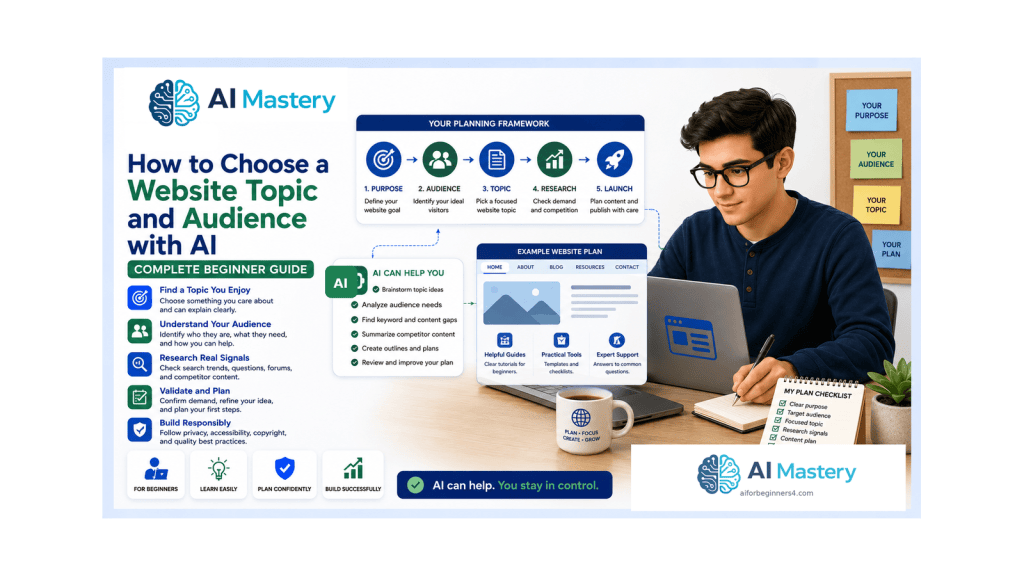
Estimated reading time: 25–30 minutes
Last updated: August 16, 2026
Introduction
Choosing a website topic can feel deceptively simple. You may have several interests, a business idea, a skill you want to teach, or a subject that seems popular. The difficult part is deciding which idea can support a useful website and who that website is actually for.
A beginner website becomes easier to plan when two decisions are clear: the topic and the audience. The topic defines the main subject you will cover. The audience defines the people you intend to help, inform, entertain, or serve. When those two decisions fit together, page planning, article ideas, navigation, images, and calls to action become much easier.
AI can help you brainstorm possibilities, organize questions, compare options, and turn a vague idea into a clearer plan. It cannot prove that a topic will succeed, accurately know every audience member, or replace your judgement. Use it to support research and thinking rather than to manufacture certainty.
This guide uses a practical beginner process: start with your purpose, generate a shortlist of topics, define a simple audience profile, look for real signs of interest, score the options, choose content pillars, and test a small version before investing heavily. The goal is not to find a perfect niche. It is to make a sensible decision you can explain and improve.
Before Learning
This article follows Article 091, which covered the overall process of planning a beginner website with AI. You do not need advanced marketing or SEO knowledge, but it helps to understand that a website needs a purpose, a simple structure, and content that serves real visitors.
- A basic idea of what a website is and what you want it to accomplish
- Access to an AI assistant such as ChatGPT for brainstorming and organization
- A browser for checking search results and public information
- A simple note-taking method for keeping your shortlist and research together
- Willingness to change your first idea if the evidence suggests a better direction
What You’ll Learn
By the end of this guide, you will be able to:
- explain the difference between a website topic and a target audience
- brainstorm topic ideas without treating AI suggestions as proof of demand
- turn your interests, experience, and learning goals into a practical shortlist
- create a simple audience profile based on needs rather than stereotypes
- identify common audience questions and problems that can become useful content
- compare broad, focused, and overly narrow topics
- use Google Trends and search results as research signals
- score several topic ideas with a simple decision matrix
- create content pillars that show whether a topic has enough depth
- validate an idea with a small amount of content before building everything
- protect privacy when researching or describing an audience
- check copyright and licensing before reusing research material or assets
- apply people-first SEO principles without chasing search engines
- use ChatGPT prompts that keep the planning process clear and beginner-friendly
What Do “Website Topic” and “Audience” Mean?
Your Website Topic
Your website topic is the main subject or problem area that connects most of your pages and posts. A topic can be broad, such as gardening, travel, personal finance, photography, or artificial intelligence. For a new website, however, a slightly more focused direction is usually easier to explain and plan.
For example, “gardening” is broad. “Balcony gardening for apartment beginners” gives a clearer picture of the likely content and the people who may benefit from it. The focused version can still grow into many pages, but it provides stronger boundaries for the first months of work.
Your Target Audience
Your audience is the group of people you are trying to help. You do not need a detailed fictional biography with a made-up salary, exact age, or personality type. For most beginner websites, it is more useful to describe the situation, goal, knowledge level, and questions that matter to the visitor.
For a balcony-gardening website, an audience description might be: “People with little gardening experience who live in apartments or small homes and want to grow herbs, vegetables, or flowers in limited outdoor space.” That description is specific enough to guide content without pretending every reader is identical.
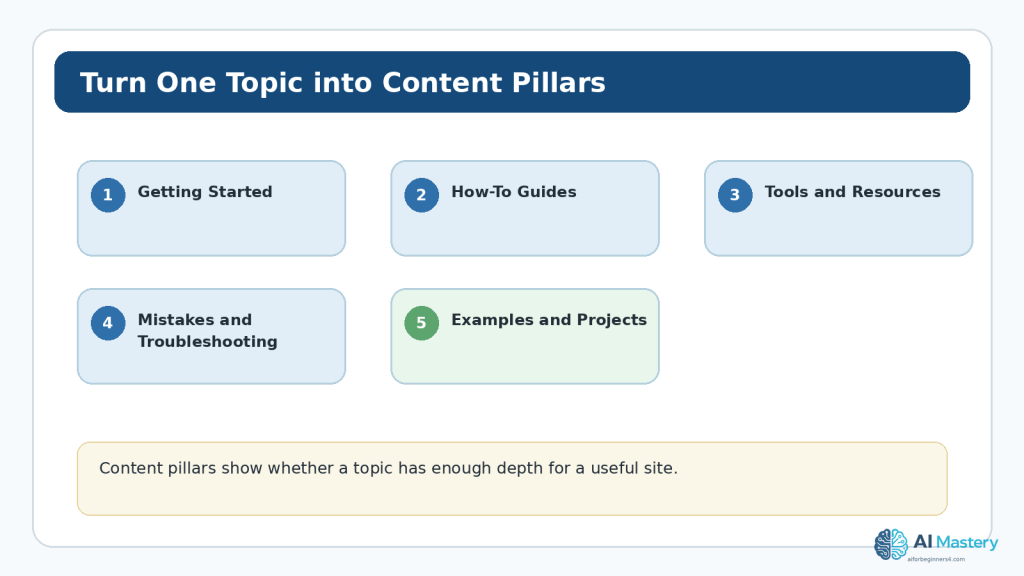
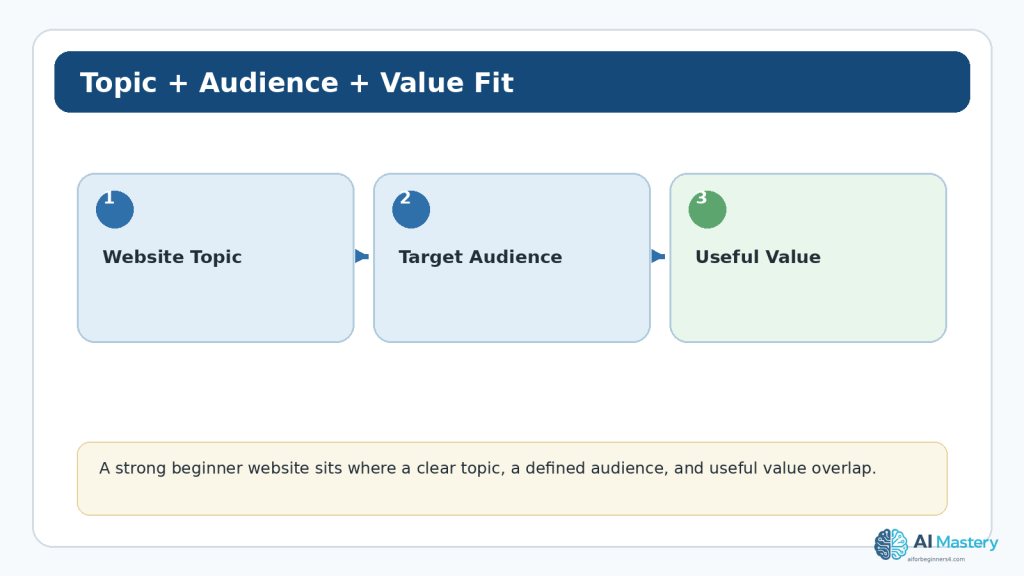
Figure 1. A useful website idea connects a clear topic, a defined audience, and a reason the content will be valuable.
Explanation: The overlap is more useful than choosing a topic only because it is popular. A sustainable website needs something you can continue working on and a real audience need you can serve.
Start with the Purpose of the Website
Before asking AI for topic ideas, decide what you want the website to do. Purpose prevents brainstorming from becoming an endless list of unrelated subjects.
A website might primarily aim to teach beginners, document a personal learning journey, support a small business, build a portfolio, publish reviews, provide local information, collect useful resources, or create a community around a shared interest. More than one purpose is possible, but one main purpose should normally lead the plan.
Ask Yourself Four Questions
1. What would I like visitors to gain from this website?
2. What can I realistically create or learn about for at least the next year?
3. What kind of visitor do I understand well enough to help?
4. What would make this website meaningfully different from a random collection of AI-generated articles?
Write short answers. Do not try to make them sound professional. These answers become useful context when you ask AI for brainstorming help.
Brainstorm Website Topics with AI
AI is useful at the expansion stage because it can take a few interests and produce combinations you may not have considered. The purpose is to create options, not to choose the winner automatically.
A Beginner Prompt
Example prompt: “I want to build a beginner-friendly website. My interests are home cooking, saving money, and simple technology. I enjoy explaining things step by step. Suggest 15 website topic ideas. For each idea, identify the likely beginner audience and the main problem the site could help with. Do not tell me which idea is guaranteed to succeed.”
Review the results and remove ideas that you would not enjoy researching or could not responsibly cover. Add your own ideas too. AI should widen the list, not control it.
Create a Shortlist, Not a Final Decision
A practical first target is three to five possibilities. If you have twenty ideas, compare them quickly and keep only the ones that pass three basic tests: you can explain the topic in one sentence, you can imagine at least ten useful content ideas, and you can identify a real type of visitor who would benefit.
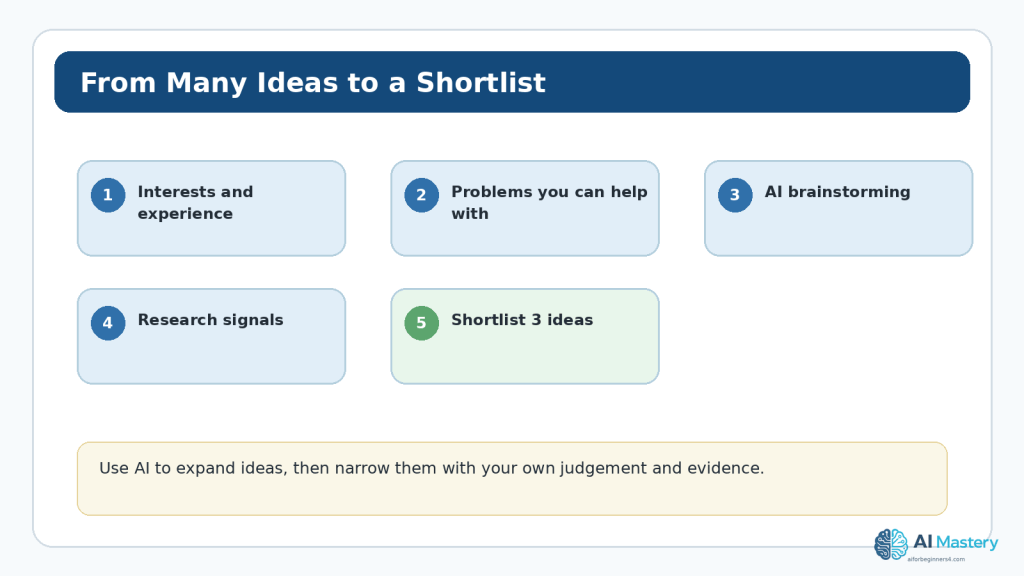
Figure 2. A topic brainstorming funnel turns many interests and AI suggestions into a short list that is practical enough to research.
Explanation: The narrowing process matters because AI can generate far more ideas than you can reasonably build. Your own interests, skills, evidence, and responsibilities should decide what moves forward.
Find the Practical “Sweet Spot”
A strong beginner topic often sits between three factors: what you know or can realistically learn, what you can continue discussing, and what appears to be useful to other people. No factor needs to be perfect, but ignoring one can make the website difficult to sustain.
What You Know or Can Learn
You do not have to be the world’s leading expert. You do need enough understanding to recognize when information is unreliable and enough willingness to verify important claims. Some subjects also carry higher risk. Medical, legal, financial, safety, and other professional topics may require qualified expertise and careful disclaimers. A beginner should not choose a high-stakes niche simply because an AI tool can generate convincing text about it.
What You Can Continue Creating
Ask whether the topic can support regular useful content. Write ten potential article titles without using AI. If you cannot think of more than two or three, the idea may be too narrow or too far from your real interests. Then ask AI for another ten and compare. If every suggestion feels repetitive, that is also useful information.
What People Appear to Need
Interest can be observed in search behavior, questions, forums, support communities, comments, reviews, and conversations. These signals are imperfect. Use them to understand patterns, not to claim exact market size or guaranteed demand.
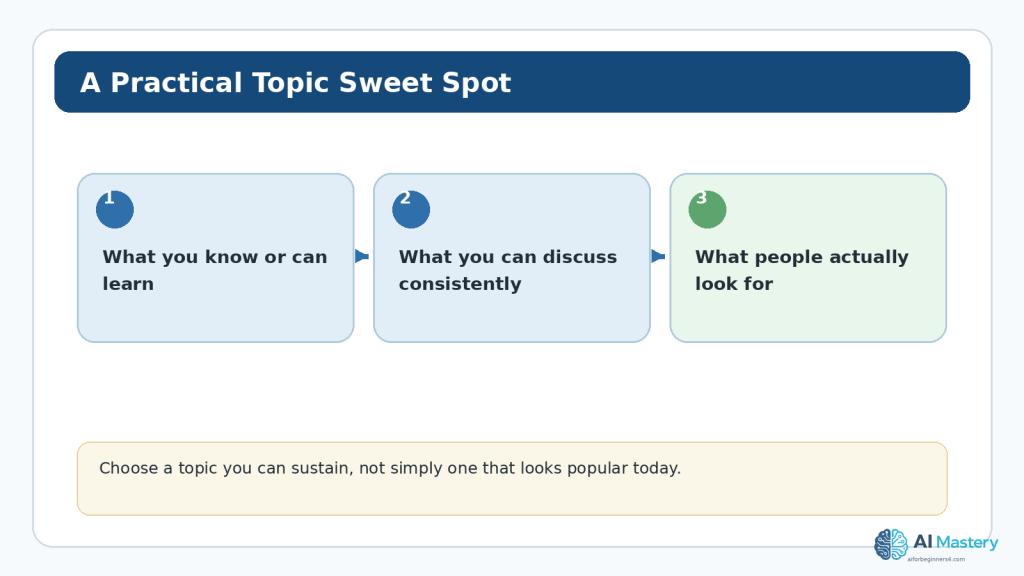
Figure 3. A practical topic often overlaps with what you can understand, what you can create consistently, and what appears useful to an audience.
Explanation: Popularity by itself is not enough. A topic that fits your abilities and can support useful content is usually easier to maintain over time.
Define the Audience Without Inventing a Stereotype
Marketing advice sometimes encourages very detailed personas. That can be useful in some businesses, but beginners often create fictional details that do not actually improve the website. Focus on information that changes what you would publish.
Useful Audience Questions
- What are they trying to accomplish?
- How much do they already know?
- What usually confuses or slows them down?
- What devices or situations might they use to read the site?
- What information would help them take the next step?
- What accessibility needs should the website accommodate?
For example, “complete beginners learning to use AI tools for everyday tasks” tells you to define technical terms, use screenshots carefully, explain steps, avoid unexplained jargon, and provide warnings about privacy. Those choices matter more than inventing a reader’s favorite coffee or exact income.
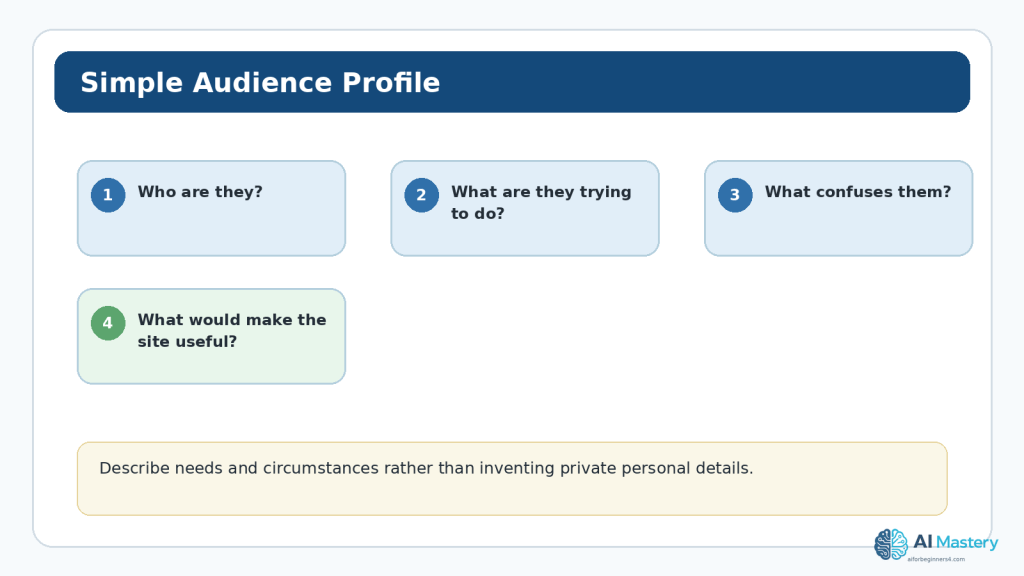
Figure 4. A beginner audience profile should describe goals, knowledge level, problems, and what would make the website genuinely useful.
Explanation: This keeps the plan practical and reduces the temptation to collect or invent unnecessary personal details about visitors.
Turn Audience Problems into Content Ideas
A website becomes easier to plan when you can connect audience problems to specific pages or posts. Start with a question the visitor might ask, then decide what content could answer it and what next step would be useful.
For example, a beginner balcony gardener may ask: “How much sun do herbs need?” That question could lead to an article about light requirements, an illustration showing common balcony orientations, and internal links to beginner herb guides. One audience question can create a small cluster of useful content.
Build a Question Bank
Ask AI to organize questions, but seed it with real observations from search results, comments, customer questions, your own experience, or public communities. A useful prompt is: “Here are 12 questions I found while researching beginner balcony gardening. Group them into themes, remove duplicates, and suggest missing beginner questions. Do not invent statistics or claim that any question is popular unless I provide evidence.”
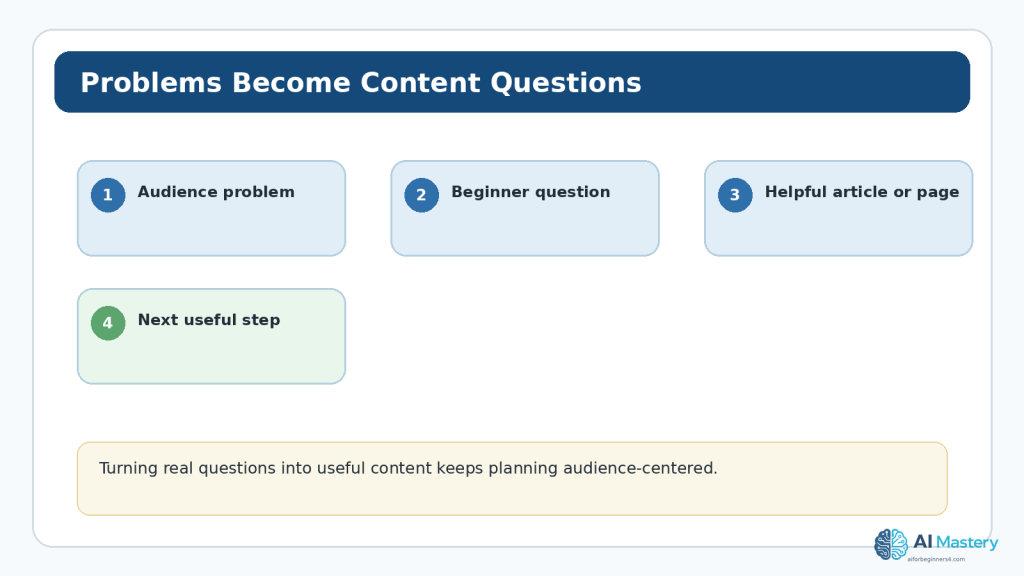
Figure 5. Audience problems can be translated into questions, useful content, and a clear next step for the visitor.
Explanation: This method keeps the content plan connected to real needs instead of filling the website with articles simply because an AI tool can generate them.
Choose a Topic That Is Focused but Not Trapped
A common beginner problem is choosing a topic that is either too broad or too narrow. A broad topic makes it difficult to know what belongs on the site. An extremely narrow topic may run out of useful content quickly.
Broad Example
“Fitness” can include strength training, sports, injury recovery, nutrition, equipment, professional coaching, medical conditions, and many other subjects. A beginner may struggle to define a consistent audience or avoid high-stakes advice.
Focused Example
“Low-cost home exercise for adults who are new to fitness” is easier to plan. It suggests beginner explanations, small-space exercises, inexpensive equipment, and simple routines. It also makes it easier to identify areas that require professional medical caution.
Too-Narrow Example
“Exercises using one specific resistance band model for people in one apartment building” may be too restrictive for a general public website. There may not be enough distinct, useful content to support the site.
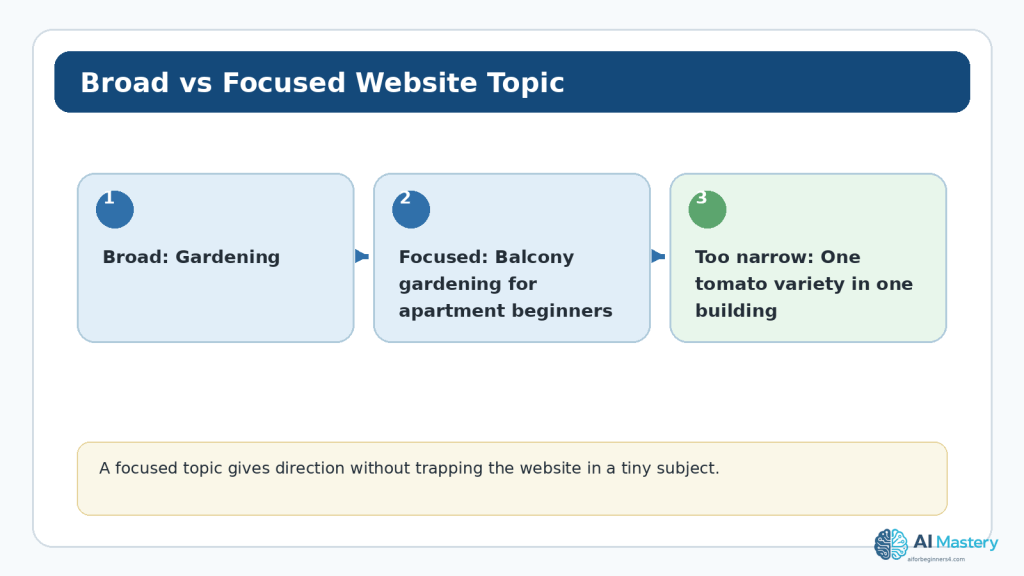
Figure 6. A focused topic gives a beginner website direction while leaving enough room to grow.
Explanation: The right level of focus depends on your purpose. The test is whether the topic is clear to visitors and can still support a meaningful range of useful content.
Research Real Interest Before You Commit
AI brainstorming should be followed by outside research. One useful source is Google Trends, which shows normalized search interest rather than exact search volume. Google explains that Trends data is sampled, normalized, aggregated, and can include statistical noise, so it should be interpreted as a signal rather than a precise count.
Use Google Trends Carefully
5. Compare two or three related terms rather than relying on one phrase.
6. Set a location that matches the audience you intend to serve.
7. Look at a long enough time range to see whether interest is seasonal or unusually temporary.
8. Check related topics and related searches for language people actually use.
9. Record what you observed instead of turning relative interest into unsupported traffic predictions.
Google Trends can help you notice patterns, but a low Trends score does not prove a niche is bad, and a high score does not guarantee a successful website. Some useful topics serve smaller audiences, and some popular topics are extremely competitive or difficult to cover responsibly.
Check Search Results
Search the main questions yourself. Look at what kinds of pages already appear, what they explain well, and what remains confusing for a beginner. Do not copy competitors. The goal is to understand the information environment and identify ways to make your own content clearer, more specific, better organized, or based on genuine experience.
Observe Public Questions
Public forums, product reviews, support pages, comments, and community discussions can reveal recurring questions. Respect platform rules and privacy. Do not scrape or collect personal details you do not need, and do not copy private conversations into an AI system without appropriate permission.
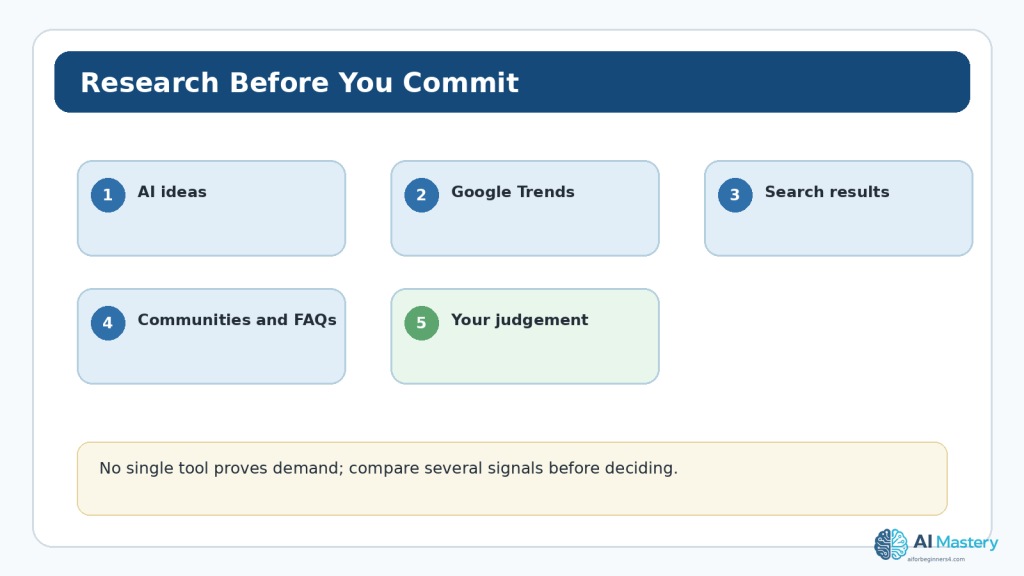
Figure 7. Use several research signals—AI ideas, Trends, search results, public questions, and your own judgement—before making the final decision.
Explanation: No single tool can prove demand or guarantee success. Comparing signals helps reduce overconfidence and gives you better language for describing the audience’s needs.
Score Your Shortlist
A simple scoring table can make the final comparison less emotional. The numbers are not scientific. They simply force you to think about the same criteria for each idea.
Score each topic from 1 to 5 for: personal interest, knowledge or ability to learn, usefulness to the intended audience, number of potential content ideas, long-term sustainability, and your ability to create content responsibly. Add a short note explaining each score.
Do not automatically choose the highest total. A score can expose trade-offs. For example, an idea may have strong apparent interest but require expertise you do not have. Another may be smaller but fit your knowledge, purpose, and available time much better.
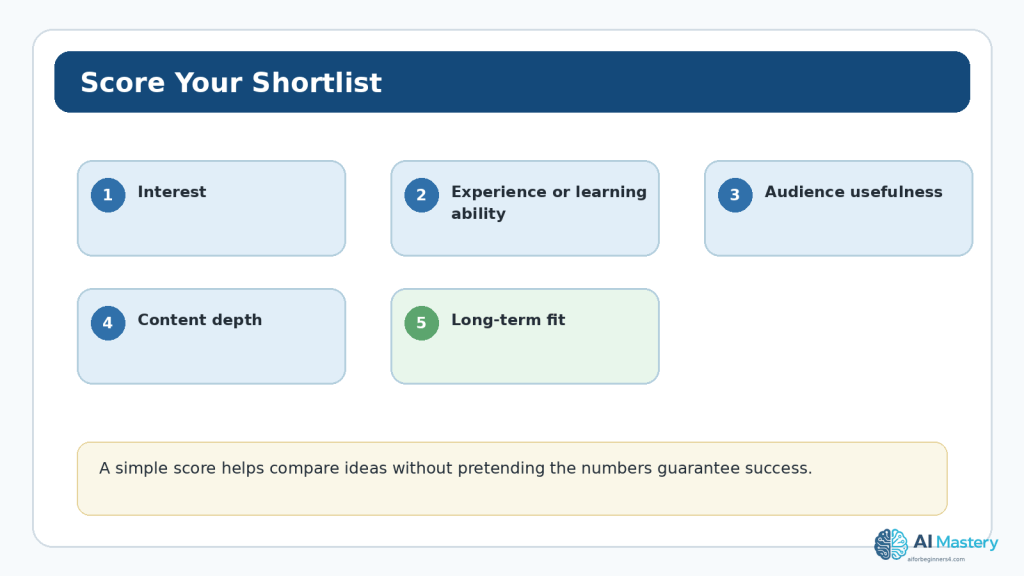
Figure 8. A simple scoring matrix helps you compare several website ideas using the same questions.
Explanation: The score is a decision aid, not a forecast. Keep the written reasons beside the numbers so you remember why an idea felt strong or weak.
Create Content Pillars Before You Say Yes
Content pillars are broad subtopics that organize future content. They help you test whether a topic has enough depth and whether the audience can move through the site logically.
For a balcony gardening site, possible pillars might include getting started, containers and soil, herbs and vegetables, light and watering, seasonal care, and troubleshooting. Each pillar could support several articles without repeating the same information.
A Simple Test
Try to create four or five pillars and three article ideas under each. If you can do this without forcing irrelevant content, the topic probably has enough room for a beginner site. If every pillar overlaps heavily, reconsider the focus.
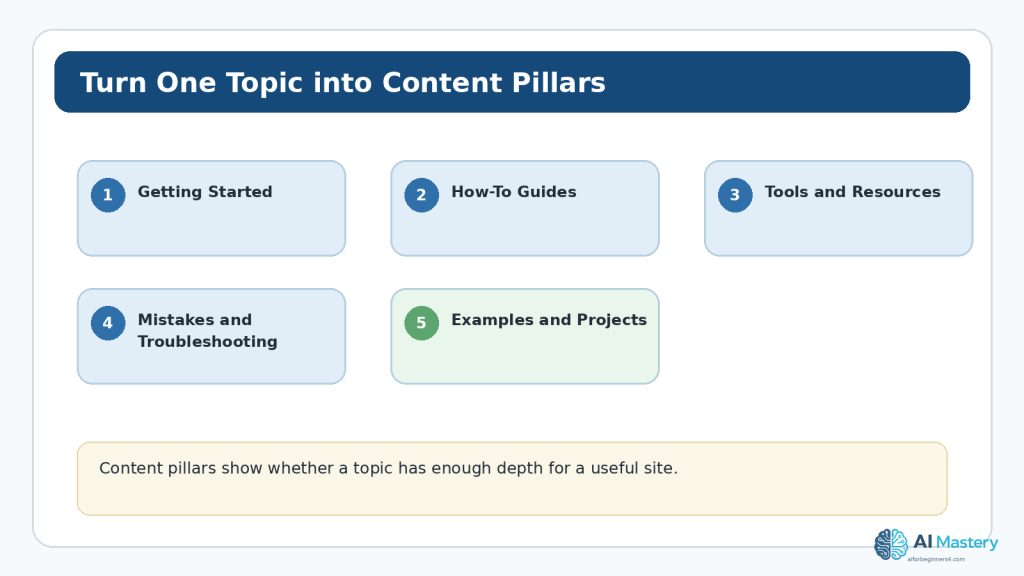
Figure 9. Content pillars turn one broad topic into a manageable set of related areas that can guide future pages and posts.
Explanation: Pillars also make navigation and internal linking easier because visitors can understand how the content fits together.
Validate the Idea with a Small Test
Do not build fifty pages before finding out whether you can create useful content for the topic. A small validation test is cheaper and teaches you more.
10. Write a one-sentence topic statement and audience statement.
11. Create a list of at least ten useful article ideas.
12. Draft two or three articles or detailed outlines.
13. Ask a trusted person in or near the audience whether the explanations are clear.
14. Check whether the research process feels manageable and responsible.
15. Revise the topic if the first content is repetitive, confusing, or difficult to verify.
This is not a formal market study. It is a practical beginner check: can you actually produce useful material, and does the topic remain coherent when you try?
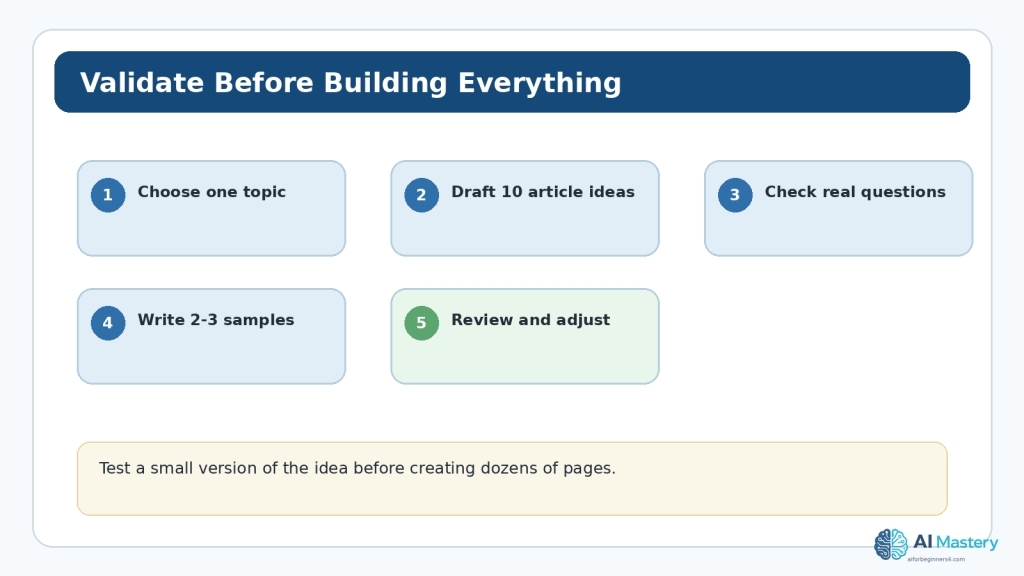
Figure 10. Validate a website idea with a small amount of real planning and content before building the entire site.
Explanation: A short test can reveal that a topic is too broad, too narrow, too risky, or simply not enjoyable to work on—before you invest much more time.
Use AI as a Planning Assistant, Not an Audience Oracle
AI can group ideas, suggest questions, compare wording, turn notes into a matrix, and challenge assumptions. It cannot see private market data you have not provided, and it may confidently invent statistics, trends, demographics, or competitor facts.
Useful Prompt Pattern
Use this pattern: Context + audience + goal + evidence you already have + task + limits.
Example: “I am considering a beginner website about low-cost balcony gardening. My intended audience is adults with little gardening experience and limited outdoor space. Here are 15 questions I collected from public sources. Group the questions into 4–6 content pillars. Do not invent popularity data, audience demographics, or search volume. Point out where my evidence is weak.”
Ask AI to Challenge the Plan
After you have a favorite idea, ask for weaknesses rather than more encouragement. For example: “What assumptions am I making about this audience? Which parts of the topic may require expert knowledge? What information should I verify outside ChatGPT before I build the site?”
This is more useful than asking, “Is this niche good?” because the answer to a vague success question can sound certain even when there is no reliable basis for certainty.
Privacy and Responsible Audience Research
Audience planning does not require building a private database of individuals. Use public, permitted, and relevant information. Avoid copying names, addresses, customer records, private messages, account details, or other unnecessary personal information into your research notes or an AI conversation.
OpenAI’s current Data Controls let users choose whether new conversations help improve models, and Temporary Chat has separate retention behavior. These controls can be useful, but they are not a reason to share secrets or personal data that the planning task does not require.
If you later collect analytics, email addresses, contact-form information, survey responses, or other visitor data, additional privacy obligations may apply depending on your location and audience. This article is general education, not legal advice.
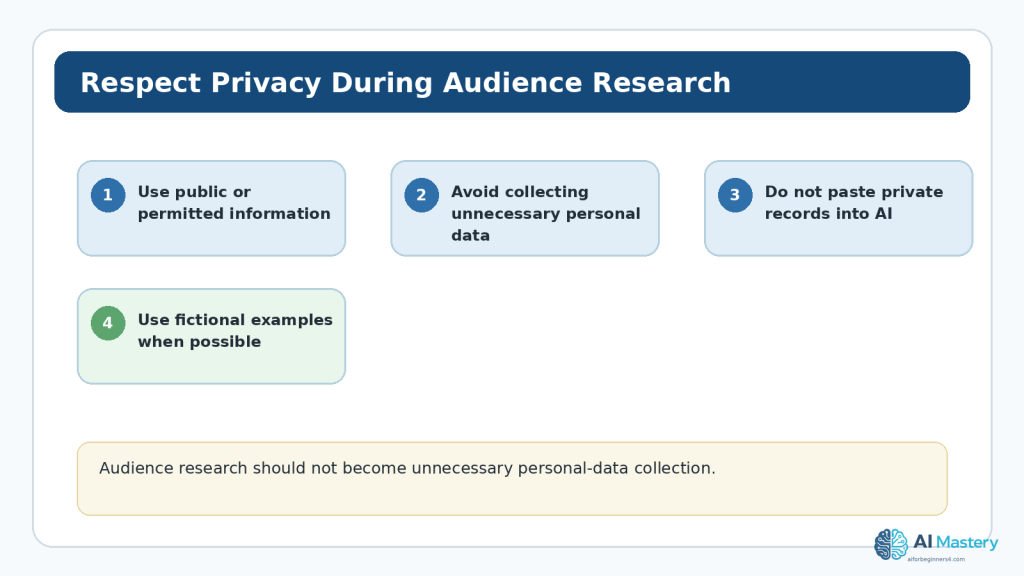
Figure 11. Good audience research uses only the information needed for planning and avoids unnecessary personal-data collection.
Explanation: Use public or appropriately permitted sources, anonymize examples when possible, and keep passwords, private records, and confidential information out of AI prompts.
Copyright and Licensing During Topic Research
Researching competitors and examples does not give you permission to copy their articles, photographs, diagrams, templates, branding, or other creative work. WIPO explains that copyright protects many literary and artistic works, including written material, photographs, software, databases, advertisements, maps, and technical drawings.
You can study how other sites organize information and then create your own original structure and wording. If you want to reuse an image, chart, icon, font, template, quotation, or dataset, check the source and the applicable licence or permission. “Free online” and “commercially reusable” do not mean the same thing.
Keep a simple record of important third-party sources, licences, permissions, and the date you checked them. This becomes increasingly useful as the website grows.
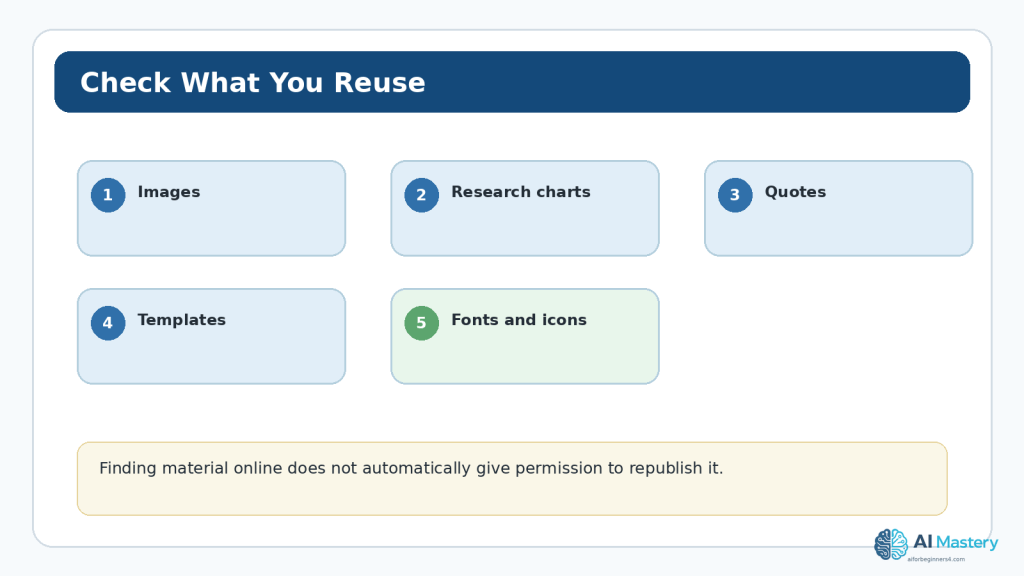
Figure 12. Before reusing research material or website assets, identify the source and check the copyright or licence conditions.
Explanation: AI recommendations do not remove your responsibility to verify the original source and the terms that apply to your intended use.
Plan for Accessibility from the Audience Stage
Your audience includes people with different devices, abilities, reading preferences, and circumstances. Accessibility should influence the plan before you select colours or write dozens of articles.
W3C’s WCAG 2.2 guidance covers areas such as text alternatives, headings, link purpose, keyboard access, contrast, and reflow. You do not need to memorize the standard before choosing a topic, but you should avoid defining an audience so narrowly that accessibility is treated as someone else’s problem.
For a beginner educational website, practical planning choices include clear headings, descriptive links, meaningful alternative text for informative images, readable contrast, mobile-friendly layouts, and language that explains unfamiliar terms.
Connect Topic Planning with SEO—Without Chasing Search Engines
Search engine optimization can help people discover useful content, but SEO should support the audience decision rather than replace it. Google’s SEO Starter Guide describes SEO as helping search engines understand content and helping users decide whether to visit it.
Google also emphasizes helpful, reliable, people-first content. Its current guidance on generative AI says AI can help with research and structure, but producing many pages without added value may violate spam policies. That is an important warning for beginners: a narrow topic plus automated mass publishing is not a sound content strategy.
Use Audience Language
Notice the words real beginners use. A professional may search for “container horticulture substrate,” while a beginner may search “best soil for pots on a balcony.” Use clear language where it accurately describes the content. Google recommends descriptive titles, headings, alt text, link text, and URLs that help users and search systems understand the page.
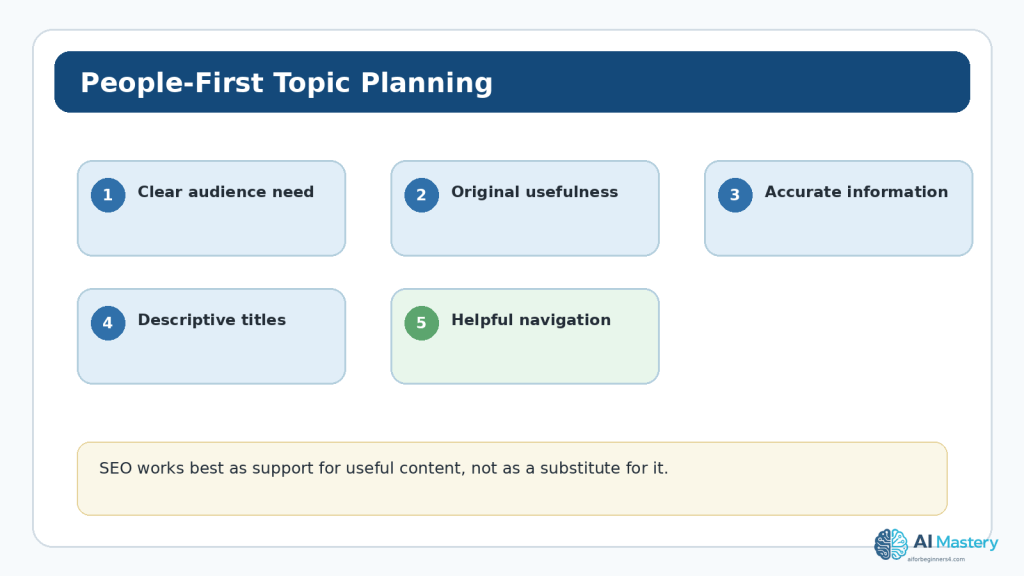
Figure 13. People-first planning connects genuine audience needs with accurate, original, well-organized content.
Explanation: SEO can help that content be discovered, but usefulness and reliability should remain the foundation of the website rather than being replaced by keyword chasing.
A Complete Beginner Example
Suppose you are considering three ideas: general gardening, balcony gardening for beginners, and reviews of gardening equipment. You enjoy growing herbs in containers, have practical experience with small spaces, and prefer teaching rather than reviewing products.
The broad gardening idea offers many content possibilities but creates a vague audience. The equipment-review idea could work, but it would require regular product access, careful disclosure, and a different editorial style. The focused balcony-gardening idea fits your experience and teaching preference, and it can support clear beginner questions.
Audience Statement
“This website helps adults with little gardening experience grow useful plants in balconies, patios, and other small spaces using simple, affordable methods.”
Possible Content Pillars
- Getting started with containers and basic tools
- Choosing beginner-friendly herbs, vegetables, and flowers
- Light, watering, and seasonal care
- Small-space problems and troubleshooting
- Low-cost projects and practical examples
Validation Test
You draft three articles: “How to Start a Balcony Herb Garden,” “How Much Sun Do Common Herbs Need?” and “Five Beginner Watering Mistakes.” During writing, you confirm that the topic has enough depth, that you can verify the advice, and that the audience definition helps you decide what to explain. That is a much stronger basis for moving forward than simply asking AI to pick a profitable niche.
Common Beginner Mistakes
Mistake 1: Choosing Only by Popularity
A topic can be popular and still be a poor fit for your knowledge, time, ethics, or purpose. Popularity also does not guarantee traffic or income.
How to Avoid This Mistake: Compare audience usefulness, content depth, your ability to create responsibly, and long-term fit—not just trend charts.
Mistake 2: Letting AI Invent the Audience
AI may produce a detailed persona that sounds professional but is based on assumptions rather than evidence.
How to Avoid This Mistake: Describe observable needs and goals. Treat demographic claims as unknown unless you have reliable data.
Mistake 3: Making the Topic Too Broad
If every article belongs to a different subject, visitors may not understand why the site exists.
How to Avoid This Mistake: Write a one-sentence topic statement and reject content that does not clearly support it.
Mistake 4: Making the Topic Too Narrow
A tiny niche can leave you with only a few useful articles.
How to Avoid This Mistake: Test whether you can create several content pillars and at least ten to twenty genuinely different article ideas.
Mistake 5: Copying Competitors
Research can easily turn into imitation. Copying structure, wording, graphics, or ideas too closely can reduce originality and create copyright problems.
How to Avoid This Mistake: Use research to understand questions and gaps, then create your own explanations, examples, visuals, and organization.
Myths About Website Topics and Audiences
Myth: You Must Find a Topic Nobody Has Covered
Reality: Existing competition can show that people care about a subject. Your opportunity may come from serving a clearer audience, explaining things better, adding genuine experience, or organizing information more usefully.
Myth: A Bigger Audience Is Always Better
Reality: A focused audience often makes content easier to create because you know what assumptions, terminology, and examples are appropriate.
Myth: AI Can Tell You the Most Profitable Niche
Reality: AI can organize public information and generate ideas, but it cannot guarantee future demand, search rankings, monetization, or business results.
Myth: Once You Pick a Topic, You Can Never Change It
Reality: A website can evolve. It is better to start with a clear direction and adjust from evidence than to wait forever for a perfect permanent decision.
Useful ChatGPT Prompts for Topic and Audience Planning
Prompt 1: Generate Topic Ideas
“I want to build a beginner website. My experience and interests are: [list]. My preferred type of content is: [tutorials/reviews/resources/etc.]. Suggest 15 topic ideas. For each, describe the audience need it could serve. Do not make traffic, revenue, or ranking promises.”
Prompt 2: Narrow a Topic
“My topic is [broad topic]. Give me 10 more focused versions that would still support at least 20 useful articles. Explain what audience each version serves.”
Prompt 3: Build an Audience Profile
“Help me define the audience for a website about [topic]. Focus on goals, beginner knowledge level, common questions, and barriers. Do not invent private demographic details.”
Prompt 4: Challenge My Assumptions
“Here is my topic and audience statement. Identify assumptions that need evidence, areas that may require professional expertise, and reasons the topic could be too broad or too narrow.”
Prompt 5: Create Content Pillars
“Turn this topic and audience statement into 5 content pillars. Under each pillar, suggest 5 beginner-friendly article ideas. Remove duplicates and flag ideas that may involve high-stakes advice.”
Prompt 6: Compare a Shortlist
“Compare these three website ideas using the same criteria: audience usefulness, content depth, long-term sustainability, research difficulty, and risk of requiring expertise I may not have. Do not declare a winner until you explain the trade-offs.”
Benefits and Limitations of Using AI for This Decision
Benefits
- quickly expands a small set of ideas
- organizes notes into themes and matrices
- helps rewrite a vague topic statement more clearly
- suggests questions you may have forgotten
- can challenge your assumptions when prompted to do so
- makes it easier to create content pillars and test scenarios
Limitations
- may invent market statistics or audience characteristics
- can overstate certainty about demand or profitability
- may repeat common ideas rather than find a distinctive angle
- does not know your real interests, stamina, expertise, or resources unless you explain them
- cannot replace current external research
- may recommend copyrighted or licensed assets without enough context
How to Reduce These Limitations: Keep the decision evidence-based. Verify important claims, use multiple sources, separate facts from assumptions, and remember that the final topic must fit your real ability to create useful content.
Frequently Asked Questions
Do I need a very narrow niche?
No. You need a topic that is clear enough to guide the site and broad enough to support useful growth. “Photography” may be too broad for a first site, while “beginner smartphone photography for parents” may be focused without being tiny.
Should I choose a topic I already know well?
Existing experience helps, but a learning-based website can also work if you are transparent, verify information, and avoid presenting yourself as an expert where you are not one.
Can Google Trends tell me how much traffic I will get?
No. Trends shows normalized relative search interest, not guaranteed traffic or exact future search volume.
How many audience types should I target?
Start with one primary audience description. You can serve secondary groups later, but trying to write for everyone usually makes beginner content less clear.
Can I change the topic later?
Yes. Websites evolve. Keep changes understandable for existing visitors and avoid expanding so far that the original purpose disappears.
Should I use AI-generated articles to test many niches quickly?
Be cautious. Testing a few original drafts is more informative than mass-generating pages. Google’s current guidance emphasizes helpful, reliable, people-first content and warns that scaled low-value AI content can violate spam policies.
Do I need to know SEO before choosing a topic?
No. Basic SEO awareness is useful, but begin with audience value and clear content. Learn SEO as a way to help people and search systems understand what you publish.
Key Takeaways
- Your topic explains what the website is mainly about; your audience explains who the content is intended to help.
- Start with purpose before asking AI for ideas.
- Use AI to expand, organize, and challenge ideas—not to guarantee success.
- Define the audience using goals, knowledge level, problems, and needs rather than invented personal details.
- Compare broad, focused, and overly narrow topic versions.
- Use several research signals, including Google Trends and real search results.
- Do not treat Trends data as exact demand or a traffic forecast.
- Create content pillars and article ideas to test whether the topic has enough depth.
- Validate with a small amount of real content before building the whole site.
- Protect privacy and avoid unnecessary personal-data collection during audience research.
- Check copyright and licensing before reusing third-party assets or research material.
- Plan for accessibility from the beginning.
- Use SEO to support people-first content rather than chasing rankings.
- Keep records of your decision so you can review and improve it later.
Final Tip
A good website topic is not the cleverest phrase AI can generate. It is a subject you can explain clearly, research responsibly, create useful content about, and connect to a real audience need. Choose a direction that is clear enough to begin, then let actual experience and evidence improve it.
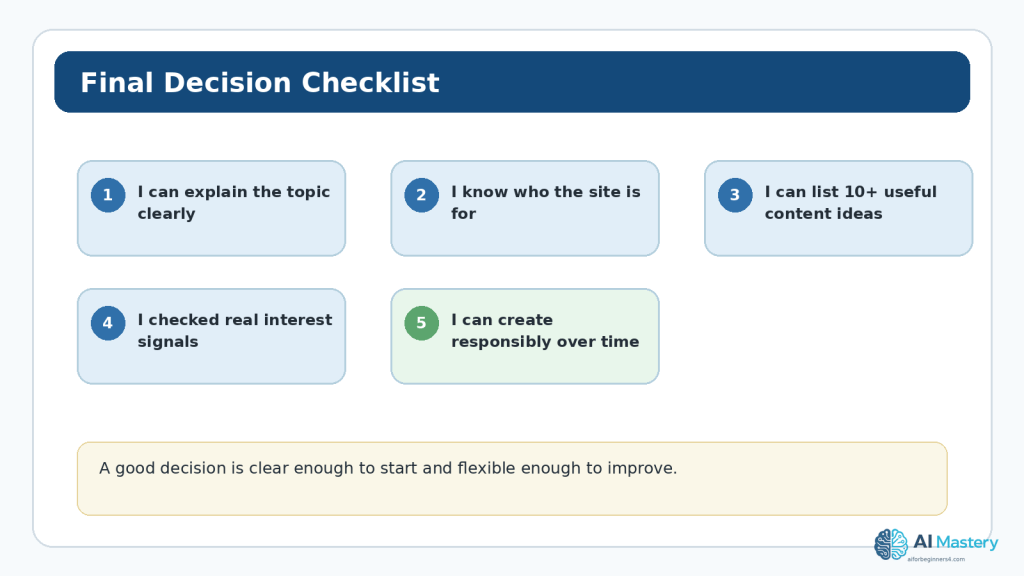
Figure 14. Before committing, confirm that you can explain the topic, identify the audience, create enough useful content, verify interest signals, and continue responsibly.
Explanation: You do not need certainty. You need a defensible starting decision and a process for reviewing it as you learn more.
Continue Learning
Continue with the Website Planning series:
- Article 091 — How to Plan a Beginner Website with AI (2026)
- Article 093 — How to Plan Website Pages and Navigation with AI (2026)
- Article 094 — How to Create a Website Content Plan with AI (2026)
After choosing your topic and audience, the next practical step is to decide which pages the website needs and how visitors will move between them.
Sources and References
The following official and authoritative sources were reviewed for this article. Information was checked on August 16, 2026. Website features, AI product settings, search guidance, standards, and policies can change, so check current official information when it matters to your project.
1. WordPress.com — Posts, categories, and tags. Official guidance for organizing and publishing website posts. Official source
2. WordPress.com — Categories vs. tags. Explains broad categories and more specific tags. Official source
3. WordPress.com — Five-step blog setup. Current beginner guidance for pages and navigation. Official source
4. Google Search Central — SEO Starter Guide. Beginner SEO guidance focused on users and discoverability. Official source
5. Google Search Central — Creating helpful, reliable, people-first content. Guidance for evaluating whether content primarily benefits people. Official source
6. Google Search Central — Generative AI content guidance. Current guidance on useful generative-AI assistance and scaled-content abuse. Official source
7. Google Trends Help — FAQ about Trends data. Explains normalized Trends data, sampling, aggregation, and statistical noise. Official source
8. Google Trends Help — Related searches. Guidance for exploring related searches. Official source
9. OpenAI — Data Controls FAQ. Current ChatGPT data-control and privacy settings. Official source
10. W3C — WCAG 2.2. Accessibility standard referenced for inclusive planning. Official source
11. W3C WAI — Alt text resources. Guidance on meaningful text alternatives for images. Official source
12. WIPO — Copyright. General copyright reference for creative works. Official source
13. Creative Commons — Licenses. Official overview of Creative Commons licence conditions. Official source
Important Note: This article provides general educational information about website planning, AI use, accessibility, privacy, copyright, licensing, and search guidance. It is not legal, financial, medical, cybersecurity, or other professional advice. Requirements can vary by location, industry, audience, and the data your website collects.


Leave a Reply