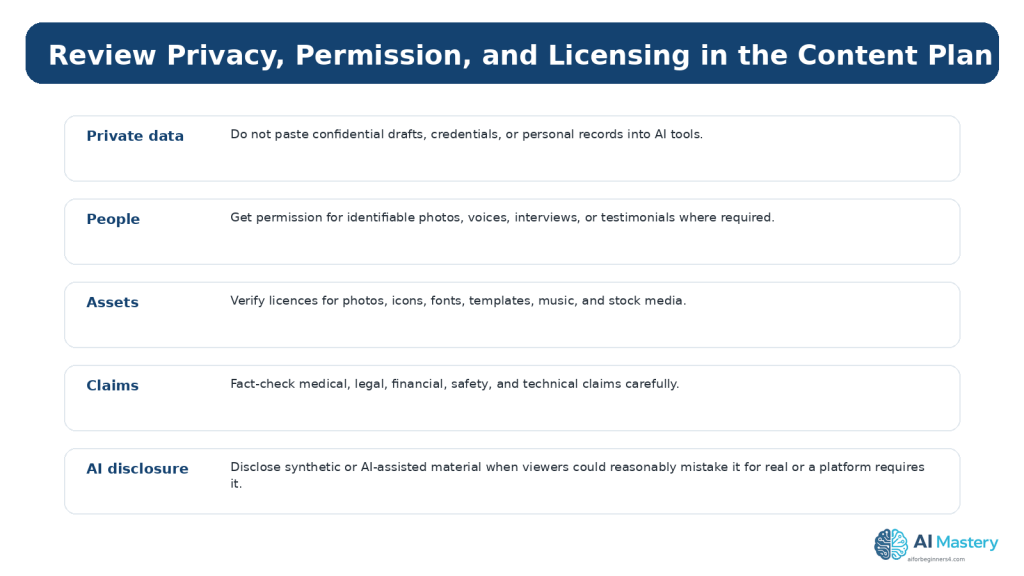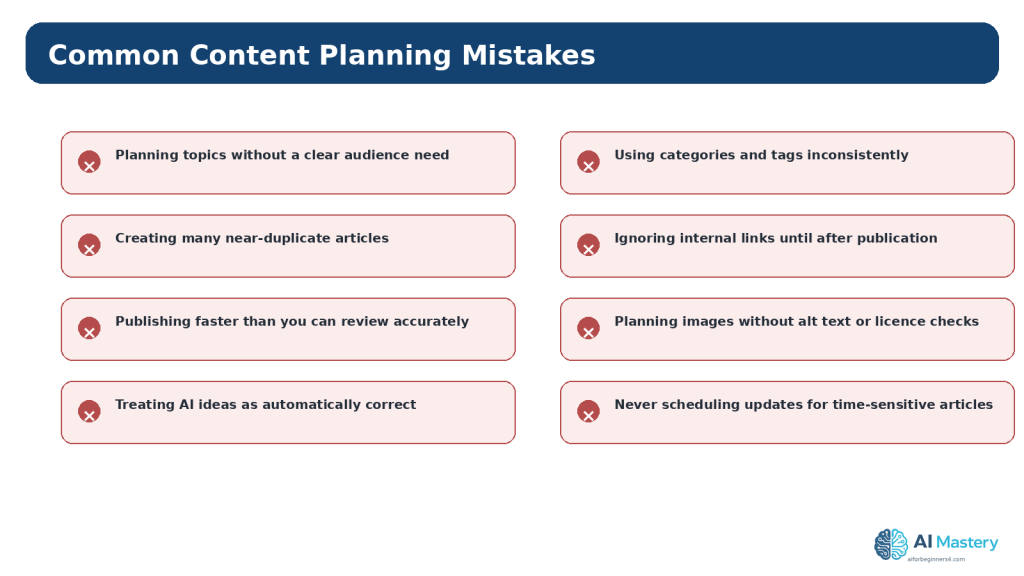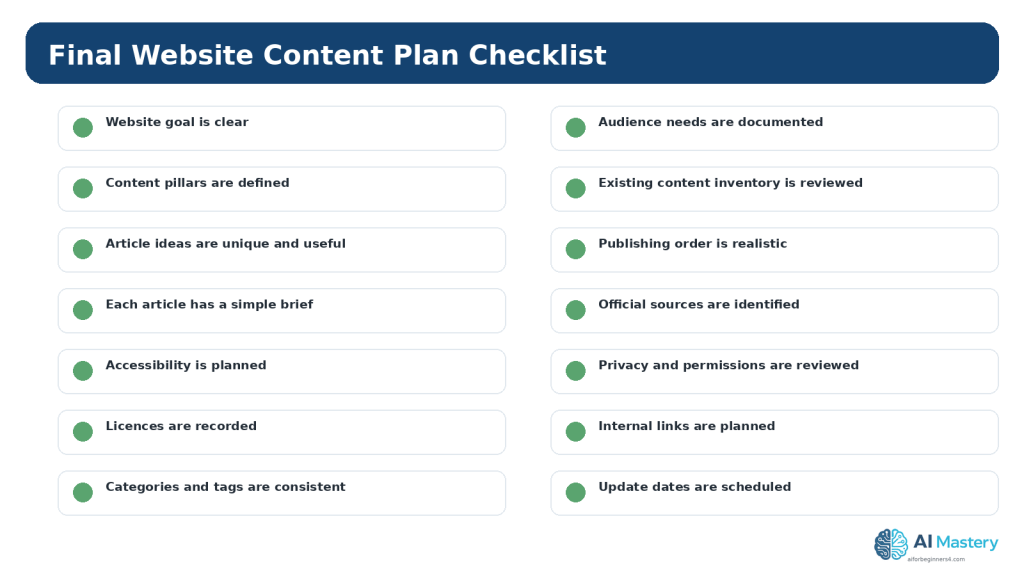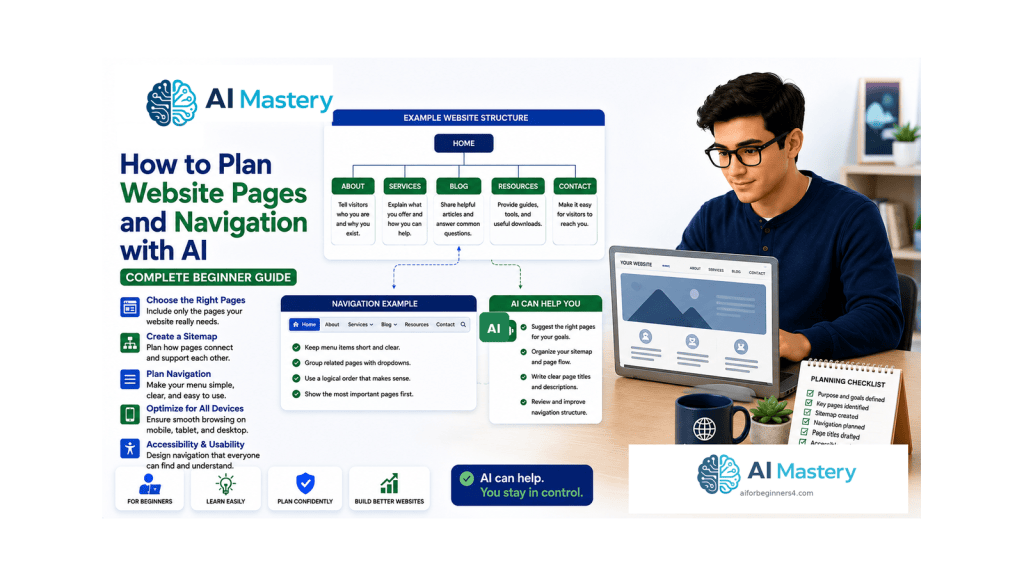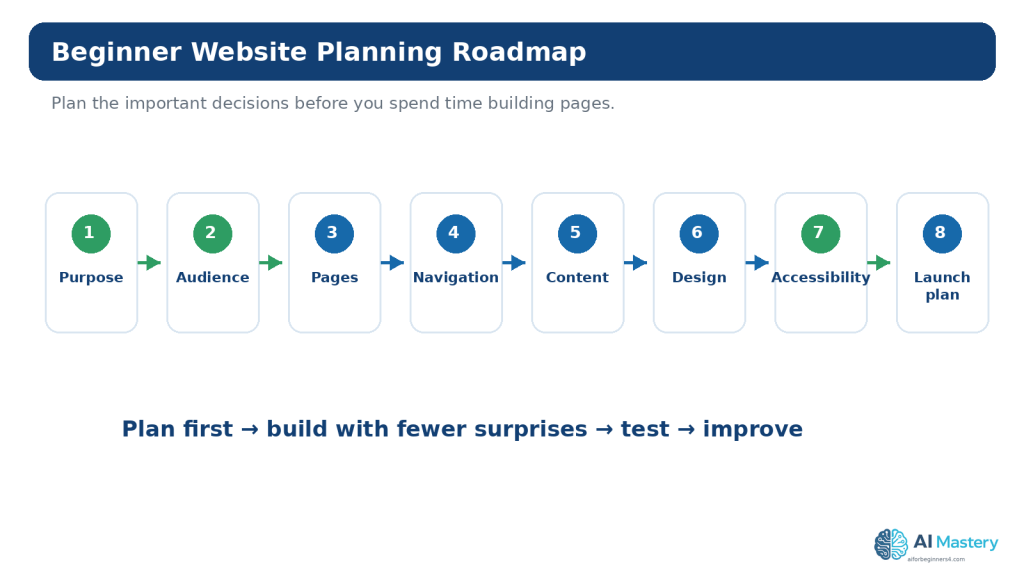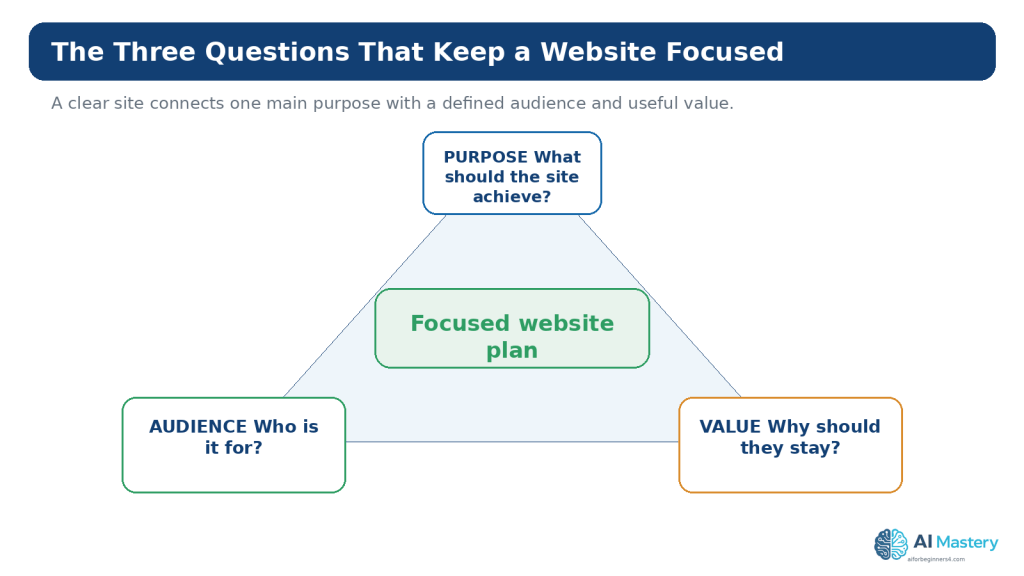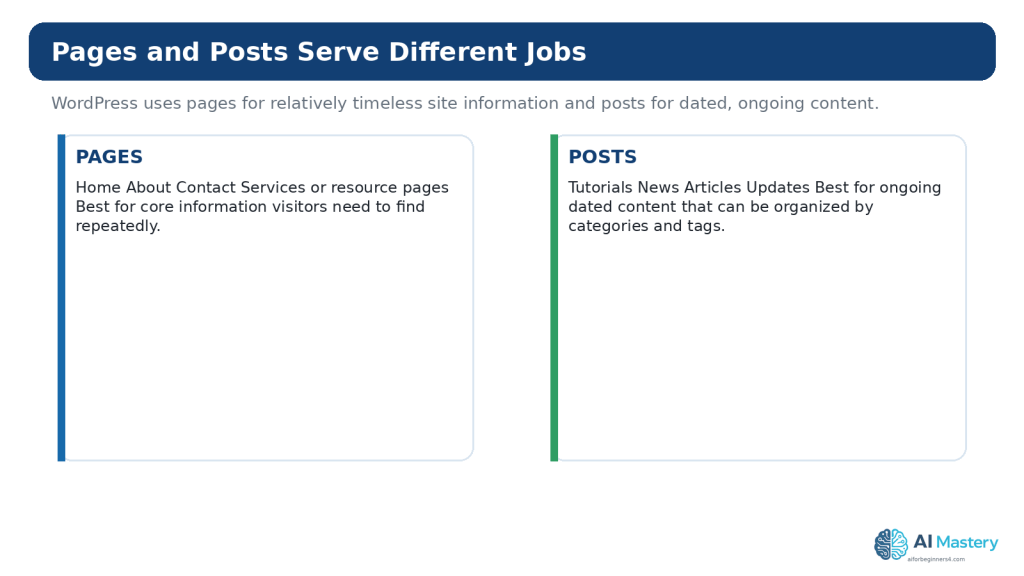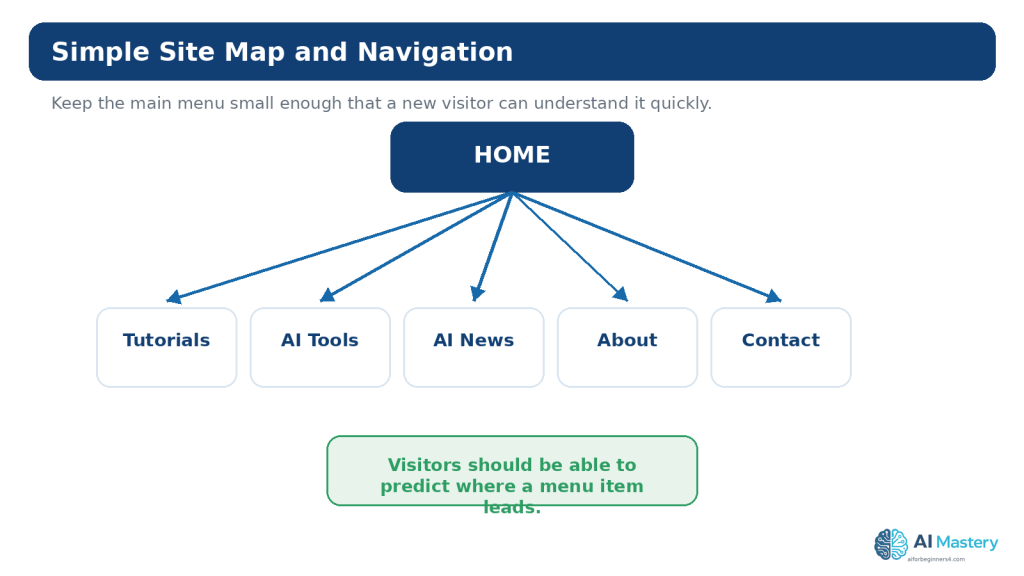
Tag: Website Planning

  • Article 096 — How to Review and Maintain an AI-Assisted Website (2026)

    Article 096 — How to Review and Maintain an AI-Assisted Website (2026)

    Estimated reading time: 25–30 minutes

    Last updated: August 16, 2026

    Introduction

    A website is not finished when it is published. Pages become outdated, links change, forms stop working, software and platform features evolve, search traffic changes, and accessibility or security issues can appear after later edits.

    An AI-assisted website adds another maintenance responsibility: you need to review not only the website itself but also the way AI is being used in the workflow. AI can help organize a review, explain an error, compare old and new wording, or suggest a checklist. It can also produce incorrect, incomplete, or outdated advice. The website owner remains responsible for deciding what to change and for testing the result.

    This guide gives complete beginners a practical maintenance routine. It focuses on a WordPress-style website, with special attention to WordPress.com because many beginners use managed hosting. The same principles also apply to other website platforms, although menus, backup systems, update responsibilities, and security tools can differ.

    You do not need to inspect every policy or every page every day. The goal is a manageable routine: check important items regularly, perform deeper reviews periodically, and do extra checks when something meaningful changes.

    What You’ll Learn

    • why website maintenance matters after publication
    • how to create a simple weekly, monthly, and quarterly maintenance routine
    • how to review older content without rewriting everything
    • how to check backups and restore options before major changes
    • how WordPress.com and self-hosted WordPress differ in maintenance responsibilities
    • how to test links, forms, navigation, and mobile layouts
    • how to use Google Search Console to notice indexing or performance problems
    • what Core Web Vitals can tell you about real-world page experience
    • how to recheck accessibility after content or design changes
    • how to use ChatGPT or another AI assistant for focused website review tasks
    • how to protect passwords, private analytics, customer information, and other sensitive data
    • how to review copyright, licences, permissions, and attribution when replacing website assets
    • how to keep a simple record of website changes so future troubleshooting is easier

    Before You Start

    Before reviewing the site, collect the information you actually need. For a beginner website, that usually means access to the WordPress dashboard, the public site, your normal browser, a phone or narrow browser window for mobile testing, and any search or analytics tools you already use.

    • Do not share your WordPress password, API keys, payment information, private customer details, or other secrets with an AI tool.
    • Confirm which WordPress environment you use. WordPress.com managed hosting handles many platform-level responsibilities for you, while self-hosted WordPress gives the site owner or host more responsibility for core, theme, plugin, backup, and security management.
    • Know where your important source files, image licences, permissions, and article drafts are stored.
    • Decide which pages matter most. Start with the homepage, navigation, contact page, important tutorials, high-traffic posts, and any page that collects information from visitors.

    Why Website Maintenance Matters

    A website can continue loading while becoming less useful. A tutorial can contain an outdated menu name. A link can point to a removed page. A form can stop delivering messages. An image can lose its alt text during a redesign. A page can become slow after adding a large image or plugin. A policy statement can become inaccurate after a service changes its terms.

    Maintenance is the process of finding and correcting these problems before they seriously affect readers. For a beginner, maintenance should be simple, documented, and repeatable rather than based on memory.
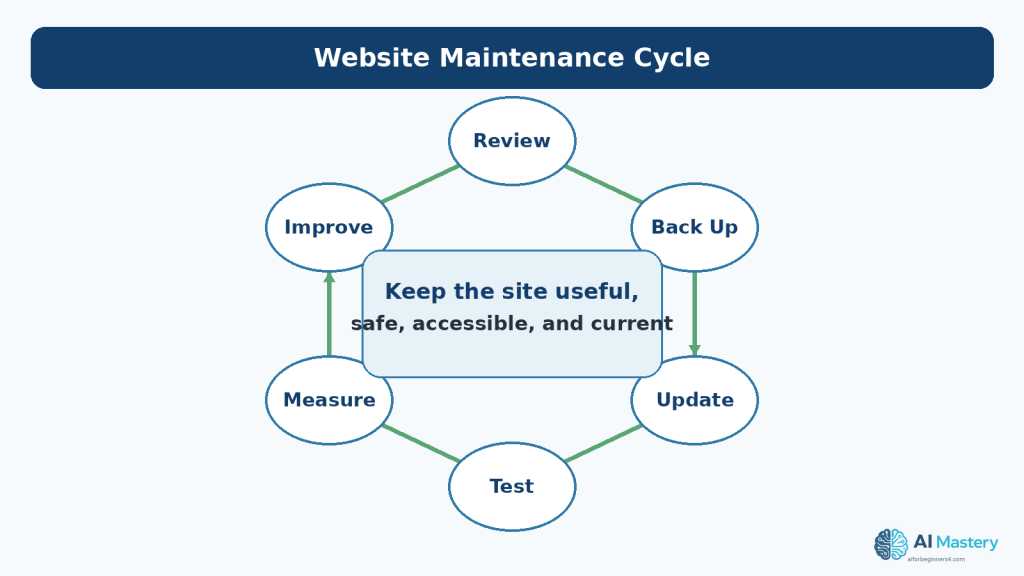
    Figure 1. Website maintenance is an ongoing cycle of review, backup, updating, testing, measurement, and improvement.

    Explanation: Regular small reviews help prevent a website from becoming outdated or difficult to repair. The goal is not constant redesign; it is keeping important content and functions useful, safe, accessible, and current.

    Build a Simple Maintenance Routine

    Weekly Checks

    Weekly checks should be quick. Review new comments or messages, confirm that recently published posts display correctly, and investigate obvious errors reported by readers. If the site is small and changes infrequently, even this can take only a few minutes.

    Monthly Checks

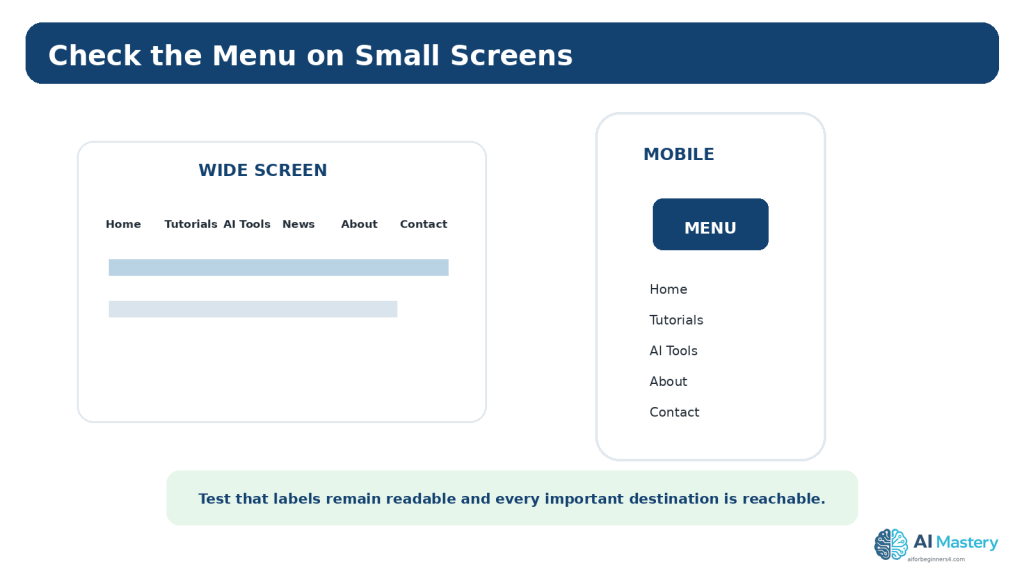
    Once a month, test the most important parts of the site. Open the homepage and key posts on both a normal desktop window and a narrow mobile-sized view. Use the navigation, click important links, and submit a test message through any contact form you rely on.

    Also review recent security or downtime notices, confirm that you understand your current backup options, and look at Search Console if it is connected to the site.
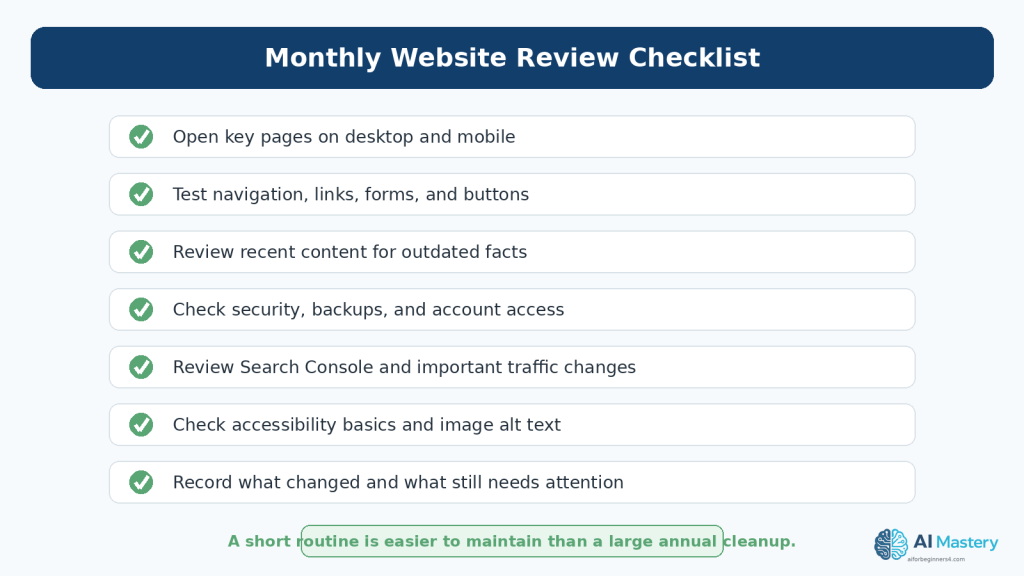
    Figure 2. A short monthly checklist can cover the most important website maintenance tasks without turning maintenance into a large project.

    Explanation: Checking important pages, links, forms, mobile layouts, recent content, security notices, search performance, and accessibility on a regular schedule is usually easier than waiting for problems to accumulate.

    Quarterly Checks

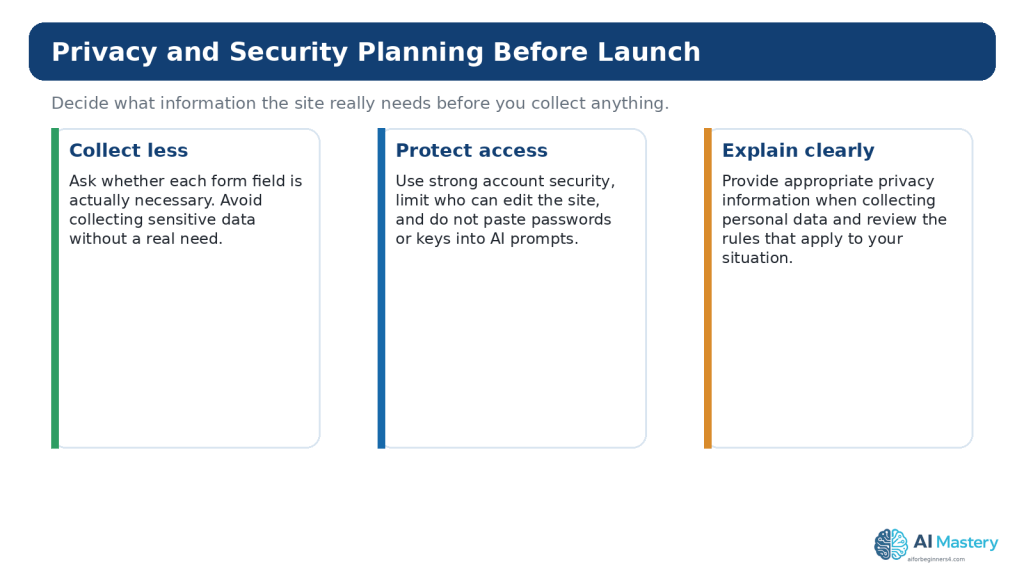
    Every few months, perform a deeper review of older priority content, accessibility basics, user permissions, licence records, and site structure. This is also a useful time to confirm that your About, Contact, privacy information, and important internal links still reflect the current site.

    Review Older Content for Accuracy and Freshness

    Do not update an article only because it has an old date. The more important question is whether the information is still accurate and helpful.

    Look for High-Risk Changes

    • software menus, feature names, plan conditions, or limits
    • prices or commercial terms
    • privacy, licensing, disclosure, or platform-policy information
    • screenshots showing an old interface
    • dead external sources
    • instructions that no longer match the current workflow
    • facts that were time-sensitive when originally written

    Keep Stable Content When It Is Still Correct

    Foundational explanations often remain useful for a long time. Rewriting stable material unnecessarily can introduce new mistakes. If a section is still correct, readable, and relevant, it may only need a new source check or a small clarification.
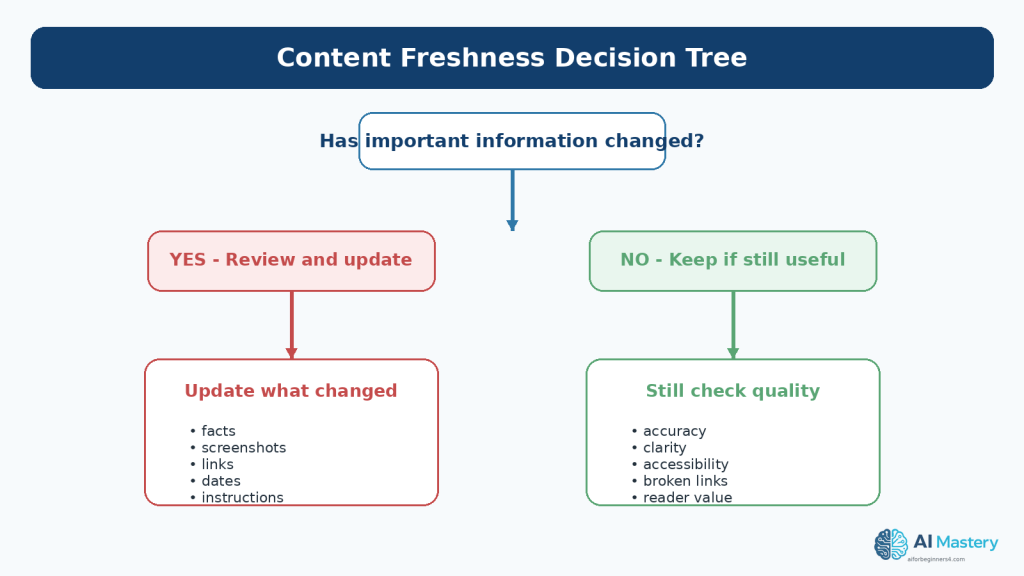
    Figure 3. Review older content based on whether important facts, screenshots, links, instructions, policies, or reader needs have changed.

    Explanation: Not every old article needs to be rewritten. Keep content that remains accurate and useful, but update sections that could mislead readers because the underlying information has changed.

    Update the Date Honestly

    Change a “last updated” date only when you actually review or revise the content. A date should help readers understand freshness, not create the impression that an untouched article was recently verified.

    Back Up Before Major Changes

    A backup is a recovery tool. Before changing a theme, adding or removing an important plugin, editing a large group of pages, changing navigation, or making another major structural change, confirm that you have a suitable restore option.

    WordPress.com provides managed hosting and handles many infrastructure tasks automatically, but backup and restore features depend on the site and plan. Current WordPress.com documentation explains both restore and downloadable-backup options where available. Self-hosted WordPress users may rely on their host, a backup plugin, or another backup system.
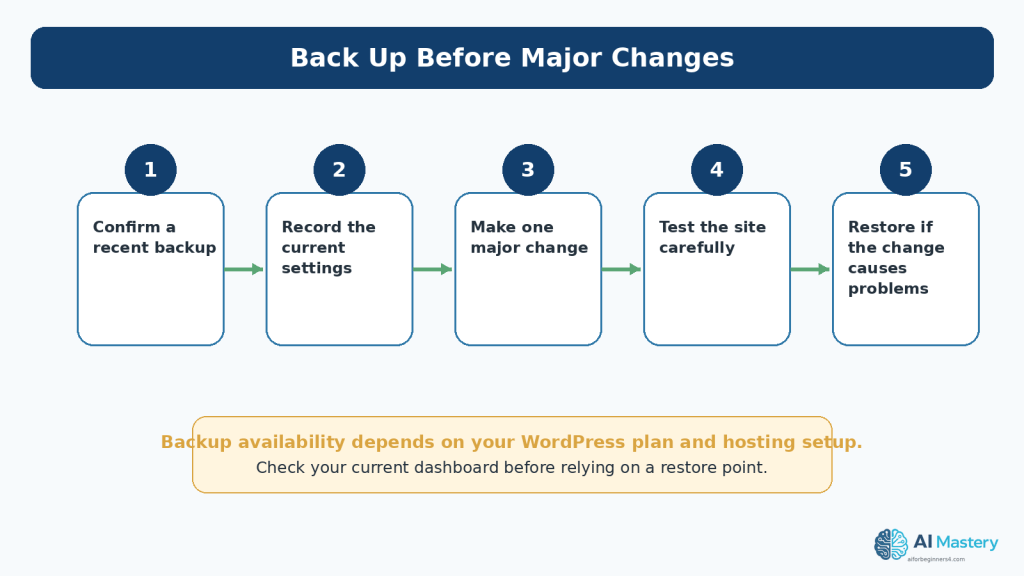
    Figure 4. Confirm that you have an appropriate backup or restore option before making a major website change.

    Explanation: Backup features vary by WordPress plan and hosting setup. Check the current options available to your site, record the existing settings, make one significant change at a time, and test before moving on.

    Important: Do not assume that a backup exists simply because a site is online. Check the actual backup or restore area that applies to your current hosting setup.

    Review Website Security

    Security maintenance should focus first on practical beginner actions: protect the account, review who has access, understand which updates you are responsible for, and pay attention to security or downtime notices.

    Protect the Administrator Account

    Use a strong unique password and enable two-step authentication when available. Do not reuse the same administrator password on unrelated services.

    Review Users and Permissions

    If someone no longer needs access to the site, remove or reduce that access. Give people only the permissions required for their role.

    Understand Update Responsibility

    On WordPress.com managed hosting, many platform updates and infrastructure protections are handled for you. On self-hosted WordPress, the site owner and host generally have more responsibility for WordPress core, themes, plugins, backups, and server security. The exact responsibilities depend on the host and setup.
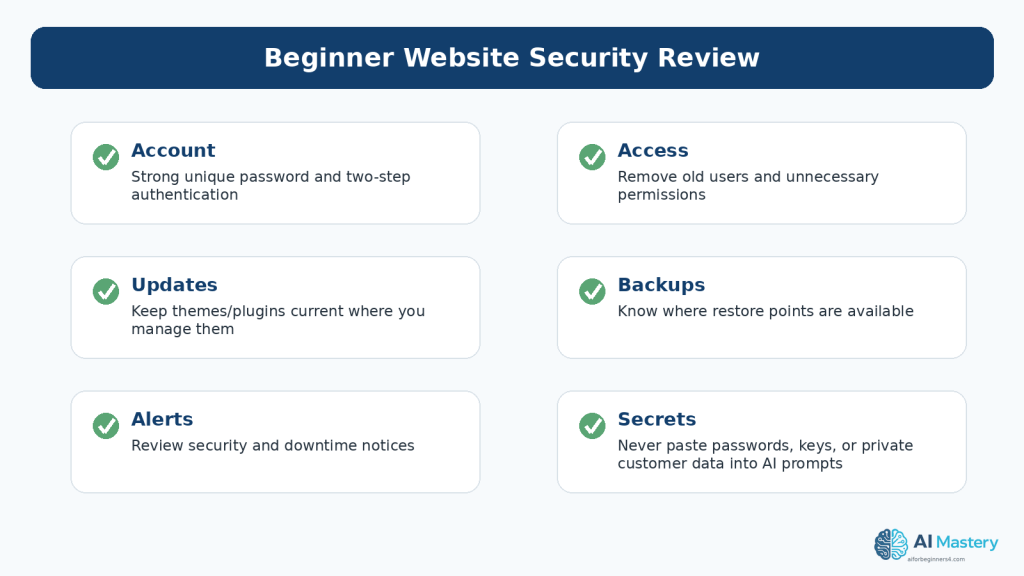
    Figure 5. A beginner security review should include account protection, access permissions, updates you are responsible for, restore options, alerts, and protection of secrets.

    Explanation: Website security is not only about software. Old user accounts, weak passwords, exposed credentials, and ignored alerts can also create risk.

    Test Links, Forms, Buttons, and Navigation

    Maintenance is not only reading. You need to use the website like a visitor.

    Test Important Links

    Click the main navigation, homepage calls to action, Continue Learning links, source links, and any important external resources. Repair or replace links that lead to deleted, redirected, or incorrect destinations.

    Test Forms

    If the site has a contact form, send a test message using non-sensitive test information. Confirm that the submission succeeds and that the message reaches the expected destination. Do not use real customer information for a routine test.

    Test on a Narrow Screen

    A change that looks fine on a desktop can make a menu, image, table, or button difficult to use on a phone. Resize the browser or use a phone to check important pages after layout changes.
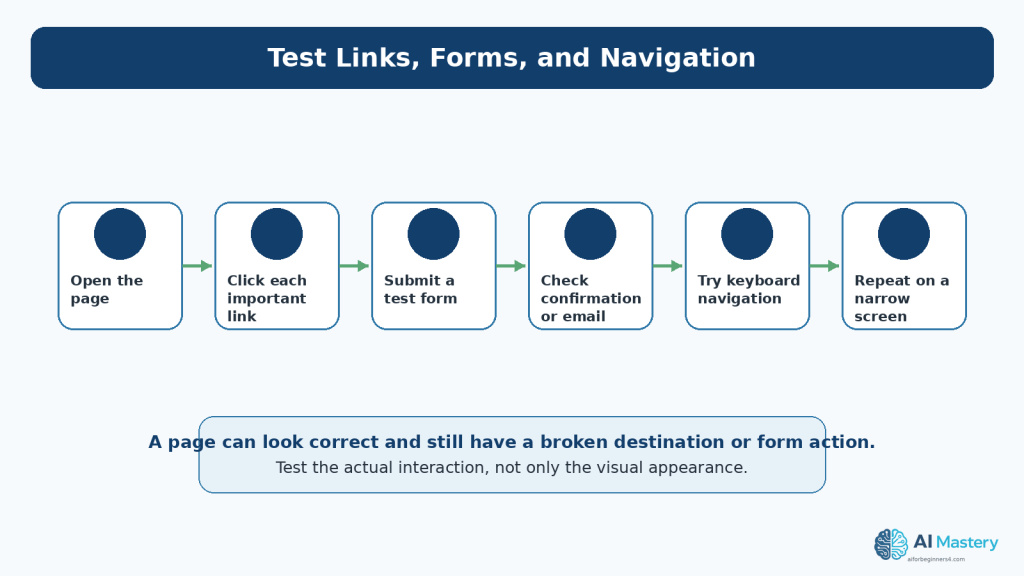
    Figure 6. Test important website interactions directly instead of assuming they work because the page looks correct.

    Explanation: A page can appear normal while a link points to the wrong destination, a form fails to send, or navigation becomes difficult on a phone or keyboard.

    Use Google Search Console as a Maintenance Tool

    Google Search Console is a free service that helps site owners monitor, maintain, and troubleshoot a site’s presence in Google Search. You do not need Search Console for Google to discover a public site, but it provides useful information about search performance and indexing.

    Watch Trends, Not Every Small Movement

    The Performance report can show clicks, impressions, queries, pages, and other search information. Small changes are normal. Look for larger or sustained changes that deserve investigation.

    Check Indexing When a Page Is Missing

    The Page indexing report shows the indexing status of URLs Google knows about. The URL Inspection tool can provide information about a particular URL and can test whether it might be indexable.
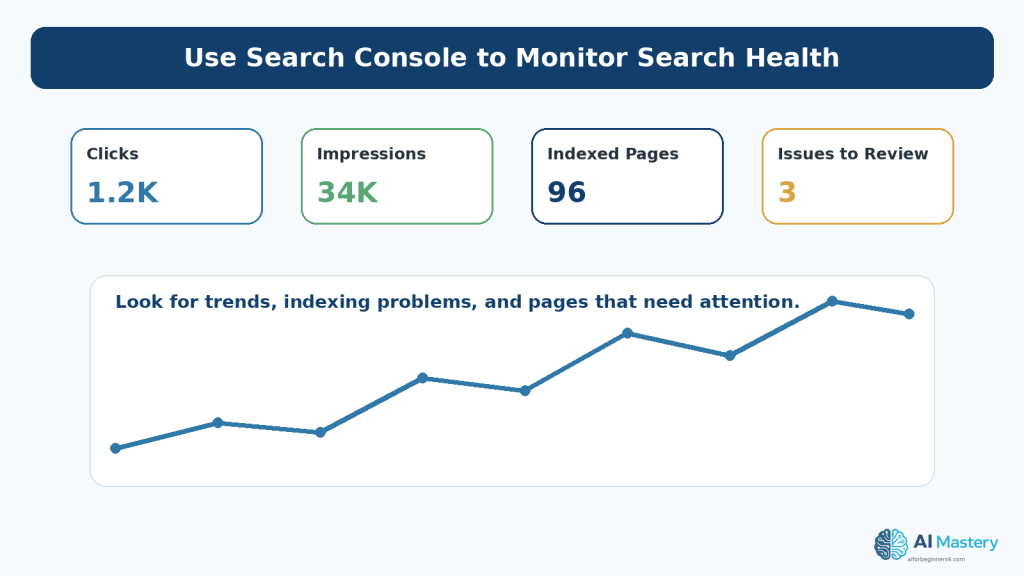
    Figure 7. Search Console can help you monitor search performance, indexing, and problems that may need attention.

    Explanation: Focus on trends and meaningful changes rather than reacting to every small fluctuation. Search Console is a monitoring and troubleshooting tool, not a guarantee of rankings or traffic.

    Reality: Search Console can help you diagnose search visibility, but it does not guarantee that a page will be indexed, ranked, or receive traffic.

    Review Speed and Core Web Vitals

    Website performance can change after uploading large images, adding plugins, changing themes, embedding media, or adding third-party scripts. WordPress.com currently recommends steps such as optimizing images, limiting unnecessary plugins, and choosing efficient themes.

    Google’s Core Web Vitals are real-world user-experience metrics focused on loading performance, responsiveness, and visual stability. They can help identify performance problems, but they are one part of the overall website experience.
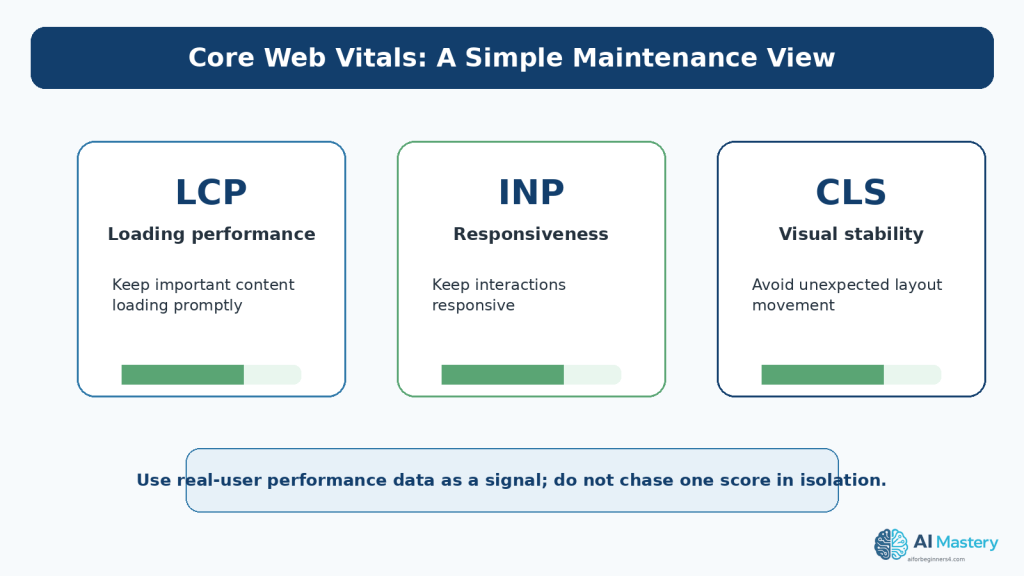
    Figure 8. Core Web Vitals provide real-world signals for loading performance, responsiveness, and visual stability.

    Explanation: Performance metrics are useful maintenance signals, but they should be considered together with usability, accessibility, content quality, and the actual experience of visitors.

    Fix the Cause, Not Only the Score

    Do not make a page less useful just to improve a single metric. For example, removing essential explanatory images could improve page weight while making the tutorial harder to understand. Aim for a balance of useful content, accessible design, and reasonable performance.

    Recheck Accessibility After Changes

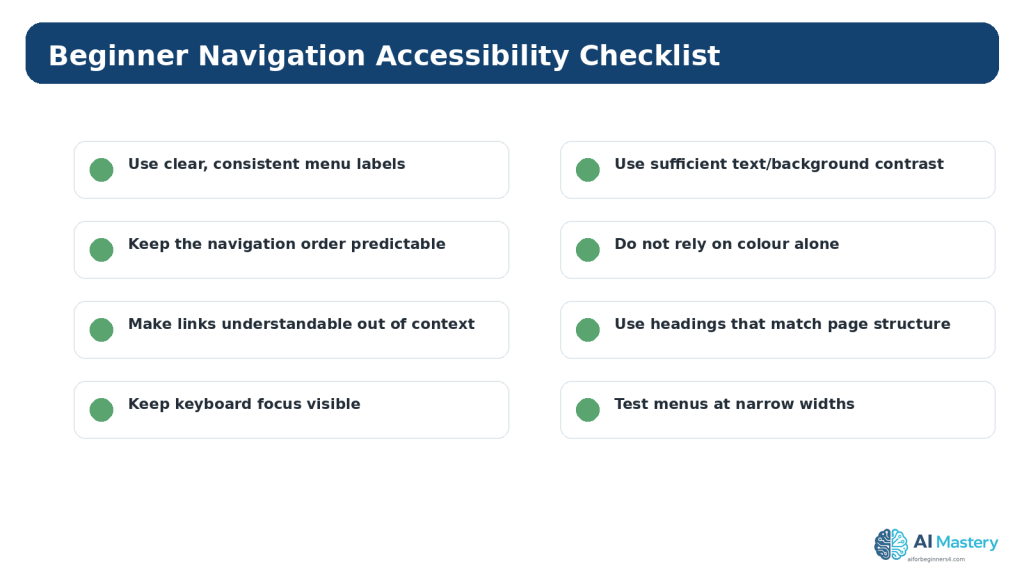
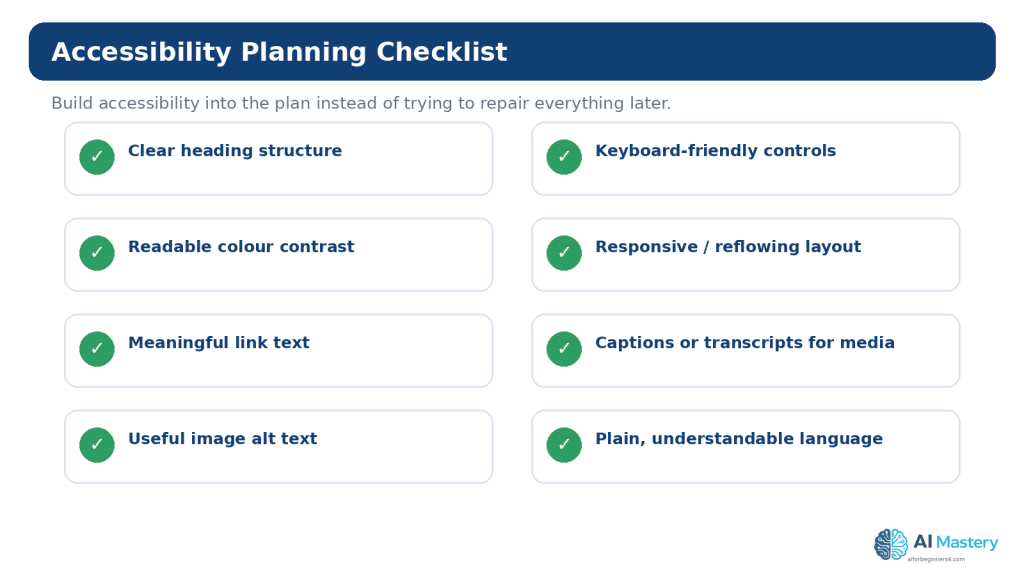
    Accessibility is not a one-time certificate. Editing a theme, changing colours, adding a form, replacing an image, reorganizing headings, or modifying navigation can create new barriers.

    Beginner Accessibility Checks

    • headings follow a logical structure
    • informative images have useful alternative text
    • text remains readable against its background
    • links have meaningful wording
    • keyboard focus is visible
    • forms have labels and understandable instructions
    • content can reflow when the page is zoomed or viewed narrowly
    • important information is not communicated only by colour

    WCAG 2.2 is the current W3C Recommendation used in this guide. A beginner checklist can identify obvious problems, but a quick review does not prove full WCAG conformance.
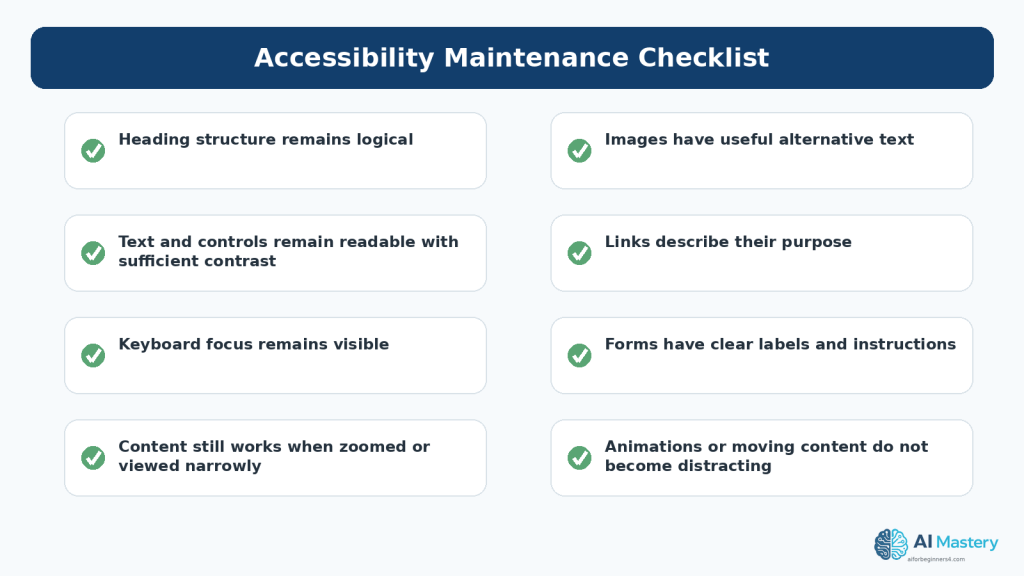
    Figure 9. Accessibility needs to be rechecked when content, themes, navigation, forms, or layouts change.

    Explanation: A page that was accessible when first published can become harder to use after later edits. Maintenance should therefore include recurring accessibility checks rather than a one-time review.

    Use AI for Focused Website Reviews

    AI is most useful when the task is narrow and verifiable. Instead of asking “Fix my whole website,” ask for help with one page, one problem, or one checklist.

    Useful AI Review Tasks

    • turn a maintenance goal into a checklist
    • compare an old paragraph with a verified new source and identify what may need updating
    • explain an unfamiliar error message
    • suggest test cases for a contact form or navigation change
    • review a page for obvious clarity or accessibility concerns without claiming certification
    • help summarize Search Console observations that you provide

    Example Prompt

    I am reviewing a beginner WordPress tutorial that was published several months ago. I will provide the current article text and the official source I checked today. Identify statements that may need updating. Do not rewrite unrelated sections, and clearly separate confirmed differences from suggestions.
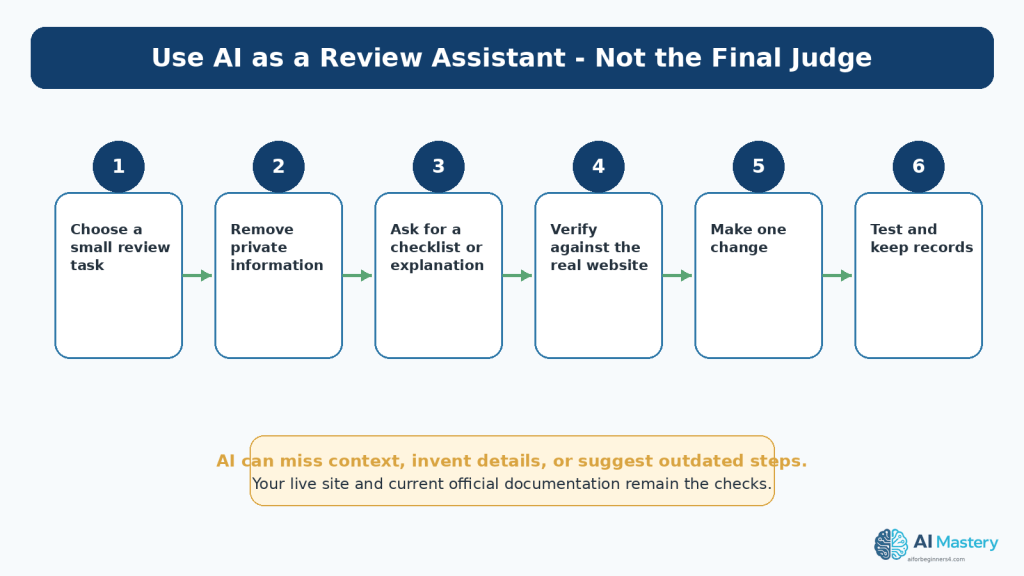
    Figure 10. Use AI for focused review tasks, then verify every important suggestion against the real website and current official guidance.

    Explanation: AI can help organize a checklist, summarize a problem, or suggest what to inspect. It can also misunderstand context or produce outdated or incorrect guidance, so it should not be treated as the final judge.

    Verify Before Publishing

    Check important AI suggestions against the actual website, current official documentation, and your intended audience. If an AI response conflicts with the live platform or a current official source, use the live evidence and authoritative documentation as the basis for the correction.

    Protect Privacy When Using AI for Maintenance

    Website troubleshooting can involve information that should not be pasted into an AI conversation. Before sharing code, screenshots, logs, analytics exports, or account details, remove information that is not necessary for the question.

    Remove Sensitive Information

    • passwords and authentication codes
    • API keys and access tokens
    • private customer or subscriber information
    • payment information
    • administrator-only URLs when they reveal private structure
    • private email addresses or contact details that are not required
    • confidential business data

    OpenAI’s current Data Controls let ChatGPT users choose whether conversations help improve models. These settings are useful, but they are not a reason to share secrets that are unnecessary for the task.
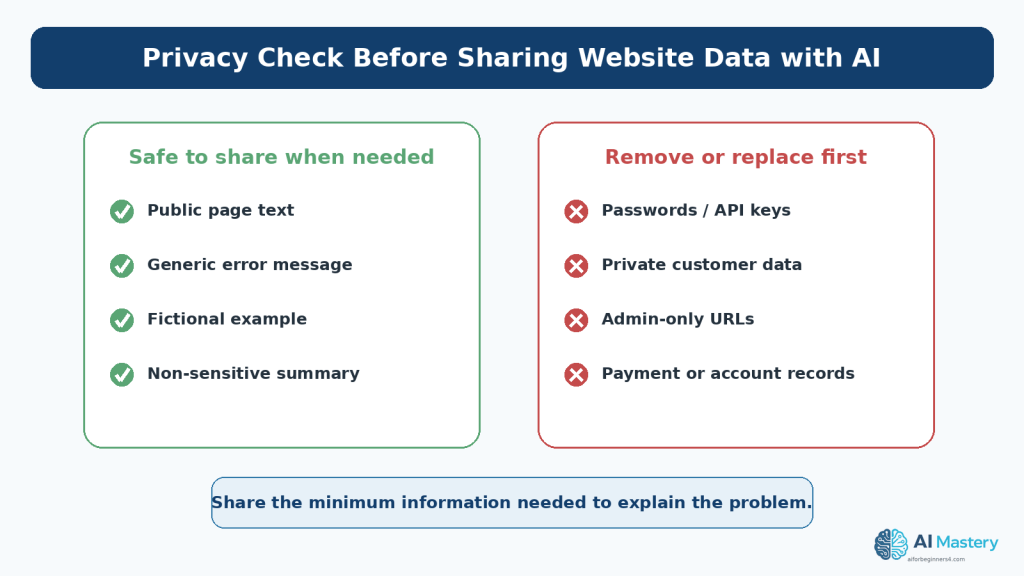
    Figure 11. Share only the minimum website information needed for an AI-assisted review and remove sensitive data first.

    Explanation: Public page text may be appropriate for a review, while passwords, API keys, private customer information, admin-only URLs, and payment or account records should not be pasted into an AI conversation.

    Review Copyright, Permissions, and Licences

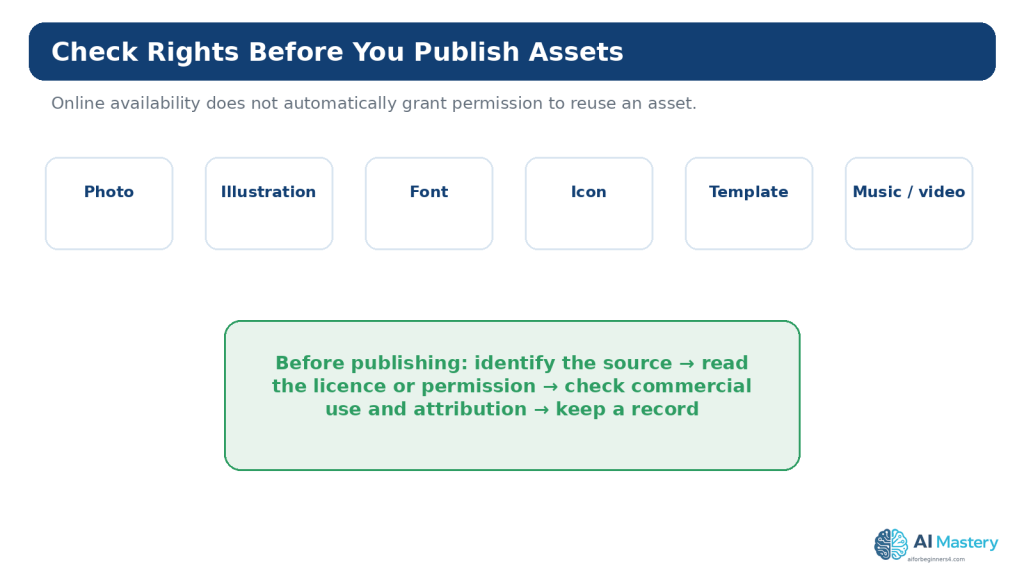
    Maintenance often includes replacing images, fonts, icons, templates, code libraries, screenshots, or other assets. Each replacement is a new opportunity to verify the source and usage conditions.

    Keep a Simple Asset Record

    • asset name
    • creator or provider
    • source URL
    • licence or permission
    • date checked
    • whether attribution is required
    • where the asset is used

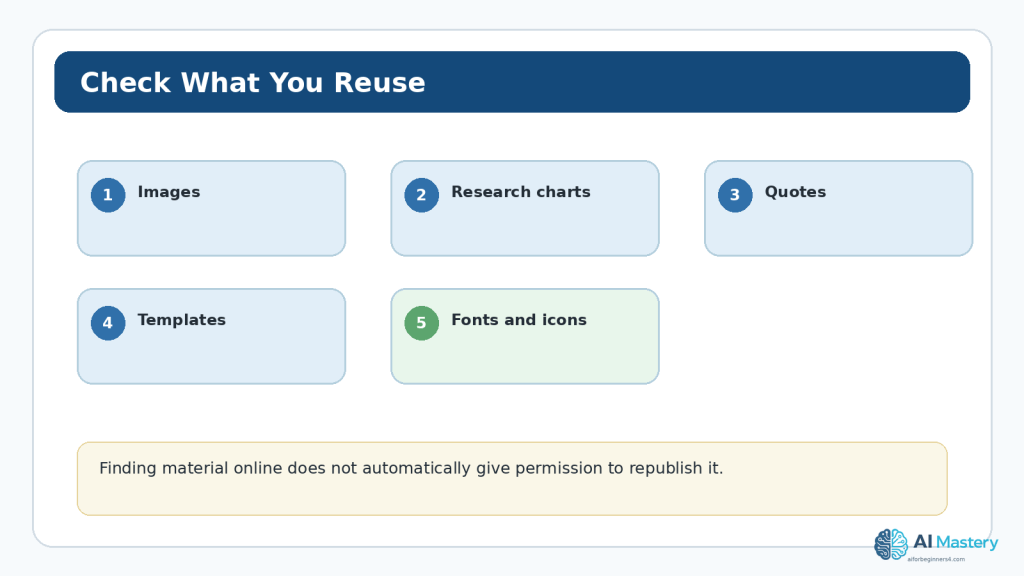
    A resource being free of charge or publicly visible does not automatically mean it is unrestricted. Creative Commons licences, open-source licences, stock licences, and direct permissions can contain different conditions.
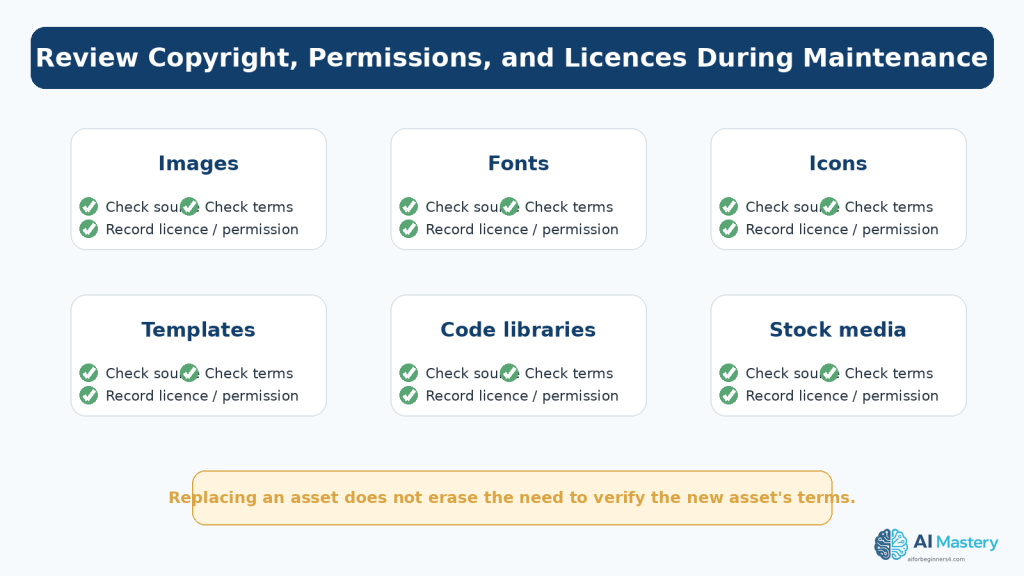
    Figure 12. Website maintenance includes checking the source, licence, permission, and attribution requirements of third-party assets.

    Explanation: Replacing an old image, font, icon, template, library, or stock asset creates a new licensing decision. Keep records so you can show where important third-party materials came from and what terms applied.

    General education only: Copyright and licensing rules vary by jurisdiction and by the specific material. For important legal questions, obtain appropriate professional advice.

    Keep a Maintenance Log

    A simple record prevents repeated troubleshooting. You do not need specialized software. A document or spreadsheet can record the date, page, change, reason, source checked, backup status, and result of testing.

    Example Maintenance Entry

    August 16, 2026 — Article 095 — Updated Google Search guidance paragraph after checking current Google Search Central source. Rechecked links and mobile layout. No change to article structure. Backup/restore option confirmed before editing.

    This record is especially useful when several articles refer to the same platform feature. When that feature changes, you can search the maintenance log to find related content that may also require review.

    Use a Realistic Maintenance Calendar

    A schedule should fit the size and importance of the website. A small educational site does not need the same monitoring system as a large store or financial service.

    A Beginner Schedule

    • Weekly: review new messages, recent posts, and obvious errors.
    • Monthly: test important links, forms, navigation, mobile layouts, Search Console, and recent security notices.
    • Quarterly: review older priority content, permissions, licences, accessibility basics, and site structure.
    • When something changes: back up before major edits, retest after theme or plugin changes, and update articles affected by an important platform or policy change.
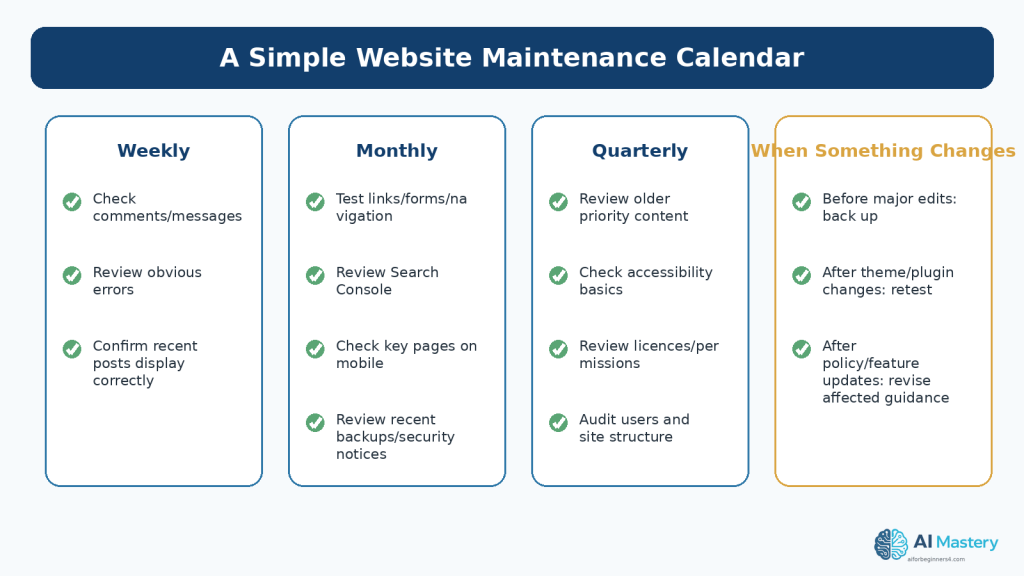
    Figure 13. A simple maintenance calendar separates quick routine checks from deeper periodic reviews and event-triggered tasks.

    Explanation: You do not need to inspect every detail every day. A realistic schedule helps beginners maintain the site consistently without turning website ownership into constant technical work.

    Common Website Maintenance Mistakes

    Mistake 1: Waiting Until Something Breaks

    Emergency maintenance is harder because you may not know which change caused the problem. Small routine checks create a clearer history.

    Mistake 2: Updating Everything at Once

    Changing many plugins, settings, pages, or design elements simultaneously makes troubleshooting difficult. Make major changes in controlled steps and test between them.

    Mistake 3: Trusting AI Without Verification

    AI-generated maintenance advice can sound confident while being wrong or outdated. Verify important instructions, especially those involving security, privacy, accessibility, legal obligations, or current platform features.

    Mistake 4: Treating a Backup as an Assumption

    Know where the restore option is and what it covers. Backup features differ between hosts and plans.

    Mistake 5: Ignoring Accessibility After Redesigns

    A theme or layout change can alter contrast, focus visibility, headings, navigation, or reflow. Recheck accessibility after visual changes.

    Mistake 6: Losing Licence Records

    If you replace third-party media without recording the new source and terms, future verification becomes difficult. Preserve the relevant licence or permission information when the asset is added.

    Benefits and Limitations of AI-Assisted Maintenance

    Benefits

    • turning a vague maintenance goal into a clear checklist
    • summarizing differences between old and verified new information
    • explaining technical errors in beginner-friendly language
    • suggesting tests you may have forgotten
    • helping organize maintenance records and follow-up tasks

    Limitations

    • AI cannot see your live website unless you provide the relevant information or use an appropriate connected tool
    • it can misunderstand screenshots or incomplete context
    • it can recommend a feature that has changed or does not apply to your plan
    • it can miss accessibility, security, or legal issues
    • it cannot replace a real backup, browser test, form submission, Search Console report, or professional review when one is required

    How to Reduce These Limitations: Use AI for focused assistance, provide only necessary non-sensitive context, verify important claims, test real website behavior, and keep a record of what you changed.

    A Practical Maintenance Workflow

    1. Choose one maintenance area, such as links, content freshness, security, accessibility, or search visibility.

    2. Confirm that you have the access and backup information needed for the task.

    3. Review the live website before changing anything.

    4. Use current official documentation when the task depends on a platform feature or policy.

    5. Use AI only for a focused explanation, checklist, comparison, or draft when it adds value.

    6. Remove private information before sharing any material with an AI tool.

    7. Make one meaningful change at a time.

    8. Test the page on the live or preview environment.

    9. Check mobile layout, navigation, links, forms, and accessibility when relevant.

    10. Record what changed, why it changed, and what source or evidence you used.

    Frequently Asked Questions

    How often should I maintain a small WordPress website?

    A small site can use quick weekly checks, a more complete monthly review, and deeper quarterly checks. Increase the frequency when the site changes often, collects important information, sells products, or has other higher-risk functions.

    Does WordPress.com handle all maintenance for me?

    WordPress.com managed hosting handles many infrastructure, platform-update, security, and backup responsibilities, but you still need to maintain your content, navigation, forms, account access, accessibility, licences, and published information. Plan-specific features can differ.

    Should I update every old article?

    No. Update content when important information has changed or when the article is no longer useful or accurate. Stable content can remain as it is after a current review.

    Can ChatGPT check my whole website automatically?

    ChatGPT can help with material you provide and may support connected workflows where available, but a reliable website review still requires real page testing, current platform documentation, and human judgement.

    Do I need Google Search Console?

    It is not required for Google to discover a public site, but it is useful for monitoring search performance, indexing, and problems that may require attention.

    Does a good Core Web Vitals score guarantee good rankings?

    No. Core Web Vitals are useful page-experience signals, but Google uses many systems and signals. Helpful content, crawlability, indexing, relevance, and other factors still matter.

    Is an accessibility audit once a year enough?

    Accessibility can change whenever content or design changes. Routine beginner checks should be part of maintenance, with deeper evaluation when the site or its risks justify it.

    What should I save before making a major change?

    Confirm a current backup or restore option, keep copies of important source files, and record current settings or screenshots where they would help you restore the previous state.

    Can I paste Search Console data into AI?

    Use caution. Share only what is needed, remove private or identifying information when possible, and avoid pasting credentials, account details, or sensitive business data.

    When should I get professional help?

    Consider professional help for serious security incidents, complex accessibility conformance work, legal or licensing disputes, payment systems, personal-data handling, or other high-risk situations that exceed a beginner maintenance workflow.

    Key Takeaways

    • A published website still needs ongoing review.
    • Use small recurring checks instead of waiting for a large emergency cleanup.
    • Review content based on accuracy and usefulness, not age alone.
    • Confirm backup and restore options before major changes.
    • Understand which security and update responsibilities belong to WordPress.com, your host, or you.
    • Test real links, forms, navigation, mobile layouts, and key interactions.
    • Use Search Console to monitor search health and indexing trends.
    • Treat Core Web Vitals as useful performance signals, not the only measure of a good page.
    • Recheck accessibility after content, navigation, theme, or layout changes.
    • Use AI as a focused assistant and verify important suggestions.
    • Remove sensitive data before sharing website material with an AI tool.
    • Keep licence and permission records for third-party assets.
    • Maintain a simple log of important website changes.

    Final Tip

    The most sustainable maintenance system is the one you will actually use. A 20-minute monthly review that happens consistently is more valuable than a perfect 40-point checklist that is never opened.

    Start with your most important pages, check one area at a time, and keep a short record of what you found. Over time, maintenance becomes less about fixing surprises and more about preventing them.
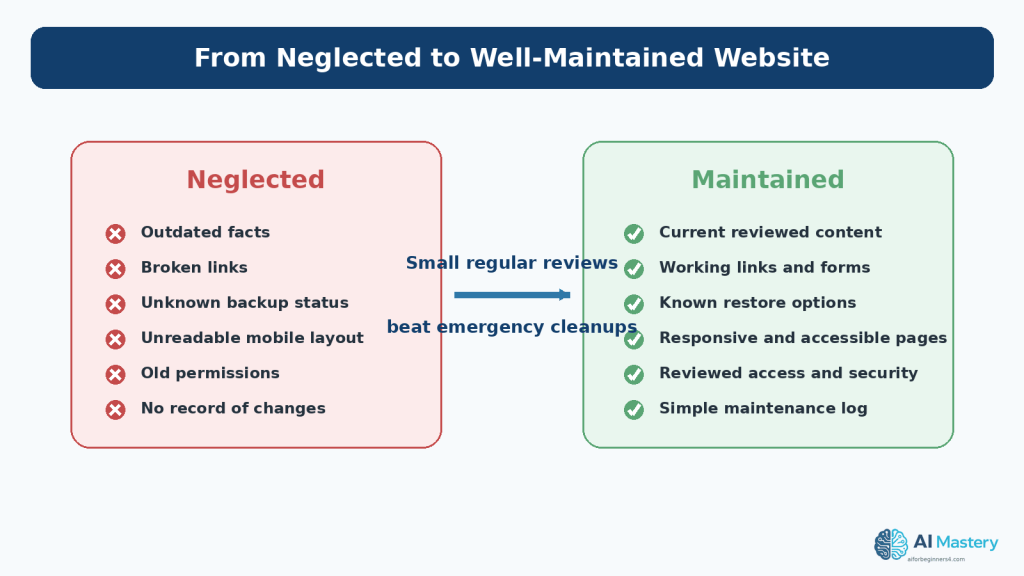
    Figure 14. Small regular maintenance tasks can move a website from outdated and uncertain to current, tested, documented, and easier to manage.

    Explanation: The objective is not perfection. A maintained website has fewer unknowns because important content, links, backups, access, accessibility, and recent changes are reviewed on a predictable schedule.

    Continue Learning

    Article 096 completes the first Website Planning sequence after Articles 091–095. Review the earlier articles when you need to revisit the site topic, audience, page structure, navigation, content plan, or beginner SEO plan.

    After these planning and maintenance foundations are in place, future AI Mastery articles can build on them with publishing, analytics, growth, and more advanced website workflows.

    Sources and References

    The following official and authoritative sources were reviewed for the WordPress, search, accessibility, privacy, copyright, and licensing information in this article. Information was checked on August 16, 2026. Platform features, plans, standards, policies, and licence conditions can change, so readers should check current official information when a decision depends on them.

    1. WordPress.com — Keep your site safe and secure. Current WordPress.com security guidance, including recommended account and site-protection practices.

    2. WordPress.com — Security settings. Current dashboard guidance for backups, security scanning, downtime monitoring, anti-spam, and related settings where available.

    3. WordPress.com — Download a backup of your site. Current instructions for downloading a WordPress.com backup when the feature is available for the site and plan.

    4. WordPress.com — Improve your website’s speed and performance. Current WordPress.com performance guidance, including image optimization, theme choices, and plugin considerations.

    5. WordPress.com — WordPress.com vs WordPress.org. Explains managed WordPress.com hosting compared with self-hosted WordPress, including differences in updates, security, and backups.

    6. Google Search Console Help — About Search Console. Explains how Search Console helps site owners monitor, maintain, and troubleshoot a site’s presence in Google Search.

    7. Google Search Central — How to use Search Console. Current workflow for monitoring search performance, indexing, and important issues.

    8. Google Search Console Help — Page indexing report. Explains the indexing status report for URLs Google knows about.

    9. Google Search Console Help — URL Inspection tool. Explains how to inspect Google’s indexed version of a specific URL and test indexability.

    10. Google Search Central — Core Web Vitals. Current overview of real-world loading, responsiveness, and visual-stability metrics.

    11. Google Search Central — SEO Starter Guide. Current beginner SEO guidance and long-term site maintenance recommendations.

    12. W3C — Web Content Accessibility Guidelines (WCAG) 2.2. The current W3C Recommendation used for accessibility guidance in this article.

    13. W3C WAI — How to Meet WCAG 2.2 (Quick Reference). Practical reference for reviewing accessibility requirements such as text alternatives, keyboard access, focus, contrast, and reflow.

    14. OpenAI — Data Controls FAQ. Current OpenAI guidance for ChatGPT data controls and choices about model improvement.

    15. OpenAI — How your data is used to improve model performance. Current explanation of how data controls affect model improvement and how Temporary Chats are handled.

    16. WIPO — Copyright. General authoritative copyright reference for creative works including text, images, software, and other materials.

    17. Creative Commons — About CC Licenses. Official overview of Creative Commons licence conditions and attribution requirements.

    Important Note

    This article provides general educational information about website maintenance, WordPress, search visibility, accessibility, privacy, security, copyright, and licensing. It is not legal, cybersecurity, accessibility-conformance, or other professional advice. Higher-risk websites may require qualified professional review.
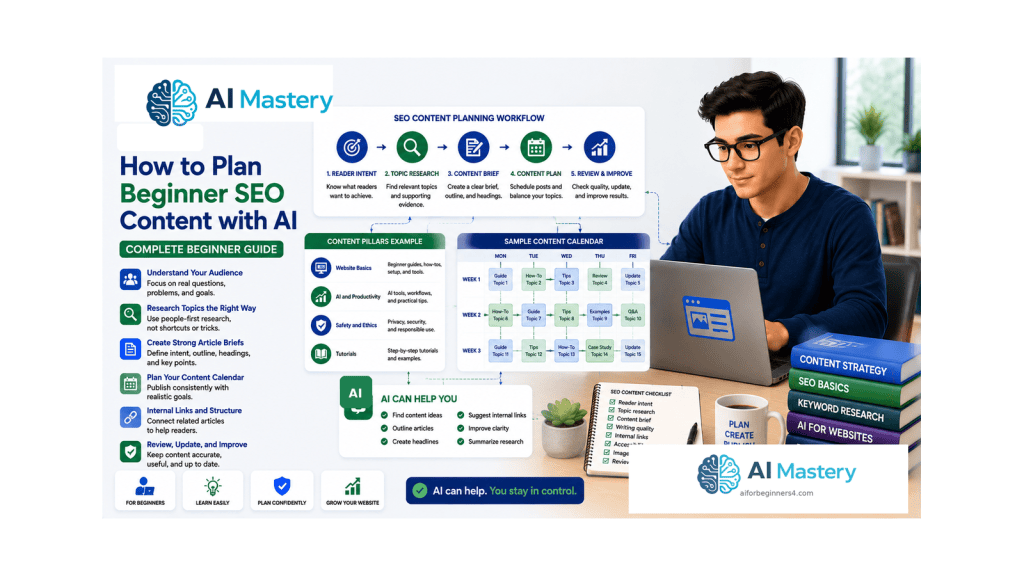
  • Article 095 — How to Plan Beginner SEO Content with AI (2026)

    Article 095 — How to Plan Beginner SEO Content with AI (2026)

    Estimated reading time: 25–30 minutes

    Last updated: August 16, 2026

    Introduction

    Search engine optimization, usually shortened to SEO, is the practice of making web content easier for search engines and people to discover, understand, and use. For a beginner website, SEO content planning means deciding what useful page or article to create, who it is for, what question or task it should address, how it fits the rest of the site, and what information should be checked before publishing.

    Good SEO planning is not a promise of rankings. Google states that following its Search Essentials and SEO guidance can help a site become eligible and easier to understand, but it does not guarantee that a page will be crawled, indexed, ranked, or shown for a particular query. That distinction matters because beginners are often exposed to confident claims about “guaranteed traffic” or “easy keywords” that no responsible planner can promise.

    AI can help you brainstorm reader questions, compare possible article angles, simplify an outline, identify gaps in a plan, and challenge duplicated ideas. However, AI-generated keyword lists, traffic estimates, “difficulty scores,” or ranking predictions should not be treated as verified facts unless they come from a real measurement source you can inspect.

    This guide focuses on a practical beginner workflow: understand the audience, identify search intent, research the topic, create a useful article brief, plan the page elements and internal links, review accessibility and responsible-use issues, and then publish and measure carefully.

    What You’ll Learn

    You will learn how to:

    • understand what SEO content planning means
    • distinguish SEO from guaranteed rankings or traffic
    • identify a reader question and search intent
    • use topic research and Google Trends carefully
    • plan topic clusters without creating duplicate articles
    • create a beginner SEO article brief
    • plan titles, headings, URLs, excerpts, and internal links
    • use images and alt text responsibly
    • use AI for brainstorming while keeping human review
    • understand current Google guidance for generative AI search
    • protect privacy and review licensing before publishing
    • recognize common SEO myths and mistakes
    • prepare a final WordPress SEO publishing plan

    Before You Start

    This article assumes you already know the website topic, audience, pages, navigation, and general content plan. If those decisions are still unclear, complete the earlier Website Planning lessons first. SEO should support a useful site structure rather than replace it.

    Keep a list of your existing article titles and URLs nearby. You will use it to avoid duplicate topics and to plan internal links. You may also use Google Search, Google Trends, WordPress.com, and later Google Search Console as research and measurement tools.

    You do not need a paid SEO plugin to understand the principles in this article. WordPress.com includes core search-friendly features, while additional SEO controls depend on the site plan and available features. The exact menu wording may change over time.

    What SEO Content Planning Means

    SEO content planning starts before the article is written. The purpose is to connect a real reader need with a page that clearly satisfies that need and fits the website. The plan records the intended audience, search or task intent, article outcome, evidence, page structure, internal links, image needs, WordPress metadata, and future review requirements.

    Google’s current SEO Starter Guide describes SEO as improvements that can help search engines crawl, index, and understand content. Google also emphasizes that the work should serve people rather than exist mainly to manipulate search rankings.

    A beginner content plan should therefore ask two questions at the same time: “Will this page help the intended reader?” and “Will the page be clear enough that search engines can understand what it is about?”

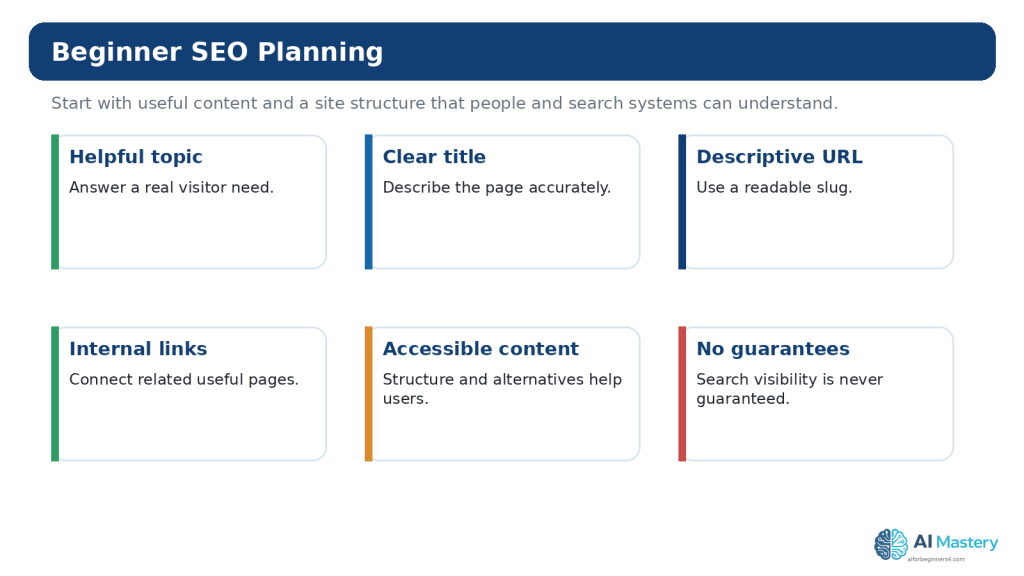
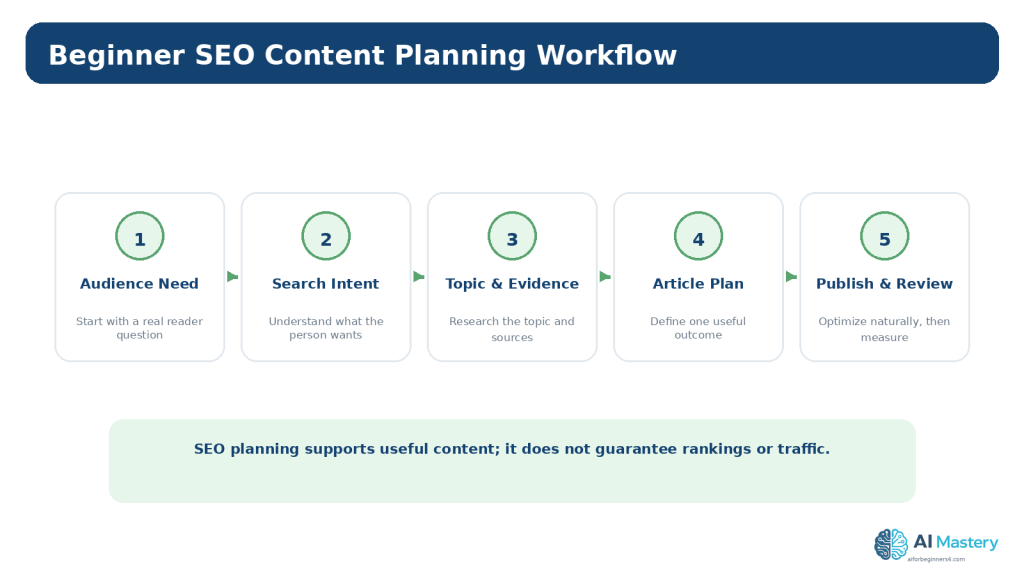
    Figure 1. Beginner SEO content planning starts with a real reader need and turns it into a useful, researched, well-structured article that can be reviewed after publication.

    Explanation: SEO planning supports discovery and clarity, but it does not guarantee crawling, indexing, rankings, or traffic.

    Start with a Real Reader Need

    Before looking for keywords, write the question, task, or problem the reader has. A useful beginner topic might be “How do I add alt text to an image in WordPress?” or “What is the difference between a WordPress page and a post?” The wording may later change, but the reader need should remain clear.

    If you start with a long list of keywords without understanding the person behind the search, you can end up publishing disconnected pages that repeat the same information. The reader need gives you a reason for the article to exist.

    Use AI to Explore the Question

    Example prompt: “My audience is complete beginners using WordPress. The reader asks: ‘How do I plan SEO content?’ Suggest five distinct interpretations of what they may be trying to accomplish. Do not invent search volume or difficulty scores.” Review the options and keep the interpretation that best matches your site.

    Understand Search Intent

    Search intent describes what a person is trying to accomplish with a search. The exact classifications used by SEO tools vary, but a beginner can work with a simple practical model: learn or understand something, complete a task, compare options, or find a known destination.

    Intent affects the article format. A person asking “what is SEO?” needs a clear explanation. Someone asking “how to add an internal link in WordPress” needs ordered steps. A person comparing two tools needs a balanced comparison with criteria, limitations, and current source checks.

    One page does not need to satisfy every possible intent. A focused article is usually easier to understand than a page that tries to be an explainer, tutorial, product comparison, news update, and buying guide at the same time.

    Figure 2. Search intent helps you choose an article format that matches what the reader is trying to accomplish.

    Explanation: A focused page usually serves one main intent better than a page that tries to do everything at once.

    Research Topics Without Treating Estimates as Facts

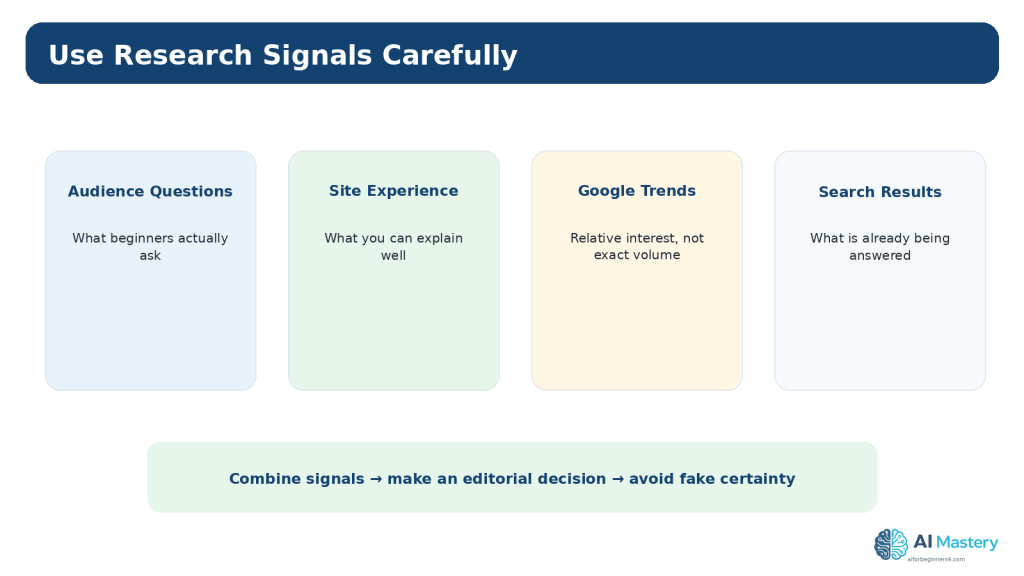
    Research can include your own audience questions, existing site search data, support forums, current search results, official documentation, Google Trends, and later Search Console data. Each source provides a different signal. None of them alone tells you exactly what article to publish.

    Google Trends is especially easy to misunderstand. Google explains that Trends data is normalized to the time and location of the query so terms can be compared. A value in Trends is therefore a relative-interest measure, not the exact number of searches. A term with a lower Trends score can still be useful for your audience.

    When AI suggests that one topic has “high volume” or “low difficulty,” ask where the number came from. If no verifiable source is provided, treat the claim as an unverified suggestion rather than data.

    Reality: SEO Research Contains Uncertainty

    Search behavior changes, tools use different methods, and no planning tool can guarantee that a page will rank. Record what is known, what is estimated, and what is simply an editorial judgement.

    Figure 3. Topic research combines several signals, but the final publishing decision still requires judgement and an understanding of each source’s limitations.

    Explanation: Google Trends reports normalized relative interest rather than exact search volume, and AI-generated metrics should not be treated as verified data.

    Use Topic Clusters Carefully

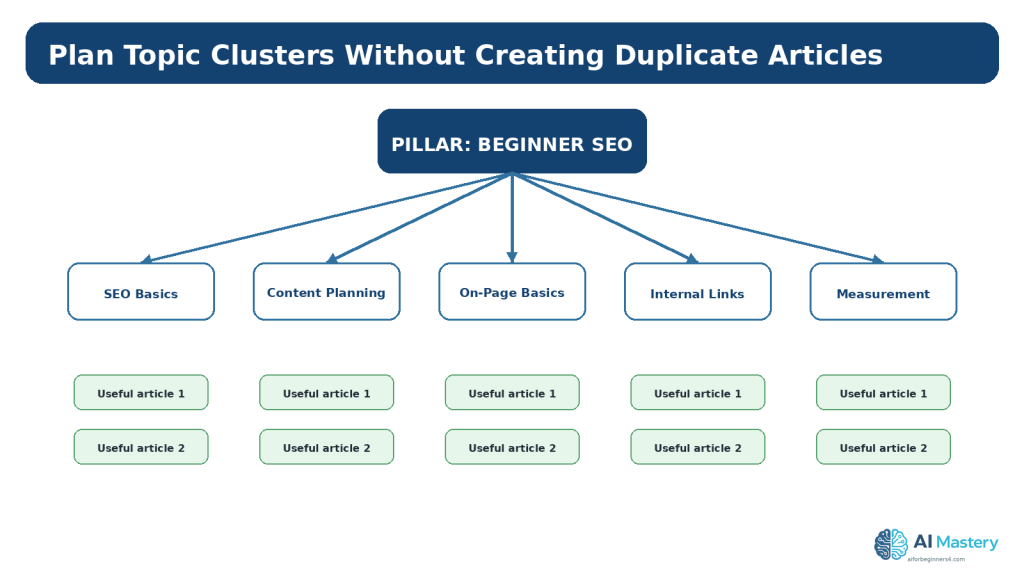
    A topic cluster is a group of related pages organized around a broader subject. Clusters can help readers move from foundational information to specific tasks and can make the site easier to navigate.

    For example, a Beginner SEO pillar could include a foundation guide, keyword and intent planning, on-page basics, internal links, image SEO and accessibility, Search Console basics, and periodic review. The articles should be distinct enough that each has its own useful outcome.

    Do not create separate pages for tiny wording variations that would be more useful as one strong article. Planning clusters is partly about deciding what not to publish.

    Figure 4. Topic clusters can organize related learning while still keeping each article focused on a distinct reader outcome.

    Explanation: The purpose of clustering is not to publish many near-duplicate pages; it is to create a useful structure for related subjects.

    Keep SEO People-First

    Google’s current guidance for helpful, reliable, people-first content asks site owners to focus on content created primarily to benefit people rather than content created primarily to attract visits from search engines. That means the plan should reward usefulness, clarity, accuracy, originality, and real value instead of publication volume.

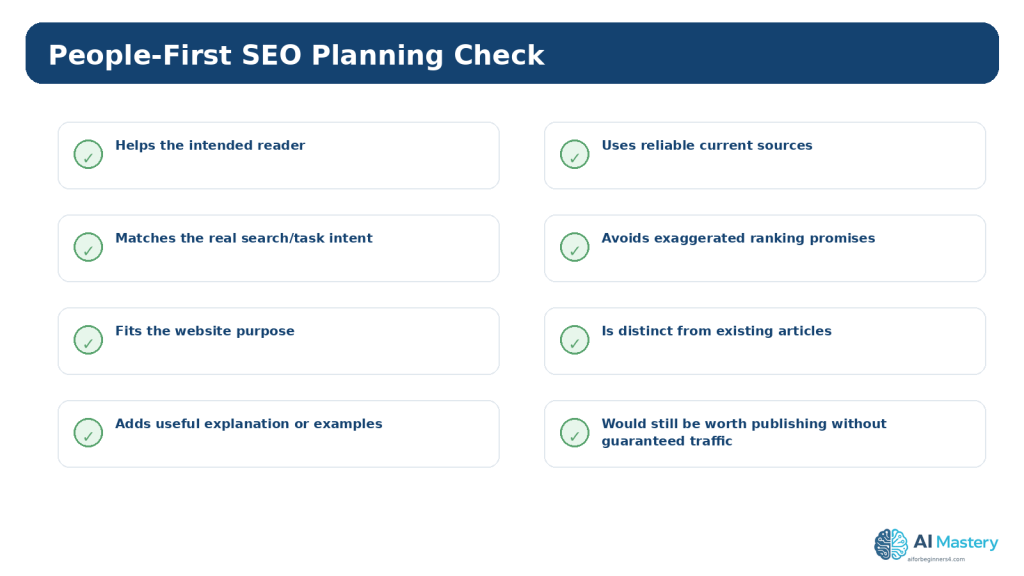
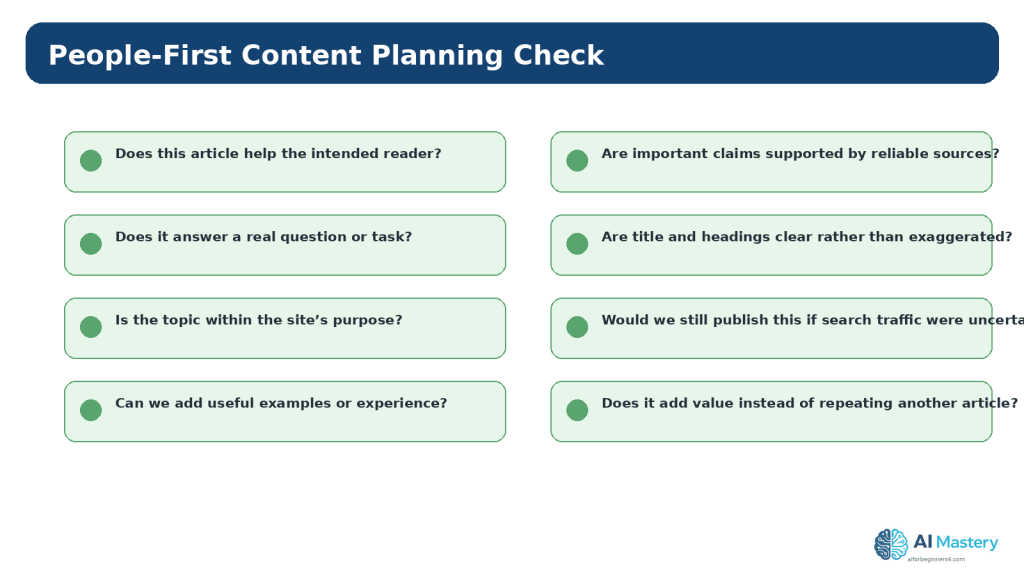
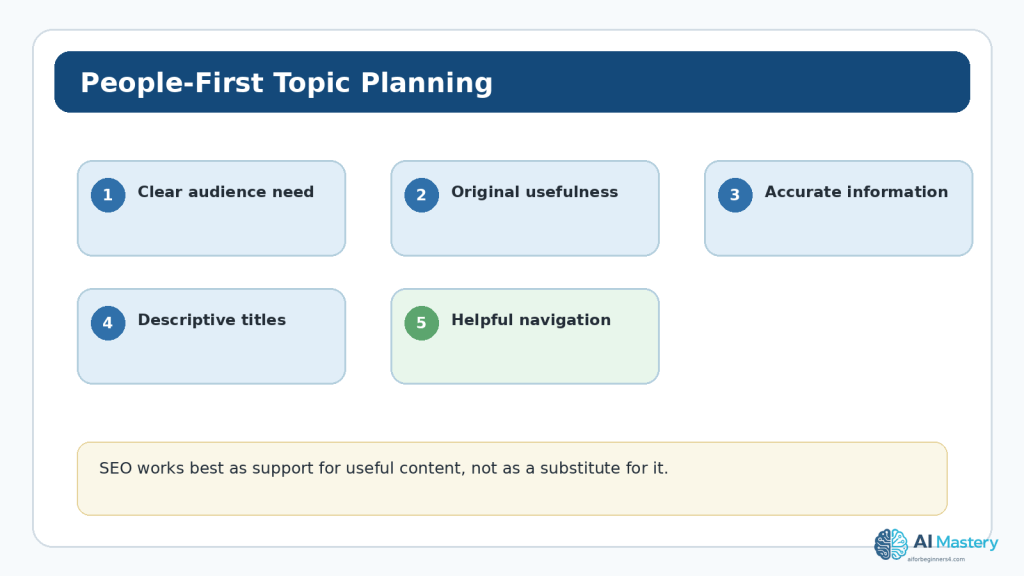
    Before approving an SEO article idea, ask whether it is genuinely useful to the intended reader, whether it fits the site’s purpose, whether the title accurately describes the content, whether you can support important claims, and whether the article adds something meaningful beyond existing pages.

    If you would not want to publish the page unless it was guaranteed to receive search traffic, the idea may need reconsideration.

    Reality: “SEO Content” Is Still Content for People

    SEO helps discovery and understanding. It does not justify keyword stuffing, thin pages, misleading titles, copied explanations, or publishing large volumes of generic AI text.

    Figure 5. People-first SEO planning asks whether the page genuinely helps its intended reader before considering search visibility.

    Explanation: The article should be worth publishing because it is useful, accurate, and distinct—not because a tool predicts traffic.

    Create a Beginner SEO Article Brief

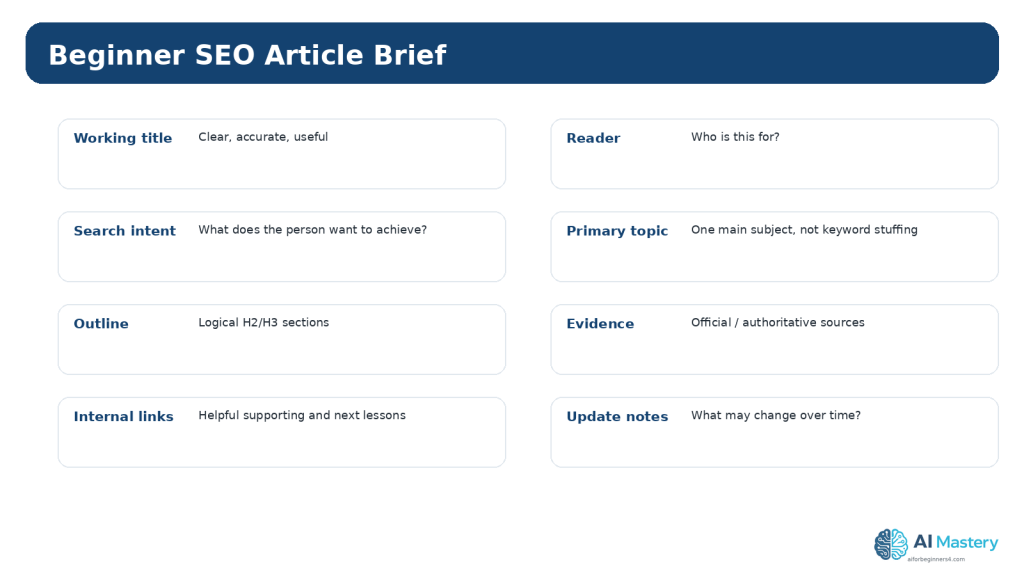
    A short brief turns the approved topic into a controlled writing assignment. Record the working title, intended reader, search intent, main topic, article promise, outline, sources to verify, internal links, images, WordPress category and tags, excerpt, and update notes.

    The brief should also state what the article will not cover. This prevents one tutorial from expanding into several unrelated subjects and makes it easier to plan future articles without duplication.

    When the topic depends on software features, pricing, platform rules, laws, standards, or policies, add a “current source required” note. This reminds the writer to verify the information at publication time.

    Figure 6. A short SEO article brief records the reader, intent, page purpose, evidence, internal links, and update requirements before drafting.

    Explanation: The brief keeps the article focused and gives an AI assistant better context for limited planning tasks.

    Plan the Title, Headings, URL, and Excerpt

    Plan a title that accurately describes what the reader will learn or do. Avoid exaggerated claims such as “guaranteed ranking,” “instant traffic,” or “secret algorithm hack.” A clear title is easier for people to understand and easier to maintain when the article is updated later.

    Use H2 headings for the main sections and H3 headings for subsections. The headings should reflect the logical learning path rather than repeat the same phrase unnecessarily.

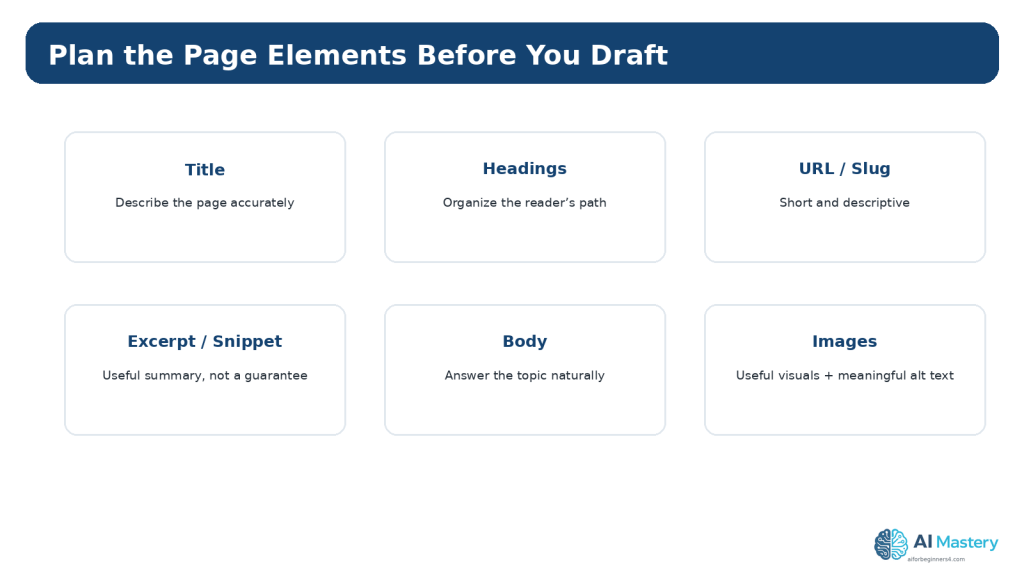
    Choose a short descriptive WordPress slug. For the excerpt, summarize what the article provides in natural language. Search engines may choose different snippet text based on the query, so do not treat the excerpt as a guaranteed search-result description.

    Figure 7. SEO planning includes clear page elements such as the title, headings, URL, excerpt, body structure, and useful images.

    Explanation: These elements should describe and organize the content naturally rather than repeat the same keyword mechanically.

    Plan Natural Topic Language — Not Keyword Stuffing

    A beginner may hear advice to repeat the same keyword many times. That is not a useful planning rule. Write naturally about the topic and use the words that are needed to explain it clearly.

    Google Search Essentials identifies keyword stuffing as a spam practice. Repeating phrases unnaturally, creating long lists of city or product names, or forcing the same wording into every heading can make the page worse for readers and does not represent responsible SEO.

    Use related terms when they are genuinely part of the explanation. The goal is accurate communication, not a target keyword density.

    Plan Internal Links

    Internal links can help readers discover supporting lessons and can help search engines find related pages. Plan them before drafting so the links fit the learning path rather than being added randomly at the end.

    Use descriptive link text. “Read Article 093 — How to Plan Website Pages and Navigation with AI” is more informative than a vague “click here.” Do not link every occurrence of a keyword or force links to pages that do not help the current reader.

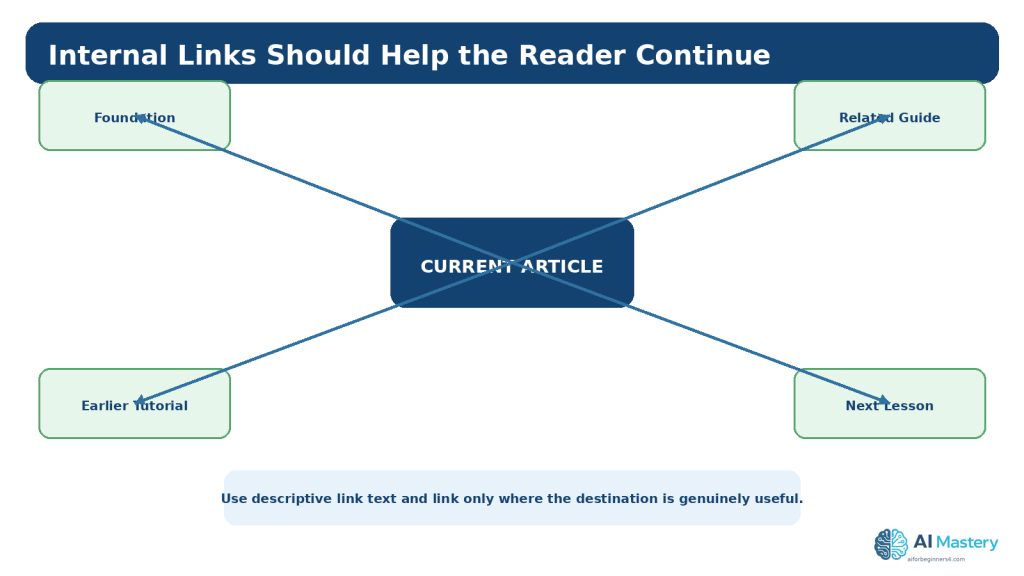
    For a series, note the prerequisite article, one or two useful supporting articles, and the next lesson. Add future links only after the destination article is actually published.

    Figure 8. Internal links should help readers move to prerequisites, supporting information, related guides, or the next useful lesson.

    Explanation: Plan links around reader value and learning order rather than linking every repeated phrase.

    Plan Images, Alt Text, and Accessibility

    Images should be included when they genuinely improve understanding. A workflow, comparison, checklist, or interface screenshot can help a beginner when the visual explains something that would otherwise be harder to follow.

    Plan meaningful alternative text for informative images. W3C guidance emphasizes that appropriate alt text depends on the image’s purpose and context. Decorative images may need different treatment from instructional diagrams.

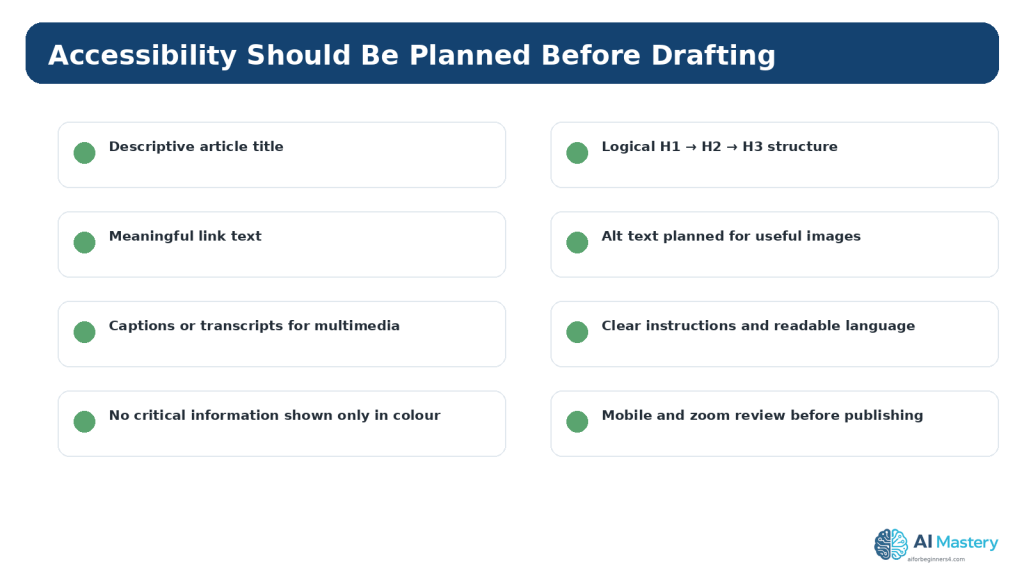
    Accessibility also includes clear headings, meaningful link text, readable contrast, usable layouts, keyboard access for interactive features, and content that remains understandable when zoomed or viewed on smaller screens. SEO planning should not sacrifice accessibility for visual effects or keyword placement.

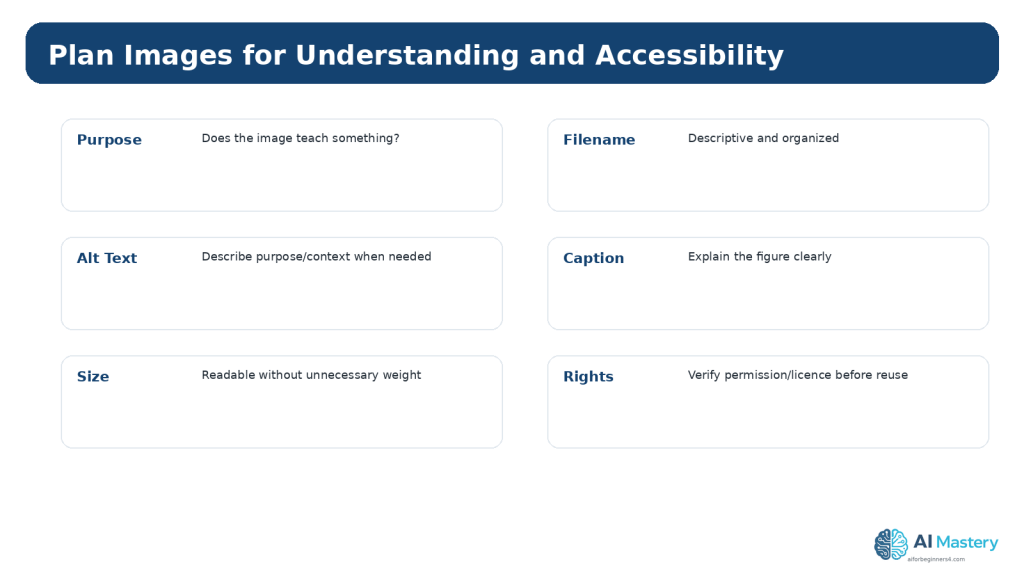
    Figure 9. Useful images should be planned for understanding, accessibility, file organization, and lawful reuse.

    Explanation: Alt text depends on the image’s purpose and context, and third-party assets require appropriate permission or licensing.

    Use AI as a Planning Assistant

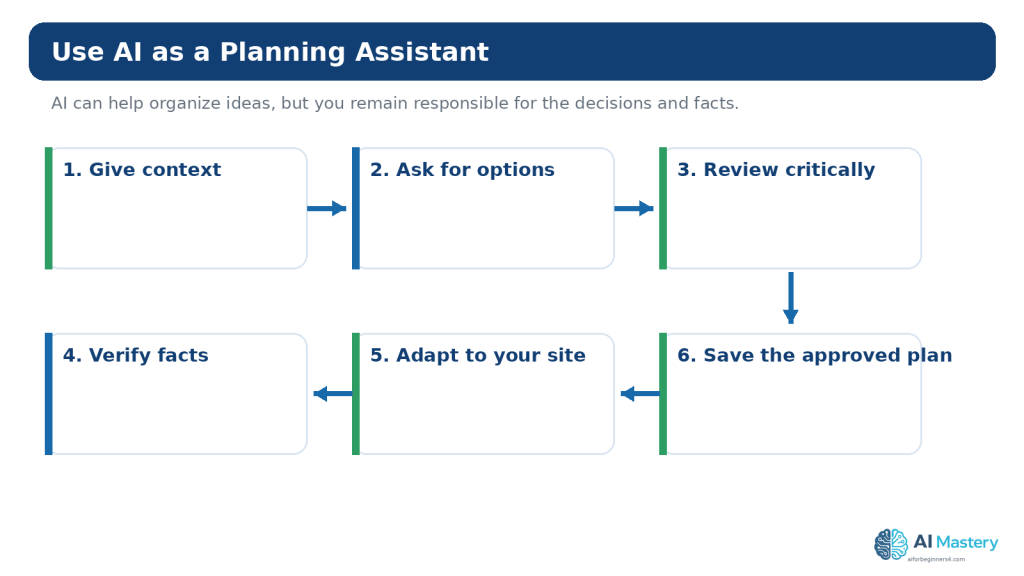
    AI can be useful for brainstorming article angles, generating questions to investigate, simplifying an outline, comparing two titles, finding possible duplication, or creating a checklist for human review.

    Give the AI enough context: the site purpose, audience, current content list, intended outcome, exclusions, and source requirements. Ask for several options and ask the AI to criticize its own suggestions.

    Do not ask an AI system to invent search volume, keyword difficulty, conversion rates, or ranking probability. If you need measured data, use a real data source and record what that source actually reports.

    Example SEO Planning Prompt

    “I run a beginner AI education website. My audience is complete beginners. I want to plan an article about beginner SEO content. My existing Website Planning articles are 091–094. Suggest six distinct reader questions Article 095 could answer. For each, identify likely intent, article outcome, overlap risk, and current official sources I should verify. Do not invent search volume, difficulty, ranking probability, or traffic forecasts.”

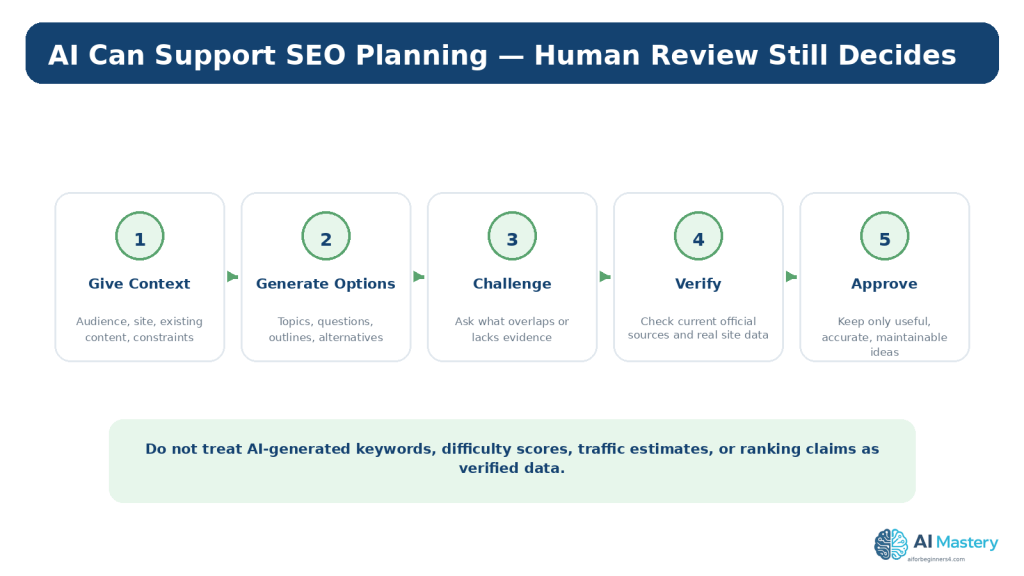
    Figure 10. AI can support SEO brainstorming and critique, but human review and verification are required before an idea becomes part of the content plan.

    Explanation: Use AI for options and analysis, not as a source of invented search volume, difficulty, or ranking probability.

    Plan for Google’s Generative AI Search Without Chasing Hacks

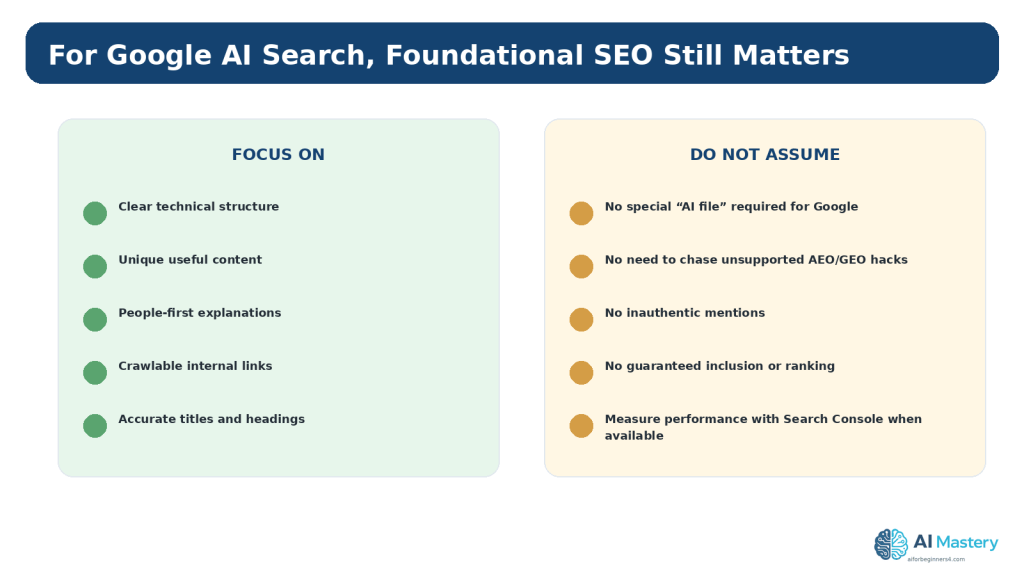
    Google published current guidance in 2026 for visibility in generative AI features such as AI Overviews and AI Mode. Google states that foundational SEO best practices still apply because these experiences are rooted in the same broader Search systems and index.

    Google’s guidance recommends clear technical structure and unique, valuable, people-first content. It also says that special files such as llms.txt are not required for Google Search and warns against unsupported “AEO” or “GEO” hacks and inauthentic mentions.

    The beginner lesson is simple: do not rebuild your content strategy around every new acronym. Continue improving useful content, site structure, crawlable links, accuracy, and measurement.

    Figure 11. Google’s current guidance for generative AI search continues to emphasize foundational SEO, clear structure, and unique, useful content.

    Explanation: Google also says special files such as llms.txt are not required for Google Search and warns against unsupported AI-search hacks.

    Plan Measurement and Updates

    SEO planning should include what happens after publication. Record the publication date, the topics or claims that may change, and a reasonable review date. For software, policy, plan, or legal information, review sooner than you would for a stable educational concept.

    Google Search Console can show information such as search queries, impressions, clicks, indexing, and page performance after the site is connected and data is available. These observations can help you decide which articles need clarification, stronger internal links, updates, or better alignment with the questions people are actually asking.

    Do not treat early performance as a final verdict. New pages can take time to be discovered and evaluated, and Google does not guarantee crawling, indexing, or ranking.

    Plan Privacy, Licensing, and Responsible AI Use

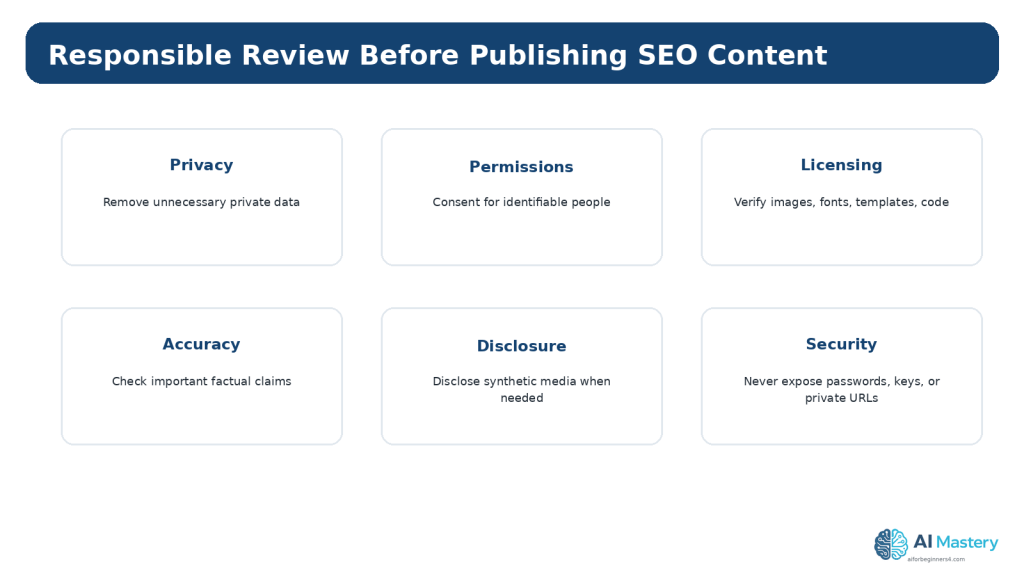
    Before sharing unpublished content, customer examples, analytics screenshots, or research notes with an AI service, remove information that does not need to be shared. This can include private URLs, unpublished credentials, customer details, email addresses, account information, and other confidential material.

    For personal ChatGPT accounts, OpenAI provides Data Controls that affect whether new conversations may be used to improve models. OpenAI also states that Temporary Chats are not used to train models, do not appear in normal history or create memories, and are deleted from its systems after 30 days, although they may be reviewed for abuse. These controls do not make it appropriate to share unnecessary secrets.

    Also verify rights and licences for third-party images, fonts, templates, charts, code, datasets, and other assets. Material being visible online does not automatically make it free to reuse. Keep source and licence records when appropriate.

    If realistic synthetic media could be mistaken for a real person, place, or event, consider clear disclosure and follow the platform rules that apply to the publication.

    Figure 12. SEO content planning should include privacy, permission, licensing, accuracy, disclosure, and security checks before publication.

    Explanation: These checks reduce the risk of exposing private information or publishing material you do not have the right or evidence to use.

    Benefits of Planning SEO Content Before Writing

    Planning improves focus. The writer knows who the article is for, what outcome it should deliver, and what questions are outside scope. This usually reduces unnecessary rewriting.

    Planning also improves consistency across a series. Titles, headings, categories, tags, internal links, figures, sources, and update notes can follow the same editorial standard.

    Finally, planning makes review visible. Privacy, accessibility, licensing, source verification, and update requirements become part of the article rather than last-minute checks.

    Benefit 1: Less Duplication

    Comparing the new idea with the existing article list helps you combine overlapping topics before drafting.

    Benefit 2: Better Reader Paths

    Internal links and article order can be planned as a learning sequence.

    Benefit 3: Easier Updating

    Time-sensitive claims and sources are identified before publication, making later maintenance more manageable.

    Limitations of AI-Assisted SEO Planning

    AI can produce plausible suggestions that are incomplete, outdated, repetitive, or unsupported. It may infer search intent incorrectly, confuse a topic with a keyword, invent metrics, or recommend advice that conflicts with current official search guidance.

    AI also does not guarantee access to your latest WordPress structure, Search Console data, published URLs, or editorial decisions unless you provide them. A generic prompt can therefore create a plan that ignores work already completed.

    Treat AI output as a draft or analysis aid. Keep your own authoritative article list, verify time-sensitive guidance, and make the final editorial decision yourself.

    How to Reduce This Limitation

    Provide current context, request alternatives, ask for overlap checks, and verify important recommendations against Google Search Central, WordPress.com documentation, and your own site data.

    Common SEO Planning Myths and Mistakes

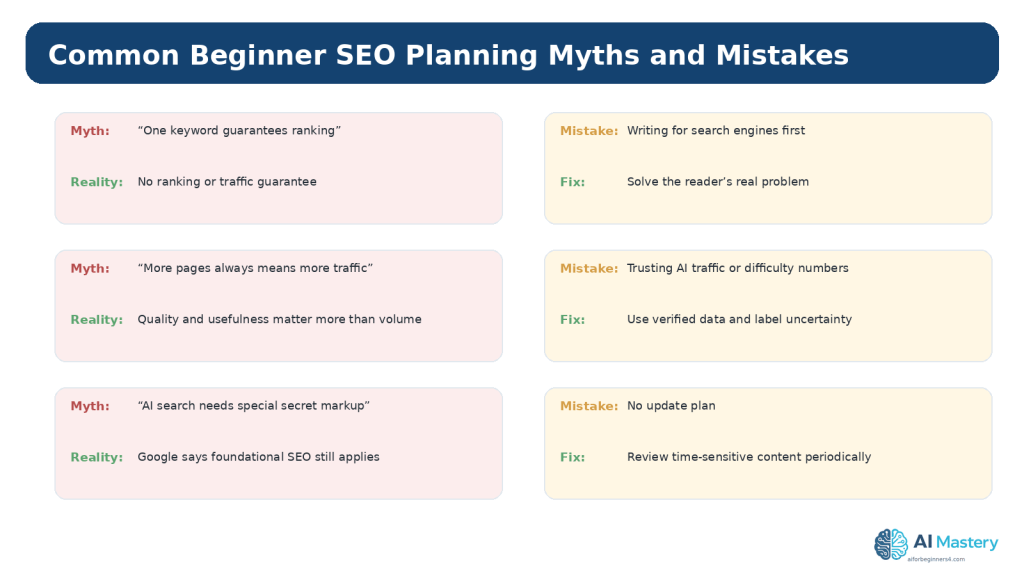
    Myth 1: One “Perfect Keyword” Guarantees a Ranking

    Reality: No keyword, tool score, or content plan can guarantee ranking or traffic. Search results depend on many systems and can change.

    Myth 2: More Pages Automatically Mean More Traffic

    Reality: Thin, duplicated, or unhelpful pages can create maintenance problems. Publish pages because they serve a useful purpose.

    Mistake 1: Writing for Search Engines Instead of Readers

    How to Avoid This Mistake: Start with the reader need and intent, then use SEO to improve discovery and clarity.

    Mistake 2: Treating Google Trends as Exact Search Volume

    How to Avoid This Mistake: Remember that Trends reports normalized relative interest, not exact query counts.

    Mistake 3: Trusting AI-Generated Metrics

    How to Avoid This Mistake: Ask for the source. If the number cannot be verified, label it as unverified or do not use it.

    Mistake 4: Keyword Stuffing

    How to Avoid This Mistake: Use natural language and explain the topic completely instead of repeating phrases mechanically.

    Mistake 5: No Update Plan

    How to Avoid This Mistake: Add a review date for time-sensitive software, search, policy, privacy, and platform information.

    Figure 13. Common beginner SEO mistakes often come from unrealistic guarantees, unverified metrics, keyword-first writing, or failure to maintain published content.

    Explanation: Responsible SEO planning accepts uncertainty and focuses on usefulness, evidence, and continuous improvement.

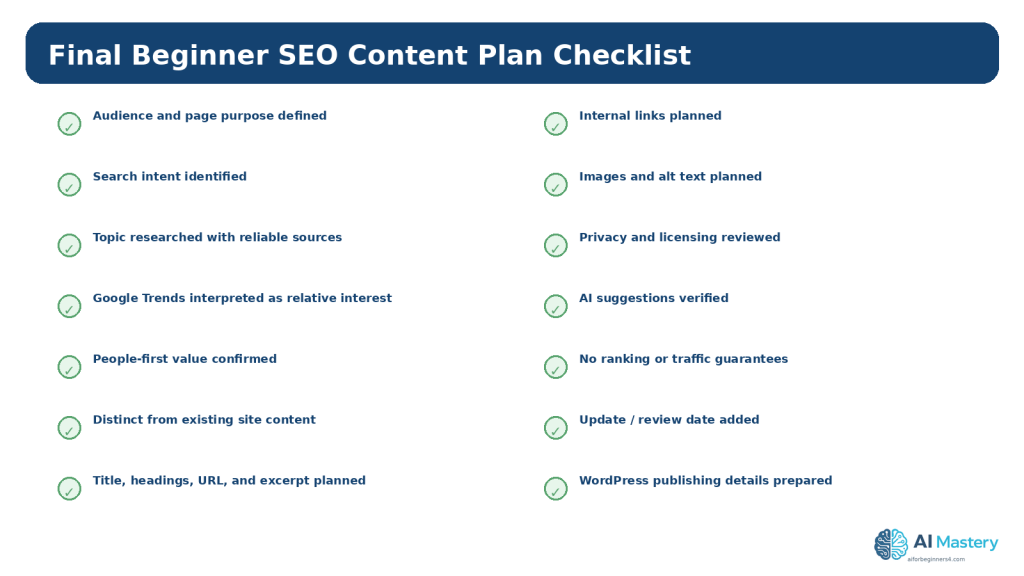
    A Practical Beginner SEO Planning Workflow

    Use the following process for each new SEO-focused article.

    Step-by-Step Workflow

    1. Confirm the target audience and page purpose.

    2. Write the real reader question or task.

    3. Identify the likely search intent.

    4. Check your existing articles for overlap.

    5. Research the topic using reliable current sources.

    6. Use Google Trends only as a relative-interest signal when helpful.

    7. Create one clear article promise and outline.

    8. Plan the title, headings, slug, excerpt, images, and internal links.

    9. Review people-first usefulness and accessibility.

    10. Verify privacy, permissions, licensing, and important factual claims.

    11. Use AI for focused brainstorming or review, not invented metrics.

    12. Publish only after final WordPress preview and source checks.

    13. Measure later with real site data when available.

    14. Update the article when important information changes.

    Figure 14. A final checklist helps ensure the SEO content plan is useful, research-based, accessible, responsible, and ready for WordPress.

    Explanation: The checklist does not guarantee search performance; it helps make the planning process consistent and reviewable.

    Frequently Asked Questions

    Do I need an SEO plugin to plan content?

    No. You can learn and apply the basic planning principles without a plugin. WordPress.com includes core search-friendly features, while additional SEO tools vary by plan and setup.

    How many keywords should one article target?

    A beginner should focus on one coherent topic and the reader’s intent rather than a fixed keyword count. Natural related language will usually appear as you explain the topic properly.

    Can ChatGPT tell me exact search volume?

    Do not assume an AI-generated number is measured data. Use a real data source if exact or estimated metrics are needed, and describe the source and limitations accurately.

    Does Google Trends show exact search volume?

    No. Google explains that Trends data is normalized to time and location to show relative interest. It is useful for comparisons and patterns, not exact search counts.

    Can good SEO guarantee traffic?

    No. Google does not guarantee crawling, indexing, ranking, or traffic, even when a page follows best practices.

    Should every article be written for search traffic?

    No. Some articles are valuable because they support a course sequence, answer an important reader question, document a process, or help existing visitors.

    Do I need special AEO or GEO files for Google AI search?

    Google’s current 2026 guidance says foundational SEO still applies and specifically says special files such as llms.txt are not required for Google Search.

    How often should I update SEO articles?

    Review time-sensitive topics when software, platform features, policies, search guidance, or important facts change, and periodically thereafter. Stable educational concepts can usually be reviewed less often.

    Key Takeaways

    SEO content planning connects a real reader need with a useful, well-structured page. It should help people first while making the topic clear to search engines.

    Search intent is more useful than simply collecting keywords. Google Trends can provide normalized relative-interest signals, but it is not exact search volume. AI can support brainstorming and review, but it should not invent or certify SEO metrics.

    Plan titles, headings, slugs, excerpts, internal links, images, accessibility, sources, privacy, licensing, and updates before drafting. Do not promise rankings or traffic.

    Google’s 2026 guidance for generative AI search continues to emphasize foundational SEO and unique, valuable, people-first content rather than special “AI search” hacks.

    Final Tip

    Keep one SEO planning record for each article. Save the reader question, intent, outline, current sources, internal links, WordPress details, and review date. When the article is published, add the URL and later add real performance observations instead of relying on predictions.

    The strongest beginner SEO habit is not finding a “perfect keyword.” It is learning to create one genuinely useful page, verify it carefully, publish it clearly, and improve it when real evidence shows what readers need.

    Continue Learning

    Article 095 completes the beginner SEO content-planning step in the Website Planning series.

    Review Articles 091–094 whenever you need to reconnect the SEO plan to the website goal, audience, page structure, navigation, or editorial calendar..

    Sources and References

    The following official and authoritative sources were reviewed for the search, WordPress, accessibility, privacy, copyright, licensing, and responsible-AI guidance in this article. Information was checked on August 16, 2026. Search systems, platform interfaces, policies, and licence conditions can change, so readers should verify current official information when it matters to their project.

    1. Google Search Central — SEO Starter Guide. Official beginner SEO guidance for helping search engines crawl, index, and understand useful content. Open official source

    2. Google Search Central — Creating Helpful, Reliable, People-First Content. Official guidance emphasizing helpful content created for people rather than primarily for search manipulation. Open official source

    3. Google Search Essentials. Core eligibility, technical, spam, and content guidance for Google Search. Open official source

    4. Google Search Central — How Google Search Works. Official explanation of crawling, indexing, serving, and the absence of ranking/indexing guarantees. Open official source

    5. Google Trends Help — FAQ about Google Trends Data. Explains normalized relative-interest data and why Trends values are not exact search-volume counts. Open official source

    6. Google Search Central — Optimizing for Generative AI Features. Current 2026 guidance stating that foundational SEO remains relevant for AI Overviews and AI Mode and that special llms.txt files are not required for Google Search. Open official source

    7. WordPress.com — Optimize Your Site for Search Engines. Current WordPress.com SEO guidance, including site visibility, keywords, excerpts, image descriptions, and plan-dependent controls. Open official source

    8. WordPress.com — Verify Your Site with Google Search Console. Current WordPress.com guidance for connecting Google Search Console and measuring search performance. Open official source

    9. W3C WAI — WCAG 2.2. Accessibility standard referenced for structure, text alternatives, contrast, keyboard access, and other requirements. Open official source

    10. W3C WAI — Images Tutorial. Guidance for choosing useful alternative text based on an image’s purpose and context. Open official source

    11. OpenAI — Data Controls FAQ. Current guidance for model-improvement settings and Temporary Chat, including the stated 30-day deletion period. Open official source

    12. OpenAI — How Your Data Is Used to Improve Model Performance. Additional official explanation of data controls and Temporary Chat behavior. Open official source

    13. WIPO — Copyright. General authoritative copyright reference for written, visual, and software-related creative works. Open official source

    14. Creative Commons — CC Licenses. Official reference for Creative Commons licence types and conditions. Open official source

    Important Note

    This article provides general educational information about SEO content planning, WordPress, accessibility, privacy, copyright, licensing, search visibility, and responsible AI use. It is not legal, privacy, cybersecurity, SEO, or other professional advice. Search visibility, crawling, indexing, rankings, traffic, and revenue are not guaranteed.

  • Article 094 — How to Create a Website Content Plan with AI (2026)

    Article 094 — How to Create a Website Content Plan with AI (2026)

    Estimated reading time: 25–30 minutes

    Last updated: August 16, 2026

    Introduction

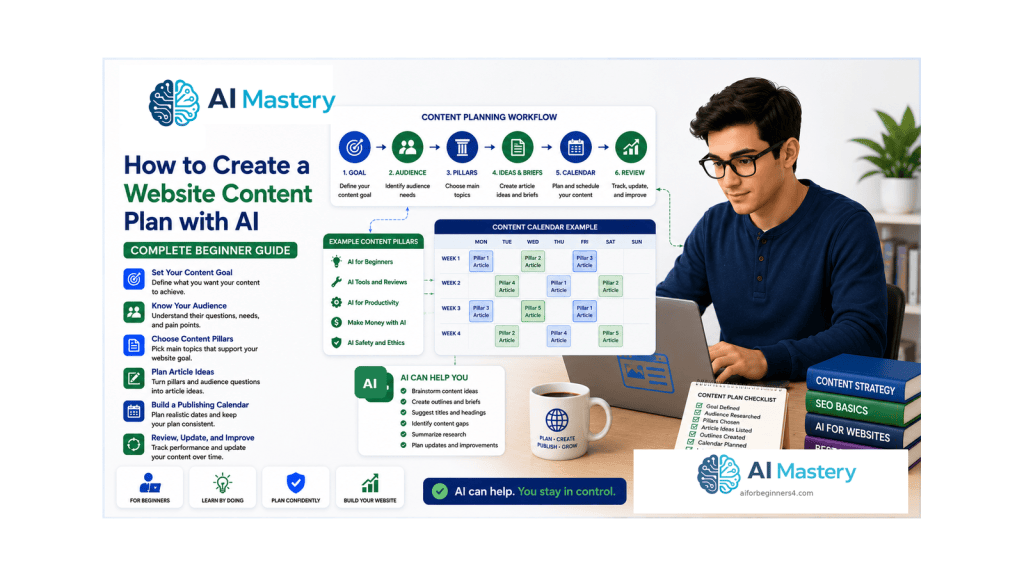
    A website content plan is a practical list of what you intend to publish, why each piece matters, who it is for, and how the pieces connect. It prevents a beginner website from becoming a random collection of posts written only because an idea appeared interesting that day.

    Artificial intelligence can make planning easier by helping you brainstorm article ideas, group related topics, turn audience questions into outlines, and compare different publishing sequences. AI does not know your website goals automatically, and it can suggest repetitive, inaccurate, outdated, or unsuitable topics. The strongest workflow is therefore AI-assisted planning followed by human review.

    This guide continues the Website Planning series after choosing a website topic and audience and planning the main pages and navigation. The next task is to decide what ongoing posts and resources will help your audience after the website structure is in place.

    The goal is not to publish as much as possible. The goal is to create a realistic plan for useful, accurate, accessible, and maintainable content.

    What You’ll Learn

    By the end of this guide, you will know how to turn a website goal and audience into an organized beginner content plan.

    You will learn how to:

    • define content pillars
    • turn audience questions into article ideas
    • audit existing posts before planning new ones
    • avoid duplicate or overlapping articles
    • create a realistic publishing calendar
    • prepare a simple article brief
    • use AI for brainstorming without surrendering editorial judgement
    • apply people-first content principles
    • plan categories, tags, and internal links
    • include accessibility in the content plan
    • review privacy, permission, licensing, and disclosure issues
    • schedule updates for time-sensitive content
    • avoid common content-planning mistakes

    Before You Start

    Have three pieces of information ready: the website topic, the main audience, and the purpose of the website. If you completed Articles 091–093, reuse the decisions already made instead of starting over.

    Create a simple planning document or spreadsheet. You only need columns for working title, audience need, content pillar, status, target publish order, important sources, figures or screenshots, internal links, and update notes. The plan can grow later.

    If your website already contains posts, list them before generating new ideas. An inventory is one of the best ways to prevent unnecessary duplication.

    Do Not Publish the AI Brainstorm Directly

    Treat brainstorming output as a draft. Remove ideas that are too broad, unsupported, repetitive, outside your website purpose, or unsuitable for your audience.

    Protect Sensitive Information

    Do not paste private customer records, confidential business plans, passwords, access tokens, unpublished personal data, or other unnecessary sensitive information into an AI tool.

    What Is a Website Content Plan?

    A content plan connects the website goal to the information you will publish over time. It answers questions such as: What topics belong on this site? Which questions should be answered first? Which articles belong together? What should a reader learn next? Which posts will need future updates?

    A useful plan contains enough detail to guide your work without becoming another complicated project. For a beginner, a page with content pillars, article ideas, priorities, and status notes is often enough.

    WordPress posts are individual pieces of ongoing blog content. WordPress.com also allows posts to be categorized, tagged, previewed, published, or scheduled. These tools become easier to use when the editorial structure is decided before the post is written.

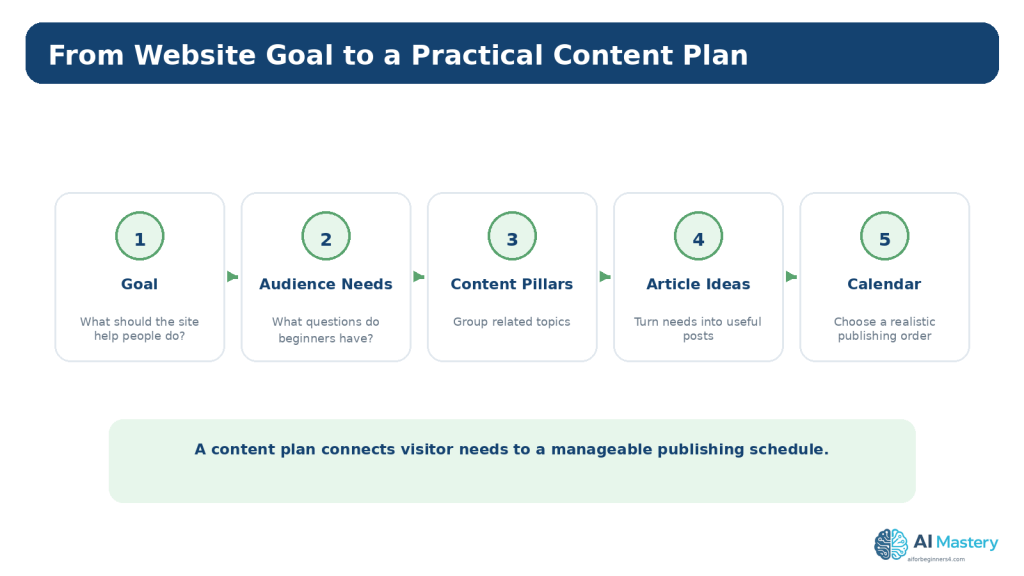
    Figure 1. A website content plan connects the site goal and audience needs to organized topics, articles, and a realistic publishing order.

    Explanation: Planning the sequence before drafting helps keep the website focused and makes future maintenance easier.

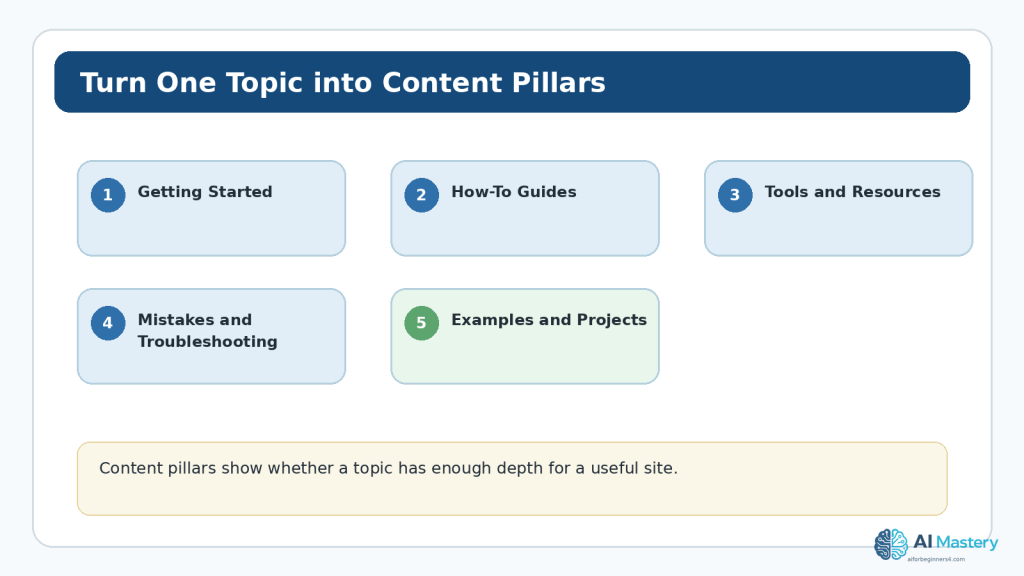
    Define Your Content Pillars

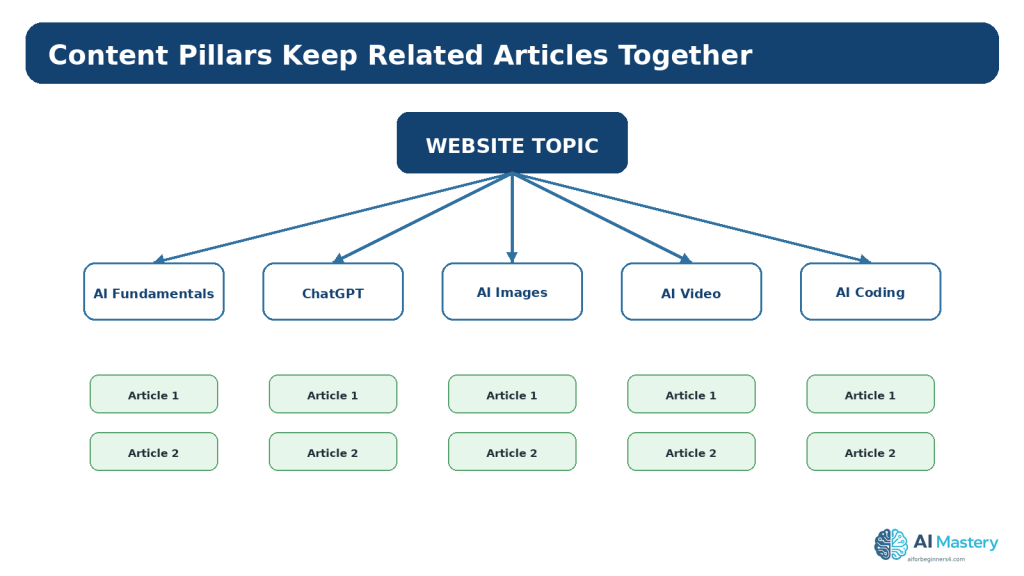
    A content pillar is a broad subject area that belongs naturally within your website topic. Pillars help you decide whether a new article fits the site and where readers should find related content.

    For example, a beginner AI education website might use pillars such as AI Fundamentals, ChatGPT, Google Gemini, Claude AI, AI Images, AI Video, AI Coding, and Productivity. Each pillar can contain many specific tutorials, comparisons, explanations, and updates.

    Keep pillars broad enough to support several useful articles but narrow enough that the relationship among those articles is obvious.

    Ask AI to Suggest Possible Pillars

    Example prompt: “My website teaches complete beginners how to use practical AI tools. Suggest 6–10 broad content pillars. For each pillar, explain what beginner questions it would cover. Do not suggest article titles yet.” Review the result and keep only the pillars that match the real website.

    Reality: More Pillars Are Not Automatically Better

    Too many top-level topics can make the site feel unfocused. Add a pillar only when there is a genuine group of content to support it.

    Figure 2. Content pillars group related articles under broad subjects that fit the website’s purpose.

    Explanation: Pillars make it easier to decide whether a new idea belongs on the site and where related posts should be organized.

    Turn Audience Questions into Article Ideas

    The strongest beginner article ideas usually begin with a reader need rather than a desire to fill a calendar. Write the questions your audience is likely to ask before creating titles.

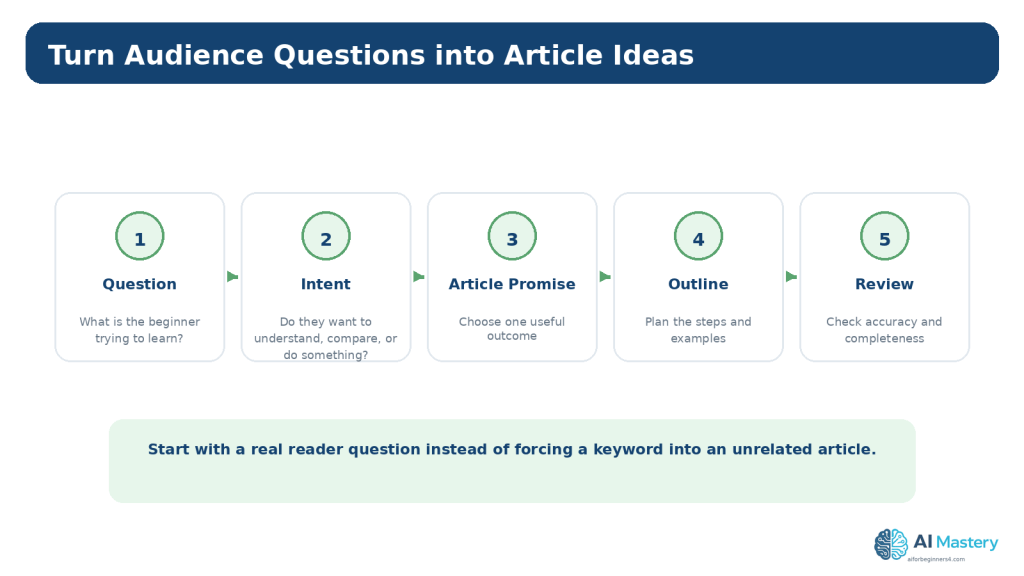
    For each question, identify the reader’s intent. A person may want to understand a concept, complete a task, compare two choices, solve a problem, or decide what to learn next. The article should make one useful promise that matches that intent.

    Google currently recommends creating helpful, reliable, people-first content. Its guidance warns against producing content mainly to manipulate search rankings. SEO can support discovery, but the content still needs to help people first.

    Example: From Question to Article

    Question: “How do I organize my website articles?” Intent: complete a practical task. Article idea: “How to Create a Website Content Plan with AI.” The title describes the outcome instead of promising unrealistic traffic or results.

    Use AI to Expand a Real Question

    Give the AI the audience, question, desired outcome, and what has already been published. Ask for several distinct article angles, then remove weak or overlapping options.

    Figure 3. Start with a real audience question, identify the reader’s intent, and turn it into one clear article outcome.

    Explanation: This keeps article ideas focused on reader needs instead of generating titles without a useful purpose.

    Audit Existing Content Before Planning More

    If the website already has content, create a simple inventory. Record the article number or URL, title, category, main purpose, publication date, current status, and whether an update is needed.

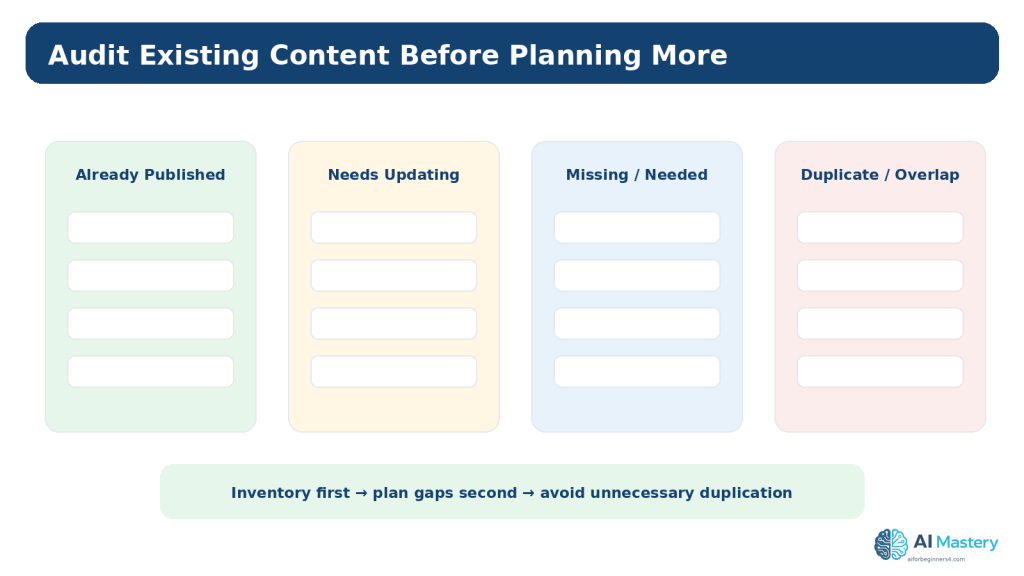
    Divide the inventory into four useful groups: already published and current, published but needing an update, missing topics that would genuinely help the audience, and duplicate or overlapping ideas that should not become separate articles.

    A content gap is not simply a keyword you have not used. It is an important audience need that your existing content does not yet serve well.

    Figure 4. A content inventory helps you identify updates, real gaps, and unnecessary duplication before planning more articles.

    Explanation: A missing keyword is not automatically a content gap; the missing item should represent a genuine reader need.

    Prioritize the Articles

    Not every useful idea needs to be written immediately. Prioritization makes the plan realistic.

    For a beginner series, foundation articles usually come before advanced tutorials. A setup article should appear before a tutorial that assumes the setup is complete. A comparison may be more useful after readers understand the products being compared.

    Also consider how time-sensitive a topic is. Software interfaces, pricing, plan limits, platform policies, and regulations may need more frequent updates than stable conceptual topics.

    A Simple Priority Method

    Mark each idea as High, Medium, or Later. High means it is foundational, fills an important gap, or is needed before another planned article. Medium means useful but not blocking. Later means valuable but not necessary for the current learning sequence.

    Do Not Promise a Publishing Frequency You Cannot Maintain

    A smaller realistic schedule is better than an ambitious calendar that creates rushed, poorly reviewed content.

    Create a Simple Content Calendar

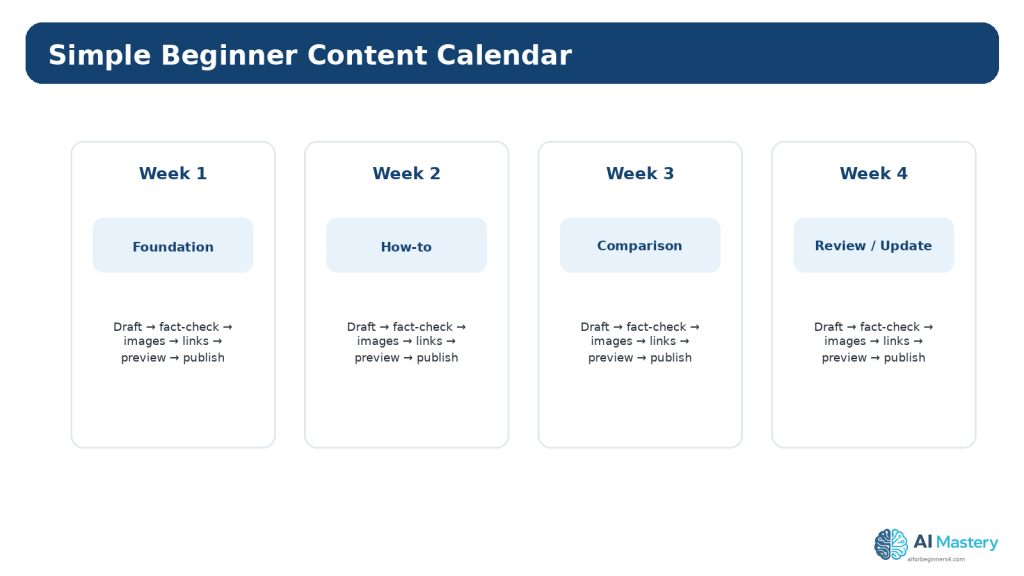
    A content calendar places the approved ideas into a practical order. It can be weekly, biweekly, monthly, or simply a numbered sequence. The schedule should match the time required to research, draft, create visuals, review sources, check accessibility, and publish carefully.

    WordPress.com currently lets authors publish immediately or schedule posts for a later date. Scheduling is useful after a post is complete, but it does not replace editorial planning or final review.

    Include an update column as well as a publish column. Some articles should be checked periodically because the information can change.

    Figure 5. A simple content calendar turns approved ideas into a realistic order that leaves time for research, review, visuals, and final checks.

    Explanation: Choose a schedule you can maintain without rushing important accuracy, accessibility, or licensing work.

    Prepare a Simple Article Brief

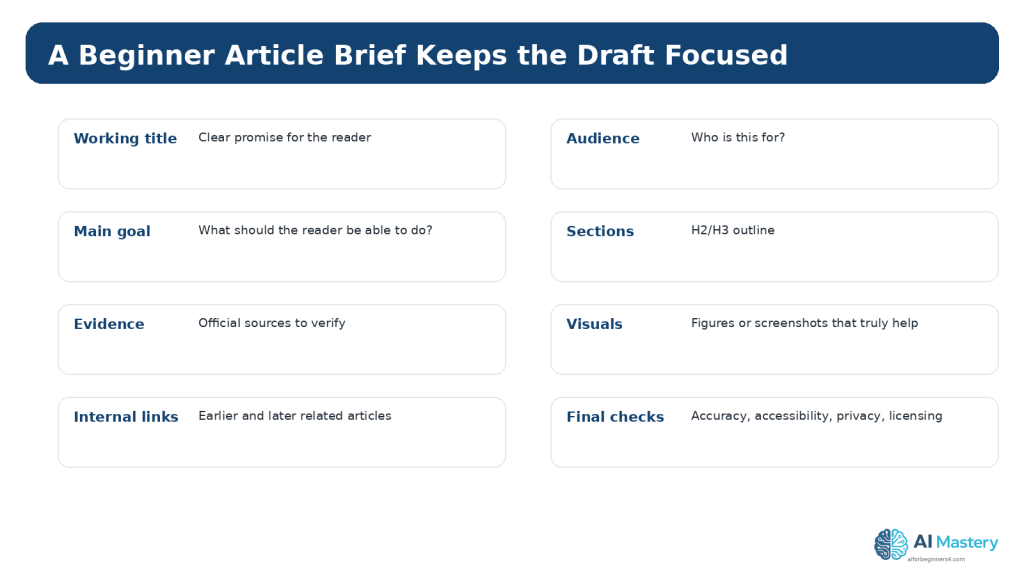
    Before drafting, create a short brief so the article has a clear boundary. The brief should state the working title, intended reader, problem or goal, expected outcome, main sections, important examples, official sources to verify, useful figures, internal links, and any privacy, licensing, disclosure, or accessibility concerns.

    A brief reduces drift. It also gives an AI assistant better context because you can ask for help with one approved section instead of asking it to invent the entire strategy each time.

    For AI Mastery, the brief should also preserve article numbering, category, tags, figure numbering, featured-image metadata, and the Continue Learning sequence.

    Figure 6. A short article brief keeps the draft focused and records the important checks before writing begins.

    Explanation: The brief also gives an AI assistant better context because the boundaries of the article are already defined.

    Use AI for Brainstorming and Planning

    AI is most useful when the prompt contains context. A vague request such as “Give me 100 blog ideas” usually produces a broad list that requires substantial cleanup.

    A stronger prompt explains the website purpose, audience, current content, content pillars, exclusions, desired format, and the type of ideas needed. Ask for fewer high-quality options and request a reason for each one.

    After receiving suggestions, compare them with the inventory and content pillars. Remove duplicates, topics outside the site purpose, unsupported claims, and ideas that are too advanced for the intended reader.

    Example Planning Prompt

    “I run a beginner AI education website. My audience is complete beginners. My existing pillars are ChatGPT, Gemini, Claude AI, AI Images, AI Video, AI Coding, Productivity, and Website Planning. Suggest 12 distinct beginner article ideas that fill likely learning gaps. For each idea, give the audience question, learning outcome, best pillar, and whether it should come early or later. Do not duplicate the titles I provide below.”

    Ask for Criticism, Not Only Ideas

    You can also ask: “Which of these ideas overlap? Which are too broad? Which would require frequent updates? Which depend on an earlier lesson?” This often improves the plan more than another round of brainstorming.

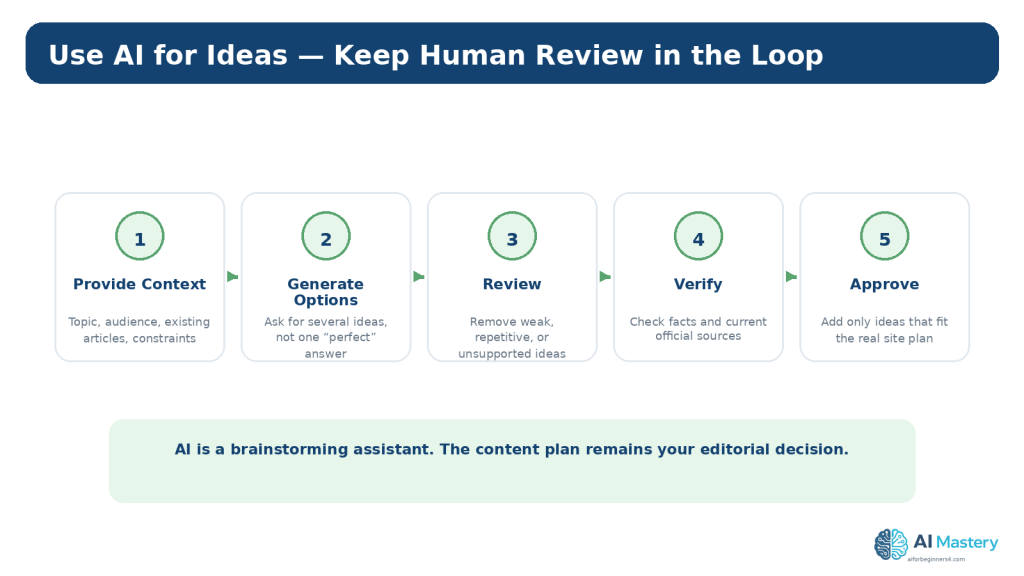
    Figure 7. AI can generate planning options, but the final content plan should be reviewed, verified, and approved by the site owner.

    Explanation: The most useful AI workflow creates options and criticism rather than treating the first response as the final strategy.

    Keep the Plan People-First

    Google’s current guidance emphasizes helpful, reliable, people-first content. That means your plan should begin with real readers and useful outcomes, not with mass-producing pages simply because an automated system can generate them quickly.

    Ask whether the article belongs on the site, whether the intended reader benefits, whether the topic is adequately supported, and whether you can provide useful explanation, examples, testing, or experience beyond generic text.

    A plan should also leave room to update weak or outdated articles instead of always creating something new.

    Reality: AI Volume Is Not a Content Strategy

    The ability to generate large amounts of text does not guarantee quality, originality, usefulness, accuracy, accessibility, or search visibility.

    How to Avoid This Mistake

    Limit the calendar to work you can research, review, illustrate, and maintain responsibly.

    Figure 8. People-first planning asks whether each article genuinely helps the intended reader before considering publication volume or search visibility.

    Explanation: Useful, reliable content should remain the goal even when AI can produce drafts quickly.

    Plan Categories and Tags in WordPress

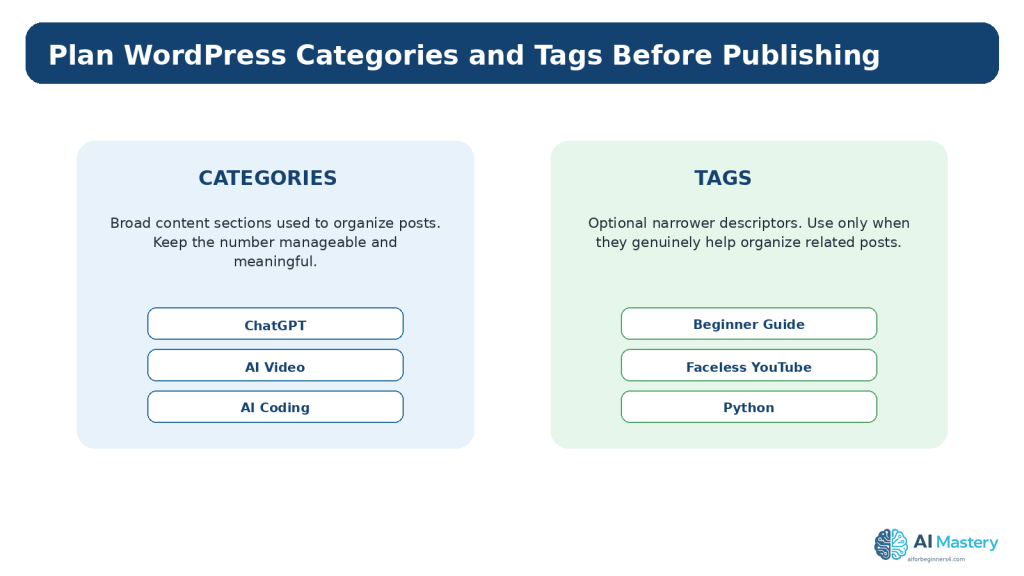
    WordPress categories are useful for broad content organization. Tags can provide narrower labels when they genuinely help group related posts. A content plan should decide the naming conventions before many posts are published.

    Use consistent capitalization and terminology. Avoid creating a new category or tag for every article. Too many nearly identical labels make the archive harder to understand and maintain.

    For a series, choose one primary category and a small set of meaningful tags that reflect how readers might browse related material.

    Figure 9. Categories organize broad groups of posts, while tags can provide narrower labels when they genuinely improve organization.

    Explanation: Consistent taxonomy is easier to maintain than creating a new label for every article.

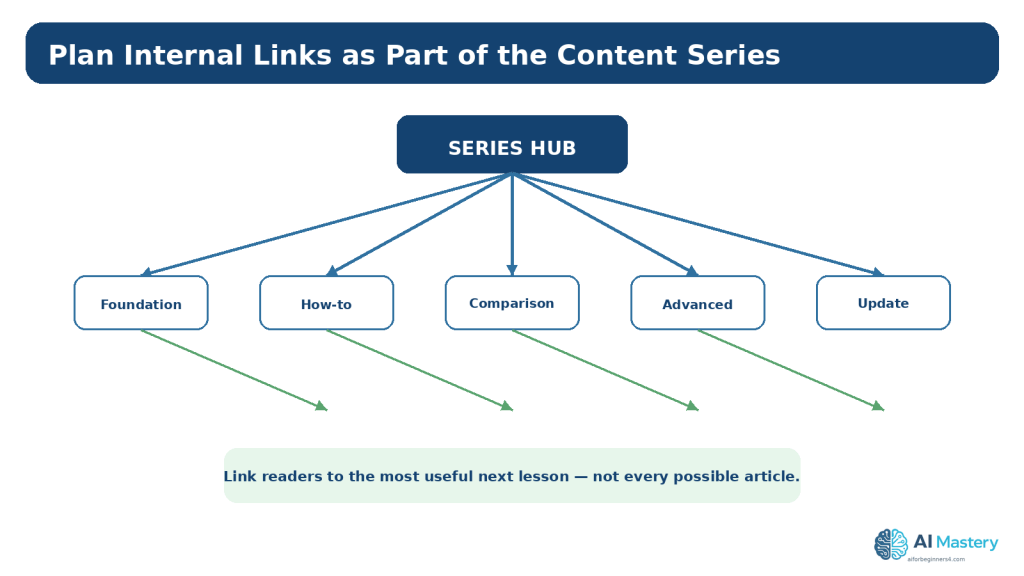
    Plan Internal Links Before Drafting

    Internal links help readers move from one useful lesson to another and can also help search engines discover related pages. Google Search Essentials recommends crawlable links and descriptive words in prominent locations such as titles, headings, alt text, and link text.

    For every planned article, note one or two earlier posts it should link to and one or two later posts that can be added after publication. This creates a learning path instead of isolated articles.

    Do not force links simply because two posts share a keyword. Link when the destination genuinely helps the reader continue or understand the current topic.

    Figure 10. Internal links can be planned as part of the learning path instead of being added randomly after publication.

    Explanation: Link to the most useful next or supporting lesson rather than forcing every related article into every post.

    Plan Accessibility Before Writing

    Accessibility is easier when it is included in the brief rather than added after publication. Plan a logical heading structure, meaningful links, text alternatives for informative images, captions or transcripts for media when needed, and clear instructions.

    WCAG 2.2 requires text alternatives for non-text content in relevant situations and clear headings and labels. W3C’s current writing guidance also recommends informative titles, meaningful headings, meaningful link text, and useful image alternatives.

    An AI review can help identify possible issues, but it does not prove WCAG conformance. Human review and testing are still required.

    Figure 11. Accessibility is easier to support when titles, headings, links, image alternatives, and multimedia requirements are planned before drafting.

    Explanation: These checks are useful starting habits but do not by themselves prove full WCAG conformance.

    Plan Privacy, Permissions, Licensing, and Disclosure

    Content planning is also the right time to identify material that requires permission or special review. This may include identifiable people, interviews, customer examples, private screenshots, third-party images, music, fonts, templates, icons, datasets, or code.

    Do not assume that AI-generated material is automatically copyright-free, licensed for commercial use, or safe to publish. When third-party material is involved, verify the licence and intended-use conditions at the original source and keep records.

    For realistic synthetic media, disclose AI use when viewers could reasonably mistake the content for a real event or person, and follow any platform-specific disclosure rules.

    When using ChatGPT with unpublished planning information, remember that personal ChatGPT accounts can use conversations for model improvement depending on settings. OpenAI’s Data Controls let users manage this, and Temporary Chats are not used to train models and are deleted after 30 days. These controls are useful, but they are not a reason to share information that does not need to be shared.

    Figure 12. Content planning should identify privacy, permission, licensing, factual accuracy, and disclosure requirements before publication.

    Explanation: Recording these requirements early reduces the risk of discovering a serious problem after the article is finished.

    Build an Update Plan

    Publishing is not the end of the content lifecycle. Add an update field to the plan so you can identify articles that need future review.

    Check sooner when an article depends on software interfaces, pricing, plan conditions, laws, platform policies, AI disclosure rules, privacy practices, or product features. Stable educational concepts can usually be reviewed less often.

    Readers do not need to reread every policy before every small edit. A practical approach is to check current official information when first using a feature or service, when a plan or feature changes, when you receive an update notice, when an article makes important claims, and periodically thereafter.

    Benefits of Creating a Content Plan

    A content plan gives a beginner website direction. Instead of deciding what to publish at the last minute, you can see the learning sequence, prepare sources in advance, and notice where a new article depends on an earlier lesson.

    Planning also improves consistency. You can use the same naming rules, categories, tags, figure conventions, source standards, and WordPress checklist across a series. That makes the site easier to maintain and makes it easier for readers to understand how the articles relate.

    Another benefit is workload control. When research, writing, figures, accessibility checks, licensing checks, internal links, and WordPress preparation are visible in the plan, you can estimate whether the schedule is realistic before committing to it.

    Benefit 1: Fewer Duplicate Articles

    The inventory and pillar structure make overlapping ideas easier to see before you spend time drafting them.

    Benefit 2: Better Learning Order

    Foundation articles can be published before tutorials that depend on them, helping complete beginners move through the series logically.

    Benefit 3: Easier Source Preparation

    You can identify which articles need official technical, policy, privacy, legal, or licensing sources before the writing begins.

    Benefit 4: More Consistent WordPress Publishing

    Categories, tags, excerpts, featured images, internal links, and update notes can be planned as part of the article instead of being added from memory at the end.

    Limitations of AI-Assisted Content Planning

    AI can generate many ideas quickly, but speed is not the same as editorial quality. An AI model can suggest topics that are already covered, misunderstand the intended audience, invent product capabilities, recommend outdated features, or present a weak idea with confident wording.

    AI also does not automatically know the complete history of your website unless you provide reliable context. If the prompt does not include the current article list, categories, published URLs, or planned sequence, the suggestions may conflict with decisions you already made.

    For these reasons, AI-assisted planning works best when you maintain your own authoritative content list and use AI to analyze or expand that list rather than asking it to reconstruct the entire website from memory.

    Limitation 1: Suggestions Can Be Repetitive

    Different wording can hide the fact that two ideas teach the same thing. Compare the learning outcome, not only the title.

    Limitation 2: Suggestions Can Become Outdated

    Software, platform interfaces, product plans, policies, and search guidance change. Verify time-sensitive ideas before committing them to the calendar.

    Limitation 3: AI Does Not Guarantee Search Demand

    A plausible article idea is not proof that people will search for it or that it will rank. Treat traffic estimates and SEO predictions cautiously.

    How to Reduce These Limitations

    Give the AI your current article inventory, audience, content pillars, exclusions, and desired learning order. Then verify the approved plan against current official sources and your actual website.

    Common Myths About Content Planning and AI

    Content planning is often described in ways that make it sound either more complicated or more automatic than it really is. These myths can push beginners toward unnecessary tools or unrealistic publishing goals.

    Myth 1: You Need Hundreds of Article Ideas Before Starting

    Reality: A short sequence of useful, well-reviewed articles is enough to begin. Add more ideas as the site and audience develop.

    Myth 2: Every Article Needs a High-Volume Keyword

    Reality: An article can be valuable because it answers an important reader question, supports another tutorial, explains a site feature, or fills a real learning gap.

    Myth 3: AI Can Create the Entire Strategy Automatically

    Reality: AI can generate options, but the website owner must decide what fits the audience, verify facts, manage risks, and maintain the final plan.

    Myth 4: A Content Calendar Must Use Exact Dates

    Reality: A numbered publishing order can work perfectly well when you do not need fixed dates. Use exact scheduling only when it genuinely helps your workflow.

    Myth 5: Once the Plan Is Finished, It Should Never Change

    Reality: A content plan is a working document. Update it when articles are published, products change, policies are revised, new audience needs appear, or an old topic no longer deserves a separate article.

    Example: Turn a Website Series into a Working Plan

    Imagine a beginner website that wants to teach website planning with AI. The broad pillar is Website Planning. The audience is a complete beginner who wants to move from an idea to an organized, maintainable website.

    The series can be arranged so each article prepares the reader for the next one. Article 091 establishes the overall website plan. Article 092 identifies the topic and audience. Article 093 plans pages and navigation. Article 094 creates the editorial content plan. Article 095 can then introduce beginner SEO planning, and Article 096 can explain review and maintenance.

    That sequence is more useful than publishing the six articles in a random order because the reader can build one decision on top of another.

    Inside the content plan, record each article number, exact title, status, category, tags, important sources, figure count, internal links, published URL when available, and review date. This becomes the authoritative series record and reduces the risk of accidental duplicate titles or broken learning order.

    Example Content-Plan Fields

    Article number; exact title; reader question; learning outcome; content pillar; status; category; tags; source requirements; featured image; figure count; internal links; WordPress excerpt; published URL; last reviewed date; next review date.

    Why This Example Matters

    The plan does not need special software. The value comes from keeping the editorial decisions visible and current.

    Common Mistakes Beginners Make

    Content planning problems are usually easier to fix before the article is written. Review the plan for the following mistakes.

    Mistake 1: Too Many Similar Ideas

    Several titles may describe almost the same reader outcome. Combine them or clearly separate the purpose before drafting.

    Mistake 2: Planning Only Around Search Phrases

    Search demand can inform a plan, but it should not replace audience needs, site purpose, accuracy, and usefulness.

    Mistake 3: Publishing Faster Than You Can Review

    Rushed output increases the risk of factual errors, weak sourcing, licensing problems, poor accessibility, and inconsistent formatting.

    Mistake 4: Inconsistent Categories and Tags

    Agree on taxonomy before the archive grows.

    Mistake 5: No Update Schedule

    Time-sensitive articles can become misleading if they are never revisited.

    Mistake 6: Treating AI Suggestions as Approved

    Every idea still needs editorial review.

    Figure 13. Common content-planning mistakes usually come from unclear priorities, duplication, rushed review, or missing maintenance decisions.

    Explanation: Fixing the planning process is usually easier than repairing a large archive after inconsistent publishing.

    A Practical Content-Planning Workflow

    Use this repeatable process whenever you start a new content series.

    Step-by-Step Workflow

    1. 1. Confirm the website goal and audience.

    2. 2. List the current content pillars.

    3. 3. Inventory existing posts.

    4. 4. Collect real audience questions.

    5. 5. Use AI to suggest possible gaps and article ideas.

    6. 6. Remove duplicates and unsuitable ideas.

    7. 7. Prioritize the useful ideas.

    8. 8. Create simple article briefs.

    9. 9. Plan categories, tags, figures, and internal links.

    10. 10. Add source, accessibility, privacy, and licensing checks.

    11. 11. Put the approved articles into a realistic publishing order.

    12. 12. Add update dates for time-sensitive topics.

    Figure 14. Use a final checklist to confirm that the content plan is useful, realistic, reviewable, and maintainable.

    Explanation: Save the approved plan as a working record and update it whenever an article is published, changed, or retired.

    Frequently Asked Questions

    How many articles should I plan at once?

    There is no required number. Plan enough to see the learning path, but keep the active queue small enough that you can review and maintain it.

    Should every content idea come from AI?

    No. Reader questions, your own experience, support issues, website analytics, product documentation, and gaps in existing tutorials can all provide useful ideas.

    Can AI choose my final titles?

    It can suggest titles, but you should choose wording that accurately describes the article and avoids hype or promises the article cannot support.

    Do I need a publishing calendar?

    A calendar is useful, but a simple numbered sequence can be enough for a beginner if dates are not important.

    Should I delete an old article when I plan a better one?

    Not automatically. First decide whether the existing post can be updated, merged, redirected, or retained for a different purpose.

    Will a content plan guarantee traffic?

    No. A plan improves organization and consistency, but search visibility and audience growth depend on many factors and are not guaranteed.

    Key Takeaways

    A website content plan turns audience needs into a manageable publishing sequence. It helps you see what belongs on the site, what already exists, what is missing, and what needs future review.

    Use AI to generate options and challenge the plan, not to replace your editorial judgement. Keep the plan people-first, verify important claims with current official sources, and include accessibility, privacy, permission, licensing, and internal-link decisions before drafting.

    A smaller plan that you can research, review, publish, and maintain responsibly is more useful than a huge list of unreviewed ideas.

    Final Tip

    Keep one master content plan and update it after every publication. Mark what is completed, what changed, which links still need to be added, and which articles need future review. This turns the plan into a working record rather than a forgotten brainstorming document.

    Continue Learning

    Article 094 completes the content-planning step of the Website Planning series. Next, move from editorial planning into beginner SEO planning so each useful article is also easy for search engines and readers to understand.

    Article 095 — How to Plan Beginner SEO Content with AI (2026).
    Article 096 — How to Review and Maintain an AI-Assisted Website (2026)

    Sources and References

    The following official and authoritative sources were reviewed for the WordPress, search, accessibility, privacy, copyright, and licensing information in this article. Information was checked on August 16, 2026. Platform interfaces, policies, standards, and licence conditions can change, so readers should check current official information when it matters to their project.

    13. WordPress.com — Create a Post. Current guidance for creating, previewing, publishing, scheduling, and managing posts. Open official source

    14. WordPress.com — Categories. Current guidance for organizing posts with categories and tags. Open official source

    15. Google Search Central — Creating Helpful, Reliable, People-First Content. Current guidance for people-first content and avoiding search-engine-first publishing. Open official source

    16. Google Search Central — SEO Starter Guide. Current SEO fundamentals for helping search engines and users understand content. Open official source

    17. Google Search Essentials. Current technical and content essentials, including helpful content and crawlable links. Open official source

    18. W3C WAI — WCAG 2.2. Accessibility standard used for text alternatives, structure, headings, labels, and other accessibility guidance. Open official source

    19. W3C WAI — Writing for Web Accessibility. Current practical guidance for titles, headings, link text, image alternatives, and clear instructions. Open official source

    20. W3C WAI — Images Tutorial. Guidance for choosing appropriate text alternatives for images. Open official source

    21. OpenAI — Data Controls FAQ. Current guidance for training controls and Temporary Chat, including the stated 30-day deletion period. Open official source

    22. OpenAI — How Your Data Is Used to Improve Model Performance. Additional official explanation of model-improvement controls and Temporary Chat. Open official source

    23. WIPO — Copyright. General authoritative copyright reference for written and visual works. Open official source

    24. Creative Commons — CC Licenses. Official reference for Creative Commons licence conditions and permissions. Open official source

    Important Note

    This article provides general educational information about website content planning, WordPress, accessibility, privacy, copyright, licensing, search visibility, and responsible AI use. It is not legal, privacy, cybersecurity, SEO, or other professional advice. Search visibility and traffic are not guaranteed, and sensitive or regulated projects may require qualified professional review.
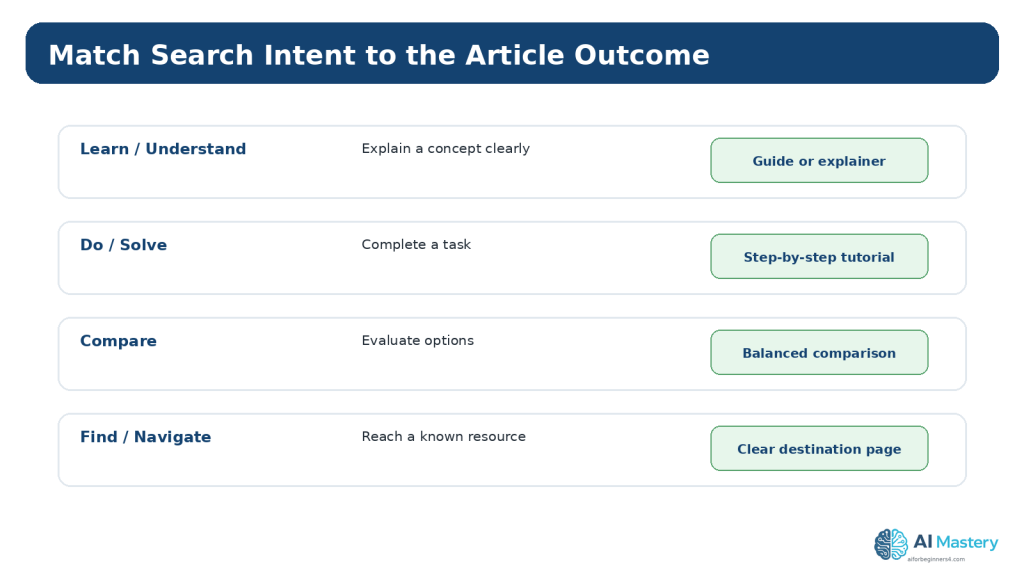
  • Article 093 — How to Plan Website Pages and Navigation with AI (2026)

    Article 093 — How to Plan Website Pages and Navigation with AI (2026)

    Estimated reading time: 25–30 minutes

    Last updated: August 16, 2026

    Introduction

    A website becomes easier to build when you decide what pages it needs and how visitors will move between them before you start adding large amounts of content. This planning step is called information architecture: organizing information so people can understand where they are, what is available, and where to go next.

    For a complete beginner, you do not need a complicated diagram or specialist software. A simple page list, a basic sitemap, and a short navigation menu are enough to create a strong starting structure. Artificial intelligence can help you brainstorm page ideas, compare possible menu arrangements, and identify missing visitor paths, but you should still review every suggestion against the real purpose of your site.

    This guide uses WordPress.com examples because AI Mastery is built with the WordPress Site Editor. WordPress.com currently uses the Navigation block in Site Editor themes for building and editing site menus. Menu wording and available controls can vary by theme, plan, editor, and future updates, so always follow the current labels shown in your dashboard.

    The aim is not to create the largest menu possible. The aim is to help visitors reach the most important areas of your website with as little confusion as practical.

    What You’ll Learn

    By the end of this guide, you will understand how to plan a small website structure before building or reorganizing it.

    You will learn how to:

    • decide which information belongs on pages and which belongs in posts
    • choose the core pages a beginner website actually needs
    • create a simple sitemap before editing WordPress
    • plan a clear top-level navigation menu
    • write short, understandable menu labels
    • use dropdown menus without creating unnecessary complexity
    • plan mobile-friendly navigation
    • use AI to suggest and review a page structure
    • check navigation for basic accessibility
    • identify privacy, contact, copyright, and licensing concerns
    • avoid common page and navigation mistakes
    • save a page map that can guide future website updates

    Before You Start

    You do not need to redesign your whole site while reading this article. Planning first is safer than making many live changes at once.

    Have a simple description of your website topic, audience, and main goal. If you completed Article 091 and Article 092, use the website purpose and audience decisions you made there. If not, write one sentence describing who the site is for and what you want visitors to be able to do.

    For example: ‘AI Mastery helps complete beginners learn practical AI tools through step-by-step tutorials.’ That one sentence is enough to begin asking which pages and navigation choices support the goal.

    Protect Your Existing Site

    Before making major changes to an established WordPress menu, record the current structure. A screenshot or written page list makes it easier to restore an item if you remove or move something by mistake.

    Keep the First Plan Small

    A beginner website can start with a small set of clear destinations. You can add pages later when there is a genuine reason. Planning too many empty pages at the beginning often creates more maintenance work without helping visitors.

    What Are Website Pages and Navigation?

    A page is a stable piece of website content with its own address, such as Home, About, Contact, or a Tutorials landing page. Navigation is the system of links that helps visitors move among those pages and other important destinations.

    The page structure and the navigation menu are related, but they are not identical. Your site may contain pages that do not need to appear in the main menu, while the menu may also link to categories, posts, search, social links, or another useful destination.

    A good beginner rule is to plan the content structure first and then decide which parts deserve a place in the main navigation.

    Figure 1. Website pages provide destinations, while navigation gives visitors clear paths between the most important destinations.

    Explanation: Planning the pages first makes it easier to decide which destinations deserve a place in the main menu.

    Understand Pages and Posts Before Planning the Menu

    WordPress separates Pages and Posts because they usually serve different purposes. Pages are commonly used for relatively timeless site information, while posts are commonly used for dated articles, tutorials, news, or other regularly published content.

    For AI Mastery, Home, Tutorials, AI Tools, AI News, About, and Contact are pages. Individual tutorials are posts. This distinction makes the site easier to organize because the navigation can point to stable landing pages while new tutorials continue to be published as posts.

    Use Pages for Stable Destinations

    Good page candidates include Home, About, Contact, a Tutorials hub, an AI Tools hub, and other permanent areas that explain or organize the site.

    Use Posts for Ongoing Educational Content

    A tutorial such as ‘How to Plan Website Pages and Navigation with AI’ belongs in a post because it is part of an ongoing article series rather than a permanent structural page.

    Figure 2. Pages and posts serve different purposes in WordPress and should not be treated as interchangeable menu items.

    Explanation: Stable pages often form the website structure, while posts grow over time as new educational content is published.

    Choose the Core Pages Your Website Needs

    Start with purpose, not with a template that tells you every site needs ten pages. Ask what information a visitor genuinely needs to understand the website and complete the main actions you want to support.

    For a beginner educational website, the core structure often includes a home page, one or more learning or resource hubs, an About page, and a Contact page. Depending on the site, you may also need privacy, accessibility, terms, disclosure, or other policy pages. Those requirements depend on what the site does, where it operates, what information it collects, and which services it uses.

    Do not ask an AI tool to invent legal facts about your website. If you create a privacy or legal page, the content must accurately describe your actual practices and may require professional advice.

    Home

    The Home page should quickly explain what the website is, who it helps, and where a new visitor can start. It does not need to contain every article or every category.

    Learning or Resource Hubs

    A hub page organizes related content. For AI Mastery, Tutorials and AI Tools are examples of pages that can guide visitors toward groups of posts without placing every post directly in the main menu.

    About

    The About page helps visitors understand the purpose of the website and who is responsible for it. Keep claims accurate and avoid publishing personal information that is not necessary.

    Contact

    The Contact page should provide a safe way for visitors to reach you. Avoid publishing private home addresses, personal credentials, or unnecessary sensitive details. If a form collects personal information, understand how the information is processed and stored.

    Figure 3. Start with a small set of core pages that each have a clear visitor purpose.

    Explanation: A short page list is easier to maintain and gives you a clearer foundation for the navigation menu.

    Create a Simple Sitemap Before Building the Menu

    A sitemap in this context is simply a planning diagram showing how the main sections of the website relate to one another. It does not need to be the technical XML sitemap used by search engines.

    Write Home at the top. Under it, place the main areas that visitors should be able to reach directly. Then add only the most useful subareas beneath those sections.

    For example, an educational AI website might place Tutorials and AI Tools at the top level, with subject areas such as ChatGPT, Google Gemini, Claude AI, AI Video, and AI Coding grouped underneath a suitable hub rather than presented as a long flat list.

    The sitemap lets you identify duplication before you touch WordPress. If two planned pages have almost the same purpose, combine them or clarify the difference.

    Figure 4. A simple sitemap helps you see the page hierarchy before you edit the live WordPress navigation.

    Explanation: The sitemap is a planning map, not the technical XML sitemap used by search engines.

    Plan Visitor Journeys, Not Just a Menu

    A navigation menu is useful only when it helps a real visitor complete a task. Imagine a new visitor arriving with a question and trace the path you expect that person to follow.

    Someone arriving at the Home page may need to understand the site, choose Tutorials, select a topic, read an article, and then continue to a related tutorial. Someone arriving directly from a search engine may begin on an article instead and need clear internal links to reach a broader topic page or the next lesson.

    This is why navigation includes more than the header menu. Breadcrumbs, category links, internal links, related-post sections, buttons, and footer links can all support movement through the website when used clearly.

    Figure 5. Navigation should support visitor journeys, not simply display a list of available pages.

    Explanation: Thinking about the visitor’s goal helps you decide which menu items and internal links are genuinely useful.

    Write Clear Navigation Labels

    Menu labels should tell visitors where a link goes without making them guess. Short, familiar labels are normally easier to scan than creative phrases whose meaning is unclear.

    For example, ‘Tutorials’ is usually clearer than ‘Start Exploring Knowledge.’ ‘Contact’ is usually clearer than ‘Let’s Connect With Us Today.’ The longer phrase may sound friendly, but it adds words without improving the destination description.

    Use the same label consistently when it refers to the same destination. W3C accessibility guidance emphasizes clear headings and consistent navigation because predictable structure helps people understand and move through content.

    Keep Labels Short

    A top navigation bar has limited space, especially on smaller screens. Short labels are easier to scan and adapt more easily to mobile layouts.

    Avoid Labels That Depend on Context

    A visitor may encounter a menu without reading the surrounding page first. Prefer labels that still make sense when viewed on their own.

    Figure 6. Short, familiar navigation labels are usually easier to understand than vague or decorative wording.

    Explanation: Visitors should be able to predict the destination from the menu label without needing extra context.

    Decide What Belongs in the Main Menu

    The main menu should contain the destinations that matter most across the whole site. It is not a complete inventory of every page and post.

    For a beginner site, a small set of top-level items is easier to understand and maintain. If you have many articles, organize them through hub pages, categories, or carefully designed submenus rather than adding each article to the header.

    A useful test is to ask: Would a new visitor reasonably expect to need this destination from almost anywhere on the site? If not, it may belong in the page content or footer instead of the main menu.

    Use Dropdown Menus Carefully

    WordPress.com allows nested menu items and dropdown navigation. Dropdowns can help group closely related sections, but they can also make a menu harder to use if they contain too many levels or unclear groupings.

    Keep the hierarchy shallow. A visitor should be able to understand the categories without opening layer after layer. If a section has many subtopics, consider linking the top-level item to a well-organized hub page that presents the choices in the page content.

    Before creating a dropdown, ask whether the hierarchy is genuinely useful or whether it is simply hiding an oversized menu.

    Figure 8. Dropdown menus work best when they group related destinations without creating several levels of hidden navigation.

    Explanation: A hub page can often handle a large content area more clearly than a deeply nested menu.

    Plan Footer Navigation and Secondary Paths

    The header is not the only place where visitors can navigate. A footer can provide secondary links that are useful across the site but do not need to compete for space in the main menu. Examples can include Privacy, accessibility information, terms, disclosure pages, a contact link, or other site-wide references.

    Keep the footer organized rather than turning it into a second oversized menu. Group related links under short headings when necessary, and avoid repeating every header item unless the repetition genuinely helps visitors. If the header and footer contain the same navigation set, keep the labels consistent.

    A footer is also a useful place for information that visitors may need occasionally but not during every visit. The exact choice depends on the site, its audience, and its obligations.

    Separate Primary and Secondary Navigation

    Primary navigation should emphasize the main visitor journeys. Secondary navigation can support policies, utility pages, and less-frequent destinations without making the header crowded.

    Do Not Hide Essential Tasks

    A destination that nearly every visitor needs should not be placed only in a difficult-to-find footer. Decide placement according to importance, not simply available space.

    Use Categories, Search, and Hub Pages to Reduce Menu Clutter

    As a website grows, the number of posts can become much larger than the number of permanent pages. Trying to represent every article in the main navigation is not practical. WordPress categories, hub pages, and search can provide additional ways to discover content without expanding the header indefinitely.

    A category can group related posts, while a hub page can introduce a subject and link to selected articles in a more guided order. Search can help visitors who already know what they are looking for. These tools support the navigation system, but they do not replace a clear top-level structure.

    For example, a Tutorials page can introduce major learning areas and link to ChatGPT, Google Gemini, Claude AI, AI Video, and AI Coding sections. The main menu can remain short while the hub page carries the detailed choices.

    Connect Navigation with Internal Links

    Visitors do not always enter through the Home page. Search engines, social links, bookmarks, and shared URLs may take them directly to a tutorial or another deep page. Internal links inside the content should help those visitors understand what to read next and how the current page relates to the rest of the site.

    Link to broader hub pages when readers may need context. Link to the next lesson when a series has a logical order. Link to a related page only when it is genuinely useful rather than adding links for the sake of having more links.

    Internal links and the main menu should support the same overall information architecture. If the menu calls a section ‘AI Tools’ but article links repeatedly use a different label for the same destination, the experience can become less predictable.

    Review Navigation After Publishing

    A page plan is not permanent. The structure should be reviewed when you publish a major new section, rename important pages, change the website purpose, or discover that visitors are struggling to find something.

    Start with simple checks: test every menu item, review the mobile menu, search for broken links, confirm that page names still match their content, and make sure old navigation items have not been left behind after changes. Analytics and visitor questions can also reveal areas that deserve attention, but numbers should be interpreted in context rather than used as automatic instructions.

    Keep a dated copy of the sitemap or page map whenever you make a substantial change. A saved record helps you understand how the structure evolved and makes it easier to restore a previous arrangement if a redesign creates unexpected problems.

    Build or Edit the Menu in WordPress.com

    For WordPress.com sites that use the Site Editor, the current menu workflow uses the Navigation block. WordPress.com support currently directs users to the site dashboard, then Appearance → Editor, where the Navigation block can be selected in the header, template, or template part.

    The exact appearance can vary by theme and WordPress updates. If your site does not show Appearance → Editor, it may be using a different theme system and the navigation controls may appear elsewhere.

    Add a Page to the Navigation Block

    Open the Site Editor, select the Navigation block, use the block inserter to add a page or link, then save the site changes. WordPress.com also provides controls for reordering items and creating submenus.

    Reorder Menu Items

    Arrange items according to importance and visitor expectations rather than alphabetically unless alphabetical order genuinely helps. Keep Home or the site logo easy to use as a return path to the starting point.

    Save and Test

    After saving, open the public site rather than relying only on the editor preview. Select every menu item and confirm it reaches the intended destination.

    Figure 7. Site Editor themes on WordPress.com use the Navigation block to build and edit the website menu.

    Explanation: The exact interface can change, so readers should follow the current labels shown in their own WordPress.com dashboard.

    Plan Navigation for Mobile Screens

    A menu that fits across a desktop header may be converted into a compact mobile menu when the screen becomes narrower. Do not assume the mobile version works simply because the desktop version looks correct.

    Preview the site at narrow widths and, when possible, test it on an actual phone. Confirm that the menu opens, the labels remain readable, submenus can be reached, and no important destination disappears.

    If the menu becomes difficult to use on a small screen, simplify the structure instead of relying on tiny text or several levels of nesting.

    Figure 9. A navigation plan should be tested at narrow widths so important destinations remain reachable on phones and enlarged layouts.

    Explanation: Mobile testing can reveal crowded labels or submenus that were not a problem on a wide desktop screen.

    Make Navigation More Accessible

    Navigation affects accessibility because visitors may use a mouse, keyboard, touch screen, screen reader, magnification, or another assistive technology. WCAG 2.2 includes requirements and guidance related to consistent navigation, focus visibility, link purpose, headings, reflow, and keyboard operation.

    You do not need to become an accessibility specialist before planning a menu, but you can adopt several good habits from the beginning.

    Keep Navigation Consistent

    When the same navigation appears across multiple pages, keep its relative order and naming consistent unless a change is needed for a clear reason. Predictability reduces unnecessary learning for visitors.

    Use Meaningful Link Text

    A menu item such as ‘Tutorials’ communicates more about the destination than a vague label such as ‘Go.’ Link wording should help people understand what will happen when they activate it.

    Keep Keyboard Focus Visible

    When a visitor moves through links with the keyboard, the currently focused item should remain visibly identifiable. Do not remove focus indicators without providing an accessible replacement.

    Check Contrast and Reflow

    Navigation text needs sufficient contrast against its background, and the menu should remain usable when the page is enlarged or displayed at narrow widths.

    Figure 10. Beginner navigation accessibility includes consistency, meaningful links, visible focus, readable contrast, logical headings, and flexible layouts.

    Explanation: These checks are useful starting habits, but they are not a complete WCAG conformance evaluation.

    Use AI to Plan Pages and Navigation

    AI can be useful during the planning stage because it can quickly generate several possible structures for you to compare. The quality of the result depends heavily on the context you provide.

    Do not begin with a vague request such as ‘Plan my website.’ Tell the AI what the website is about, who it serves, what content already exists, and what actions visitors should be able to complete. Then ask for a simple structure rather than a large menu.

    A useful prompt is: ‘I am planning a beginner educational website about [topic] for [audience]. The main goal is [goal]. Suggest the smallest useful set of permanent pages, a simple top navigation menu, and any logical dropdowns. Explain the purpose of each item. Do not add pages unless they have a clear visitor purpose.’

    Treat the response as a draft. Compare it with your actual content, remove unnecessary pages, check terminology, and decide whether each proposed link helps a real visitor.

    Ask AI to Compare Two Menu Plans

    If you have two possible structures, ask the AI to compare them for clarity, duplication, mobile complexity, and beginner usability. Do not ask it to choose based only on style; give it the visitor goals.

    Ask AI to Identify Missing Paths

    You can also provide the page list and ask whether a visitor can reach important destinations such as Tutorials, About, and Contact without unnecessary steps.

    Do Not Share Private Information

    Remove private customer information, passwords, credentials, unpublished business data, private addresses, or other sensitive details before pasting a site plan into an online AI service. OpenAI provides Data Controls and Temporary Chat options, but these controls are not a reason to share information that is unnecessary for the task.

    Figure 11. AI can suggest a page hierarchy, but the site owner should review the structure before making live WordPress changes.

    Explanation: Providing topic, audience, visitor goals, and existing pages usually produces a more useful planning draft.

    Review Privacy, Permissions, and Licensing

    A page plan can reveal that your website needs forms, downloadable resources, images, fonts, templates, or third-party services. Planning is a good time to record the privacy and licensing questions that must be resolved before publication.

    For a Contact page, decide what information you actually need to collect. For downloadable or visual assets, verify ownership and licence terms. For templates, fonts, icons, or stock material, check whether the intended use is permitted and whether attribution or licence notices are required.

    Do not assume AI-generated legal or privacy wording automatically matches your website. Privacy notices and legal pages must reflect the actual services, data practices, jurisdiction, and obligations that apply to your site. This article provides general educational guidance and not legal advice.

    Figure 12. Structural website pages can create privacy, legal, and licensing responsibilities that should be reviewed before publication.

    Explanation: Do not assume generic AI-generated legal or privacy wording accurately describes your real website or obligations.

    Common Mistakes Beginners Make

    Mistake 1: Putting Every Page in the Main Menu

    A menu is not a complete page directory. Too many top-level items make scanning harder and can create an especially crowded mobile experience. Use hub pages and contextual links for secondary destinations.

    Mistake 2: Using Vague Labels

    Creative wording can make visitors guess. Prefer familiar labels when they describe the destination accurately.

    Mistake 3: Building the Menu Before Deciding Page Purpose

    If the page structure is unclear, the menu will simply reproduce that confusion. Decide what each page does first.

    Mistake 4: Creating Deep Dropdowns

    Several nested submenu levels can be difficult to scan, especially on touch devices and for people using assistive technology. Keep the hierarchy shallow.

    Mistake 5: Ignoring Mobile Navigation

    A desktop menu can appear fine while the compact mobile menu is confusing or incomplete. Test both.

    Mistake 6: Forgetting Existing Links After Renaming or Removing Pages

    Changing a page address or deleting a page can create broken links. Review navigation and internal links whenever structural pages change.

    Mistake 7: Publishing an AI-Generated Sitemap Without Review

    An AI tool may suggest unnecessary pages, duplicate ideas, or terminology that does not match your audience. Use the output as a planning draft, not as an automatic site architecture.

    Figure 13. Common navigation mistakes usually come from unnecessary complexity, unclear labels, inconsistent structure, or insufficient testing.

    Explanation: Fixing these problems at the planning stage is easier than rebuilding the navigation after many pages have been published.

    Benefits and Limitations of Using AI for Navigation Planning

    AI can speed up brainstorming and help you see alternative ways to group information. It can also explain unfamiliar planning terms, rewrite long menu labels, or point out obvious duplication.

    The limitation is that an AI system does not automatically know which pages your real visitors value, what content you have actually published, which legal obligations apply, or how people behave on your live site. It can also produce confident suggestions that are unnecessary or inaccurate.

    Use AI to generate options, then use your own content knowledge, visitor feedback, analytics, accessibility checks, and current WordPress documentation to make the final decisions.

    Myths About Website Pages and Navigation

    Myth 1: More Menu Items Make a Website More Useful

    Reality: More choices can increase clutter. A smaller set of meaningful destinations is often easier for beginners to understand.

    Myth 2: Every Page Must Appear in the Header

    Reality: Some pages are reached through footer links, internal links, search, categories, or contextual calls to action rather than the main menu.

    Myth 3: A Dropdown Is Always More Organized

    Reality: A dropdown is useful only when the grouping is clear. It can hide complexity instead of solving it.

    Myth 4: AI Can Automatically Design the Perfect Site Structure

    Reality: AI can propose structures, but only you can verify that they match your content, audience, obligations, and real visitor needs.

    Myth 5: Navigation Is Finished Once the Site Launches

    Reality: Navigation should be reviewed when you add major content areas, change page names, receive visitor feedback, or notice that important destinations are hard to find.

    Practical Exercise: Plan a Six-Page Beginner Website

    Create a one-page planning document before opening WordPress. Write the website goal at the top. Then list six potential permanent pages. For each page, write one sentence explaining its purpose and the visitor question it answers.

    Next, circle the pages that deserve a place in the main navigation. If all six seem essential, check whether any can be grouped under a hub page. Draw arrows showing how a new visitor could move from Home to the main learning area, to an individual article, and then to a related next step.

    Finally, ask an AI tool to review your plan for duplication, vague labels, unnecessary menu depth, and missing visitor paths. Accept only suggestions that you understand and that fit the actual site. Save the final sitemap with your website planning records so you can compare future changes with the original structure.

    Figure 14. Use a final checklist before publishing or substantially changing the website structure.

    Explanation: Saving the approved sitemap and checklist makes future updates easier to review and maintain consistently.

    Frequently Asked Questions

    How many pages should a beginner website have?

    There is no required number. Start with the pages needed to explain the site and support its main visitor goals. Add more only when a new purpose appears.

    How many items should be in the main menu?

    There is no universal limit, but a shorter menu is usually easier to scan. If the header becomes crowded, review whether some items belong under a hub or in the footer instead.

    Should Home appear in the menu?

    It can. Many sites also make the logo or site title link to Home. Choose a pattern that is clear and consistent for your audience.

    Should categories appear in the navigation?

    They can when categories represent major content areas. WordPress.com supports adding category links to navigation. Do not add every category automatically; use the ones that help visitors browse.

    Can I create dropdown menus in WordPress.com?

    Yes. WordPress.com supports nested navigation items and dropdown menus. Keep them shallow and test them on mobile and with keyboard navigation.

    Can ChatGPT design my entire site menu?

    It can suggest a menu, but you should compare the suggestion with your real pages and visitor goals. Remove anything unnecessary and test the final structure on the live site.

    Do I need a Privacy page?

    That depends on what the site collects, which services it uses, where users are located, and applicable laws or platform requirements. Do not rely on a generic AI answer for a legal determination.

    What should I do when I add a major new section later?

    Update the saved sitemap, decide whether the new section needs a hub page or menu link, test the change on desktop and mobile, and review internal links that should point to it.

    Key Takeaways

    Plan the structure before editing the live menu. Pages should have clear purposes, and the main navigation should highlight the most important destinations rather than every piece of content.

    Use short, understandable labels; keep dropdowns shallow; test on mobile; and consider keyboard, contrast, link purpose, heading structure, and consistency as part of navigation accessibility.

    AI can help brainstorm and compare structures, but you remain responsible for checking visitor needs, privacy, licensing, accuracy, accessibility, and the final WordPress implementation.

    Final Tip

    Keep a simple saved sitemap even after the website is published. Whenever you consider adding a new page or menu item, compare it with that map and ask what visitor problem the new item solves.

    If the answer is unclear, you probably do not need to add it yet. A small navigation system that visitors understand is more useful than a large one that looks comprehensive but creates confusion.

    Continue Learning

    Article 093 builds on

    Article 091 — How to Plan a Beginner Website with AI (2026) and Article 092 — How to Choose a Website Topic and Audience with AI (2026). Article 094 — How to Create a Website Content Plan with AI (2026).
    Article 095 — How to Plan Beginner SEO Content with AI (2026)
    Article 096 — How to Review and Maintain an AI-Assisted Website (2026)

    Sources and References

    The following official and authoritative sources were reviewed for the WordPress, accessibility, privacy, copyright, and licensing information in this article. Information was checked on August 16, 2026. Platform interfaces, policies, standards, and licence conditions can change, so readers should check current official information when it matters to their project.

    1. WordPress.com — WordPress Pages. Current guidance for creating and editing pages in WordPress.com. Open official source

    2. WordPress.com — Use the Navigation Block. Current Site Editor workflow for adding and editing the Navigation block. Open official source

    3. WordPress.com — Add and Edit Menus. Overview of WordPress.com menu editing with the Navigation block. Open official source

    4. WordPress.com — Create a Menu. How published pages and other items are added to navigation. Open official source

    5. WordPress.com — Add Links to a Menu. Current instructions for selecting the Navigation block and adding links. Open official source

    6. WordPress.com — Create Drop-Down Menus. Current guidance for nested submenus and dropdown navigation. Open official source

    7. WordPress.com — Customize the Menu Design. Notes the Site Editor workflow and differences for classic themes. Open official source

    8. WordPress.com — Use the Site Editor. Current overview of the block-based Site Editor. Open official source

    9. WordPress.com — Set the Homepage. Current instructions for setting and editing a static homepage. Open official source

    10. W3C WAI — Web Content Accessibility Guidelines (WCAG) 2.2. Accessibility standard used for navigation, focus, link purpose, contrast, reflow, and consistency guidance. Open official source

    11. W3C WAI — Headings. Explains how headings communicate page organization and support navigation. Open official source

    12. W3C WAI — Menu Structure. Guidance on semantic and responsive menu structure. Open official source

    13. W3C WAI — Consistent Navigation. Explains the WCAG requirement for consistent relative ordering of repeated navigation. Open official source

    14. OpenAI — Data Controls FAQ. Current guidance for training controls and Temporary Chat, including the stated 30-day deletion period. Open official source

    15. OpenAI — Privacy Policy. Current privacy policy reference for OpenAI services. Open official source

    16. WIPO — Copyright. General authoritative copyright reference for creative works used on websites. Open official source

    17. Creative Commons — About CC Licenses. Official reference for Creative Commons licence conditions and permissions. Open official source

    Important Note

    This article provides general educational information about website planning, WordPress navigation, accessibility, privacy, copyright, and licensing. It is not legal, privacy, cybersecurity, or other professional advice. Readers should verify current requirements when a site collects personal information, uses third-party services, publishes licensed assets, or operates in a regulated context.

  • Article 092 — How to Choose a Website Topic and Audience with AI (2026)

    Article 092 — How to Choose a Website Topic and Audience with AI (2026)

    Estimated reading time: 25–30 minutes

    Last updated: August 16, 2026

    Introduction

    Choosing a website topic can feel deceptively simple. You may have several interests, a business idea, a skill you want to teach, or a subject that seems popular. The difficult part is deciding which idea can support a useful website and who that website is actually for.

    A beginner website becomes easier to plan when two decisions are clear: the topic and the audience. The topic defines the main subject you will cover. The audience defines the people you intend to help, inform, entertain, or serve. When those two decisions fit together, page planning, article ideas, navigation, images, and calls to action become much easier.

    AI can help you brainstorm possibilities, organize questions, compare options, and turn a vague idea into a clearer plan. It cannot prove that a topic will succeed, accurately know every audience member, or replace your judgement. Use it to support research and thinking rather than to manufacture certainty.

    This guide uses a practical beginner process: start with your purpose, generate a shortlist of topics, define a simple audience profile, look for real signs of interest, score the options, choose content pillars, and test a small version before investing heavily. The goal is not to find a perfect niche. It is to make a sensible decision you can explain and improve.

    Before Learning

    This article follows Article 091, which covered the overall process of planning a beginner website with AI. You do not need advanced marketing or SEO knowledge, but it helps to understand that a website needs a purpose, a simple structure, and content that serves real visitors.

    • A basic idea of what a website is and what you want it to accomplish
    • Access to an AI assistant such as ChatGPT for brainstorming and organization
    • A browser for checking search results and public information
    • A simple note-taking method for keeping your shortlist and research together
    • Willingness to change your first idea if the evidence suggests a better direction

    What You’ll Learn

    By the end of this guide, you will be able to:

    • explain the difference between a website topic and a target audience
    • brainstorm topic ideas without treating AI suggestions as proof of demand
    • turn your interests, experience, and learning goals into a practical shortlist
    • create a simple audience profile based on needs rather than stereotypes
    • identify common audience questions and problems that can become useful content
    • compare broad, focused, and overly narrow topics
    • use Google Trends and search results as research signals
    • score several topic ideas with a simple decision matrix
    • create content pillars that show whether a topic has enough depth
    • validate an idea with a small amount of content before building everything
    • protect privacy when researching or describing an audience
    • check copyright and licensing before reusing research material or assets
    • apply people-first SEO principles without chasing search engines
    • use ChatGPT prompts that keep the planning process clear and beginner-friendly

    What Do “Website Topic” and “Audience” Mean?

    Your Website Topic

    Your website topic is the main subject or problem area that connects most of your pages and posts. A topic can be broad, such as gardening, travel, personal finance, photography, or artificial intelligence. For a new website, however, a slightly more focused direction is usually easier to explain and plan.

    For example, “gardening” is broad. “Balcony gardening for apartment beginners” gives a clearer picture of the likely content and the people who may benefit from it. The focused version can still grow into many pages, but it provides stronger boundaries for the first months of work.

    Your Target Audience

    Your audience is the group of people you are trying to help. You do not need a detailed fictional biography with a made-up salary, exact age, or personality type. For most beginner websites, it is more useful to describe the situation, goal, knowledge level, and questions that matter to the visitor.

    For a balcony-gardening website, an audience description might be: “People with little gardening experience who live in apartments or small homes and want to grow herbs, vegetables, or flowers in limited outdoor space.” That description is specific enough to guide content without pretending every reader is identical.

    Figure 1. A useful website idea connects a clear topic, a defined audience, and a reason the content will be valuable.

    Explanation: The overlap is more useful than choosing a topic only because it is popular. A sustainable website needs something you can continue working on and a real audience need you can serve.

    Start with the Purpose of the Website

    Before asking AI for topic ideas, decide what you want the website to do. Purpose prevents brainstorming from becoming an endless list of unrelated subjects.

    A website might primarily aim to teach beginners, document a personal learning journey, support a small business, build a portfolio, publish reviews, provide local information, collect useful resources, or create a community around a shared interest. More than one purpose is possible, but one main purpose should normally lead the plan.

    Ask Yourself Four Questions

    1. What would I like visitors to gain from this website?

    2. What can I realistically create or learn about for at least the next year?

    3. What kind of visitor do I understand well enough to help?

    4. What would make this website meaningfully different from a random collection of AI-generated articles?

    Write short answers. Do not try to make them sound professional. These answers become useful context when you ask AI for brainstorming help.

    Brainstorm Website Topics with AI

    AI is useful at the expansion stage because it can take a few interests and produce combinations you may not have considered. The purpose is to create options, not to choose the winner automatically.

    A Beginner Prompt

    Example prompt: “I want to build a beginner-friendly website. My interests are home cooking, saving money, and simple technology. I enjoy explaining things step by step. Suggest 15 website topic ideas. For each idea, identify the likely beginner audience and the main problem the site could help with. Do not tell me which idea is guaranteed to succeed.”

    Review the results and remove ideas that you would not enjoy researching or could not responsibly cover. Add your own ideas too. AI should widen the list, not control it.

    Create a Shortlist, Not a Final Decision

    A practical first target is three to five possibilities. If you have twenty ideas, compare them quickly and keep only the ones that pass three basic tests: you can explain the topic in one sentence, you can imagine at least ten useful content ideas, and you can identify a real type of visitor who would benefit.

    Figure 2. A topic brainstorming funnel turns many interests and AI suggestions into a short list that is practical enough to research.

    Explanation: The narrowing process matters because AI can generate far more ideas than you can reasonably build. Your own interests, skills, evidence, and responsibilities should decide what moves forward.

    Find the Practical “Sweet Spot”

    A strong beginner topic often sits between three factors: what you know or can realistically learn, what you can continue discussing, and what appears to be useful to other people. No factor needs to be perfect, but ignoring one can make the website difficult to sustain.

    What You Know or Can Learn

    You do not have to be the world’s leading expert. You do need enough understanding to recognize when information is unreliable and enough willingness to verify important claims. Some subjects also carry higher risk. Medical, legal, financial, safety, and other professional topics may require qualified expertise and careful disclaimers. A beginner should not choose a high-stakes niche simply because an AI tool can generate convincing text about it.

    What You Can Continue Creating

    Ask whether the topic can support regular useful content. Write ten potential article titles without using AI. If you cannot think of more than two or three, the idea may be too narrow or too far from your real interests. Then ask AI for another ten and compare. If every suggestion feels repetitive, that is also useful information.

    What People Appear to Need

    Interest can be observed in search behavior, questions, forums, support communities, comments, reviews, and conversations. These signals are imperfect. Use them to understand patterns, not to claim exact market size or guaranteed demand.

    Figure 3. A practical topic often overlaps with what you can understand, what you can create consistently, and what appears useful to an audience.

    Explanation: Popularity by itself is not enough. A topic that fits your abilities and can support useful content is usually easier to maintain over time.

    Define the Audience Without Inventing a Stereotype

    Marketing advice sometimes encourages very detailed personas. That can be useful in some businesses, but beginners often create fictional details that do not actually improve the website. Focus on information that changes what you would publish.

    Useful Audience Questions

    • What are they trying to accomplish?
    • How much do they already know?
    • What usually confuses or slows them down?
    • What devices or situations might they use to read the site?
    • What information would help them take the next step?
    • What accessibility needs should the website accommodate?

    For example, “complete beginners learning to use AI tools for everyday tasks” tells you to define technical terms, use screenshots carefully, explain steps, avoid unexplained jargon, and provide warnings about privacy. Those choices matter more than inventing a reader’s favorite coffee or exact income.

    Figure 4. A beginner audience profile should describe goals, knowledge level, problems, and what would make the website genuinely useful.

    Explanation: This keeps the plan practical and reduces the temptation to collect or invent unnecessary personal details about visitors.

    Turn Audience Problems into Content Ideas

    A website becomes easier to plan when you can connect audience problems to specific pages or posts. Start with a question the visitor might ask, then decide what content could answer it and what next step would be useful.

    For example, a beginner balcony gardener may ask: “How much sun do herbs need?” That question could lead to an article about light requirements, an illustration showing common balcony orientations, and internal links to beginner herb guides. One audience question can create a small cluster of useful content.

    Build a Question Bank

    Ask AI to organize questions, but seed it with real observations from search results, comments, customer questions, your own experience, or public communities. A useful prompt is: “Here are 12 questions I found while researching beginner balcony gardening. Group them into themes, remove duplicates, and suggest missing beginner questions. Do not invent statistics or claim that any question is popular unless I provide evidence.”

    Figure 5. Audience problems can be translated into questions, useful content, and a clear next step for the visitor.

    Explanation: This method keeps the content plan connected to real needs instead of filling the website with articles simply because an AI tool can generate them.

    Choose a Topic That Is Focused but Not Trapped

    A common beginner problem is choosing a topic that is either too broad or too narrow. A broad topic makes it difficult to know what belongs on the site. An extremely narrow topic may run out of useful content quickly.

    Broad Example

    “Fitness” can include strength training, sports, injury recovery, nutrition, equipment, professional coaching, medical conditions, and many other subjects. A beginner may struggle to define a consistent audience or avoid high-stakes advice.

    Focused Example

    “Low-cost home exercise for adults who are new to fitness” is easier to plan. It suggests beginner explanations, small-space exercises, inexpensive equipment, and simple routines. It also makes it easier to identify areas that require professional medical caution.

    Too-Narrow Example

    “Exercises using one specific resistance band model for people in one apartment building” may be too restrictive for a general public website. There may not be enough distinct, useful content to support the site.

    Figure 6. A focused topic gives a beginner website direction while leaving enough room to grow.

    Explanation: The right level of focus depends on your purpose. The test is whether the topic is clear to visitors and can still support a meaningful range of useful content.

    Research Real Interest Before You Commit

    AI brainstorming should be followed by outside research. One useful source is Google Trends, which shows normalized search interest rather than exact search volume. Google explains that Trends data is sampled, normalized, aggregated, and can include statistical noise, so it should be interpreted as a signal rather than a precise count.

    Use Google Trends Carefully

    5. Compare two or three related terms rather than relying on one phrase.

    6. Set a location that matches the audience you intend to serve.

    7. Look at a long enough time range to see whether interest is seasonal or unusually temporary.

    8. Check related topics and related searches for language people actually use.

    9. Record what you observed instead of turning relative interest into unsupported traffic predictions.

    Google Trends can help you notice patterns, but a low Trends score does not prove a niche is bad, and a high score does not guarantee a successful website. Some useful topics serve smaller audiences, and some popular topics are extremely competitive or difficult to cover responsibly.

    Check Search Results

    Search the main questions yourself. Look at what kinds of pages already appear, what they explain well, and what remains confusing for a beginner. Do not copy competitors. The goal is to understand the information environment and identify ways to make your own content clearer, more specific, better organized, or based on genuine experience.

    Observe Public Questions

    Public forums, product reviews, support pages, comments, and community discussions can reveal recurring questions. Respect platform rules and privacy. Do not scrape or collect personal details you do not need, and do not copy private conversations into an AI system without appropriate permission.

    Figure 7. Use several research signals—AI ideas, Trends, search results, public questions, and your own judgement—before making the final decision.

    Explanation: No single tool can prove demand or guarantee success. Comparing signals helps reduce overconfidence and gives you better language for describing the audience’s needs.

    Score Your Shortlist

    A simple scoring table can make the final comparison less emotional. The numbers are not scientific. They simply force you to think about the same criteria for each idea.

    Score each topic from 1 to 5 for: personal interest, knowledge or ability to learn, usefulness to the intended audience, number of potential content ideas, long-term sustainability, and your ability to create content responsibly. Add a short note explaining each score.

    Do not automatically choose the highest total. A score can expose trade-offs. For example, an idea may have strong apparent interest but require expertise you do not have. Another may be smaller but fit your knowledge, purpose, and available time much better.

    Figure 8. A simple scoring matrix helps you compare several website ideas using the same questions.

    Explanation: The score is a decision aid, not a forecast. Keep the written reasons beside the numbers so you remember why an idea felt strong or weak.

    Create Content Pillars Before You Say Yes

    Content pillars are broad subtopics that organize future content. They help you test whether a topic has enough depth and whether the audience can move through the site logically.

    For a balcony gardening site, possible pillars might include getting started, containers and soil, herbs and vegetables, light and watering, seasonal care, and troubleshooting. Each pillar could support several articles without repeating the same information.

    A Simple Test

    Try to create four or five pillars and three article ideas under each. If you can do this without forcing irrelevant content, the topic probably has enough room for a beginner site. If every pillar overlaps heavily, reconsider the focus.

    Figure 9. Content pillars turn one broad topic into a manageable set of related areas that can guide future pages and posts.

    Explanation: Pillars also make navigation and internal linking easier because visitors can understand how the content fits together.

    Validate the Idea with a Small Test

    Do not build fifty pages before finding out whether you can create useful content for the topic. A small validation test is cheaper and teaches you more.

    10. Write a one-sentence topic statement and audience statement.

    11. Create a list of at least ten useful article ideas.

    12. Draft two or three articles or detailed outlines.

    13. Ask a trusted person in or near the audience whether the explanations are clear.

    14. Check whether the research process feels manageable and responsible.

    15. Revise the topic if the first content is repetitive, confusing, or difficult to verify.

    This is not a formal market study. It is a practical beginner check: can you actually produce useful material, and does the topic remain coherent when you try?

    Figure 10. Validate a website idea with a small amount of real planning and content before building the entire site.

    Explanation: A short test can reveal that a topic is too broad, too narrow, too risky, or simply not enjoyable to work on—before you invest much more time.

    Use AI as a Planning Assistant, Not an Audience Oracle

    AI can group ideas, suggest questions, compare wording, turn notes into a matrix, and challenge assumptions. It cannot see private market data you have not provided, and it may confidently invent statistics, trends, demographics, or competitor facts.

    Useful Prompt Pattern

    Use this pattern: Context + audience + goal + evidence you already have + task + limits.

    Example: “I am considering a beginner website about low-cost balcony gardening. My intended audience is adults with little gardening experience and limited outdoor space. Here are 15 questions I collected from public sources. Group the questions into 4–6 content pillars. Do not invent popularity data, audience demographics, or search volume. Point out where my evidence is weak.”

    Ask AI to Challenge the Plan

    After you have a favorite idea, ask for weaknesses rather than more encouragement. For example: “What assumptions am I making about this audience? Which parts of the topic may require expert knowledge? What information should I verify outside ChatGPT before I build the site?”

    This is more useful than asking, “Is this niche good?” because the answer to a vague success question can sound certain even when there is no reliable basis for certainty.

    Privacy and Responsible Audience Research

    Audience planning does not require building a private database of individuals. Use public, permitted, and relevant information. Avoid copying names, addresses, customer records, private messages, account details, or other unnecessary personal information into your research notes or an AI conversation.

    OpenAI’s current Data Controls let users choose whether new conversations help improve models, and Temporary Chat has separate retention behavior. These controls can be useful, but they are not a reason to share secrets or personal data that the planning task does not require.

    If you later collect analytics, email addresses, contact-form information, survey responses, or other visitor data, additional privacy obligations may apply depending on your location and audience. This article is general education, not legal advice.

    Figure 11. Good audience research uses only the information needed for planning and avoids unnecessary personal-data collection.

    Explanation: Use public or appropriately permitted sources, anonymize examples when possible, and keep passwords, private records, and confidential information out of AI prompts.

    Copyright and Licensing During Topic Research

    Researching competitors and examples does not give you permission to copy their articles, photographs, diagrams, templates, branding, or other creative work. WIPO explains that copyright protects many literary and artistic works, including written material, photographs, software, databases, advertisements, maps, and technical drawings.

    You can study how other sites organize information and then create your own original structure and wording. If you want to reuse an image, chart, icon, font, template, quotation, or dataset, check the source and the applicable licence or permission. “Free online” and “commercially reusable” do not mean the same thing.

    Keep a simple record of important third-party sources, licences, permissions, and the date you checked them. This becomes increasingly useful as the website grows.

    Figure 12. Before reusing research material or website assets, identify the source and check the copyright or licence conditions.

    Explanation: AI recommendations do not remove your responsibility to verify the original source and the terms that apply to your intended use.

    Plan for Accessibility from the Audience Stage

    Your audience includes people with different devices, abilities, reading preferences, and circumstances. Accessibility should influence the plan before you select colours or write dozens of articles.

    W3C’s WCAG 2.2 guidance covers areas such as text alternatives, headings, link purpose, keyboard access, contrast, and reflow. You do not need to memorize the standard before choosing a topic, but you should avoid defining an audience so narrowly that accessibility is treated as someone else’s problem.

    For a beginner educational website, practical planning choices include clear headings, descriptive links, meaningful alternative text for informative images, readable contrast, mobile-friendly layouts, and language that explains unfamiliar terms.

    Connect Topic Planning with SEO—Without Chasing Search Engines

    Search engine optimization can help people discover useful content, but SEO should support the audience decision rather than replace it. Google’s SEO Starter Guide describes SEO as helping search engines understand content and helping users decide whether to visit it.

    Google also emphasizes helpful, reliable, people-first content. Its current guidance on generative AI says AI can help with research and structure, but producing many pages without added value may violate spam policies. That is an important warning for beginners: a narrow topic plus automated mass publishing is not a sound content strategy.

    Use Audience Language

    Notice the words real beginners use. A professional may search for “container horticulture substrate,” while a beginner may search “best soil for pots on a balcony.” Use clear language where it accurately describes the content. Google recommends descriptive titles, headings, alt text, link text, and URLs that help users and search systems understand the page.

    Figure 13. People-first planning connects genuine audience needs with accurate, original, well-organized content.

    Explanation: SEO can help that content be discovered, but usefulness and reliability should remain the foundation of the website rather than being replaced by keyword chasing.

    A Complete Beginner Example

    Suppose you are considering three ideas: general gardening, balcony gardening for beginners, and reviews of gardening equipment. You enjoy growing herbs in containers, have practical experience with small spaces, and prefer teaching rather than reviewing products.

    The broad gardening idea offers many content possibilities but creates a vague audience. The equipment-review idea could work, but it would require regular product access, careful disclosure, and a different editorial style. The focused balcony-gardening idea fits your experience and teaching preference, and it can support clear beginner questions.

    Audience Statement

    “This website helps adults with little gardening experience grow useful plants in balconies, patios, and other small spaces using simple, affordable methods.”

    Possible Content Pillars

    • Getting started with containers and basic tools
    • Choosing beginner-friendly herbs, vegetables, and flowers
    • Light, watering, and seasonal care
    • Small-space problems and troubleshooting
    • Low-cost projects and practical examples

    Validation Test

    You draft three articles: “How to Start a Balcony Herb Garden,” “How Much Sun Do Common Herbs Need?” and “Five Beginner Watering Mistakes.” During writing, you confirm that the topic has enough depth, that you can verify the advice, and that the audience definition helps you decide what to explain. That is a much stronger basis for moving forward than simply asking AI to pick a profitable niche.

    Common Beginner Mistakes

    Mistake 1: Choosing Only by Popularity

    A topic can be popular and still be a poor fit for your knowledge, time, ethics, or purpose. Popularity also does not guarantee traffic or income.

    How to Avoid This Mistake: Compare audience usefulness, content depth, your ability to create responsibly, and long-term fit—not just trend charts.

    Mistake 2: Letting AI Invent the Audience

    AI may produce a detailed persona that sounds professional but is based on assumptions rather than evidence.

    How to Avoid This Mistake: Describe observable needs and goals. Treat demographic claims as unknown unless you have reliable data.

    Mistake 3: Making the Topic Too Broad

    If every article belongs to a different subject, visitors may not understand why the site exists.

    How to Avoid This Mistake: Write a one-sentence topic statement and reject content that does not clearly support it.

    Mistake 4: Making the Topic Too Narrow

    A tiny niche can leave you with only a few useful articles.

    How to Avoid This Mistake: Test whether you can create several content pillars and at least ten to twenty genuinely different article ideas.

    Mistake 5: Copying Competitors

    Research can easily turn into imitation. Copying structure, wording, graphics, or ideas too closely can reduce originality and create copyright problems.

    How to Avoid This Mistake: Use research to understand questions and gaps, then create your own explanations, examples, visuals, and organization.

    Myths About Website Topics and Audiences

    Myth: You Must Find a Topic Nobody Has Covered

    Reality: Existing competition can show that people care about a subject. Your opportunity may come from serving a clearer audience, explaining things better, adding genuine experience, or organizing information more usefully.

    Myth: A Bigger Audience Is Always Better

    Reality: A focused audience often makes content easier to create because you know what assumptions, terminology, and examples are appropriate.

    Myth: AI Can Tell You the Most Profitable Niche

    Reality: AI can organize public information and generate ideas, but it cannot guarantee future demand, search rankings, monetization, or business results.

    Myth: Once You Pick a Topic, You Can Never Change It

    Reality: A website can evolve. It is better to start with a clear direction and adjust from evidence than to wait forever for a perfect permanent decision.

    Useful ChatGPT Prompts for Topic and Audience Planning

    Prompt 1: Generate Topic Ideas

    “I want to build a beginner website. My experience and interests are: [list]. My preferred type of content is: [tutorials/reviews/resources/etc.]. Suggest 15 topic ideas. For each, describe the audience need it could serve. Do not make traffic, revenue, or ranking promises.”

    Prompt 2: Narrow a Topic

    “My topic is [broad topic]. Give me 10 more focused versions that would still support at least 20 useful articles. Explain what audience each version serves.”

    Prompt 3: Build an Audience Profile

    “Help me define the audience for a website about [topic]. Focus on goals, beginner knowledge level, common questions, and barriers. Do not invent private demographic details.”

    Prompt 4: Challenge My Assumptions

    “Here is my topic and audience statement. Identify assumptions that need evidence, areas that may require professional expertise, and reasons the topic could be too broad or too narrow.”

    Prompt 5: Create Content Pillars

    “Turn this topic and audience statement into 5 content pillars. Under each pillar, suggest 5 beginner-friendly article ideas. Remove duplicates and flag ideas that may involve high-stakes advice.”

    Prompt 6: Compare a Shortlist

    “Compare these three website ideas using the same criteria: audience usefulness, content depth, long-term sustainability, research difficulty, and risk of requiring expertise I may not have. Do not declare a winner until you explain the trade-offs.”

    Benefits and Limitations of Using AI for This Decision

    Benefits

    • quickly expands a small set of ideas
    • organizes notes into themes and matrices
    • helps rewrite a vague topic statement more clearly
    • suggests questions you may have forgotten
    • can challenge your assumptions when prompted to do so
    • makes it easier to create content pillars and test scenarios

    Limitations

    • may invent market statistics or audience characteristics
    • can overstate certainty about demand or profitability
    • may repeat common ideas rather than find a distinctive angle
    • does not know your real interests, stamina, expertise, or resources unless you explain them
    • cannot replace current external research
    • may recommend copyrighted or licensed assets without enough context

    How to Reduce These Limitations: Keep the decision evidence-based. Verify important claims, use multiple sources, separate facts from assumptions, and remember that the final topic must fit your real ability to create useful content.

    Frequently Asked Questions

    Do I need a very narrow niche?

    No. You need a topic that is clear enough to guide the site and broad enough to support useful growth. “Photography” may be too broad for a first site, while “beginner smartphone photography for parents” may be focused without being tiny.

    Should I choose a topic I already know well?

    Existing experience helps, but a learning-based website can also work if you are transparent, verify information, and avoid presenting yourself as an expert where you are not one.

    Can Google Trends tell me how much traffic I will get?

    No. Trends shows normalized relative search interest, not guaranteed traffic or exact future search volume.

    How many audience types should I target?

    Start with one primary audience description. You can serve secondary groups later, but trying to write for everyone usually makes beginner content less clear.

    Can I change the topic later?

    Yes. Websites evolve. Keep changes understandable for existing visitors and avoid expanding so far that the original purpose disappears.

    Should I use AI-generated articles to test many niches quickly?

    Be cautious. Testing a few original drafts is more informative than mass-generating pages. Google’s current guidance emphasizes helpful, reliable, people-first content and warns that scaled low-value AI content can violate spam policies.

    Do I need to know SEO before choosing a topic?

    No. Basic SEO awareness is useful, but begin with audience value and clear content. Learn SEO as a way to help people and search systems understand what you publish.

    Key Takeaways

    • Your topic explains what the website is mainly about; your audience explains who the content is intended to help.
    • Start with purpose before asking AI for ideas.
    • Use AI to expand, organize, and challenge ideas—not to guarantee success.
    • Define the audience using goals, knowledge level, problems, and needs rather than invented personal details.
    • Compare broad, focused, and overly narrow topic versions.
    • Use several research signals, including Google Trends and real search results.
    • Do not treat Trends data as exact demand or a traffic forecast.
    • Create content pillars and article ideas to test whether the topic has enough depth.
    • Validate with a small amount of real content before building the whole site.
    • Protect privacy and avoid unnecessary personal-data collection during audience research.
    • Check copyright and licensing before reusing third-party assets or research material.
    • Plan for accessibility from the beginning.
    • Use SEO to support people-first content rather than chasing rankings.
    • Keep records of your decision so you can review and improve it later.

    Final Tip

    A good website topic is not the cleverest phrase AI can generate. It is a subject you can explain clearly, research responsibly, create useful content about, and connect to a real audience need. Choose a direction that is clear enough to begin, then let actual experience and evidence improve it.

    Figure 14. Before committing, confirm that you can explain the topic, identify the audience, create enough useful content, verify interest signals, and continue responsibly.

    Explanation: You do not need certainty. You need a defensible starting decision and a process for reviewing it as you learn more.

    Continue Learning

    Continue with the Website Planning series:

    After choosing your topic and audience, the next practical step is to decide which pages the website needs and how visitors will move between them.

    Sources and References

    The following official and authoritative sources were reviewed for this article. Information was checked on August 16, 2026. Website features, AI product settings, search guidance, standards, and policies can change, so check current official information when it matters to your project.

    1. WordPress.com — Posts, categories, and tags. Official guidance for organizing and publishing website posts. Official source

    2. WordPress.com — Categories vs. tags. Explains broad categories and more specific tags. Official source

    3. WordPress.com — Five-step blog setup. Current beginner guidance for pages and navigation. Official source

    4. Google Search Central — SEO Starter Guide. Beginner SEO guidance focused on users and discoverability. Official source

    5. Google Search Central — Creating helpful, reliable, people-first content. Guidance for evaluating whether content primarily benefits people. Official source

    6. Google Search Central — Generative AI content guidance. Current guidance on useful generative-AI assistance and scaled-content abuse. Official source

    7. Google Trends Help — FAQ about Trends data. Explains normalized Trends data, sampling, aggregation, and statistical noise. Official source

    8. Google Trends Help — Related searches. Guidance for exploring related searches. Official source

    9. OpenAI — Data Controls FAQ. Current ChatGPT data-control and privacy settings. Official source

    10. W3C — WCAG 2.2. Accessibility standard referenced for inclusive planning. Official source

    11. W3C WAI — Alt text resources. Guidance on meaningful text alternatives for images. Official source

    12. WIPO — Copyright. General copyright reference for creative works. Official source

    13. Creative Commons — Licenses. Official overview of Creative Commons licence conditions. Official source

    Important Note: This article provides general educational information about website planning, AI use, accessibility, privacy, copyright, licensing, and search guidance. It is not legal, financial, medical, cybersecurity, or other professional advice. Requirements can vary by location, industry, audience, and the data your website collects.

  • Article 091 — How to Plan a Beginner Website with AI (2026)

    Article 091 — How to Plan a Beginner Website with AI (2026)

    Estimated reading time: 25–30 minutes

    Last updated: August 16, 2026

    Introduction

    A website is much easier to build when you know what it is supposed to do before you start changing colors, moving blocks, creating menus, or buying extra tools. Website planning means deciding the purpose, audience, structure, content, navigation, visual direction, and practical responsibilities before detailed construction begins.

    For a complete beginner, planning does not need to become a large technical document. A one-page plan can be enough to prevent many common problems: too many menu items, duplicate pages, unclear content, inconsistent design, forgotten accessibility needs, and repeated rebuilding because the original goal was never written down.

    AI tools such as ChatGPT can help you organize ideas, compare options, turn notes into a page list, suggest questions to consider, and review a draft plan. They can also make mistakes, invent details, or recommend features that are unnecessary for your situation. Use AI as a planning assistant, not as the person responsible for the final decisions.

    This guide uses WordPress.com examples because many AI Mastery readers are beginners working in WordPress. The planning principles also apply to many other website builders. WordPress.com currently uses the Site Editor for block-theme design, including templates, navigation, and pages, but exact labels and available features can change with themes, plans, and product updates.

    What You’ll Learn

    By the end of this guide, you will be able to:

    • write a simple purpose statement for a website
    • identify the main audience and the value the site should provide
    • separate core pages from ongoing posts
    • plan a small navigation menu and basic site map
    • sketch a homepage before styling it
    • create a simple content plan for important pages
    • choose a basic visual direction without overdesigning
    • include accessibility in the plan from the beginning
    • consider privacy, security, and responsible data collection
    • check copyright and licensing before reusing assets
    • record basic SEO decisions without expecting guaranteed rankings
    • use AI prompts to organize and review a website plan
    • create a one-page plan you can follow while building
    • recognize common planning mistakes and myths

    Before Learning

    You do not need coding knowledge for this article. You should be comfortable using a browser, creating simple text documents, and navigating a WordPress dashboard or another website builder. If you already have a website, do not make major live-site changes while experimenting with a new plan unless you have a backup or a safe way to restore the previous version.

    • Use fictional or non-sensitive information when practising AI prompts.
    • Do not paste passwords, API keys, customer records, unpublished financial information, or confidential business plans into an AI conversation.
    • Keep copies of your approved text, original images, licences, permissions, and important website settings.
    • Treat the examples as general education, not legal, cybersecurity, financial, or professional advice.

    What Website Planning Means

    Website planning is the process of deciding what the website should accomplish and how visitors will move through it before you build every page. It sits between the initial idea and the detailed design or publishing work.

    A practical beginner plan usually answers eight questions: What is the purpose? Who is the audience? Which pages are needed? What belongs in the navigation? What content must each page provide? What visual rules will keep the design consistent? What accessibility, privacy, security, and licensing issues should be considered? What will happen after launch?

    Planning is not about predicting every future decision. It is about making the important early decisions visible so that later work has a direction.

    Figure 1. A beginner website plan moves from purpose and audience to pages, navigation, content, design, accessibility, and launch preparation.

    Explanation: Planning does not need to be complicated. A short written plan helps you make related decisions in a sensible order before you begin changing layouts and publishing content.

    Start with One Main Website Purpose

    Before choosing a theme or asking AI to generate a homepage, write one sentence describing the website’s main purpose. A useful purpose statement explains what the site helps visitors do.

    Examples include: “Help complete beginners learn practical AI tools through step-by-step tutorials.” “Show local customers the services a small landscaping business offers and how to request a quote.” “Provide parents with clear information about a community sports program and how to register.”

    Avoid purpose statements that are only about appearance, such as “make a modern professional website.” Modern styling can support a goal, but it is not the goal itself.

    Use a Simple Purpose Formula

    This website helps [audience] do [useful outcome] by providing [main content or service].

    You can ask ChatGPT to improve the wording, but make sure the final statement reflects the real website rather than a generic marketing claim.

    Identify the Primary Audience

    A website can serve several groups, but beginners should identify one primary audience first. This helps you decide which explanations, terminology, pages, examples, and calls to action deserve the most attention.

    For example, a website teaching AI to complete beginners should not assume that every visitor understands terms such as API, model, prompt engineering, or context window. The audience decision affects the writing style as much as the design.

    Ask Audience Questions

    • What does the visitor already know?
    • What problem are they trying to solve?
    • What information do they need before they can take the next step?
    • What concerns or barriers could stop them?
    • Are they likely to visit on a phone, desktop computer, or both?
    • Do they need large readable text, captions, keyboard access, or other accessibility support?

    Do not invent personal details or stereotypes just to create a detailed “persona.” Use information you actually know or label assumptions clearly so you can test them later.

    Figure 2. A focused website plan connects what the site should achieve, who it serves, and what useful value visitors should receive.

    Explanation: If any of these three questions is vague, the site can become cluttered. Define them in plain language before deciding on page layouts or decorative features.

    Define the Value the Website Provides

    The website should give visitors a reason to stay. That value may be education, a service, a product, a portfolio, entertainment, community information, or another useful outcome.

    A beginner mistake is trying to serve everyone with everything. A clearer approach is to choose a small set of promises you can actually support. For an educational site, that might mean beginner-friendly explanations, practical examples, current sources, and a logical learning order.

    Avoid claims you cannot support. AI-generated marketing language can easily become exaggerated. Remove phrases such as “guaranteed results,” “the best,” or “perfect for everyone” unless you have a defensible basis for them.

    Decide What Should Be a Page and What Should Be a Post

    WordPress currently distinguishes pages, posts, and templates. Pages are generally used for relatively static content such as About or Contact information. Posts are time-based entries used for ongoing articles, news, and blog content. Templates control how those content types are displayed.

    A beginner educational website might use pages for Home, Tutorials, AI Tools, AI News, About, and Contact, while individual tutorials and educational articles are published as posts. This makes the top-level navigation predictable while allowing the article library to grow.

    Do not create a new page for every article simply because pages feel easier to find. Decide the content type based on its role in the site.

    Figure 3. WordPress pages and posts are different content types, so planning which information belongs in each helps keep a site organized.

    Explanation: Core site information usually belongs on pages, while tutorials, news, and ongoing articles usually belong in posts. Exact needs vary by site, but the distinction is useful for beginner planning.

    Plan the Core Pages

    List only the pages the website needs at launch or in the near term. A small site may need fewer pages than you expect.

    Common Core Pages

    • Home — explains what the site is and directs visitors to important areas.
    • Tutorials or Resources — helps visitors browse learning material or services.
    • About — explains the purpose, organization, author, or business where appropriate.
    • Contact — provides a suitable way to get in touch.
    • Privacy information — may be necessary depending on the data the site collects, applicable law, platform features, analytics, advertising, forms, and other services.

    Some websites also need service pages, product pages, policies, portfolio pages, booking information, FAQs, or other specialized content. Do not add these automatically; add them because the site purpose requires them.

    Plan the Navigation Before Building It

    Navigation is the visitor’s map. A main menu should use labels people can understand without guessing. WordPress.com currently uses the Navigation block for menus on block-theme sites, typically accessed through Appearance → Editor.

    Write the proposed menu as plain text before creating it. For example: Home | Tutorials | AI Tools | AI News | About | Contact. Then ask whether each item is necessary, whether two items overlap, and whether a new visitor can predict what each label means.

    Avoid These Navigation Problems

    • too many top-level choices
    • clever labels that hide the destination
    • duplicate links leading to nearly identical pages
    • important pages buried several levels deep
    • menus that work on desktop but become confusing on mobile

    Navigation wording and controls can vary by WordPress theme and updates, so treat current menu instructions as platform-specific rather than permanent rules.

    Figure 4. A simple site map shows the main pages and helps you plan a navigation menu before building it.

    Explanation: A beginner menu should use clear labels and avoid unnecessary choices. WordPress.com currently manages block-theme menus through the Navigation block in the Site Editor.

    Sketch the Homepage Before Choosing Detailed Styling

    A homepage does not need to explain everything. Its job is usually to confirm that the visitor is in the right place and make the next useful step obvious.

    A beginner homepage plan might contain a clear headline, one or two sentences explaining the site, a primary action such as “Browse Tutorials,” a few key topic sections, a short trust or About section, and a final next-step prompt.

    Use boxes on paper or in a simple document. Do not worry about exact colors, fonts, or images yet. First check the order of information.

    Ask One Question for Every Homepage Section

    If you cannot explain why a section exists, it may not belong on the homepage. Decorative content can make the page longer without helping the visitor.

    Figure 5. A homepage wireframe helps you decide what visitors should see first, next, and last before you spend time on visual styling.

    Explanation: Wireframes are planning tools, not final designs. Use simple boxes and labels to check information order, clarity, and the main visitor action.

    Plan Content Before Design

    Design works better when it has real content to support. If every page still contains placeholder text, it is difficult to know how much space headings, paragraphs, screenshots, examples, and calls to action will require.

    Create a small table with four columns: Page, visitor question, main content, and next step. This is enough to reveal whether pages overlap or whether an important visitor question has no destination.

    Example

    • Home — “Am I in the right place?” — purpose and main topics — browse tutorials.
    • About — “Who is behind this?” — mission and background — explore the site.
    • Tutorials — “What can I learn?” — organized learning topics — open a guide.
    • Contact — “How can I reach you?” — contact method and expectations — send a message.

    Keep the plan focused on useful information. Google’s current people-first guidance also emphasizes content created primarily to help people rather than content produced mainly to manipulate search rankings.

    Figure 6. A useful content plan gives every important page a clear visitor question, main answer, and next step.

    Explanation: This approach prevents pages from becoming collections of unrelated text. Plan what each page needs to accomplish before you begin writing or designing it.

    Plan the Site Title, Tagline, and Domain Carefully

    Your site title identifies the website. WordPress.com currently treats the Site Title as part of the site’s identity, and the tagline can help explain what the site is about. Keep both understandable and consistent with the purpose statement.

    A domain name is the address visitors use to reach the site. A custom domain can make an address more memorable, but domain availability, pricing, plan conditions, renewal costs, and provider policies can change. Check current official information before purchasing or transferring a domain.

    Beginner Domain Considerations

    • easy to spell and remember
    • not easily confused with another brand
    • appropriate for the long-term topic
    • does not depend on a temporary trend unless that is intentional
    • checked for relevant trademark or naming conflicts where appropriate
    • renewal and ownership details are understood before purchase

    This article provides general educational guidance only. Trademark and naming questions can require professional legal advice.

    Plan a Small Visual Style System

    Beginners often spend too much time choosing dozens of colors and fonts. A small visual system is easier to use consistently.

    Choose a primary color, one supporting color, neutral backgrounds, readable body text, clear heading sizes, a consistent image style, and repeatable spacing. You can refine the details later.

    Do not use visual style to replace structure. A paragraph made large and bold is still a paragraph; use the correct heading structure in the page content and style it appropriately.

    Figure 7. A small visual system helps beginners keep colours, typography, images, and spacing consistent across the site.

    Explanation: You do not need a complicated design system. A few repeatable choices make the site easier to build, easier to maintain, and more recognizable.

    Plan Accessibility from the Beginning

    Accessibility means making web content usable by people with disabilities. W3C’s WCAG guidance covers text alternatives, structure, keyboard access, color contrast, reflow, captions, and many other requirements.

    A beginner plan should at least record that headings will follow a meaningful hierarchy, text and backgrounds will have adequate contrast, informative images will receive appropriate alternative text, link text will describe its purpose, interactive controls will be keyboard usable, layouts will adapt to different widths, and audio or video will include appropriate accessible alternatives where required.

    Do not treat an automated checker or an AI review as proof of WCAG conformance. Accessibility evaluation also requires human judgment and appropriate testing.

    Figure 8. Accessibility planning includes structure, contrast, text alternatives, keyboard use, responsive layouts, and clear content from the beginning.

    Explanation: WCAG 2.2 contains detailed requirements, so this checklist is only a beginner starting point. Planning accessibility early usually reduces later rework.

    Plan Privacy, Security, and Responsible Data Collection

    The planning stage is the best time to ask whether the website needs to collect information at all. A simple educational site with no accounts or payments has different risks from a site that handles customer records, health information, financial data, account credentials, or payments.

    If you plan a contact form, newsletter, analytics, advertising, comments, user accounts, or other data collection, identify what information is collected, why it is needed, where it goes, who can access it, how long it may be retained, and what notices or consent mechanisms may be required in the jurisdictions that apply.

    Do not place passwords, API keys, authentication tokens, or other secrets in public page content or in AI prompts. Use placeholders when asking an AI tool for help with a form or integration.

    Use Site Visibility While Building

    WordPress.com currently provides Coming Soon, Public, and Private site-visibility options under Settings → Reading. These options can be useful while preparing a site, but they are not a substitute for proper security controls for confidential systems.

    Figure 9. Website privacy and security planning starts with collecting only what you need, protecting access, and explaining data practices appropriately.

    Explanation: A simple brochure-style site has different risks from a site that collects accounts, payments, or health information. More sensitive projects may require professional legal or security advice.

    Plan Copyright and Licensing Before You Collect Assets

    A website can include photographs, illustrations, logos, icons, fonts, templates, music, video, code, and other material. Copyright and licence conditions can apply even when an asset is easy to download or appears in a search result.

    Before reusing third-party material, identify the original source, check the applicable licence or permission, confirm that your intended use is allowed, note any attribution requirements, and keep a record. Creative Commons licences grant specified permissions under copyright, but the conditions differ by licence.

    AI generation does not automatically remove copyright, trademark, privacy, publicity, or licensing concerns. If viewers could reasonably mistake realistic synthetic content for a real event or real person, consider clear disclosure and any applicable platform rules.

    This is general educational information, not legal advice. Important commercial uses, real-person likenesses, disputed ownership, or unclear licence terms may require professional advice.

    Figure 10. Images, fonts, icons, templates, audio, video, and other website assets can have different copyright and licence conditions.

    Explanation: Do not assume that an asset is commercially usable or copyright-free because it is free of charge, visible online, or suggested by an AI tool. Verify the original source and current terms.

    Plan Basic SEO Without Chasing Guarantees

    Search engine optimization, or SEO, is the practice of improving a site so search systems and users can understand and discover useful content. Google’s Search Essentials and SEO Starter Guide provide current official guidance, but Google does not guarantee that a particular site will be crawled, indexed, or ranked.

    For a beginner plan, focus on useful page topics, accurate descriptive titles, readable URLs, sensible internal links, clear headings, accessible content, and original information that serves the audience. Do not design the whole website around keyword repetition or automated content volume.

    Record a Search Intent for Important Pages

    For each important page, write one sentence describing what a visitor is trying to find. This helps you keep the page focused and reduces duplication between pages.

    Figure 11. Beginner SEO planning starts with useful content, clear titles and URLs, sensible internal links, and a site people can navigate and understand.

    Explanation: Google’s current guidance emphasizes helpful, people-first content and states that following Search Essentials does not guarantee indexing or ranking. Avoid promises of guaranteed search results.

    Use AI as a Website Planning Assistant

    AI can be useful when your notes are scattered or you are unsure how to organize them. It can suggest page structures, compare menu options, turn a purpose statement into a draft site map, produce questions for an About page, or review a content plan for duplication.

    The important part is to provide context and constraints. A vague prompt such as “plan my website” encourages generic output. A better prompt explains the audience, purpose, platform, pages you already know you need, and what you do not want.

    Example Planning Prompt

    I am planning a beginner educational WordPress website. The main audience is complete beginners. The site should help visitors learn practical AI topics through clear tutorials. I want a small top menu and simple page structure. Suggest a draft page list and navigation order. Explain why each page is needed. Do not invent business services, prices, testimonials, or legal claims.

    Review the result. Remove unnecessary pages. Check platform details against current WordPress documentation. Verify factual, legal, licensing, privacy, and accessibility claims with appropriate authoritative sources.

    Figure 12. AI is most useful for website planning when you give relevant context, review the suggestions, verify important facts, and adapt the result to your real goals.

    Explanation: Do not treat an AI-generated plan as automatically correct. It may invent details, overlook constraints, or recommend features that do not fit your audience, budget, platform, or legal obligations.

    Protect Private Information When Using AI for Planning

    Planning documents sometimes contain information that should not be shared widely, such as customer names, unpublished products, private budgets, credentials, internal URLs, or confidential business plans. Replace unnecessary details with neutral placeholders before pasting a plan into an AI service.

    OpenAI currently provides Data Controls for personal ChatGPT accounts, and Temporary Chats are not used to train models, do not appear in normal chat history, do not create memories, and are deleted from OpenAI systems after 30 days, although they may be reviewed for abuse. These controls can change, and they do not make it appropriate to paste passwords or secrets into a conversation.

    Check current official privacy and data-control information when first using a feature, changing settings or plans, receiving a policy notice, or periodically reviewing your workflow.

    Build a One-Page Website Plan

    Now combine the decisions into one page. This becomes the reference you follow while building the site.

    1. Purpose

    Write one sentence explaining what the website helps visitors do.

    2. Primary Audience

    Describe the main visitor in practical terms: what they know, what they need, and what action they should be able to take.

    3. Core Pages

    List only the pages needed for the first useful version of the site.

    4. Navigation

    Write the menu in order exactly as a visitor should see it.

    5. Homepage

    List the headline, short explanation, main sections, and primary action.

    6. Content Responsibilities

    Write what question each important page must answer and what next step it should provide.

    7. Visual Direction

    Record primary colors, font direction, image style, and spacing approach.

    8. Risk and Quality Checks

    Record accessibility, privacy, security, licensing, factual accuracy, disclosure, and basic SEO checks that apply to the site.

    Figure 13. A one-page website plan keeps the most important decisions together so you can build consistently and avoid repeatedly changing direction.

    Explanation: The plan should be short enough to use. Update it when a real requirement changes, but avoid redesigning the entire site every time you have a new idea.

    Step-by-Step Beginner Planning Workflow

    1. Write the one-sentence purpose.

    2. Identify the primary audience.

    3. List the three to five most important visitor questions.

    4. Choose the minimum core pages that answer those questions.

    5. Decide which ongoing content belongs in posts rather than pages.

    6. Write the proposed main navigation.

    7. Sketch the homepage with boxes.

    8. Create the page-content table.

    9. Choose a small visual style system.

    10. Add accessibility requirements to the plan.

    11. Review privacy, security, and data-collection needs.

    12. Check copyright and licensing requirements for planned assets.

    13. Write basic SEO intent for important pages.

    14. Use AI to review the plan for duplication, missing information, and unclear wording.

    15. Verify important platform, legal, privacy, accessibility, and licensing details with current authoritative sources.

    16. Save the approved one-page plan before detailed building begins.

    This sequence is intentionally simple. More complex commercial, government, healthcare, financial, membership, e-commerce, or regulated sites can require additional research and professional input.

    Common Beginner Planning Mistakes

    Mistake 1: Choosing a Theme Before Defining the Goal

    A visually attractive theme cannot decide what the website should communicate. Define the purpose first so you can judge whether a design supports it.

    Mistake 2: Creating Too Many Pages

    A long menu can make a small site harder to understand. Start with the pages that serve real visitor needs and add more when there is a clear reason.

    Mistake 3: Designing with Placeholder Content for Too Long

    Real content affects page length, headings, screenshots, calls to action, and accessibility. Draft the important content early.

    Mistake 4: Treating AI Suggestions as Requirements

    AI may propose testimonials, pricing tables, chatbots, booking systems, pop-ups, or advanced integrations simply because those patterns are common. Use only features that support the actual purpose.

    Mistake 5: Ignoring Mobile and Accessibility Until the End

    A layout that looks good on one desktop monitor may fail at narrow widths or with keyboard navigation. Include flexible layout and accessibility checks from the start.

    Mistake 6: Collecting More Personal Information Than Needed

    Every additional form field can create a data-handling responsibility. Ask why the information is necessary before collecting it.

    Mistake 7: Assuming Free Assets Are Free of Conditions

    Free of charge does not mean unrestricted use. Check licences for photos, icons, fonts, templates, video, music, and code.

    Mistake 8: Expecting SEO to Guarantee Traffic

    Search guidance can improve clarity and discoverability, but no planning method can guarantee rankings or traffic.

    Mistake 9: Replanning the Entire Website After Every New Idea

    Keep an idea list. Change the approved plan only when the new idea materially improves the website’s purpose or visitor experience.

    Mistake 10: Forgetting Who Will Maintain the Site

    Plan who will update content, check links, renew domains and services, review policy changes, back up important material, and respond when something breaks.

    Benefits and Limitations of Using AI for Website Planning

    Benefits

    • turn rough notes into a clearer outline
    • suggest alternative page structures
    • identify duplicate or overlapping sections
    • generate questions for audience research
    • help simplify technical language
    • produce checklists and comparison tables
    • help create a first draft of a content plan

    Limitations

    • may invent facts or platform features
    • may recommend unnecessary tools or services
    • does not know your audience as well as real user research can
    • cannot guarantee accessibility compliance
    • cannot determine legal obligations for every jurisdiction
    • may overlook licensing or privacy conditions
    • can produce generic plans that look polished but are not useful

    How to Reduce These Limitations: give the AI clear context, request explanations, verify important facts, test the plan against real visitor needs, and keep human responsibility for final decisions.

    Common Myths About Website Planning with AI

    Myth 1: AI Can Plan the Whole Website Without My Input

    Reality: AI can organize ideas, but it needs accurate context and cannot decide your real goals, audience, legal obligations, or priorities for you.

    Myth 2: More Pages Make a Website Look More Professional

    Reality: unnecessary pages can make navigation harder and increase maintenance work.

    Myth 3: A Beautiful Homepage Is the Main Measure of Success

    Reality: visitors also need useful content, understandable navigation, accessibility, trust, and clear next steps.

    Myth 4: SEO Planning Means Adding as Many Keywords as Possible

    Reality: modern search guidance emphasizes helpful, understandable, people-first content rather than mechanical keyword repetition.

    Myth 5: I Can Fix Accessibility After Launch

    Reality: accessibility is easier to support when structure, contrast, link wording, media alternatives, and interaction are considered during planning and creation.

    Myth 6: Anything AI Generates Is Safe to Publish

    Reality: AI output still requires factual, privacy, copyright, licensing, accessibility, and responsible-use review.
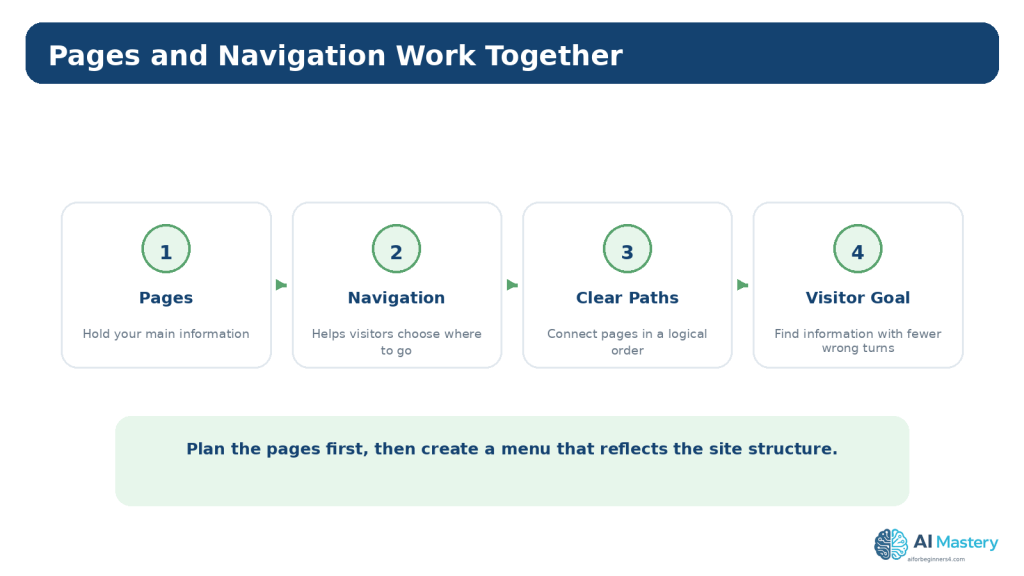
    Frequently Asked Questions

    Do I need a complete business plan before making a website?

    No. A small educational or personal website can begin with a short website plan. A business website may need additional business, legal, financial, marketing, and operational planning depending on what it does.

    How many pages should a beginner website have?

    There is no universal number. Use the minimum set of pages needed to answer important visitor questions and support the site purpose.

    Should I plan my menu before creating pages?

    Yes, at least as a draft. The menu helps reveal whether the proposed pages are clear and whether important information has a logical home.

    Should every article be a page in WordPress?

    No. WordPress posts are generally a better fit for ongoing dated content such as tutorials, articles, and news, while pages are typically used for more permanent site information.

    Can ChatGPT choose my website colors?

    It can suggest palettes, but you should review readability, contrast, branding fit, and consistency yourself. Important accessibility checks should not rely only on AI.

    Can AI write all of the website content?

    It can assist with drafts, but the content still needs factual review, original judgment, appropriate sourcing, privacy checks, accessibility, and responsible editing. Avoid publishing large amounts of generic AI text simply to fill pages.

    Do I need SEO before launching?

    You should plan basic titles, page topics, readable URLs, internal links, and useful content. Advanced SEO can be added later. There is no guarantee of indexing or ranking.

    Should I buy a domain before I plan the site?

    You can, but planning the purpose and long-term topic first can help you choose a more suitable name. Domain availability, prices, and plan conditions can change, so check the provider’s current terms.

    What should I save while planning?

    Keep the approved plan, original source material, prompts that materially shaped the project, permissions, licences, brand assets, master images, and important publication records where relevant.

    When should I check platform policies again?

    You do not need to reread every policy before every edit. Check current official information when first using a tool, changing plans or important features, receiving a policy-update notice, beginning a sensitive or commercial workflow, or periodically reviewing the site.

    Pre-Build Planning Checklist

    Before detailed construction begins, confirm the following items:

    • the website purpose is written in one sentence
    • the primary audience is identified
    • the core page list is reasonable
    • the main navigation order is drafted
    • the homepage information order is sketched
    • each important page has a content responsibility
    •  basic visual rules are recorded
    • accessibility is included in the plan
    • privacy and security risks have been reviewed
    • third-party asset licences will be checked
    • basic SEO intent is recorded
    • maintenance and ownership responsibilities are understood

    Figure 14. A short pre-build checklist helps confirm that the website has a clear direction before you begin detailed construction.

    Explanation: You can still refine the site after building starts. The point is to reduce avoidable confusion by agreeing on the main purpose, structure, content responsibilities, and risk checks first.

    Key Takeaways

    • Plan the purpose before choosing detailed design.
    • Identify one primary audience so explanations and navigation stay focused.
    • Use pages for core site information and posts for ongoing article-style content where appropriate.
    • Sketch navigation and the homepage before building them.
    • Plan content around visitor questions and next steps.
    • Use a small consistent visual system rather than many unrelated styles.
    • Include accessibility, privacy, security, licensing, factual accuracy, and disclosure in the planning stage.
    • Use AI to organize and review ideas, not to replace judgment or verification.
    • Keep one approved website plan so the project does not change direction every day.
    • Check current official sources when platform features, policies, search guidance, privacy controls, or licensing conditions matter.

    Final Tip

    Do not wait for a perfect plan. A useful beginner plan is short, specific, and practical. If you can explain the site’s purpose, audience, core pages, navigation, homepage order, content responsibilities, visual direction, and main risk checks, you are ready to begin building.

    The strongest habit is to make one important decision at a time, write it down, and use it to judge the next decision. That keeps AI suggestions, design ideas, and new features from pulling the project in unrelated directions.

    Continue Learning

    Article 091 begins the AI Mastery Website Planning series. The next articles can build on this plan by focusing more deeply on choosing a website topic and audience, planning pages and navigation, creating a content plan, preparing beginner SEO, and organizing updates and maintenance.


    Article 092 — How to Choose a Website Topic and Audience with AI (2026)
    Article 093 — How to Plan Website Pages and Navigation with AI (2026)
    Article 094 — How to Create a Website Content Plan with AI (2026)
    Article 095 — How to Plan Beginner SEO Content with AI (2026)
    Article 096 — How to Review and Maintain an AI-Assisted Website (2026)

    Sources and References

    The following official and authoritative sources were reviewed for the WordPress, accessibility, privacy, SEO, copyright, and licensing guidance in this article. Information was checked on August 16, 2026. Platform features, standards, policies, prices, plans, and licence conditions can change, so readers should check current official information when it matters to their project.

    1. WordPress.com — Create your website on WordPress.com. Official source — Current beginner course covering theme setup, homepage design, header and footer, colors and fonts, and publishing.

    2. WordPress.com — Understand pages, posts, and templates. Official source — Explains the current distinction between relatively static pages, time-based posts, and templates.

    3. WordPress.com — Use the Site Editor. Official source — Current instructions for using Appearance → Editor to manage site design, templates, navigation, and pages on block themes.

    4. WordPress.com — Navigation block. Official source — Current guidance for creating and editing navigation menus with the Navigation block.

    5. WordPress.com — Set up your homepage. Official source — Current guidance for editing a block-theme homepage and selecting a static homepage where applicable.

    6. WordPress.com — Edit your site title. Official source — Explains site-title editing and the role of the site title in website identity.

    7. WordPress.com — Edit your site tagline. Official source — Explains how the site tagline can summarize what the website is about.

    8. WordPress.com — Control your site visibility. Official source — Current Coming Soon, Public, and Private visibility options under Settings → Reading.

    9. WordPress.com — Manage domains. Official source — Current WordPress.com domain-management information.

    10. W3C WAI — WCAG 2 Overview. Official source — Authoritative overview of the Web Content Accessibility Guidelines.
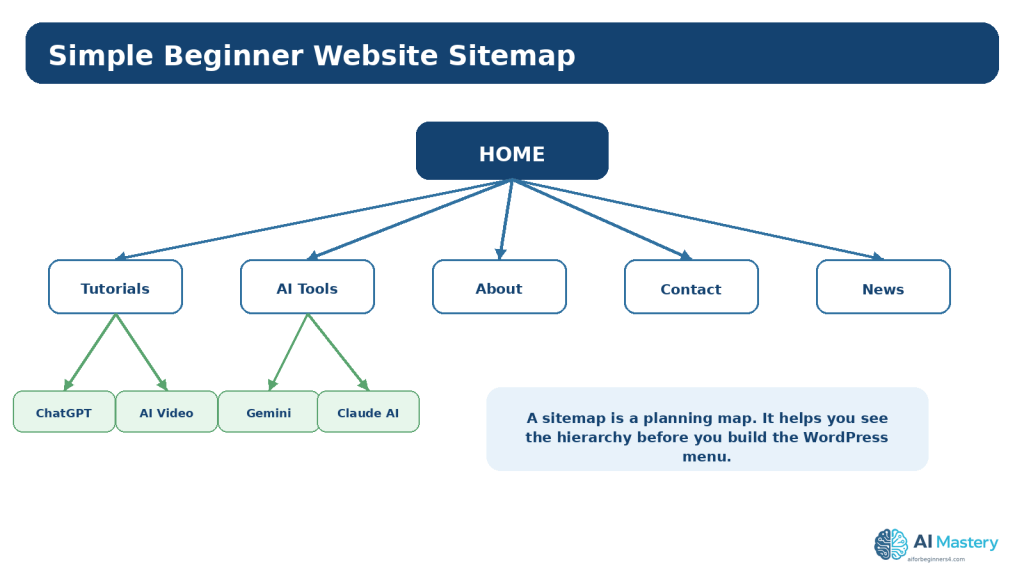
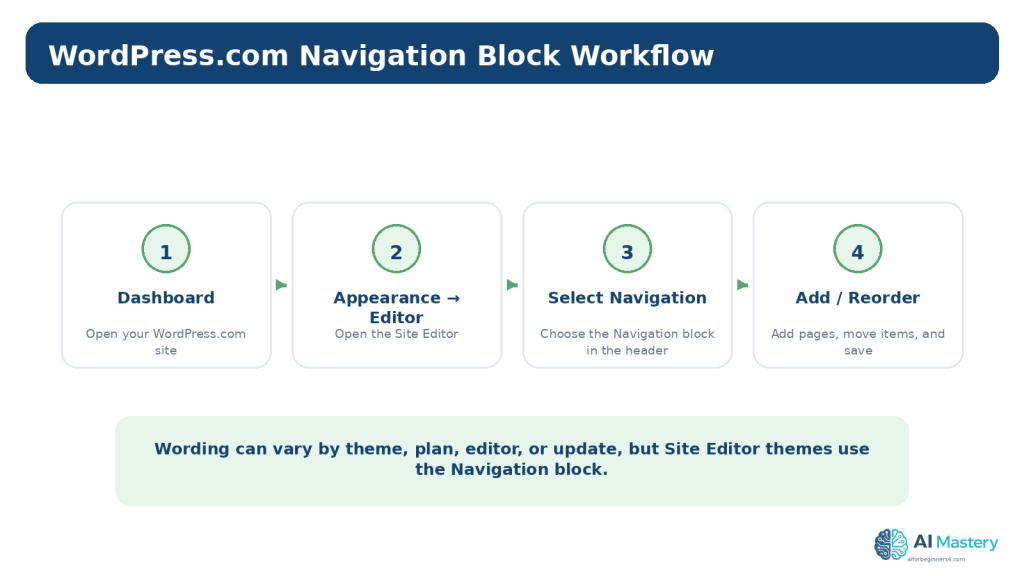
    11. W3C — Web Content Accessibility Guidelines (WCAG) 2.2. Official source — Current W3C Recommendation used for accessibility planning guidance.

    12. Google Search Central — SEO Starter Guide. Official source — Official beginner SEO guidance and the relationship to Search Essentials.

    13. Google Search Central — Creating helpful, reliable, people-first content. Official source — Official guidance emphasizing useful content created primarily for people.

    14. OpenAI — Data Controls FAQ. Official source — Current information about training controls and Temporary Chat behavior.

    15. WIPO — Copyright. Official source — Authoritative general copyright information, including protection of creative works.

    16. Creative Commons — Licenses List. Official source — Official list of Creative Commons licences and tools for sharing works under specified terms.

    Important Note: This article provides general educational information about website planning, accessibility, privacy, security, copyright, licensing, and search visibility. It is not legal, cybersecurity, financial, or other professional advice.