Tag: AI for Beginers

  • What Are Large Language Models (LLMs)? A Beginner’s Guide (2026)

    What Are Large Language Models (LLMs)? A Beginner’s Guide (2026)

    Estimated Reading Time: 23 minutes

    Last Updated: July 2026

    What You’ll Learn

    By the end of this guide, you’ll be able to:

    · Understand what a Large Language Model (LLM) is.

    · Learn how LLMs work in simple language.

    · Discover how ChatGPT uses an LLM.

    · Recognize everyday examples of LLMs.

    · Learn the benefits and limitations of LLMs.

    · Build a strong foundation for learning more advanced AI concepts.

    Introduction

    Large Language Models (LLMs) are the technology behind many of today’s most popular Artificial Intelligence tools, including ChatGPT, Google Gemini, Microsoft Copilot, and Claude. They allow computers to understand and generate human language in a natural and conversational way.

    Although the name “Large Language Model” may sound technical, the basic idea is simple. An LLM learns from enormous amounts of text and then uses that knowledge to generate helpful responses, answer questions, summarize information, translate languages, and assist with many other tasks.

    Every time you ask ChatGPT a question, write an email with AI, summarize a document, or generate computer code, you are using a Large Language Model.

    If you’re new to AI, this guide explains Large Language Models using simple language and everyday examples. You do not need any programming or technical knowledge to understand the concepts presented here.

    Before reading this guide, you may find it helpful to read our What Is Artificial Intelligence? A Beginner’s Guide (2026), What Is Machine Learning? A Beginner’s Guide (2026), What Is Deep Learning? A Beginner’s Guide (2026), What Is Generative AI? A Beginner’s Guide (2026), and How ChatGPT Works (Explained Simply). These guides explain the technologies that make Large Language Models possible.

    What Is a Large Language Model (LLM)?

    A Large Language Model (LLM) is a type of Artificial Intelligence that is designed to understand, process, and generate human language. It learns by analyzing enormous amounts of text from multiple sources, which may include publicly available information, licensed material, and content created or reviewed by human trainers.

    During training, it identifies patterns in words, grammar, sentence structure, and writing styles.

    The term Large Language Model can be understood by looking at each word:

    · Large refers to the model’s enormous number of learned mathematical settings, called parameters, as well as the large amounts of data and computing power used during training.

    · Language means it works with human languages such as English, French, Arabic, Spanish, and many others.

    · Model refers to the AI system that has learned these language patterns and can use them to generate responses.

    Think of an LLM as a person who has spent many years reading millions of books, newspapers, and websites. Instead of memorizing every sentence, that person learns how language works and uses that knowledge to answer new questions, explain ideas, and write about different topics. A Large Language Model works in a similar way by recognizing language patterns rather than memorizing information.

    Large Language Models power many AI applications, including ChatGPT, Google Gemini, Microsoft Copilot, Claude, AI writing assistants, translation tools, and customer service chatbots.

    Although an LLM can generate natural and helpful responses, it does not think, understand, or have personal experiences. It predicts the most appropriate tokens based on patterns it learned during training.
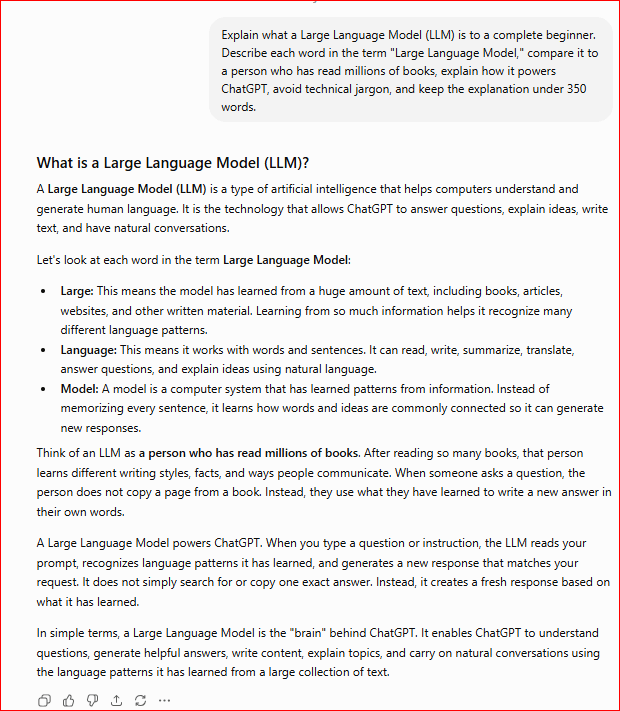
    Figure 1. ChatGPT explaining what a Large Language Model (LLM) is.

    This example explains Large Language Models using simple language and an everyday comparison. By comparing an LLM to a person who has read millions of books, beginners can better understand how ChatGPT and other AI assistants generate natural and helpful responses.

    How Does a Large Language Model Work?

    A Large Language Model, or LLM, works by learning patterns from enormous amounts of text. It does not simply memorize every sentence, and the language model itself does not automatically search the internet whenever you ask a question.

    During training, an LLM analyzes books, articles, websites, and other written materials. From this text, it learns grammar, vocabulary, sentence structure, common facts, and relationships between words and ideas.

    Think of an LLM as a student who has spent many years reading millions of books. The student may not remember every page exactly, but they learn how language works and become skilled at explaining ideas, answering questions, and writing about many subjects.

    A Large Language Model works in a similar way. It recognizes patterns in language and uses those patterns to create new responses.

    When you enter a prompt into ChatGPT, the model analyzes the words in your request and considers the surrounding context. It then predicts what should come next. The response is generated step by step using small pieces of text called tokens, which may be complete words or parts of words.

    For example, suppose you ask ChatGPT to explain photosynthesis. The LLM does not normally locate an article and copy it. Instead, it uses patterns and information learned during training to create an explanation that matches your question.

    Although Large Language Models can produce accurate and natural-sounding answers, they do not think or understand the world exactly as humans do. They use advanced mathematics to calculate which tokens are most likely to form a useful response.

    Because an LLM predicts language rather than checking every statement against a trusted source, it can sometimes provide incorrect or invented information. Important facts should always be verified.

    One of the greatest strengths of Large Language Models is their ability to generate useful responses about many topics. They can assist with learning, writing, programming, brainstorming, translation, research, and everyday problem-solving.
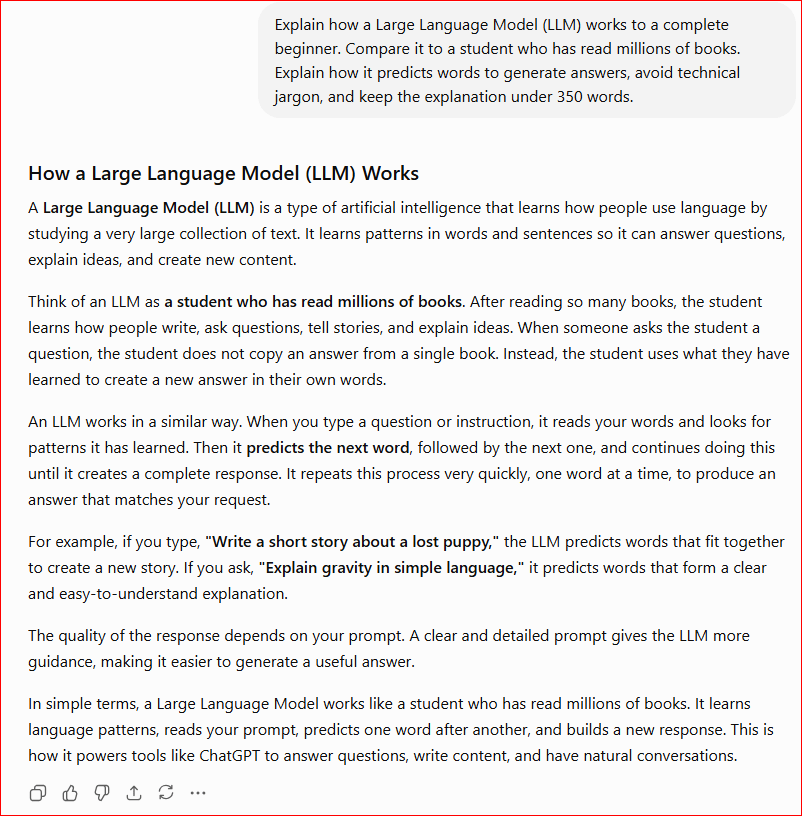
    Figure 2. ChatGPT explaining how a Large Language Model works using an everyday example.

    This example shows that a Large Language Model generates responses by recognizing language patterns learned during training rather than simply memorizing information or automatically searching the internet. Using an everyday comparison helps beginners understand how AI assistants such as ChatGPT create natural and helpful responses.

    How Are Large Language Models Trained?

    Large Language Models are trained using enormous collections of written text. This training material may include books, articles, educational websites, public documents, and other forms of written content.

    The purpose of training is not to teach the model to memorize every sentence. Instead, the model studies patterns in language and learns how words, phrases, and ideas are commonly connected.

    During training, part of a sentence may be shown to the model, and it must predict what comes next.

    For example:

    The sky is usually…

    The model may predict the word blue because it has learned that “blue” commonly follows this sentence.

    At first, the model’s predictions are often incorrect. Each time it makes a mistake, its internal mathematical settings are adjusted slightly. This process is repeated billions of times using many different examples.

    Over time, the model becomes better at predicting suitable words, completing sentences, answering questions, and generating natural-sounding text.

    You can compare this process to a student practising with a very large collection of exercises. The student answers a question, checks the correct answer, learns from the mistake, and tries again. After completing millions of exercises, the student becomes much more skilled.

    Training a Large Language Model requires powerful computers, large amounts of data, and significant processing time. Specialized computer chips are used to perform the enormous number of mathematical calculations required during training.

    After the main training process is completed, the model may receive additional training using examples created or reviewed by people. Human reviewers can help teach the model to follow instructions, avoid harmful responses, and provide clearer and more useful answers.

    However, training does not make an LLM perfect. The model may still misunderstand a question, provide outdated information, or generate an answer that sounds convincing but is incorrect.

    For this reason, users should review important information and confirm it using reliable sources.

    What Are Tokens in a Large Language Model?

    Large Language Models do not read and write text exactly the way humans do. Instead, they break text into smaller pieces called tokens.

    A token may be:

    · A complete word.

    · Part of a word.

    · A punctuation mark.

    · A number.

    · A short group of characters.

    For example, the sentence:

    ChatGPT can explain artificial intelligence.

    may be divided into several tokens. Common words may appear as complete tokens, while longer or less common words may be separated into smaller parts.

    You can think of tokens as puzzle pieces. Before a Large Language Model can understand and respond to your prompt, it divides the text into smaller pieces that it can process. The model then examines how those pieces relate to one another.

    When ChatGPT generates an answer, it predicts one token at a time. After producing one token, it uses that token and the previous text to predict what should come next. This process continues very quickly until the full response is completed.

    For example, suppose the model begins the sentence:

    Artificial intelligence can help people…

    It may predict that the next token should relate to writing, learning, working, researching, or solving problems. The exact choice depends on the prompt and the surrounding context.

    Tokens are also important because Large Language Models have limits on how much text they can process at one time. This limit is called the context window. It includes your prompt, previous messages in the conversation, and the response being generated.

    A larger context window allows the model to work with longer documents, remember more of the current conversation, and connect information from different parts of the text.

    However, the context window is not the same as permanent human memory. Information may be lost when a conversation becomes too long or when the model is used in a new conversation.

    Understanding tokens helps explain why:

    · Very long prompts may need to be divided into smaller sections.

    · Long documents may require several steps to analyze.

    · A model may sometimes forget details from earlier parts of a lengthy conversation.

    · Different words can use different numbers of tokens.

    Although tokens may sound technical, the basic idea is simple: a Large Language Model breaks language into small pieces, studies the relationships between those pieces, and predicts which piece should come next.
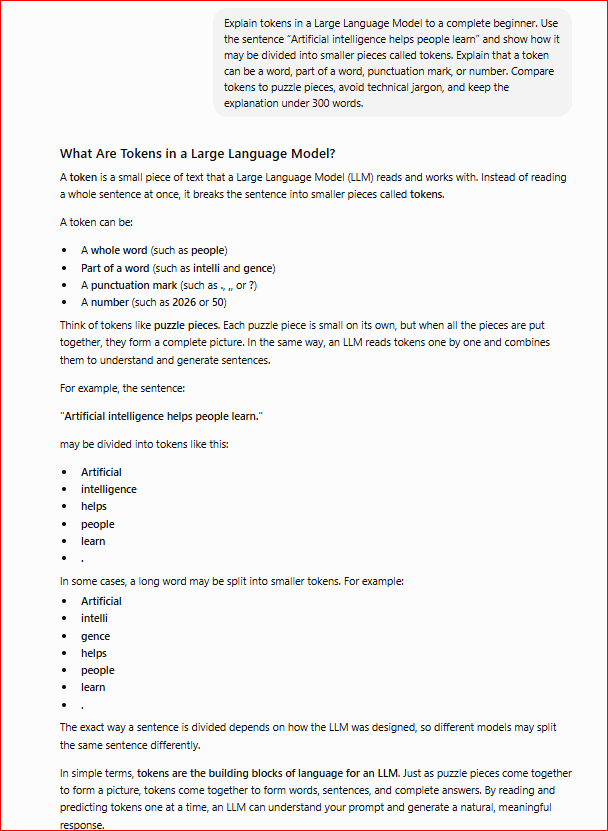
    Figure 3. ChatGPT explaining tokens using a simple sentence and an everyday comparison.

    This example shows how a Large Language Model breaks text into smaller pieces called tokens before processing it. A token may be a complete word, part of a word, a number, or punctuation. Comparing tokens to puzzle pieces helps beginners understand how an LLM processes prompts and generates responses one small piece at a time.

    What Can Large Language Models Do?

    Large Language Models can perform many tasks that involve reading, writing, organizing, and explaining information. Their ability to recognize language patterns allows them to respond to many different types of prompts.

    Here are some common uses of Large Language Models:

    Answer Questions

    LLMs can answer questions about history, science, technology, business, education, and many other topics. They can also explain difficult ideas in simpler language.

    Write and Improve Text

    Large Language Models can help create:

    · Emails.

    · Articles.

    · Reports.

    · Social media posts.

    · Product descriptions.

    · Stories.

    · Summaries.

    They can also correct grammar, improve sentence structure, and change the tone of writing.

    Summarize Information

    An LLM can shorten a long passage, article, or document and identify the most important points. This can save time when reviewing large amounts of information.

    Translate Languages

    Large Language Models can translate text between many languages. They can also explain the meaning of words, phrases, and expressions.

    Help with Programming

    LLMs can explain computer code, suggest improvements, identify possible errors, and help users write simple programs. However, generated code should always be tested before it is used.

    Support Learning

    Students and beginners can use LLMs to:

    · Explain difficult subjects.

    · Create practice questions.

    · Prepare study notes.

    · Compare ideas.

    · Learn step by step.

    · Receive examples and simple explanations.

    Generate Ideas

    Large Language Models can help with brainstorming. For example, they can suggest business names, article topics, marketing ideas, lesson plans, recipes, or project concepts.

    Organize Information

    An LLM can turn unorganized notes into lists, tables, outlines, schedules, or structured plans. This makes information easier to understand and use.

    Assist with Everyday Tasks

    People can use Large Language Models to prepare shopping lists, plan trips, draft messages, compare options, create routines, or understand instructions.

    Although Large Language Models are powerful, they should be viewed as assistants rather than perfect authorities. They can make mistakes, misunderstand instructions, or provide outdated information.

    For important decisions involving health, law, finance, safety, or major purchases, users should verify the information using trusted sources or qualified professionals.
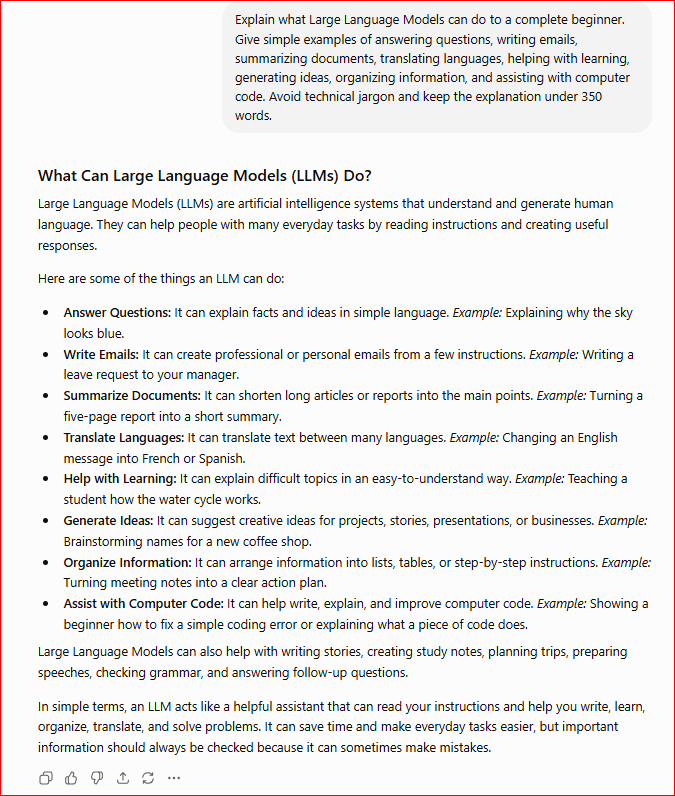
    Figure 4. ChatGPT explaining the common tasks Large Language Models can perform.

    This example shows how Large Language Models can assist with many language-based tasks, including answering questions, writing, summarizing, translation, learning, brainstorming, organization, and programming. These practical examples help beginners understand how LLM-powered tools can support everyday activities.

    Examples of Popular Large Language Models and AI Assistants

    Many companies and research organizations have developed Large Language Models. These models may work differently, but they all use language patterns to understand prompts and generate responses.

    Here are several well-known examples:

    ChatGPT

    ChatGPT is an AI assistant created by OpenAI. It can answer questions, explain ideas, write content, summarize information, assist with programming, and help users complete everyday tasks.

    ChatGPT is the application people interact with, while the underlying GPT models provide its language-processing abilities.

    Google Gemini

    Gemini is a family of AI models developed by Google. It can help users write, learn, summarize information, generate ideas, analyze content, and work with different types of information.

    Gemini is also available through several Google products and services.

    Claude

    Claude is an AI assistant developed by Anthropic. It is designed to help with writing, analysis, explanations, document review, brainstorming, and other language-related tasks.

    Claude is often used for working with long documents and detailed written instructions.

    Meta Llama

    Llama is a family of Large Language Models developed by Meta. Unlike some AI models that are mainly accessed through one chatbot, Llama models can be used by developers and organizations to build their own AI applications.

    Mistral

    Mistral is a family of AI models developed by Mistral AI. These models can be used for writing, answering questions, summarizing information, programming, and developing AI-powered tools.

    Microsoft Copilot

    Microsoft Copilot is an AI assistant available in several Microsoft products. It can help users write documents, summarize information, create presentations, work with spreadsheets, and complete other productivity tasks.

    Copilot is an AI application rather than one single Large Language Model. It uses AI models behind the scenes to understand requests and generate responses.

    Are All Large Language Models the Same?

    No. Large Language Models can differ in several ways, including:

    · The amount and type of data used for training.

    · The size of the model.

    · The languages it supports.

    · The length of text it can process.

    · Its ability to work with images, audio, documents, or computer code.

    · Its safety rules and response style.

    · Whether it is publicly available or privately controlled.

    Some models are designed for general-purpose tasks, while others are created for specialized areas such as programming, medicine, science, customer service, or business research.

    The best model depends on the task. One model may be better for writing, while another may be more suitable for analyzing long documents or helping with computer code.

    Regardless of which model is used, users should remember that all Large Language Models can make mistakes. Important information should always be reviewed and verified.

    Benefits of Large Language Models

    Large Language Models offer many benefits because they can understand and generate natural-sounding language. They help people complete tasks more quickly, organize information, improve communication, and learn about many different subjects.

    Some of the main benefits of Large Language Models include:

    Save Time

    LLMs can complete many language-based tasks in seconds. They can draft emails, summarize documents, create outlines, answer questions, and organize notes much faster than doing everything manually.

    Make Difficult Topics Easier to Understand

    A Large Language Model can explain complicated subjects using simple language, everyday examples, or step-by-step instructions.

    For example, a student can ask an LLM to explain a scientific topic as if they were 12 years old.

    Improve Writing

    LLMs can help improve:

    · Grammar

    · Spelling

    · Sentence structure

    · Clarity

    · Tone

    · Organization

    They can also rewrite text to make it more professional, friendly, persuasive, or easier to understand.

    Support Learning

    Large Language Models can act as learning assistants. They can explain lessons, create practice questions, provide examples, summarize chapters, and help students study at their own pace.

    Increase Productivity

    Businesses and individuals can use LLMs to reduce repetitive work. They can assist with reports, customer messages, meeting notes, research summaries, marketing ideas, and content creation.

    Generate Ideas

    An LLM can help people brainstorm ideas for:

    · Articles

    · Business names

    · Presentations

    · Marketing campaigns

    · Stories

    · Lessons

    · Projects

    · Social media posts

    This can be useful when someone is unsure how to begin.

    Support Multiple Languages

    Many Large Language Models can understand and generate text in several languages. They can translate messages, explain unfamiliar words, and help people communicate across language barriers.

    Important translations should still be reviewed by a qualified translator.

    Help with Programming

    LLMs can explain computer code, suggest improvements, identify possible errors, and help users create simple programs.

    However, AI-generated code should always be tested before it is used.

    Improve Accessibility

    Large Language Models can simplify difficult text, summarize long documents, change the reading level, and help users organize their thoughts.

    This can make information easier to access for beginners, language learners, and people who need writing assistance.

    Assist with Many Different Tasks

    One of the greatest benefits of an LLM is its flexibility. The same model may help with education, writing, translation, programming, planning, research, and everyday problem-solving.

    Although Large Language Models provide many benefits, they work best when combined with human knowledge, careful review, and good judgment.

    Limitations of Large Language Models

    Large Language Models are powerful, but they are not perfect. Understanding their limitations helps people use them more safely and avoid relying on incorrect information.

    Some of the main limitations of Large Language Models include:

    They Can Generate Incorrect Information

    An LLM may provide an answer that sounds confident and convincing even when the information is incorrect. This type of mistake is sometimes called an AI hallucination.

    The model generates likely language patterns, but it does not guarantee that every statement is true.

    Their Information May Be Outdated

    A Large Language Model may not know about recent events, updated laws, current prices, new products, or the latest research unless it has access to current information.

    Time-sensitive information should always be verified.

    They Do Not Understand Like Humans

    LLMs can produce natural-sounding responses, but they do not think, feel, or understand the world in the same way humans do.

    They generate answers using mathematical calculations and patterns learned during training.

    They Can Misunderstand Unclear Prompts

    A short, vague, or incomplete prompt may produce an answer that does not match what the user needs.

    For example:

    Unclear prompt:
    Tell me about computers.

    Clearer prompt:
    Explain how a laptop works to a complete beginner using simple language.

    Clear instructions usually produce better results.

    They May Reflect Bias

    Training information may contain stereotypes, errors, unfair assumptions, or unbalanced viewpoints. An LLM may sometimes repeat these patterns in its responses.

    Developers try to reduce bias, but it cannot always be completely removed.

    They Have Context Limits

    Large Language Models can process only a limited amount of text at one time. This limit is called the context window.

    In a long conversation or document, the model may forget earlier details, overlook important information, or provide inconsistent answers.

    They Cannot Always Verify Sources

    An LLM may mention a study, quotation, book, or website that does not exist or does not support the information provided.

    Users should verify references before using them in articles, reports, assignments, or important decisions.

    Privacy Can Be a Concern

    Users should avoid entering sensitive or confidential information into an AI assistant.

    This includes:

    · Passwords

    · Banking information

    · Medical records

    · Government identification numbers

    · Confidential business documents

    · Private customer information

    Only share information that is safe and appropriate for the AI service being used.

    They Should Not Replace Professionals

    Large Language Models can provide general information, but they should not replace qualified doctors, lawyers, accountants, financial advisers, engineers, or other professionals.

    Important health, legal, financial, and safety decisions require expert advice.

    They Depend on Human Review

    An LLM works best as an assistant. People still need to check facts, correct mistakes, review the final result, and decide whether the information is appropriate.

    The safest approach is to use Large Language Models to support human judgment rather than replace it.

    Common Myths About Large Language Models

    Large Language Models are becoming more common, but many people still misunderstand what they can and cannot do. Learning the facts helps beginners use LLMs more safely and effectively.

    Myth 1: Large Language Models Think Like Humans

    Reality: Large Language Models do not think, feel, or understand information in the same way humans do.

    They generate responses by recognizing language patterns and predicting which words or tokens are most likely to come next.

    Myth 2: Large Language Models Know Everything

    Reality: No Large Language Model knows everything.

    Its knowledge depends on the information used during training, later updates, and any additional tools it can access. It may not know recent news, private information, local details, or highly specialized facts.

    Myth 3: Every LLM Answer Is Correct

    Reality: An LLM can produce an answer that sounds professional and convincing while still containing incorrect information.

    Important facts should always be checked using reliable sources.

    Myth 4: LLMs Search the Internet for Every Answer

    Reality: A Large Language Model does not automatically search the internet whenever it receives a question.

    It normally generates an answer using patterns learned during training. Some AI assistants can also use web-search tools when those features are available.

    Myth 5: Large Language Models Simply Copy Websites

    Reality: LLMs generally create new responses using patterns learned from large amounts of text rather than copying one webpage word for word.

    However, generated content should still be reviewed for accuracy, originality, and proper source use.

    Myth 6: LLMs Remember Everything Forever

    Reality: Large Language Models do not automatically remember every conversation permanently.

    They can use information available in the current conversation, but they may lose earlier details when a conversation becomes very long. Some AI services offer optional memory features, depending on the platform and user settings.

    Myth 7: Better Writing Means Better Facts

    Reality: A clear and polished response is not always accurate.

    An LLM can use excellent grammar while providing incomplete, outdated, or incorrect information. Users should evaluate the facts, not only the writing style.

    Myth 8: Large Language Models Will Replace Every Job

    Reality: LLMs may automate some tasks and change how certain jobs are performed, but they cannot replace every worker.

    Many jobs require human judgment, responsibility, physical skills, creativity, trust, emotional understanding, and real-world experience.

    Large Language Models are usually most useful as tools that assist people rather than completely replace them.

    Myth 9: Only Technology Experts Can Use LLMs

    Reality: Most AI assistants powered by Large Language Models are designed for ordinary users.

    Students, teachers, writers, business owners, retirees, programmers, and complete beginners can use them by typing questions and instructions in everyday language.

    Myth 10: Longer Prompts Always Produce Better Answers

    Reality: A longer prompt is not automatically better.

    The most effective prompts are clear, specific, and relevant. Too many unnecessary details can confuse the model, while a short but precise prompt may produce an excellent response.

    Understanding these myths helps beginners develop realistic expectations about Large Language Models. LLMs are powerful tools, but they work best when combined with human knowledge, careful review, and responsible use.

    Frequently Asked Questions About Large Language Models

    What Does LLM Stand For?

    LLM stands for Large Language Model. It is a type of Artificial Intelligence designed to understand and generate human language.

    The word Large refers to the enormous amount of information and mathematical settings used to train the model. Language means it works with written or spoken language, and Model refers to the trained AI system.

    Is ChatGPT a Large Language Model?

    ChatGPT is an AI assistant that is powered by Large Language Models developed by OpenAI.

    The LLM is the technology that processes language and generates responses, while ChatGPT is the application people use to interact with that technology.

    How Does a Large Language Model Learn?

    A Large Language Model learns by analyzing enormous amounts of text during training. It studies patterns in words, sentences, grammar, facts, writing styles, and relationships between ideas.

    It does not learn exactly like a human student. Instead, its mathematical settings are repeatedly adjusted so it becomes better at predicting suitable words and generating useful responses.

    Does an LLM Understand What It Writes?

    Not in the same way a human does.

    An LLM can produce explanations that sound thoughtful and intelligent, but it does not have human awareness, emotions, personal experience, or true understanding. It generates responses by recognizing patterns and predicting which tokens should come next.

    Does an LLM Search the Internet for Every Answer?

    No. A Large Language Model does not automatically search the internet whenever it receives a question.

    It normally generates responses using patterns learned during training. Some AI assistants can also use web-search tools when those features are available and activated.

    Are Large Language Models Always Accurate?

    No. LLMs can generate incorrect, incomplete, biased, or outdated information.

    They may also create convincing details that are not true. Important information should always be checked using reliable sources.

    What Can Large Language Models Be Used For?

    Large Language Models can help with:

    · Answering questions

    · Writing and editing

    · Summarizing documents

    · Translating languages

    · Explaining difficult subjects

    · Generating ideas

    · Organizing information

    · Assisting with computer code

    Their usefulness depends greatly on the quality and clarity of the prompt.

    Do I Need Programming Skills to Use an LLM?

    No. Most LLM-powered assistants are designed for ordinary users.

    You can communicate with them by typing questions or instructions in everyday language. Programming knowledge is only necessary when building applications or working with advanced AI systems.

    Are Large Language Models Safe to Use?

    Large Language Models can be useful when used responsibly, but users should protect their privacy and verify important answers.

    Avoid entering passwords, banking information, confidential business records, government identification numbers, or sensitive personal information into an AI assistant.

    Will Large Language Models Replace Humans?

    Large Language Models may automate some tasks, but they cannot replace human judgment, responsibility, experience, creativity, and emotional understanding.

    They are most effective when used as tools that assist people rather than make every decision for them.

    Key Takeaways

    Remember these important points:

    · A Large Language Model, or LLM, is an Artificial Intelligence system designed to understand and generate human language.

    · LLMs learn by analyzing enormous amounts of text and recognizing patterns in words, sentences, and ideas.

    · They generate responses by predicting one token at a time.

    · Tokens may be complete words, parts of words, numbers, or punctuation marks.

    · Large Language Models can answer questions, write content, summarize documents, translate languages, support learning, and assist with computer code.

    · Popular LLM-powered tools include ChatGPT, Google Gemini, Claude, Microsoft Copilot, Meta Llama, and Mistral.

    · LLMs can save time, improve productivity, support creativity, and make difficult information easier to understand.

    · Large Language Models can still generate incorrect, biased, incomplete, or outdated information.

    · They do not think, feel, or understand the world in the same way humans do.

    · Important information should always be checked using reliable sources.

    · LLMs work best as helpful assistants rather than replacements for human judgment.

    · Writing clear and specific prompts usually produces better answers.

    What’s Next?

    Congratulations! You have completed this beginner’s guide to Large Language Models.

    You now understand what an LLM is, how it learns from large amounts of text, how it uses tokens to generate responses, and the different tasks it can perform.

    You have also learned about popular Large Language Models, their benefits, their limitations, and the importance of checking AI-generated information before relying on it.

    Large Language Models are the technology behind many modern AI assistants, including ChatGPT, Google Gemini, Claude, and Microsoft Copilot. Understanding how LLMs work gives you a stronger foundation for using these tools safely and effectively.

    With this knowledge, you are ready to explore more practical AI topics, including prompt writing, AI image generation, productivity tools, and other beginner-friendly AI applications.

    Final Tip for Beginners

    Large Language Models work best when you give them clear and specific instructions. Instead of asking a very general question, explain exactly what you want, who the answer is for, and how you would like the response presented.

    For example, instead of writing:

    Explain Large Language Models.

    Try:

    Explain Large Language Models to a complete beginner using simple language, one everyday comparison, and three practical examples.

    The second prompt gives the LLM more direction and usually produces a clearer and more useful response.

    Do not accept every AI-generated answer automatically. Ask follow-up questions, request simpler explanations, compare important information with reliable sources, and correct anything that appears inaccurate.

    Like any new skill, using Large Language Models becomes easier with practice. Keep experimenting with different prompts and use human judgment to decide whether the final response is accurate, useful, and appropriate.

    Continue Learning

    Ready to continue your AI journey?

    Explore these beginner-friendly guides to strengthen your understanding of Artificial Intelligence and learn how to use AI tools more effectively:

    · Create a ChatGPT Account — Step-by-Step Beginner Guide 2026

    · ChatGPT Basics for Beginners — Complete Guide 2026

    · What Is Artificial Intelligence? A Beginner’s Guide 2026

    · What Is Machine Learning? A Beginner’s Guide 2026

    · What Is Deep Learning? A Beginner’s Guide 2026

    · What Is Generative AI? A Beginner’s Guide 2026

    · How ChatGPT Works — Explained Simply

    · Best ChatGPT Prompts for Beginners 2026

    · AI Image Generation for Beginners

    · Prompt Engineering for Beginners — Coming Soon

    → Explore More AI Tutorials

    New beginner-friendly AI tutorials will be added regularly. Check back for more practical examples, step-by-step guides, and simple explanations of important AI concepts.

    Thank you for reading. Keep exploring, keep practicing, and enjoy learning how Large Language Models are changing the way people communicate, learn, work, and create.
  • What Is Generative AI? A Beginner’s Guide (2026)

    What Is Generative AI? A Beginner’s Guide (2026)

    Estimated Reading Time: 14 minutes

    Last Updated: July 2026

    What You’ll Learn

    By the end of this guide, you’ll be able to:

    · Understand what Generative AI is.

    · Learn how Generative AI works in simple language.

    · Recognize everyday examples of Generative AI.

    · Discover the most popular Generative AI tools.

    · Learn the benefits and limitations of Generative AI.

    · Understand the difference between Generative AI and traditional AI.

    · Build a strong foundation for using Generative AI safely and effectively.

    Introduction

    Generative AI is one of the fastest-growing areas of Artificial Intelligence (AI). Unlike traditional AI systems that analyze data or make predictions, Generative AI can create entirely new content, including text, images, music, videos, computer code, and more.

    Today, millions of people use Generative AI every day to write emails, create artwork, generate ideas, summarize documents, translate languages, and solve problems. Popular tools such as ChatGPT, Google Gemini, Microsoft Copilot, Claude, and image generators have made this technology accessible to beginners as well as professionals.

    Although Generative AI may seem complex, the basic idea is surprisingly simple. It learns from large amounts of existing data and uses that knowledge to generate new content that is similar in style and structure but not simply copied from the original information.

    If you’re new to Generative AI, this guide is the perfect place to start. It explains the key concepts in simple language, uses real-world examples, and shows how Generative AI is changing the way people learn, work, and create.

    Before learning about Generative AI, you may find it helpful to read our What Is Artificial Intelligence? A Beginner’s Guide (2026), What Is Machine Learning? A Beginner’s Guide (2026), and What Is Deep Learning? A Beginner’s Guide (2026). These guides explain the technologies that make Generative AI possible.

     What Is Generative AI?

    Generative AI is a type of Artificial Intelligence that can create new content instead of simply analyzing existing information. It can generate text, images, music, videos, computer code, and other types of digital content based on the information it has learned during training.

    Unlike traditional AI systems, which are mainly designed to classify data, recognize patterns, or make predictions, Generative AI generates new content in response to a user’s request. For example, it can write articles, answer questions, create artwork, summarize documents, translate languages, or generate computer programs.

    Generative AI learns by studying enormous amounts of data from multiple sources, which may include publicly available information, licensed material, and content created or reviewed by human trainers.

    During training, it identifies patterns, relationships, and structures within the data. When you give it a prompt, it uses those learned patterns to generate new content that is relevant to your request.

    Many of today’s most popular AI tools use Generative AI. Examples include ChatGPT for writing and answering questions, Google Gemini for conversation and productivity, Microsoft Copilot for work-related tasks, DALL·E for creating images, and Suno for generating music.

    Although Generative AI can produce impressive results, it does not think, understand, or have feelings like humans. Instead, it predicts the most appropriate response based on patterns it learned during training.

    One of the biggest advantages of Generative AI is its ability to help people create content quickly. It can save time, improve productivity, and support creativity in education, business, software development, marketing, and many other fields.

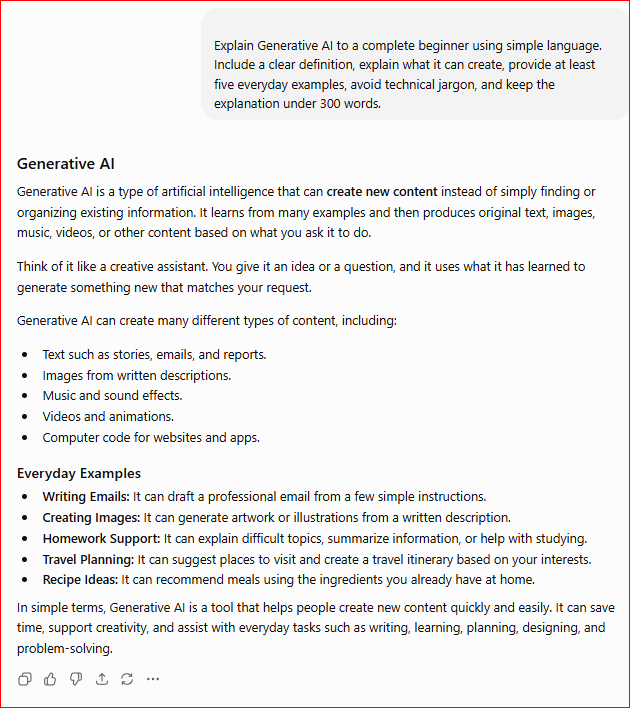
    Figure 1. ChatGPT explaining Generative AI in simple language.

    This example shows how ChatGPT explains Generative AI using clear language and practical examples. By showing that Generative AI can create text, images, music, and other content, beginners can easily understand how this technology differs from traditional Artificial Intelligence.

    How Does Generative AI Work?

    Generative AI works by learning from enormous amounts of existing information instead of following only a fixed set of instructions. During training, it analyzes books, articles, websites, images, videos, music, and other types of data to recognize patterns and relationships. Once it has learned those patterns, it can generate new content based on a user’s prompt.

    Think of Generative AI as a student who has read millions of books and seen millions of examples. Instead of memorizing every sentence, the student learns writing styles, grammar, facts, and patterns. When asked a new question, the student uses that knowledge to create a new answer instead of copying a page from a book.

    For example, when you ask ChatGPT a question, it does not always search the internet like a traditional search engine. Depending on your question and the tools available, it may generate a response using patterns learned during training or search the web for current information. It analyzes your prompt, considers the context and instructions, and generates a response that matches your request.

    Generative AI works in a similar way when creating images, music, or computer code. It does not simply copy existing content. Instead, it combines the patterns it has learned to create something new that matches the instructions you provide.

    Although Generative AI can produce impressive results, it does not think, understand, or have emotions like humans. It uses mathematical calculations and learned patterns to generate content that appears natural and useful.

    One of the greatest strengths of Generative AI is its ability to create content in just a few seconds. Whether writing an article, creating an image, summarizing a document, or generating computer code, it can complete tasks much faster than traditional methods.

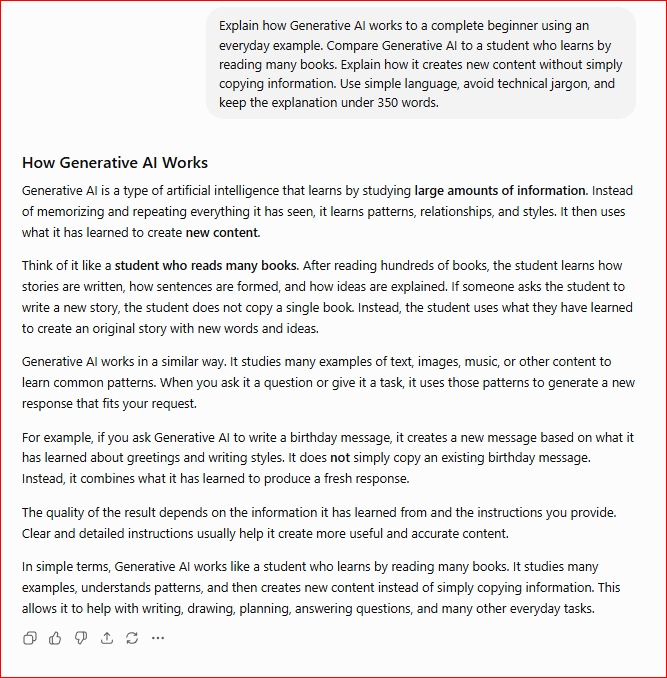
    Figure 2. ChatGPT explaining how Generative AI works using an everyday example.

    This example shows that Generative AI creates new content by learning patterns from large amounts of information rather than copying existing material. Using a simple everyday comparison helps beginners understand how Generative AI produces text, images, music, and other content in response to a user’s prompt.

    Everyday Examples of Generative AI

    You may already be using Generative AI every day without realizing it. Many popular apps and online services use Generative AI to create text, images, music, videos, computer code, and other digital content.

    Here are some common examples:

    · ChatGPT – Writes articles, answers questions, summarizes information, and helps generate ideas.

    · Google Gemini – Assists with writing, research, brainstorming, and productivity tasks.

    · Microsoft Copilot – Helps create documents, emails, presentations, and computer code.

    · DALL·E – Creates new images from text descriptions.

    · Adobe Firefly – Generates images and graphic designs for creative projects.

    · Canva Magic Studio – Creates presentations, social media posts, and marketing content using AI.

    · Suno AI – Generates new songs from text prompts.

    · GitHub Copilot – Helps programmers write and improve computer code.

    · Grammarly AI – Suggests improvements for writing, grammar, and tone.

    · AI-powered customer service chatbots – Answer customer questions and provide support automatically.

    These examples show that Generative AI is becoming part of everyday life. Whether you are writing an email, creating artwork, designing a presentation, generating music, or asking an AI assistant for help, Generative AI is making many tasks faster, easier, and more creative.

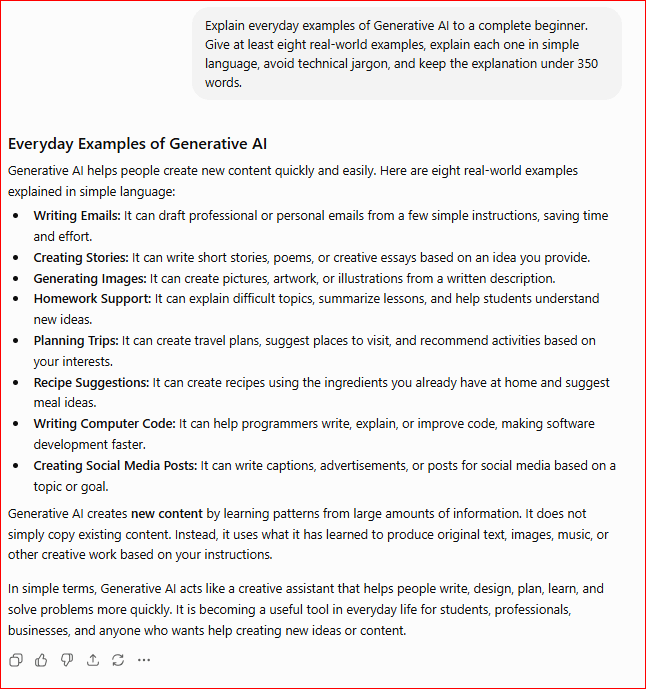
    Figure 3. ChatGPT explaining everyday examples of Generative AI.

    This example shows how Generative AI is used in many popular applications that people use every day. By connecting Generative AI to familiar tools such as ChatGPT, Google Gemini, Microsoft Copilot, DALL·E, and Canva, beginners can better understand how this technology is improving creativity and productivity across many different fields.

     Popular Generative AI Tools

    Today, there are many Generative AI tools designed to help people write, create images, generate music, produce videos, write computer code, and improve productivity. Although these tools use similar AI technology, each one is designed for different tasks.

    Here are some of the most popular Generative AI tools:

    · ChatGPT – Generates text, answers questions, summarizes information, writes emails, creates articles, and helps with brainstorming.

    · Google Gemini – Assists with writing, research, coding, and productivity while integrating with Google’s services.

    · Microsoft Copilot – Helps create documents, presentations, spreadsheets, emails, and computer code using Microsoft 365 applications.

    · Claude – Assists with writing, summarizing long documents, answering questions, and analyzing information.

    · DALL·E – Creates original images from text descriptions.

    · Adobe Firefly – Generates images, graphic designs, and creative visual content.

    · Canva Magic Studio – Uses AI to create presentations, social media posts, logos, and marketing materials.

    · GitHub Copilot – Assists programmers by suggesting and generating computer code.

    · Suno AI – Creates original songs and music from text prompts.

    · Runway – Generates and edits AI-powered videos for creative projects.

    Comparison Table

    ToolMain PurposeExample Use
    ChatGPTText generationWriting articles, answering questions
    Google GeminiAI assistantResearch, writing, productivity
    Microsoft CopilotOffice productivityDocuments, emails, presentations
    ClaudeWriting and analysisSummarizing documents, brainstorming
    DALL·EImage generationCreating artwork from text
    Adobe FireflyGraphic designMarketing images and illustrations
    Canva Magic StudioContent creationSocial media posts and presentations
    GitHub CopilotProgrammingWriting and suggesting code
    Suno AIMusic generationCreating original songs
    RunwayVideo generationAI-powered video creation

    Each tool has its own strengths. Some focus on writing, while others specialize in images, music, videos, or programming. Choosing the right tool depends on the type of content you want to create.

    As Generative AI continues to evolve, new tools are being introduced regularly. Learning how these tools differ will help you choose the best one for your personal, educational, or professional needs.

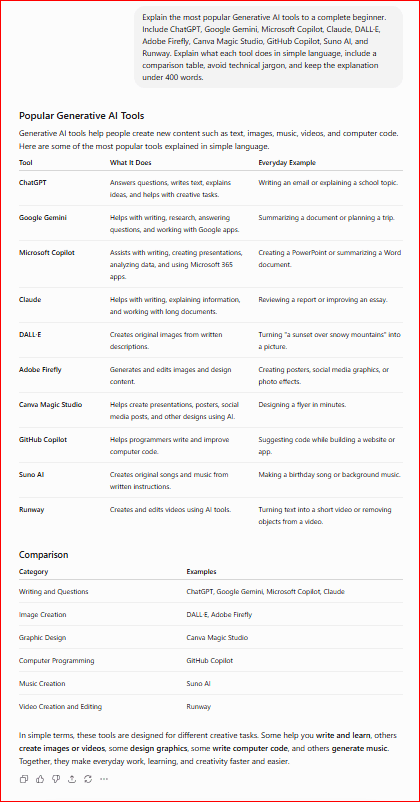
    Figure 4. ChatGPT explaining popular Generative AI tools.

    This example introduces some of today’s most popular Generative AI tools and explains their primary uses. By comparing them side by side, beginners can quickly understand which tools are best suited for writing, image creation, music generation, programming, productivity, and video creation.

    Benefits of Generative AI

    As more industries adopt Generative AI, it is becoming an essential tool in education, healthcare, business, software development, marketing, entertainment, and scientific research.

    Some of the main benefits of Generative AI include:

    · Saves time by creating drafts and summaries quickly.

    · Supports creativity by generating ideas and examples.

    · Improves writing, grammar, and communication.

    · Makes difficult topics easier to understand.

    · Helps create images, presentations, music, and videos.

    · Assists programmers with writing and explaining code.

    · Supports planning, organization, and research.

    · Improves productivity by reducing repetitive work.

    · Helps businesses create marketing and customer-service content.

    · Makes creative tools more accessible to beginners.

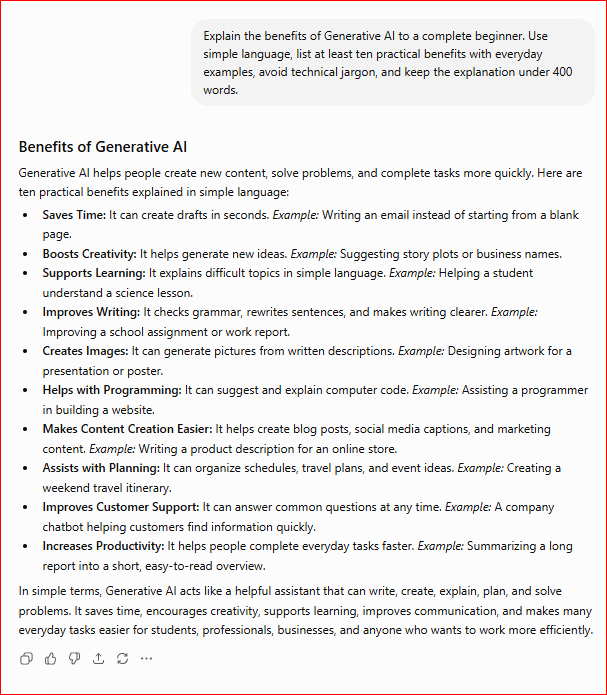
    Figure 5. ChatGPT explaining the benefits of Generative AI.

    This example shows how Generative AI helps people work more efficiently, express their creativity, and solve problems more quickly. From writing and design to programming and education, Generative AI is becoming an important tool in many areas of everyday life.

    Limitations of Generative AI

     Although Generative AI is a powerful and useful technology, it is not perfect. Like all Artificial Intelligence systems, it has limitations and can sometimes produce incorrect or misleading results. Understanding these limitations helps people use Generative AI more effectively and responsibly.

    Some of the main limitations of Generative AI include:

    · Can generate incorrect information, sometimes called “hallucinations,” by producing answers that sound convincing but are inaccurate.

    · Depends on the quality of its training data, which means incomplete or biased data can affect the results.

    · Does not understand or experience the world in the same way humans do; it relies on learned patterns and may lack human common sense.

    · May reflect bias if the data used during training contains unfair or unbalanced information.

    · Cannot replace human judgment for important decisions in areas such as healthcare, law, or finance.

    · May produce outdated information if it has not been trained on the latest data.

    · Raises copyright and privacy concerns when creating or using content.

    · Requires careful prompts because unclear instructions may lead to poor or incomplete results.

    · Can be misused to create fake images, videos, or misleading information if used irresponsibly.

    Although Generative AI can create impressive content in seconds, people should always review and verify the results before using them. Human creativity, critical thinking, and professional expertise remain essential for making important decisions and ensuring information is accurate.

    The best way to use Generative AI is as a helpful assistant rather than a replacement for human knowledge. When combined with careful review and responsible use, it can improve productivity while reducing repetitive work.

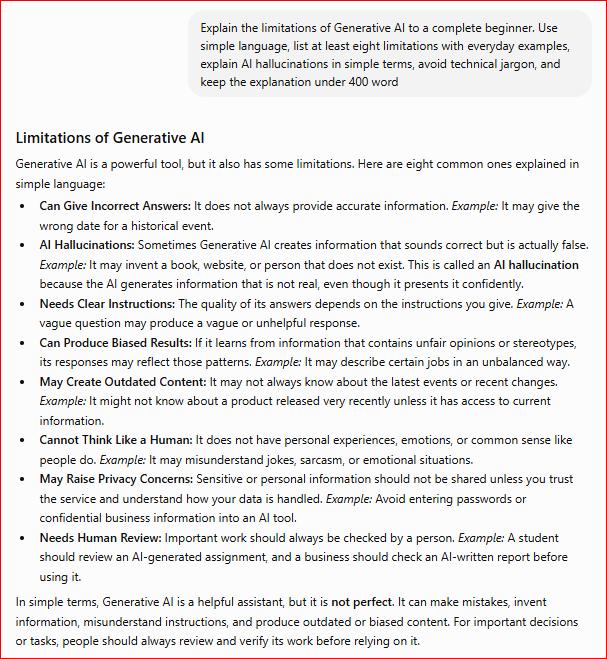
    Figure 6. ChatGPT explaining the limitations of Generative AI.

    This example shows that although Generative AI is an impressive technology, it still has important limitations. Understanding issues such as inaccurate information, bias, outdated knowledge, and the need for human review helps beginners use Generative AI more safely and effectively.

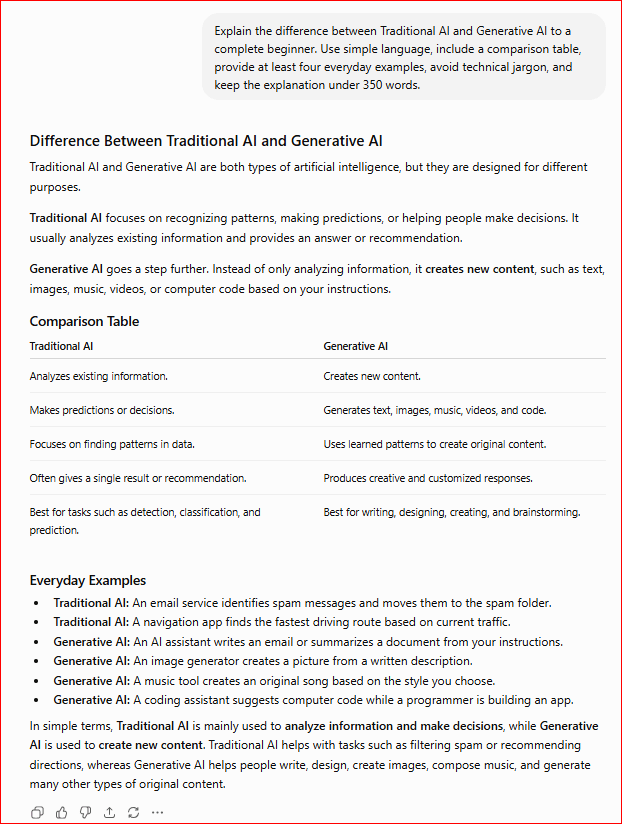
    Generative AI vs. Traditional AI

    Many people assume that all Artificial Intelligence works the same way. In reality, there is an important difference between Traditional AI and Generative AI.

    Traditional AI is designed to analyze existing information, recognize patterns, make predictions, classify data, or recommend actions. For example, a spam filter identifies unwanted emails, a navigation app suggests the fastest route, and a recommendation system suggests movies or products you might like.

    Generative AI goes a step further. Instead of simply analyzing information, it generates new content based on a user’s prompt. It can write articles, generate images, compose music, create videos, produce computer code, and answer questions in natural language.

    For example, if you ask a traditional AI system to identify whether an email is spam, it will classify the email as “spam” or “not spam.” If you ask Generative AI to write a professional email, it can create a completely new message based on your instructions.

    Both Traditional AI and Generative AI are valuable technologies, but they are designed for different purposes. Traditional AI focuses on analyzing and predicting, while Generative AI focuses on creating new content.

    Comparison Table

    FeatureTraditional AIGenerative AI
    Main PurposeAnalyzes data and makes predictionsCreates new content
    Primary FunctionClassification, recognition, recommendationsWriting, image creation, music, videos, and code
    Learns from DataYesYes
    Generates New ContentNoYes
    Everyday ExamplesSpam filters, Google Maps, fraud detectionChatGPT, DALL·E, Suno AI, Microsoft Copilot

    The easiest way to remember the difference is that Traditional AI helps computers understand information, while Generative AI helps computers create new content. Both are important parts of modern Artificial Intelligence and often work together in many applications.

    As Generative AI continues to improve, it is becoming an increasingly valuable tool for education, business, creativity, healthcare, and software development. However, both Traditional AI and Generative AI require responsible use and human oversight to achieve the best results.

    Figure 7. ChatGPT explaining the difference between Traditional AI and Generative AI.

    This example shows that Traditional AI and Generative AI have different purposes. Traditional AI analyzes information and makes predictions, while Generative AI creates new content such as text, images, music, videos, and computer code. Understanding this difference helps beginners choose the right AI tool for different tasks.

    Common Myths About Generative AI

    Generative AI is becoming more popular every day, but many people still have misunderstandings about what it can and cannot do. Learning the facts will help you use Generative AI more effectively and responsibly.

    Myth 1: Generative AI thinks like a human.

    Reality: Generative AI does not think, understand, or have emotions. It generates content by recognizing patterns in the data it learned during training.

    Myth 2: Everything Generative AI creates is always correct.

    Reality: Generative AI can make mistakes and sometimes generate inaccurate or misleading information. Always verify important facts using reliable sources.

    Myth 3: Generative AI copies everything from the internet.

    Reality: Generative AI learns patterns from large amounts of data and generates new responses rather than simply copying one source. However, users should still review AI-generated material for accuracy, originality, and proper source use.AI-generated material for accuracy, originality, and proper source use.

    Myth 4: Generative AI will replace all human jobs.

    Reality: Generative AI is designed to assist people by automating repetitive tasks and improving productivity. In most cases, human creativity, judgment, and decision-making remain essential.

    Myth 5: Only technology experts can use Generative AI.

    Reality: Many Generative AI tools are designed for everyone. Students, teachers, writers, artists, business owners, and beginners can all use Generative AI through simple text prompts.

    Myth 6: Generative AI is only used to write text.

    Reality: Generative AI can create much more than text. It can generate images, music, videos, computer code, presentations, and other types of digital content.

    Understanding these myths helps beginners develop realistic expectations about Generative AI. Although it is one of the most exciting technologies available today, it works best when combined with human knowledge, creativity, and careful review.

    Frequently Asked Questions

    What is Generative AI?

    Generative AI is a type of Artificial Intelligence that creates new content such as text, images, music, videos, computer code, and other digital media based on a user’s prompt.

    Is Generative AI the same as Artificial Intelligence?

    No. Artificial Intelligence is the broader field of creating intelligent computer systems. Generative AI is a specialized type of AI that focuses on creating new content rather than simply analyzing information or making predictions.

    What can Generative AI create?

    Generative AI can create many types of content, including articles, emails, stories, images, presentations, music, videos, computer code, and translations.

    Is Generative AI always accurate?

    No. Generative AI can sometimes produce incorrect or outdated information. It is important to review and verify important facts before using the generated content.

    Do I need programming skills to use Generative AI?

    No. Most Generative AI tools are designed for beginners and can be used simply by typing natural language prompts.

    Key Takeaways

    Remember these important points:

    · Generative AI creates new content instead of only analyzing information.

    · It can generate text, images, music, videos, computer code, and other digital content.

    · Popular Generative AI tools include ChatGPT, Google Gemini, Microsoft Copilot, Claude, DALL·E, and Canva Magic Studio.

    · Generative AI improves creativity, productivity, learning, and problem-solving.

    · Although powerful, it can still make mistakes and should always be used responsibly.

    · Human judgment remains important when using AI-generated content.

    · Learning how to write clear prompts helps you get better results from Generative AI.

    What’s Next?

    Congratulations! You have completed this beginner’s guide to Generative AI.

    You now understand what Generative AI is, how it works, the most popular AI tools available today, its benefits and limitations, and how it differs from Traditional AI.

    You have also completed the four core concepts of modern Artificial Intelligence:

    · Artificial Intelligence

    · Machine Learning

    · Deep Learning

    · Generative AI

    With this foundation, you are ready to begin learning how to use AI tools more effectively in your everyday life.

    Final Tip for Beginners

    Generative AI is most effective when you give it clear, detailed instructions. The better your prompt, the better the results are likely to be. Keep experimenting with different prompts, ask follow-up questions, and refine your requests. Like any new skill, using Generative AI becomes easier with practice.

    Continue Learning

    Ready to continue your AI journey?

    Explore our beginner-friendly tutorials to learn more about ChatGPT, prompt writing, AI image generation, and other practical AI applications.

    Continue Your AI Journey

    Explore these beginner-friendly guides to continue building your AI skills:

    · What Is Artificial Intelligence? A Beginner’s Guide (2026)

    · What Is Machine Learning? A Beginner’s Guide (2026)

    · What Is Deep Learning? A Beginner’s Guide (2026)

    · Create a ChatGPT Account (Step-by-Step Beginner Guide 2026)

    · ChatGPT Basics for Beginners (Complete Guide 2026)

    · Best ChatGPT Prompts for Beginners (2026)

    · How ChatGPT Works (Explained Simply)

    · What Are Large Language Models (LLMs)? A Beginner’s Guide (2026)

    · AI Image Generation for Beginners

    → Explore More AI Tutorials

    New beginner-friendly AI tutorials will be added regularly, so be sure to check back for more guides, practical examples, and step-by-step AI tutorials.

    Thank you for reading. Keep exploring, keep practicing, and enjoy discovering the exciting possibilities of Generative AI.

  • What Is Deep Learning? A Beginner’s Guide (2026)

    What Is Deep Learning? A Beginner’s Guide (2026)

    Estimated Reading Time: 14 minutes

    Last Updated: July 2026

    What You’ll Learn

    By the end of this guide, you’ll be able to:

    · Understand what Deep Learning (DL) is.

    · Learn how Deep Learning works in simple language.

    · Recognize examples of Deep Learning in everyday life.

    · Understand artificial neural networks without technical jargon.

    · Learn the benefits and limitations of Deep Learning.

    · Understand the relationship between Artificial Intelligence, Machine Learning, and Deep Learning.

    · Build a solid foundation for learning more advanced AI technologies.

    Introduction

    Deep Learning (DL) is one of the most advanced branches of Artificial Intelligence (AI). It powers many of the intelligent applications people use every day, including ChatGPT, voice assistants, image recognition, language translation, facial recognition, and self-driving technology.

    Although Deep Learning may sound complicated, its basic idea is easier to understand than many people think. Deep Learning allows computers to learn from very large amounts of data by recognizing patterns and improving their performance over time. Unlike traditional computer programs that rely on fixed instructions, Deep Learning systems learn by analyzing many examples.

    If you’re new to Deep Learning, this guide is the perfect place to start. It explains the key concepts in simple language, uses everyday examples, and shows how Deep Learning is used in many modern AI applications.

    Before learning about Deep Learning, you may find it helpful to read our What Is Artificial Intelligence? A Beginner’s Guide (2026) and What Is Machine Learning? A Beginner’s Guide (2026). These guides explain the basic concepts of AI and Machine Learning and show how Deep Learning fits into the larger field of Artificial Intelligence.

    What Is Deep Learning?

    Deep Learning (DL) is a specialized branch of Machine Learning (ML) that enables computers to learn from very large amounts of data and solve complex problems. It uses artificial neural networks, which are computer systems inspired by the way the human brain processes information.

    Instead of following only fixed instructions, Deep Learning learns by analyzing thousands or even millions of examples. As it processes more data, it becomes better at recognizing patterns, making predictions, understanding language, identifying objects in images, and generating useful responses.

    Deep Learning powers many of today’s most advanced AI applications. It is used in image recognition, speech recognition, language translation, medical diagnosis, self-driving vehicles, recommendation systems, and AI chatbots such as ChatGPT.

    In simple terms, Deep Learning teaches computers to learn from experience by analyzing large amounts of information. Although it is inspired by the human brain, it does not think, feel, or understand information like a person. Instead, it recognizes patterns and uses those patterns to produce accurate results.

    One of the biggest advantages of Deep Learning is that its performance can improve when it is trained or retrained using more high-quality data. This makes it especially useful for solving problems that are difficult for traditional computer programs.

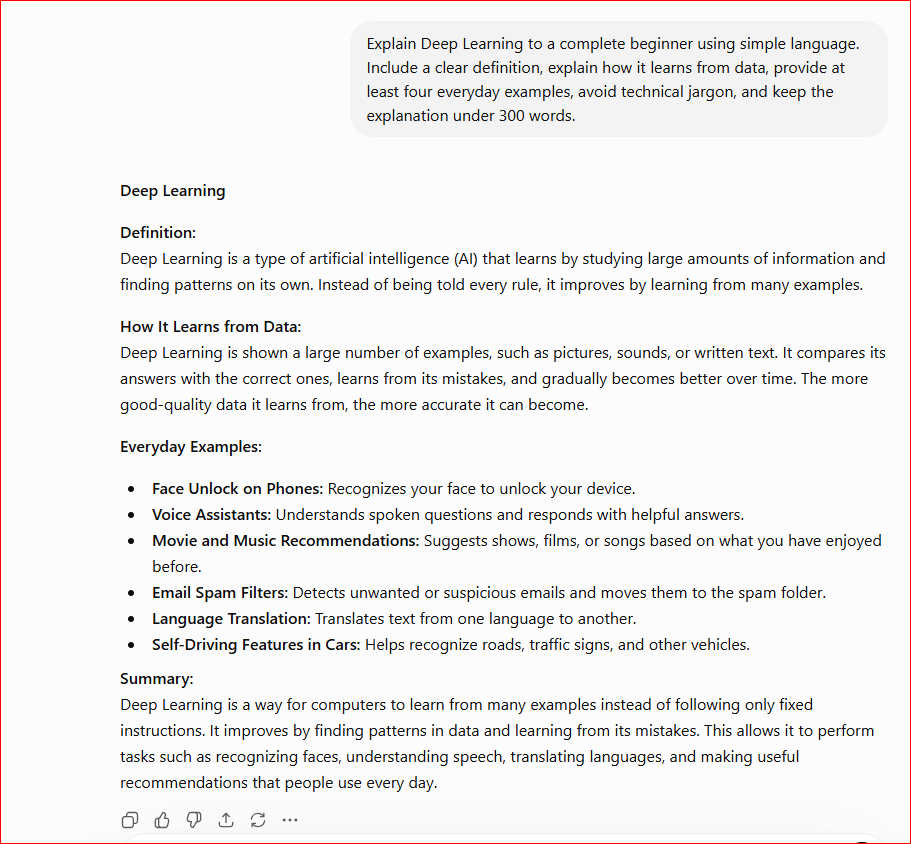
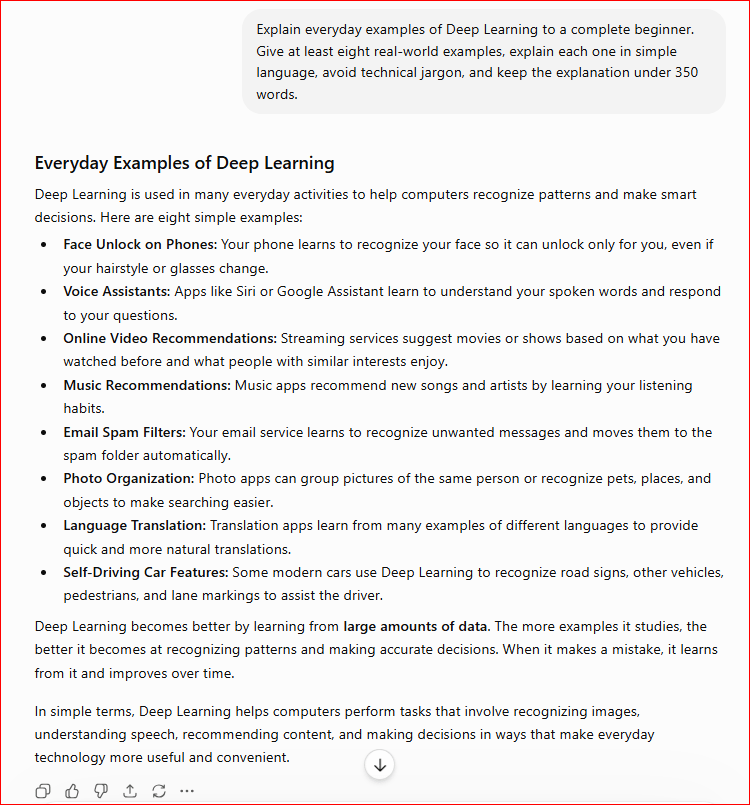
    Figure 1. ChatGPT explaining Deep Learning in simple language.

    This example shows how ChatGPT explains Deep Learning using simple language and practical examples. By avoiding technical terms and using familiar applications such as voice assistants, image recognition, and ChatGPT, beginners can quickly understand the basic idea of Deep Learning.

    How Does Deep Learning Work?

    Deep Learning works by learning from enormous amounts of data instead of relying only on fixed instructions. It uses artificial neural networks, which are computer systems inspired by the way the human brain processes information. These networks help the computer recognize patterns, make predictions, and improve its performance over time.

    Imagine teaching a child to recognize different kinds of animals. Instead of giving a list of rules for every animal, you show thousands of pictures of cats, dogs, birds, and other animals. After seeing enough examples, the child begins to recognize each animal automatically. Deep Learning works in a similar way by learning from many examples instead of memorizing rules.

    During training, a Deep Learning system analyzes large amounts of data, identifies patterns, and gradually improves its accuracy. Once the training is complete, it can apply what it has learned to new information that it has never seen before.

    For example, Deep Learning can recognize faces in photos, understand spoken language, translate text between languages, detect diseases in medical images, and generate human-like responses in AI chatbots such as ChatGPT.

    Although Deep Learning is inspired by the human brain, it does not think or understand information like people do. Instead, it uses mathematical calculations and learned patterns to produce accurate results.

    One of the biggest strengths of Deep Learning is that its performance can improve when it is trained or retrained using larger amounts of high-quality data. This makes it especially useful for solving complex problems that would be difficult for traditional computer programs.

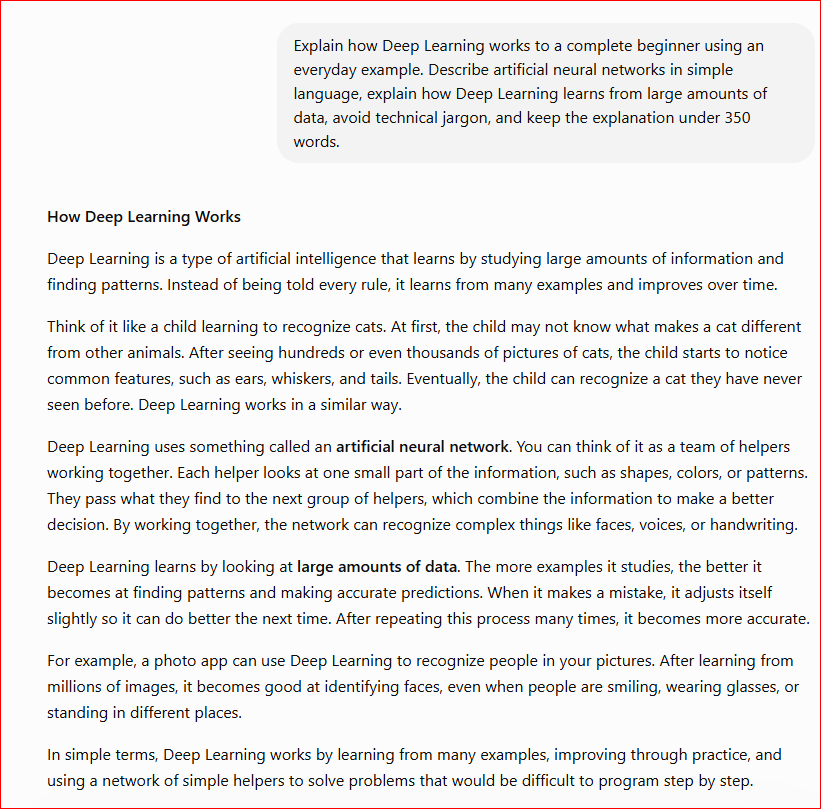
    Figure 2. ChatGPT explaining how Deep Learning works using an everyday example.

    This example shows that Deep Learning learns by recognizing patterns in large amounts of data rather than following fixed instructions. Using an everyday comparison helps beginners understand how Deep Learning improves its performance through experience without needing advanced technical knowledge.

    Artificial Neural Networks Explained Simply

    Artificial neural networks are the technology that makes Deep Learning possible. They are called “neural networks” because they were inspired by the way the human brain processes information. However, they are much simpler than the human brain and do not think or have emotions.

    A neural network consists of many connected processing units called artificial neurons. These artificial neurons work together to analyze information, recognize patterns, and make decisions. As the network processes more data, it gradually becomes better at identifying patterns and producing accurate results.

    Think of a neural network as a team of workers in a factory. Each worker performs one small task and then passes the information to the next worker. By the time the information reaches the final worker, the team has completed a much larger and more complex job. In the same way, each artificial neuron performs a small calculation, and together they solve complicated problems.

    For example, imagine a Deep Learning system that recognizes cats in photos. The first layer may detect simple features such as lines and edges. The next layer combines those features to recognize shapes like ears, eyes, and tails. The final layer uses all that information to determine whether the image contains a cat.

    This step-by-step process allows Deep Learning to recognize objects, understand speech, translate languages, and generate human-like responses. The more high-quality data the neural network learns from, the more accurate its predictions usually become.

    Although neural networks are inspired by the human brain, they do not think like humans. They simply

    perform millions of mathematical calculations to recognize patterns and make predictions.

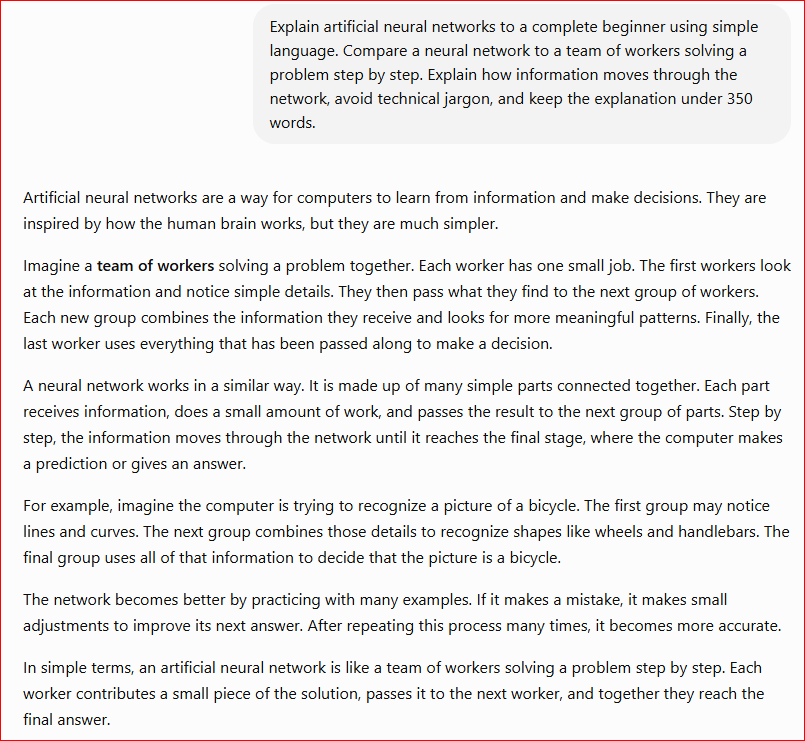
    Figure 3. ChatGPT explaining artificial neural networks in simple language.

    This example shows that artificial neural networks solve complex problems by breaking them into many smaller steps. Using a simple factory team analogy helps beginners understand how Deep Learning processes information without requiring advanced technical knowledge.

    Everyday Examples of Deep Learning

    You probably use Deep Learning every day without even realizing it. Many of the apps and services you rely on use Deep Learning to recognize patterns, understand language, identify images, and make intelligent predictions.

    Here are some common examples:

    · ChatGPT – Understands questions and generates human-like responses.

    · Google Photos – Recognizes people, pets, and objects in your pictures.

    · Voice assistants such as Siri, Alexa, and Google Assistant – Understand spoken commands and answer questions.

    · Google Translate – Translates text and speech between different languages.

    · Netflix and YouTube – Recommend movies and videos based on your interests and viewing history.

    · Face ID on smartphones – Recognizes your face to unlock your device securely.

    · Self-driving vehicles – Identify roads, traffic signs, pedestrians, and other vehicles.

    · Medical imaging systems – Help doctors detect diseases by analyzing X-rays, CT scans, and MRI images.

    · Online shopping websites – Recommend products based on your browsing and purchase history.

    · Speech-to-text applications – Convert spoken words into written text in real time.

    These examples show that Deep Learning is already improving many aspects of daily life. From helping people communicate in different languages to making smartphones smarter and healthcare more accurate, Deep Learning is becoming an essential part of modern technology.

    Figure 4. ChatGPT explaining everyday examples of Deep Learning.

    This example shows how Deep Learning is used in many technologies that people use every day. By connecting Deep Learning to familiar applications such as ChatGPT, Google Photos, Face ID, and voice assistants, beginners can better understand how this technology works in the real world.

    Benefits of Deep Learning

    Deep Learning has transformed many industries by enabling computers to solve complex problems with remarkable accuracy. It can analyze enormous amounts of data, recognize detailed patterns, and improve its performance when trained or retrained with more high-quality information.

    Some of the main benefits of Deep Learning include:

    · Recognizes complex patterns that may be difficult for humans to detect.

    · Improves accuracy in tasks such as image recognition, speech recognition, and language translation.

    · Learns automatically from large amounts of data without requiring every rule to be programmed manually.

    · Powers intelligent applications such as ChatGPT, voice assistants, and recommendation systems.

    · Supports healthcare by helping doctors analyze medical images and detect diseases more accurately.

    · Enhances security through facial recognition and fraud detection systems.

    · Automates repetitive tasks, allowing people to focus on more creative and important work.

    · Can improve when it is retrained using more high-quality data.

    One of the greatest strengths of Deep Learning is its ability to solve problems that are too complex for traditional computer programs. By learning from millions of examples, Deep Learning systems can produce highly accurate results in areas such as healthcare, transportation, education, finance, and scientific research.

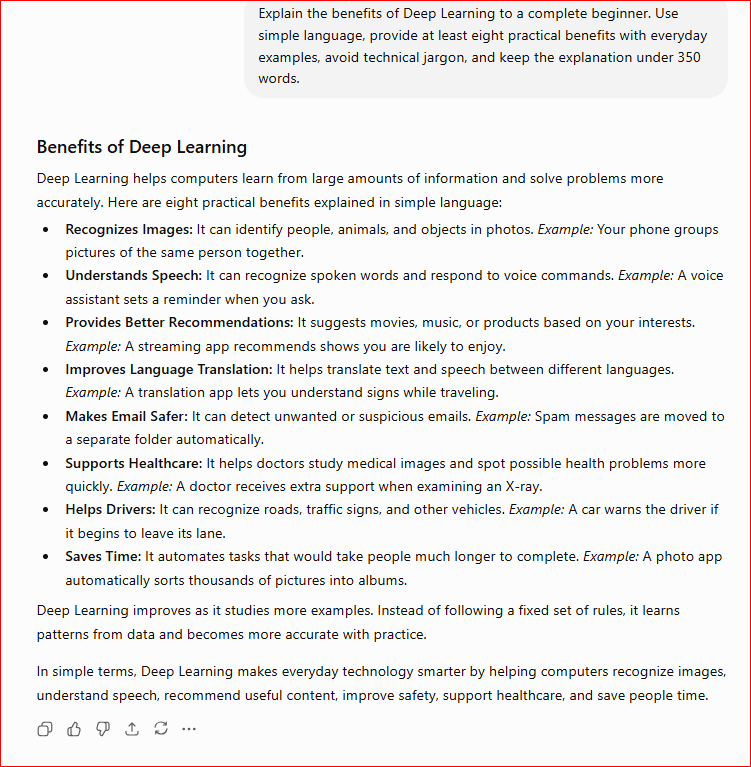
    Figure 5. ChatGPT explaining the benefits of Deep Learning.

    This example shows how Deep Learning benefits people and organizations by improving accuracy, recognizing complex patterns, and powering many of the intelligent applications we use every day. From healthcare and language translation to voice assistants and AI chatbots, Deep Learning continues to make technology more capable and useful.

    Limitations of Deep Learning

    Although Deep Learning is one of the most advanced technologies in Artificial Intelligence, it also has important limitations. Understanding these limitations helps people use Deep Learning responsibly and recognize that it cannot solve every problem.

    Some of the main limitations of Deep Learning include:

    · Requires very large amounts of data to learn effectively.

    · Needs powerful computers and specialized hardware to train complex models.

    · Can be expensive to develop, train, and maintain.

    · May make incorrect predictions if the training data is incomplete, inaccurate, or biased.

    · Often works like a “black box,” making it difficult to explain exactly how some decisions are made.

    · Requires significant time to train large Deep Learning models.

    · Does not think or understand like humans; it relies on learned patterns and may lack human common sense.

    · Needs regular updates to remain accurate as new information becomes available.

    Although Deep Learning can achieve remarkable results, it still depends on high-quality data, careful design, and human supervision. Experts regularly test and improve Deep Learning systems to ensure they remain accurate, reliable, and fair.

    One of the most important things to remember is that Deep Learning is a tool designed to assist people, not replace human judgment. In areas such as healthcare, finance, and law, human experts continue to play an essential role in reviewing important decisions.

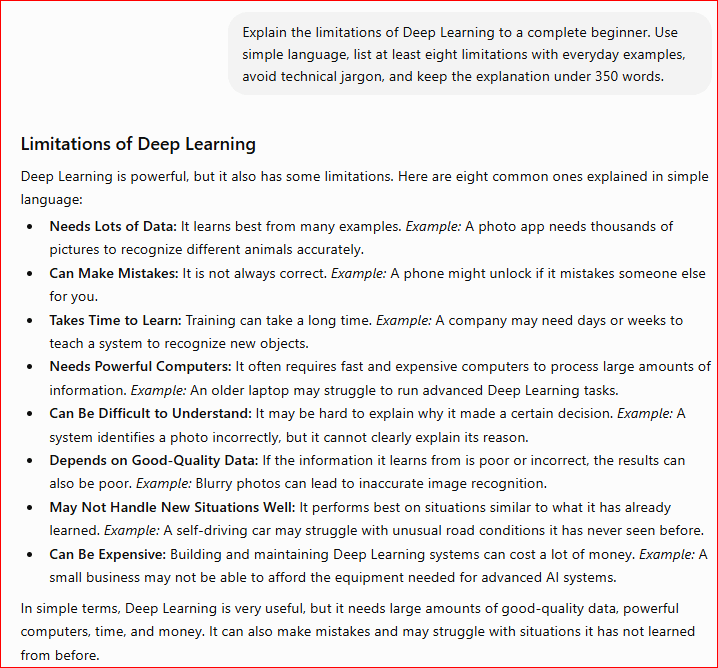
    Figure 6. ChatGPT explaining the limitations of Deep Learning.

    This example shows that while Deep Learning is an extremely powerful technology, it also has important limitations. Understanding these challenges helps beginners develop realistic expectations and recognize why human supervision remains essential when Deep Learning is used in important real-world applications.

    Deep Learning vs. Machine Learning

    Many beginners think that Deep Learning and Machine Learning are the same thing. Although they are closely related, they are different. Deep Learning is a specialized branch of Machine Learning that is designed to solve more complex problems using artificial neural networks.

    Machine Learning allows computers to learn from data and improve their performance over time. In many cases, it requires humans to help organize the data and identify the most useful information. Deep Learning goes one step further by automatically learning important patterns from very large amounts of data with much less human guidance.

    Because Deep Learning can process enormous amounts of information, it is especially effective for tasks such as image recognition, speech recognition, language translation, medical diagnosis, and AI chatbots like ChatGPT.

    For many everyday business applications, traditional Machine Learning is often the better choice because it usually requires less data, less computing power, and less time to train. Deep Learning is generally chosen when the problem is much more complex and large amounts of data are available.

    Comparison Table

    FeatureMachine Learning (ML)Deep Learning (DL)
    DefinitionA branch of AI that learns from data.A specialized branch of Machine Learning using artificial neural networks.
    Data RequiredModerate amounts of dataVery large amounts of data
    Human InvolvementMore human guidanceLess human guidance
    Training TimeUsually fasterUsually longer
    Computing PowerModerateHigh
    Everyday ExamplesSpam filters, fraud detection, recommendationsChatGPT, facial recognition, language translation, image recognition

    The easiest way to remember the difference is that Deep Learning is an advanced form of Machine Learning.

    All Deep Learning systems are Machine Learning systems, but many Machine Learning systems do not use Deep Learning.

    Understanding the relationship between Machine Learning and Deep Learning helps explain how many modern AI applications work. As computing power and data continue to grow, Deep Learning is expected to play an even greater role in future AI technologies.

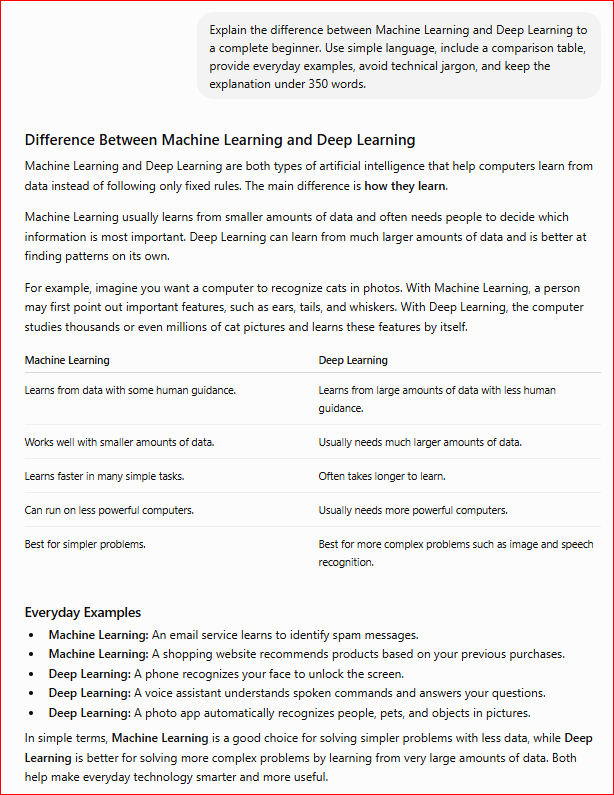
    Figure 7. ChatGPT explaining the difference between Machine Learning and Deep Learning.

    This example shows that Deep Learning is a specialized branch of Machine Learning designed to solve more complex problems. By comparing the two technologies side by side, beginners can easily understand when each one is used and why Deep Learning powers many of today’s most advanced AI applications.

    Common Myths About Deep Learning

    Many people misunderstand what Deep Learning can and cannot do. These common myths can make the technology seem either more powerful or more complicated than it really is.

    Myth 1: Deep Learning thinks like humans.

    Reality: Deep Learning does not think, understand, or have emotions. It learns by recognizing patterns in data and making predictions based on what it has learned.

    Myth 2: Deep Learning always gives the correct answer.

    Reality: Deep Learning can make mistakes. Its accuracy depends on the quality and quantity of the data it was trained on, as well as how the system was designed.

    Myth 3: Deep Learning can learn without any human help.

    Reality: Deep Learning requires people to collect data, train models, test results, and monitor performance. Human experts are essential for building, improving, and maintaining Deep Learning systems.

    Myth 4: Deep Learning is only used by large technology companies.

    Reality: Deep Learning is used in many industries, including healthcare, education, banking, transportation, agriculture, manufacturing, and scientific research.

    Myth 5: Deep Learning and Machine Learning are exactly the same.

    Reality: Deep Learning is a specialized branch of Machine Learning. While every Deep Learning system is a Machine Learning system, many Machine Learning systems do not use Deep Learning.

    Understanding these myths helps beginners develop realistic expectations about Deep Learning. Although it is one of the most powerful technologies in Artificial Intelligence, it still depends on high-quality data, human expertise, and responsible use.

    Frequently Asked Questions

    What is Deep Learning?

    Deep Learning is a specialized branch of Machine Learning that uses artificial neural networks to learn from very large amounts of data and solve complex problems.

    Is Deep Learning the same as Machine Learning?

    No. Machine Learning is the broader field that enables computers to learn from data, while Deep Learning is a more advanced type of Machine Learning that uses artificial neural networks.

    Why is Deep Learning important?

    Deep Learning powers many of today’s most advanced AI applications, including ChatGPT, facial recognition, speech recognition, language translation, self-driving technology, and medical image analysis.

    Does Deep Learning think like humans?

    No. Deep Learning does not think, understand, or have emotions. It recognizes patterns in data and uses those patterns to make predictions or generate responses.

    Do I need programming skills to understand Deep Learning?

    No. You can begin by learning the basic concepts and understanding how Deep Learning works before studying programming or advanced mathematics.

    Key Takeaways

    Remember these important points:

    · Deep Learning is a specialized branch of Machine Learning.

    · It uses artificial neural networks to learn from large amounts of data.

    · Deep Learning powers many modern AI applications, including ChatGPT, image recognition, and language translation.

    · It is especially effective at solving complex problems involving speech, images, and natural language.

    · Deep Learning requires large amounts of data and powerful computers.

    · Although highly accurate, Deep Learning still has limitations and requires human supervision.

    · Understanding Deep Learning completes the foundation for learning modern Artificial Intelligence.

     What’s Next?

    Congratulations! You have completed this beginner’s guide to Deep Learning.

    You now understand what Deep Learning is, how it works, how artificial neural networks learn from data, its benefits and limitations, and how it relates to Machine Learning and Artificial Intelligence.

    With your understanding of Artificial Intelligence, Machine Learning, and Deep Learning, you now have a strong foundation for exploring more advanced AI topics and practical applications.

    Final Tip for Beginners

    Every expert starts as a beginner. Focus on understanding one concept at a time, practice with real-world examples, and continue exploring how Artificial Intelligence is used in everyday life. As your knowledge grows, you’ll become more confident using AI tools and understanding the technology behind them.

    Continue Learning

    Ready to continue your AI journey?

    Explore our beginner-friendly tutorials to learn more about ChatGPT, prompt writing, AI image generation, Generative AI, and other practical AI applications.

    Continue Your AI Journey

    Explore these beginner-friendly guides to continue building your AI skills:

    · What Is Machine Learning? A Beginner’s Guide (2026)

    · What Is Artificial Intelligence? A Beginner’s Guide (2026)

    · Create a ChatGPT Account (Step-by-Step Beginner Guide 2026)

    · ChatGPT Basics for Beginners (Complete Guide 2026)

    · Best ChatGPT Prompts for Beginners (2026)

    · What Is Generative AI? A Beginner’s Guide (2026)

    · AI Image Generation for Beginners (Coming Soon)

    · How ChatGPT Works (Explained Simply)

    · What Are Large Language Models (LLMs)? A Beginner’s Guide (2026)

    → Explore More AI Tutorials

    New beginner-friendly AI tutorials will be added regularly, so be sure to check back for more guides and practical examples.

    Thank you for reading. Keep exploring, keep practicing, and enjoy your journey into the exciting world of Artificial Intelligence.