Estimated Reading Time: 7 minutes
Last Updated: July 2026
What You’ll Learn
By the end of this guide, you’ll be able to:
- Understand what a ChatGPT prompt is.
- Write clear and effective prompts.
- Get more accurate and useful AI responses.
- Use prompt-writing techniques that save time.
- Avoid common prompting mistakes.
- Apply ChatGPT prompts to work, study, and everyday life.
Introduction
One of the biggest differences between beginners and experienced ChatGPT users is how they write prompts. A prompt is simply the instruction or question you give ChatGPT. Better prompts produce better answers.
You don’t need technical knowledge to write effective prompts. By learning a few simple techniques, you can dramatically improve the quality of ChatGPT’s responses and save time on every conversation.
If you’re completely new to ChatGPT, we recommend starting with our Create a ChatGPT Account (Step-by-Step Beginner Guide 2026) and ChatGPT Basics for Beginners (Complete Guide 2026) before learning how to write better prompts.
Create a ChatGPT Account (Step-by-Step Beginner Guide 2026)
ChatGPT Basics for Beginners (Complete Guide 2026)
What Is a Prompt?
A prompt is any message you type into ChatGPT asking it to do something.
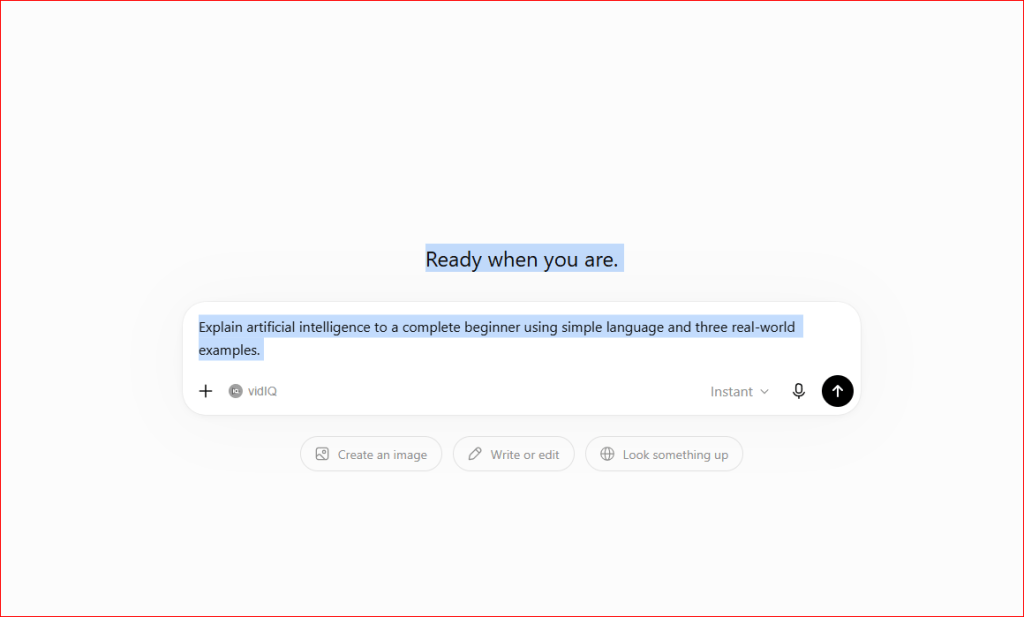
Figure 1. Typing a detailed prompt into ChatGPT
This example shows a clear, detailed prompt. Specific prompts usually produce more accurate and useful responses than short or vague questions.
Examples include:
- Answer a question
- Explain a topic
- Write an email
- Create a lesson plan
- Generate ideas
- Translate text
- Write computer code
- Summarize a document
Think of a prompt as giving instructions to a very knowledgeable assistant. The clearer your instructions, the better the results.
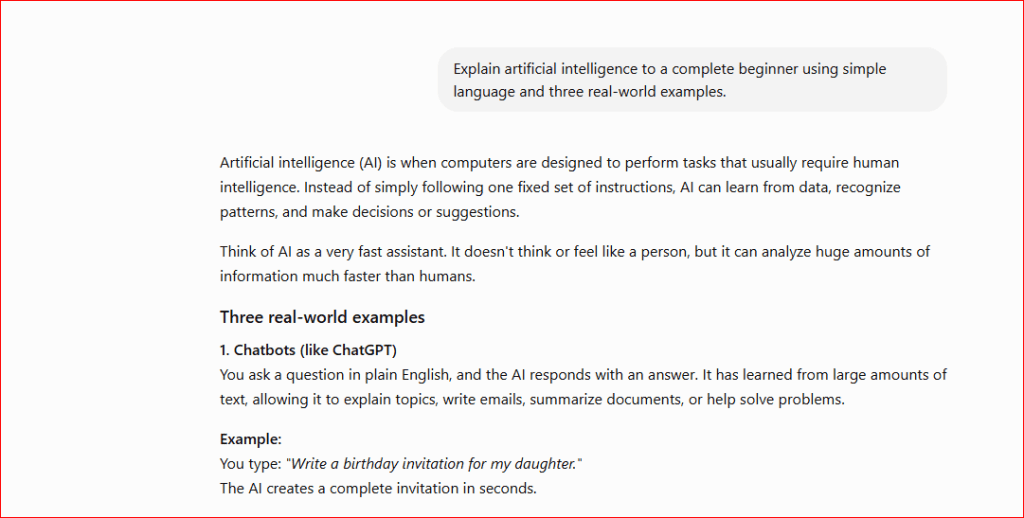
Figure 2. ChatGPT generating a response.
ChatGPT analyzes your prompt and generates a response. Longer or more detailed prompts often produce more comprehensive answers.
The Anatomy of a Great Prompt
Most effective prompts include these parts:
Goal
Tell ChatGPT exactly what you want.
Example:
Write a professional email requesting a meeting.
Context
Provide background information.
Example:
I am applying for a marketing position.
Format
Tell ChatGPT how you want the answer.
Examples:
- Bullet points
- Table
- Step-by-step guide
- Short paragraph
- Professional email
Audience
Explain who the answer is for.
Example:
Explain this to a 12-year-old student.
The more specific your prompt is, the more accurate and helpful ChatGPT’s response is likely to be. Including details, context, or your desired format often leads to better results.
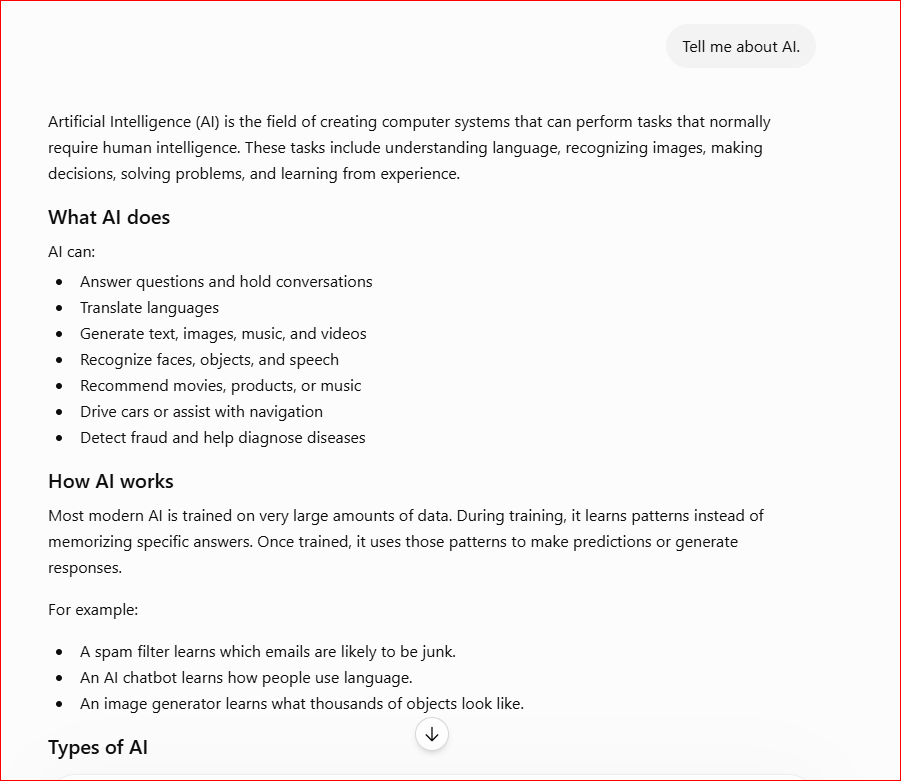
Figure 3A. Comparing a vague prompt with a detailed prompt. Notice how adding context and specifying the audience produces a much clearer answer.
A short or vague prompt gives ChatGPT very little information, so the response is usually broad and less useful.
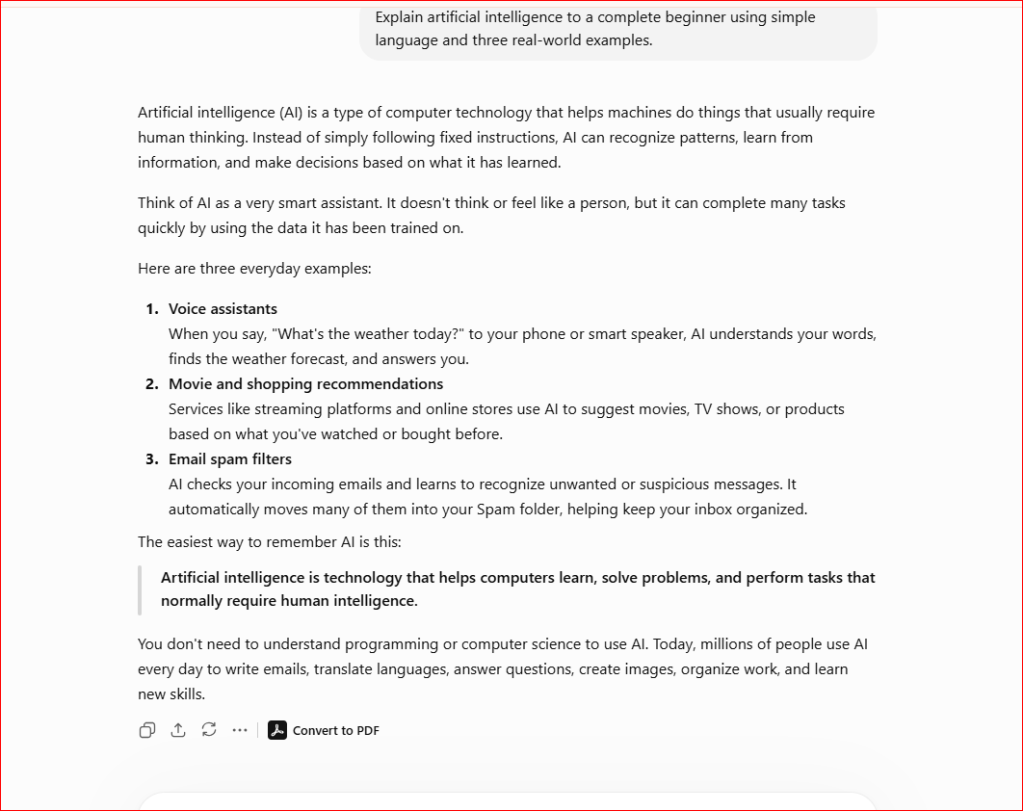
Figure 3B. A detailed prompt produces a clearer and more useful response.
Because the prompt identifies the audience, requests simple language, and includes real-world examples, ChatGPT produces a clearer, more detailed, and more useful response.
Examples of Good Prompts
- Explain artificial intelligence in simple language for beginners.
- Write a professional email asking for two days of vacation.
- Create a weekly meal plan for a family of four.
- Summarize this article in five bullet points.
- Create a beginner workout plan for someone over 60 years old.
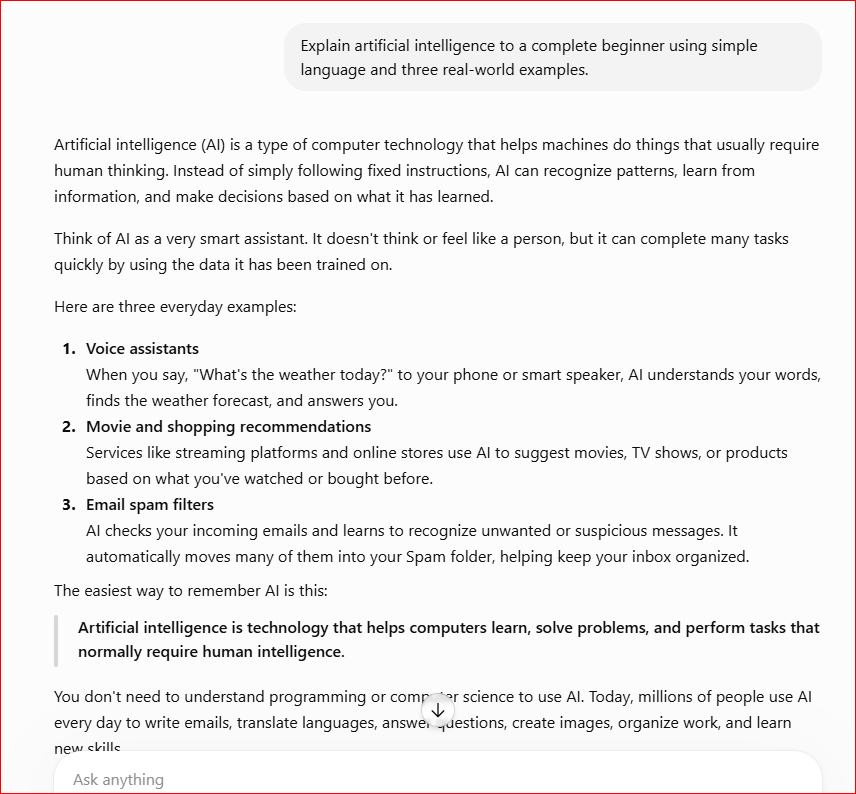
Figure 4. A detailed prompt produces a practical beginner-friendly response.
Because the prompt includes specific instructions, ChatGPT generates a clearer explanation with practical examples that are easier for beginners to understand.
Examples of Vague Prompts vs. Better Prompts
Vague
Tell me about AI.
Better:
Explain artificial intelligence for complete beginners using simple language and real-world examples.
Vague
Help me write.
Better:
Write a friendly email thanking a customer after purchasing our product.
Prompt Tips for Better Results
Follow these best practices:
- Be clear and specific.
- Include enough context.
- Ask for examples.
- Specify the desired format.
- Break large tasks into smaller prompts.
- Ask follow-up questions.
- Refine your prompts if needed.
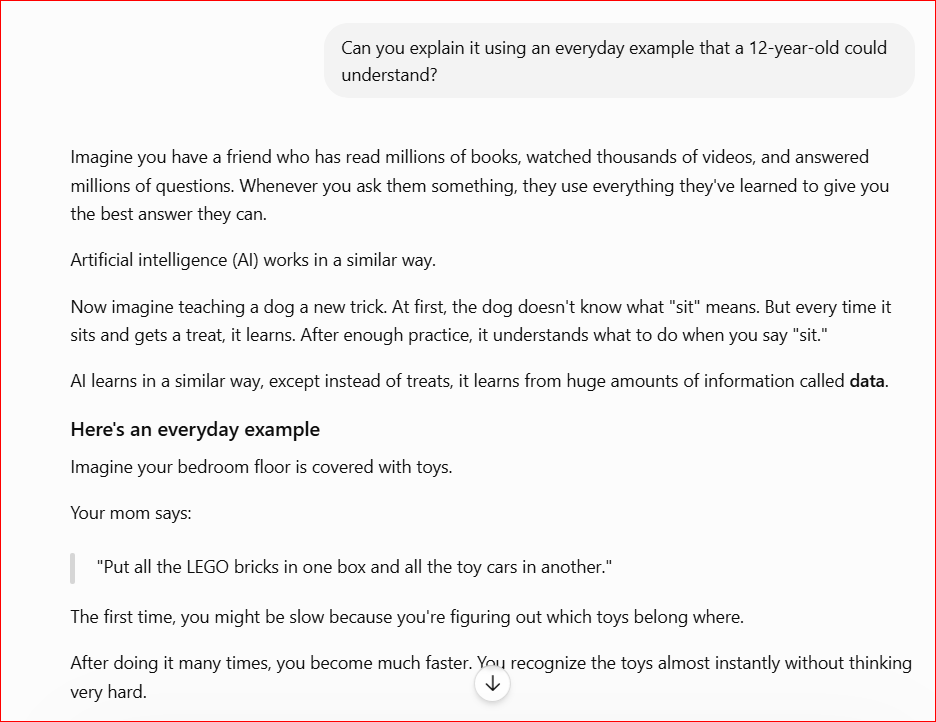
Figure 5. Using a follow-up prompt to improve ChatGPT’s response.
You don’t need to start a new conversation. Follow-up prompts help ChatGPT refine and expand its previous answers.
Common Prompt Mistakes
Avoid these common errors:
- Asking vague questions.
- Giving too little information.
- Expecting perfect answers on the first try.
- Forgetting to specify the desired format.
- Asking multiple unrelated questions in one prompt.
Frequently Asked Questions
How long should a prompt be?
There is no perfect length. Include enough detail to clearly explain what you want.
Can I ask follow-up questions?
Yes. ChatGPT remembers the conversation and can build on previous responses.
Should I rewrite my prompt if the answer isn’t good?
Yes. Small improvements to your prompt often produce much better results.
Final Thoughts
Learning to write better prompts is one of the most valuable ChatGPT skills you can develop. As you practice, you’ll receive more accurate, detailed, and useful responses. Clear communication with AI saves time, improves productivity, and helps you accomplish more with every conversation.
Key Takeaways
Remember these key points
- Better prompts produce better AI responses.
- Clear instructions help ChatGPT understand your request.
- Adding context improves accuracy.
- Follow-up questions refine the conversation.
- Practice writing prompts regularly to build confidence.
What’s Next?
Congratulations! You now know how to write better prompts that produce more accurate and useful ChatGPT responses. The next step is learning advanced prompting techniques that can help you work faster, automate repetitive tasks, and unlock ChatGPT’s full potential.
Continue Learning
Ready to take your ChatGPT skills even further?
Continue exploring our beginner-friendly AI tutorials to learn how to create better prompts, automate everyday tasks, and get more from ChatGPT.