

Estimated reading time: 30 minutes
Last updated: August 5, 2026
Featured image. Claude’s individual plans provide increasing usage capacity for occasional, regular, frequent, and heavy daily use.
Explanation: The right plan depends on how often Claude is used, which paid tools are needed, and whether usage limits interrupt valuable work.
Introduction
Claude is available through four individual access levels: Free, Pro, Max 5x, and Max 20x. The names describe increasing usage capacity, but they do not immediately tell a beginner which features are included, how the limits work, or whether the additional price is justified.
The Free plan costs nothing and is suitable for learning Claude and completing occasional writing, research, file, document, and coding tasks. Pro is the main paid upgrade for regular individual use. Max 5x and Max 20x keep the paid feature set while providing much larger session allowances for frequent and heavy daily users.
This guide uses official Anthropic information available on August 5, 2026. Prices, features, models, context windows, and billing rules can change, so always check the current pricing page and the checkout screen before subscribing.
What You Will Learn
• The current web prices for Claude Free, Pro, Max 5x, and Max 20x
• Which core and advanced capabilities are available on each plan
• How five-hour session limits and weekly controls work
• Why Claude does not guarantee a fixed number of messages
• The difference between usage limits and context windows
• Who should choose Free, Pro, Max 5x, or Max 20x
• How usage credits, API billing, upgrades, downgrades, and cancellation work
• How to reduce usage before paying for a more expensive plan
Claude Plan Comparison at a Glance
Anthropic’s plan guide positions Free for occasional use, Pro for regular use, Max 5x for frequent users, and Max 20x for people who collaborate with Claude throughout much of the day.
| Plan | Current web price | Relative capacity | Best for |
| Free | US$0 | Limited | Occasional questions and light work |
| Pro | US$20 monthly or US$200 yearly | At least 5x Free per session during peak periods | Regular individual productivity |
| Max 5x | US$100 monthly | 5x Pro per session | Frequent demanding work |
| Max 20x | US$200 monthly | 20x Pro per session | Heavy daily use |
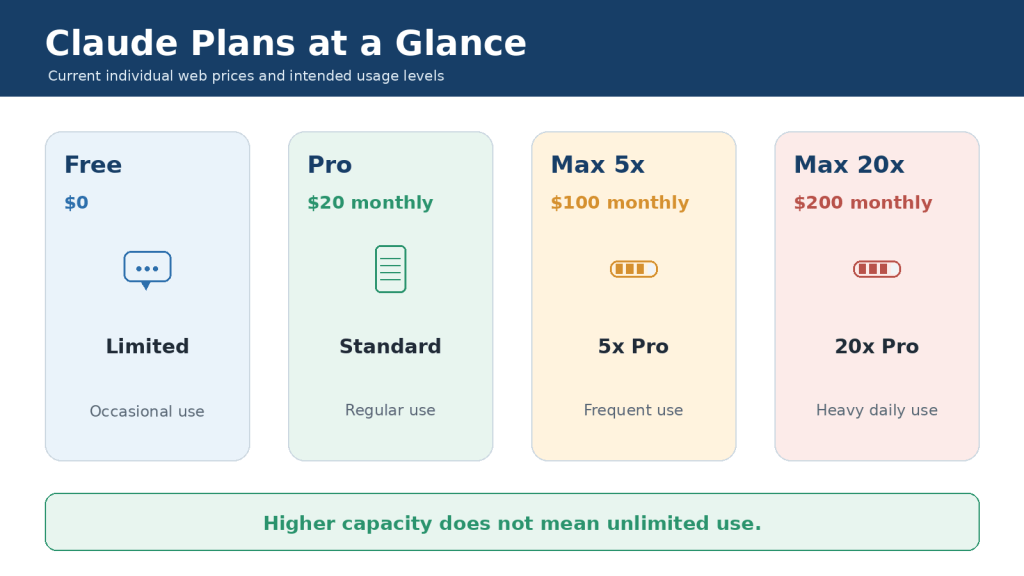
Figure 1. Claude Free, Pro, Max 5x, and Max 20x provide increasing capacity for different levels of individual use.
Explanation: The 5x and 20x labels describe usage relative to Pro. They do not describe answer quality, speed, or a guaranteed message count.
The Simplest Difference
• Free provides many core Claude capabilities with the smallest allowance.
• Pro unlocks Claude’s main paid productivity and coding package and provides more usage.
• Max 5x provides the Pro feature set with five times Pro’s session capacity.
• Max 20x provides the Pro feature set with twenty times Pro’s session capacity.
• No individual plan provides unlimited use or general API usage.
What Is Included in Claude Free?
Claude Free is the correct starting point for most beginners. It lets you learn the interface, test real tasks, and decide whether Claude is valuable before entering payment information.
Useful Free Capabilities
• Chat through supported web, desktop, iOS, and Android experiences
• Writing, rewriting, summarizing, brainstorming, and explanation
• Web search and source-supported answers when available
• Code generation, explanation, and basic data visualization
• File creation and code execution on supported experiences
• Artifacts, connectors, desktop extensions, and extended thinking where available
• Projects, with Free accounts currently limited to five projects
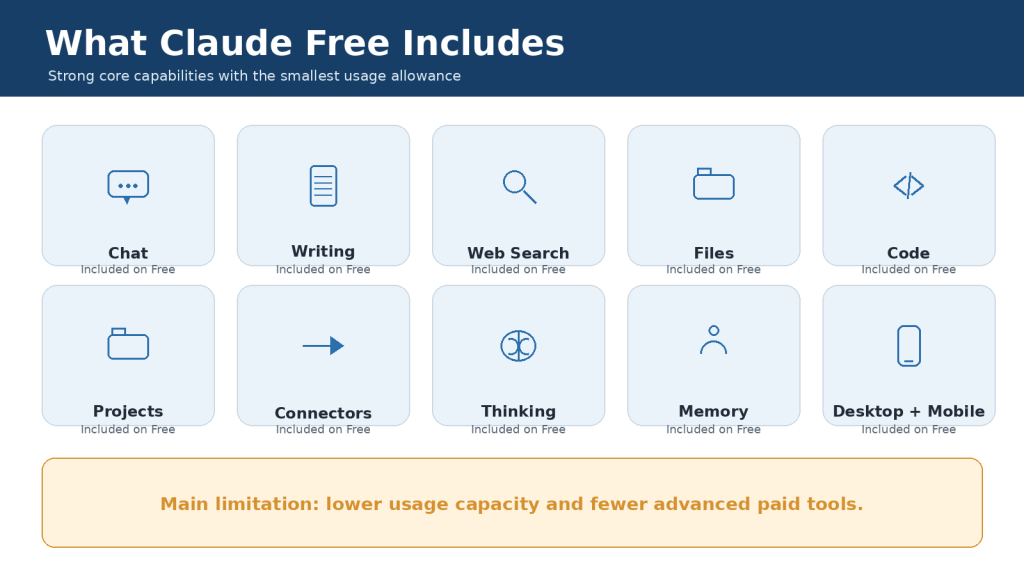
Figure 2. Claude Free includes many core capabilities but provides the lowest usage allowance and fewer advanced paid tools.
Explanation: Free is suitable for learning and occasional work. The main practical limitation is interruption when the smaller session allowance is exhausted.
Free Usage Limits
Free uses a session-based allowance that resets every five hours. Anthropic does not promise one fixed number of messages because a short question consumes much less capacity than a long conversation containing files, web searches, code execution, or extended thinking.
When the limit is reached, a Free user normally waits for the displayed reset time or upgrades. Opening Claude on another device does not create a separate account allowance.
Who Should Stay on Free?
• New users who are still learning how Claude works
• People who ask occasional questions or complete short tasks
• Users who rarely reach the limit
• Anyone who does not need Claude Code, Cowork, Research, or other paid capabilities
• Budget-conscious users who can wait for a reset without disrupting important work
What Is Included in Claude Pro?
Claude Pro is the standard paid individual plan. It costs US$20 per month on the web. An annual subscription costs US$200 paid upfront, an effective average of about US$17 per month and a US$40 saving compared with twelve monthly payments.
Anthropic states that Pro provides at least five times the Free plan’s usage per session during peak periods. Pro also receives priority access during high-traffic periods and earlier access to selected features.
Major Pro Additions
• Claude Code for terminal-based coding workflows
• Claude Cowork for complex multi-step work
• Claude Design and Claude Science as listed on the current pricing page
• Research for broader, multi-source investigations
• Access to more Claude models
• Unlimited projects and enhanced project knowledge on paid plans
• Claude for Microsoft 365, subject to eligibility and account requirements
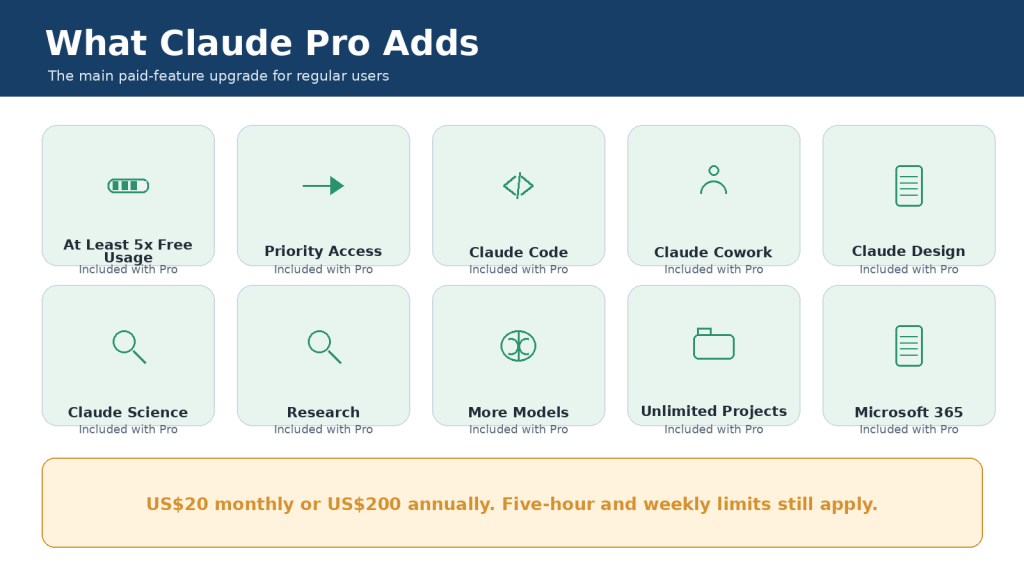
Figure 3. Claude Pro adds more usage, Claude Code, Cowork, Research, additional models, and other paid productivity tools.
Explanation: The largest feature upgrade occurs between Free and Pro. For many regular users, Pro provides the best balance between price, capabilities, and capacity.
Monthly or Annual Pro?
Choose monthly billing when you are testing Pro, need it for one temporary project, or are uncertain about long-term value. Choose annual billing only after Pro has proved useful and you can afford the complete US$200 charge upfront.
Pro Is Still Limited
Pro retains five-hour session limits and weekly controls. Usage is shared across supported Claude products. A long Claude Code session can reduce the capacity available later for Research, document analysis, or ordinary conversations.
What Is Included in Claude Max 5x?
Max 5x costs US$100 per month through the web subscription and is designed for frequent users who repeatedly find Pro insufficient. It includes the Pro feature set and provides five times Pro’s usage capacity per session.
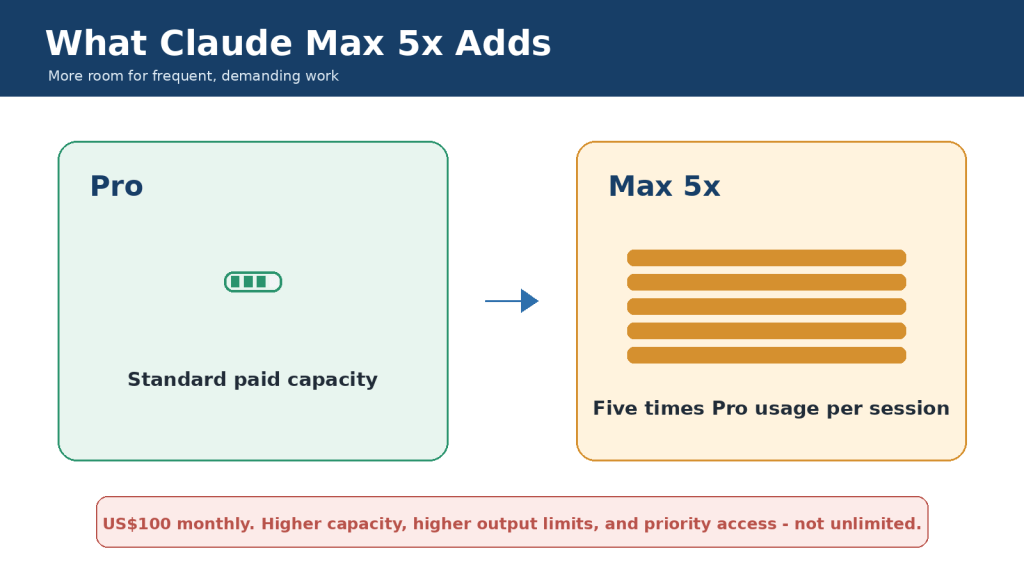
Figure 4. Claude Max 5x includes the Pro feature set and provides five times Pro’s session capacity.
Explanation: Max 5x is a capacity upgrade for established frequent users. It is not a five-times improvement in intelligence or answer quality.
When Max 5x Makes Sense
• Pro limits interrupt work several times during normal weeks
• Claude Code is used for substantial repositories and long sessions
• Research, Cowork, or document analysis consumes most of the Pro allowance
• Waiting for resets affects deadlines, paid work, or measurable productivity
• The additional US$80 per month over monthly Pro produces greater value than it costs
When Max 5x Is Unnecessary
Max 5x is usually unnecessary when Pro limits occur only occasionally, most of Pro remains unused, or the problem can be solved by starting focused conversations, selecting a more efficient model, or reducing unnecessary files and tools.
What Is Included in Claude Max 20x?
Max 20x costs US$200 per month through the web subscription. It provides twenty times Pro’s usage capacity per session and is intended for heavy daily users who collaborate with Claude for much of their workday.
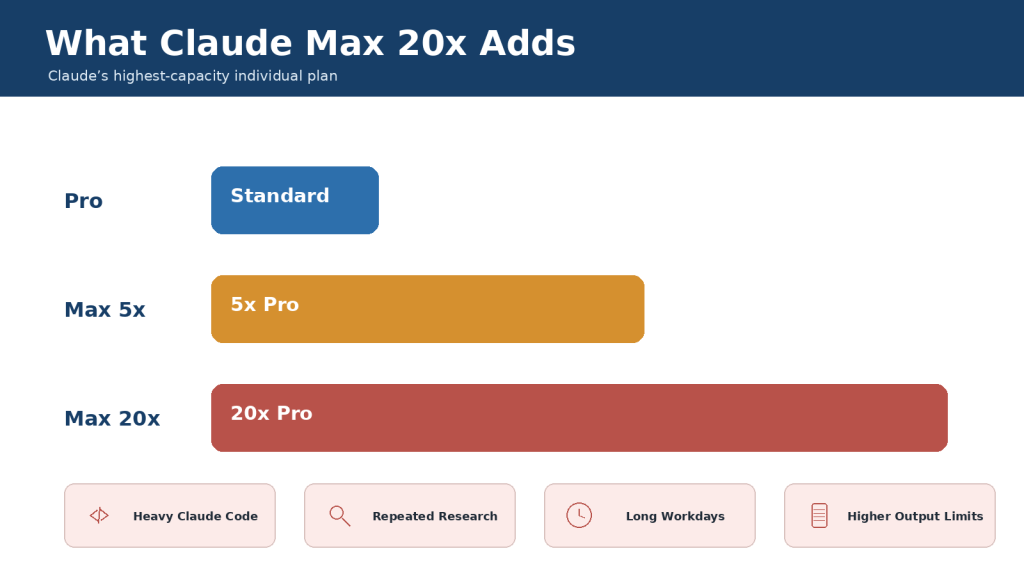
Figure 5. Claude Max 20x provides the largest individual session allowance, equal to twenty times Pro’s capacity.
Explanation: Max 20x is intended for people who repeatedly exceed Max 5x while using Claude Code, Research, Cowork, or large document workflows.
Who May Need Max 20x?
• Heavy daily developers using Claude Code for several hours
• Researchers conducting repeated comprehensive investigations
• Professionals analyzing many documents and producing several deliverables each day
• Users who have already demonstrated that Max 5x is consistently insufficient
• People who can justify the US$200 monthly cost through measurable productive value
A beginner should not normally start with Max 20x. The sensible progression is Free, then Pro, then Max 5x, and only then Max 20x when actual usage data supports the change.
Free vs Pro vs Max: Detailed Feature Comparison
| Feature | Free | Pro | Max 5x | Max 20x |
| Web price | US$0 | US$20/mo or US$200/yr | US$100/mo | US$200/mo |
| Best for | Occasional | Regular | Frequent | Heavy daily |
| Relative session usage | Limited | At least 5x Free* | 5x Pro | 20x Pro |
| Claude Code | No | Yes | Yes | Yes |
| Cowork | No | Yes | Yes | Yes |
| Research | No | Yes | Yes | Yes |
| Projects | Up to 5 | Unlimited | Unlimited | Unlimited |
| More models | Limited | Yes | Yes | Yes |
| Usage credits | No | Optional | Optional | Optional |
| General API included | No | No | No | No |
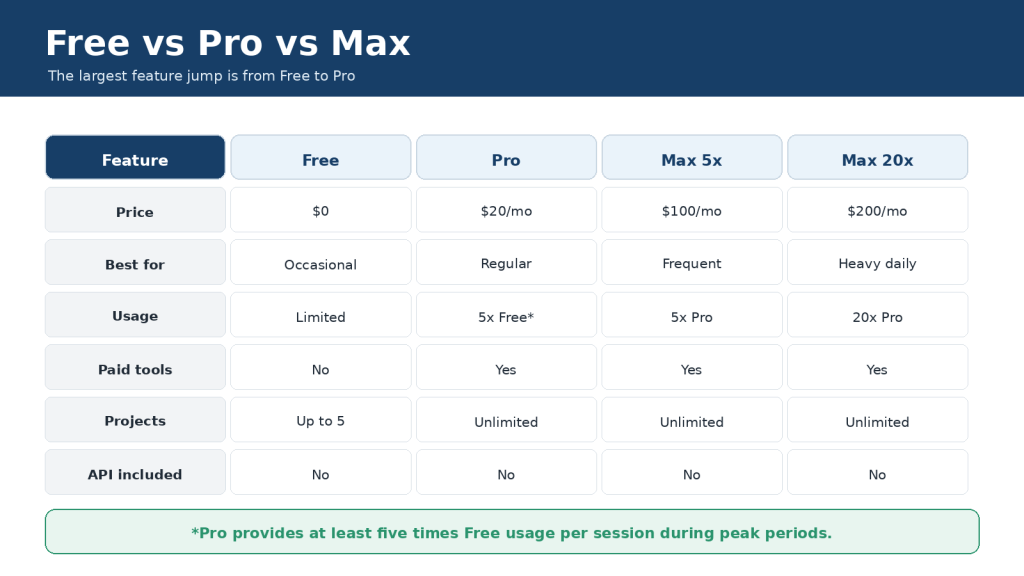
Figure 6. The main feature jump is from Free to Pro, while Max mainly adds much greater capacity.
Explanation: Pro is usually the first paid plan to consider. Max becomes relevant when the Pro feature set is already sufficient but the included allowance repeatedly runs out.
Important Comparison Rules
• Max 5x and Max 20x do not provide five or twenty separate accounts.
• Max does not guarantee faster or more accurate answers than Pro when the same model and prompt are used.
• Paid plans do not include general Claude API usage through the Claude Console.
• The pricing page and detailed Max help article currently conflict on annual Max billing; the Max help article states monthly only. Verify the checkout screen.
How Claude Usage Limits Work
Claude uses capacity-based limits rather than one fixed message number. The amount consumed depends on the work required for the prompt, conversation history, files, tools, model, effort setting, and response.
| Usually uses less capacity | Usually uses more capacity |
| A short new conversation | A long conversation with extensive history |
| One focused text request | Several large attached files |
| A routine model and normal effort | A resource-intensive model with extended thinking |
| One narrow web search | Research with many searches and sources |
| A concise response | A long report, spreadsheet, or code workflow |
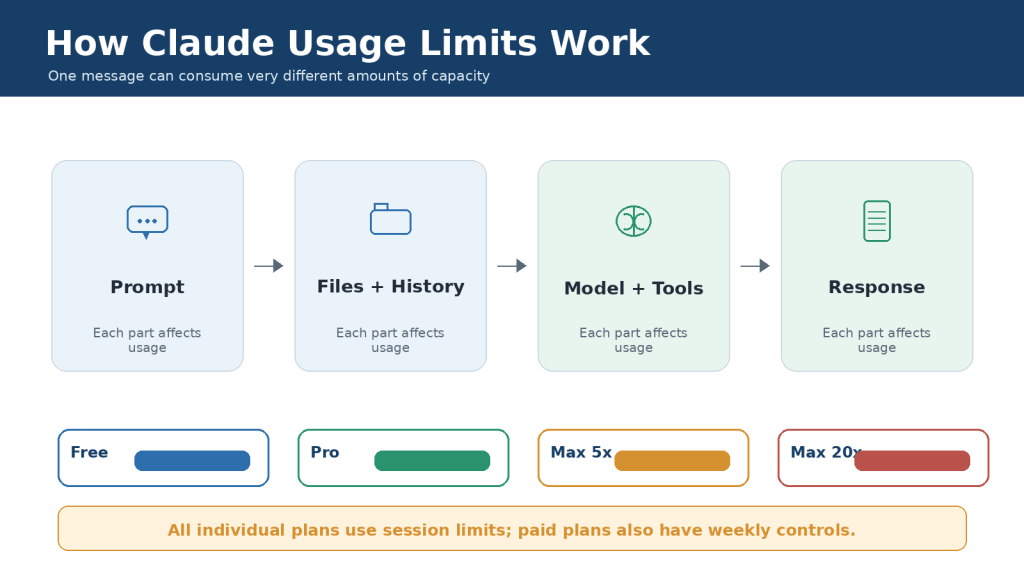
Figure 7. Claude usage depends on the prompt, conversation history, selected model, tools, and generated response.
Explanation: All individual plans use session limits. Paid plans also have weekly controls, and the practical number of messages varies with task complexity.
Five-Hour Sessions and Weekly Controls
The included session allowance resets every five hours. Paid plans also have weekly controls and may have model- or feature-specific limits. A new five-hour window does not necessarily restore access when a weekly limit has already been exhausted.
Paid users can check Settings > Usage to view current session and weekly consumption. When the limit is reached, Claude normally shows the expected reset time.
Usage Limits vs Context Windows
A usage limit controls how much Claude you can use over time. A context window controls how much information the selected model can consider in one request. These are separate limits.
| Limit | What it controls |
| Usage limit | How much Claude activity is available before a reset or additional charge |
| Context window | How much conversation, file, tool, and instruction content the model can consider at once |
| Output limit | How much content Claude can produce in one result |
| File limit | How many files or how much file data can be accepted |
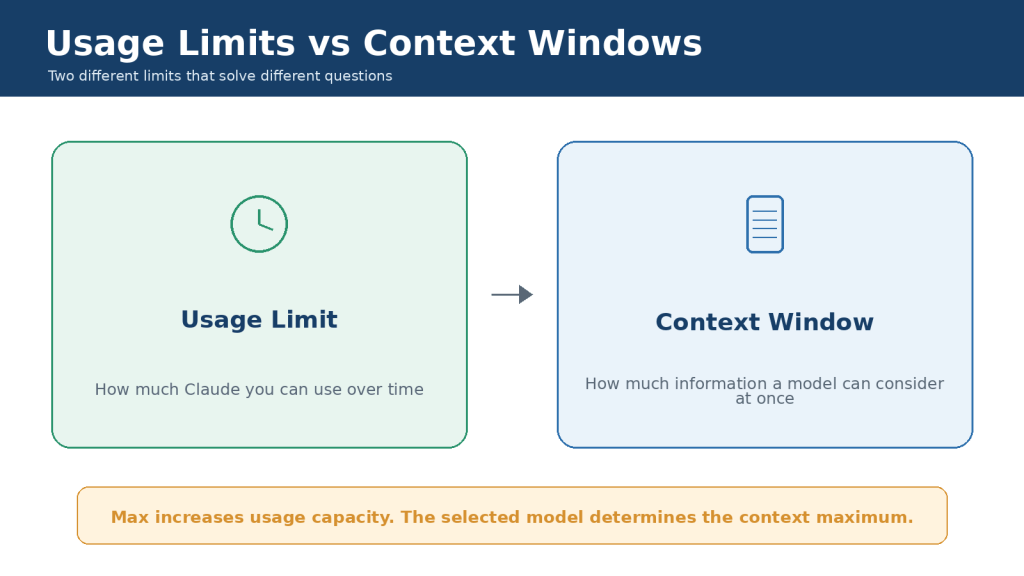
Figure 8. Usage limits control work over time, while context windows control information available to one model request.
Explanation: Max multiplies Pro’s usage capacity; it does not automatically multiply the context window. The selected model and product experience determine the context maximum.
Current Context Guidance
Anthropic’s detailed help documentation states that context size on paid plans depends on the model: newer models can support up to one million tokens, while other models support 500,000 or 200,000 tokens. A portion is reserved for Claude’s response. The main public pricing comparison currently displays 200,000 tokens across individual plans, so users should treat the selected model’s documentation and in-product limits as the more specific guide.
A larger context window does not mean permanent memory, unlimited project storage, or unlimited conversation length. Long conversations also consume more usage because Claude must process more history.
Claude Free vs Pro vs Max for Different Users
| User type | Recommended starting plan | Reason |
| Complete beginner | Free | Learn and test without paying |
| Occasional personal user | Free | Core capabilities may be sufficient |
| Regular writer or researcher | Pro | More usage, Research, and projects |
| Beginner developer | Free, then Pro | Learn on Free; use Claude Code on Pro |
| Regular developer | Pro | Claude Code and more capacity |
| Developer repeatedly reaching Pro limits | Max 5x | More room for coding sessions |
| Heavy daily professional | Max 20x only after testing Max 5x | Largest individual allowance |
| Application builder | Separate API billing | Subscriptions do not include general API usage |
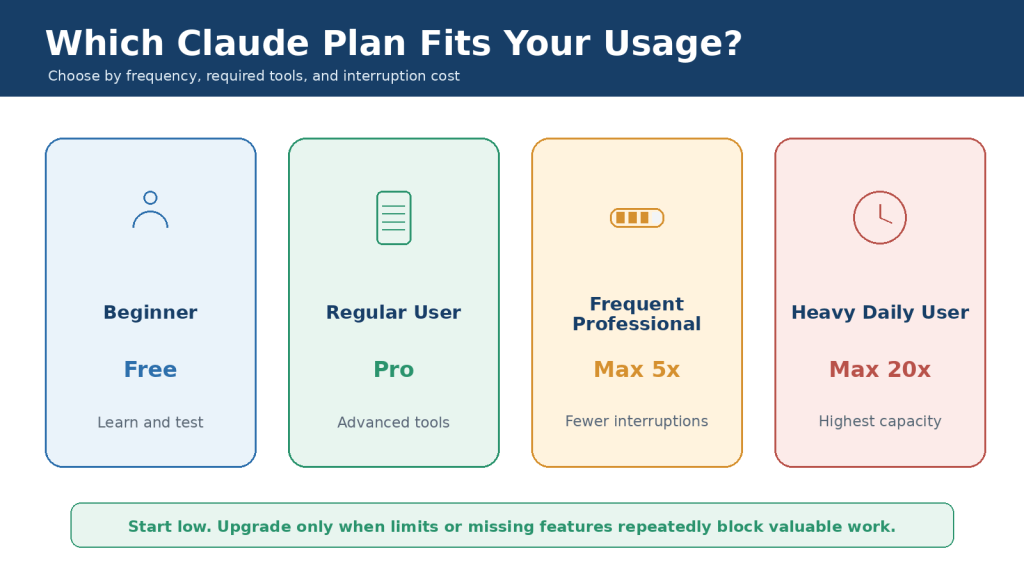
Figure 9. The best plan depends on frequency, required tools, and how costly interruptions are.
Explanation: Beginners should start with Free. Pro is the usual choice for regular work. Max is justified only after lower plans repeatedly prove insufficient.
Examples
• A casual user rewriting two emails and summarizing one short document each week should normally stay on Free.
• A blogger researching and drafting several articles each month will usually benefit from Pro.
• A developer who reaches Pro limits during normal repository work may benefit from Max 5x.
• A professional who uses Claude throughout most working days and repeatedly reaches Max 5x may consider Max 20x.
How to Choose the Right Claude Plan
1. List the real tasks you want Claude to complete.
2. Start with Free when you are uncertain.
3. Identify whether the problem is a missing feature or insufficient capacity.
4. Track session and weekly interruptions for two to four normal weeks.
5. Improve prompt, file, model, project, and conversation management.
6. Try Pro monthly before paying for annual Pro.
7. Test Max 5x for one billing period only after Pro repeatedly fails.
8. Consider Max 20x only after Max 5x is consistently insufficient.
9. Review value before every renewal and downgrade when appropriate.
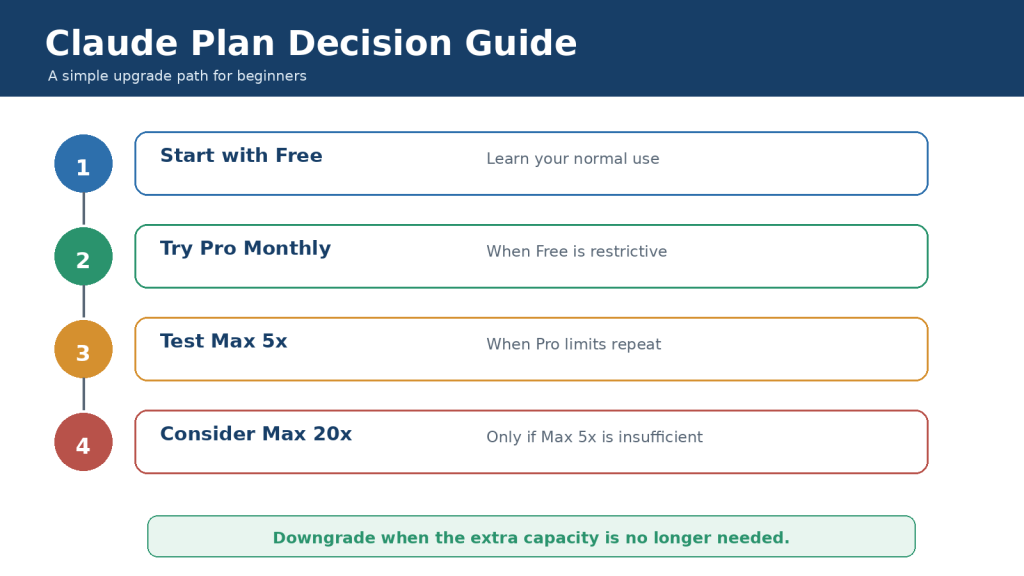
Figure 10. Beginners should move from Free to Pro and then to Max only when repeated evidence supports the additional cost.
Explanation: The safest plan decision uses actual usage data rather than assumptions about message counts, answer quality, or prestige.
Feature Problem or Capacity Problem?
A feature problem occurs when your plan does not include a required tool, such as Claude Code. Moving from Free to Pro can solve it. A capacity problem occurs when you already have the correct tools but repeatedly run out of included usage. Better workflow management or Max may solve that problem.
How to Upgrade, Downgrade, or Cancel
Manage the subscription through the platform that processed the payment. Direct web and Claude Desktop subscriptions are managed under Settings > Billing. Apple and Google Play subscriptions are managed through the corresponding app-store account.
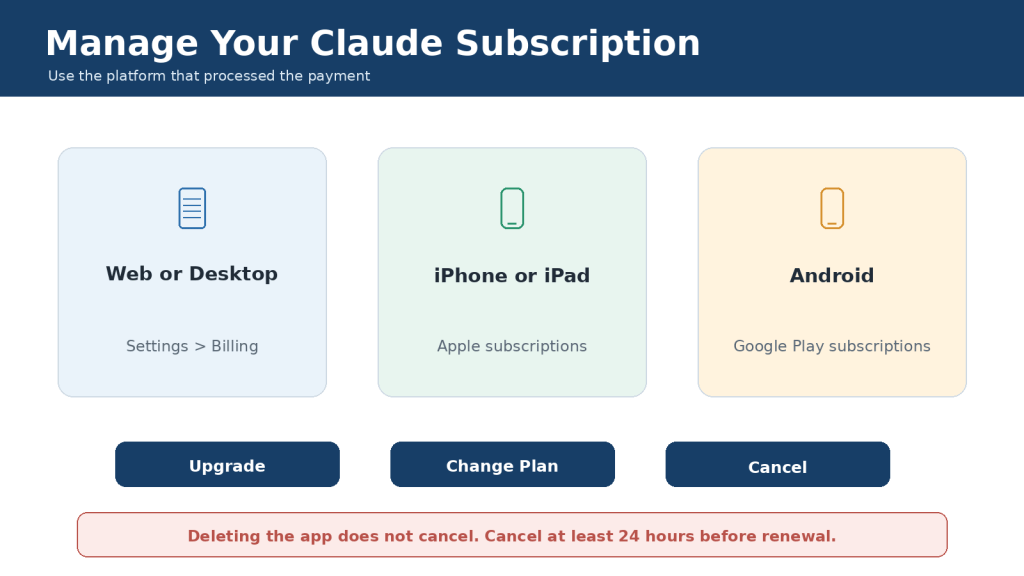
Figure 11. Claude subscriptions must be managed through the platform that originally processed the payment.
Explanation: Deleting an application does not cancel the subscription. Anthropic recommends cancelling at least 24 hours before renewal to avoid another charge.
Before Confirming a Plan Change
• Confirm that you are signed in to the correct account.
• Review the immediate charge, tax, currency, and renewal date.
• Check whether the change is prorated or takes effect at the next renewal.
• Confirm whether optional usage credits remain enabled.
• Save important files and complete work that depends on paid-only features.
• Keep the cancellation or plan-change confirmation.
Cancellation normally takes effect at the end of the current billing period. It is separate from account deletion and does not automatically guarantee a refund.
How to Save Claude Usage and Avoid Unnecessary Upgrades
• Start a new conversation for a new subject.
• Provide complete requirements in the first prompt.
• Batch closely related revisions instead of sending many small messages.
• Use projects for documents you reference repeatedly.
• Remove obsolete files and duplicated project instructions.
• Choose the most efficient model that can complete the task reliably.
• Use higher effort or extended thinking only for genuinely difficult work.
• Narrow Research, web, and connector searches.
• Request concise outputs when a long answer is unnecessary.
• Monitor Settings > Usage before large tasks.
• Save completed results externally before approaching a limit.
• Set a conservative spending cap before enabling usage credits.
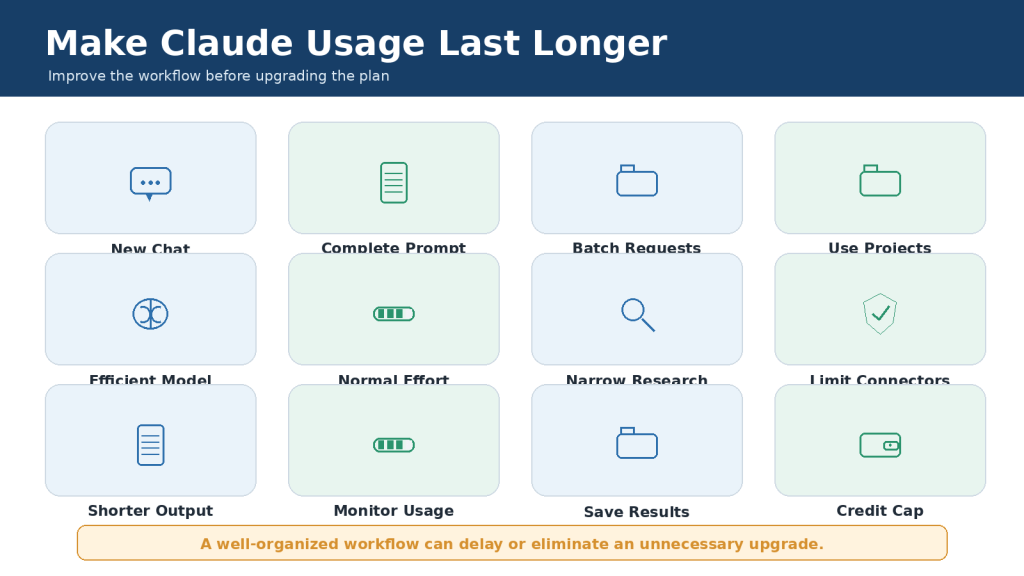
Figure 12. Focused conversations, efficient models, organized projects, and controlled tools can extend the practical value of a Claude plan.
Explanation: Improve the workflow before paying for a larger allowance. Upgrade only when an efficient workflow still reaches limits during valuable work.
Common Claude Plan Mistakes
Mistake 1: Assuming a paid plan is unlimited.
Reality: Pro and Max have session, weekly, context, file, output, and other limits.
Mistake 2: Expecting a fixed message count.
Reality: usage changes with prompt length, files, history, model, tools, and effort.
Mistake 3: Expecting Max to improve every answer.
Reality: Max mainly increases capacity and priority access.
Mistake 4: Starting with Max before testing Free or Pro.
Reality: most beginners should learn their actual needs first.
Mistake 5: Buying annual Pro before testing monthly Pro.
Reality: the US$200 annual charge is paid upfront.
Mistake 6: Believing API usage is included.
Reality: Claude Console and API billing are separate.
Mistake 7: Enabling usage credits without a cap.
Reality: credits create additional charges at consumption-based rates.
Mistake 8: Confusing usage with context.
Reality: more session capacity does not automatically enlarge one conversation.
Mistake 9: Assuming switching devices resets the allowance.
Reality: supported Claude surfaces use the same account limits.
Mistake 10: Deleting the application instead of cancelling.
Reality: recurring billing continues until cancelled through the billing platform.
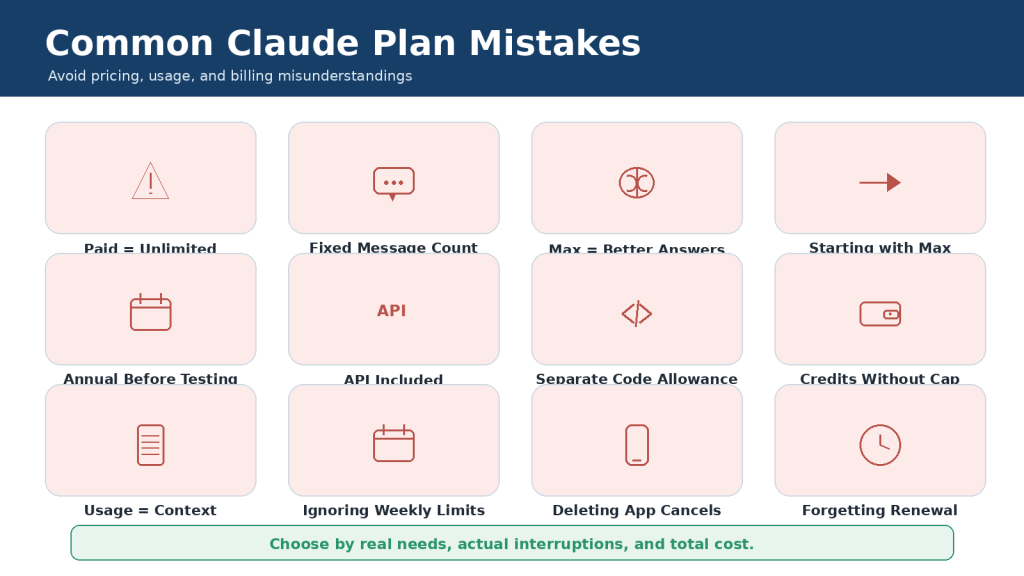
Figure 13. Common misunderstandings can cause unnecessary spending or unexpected charges.
Explanation: The most important errors are treating paid plans as unlimited, expecting fixed message counts, confusing Max with automatic quality, and forgetting separate API or usage-credit billing.
Limitations of Claude Free, Pro, and Max
| Plan | Main limitations |
| Free | Lowest usage allowance, more interruptions, fewer paid tools and models |
| Pro | Subscription cost, session and weekly limits, shared usage, no general API included |
| Max 5x | High monthly cost, still limited, possible underuse |
| Max 20x | Very high monthly cost, still limited, no guarantee of better answers |
| Every plan | Claude can make mistakes; files, features, and service availability have limits |
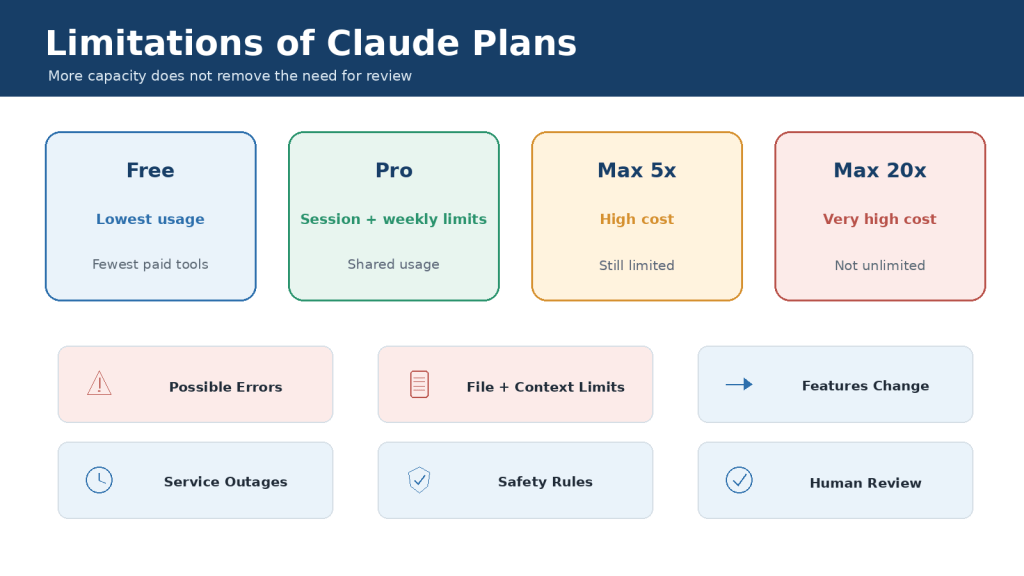
Figure 14. Every Claude plan has capacity, accuracy, context, file, feature, and availability limitations.
Explanation: A higher plan can reduce interruptions, but it cannot guarantee perfect answers, complete document understanding, error-free code, or uninterrupted service.
Human Review Is Always Required
• Verify important facts, quotations, citations, names, dates, and calculations.
• Test generated code before using it in a real system.
• Open and review every generated document, spreadsheet, presentation, or PDF.
• Check the original files when Claude analyzes tables, images, comments, or complex layouts.
• Use qualified professionals for legal, medical, financial, scientific, or other high-stakes decisions.
• Save important work externally and maintain backups.
Frequently Asked Questions
Is Claude Free really free?
Yes. It has no subscription charge, but it has the smallest usage allowance.
Which plan is best for most beginners?
Free. Upgrade only when limits or missing paid tools repeatedly block useful work.
Which paid plan is best for most individuals?
Pro is normally the best first paid plan because it adds the main advanced feature package at a much lower price than Max.
Is Claude Max unlimited?
No. Max has much larger allowances but remains subject to session, weekly, model, feature, context, file, and output limits.
How many messages do I get?
There is no guaranteed fixed number. The practical count varies with the workload.
Does Max produce better answers than Pro?
Not automatically. When the same model, prompt, and information are used, answers may be similar.
Does Pro include Claude Code?
Yes. Claude Code is included with Pro and Max, and interactive usage shares the subscription allowance.
Does a subscription include API access?
No. General Claude API activity is billed separately through the Claude Console.
Can I continue after reaching a paid limit?
Eligible Pro and Max users can enable separately billed usage credits.
Is annual Pro available?
Yes. The current web price is US$200 paid upfront for one year.
Is annual Max available?
The detailed Max help article currently states monthly only. Verify the live checkout because the pricing comparison contains conflicting wording.
Can I cancel at any time?
Yes. Cancellation takes effect at the end of the current billing period. Cancel at least 24 hours before renewal.
Can several people share one Max plan?
The 5x and 20x labels refer to usage capacity, not numbers of users. Individual plans are intended for individual users.
Should I upgrade after reaching a limit once?
Usually not. Track several normal weeks and improve the workflow before making a permanent change.
Which plan should I choose?
Choose the least expensive plan that reliably supports your real tasks without unacceptable interruptions.
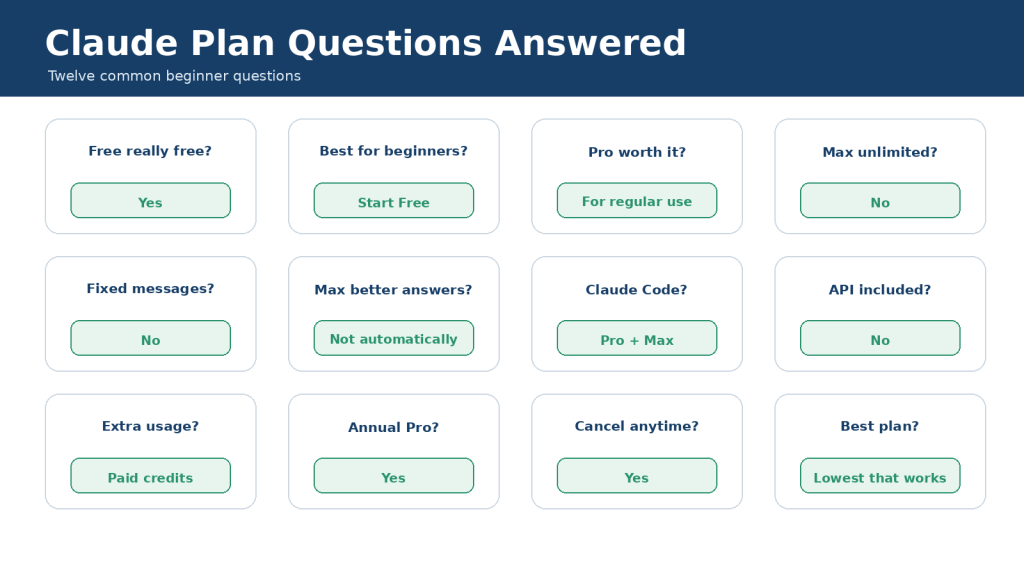
Figure 15. Common plan questions are answered by separating price, capacity, tools, billing, and API access.
Explanation: The best plan is determined by real usage and value. Free is the default starting point, Pro is the usual paid upgrade, and Max is for demonstrated heavy use.
Key Takeaways
• Free is the best starting plan for most beginners and occasional users.
• Pro costs US$20 monthly or US$200 annually and is the main paid upgrade for regular use.
• Max 5x costs US$100 monthly and provides five times Pro’s session capacity.
• Max 20x costs US$200 monthly and provides twenty times Pro’s session capacity.
• No individual plan is unlimited, and Claude does not guarantee a fixed message count.
• The largest feature jump occurs between Free and Pro; Max mainly adds capacity.
• Usage limits and context windows are different.
• Claude Code shares the subscription allowance with other interactive Claude use.
• General Claude API usage is billed separately.
• Usage credits are optional paid overflow and should be protected with a spending cap.
• Plan changes should be based on several weeks of normal usage, not one unusually busy day.
• Every output still requires human verification.
1. Start with Free.
2. Try Pro monthly when Free repeatedly becomes restrictive.
3. Improve usage efficiency and monitor Settings > Usage.
4. Test Max 5x only when Pro is consistently insufficient.
5. Choose Max 20x only when Max 5x is also consistently insufficient.
6. Downgrade when the extra capacity is no longer needed.
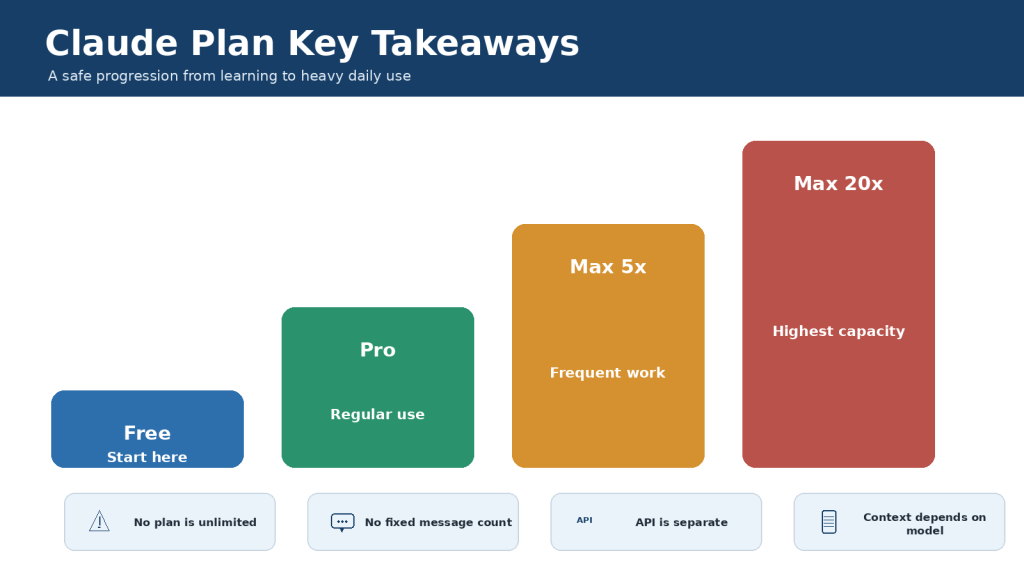
Figure 16. The safest progression is Free, then Pro, then Max only after lower-cost plans repeatedly prove insufficient.
Explanation: The correct plan is the lowest-cost option that provides the required tools and enough capacity for real work.
Conclusion
Claude Free, Pro, Max 5x, and Max 20x serve different levels of individual use. Free is suitable for learning and occasional work. Pro is the strongest first upgrade for regular productivity. Max 5x is for frequent users who repeatedly exceed Pro, and Max 20x is for heavy daily users who have already shown that Max 5x is insufficient.
Paying more does not automatically improve every answer. The main benefit of Max is more capacity, higher output limits, priority access, and fewer interruptions. Accuracy, source quality, model choice, prompt quality, and human review remain essential on every plan.
The best Claude plan is not the largest option. It is the least expensive plan that reliably provides the features and capacity required for your genuine work.
Sources and References
The following official Anthropic resources were used to verify this article. Prices, features, and limits can change, so check current documentation before subscribing.
1. Plans and Pricing
Current plan prices, listed features, models, and public comparison table.
2. Choose a Claude Plan
Official summary of Free, Pro, Max 5x, and Max 20x pricing, billing, capacity, and intended users.
3. What Is the Pro Plan?
Pro benefits, price, five-hour resets, priority access, Claude Code, Cowork, and separate API billing.
4. How Do I Sign Up for the Pro Plan?
Official upgrade instructions for monthly and annual Pro.
5. What Is the Max Plan?
Max prices, 5x and 20x capacity, monthly billing, proration, priority access, and limits.
6. How Do I Sign Up for the Max Plan?
Official Max signup and upgrade process.
7. How Do Usage and Length Limits Work?
Difference between usage and context limits, automatic context management, and model-dependent context.
8. Usage Limit Best Practices
Prompt, project, model, and conversation practices that conserve usage.
9. How Large Is the Context Window on Paid Claude Plans?
Current model-dependent context-window guidance.
10. How Can I Create and Manage Projects?
Free five-project limit and paid project-knowledge behavior.
11. Retrieval-Augmented Generation for Projects
Paid project retrieval and expanded project-knowledge capacity.
12. Use Claude Code with Your Pro or Max Plan
Claude Code access, shared limits, and API-credit billing choices.
13. Models, Usage, and Limits in Claude Code
Model selection and context-management practices for Claude Code.
14. Manage Usage Credits for Paid Claude Plans
Pay-as-you-go overflow, prepaid funds, spending caps, and shared usage.
15. Buy Usage Bundles
Optional prepaid usage bundles for eligible paid users.
16. Why Are Claude API and Console Billed Separately?
Separation between interactive Claude subscriptions and API billing.
17. Cancel Your Pro or Max Subscription
Web, Desktop, iOS, and Android cancellation instructions and renewal timing.
18. Paid Plan Billing FAQs
Invoices, payment methods, billing dates, and app-store billing differences.
19. Claude Service Status
Current and historical service incidents.
Verification note: The main pricing comparison currently displays monthly and annual billing for Max, while the detailed Max Help Center article states that Max is monthly only. The article follows the more specific Max documentation and advises readers to check the live checkout screen.

